




Improving Written Language through Effective Intervention and Technology: Part 2 Technology IntegrationKathleen Marshall & Cheryl WissickUniversity of South CarolinaDLD Workshop State CEC February 2011Visit WebToolboxeshttp://webtoolboxes.wikispaces.com
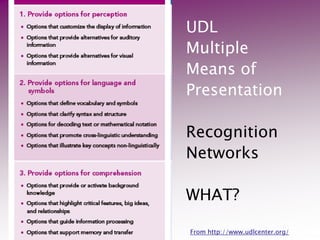
UDLMultiple Means ofPresentationRecognition NetworksWHAT?From http://www.udlcenter.org/
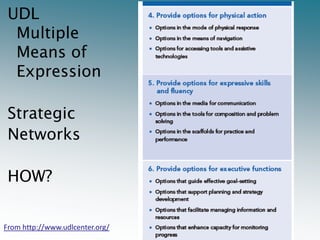
Multiple Means of Expression UDLMultiple Means of Expression Strategic NetworksHOW?From http://www.udlcenter.org/
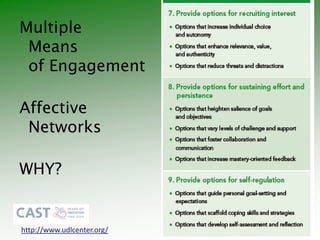
Multiple Means of EngagementAffective NetworksWHY?http://www.udlcenter.org/
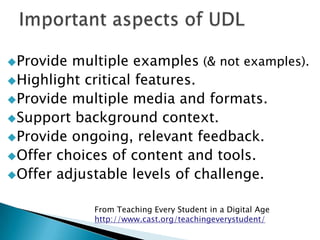
Important aspects of UDLProvide multiple examples (& not examples).Highlight critical features.Provide multiple media and formats.Support background context.Provide ongoing, relevant feedback.Offer choices of content and tools.Offer adjustable levels of challenge.From Teaching Every Student in a Digital Agehttp://www.cast.org/teachingeverystudent/
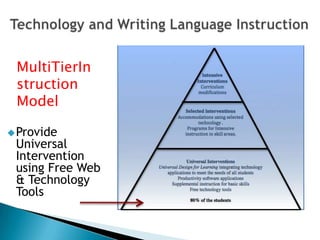
Technology and Writing Language InstructionMultiTierInstructionModel Provide Universal Intervention using Free Web & Technology Tools
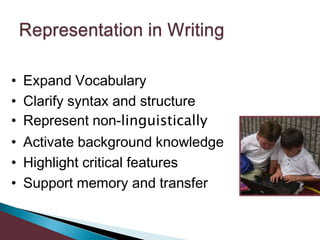
Representation in WritingExpand Vocabulary
Clarify syntax and structure
Represent non-linguistically
Activate background knowledge
Highlight critical features
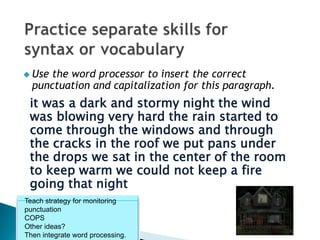
Support memory and transferPractice separate skills for syntax or vocabularyUse the word processor to insert the correct punctuation and capitalization for this paragraph.Teach strategy for monitoring punctuationCOPS Other ideas?Then integrate word processing.it was a dark and stormy night the wind was blowing very hard the rain started to come through the windows and through the cracks in the roof we put pans under the drops we sat in the center of the room to keep warm we could not keep a fire going that night
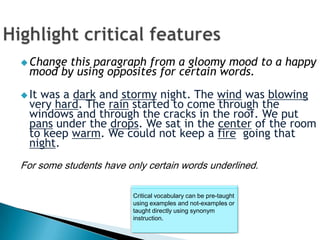
Highlight critical features Critical vocabulary can be pre-taught using examples and not-examples or taught directly using synonym instruction.Change this paragraph from a gloomy mood to a happy mood by using opposites for certain words.It was a dark and stormy night. The wind was blowing very hard. The rain started to come through the windows and through the cracks in the roof. We put pans under the drops. We sat in the center of the room to keep warm. We could not keep a fire  going that night.For some students have only certain words underlined.
Activities can reinforce facts.Students can be pre-taught a specific strategy for combining sentences. Use the word processor to demonstrate those strategiesObjective: To redo the group of two sentences to create one sentence use copy, cut and paste.The kidneys filter out waste.The kidneys filter our blood.7th grade scienceLanguage activity supports science learning.
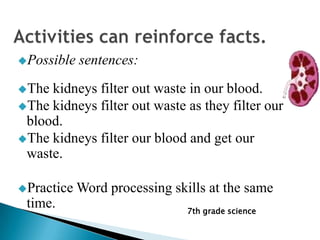
Activities can reinforce facts.Possible sentences:The kidneys filter out waste in our blood.The kidneys filter out waste as they filter our blood.The kidneys filter our blood and get our waste.Practice Word processing skills at the same time.7th grade science
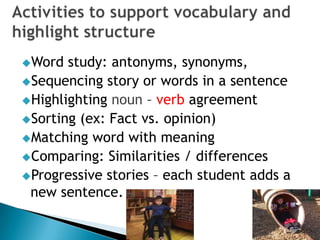
Activities to support vocabulary and highlight structureWord study: antonyms, synonyms,Sequencing story or words in a sentenceHighlighting noun – verb agreementSorting (ex: Fact vs. opinion)Matching word with meaningComparing: Similarities / differencesProgressive stories – each student adds a new sentence.
Create Activities to Match Vocabulary or to write definitionsImportant vocabulary can be pre-taught using concept instruction.Examples and not examples.Demonstrate how to use a free web tool to locate definitions
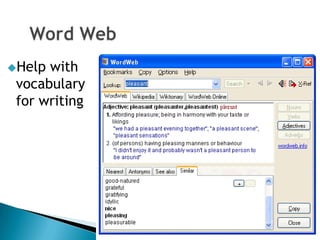
Word WebHelp with vocabulary for writing
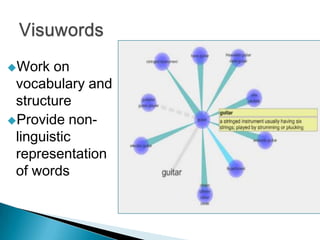
VisuwordsWork on vocabulary and structureProvide non-linguistic representation of words
ShahiVisual dictionary combines text with images from Flickr
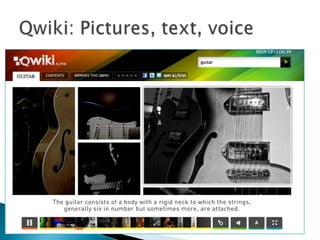
Qwiki: Pictures, text, voice
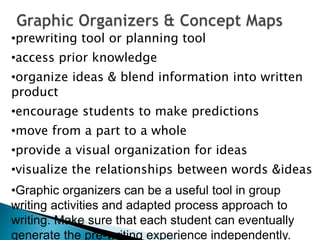
Graphic Organizers & Concept Mapsprewriting tool or planning tool
access prior knowledge
organize ideas & blend information into written product
encourage students to make predictions
move from a part to a whole
provide a visual organization for ideas
visualize the relationships between words & ideas
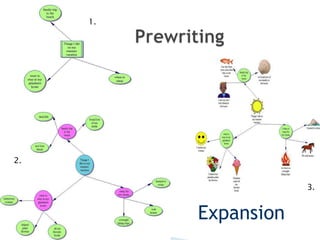
Graphic organizers can be a useful tool in group writing activities and adapted process approach to writing. Make sure that each student can eventually generate the pre-writing experience independently.Prewriting1.2.3.Expansion
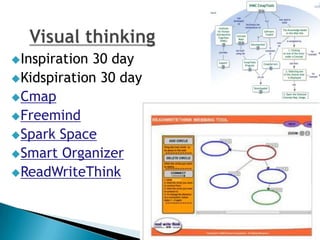
Visual thinkingInspiration 30 dayKidspiration 30 dayCmapFreemindSpark SpaceSmart OrganizerReadWriteThink
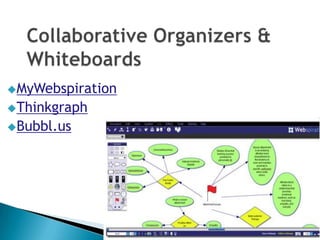
Collaborative Organizers & WhiteboardsMyWebspirationThinkgraphBubbl.us
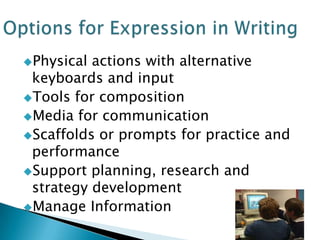
Physical actions with alternative keyboards and inputTools for compositionMedia for communicationScaffolds or prompts for practice and performanceSupport planning, research and strategy developmentManage InformationOptions for Expression in Writing
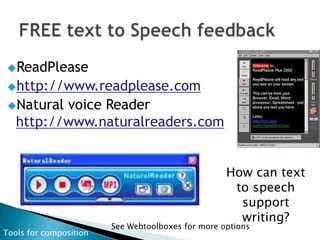
FREE text to Speech feedbackReadPleasehttp://www.readplease.comNatural voice Reader http://www.naturalreaders.comHow can text to speech support writing?See Webtoolboxes for more optionsTools for composition
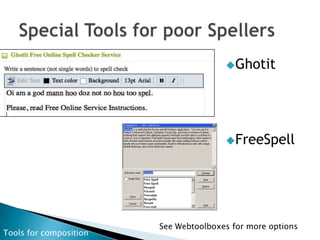
Special Tools for poor SpellersGhotitFreeSpellSee Webtoolboxes for more optionsTools for composition
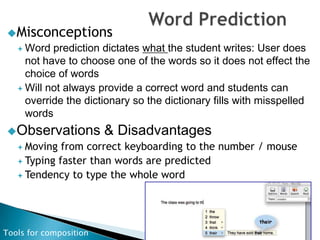
Word PredictionMisconceptionsWord prediction dictates what the student writes: User does not have to choose one of the words so it does not effect the choice of wordsWill not always provide a correct word and students can override the dictionary so the dictionary fills with misspelled wordsObservations & DisadvantagesMoving from correct keyboarding to the number / mouseTyping faster than words are predictedTendency to type the whole wordTools for composition
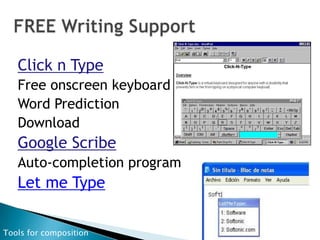
FREE Writing SupportClick n TypeFree onscreen keyboard Word PredictionDownloadGoogle ScribeAuto-completion programLet me TypeTools for composition
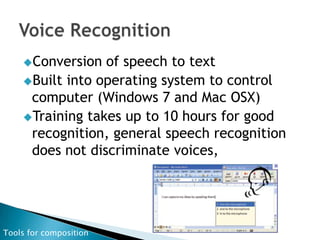
Voice RecognitionConversion of speech to textBuilt into operating system to control computer (Windows 7 and Mac OSX)Training takes up to 10 hours for good recognition, general speech recognition does not discriminate voices, Tools for composition
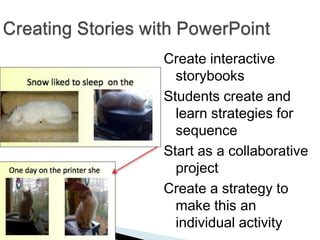
Creating Stories with PowerPointCreate interactive storybooksStudents create and learn strategies for sequenceStart as a collaborative projectCreate a strategy to make this an individual activity.
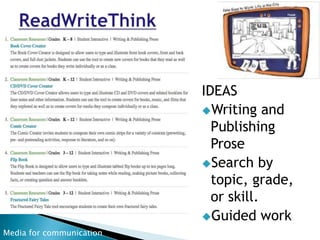
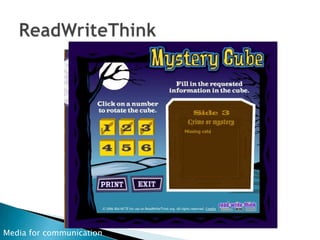
ReadWriteThinkIDEAS Writing and Publishing ProseSearch by topic, grade, or skill.Guided workMedia for communication
ReadWriteThinkMedia for communication
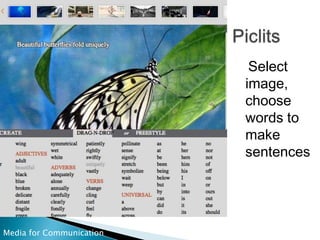
Piclits   Select image, choose words to make sentencesMedia for Communication
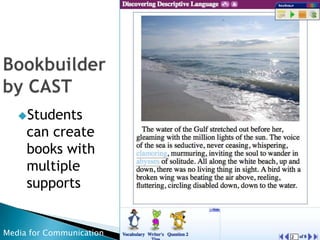
Bookbuilderby CASTStudents can create books with multiple supportsMedia for Communication
Digital Story Tellingdigital story A short, first person video narrative created by combining recorded voice, still and moving images, and music or other sounds.CartoonsAnimationPresentationsVisual and Voice presentations
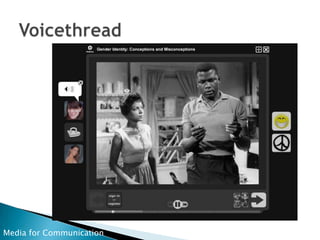
VoicethreadMedia for Communication
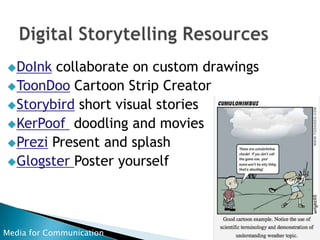
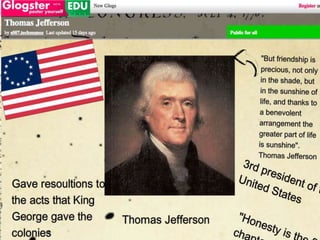
Digital Storytelling ResourcesDoInk collaborate on custom drawingsToonDoo Cartoon Strip CreatorStorybird short visual storiesKerPoof  doodling and moviesPrezi Present and splashGlogster Poster yourselfMedia for Communication
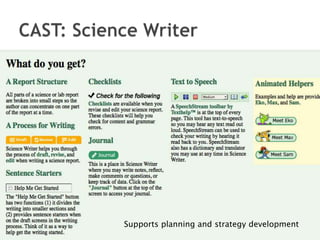
CAST: Science Writer Supports planning and strategy development
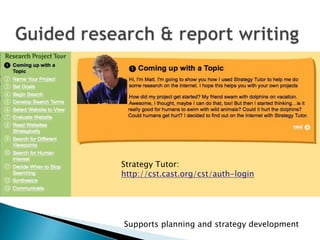
Guided research & report writingStrategy Tutor: http://cst.cast.org/cst/auth-loginSupports planning and strategy development
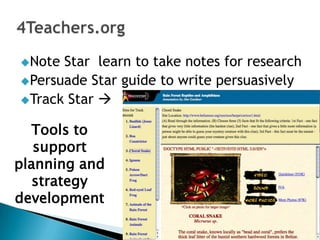
4Teachers.orgNote Star  learn to take notes for researchPersuade Star guide to write persuasivelyTrack Star Tools to support planning and strategy development
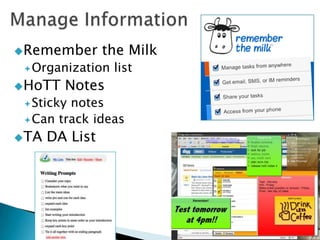
Manage InformationRemember the MilkOrganization listHoTT NotesSticky notesCan track ideasTA DA List
Increase individual choice and autonomyEnhance relevance and valueVary levels of challenge and supportFoster collaboration and communicationGuide Effective Goal settingEnhance ability to monitor progressEngagement in Writing
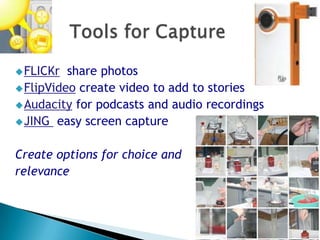
Tools for CaptureFLICKr  share photosFlipVideo create video to add to storiesAudacity for podcasts and audio recordingsJING  easy screen captureCreate options for choice and relevance
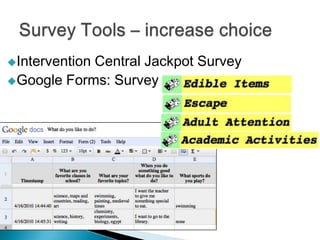
Survey Tools – increase choiceIntervention Central Jackpot SurveyGoogle Forms: Survey
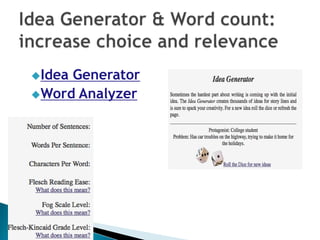
Idea Generator & Word count:increase choice and relevanceIdea GeneratorWord Analyzer
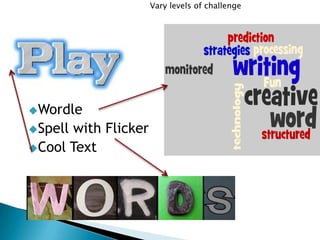
Vary levels of challenge WordleSpell with FlickerCool Text
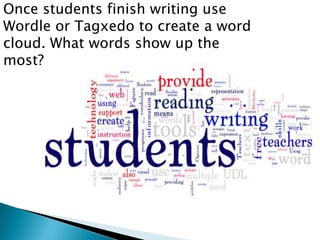
Once students finish writing use Wordle or Tagxedo to create a word cloud. What words show up the most?

Technology supportswrittenlanuagesccec dld

  • 1.
    Improving Written Languagethrough Effective Intervention and Technology: Part 2 Technology IntegrationKathleen Marshall & Cheryl WissickUniversity of South CarolinaDLD Workshop State CEC February 2011Visit WebToolboxeshttp://webtoolboxes.wikispaces.com
  • 2.
    UDLMultiple Means ofPresentationRecognitionNetworksWHAT?From http://www.udlcenter.org/
  • 3.
    Multiple Means ofExpression UDLMultiple Means of Expression Strategic NetworksHOW?From http://www.udlcenter.org/
  • 4.
    Multiple Means ofEngagementAffective NetworksWHY?http://www.udlcenter.org/
  • 5.
    Important aspects ofUDLProvide multiple examples (& not examples).Highlight critical features.Provide multiple media and formats.Support background context.Provide ongoing, relevant feedback.Offer choices of content and tools.Offer adjustable levels of challenge.From Teaching Every Student in a Digital Agehttp://www.cast.org/teachingeverystudent/
  • 6.
    Technology and WritingLanguage InstructionMultiTierInstructionModel Provide Universal Intervention using Free Web & Technology Tools
  • 7.
  • 8.
  • 9.
  • 10.
  • 11.
  • 12.
    Support memory andtransferPractice separate skills for syntax or vocabularyUse the word processor to insert the correct punctuation and capitalization for this paragraph.Teach strategy for monitoring punctuationCOPS Other ideas?Then integrate word processing.it was a dark and stormy night the wind was blowing very hard the rain started to come through the windows and through the cracks in the roof we put pans under the drops we sat in the center of the room to keep warm we could not keep a fire going that night
  • 13.
    Highlight critical featuresCritical vocabulary can be pre-taught using examples and not-examples or taught directly using synonym instruction.Change this paragraph from a gloomy mood to a happy mood by using opposites for certain words.It was a dark and stormy night. The wind was blowing very hard. The rain started to come through the windows and through the cracks in the roof. We put pans under the drops. We sat in the center of the room to keep warm. We could not keep a fire going that night.For some students have only certain words underlined.
  • 14.
    Activities can reinforcefacts.Students can be pre-taught a specific strategy for combining sentences. Use the word processor to demonstrate those strategiesObjective: To redo the group of two sentences to create one sentence use copy, cut and paste.The kidneys filter out waste.The kidneys filter our blood.7th grade scienceLanguage activity supports science learning.
  • 15.
    Activities can reinforcefacts.Possible sentences:The kidneys filter out waste in our blood.The kidneys filter out waste as they filter our blood.The kidneys filter our blood and get our waste.Practice Word processing skills at the same time.7th grade science
  • 16.
    Activities to supportvocabulary and highlight structureWord study: antonyms, synonyms,Sequencing story or words in a sentenceHighlighting noun – verb agreementSorting (ex: Fact vs. opinion)Matching word with meaningComparing: Similarities / differencesProgressive stories – each student adds a new sentence.
  • 17.
    Create Activities toMatch Vocabulary or to write definitionsImportant vocabulary can be pre-taught using concept instruction.Examples and not examples.Demonstrate how to use a free web tool to locate definitions
  • 18.
    Word WebHelp withvocabulary for writing
  • 19.
    VisuwordsWork on vocabularyand structureProvide non-linguistic representation of words
  • 20.
    ShahiVisual dictionary combinestext with images from Flickr
  • 21.
  • 22.
    Graphic Organizers &Concept Mapsprewriting tool or planning tool
  • 23.
  • 24.
    organize ideas &blend information into written product
  • 25.
    encourage students tomake predictions
  • 26.
    move from apart to a whole
  • 27.
    provide a visualorganization for ideas
  • 28.
    visualize the relationshipsbetween words & ideas
  • 29.
    Graphic organizers canbe a useful tool in group writing activities and adapted process approach to writing. Make sure that each student can eventually generate the pre-writing experience independently.Prewriting1.2.3.Expansion
  • 30.
    Visual thinkingInspiration 30dayKidspiration 30 dayCmapFreemindSpark SpaceSmart OrganizerReadWriteThink
  • 31.
    Collaborative Organizers &WhiteboardsMyWebspirationThinkgraphBubbl.us
  • 32.
    Physical actions withalternative keyboards and inputTools for compositionMedia for communicationScaffolds or prompts for practice and performanceSupport planning, research and strategy developmentManage InformationOptions for Expression in Writing
  • 33.
    FREE text toSpeech feedbackReadPleasehttp://www.readplease.comNatural voice Reader http://www.naturalreaders.comHow can text to speech support writing?See Webtoolboxes for more optionsTools for composition
  • 34.
    Special Tools forpoor SpellersGhotitFreeSpellSee Webtoolboxes for more optionsTools for composition
  • 35.
    Word PredictionMisconceptionsWord predictiondictates what the student writes: User does not have to choose one of the words so it does not effect the choice of wordsWill not always provide a correct word and students can override the dictionary so the dictionary fills with misspelled wordsObservations & DisadvantagesMoving from correct keyboarding to the number / mouseTyping faster than words are predictedTendency to type the whole wordTools for composition
  • 36.
    FREE Writing SupportClickn TypeFree onscreen keyboard Word PredictionDownloadGoogle ScribeAuto-completion programLet me TypeTools for composition
  • 37.
    Voice RecognitionConversion ofspeech to textBuilt into operating system to control computer (Windows 7 and Mac OSX)Training takes up to 10 hours for good recognition, general speech recognition does not discriminate voices, Tools for composition
  • 38.
    Creating Stories withPowerPointCreate interactive storybooksStudents create and learn strategies for sequenceStart as a collaborative projectCreate a strategy to make this an individual activity.
  • 39.
    ReadWriteThinkIDEAS Writing andPublishing ProseSearch by topic, grade, or skill.Guided workMedia for communication
  • 40.
  • 41.
    Piclits Select image, choose words to make sentencesMedia for Communication
  • 42.
    Bookbuilderby CASTStudents cancreate books with multiple supportsMedia for Communication
  • 43.
    Digital Story Tellingdigitalstory A short, first person video narrative created by combining recorded voice, still and moving images, and music or other sounds.CartoonsAnimationPresentationsVisual and Voice presentations
  • 44.
  • 45.
    Digital Storytelling ResourcesDoInkcollaborate on custom drawingsToonDoo Cartoon Strip CreatorStorybird short visual storiesKerPoof doodling and moviesPrezi Present and splashGlogster Poster yourselfMedia for Communication
  • 47.
    CAST: Science WriterSupports planning and strategy development
  • 48.
    Guided research &report writingStrategy Tutor: http://cst.cast.org/cst/auth-loginSupports planning and strategy development
  • 49.
    4Teachers.orgNote Star learn to take notes for researchPersuade Star guide to write persuasivelyTrack Star Tools to support planning and strategy development
  • 50.
    Manage InformationRemember theMilkOrganization listHoTT NotesSticky notesCan track ideasTA DA List
  • 51.
    Increase individual choiceand autonomyEnhance relevance and valueVary levels of challenge and supportFoster collaboration and communicationGuide Effective Goal settingEnhance ability to monitor progressEngagement in Writing
  • 52.
    Tools for CaptureFLICKr share photosFlipVideo create video to add to storiesAudacity for podcasts and audio recordingsJING easy screen captureCreate options for choice and relevance
  • 53.
    Survey Tools –increase choiceIntervention Central Jackpot SurveyGoogle Forms: Survey
  • 54.
    Idea Generator &Word count:increase choice and relevanceIdea GeneratorWord Analyzer
  • 55.
    Vary levels ofchallenge WordleSpell with FlickerCool Text
  • 56.
    Once students finishwriting use Wordle or Tagxedo to create a word cloud. What words show up the most?

Editor's Notes

  • #7 Image of inverted triangle to represent RTI tiersUniversal Interventions 80% of the students, universal design for learning integrating technology application to meet the needs of all students. Productivity software applications, supplemental instructional for basic skills, free technology toolsSelected Interventions 15% of the students accommodations using selected technology, programs for intensive instruction in skill areasIntensive Interventions 5% of the students curriculum modificationsPoll:Is anyone targeting RTI for written language and tracking using CBM Correct writing sequencesElementarySecondary MiddleSecondary High schoolNo not at all
  • #13 Images of a boy sitting in a chair and second image boy at the bottom of a slide
  • #15 Image of word web screen with the word, definition, list of related words, can choose form nearest, antonyms, see also, similar. Image of speaker to hear the word.
  • #16 Image from visuwords with guitar as the target word
  • #17 Screenshot of shahi definition of nursery with words and images from Flickr
  • #24 Image of Readplease Image of Natural Readers Floating toolbar is an advantage over Readplease as you don’t have to copy and paste text also now available for the Mac. Lowcost version will convert files to mp3
  • #25 Image of online ghotit free online spell checkerImage of FreespellSpell check works fine in most programs but for poor spellers it does not show logical choices.
  • #28 Image from SpeakQPopular brands Dragon naturally speaking, speakq
  • #29 Images from an interactive PowerPoint story showing sequence of the screensA great example of a beginning collaborative activity that, with the help of a simple strategy, could be an individual activity.
  • #32 Image from piclits writing program
  • #33 Image of page from bookbuilder discovering descriptive language
  • #34 Image from University of Houston the educational uses of digital storytelling
  • #35 Image from a voice thread from to kill a mockingbird conceptions and misconceptions
  • #36 Image from a toondoo on cumulonimbus clouds cartoon
  • #37 Image from glogster edu of a poster for thomas jefferson
  • #38 Image screenshot of Science writer from CAST
  • #39 Image from CAST Strategy tutor
  • #40 Image from Trackstar
  • #44 Image: Jackpot survey criteria edible items, escape, adult attention, academic activities. Image 2: google docs screen capture of survey results from the use of a form.
  • #46 Images:1- Cool Text image of the word PLAY2- Spell with Flickr example of the word WORDS3- Wordle
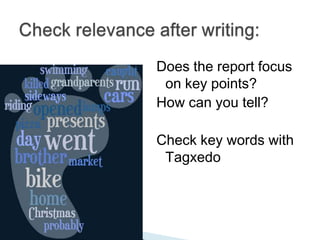
  • #47 Pasted text from TIA into TagxedoHow can this help students in writing, are they getting across their message as the word used most often will be the largest
  • #48 Image screen capture of Tagxedo from the once I was almost killed story . What words stand out?
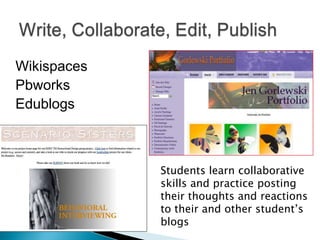
  • #50 Screen shot pbworks scenario sisters work on behavioral interviewingGorlewski portfolio on art but could be applied to writing activities too
  • #51 Screenshot Pat Hensley Blog Successful TeachingWissick Web Toolbox wiki
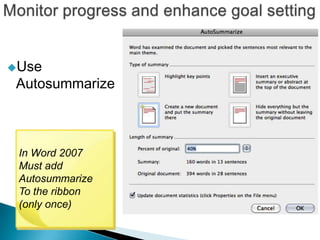
  • #53 Example of autosummarize tool window
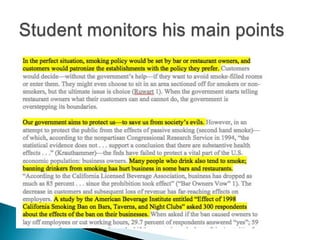
  • #54 Screen capture of autosummarize of a student report on Should we ban smoking in restaurantsNotice the main ideas are highlightedResearch report from: http://www.thewritesource.com/studentmodels/wi-smoking.htm
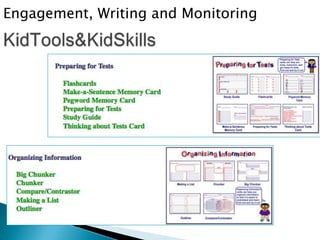
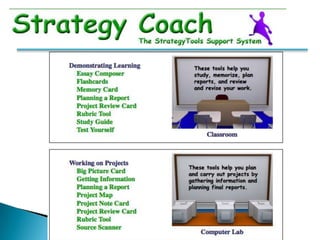
  • #55 Image front screens from eKidTools and iKidtoolsGoal setting and progress monitoring engage students and also support executive functions
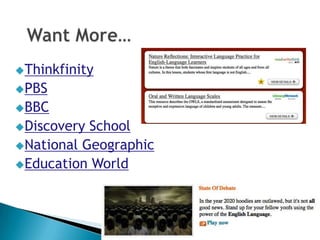
  • #57 Image from thinkfinityImage from Education World