Free Technology Tools to support Multi-Tier Instruction and enhance Social Emotional skills  Cher yl A. Wissick & Susan Quinn Univ ersity South Carolina   •   •   •   •   • J. Emmett Gardner University of Oklahoma TED Charlotte  November 2009  Poster Presentation
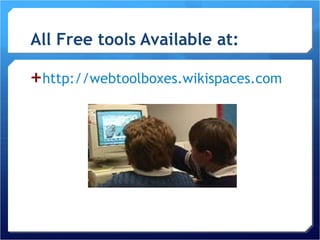
All Free tools Available at: http://webtoolboxes.wikispaces.com
Abstract:   Demonstration of FREE technology resources, tools, and strategies that embrace Universal Design for Learning, support multi-tier instruction, help diverse learners, and enhance productivity. Explore ways that technology and free social networking tools can help or hinder students learn academic skills and develop positive social relationships and collaboration.
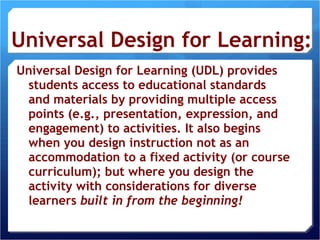
Universal Design for Learning: Universal Design for Learning (UDL) provides students access to educational standards and materials by providing multiple access points (e.g., presentation, expression, and engagement) to activities. It also begins when you design instruction not as an accommodation to a fixed activity (or course curriculum); but where you design the activity with considerations for diverse learners  built in from the beginning!
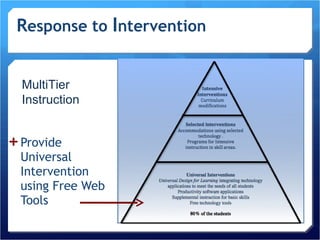
R esponse to  I ntervention Provide Universal Intervention using Free Web Tools MultiTier Instruction
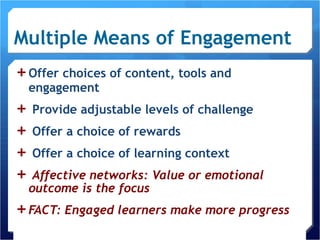
Multiple Means of Engagement Offer choices of content, tools and engagement Provide adjustable levels of challenge Offer a choice of rewards Offer a choice of learning context Affective networks: Value or emotional outcome is the focus FACT: Engaged learners make more progress
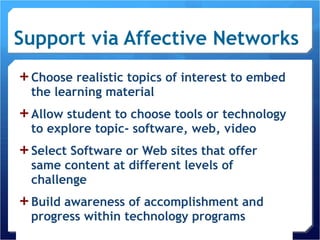
Support via Affective Networks Choose realistic topics of interest to embed the learning material Allow student to choose tools or technology to explore topic- software, web, video Select Software or Web sites that offer same content at different levels of challenge Build awareness of accomplishment and progress within technology programs
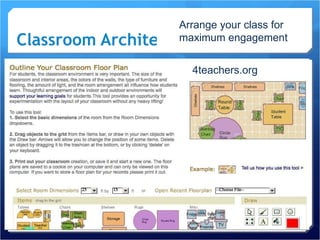
Classroom Architect 4teachers.org Arrange your class for maximum engagement
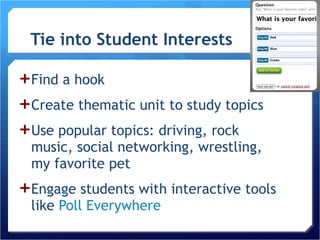
Tie into Student Interests Find a hook Create thematic unit to study topics  Use popular topics: driving, rock music, social networking, wrestling, my favorite pet Engage students with interactive tools like  Poll Everywhere
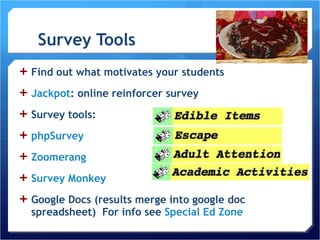
Survey Tools Find out what motivates your students Jackpot : online reinforcer survey Survey tools: phpSurvey Zoomerang Survey Monkey Google Docs (results merge into google doc spreadsheet)  For info see  Special Ed Zone
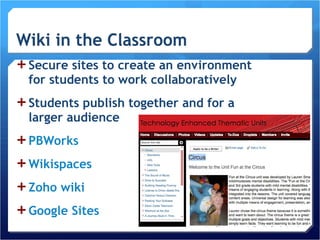
Secure sites to create an environment for students to work collaboratively Students publish together and for a larger audience PBWorks Wikispaces Zoho  wiki Google Sites
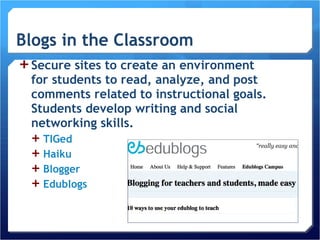
Secure sites to create an environment for students to read, analyze, and post comments related to instructional goals. Students develop writing and social networking skills. TIGed Haiku Blogger Edublogs
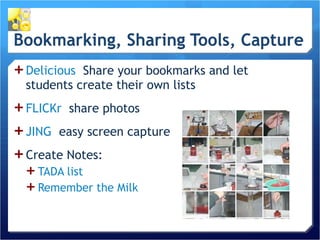
Delicious   Share your bookmarks and let students create their own lists FLICKr   share photos JING   easy screen capture  Create Notes:  TADA list Remember the Milk
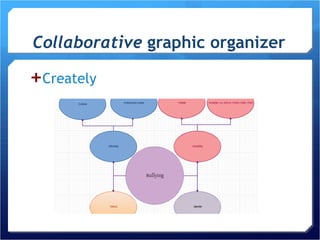
Collaborative  graphic organizer Creately
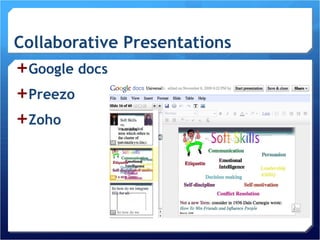
Collaborative Presentations Google docs  Preezo Zoho
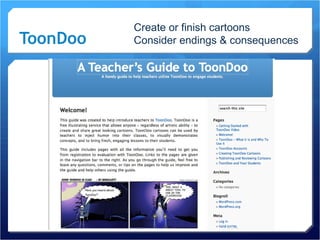
ToonDoo Create or finish cartoons  Consider endings & consequences
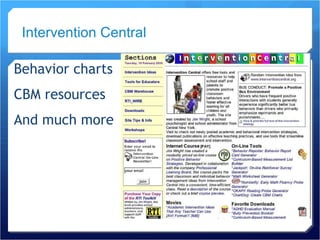
Behavior charts CBM resources And much more Intervention Central
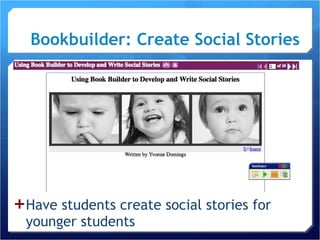
Bookbuilder: Create Social Stories   Have students create social stories for younger students
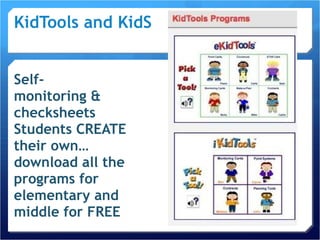
KidTools and KidSkills Self- monitoring & checksheets  Students CREATE their own… download all the programs for elementary and middle for FREE
Social Emotional Support Integrate social emotional learning into everyday instruction  Engage student emotionally & academically CASEL  center for social emotional learning Edutopia   example lessons SAMSHA   poster, games to support mental health
Multiple Means of Representation Provide Multiple Examples Highlight Critical Features Provide Multiple Media & Formats Support Background Knowledge Recognition networks:  Content is the focus
Support  Recognition Networks Variety of web sites to demonstrate, links to support information Pictures from CD-Roms & Web Word processors to highlight critical words Presentation tools to animate concepts Books on tape; Digital text Charts, graphs, images to support text
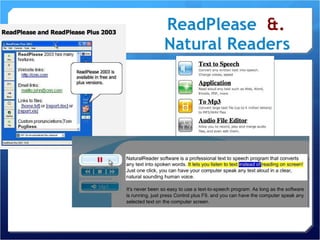
ReadPlease   &.  Natural Readers
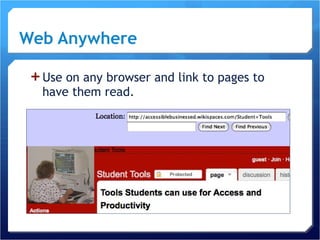
Web Anywhere   Use on any browser and link to pages to have them read.
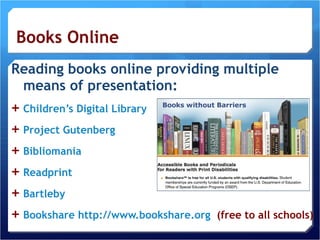
Reading books online providing multiple means of presentation: Children’s Digital Library  Project Gutenberg Bibliomania Readprint Bartleby Bookshare   http://www.bookshare.org   (free to all schools)
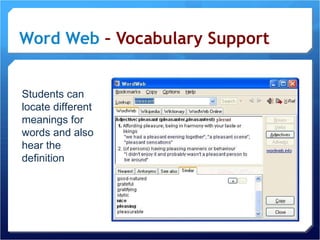
Word Web  – Vocabulary Support Students can locate different meanings for words and also hear the definition
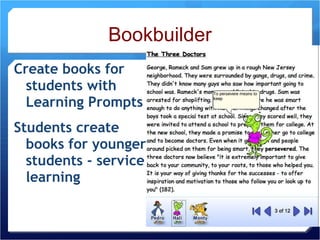
Create books for students with Learning Prompts Students create books for younger students - service learning Bookbuilder
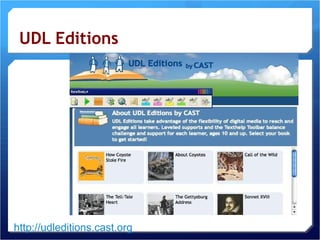
UDL Editions http://udleditions.cast.org
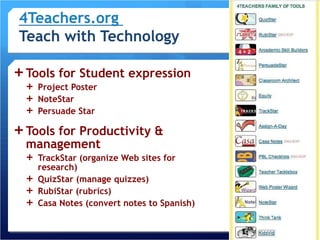
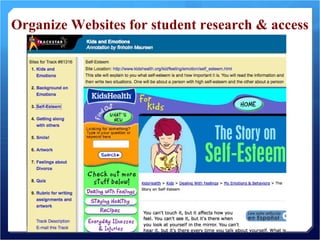
Tools for Student expression Project Poster NoteStar Persuade Star Tools for Productivity & management TrackStar (organize Web sites for research) QuizStar (manage quizzes) RubiStar (rubrics) Casa Notes (convert notes to Spanish)
Organize Websites for student research & access
Multiple Means of Expression Provide Flexible Models of skilled performance Provide opportunities to practice with supports Provide ongoing, relevant feedback Offer flexible opportunities of demonstrating a skill Strategic Networks: Process or medium is the focus Wissick & Gardner
Support via Strategic Networks Examples and not-examples with images, video, live or taped demonstrations Scaffold learning with text-to-speech, word prediction, layered Web sites Text-to-speech to listen to one’s own writing Videotape of skill performance Online feedback from peers or mentors Creating web pages, posters, presentations
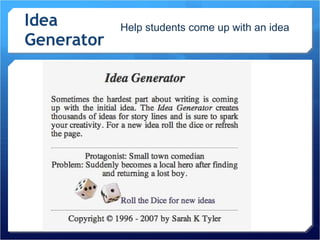
Idea Generator  Wissick, 2007 Help students come up with an idea
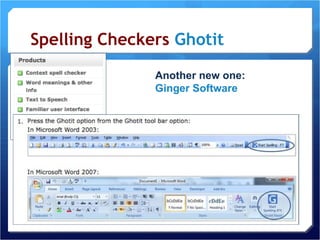
Spelling Checkers  Ghotit Another new one: Ginger Software
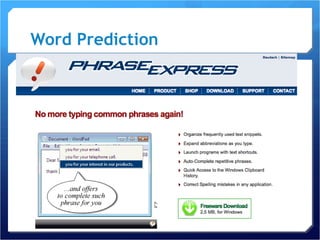
Word Prediction
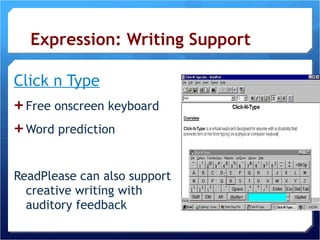
Expression: Writing Support Click n Type Free onscreen keyboard Word prediction ReadPlease can also support creative writing with auditory feedback
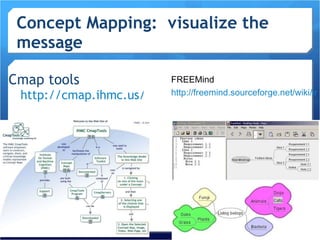
Concept Mapping:  visualize the message Cmap tools  http://cmap.ihmc.us/ FREEMind http://freemind.sourceforge.net/wiki/index.php/Main_Page
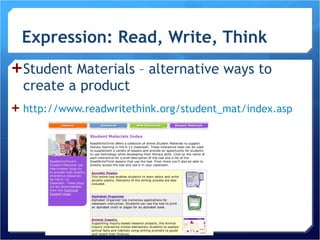
Expression: Read, Write, Think Student Materials – alternative ways to create a product http://www.readwritethink.org/student_mat/index.asp Wissick, 2007
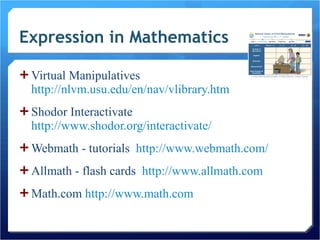
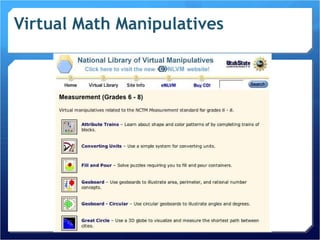
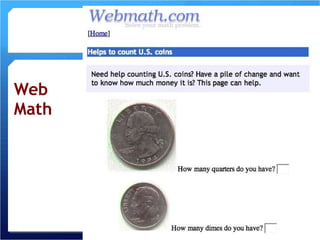
Expression in Mathematics Virtual Manipulatives  http://nlvm.usu.edu/en/nav/vlibrary.htm   Shodor Interactivate  http://www.shodor.org/interactivate/   Webmath - tutorials  http://www.webmath.com/   Allmath - flash cards  http://www.allmath.com   Math.com  http://www.math.com
Virtual Math Manipulatives Wissick, 2007
Web Math Wissick, 2007
Examples of Matching Technology Tools with Principles of Universal Design for Learning  to Enhance Skills and support social emotional growth :
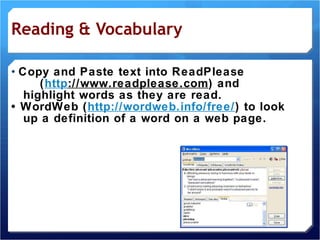
Reading & Vocabulary •  Copy and Paste text into ReadPlease  ( http ://www.readplease.com ) and highlight words as they are read. •  WordWeb ( http://wordweb.info/free/ ) to look up a definition of a word on a web page.
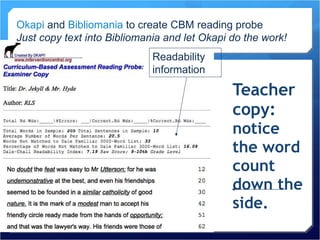
Teacher copy: notice the word count down the side. Readability information Okapi  and  Bibliomania  to create CBM reading probe Just copy text into Bibliomania and let Okapi do the work!
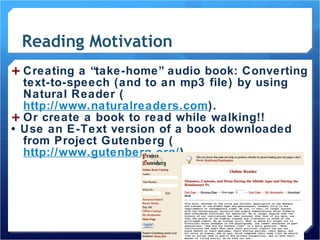
Reading Motivation Creating a “take-home” audio book: Converting text-to-speech (and to an mp3 file) by using Natural Reader ( http://www.naturalreaders.com ).  Or create a book to read while walking!! •  Use an E-Text version of a book downloaded from Project Gutenberg ( http://www.gutenberg.org/ ).
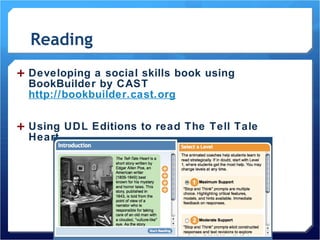
Reading Developing a social skills book using BookBuilder by CAST  http://bookbuilder.cast.org Using UDL Editions to read The Tell Tale Heart.
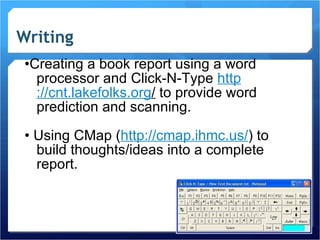
Writing • Creating a book report using a word processor and Click-N-Type  http ://cnt.lakefolks.org /  to provide word prediction and scanning. •  Using CMap ( http://cmap.ihmc.us/ ) to build thoughts/ideas into a complete report.
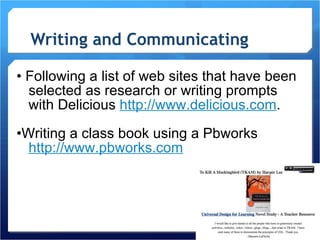
Writing and Communicating •  Following a list of web sites that have been selected as research or writing prompts with Delicious  http://www.delicious.com . • Writing a class book using a Pbworks  http://www.pbworks.com
Communicating & Writing •  Working together to create a collaborative presentation with Google Docs  http :/ / docs.google.com   •  Creating a web page with Project Poster ( http://poster.4teachers.org ) to summarize research .
Writing •  Using a blog to post a question that focuses on higher order thinking skills for students to respond. •  Creating a interest survey http://www.jimwrightonline.com/php/jackpot/jackpot.php  for your students to indicate their preference for reinforcers.
Mathematics • Virtually manipulating algebra tiles at  http://matti.usu.edu/nlvm/nav/ vlibrary.html •  Learning about money at the Brain Pop web site and turning on the closed captioning http ://www.brainpopjr.com/math/money/dollarsandcents/ zoom.weml
Mathematics • Reviewing math skills using Web Math  http://www.webmath.com •  Practicing math concepts with interactive activities from Shodor  http://www.shodor.org/interactivat   or Illuminations  http://illuminations.nctm.org/ . •  Using a talking calculator to see and hear numbers & answers  http://www.readingmadeez.com /TalkingCalculator.php 11/16/09

UDLtechtools

  • 1.
    Free Technology Toolsto support Multi-Tier Instruction and enhance Social Emotional skills Cher yl A. Wissick & Susan Quinn Univ ersity South Carolina • • • • • J. Emmett Gardner University of Oklahoma TED Charlotte November 2009 Poster Presentation
  • 2.
    All Free toolsAvailable at: http://webtoolboxes.wikispaces.com
  • 3.
    Abstract: Demonstration of FREE technology resources, tools, and strategies that embrace Universal Design for Learning, support multi-tier instruction, help diverse learners, and enhance productivity. Explore ways that technology and free social networking tools can help or hinder students learn academic skills and develop positive social relationships and collaboration.
  • 4.
    Universal Design forLearning: Universal Design for Learning (UDL) provides students access to educational standards and materials by providing multiple access points (e.g., presentation, expression, and engagement) to activities. It also begins when you design instruction not as an accommodation to a fixed activity (or course curriculum); but where you design the activity with considerations for diverse learners built in from the beginning!
  • 5.
    R esponse to I ntervention Provide Universal Intervention using Free Web Tools MultiTier Instruction
  • 6.
    Multiple Means ofEngagement Offer choices of content, tools and engagement Provide adjustable levels of challenge Offer a choice of rewards Offer a choice of learning context Affective networks: Value or emotional outcome is the focus FACT: Engaged learners make more progress
  • 7.
    Support via AffectiveNetworks Choose realistic topics of interest to embed the learning material Allow student to choose tools or technology to explore topic- software, web, video Select Software or Web sites that offer same content at different levels of challenge Build awareness of accomplishment and progress within technology programs
  • 8.
    Classroom Architect 4teachers.orgArrange your class for maximum engagement
  • 9.
    Tie into StudentInterests Find a hook Create thematic unit to study topics Use popular topics: driving, rock music, social networking, wrestling, my favorite pet Engage students with interactive tools like Poll Everywhere
  • 10.
    Survey Tools Findout what motivates your students Jackpot : online reinforcer survey Survey tools: phpSurvey Zoomerang Survey Monkey Google Docs (results merge into google doc spreadsheet) For info see Special Ed Zone
  • 11.
    Secure sites tocreate an environment for students to work collaboratively Students publish together and for a larger audience PBWorks Wikispaces Zoho wiki Google Sites
  • 12.
    Secure sites tocreate an environment for students to read, analyze, and post comments related to instructional goals. Students develop writing and social networking skills. TIGed Haiku Blogger Edublogs
  • 13.
    Delicious Share your bookmarks and let students create their own lists FLICKr share photos JING easy screen capture Create Notes: TADA list Remember the Milk
  • 14.
    Collaborative graphicorganizer Creately
  • 15.
  • 16.
    ToonDoo Create orfinish cartoons Consider endings & consequences
  • 17.
    Behavior charts CBMresources And much more Intervention Central
  • 18.
    Bookbuilder: Create SocialStories Have students create social stories for younger students
  • 19.
    KidTools and KidSkillsSelf- monitoring & checksheets Students CREATE their own… download all the programs for elementary and middle for FREE
  • 20.
    Social Emotional SupportIntegrate social emotional learning into everyday instruction Engage student emotionally & academically CASEL center for social emotional learning Edutopia example lessons SAMSHA poster, games to support mental health
  • 21.
    Multiple Means ofRepresentation Provide Multiple Examples Highlight Critical Features Provide Multiple Media & Formats Support Background Knowledge Recognition networks: Content is the focus
  • 22.
    Support RecognitionNetworks Variety of web sites to demonstrate, links to support information Pictures from CD-Roms & Web Word processors to highlight critical words Presentation tools to animate concepts Books on tape; Digital text Charts, graphs, images to support text
  • 23.
    ReadPlease &. Natural Readers
  • 24.
    Web Anywhere Use on any browser and link to pages to have them read.
  • 25.
    Reading books onlineproviding multiple means of presentation: Children’s Digital Library Project Gutenberg Bibliomania Readprint Bartleby Bookshare http://www.bookshare.org (free to all schools)
  • 26.
    Word Web – Vocabulary Support Students can locate different meanings for words and also hear the definition
  • 27.
    Create books forstudents with Learning Prompts Students create books for younger students - service learning Bookbuilder
  • 28.
  • 29.
    Tools for Studentexpression Project Poster NoteStar Persuade Star Tools for Productivity & management TrackStar (organize Web sites for research) QuizStar (manage quizzes) RubiStar (rubrics) Casa Notes (convert notes to Spanish)
  • 30.
    Organize Websites forstudent research & access
  • 31.
    Multiple Means ofExpression Provide Flexible Models of skilled performance Provide opportunities to practice with supports Provide ongoing, relevant feedback Offer flexible opportunities of demonstrating a skill Strategic Networks: Process or medium is the focus Wissick & Gardner
  • 32.
    Support via StrategicNetworks Examples and not-examples with images, video, live or taped demonstrations Scaffold learning with text-to-speech, word prediction, layered Web sites Text-to-speech to listen to one’s own writing Videotape of skill performance Online feedback from peers or mentors Creating web pages, posters, presentations
  • 33.
    Idea Generator Wissick, 2007 Help students come up with an idea
  • 34.
    Spelling Checkers Ghotit Another new one: Ginger Software
  • 35.
  • 36.
    Expression: Writing SupportClick n Type Free onscreen keyboard Word prediction ReadPlease can also support creative writing with auditory feedback
  • 37.
    Concept Mapping: visualize the message Cmap tools http://cmap.ihmc.us/ FREEMind http://freemind.sourceforge.net/wiki/index.php/Main_Page
  • 38.
    Expression: Read, Write,Think Student Materials – alternative ways to create a product http://www.readwritethink.org/student_mat/index.asp Wissick, 2007
  • 39.
    Expression in MathematicsVirtual Manipulatives http://nlvm.usu.edu/en/nav/vlibrary.htm Shodor Interactivate http://www.shodor.org/interactivate/ Webmath - tutorials http://www.webmath.com/ Allmath - flash cards http://www.allmath.com Math.com http://www.math.com
  • 40.
  • 41.
  • 42.
    Examples of MatchingTechnology Tools with Principles of Universal Design for Learning to Enhance Skills and support social emotional growth :
  • 43.
    Reading & Vocabulary• Copy and Paste text into ReadPlease ( http ://www.readplease.com ) and highlight words as they are read. • WordWeb ( http://wordweb.info/free/ ) to look up a definition of a word on a web page.
  • 44.
    Teacher copy: noticethe word count down the side. Readability information Okapi and Bibliomania to create CBM reading probe Just copy text into Bibliomania and let Okapi do the work!
  • 45.
    Reading Motivation Creatinga “take-home” audio book: Converting text-to-speech (and to an mp3 file) by using Natural Reader ( http://www.naturalreaders.com ). Or create a book to read while walking!! • Use an E-Text version of a book downloaded from Project Gutenberg ( http://www.gutenberg.org/ ).
  • 46.
    Reading Developing asocial skills book using BookBuilder by CAST http://bookbuilder.cast.org Using UDL Editions to read The Tell Tale Heart.
  • 47.
    Writing • Creatinga book report using a word processor and Click-N-Type http ://cnt.lakefolks.org / to provide word prediction and scanning. • Using CMap ( http://cmap.ihmc.us/ ) to build thoughts/ideas into a complete report.
  • 48.
    Writing and Communicating• Following a list of web sites that have been selected as research or writing prompts with Delicious http://www.delicious.com . • Writing a class book using a Pbworks http://www.pbworks.com
  • 49.
    Communicating & Writing• Working together to create a collaborative presentation with Google Docs http :/ / docs.google.com • Creating a web page with Project Poster ( http://poster.4teachers.org ) to summarize research .
  • 50.
    Writing • Using a blog to post a question that focuses on higher order thinking skills for students to respond. • Creating a interest survey http://www.jimwrightonline.com/php/jackpot/jackpot.php for your students to indicate their preference for reinforcers.
  • 51.
    Mathematics • Virtuallymanipulating algebra tiles at http://matti.usu.edu/nlvm/nav/ vlibrary.html • Learning about money at the Brain Pop web site and turning on the closed captioning http ://www.brainpopjr.com/math/money/dollarsandcents/ zoom.weml
  • 52.
    Mathematics • Reviewingmath skills using Web Math http://www.webmath.com • Practicing math concepts with interactive activities from Shodor http://www.shodor.org/interactivat  or Illuminations http://illuminations.nctm.org/ . • Using a talking calculator to see and hear numbers & answers http://www.readingmadeez.com /TalkingCalculator.php 11/16/09

Editor's Notes

  • #11 All children can access when immersed in meaningful challenging works.
  • #15 Collaboration - I just read an article about dyads working on a computer simulation and not all students retained the same level of information – interestingly enough the ones who were engaged retained more. So get two students working together, you can actually work on this program at the same time.
  • #28 This can be both presentation and expression