Technology to Improve Literacy inElementary SchoolPatricia HuttonLA consultantCMSCE at Rutgerstikap@aol.com908-757-2751
AgendaDefinitionsRationaleTechnologies to support readingIndependent exploration/sharingBreakTechnologies to support writing/researchExpressive technologies-podcasts, blogs, wikisIndependent exploration/sharingBreakCollaborative technologiesAdditional technologiesIdeas for using technologyChallenges/concernsQuestions
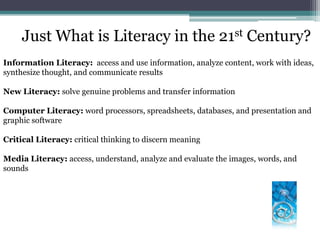
Just What is Literacy in the 21st Century?Information Literacy:  access and use information, analyze content, work with ideas, synthesize thought, and communicate resultsNew Literacy: solve genuine problems and transfer informationComputer Literacy: word processors, spreadsheets, databases, and presentation and graphic softwareCritical Literacy: critical thinking to discern meaning Media Literacy: access, understand, analyze and evaluate the images, words, and sounds
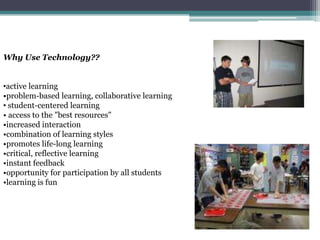
Why Use Technology??active learning•problem-based learning, collaborative learning
 student-centered learning• access to the "best resources"  •increased interaction •combination of learning styles•promotes life-long learning•critical, reflective learning•instant feedback •opportunity for participation by all students•learning is funComputers can:• present information and activities tostudents• assess students’ work• respond to students’ work • provide scaffolds-wordpronunciation and definitions to help students read successfully
Presenting InformationAny type of auditory or visual materials—speech, text, music, animations, photographs, or videos—alone or in combinations.
Link pictures with sounds, oral readings with written text, videos with subtitles, or any other combinations
Provide flexibility- speed of speech, read aloud, choose  language, or repeat the presentation-phonemic awareness practice, phonics lessons and drills, fluency practice, vocabulary instructionAssessingVariety of inputs - mouse clicks , written text, spoken words, touch screens, special keyboards, and singleswitch devices
Can check work for accuracy
Record, organize, and report information in different formats
Record and report performance to track student progress
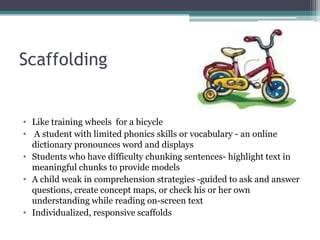
Informed instructional decision-makingScaffoldingLike training wheels  for a bicycle
 A student with limited phonics skills or vocabulary - an online dictionary pronounces word and displays
Students who have difficulty chunking sentences- highlight text in meaningful chunks to provide models
A child weak in comprehension strategies -guided to ask and answer questions, create concept maps, or check his or her own understanding while reading on-screen text
Individualized, responsive scaffoldsQuestions to Ask BeforeUsing TechnologyIs the technology  better than other approaches? What risk is involved?
Is it worth the change?
    Can the results be easily observed?
  How consistent is technology with the experiences and needs of the users?
Is the technology easy to understand, use, and maintain?
Can it be explained to others?
Can the innovation be tried out? If we don't like it can we try something else?Are you using technology just for the sake of using it or does it enhance student learning?
Technologies to Support ReadingAudiobooks- promote interest in reading and improve  comprehensionElectronic Books and Online Texts-presented visually  -definitions of words or background information on ideas, and illustrations , modifiable and enhanceable with embedded resources             Online texts-free online reading materials- books, plays, short stories, magazines, and reference materials-contain hypermedia—links to text, data, graphics, audio, or video , additional information on concepts, illustrations, animations, and videoElectronic Talking Books-provide embedded speech- a digitized reading-increase motivation -promote basic word recognition  - glossary entries, explanatory notes, and simplified rewordings Programmed Reading Instruction-software programs, computer-assisted instruction-skills-based instruction -letter recognition to phonics instruction to vocabulary building- voice-activated reading software Project LISTEN
Phonemic AwarenessComputer-based drill programs using digitized speech
Software that can analyze students’ responses and individualize the practice
Multimedia capabilities to link sounds and letters
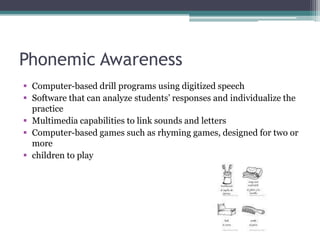
Computer-based games such as rhyming games, designed for two or more
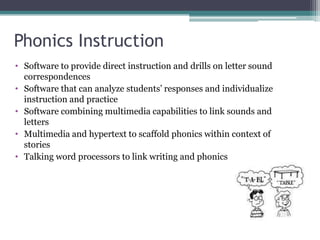
children to playPhonics InstructionSoftware to provide direct instruction and drills on letter sound correspondences
Software that can analyze students’ responses and individualize instruction and practice
Software combining multimedia capabilities to link sounds and letters
Multimedia and hypertext to scaffold phonics within context of stories
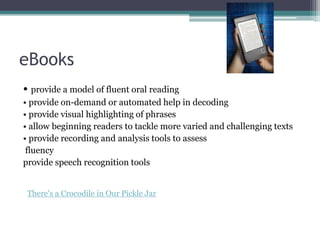
Talking word processors to link writing and phonicseBooks• provide a model of fluent oral reading• provide on-demand or automated help in decoding • provide visual highlighting of phrases• allow beginning readers to tackle more varied and challenging texts • provide recording and analysis tools to assess fluencyprovide speech recognition toolsThere's a Crocodile in Our Pickle Jar
Vocabularyonline, interactive vocabulary lessons- engage students, provide feedback, individualize instruction, and keep records• online dictionaries, thesauri, and encyclopedias, with speech capabilities• online texts with hyperlinks that give definitions of words and further information about key ideas
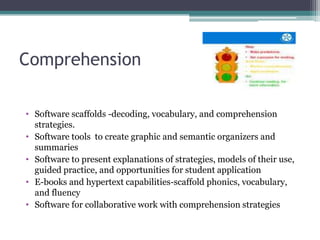
ComprehensionSoftware scaffolds -decoding, vocabulary, and comprehension strategies.
Software tools  to create graphic and semantic organizers and summaries
Software to present explanations of strategies, models of their use, guided practice, and opportunities for student application
E-books and hypertext capabilities-scaffold phonics, vocabulary, and fluency
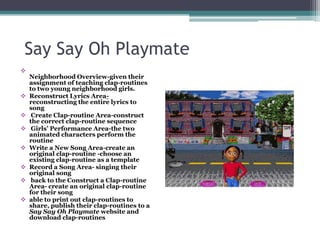
Software for collaborative work with comprehension strategiesSay Say Oh PlaymateNeighborhood Overview-given their assignment of teaching clap-routines to two young neighborhood girls.
Reconstruct Lyrics Area- reconstructing the entire lyrics to song
 Create Clap-routine Area-construct the correct clap-routine sequence
 Girls’ Performance Area-the two animated characters perform the routine
Write a New Song Area-create an original clap-routine -choose an existing clap-routine as a template
Record a Song Area- singing their original song
 back to the Construct a Clap-routine Area- create an original clap-routine for their song
able to print out clap-routines to share, publish their clap-routines to a Say Say Oh Playmate website and download clap-routines  Technologies to Support WritingWord Processing-allows many students to write and edit their work more easily-improve the quality -promotes collaborative writingDesktop Publishing -students learn to format text, plan layout , insert charts and graphics, and produce a professional-looking final copyMultimedia Composing- insert images, sounds, and video-self-expression -support for reading and writing skills.Online Publishing-motivate student writing-  Class web pages display student assignments and extracurricular writing.  The Collaboratory Projectonline magazines and educational organizations -The Young Writers Club, and International Kids' Space. The World of Reading -book reviews from childrenInternet-Based Communication-electronic mail (e-mail), electronic bulletin boards, and e-mail lists- with peers, adults, or experts-online penpals (e-pals or keypals). ePalsInteractives
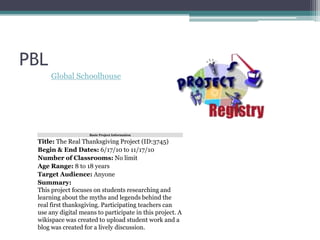
Technologies to Support Research and CollaborationInternet Search Engines-access online journals, magazines, newspapers, encyclopedias, and  Web sitesOnline Tools for Evaluating Web-Based Information-a basic literacy skill. evaluating online information -strategies for determining  accuracy and quality Collaborative Activities-access and share a global curriculum-development lab -engage class with another in literacy-based projects without geographic boundaries -powerful motivation Global Schoolhouse
PodcastsA podcast is a video or audio file that is shared and downloaded over the Internet.Classroom uses:Lessons for students to listen to for knowledge/share information Student created podcasts to demonstrate  understanding
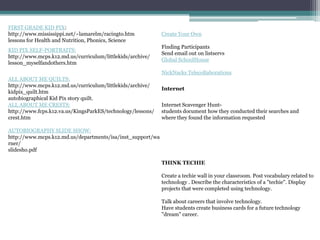
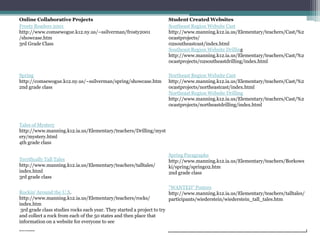
PodcastingPopular educational podcasts:http://storynory.com/The Case of the Missing DiaryComing to the USAMath Dad
Our City
Geography Podcasthttp://inklesstales.wordpress.com/
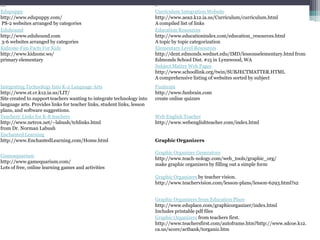
Podcasting ResourcesApple’s Podcasting in Education - Wonderful resource for learning about podcasting in education. GarageBand tutorialCreating PodcastsPodcast Lesson Plans2006 NECC Podcasting PresentationPodomaticUsing Podcasts to Teach Reading
Benefits to BloggingPromote critical and analytical thinkingPromote creative thinkingPromote analogical thinkingProvide access to quality informationCombine individual reflection and social interaction

Techinlaelementary

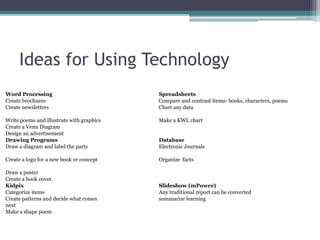
  • 1.
    Technology to ImproveLiteracy inElementary SchoolPatricia HuttonLA consultantCMSCE at Rutgerstikap@aol.com908-757-2751
  • 2.
    AgendaDefinitionsRationaleTechnologies to supportreadingIndependent exploration/sharingBreakTechnologies to support writing/researchExpressive technologies-podcasts, blogs, wikisIndependent exploration/sharingBreakCollaborative technologiesAdditional technologiesIdeas for using technologyChallenges/concernsQuestions
  • 3.
    Just What isLiteracy in the 21st Century?Information Literacy: access and use information, analyze content, work with ideas, synthesize thought, and communicate resultsNew Literacy: solve genuine problems and transfer informationComputer Literacy: word processors, spreadsheets, databases, and presentation and graphic softwareCritical Literacy: critical thinking to discern meaning Media Literacy: access, understand, analyze and evaluate the images, words, and sounds
  • 4.
    Why Use Technology??activelearning•problem-based learning, collaborative learning
  • 5.
    student-centered learning•access to the "best resources" •increased interaction •combination of learning styles•promotes life-long learning•critical, reflective learning•instant feedback •opportunity for participation by all students•learning is funComputers can:• present information and activities tostudents• assess students’ work• respond to students’ work • provide scaffolds-wordpronunciation and definitions to help students read successfully
  • 6.
    Presenting InformationAny typeof auditory or visual materials—speech, text, music, animations, photographs, or videos—alone or in combinations.
  • 7.
    Link pictures withsounds, oral readings with written text, videos with subtitles, or any other combinations
  • 8.
    Provide flexibility- speedof speech, read aloud, choose language, or repeat the presentation-phonemic awareness practice, phonics lessons and drills, fluency practice, vocabulary instructionAssessingVariety of inputs - mouse clicks , written text, spoken words, touch screens, special keyboards, and singleswitch devices
  • 9.
    Can check workfor accuracy
  • 10.
    Record, organize, andreport information in different formats
  • 11.
    Record and reportperformance to track student progress
  • 12.
  • 13.
    A studentwith limited phonics skills or vocabulary - an online dictionary pronounces word and displays
  • 14.
    Students who havedifficulty chunking sentences- highlight text in meaningful chunks to provide models
  • 15.
    A child weakin comprehension strategies -guided to ask and answer questions, create concept maps, or check his or her own understanding while reading on-screen text
  • 16.
    Individualized, responsive scaffoldsQuestionsto Ask BeforeUsing TechnologyIs the technology better than other approaches? What risk is involved?
  • 17.
    Is it worththe change?
  • 18.
    Can the results be easily observed?
  • 19.
    Howconsistent is technology with the experiences and needs of the users?
  • 20.
    Is the technologyeasy to understand, use, and maintain?
  • 21.
    Can it beexplained to others?
  • 22.
    Can the innovationbe tried out? If we don't like it can we try something else?Are you using technology just for the sake of using it or does it enhance student learning?
  • 23.
    Technologies to SupportReadingAudiobooks- promote interest in reading and improve comprehensionElectronic Books and Online Texts-presented visually -definitions of words or background information on ideas, and illustrations , modifiable and enhanceable with embedded resources Online texts-free online reading materials- books, plays, short stories, magazines, and reference materials-contain hypermedia—links to text, data, graphics, audio, or video , additional information on concepts, illustrations, animations, and videoElectronic Talking Books-provide embedded speech- a digitized reading-increase motivation -promote basic word recognition - glossary entries, explanatory notes, and simplified rewordings Programmed Reading Instruction-software programs, computer-assisted instruction-skills-based instruction -letter recognition to phonics instruction to vocabulary building- voice-activated reading software Project LISTEN
  • 24.
    Phonemic AwarenessComputer-based drillprograms using digitized speech
  • 25.
    Software that cananalyze students’ responses and individualize the practice
  • 26.
    Multimedia capabilities tolink sounds and letters
  • 27.
    Computer-based games suchas rhyming games, designed for two or more
  • 28.
    children to playPhonicsInstructionSoftware to provide direct instruction and drills on letter sound correspondences
  • 29.
    Software that cananalyze students’ responses and individualize instruction and practice
  • 30.
    Software combining multimediacapabilities to link sounds and letters
  • 31.
    Multimedia and hypertextto scaffold phonics within context of stories
  • 32.
    Talking word processorsto link writing and phonicseBooks• provide a model of fluent oral reading• provide on-demand or automated help in decoding • provide visual highlighting of phrases• allow beginning readers to tackle more varied and challenging texts • provide recording and analysis tools to assess fluencyprovide speech recognition toolsThere's a Crocodile in Our Pickle Jar
  • 33.
    Vocabularyonline, interactive vocabularylessons- engage students, provide feedback, individualize instruction, and keep records• online dictionaries, thesauri, and encyclopedias, with speech capabilities• online texts with hyperlinks that give definitions of words and further information about key ideas
  • 34.
    ComprehensionSoftware scaffolds -decoding,vocabulary, and comprehension strategies.
  • 35.
    Software tools to create graphic and semantic organizers and summaries
  • 36.
    Software to presentexplanations of strategies, models of their use, guided practice, and opportunities for student application
  • 37.
    E-books and hypertextcapabilities-scaffold phonics, vocabulary, and fluency
  • 38.
    Software for collaborativework with comprehension strategiesSay Say Oh PlaymateNeighborhood Overview-given their assignment of teaching clap-routines to two young neighborhood girls.
  • 39.
    Reconstruct Lyrics Area-reconstructing the entire lyrics to song
  • 40.
     Create Clap-routine Area-constructthe correct clap-routine sequence
  • 41.
    Girls’ PerformanceArea-the two animated characters perform the routine
  • 42.
    Write a NewSong Area-create an original clap-routine -choose an existing clap-routine as a template
  • 43.
    Record a SongArea- singing their original song
  • 44.
    back tothe Construct a Clap-routine Area- create an original clap-routine for their song
  • 45.
    able to printout clap-routines to share, publish their clap-routines to a Say Say Oh Playmate website and download clap-routines  Technologies to Support WritingWord Processing-allows many students to write and edit their work more easily-improve the quality -promotes collaborative writingDesktop Publishing -students learn to format text, plan layout , insert charts and graphics, and produce a professional-looking final copyMultimedia Composing- insert images, sounds, and video-self-expression -support for reading and writing skills.Online Publishing-motivate student writing- Class web pages display student assignments and extracurricular writing. The Collaboratory Projectonline magazines and educational organizations -The Young Writers Club, and International Kids' Space. The World of Reading -book reviews from childrenInternet-Based Communication-electronic mail (e-mail), electronic bulletin boards, and e-mail lists- with peers, adults, or experts-online penpals (e-pals or keypals). ePalsInteractives
  • 46.
    Technologies to SupportResearch and CollaborationInternet Search Engines-access online journals, magazines, newspapers, encyclopedias, and Web sitesOnline Tools for Evaluating Web-Based Information-a basic literacy skill. evaluating online information -strategies for determining accuracy and quality Collaborative Activities-access and share a global curriculum-development lab -engage class with another in literacy-based projects without geographic boundaries -powerful motivation Global Schoolhouse
  • 47.
    PodcastsA podcast isa video or audio file that is shared and downloaded over the Internet.Classroom uses:Lessons for students to listen to for knowledge/share information Student created podcasts to demonstrate understanding
  • 48.
    PodcastingPopular educational podcasts:http://storynory.com/TheCase of the Missing DiaryComing to the USAMath Dad
  • 49.
  • 50.
  • 51.
    Podcasting ResourcesApple’s Podcastingin Education - Wonderful resource for learning about podcasting in education. GarageBand tutorialCreating PodcastsPodcast Lesson Plans2006 NECC Podcasting PresentationPodomaticUsing Podcasts to Teach Reading
  • 52.
    Benefits to BloggingPromotecritical and analytical thinkingPromote creative thinkingPromote analogical thinkingProvide access to quality informationCombine individual reflection and social interaction