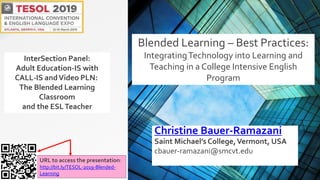
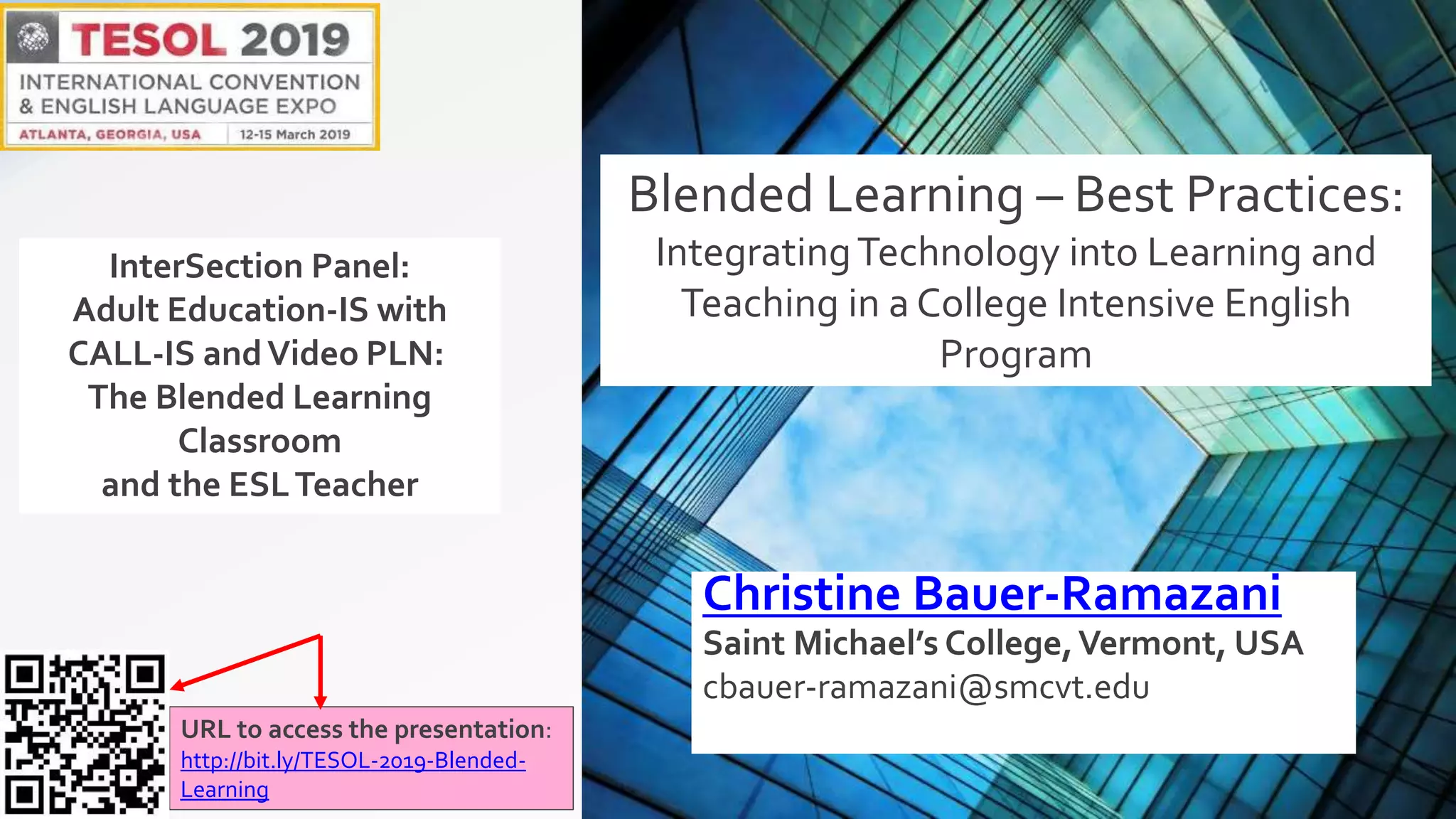


Christine Bauer-Ramazani
Saint Michael’s College,Vermont, USA
cbauer-ramazani@smcvt.edu
URL to access the presentation:
http://bit.ly/TESOL-2019-Blended-
Learning
Blended Learning – Best Practices:
IntegratingTechnology into Learning and
Teaching in a College Intensive English
Program
InterSection Panel:
Adult Education-IS with
CALL-IS andVideo PLN:
The Blended Learning
Classroom
and the ESLTeacher
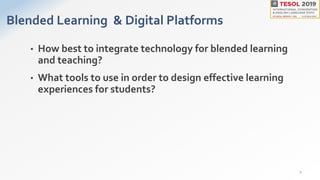
Blended Learning & Digital Platforms
• How best to integrate technology for blended learning
and teaching?
• What tools to use in order to design effective learning
experiences for students?
2
LMSs as the means to integrate technology and
pedagogy for BLENDED LEARNING
• take full advantage of digital platforms
• extend the classroom by leveraging technology, by using
FLIPPED LEARNING inside and outside the classroom
• expand the pedagogical repertoire of teachers to include
collaboration and student-centered learning design INSIDE
and OUTSIDE the classroom
• scaffold assignments with technology
• create assessment instruments (rubrics) with technology
3
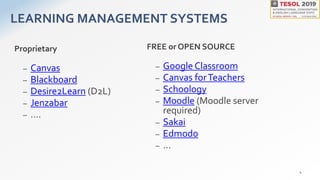
LEARNING MANAGEMENT SYSTEMS
Proprietary
– Canvas
– Blackboard
– Desire2Learn (D2L)
– Jenzabar
– ….
FREE or OPEN SOURCE
– Google Classroom
– Canvas forTeachers
– Schoology
– Moodle (Moodle server
required)
– Sakai
– Edmodo
– …
4
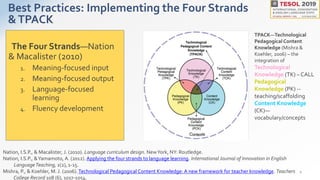
Best Practices: Implementing the Four Strands
&TPACK
The Four Strands—Nation
& Macalister (2010)
1. Meaning-focused input
2. Meaning-focused output
3. Language-focused
learning
4. Fluency development
2
Nation, I.S.P., & Macalister, J. (2010). Language curriculum design. NewYork, NY: Routledge.
Nation, I.S.P., &Yamamoto, A. (2012). Applying the four strands to language learning. International Journal of Innovation in English
LanguageTeaching, 1(2), 1-15.
Mishra, P., & Koehler, M. J. (2006). Technological Pedagogical Content Knowledge: A new framework for teacher knowledge. Teachers
College Record 108 (6), 1017-1054.
TPACK—Technological
Pedagogical Content
Knowledge (Mishra &
Koehler, 2006) – the
integration of
Technological
Knowledge (TK) – CALL
Pedagogical
Knowledge (PK) --
teaching/scaffolding
Content Knowledge
(CK)—
vocabulary/concepts
STRAND 1:
Meaning-Focused Input in the
receptive skills of
Reading and Listening
5
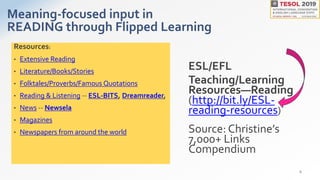
Meaning-focused input in
READING through Flipped Learning
ESL/EFL
Teaching/Learning
Resources—Reading
(http://bit.ly/ESL-
reading-resources)
Source: Christine’s
7,000+ Links
Compendium
Resources:
• Extensive Reading
• Literature/Books/Stories
• Folktales/Proverbs/Famous Quotations
• Reading & Listening -- ESL-BITS, Dreamreader,
• News -- Newsela
• Magazines
• Newspapers from around the world
6
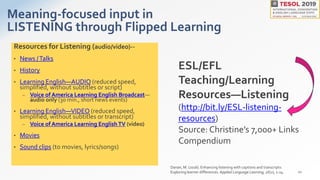
Meaning-focused input in
LISTENING through Flipped Learning
Resources for Listening (audio/video)--
• News /Talks
• History
• Learning English—AUDIO (reduced speed,
simplified, without subtitles or script)
– Voice of America Learning English Broadcast—
audio only (30 min., short news events)
• Learning English—VIDEO (reduced speed,
simplified, without subtitles or transcript)
– Voice of America Learning EnglishTV (video)
• Movies
• Sound clips (to movies, lyrics/songs)
10
ESL/EFL
Teaching/Learning
Resources—Listening
(http://bit.ly/ESL-listening-
resources)
Source: Christine’s 7,000+ Links
Compendium
Danan, M. (2016). Enhancing listening with captions and transcripts:
Exploring learner differences. Applied Language Learning, 26(2), 1-24.
STRAND 2:
Meaning-Focused Output –
the productive skills of
Writing and Speaking
13
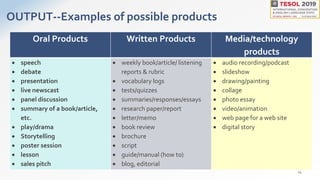
OUTPUT--Examples of possible products
Oral Products Written Products Media/technology
products
 speech
 debate
 presentation
 live newscast
 panel discussion
 summary of a book/article,
etc.
 play/drama
 Storytelling
 poster session
 lesson
 sales pitch
 weekly book/article/ listening
reports & rubric
 vocabulary logs
 tests/quizzes
 summaries/responses/essays
 research paper/report
 letter/memo
 book review
 brochure
 script
 guide/manual (how to)
 blog, editorial
 audio recording/podcast
 slideshow
 drawing/painting
 collage
 photo essay
 video/animation
 web page for a web site
 digital story
14
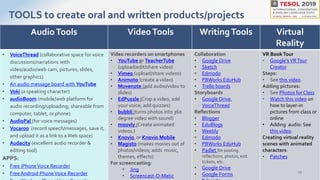
AudioTools VideoTools WritingTools Virtual
Reality
• VoiceThread (collaborative space for voice
discussions/narrations with
video/audio/web cam, pictures, slides,
other graphics)
• An audio message board with YouTube
• Voki (a speaking character)
• audioBoom (mobile/web platform for
audio recording/uploading; shareable from
computer, tablet, or phone)
• AudioPal (for voice messages)
• Vocaroo (record speech/messages, save it,
and upload it as a link to a Web space)
• Audacity (excellent audio recorder &
editing tool)
APPS:
• Free iPhoneVoice Recorder
• Free Android PhoneVoice Recorder
Video recorders on smartphones
• YouTube or TeacherTube
(upload/edit/share video)
• Vimeo (upload/share videos)
• Animoto (create a video)
• Movenote (add audio/video to
slides)
• EdPuzzle (Crop a video, add
your voice; add quizzes)
• bubbli (turns photos into 360
degree video with sound)
• moovly (Create animated
videos.)
• Knovio or Knovio Mobile
• Magisto (makes movies out of
photos/videos; adds music,
themes, effects)
For screencasting:
• Jing
• Screencast-O-Matic
Collaboration
• Google Drive
• Sketch
• Edmodo
• PBWorks EduHub
• Trello boards
Storyboards
• Google Drive,
VoiceThread
Reflections
• Blogger
• EduBlogs
• Weebly
• Edmodo
• PBWorks EduHub
• Padlet for posting
reflections, photos, exit
tickets, etc.
• Google Drive
• Google Forms
VR BookTour
• Google'sVRTour
Creator
Steps:
• See this video.
Adding pictures:
• See Photos for Class
• Watch this video on
how to layer-in
pictures from class or
online
• Adding audio: See
this video.
Creating virtual reality
scenes with animated
characters:
• Patches
TOOLS to create oral and written products/projects
15
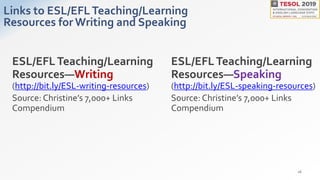
Links to ESL/EFLTeaching/Learning
Resources for Writing and Speaking
16
ESL/EFLTeaching/Learning
Resources—Writing
(http://bit.ly/ESL-writing-resources)
Source: Christine’s 7,000+ Links
Compendium
ESL/EFLTeaching/Learning
Resources—Speaking
(http://bit.ly/ESL-speaking-resources)
Source: Christine’s 7,000+ Links
Compendium
STRAND 3:
Language-Focused Learning
17
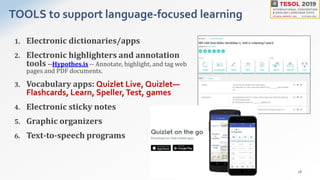
TOOLS to support language-focused learning
1. Electronic dictionaries/apps
2. Electronic highlighters and annotation
tools --Hypothes.is -- Annotate, highlight, and tag web
pages and PDF documents.
3. Vocabulary apps: Quizlet Live, Quizlet—
Flashcards, Learn, Speller,Test, games
4. Electronic sticky notes
5. Graphic organizers
6. Text-to-speech programs
18
STRAND 4:
Fluency Development
This means PRACTICE, PRACTICE,
PRACTICE!
Putting it all together for best
practices in blended learning
21
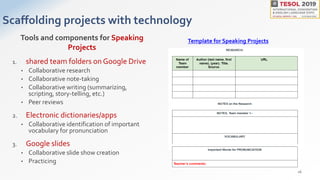
Scaffolding projects with technology
1. shared team folders on Google Drive
• Collaborative research
• Collaborative note-taking
• Collaborative writing (summarizing,
scripting, story-telling, etc.)
• Peer reviews
2. Electronic dictionaries/apps
• Collaborative identification of important
vocabulary for pronunciation
3. Google slides
• Collaborative slide show creation
• Practicing
16
Template for Speaking ProjectsTools and components for Speaking
Projects
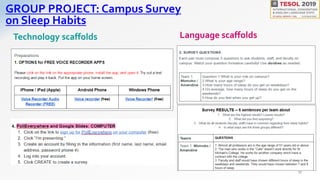
GROUP PROJECT: Campus Survey
on Sleep Habits
17
Technology scaffolds Language scaffolds
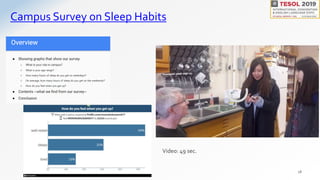
Campus Survey on Sleep Habits
18
Video: 49 sec.
References
• Danan, M. (2016). Enhancing listening with captions and transcripts: Exploring learner
differences. Applied Language Learning, 26(2), 1-24.
• Dean, J. (2015,Aug. 25). Back to School with Annotation: 10Ways to Annotate with
Students. Hypothes.is.
https://hypothes.is/blog/back-to-school-with-annotation-10-ways-to-annotate-with-students/
• Educause Horizon Report Preview: 2019 Higher Education Edition
• Hubbard, P. (2017).Technologies for teaching and learning L2 listening.
In Chapelle & Sauro (Eds). The Handbook ofTechnology and Second LanguageTeaching and
Learning.Wiley-Blackwell.
• Koehler, M., & Mishra, P. (2009). What isTechnological PedagogicalContent Knowledge? CITE
Journal.
• Mishra, P., & Koehler, M. J. (2006).Technological PedagogicalContent Knowledge: A new
framework for teacher knowledge. Teachers College Record, 108 (6), 1017-1054.
• Nation, I.S.P., & Macalister, J. (2010). Language curriculum design. NewYork, NY: Routledge.
• Nation, I.S.P., &Yamamoto,A. (2012). Applying the four strands to language
learning. International Journal of Innovation in English LanguageTeaching, 1(2), 1-15.
19
Thank you for participating!
Christine Bauer-Ramazani
Saint Michael’s College,Vermont, USA
cbauer-ramazani@smcvt.edu
20
URL to access the presentation:
http://bit.ly/TESOL-2019-Blended-Learning

Blended Learning-Best Practices

  • 1.
    Christine Bauer-Ramazani Saint Michael’sCollege,Vermont, USA cbauer-ramazani@smcvt.edu URL to access the presentation: http://bit.ly/TESOL-2019-Blended- Learning Blended Learning – Best Practices: IntegratingTechnology into Learning and Teaching in a College Intensive English Program InterSection Panel: Adult Education-IS with CALL-IS andVideo PLN: The Blended Learning Classroom and the ESLTeacher
  • 2.
    Blended Learning &Digital Platforms • How best to integrate technology for blended learning and teaching? • What tools to use in order to design effective learning experiences for students? 2
  • 3.
    LMSs as themeans to integrate technology and pedagogy for BLENDED LEARNING • take full advantage of digital platforms • extend the classroom by leveraging technology, by using FLIPPED LEARNING inside and outside the classroom • expand the pedagogical repertoire of teachers to include collaboration and student-centered learning design INSIDE and OUTSIDE the classroom • scaffold assignments with technology • create assessment instruments (rubrics) with technology 3
  • 4.
    LEARNING MANAGEMENT SYSTEMS Proprietary –Canvas – Blackboard – Desire2Learn (D2L) – Jenzabar – …. FREE or OPEN SOURCE – Google Classroom – Canvas forTeachers – Schoology – Moodle (Moodle server required) – Sakai – Edmodo – … 4
  • 5.
    Best Practices: Implementingthe Four Strands &TPACK The Four Strands—Nation & Macalister (2010) 1. Meaning-focused input 2. Meaning-focused output 3. Language-focused learning 4. Fluency development 2 Nation, I.S.P., & Macalister, J. (2010). Language curriculum design. NewYork, NY: Routledge. Nation, I.S.P., &Yamamoto, A. (2012). Applying the four strands to language learning. International Journal of Innovation in English LanguageTeaching, 1(2), 1-15. Mishra, P., & Koehler, M. J. (2006). Technological Pedagogical Content Knowledge: A new framework for teacher knowledge. Teachers College Record 108 (6), 1017-1054. TPACK—Technological Pedagogical Content Knowledge (Mishra & Koehler, 2006) – the integration of Technological Knowledge (TK) – CALL Pedagogical Knowledge (PK) -- teaching/scaffolding Content Knowledge (CK)— vocabulary/concepts
  • 6.
    STRAND 1: Meaning-Focused Inputin the receptive skills of Reading and Listening 5
  • 7.
    Meaning-focused input in READINGthrough Flipped Learning ESL/EFL Teaching/Learning Resources—Reading (http://bit.ly/ESL- reading-resources) Source: Christine’s 7,000+ Links Compendium Resources: • Extensive Reading • Literature/Books/Stories • Folktales/Proverbs/Famous Quotations • Reading & Listening -- ESL-BITS, Dreamreader, • News -- Newsela • Magazines • Newspapers from around the world 6
  • 8.
    Meaning-focused input in LISTENINGthrough Flipped Learning Resources for Listening (audio/video)-- • News /Talks • History • Learning English—AUDIO (reduced speed, simplified, without subtitles or script) – Voice of America Learning English Broadcast— audio only (30 min., short news events) • Learning English—VIDEO (reduced speed, simplified, without subtitles or transcript) – Voice of America Learning EnglishTV (video) • Movies • Sound clips (to movies, lyrics/songs) 10 ESL/EFL Teaching/Learning Resources—Listening (http://bit.ly/ESL-listening- resources) Source: Christine’s 7,000+ Links Compendium Danan, M. (2016). Enhancing listening with captions and transcripts: Exploring learner differences. Applied Language Learning, 26(2), 1-24.
  • 9.
    STRAND 2: Meaning-Focused Output– the productive skills of Writing and Speaking 13
  • 10.
    OUTPUT--Examples of possibleproducts Oral Products Written Products Media/technology products  speech  debate  presentation  live newscast  panel discussion  summary of a book/article, etc.  play/drama  Storytelling  poster session  lesson  sales pitch  weekly book/article/ listening reports & rubric  vocabulary logs  tests/quizzes  summaries/responses/essays  research paper/report  letter/memo  book review  brochure  script  guide/manual (how to)  blog, editorial  audio recording/podcast  slideshow  drawing/painting  collage  photo essay  video/animation  web page for a web site  digital story 14
  • 11.
    AudioTools VideoTools WritingToolsVirtual Reality • VoiceThread (collaborative space for voice discussions/narrations with video/audio/web cam, pictures, slides, other graphics) • An audio message board with YouTube • Voki (a speaking character) • audioBoom (mobile/web platform for audio recording/uploading; shareable from computer, tablet, or phone) • AudioPal (for voice messages) • Vocaroo (record speech/messages, save it, and upload it as a link to a Web space) • Audacity (excellent audio recorder & editing tool) APPS: • Free iPhoneVoice Recorder • Free Android PhoneVoice Recorder Video recorders on smartphones • YouTube or TeacherTube (upload/edit/share video) • Vimeo (upload/share videos) • Animoto (create a video) • Movenote (add audio/video to slides) • EdPuzzle (Crop a video, add your voice; add quizzes) • bubbli (turns photos into 360 degree video with sound) • moovly (Create animated videos.) • Knovio or Knovio Mobile • Magisto (makes movies out of photos/videos; adds music, themes, effects) For screencasting: • Jing • Screencast-O-Matic Collaboration • Google Drive • Sketch • Edmodo • PBWorks EduHub • Trello boards Storyboards • Google Drive, VoiceThread Reflections • Blogger • EduBlogs • Weebly • Edmodo • PBWorks EduHub • Padlet for posting reflections, photos, exit tickets, etc. • Google Drive • Google Forms VR BookTour • Google'sVRTour Creator Steps: • See this video. Adding pictures: • See Photos for Class • Watch this video on how to layer-in pictures from class or online • Adding audio: See this video. Creating virtual reality scenes with animated characters: • Patches TOOLS to create oral and written products/projects 15
  • 12.
    Links to ESL/EFLTeaching/Learning Resourcesfor Writing and Speaking 16 ESL/EFLTeaching/Learning Resources—Writing (http://bit.ly/ESL-writing-resources) Source: Christine’s 7,000+ Links Compendium ESL/EFLTeaching/Learning Resources—Speaking (http://bit.ly/ESL-speaking-resources) Source: Christine’s 7,000+ Links Compendium
  • 13.
  • 14.
    TOOLS to supportlanguage-focused learning 1. Electronic dictionaries/apps 2. Electronic highlighters and annotation tools --Hypothes.is -- Annotate, highlight, and tag web pages and PDF documents. 3. Vocabulary apps: Quizlet Live, Quizlet— Flashcards, Learn, Speller,Test, games 4. Electronic sticky notes 5. Graphic organizers 6. Text-to-speech programs 18
  • 15.
    STRAND 4: Fluency Development Thismeans PRACTICE, PRACTICE, PRACTICE! Putting it all together for best practices in blended learning 21
  • 16.
    Scaffolding projects withtechnology 1. shared team folders on Google Drive • Collaborative research • Collaborative note-taking • Collaborative writing (summarizing, scripting, story-telling, etc.) • Peer reviews 2. Electronic dictionaries/apps • Collaborative identification of important vocabulary for pronunciation 3. Google slides • Collaborative slide show creation • Practicing 16 Template for Speaking ProjectsTools and components for Speaking Projects
  • 17.
    GROUP PROJECT: CampusSurvey on Sleep Habits 17 Technology scaffolds Language scaffolds
  • 18.
    Campus Survey onSleep Habits 18 Video: 49 sec.
  • 19.
    References • Danan, M.(2016). Enhancing listening with captions and transcripts: Exploring learner differences. Applied Language Learning, 26(2), 1-24. • Dean, J. (2015,Aug. 25). Back to School with Annotation: 10Ways to Annotate with Students. Hypothes.is. https://hypothes.is/blog/back-to-school-with-annotation-10-ways-to-annotate-with-students/ • Educause Horizon Report Preview: 2019 Higher Education Edition • Hubbard, P. (2017).Technologies for teaching and learning L2 listening. In Chapelle & Sauro (Eds). The Handbook ofTechnology and Second LanguageTeaching and Learning.Wiley-Blackwell. • Koehler, M., & Mishra, P. (2009). What isTechnological PedagogicalContent Knowledge? CITE Journal. • Mishra, P., & Koehler, M. J. (2006).Technological PedagogicalContent Knowledge: A new framework for teacher knowledge. Teachers College Record, 108 (6), 1017-1054. • Nation, I.S.P., & Macalister, J. (2010). Language curriculum design. NewYork, NY: Routledge. • Nation, I.S.P., &Yamamoto,A. (2012). Applying the four strands to language learning. International Journal of Innovation in English LanguageTeaching, 1(2), 1-15. 19
  • 20.
    Thank you forparticipating! Christine Bauer-Ramazani Saint Michael’s College,Vermont, USA cbauer-ramazani@smcvt.edu 20 URL to access the presentation: http://bit.ly/TESOL-2019-Blended-Learning