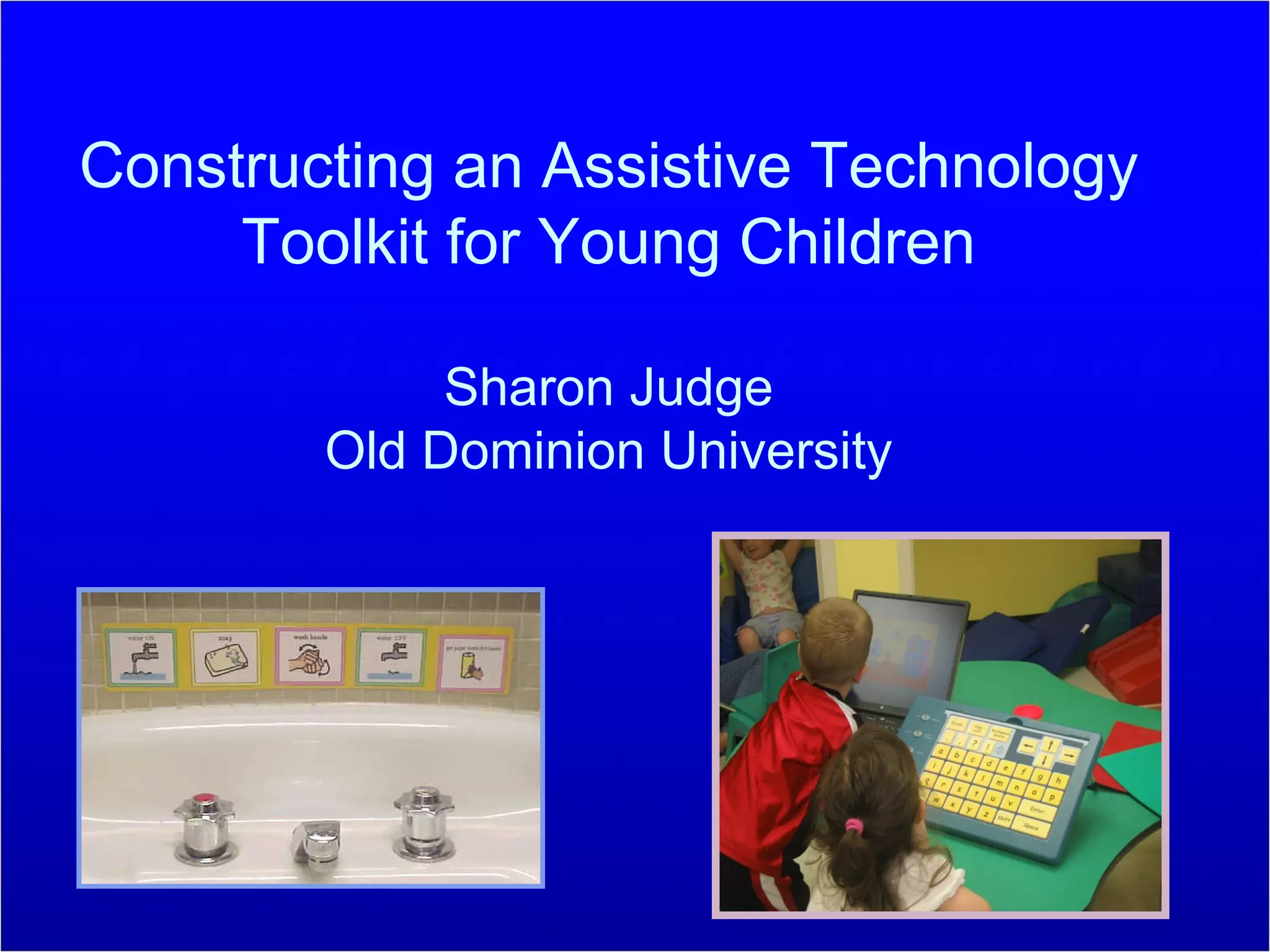
Constructing an Assistive Technology Toolkit for Young Children Sharon Judge Old Dominion University
Challenges to Using AT Lack of AT training at the preservice level Professionals have inadequate knowledge and skills Accessing equipment and related services in timely manner Cost of AT Training of professionals in AT
AT Toolkit Approach Proactive strategy that equips each classroom with technology tools Rather than following an individual child, AT tools are available as needed to support many children Equipping classrooms with an assortment of tools affords seamless approach to technology integration
What should be included in an AT Toolkit for Young Children?
Suggested AT Toolkit Items Respondents rated on 5-point Likert scale (1 = never; 5 = always) the usefulness of 16 AT tools for communication, 11 AT tools for movement, and 22 AT tools for learning. Range of both low- and high-technology devices were included.
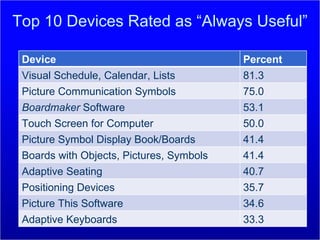
Top 10 Devices Rated as “Always Useful” Device Percent Visual Schedule, Calendar, Lists 81.3 Picture Communication Symbols 75.0 Boardmaker  Software 53.1 Touch Screen for Computer 50.0 Picture Symbol Display Book/Boards 41.4 Boards with Objects, Pictures, Symbols 41.4 Adaptive Seating 40.7 Positioning Devices 35.7 Picture This Software 34.6 Adaptive Keyboards 33.3
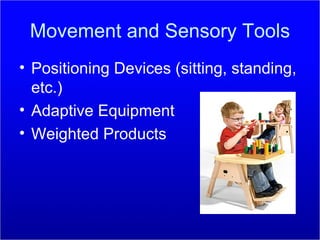
Movement and Sensory Tools Positioning Devices (sitting, standing, etc.) Adaptive Equipment Weighted Products
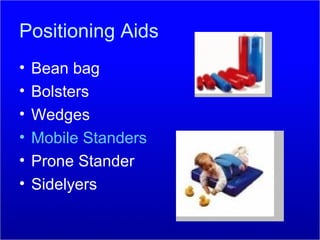
Positioning Aids Bean bag Bolsters Wedges Mobile Standers Prone Stander Sidelyers
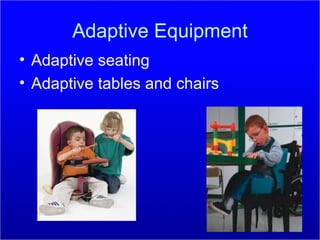
Adaptive Equipment Adaptive seating Adaptive tables and chairs
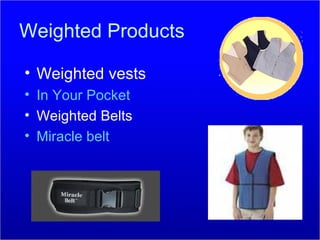
Weighted Products Weighted vests In Your Pocket Weighted Belts Miracle belt
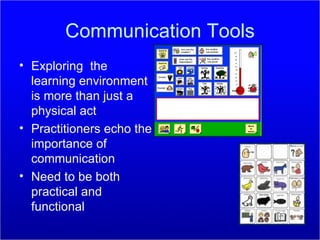
Communication Tools Exploring  the learning environment is more than just a physical act Practitioners echo the importance of communication Need to be both practical and functional
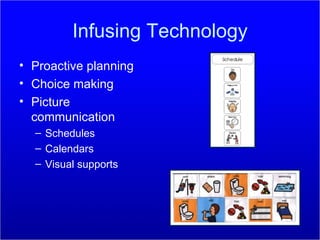
Infusing Technology Proactive planning Choice making Picture communication Schedules Calendars Visual supports
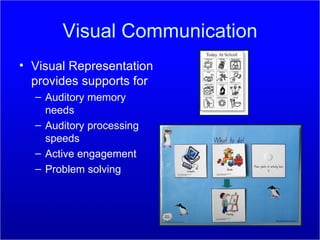
Visual Communication Visual Representation provides supports for Auditory memory needs Auditory processing speeds Active engagement Problem solving
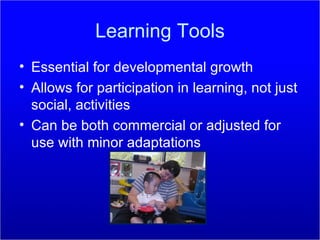
Learning Tools Essential for developmental growth Allows for participation in learning, not just social, activities Can be both commercial or adjusted for use with minor adaptations
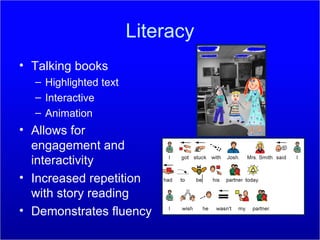
Literacy Talking books Highlighted text Interactive Animation Allows for engagement and interactivity Increased repetition with story reading Demonstrates fluency
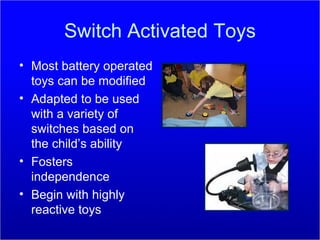
Switch Activated Toys Most battery operated toys can be modified Adapted to be used with a variety of switches based on the child’s ability Fosters independence  Begin with highly reactive toys
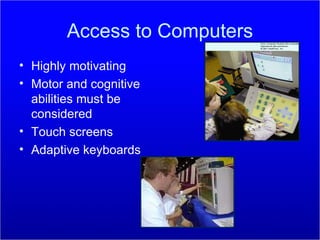
Access to Computers Highly motivating Motor and cognitive abilities must be considered Touch screens Adaptive keyboards
Various Switches Light touch activation Textured surfaces Wireless  Kid friendly Pressure sensitive Auditory feedback Plate switch Saucer switch
Evidence of Effectiveness Provides children immediate access to meaningful activities Effective way to get AT into the hands of professionals Identify essential tools that would be accessible for use with the instructional tasks Facilitates physical and social inclusion
References Campbell, P. H., Milbourne, S., Dugan, L. M., & Wilcox, M. J. (2006). A review of evidence on practices for teaching young children to use assistive technology devices.  Topics in Early Childhood Special Education, 26 (1), 3-13. Dugan, L. M., Campbell, P. H., & Wilcox, M. J. (2006). Making decisions about assistive technology with infants and toddlers.  Topics in Early Childhood Special Education, 26 (1), 25-32. Judge, S. (2006). Constructing an assistive technology toolkit for young children: Views from the field.  Journal of Special Education Technology, 21 (4), 17-24. Judge, S., Floyd, K., & Jeffs, T. (2008). Using an assistive technology toolkit to promote inclusion.  Early Childhood Education Journal, 36,  121-126.
Favorite Links Eyebox Tools (2009). Available on line  http://www.fraser.org/products/Eye_Box.html Mistrett, S.G. & Goetz, A. (2000). Playing with Switches. Available online  http://letsplay.buffalo.edu/products/index.htm Onion Mountain Technology. (2009).  LOTTIE kit for little kids . Retrieved March 26, 2009 , from  http://www.onionmountaintech.com/category.php?cat=12 . The Center for Best Practices in  Early Childhood (2009). Available online  http://www.wiu.edu/thecenter/onlineworkshops.php Tots ‘n Tech (2009). Available online  http://www.asu.edu/clas/tnt /

JudgetoolkitCEC

  • 1.
    Constructing an AssistiveTechnology Toolkit for Young Children Sharon Judge Old Dominion University
  • 2.
    Challenges to UsingAT Lack of AT training at the preservice level Professionals have inadequate knowledge and skills Accessing equipment and related services in timely manner Cost of AT Training of professionals in AT
  • 3.
    AT Toolkit ApproachProactive strategy that equips each classroom with technology tools Rather than following an individual child, AT tools are available as needed to support many children Equipping classrooms with an assortment of tools affords seamless approach to technology integration
  • 4.
    What should beincluded in an AT Toolkit for Young Children?
  • 5.
    Suggested AT ToolkitItems Respondents rated on 5-point Likert scale (1 = never; 5 = always) the usefulness of 16 AT tools for communication, 11 AT tools for movement, and 22 AT tools for learning. Range of both low- and high-technology devices were included.
  • 6.
    Top 10 DevicesRated as “Always Useful” Device Percent Visual Schedule, Calendar, Lists 81.3 Picture Communication Symbols 75.0 Boardmaker Software 53.1 Touch Screen for Computer 50.0 Picture Symbol Display Book/Boards 41.4 Boards with Objects, Pictures, Symbols 41.4 Adaptive Seating 40.7 Positioning Devices 35.7 Picture This Software 34.6 Adaptive Keyboards 33.3
  • 7.
    Movement and SensoryTools Positioning Devices (sitting, standing, etc.) Adaptive Equipment Weighted Products
  • 8.
    Positioning Aids Beanbag Bolsters Wedges Mobile Standers Prone Stander Sidelyers
  • 9.
    Adaptive Equipment Adaptiveseating Adaptive tables and chairs
  • 10.
    Weighted Products Weightedvests In Your Pocket Weighted Belts Miracle belt
  • 11.
    Communication Tools Exploring the learning environment is more than just a physical act Practitioners echo the importance of communication Need to be both practical and functional
  • 12.
    Infusing Technology Proactiveplanning Choice making Picture communication Schedules Calendars Visual supports
  • 13.
    Visual Communication VisualRepresentation provides supports for Auditory memory needs Auditory processing speeds Active engagement Problem solving
  • 14.
    Learning Tools Essentialfor developmental growth Allows for participation in learning, not just social, activities Can be both commercial or adjusted for use with minor adaptations
  • 15.
    Literacy Talking booksHighlighted text Interactive Animation Allows for engagement and interactivity Increased repetition with story reading Demonstrates fluency
  • 16.
    Switch Activated ToysMost battery operated toys can be modified Adapted to be used with a variety of switches based on the child’s ability Fosters independence Begin with highly reactive toys
  • 17.
    Access to ComputersHighly motivating Motor and cognitive abilities must be considered Touch screens Adaptive keyboards
  • 18.
    Various Switches Lighttouch activation Textured surfaces Wireless Kid friendly Pressure sensitive Auditory feedback Plate switch Saucer switch
  • 19.
    Evidence of EffectivenessProvides children immediate access to meaningful activities Effective way to get AT into the hands of professionals Identify essential tools that would be accessible for use with the instructional tasks Facilitates physical and social inclusion
  • 20.
    References Campbell, P.H., Milbourne, S., Dugan, L. M., & Wilcox, M. J. (2006). A review of evidence on practices for teaching young children to use assistive technology devices. Topics in Early Childhood Special Education, 26 (1), 3-13. Dugan, L. M., Campbell, P. H., & Wilcox, M. J. (2006). Making decisions about assistive technology with infants and toddlers. Topics in Early Childhood Special Education, 26 (1), 25-32. Judge, S. (2006). Constructing an assistive technology toolkit for young children: Views from the field. Journal of Special Education Technology, 21 (4), 17-24. Judge, S., Floyd, K., & Jeffs, T. (2008). Using an assistive technology toolkit to promote inclusion. Early Childhood Education Journal, 36, 121-126.
  • 21.
    Favorite Links EyeboxTools (2009). Available on line http://www.fraser.org/products/Eye_Box.html Mistrett, S.G. & Goetz, A. (2000). Playing with Switches. Available online http://letsplay.buffalo.edu/products/index.htm Onion Mountain Technology. (2009). LOTTIE kit for little kids . Retrieved March 26, 2009 , from http://www.onionmountaintech.com/category.php?cat=12 . The Center for Best Practices in Early Childhood (2009). Available online http://www.wiu.edu/thecenter/onlineworkshops.php Tots ‘n Tech (2009). Available online http://www.asu.edu/clas/tnt /