Part II
Process Management
Chapter 5 CPU Scheduling


                           1
CPU-I/O Burst Cycle
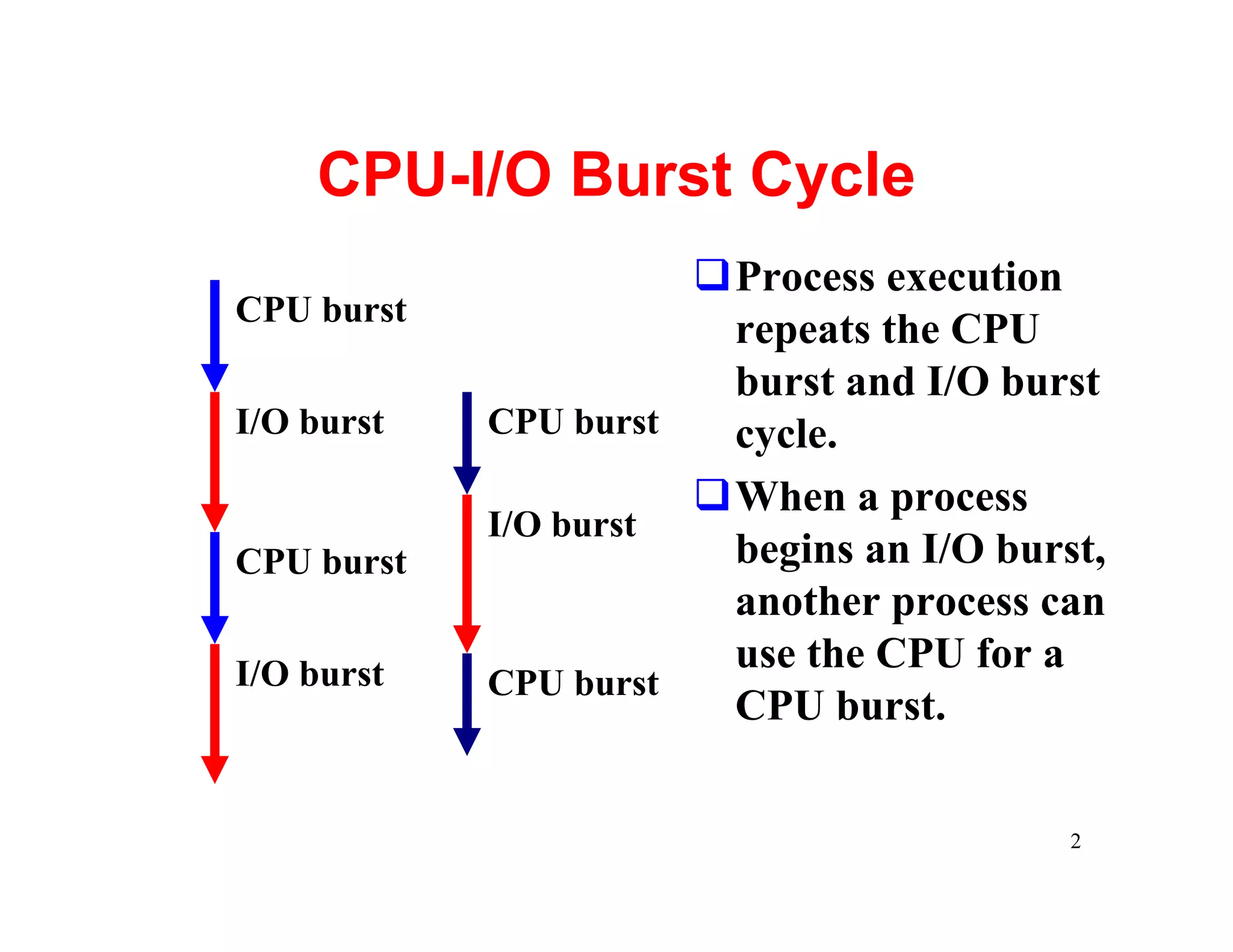
                      qProcess execution
CPU burst
                       repeats the CPU
                       burst and I/O burst
I/O burst   CPU burst  cycle.
                      qWhen a process
            I/O burst
CPU burst              begins an I/O burst,
                       another process can
I/O burst              use the CPU for a
            CPU burst
                       CPU burst.

                                         2
CPU-bound and I/O-bound
qA process is CPU-bound if it generates I/O
 requests infrequently, using more of its time
 doing computation.
qA process is I/O-bound if it spends more of its
 time to do I/O than it spends doing
 computation.
qA CPU-bound process might have a few very
 long CPU bursts.
qAn I/O-bound process typically has many short
 CPU bursts.

                                               3
What does a CPU scheduler do?
qWhen the CPU is idle, the OS must select
 another process to run.
qThis selection process is carried out by the
 short-term scheduler (or CPU scheduler).
qThe CPU scheduler selects a process from the
 ready queue, and allocates the CPU to it.
qThe ready queue does not have to be a FIFO
 one. There are many ways to organize the
 ready queue.

                                                4
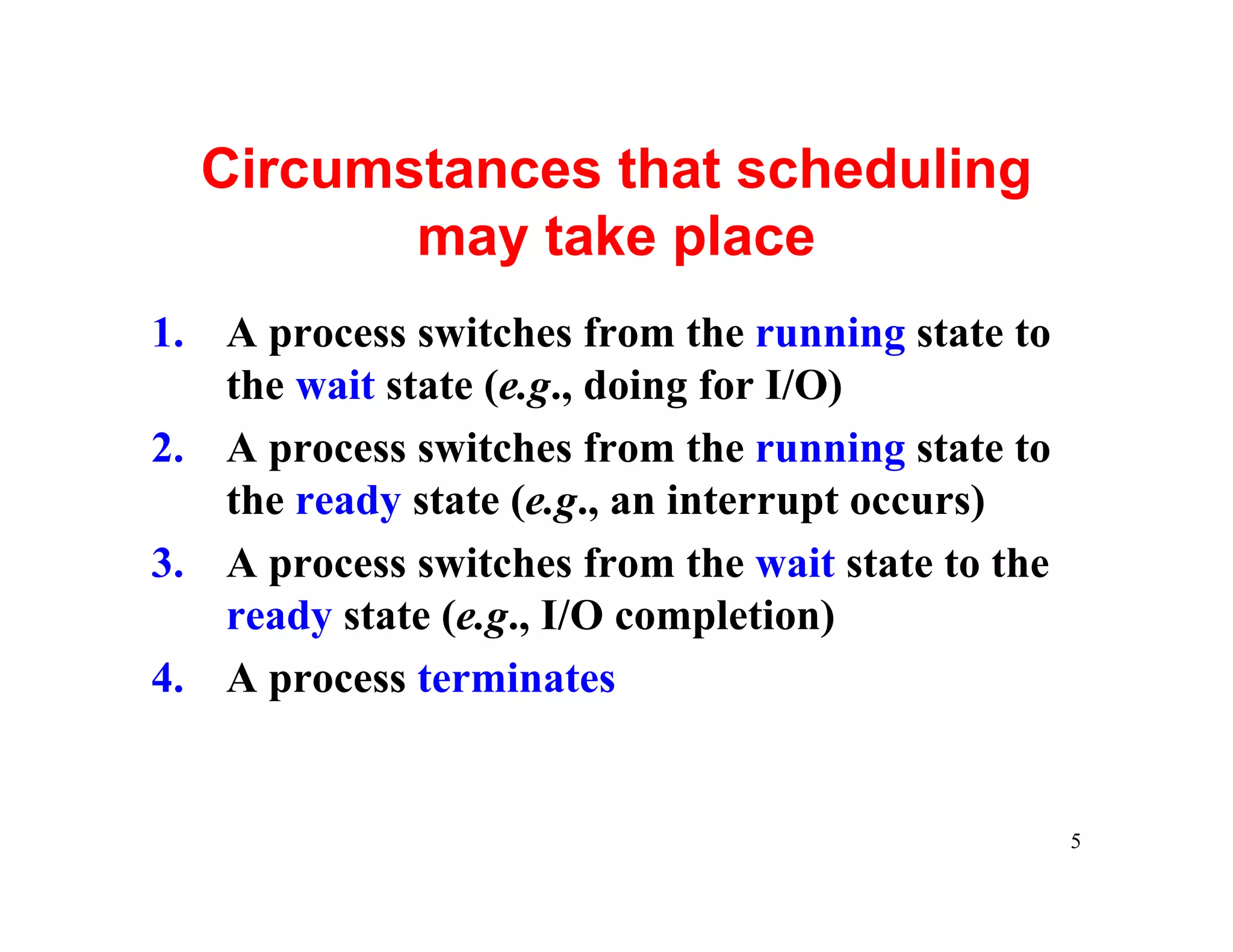
Circumstances that scheduling
         may take place
1. A process switches from the running state to
   the wait state (e.g., doing for I/O)
2. A process switches from the running state to
   the ready state (e.g., an interrupt occurs)
3. A process switches from the wait state to the
   ready state (e.g., I/O completion)
4. A process terminates


                                                   5
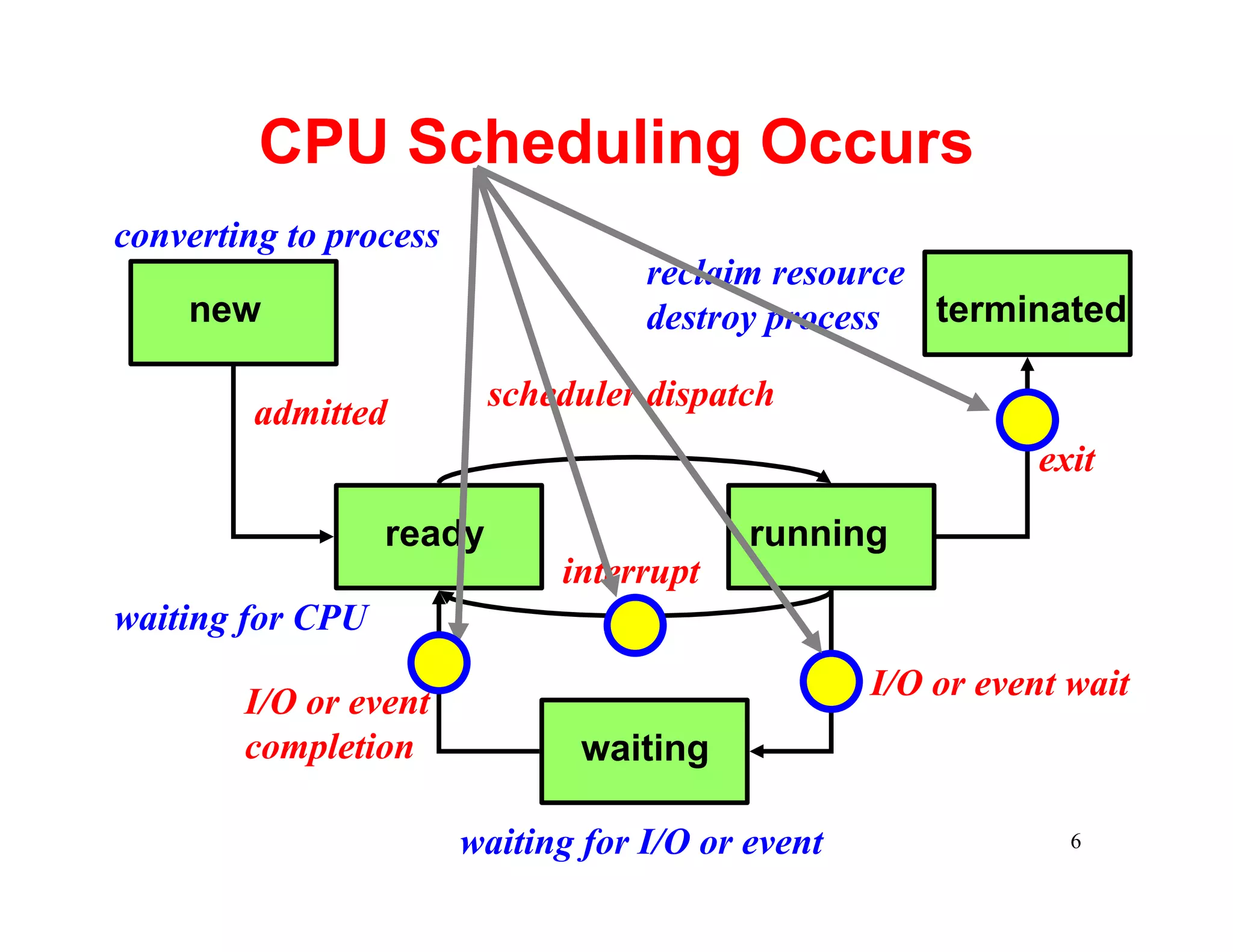
CPU Scheduling Occurs
converting to process
                                    reclaim resource
    new                             destroy process  terminated

                          scheduler dispatch
         admitted
                                                              exit

                  ready                    running
                              interrupt
waiting for CPU
                                                   I/O or event wait
        I/O or event
        completion              waiting

                        waiting for I/O or event                6
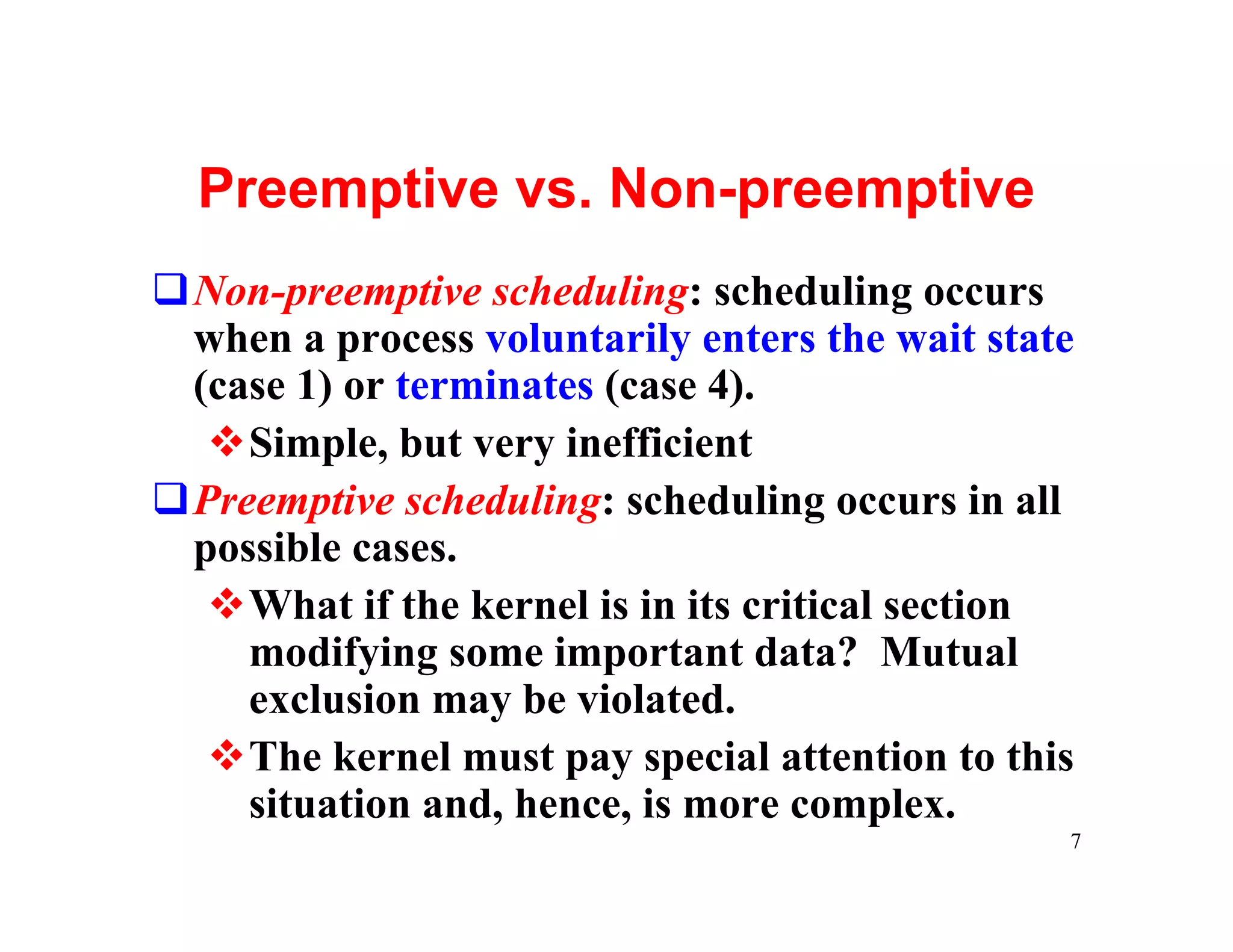
Preemptive vs. Non-preemptive
qNon-preemptive scheduling: scheduling occurs
 when a process voluntarily enters the wait state
 (case 1) or terminates (case 4).
  vSimple, but very inefficient
qPreemptive scheduling: scheduling occurs in all
 possible cases.
  vWhat if the kernel is in its critical section
    modifying some important data? Mutual
    exclusion may be violated.
  vThe kernel must pay special attention to this
    situation and, hence, is more complex.
                                                7
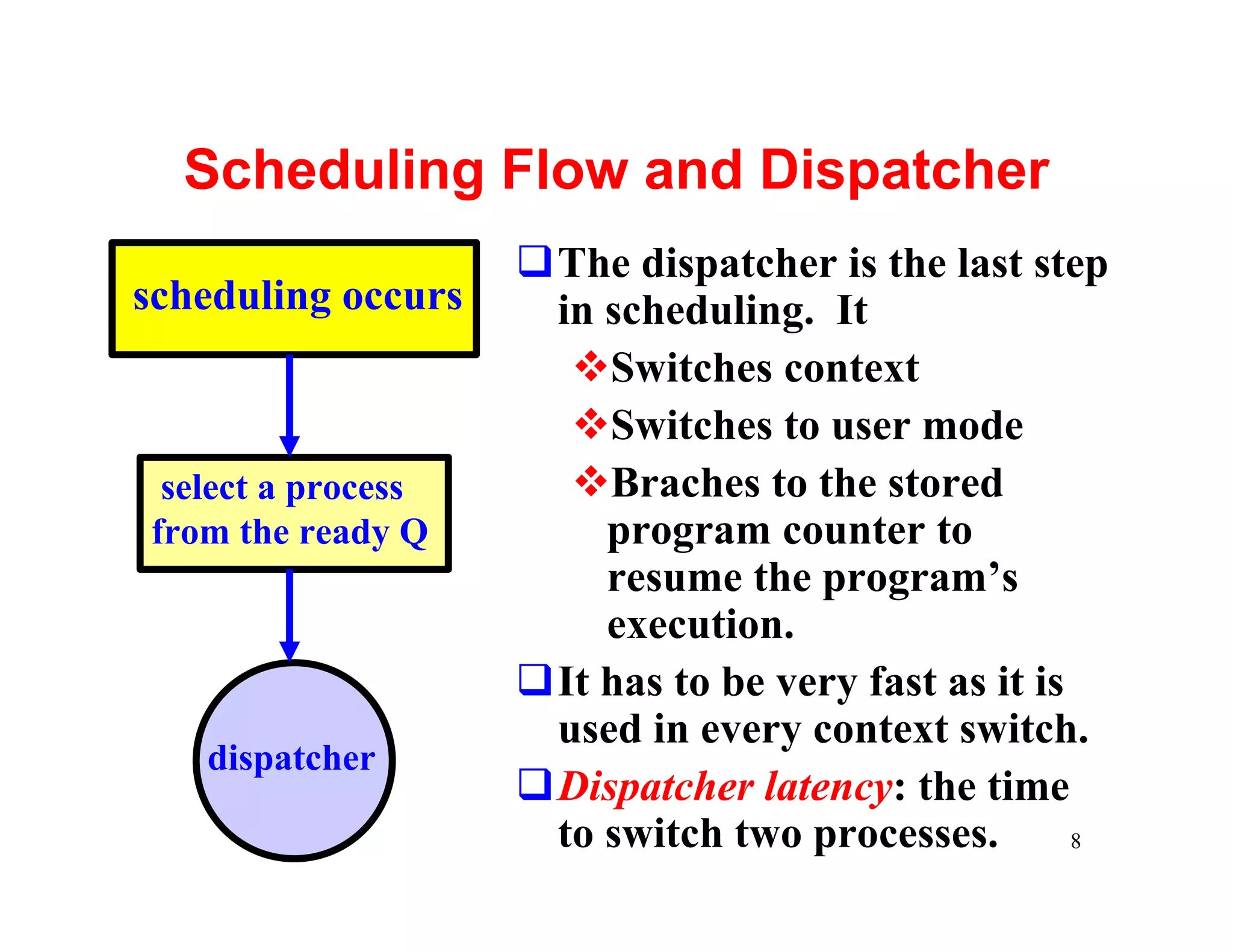
Scheduling Flow and Dispatcher
                    qThe dispatcher is the last step
scheduling occurs    in scheduling. It
                      vSwitches context
                      vSwitches to user mode
 select a process     vBraches to the stored
from the ready Q        program counter to
                        resume the program’s
                        execution.
                    qIt has to be very fast as it is
                     used in every context switch.
   dispatcher
                    qDispatcher latency: the time
                     to switch two processes.        8
Scheduling Criteria: 1/6
qThere are many criteria for comparing
 different scheduling algorithms. Here are five
 common ones:
  vCPU Utilization
  vThroughput
  vTurnaround Time
  vWaiting Time
  vResponse Time


                                                  9
Criterion 1: CPU Utilization 2/6
qWe want to keep the CPU as busy as possible.
qCPU utilization ranges from 0 to 100 percent.
qNormally 40% is lightly loaded and 90% or
 higher is heavily loaded.
qYou can bring up a CPU usage meter to see
 CPU utilization on your system. Or, you can
 use the top command.


                                                 10
Criterion 2: Throughput 3/6
qThe number of processes completed per time
 unit is called throughput.
qHigher throughput means more jobs get done.
qHowever, for long processes, this rate may be
 one job per hour, and, for short (student) jobs,
 this rate may be 10 per minute.


                                                11
Criterion 3: Turnaround Time 4/6
qThe time period between job submission to
 completion is the turnaround time.
qFrom a user’s point of view, turnaround time is
 more important than CPU utilization and
 throughput.
qTurnaround time is the sum of
  vwaiting time before entering the system
  vwaiting time in the ready queue
  vwaiting time in all other events (e.g., I/O)
  vtime the process actually running on the CPU
                                              12
Criterion 4: Waiting Time 5/6
qWaiting time is the sum of the periods that a
 process spends waiting in the ready queue.
qWhy only ready queue?
  vCPU scheduling algorithms do not affect the
   amount of time during which a process is
   waiting for I/O and other events.
  vHowever, CPU scheduling algorithms do
   affect the time that a process stays in the
   ready queue.

                                             13
Criterion 5: Response Time 6/6
qThe time from the submission of a request (in
 an interactive system) to the first response is
 called response time. It does not include the
 time that it takes to output the response.
qFor example, in front of your workstation, you
 perhaps care more about the time between
 hitting the Return key and getting your first
 output than the time from hitting the Return
 key to the completion of your program (e.g.,
 turnaround time).
                                                   14
What are the goals?
qIn general, the main goal is to maximize CPU
 utilization and throughput and minimize
 turnaround time, waiting time and response time.
qIn some systems (e.g., batch systems), maximizing
 CPU utilization and throughput is more important,
 while in other systems (e.g., interactive) minimizing
 response time is paramount.
qSometimes we want to make sure some jobs must
 have guaranteed completion before certain time.
qOther systems may want to minimize the variance
 of the response time.
                                                   15
Scheduling Algorithms
qWe will discuss a number of scheduling
 algorithms:
  vFirst-Come, First-Served (FCFS)
  vShortest-Job-First (SJF)
  vPriority
  vRound-Robin
  vMultilevel Queue
  vMultilevel Feedback Queue

                                          16
First-Come, First-Served: 1/3
qThe process that requests the CPU first is
 allocated the CPU first.
qThis can easily be implemented using a queue.
qFCFS is not preemptive. Once a process has
 the CPU, it will occupy the CPU until the
 process completes or voluntarily enters the wait
 state.


                                               17
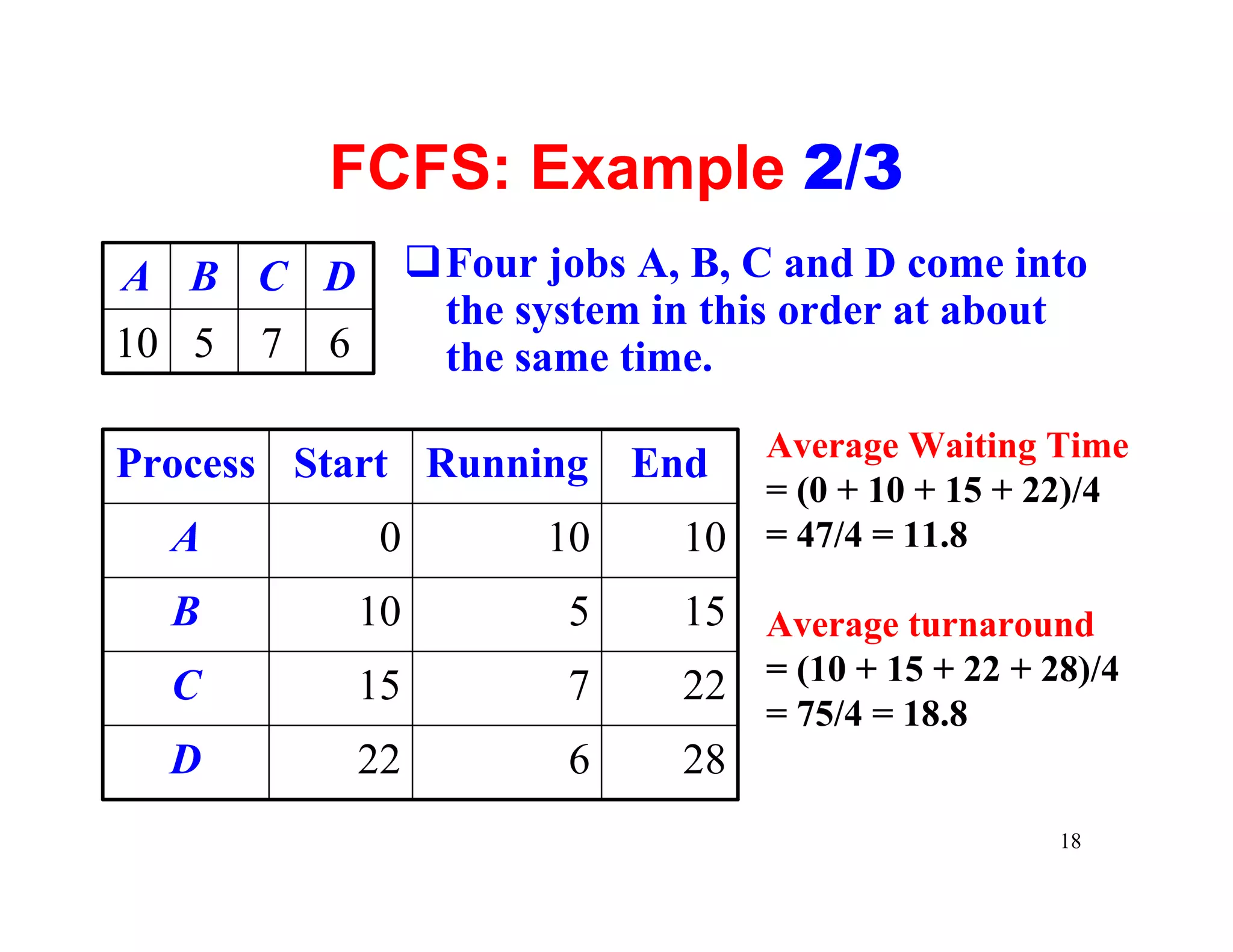
FCFS: Example 2/3
A B C D             qFour jobs A, B, C and D come into
                     the system in this order at about
10 5   7   6         the same time.
                                      Average Waiting Time
Process Start Running End
                                      = (0 + 10 + 15 + 22)/4
  A             0          10    10   = 47/4 = 11.8

  B            10           5    15 Average turnaround
  C            15           7    22 = (10 + 15 + 22 + 28)/4
                                      = 75/4 = 18.8
  D            22           6    28
                                                       18
FCFS: Problems 3/3
qIt is easy to have the convoy effect: all the
 processes wait for the one big process to get off
 the CPU. CPU utilization may be low.
 Consider a CPU-bound process running with
 many I/O-bound process.
qIt is in favor of long processes and may not be
 fair to those short ones. What if your 1-minute
 job is behind a 10-hour job?
qIt is troublesome for time-sharing systems,
 where each user needs to get a share of the
 CPU at regular intervals.
                                                 19
Shortest-Job First: 1/8
qEach process in the ready queue is associated
 with the length of its next CPU burst.
qWhen a process must be selected from the
 ready queue, the process with the smallest next
 CPU burst is selected.
qThus, the processes in the ready queue are
 sorted in CPU burst length.
qSJF can be non-preemptive or preemptive.


                                               20
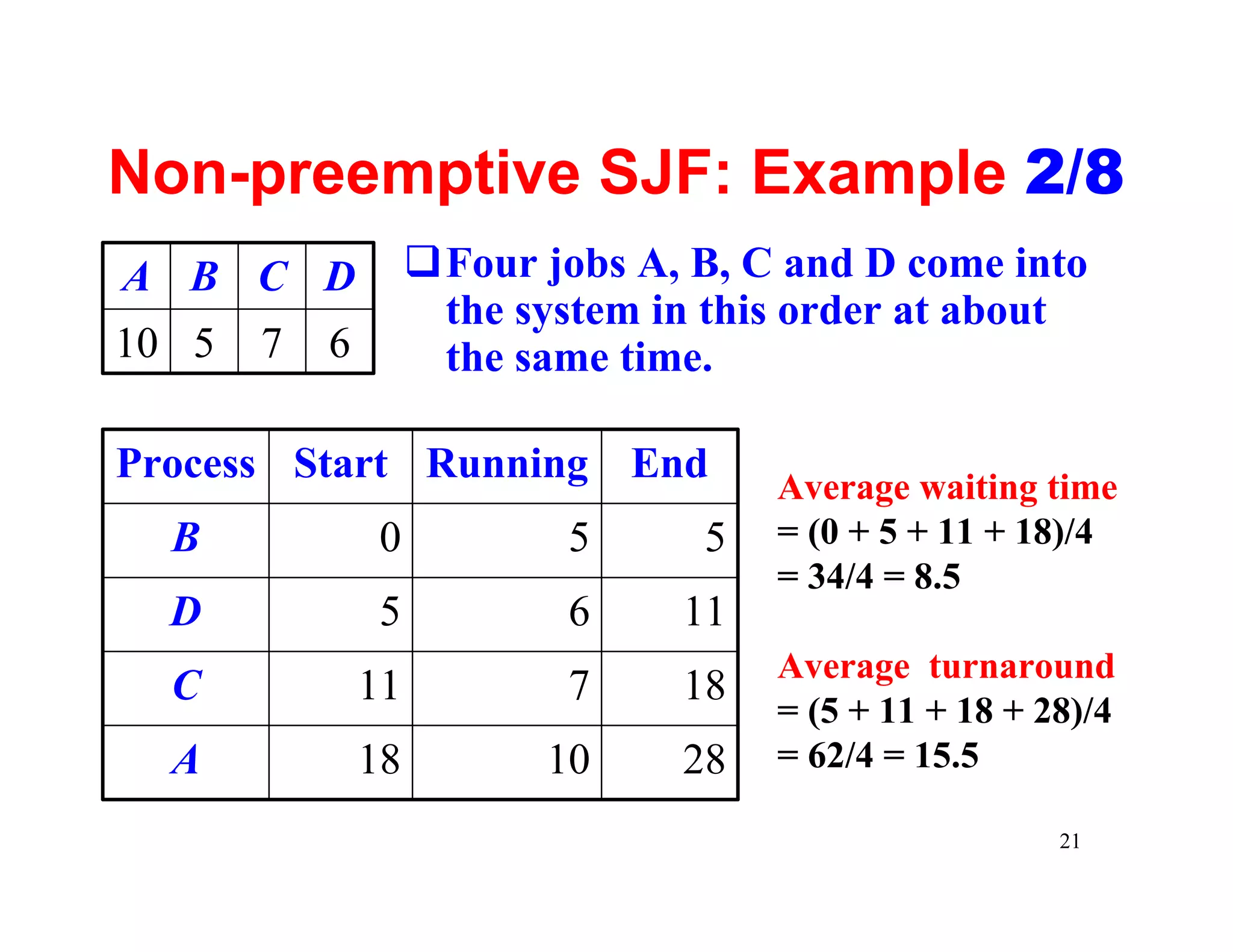
Non-preemptive SJF: Example 2/8
A B C D             qFour jobs A, B, C and D come into
                     the system in this order at about
10 5   7   6         the same time.

Process Start Running End
                                      Average waiting time
  B             0           5     5   = (0 + 5 + 11 + 18)/4
                                      = 34/4 = 8.5
  D             5           6    11
                                      Average turnaround
  C            11           7    18
                                      = (5 + 11 + 18 + 28)/4
  A            18          10    28   = 62/4 = 15.5

                                                        21
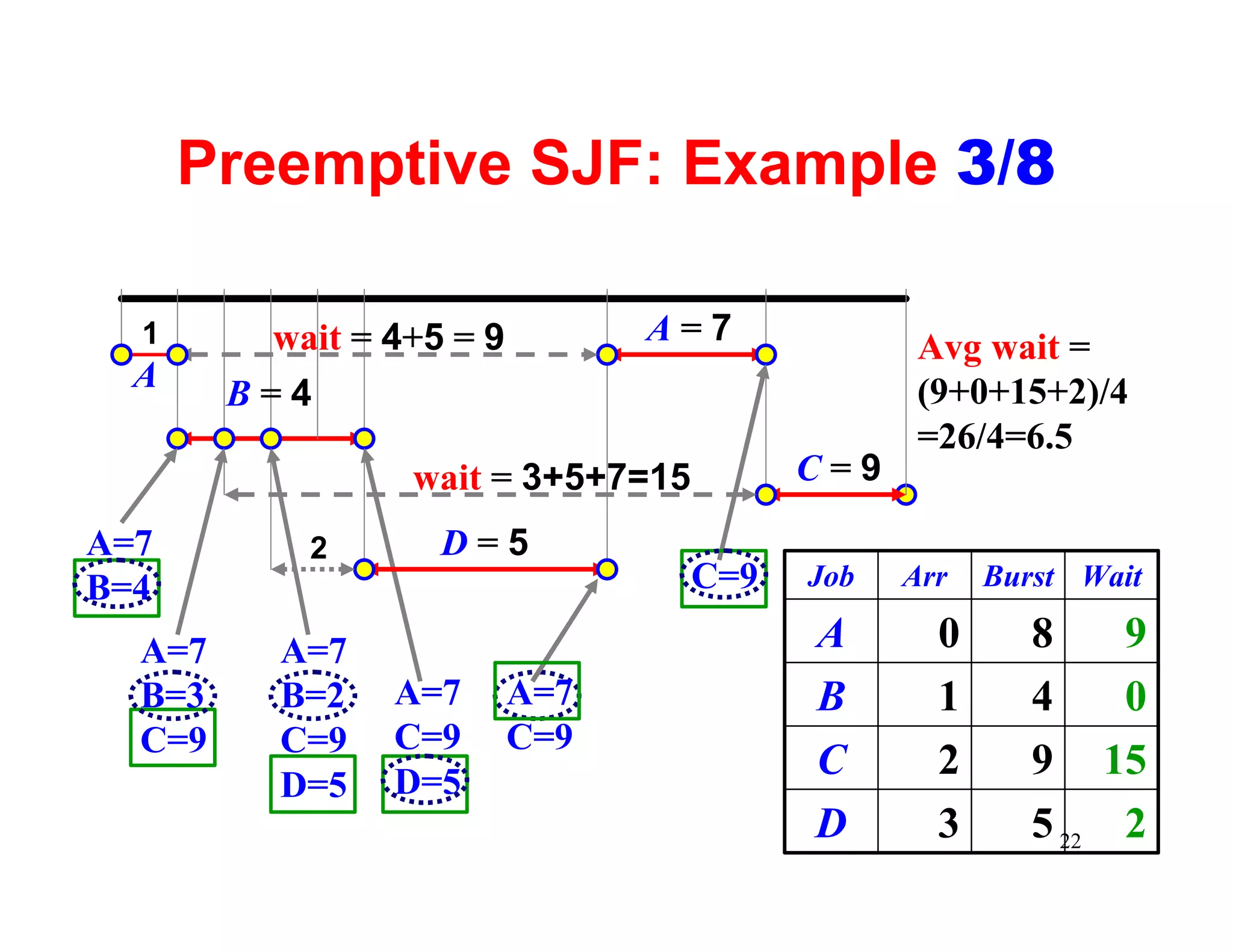
Preemptive SJF: Example 3/8

  1      wait = 4+5 = 9         A=7              Avg wait =
  A                                              (9+0+15+2)/4
        B=4
                                                 =26/4=6.5
                  wait = 3+5+7=15         C=9

A=7         2      D=5
B=4                                 C=9   Job   Arr   Burst Wait

  A=7     A=7                             A       0      8       9
  B=3     B=2    A=7      A=7             B       1      4       0
  C=9     C=9    C=9      C=9
                 D=5
                                          C       2      9      15
          D=5
                                          D       3      5 22    2
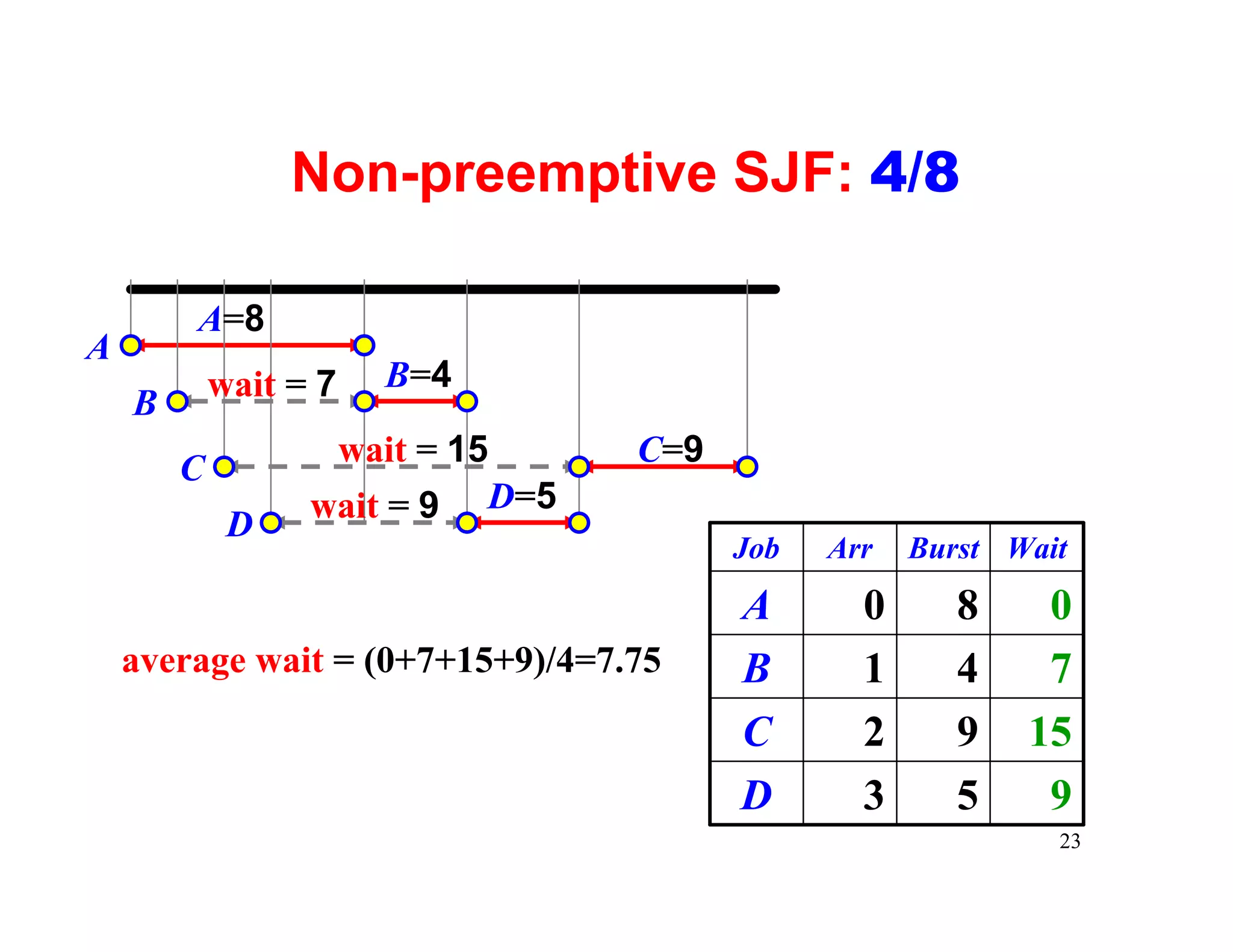
Non-preemptive SJF: 4/8

        A=8
A
            wait = 7   B=4
    B
                   wait = 15      C=9
        C
                  wait = 9 D=5
             D
                                        Job   Arr   Burst Wait
                                        A       0      8    0
    average wait = (0+7+15+9)/4=7.75    B       1      4    7
                                        C       2      9   15
                                        D       3      5    9
                                                             23
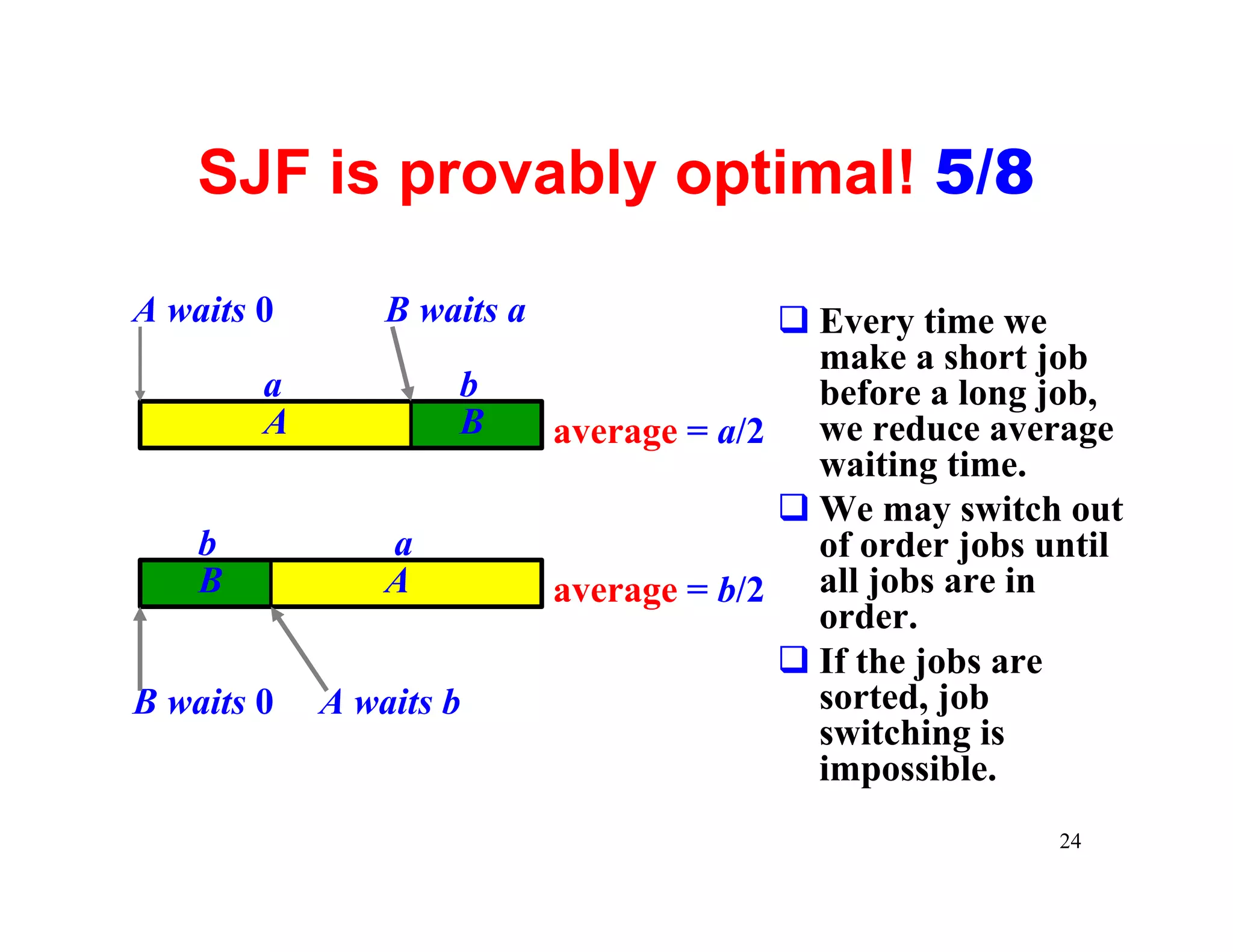
SJF is provably optimal! 5/8

A waits 0       B waits a                q Every time we
                                           make a short job
        a           b                      before a long job,
        A           B       average = a/2 we reduce average
                                           waiting time.
                                         q We may switch out
    b           a                          of order jobs until
    B           A           average = b/2 all jobs are in
                                           order.
                                         q If the jobs are
B waits 0   A waits b                      sorted, job
                                           switching is
                                           impossible.
                                                          24
How do we know the next CPU burst? 6/8
 qWithout a good answer to this question, SJF
  cannot be used for CPU scheduling.
 qWe try to predict the next CPU burst!
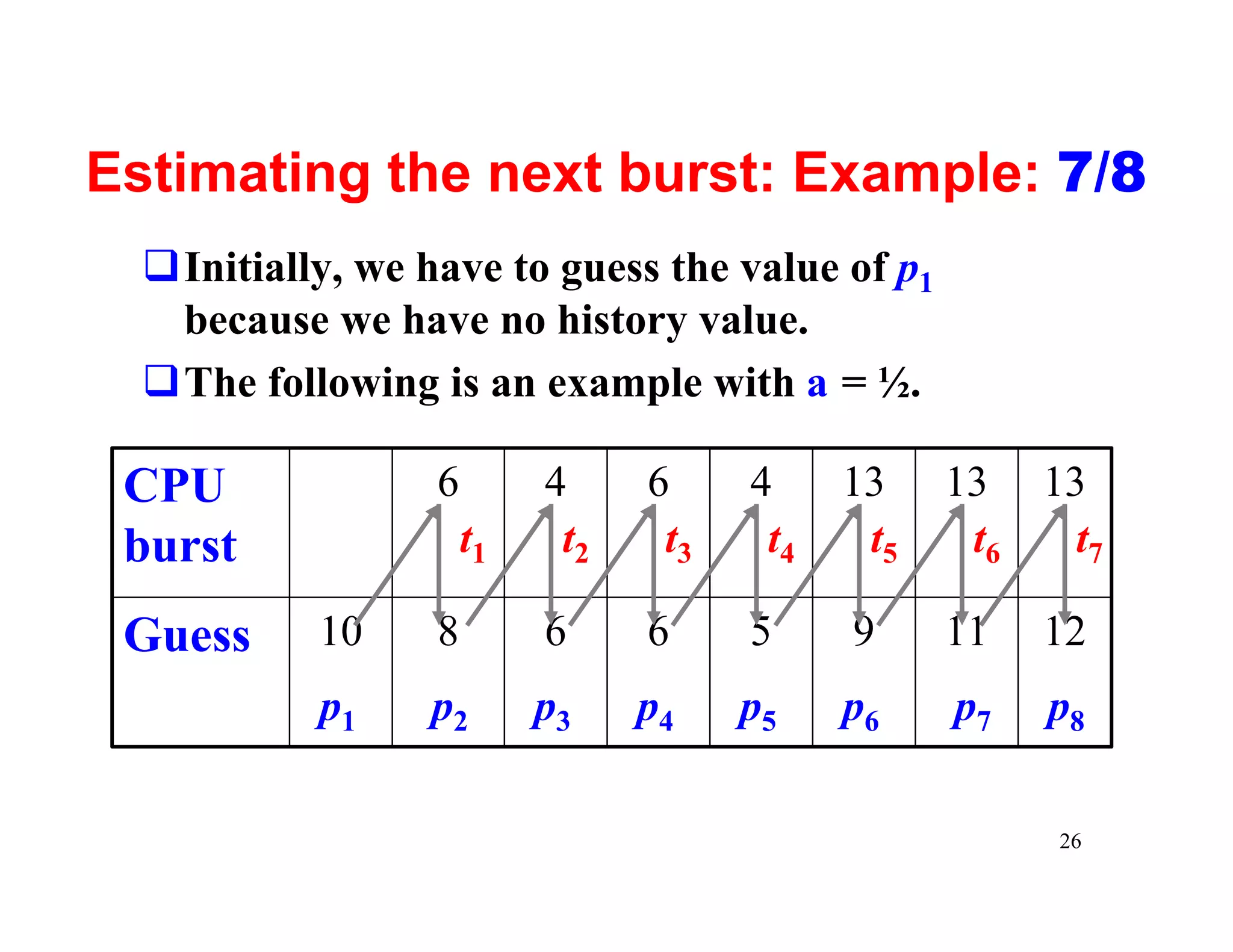
 qLet tn be the length of the nth CPU burst and
  pn+1 be the prediction of the next CPU burst
            pn+1 = a tn + (1 – a) pn
  where a is a weight value in [0,1].
 qIf a = 0, then pn+1 = pn and recent history has no
  effect. If a = 1, only the last burst matters. If a
  is ½, the actual burst and predict values are
  equally important.
                                                   25
Estimating the next burst: Example: 7/8
  qInitially, we have to guess the value of p1
   because we have no history value.
  qThe following is an example with a = ½.

 CPU              6        4     6     4     13    13 13
 burst                t1    t2    t3    t4    t5    t6  t7

 Guess     10     8        6     6     5     9     11   12
           p1     p2       p3    p4    p5    p6    p7   p8

                                                        26
SJF Problems: 8/8
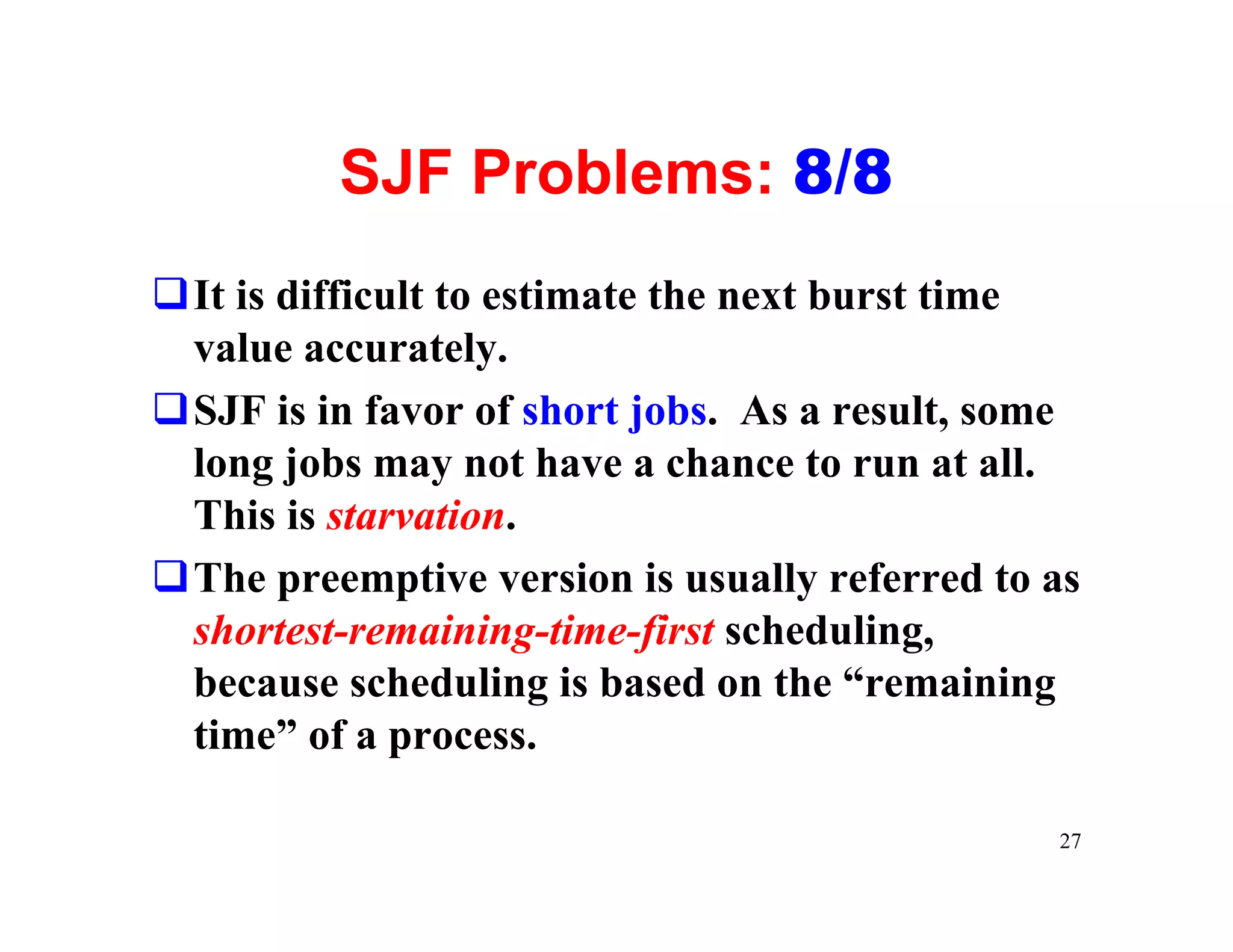
qIt is difficult to estimate the next burst time
 value accurately.
qSJF is in favor of short jobs. As a result, some
 long jobs may not have a chance to run at all.
 This is starvation.
qThe preemptive version is usually referred to as
 shortest-remaining-time-first scheduling,
 because scheduling is based on the “remaining
 time” of a process.

                                               27
Priority Scheduling 1/4
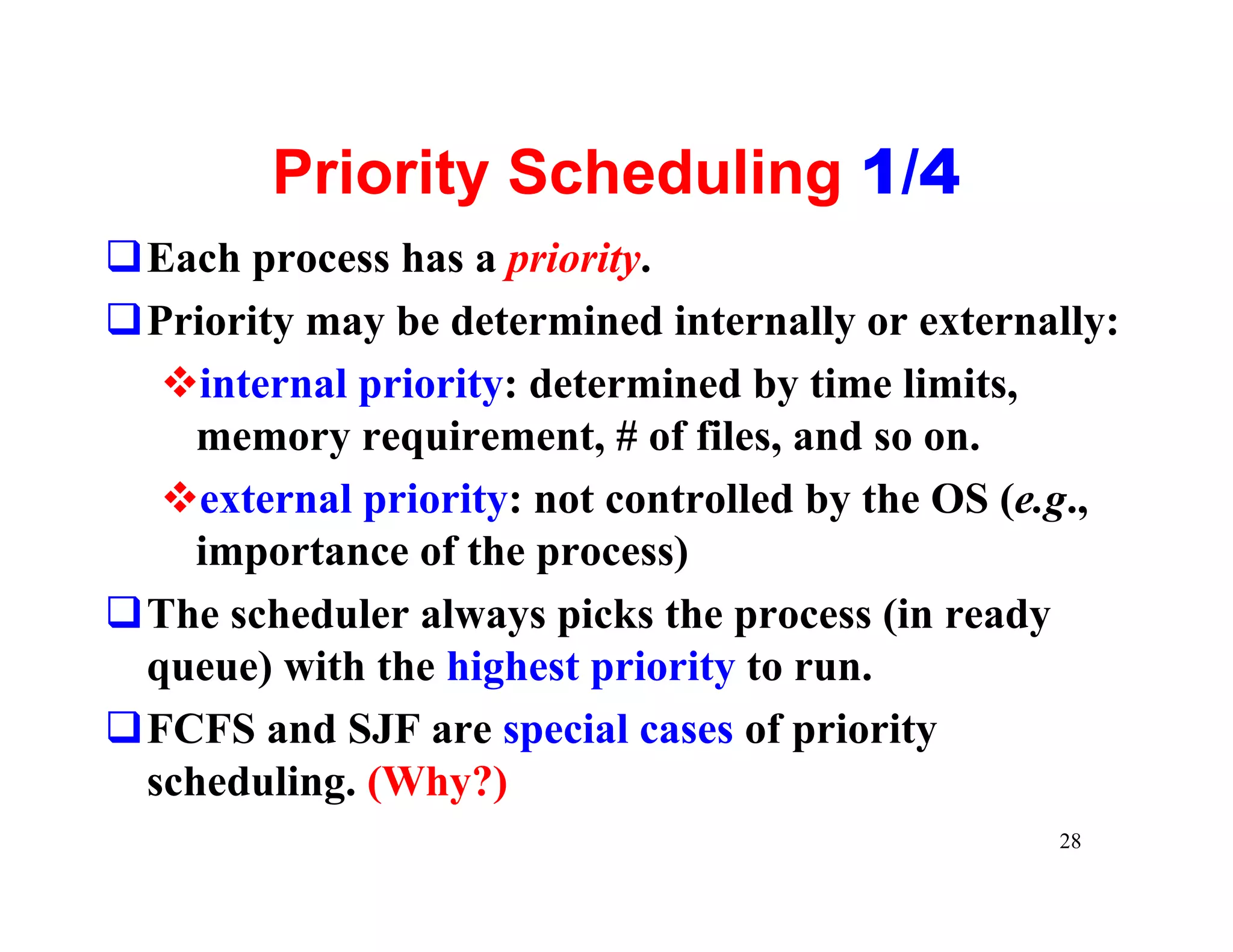
qEach process has a priority.
qPriority may be determined internally or externally:
  vinternal priority: determined by time limits,
    memory requirement, # of files, and so on.
  vexternal priority: not controlled by the OS (e.g.,
    importance of the process)
qThe scheduler always picks the process (in ready
 queue) with the highest priority to run.
qFCFS and SJF are special cases of priority
 scheduling. (Why?)
                                                 28
Priority Scheduling: Example 2/4
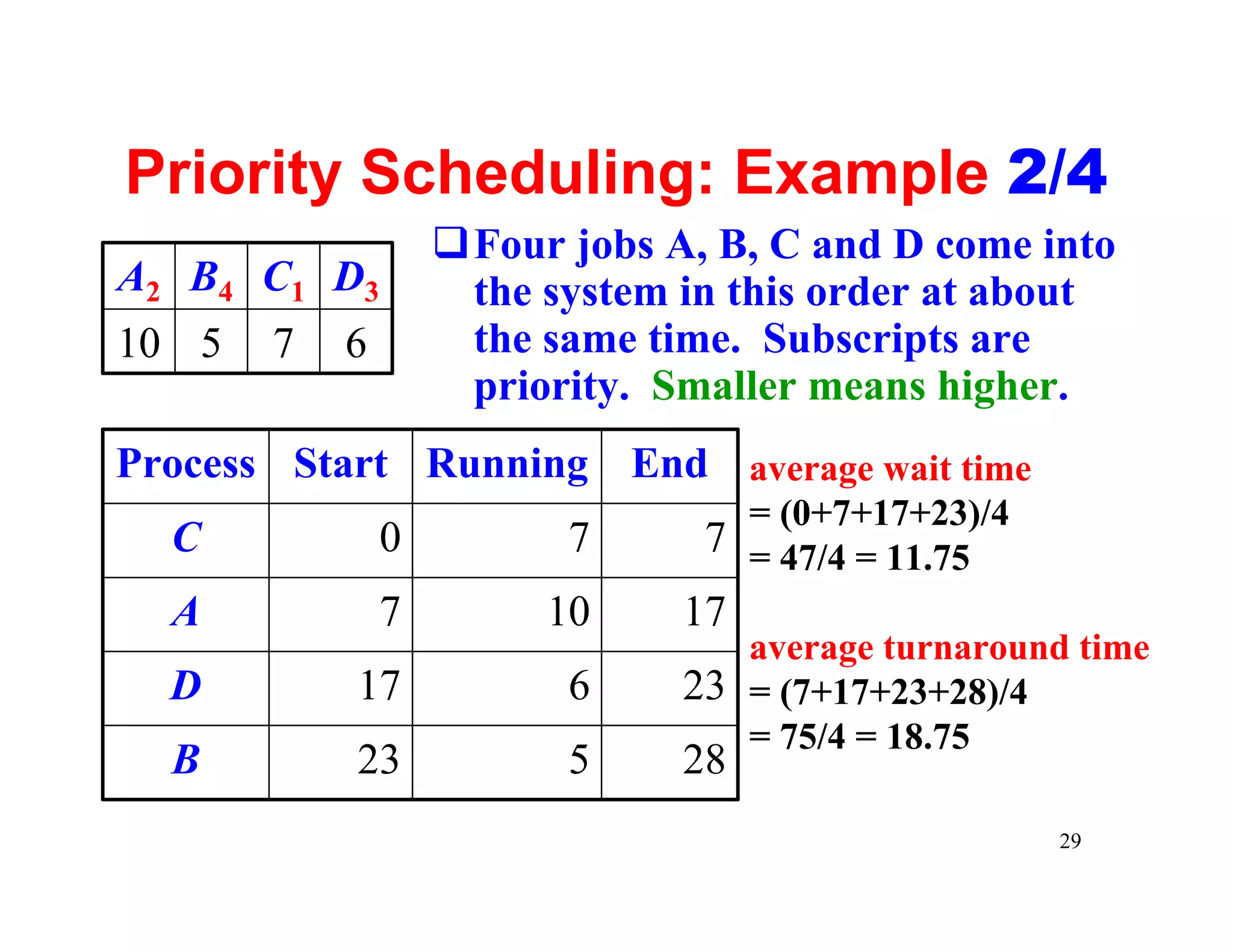
                   qFour jobs A, B, C and D come into
A2 B4 C1 D3         the system in this order at about
10 5   7   6        the same time. Subscripts are
                    priority. Smaller means higher.
Process Start Running End average wait time
                                  = (0+7+17+23)/4
  C            0         7      7 = 47/4 = 11.75
  A            7        10     17
                                  average turnaround time
  D        17            6     23 = (7+17+23+28)/4
                                  = 75/4 = 18.75
  B        23            5     28
                                                    29
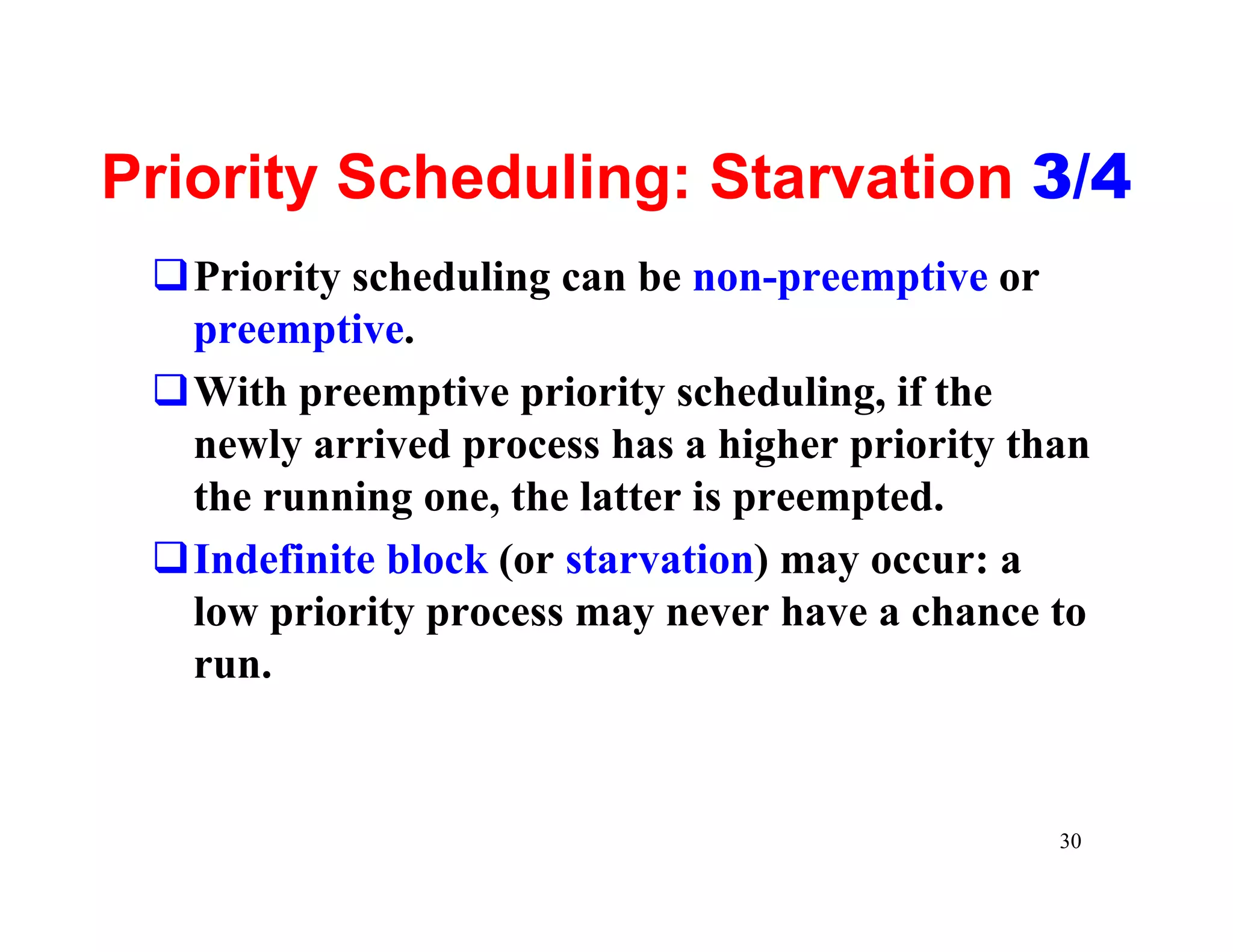
Priority Scheduling: Starvation 3/4
 qPriority scheduling can be non-preemptive or
  preemptive.
 qWith preemptive priority scheduling, if the
  newly arrived process has a higher priority than
  the running one, the latter is preempted.
 qIndefinite block (or starvation) may occur: a
  low priority process may never have a chance to
  run.


                                                30
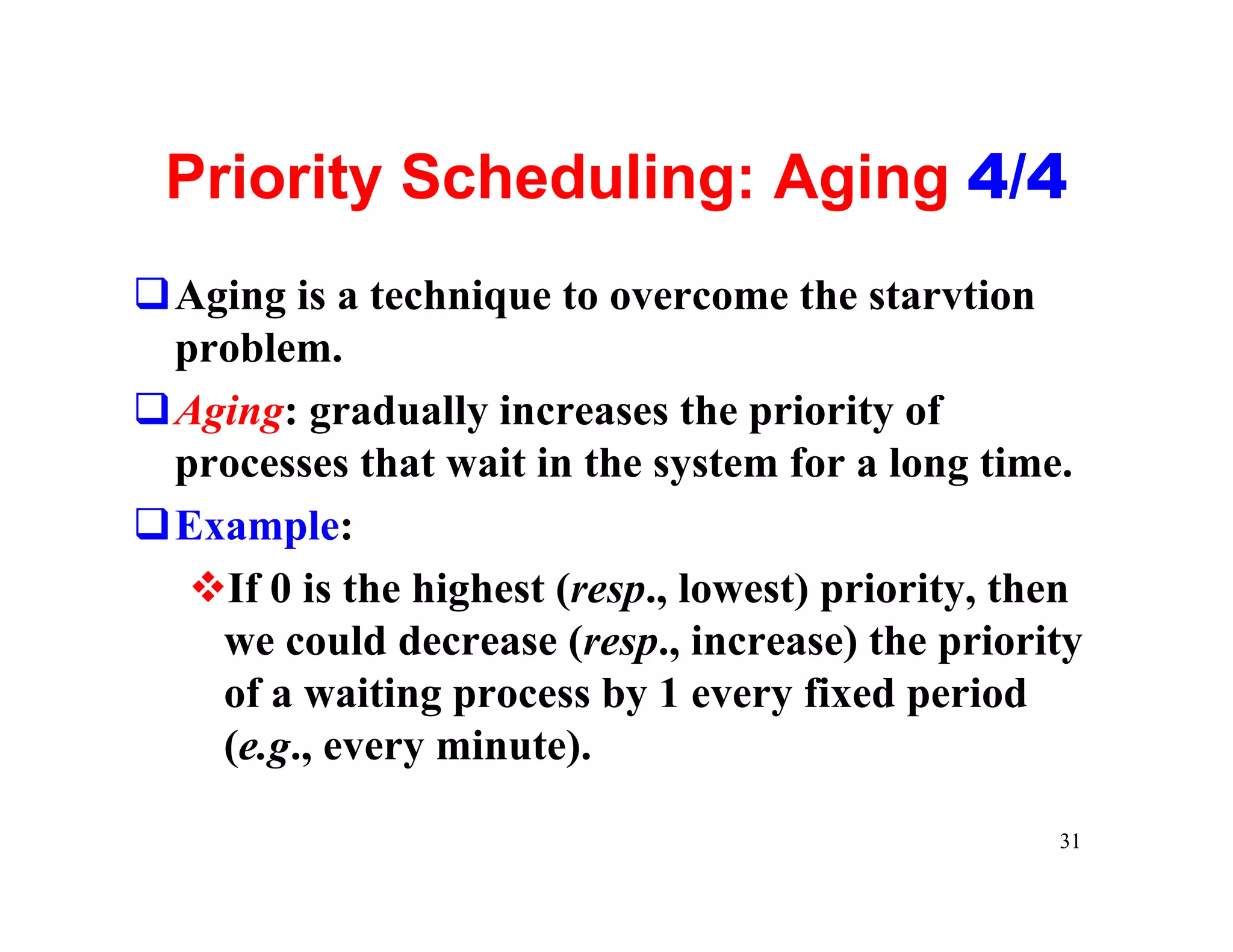
Priority Scheduling: Aging 4/4
qAging is a technique to overcome the starvtion
 problem.
qAging: gradually increases the priority of
 processes that wait in the system for a long time.
qExample:
  vIf 0 is the highest (resp., lowest) priority, then
   we could decrease (resp., increase) the priority
   of a waiting process by 1 every fixed period
   (e.g., every minute).

                                                   31
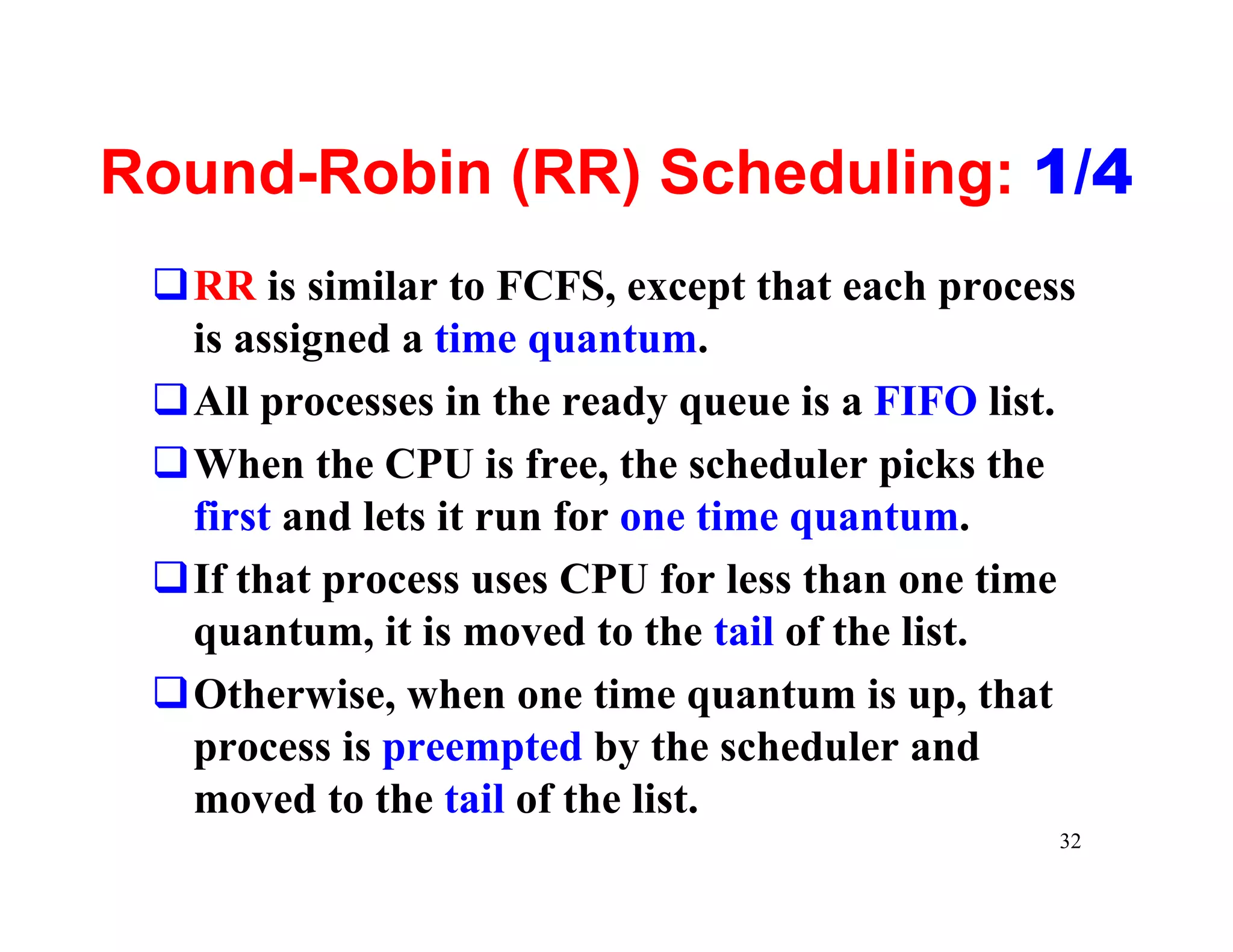
Round-Robin (RR) Scheduling: 1/4
 qRR is similar to FCFS, except that each process
  is assigned a time quantum.
 qAll processes in the ready queue is a FIFO list.
 qWhen the CPU is free, the scheduler picks the
  first and lets it run for one time quantum.
 qIf that process uses CPU for less than one time
  quantum, it is moved to the tail of the list.
 qOtherwise, when one time quantum is up, that
  process is preempted by the scheduler and
  moved to the tail of the list.
                                                 32
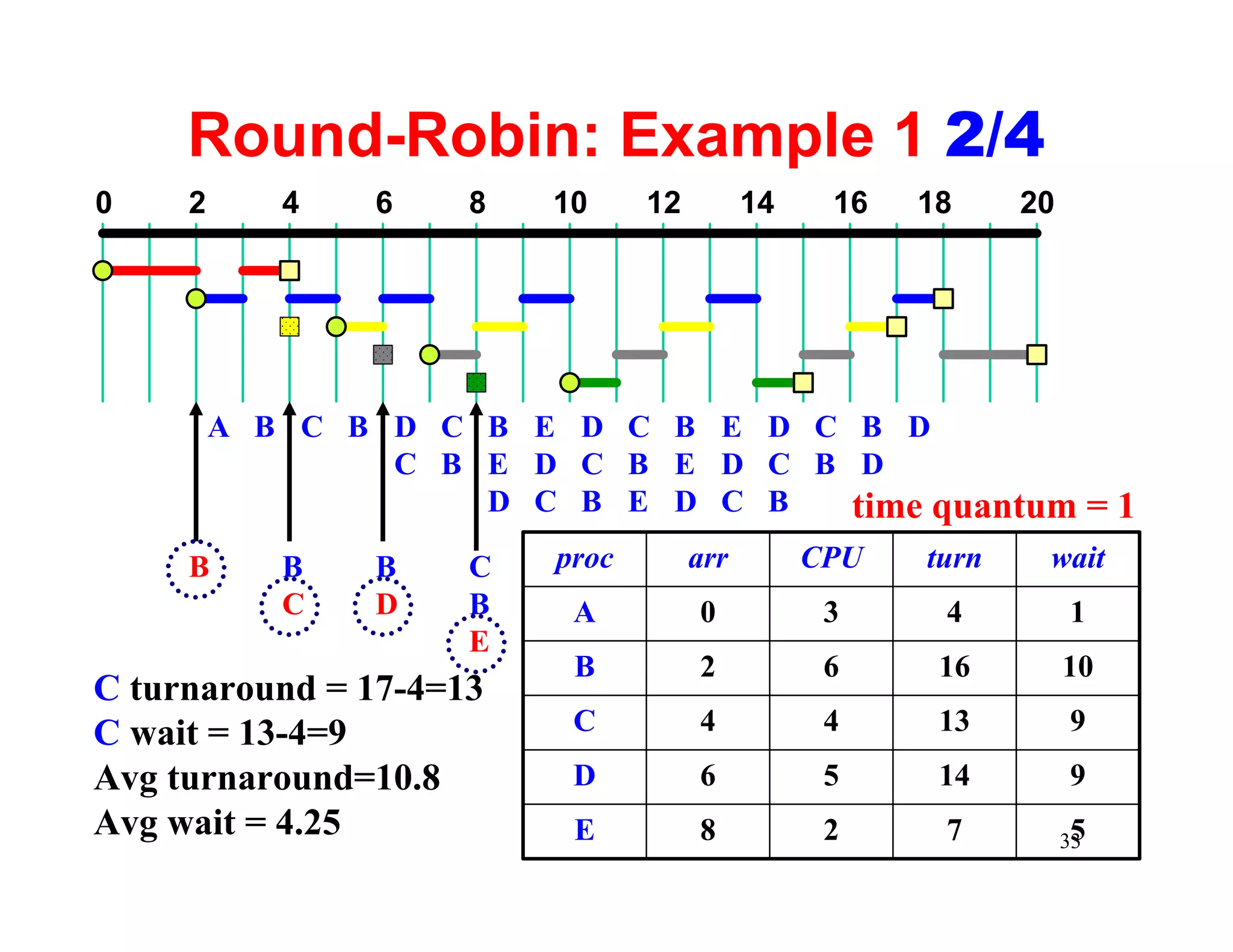
Round-Robin: Example 1 2/4
0    2      4   6    8   10     12         14    16   18     20


         A B C B D C B E D C B E D C B D
                 C B E D C B E D C B D
                     D C B E D C B   time quantum = 1
     B      B   B    C   proc        arr        CPU   turn    wait
            C   D    B    A          0           3     4          1
                     E
                          B          2           6     16         10
C turnaround = 17-4=13
C wait = 13-4=9           C          4           4     13         9
Avg turnaround=10.8       D          6           5     14         9
Avg wait = 4.25           E          8           2     7           5
                                                                  33
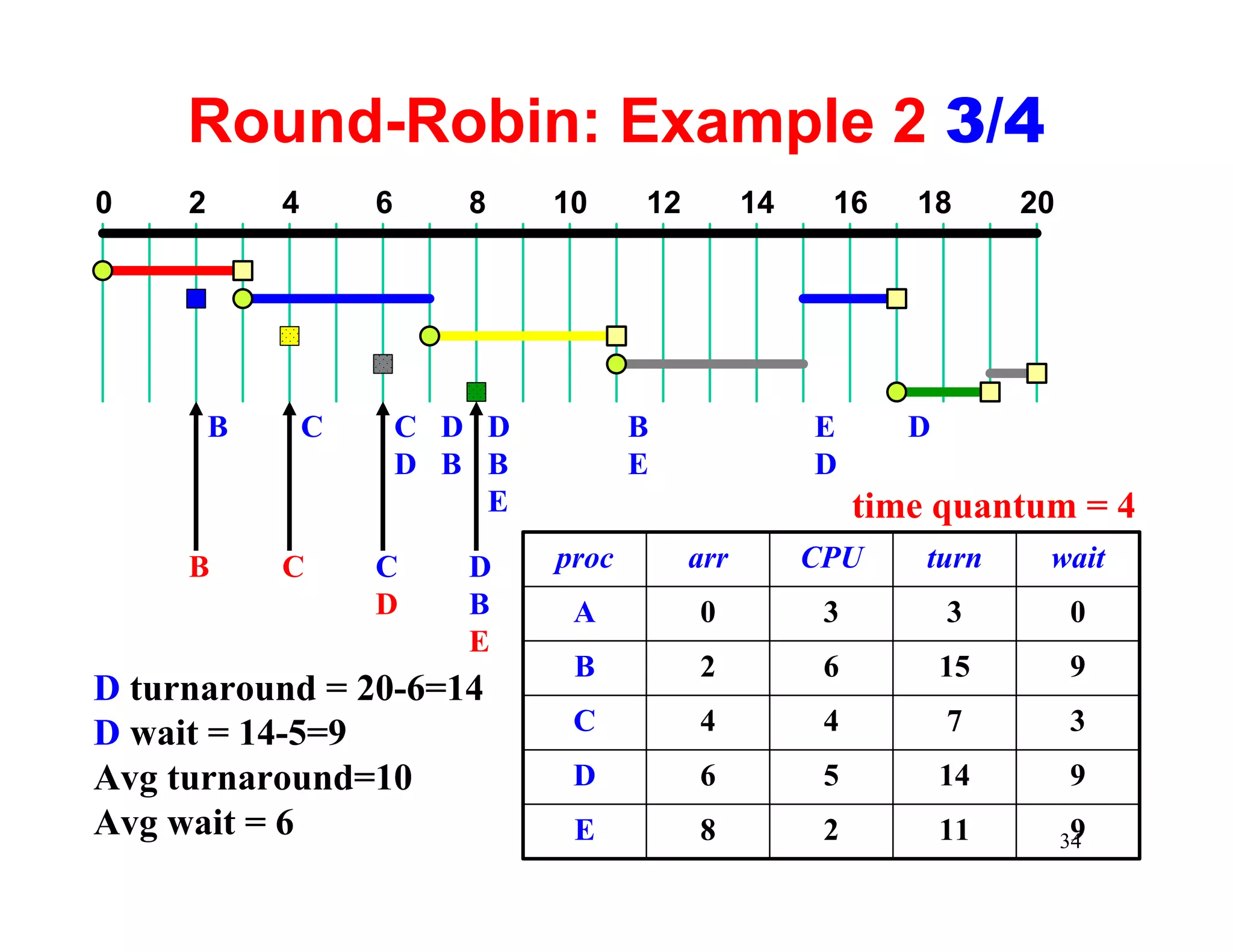
Round-Robin: Example 2 3/4
0    2       4       6      8    10     12         14    16     18       20


         B       C       C D D          B               E       D
                         D B B          E               D
                             E                               time quantum = 4
     B       C       C      D    proc        arr        CPU      turn     wait
                     D      B     A          0           3          3         0
                            E
                                  B          2           6          15        9
D turnaround = 20-6=14
D wait = 14-5=9                   C          4           4          7         3
Avg turnaround=10                 D          6           5          14        9
Avg wait = 6                      E          8           2          11         9
                                                                              34
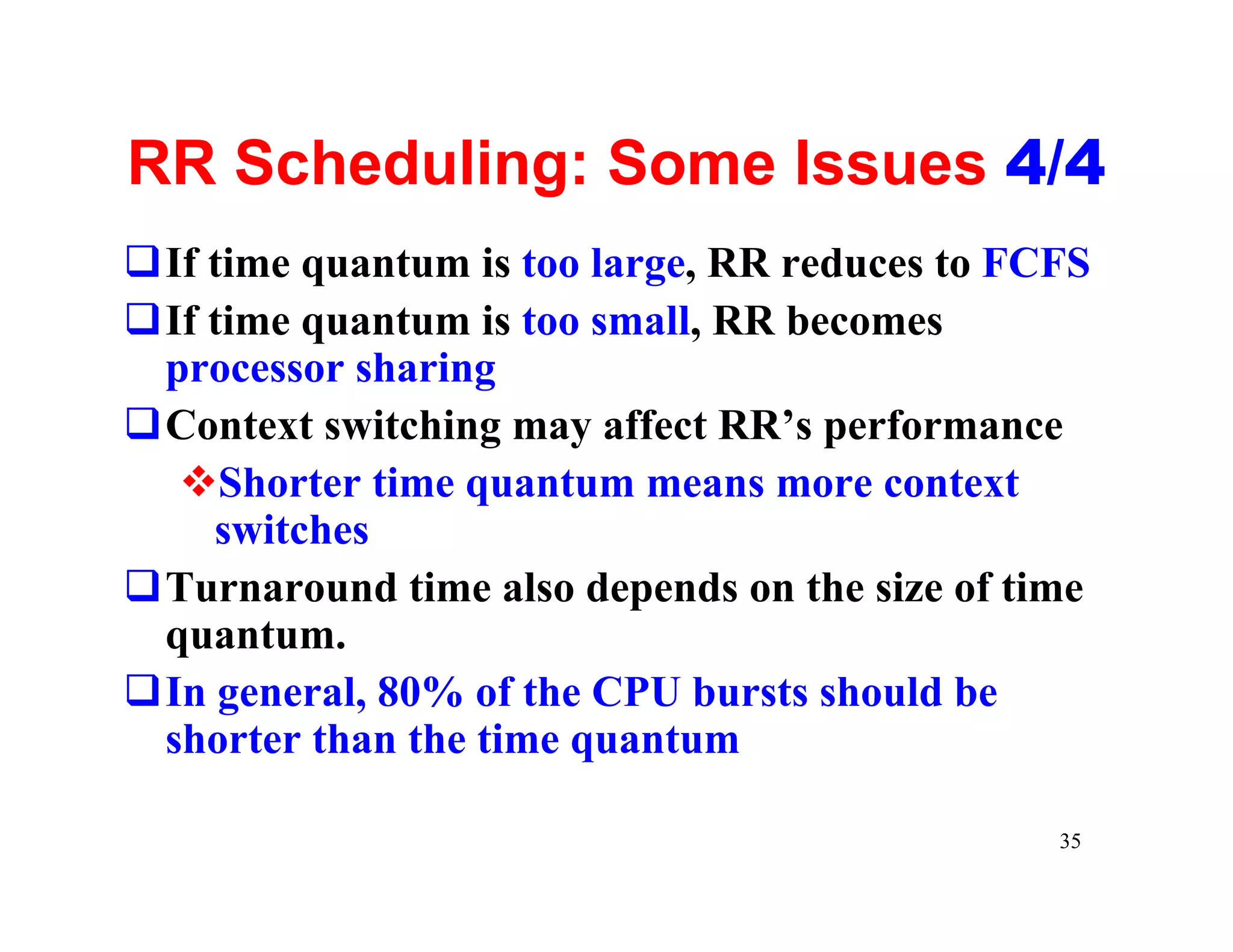
RR Scheduling: Some Issues 4/4
qIf time quantum is too large, RR reduces to FCFS
qIf time quantum is too small, RR becomes
 processor sharing
qContext switching may affect RR’s performance
  vShorter time quantum means more context
    switches
qTurnaround time also depends on the size of time
 quantum.
qIn general, 80% of the CPU bursts should be
 shorter than the time quantum

                                               35
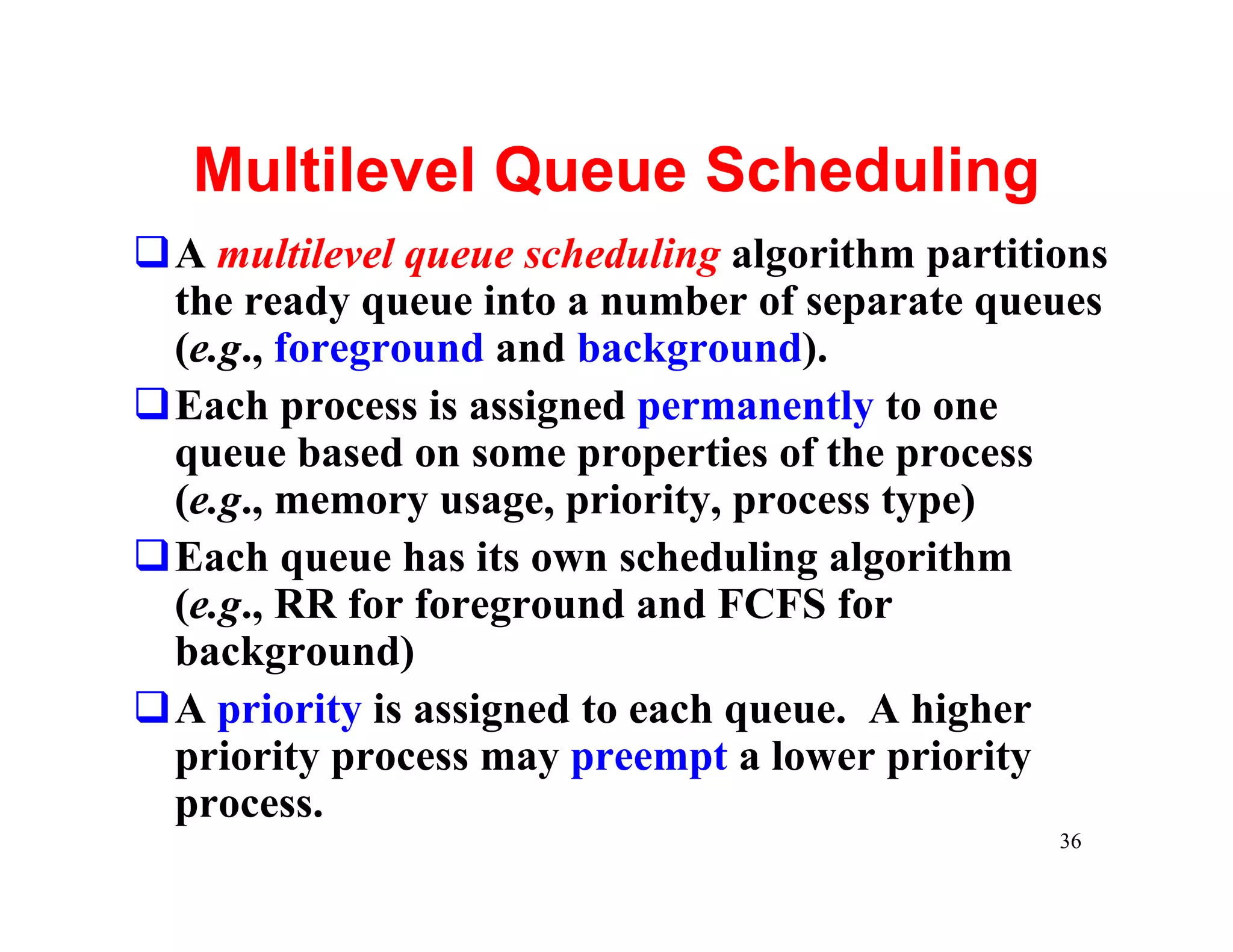
Multilevel Queue Scheduling
qA multilevel queue scheduling algorithm partitions
 the ready queue into a number of separate queues
 (e.g., foreground and background).
qEach process is assigned permanently to one
 queue based on some properties of the process
 (e.g., memory usage, priority, process type)
qEach queue has its own scheduling algorithm
 (e.g., RR for foreground and FCFS for
 background)
qA priority is assigned to each queue. A higher
 priority process may preempt a lower priority
 process.
                                                36
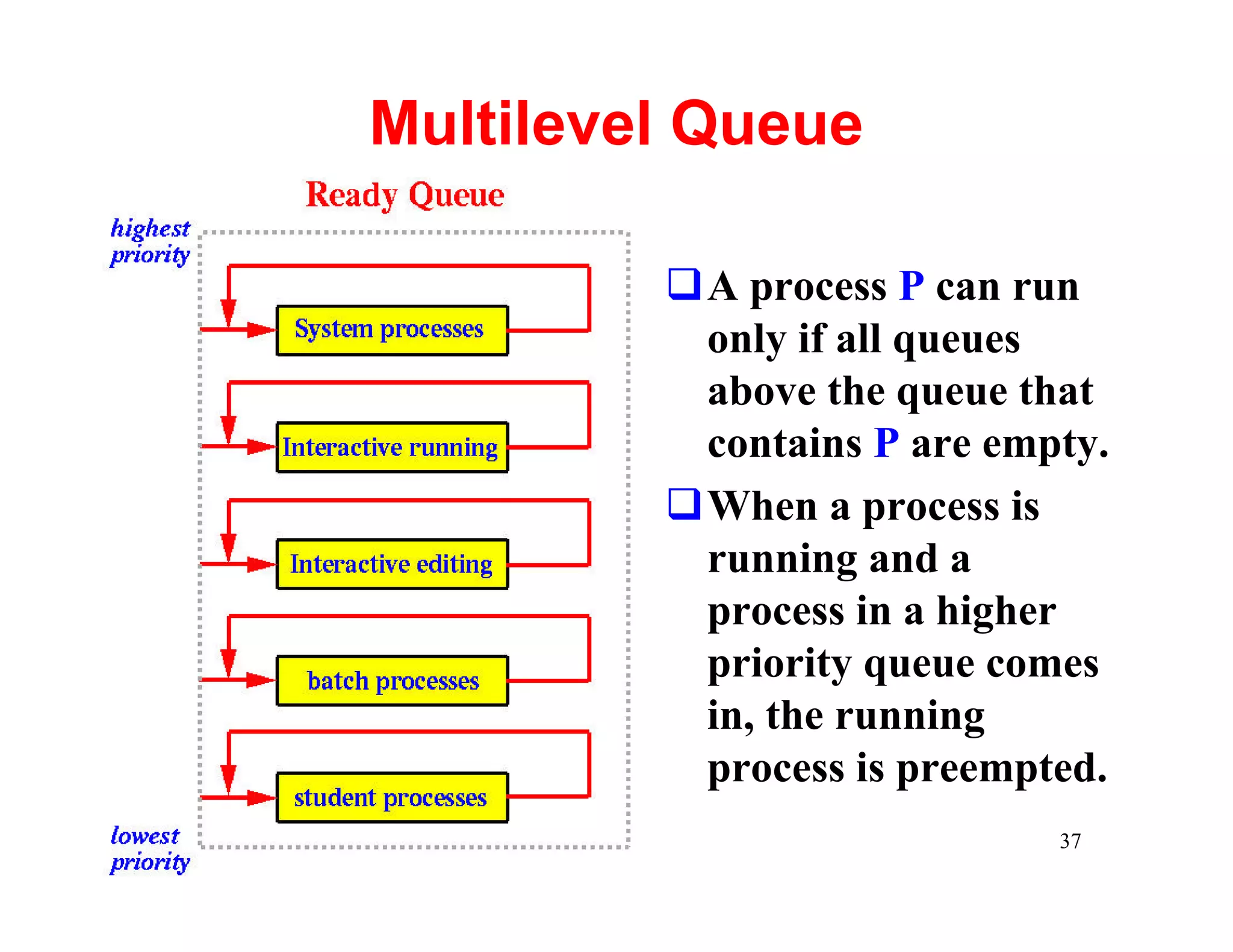
Multilevel Queue

         qA process P can run
          only if all queues
          above the queue that
          contains P are empty.
         qWhen a process is
          running and a
          process in a higher
          priority queue comes
          in, the running
          process is preempted.
                            37
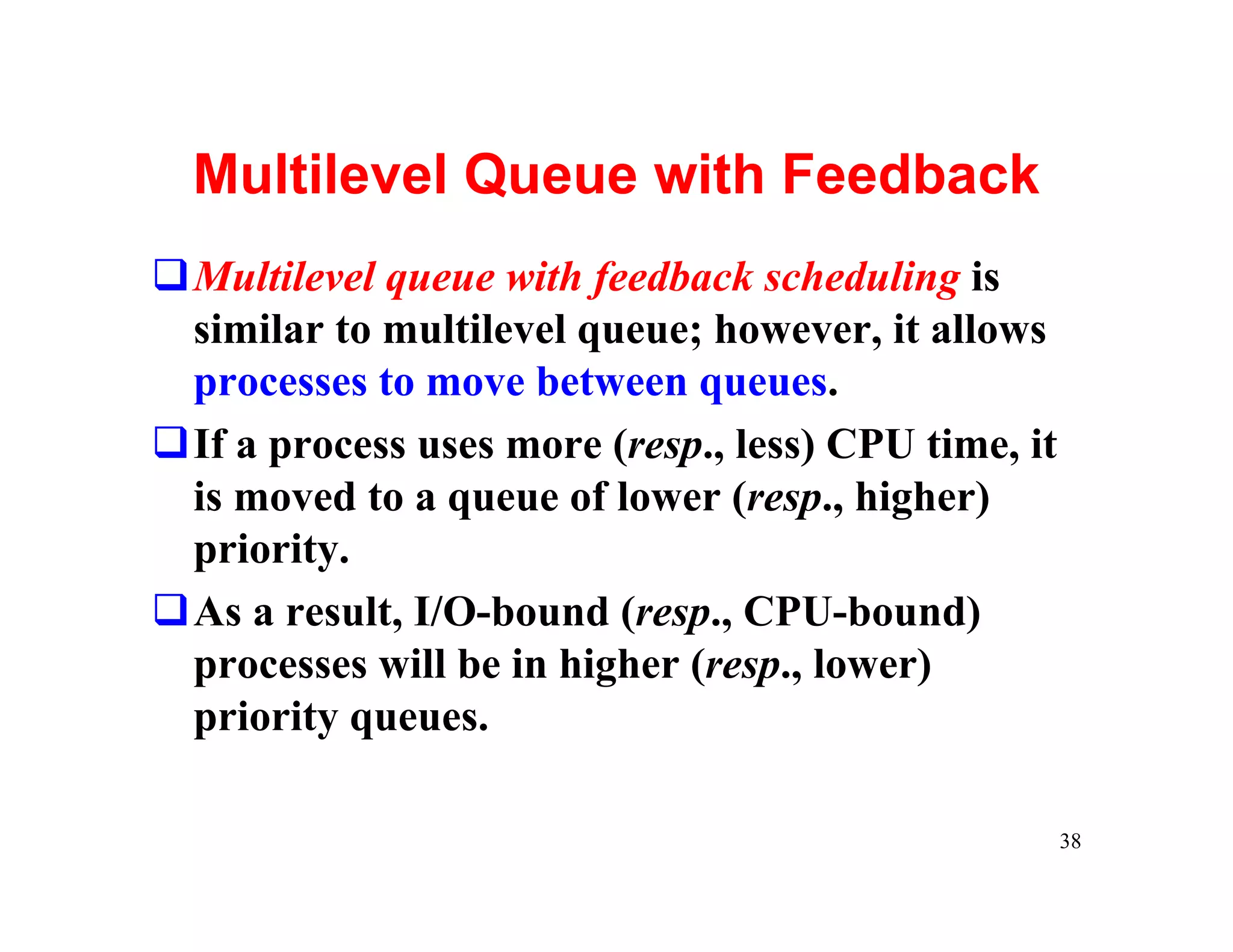
Multilevel Queue with Feedback
qMultilevel queue with feedback scheduling is
 similar to multilevel queue; however, it allows
 processes to move between queues.
qIf a process uses more (resp., less) CPU time, it
 is moved to a queue of lower (resp., higher)
 priority.
qAs a result, I/O-bound (resp., CPU-bound)
 processes will be in higher (resp., lower)
 priority queues.

                                                     38
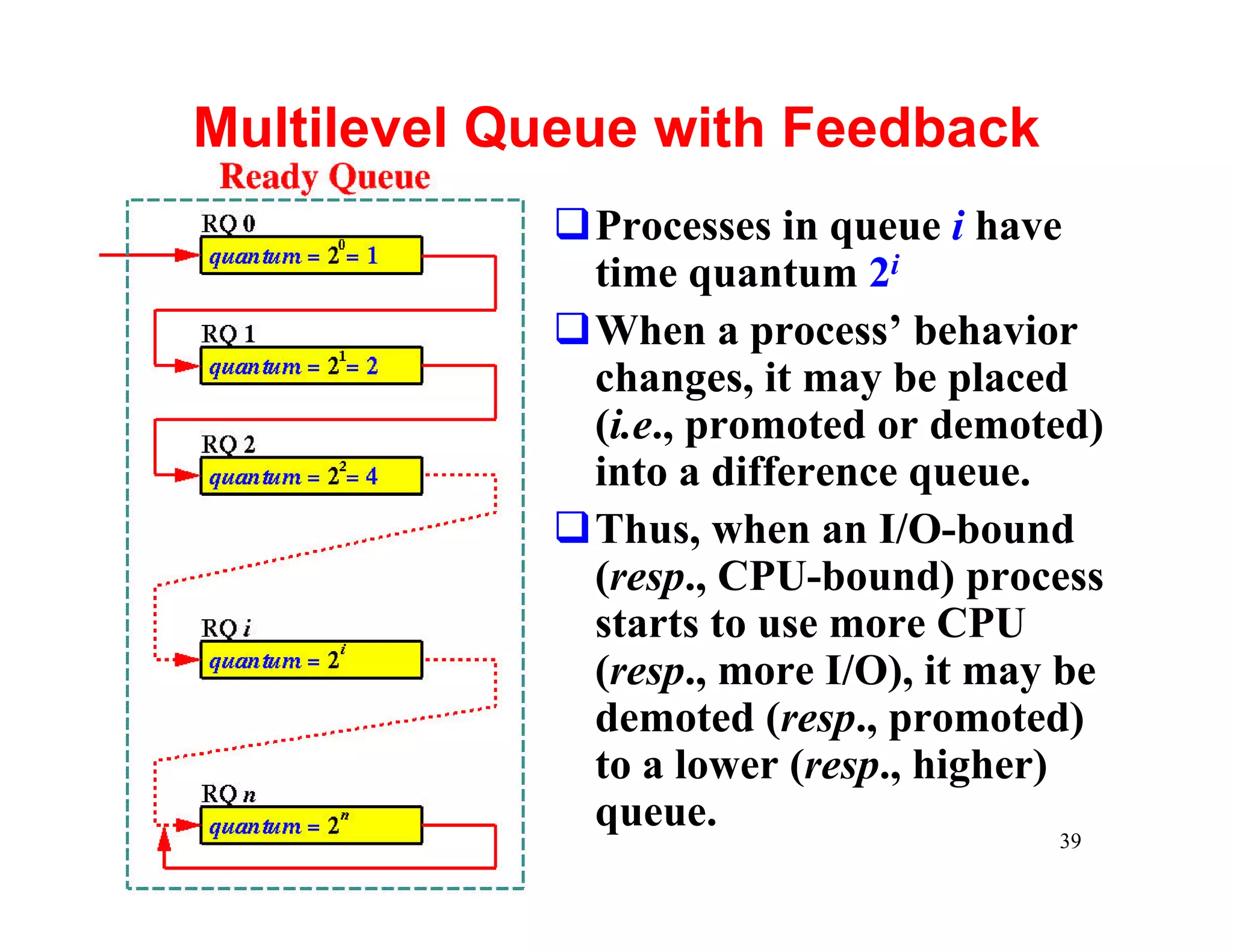
Multilevel Queue with Feedback
            qProcesses in queue i have
             time quantum 2i
            qWhen a process’ behavior
             changes, it may be placed
             (i.e., promoted or demoted)
             into a difference queue.
            qThus, when an I/O-bound
             (resp., CPU-bound) process
             starts to use more CPU
             (resp., more I/O), it may be
             demoted (resp., promoted)
             to a lower (resp., higher)
             queue.
                                      39
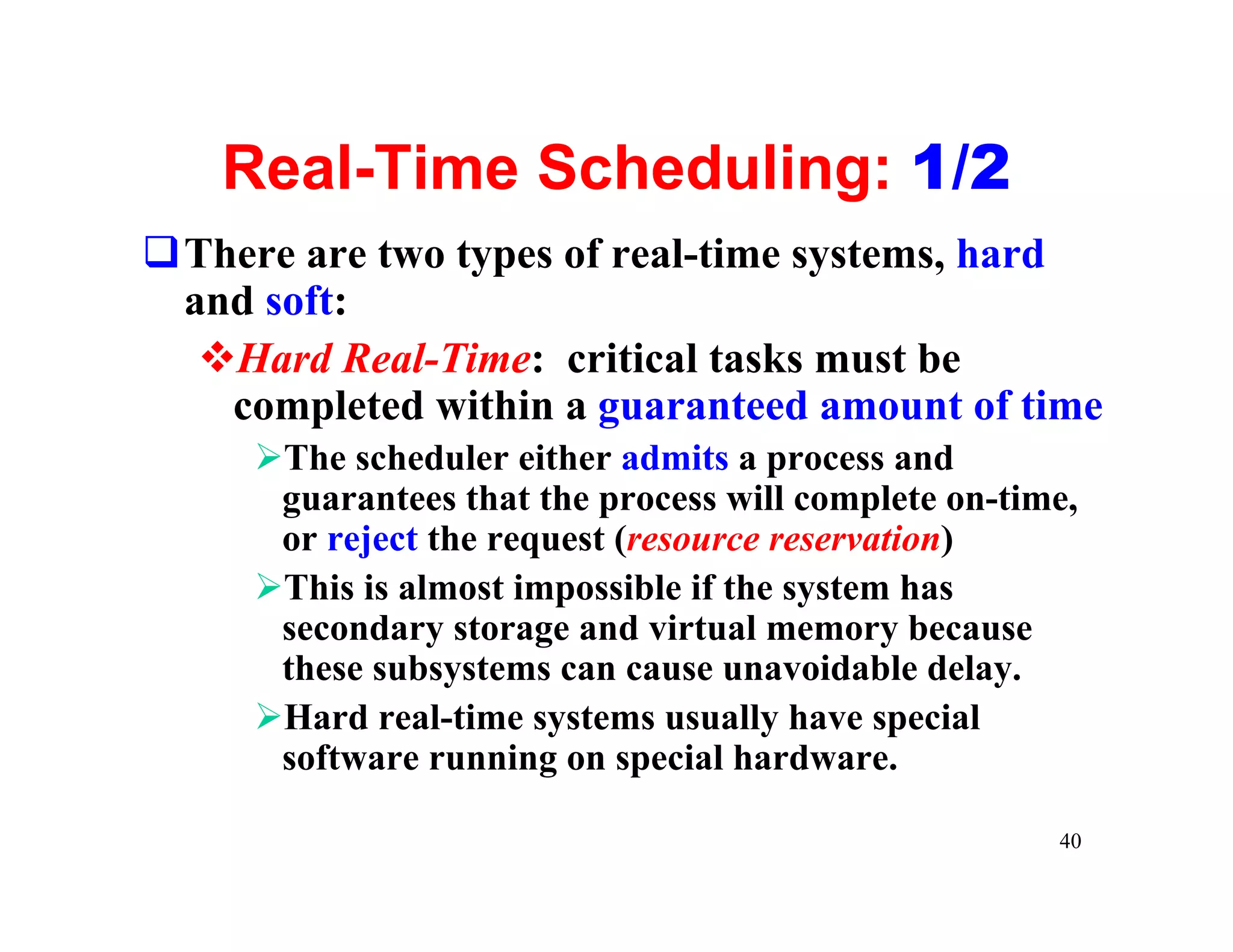
Real-Time Scheduling: 1/2
qThere are two types of real-time systems, hard
 and soft:
  vHard Real-Time: critical tasks must be
   completed within a guaranteed amount of time
     ØThe scheduler either admits a process and
      guarantees that the process will complete on-time,
      or reject the request (resource reservation)
     ØThis is almost impossible if the system has
      secondary storage and virtual memory because
      these subsystems can cause unavoidable delay.
     ØHard real-time systems usually have special
      software running on special hardware.

                                                      40
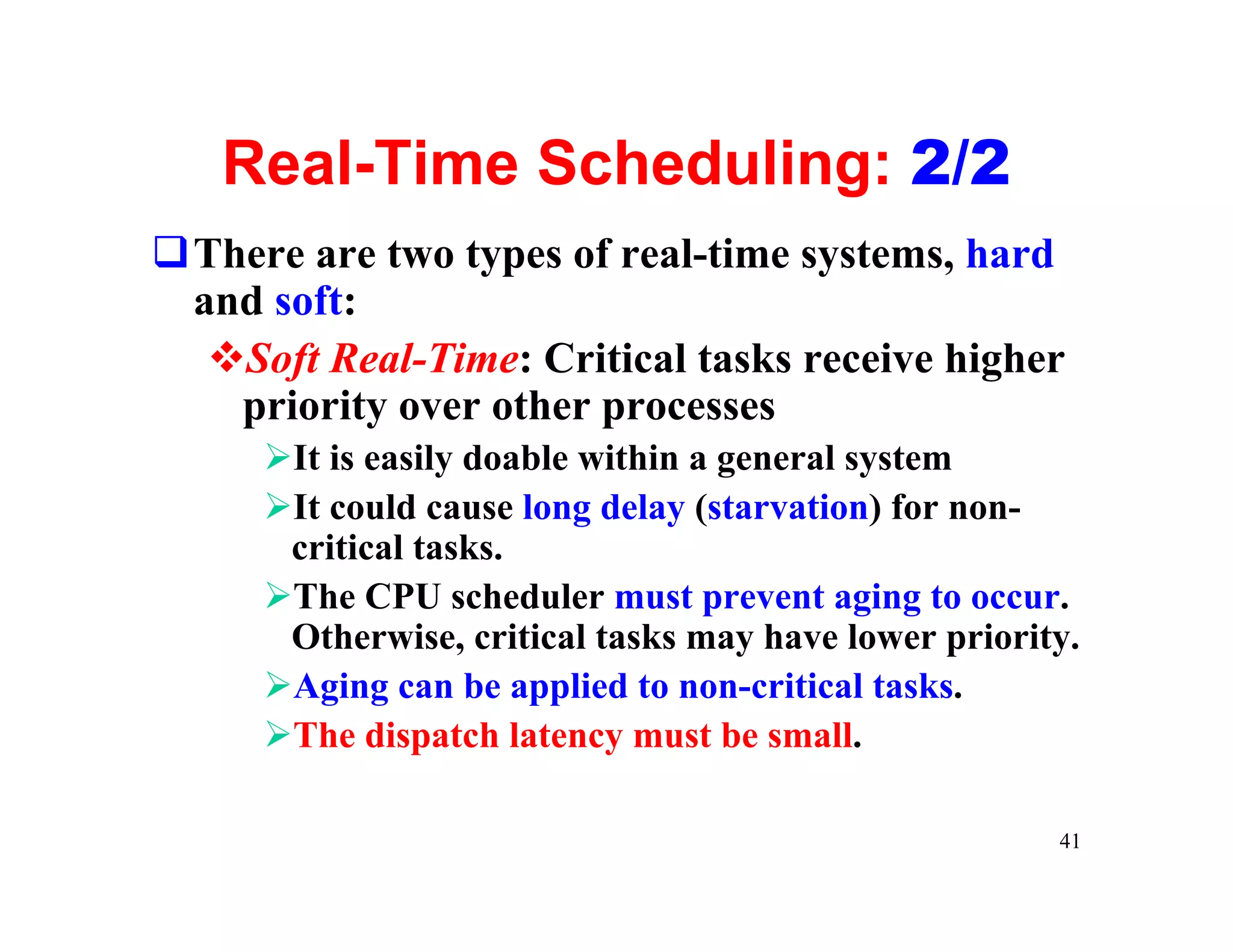
Real-Time Scheduling: 2/2
qThere are two types of real-time systems, hard
 and soft:
  vSoft Real-Time: Critical tasks receive higher
   priority over other processes
     ØIt is easily doable within a general system
     ØIt could cause long delay (starvation) for non-
      critical tasks.
     ØThe CPU scheduler must prevent aging to occur.
      Otherwise, critical tasks may have lower priority.
     ØAging can be applied to non-critical tasks.
     ØThe dispatch latency must be small.

                                                      41
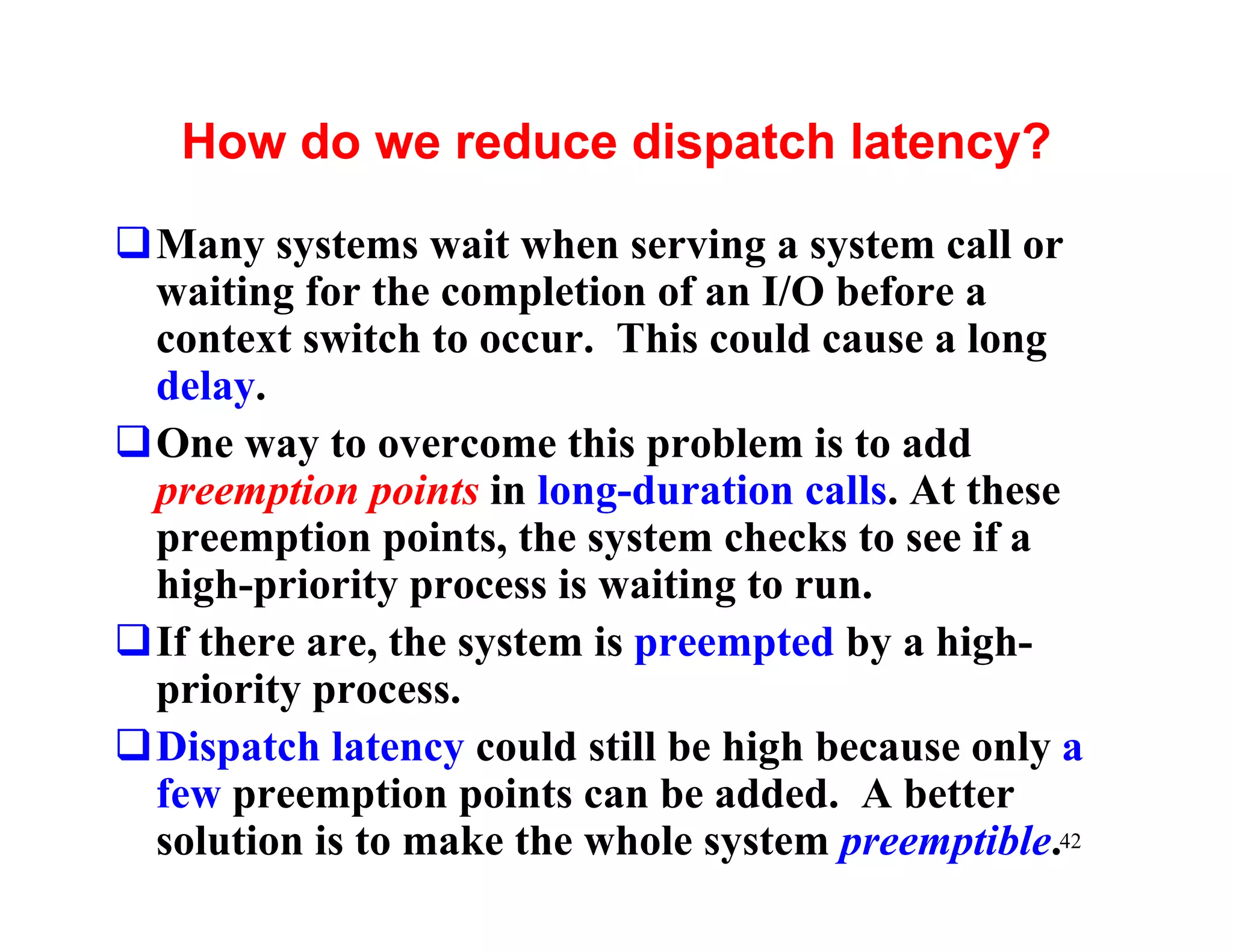
How do we reduce dispatch latency?
qMany systems wait when serving a system call or
 waiting for the completion of an I/O before a
 context switch to occur. This could cause a long
 delay.
qOne way to overcome this problem is to add
 preemption points in long-duration calls. At these
 preemption points, the system checks to see if a
 high-priority process is waiting to run.
qIf there are, the system is preempted by a high-
 priority process.
qDispatch latency could still be high because only a
 few preemption points can be added. A better
 solution is to make the whole system preemptible.42
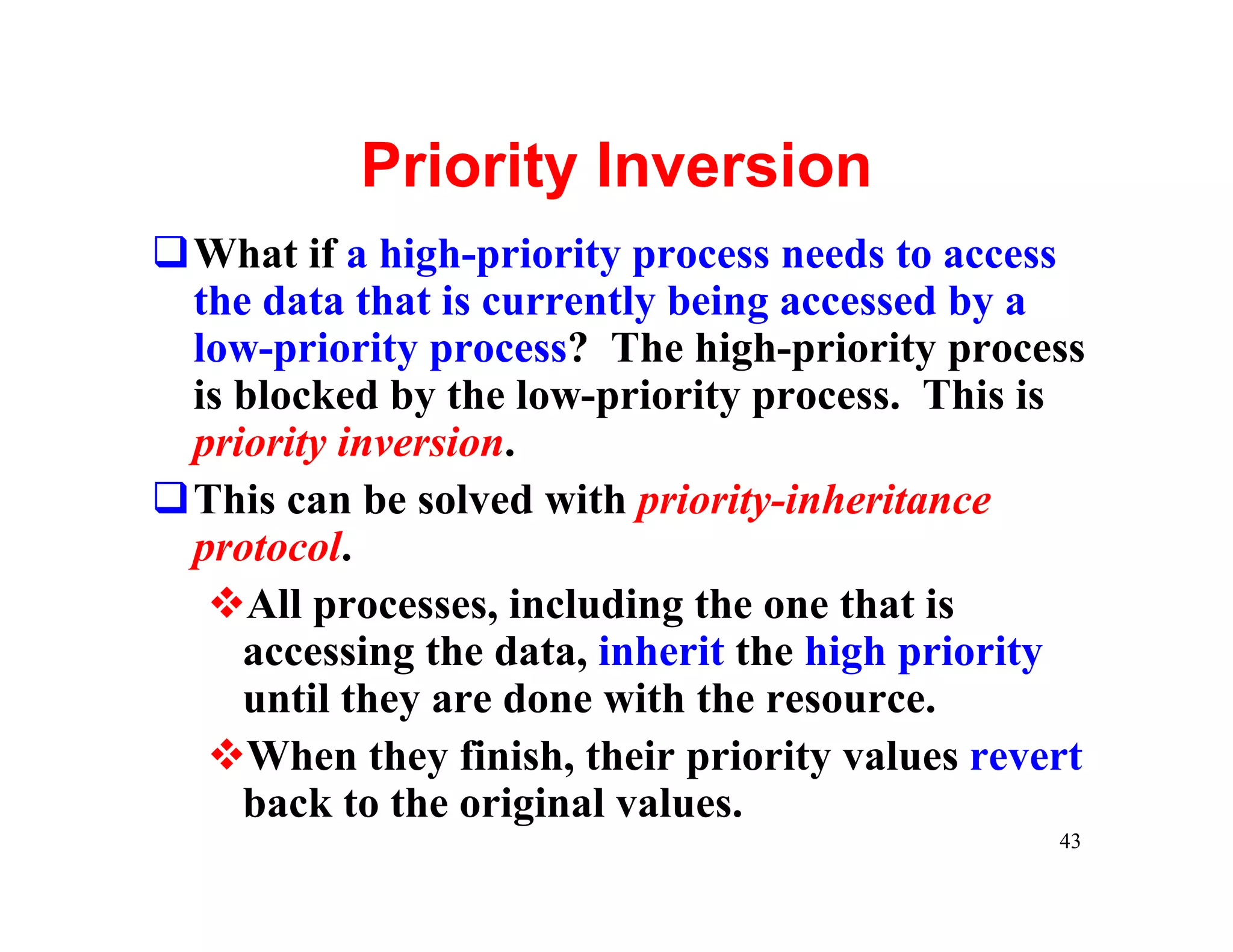
Priority Inversion
qWhat if a high-priority process needs to access
 the data that is currently being accessed by a
 low-priority process? The high-priority process
 is blocked by the low-priority process. This is
 priority inversion.
qThis can be solved with priority-inheritance
 protocol.
  vAll processes, including the one that is
    accessing the data, inherit the high priority
    until they are done with the resource.
  vWhen they finish, their priority values revert
    back to the original values.
                                               43

Scheduling

  • 1.
  • 2.
    CPU-I/O Burst Cycle qProcess execution CPU burst repeats the CPU burst and I/O burst I/O burst CPU burst cycle. qWhen a process I/O burst CPU burst begins an I/O burst, another process can I/O burst use the CPU for a CPU burst CPU burst. 2
  • 3.
    CPU-bound and I/O-bound qAprocess is CPU-bound if it generates I/O requests infrequently, using more of its time doing computation. qA process is I/O-bound if it spends more of its time to do I/O than it spends doing computation. qA CPU-bound process might have a few very long CPU bursts. qAn I/O-bound process typically has many short CPU bursts. 3
  • 4.
    What does aCPU scheduler do? qWhen the CPU is idle, the OS must select another process to run. qThis selection process is carried out by the short-term scheduler (or CPU scheduler). qThe CPU scheduler selects a process from the ready queue, and allocates the CPU to it. qThe ready queue does not have to be a FIFO one. There are many ways to organize the ready queue. 4
  • 5.
    Circumstances that scheduling may take place 1. A process switches from the running state to the wait state (e.g., doing for I/O) 2. A process switches from the running state to the ready state (e.g., an interrupt occurs) 3. A process switches from the wait state to the ready state (e.g., I/O completion) 4. A process terminates 5
  • 6.
    CPU Scheduling Occurs convertingto process reclaim resource new destroy process terminated scheduler dispatch admitted exit ready running interrupt waiting for CPU I/O or event wait I/O or event completion waiting waiting for I/O or event 6
  • 7.
    Preemptive vs. Non-preemptive qNon-preemptivescheduling: scheduling occurs when a process voluntarily enters the wait state (case 1) or terminates (case 4). vSimple, but very inefficient qPreemptive scheduling: scheduling occurs in all possible cases. vWhat if the kernel is in its critical section modifying some important data? Mutual exclusion may be violated. vThe kernel must pay special attention to this situation and, hence, is more complex. 7
  • 8.
    Scheduling Flow andDispatcher qThe dispatcher is the last step scheduling occurs in scheduling. It vSwitches context vSwitches to user mode select a process vBraches to the stored from the ready Q program counter to resume the program’s execution. qIt has to be very fast as it is used in every context switch. dispatcher qDispatcher latency: the time to switch two processes. 8
  • 9.
    Scheduling Criteria: 1/6 qThereare many criteria for comparing different scheduling algorithms. Here are five common ones: vCPU Utilization vThroughput vTurnaround Time vWaiting Time vResponse Time 9
  • 10.
    Criterion 1: CPUUtilization 2/6 qWe want to keep the CPU as busy as possible. qCPU utilization ranges from 0 to 100 percent. qNormally 40% is lightly loaded and 90% or higher is heavily loaded. qYou can bring up a CPU usage meter to see CPU utilization on your system. Or, you can use the top command. 10
  • 11.
    Criterion 2: Throughput3/6 qThe number of processes completed per time unit is called throughput. qHigher throughput means more jobs get done. qHowever, for long processes, this rate may be one job per hour, and, for short (student) jobs, this rate may be 10 per minute. 11
  • 12.
    Criterion 3: TurnaroundTime 4/6 qThe time period between job submission to completion is the turnaround time. qFrom a user’s point of view, turnaround time is more important than CPU utilization and throughput. qTurnaround time is the sum of vwaiting time before entering the system vwaiting time in the ready queue vwaiting time in all other events (e.g., I/O) vtime the process actually running on the CPU 12
  • 13.
    Criterion 4: WaitingTime 5/6 qWaiting time is the sum of the periods that a process spends waiting in the ready queue. qWhy only ready queue? vCPU scheduling algorithms do not affect the amount of time during which a process is waiting for I/O and other events. vHowever, CPU scheduling algorithms do affect the time that a process stays in the ready queue. 13
  • 14.
    Criterion 5: ResponseTime 6/6 qThe time from the submission of a request (in an interactive system) to the first response is called response time. It does not include the time that it takes to output the response. qFor example, in front of your workstation, you perhaps care more about the time between hitting the Return key and getting your first output than the time from hitting the Return key to the completion of your program (e.g., turnaround time). 14
  • 15.
    What are thegoals? qIn general, the main goal is to maximize CPU utilization and throughput and minimize turnaround time, waiting time and response time. qIn some systems (e.g., batch systems), maximizing CPU utilization and throughput is more important, while in other systems (e.g., interactive) minimizing response time is paramount. qSometimes we want to make sure some jobs must have guaranteed completion before certain time. qOther systems may want to minimize the variance of the response time. 15
  • 16.
    Scheduling Algorithms qWe willdiscuss a number of scheduling algorithms: vFirst-Come, First-Served (FCFS) vShortest-Job-First (SJF) vPriority vRound-Robin vMultilevel Queue vMultilevel Feedback Queue 16
  • 17.
    First-Come, First-Served: 1/3 qTheprocess that requests the CPU first is allocated the CPU first. qThis can easily be implemented using a queue. qFCFS is not preemptive. Once a process has the CPU, it will occupy the CPU until the process completes or voluntarily enters the wait state. 17
  • 18.
    FCFS: Example 2/3 AB C D qFour jobs A, B, C and D come into the system in this order at about 10 5 7 6 the same time. Average Waiting Time Process Start Running End = (0 + 10 + 15 + 22)/4 A 0 10 10 = 47/4 = 11.8 B 10 5 15 Average turnaround C 15 7 22 = (10 + 15 + 22 + 28)/4 = 75/4 = 18.8 D 22 6 28 18
  • 19.
    FCFS: Problems 3/3 qItis easy to have the convoy effect: all the processes wait for the one big process to get off the CPU. CPU utilization may be low. Consider a CPU-bound process running with many I/O-bound process. qIt is in favor of long processes and may not be fair to those short ones. What if your 1-minute job is behind a 10-hour job? qIt is troublesome for time-sharing systems, where each user needs to get a share of the CPU at regular intervals. 19
  • 20.
    Shortest-Job First: 1/8 qEachprocess in the ready queue is associated with the length of its next CPU burst. qWhen a process must be selected from the ready queue, the process with the smallest next CPU burst is selected. qThus, the processes in the ready queue are sorted in CPU burst length. qSJF can be non-preemptive or preemptive. 20
  • 21.
    Non-preemptive SJF: Example2/8 A B C D qFour jobs A, B, C and D come into the system in this order at about 10 5 7 6 the same time. Process Start Running End Average waiting time B 0 5 5 = (0 + 5 + 11 + 18)/4 = 34/4 = 8.5 D 5 6 11 Average turnaround C 11 7 18 = (5 + 11 + 18 + 28)/4 A 18 10 28 = 62/4 = 15.5 21
  • 22.
    Preemptive SJF: Example3/8 1 wait = 4+5 = 9 A=7 Avg wait = A (9+0+15+2)/4 B=4 =26/4=6.5 wait = 3+5+7=15 C=9 A=7 2 D=5 B=4 C=9 Job Arr Burst Wait A=7 A=7 A 0 8 9 B=3 B=2 A=7 A=7 B 1 4 0 C=9 C=9 C=9 C=9 D=5 C 2 9 15 D=5 D 3 5 22 2
  • 23.
    Non-preemptive SJF: 4/8 A=8 A wait = 7 B=4 B wait = 15 C=9 C wait = 9 D=5 D Job Arr Burst Wait A 0 8 0 average wait = (0+7+15+9)/4=7.75 B 1 4 7 C 2 9 15 D 3 5 9 23
  • 24.
    SJF is provablyoptimal! 5/8 A waits 0 B waits a q Every time we make a short job a b before a long job, A B average = a/2 we reduce average waiting time. q We may switch out b a of order jobs until B A average = b/2 all jobs are in order. q If the jobs are B waits 0 A waits b sorted, job switching is impossible. 24
  • 25.
    How do weknow the next CPU burst? 6/8 qWithout a good answer to this question, SJF cannot be used for CPU scheduling. qWe try to predict the next CPU burst! qLet tn be the length of the nth CPU burst and pn+1 be the prediction of the next CPU burst pn+1 = a tn + (1 – a) pn where a is a weight value in [0,1]. qIf a = 0, then pn+1 = pn and recent history has no effect. If a = 1, only the last burst matters. If a is ½, the actual burst and predict values are equally important. 25
  • 26.
    Estimating the nextburst: Example: 7/8 qInitially, we have to guess the value of p1 because we have no history value. qThe following is an example with a = ½. CPU 6 4 6 4 13 13 13 burst t1 t2 t3 t4 t5 t6 t7 Guess 10 8 6 6 5 9 11 12 p1 p2 p3 p4 p5 p6 p7 p8 26
  • 27.
    SJF Problems: 8/8 qItis difficult to estimate the next burst time value accurately. qSJF is in favor of short jobs. As a result, some long jobs may not have a chance to run at all. This is starvation. qThe preemptive version is usually referred to as shortest-remaining-time-first scheduling, because scheduling is based on the “remaining time” of a process. 27
  • 28.
    Priority Scheduling 1/4 qEachprocess has a priority. qPriority may be determined internally or externally: vinternal priority: determined by time limits, memory requirement, # of files, and so on. vexternal priority: not controlled by the OS (e.g., importance of the process) qThe scheduler always picks the process (in ready queue) with the highest priority to run. qFCFS and SJF are special cases of priority scheduling. (Why?) 28
  • 29.
    Priority Scheduling: Example2/4 qFour jobs A, B, C and D come into A2 B4 C1 D3 the system in this order at about 10 5 7 6 the same time. Subscripts are priority. Smaller means higher. Process Start Running End average wait time = (0+7+17+23)/4 C 0 7 7 = 47/4 = 11.75 A 7 10 17 average turnaround time D 17 6 23 = (7+17+23+28)/4 = 75/4 = 18.75 B 23 5 28 29
  • 30.
    Priority Scheduling: Starvation3/4 qPriority scheduling can be non-preemptive or preemptive. qWith preemptive priority scheduling, if the newly arrived process has a higher priority than the running one, the latter is preempted. qIndefinite block (or starvation) may occur: a low priority process may never have a chance to run. 30
  • 31.
    Priority Scheduling: Aging4/4 qAging is a technique to overcome the starvtion problem. qAging: gradually increases the priority of processes that wait in the system for a long time. qExample: vIf 0 is the highest (resp., lowest) priority, then we could decrease (resp., increase) the priority of a waiting process by 1 every fixed period (e.g., every minute). 31
  • 32.
    Round-Robin (RR) Scheduling:1/4 qRR is similar to FCFS, except that each process is assigned a time quantum. qAll processes in the ready queue is a FIFO list. qWhen the CPU is free, the scheduler picks the first and lets it run for one time quantum. qIf that process uses CPU for less than one time quantum, it is moved to the tail of the list. qOtherwise, when one time quantum is up, that process is preempted by the scheduler and moved to the tail of the list. 32
  • 33.
    Round-Robin: Example 12/4 0 2 4 6 8 10 12 14 16 18 20 A B C B D C B E D C B E D C B D C B E D C B E D C B D D C B E D C B time quantum = 1 B B B C proc arr CPU turn wait C D B A 0 3 4 1 E B 2 6 16 10 C turnaround = 17-4=13 C wait = 13-4=9 C 4 4 13 9 Avg turnaround=10.8 D 6 5 14 9 Avg wait = 4.25 E 8 2 7 5 33
  • 34.
    Round-Robin: Example 23/4 0 2 4 6 8 10 12 14 16 18 20 B C C D D B E D D B B E D E time quantum = 4 B C C D proc arr CPU turn wait D B A 0 3 3 0 E B 2 6 15 9 D turnaround = 20-6=14 D wait = 14-5=9 C 4 4 7 3 Avg turnaround=10 D 6 5 14 9 Avg wait = 6 E 8 2 11 9 34
  • 35.
    RR Scheduling: SomeIssues 4/4 qIf time quantum is too large, RR reduces to FCFS qIf time quantum is too small, RR becomes processor sharing qContext switching may affect RR’s performance vShorter time quantum means more context switches qTurnaround time also depends on the size of time quantum. qIn general, 80% of the CPU bursts should be shorter than the time quantum 35
  • 36.
    Multilevel Queue Scheduling qAmultilevel queue scheduling algorithm partitions the ready queue into a number of separate queues (e.g., foreground and background). qEach process is assigned permanently to one queue based on some properties of the process (e.g., memory usage, priority, process type) qEach queue has its own scheduling algorithm (e.g., RR for foreground and FCFS for background) qA priority is assigned to each queue. A higher priority process may preempt a lower priority process. 36
  • 37.
    Multilevel Queue qA process P can run only if all queues above the queue that contains P are empty. qWhen a process is running and a process in a higher priority queue comes in, the running process is preempted. 37
  • 38.
    Multilevel Queue withFeedback qMultilevel queue with feedback scheduling is similar to multilevel queue; however, it allows processes to move between queues. qIf a process uses more (resp., less) CPU time, it is moved to a queue of lower (resp., higher) priority. qAs a result, I/O-bound (resp., CPU-bound) processes will be in higher (resp., lower) priority queues. 38
  • 39.
    Multilevel Queue withFeedback qProcesses in queue i have time quantum 2i qWhen a process’ behavior changes, it may be placed (i.e., promoted or demoted) into a difference queue. qThus, when an I/O-bound (resp., CPU-bound) process starts to use more CPU (resp., more I/O), it may be demoted (resp., promoted) to a lower (resp., higher) queue. 39
  • 40.
    Real-Time Scheduling: 1/2 qThereare two types of real-time systems, hard and soft: vHard Real-Time: critical tasks must be completed within a guaranteed amount of time ØThe scheduler either admits a process and guarantees that the process will complete on-time, or reject the request (resource reservation) ØThis is almost impossible if the system has secondary storage and virtual memory because these subsystems can cause unavoidable delay. ØHard real-time systems usually have special software running on special hardware. 40
  • 41.
    Real-Time Scheduling: 2/2 qThereare two types of real-time systems, hard and soft: vSoft Real-Time: Critical tasks receive higher priority over other processes ØIt is easily doable within a general system ØIt could cause long delay (starvation) for non- critical tasks. ØThe CPU scheduler must prevent aging to occur. Otherwise, critical tasks may have lower priority. ØAging can be applied to non-critical tasks. ØThe dispatch latency must be small. 41
  • 42.
    How do wereduce dispatch latency? qMany systems wait when serving a system call or waiting for the completion of an I/O before a context switch to occur. This could cause a long delay. qOne way to overcome this problem is to add preemption points in long-duration calls. At these preemption points, the system checks to see if a high-priority process is waiting to run. qIf there are, the system is preempted by a high- priority process. qDispatch latency could still be high because only a few preemption points can be added. A better solution is to make the whole system preemptible.42
  • 43.
    Priority Inversion qWhat ifa high-priority process needs to access the data that is currently being accessed by a low-priority process? The high-priority process is blocked by the low-priority process. This is priority inversion. qThis can be solved with priority-inheritance protocol. vAll processes, including the one that is accessing the data, inherit the high priority until they are done with the resource. vWhen they finish, their priority values revert back to the original values. 43