The document provides an overview of operating systems, including:
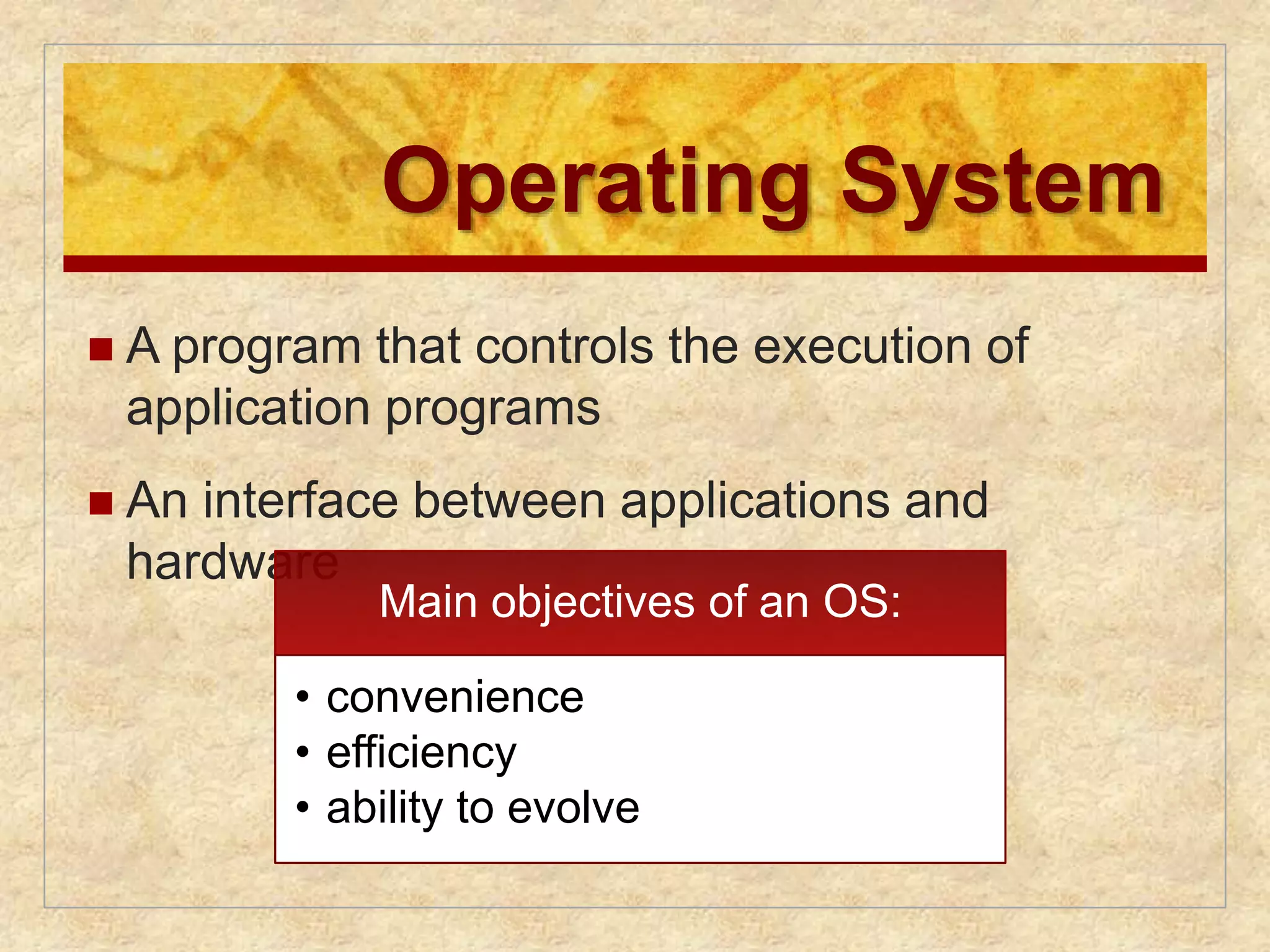
1) An operating system controls application program execution and acts as an interface between applications and hardware. Main objectives are convenience, efficiency, and ability to evolve.
2) Early operating systems evolved from serial processing to simple batch systems to multiprogrammed batch systems and time-sharing systems to better manage resources and improve processor utilization.
3) Modern operating systems employ processes to structure programs in execution, manage memory and system resources, and provide security and scheduling functions. Processes allow concurrent multi-tasking and protection between programs.
Chapter 2
OperatingSystem
Overview
Eighth Edition
By William Stallings
Operating
Systems:
Internals
and
Design
Principles
2.
Operating System
A program that controls the execution of
application programs
An interface between applications and
hardware
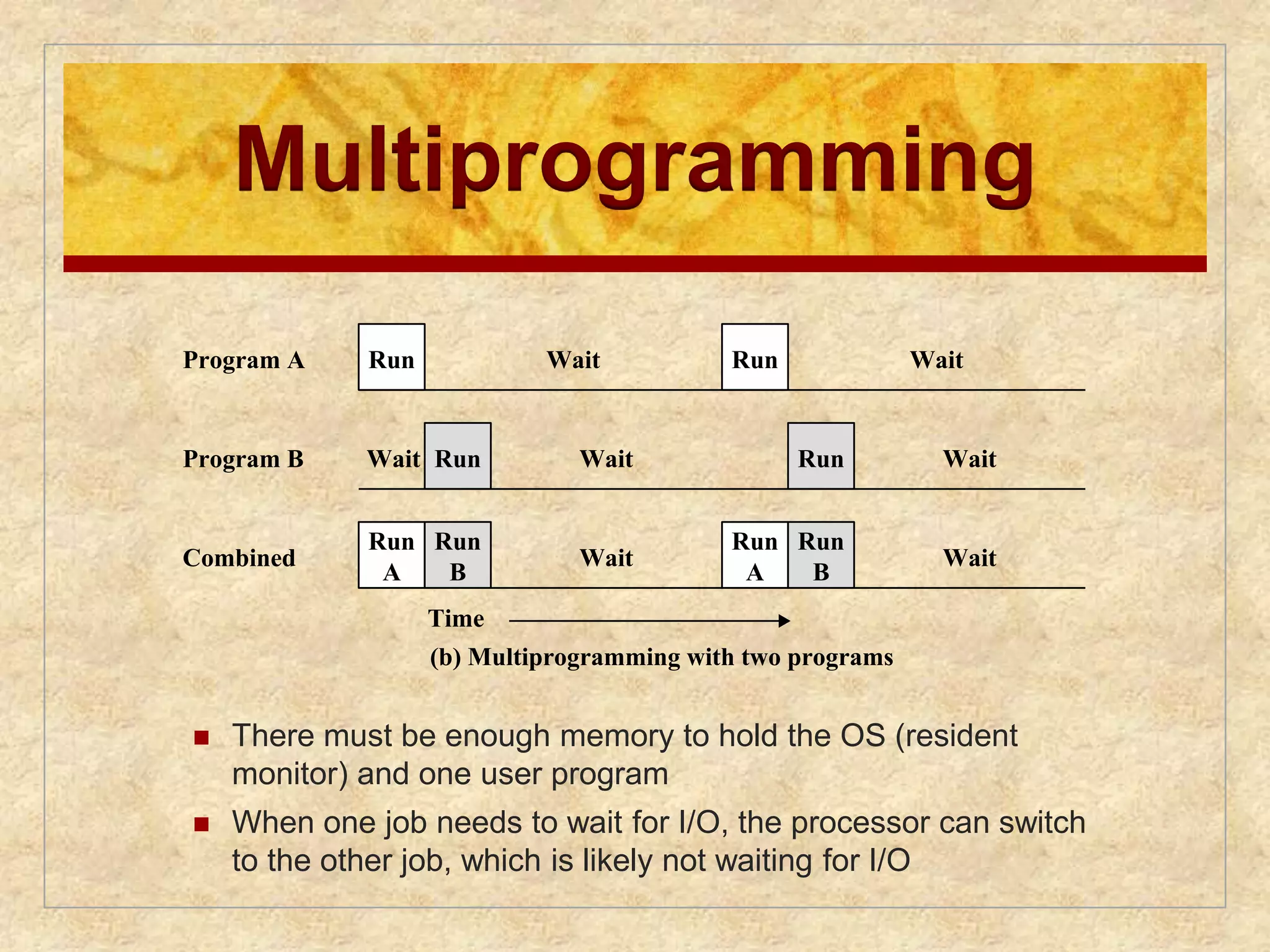
Main objectives of an OS:
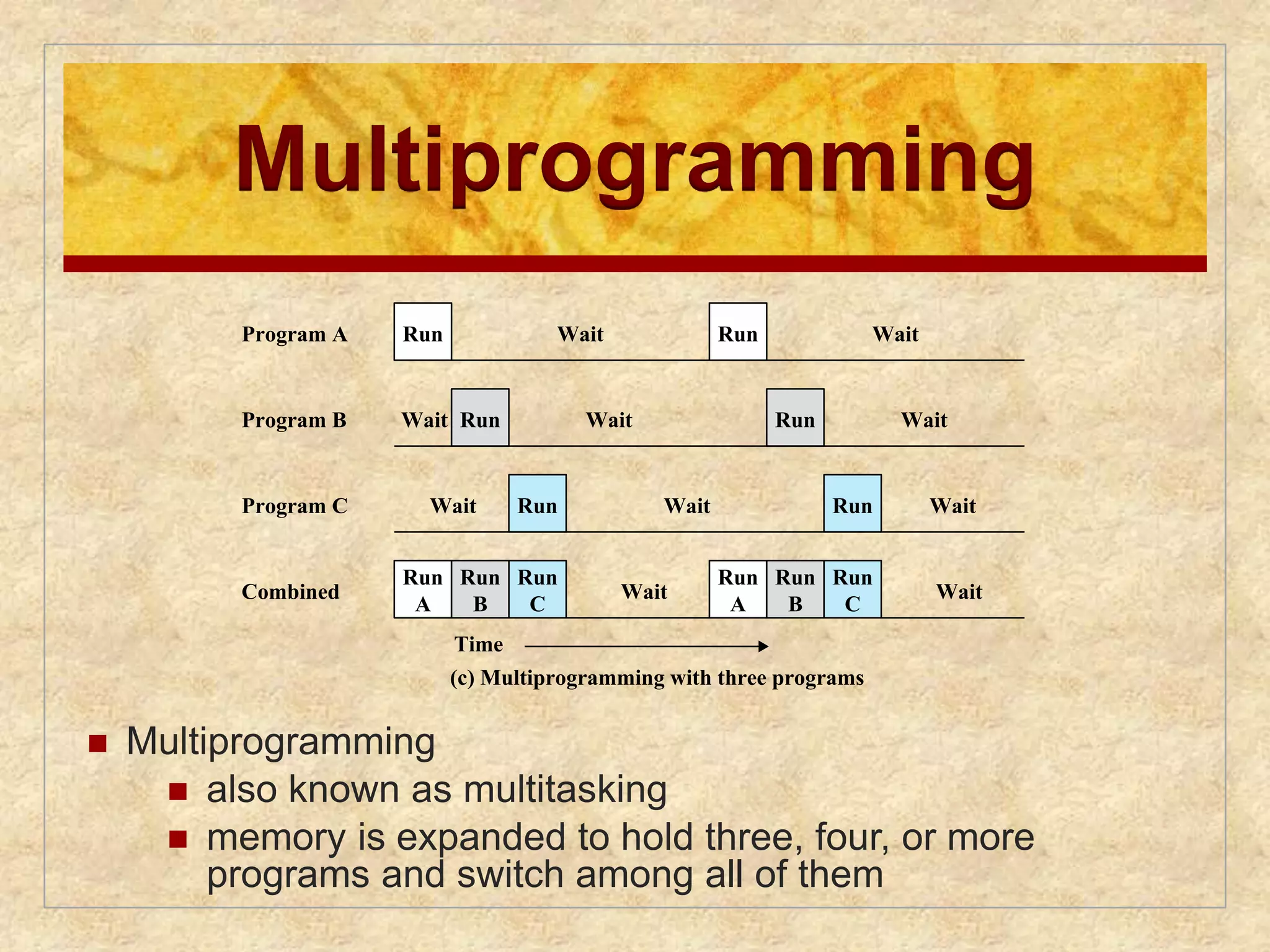
• convenience
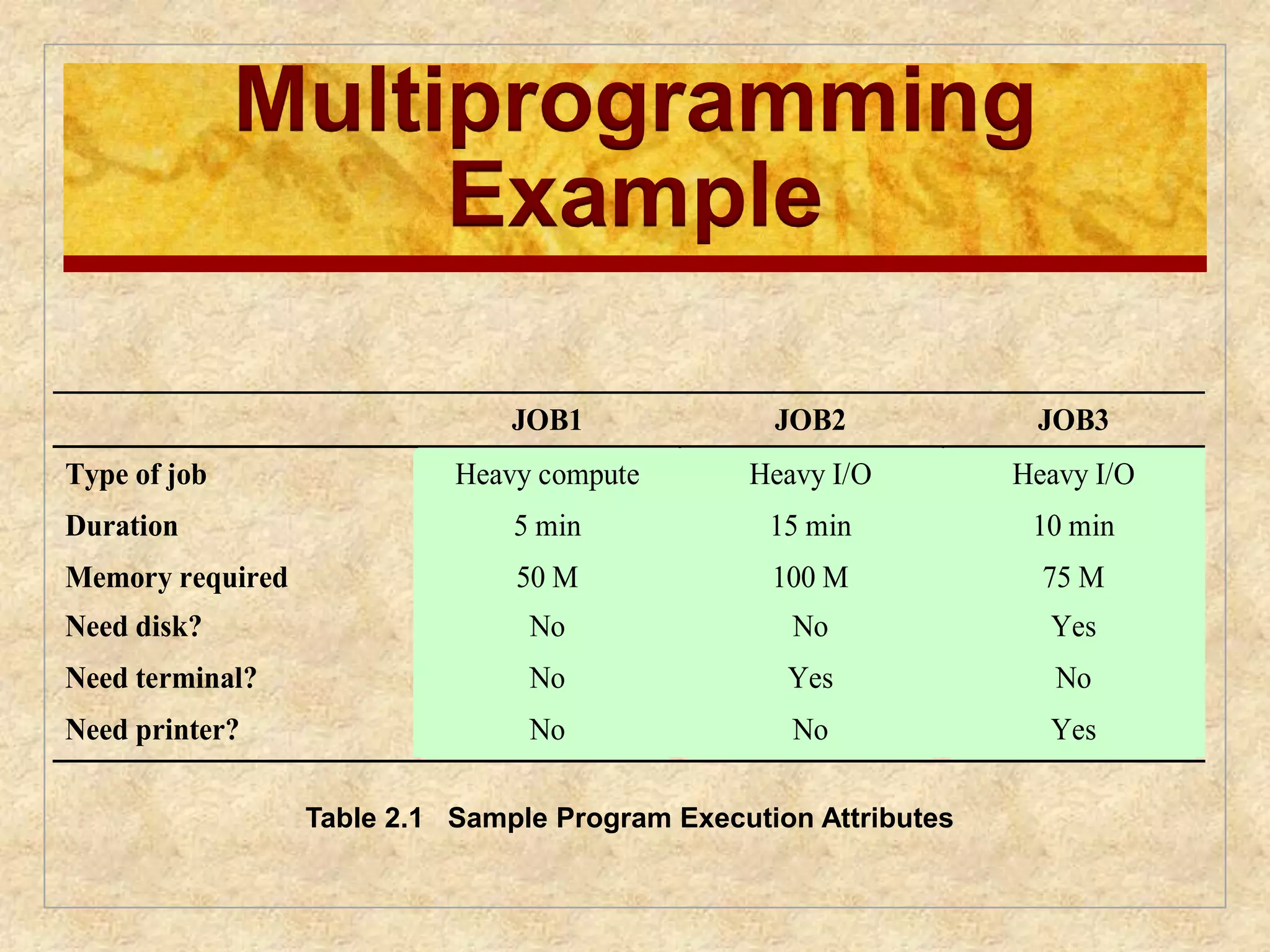
• efficiency
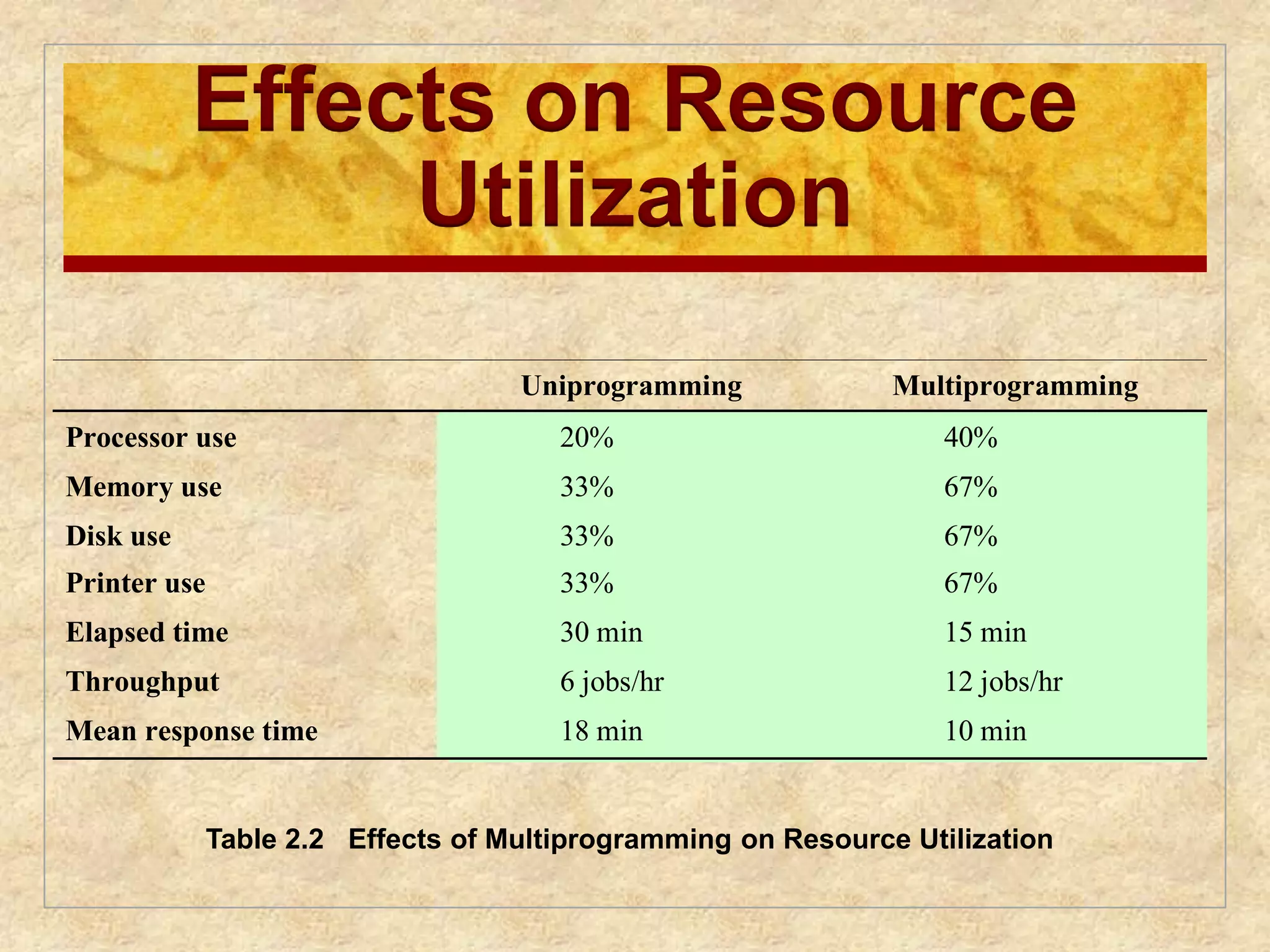
• ability to evolve
3.
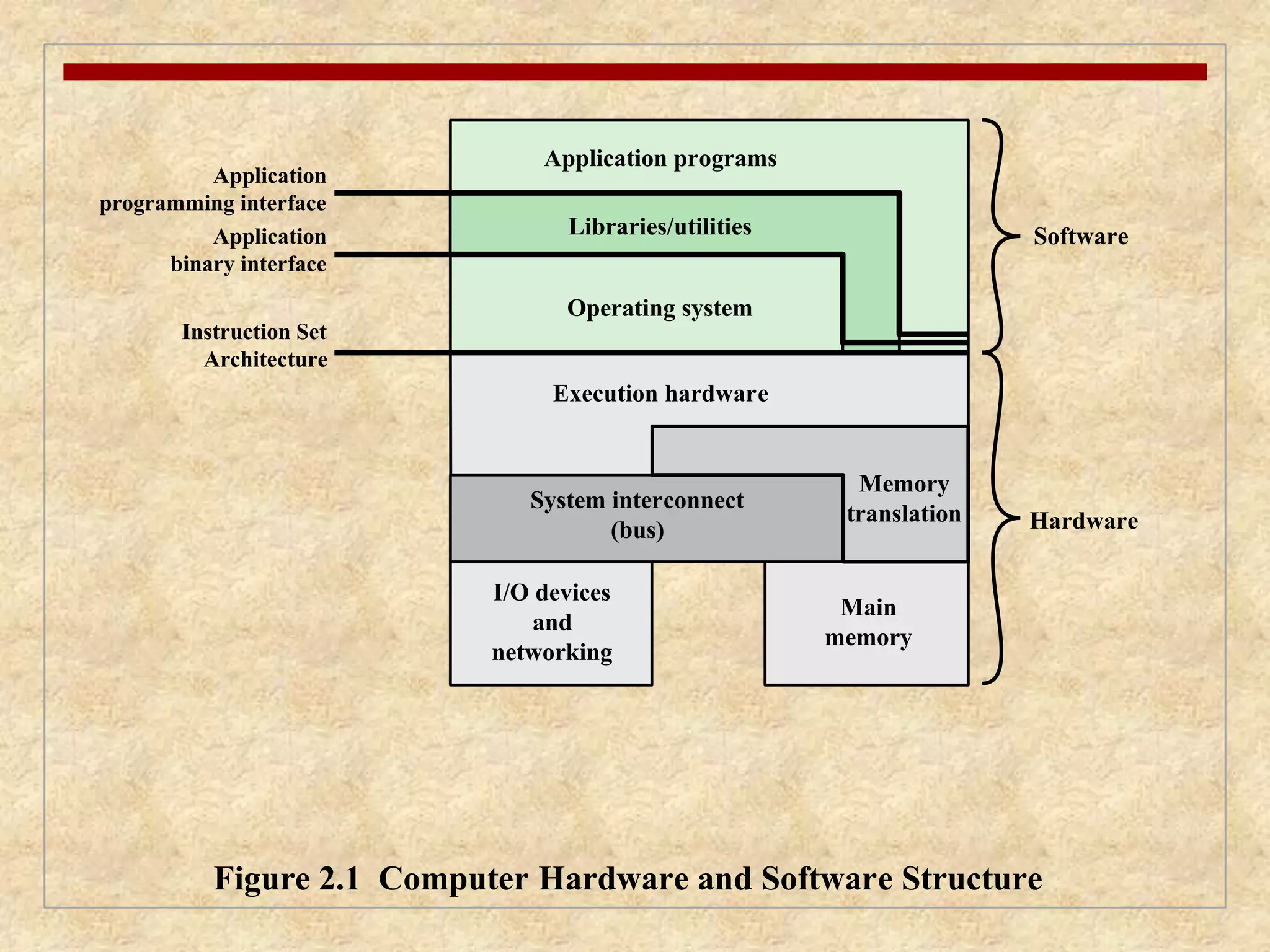
Application programs
Libraries/utilities
Operating system
System interconnect
I/O devices
and
(bus)
networking
Software
Application
programming interface
Application
binary interface
Instruction Set
Architecture
Hardware
Memory
translation
Main
memory
Execution hardware
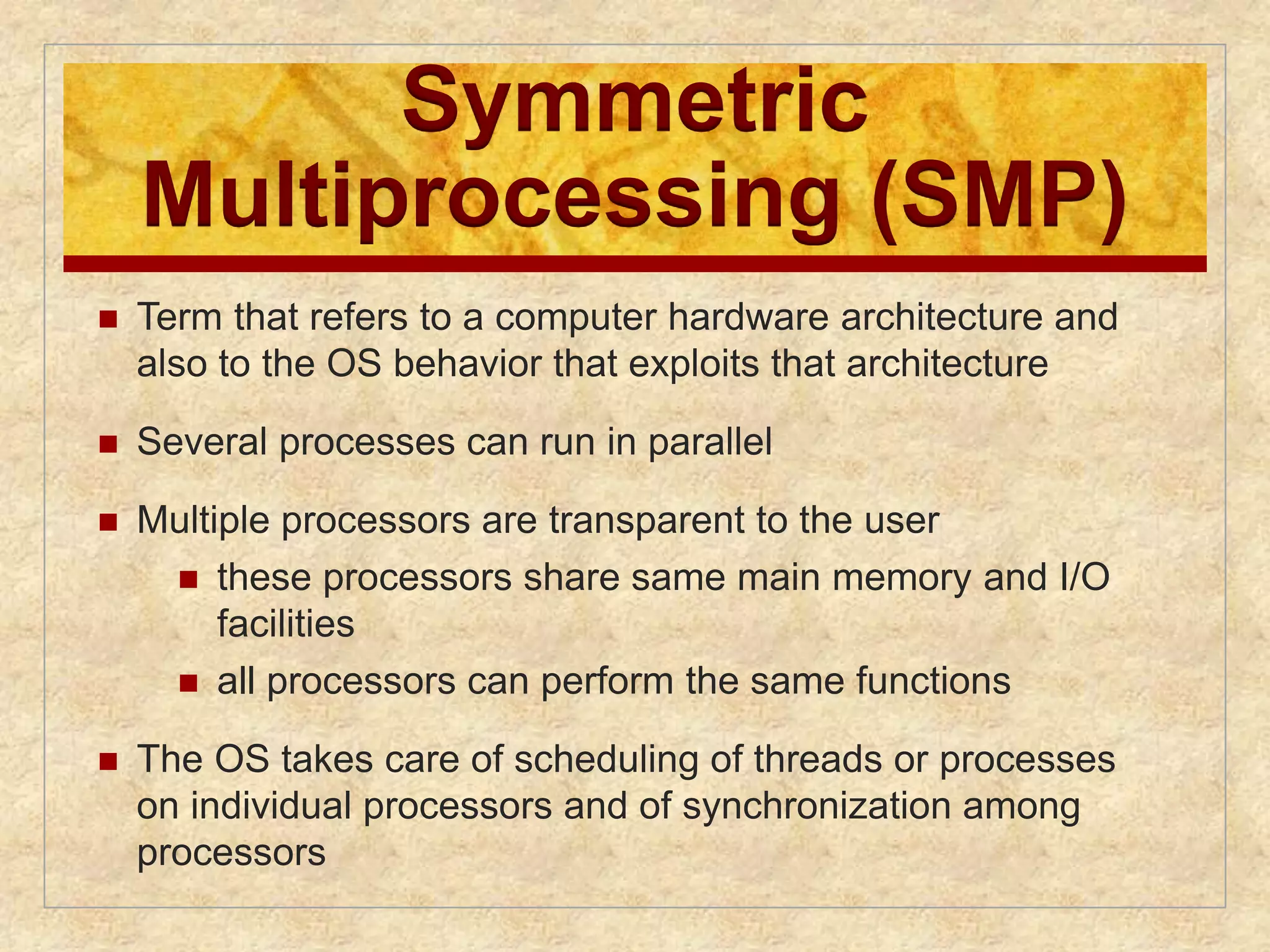
Figure 2.1 Computer Hardware and Software Structure
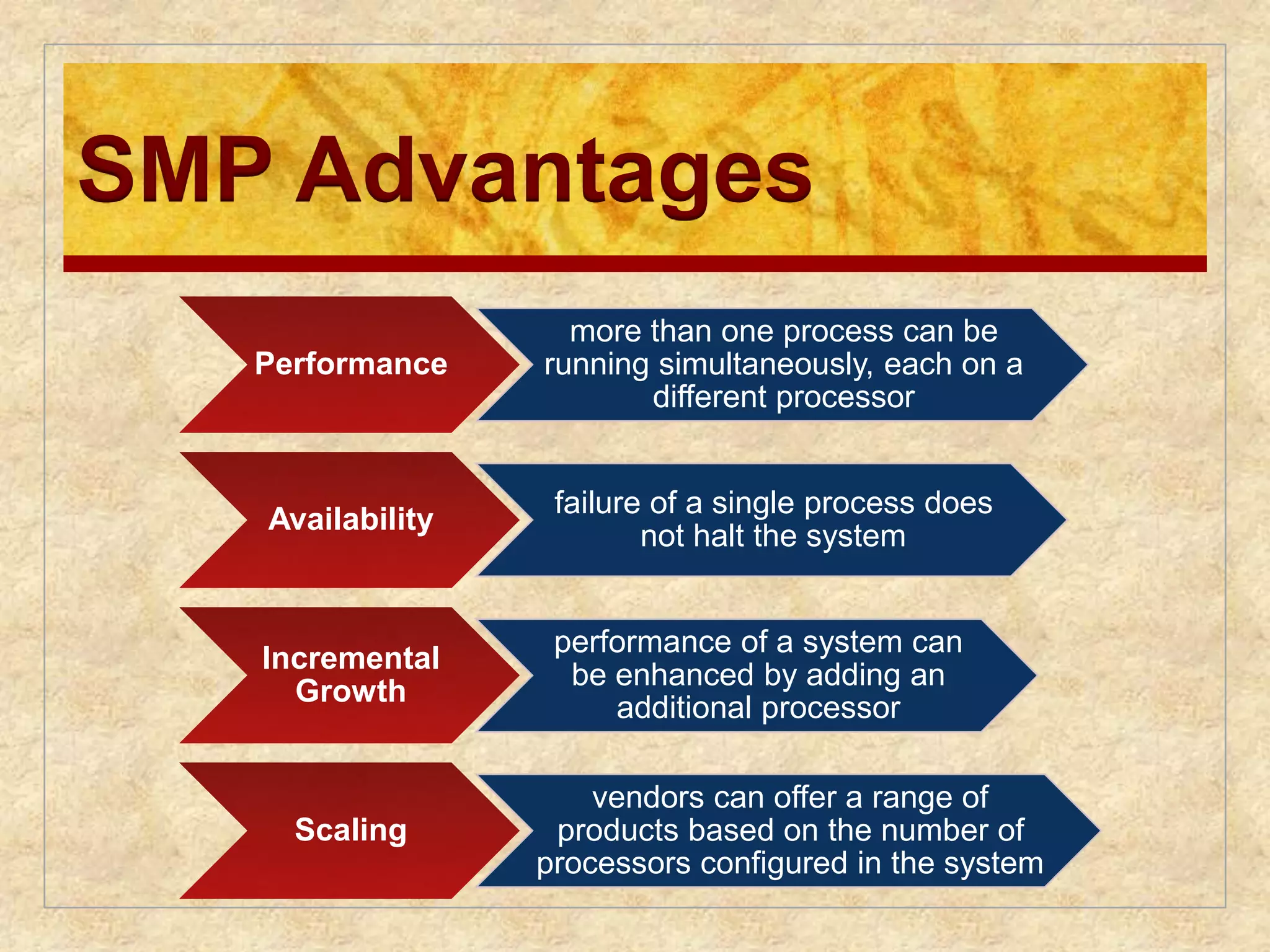
4.
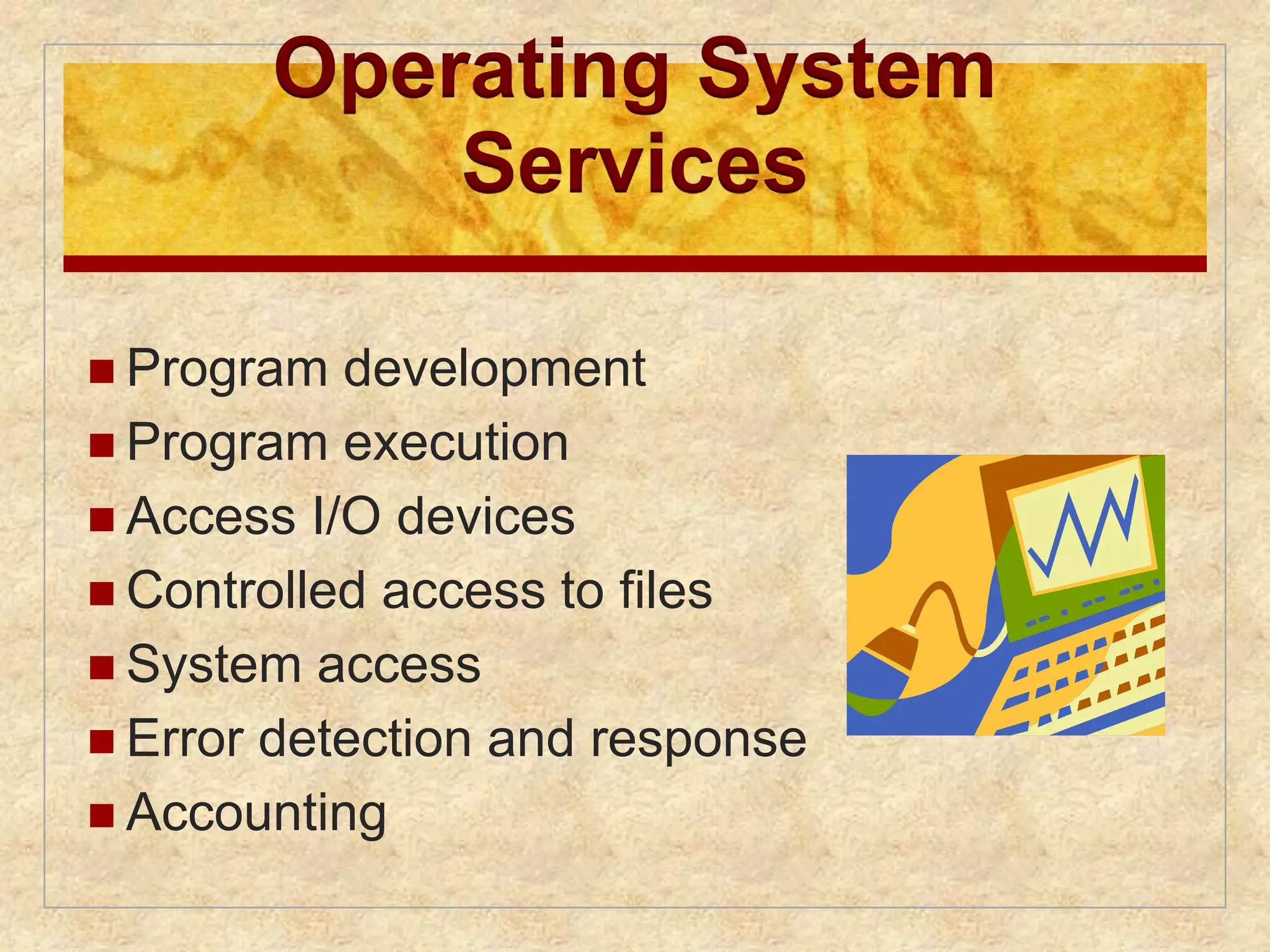
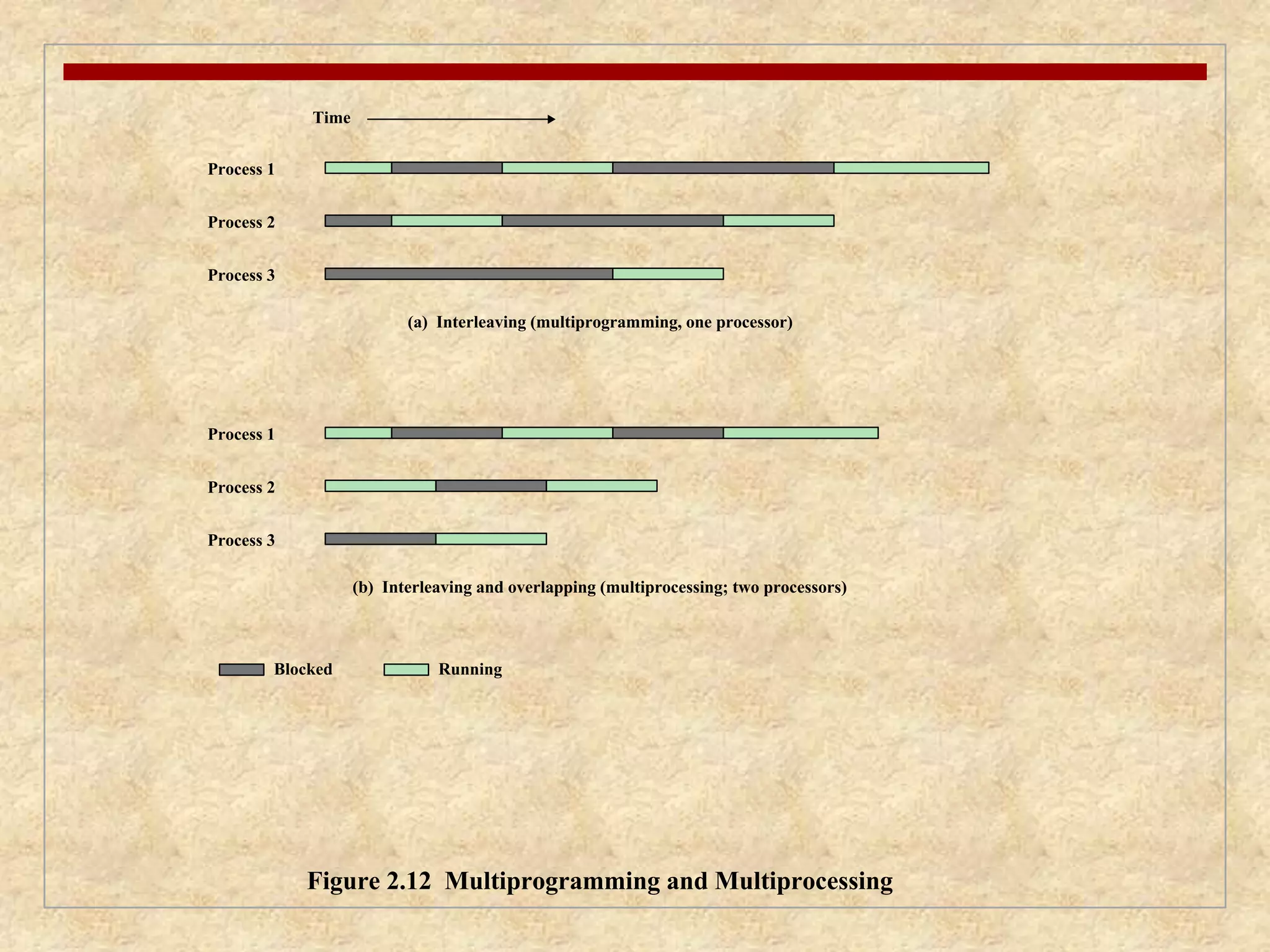
Operating System
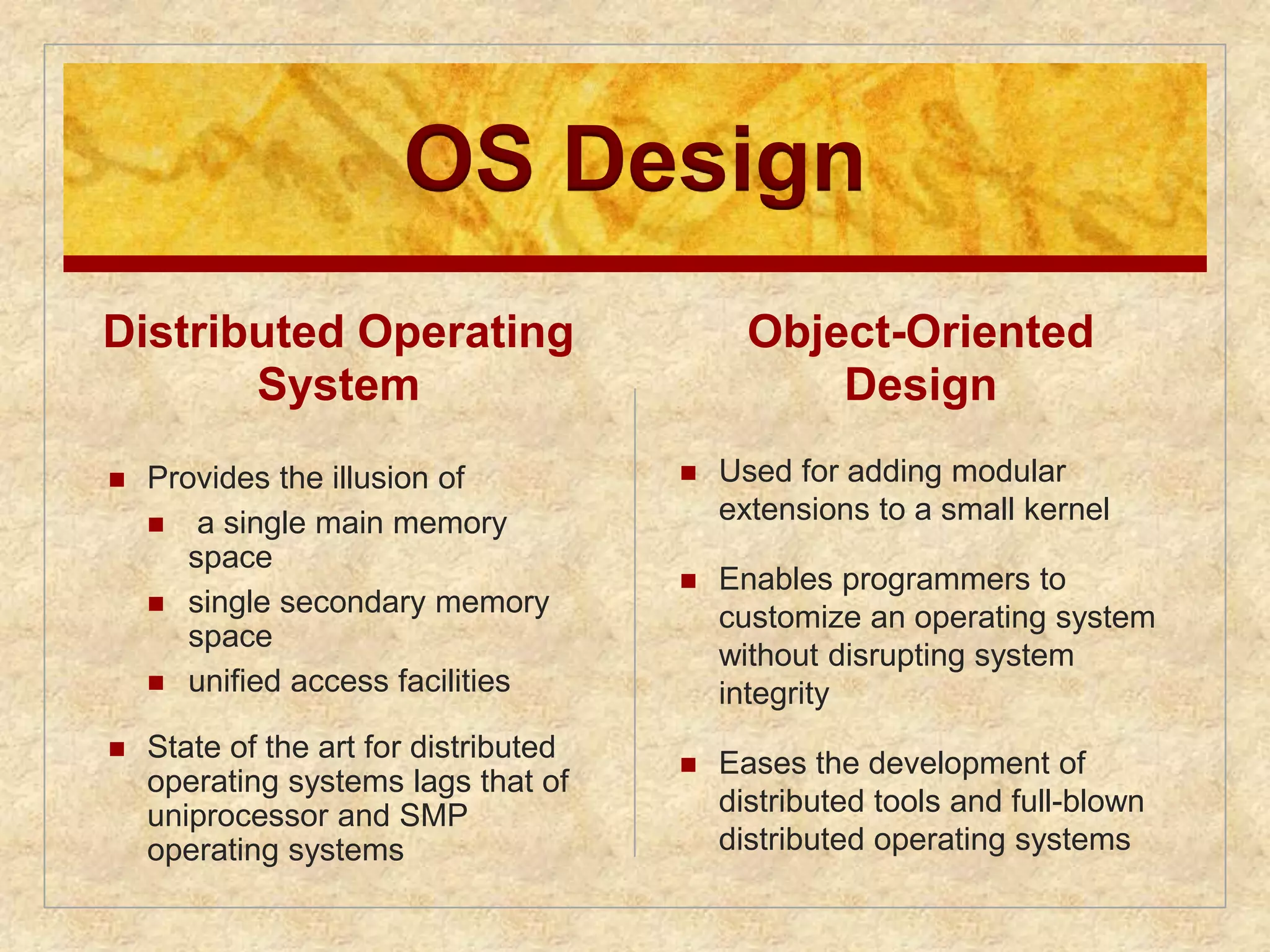
Services
Program development
Program execution
Access I/O devices
Controlled access to files
System access
Error detection and response
Accounting
The Role ofan OS
A computer is a set of resources for
the movement, storage, and
processing of data
The OS is responsible for managing
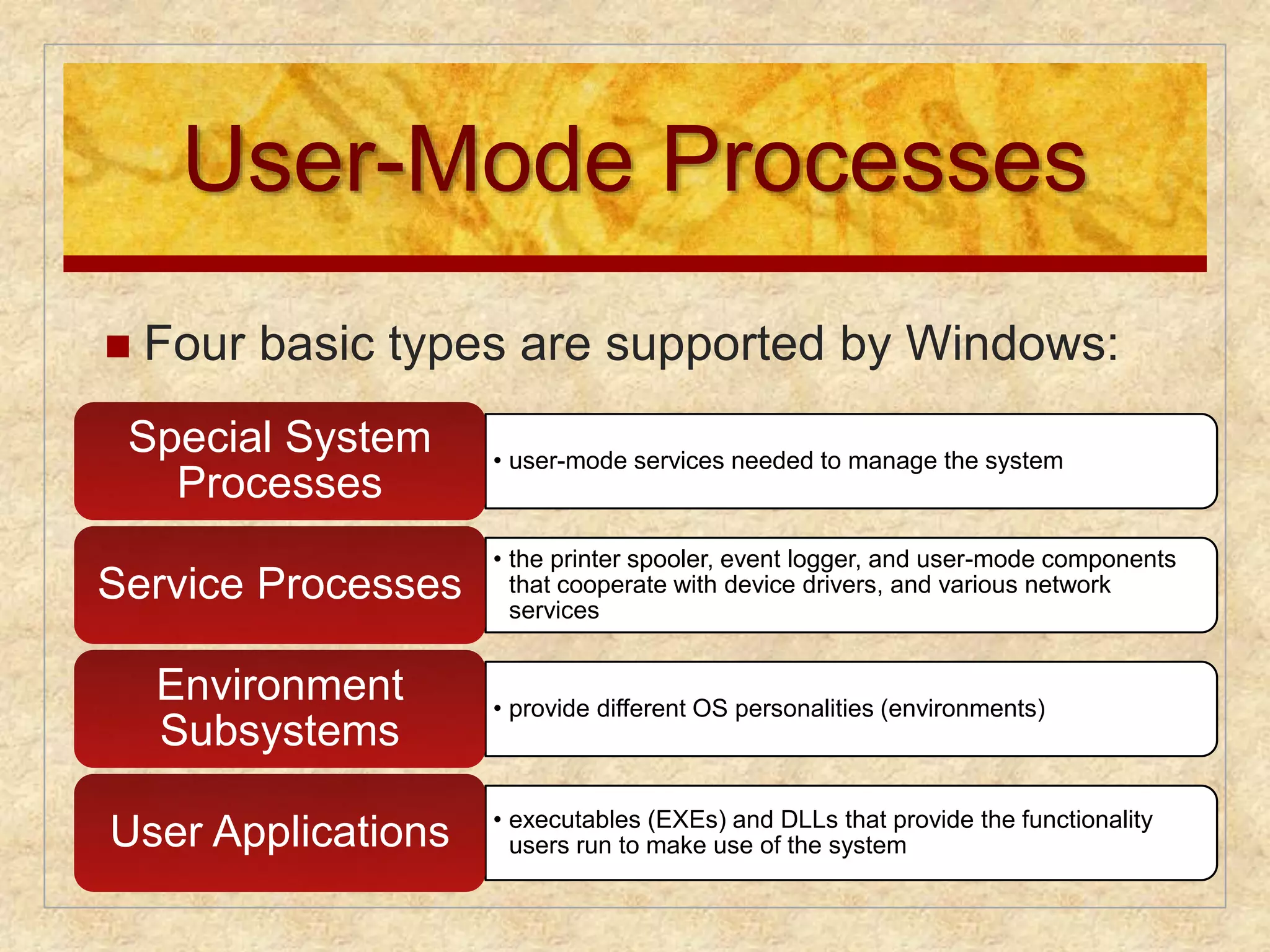
these resources
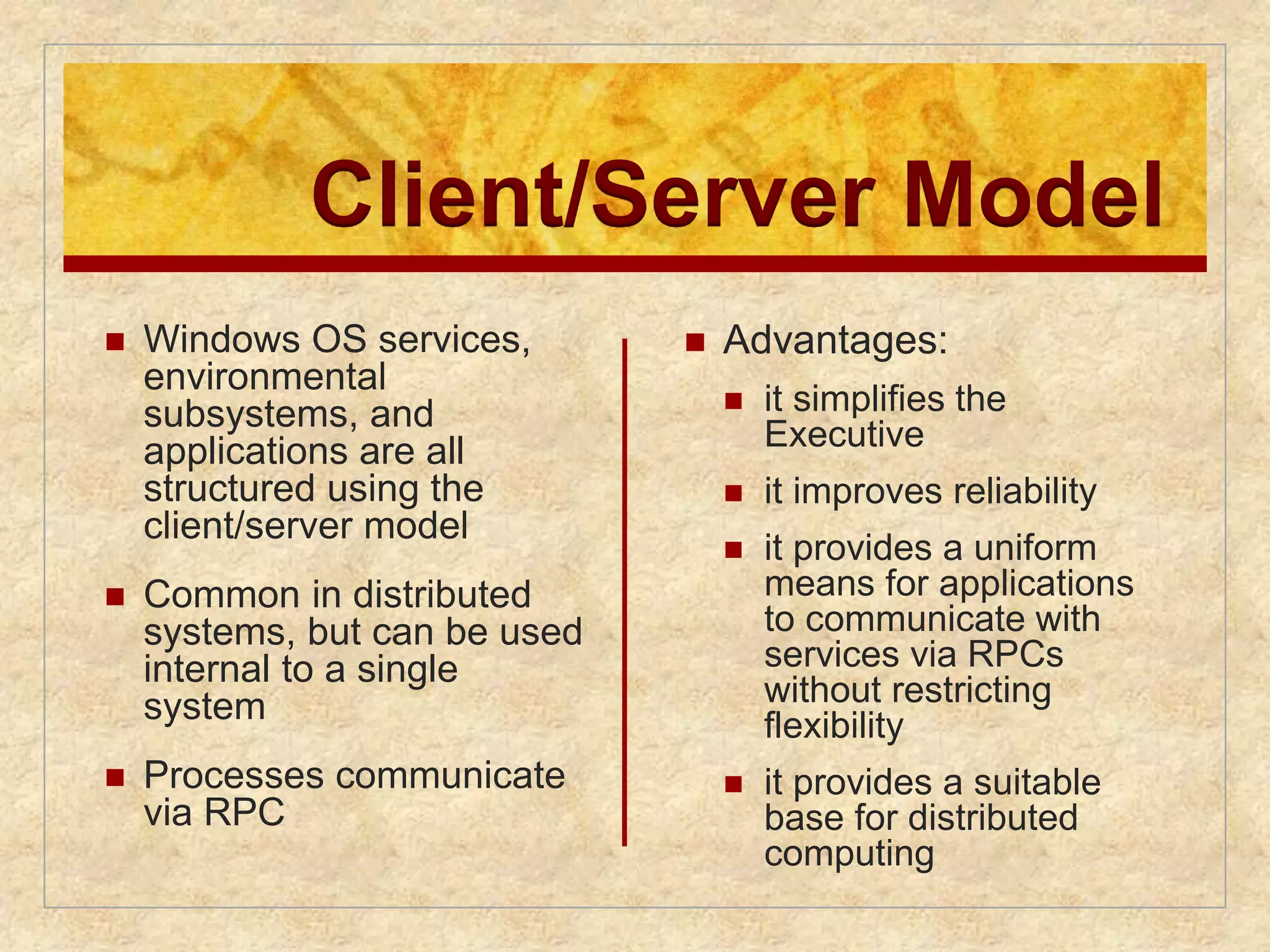
7.
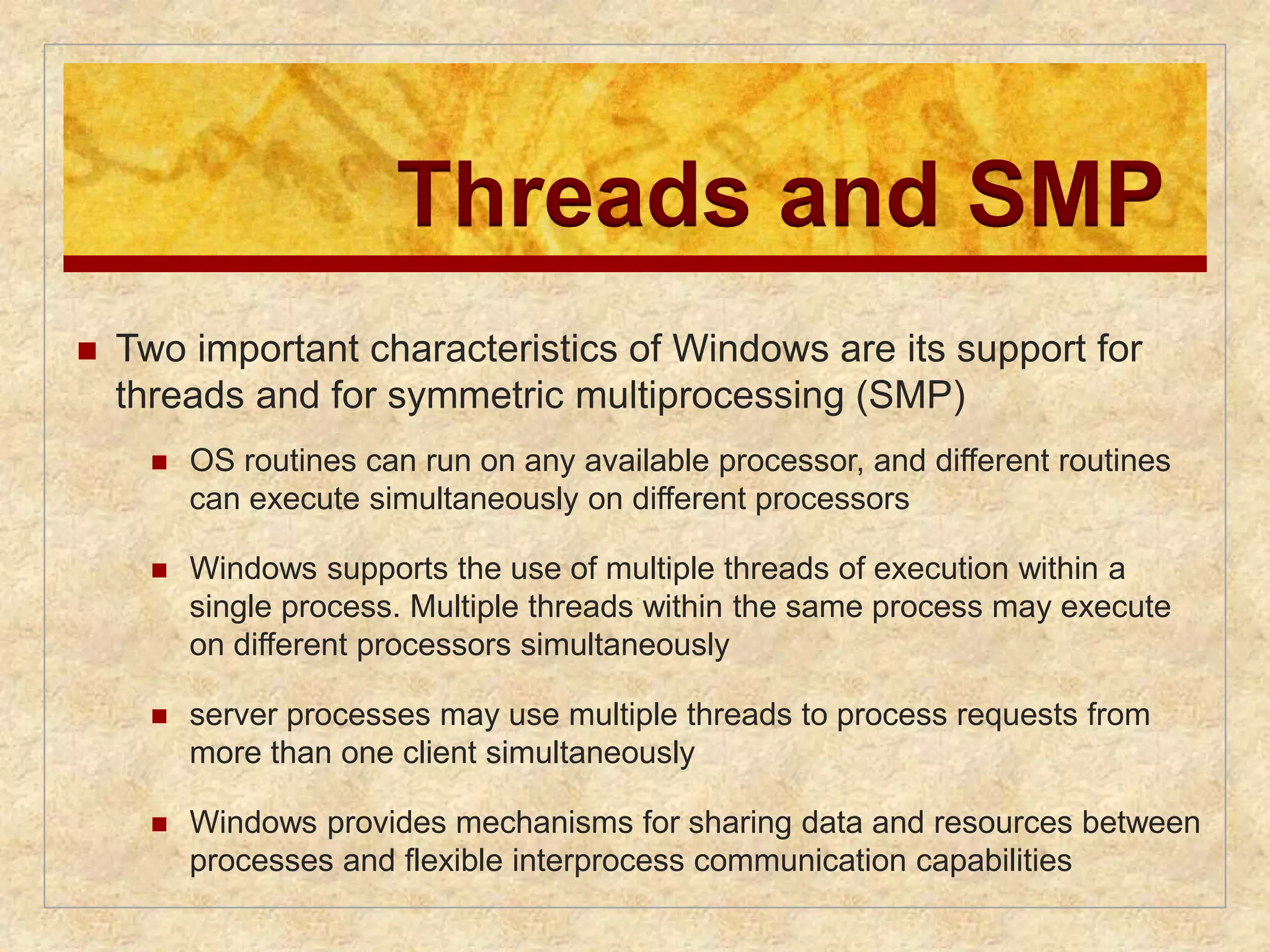
Operating System
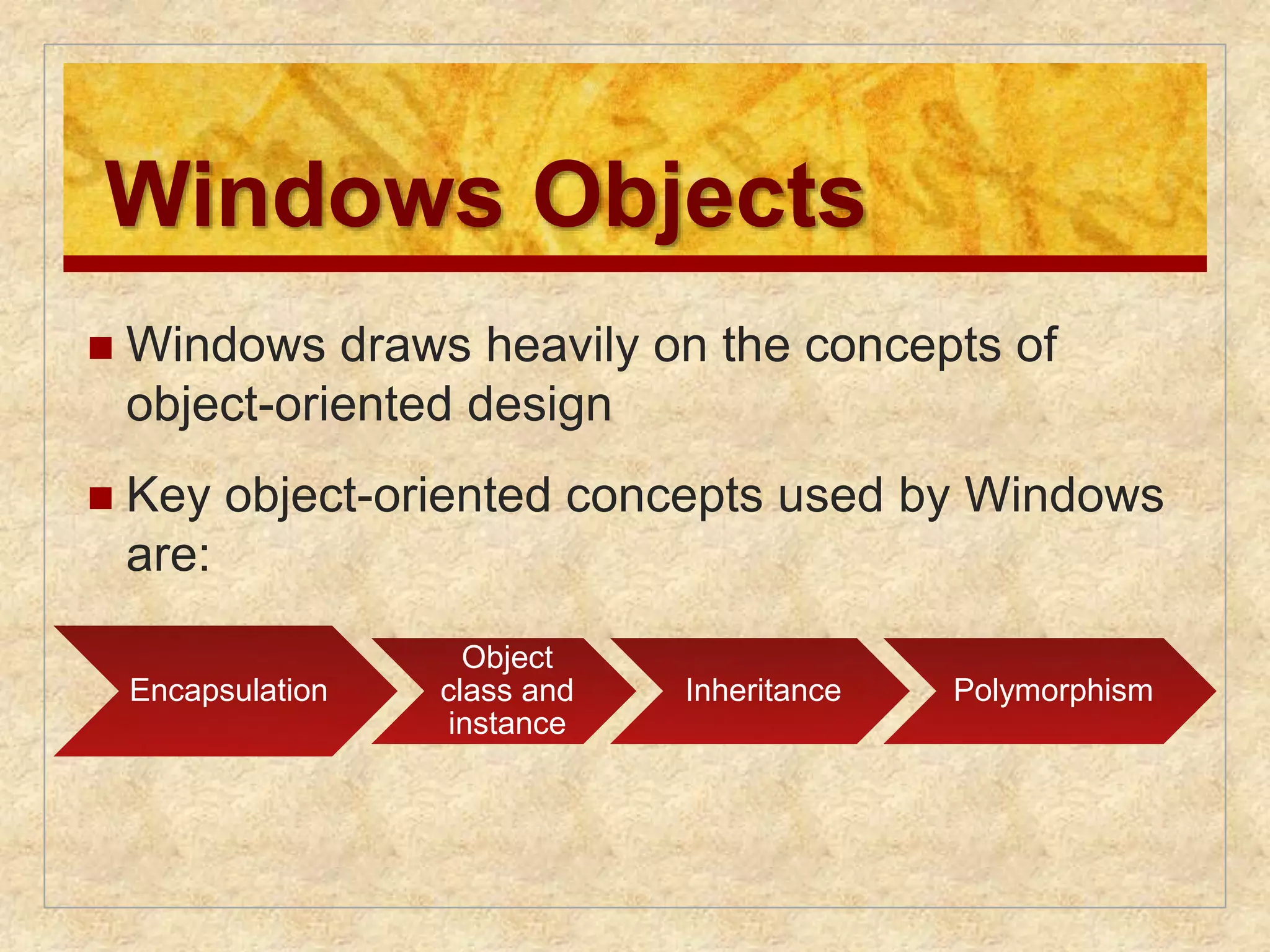
asSoftware
Functions in the same way as ordinary
computer software
Program, or suite of programs, executed
by the processor
Frequently relinquishes control and must
depend on the processor to allow it to
regain control
8.
Computer System
Memory
I/O Devices
Operating
System
Software
Programs
and Data
I/O Controller
Processor Processor
Storage
OS
Programs
Data
I/O Controller
Printers,
keyboards,
digital camera,
etc.
I/O Controller
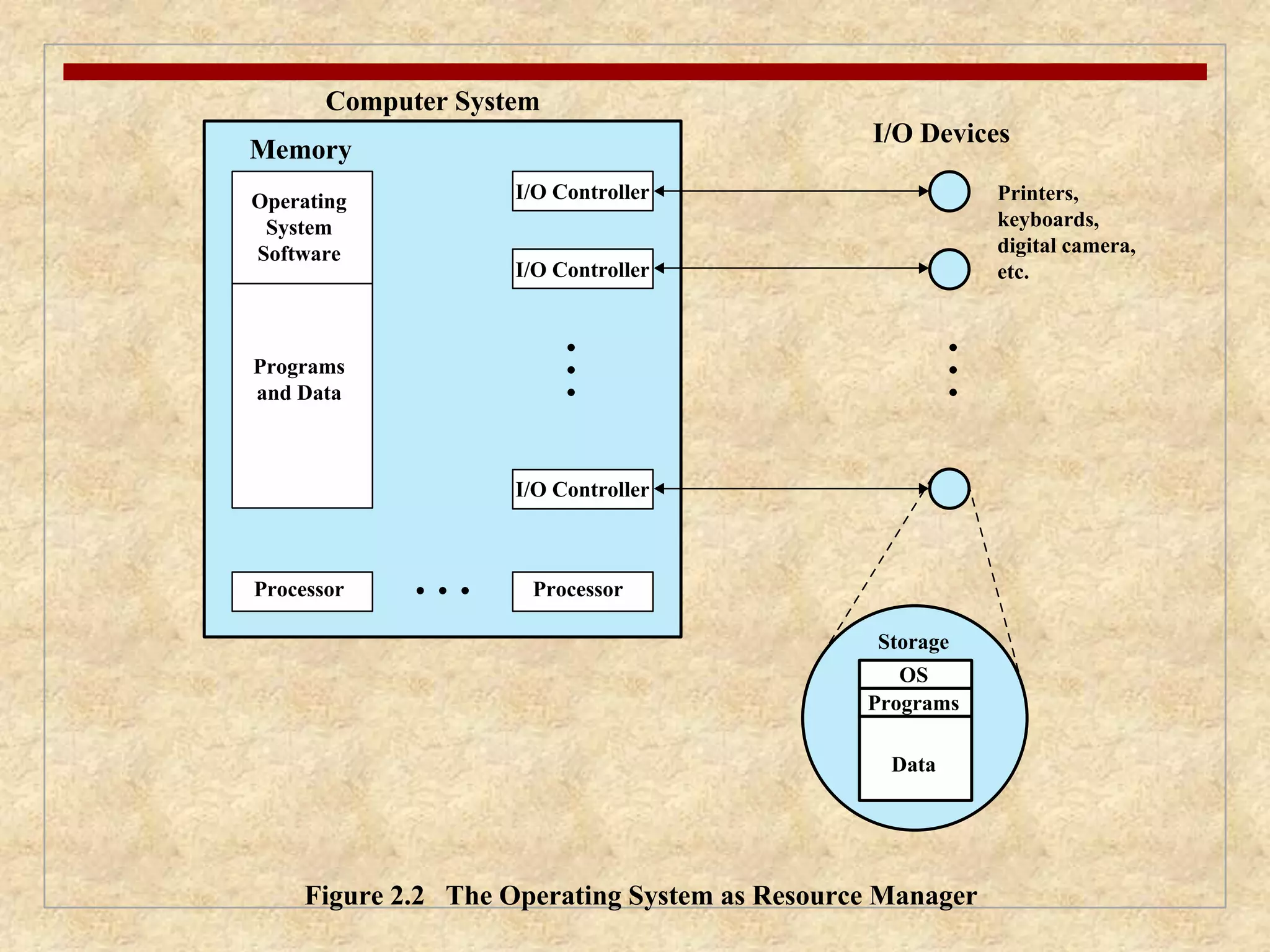
Figure 2.2 The Operating System as Resource Manager
9.
Evolution of OperatingSystems
A major OS will evolve over time for a
number of reasons:
hardware
upgrades
new types of hardware
new services
Fixes
10.
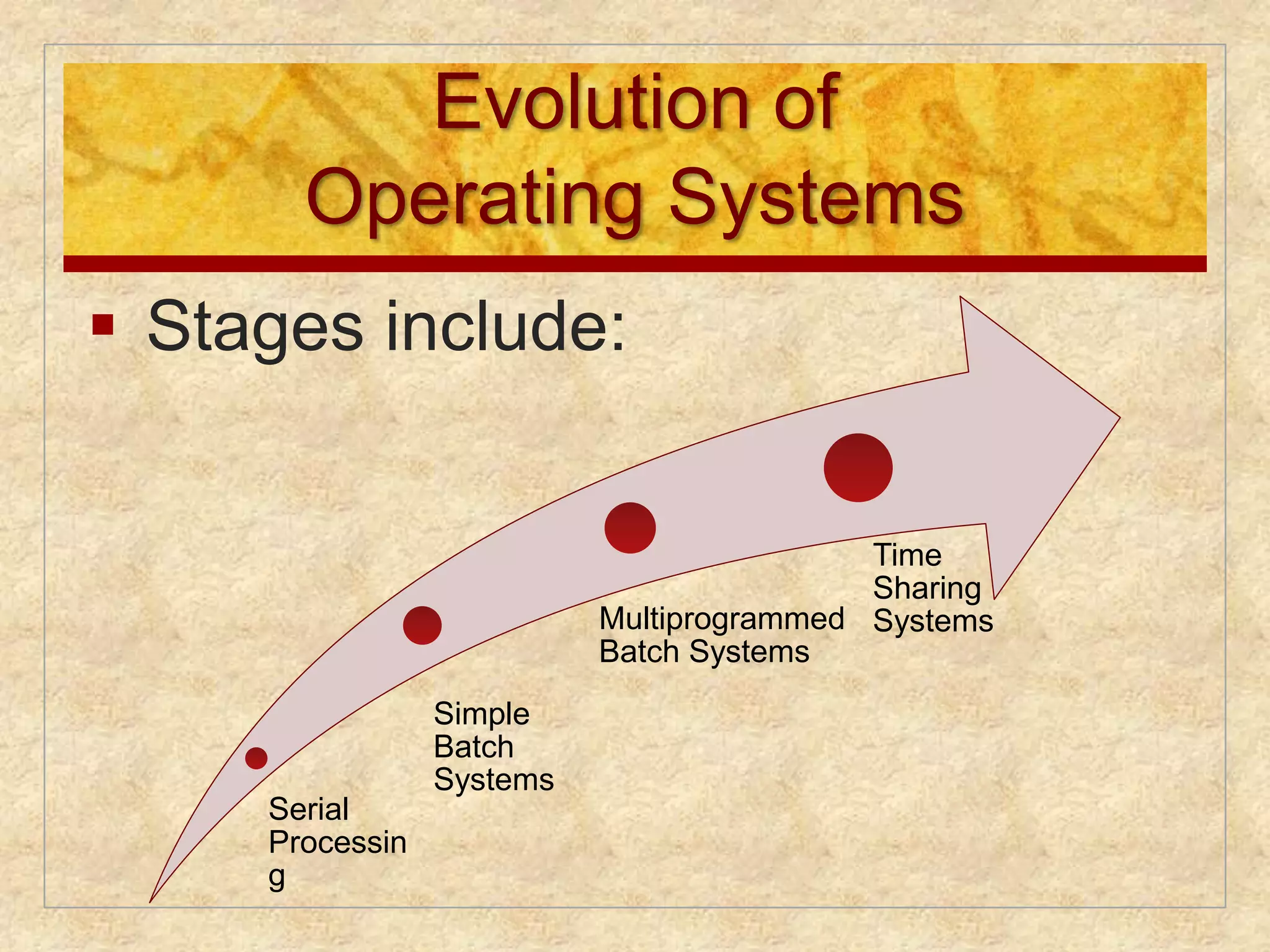
Evolution of
OperatingSystems
Stages include:
Serial
Processin
g
Simple
Batch
Systems
Multiprogrammed
Batch Systems
Time
Sharing
Systems
11.
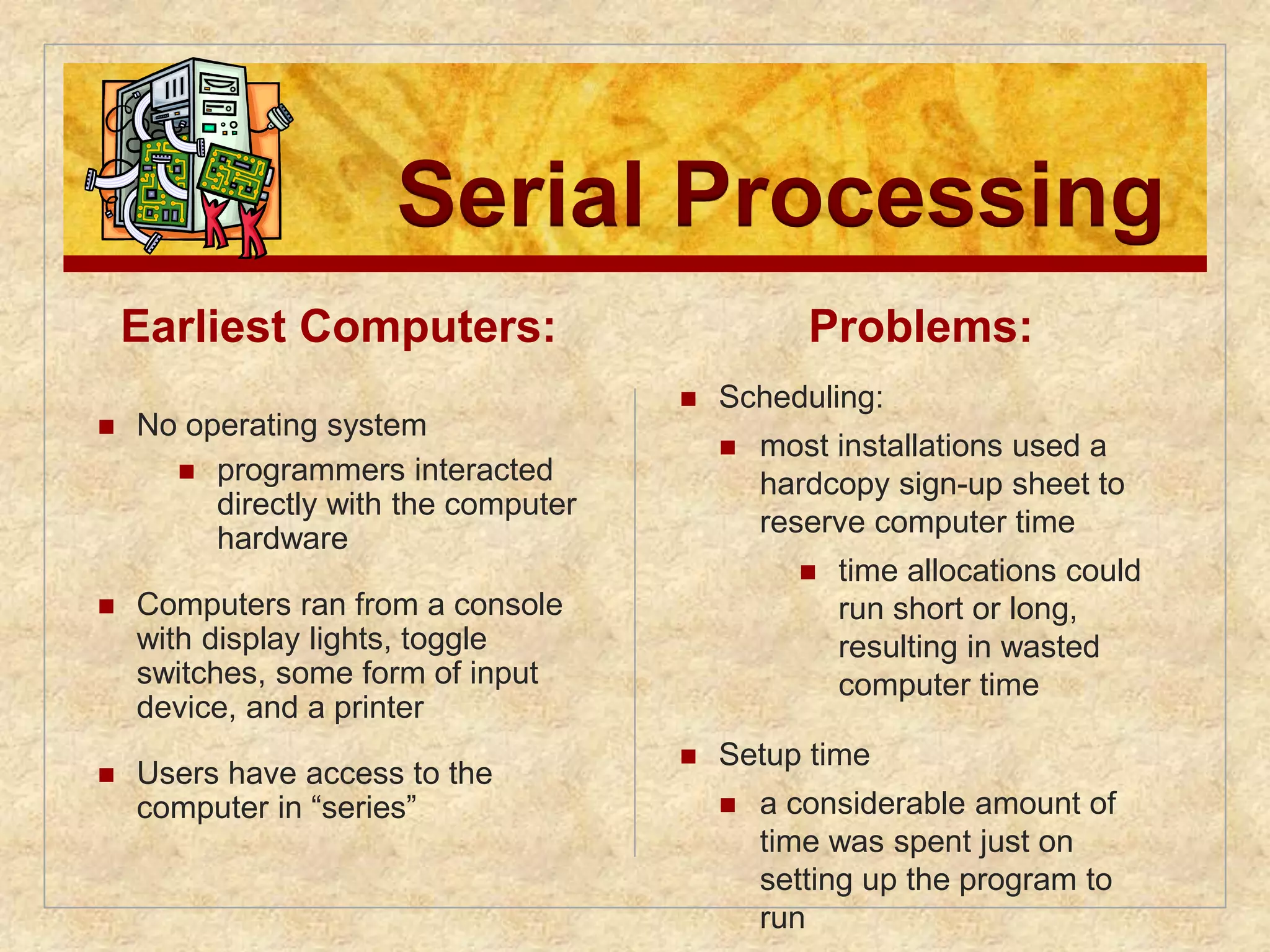
Serial Processing
EarliestComputers:
No operating system
programmers interacted
directly with the computer
hardware
Computers ran from a console
with display lights, toggle
switches, some form of input
device, and a printer
Users have access to the
computer in “series”
Problems:
Scheduling:
most installations used a
hardcopy sign-up sheet to
reserve computer time
time allocations could
run short or long,
resulting in wasted
computer time
Setup time
a considerable amount of
time was spent just on
setting up the program to
run
12.
Simple Batch Systems
Early computers were very expensive
important to maximize processor utilization
Monitor
user no longer has direct access to processor
job is submitted to computer operator who batches
them together and places them on an input device
program branches back to the monitor when
finished
13.
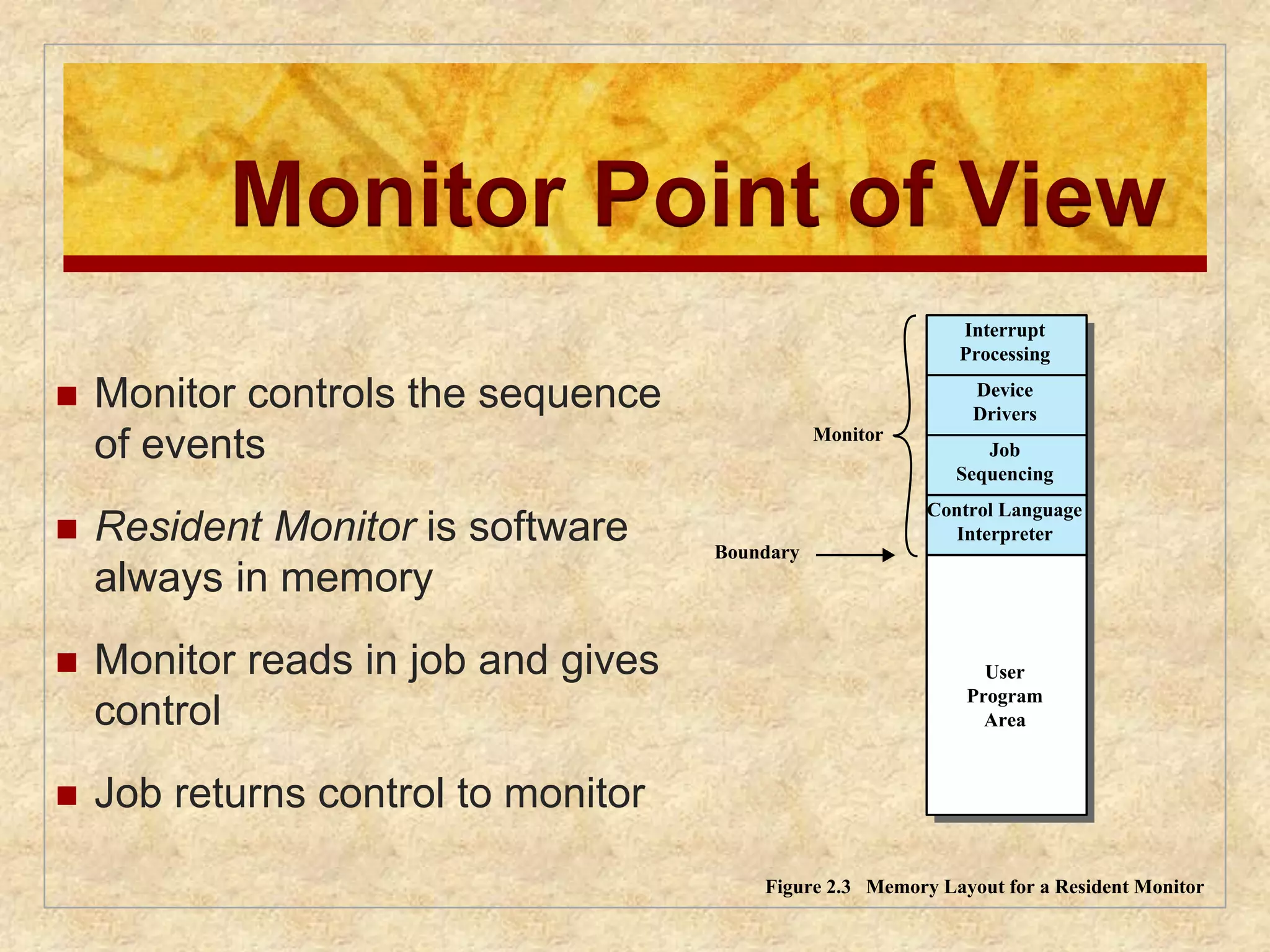
Monitor Point ofView
Monitor controls the sequence
of events
Resident Monitor is software
always in memory
Monitor reads in job and gives
control
Job returns control to monitor
Interrupt
Processing
Device
Drivers
Job
Sequencing
Control Language
Interpreter
User
Program
Area
Monitor
Boundary
Figure 2.3 Memory Layout for a Resident Monitor
14.
Processor Point ofView
Processor executes instruction from the memory
containing the monitor
Executes the instructions in the user program until it
encounters an ending or error condition
“control is passed to a job” means processor is
fetching and executing instructions in a user program
“control is returned to the monitor” means that the
processor is fetching and executing instructions from
the monitor program
15.
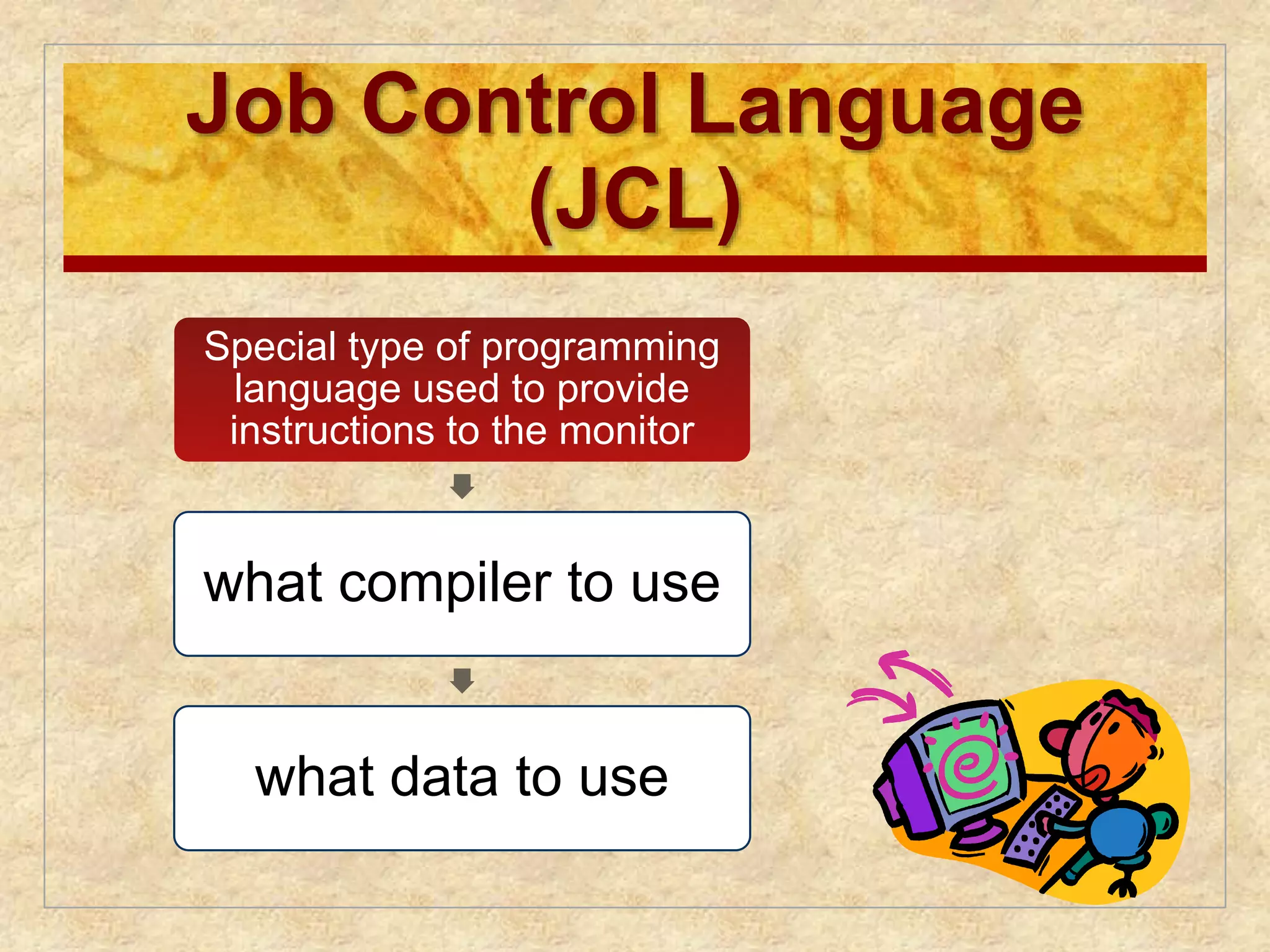
Job Control Language
(JCL)
Special type of programming
language used to provide
instructions to the monitor
what compiler to use
what data to use
16.
Desirable Hardware
Features
Memory protection for monitor
• while the user program is executing, it must not alter the memory area
containing the monitor
Timer
• prevents a job from monopolizing the system
Privileged instructions
• can only be executed by the monitor
Interrupts
• gives OS more flexibility in controlling user programs
17.
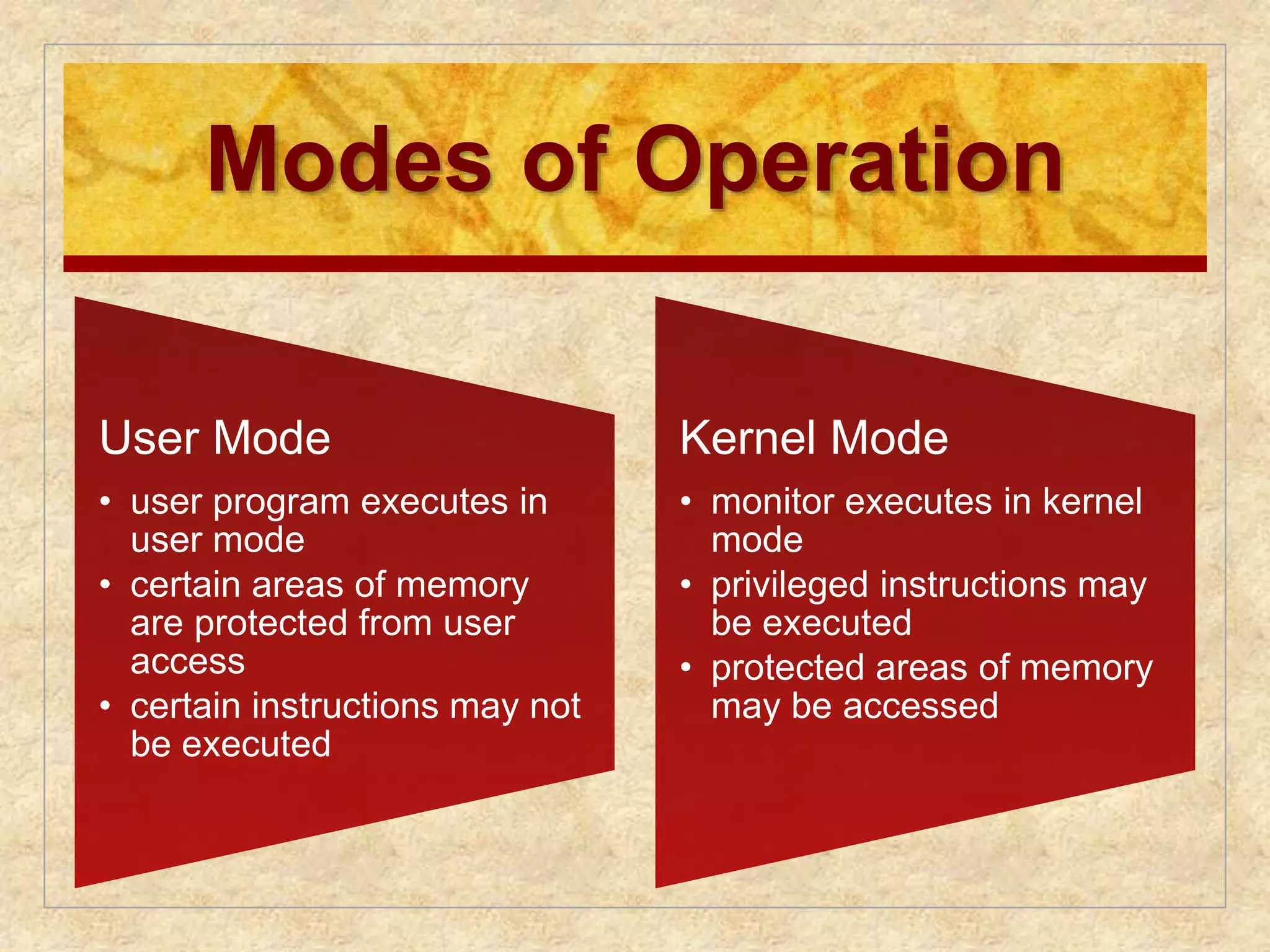
Modes of Operation
User Mode
• user program executes in
user mode
• certain areas of memory
are protected from user
access
• certain instructions may not
be executed
Kernel Mode
• monitor executes in kernel
mode
• privileged instructions may
be executed
• protected areas of memory
may be accessed
18.
Simple Batch System
Overhead
Processor time alternates between execution of user
programs and execution of the monitor
Sacrifices:
some main memory is now given over to the monitor
some processor time is consumed by the monitor
Despite overhead, the simple batch system improves
utilization of the computer
19.
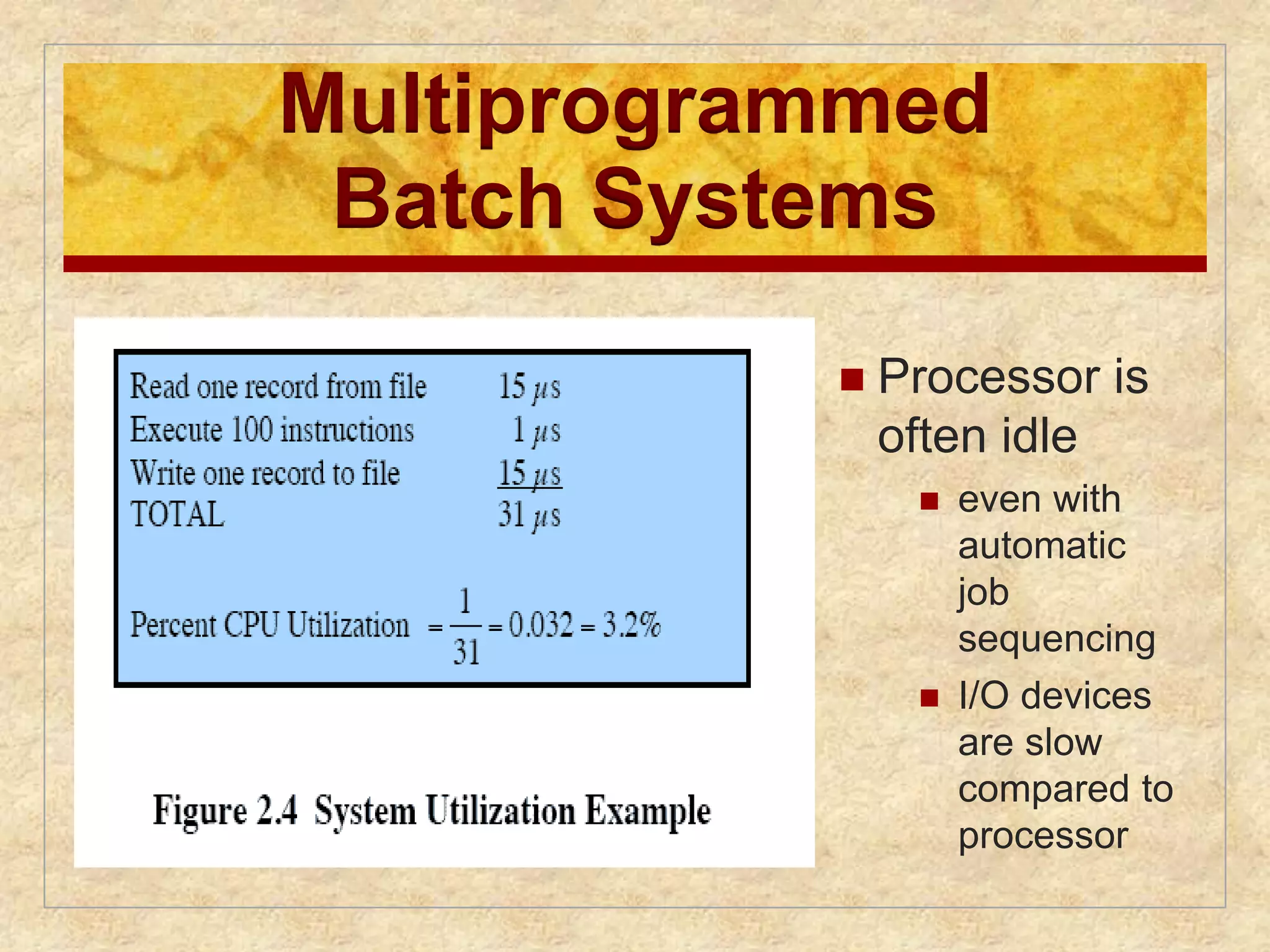
Multiprogrammed
Batch Systems
Processor is
often idle
even with
automatic
job
sequencing
I/O devices
are slow
compared to
processor
20.
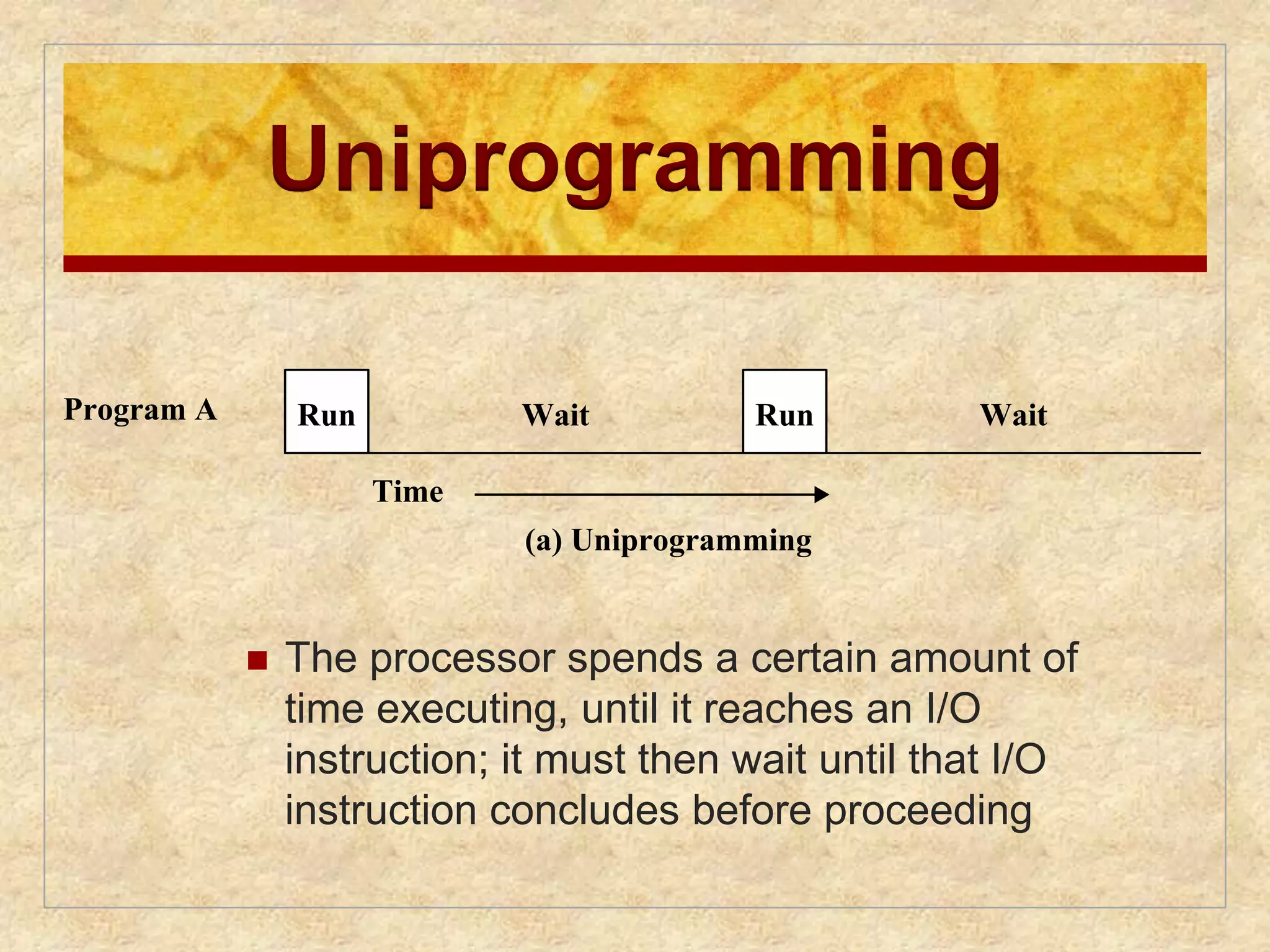
Uniprogramming
Run WaitRun Wait
Time
(a) Uniprogramming
The processor spends a certain amount of
time executing, until it reaches an I/O
instruction; Run it Wait must then wait Run until that Wait
I/O
instruction concludes before proceeding
Wait Run Wait Run Wait
Program A
Program A
Program B
21.
Run Wait RunWait
Program A
Multiprogramming
Time
(a) Uniprogramming
Run Wait Run Wait
Wait Run Wait Run Wait
Run
A
Run
A
Run
B
Run
B
Wait Wait
Time
(b) Multiprogramming with two programs
Program A
Program B
Combined
There must be enough memory to hold the OS (resident
monitor) and one user program
Run Wait Run Wait
When one job needs to wait for I/O, the processor can switch
to the other job, which is likely not waiting for I/O
Wait Run Wait Run Wait
Program A
Program B
22.
Wait Run WaitRun Wait
Run
A
Run
A
Run
B
Run
B
Program B
Multiprogramming
Run Wait Run Wait
Wait Run Wait Run Wait
Combined
Program C Wait Run Wait Run Wait
Run
A
Program A
Program B
Combined Wait Wait
Multiprogramming
Wait Wait
Time
(b) Multiprogramming with two programs
Run
B
Run
C
Time
(c) Multiprogramming with three programs
Figure 2.5 Multiprogramming Example
also known as multitasking
Run
A
Run
B
Run
C
memory is expanded to hold three, four, or more
programs and switch among all of them
23.
Multiprogramming
Example
JOB1JOB2 JOB3
Type of job Heavy compute Heavy I/O Heavy I/O
Duration 5 min 15 min 10 min
Memory required 50 M 100 M 75 M
Need disk? No No Yes
Need terminal? No Yes No
Need printer? No No Yes
Table 2.1 Sample Program Execution Attributes
24.
Effects on Resource
Utilization
Uniprogramming Multiprogramming
Processor use 20% 40%
Memory use 33% 67%
Disk use 33% 67%
Printer use 33% 67%
Elapsed time 30 min 15 min
Throughput 6 jobs/hr 12 jobs/hr
Mean response time 18 min 10 min
Table 2.2 Effects of Multiprogramming on Resource Utilization
25.
100%
0%
100%
0%
100%
0%
100%
0%
0%
JOB1 JOB2 JOB3
0 5 10 15 20 25 30
minutes
time
(a) Uniprogramming
CPU
Memory
Disk
Terminal
Printer
Job History
100%
100%
0%
100%
0%
100%
0%
100%
0%
0%
0 5 10 15
minutes
(b) Multiprogramming
CPU
Memory
Disk
Terminal
Printer
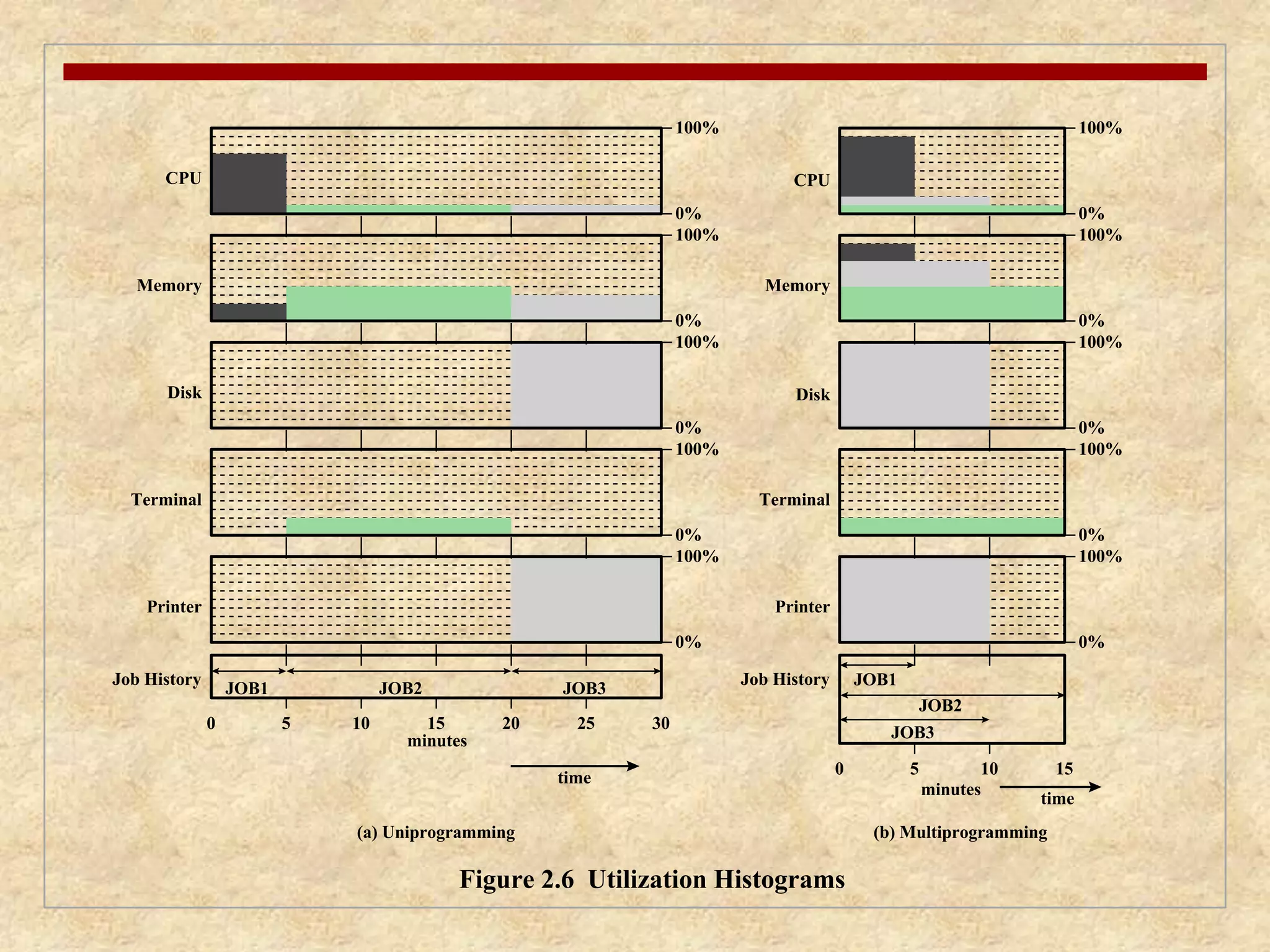
Figure 2.6 Utilization Histograms
JOB1
JOB2
JOB3
Job History
100%
time
26.
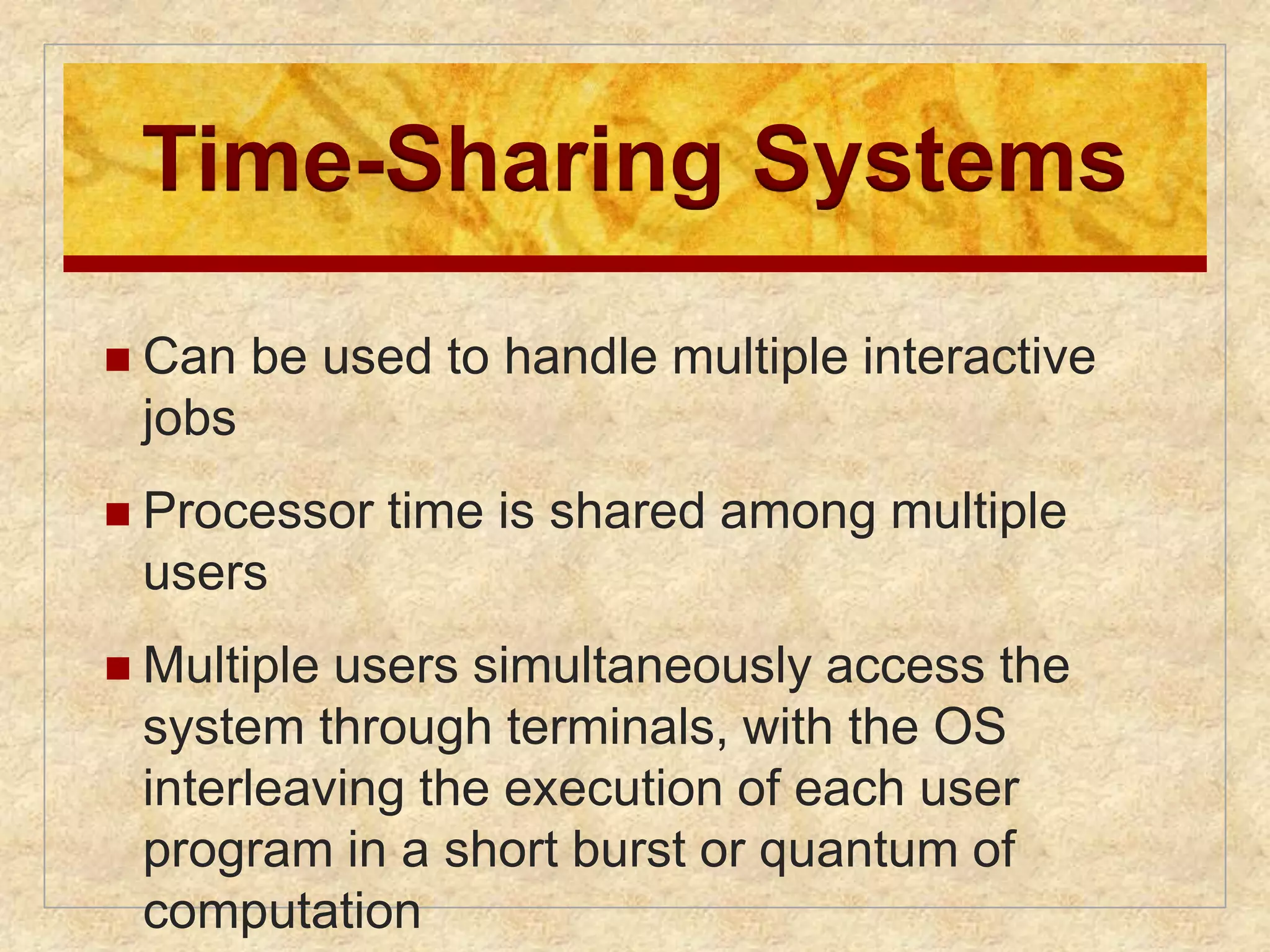
Time-Sharing Systems
Can be used to handle multiple interactive
jobs
Processor time is shared among multiple
users
Multiple users simultaneously access the
system through terminals, with the OS
interleaving the execution of each user
program in a short burst or quantum of
computation
27.
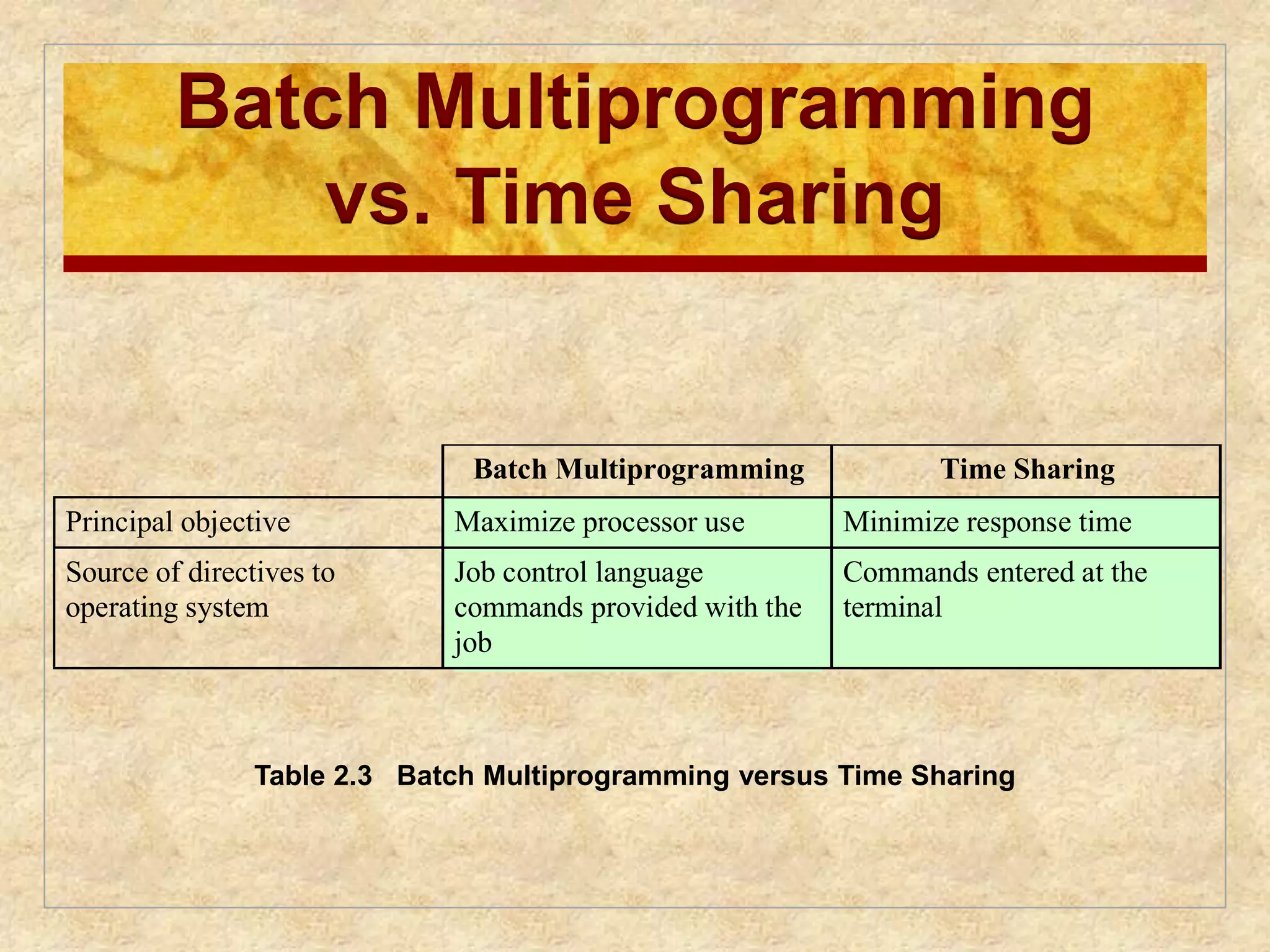
Batch Multiprogramming
vs.Time Sharing
Batch Multiprogramming Time Sharing
Principal objective Maximize processor use Minimize response time
Source of directives to
operating system
Job control language
commands provided with the
job
Commands entered at the
terminal
Table 2.3 Batch Multiprogramming versus Time Sharing
28.
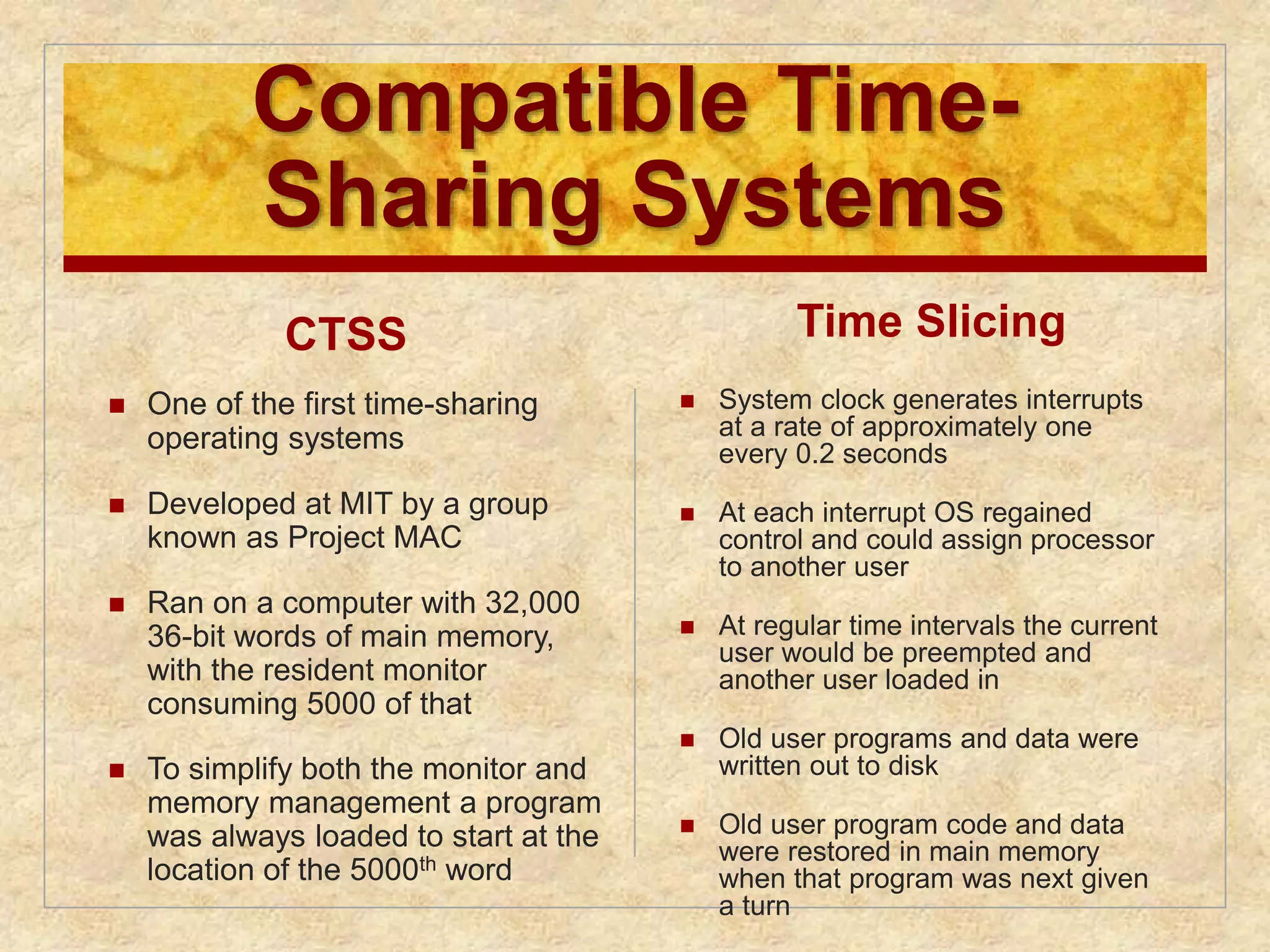
Compatible Time-
SharingSystems
CTSS
One of the first time-sharing
operating systems
Developed at MIT by a group
known as Project MAC
Ran on a computer with 32,000
36-bit words of main memory,
with the resident monitor
consuming 5000 of that
To simplify both the monitor and
memory management a program
was always loaded to start at the
location of the 5000th word
Time Slicing
System clock generates interrupts
at a rate of approximately one
every 0.2 seconds
At each interrupt OS regained
control and could assign processor
to another user
At regular time intervals the current
user would be preempted and
another user loaded in
Old user programs and data were
written out to disk
Old user program code and data
were restored in main memory
when that program was next given
a turn
Major Achievements
Operating Systems are among the most
complex pieces of software ever developed
Major advances in
development include:
• processes
• memory management
• information protection and security
• scheduling and resource
management
• system structure
31.
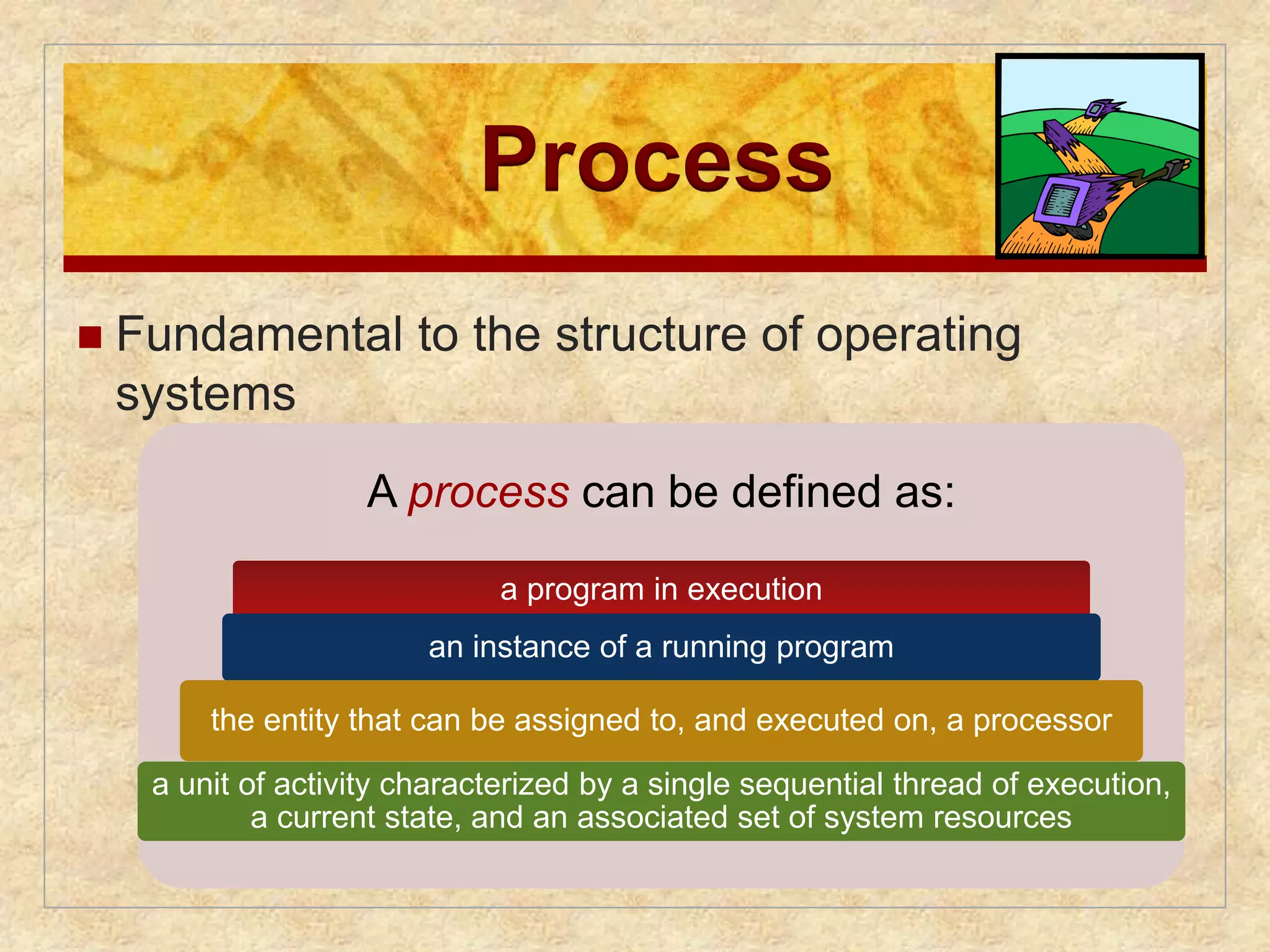
Process
Fundamentalto the structure of operating
systems
A process can be defined as:
a program in execution
an instance of a running program
the entity that can be assigned to, and executed on, a processor
a unit of activity characterized by a single sequential thread of execution,
a current state, and an associated set of system resources
32.
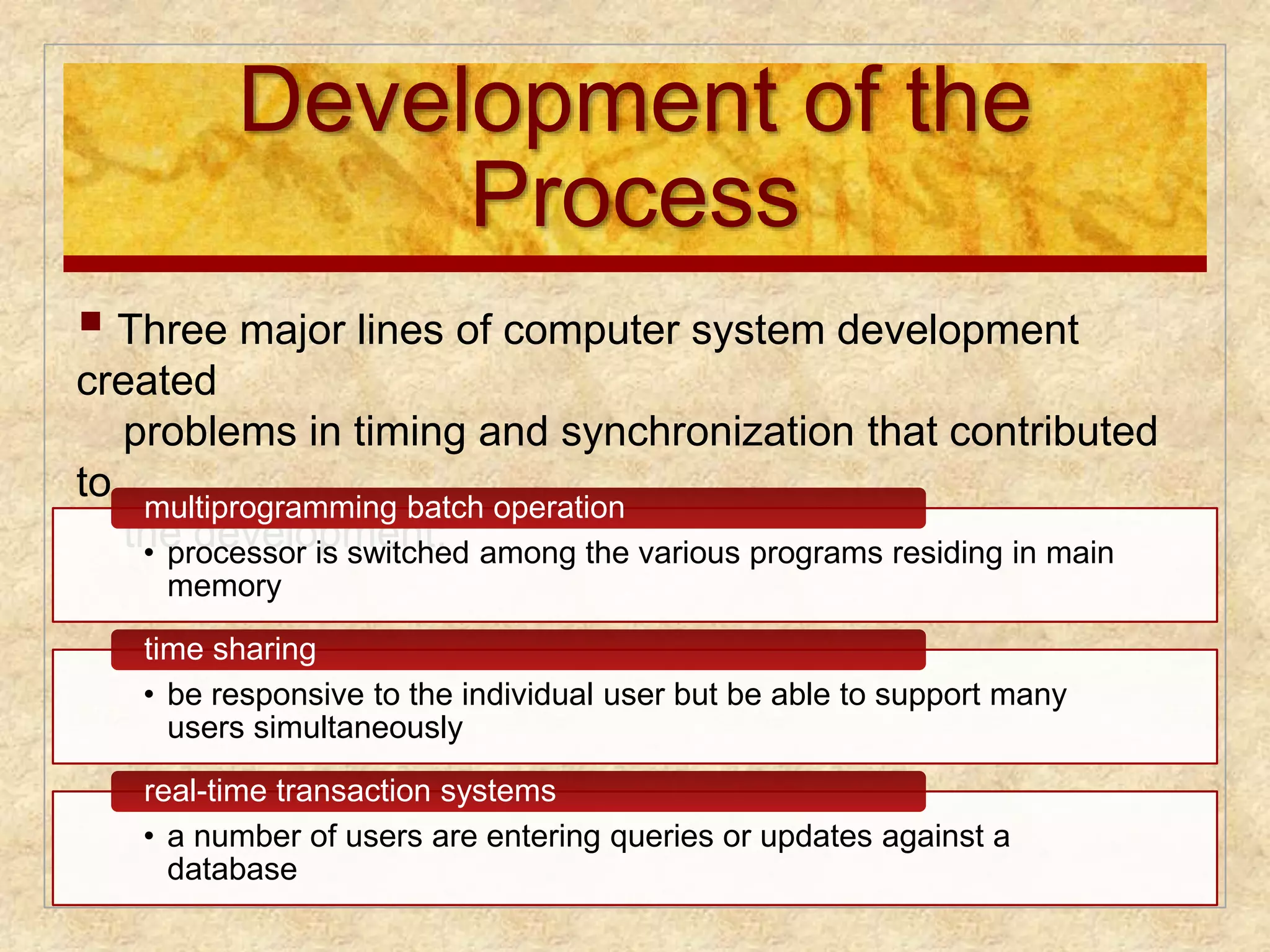
Development of the
Process
Three major lines of computer system development
created
problems in timing and synchronization that contributed
to
multiprogramming batch operation
the development: • processor is switched among the various programs residing in main
memory
time sharing
• be responsive to the individual user but be able to support many
users simultaneously
real-time transaction systems
• a number of users are entering queries or updates against a
database
33.
Causes of Errors
Nondeterminate
program operation
program execution is
interleaved by the processor
when memory is shared
the order in which programs
are scheduled may affect
their outcome
Deadlocks
it is possible for two or
more programs to be hung
up waiting for each other
may depend on the chance
timing of resource
allocation and release
Improper
synchronization
a program must wait until
the data are available in a
buffer
improper design of the
signaling mechanism can
result in loss or duplication
Failed mutual
exclusion
more than one user or
program attempts to make
use of a shared resource at
the same time
only one routine at a time
allowed to perform an
update against the file
34.
Components of
aProcess
The execution context
is essential:
it is the internal data by
which the OS is able to
supervise and control the
process
includes the contents of
the various process
registers
includes information such
as the priority of the
process and whether the
process is waiting for the
completion of a particular
I/O event
A process contains
three components:
an executable program
the associated data
needed by the program
(variables, work space,
buffers, etc.)
the execution context
(or “process state”) of
the program
35.
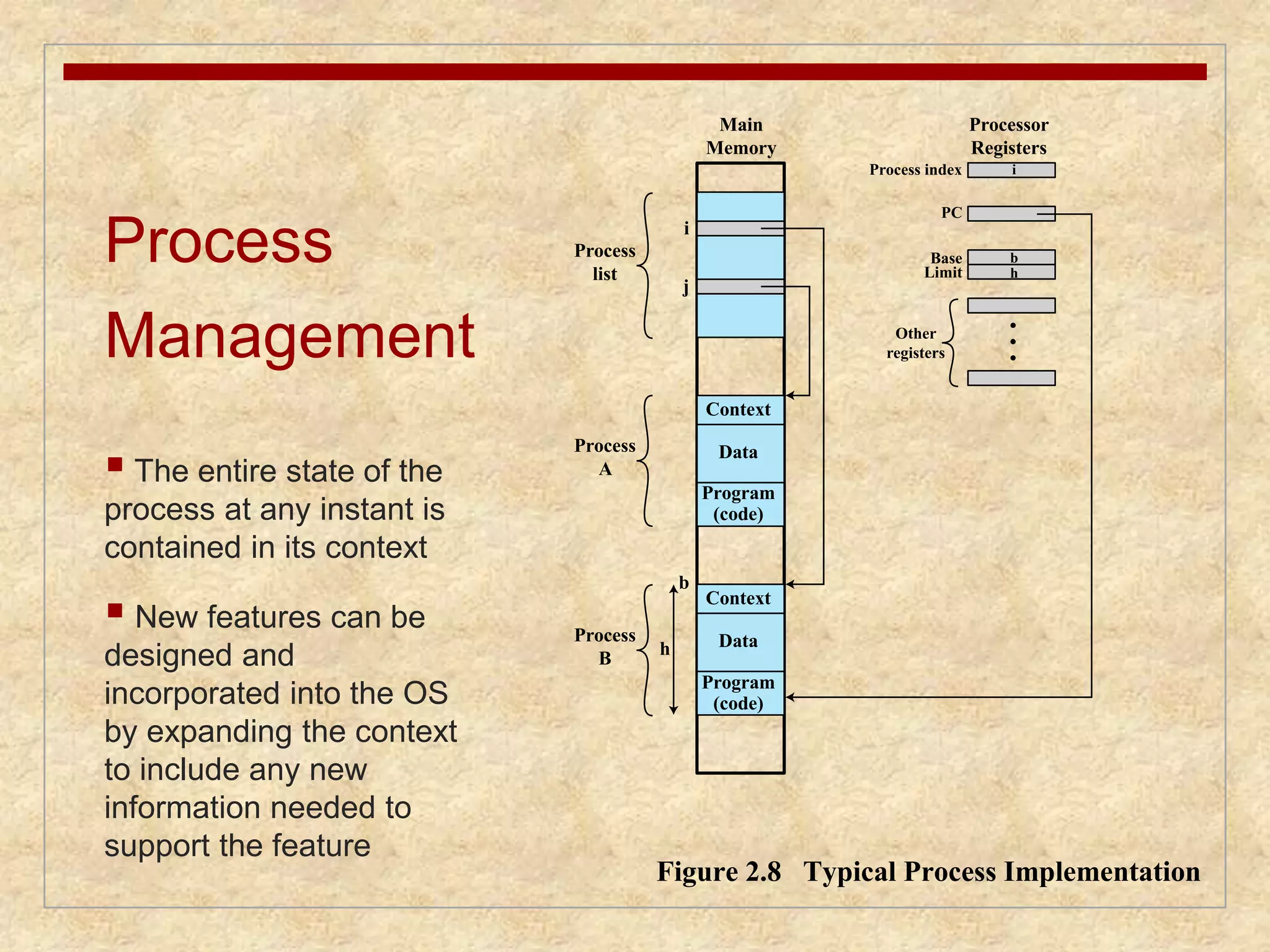
Process
Management
The entire state of the
process at any instant is
contained in its context
New features can be
designed and
incorporated into the OS
by expanding the context
to include any new
information needed to
support the feature
Context
Data
Program
(code)
Context
Data
i
Process index
PC
Base
Limit
Other
registers
i
b
h
j
b
h
Figure 2.8 Typical Process Implementation
Process
A
Process
B
Main
Memory
Processor
Registers
Process
list
Program
(code)
36.
Memory Management
The OS has five principal storage
management responsibilities:
process
isolation
automatic
allocation
and
management
support of
modular
programming
protection
and access
control
long-term
storage
37.
Virtual Memory
A facility that allows programs to address
memory from a logical point of view, without
regard to the amount of main memory
physically available
Conceived to meet the requirement of having
multiple user jobs reside in main memory
concurrently
38.
Paging
Allowsprocesses to be comprised of a number of
fixed-size blocks, called pages
Program references a word by means of a virtual
address
consists of a page number and an offset within the
page
each page may be located anywhere in main memory
Provides for a dynamic mapping between the virtual
address used in the program and a real (or physical)
address in main memory
39.
0
User
program
A
B.2 B.3
Main Memory Disk
Figure 2.9 Virtual Memory Concepts
A.0
B.0 B.1
B.5 B.6
A.1
A.2
A.7
A.8
A.5
A.9
1
2
3
4
5
6
7
8
9
10
0
1
2
3
4
5
6
User
program
B
Main memory consists of a
number of fixed-length frames,
each equal to the size of a page.
For a program to execute, some
or all of its pages must be in
main memory.
Secondary memory (disk) can
hold many fixed-length pages. A
user program consists of some
number of pages. Pages for all
programs plus the operating system
are on disk, as are files.
40.
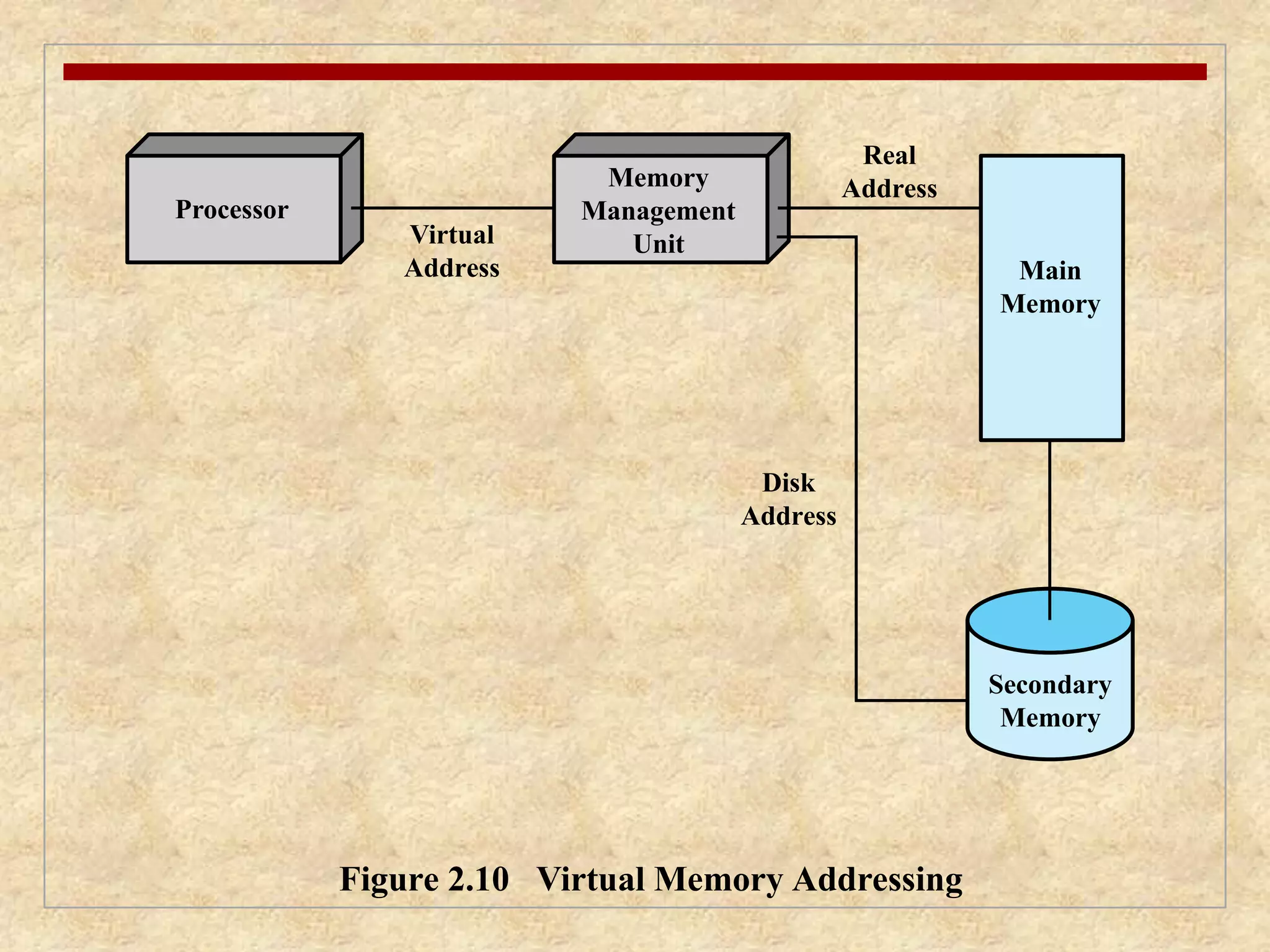
Processor
Virtual
Address
Real
Address
Disk
Address
Memory
Management
Unit
Figure 2.10 Virtual Memory Addressing
Main
Memory
Secondary
Memory
41.
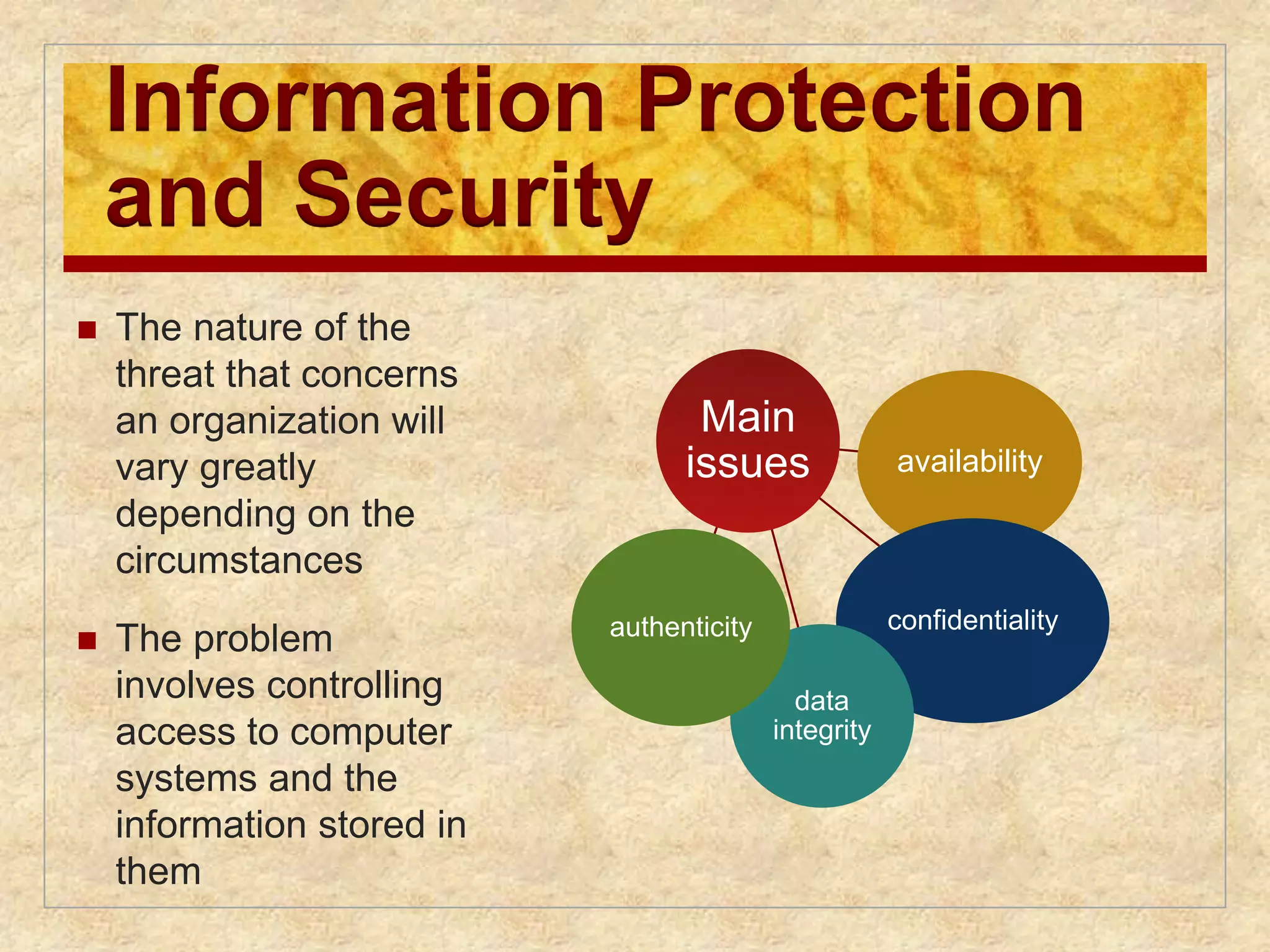
Information Protection
andSecurity
The nature of the
threat that concerns
an organization will
vary greatly
depending on the
circumstances
The problem
involves controlling
access to computer
systems and the
information stored in
them
Main
issues availability
confidentiality
data
integrity
authenticity
42.
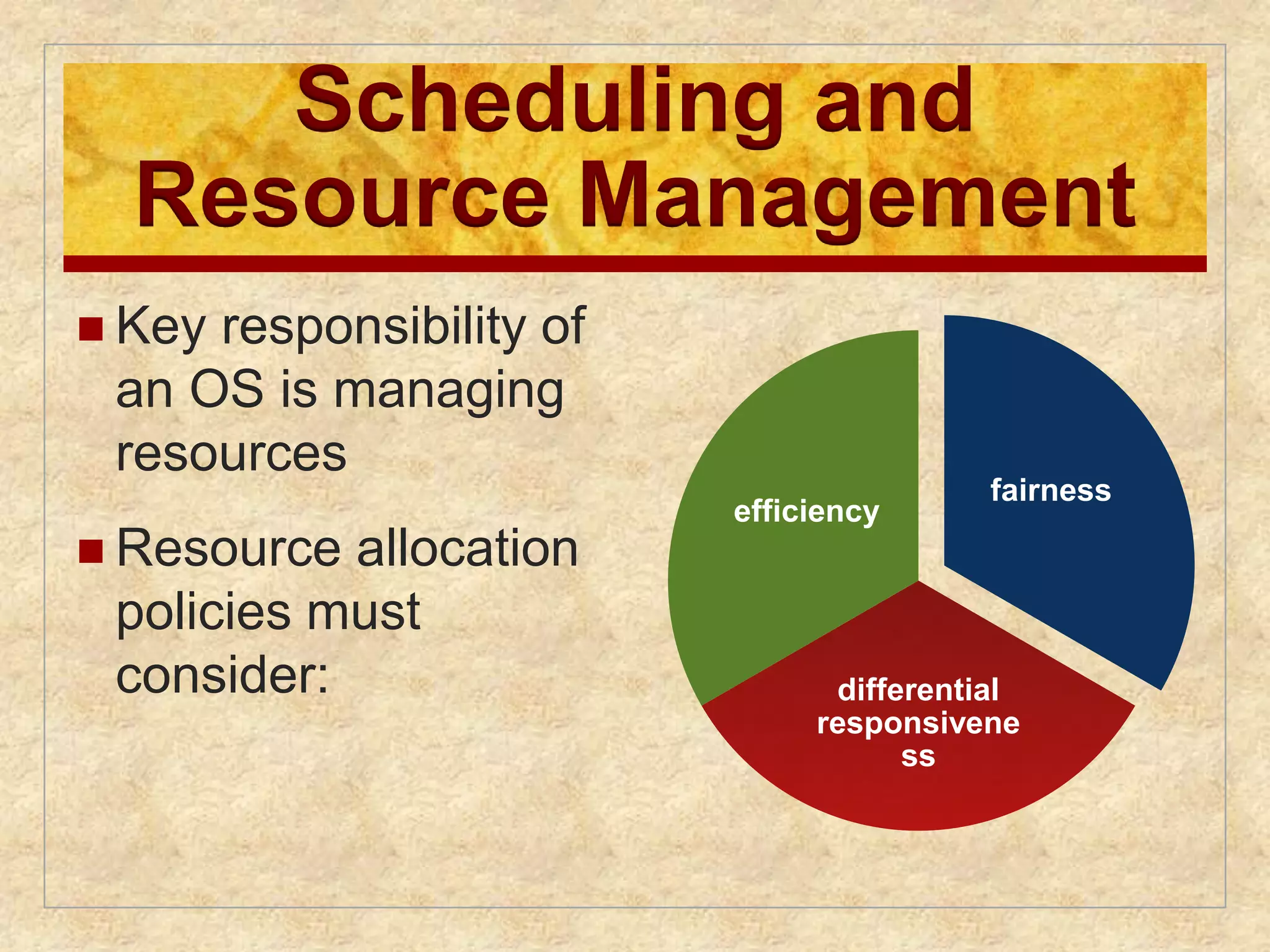
Scheduling and
ResourceManagement
Key responsibility of
an OS is managing
resources
Resource allocation
policies must
consider:
fairness
differential
responsivene
ss
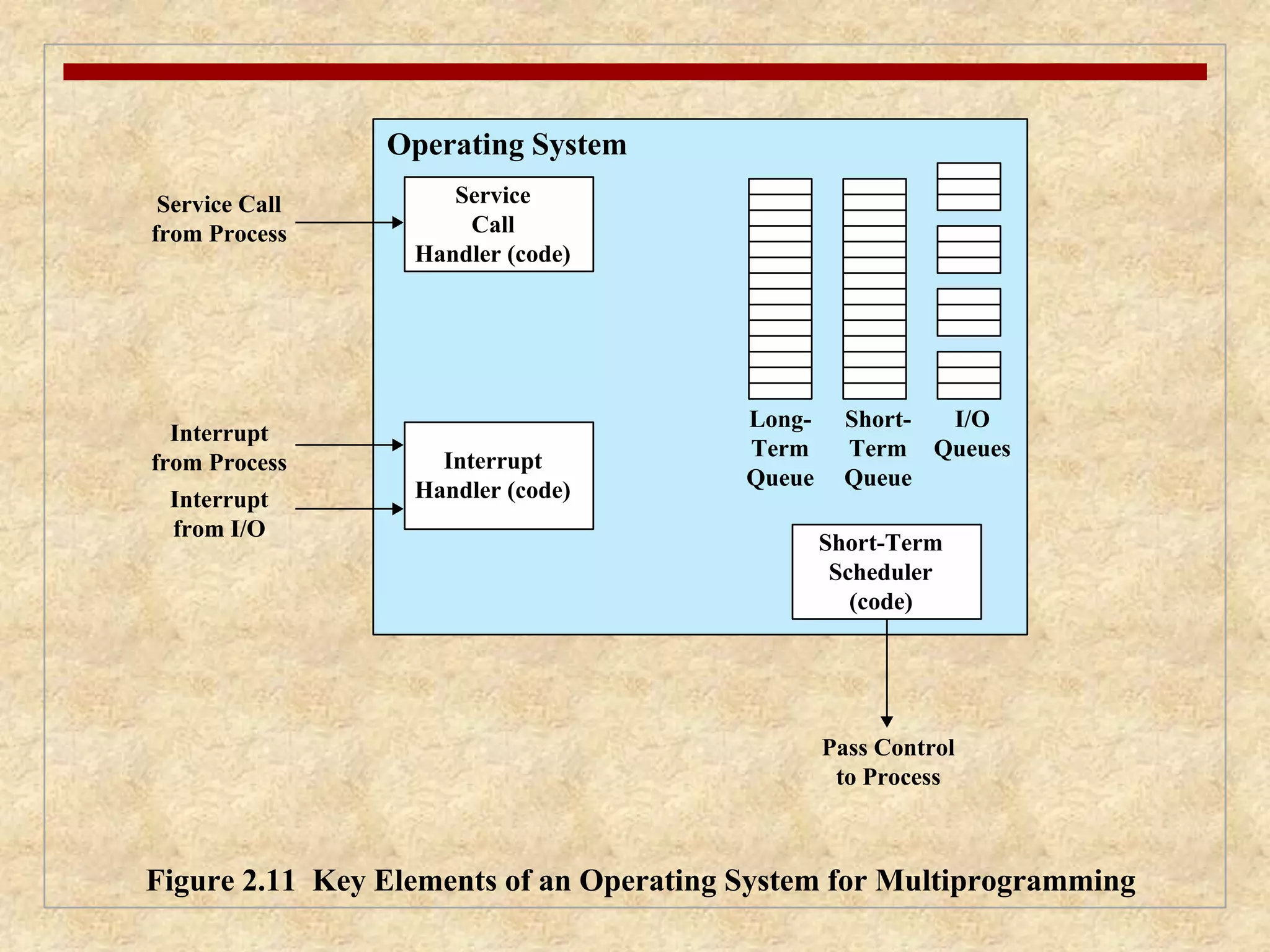
efficiency
43.
Service
Call
Handler(code)
Service Call
from Process
Interrupt
from Process
Pass Control
to Process
Interrupt
from I/O
Interrupt
Handler (code)
Short-Term
Scheduler
(code)
Long-
Term
Queue
Short-
Term
Queue
I/O
Queues
Operating System
Figure 2.11 Key Elements of an Operating System for Multiprogramming
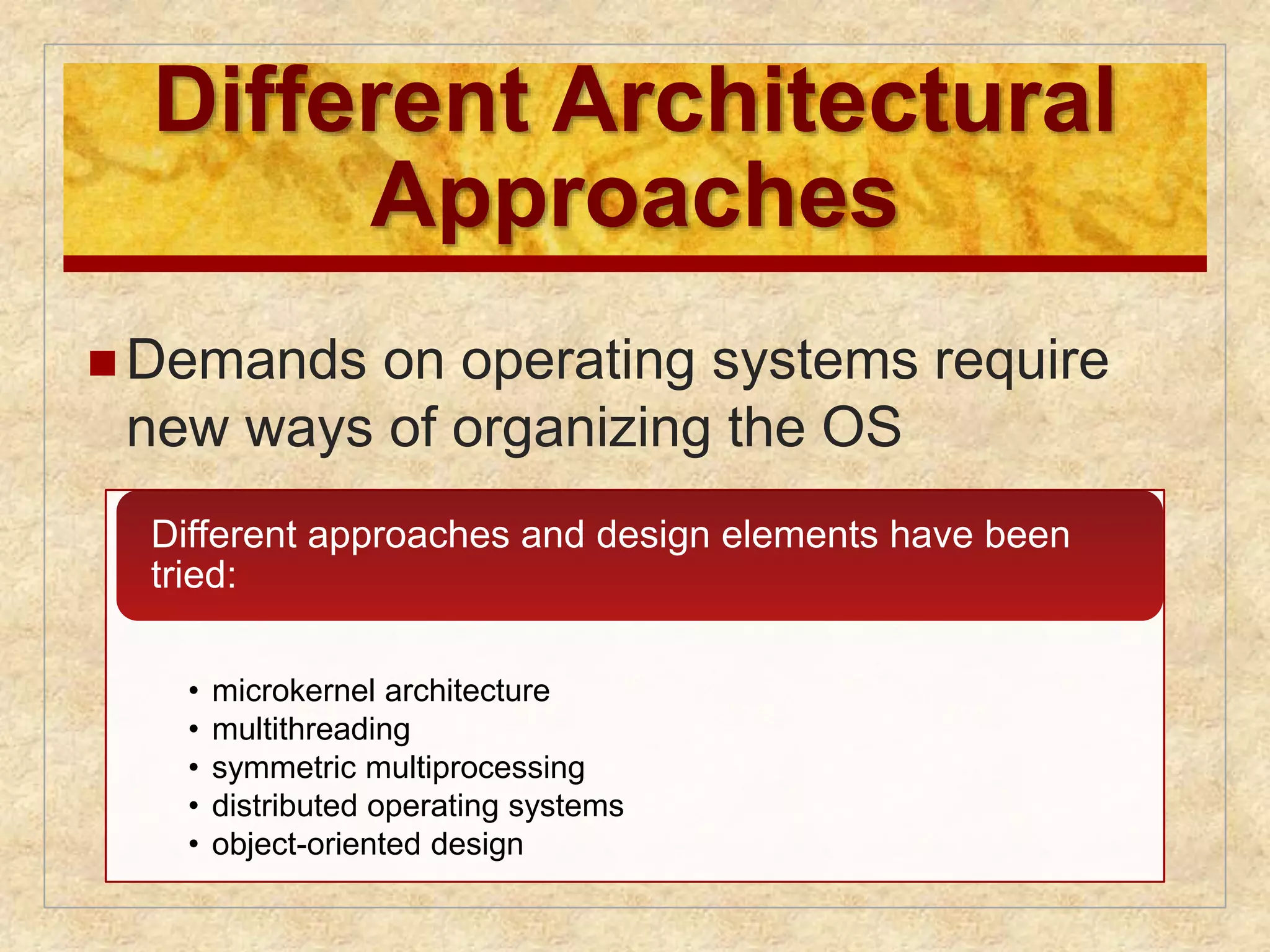
44.
Different Architectural
Approaches
Demands on operating systems require
new ways of organizing the OS
Different approaches and design elements have been
tried:
• microkernel architecture
• multithreading
• symmetric multiprocessing
• distributed operating systems
• object-oriented design
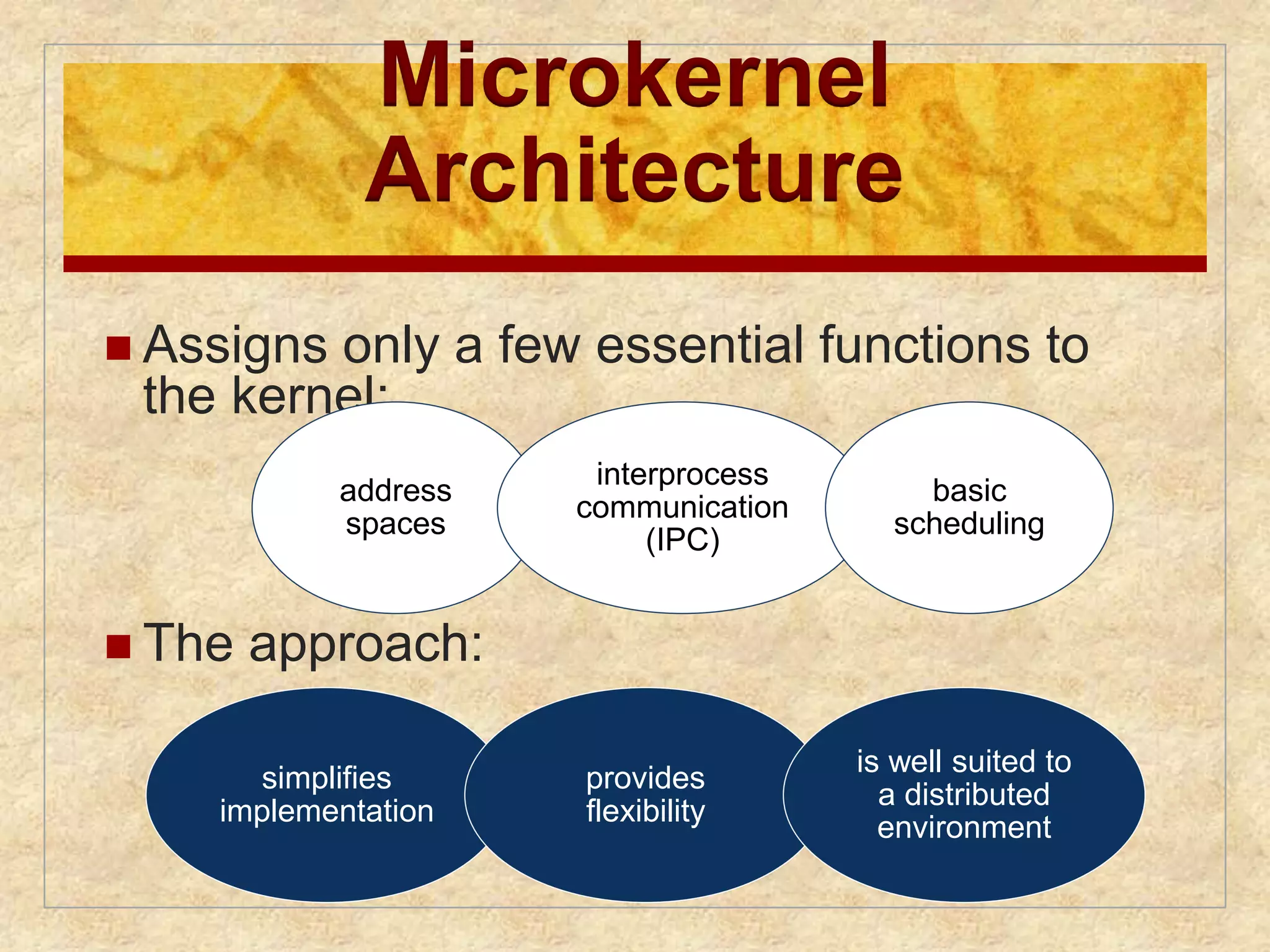
45.
Microkernel
Architecture
Assigns only a few essential functions to
the kernel:
address
spaces
The approach:
interprocess
communication
(IPC)
basic
scheduling
simplifies
implementation
provides
flexibility
is well suited to
a distributed
environment
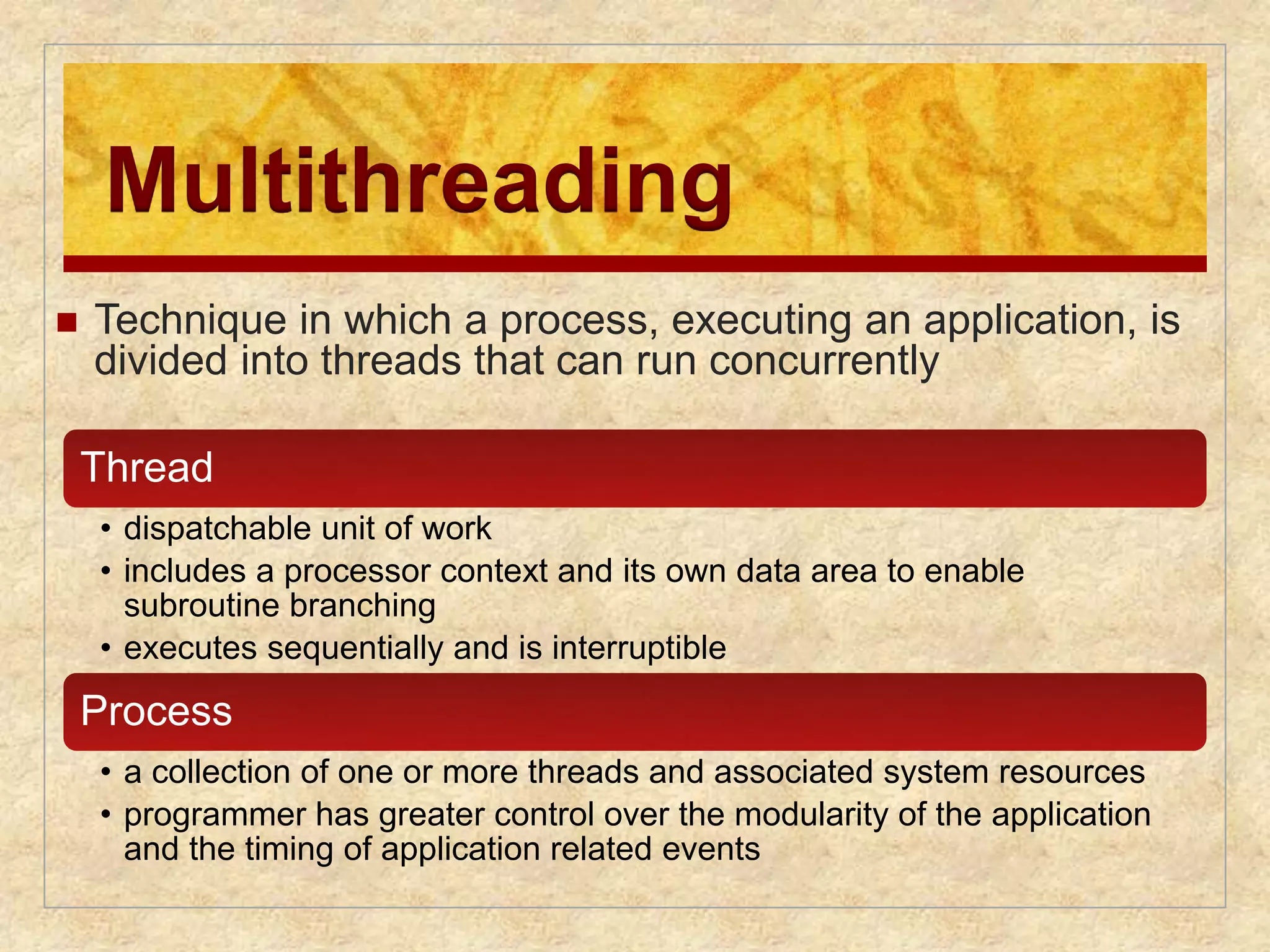
46.
Multithreading
Techniquein which a process, executing an application, is
divided into threads that can run concurrently
Thread
• dispatchable unit of work
• includes a processor context and its own data area to enable
subroutine branching
• executes sequentially and is interruptible
Process
• a collection of one or more threads and associated system resources
• programmer has greater control over the modularity of the application
and the timing of application related events
47.
Symmetric
Multiprocessing (SMP)
Term that refers to a computer hardware architecture and
also to the OS behavior that exploits that architecture
Several processes can run in parallel
Multiple processors are transparent to the user
these processors share same main memory and I/O
facilities
all processors can perform the same functions
The OS takes care of scheduling of threads or processes
on individual processors and of synchronization among
processors
48.
SMP Advantages
Performance
more than one process can be
running simultaneously, each on a
different processor
Availability
failure of a single process does
not halt the system
Incremental
Growth
performance of a system can
be enhanced by adding an
additional processor
Scaling
vendors can offer a range of
products based on the number of
processors configured in the system
49.
Process 1
Time
Figure 2.12 Multiprogramming and Multiprocessing
Process 2
Process 3
(a) Interleaving (multiprogramming, one processor)
Process 1
Process 2
Process 3
(b) Interleaving and overlapping (multiprocessing; two processors)
Blocked Running
50.
OS Design
DistributedOperating
System
Provides the illusion of
a single main memory
space
single secondary memory
space
unified access facilities
State of the art for distributed
operating systems lags that of
uniprocessor and SMP
operating systems
Object-Oriented
Design
Used for adding modular
extensions to a small kernel
Enables programmers to
customize an operating system
without disrupting system
integrity
Eases the development of
distributed tools and full-blown
distributed operating systems
51.
Fault Tolerance
Refers to the ability of a system or component to continue
normal operation despite the presence of hardware or
software faults
Typically involves some degree of redundancy
Intended to increase the reliability of a system
typically comes with a cost in financial terms or
performance
The extent adoption of fault tolerance measures must be
determined by how critical the resource is
52.
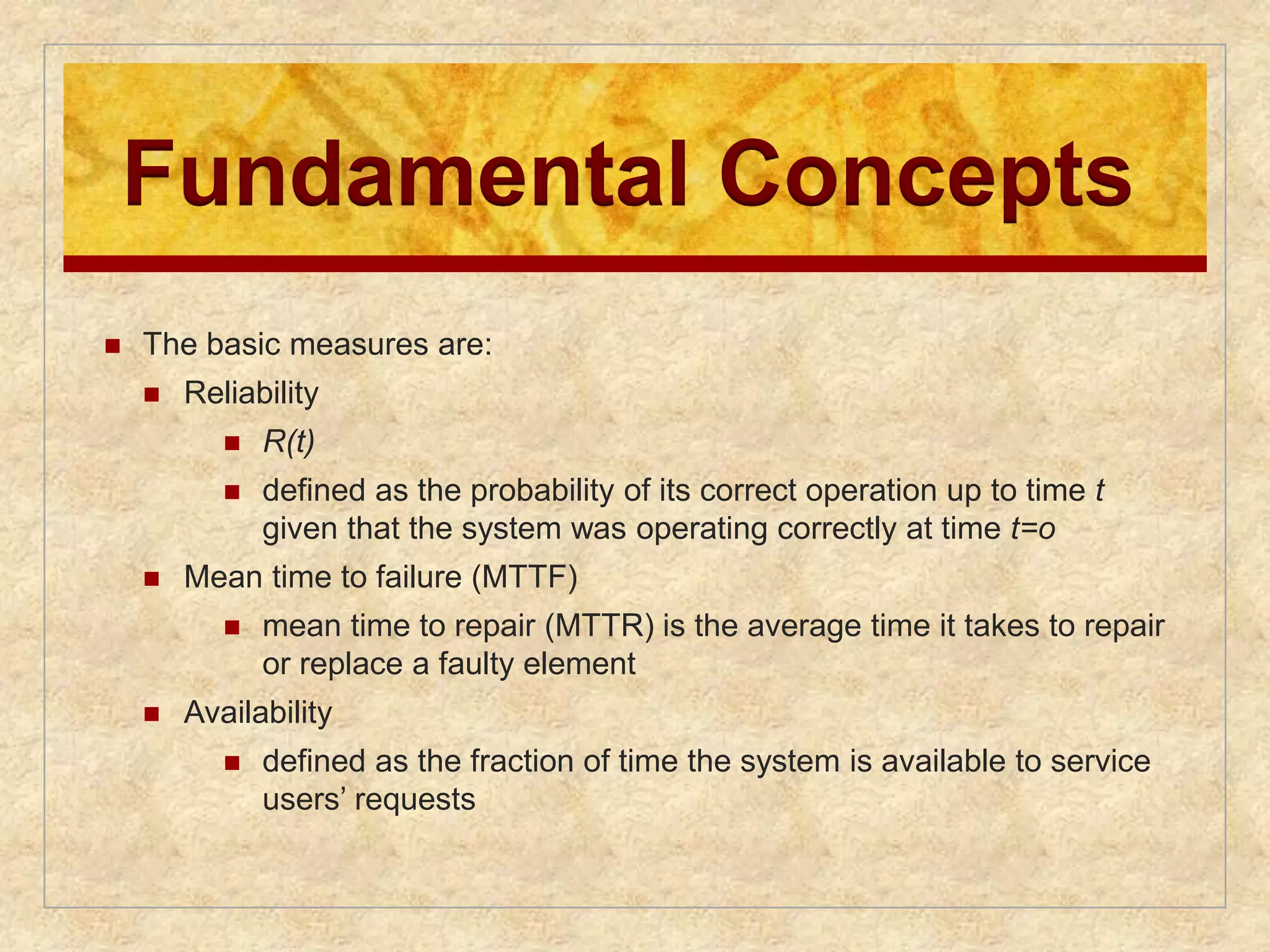
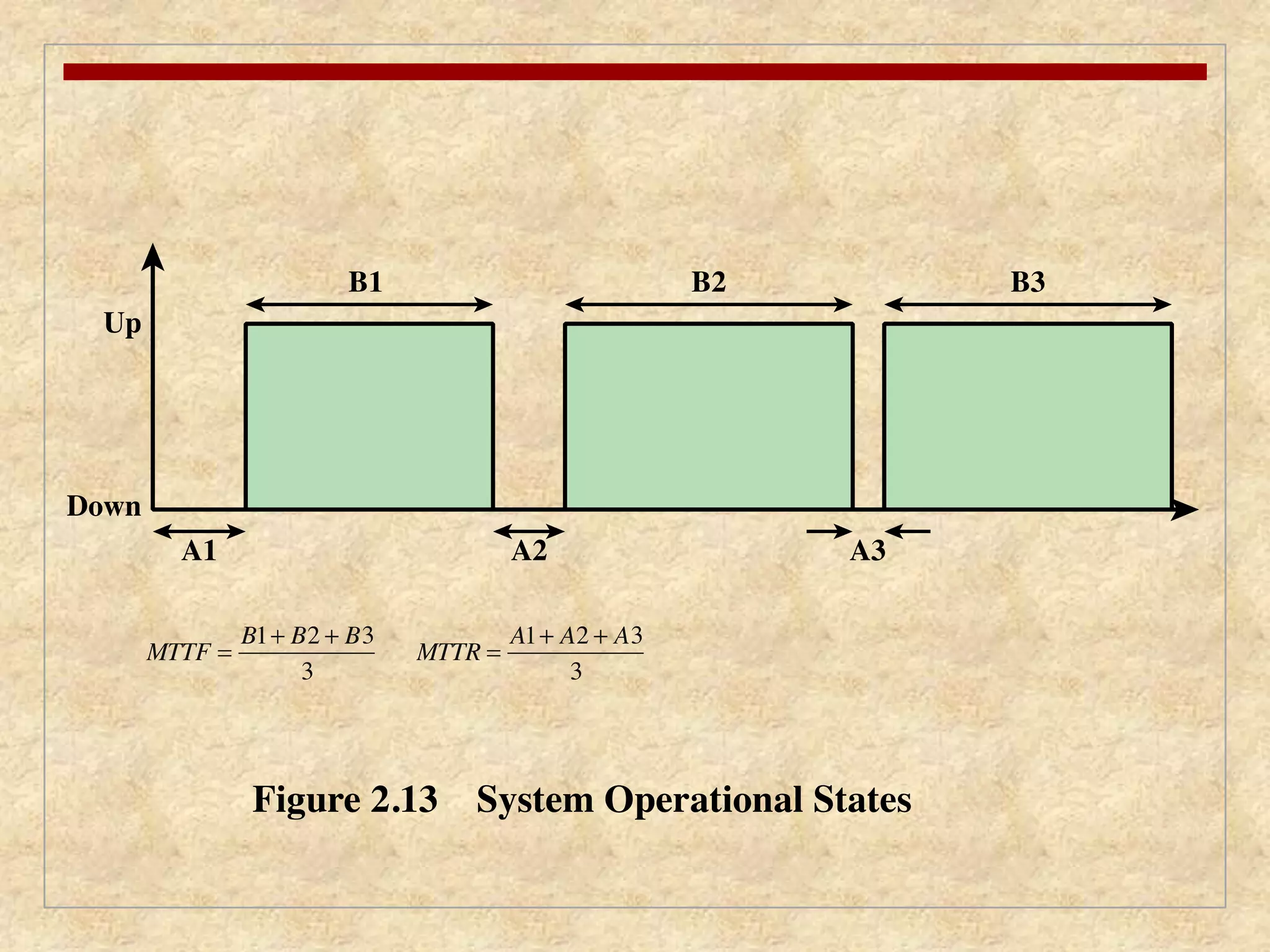
Fundamental Concepts
The basic measures are:
Reliability
R(t)
defined as the probability of its correct operation up to time t
given that the system was operating correctly at time t=o
Mean time to failure (MTTF)
mean time to repair (MTTR) is the average time it takes to repair
or replace a faulty element
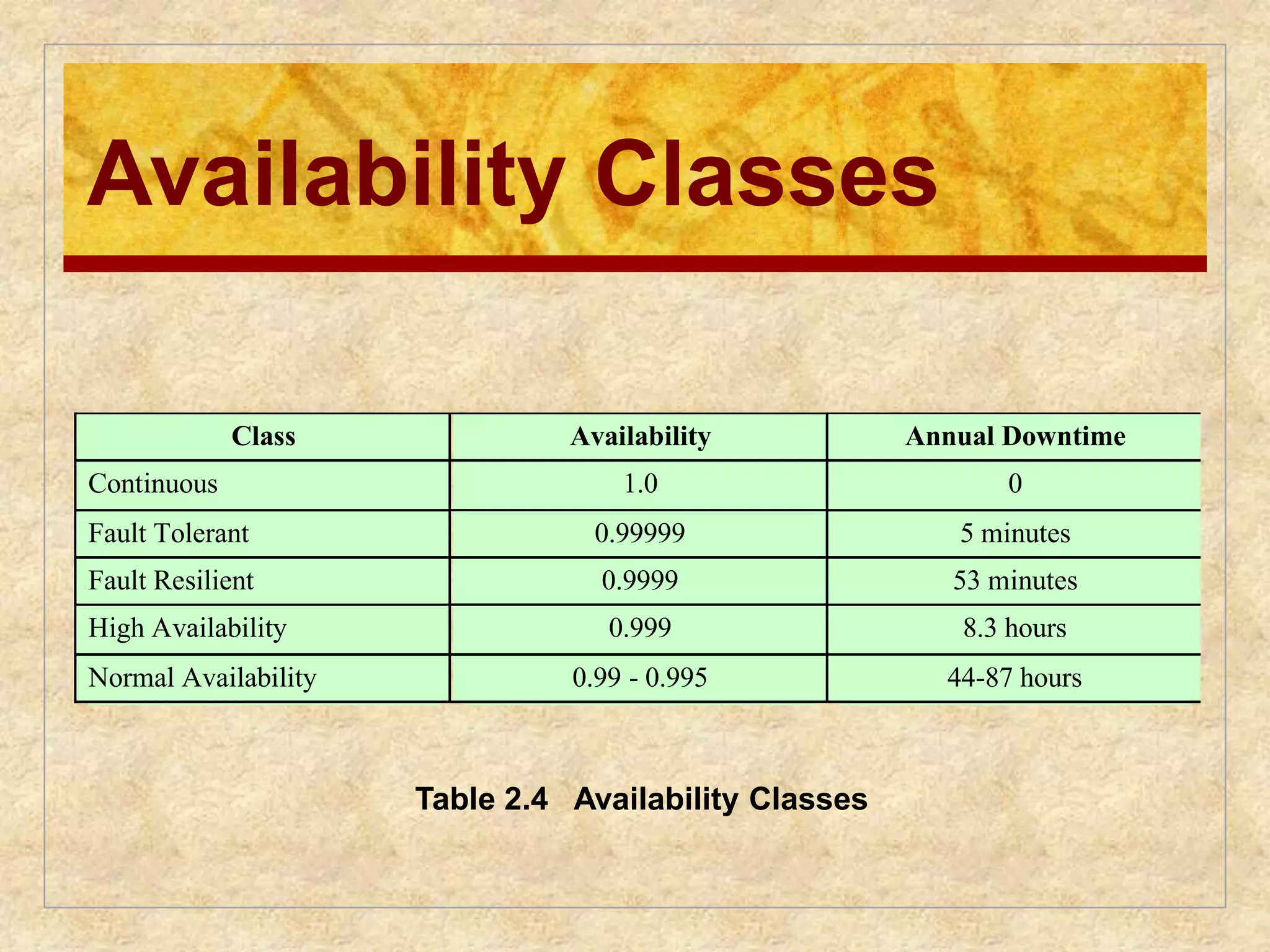
Availability
defined as the fraction of time the system is available to service
users’ requests
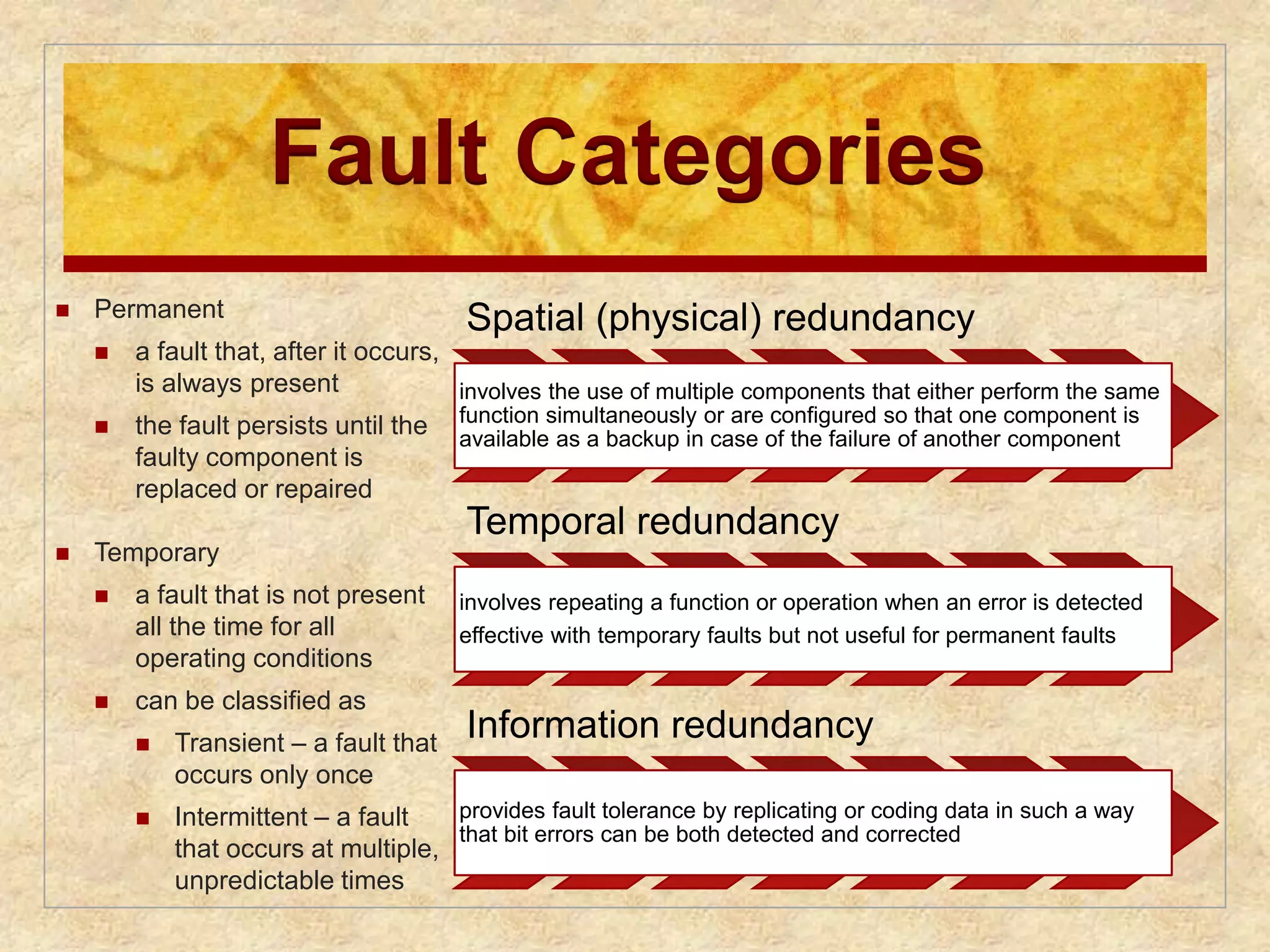
Fault Categories
Permanent
a fault that, after it occurs,
is always present
the fault persists until the
faulty component is
replaced or repaired
Temporary
a fault that is not present
all the time for all
operating conditions
can be classified as
Transient – a fault that
occurs only once
Intermittent – a fault
that occurs at multiple,
unpredictable times
Spatial (physical) redundancy
involves the use of multiple components that either perform the same
function simultaneously or are configured so that one component is
available as a backup in case of the failure of another component
Temporal redundancy
involves repeating a function or operation when an error is detected
effective with temporary faults but not useful for permanent faults
Information redundancy
provides fault tolerance by replicating or coding data in such a way
that bit errors can be both detected and corrected
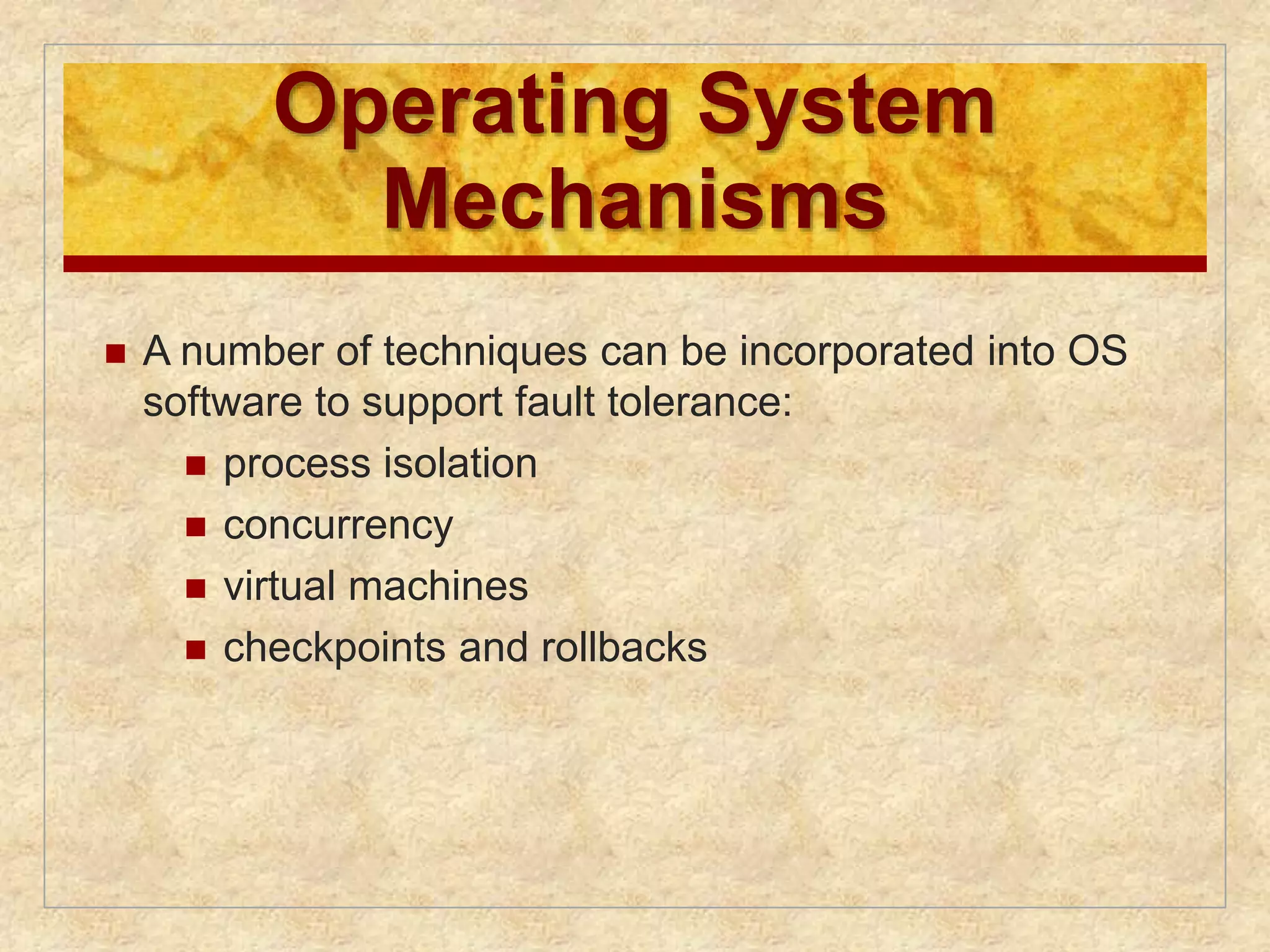
56.
Operating System
Mechanisms
A number of techniques can be incorporated into OS
software to support fault tolerance:
process isolation
concurrency
virtual machines
checkpoints and rollbacks
57.
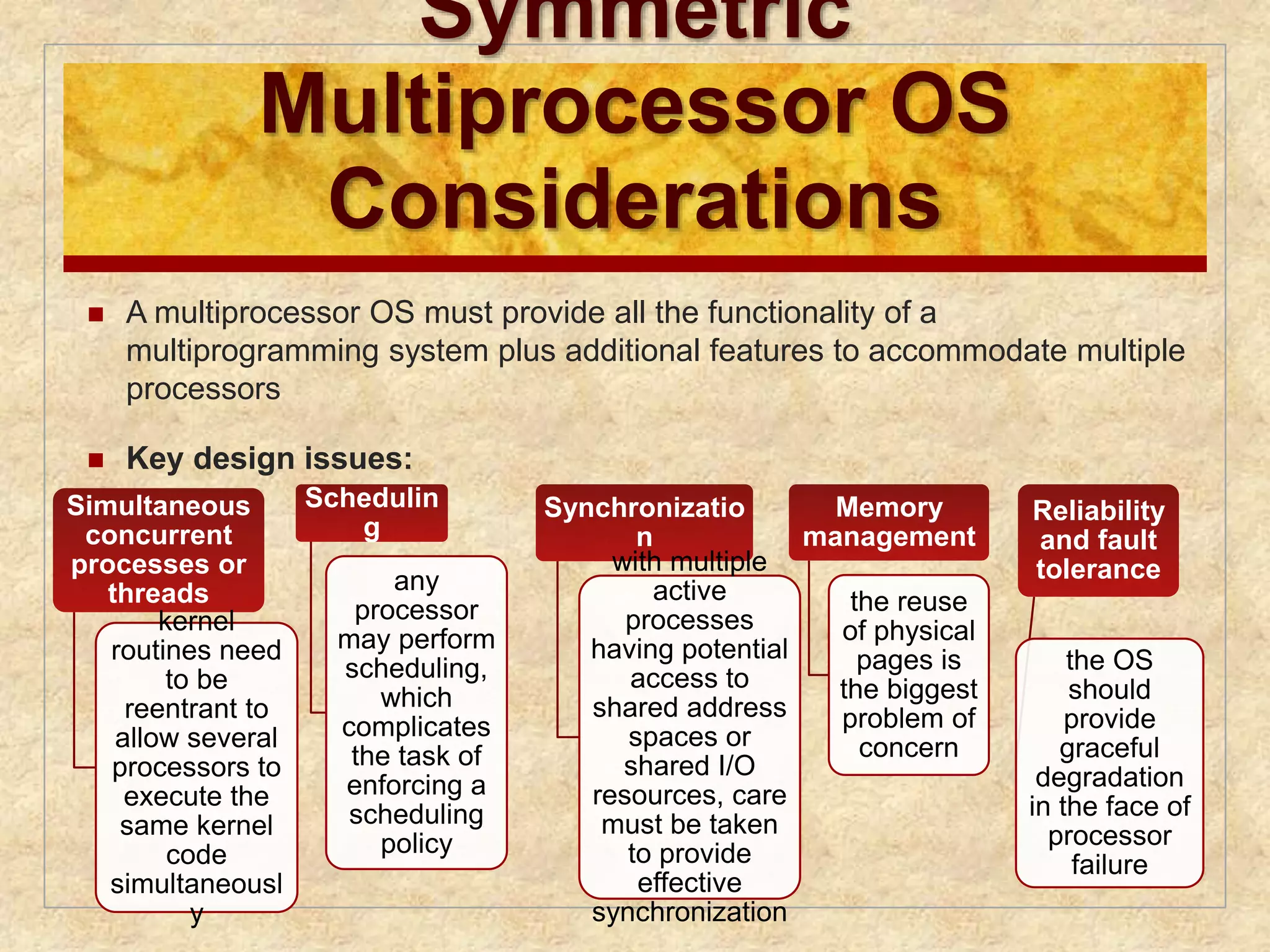
Symmetric
Multiprocessor OS
Considerations
A multiprocessor OS must provide all the functionality of a
multiprogramming system plus additional features to accommodate multiple
processors
Key design issues:
Simultaneous
concurrent
processes or
threads
kernel
routines need
to be
reentrant to
allow several
processors to
execute the
same kernel
code
simultaneousl
y
Schedulin
g
any
processor
may perform
scheduling,
which
complicates
the task of
enforcing a
scheduling
policy
Synchronizatio
n
with multiple
active
processes
having potential
access to
shared address
spaces or
shared I/O
resources, care
must be taken
to provide
effective
synchronization
Memory
management
the reuse
of physical
pages is
the biggest
problem of
concern
Reliability
and fault
tolerance
the OS
should
provide
graceful
degradation
in the face of
processor
failure
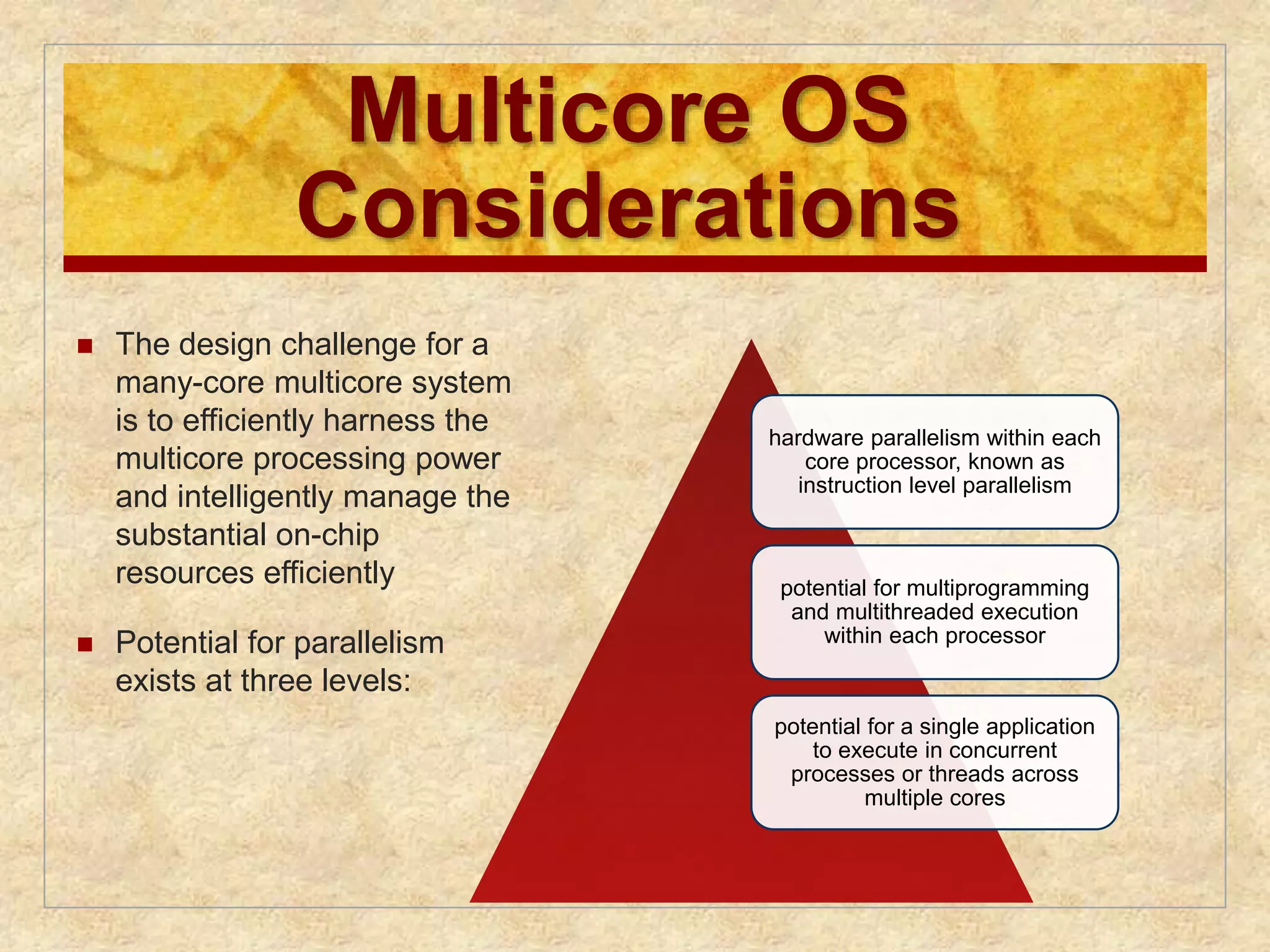
58.
Multicore OS
Considerations
The design challenge for a
many-core multicore system
is to efficiently harness the
multicore processing power
and intelligently manage the
substantial on-chip
resources efficiently
Potential for parallelism
exists at three levels:
hardware parallelism within each
core processor, known as
instruction level parallelism
potential for multiprogramming
and multithreaded execution
within each processor
potential for a single application
to execute in concurrent
processes or threads across
multiple cores
59.
Grand Central Dispatch
Developer must decide what pieces can or
should be executed simultaneously or in
parallel Grand Central Dispatch (GCD)
• implemented in Mac Os X 10.6
• helps a developer once something has been identified
that can be split off into a separate task
• thread pool mechanism
• allows anonymous functions as a way of specifying
tasks
60.
Virtual Machine Approach
Allows one or more cores to be dedicated to a
particular process and then leave the
processor alone to devote its efforts to that
process
Multicore OS could then act as a hypervisor
that makes a high-level decision to allocate
cores to applications but does little in the way
of resource allocation beyond that
61.
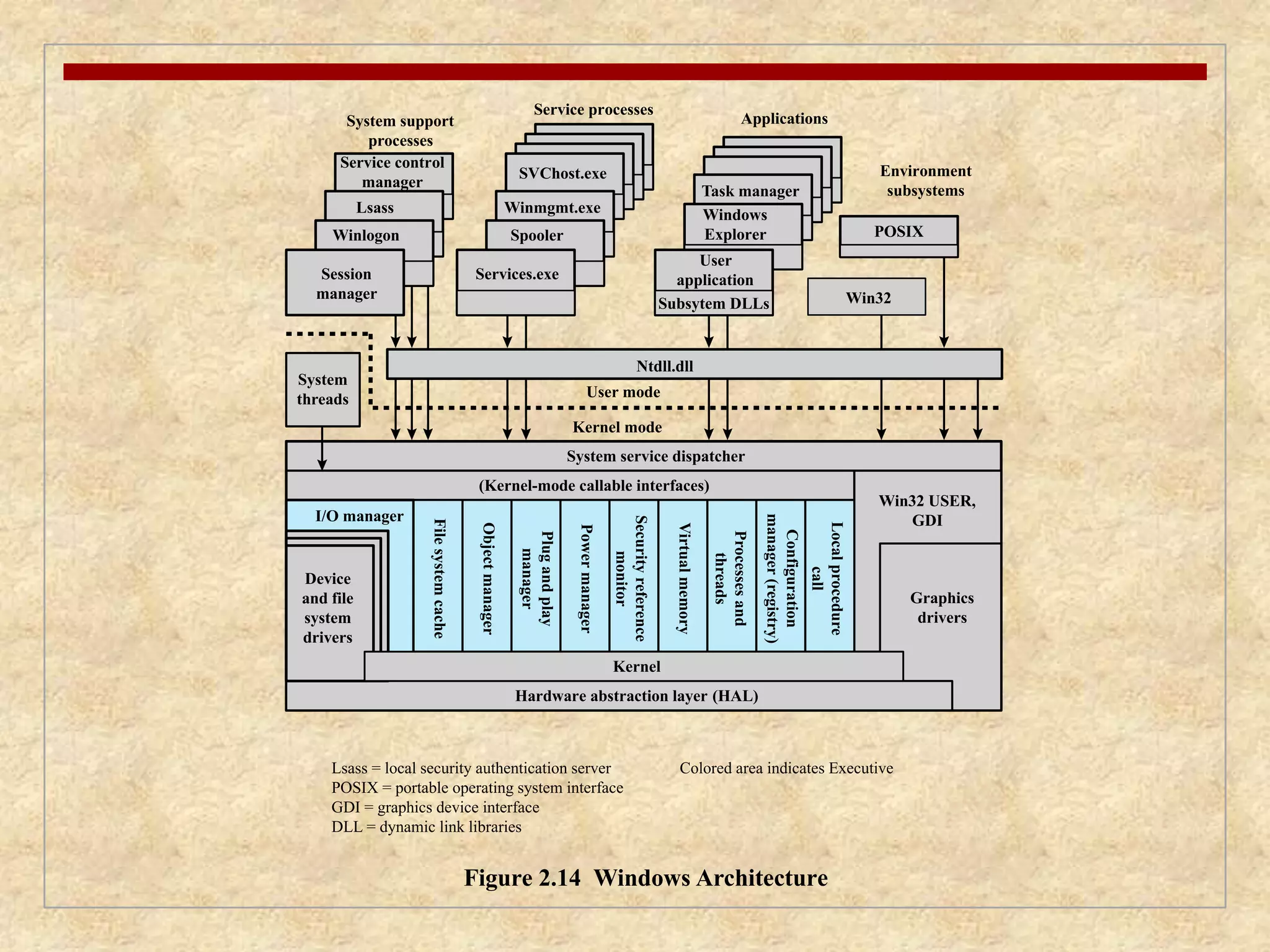
SVChost.exe
Winmgmt.exe
Usermode
Kernel mode
Spooler
Task manager
Figure 2.14 Windows Architecture
Lsass
Session
manager
System
threads
System service dispatcher
Winlogon
I/O manager
Lsass = local security authentication server
POSIX = portable operating system interface
GDI = graphics device interface
DLL = dynamic link libraries
Colored area indicates Executive
System support
processes
Service processes
Applications
Environment
subsystems
Service control
manager
Services.exe
User
application
Subsytem DLLs Win32
Ntdll.dll
Windows
Explorer
(Kernel-mode callable interfaces)
Win32 USER,
GDI
Graphics
drivers
Hardware abstraction layer (HAL)
File system cache
Object manager
Plug and play
manager
Power manager
Security reference
monitor
Virtual memory
Processes and
threads
Configuration
manager (registry)
Local procedure
call
POSIX
Device
and file
system
drivers
Kernel
62.
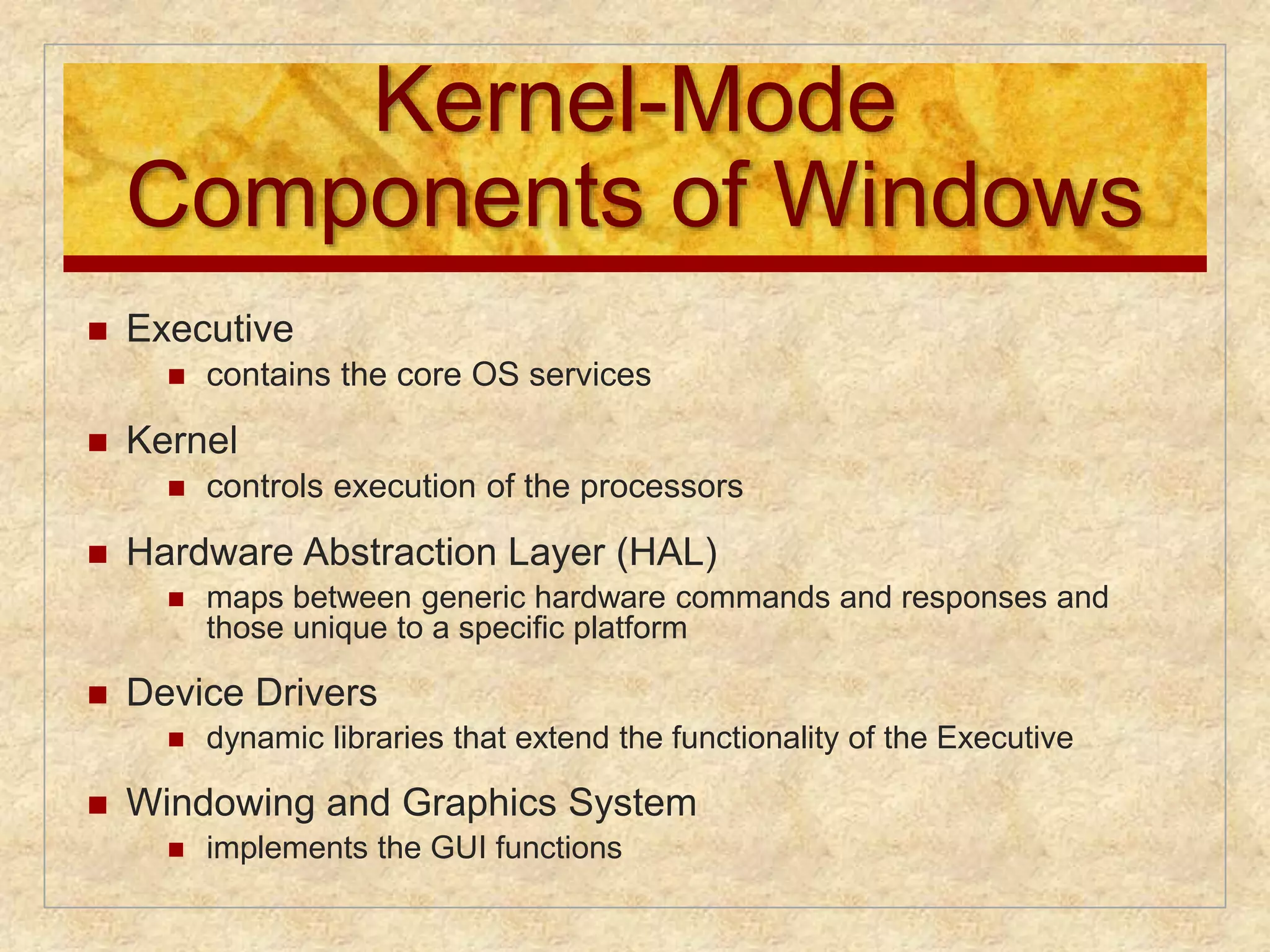
Kernel-Mode
Components ofWindows
Executive
contains the core OS services
Kernel
controls execution of the processors
Hardware Abstraction Layer (HAL)
maps between generic hardware commands and responses and
those unique to a specific platform
Device Drivers
dynamic libraries that extend the functionality of the Executive
Windowing and Graphics System
implements the GUI functions
63.
User-Mode Processes
Four basic types are supported by Windows:
• user-mode services needed to manage the system
Special System
Processes
• the printer spooler, event logger, and user-mode components
that cooperate with device drivers, and various network
services
Service Processes
• provide different OS personalities (environments)
Environment
Subsystems
• executables (EXEs) and DLLs that provide the functionality
users run to make use of the system User Applications
64.
Client/Server Model
Windows OS services,
environmental
subsystems, and
applications are all
structured using the
client/server model
Common in distributed
systems, but can be used
internal to a single
system
Processes communicate
via RPC
Advantages:
it simplifies the
Executive
it improves reliability
it provides a uniform
means for applications
to communicate with
services via RPCs
without restricting
flexibility
it provides a suitable
base for distributed
computing
65.
Threads and SMP
Two important characteristics of Windows are its support for
threads and for symmetric multiprocessing (SMP)
OS routines can run on any available processor, and different routines
can execute simultaneously on different processors
Windows supports the use of multiple threads of execution within a
single process. Multiple threads within the same process may execute
on different processors simultaneously
server processes may use multiple threads to process requests from
more than one client simultaneously
Windows provides mechanisms for sharing data and resources between
processes and flexible interprocess communication capabilities
66.
Windows Objects
Windows draws heavily on the concepts of
object-oriented design
Key object-oriented concepts used by Windows
are:
Encapsulation
Object
class and
instance
Inheritance Polymorphism
67.
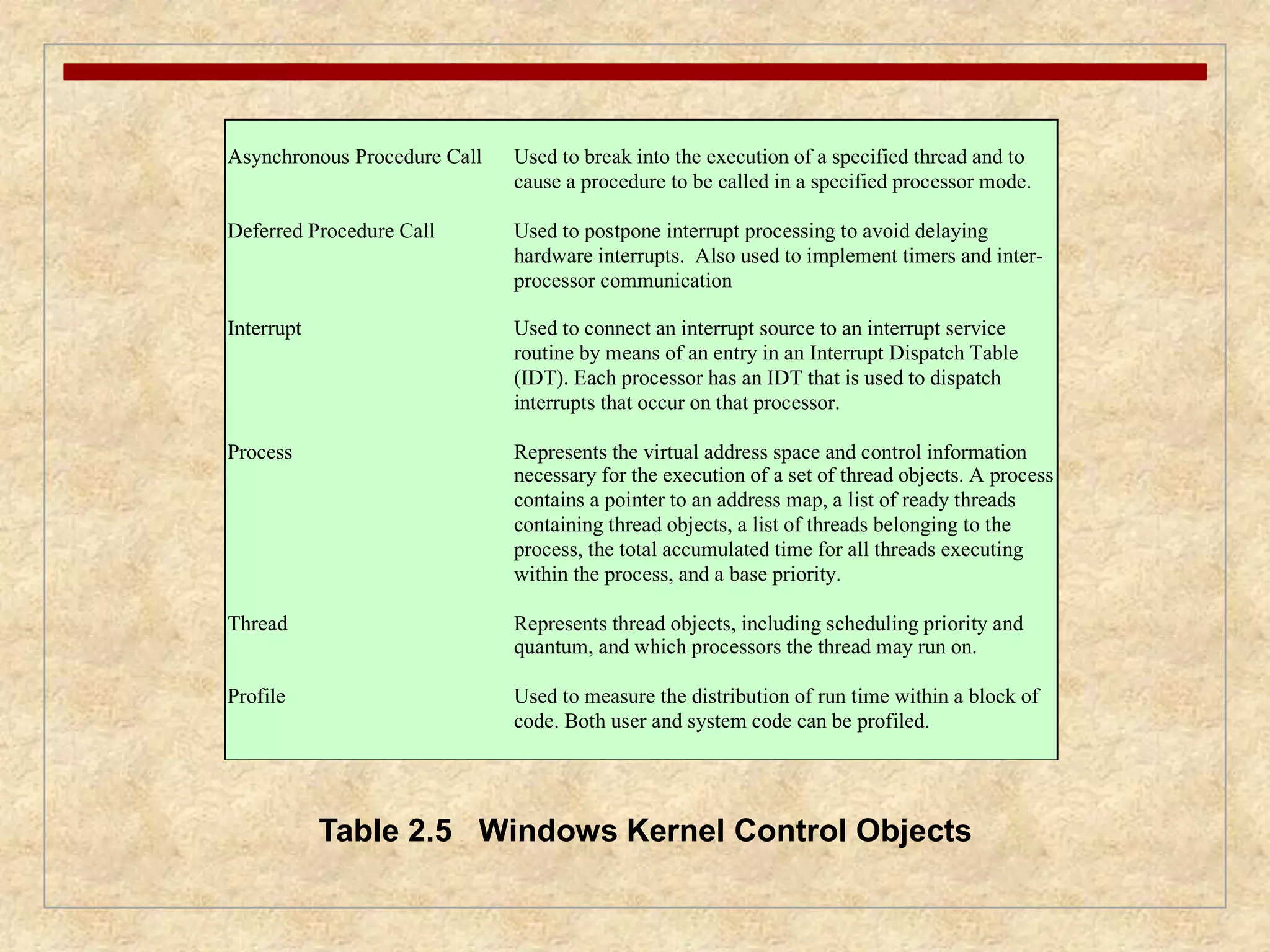
Asynchronous Procedure CallUsed to break into the execution of a specified thread and to
cause a procedure to be called in a specified processor mode.
Deferred Procedure Call Used to postpone interrupt processing to avoid delaying
hardware interrupts. Also used to implement timers and inter-processor
communication
Interrupt Used to connect an interrupt source to an interrupt service
routine by means of an entry in an Interrupt Dispatch Table
(IDT). Each processor has an IDT that is used to dispatch
interrupts that occur on that processor.
Process Represents the virtual address space and control information
necessary for the execution of a set of thread objects. A process
contains a pointer to an address map, a list of ready threads
containing thread objects, a list of threads belonging to the
process, the total accumulated time for all threads executing
within the process, and a base priority.
Thread Represents thread objects, including scheduling priority and
quantum, and which processors the thread may run on.
Profile Used to measure the distribution of run time within a block of
code. Both user and system code can be profiled.
Table 2.5 Windows Kernel Control Objects
68.
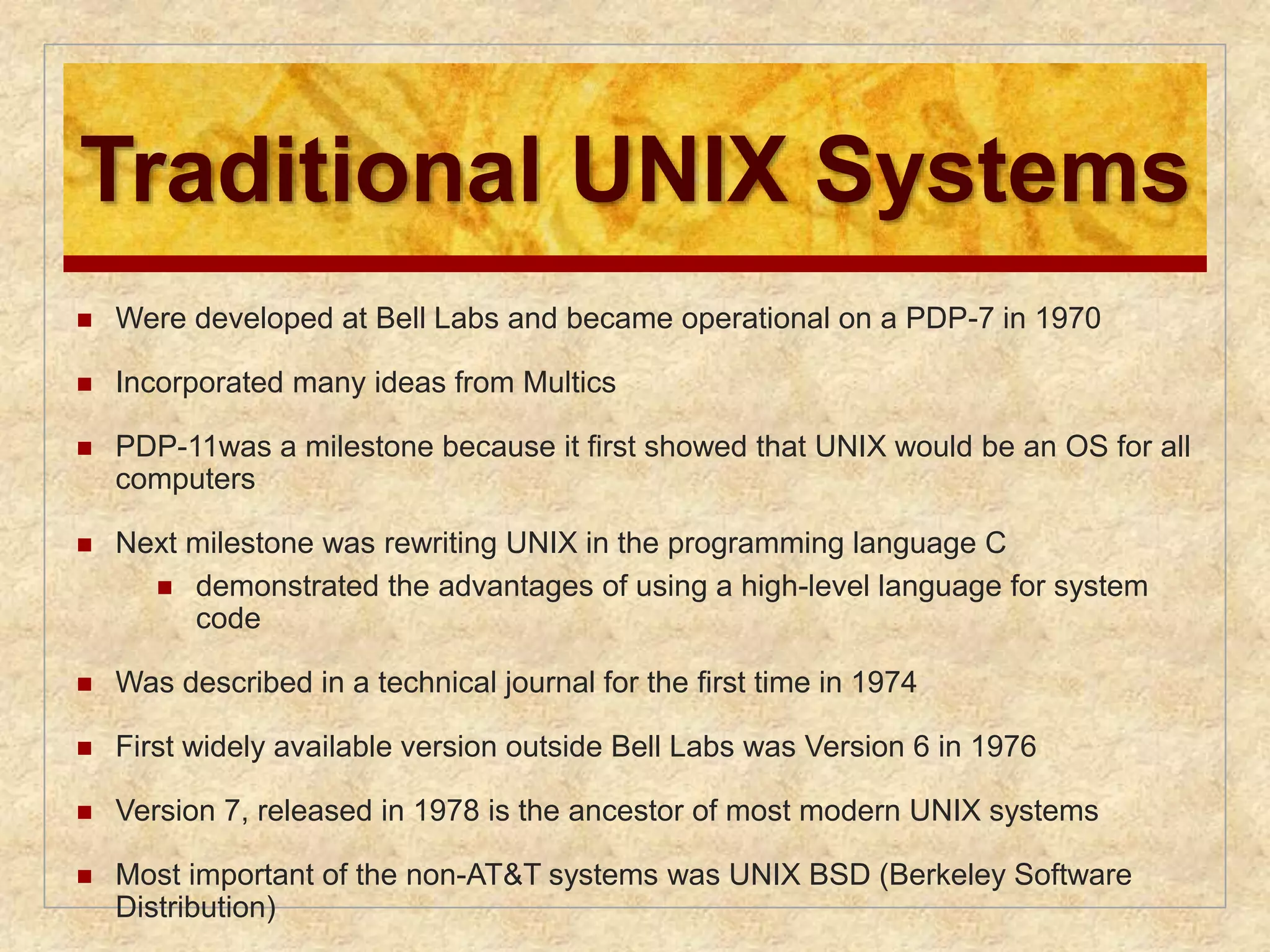
Traditional UNIX Systems
Were developed at Bell Labs and became operational on a PDP-7 in 1970
Incorporated many ideas from Multics
PDP-11was a milestone because it first showed that UNIX would be an OS for all
computers
Next milestone was rewriting UNIX in the programming language C
demonstrated the advantages of using a high-level language for system
code
Was described in a technical journal for the first time in 1974
First widely available version outside Bell Labs was Version 6 in 1976
Version 7, released in 1978 is the ancestor of most modern UNIX systems
Most important of the non-AT&T systems was UNIX BSD (Berkeley Software
Distribution)
69.
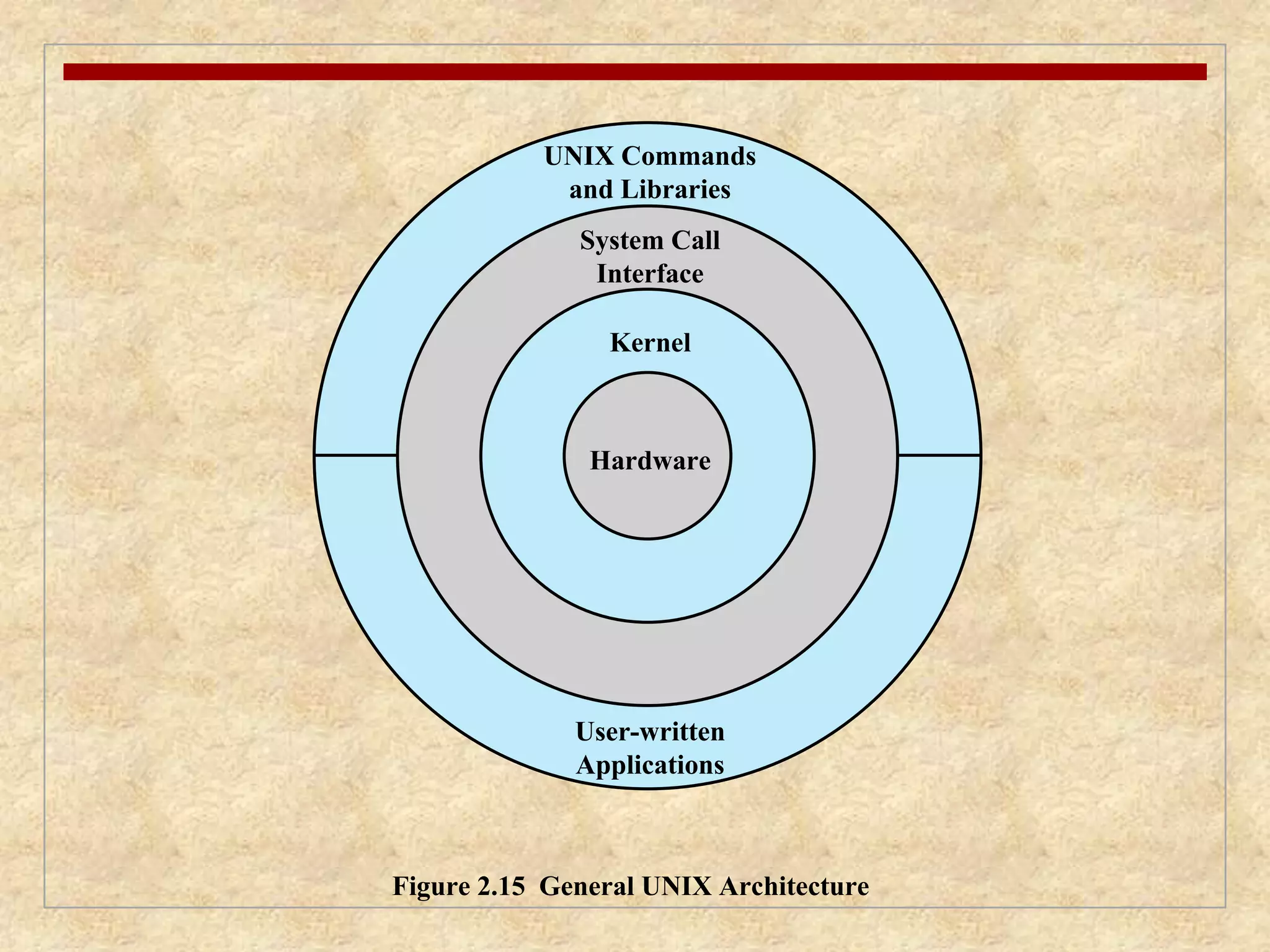
UNIX Commands
andLibraries
System Call
Interface
Kernel
Hardware
User-written
Applications
Figure 2.15 General UNIX Architecture
70.
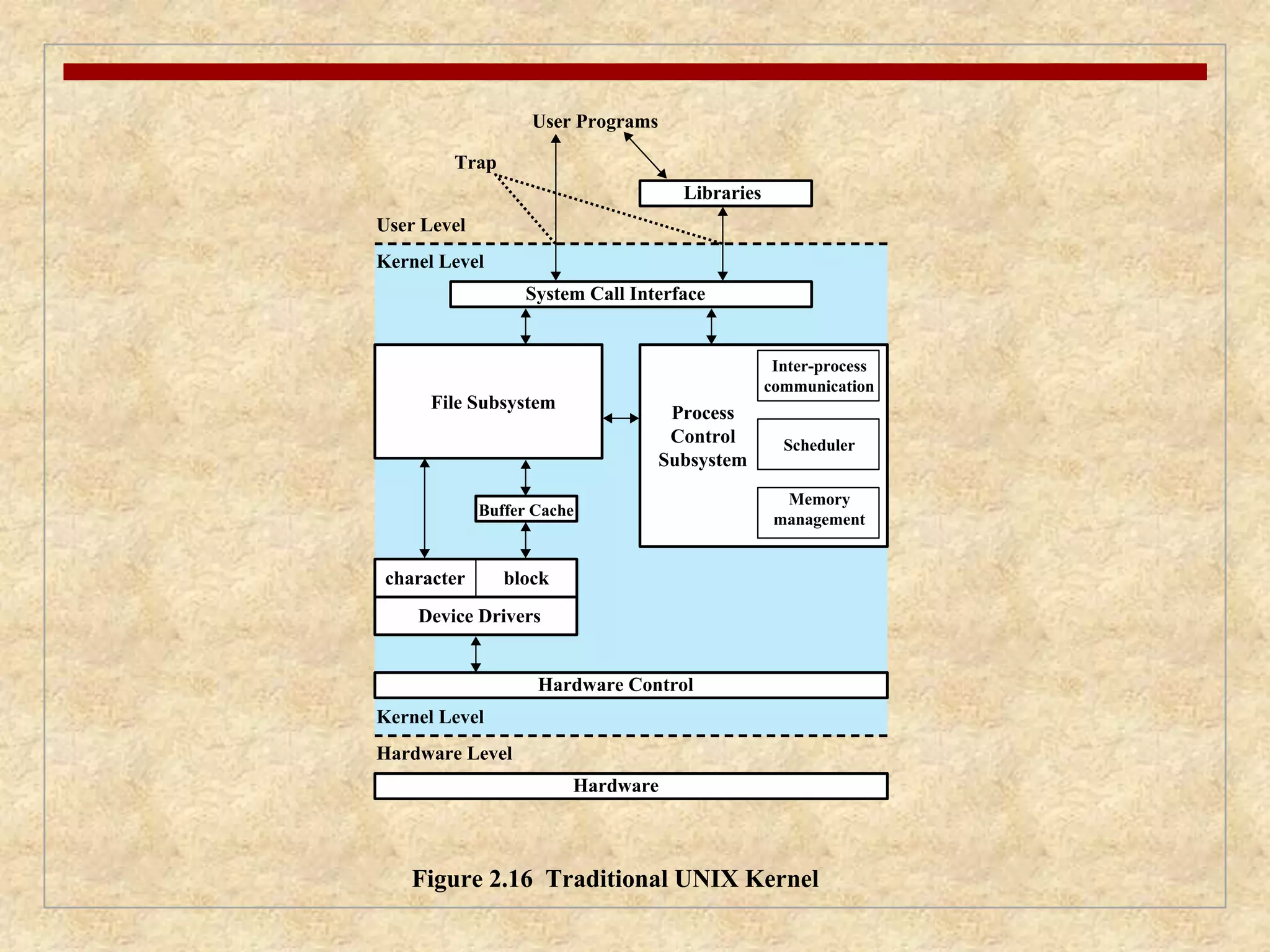
Libraries
System CallInterface
Process
Control
Subsystem
Buffer Cache
Hardware
User Level
Kernel Level
File Subsystem
character block
Device Drivers
Kernel Level
Hardware Level
User Programs
Trap
Hardware Control
Inter-process
communication
Scheduler
Memory
management
Figure 2.16 Traditional UNIX Kernel
System V Release4
(SVR4)
Developed jointly by AT&T and Sun Microsystems
Combines features from SVR3, 4.3BSD, Microsoft Xenix System V, and
SunOS
New features in the release include:
real-time processing support
process scheduling classes
dynamically allocated data structures
virtual memory management
virtual file system
preemptive kernel
73.
BSD
BerkeleySoftware Distribution
4.xBSD is widely used in academic installations and has served as the basis of a number
of commercial UNIX products
4.4BSD was the final version of BSD to be released by Berkeley
major upgrade to 4.3BSD
includes
a new virtual memory system
changes in the kernel structure
several other feature enhancements
FreeBSD
one of the most widely used and best documented versions
popular for Internet-based servers and firewalls
used in a number of embedded systems
Mac OS X is based on FreeBSD 5.0 and the Mach 3.0 microkernel
74.
Solaris 10
Sun’s SVR4-based UNIX release
Provides all of the features of SVR4 plus a number of more advanced
features such as:
a fully preemptable, multithreaded kernel
full support for SMP
an object-oriented interface to file systems
Most widely used and most successful commercial UNIX implementation
75.
LINUX Overview
Started out as a UNIX variant for the IBM PC
Linus Torvalds, a Finnish student of computer science, wrote the
initial version
Linux was first posted on the Internet in 1991
Today it is a full-featured UNIX system that runs on several
platforms
Is free and the source code is available
Key to success has been the availability of free software packages
Highly modular and easily configured
76.
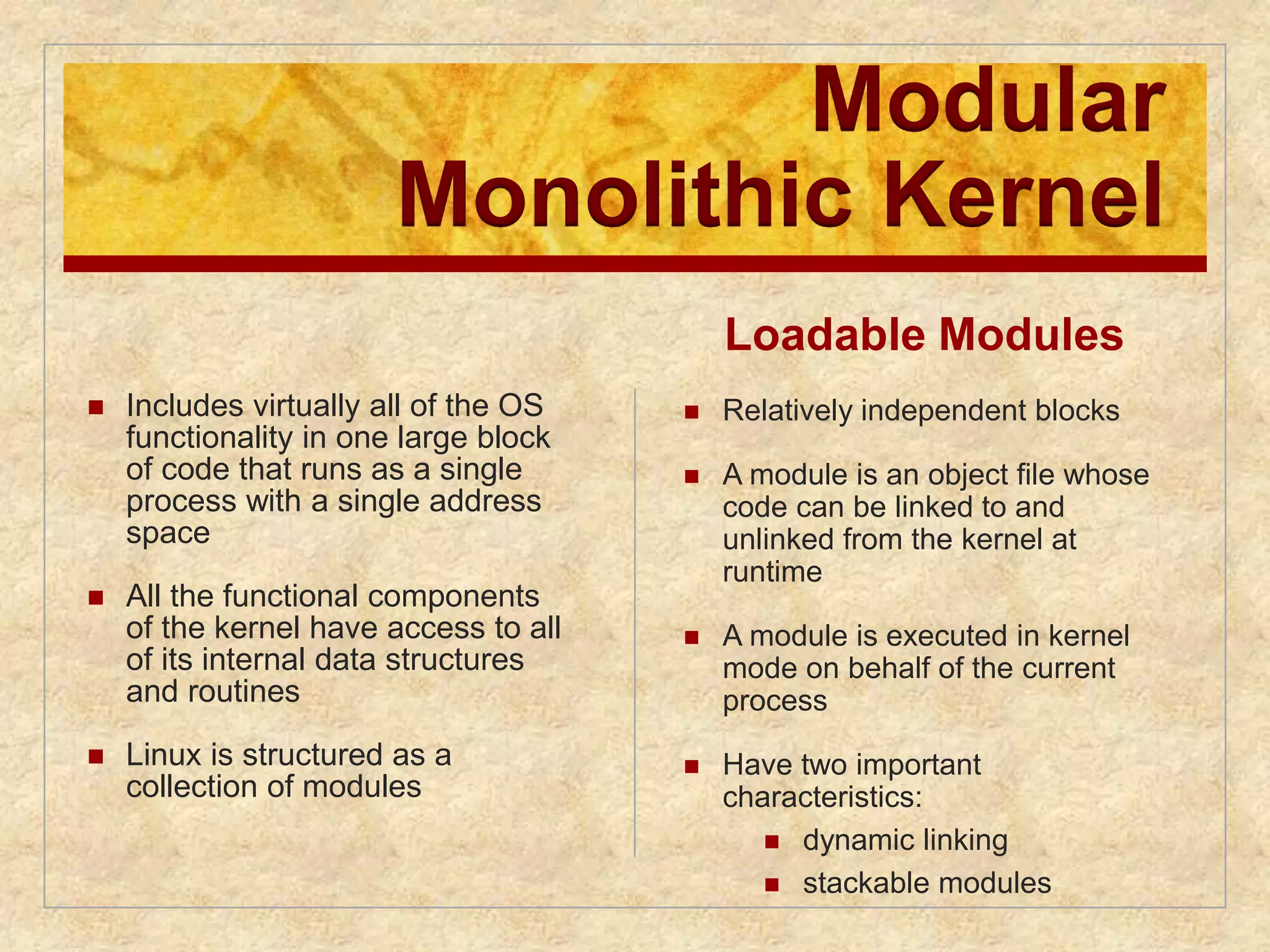
Modular
Monolithic Kernel
Includes virtually all of the OS
functionality in one large block
of code that runs as a single
process with a single address
space
All the functional components
of the kernel have access to all
of its internal data structures
and routines
Linux is structured as a
collection of modules
Loadable Modules
Relatively independent blocks
A module is an object file whose
code can be linked to and
unlinked from the kernel at
runtime
A module is executed in kernel
mode on behalf of the current
process
Have two important
characteristics:
dynamic linking
stackable modules
77.
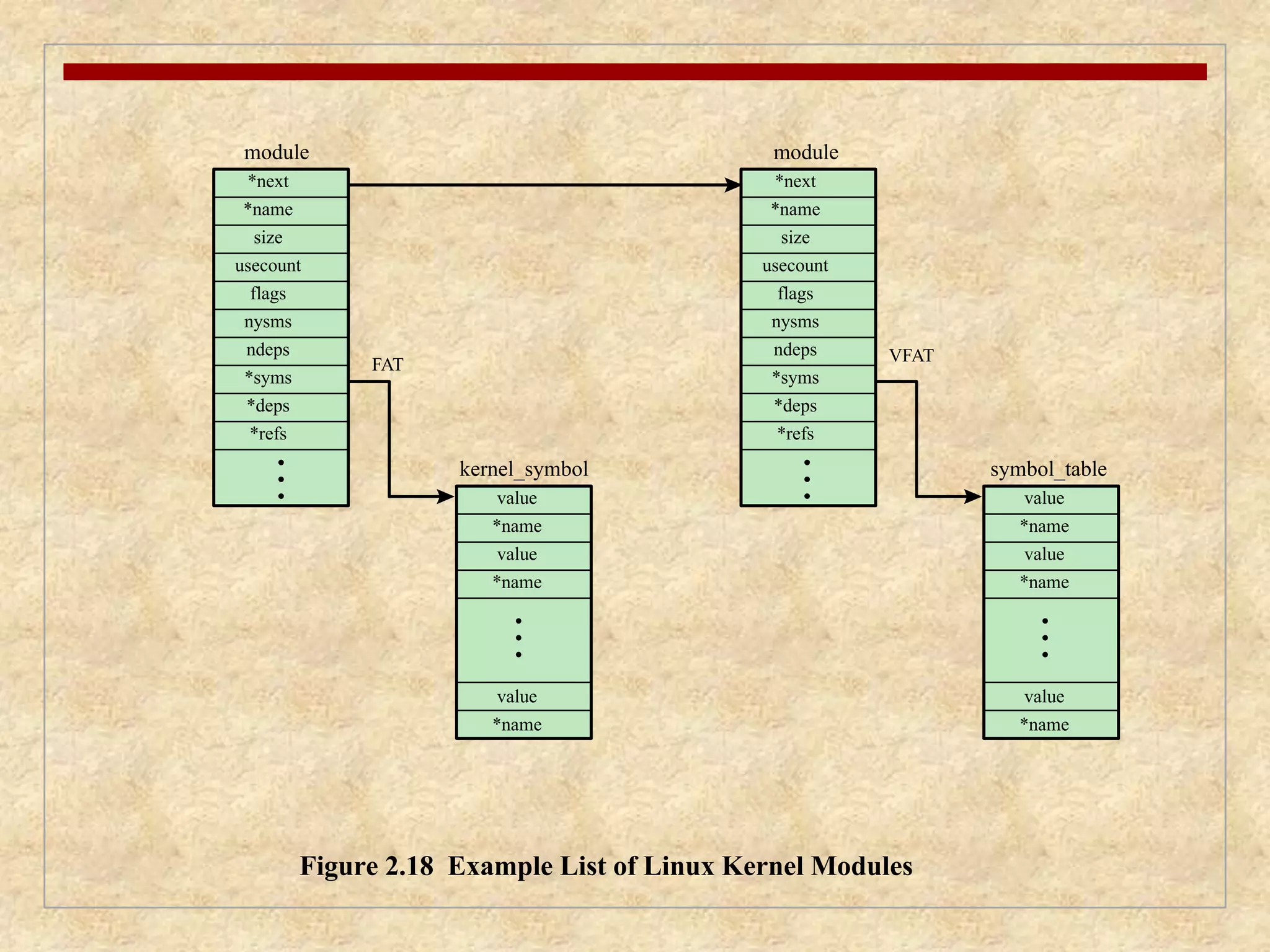
module
*next
*name
usecount
*next
*name
size
usecount
flags
nysms
ndeps
kernel_symbol
value
*name
Figure 2.18 Example List of Linux Kernel Modules
flags
nysms
ndeps
*syms
*deps
*refs
FAT
size
*syms
*deps
*refs
value
*name
value
*name
value
*name
value
*name
value
*name
VFAT
module
symbol_table
78.
signals system calls
processes
& scheduler
virtual
memory
physical
memory
system
memory
network inter-face
controller
interrupts
processes
char device
drivers
block device
drivers
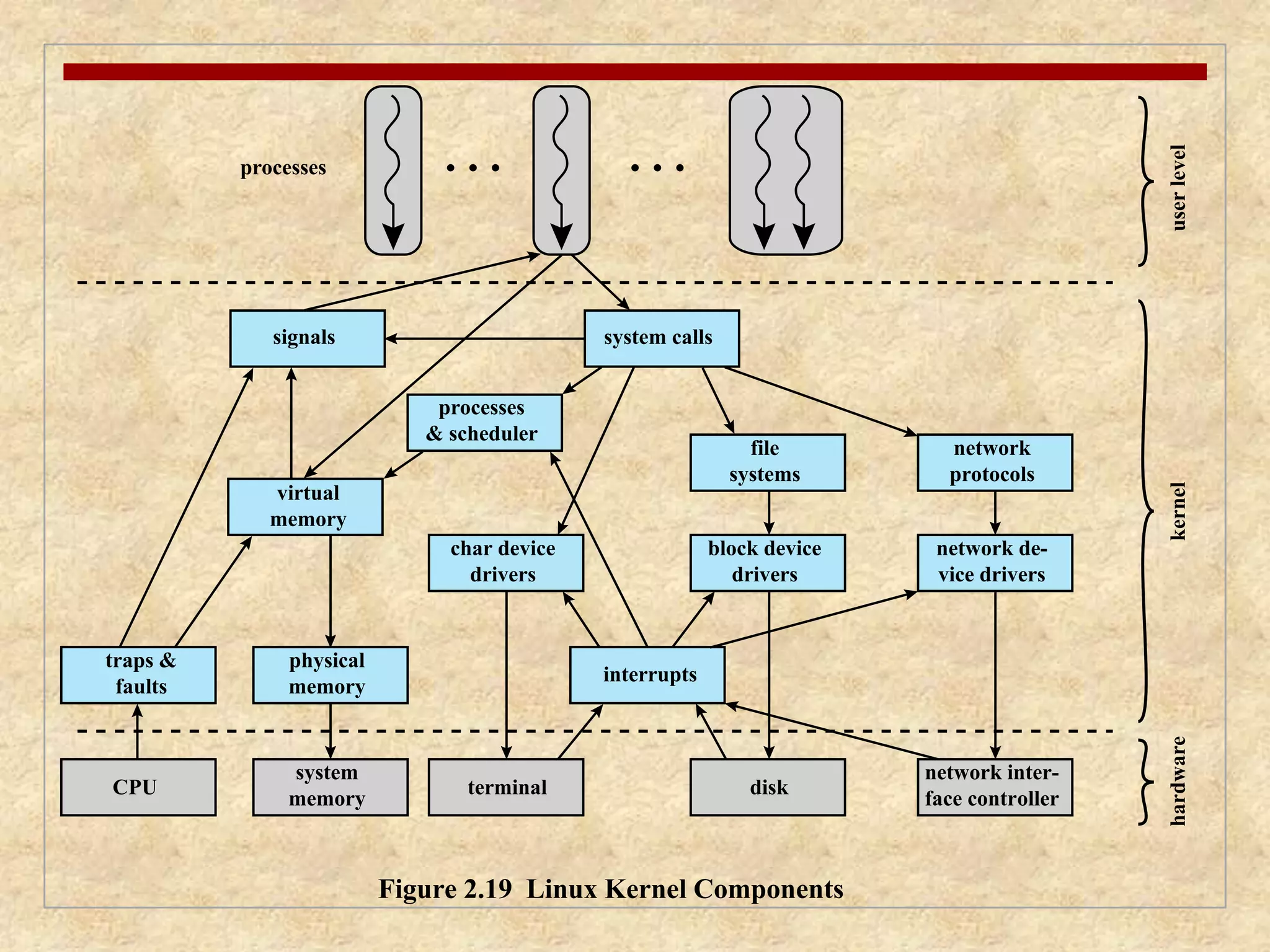
Figure 2.19 Linux Kernel Components
hardware kernel user level
traps &
faults
CPU terminal disk
network de-vice
drivers
file
systems
network
protocols
79.
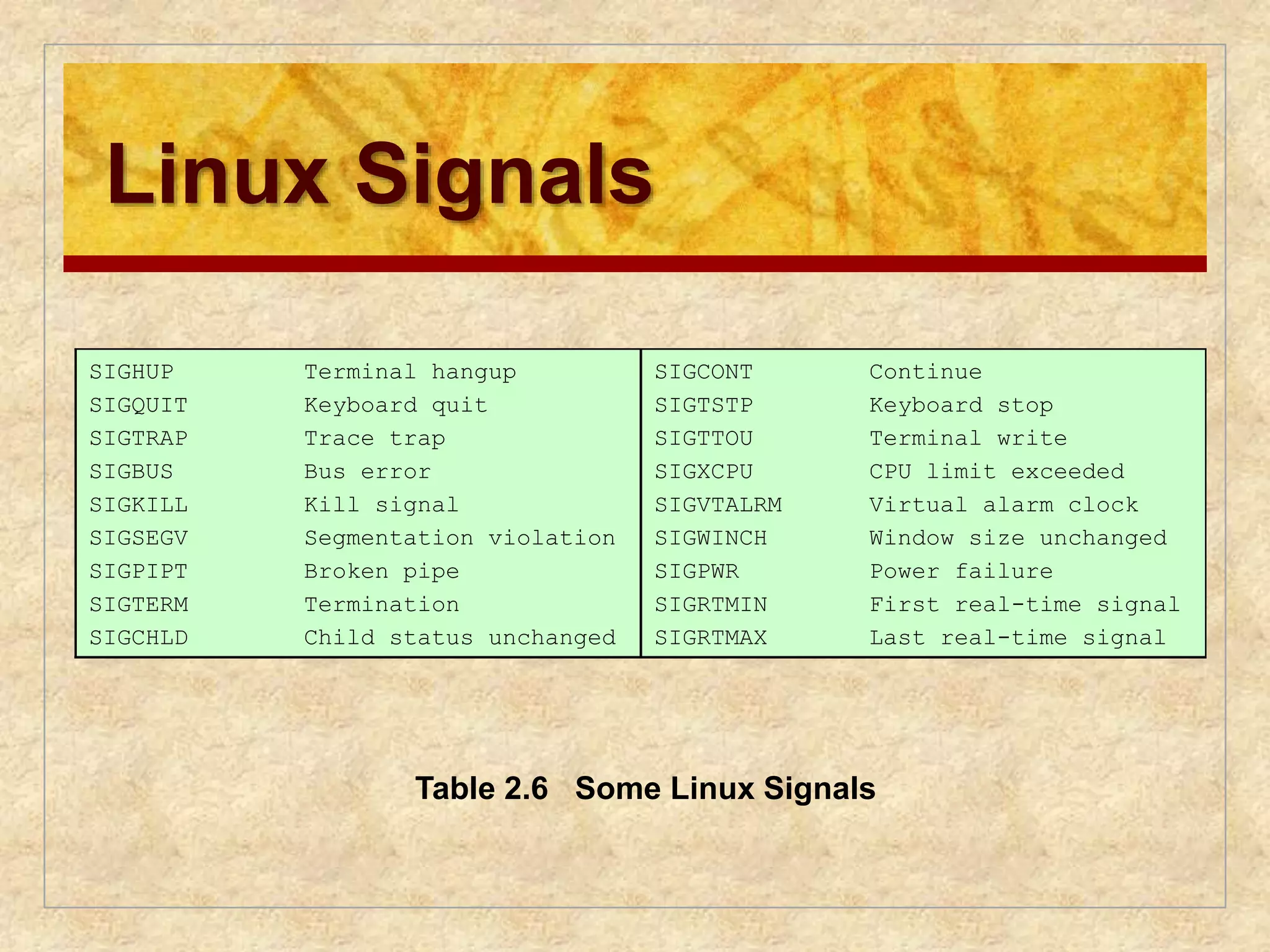
Linux Signals
SIGHUP
SIGQUIT
SIGTRAP
SIGBUS
SIGKILL
SIGSEGV
SIGPIPT
SIGTERM
SIGCHLD
Terminal hangup
Keyboard quit
Trace trap
Bus error
Kill signal
Segmentation violation
Broken pipe
Termination
Child status unchanged
SIGCONT
SIGTSTP
SIGTTOU
SIGXCPU
SIGVTALRM
SIGWINCH
SIGPWR
SIGRTMIN
SIGRTMAX
Continue
Keyboard stop
Terminal write
CPU limit exceeded
Virtual alarm clock
Window size unchanged
Power failure
First real-time signal
Last real-time signal
Table 2.6 Some Linux Signals
80.
Filesystem related
closeClose a file descriptor.
link Make a new name for a file.
open Open and possibly create a file or device.
read Read from file descriptor.
write Write to file descriptor
Process related
execve Execute program.
exit Terminate the calling process.
getpid Get process identification.
setuid Set user identity of the current process.
ptrace Provides a means by which a parent process my observe and control
the execution of another process, and examine and change its core
image and registers.
Scheduling related
sched_getparam Sets the scheduling parameters associated with the scheduling policy
for the process identified by pid.
sched_get_priority_max Returns the maximum priority value that can be used with the
scheduling algorithm identified by policy.
sched_setscheduler Sets both the scheduling policy (e.g., FIFO) and the associated
parameters for the process pid.
sched_rr_get_interval Writes into the timespec structure pointed to by the parameter tp the
round robin time quantum for the process pid.
sched_yield A process can relinquish the processor voluntarily without blocking
via this system call. The process will then be moved to the end of the
queue for its static priority and a new process gets to run.
Table 2.7 Some Linux System Calls (page 1 of 2)
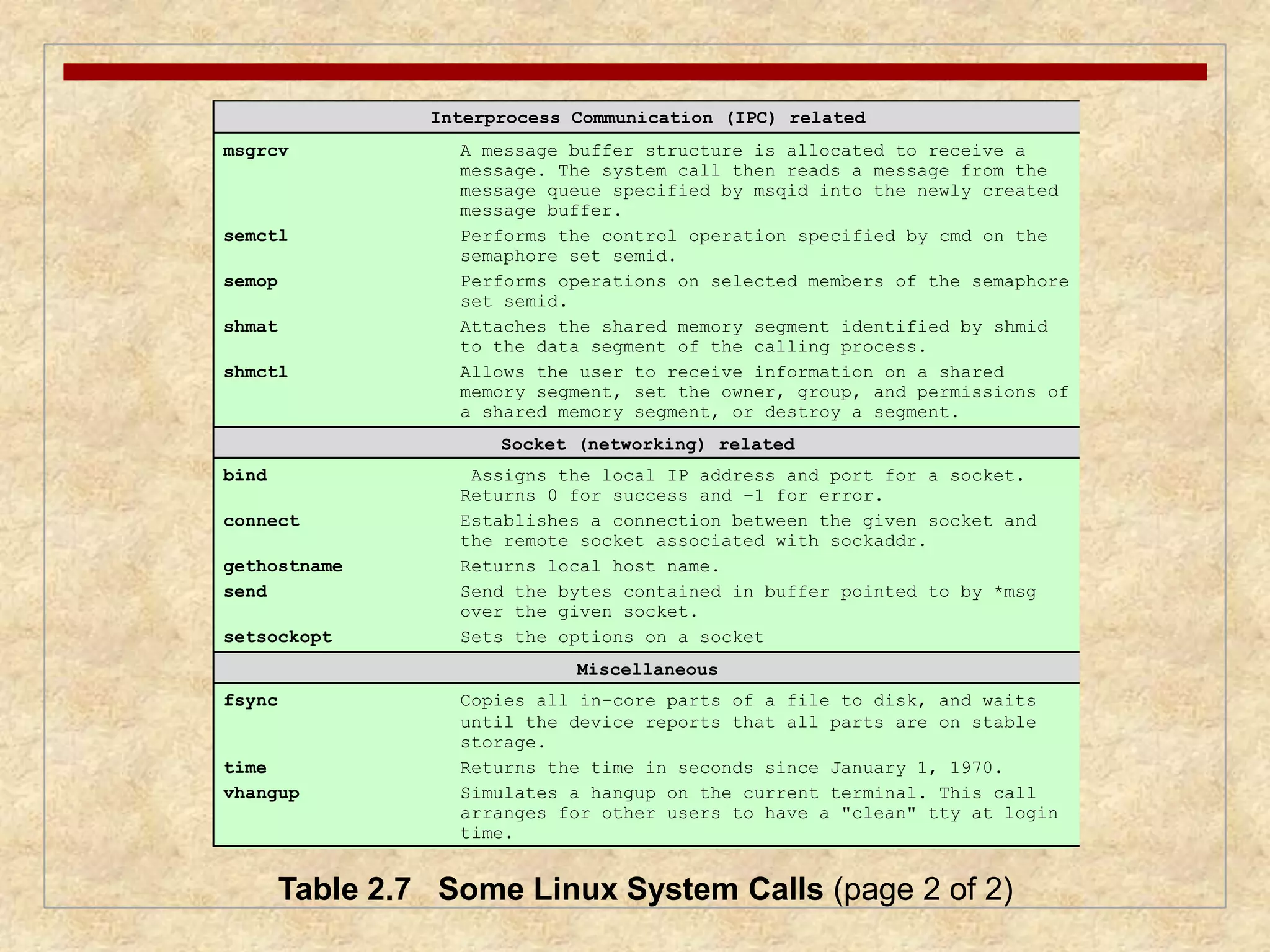
81.
Interprocess Communication (IPC)related
msgrcv A message buffer structure is allocated to receive a
message. The system call then reads a message from the
message queue specified by msqid into the newly created
message buffer.
semctl Performs the control operation specified by cmd on the
semaphore set semid.
semop Performs operations on selected members of the semaphore
set semid.
shmat Attaches the shared memory segment identified by shmid
to the data segment of the calling process.
shmctl Allows the user to receive information on a shared
memory segment, set the owner, group, and permissions of
a shared memory segment, or destroy a segment.
Socket (networking) related
bind Assigns the local IP address and port for a socket.
Returns 0 for success and –1 for error.
connect Establishes a connection between the given socket and
the remote socket associated with sockaddr.
gethostname Returns local host name.
send Send the bytes contained in buffer pointed to by *msg
over the given socket.
setsockopt Sets the options on a socket
Miscellaneous
fsync Copies all in-core parts of a file to disk, and waits
until the device reports that all parts are on stable
storage.
time Returns the time in seconds since January 1, 1970.
vhangup Simulates a hangup on the current terminal. This call
arranges for other users to have a "clean" tty at login
time.
Table 2.7 Some Linux System Calls (page 2 of 2)
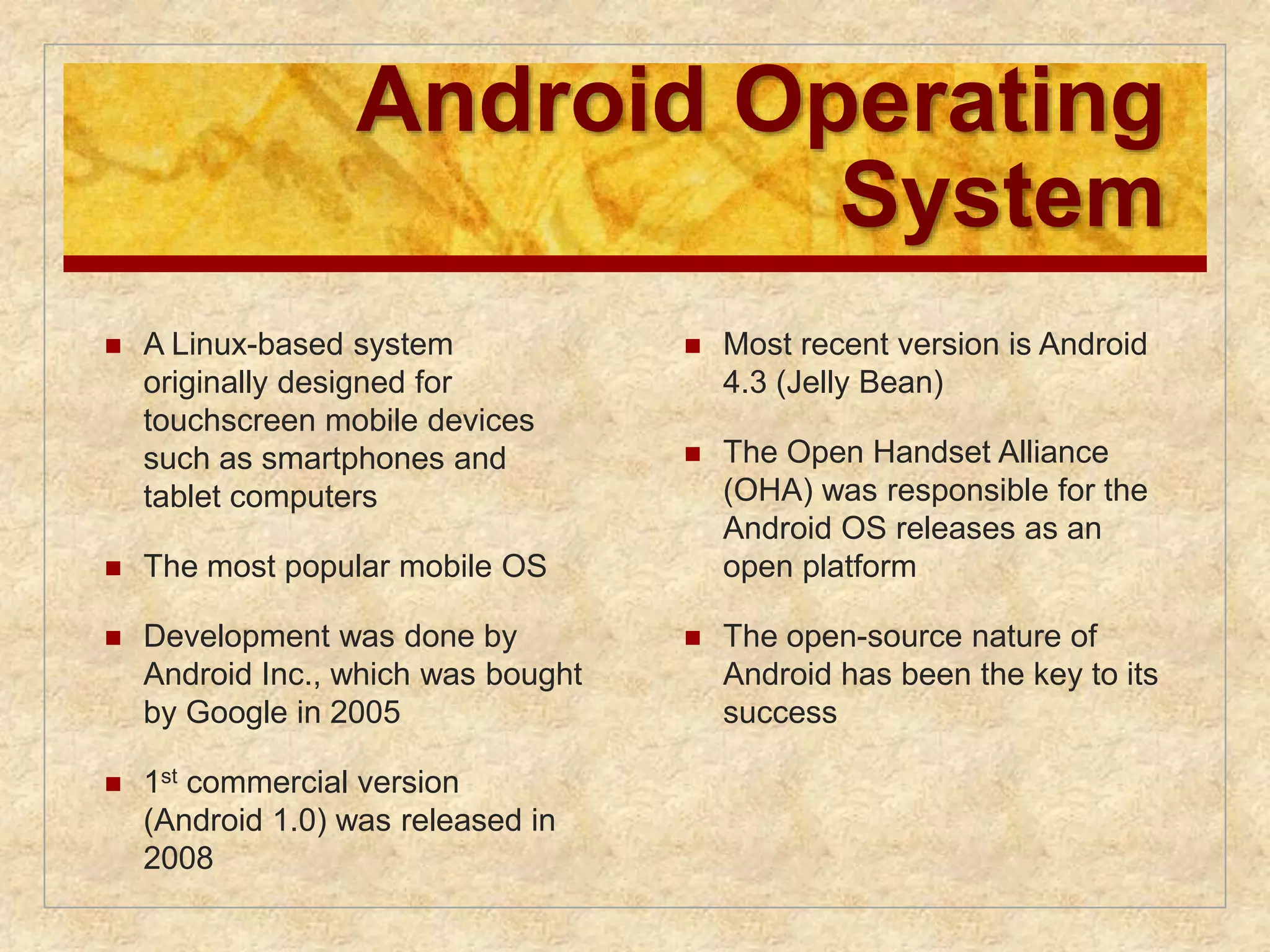
82.
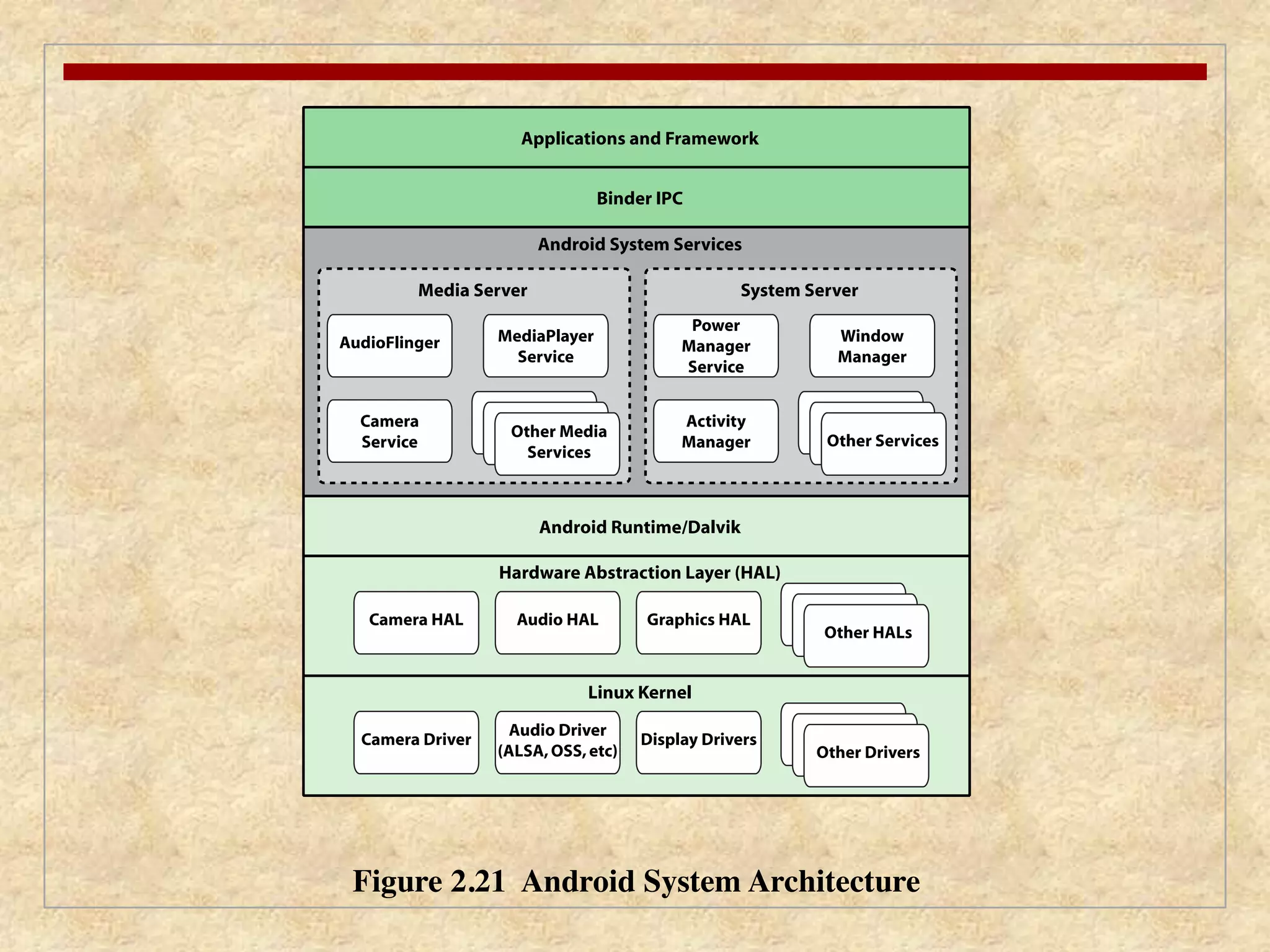
Android Operating
System
A Linux-based system
originally designed for
touchscreen mobile devices
such as smartphones and
tablet computers
The most popular mobile OS
Development was done by
Android Inc., which was bought
by Google in 2005
1st commercial version
(Android 1.0) was released in
2008
Most recent version is Android
4.3 (Jelly Bean)
The Open Handset Alliance
(OHA) was responsible for the
Android OS releases as an
open platform
The open-source nature of
Android has been the key to its
success
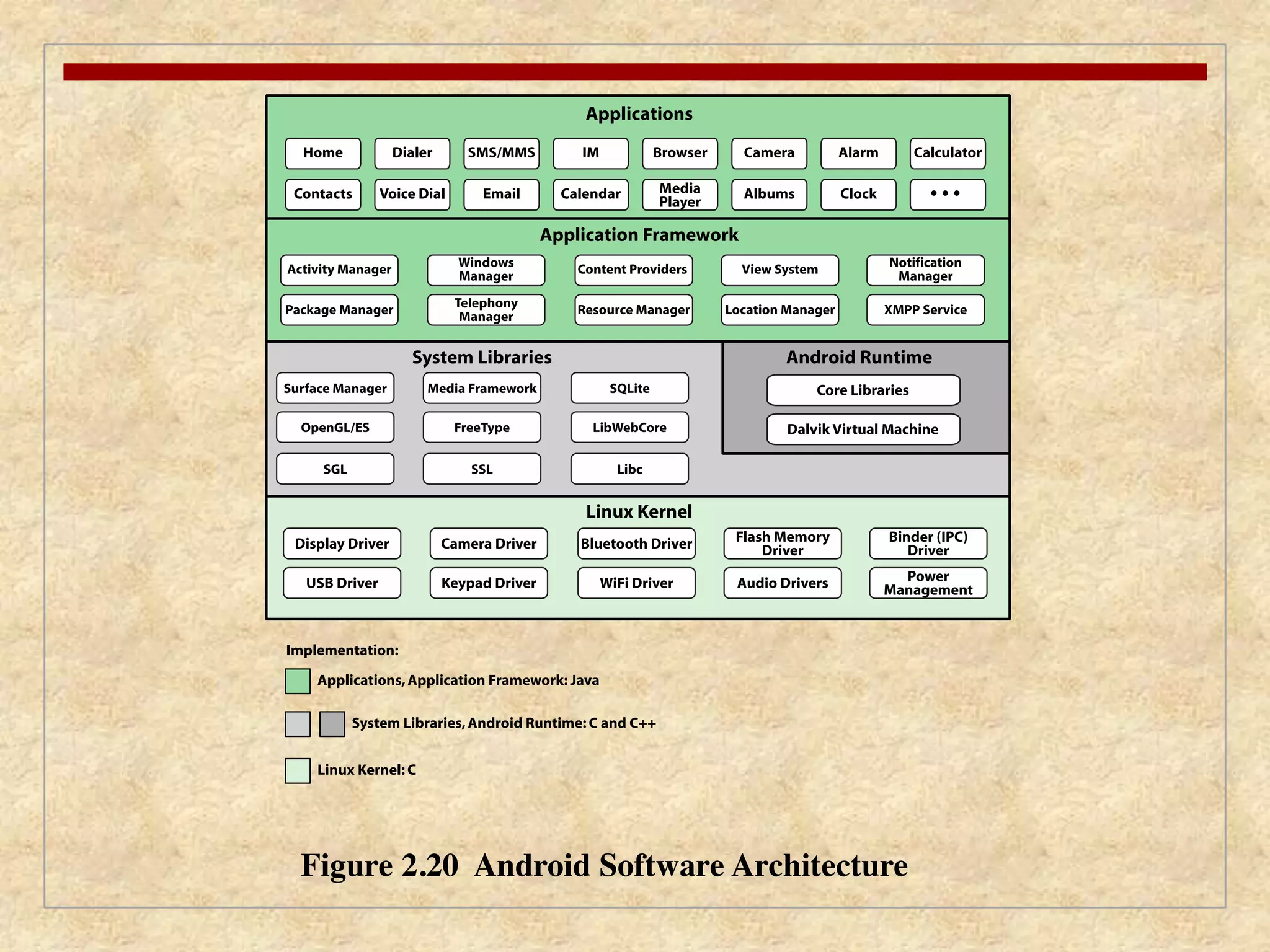
84.
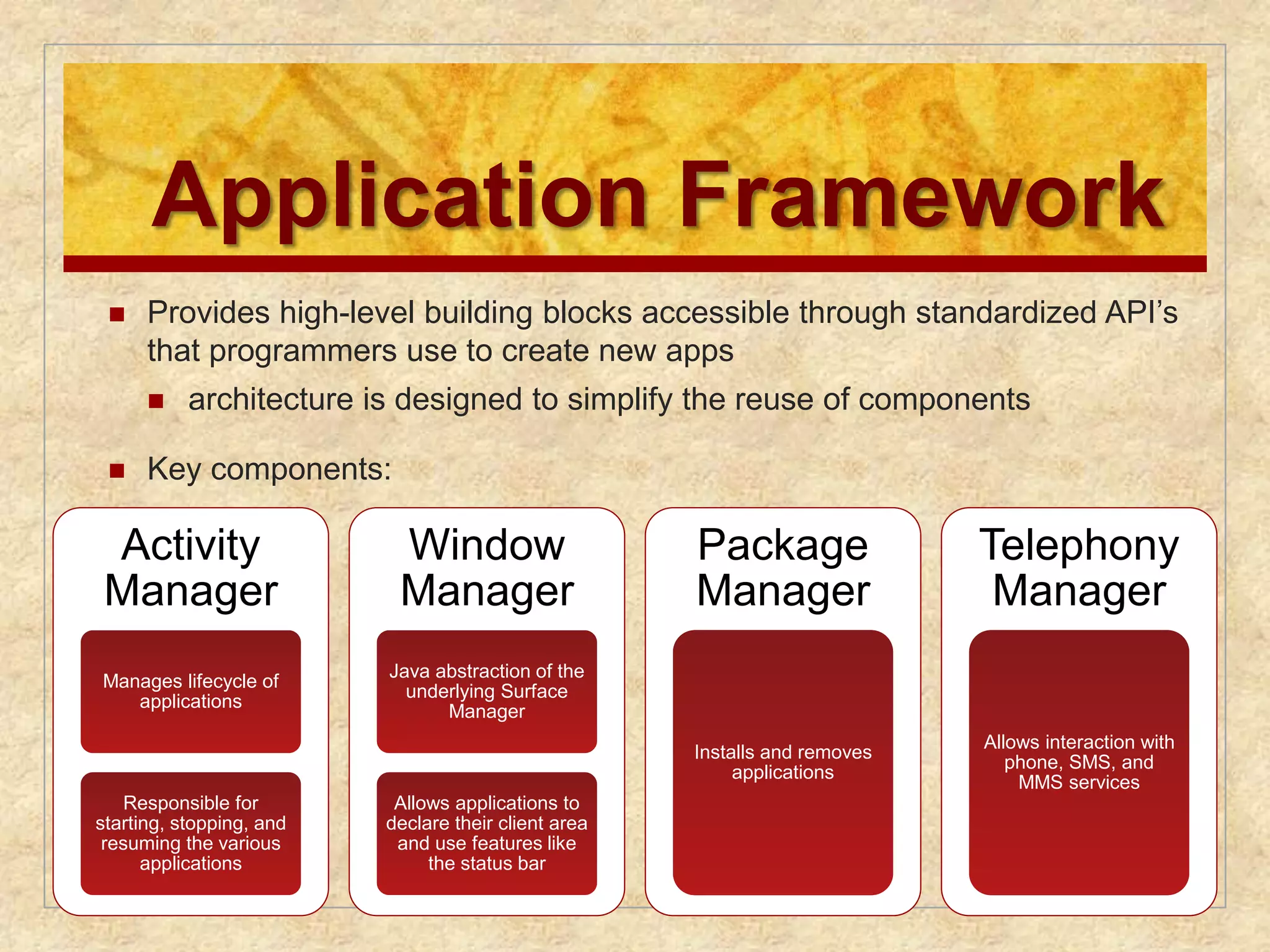
Application Framework
Provides high-level building blocks accessible through standardized API’s
that programmers use to create new apps
architecture is designed to simplify the reuse of components
Key components:
Activity
Manager
Manages lifecycle of
applications
Responsible for
starting, stopping, and
resuming the various
applications
Window
Manager
Java abstraction of the
underlying Surface
Manager
Allows applications to
declare their client area
and use features like
the status bar
Package
Manager
Installs and removes
applications
Telephony
Manager
Allows interaction with
phone, SMS, and
MMS services
85.
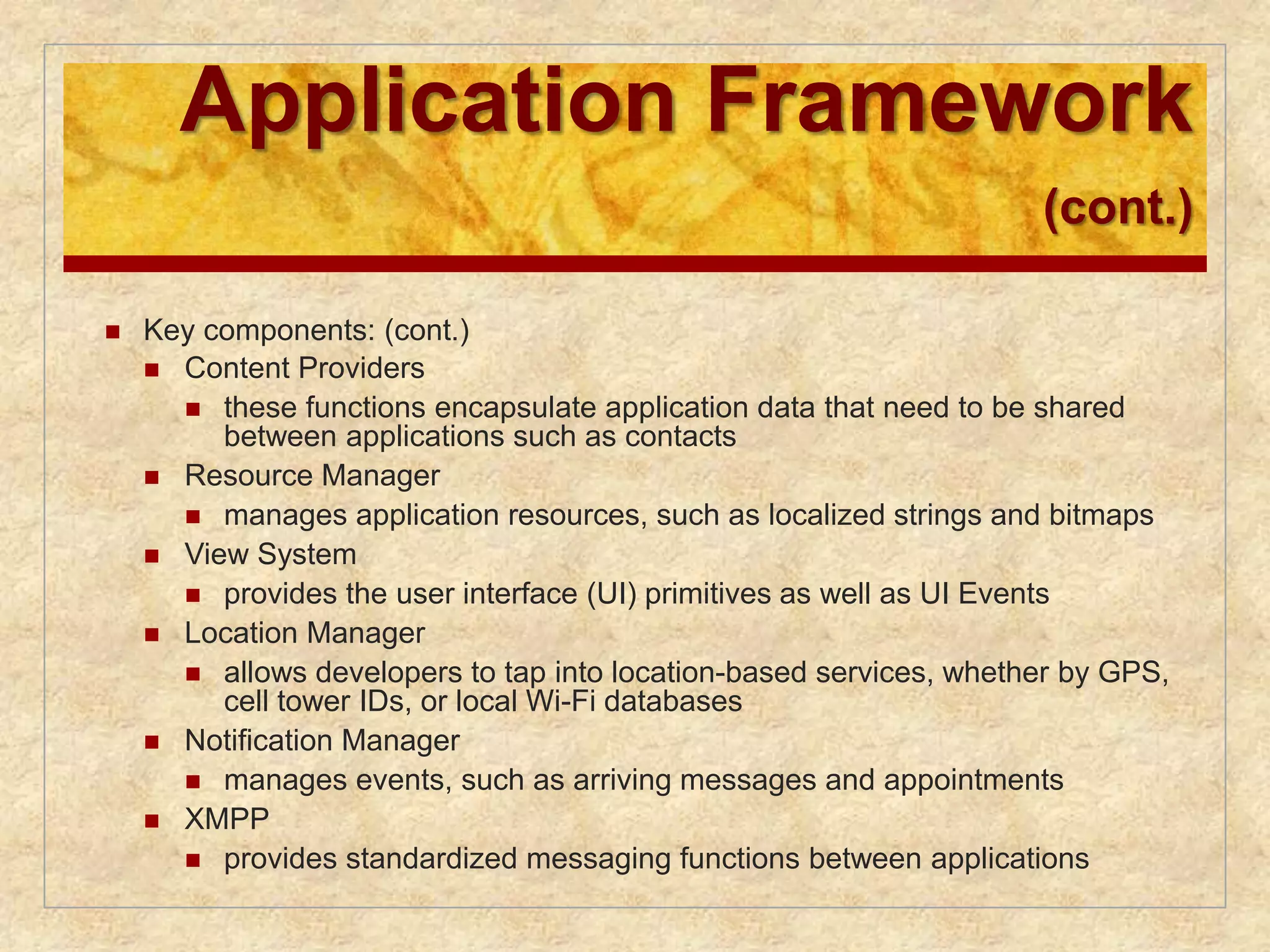
Application Framework
(cont.)
Key components: (cont.)
Content Providers
these functions encapsulate application data that need to be shared
between applications such as contacts
Resource Manager
manages application resources, such as localized strings and bitmaps
View System
provides the user interface (UI) primitives as well as UI Events
Location Manager
allows developers to tap into location-based services, whether by GPS,
cell tower IDs, or local Wi-Fi databases
Notification Manager
manages events, such as arriving messages and appointments
XMPP
provides standardized messaging functions between applications
86.
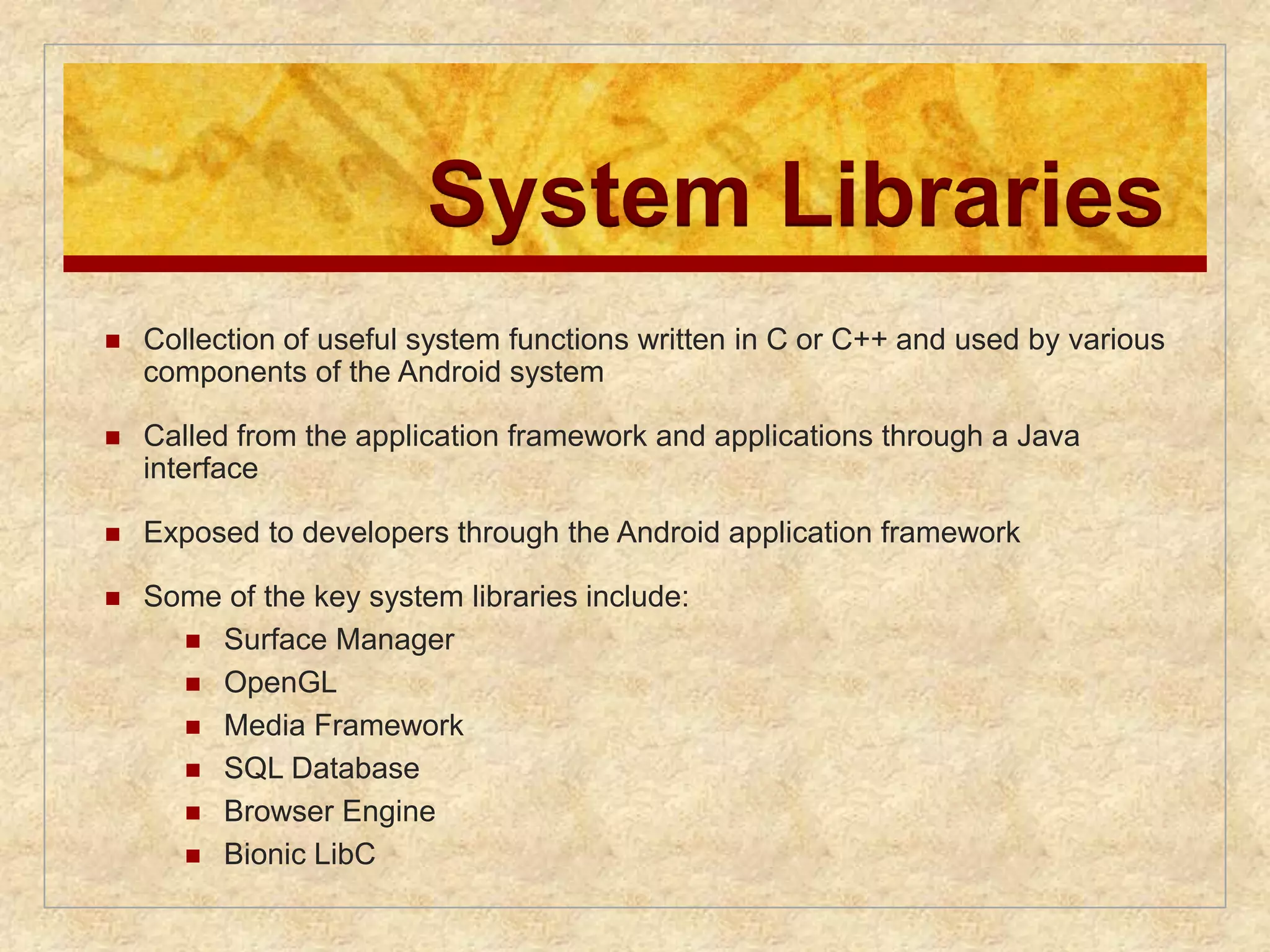
System Libraries
Collection of useful system functions written in C or C++ and used by various
components of the Android system
Called from the application framework and applications through a Java
interface
Exposed to developers through the Android application framework
Some of the key system libraries include:
Surface Manager
OpenGL
Media Framework
SQL Database
Browser Engine
Bionic LibC
87.
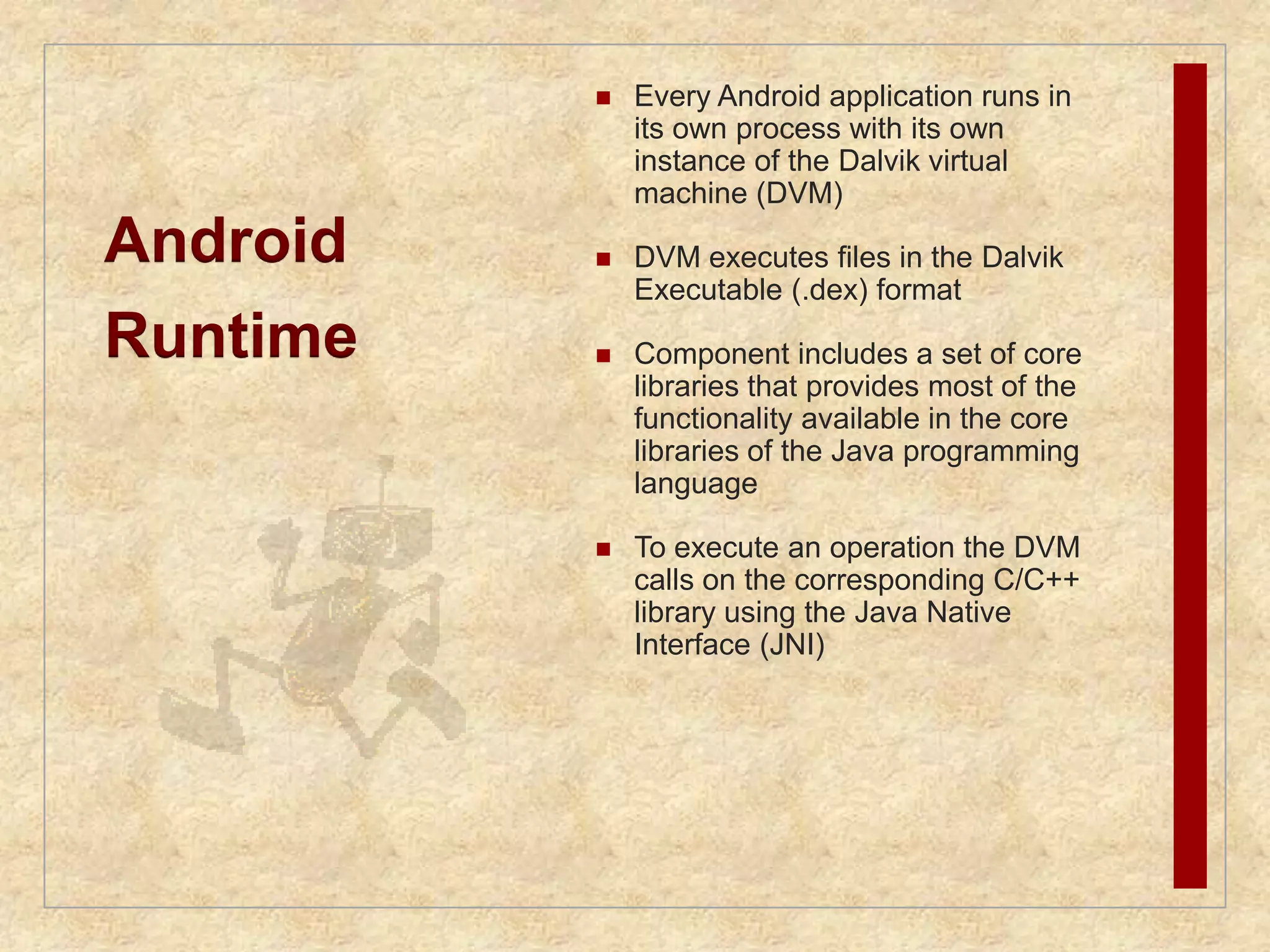
Android
Runtime
Every Android application runs in
its own process with its own
instance of the Dalvik virtual
machine (DVM)
DVM executes files in the Dalvik
Executable (.dex) format
Component includes a set of core
libraries that provides most of the
functionality available in the core
libraries of the Java programming
language
To execute an operation the DVM
calls on the corresponding C/C++
library using the Java Native
Interface (JNI)
89.
Activities
Anactivity is a single visual user interface component, including things
such as menu selections, icons, and checkboxes
Every screen in an application is an extension of the Activity class
Use Views to form graphical user interfaces that display information and
respond to user actions
90.
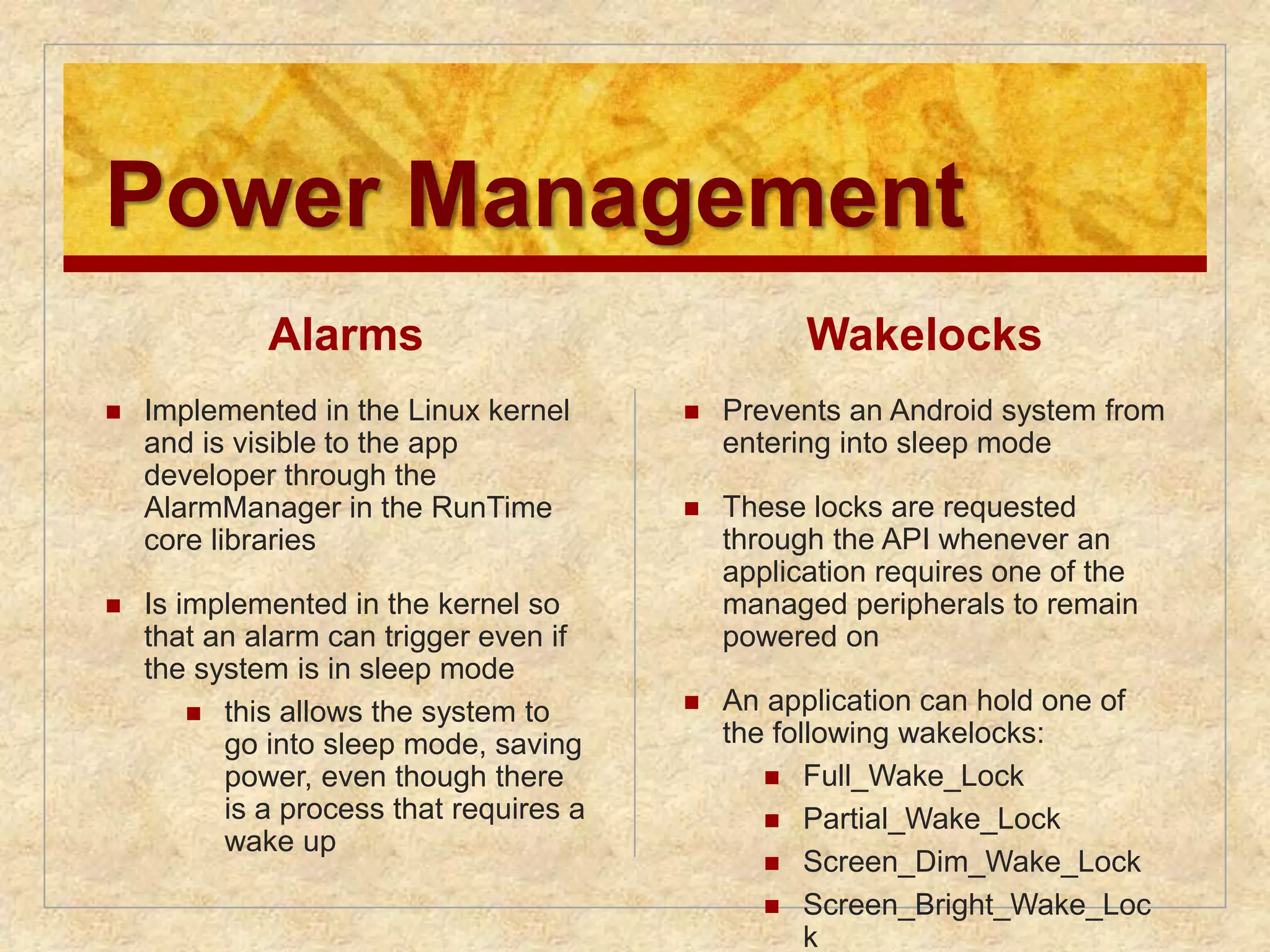
Power Management
Alarms
Implemented in the Linux kernel
and is visible to the app
developer through the
AlarmManager in the RunTime
core libraries
Is implemented in the kernel so
that an alarm can trigger even if
the system is in sleep mode
this allows the system to
go into sleep mode, saving
power, even though there
is a process that requires a
wake up
Wakelocks
Prevents an Android system from
entering into sleep mode
These locks are requested
through the API whenever an
application requires one of the
managed peripherals to remain
powered on
An application can hold one of
the following wakelocks:
Full_Wake_Lock
Partial_Wake_Lock
Screen_Dim_Wake_Lock
Screen_Bright_Wake_Loc
k
91.
Summary
Operatingsystem objectives and
functions
User/computer interface
Resource manager
Evolution of operating systems
Serial processing
Simple/multiprogrammed/time-sharing
batch systems
Major achievements
Developments leading to modern
operating systems
Fault tolerance
Fundamental concepts
Faults
OS mechanisms
OS design considerations for
multiprocessor and multicore
Microsoft Windows overview
Traditional Unix systems
History/description
Modern Unix systems
System V Release 4 (SVR4)
BSD
Solaris 10
Linux
History
Modular structure
Kernel components
Android
Software/system architecture
Activities
Power management
Editor's Notes
#2 “Operating Systems: Internal and Design Principles”, 8/e, by William Stallings, Chapter 2 “Operating System Overview”.
#3 An OS is a program that controls the execution of application programs and acts as
an interface between applications and the computer hardware. It can be thought of
as having three objectives:
• Convenience: An OS makes a computer more convenient to use.
• Efficiency: An OS allows the computer system resources to be used in an efficient
manner.
• Ability to evolve: An OS should be constructed in such a way as to permit the
effective development, testing, and introduction of new system functions without
interfering with service.
#4 The hardware and software used in providing applications to a user can be viewed
in a layered or hierarchical fashion, as depicted in Figure 2.1 . The user of those
applications, the end user, generally is not concerned with the details of computer
hardware. Thus, the end user views a computer system in terms of a set of applications.
An application can be expressed in a programming language and is developed
by an application programmer. If one were to develop an application program as a
set of machine instructions that is completely responsible for controlling the computer
hardware, one would be faced with an overwhelmingly complex undertaking.
To ease this chore, a set of system programs is provided. Some of these programs
are referred to as utilities, or library programs. These implement frequently used
functions that assist in program creation, the management of files, and the control of
I/O devices. A programmer will make use of these facilities in developing an application,
and the application, while it is running, will invoke the utilities to perform
certain functions. The most important collection of system programs comprises the
OS. The OS masks the details of the hardware from the programmer and provides
the programmer with a convenient interface for using the system. It acts as mediator,
making it easier for the programmer and for application programs to access and
use those facilities and services.
#5 Briefly, the OS typically provides services in the following areas:
• Program development: The OS provides a variety of facilities and services,
such as editors and debuggers, to assist the programmer in creating programs.
Typically, these services are in the form of utility programs that, while not
strictly part of the core of the OS, are supplied with the OS and are referred to
as application program development tools.
• Program execution: A number of steps need to be performed to execute a
program. Instructions and data must be loaded into main memory, I/O devices
and files must be initialized, and other resources must be prepared. The OS
handles these scheduling duties for the user.
• Access to I/O devices: Each I/O device requires its own peculiar set of instructions
or control signals for operation. The OS provides a uniform interface
that hides these details so that programmers can access such devices using simple
reads and writes.
• Controlled access to files: For file access, the OS must reflect a detailed understanding
of not only the nature of the I/O device (disk drive, tape drive) but
also the structure of the data contained in the files on the storage medium.
In the case of a system with multiple users, the OS may provide protection
mechanisms to control access to the files.
• System access: For shared or public systems, the OS controls access to the
system as a whole and to specific system resources. The access function must
provide protection of resources and data from unauthorized users and must
resolve conflicts for resource contention.
• Error detection and response: A variety of errors can occur while a computer
system is running. These include internal and external hardware errors, such
as a memory error, or a device failure or malfunction; and various software
errors, such as division by zero, attempt to access forbidden memory location,
and inability of the OS to grant the request of an application. In each case,
the OS must provide a response that clears the error condition with the least
impact on running applications. The response may range from ending the program
that caused the error, to retrying the operation, to simply reporting the
error to the application.
• Accounting: A good OS will collect usage statistics for various resources and
monitor performance parameters such as response time. On any system, this
information is useful in anticipating the need for future enhancements and in
tuning the system to improve performance. On a multiuser system, the information
can be used for billing purposes.
#6 Figure 2.1 also indicates three key interfaces in a typical computer system:
• Instruction set architecture (ISA) : The ISA defines the repertoire of machine
language instructions that a computer can follow. This interface is the boundary
between hardware and software. Note that both application programs
and utilities may access the ISA directly. For these programs, a subset of the
instruction repertoire is available (user ISA). The OS has access to additional
machine language instructions that deal with managing system resources
(system ISA).
• Application binary interface (ABI) : The ABI defines a standard for binary
portability across programs. The ABI defines the system call interface to
the operating system and the hardware resources and services available in a
system through the user ISA.
• Application programming interface (API) : The API gives a program access
to the hardware resources and services available in a system through the user
ISA supplemented with high-level language (HLL) library calls. Any system
calls are usually performed through libraries. Using an API enables application
software to be ported easily, through recompilation, to other systems that
support the same API.
#7 A computer is a set of resources for the movement, storage, and processing of data
and for the control of these functions. The OS is responsible for managing these
resources.
#8 The OS, as a control mechanism is unusual in two respects:
• The OS functions in the same way as ordinary computer software; that is, it is
a program or suite of programs executed by the processor.
• The OS frequently relinquishes control and must depend on the processor to
allow it to regain control.
Like other computer programs, the OS provides instructions for the processor.
The key difference is in the intent of the program. The OS directs the processor
in the use of the other system resources and in the timing of its execution of other
programs. But in order for the processor to do any of these things, it must cease
executing the OS program and execute other programs. Thus, the OS relinquishes
control for the processor to do some “useful” work and then resumes control long
enough to prepare the processor to do the next piece of work. The mechanisms
involved in all this should become clear as the chapter proceeds.
#9 Figure 2.2 suggests the main resources that are managed by the OS. A portion
of the OS is in main memory. This includes the kernel , or nucleus , which contains
the most frequently used functions in the OS and, at a given time, other portions
of the OS currently in use. The remainder of main memory contains user programs
and data. The memory management hardware in the processor and the OS jointly
control the allocation of main memory, as we shall see. The OS decides when an I/O
device can be used by a program in execution and controls access to and use of files.
The processor itself is a resource, and the OS must determine how much processor
time is to be devoted to the execution of a particular user program. In the case of a
multiple-processor system, this decision must span all of the processors.
#10 A major OS will evolve over time for a number of reasons:
• Hardware upgrades plus new types of hardware: For example, early versions
of UNIX and the Macintosh OS did not employ a paging mechanism because
they were run on processors without paging hardware. Subsequent versions
of these operating systems were modified to exploit paging capabilities. Also,
the use of graphics terminals and page-mode terminals instead of line-at-a time
scroll mode terminals affects OS design. For example, a graphics terminal
typically allows the user to view several applications at the same time through
“windows” on the screen. This requires more sophisticated support in the OS.
• New services: In response to user demand or in response to the needs of system
managers, the OS expands to offer new services. For example, if it is found
to be difficult to maintain good performance for users with existing tools, new
measurement and control tools may be added to the OS.
• Fixes: Any OS has faults. These are discovered over the course of time and
fixes are made. Of course, the fix may introduce new faults.
The need to change an OS regularly places certain requirements on its design.
An obvious statement is that the system should be modular in construction, with
clearly defined interfaces between the modules, and that it should be well documented.
For large programs, such as the typical contemporary OS, what might be
referred to as straightforward modularization is inadequate [DENN80a]. That is,
much more must be done than simply partitioning a program into modules. We
return to this topic later in this chapter.
#11 In attempting to understand the key requirements for an OS and the significance of the major features of a contemporary OS, it is useful to consider how operating systems have evolved over the years.
#12 With the earliest computers, from the late 1940s to the mid-1950s, the programmer
interacted directly with the computer hardware; there was no OS. These computers
were run from a console consisting of display lights, toggle switches, some form of
input device, and a printer. Programs in machine code were loaded via the input
device (e.g., a card reader). If an error halted the program, the error condition was
indicated by the lights. If the program proceeded to a normal completion, the output
appeared on the printer.
These early systems presented two main problems:
• Scheduling : Most installations used a hardcopy sign-up sheet to reserve computer
time. Typically, a user could sign up for a block of time in multiples of a
half hour or so. A user might sign up for an hour and finish in 45 minutes; this
would result in wasted computer processing time. On the other hand, the user
might run into problems, not finish in the allotted time, and be forced to stop
before resolving the problem.
• Setup time: A single program, called a job , could involve loading the compiler
plus the high-level language program (source program) into memory,
saving the compiled program (object program) and then loading and linking
together the object program and common functions. Each of these steps could
involve mounting or dismounting tapes or setting up card decks. If an error
occurred, the hapless user typically had to go back to the beginning of the
setup sequence. Thus, a considerable amount of time was spent just in setting
up the program to run.
This mode of operation could be termed serial processing , reflecting the fact
that users have access to the computer in series. Over time, various system software
tools were developed to attempt to make serial processing more efficient. These
include libraries of common functions, linkers, loaders, debuggers, and I/O driver
routines that were available as common software for all users.
#13 Early computers were very expensive, and therefore it was important to maximize
processor utilization. The wasted time due to scheduling and setup time was
unacceptable.
To improve utilization, the concept of a batch OS was developed. It appears
that the first batch OS (and the first OS of any kind) was developed in the mid-1950s
by General Motors for use on an IBM 701 [WEIZ81]. The concept was subsequently
refined and implemented on the IBM 704 by a number of IBM customers. By the
early 1960s, a number of vendors had developed batch operating systems for their
computer systems. IBSYS, the IBM OS for the 7090/7094 computers, is particularly
notable because of its widespread influence on other systems.
The central idea behind the simple batch-processing scheme is the use of a
piece of software known as the monitor . With this type of OS, the user no longer has
direct access to the processor. Instead, the user submits the job on cards or tape to a
computer operator, who batches the jobs together sequentially and places the entire
batch on an input device, for use by the monitor. Each program is constructed to
branch back to the monitor when it completes processing, at which point the monitor
automatically begins loading the next program.
#14 Monitor point of view: The monitor controls the sequence of events. For this
to be so, much of the monitor must always be in main memory and available
for execution ( Figure 2.3 ). That portion is referred to as the resident monitor .
The rest of the monitor consists of utilities and common functions that are
loaded as subroutines to the user program at the beginning of any job that
requires them. The monitor reads in jobs one at a time from the input device
(typically a card reader or magnetic tape drive). As it is read in, the current job
is placed in the user program area, and control is passed to this job. When the
job is completed, it returns control to the monitor, which immediately reads
in the next job. The results of each job are sent to an output device, such as a
printer, for delivery to the user.
#15 Processor point of view: At a certain point, the processor is executing instructions
from the portion of main memory containing the monitor. These
instructions cause the next job to be read into another portion of main
memory. Once a job has been read in, the processor will encounter a branch
instruction in the monitor that instructs the processor to continue execution
at the start of the user program. The processor will then execute the instructions
in the user program until it encounters an ending or error condition.
Either event causes the processor to fetch its next instruction from the monitor
program. Thus the phrase “control is passed to a job” simply means that
the processor is now fetching and executing instructions in a user program,
and “control is returned to the monitor” means that the processor is now
fetching and executing instructions from the monitor program.
#16 The monitor performs a scheduling function: A batch of jobs is queued up,
and jobs are executed as rapidly as possible, with no intervening idle time. The monitor
improves job setup time as well. With each job, instructions are included in a
primitive form of job control language (JCL) . This is a special type of programming
language used to provide instructions to the monitor. A simple example is that of a
user submitting a program written in the programming language FORTRAN plus
some data to be used by the program. All FORTRAN instructions and data are on a
separate punched card or a separate record on tape. In addition to FORTRAN and
data lines, the job includes job control instructions, which are denoted by the beginning
$.
#17 The monitor, or batch OS, is simply a computer program. It relies on the ability
of the processor to fetch instructions from various portions of main memory to
alternately seize and relinquish control. Certain other hardware features are also
desirable:
• Memory protection: While the user program is executing, it must not alter the
memory area containing the monitor. If such an attempt is made, the processor
hardware should detect an error and transfer control to the monitor. The
monitor would then abort the job, print out an error message, and load in the
next job.
• Timer: A timer is used to prevent a single job from monopolizing the system.
The timer is set at the beginning of each job. If the timer expires, the user program
is stopped, and control returns to the monitor.
• Privileged instructions : Certain machine level instructions are designated privileged
and can be executed only by the monitor. If the processor encounters
such an instruction while executing a user program, an error occurs causing
control to be transferred to the monitor. Among the privileged instructions
are I/O instructions, so that the monitor retains control of all I/O devices. This
prevents, for example, a user program from accidentally reading job control
instructions from the next job. If a user program wishes to perform I/O, it must
request that the monitor perform the operation for it.
Interrupts : Early computer models did not have this capability. This feature
gives the OS more flexibility in relinquishing control to and regaining control
from user programs.
#18 Considerations of memory protection and privileged instructions lead to the
concept of modes of operation. A user program executes in a user mode , in which
certain areas of memory are protected from the user’s use and in which certain
instructions may not be executed. The monitor executes in a system mode, or what
has come to be called kernel mode , in which privileged instructions may be executed
and in which protected areas of memory may be accessed.
Of course, an OS can be built without these features. But computer vendors
quickly learned that the results were chaos, and so even relatively primitive batch
operating systems were provided with these hardware features.
#19 With a batch OS, processor time alternates between execution of user programs
and execution of the monitor. There have been two sacrifices: Some main
memory is now given over to the monitor and some processor time is consumed by
the monitor. Both of these are forms of overhead. Despite this overhead, the simple
batch system improves utilization of the computer.
#20 Even with the automatic job sequencing provided by a simple batch OS, the processor
is often idle. The problem is that I/O devices are slow compared to the processor.
Figure 2.4 details a representative calculation. The calculation concerns a program
that processes a file of records and performs, on average, 100 machine instructions
per record. In this example, the computer spends over 96% of its time waiting for
I/O devices to finish transferring data to and from the file.
#21 Figure 2.5a illustrates this situation, where we have a single program, referred to as uniprogramming.
The processor spends a certain amount of time executing, until it reaches an I/O instruction.
It must then wait until that I/O instruction concludes before proceeding.
#22 This inefficiency is not necessary. We know that there must be enough
memory to hold the OS (resident monitor) and one user program. Suppose that
there is room for the OS and two user programs. When one job needs to wait for
I/O, the processor can switch to the other job, which is likely not waiting for I/O
( Figure 2.5b ).
#23 Furthermore, we might expand memory to hold three, four, or more
programs and switch among all of them ( Figure 2.5c ). The approach is known as
multiprogramming , or multitasking . It is the central theme of modern operating
systems.
#24 To illustrate the benefit of multiprogramming, we give a simple example.
Consider a computer with 250 Mbytes of available memory (not used by the OS),
a disk, a terminal, and a printer. Three programs, JOB1, JOB2, and JOB3, are
submitted for execution at the same time, with the attributes listed in Table 2.1 .
We assume minimal processor requirements for JOB2 and JOB3 and continuous
disk and printer use by JOB3. For a simple batch environment, these jobs will be
executed in sequence. Thus, JOB1 completes in 5 minutes. JOB2 must wait until
the 5 minutes are over and then completes 15 minutes after that. JOB3 begins after
20 minutes and completes at 30 minutes from the time it was initially submitted.
#25 The average resource utilization, throughput, and response times are shown in the
uniprogramming column of Table 2.2 .
#26 Device-by-device utilization is illustrated in
Figure 2.6a . It is evident that there is gross underutilization for all resources when
averaged over the required 30-minute time period.
Now suppose that the jobs are run concurrently under a multiprogramming
OS. Because there is little resource contention between the jobs, all three can run
in nearly minimum time while coexisting with the others in the computer (assuming
that JOB2 and JOB3 are allotted enough processor time to keep their input
and output operations active). JOB1 will still require 5 minutes to complete, but at
the end of that time, JOB2 will be one-third finished and JOB3 half finished. All
three jobs will have finished within 15 minutes. The improvement is evident when
examining the multiprogramming column of Table 2.2 , obtained from the histogram
shown in Figure 2.6b .
#27 Just as multiprogramming allows the processor to handle multiple batch jobs
at a time, multiprogramming can also be used to handle multiple interactive jobs. In
this latter case, the technique is referred to as time sharing , because processor time is
shared among multiple users. In a time-sharing system, multiple users simultaneously
access the system through terminals, with the OS interleaving the execution of each
user program in a short burst or quantum of computation. Thus, if there are n users
actively requesting service at one time, each user will only see on the average 1/ n
of the effective computer capacity, not counting OS overhead. However, given the
relatively slow human reaction time, the response time on a properly designed system
should be similar to that on a dedicated computer.
#28 Both batch processing and time sharing use multiprogramming. The key
differences are listed in Table 2.3 .
#29 One of the first time-sharing operating systems to be developed was the
Compatible Time-Sharing System (CTSS) [CORB62], developed at MIT by a
group known as Project MAC (Machine-Aided Cognition, or Multiple-Access
Computers). The system was first developed for the IBM 709 in 1961 and later
transferred to an IBM 7094.
Compared to later systems, CTSS is primitive. The system ran on a computer
with 32,000 36-bit words of main memory, with the resident monitor consuming 5000
of that. When control was to be assigned to an interactive user, the user’s program
and data were loaded into the remaining 27,000 words of main memory. A program
was always loaded to start at the location of the 5000th word; this simplified
both the monitor and memory management. A system clock generated interrupts
at a rate of approximately one every 0.2 seconds. At each clock interrupt, the OS
regained control and could assign the processor to another user. This technique is
known as time slicing . Thus, at regular time intervals, the current user would be
preempted and another user loaded in. To preserve the old user program status for
later resumption, the old user programs and data were written out to disk before the
new user programs and data were read in. Subsequently, the old user program code
and data were restored in main memory when that program was next given a turn.
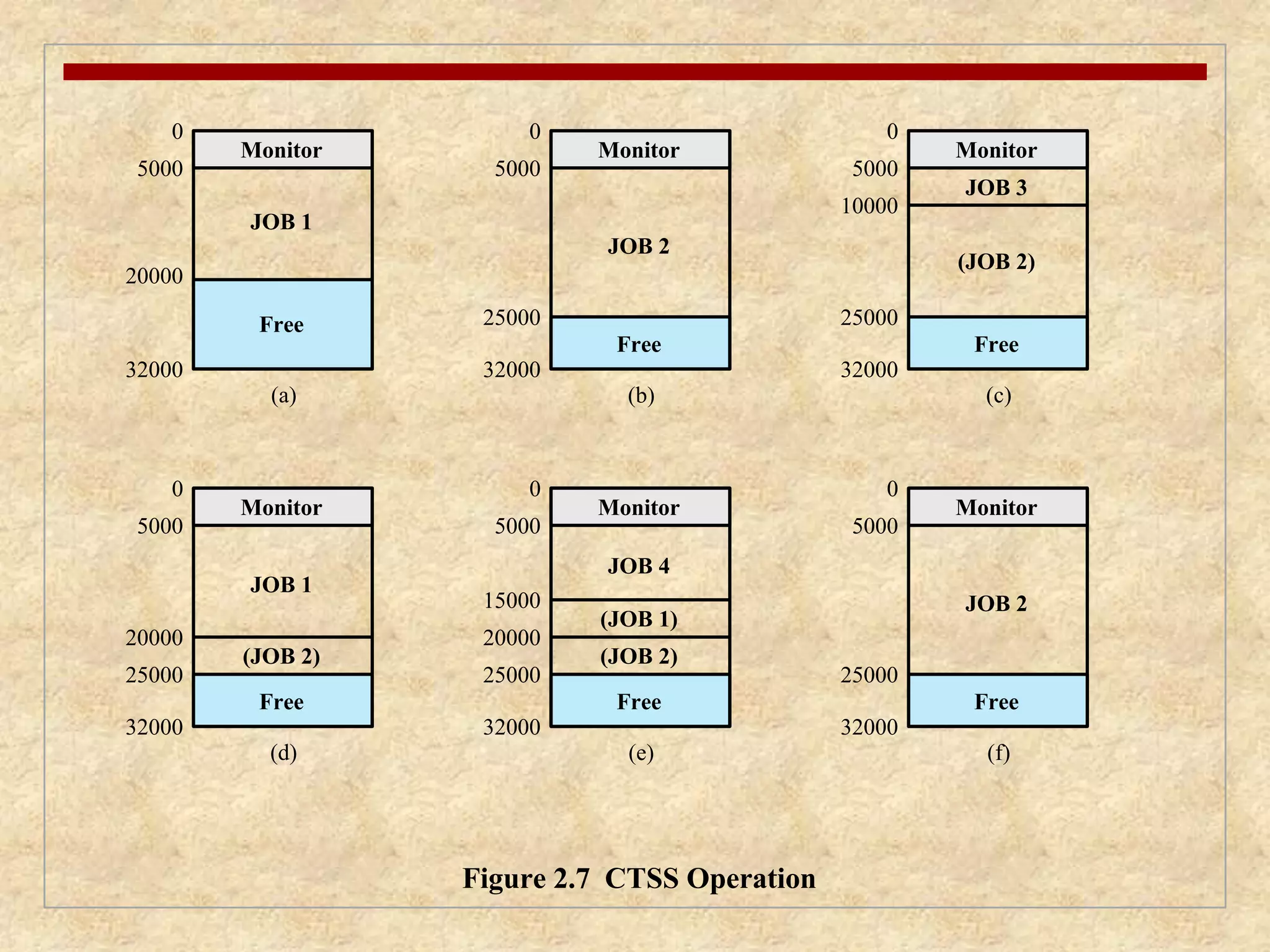
#30 To minimize disk traffic, user memory was only written out when the incoming
program would overwrite it. This principle is illustrated in Figure 2.7 . Assume that
there are four interactive users with the following memory requirements, in words:
• JOB1: 15,000
• JOB2: 20,000
JOB3: 5000
• JOB4: 10,000
Initially, the monitor loads JOB1 and transfers control to it (a). Later, the
monitor decides to transfer control to JOB2. Because JOB2 requires more memory
than JOB1, JOB1 must be written out first, and then JOB2 can be loaded (b).
Next, JOB3 is loaded in to be run. However, because JOB3 is smaller than JOB2,
a portion of JOB2 can remain in memory, reducing disk write time (c). Later, the
monitor decides to transfer control back to JOB1. An additional portion of JOB2
must be written out when JOB1 is loaded back into memory (d). When JOB4 is
loaded, part of JOB1 and the portion of JOB2 remaining in memory are retained
(e). At this point, if either JOB1 or JOB2 is activated, only a partial load will be
required. In this example, it is JOB2 that runs next. This requires that JOB4 and the
remaining resident portion of JOB1 be written out and that the missing portion of
JOB2 be read in (f).
#31 Operating systems are among the most complex pieces of software ever developed.
This reflects the challenge of trying to meet the difficult and in some cases
competing objectives of convenience, efficiency, and ability to evolve. [DENN80a]
proposes that there have been four major theoretical advances in the development
of operating systems:
• Processes
• Memory management
• Information protection and security
• Scheduling and resource management
Each advance is characterized by principles, or abstractions, developed to
meet difficult practical problems. Taken together, these five areas span many of
the key design and implementation issues of modern operating systems. The brief
review of these five areas in this section serves as an overview of much of the rest
of the text.
#32 Central to the design of operating systems is the concept of process. This term was
first used by the designers of Multics in the 1960s [DALE68]. It is a somewhat
more general term than job. Many definitions have been given for the term process ,
including
• A program in execution
• An instance of a program running on a computer
• The entity that can be assigned to and executed on a processor
• A unit of activity characterized by a single sequential thread of execution, a
current state, and an associated set of system resources
#33 Three major lines of computer system development created problems in timing
and synchronization that contributed to the development of the concept of the
process: multiprogramming batch operation, time sharing, and real-time transaction
systems. As we have seen, multiprogramming was designed to keep the processor
and I/O devices, including storage devices, simultaneously busy to achieve maximum
efficiency. The key mechanism is this: In response to signals indicating the
completion of I/O transactions, the processor is switched among the various programs
residing in main memory.
A second line of development was general-purpose time sharing. Here, the
key design objective is to be responsive to the needs of the individual user and yet,
for cost reasons, be able to support many users simultaneously. These goals are
compatible because of the relatively slow reaction time of the user. For example,
if a typical user needs an average of 2 seconds of processing time per minute, then
close to 30 such users should be able to share the same system without noticeable
interference. Of course, OS overhead must be factored into such calculations.
A third important line of development has been real-time transaction processing
systems. In this case, a number of users are entering queries or updates against a
database. An example is an airline reservation system. The key difference between
the transaction processing system and the time-sharing system is that the former
is limited to one or a few applications, whereas users of a time-sharing system can
engage in program development, job execution, and the use of various applications.
In both cases, system response time is paramount.
#34 Efforts to design a system were vulnerable to subtle programming errors whose effects could be observed only when certain relatively rare sequences of actions occurred.
These errors were difficult to diagnose because they needed to be distinguished from application software errors and hardware errors.
Even when the error was detected, it was difficult to determine the cause, because the precise conditions under which the errors appeared were very hard to reproduce.
In general terms, there are four main causes of such errors:
Improper synchronization:
Often a routine must be suspended awaiting an event elsewhere in the system.
e.g. a program that initiates an I/O read must wait until the data are available in a buffer before proceeding.
In such cases, a signal from some other routine is required.
Improper design of the signalling mechanism can result in signals being lost or duplicate signals being received.
Failed mutual exclusion:
Often more than one user or program will attempt to make use of a shared resource at the same time.
e.g. two users may attempt to edit the same file at the same time.
If these accesses are not controlled, an error can occur.
There must be some sort of mutual exclusion mechanism that permits only one routine at a time to perform an update against the file.
Nondeterminate program operation:
The results of a particular program normally should depend only on the input to that program and not on the activities of other programs in a shared system.
But when programs share memory, and their execution is interleaved by the processor, they may interfere with each other by overwriting common memory areas in unpredictable ways.
Thus, the order in which various programs are scheduled may affect the outcome of any particular program.
Deadlocks:
It is possible for two or more programs to be hung up waiting for each other.
e.g. two programs may each require two I/O devices to perform some operation (e.g., disk to tape copy).
One of the programs has seized control of one of the devices and the other program has control of the other device.
Each is waiting for the other program to release the desired resource.
Such a deadlock may depend on the chance timing of resource allocation and release.
#35 We can think of a process as consisting of three components:
• An executable program
• The associated data needed by the program (variables, work space, buffers, etc.)
• The execution context of the program
This last element is essential.
The execution context, or process state, is the internal data by which the OS is able to supervise and control the process.
This internal information is separated from the process, because the OS has information not permitted to the process.
The context includes all of the information that the OS needs to manage the process and that the processor needs to execute the process properly including:
contents of the various processor registers, such as the program counter and data registers
And information of use to the OS, such as the priority of the process and whether the process is waiting for the completion of a particular I/O event.
#36 Figure 2.8 indicates a way in which processes may be managed. Two processes,
A and B, exist in portions of main memory. That is, a block of memory is
allocated to each process that contains the program, data, and context information.
Each process is recorded in a process list built and maintained by the OS. The
process list contains one entry for each process, which includes a pointer to the
location of the block of memory that contains the process. The entry may also
include part or all of the execution context of the process. The remainder of the
execution context is stored elsewhere, perhaps with the process itself (as indicated
in Figure 2.8 ) or frequently in a separate region of memory. The process index
register contains the index into the process list of the process currently controlling
the processor. The program counter points to the next instruction in that process
to be executed. The base and limit registers define the region in memory occupied
by the process: The base register is the starting address of the region of memory
and the limit is the size of the region (in bytes or words). The program counter and
all data references are interpreted relative to the base register and must not exceed
the value in the limit register. This prevents interprocess interference.
In Figure 2.8 , the process index register indicates that process B is executing.
Process A was previously executing but has been temporarily interrupted. The
contents of all the registers at the moment of A’s interruption were recorded in its
execution context. Later, the OS can perform a process switch and resume execution
of process A. The process switch consists of storing the context of B and restoring
the context of A. When the program counter is loaded with a value pointing into A’s
program area, process A will automatically resume execution.
#37 The needs of users can be met best by a computing environment that supports
modular programming and the flexible use of data. System managers need efficient
and orderly control of storage allocation. The OS, to satisfy these requirements, has
five principal storage management responsibilities:
• Process isolation: The OS must prevent independent processes from interfering
with each other’s memory, both data and instructions.
• Automatic allocation and management: Programs should be dynamically
allocated across the memory hierarchy as required. Allocation should be
transparent to the programmer. Thus, the programmer is relieved of concerns
relating to memory limitations, and the OS can achieve efficiency by assigning
memory to jobs only as needed.
• Support of modular programming: Programmers should be able to define program
modules, and to create, destroy, and alter the size of modules dynamically.
• Protection and access control: Sharing of memory, at any level of the memory
hierarchy, creates the potential for one program to address the memory space
of another. This is desirable when sharing is needed by particular applications.
At other times, it threatens the integrity of programs and even of the OS itself.
The OS must allow portions of memory to be accessible in various ways by
various users.
• Long-term storage: Many application programs require means for storing
information for extended periods of time, after the computer has been
powered down.
#38 Typically, operating systems meet these requirements with virtual memory
and file system facilities. The file system implements a long-term store, with information
stored in named objects, called files. The file is a convenient concept for the
programmer and is a useful unit of access control and protection for the OS.
Virtual memory is a facility that allows programs to address memory from
a logical point of view, without regard to the amount of main memory physically
available. Virtual memory was conceived to meet the requirement of having multiple
user jobs reside in main memory concurrently, so that there would not be a hiatus
between the execution of successive processes while one process was written out
to secondary store and the successor process was read in.
#39 Because processes vary
in size, if the processor switches among a number of processes it is difficult to pack
them compactly into main memory. Paging systems were introduced, which allow
processes to be comprised of a number of fixed-size blocks, called pages. A program
references a word by means of a virtual address consisting of a page number
and an offset within the page. Each page of a process may be located anywhere
in main memory. The paging system provides for a dynamic mapping between the
virtual address used in the program and a real address , or physical address, in main
memory.
#40 With dynamic mapping hardware available, the next logical step was to
eliminate the requirement that all pages of a process reside in main memory simultaneously.
All the pages of a process are maintained on disk. When a process is
executing, some of its pages are in main memory. If reference is made to a page
that is not in main memory, the memory management hardware detects this and
arranges for the missing page to be loaded. Such a scheme is referred to as virtual
memory and is depicted in Figure 2.9 .
The processor hardware, together with the OS, provides the user with a
“virtual processor” that has access to a virtual memory. This memory may be a
linear address space or a collection of segments, which are variable-length blocks
of contiguous addresses. In either case, programming language instructions can
reference program and data locations in the virtual memory area. Process isolation
can be achieved by giving each process a unique, nonoverlapping virtual memory.
Memory sharing can be achieved by overlapping portions of two virtual memory
spaces. Files are maintained in a long-term store. Files and portions of files may be
copied into the virtual memory for manipulation by programs.
#41 Figure 2.10 highlights the addressing concerns in a virtual memory scheme.
Storage consists of directly addressable (by machine instructions) main memory
and lower-speed auxiliary memory that is accessed indirectly by loading blocks
into main memory. Address translation hardware (memory management unit) is
interposed between the processor and memory. Programs reference locations using
virtual addresses, which are mapped into real main memory addresses. If a reference
is made to a virtual address not in real memory, then a portion of the contents
of real memory is swapped out to auxiliary memory and the desired block of data
is swapped in. During this activity, the process that generated the address reference
must be suspended. The OS designer needs to develop an address translation mechanism
that generates little overhead and a storage allocation policy that minimizes
the traffic between memory levels.
#42 The growth in the use of time-sharing systems and, more recently, computer networks
has brought with it a growth in concern for the protection of information.
The nature of the threat that concerns an organization will vary greatly depending
on the circumstances. However, there are some general-purpose tools that can be
built into computers and operating systems that support a variety of protection and
security mechanisms. In general, we are concerned with the problem of controlling
access to computer systems and the information stored in them.
Much of the work in security and protection as it relates to operating systems
can be roughly grouped into four categories:
• Availability: Concerned with protecting the system against interruption.
• Confidentiality: Assures that users cannot read data for which access is
unauthorized.
• Data integrity: Protection of data from unauthorized modification.
• Authenticity: Concerned with the proper verification of the identity of users
and the validity of messages or data.
#43 A key responsibility of the OS is to manage the various resources available to it (main memory space, I/O devices, processors) and to schedule their use by the various active processes.
Any resource allocation and scheduling policy must consider three factors:
Fairness:
Typically, we would like all processes that are competing for the use of a particular resource to be given approximately equal and fair access to that resource.
This is especially so for jobs of the same class, that is, jobs of similar demands.
Differential responsiveness:
On the other hand, the OS may need to discriminate among different classes of jobs with different service requirements.
The OS should attempt to make allocation and scheduling decisions to meet the total set of requirements.
The OS should also make these decisions dynamically.
e.g. if a process is waiting for the use of an I/O device, the OS may wish to schedule that process for execution as soon as possible to free up the device for later demands from other processes.
Efficiency:
The OS should attempt to
maximize throughput,
minimize response time, and
accommodate as many users as possible.
These criteria conflict;
Finding the right balance for a particular situation is an ongoing problem for operating system research.
#44 Figure 2.11 suggests the major elements of the OS involved in the scheduling
of processes and the allocation of resources in a multiprogramming environment.
The OS maintains a number of queues, each of which is simply a list of processes
waiting for some resource. The short-term queue consists of processes that are in
main memory (or at least an essential minimum portion of each is in main memory)
and are ready to run as soon as the processor is made available. Any one of these
processes could use the processor next. It is up to the short-term scheduler, or
dispatcher, to pick one. A common strategy is to give each process in the queue
some time in turn; this is referred to as a round-robin technique. In effect, the
round-robin technique employs a circular queue. Another strategy is to assign
priority levels to the various processes, with the scheduler selecting processes in
priority order.
The long-term queue is a list of new jobs waiting to use the processor. The
OS adds jobs to the system by transferring a process from the long-term queue to
the short-term queue. At that time, a portion of main memory must be allocated
to the incoming process. Thus, the OS must be sure that it does not overcommit
memory or processing time by admitting too many processes to the system. There
is an I/O queue for each I/O device. More than one process may request the use of
the same I/O device. All processes waiting to use each device are lined up in that
device’s queue. Again, the OS must determine which process to assign to an available
I/O device.
The OS receives control of the processor at the interrupt handler if an interrupt
occurs. A process may specifically invoke some OS service, such as an I/O
device handler by means of a service call. In this case, a service call handler is the
entry point into the OS. In any case, once the interrupt or service call is handled, the
short-term scheduler is invoked to pick a process for execution.
The foregoing is a functional description; details and modular design of this
portion of the OS will differ in various systems. Much of the research and development
effort in operating systems has been directed at picking algorithms and data
structures for this function that provide fairness, differential responsiveness, and
efficiency.
#45 The rate of change in the demands on operating systems requires not just modifications and enhancements to existing architectures but new ways of organizing the OS.
A wide range of different approaches and design elements has been tried in both experimental and commercial operating systems, but much of the work fits into the following categories:
• Microkernel architecture
• Multithreading
• Symmetric multiprocessing
• Distributed operating systems
• Object-oriented design
#46 Most operating systems, until recently, featured a large monolithic kernel .
Most of what is thought of as OS functionality is provided in these large kernels,
including scheduling, file system, networking, device drivers, memory management,
and more. Typically, a monolithic kernel is implemented as a single process, with
all elements sharing the same address space. A microkernel architecture assigns
only a few essential functions to the kernel, including address spaces, interprocess
communication (IPC), and basic scheduling. Other OS services are provided by
processes, sometimes called servers, that run in user mode and are treated like any
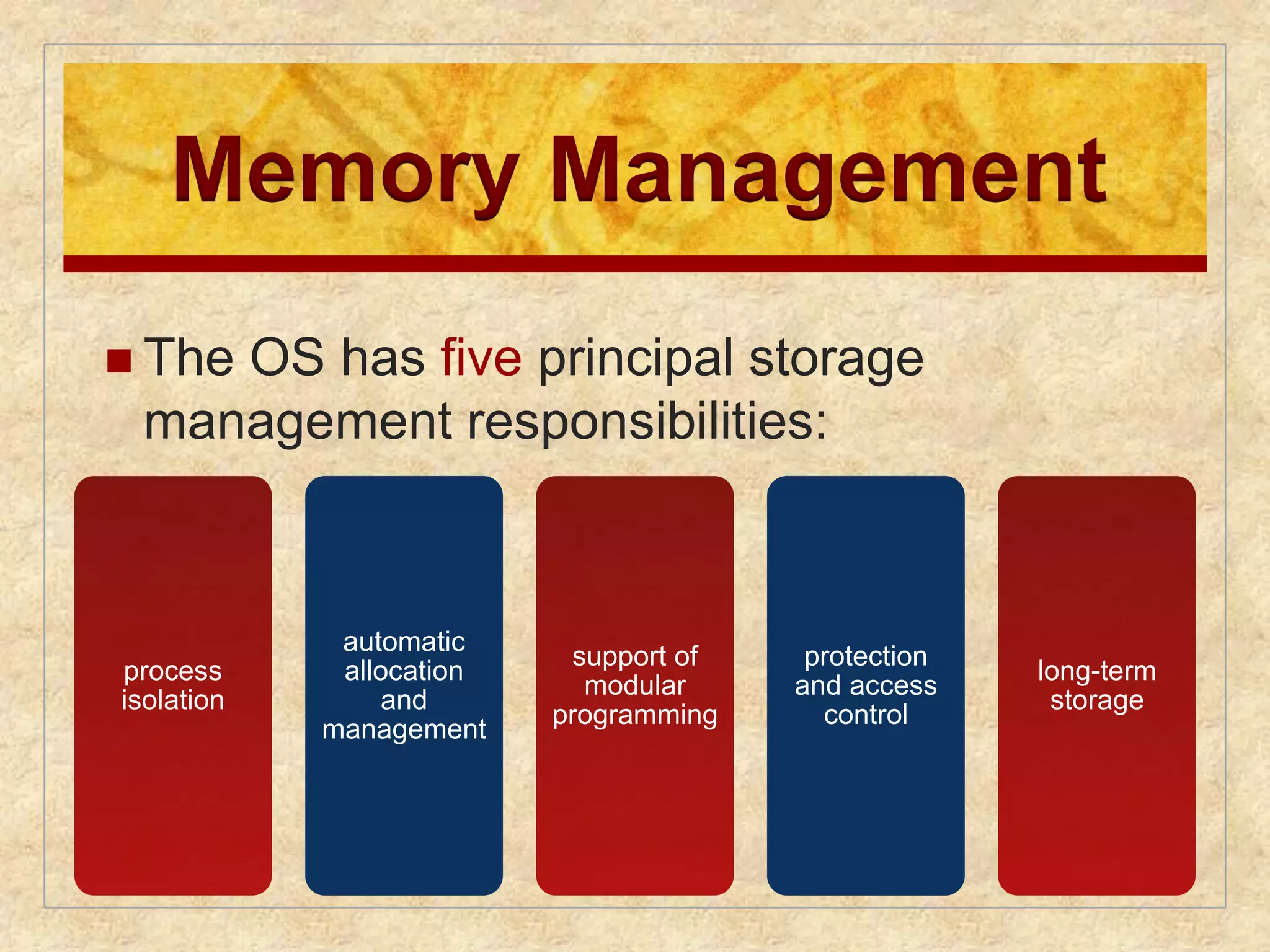
other application by the microkernel. This approach decouples kernel and server
development. Servers may be customized to specific application or environment
requirements. The microkernel approach simplifies implementation, provides flexibility,
and is well suited to a distributed environment. In essence, a microkernel
interacts with local and remote server processes in the same way, facilitating construction
of distributed systems.
#47 Multithreading is a technique in which a process, executing an application, is
divided into threads that can run concurrently. We can make the following distinction:
• Thread: A dispatchable unit of work. It includes a processor context (which
includes the program counter and stack pointer) and its own data area for a
stack (to enable subroutine branching). A thread executes sequentially and is
interruptible so that the processor can turn to another thread.
• Process : A collection of one or more threads and associated system resources
(such as memory containing both code and data, open files, and devices). This
corresponds closely to the concept of a program in execution. By breaking
a single application into multiple threads, the programmer has great control
over the modularity of the application and the timing of application-related
events.
Multithreading is useful for applications that perform a number of essentially
independent tasks that do not need to be serialized. An example is a database server
that listens for and processes numerous client requests. With multiple threads running
within the same process, switching back and forth among threads involves
less processor overhead than a major process switch between different processes.
Threads are also useful for structuring processes that are part of the OS kernel as
described in subsequent chapters.
#48 Symmetric multiprocessing (SMP) is a term that refers to a computer hardware
architecture (described in Chapter 1 ) and also to the OS behavior that exploits
that architecture. The OS of an SMP schedules processes or threads across all of the
processors.
Multithreading and SMP are often discussed together, but the two are
independent facilities. Even on a uniprocessor system, multithreading is useful for
structuring applications and kernel processes. An SMP system is useful even for
nonthreaded processes, because several processes can run in parallel. However, the
two facilities complement each other and can be used effectively together.
An attractive feature of an SMP is that the existence of multiple processors is
transparent to the user. The OS takes care of scheduling of threads or processes on
individual processors and of synchronization among processors.
#49 SMP has a number of potential advantages over uniprocessor architecture,
including the following:
• Performance: If the work to be done by a computer can be organized so that
some portions of the work can be done in parallel, then a system with multiple
processors will yield greater performance than one with a single processor of
the same type. This is illustrated in Figure 2.12 . With multiprogramming, only
one process can execute at a time; meanwhile all other processes are waiting
for the processor. With multiprocessing, more than one process can be running
simultaneously, each on a different processor.
• Availability: In a symmetric multiprocessor, because all processors can perform
the same functions, the failure of a single processor does not halt the
system. Instead, the system can continue to function at reduced performance.
• Incremental growth: A user can enhance the performance of a system by adding
an additional processor.
• Scaling: Vendors can offer a range of products with different price and performance
characteristics based on the number of processors configured in the
system.
It is important to note that these are potential, rather than guaranteed, benefits. The
OS must provide tools and functions to exploit the parallelism in an SMP system.
#50 If the work to be done by a computer can be organized so that
some portions of the work can be done in parallel, then a system with multiple
processors will yield greater performance than one with a single processor of
the same type. This is illustrated in Figure 2.12 . With multiprogramming, only
one process can execute at a time; meanwhile all other processes are waiting
for the processor. With multiprocessing, more than one process can be running
simultaneously, each on a different processor.
#51 A different problem is to provide the appearance of a single
system for a cluster of separate computers—a multicomputer system. In this
case, we are dealing with a collection of entities (computers), each with its own
main memory, secondary memory, and other I/O modules. A distributed operating
system provides the illusion of a single main memory space and a single secondary
memory space, plus other unified access facilities, such as a distributed file system.
Although clusters are becoming increasingly popular, and there are many cluster
products on the market, the state of the art for distributed operating systems lags
that of uniprocessor and SMP operating systems. We examine such systems in
Part Eight.
Another innovation in OS design is the use of object-oriented technologies.
Object-oriented design lends discipline to the process of adding modular extensions
to a small kernel. At the OS level, an object-based structure enables programmers
to customize an OS without disrupting system integrity. Object orientation also
eases the development of distributed tools and full-blown distributed operating
systems.
#52 Fault tolerance refers to the ability of a system or component to continue normal
operation despite the presence of hardware or software faults. This typically involves
some degree of redundancy. Fault tolerance is intended to increase the reliability
of a system. Typically, increased fault tolerance, and therefore increased reliability,
comes with a cost, either in financial terms or performance, or both. Thus, the extent
adoption of fault tolerance measures must be determined by how critical the
resource is.
#53 The basic measures of the quality of the operation of a system that relate to fault
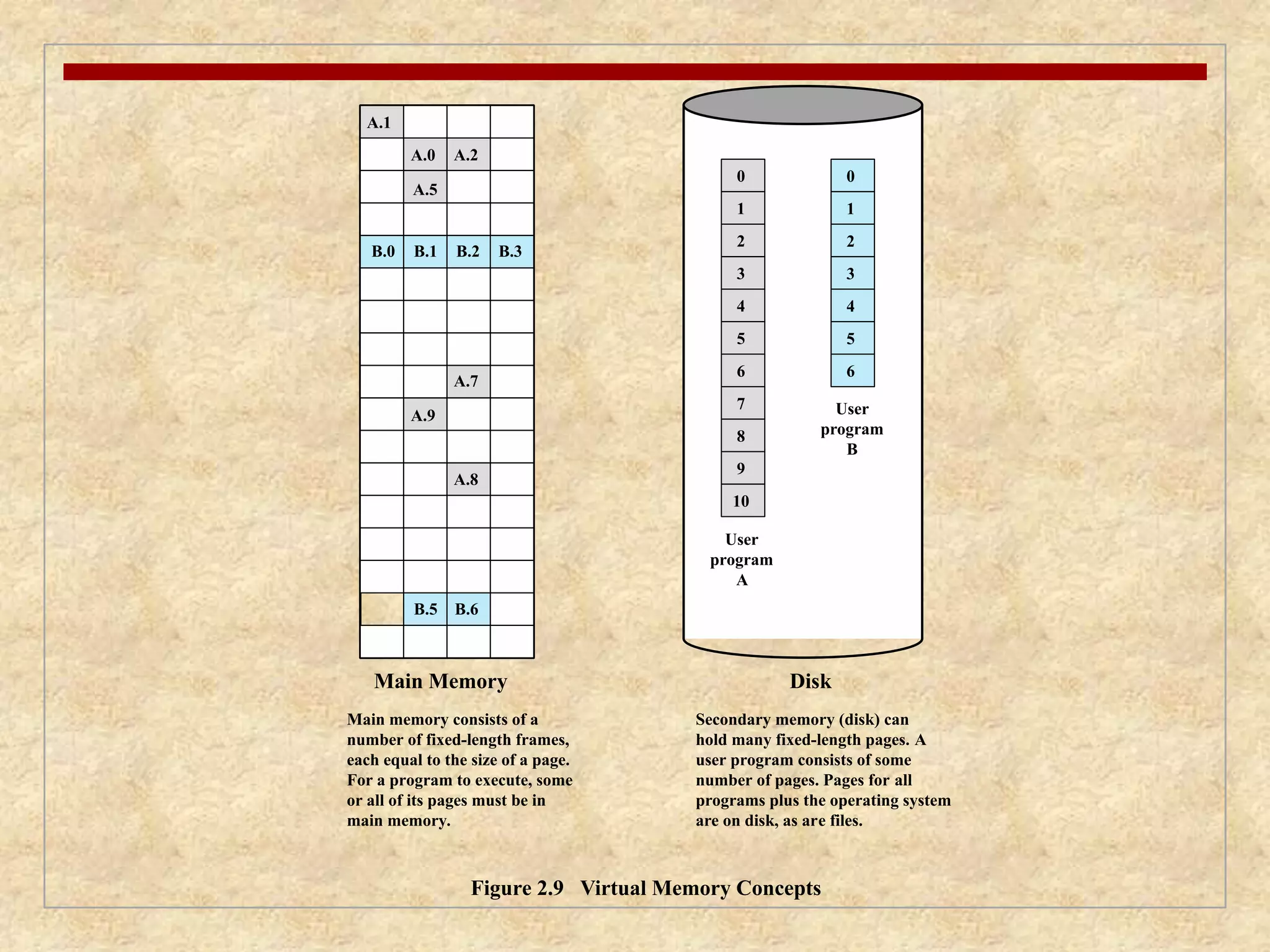
tolerance are reliability, mean time to failure (MTTF), and availability. These concepts
were developed with reference to hardware faults but apply more generally to
hardware of software faults.
The reliability R (t ) of a system is defined as the probability of its correction
operation up to time t given that the system was operating correctly at time t = 0.
For computer systems and operating systems, the term correct operation means the
correct execution of a set of programs and the protection of data from unintended
modification.
The mean time to repair (MTTR) is the average time it takes to repair or
replace a faulty element.
The availability of a system or service is defined as the fraction of time the
system is available to service users’ requests. Equivalently, availability is the probability
that an entity is operating correctly under given conditions at a given instant
of time. The time during which the system is not available is called downtime ; the
time during which the system is available is called uptime .
#54 Figure 2.13 illustrates the relationship among these three
parameters.
#55 Table 2.4 shows some commonly identified availability levels and the corresponding
annual downtime.
#56 The IEEE Standards Dictionary defines a fault as an erroneous hardware or software
state resulting from component failure, operator error, physical interference
from the environment, design error, program error, or data structure error. The
standard also states that a fault manifests itself as (1) a defect in a hardware device
or component; for example, a short circuit or broken wire, or (2) an incorrect step,
process, or data definition in a computer program.
We can group faults into the following categories:
• Permanent: A fault that, after it occurs, is always present. The fault persists
until the faulty component is replaced or repaired. Examples include disk
head crashes, software bugs, and a burnt-out communications component.
• Temporary: A fault that is not present all the time for all operating conditions.
Temporary faults can be further classified as follows:
— Transient: A fault that occurs only once. Examples include bit transmission
errors due to an impulse noise, power supply disturbances, and radiation
that alters a memory bit.
— Intermittent: A fault that occurs at multiple, unpredictable times. An example
of an intermittent fault is one caused by a loose connection.
In general, fault tolerance is built into a system by adding redundancy.
Methods of redundancy include the following:
• Spatial (physical) redundancy: Physical redundancy involves the use of multiple
components that either perform the same function simultaneously or are
configured so that one component is available as a backup in case of the failure
of another component. An example of the former is the use of multiple
parallel circuitry with the majority result produced as output. An example of
the latter is a backup name server on the Internet.
• Temporal redundancy: Temporal redundancy involves repeating a function or
operation when an error is detected. This approach is effective with temporary
faults but not useful for permanent faults. An example is the retransmission of
a block of data when an error is detected, such as is done with data link control
protocols.
• Information redundancy: Information redundancy provides fault tolerance by
replicating or coding data in such a way that bit errors can be both detected and
corrected. An example is the error-control coding circuitry used with memory
systems, and error-correction techniques used with RAID disks, described in
subsequent chapters.
#57 A number of techniques can be incorporated into OS software to support fault tolerance.
A number of examples will be evident throughout the book. The following
list provides examples:
• Process isolation: As was mentioned earlier in this chapter, processes are
generally isolated from one another in terms main memory, file access, and
flow of execution. The structure provided by the OS for managing processes
provides a certain level of protection for other processes from a process that
produces a fault.
• Concurrency controls: Chapters 5 and 6 discuss of the difficulties and faults
that can occur when processes communicate or cooperate. These chapters also
discuss techniques used to ensure correct operation and to recover from fault
conditions, such as deadlock.
• Virtual machines: Virtual machines, discussed in Chapter 14, provide a greater
degree of application isolation and hence fault isolation. Virtual machines can
also be used to provide redundancy, with one virtual machine serving as a
backup for another.
• Checkpoints and rollbacks: A checkpoint is a copy of an application’s state
saved in some storage that is immune to the failures under consideration. A
rollback restarts the execution from a previously saved checkpoint. When a
failure occurs, the application’s state is rolled back to the previous checkpoint
and restarted from there. This technique can be used to recover from transient
as well as permanent hardware failures and certain types of software failures.
Database and transaction processing systems typically have such capabilities
built in.
A much wider array of techniques could be discussed, but a full treatment oOS fault tolerance is beyond our scope.
#58 In an SMP system, the kernel can execute on any processor, and typically each
processor does self-scheduling from the pool of available processes or threads.
The kernel can be constructed as multiple processes or multiple threads, allowing
portions of the kernel to execute in parallel. The SMP approach complicates the OS.
The OS designer must deal with the complexity due to sharing resources (like data
structures) and coordinating actions (like accessing devices) from multiple parts of
the OS executing at the same time. Techniques must be employed to resolve and
synchronize claims to resources.
An SMP operating system manages processor and other computer resources
so that the user may view the system in the same fashion as a multiprogramming
uniprocessor system. A user may construct applications that use multiple processes
or multiple threads within processes without regard to whether a single processor
or multiple processors will be available. Thus, a multiprocessor OS must provide all
the functionality of a multiprogramming system plus additional features to accommodate
multiple processors. The key design issues include the following:
• Simultaneous concurrent processes or threads: Kernel routines need to be
reentrant to allow several processors to execute the same kernel code simultaneously.
With multiple processors executing the same or different parts of the
kernel, kernel tables and management structures must be managed properly
to avoid data corruption or invalid operations.
• Scheduling: Any processor may perform scheduling, which complicates the
task of enforcing a scheduling policy and assuring that corruption of the scheduler
data structures is avoided. If kernel-level multithreading is used, then the
opportunity exists to schedule multiple threads from the same process simultaneously
on multiple processors. Multiprocessor scheduling is examined in
Chapter 10 .
• Synchronization: With multiple active processes having potential access to
shared address spaces or shared I/O resources, care must be taken to provide
effective synchronization. Synchronization is a facility that enforces mutual
exclusion and event ordering. A common synchronization mechanism used in
multiprocessor operating systems is locks, described in Chapter 5 .
• Memory management: Memory management on a multiprocessor must deal
with all of the issues found on uniprocessor computers and is discussed in Part
Three. In addition, the OS needs to exploit the available hardware parallelism
to achieve the best performance. The paging mechanisms on different processors
must be coordinated to enforce consistency when several processors
share a page or segment and to decide on page replacement. The reuse of
physical pages is the biggest problem of concern; that is, it must be guaranteed
that a physical page can no longer be accessed with its old contents before the
page is put to a new use.
Reliability and fault tolerance: The OS should provide graceful degradation
in the face of processor failure. The scheduler and other portions of the OS
must recognize the loss of a processor and restructure management tables
accordingly.
Because multiprocessor OS design issues generally involve extensions to
solutions to multiprogramming uniprocessor design problems, we do not treat
multiprocessor operating systems separately. Rather, specific multiprocessor issues
are addressed in the proper context throughout this book.
#59 The considerations for multicore systems include all the design issues discussed so
far in this section for SMP systems. But additional concerns arise. The issue is one
of the scale of the potential parallelism. Current multicore vendors offer systems
with up to eight cores on a single chip. With each succeeding processor technology
generation, the number of cores and the amount of shared and dedicated cache
memory increases, so that we are now entering the era of “many-core” systems.
The design challenge for a many-core multicore system is to efficiently
harness the multicore processing power and intelligently manage the substantial
on-chip resources efficiently. A central concern is how to match the inherent parallelism
of a many-core system with the performance requirements of applications.
The potential for parallelism in fact exists at three levels in contemporary multicore
system. First, there is hardware parallelism within each core processor, known as
instruction level parallelism, which may or may not be exploited by application programmers
and compilers. Second, there is the potential for multiprogramming and
multithreaded execution within each processor. Finally, there is the potential for
a single application to execute in concurrent processes or threads across multiple
cores. Without strong and effective OS support for the last two types of parallelism
just mentioned, hardware resources will not be efficiently used.
In essence, then, since the advent of multicore technology, OS designers have
been struggling with the problem of how best to extract parallelism from computing
workloads. A variety of approaches are being explored for next-generation operating
systems. We introduce two general strategies in this section and consider some
details in later chapters.
#60 Most applications can, in principle, be
subdivided into multiple tasks that can execute in parallel, with these tasks then
being implemented as multiple processes, perhaps each with multiple threads. The
difficulty is that the developer must decide how to split up the application work into
independently executable tasks. That is, the developer must decide what pieces can
or should be executed asynchronously or in parallel. It is primarily the compiler and
the programming language features that support the parallel programming design
process. But, the OS can support this design process, at minimum, by efficiently
allocating resources among parallel tasks as defined by the developer.
Perhaps the most effective initiative to support developers is implemented in
the latest release of the UNIX-based Mac OS X operating system. Mac OS X 10.6
includes a multicore support capability known as Grand Central Dispatch (GCD).
GCD does not help the developer decide how to break up a task or application into
separate concurrent parts. But once a developer has identified something that can
be split off into a separate task, GCD makes it as easy and noninvasive as possible
to actually do so.
In essence, GCD is a thread pool mechanism, in which the OS maps tasks onto
threads representing an available degree of concurrency (plus threads for blocking
on I/O). Windows also has a thread pool mechanism (since 2000), and thread
pools have been heavily used in server applications for years. What is new in GCD
is the extension to programming languages to allow anonymous functions (called
blocks) as a way of specifying tasks. GCD is hence not a major evolutionary step.
Nevertheless, it is a new and valuable tool for exploiting the available parallelism of
a multicore system.
One of Apple’s slogans for GCD is “islands of serialization in a sea of concurrency.”
That captures the practical reality of adding more concurrency to run-of-the-mill
desktop applications. Those islands are what isolate developers from the thorny
problems of simultaneous data access, deadlock, and other pitfalls of multithreading.
Developers are encouraged to identify functions of their applications that would be
better executed off the main thread, even if they are made up of several sequential or
otherwise partially interdependent tasks. GCD makes it easy to break off the entire
unit of work while maintaining the existing order and dependencies between subtasks.
In later chapters, we look at some of the details of GCD.
#61 An alternative approach is to recognize that
with the ever-increasing number of cores on a chip, the attempt to multiprogram
individual cores to support multiple applications may be a misplaced use of
resources [JACK10]. If instead, we allow one or more cores to be dedicated to a
particular process and then leave the processor alone to devote its efforts to that
process, we avoid much of the overhead of task switching and scheduling decisions.
The multicore OS could then act as a hypervisor that makes a high-level decision
to allocate cores to applications but does little in the way of resource allocation
beyond that.
The reasoning behind this approach is as follows. In the early days of computing,
one program was run on a single processor. With multiprogramming,
each application is given the illusion that it is running on a dedicated processor.
Multiprogramming is based on the concept of a process, which is an abstraction of
an execution environment. To manage processes, the OS requires protected space,
free from user and program interference. For this purpose, the distinction between
kernel mode and user mode was developed. In effect, kernel mode and user mode
abstracted the processor into two processors. With all these virtual processors, however,
come struggles over who gets the attention of the real processor. The overhead
of switching between all these processors starts to grow to the point where responsiveness
suffers, especially when multiple cores are introduced. But with many-core
systems, we can consider dropping the distinction between kernel and user mode.
In this approach, the OS acts more like a hypervisor. The programs themselves take
on many of the duties of resource management. The OS assigns an application a
processor and some memory, and the program itself, using metadata generated by
the compiler, would best know how to use these resources.
#62 Figure 2.14 illustrates the overall structure of Windows 8. As with virtually all operating
systems, Windows separates application-oriented software from the core OS
software. The latter, which includes the Executive, the Kernel, device drivers, and
the hardware abstraction layer, runs in kernel mode. Kernel mode software has access
to system data and to the hardware. The remaining software, running in user
mode, has limited access to system data.
Windows has a highly modular architecture.
Each system function is managed by just one component of the OS. The rest of the
OS and all applications access that function through the responsible component using
standard interfaces. Key system data can only be accessed through the appropriate
function. In principle, any module can be removed, upgraded, or replaced without
rewriting the entire system or its standard application program interfaces (APIs)
#63 The kernel-mode components of Windows are the following:
• Executive: Contains the core OS services, such as memory management, process
and thread management, security, I/O, and interprocess communication.
• Kernel: Controls execution of the processors. The Kernel manages thread
scheduling, process switching, exception and interrupt handling, and multiprocessor
synchronization. Unlike the rest of the Executive and the user level,
the Kernel’s own code does not run in threads.
• Hardware abstraction layer (HAL): Maps between generic hardware commands
and responses and those unique to a specific platform. It isolates
the OS from platform-specific hardware differences. The HAL makes each
computer’s system bus, direct memory access (DMA) controller, interrupt
controller, system timers, and memory controller look the same to the
Executive and Kernel components. It also delivers the support needed for
SMP, explained subsequently.
• Device drivers: Dynamic libraries that extend the functionality of the
Executive. These include hardware device drivers that translate user I/O function
calls into specific hardware device I/O requests and software components
for implementing file systems, network protocols, and any other system extensions
that need to run in kernel mode.
• Windowing and graphics system: Implements the GUI functions, such as dealing
with windows, user interface controls, and drawing.
The Windows Executive includes components for specific system functions
and provides an API for user-mode software. Following is a brief description of
each of the Executive modules:
• I/O manager: Provides a framework through which I/O devices are accessible
to applications, and is responsible for dispatching to the appropriate device
drivers for further processing. The I/O manager implements all the Windows
I/O APIs and enforces security and naming for devices, network protocols,
and file systems (using the object manager). Windows I/O is discussed in
Chapter 11 .
• Cache manager: Improves the performance of file-based I/O by causing
recently referenced file data to reside in main memory for quick access, and
deferring disk writes by holding the updates in memory for a short time before
sending them to the disk in more efficient batches.
• Object manager: Creates, manages, and deletes Windows Executive objects
that are used to represent resources such as processes, threads, and synchronization
objects. It enforces uniform rules for retaining, naming, and setting the
security of objects. The object manager also creates the entries in each processes’
handle table, which consist of access control information and a pointer
to the object. Windows objects are discussed later in this section.
• Plug-and-play manager: Determines which drivers are required to support a
particular device and loads those drivers.
Power manager: Coordinates power management among various devices
and can be configured to reduce power consumption by shutting down idle
devices, putting the processor to sleep, and even writing all of memory to disk
and shutting off power to the entire system.
• Security reference monitor: Enforces access-validation and audit-generation
rules. The Windows object-oriented model allows for a consistent and uniform
view of security, right down to the fundamental entities that make up the
Executive. Thus, Windows uses the same routines for access validation and
for audit checks for all protected objects, including files, processes, address
spaces, and I/O devices. Windows security is discussed in Chapter 15 .
• Virtual memory manager: Manages virtual addresses, physical memory, and
the paging files on disk. Controls the memory management hardware and data
structures which map virtual addresses in the process’s address space to physical
pages in the computer’s memory. Windows virtual memory management is
described in Chapter 8 .
• Process/thread manager: Creates, manages, and deletes process and thread
objects. Windows process and thread management are described in Chapter 4 .
• Configuration manager: Responsible for implementing and managing the
system registry, which is the repository for both system-wide and per-user
settings of various parameters.
• Advanced local procedure call (ALPC) facility: Implements an efficient crossprocess
procedure call mechanism for communication between local processes
implementing services and subsystems. Similar to the remote procedure call
(RPC) facility used for distributed processing.
#64 USER-MODE PROCESSES Four basic types of user-mode processes are supported
by Windows:
• Special system processes: User-mode services needed to manage the system,
such as the session manager, the authentication subsystem, the service manager,
and the logon process.
• Service processes: The printer spooler, the event logger, user-mode components
that cooperate with device drivers, various network services, and many,
many others. Services are used by both Microsoft and external software developers
to extend system functionality as they are the only way to run background
user-mode activity on a Windows system.
• Environment subsystems: Provide different OS personalities (environments).
The supported subsystems are Win32 and POSIX. Each environment subsystem
includes a subsystem process shared among all applications using the
subsystem and dynamic link libraries (DLLs) that convert the user application
calls to ALPC calls on the subsystem process, and/or native Windows calls.
• User applications: Executables (EXEs) and DLLs that provide the functionality
users run to make use of the system. EXEs and DLLs are generally targeted
at a specific environment subsystem; although some of the programs that are
provided as part of the OS use the native system interfaces (NT API). There is
also support for running 32-bit programs on 64-bit systems.
#65 The Windows OS services, the environment subsystems, and the applications are
structured using the client/server computing model, which is a common model for
distributed computing and which is discussed in Part Six. This same architecture can
be adopted for use internally to a single system, as is the case with Windows.
The native NT API is a set of kernel-based services which provide the core
abstractions used by the system, such as processes, threads, virtual memory, I/O,
and communication. Windows provides a far richer set of services by using the
client/server model to implement functionality in user-mode processes. Both the
environment subsystems and the Windows user-mode services are implemented as
processes that communicate with clients via RPC. Each server process waits for a
request from a client for one of its services (e.g., memory services, process creation
services, or networking services). A client, which can be an application program
or another server program, requests a service by sending a message. The message
is routed through the Executive to the appropriate server. The server performs
the requested operation and returns the results or status information by means of
another message, which is routed through the Executive back to the client.
Advantages of a client/server architecture include the following:
• It simplifies the Executive. It is possible to construct a variety of APIs implemented
in user-mode servers without any conflicts or duplications in the
Executive. New APIs can be added easily.
• It improves reliability. Each new server runs outside of the kernel, with its
own partition of memory, protected from other servers. A single server can
fail without crashing or corrupting the rest of the OS.
• It provides a uniform means for applications to communicate with services via
RPCs without restricting flexibility. The message-passing process is hidden
from the client applications by function stubs, which are small pieces of code
which wrap the RPC call. When an application makes an API call to an environment
subsystem or a service, the stub in the client application packages the
parameters for the call and sends them as a message to the server process that
implements the call.
#66 Two important characteristics of Windows are its support for threads and for
symmetric multiprocessing (SMP), both of which were introduced in Section 2.4 .
[RUSS11] lists the following features of Windows that support threads and SMP:
• OS routines can run on any available processor, and different routines can
execute simultaneously on different processors.
• Windows supports the use of multiple threads of execution within a single
process. Multiple threads within the same process may execute on different
processors simultaneously.
• Server processes may use multiple threads to process requests from more than
one client simultaneously.
• Windows provides mechanisms for sharing data and resources between processes
and flexible interprocess communication capabilities.
#67 Though the core of Windows is written in C, the design principles followed draw
heavily on the concepts of object-oriented design. This approach facilitates the sharing
of resources and data among processes and the protection of resources from
unauthorized access. Among the key object-oriented concepts used by Windows are
the following:
• Encapsulation: An object consists of one or more items of data, called
attributes, and one or more procedures that may be performed on those data,
called services. The only way to access the data in an object is by invoking one
of the object’s services. Thus, the data in the object can easily be protected
from unauthorized use and from incorrect use (e.g., trying to execute a nonexecutable
piece of data).
• Object class and instance: An object class is a template that lists the attributes
and services of an object and defines certain object characteristics. The OS can
create specific instances of an object class as needed. For example, there is a
single process object class and one process object for every currently active
process. This approach simplifies object creation and management.
• Inheritance: Although the implementation is hand coded, the Executive uses
inheritance to extend object classes by adding new features. Every Executive
class is based on a base class which specifies virtual methods that support
creating, naming, securing, and deleting objects. Dispatcher objects are
Executive objects that inherit the properties of an event object, so they can
use common synchronization methods. Other specific object types, such as the
device class, allow classes for specific devices to inherit from the base class,
and add additional data and methods.
• Polymorphism: Internally, Windows uses a common set of API functions to
manipulate objects of any type; this is a feature of polymorphism, as defined
in Appendix D . However, Windows is not completely polymorphic because
there are many APIs that are specific to a single object type.
#68 There are two categories of objects used by Windows for synchronizing the
use of the processor:
• Dispatcher objects: The subset of Executive objects which threads can wait on
to control the dispatching and synchronization of thread-based system operations.
These are described in Chapter 6 .
• Control objects: Used by the Kernel component to manage the operation of
the processor in areas not managed by normal thread scheduling. Table 2.5
lists the Kernel control objects.
Windows is not a full-blown object-oriented OS. It is not implemented in
an object-oriented language. Data structures that reside completely within one
Executive component are not represented as objects. Nevertheless, Windows illustrates
the power of object-oriented technology and represents the increasing trend
toward the use of this technology in OS design.
#69 The history of UNIX is an oft-told tale and will not be repeated in great detail here.
Instead, we provide a brief summary.
UNIX was initially developed at Bell Labs and became operational on a
PDP-7 in 1970. Some of the people involved at Bell Labs had also participated in
the time-sharing work being done at MIT’s Project MAC. That project led to the
development of first CTSS and then Multics. Although it is common to say that
the original UNIX was a scaled-down version of Multics, the developers of UNIX
actually claimed to be more influenced by CTSS [RITC78]. Nevertheless, UNIX
incorporated many ideas from Multics.
Work on UNIX at Bell Labs, and later elsewhere, produced a series of versions
of UNIX. The first notable milestone was porting the UNIX system from the PDP-7 to
the PDP-11. This was the first hint that UNIX would be an OS for all computers. The
next important milestone was the rewriting of UNIX in the programming language
C. This was an unheard-of strategy at the time. It was generally felt that something as
complex as an OS, which must deal with time-critical events, had to be written exclusively
in assembly language. Reasons for this attitude include the following:
• Memory (both RAM and secondary store) was small and expensive by today’s
standards, so effective use was important. This included various techniques for
overlaying memory with different code and data segments, and self-modifying
code.
• Even though compilers had been available since the 1950s, the computer
industry was generally skeptical of the quality of automatically generated
code. With resource capacity small, efficient code, both in terms of time and
space, was essential.
• Processor and bus speeds were relatively slow, so saving clock cycles could
make a substantial difference in execution time.
The C implementation demonstrated the advantages of using a high-level
language for most if not all of the system code. Today, virtually all UNIX implementations
are written in C.
These early versions of UNIX were popular within Bell Labs. In 1974, the
UNIX system was described in a technical journal for the first time [RITC74]. This
spurred great interest in the system. Licenses for UNIX were provided to commercial
institutions as well as universities. The first widely available version outside Bell
Labs was Version 6, in 1976. The follow-on Version 7, released in 1978, is the ancestor
of most modern UNIX systems. The most important of the non-AT&T systems
to be developed was done at the University of California at Berkeley, called UNIX
BSD (Berkeley Software Distribution), running first on PDP and then VAX computers.
AT&T continued to develop and refine the system. By 1982, Bell Labs had
combined several AT&T variants of UNIX into a single system, marketed commercially
as UNIX System III. A number of features was later added to the OS to
produce UNIX System V.
#70 Figure 2.15 provides a general description of the classic UNIX architecture. The
underlying hardware is surrounded by the OS software. The OS is often called the
system kernel, or simply the kernel, to emphasize its isolation from the user and applications.
It is the UNIX kernel that we will be concerned with in our use of UNIX as
an example in this book. UNIX also comes equipped with a number of user services
and interfaces that are considered part of the system. These can be grouped into
the shell, other interface software, and the components of the C compiler (compiler,
assembler, loader). The layer outside of this consists of user applications and the user
interface to the C compiler.
#71 A closer look at the kernel is provided in Figure 2.16 . User programs can
invoke OS services either directly or through library programs. The system call
interface is the boundary with the user and allows higher-level software to gain
access to specific kernel functions. At the other end, the OS contains primitive routines
that interact directly with the hardware. Between these two interfaces, the
system is divided into two main parts, one concerned with process control and the
other concerned with file management and I/O. The process control subsystem is
responsible for memory management, the scheduling and dispatching of processes,
and the synchronization and interprocess communication of processes. The file system
exchanges data between memory and external devices either as a stream of
characters or in blocks. To achieve this, a variety of device drivers are used. For
block-oriented transfers, a disk cache approach is used: A system buffer in main
memory is interposed between the user address space and the external device.
#72 As UNIX evolved, the number of different implementations proliferated, each providing
some useful features. There was a need to produce a new implementation that
unified many of the important innovations, added other modern OS design features,
and produced a more modular architecture. Typical of the modern UNIX kernel is
the architecture depicted in Figure 2.17 . There is a small core of facilities, written in
a modular fashion, that provide functions and services needed by a number of OS
processes. Each of the outer circles represents functions and an interface that may
be implemented in a variety of ways.
#73 SVR4, developed jointly by AT&T and Sun Microsystems, combines features from
SVR3, 4.3BSD, Microsoft Xenix System V, and SunOS. It was almost a total rewrite
of the System V kernel and produced a clean, if complex, implementation. New features
in the release include real-time processing support, process scheduling classes,
dynamically allocated data structures, virtual memory management, virtual file system,
and a preemptive kernel.
SVR4 draws on the efforts of both commercial and academic designers and
was developed to provide a uniform platform for commercial UNIX deployment. It
has succeeded in this objective and is perhaps the most important UNIX variant. It
incorporates most of the important features ever developed on any UNIX system
and does so in an integrated, commercially viable fashion. SVR4 runs on processors
ranging from 32-bit microprocessors up to supercomputers.
#74 The Berkeley Software Distribution (BSD) series of UNIX releases have played
a key role in the development of OS design theory. 4.xBSD is widely used in academic
installations and has served as the basis of a number of commercial UNIX
products. It is probably safe to say that BSD is responsible for much of the popularity
of UNIX and that most enhancements to UNIX first appeared in BSD versions.
4.4BSD was the final version of BSD to be released by Berkeley, with the design
and implementation organization subsequently dissolved. It is a major upgrade
to 4.3BSD and includes a new virtual memory system, changes in the kernel structure,
and a long list of other feature enhancements.
One of the most widely used and best documented versions of BSD is
FreeBSD. FreeBSD is popular for Internet-based servers and firewalls and is used
in a number of embedded systems.
The latest version of the Macintosh OS, Mac OS X, is based on FreeBSD 5.0
and the Mach 3.0 microkernel.
#75 Solaris is Sun’s SVR4-based UNIX release, with the latest version being 10. Solaris
provides all of the features of SVR4 plus a number of more advanced features, such
as a fully preemptable, multithreaded kernel, full support for SMP, and an object oriented
interface to file systems. Solaris is the most widely used and most successful
commercial UNIX implementation.
#76 Linux started out as a UNIX variant for the IBM PC (Intel 80386) architecture.
Linus Torvalds, a Finnish student of computer science, wrote the initial version.
Torvalds posted an early version of Linux on the Internet in 1991. Since then, a
number of people, collaborating over the Internet, have contributed to the development
of Linux, all under the control of Torvalds. Because Linux is free and the
source code is available, it became an early alternative to other UNIX workstations,
such as those offered by Sun Microsystems and IBM. Today, Linux is a full-featured
UNIX system that runs on all of these platforms and more, including Intel Pentium
and Itanium, and the Motorola/IBM PowerPC.
Key to the success of Linux has been the availability of free software packages
under the auspices of the Free Software Foundation (FSF). FSF’s goal is stable,
platform-independent software that is free, high quality, and embraced by the user
community. FSF’s GNU project 3 provides tools for software developers, and the
GNU Public License (GPL) is the FSF seal of approval. Torvalds used GNU tools
in developing his kernel, which he then released under the GPL. Thus, the Linux
distributions that you see today are the product of FSF’s GNU project, Torvald’s
individual effort, and the efforts of many collaborators all over the world.
In addition to its use by many individual programmers, Linux has now made
significant penetration into the corporate world. This is not only because of the
free software, but also because of the quality of the Linux kernel. Many talented
programmers have contributed to the current version, resulting in a technically
impressive product. Moreover, Linux is highly modular and easily configured. This
makes it easy to squeeze optimal performance from a variety of hardware platforms.
Plus, with the source code available, vendors can tweak applications and utilities to
meet specific requirements. Throughout this book, we will provide details of Linux
kernel internals based on the most recent version, Linux 3.10, released in June of 2013.
#77 Although Linux does not use a microkernel approach, it achieves many of the potential advantages of this approach by means of its particular modular architecture.
Linux is structured as a collection of modules, a number of which can be automatically loaded and unloaded on demand.
These relatively independent blocks are referred to as loadable modules.
In essence, a module is an object file whose code can be linked to and unlinked from the kernel at runtime.
The Linux loadable modules have two important characteristics:
Dynamic linking: A kernel module can be loaded and linked into the kernel while the kernel is already in memory and executing.
A module can also be unlinked and removed from memory at any time.
Saves kernel memory.
Stackable modules: The modules are arranged in a hierarchy.
Individual modules serve as libraries when they are referenced by client modules higher up in the hierarchy, and as clients when they reference modules further down.
#78 Figure 2.18 is an example that illustrates the structures used by Linux to
manage modules. The figure shows the list of kernel modules after only two modules
have been loaded: FAT and VFAT. Each module is defined by two tables, the module
table and the symbol table. The module table includes the following elements:
• * next: Pointer to the following module. All modules are organized into a
linked list. The list begins with a pseudomodule (not shown in Figure 2.19 ).
• * name: Pointer to module name
• size: Module size in memory pages
• usecount: Module usage counter. The counter is incremented when an operation
involving the module’s functions is started and decremented when the
operation terminates.
flags: Module flags
• nsyms: Number of exported symbols
• ndeps: Number of referenced modules
• * syms: Pointer to this module’s symbol table.
• * deps: Pointer to list of modules that are referenced by this module.
• * refs: Pointer to list of modules that use this module.
The symbol table defines those symbols controlled by this module that are
used elsewhere.
Figure 2.18 shows that the VFAT module was loaded after the FAT module
and that the VFAT module is dependent on the FAT module.
#79 Figure 2.19 , taken from [MOSB02], shows the main components of the Linux kernel
as implemented on an IA-64 architecture (e.g., Intel Itanium). The figure shows
several processes running on top of the kernel. Each box indicates a separate process,
while each squiggly line with an arrowhead represents a thread of execution. 4
The kernel itself consists of an interacting collection of components, with arrows
indicating the main interactions. The underlying hardware is also depicted as a
set of components with arrows indicating which kernel components use or control
which hardware components. All of the kernel components, of course, execute on
the processor but, for simplicity, these relationships are not shown.
#80 The kernel uses signals to call into a process. For example, signals are
used to notify a process of certain faults, such as division by zero. Table 2.6
gives a few examples of signals.
#81 System calls: The system call is the means by which a process requests a specific
kernel service. There are several hundred system calls, which can be roughly
grouped into six categories: file system, process, scheduling, interprocess communication,
socket (networking), and miscellaneous. Table 2.7 defines a few
examples in each category.
• Processes and scheduler: tes, manages, and schedules processes.
• Virtual memory: Allocates and manages virtual memory for processes.
• File systems: Provide a global, hierarchical namespace for files, directories,
and other file-related objects and provide file system functions.
• Network protocols: Support the Sockets interface to users for the TCP/IP protocol
suite.
• Character device drivers: Manage devices that require the kernel to send or
receive data one byte at a time, such as terminals, modems, and printers.
• Block device drivers: Manage devices that read and write data in blocks, such
as various forms of secondary memory (magnetic disks, CD-ROMs, etc.).
• Network device drivers: Manage network interface cards and communications
ports that connect to network devices, such as bridges and routers.
• Traps and faults: Handle traps and faults generated by the processor, such as a
memory fault.
• Physical memory: Manages the pool of page frames in real memory and allocates
pages for virtual memory.
• Interrupts Handle interrupts from peripheral devices.
#83 The Android operating system is a Linux-based system originally designed for
touchscreen mobile devices such as smartphones and tablet computers. It is the most
popular mobile OS by a wide margin: Android handsets outsell Apple’s iPhones
globally by about 4 to 1 [VANC13]. But this is just one element in the increasing
dominance of Android: Increasingly, it is the OS behind virtually any device with a
computer chip other than servers and PCs. Android is becoming the standard OS
for the “Internet of things,” a term that refers to the expanding interconnection of
smart devices, ranging from appliances to tiny sensors.
Initial Android OS development was done by Android, Inc., which was bought
by Google in 2005. The first commercial version, Android 1.0, was released in 2008.
As of this writing, the most recent version is Android 4.3 (Jelly Bean). In 2007, the
Open Handset Alliance (OHA) was formed. OHA is a consortium of 84 firms to
develop open standards for mobile devices. Specifically, OHA is responsible for the
Android OS releases as an open platform. The open-source nature of Android has
been the key to its success.
#84 Android is defined as a software stack that includes the OS kernel, middleware, and
key applications. Figure 2.20 shows the Android software architecture in some detail.
Thus, Android should be viewed as a complete software stack—not just an OS.
In a sense, Android is a form of embedded Linux. However, it provides much more
than just the embedded kernel functionality, as Figure 2.20 illustrates.
All the applications that the user interacts with directly are part
of the application layer. This includes a core set of general-purpose applications,
such as an e-mail client, SMS program, calendar, maps, browser, contacts, and other
applications commonly standard with any mobile device. Applications are typically
implemented in Java. A key goal of the open-source Android architecture is to make
it easy for developers to implement new applications for specific devices and specific
end user requirements. Using Java enables developers to be relieved of hardware specific
considerations and idiosyncrasies, as well as tap into Java’s higher-level
language features, such as predefined classes. Figure 2.20 shows examples of the
types of base applications found on an Android platform.
#85 The Application Framework layer provides high-level
building blocks, accessible through standardized APIs, that programmers use to
create new apps. The architecture is designed to simplify the reuse of components.
Some of the key Application Framework components are:
• Activity Manager: Manages lifecycle of applications. It is responsible for starting,
stopping, and resuming the various applications.
• Window Manager: Java abstraction of the underlying Surface Manager. The
Surface Manager handles the frame buffer interaction and low-level drawing,
whereas the Window Manager provides a layer on top of it, to allow applications
to declare their client area and use features like the status bar.
• Package Manager: Installs and removes applications
• Telephony Manager: Allows interaction with phone, SMS, and MMS services
#86 • Content Providers: These functions encapsulate application data that need to
be shared between applications, such as contacts.
Resource Manager: Manages application resources, such as localized strings
and bitmaps
• View System: Provides the user interface (UI) primitives, such as Buttons, listboxes,
date pickers, and other controls, as well as UI Events (such as touch
and gestures)
• Location Manager: Allows developers to tap into location-based services,
whether by GPS, cell tower IDs, or local Wi-Fi databases
• Notification Manager: Manages events, such as arriving messages and
appointments
• XMPP: Provides standardized messaging (also, Chat) functions between
applications
#87 The layer below the Application Framework consists of two
parts: System Libraries and Android Runtime. The System Libraries component
is a collection of useful system functions, written in C or C++ and used by various
components of the Android system. They are called from the application framework
and applications through a Java interface. These features are exposed to developers
through the Android application framework. Some of the key system libraries
include the following:
• Surface Manager: Android uses a compositing window manager similar to
Vista or Compiz, but it is much simpler. Instead of drawing directly to the
screen buffer, your drawing commands go into off-screen bitmaps that are then
combined with other bitmaps to form the display the user sees. This lets the
system create all sorts of interesting effects such as see-through windows and
fancy transitions.
• OpenGL: OpenGL (Open Graphics Library) is a cross-language, multiplatform
API for rendering 2D and 3D computer graphics. OpenGL/ES (OpenGL for
embedded systems) is a subset of OpenGL designed for embedded systems.
• Media Framework: The Media Framework supports video recording and playing
in many formats, including AAC, AVC (H.264), H.263, MP3, and MPEG-4.
• SQL Database: Android includes a lightweight SQLite database engine, for
storing persistent data. SQLite is discussed in a subsequent section.
• Browser Engine: For fast display of HTML content, Android uses the WebKit
library, which is essentially the same library used in Safari and iPhone. It was also
the library used for the Google Chrome browser until Google switched to Blink.
• Bionic LibC: This is a stripped-down version of the standard C system library,
tuned for embedded Linux-based devices. The interface is the standard Java
Native Interface (JNI).
#88 Every Android application runs in its own process, with its
own instance of the Dalvik virtual machine (DVM). The DVM executes files in the
Dalvik Executable (.dex) format, which is optimized for minimal memory footprint
and efficient processor usage. The DVM is examined in Chapter 14.
The Android Runtime component includes a set of core libraries that provides
most of the functionality available in the core libraries of the Java programming
language. To execute an operation, the DVM calls on the corresponding C/C++
library using the JNI.
#89 It is useful to illustrate Android from the perspective of an application developer,
as shown in Figure 2.21. This system architecture is a simplified abstraction of the
software architecture shown in Figure 2.20. Viewed in this fashion, Android consists
of the following layers:
• Applications and Framework: Application developers are primarily concerned
with this layer and the APIs that allow access to lower-layer services.
• Binder IPC: The Binder Inter-Process Communication mechanism allows the
application framework to cross process boundaries and call into the Android
system services code. This basically allows high-level framework APIs to interact
with Android’s system services.
• Android System Services: Most of the functionality exposed through the application
framework APIs invokes system services that in turn access the underlying
hardware and kernel functions. Services can be seen as being organized
in two groups. Media services deal with playing and recording media. System
services deal with system functions visible to the application.
• Hardware Abstraction Layer (HAL): The HAL provides a standard interface
to kernel-layer device drivers, so that upper-layer code need not be concerned
with the details of the implementation of specific drivers and hardware. The
HAL is virtually unchanged from that in a standard Linux distribution.
• Linux Kernel: Linux kernel is tailored to meet the demands of a mobile
environment.
#90 An activity is a single visual user interface component, including things such as
menu selections, icons, and checkboxes. Every screen in an application is an extension
of the Activity class. Activities use Views to form graphical user interfaces that
display information and respond to user actions. We discuss Activities in Chapter 4.
#91 Android adds two features to the Linux kernel to enhance the ability to perform
power management: alarms and wakelocks.
The Alarms capability is implemented in the Linux kernel and is visible to the
app developer through the AlarmManager in the RunTime core libraries. Through
the AlarmManager, an app can request a timed wake-up service. The Alarms facility
is implemented in the kernel so that an alarm can trigger even if the system is
in sleep mode. This allows the system to go into sleep mode, saving power, even
though there is a process that requires a wake up.
The wakelock facility prevents an Android system from entering into sleep
mode. An application can hold one of the following wakelocks:
• Full_Wake_Lock: Processor on, full screen brightness, keyboard bright
• Partial_Wake_Lock: Processor on, screen off, keyboard off
• Screen_Dim_Wake_Lock: Processor on, screen dim, keyboard off
• Screen_Bright_Wake_Lock: Processor on, screen bright, keyboard off
These locks are requested through the API whenever an application requires
one of the managed peripherals to remain powered on. If no wakelock exists, which
locks the device, then it is powered off to conserve battery life.
These kernel objects are made visible to apps in user space by means of /sys/
power/wavelock files. The wake_lock and wake_unlock files can be used to define
and toggle a lock by writing to the corresponding file.