




Using training to up your
ante
Who am I – part 1, the basics
 Name:                Julian Weiss
 Employer:            Zerto Ltd. (a great little-ish startup)
 Years as TW:         Too many (around 25 years)
 Years as Trainer:    Quite a few (over 15 years)
 Previous work:       Analyst/Programmer (many, many years ago)
 Blog:                Semi-comatose
                       (www.wisedocumentation.wordpress.com)
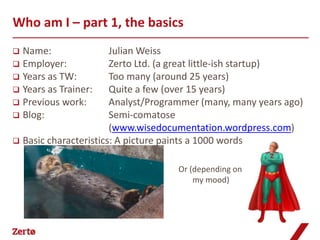
 Basic characteristics: A picture paints a 1000 words


                                   Or (depending on
                                        my mood)
What I want to talk about

 Why consider   adding training to resume
 Who needs to be here
 Skillset: documentation vs. training materials
 Content: from manual to training materials
Why you should care


  Our jobs are threatened by downsizing and/or
outsourcing. A simple way to add another string to
your bow is by adding training capabilities to your
     resume. You know how to produce great
 documentation, but how can you convert it into
training materials to make you that little bit more
                 wanted/sellable.
Is this session for me?

 Yes
   Looking to add training capabilities
   No or little previous training experience

 No
   Already doing it
   Want to move 80-100% into training
   Looking for tips about training for different
    cultures/languages

 Not sure
     Some previous training experience
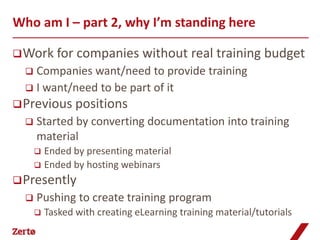
Who am I – part 2, why I’m standing here

 Work for       companies without real training budget
   Companies want/need to provide training
   I want/need to be part of it
 Previous positions
     Started by converting documentation into training
      material
       Ended by presenting material
       Ended by hosting webinars

 Presently
     Pushing to create training program
         Tasked with creating eLearning training material/tutorials
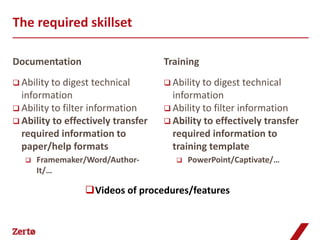
The required skillset

Documentation                       Training
 Ability to digest technical        Ability to digest technical
  information                         information
 Ability to filter information      Ability to filter information
 Ability to effectively transfer    Ability to effectively transfer
  required information to             required information to
  paper/help formats                  training template
      Framemaker/Word/Author-            PowerPoint/Captivate/…
       It/…

                 Videos of procedures/features
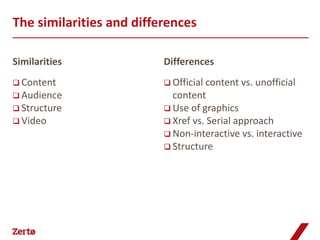
The similarities and differences

Similarities              Differences
 Content                  Official content vs.   unofficial
 Audience                  content
 Structure                Use of graphics
 Video                    Xref vs. Serial approach
                           Non-interactive vs. interactive
                           Structure
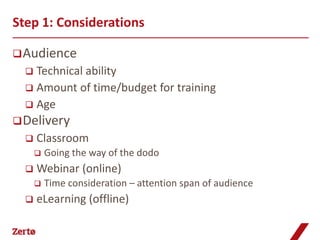
Step 1: Considerations

 Audience
   Technical ability
   Amount of time/budget for training
   Age
 Delivery
     Classroom
         Going the way of the dodo
     Webinar (online)
         Time consideration – attention span of audience
     eLearning (offline)
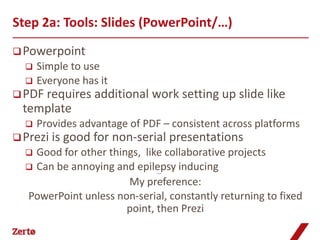
Step 2a: Tools: Slides (PowerPoint/…)
 Powerpoint
     Simple to use
     Everyone has it
 PDF requires    additional work setting up slide like
  template
     Provides advantage of PDF – consistent across platforms
 Prezi is   good for non-serial presentations
   Good for other things, like collaborative projects
   Can be annoying and epilepsy inducing
                               Prezi example


                       My preference:
  PowerPoint unless non-serial, constantly returning to fixed
                       point, then Prezi
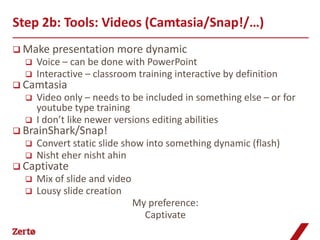
Step 2b: Tools: Videos (Camtasia/Snap!/…)
 Make presentation more         dynamic
     Voice – can be done with PowerPoint
     Interactive – classroom training interactive by definition
 Camtasia
     Video only – needs to be included in something else – or for
      youtube type training
     I don’t like newer versions editing abilities
 BrainShark/Snap!
     Convert static slide show into something dynamic (flash)
     Nisht eher nisht ahin
 Captivate
     Mix of slide and video
     Lousy slide creation
                               My preference:
                                 Captivate
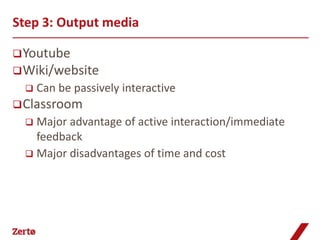
Step 3: Output media

 Youtube
 Wiki/website
     Can be passively interactive
 Classroom
   Major advantage of active interaction/immediate
    feedback
   Major disadvantages of time and cost
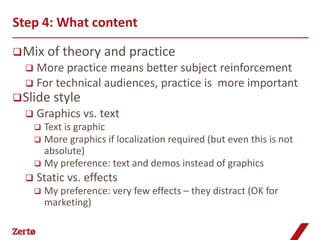
Step 4: What content

 Mix     of theory and practice
   More practice means better subject reinforcement
   For technical audiences, practice is more important
 Slide     style
     Graphics vs. text
       Text is graphic
       More graphics if localization required (but even this is not
        absolute)
       My preference: text and demos instead of graphics
     Static vs. effects
         My preference: very few effects – they distract (OK for
          marketing)
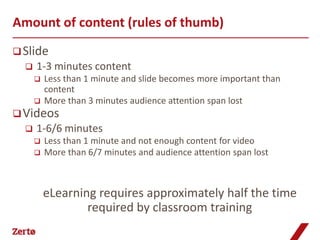
Amount of content (rules of thumb)
 Slide
     1-3 minutes content
         Less than 1 minute and slide becomes more important than
          content
         More than 3 minutes audience attention span lost
 Videos
     1-6/6 minutes
         Less than 1 minute and not enough content for video
         More than 6/7 minutes and audience attention span lost


          eLearning requires approximately half the time
                  required by classroom training
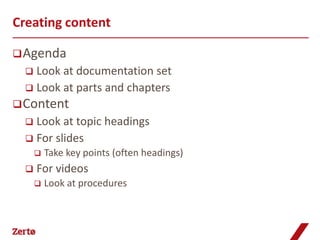
Creating content

 Agenda
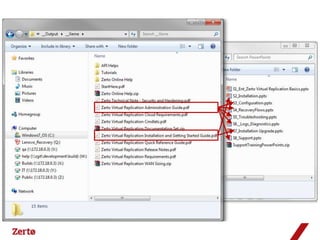
   Look at documentation set
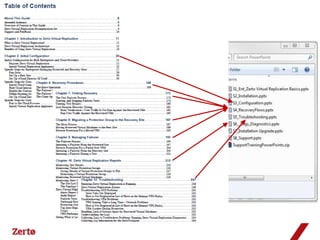
   Look at parts and chapters
 Content
   Look at topic headings
   For slides
         Take key points (often headings)
     For videos
         Look at procedures
Converting documentation to a presentation

 Theory
   Short   bullets
      Crutch to help presenter – not whole story
 Procedures
   Live   or canned demos
      No screenshots
The complete training package
 Agenda
     Order what you think correct
     Add timing
         Average training day is 6 hours
         Maximum webinar is maximum 2 hours
         Average session for eLearning is 15-45 minutes
 Presenter manual
   Slides with notes
   Labs with solutions
 Student manual
     PowerPoint: print 3 slides per page
     Webinar: provide recording
     eLearning: part of package
 Workbook
Budgeting for training

 Ball in    your court
   Produce something in your own (copious) spare time
   Push it
         Know who to push it to
     Cf outsourcing
         $15K per hour

 From experience
     Don’t expect training to become profit center and
      also keep control of it
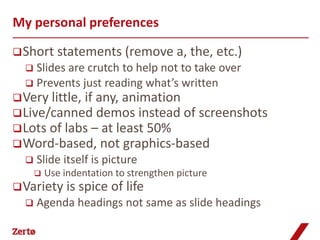
My personal preferences

 Short     statements (remove a, the, etc.)
   Slides are crutch to help not to take over
   Prevents just reading what’s written
 Very little, if any, animation
 Live/canned demos instead of screenshots
 Lots of labs – at least 50%
 Word-based, not graphics-based
     Slide itself is picture
         Use indentation to strengthen picture
 Variety is     spice of life
     Agenda headings not same as slide headings
Questions


            Copyright © Zerto Ltd. All rights reserved.   24
Thank you

Using Training to up your Ante by Julian Weiss

  • 1.
    Using training toup your ante
  • 2.
    Who am I– part 1, the basics  Name: Julian Weiss  Employer: Zerto Ltd. (a great little-ish startup)  Years as TW: Too many (around 25 years)  Years as Trainer: Quite a few (over 15 years)  Previous work: Analyst/Programmer (many, many years ago)  Blog: Semi-comatose (www.wisedocumentation.wordpress.com)  Basic characteristics: A picture paints a 1000 words  Or (depending on my mood)
  • 3.
    What I wantto talk about  Why consider adding training to resume  Who needs to be here  Skillset: documentation vs. training materials  Content: from manual to training materials
  • 4.
    Why you shouldcare Our jobs are threatened by downsizing and/or outsourcing. A simple way to add another string to your bow is by adding training capabilities to your resume. You know how to produce great documentation, but how can you convert it into training materials to make you that little bit more wanted/sellable.
  • 5.
    Is this sessionfor me?  Yes  Looking to add training capabilities  No or little previous training experience  No  Already doing it  Want to move 80-100% into training  Looking for tips about training for different cultures/languages  Not sure  Some previous training experience
  • 6.
    Who am I– part 2, why I’m standing here  Work for companies without real training budget  Companies want/need to provide training  I want/need to be part of it  Previous positions  Started by converting documentation into training material  Ended by presenting material  Ended by hosting webinars  Presently  Pushing to create training program  Tasked with creating eLearning training material/tutorials
  • 7.
    The required skillset Documentation Training  Ability to digest technical  Ability to digest technical information information  Ability to filter information  Ability to filter information  Ability to effectively transfer  Ability to effectively transfer required information to required information to paper/help formats training template  Framemaker/Word/Author-  PowerPoint/Captivate/… It/… Videos of procedures/features
  • 8.
    The similarities anddifferences Similarities Differences  Content  Official content vs. unofficial  Audience content  Structure  Use of graphics  Video  Xref vs. Serial approach  Non-interactive vs. interactive  Structure
  • 9.
    Step 1: Considerations Audience  Technical ability  Amount of time/budget for training  Age  Delivery  Classroom  Going the way of the dodo  Webinar (online)  Time consideration – attention span of audience  eLearning (offline)
  • 10.
    Step 2a: Tools:Slides (PowerPoint/…)  Powerpoint  Simple to use  Everyone has it  PDF requires additional work setting up slide like template  Provides advantage of PDF – consistent across platforms  Prezi is good for non-serial presentations  Good for other things, like collaborative projects  Can be annoying and epilepsy inducing Prezi example My preference: PowerPoint unless non-serial, constantly returning to fixed point, then Prezi
  • 11.
    Step 2b: Tools:Videos (Camtasia/Snap!/…)  Make presentation more dynamic  Voice – can be done with PowerPoint  Interactive – classroom training interactive by definition  Camtasia  Video only – needs to be included in something else – or for youtube type training  I don’t like newer versions editing abilities  BrainShark/Snap!  Convert static slide show into something dynamic (flash)  Nisht eher nisht ahin  Captivate  Mix of slide and video  Lousy slide creation My preference: Captivate
  • 12.
    Step 3: Outputmedia  Youtube  Wiki/website  Can be passively interactive  Classroom  Major advantage of active interaction/immediate feedback  Major disadvantages of time and cost
  • 13.
    Step 4: Whatcontent  Mix of theory and practice  More practice means better subject reinforcement  For technical audiences, practice is more important  Slide style  Graphics vs. text  Text is graphic  More graphics if localization required (but even this is not absolute)  My preference: text and demos instead of graphics  Static vs. effects  My preference: very few effects – they distract (OK for marketing)
  • 14.
    Amount of content(rules of thumb)  Slide  1-3 minutes content  Less than 1 minute and slide becomes more important than content  More than 3 minutes audience attention span lost  Videos  1-6/6 minutes  Less than 1 minute and not enough content for video  More than 6/7 minutes and audience attention span lost eLearning requires approximately half the time required by classroom training
  • 15.
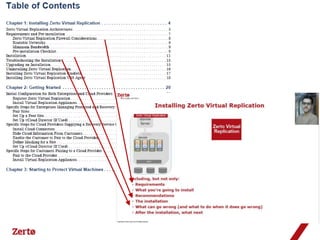
    Creating content  Agenda  Look at documentation set  Look at parts and chapters  Content  Look at topic headings  For slides  Take key points (often headings)  For videos  Look at procedures
  • 19.
    Converting documentation toa presentation  Theory  Short bullets  Crutch to help presenter – not whole story  Procedures  Live or canned demos  No screenshots
  • 21.
    The complete trainingpackage  Agenda  Order what you think correct  Add timing  Average training day is 6 hours  Maximum webinar is maximum 2 hours  Average session for eLearning is 15-45 minutes  Presenter manual  Slides with notes  Labs with solutions  Student manual  PowerPoint: print 3 slides per page  Webinar: provide recording  eLearning: part of package  Workbook
  • 22.
    Budgeting for training Ball in your court  Produce something in your own (copious) spare time  Push it  Know who to push it to  Cf outsourcing  $15K per hour  From experience  Don’t expect training to become profit center and also keep control of it
  • 23.
    My personal preferences Short statements (remove a, the, etc.)  Slides are crutch to help not to take over  Prevents just reading what’s written  Very little, if any, animation  Live/canned demos instead of screenshots  Lots of labs – at least 50%  Word-based, not graphics-based  Slide itself is picture  Use indentation to strengthen picture  Variety is spice of life  Agenda headings not same as slide headings
  • 24.
    Questions Copyright © Zerto Ltd. All rights reserved. 24
  • 25.

Editor's Notes

  • #4 From documentation to training materials=========================The skillsets requiredSimilarities and differences
  • #5 Also, documentation and training are two sides of the same coin.
  • #6 Not going to talk about localization. Also not going to talk about tools very much except for the basic tools you need.What I am going to do is get you started on the way. After that you can start digging and expanding on your own.Lots of previous experience – might be too simplistic (or not!)Extensive use of training tools – PDF for slides, video/flash tools (like Camtasia, BrainShark) or combination (Captivate)Not considering translation (creating material that will be translated is another ball game – e.g. better to use more graphics)
  • #7 started because lecturer’s father died while I was QAing a courseWhat I can’t give is exact breakdowns of what you should look for, but ideas to consider
  • #8 Again, able to see that documentation and training are two sides of the same coin.Only the skillset is different.Since this session is aimed at tech writers expanding their skillset to produce something new for their companies, I am not looking at basic tools that you quite possibly already have and not tools like Articulate ($1400), Moodle, Courselab or Composica (many of which are aimed at collaborative course development).
  • #9 Structure – not the same structure, but still requires structureOfficial content vs. unofficial content – training can include material that can’t be added to the documentation (especially in classroom training with tips and tricks that might be an embarrassment to put in a manual)Xref vs. Serial approach – training materials must build on previous material. Cannot expect the participant to jump to another place for more information. This impacts on structure (Prezi provides a partial answer to this).Non-interactive vs. interactive – also true (to a lesser extent) with eLearning
  • #10 These considerations are also important when deciding on the tools and output media.I have always created materials for programmers/administrators (code examples etc.). Therefore older audience – therefore PowerPoints were appropriate.Monthly intro webinar planned whether had participants or not (via wiki, email, …)When limited time (and sometimes budget), webinars and eLearning are preferred. Older generation still prefer classroom training (even if they can’t because the paymasters don’t want to pay for it).
  • #11 PDF vs PowerPoint – how many times does the version of PowerPoint not match?Prezi is good for non-serial presentations – wheel with content in the center and at each spoke, or bits of one slide used in next (http://prezi.com/giwpfsdfpz0h/the-magical-theory-of-relativity/?utm_source=website&utm_medium=prezi_landing_related_solr&utm_campaign=prezi_landing_related_popular, http://prezi.com/sxpls96sdx5a/copy-of-final-superhuman-ai-promise-and-peril/?utm_source=website&utm_medium=prezi_landing_related_solr&utm_campaign=prezi_landing_related_popular)Good for other things that don’t interest us – like collaborationEase of use arguments are irrelevant – you have to spend the time to get to know the tool you want t o use. This is not a one-off but ongoing work.Interactive – great for videos but no place as slideshow – that is, the slide show can include videos but converting a slideshow into a video creates tedious training.Captivate is designed to be a complete answer – but slide part is very weak (and I don’t like the import from PowerPoint – but I am using Captivate 5 not the latest version)
  • #12 Again, ease of use arguments are irrelevant – you have to spend the time to get to know the tool you want t o use. This is not a one-off but ongoing work.Captivate Lousy slide creation – (and I don’t like the import from PowerPoint – but I am using Captivate 5 not the latest version).Sidebar – Adobe-Apple war!!
  • #13 Youtube – How many get cheesed off having to go through a 5 minute video for one line of text?Can be passively interactive – not in your hands when to stop or start as mostly you don’t see the audience. How many have sat through a webinar/webex and gone for coffee in the middle or answered the phone, read emails, etc.
  • #14 Story of Visual C vs. Visual Basic
  • #15 More than 3 minutes audience attention span lost – audience can read the slide and wants to move on.
  • #16 Go through live example with Zerto doc.
  • #21 Always push the documentation
  • #24 Slide itself is picture – gemara analogyLots of labs – even with webex as homework.