



Virtual Trainer Best PracticesPresented by Sandy MastersIntroduction – Who am I? Why am I here? With your help – what I hope to achieve.
Beginning with the endThe elements of fun are the same for everyone . . . The underlying concept is engagement.  In other words, if you are really into it, that’s fun.Roger C. ShankLessons in learning, e-Learning, and TrainingTaking the stairs video (2 min.)
Workshop Design:Blended learning approachProcess vs. content expertFacilitation – extract “wisdom of the group”
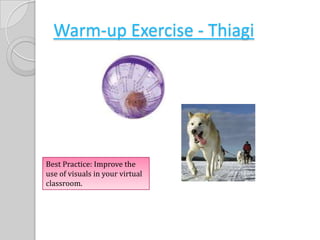
Warm-up Exercise - ThiagiBest Practice: Improve the use of visuals in your virtual classroom.
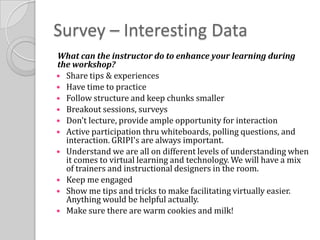
Survey – Interesting DataWhat can the instructor do to enhance your learning during the workshop?Share tips & experiencesHave time to practiceFollow structure and keep chunks smallerBreakout sessions, surveysDon't lecture, provide ample opportunity for interactionActive participation thru whiteboards, polling questions, and interaction. GRIPI's are always important.Understand we are all on different levels of understanding when it comes to virtual learning and technology. We will have a mix of trainers and instructional designers in the room.Keep me engagedShow me tips and tricks to make facilitating virtually easier. Anything would be helpful actually.Make sure there are warm cookies and milk!
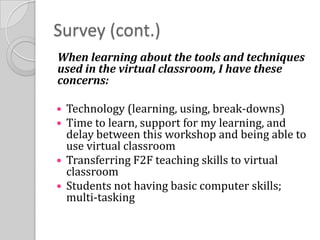
Survey (cont.)When learning about the tools and techniques used in the virtual classroom, I have these concerns: Technology (learning, using, break-downs)Time to learn, support for my learning, and delay between this workshop and being able to use virtual classroomTransferring F2F teaching skills to virtual classroomStudents not having basic computer skills; multi-tasking
Pre-Work ReviewView 60 minute recorded webinarIdentify specific tools and techniques that are used to engage the audienceBring your list with you to our first session for discussion. Did anyone take notes on the10 common errors and 10 tactics?Break into groups of five
Course ObjectivesDesign effective virtual classroom exercises using web conference interactivity toolsEngage learner attention and participation in online learningRepurpose traditional classroom exercises for collaborative online learningDescribe best practices for online facilitation
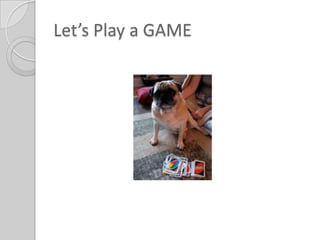
Let’s Play a GAME
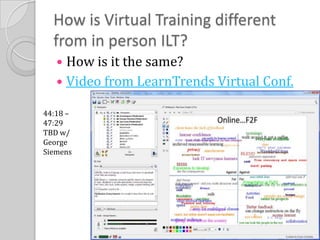
How is Virtual Training different from in person ILT?How is it the same?Video from LearnTrends Virtual Conf.44:18 – 47:29TBD w/GeorgeSiemens
When to go Virtual?Follow ADDIE modelLook at the Educational ObjectivesGeographically dispersedContent unstableOccasional course over timeNeed for real time expertCollaboration enhances learningExercise – Virtual Classroom readiness checklist
Pre-event planning & designExercise: Leader GuideCourse TitleCourse DescriptionObjectiveTarget AudienceWe will work on creating the collaborative exercise later
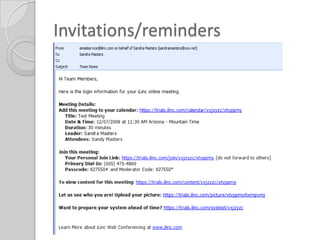
Invitations/reminders
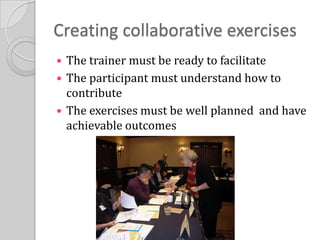
Creating collaborative exercisesThe trainer must be ready to facilitateThe participant must understand how to contributeThe exercises must be well planned  and have achievable outcomes
Participants guides Your welcome letter is an example of a participant guideHelps participants understand directions and preparation for the virtual classroomAvoid sending PowerPoints that duplicate your presentation
PracticeActual virtual class time = Plan on spending the same amount of time on your dry run.
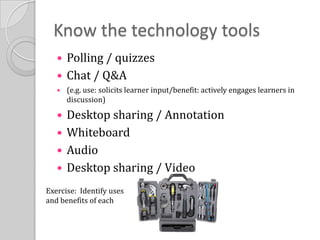
Know the technology toolsPolling / quizzesChat / Q&A (e.g. use: solicits learner input/benefit: actively engages learners in discussion)Desktop sharing / AnnotationWhiteboardAudioDesktop sharing / VideoExercise:  Identify uses and benefits of each
Adapting the visual experience
PowerPoint / Sources for Imageshttp://jakes.editme.com/onehourpptE-zine:http://www.thinkoutsidetheslide.com/
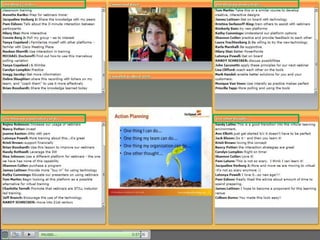
Building interactivity into virtual trainingExercise –With your team design an interactivity using oneof the tools discussedMake sure the interactivity supports the learning objective
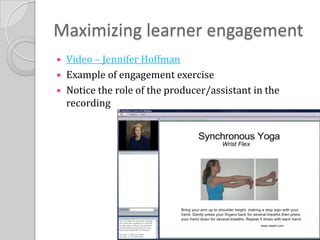
Maximizing learner engagementVideo – Jennifer HoffmanExample of engagement exerciseNotice the role of the producer/assistant in the recording
Using a producer / teaching partnerFactors:Logistical: Availability & BudgetTechnical: Does VT platform support assistant role?Instructional: Do the design and desired outcomes require an assistant?Personal: I don’t use one in ILT, why do I need one now?
Additional resources for further studyCertification programsASTDInSync TrainingNetSpeed LearningFree Webinars LinkBooks/E-zines
Closing, follow-upThis in not the end!Sign up for iLinc account and playDownload quick guidesWatch iLinc training videosSet date/time for virtual presentationPlease, please, please call me with questions and concerns – I will be happy to help you get an “A”!
Thank you and have a wonderful holiday season!

Virtual Trainer Best Practices

  • 1.
    Virtual Trainer BestPracticesPresented by Sandy MastersIntroduction – Who am I? Why am I here? With your help – what I hope to achieve.
  • 2.
    Beginning with theendThe elements of fun are the same for everyone . . . The underlying concept is engagement. In other words, if you are really into it, that’s fun.Roger C. ShankLessons in learning, e-Learning, and TrainingTaking the stairs video (2 min.)
  • 3.
    Workshop Design:Blended learningapproachProcess vs. content expertFacilitation – extract “wisdom of the group”
  • 4.
    Warm-up Exercise -ThiagiBest Practice: Improve the use of visuals in your virtual classroom.
  • 5.
    Survey – InterestingDataWhat can the instructor do to enhance your learning during the workshop?Share tips & experiencesHave time to practiceFollow structure and keep chunks smallerBreakout sessions, surveysDon't lecture, provide ample opportunity for interactionActive participation thru whiteboards, polling questions, and interaction. GRIPI's are always important.Understand we are all on different levels of understanding when it comes to virtual learning and technology. We will have a mix of trainers and instructional designers in the room.Keep me engagedShow me tips and tricks to make facilitating virtually easier. Anything would be helpful actually.Make sure there are warm cookies and milk!
  • 6.
    Survey (cont.)When learningabout the tools and techniques used in the virtual classroom, I have these concerns: Technology (learning, using, break-downs)Time to learn, support for my learning, and delay between this workshop and being able to use virtual classroomTransferring F2F teaching skills to virtual classroomStudents not having basic computer skills; multi-tasking
  • 8.
    Pre-Work ReviewView 60minute recorded webinarIdentify specific tools and techniques that are used to engage the audienceBring your list with you to our first session for discussion. Did anyone take notes on the10 common errors and 10 tactics?Break into groups of five
  • 9.
    Course ObjectivesDesign effectivevirtual classroom exercises using web conference interactivity toolsEngage learner attention and participation in online learningRepurpose traditional classroom exercises for collaborative online learningDescribe best practices for online facilitation
  • 10.
  • 11.
    How is VirtualTraining different from in person ILT?How is it the same?Video from LearnTrends Virtual Conf.44:18 – 47:29TBD w/GeorgeSiemens
  • 12.
    When to goVirtual?Follow ADDIE modelLook at the Educational ObjectivesGeographically dispersedContent unstableOccasional course over timeNeed for real time expertCollaboration enhances learningExercise – Virtual Classroom readiness checklist
  • 13.
    Pre-event planning &designExercise: Leader GuideCourse TitleCourse DescriptionObjectiveTarget AudienceWe will work on creating the collaborative exercise later
  • 14.
  • 15.
    Creating collaborative exercisesThetrainer must be ready to facilitateThe participant must understand how to contributeThe exercises must be well planned and have achievable outcomes
  • 16.
    Participants guides Yourwelcome letter is an example of a participant guideHelps participants understand directions and preparation for the virtual classroomAvoid sending PowerPoints that duplicate your presentation
  • 17.
    PracticeActual virtual classtime = Plan on spending the same amount of time on your dry run.
  • 18.
    Know the technologytoolsPolling / quizzesChat / Q&A (e.g. use: solicits learner input/benefit: actively engages learners in discussion)Desktop sharing / AnnotationWhiteboardAudioDesktop sharing / VideoExercise: Identify uses and benefits of each
  • 20.
  • 21.
    PowerPoint / Sourcesfor Imageshttp://jakes.editme.com/onehourpptE-zine:http://www.thinkoutsidetheslide.com/
  • 22.
    Building interactivity intovirtual trainingExercise –With your team design an interactivity using oneof the tools discussedMake sure the interactivity supports the learning objective
  • 23.
    Maximizing learner engagementVideo– Jennifer HoffmanExample of engagement exerciseNotice the role of the producer/assistant in the recording
  • 24.
    Using a producer/ teaching partnerFactors:Logistical: Availability & BudgetTechnical: Does VT platform support assistant role?Instructional: Do the design and desired outcomes require an assistant?Personal: I don’t use one in ILT, why do I need one now?
  • 25.
    Additional resources forfurther studyCertification programsASTDInSync TrainingNetSpeed LearningFree Webinars LinkBooks/E-zines
  • 26.
    Closing, follow-upThis innot the end!Sign up for iLinc account and playDownload quick guidesWatch iLinc training videosSet date/time for virtual presentationPlease, please, please call me with questions and concerns – I will be happy to help you get an “A”!
  • 28.
    Thank you andhave a wonderful holiday season!