










1
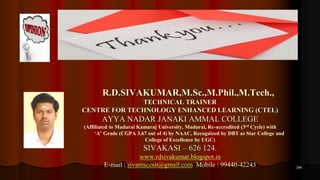
Mr.R.D.SIVAKUMAR,M.Sc.,M.Phil.,M.Tech.,
TECHNICAL TRAINER
CENTRE FOR TECHNOLOGY ENHANCED LEARNING (CTEL)
AYYA NADAR JANAKI AMMAL COLLEGE
(Affiliated to Madurai Kamaraj University, Madurai, Re-accredited (3rd Cycle) with
‘A’ Grade (CGPA 3.67 out of 4) by NAAC, Recognized by DBT as Star College and
College of Excellence by UGC)
SIVAKASI – 626 124.
www.rdsivakumar.blogspot.in
E-mail : sivamsccsit@gmail.com Mobile : 99440-42243
INSTRUCTIONAL PACKAGE PREPARATION
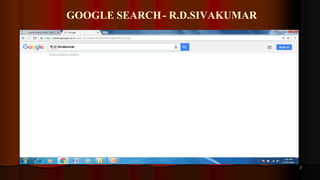
GOOGLE SEARCH- R.D.SIVAKUMAR
2
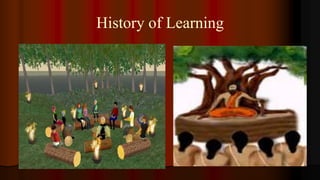
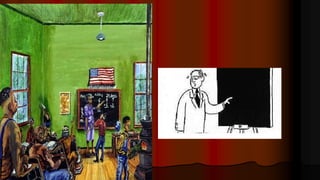
History of Learning
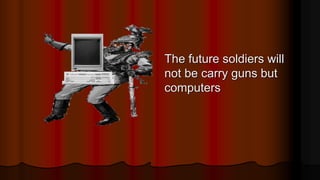
The future soldiers will
not be carry guns but
computers
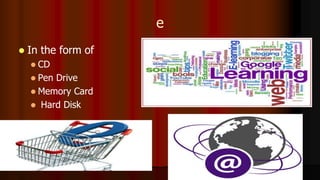
e
 In the form of
 CD
 Pen Drive
 Memory Card
 Hard Disk
E-learning Another Name
E-learning is otherwise called as
 Web Based Learning
 Online Learning
 Multimedia Learning Material (MLM)
 Information and Communication Technologies (ICT)
 Computer Based Learning
 Technology Enhanced Learning
 Internet Based Learning
 Technology Enhanced Learning (TEL)
 Computer Aided Instructions (CAI)
Definition
 E-learning involves the use of a computer or electronic
device (e.g. a mobile phone) in some way to provide
training, educational or learning material
It is Combination of
Audio
Video
Text
Graphics
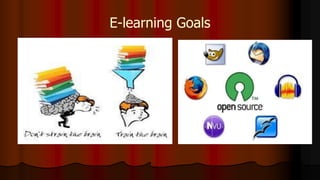
E-learning Goals
Self-paced Course
 It involves using the
 Internet
 Intranet
 Knowledge Explosion
 Digital Generation
 New Generation of Learners
 New Learning Environments
 New Learning Media
 New Generation of Teachers ?
Types of e- learning
Synchronous
Asynchronous
Synchronous
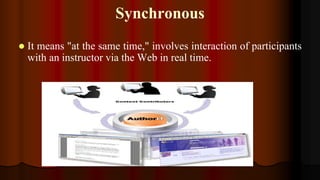
 It means "at the same time," involves interaction of participants
with an instructor via the Web in real time.
Asynchronous
Which means "not at the same time,"
Use
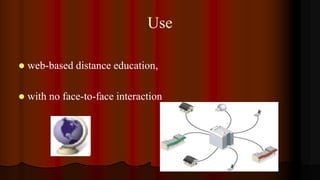
 web-based distance education,
 with no face-to-face interaction
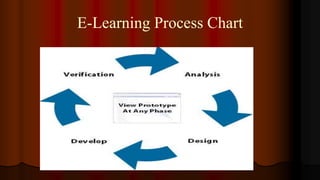
E-Learning Process Chart
Advantages of E-Learning
 Anytime Anywhere Learning
 User friendly and Flexible
 Learner Centered
 Individualized & Interactive
 Many to Many Learning
 Speed and Accuracy
TEACHING AND LEARNING PROCESS
 LCD Projector
 Clarity Visualizer
 Interactive boards
 Television with DTH
 VYAS Channel access
 NPTEL Lectures
 MLM and
 Video lessons
 Group Discussion
 Mock Interviews
 Project Works
28
 FM Radio,
 eBooks,
 Audio Books,
 Educational Video,
 Smart Phones,
 Tablets
 iPADs
 Skype,
 Wikis,
 Facebook, Twitter, WhatsApp, and
Instagram,
 MySpace,
 MOOCs
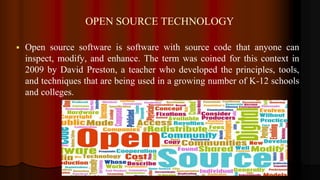
OPEN SOURCE TECHNOLOGY
 Open source software is software with source code that anyone can
inspect, modify, and enhance. The term was coined for this context in
2009 by David Preston, a teacher who developed the principles, tools,
and techniques that are being used in a growing number of K-12 schools
and colleges.
31
SCRIPT WRITING
Format of e-content
 Make your one or two web pages an outline of your e-
content
 Follow the order of your outline for the rest of the e-
content
 Use the titles of each web page as main points
Structure – Good
 Write in point form, not complete sentences
 Include 4-5 points per Web page
 Avoid wordiness: use key words and phrases only
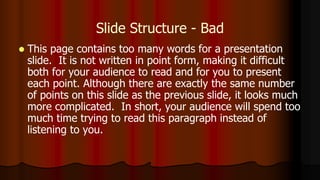
Slide Structure - Bad
 This page contains too many words for a presentation
slide. It is not written in point form, making it difficult
both for your audience to read and for you to present
each point. Although there are exactly the same number
of points on this slide as the previous slide, it looks much
more complicated. In short, your audience will spend too
much time trying to read this paragraph instead of
listening to you.
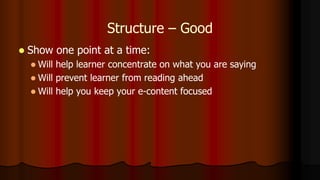
Structure – Good
 Show one point at a time:
 Will help learner concentrate on what you are saying
 Will prevent learner from reading ahead
 Will help you keep your e-content focused
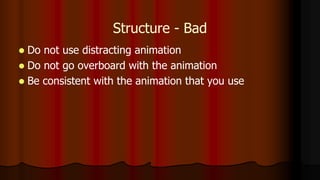
Structure - Bad
 Do not use distracting animation
 Do not go overboard with the animation
 Be consistent with the animation that you use
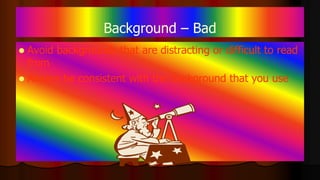
Background – Bad
 Avoid backgrounds that are distracting or difficult to read
from
 Always be consistent with the background that you use
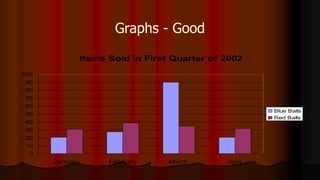
Graphs - Good
 Use graphs rather than just charts and words
 Data in graphs is easier to comprehend & retain than is raw
data
 Trends are easier to visualize in graph form
 Always title your graphs
Fonts - Good
 Use at least an 12-point font
 Use different size fonts for main points and secondary
points
 this font is 24-point, the main point font is 28-point, and the
title font is 36-point
 Use a standard font like Times New Roman or Arial
Fonts - Bad
 If you use a small font, your learner won’t be able to read what you have written
 CAPITALIZE ONLY WHEN NECESSARY. IT IS DIFFICULT
TO READ
 Don’t use a complicated font
Color - Good
 Use a color of font that contrasts sharply with the
background
 Ex: blue font on white background
 Use color to reinforce the logic of your structure
 Ex: light blue title and dark blue text
 Use color to emphasize a point
 But only use this occasionally
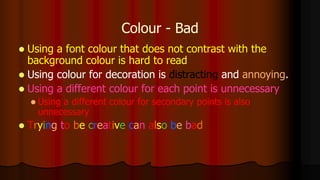
Colour - Bad
 Using a font colour that does not contrast with the
background colour is hard to read
 Using colour for decoration is distracting and annoying.
 Using a different colour for each point is unnecessary
 Using a different colour for secondary points is also
unnecessary
 Trying to be creative can also be bad
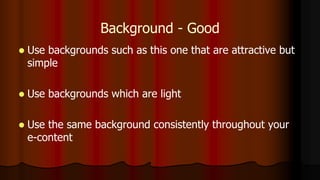
Background - Good
 Use backgrounds such as this one that are attractive but
simple
 Use backgrounds which are light
 Use the same background consistently throughout your
e-content
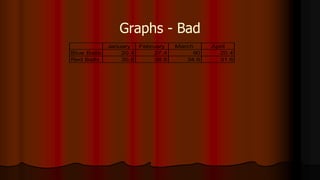
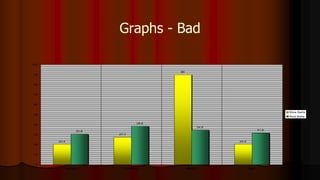
Graphs - Bad
January February March April
Blue Balls 20.4 27.4 90 20.4
Red Balls 30.6 38.6 34.6 31.6
Graphs - Good
Items Sold in First Quarter of 2002
0
10
20
30
40
50
60
70
80
90
100
January February March April
Blue Balls
Red Balls
Graphs - Bad
20.4
27.4
90
20.4
30.6
38.6
34.6
31.6
0
10
20
30
40
50
60
70
80
90
100
January February March April
Blue Balls
Red Balls
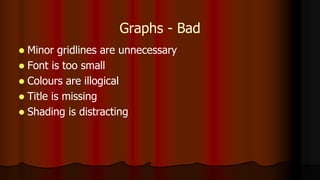
Graphs - Bad
 Minor gridlines are unnecessary
 Font is too small
 Colours are illogical
 Title is missing
 Shading is distracting
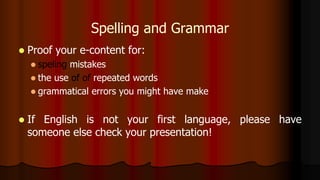
Spelling and Grammar
 Proof your e-content for:
 speling mistakes
 the use of of repeated words
 grammatical errors you might have make
 If English is not your first language, please have
someone else check your presentation!
Various Stages of
e-Content Devolvement
SELECTION OF TOPIC
PREPARATION OF
WRITE-UP
Identifying
Plug-Points for Multimedia
Elements viz., text, images,
graphics, music etc.
Conversion of the Write-up
into
Pre-production Technical
Script
Downloading images,
video, animations /
Creating PowerPoint Slides
Rehearsal For Shooting
Shooting
Post Production
Editing/Digital Integration
Web Hosting the developed
e-content
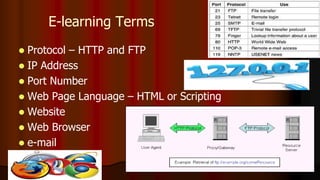
E-learning Terms
 Protocol – HTTP and FTP
 IP Address
 Port Number
 Web Page Language – HTML or Scripting
 Website
 Web Browser
 e-mail
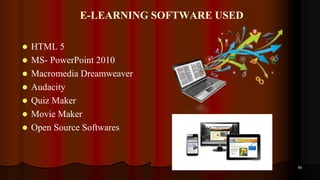
E-LEARNING SOFTWARE USED
 HTML 5
 MS- PowerPoint 2010
 Macromedia Dreamweaver
 Audacity
 Quiz Maker
 Movie Maker
 Open Source Softwares
60
HTML
 HTML – Hypertext Markup Language. To design a web
page.
 Save Extension – filename.html
 Run – Web Browser
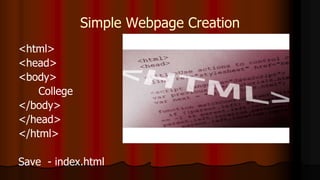
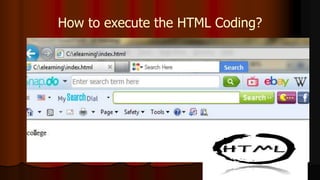
Simple Webpage Creation
<html>
<head>
<body>
College
</body>
</head>
</html>
Save - index.html
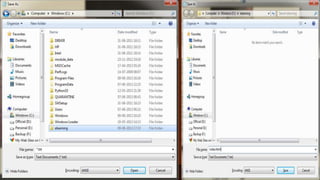
How to execute the HTML Coding?
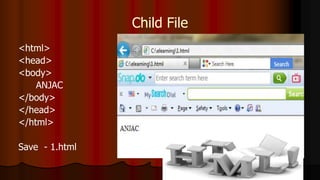
Child File
<html>
<head>
<body>
ANJAC
</body>
</head>
</html>
Save - 1.html
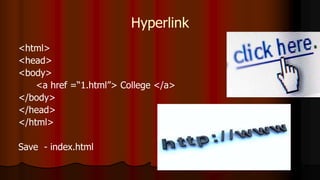
Hyperlink
<html>
<head>
<body>
<a href =“1.html”> College </a>
</body>
</head>
</html>
Save - index.html
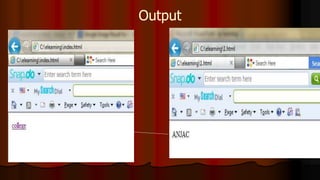
Output
Small Tips
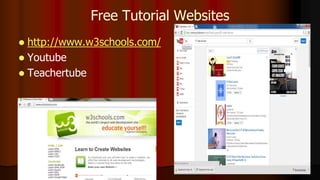
Free Tutorial Websites
 http://www.w3schools.com/
 Youtube
 Teachertube
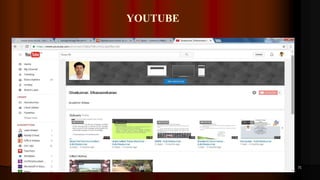
YOUTUBE
71
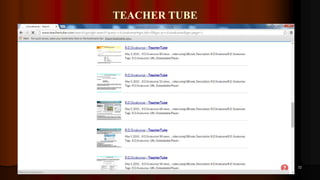
TEACHER TUBE
72
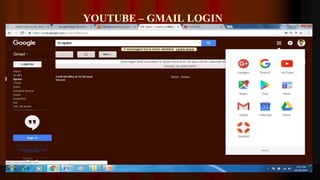
YOUTUBE – GMAIL LOGIN
73
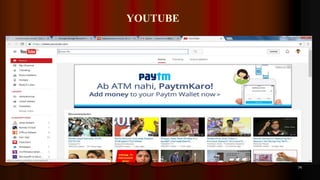
YOUTUBE
74
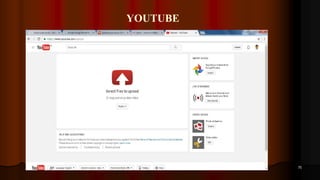
YOUTUBE
75
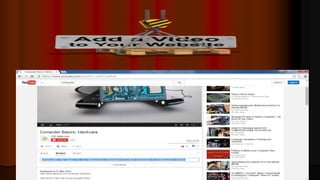
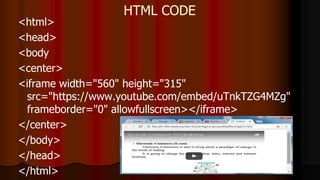
HTML CODE
<html>
<head>
<body
<center>
<iframe width="560" height="315"
src="https://www.youtube.com/embed/uTnkTZG4MZg"
frameborder="0" allowfullscreen></iframe>
</center>
</body>
</head>
</html>
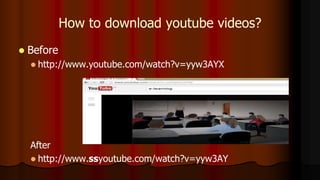
How to download youtube videos?
 Before
 http://www.youtube.com/watch?v=yyw3AYX
After
 http://www.ssyoutube.com/watch?v=yyw3AY
3
AUDIO BOOK
 An audiobook is a recorded book that can be played on a computer or
mobile device.
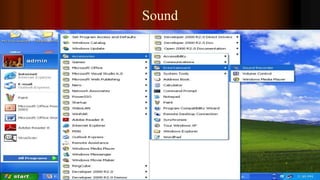
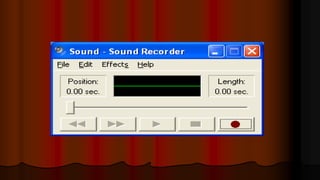
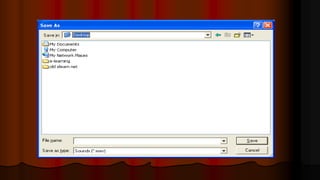
Sound
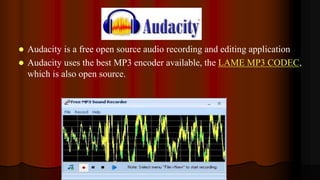
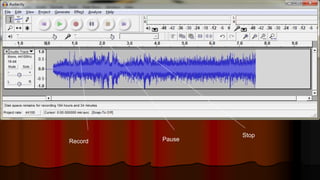
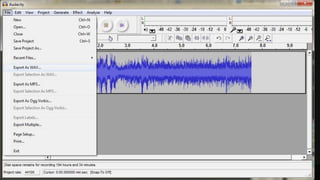
 Audacity is a free open source audio recording and editing application
 Audacity uses the best MP3 encoder available, the LAME MP3 CODEC,
which is also open source.
Record Pause
Stop
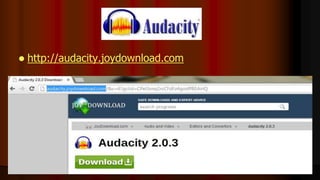
 http://audacity.joydownload.com
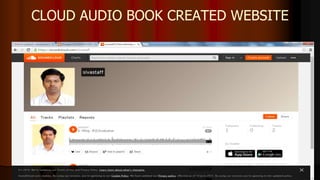
CLOUD AUDIO BOOK CREATED WEBSITE
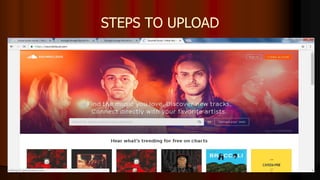
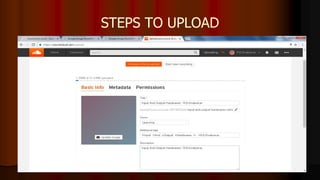
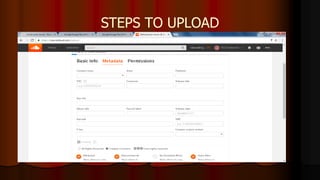
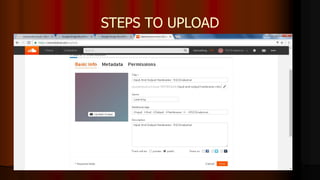
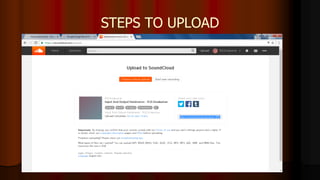
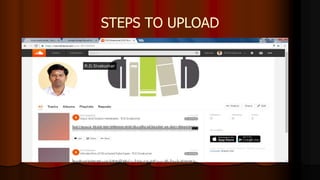
STEPS TO UPLOAD
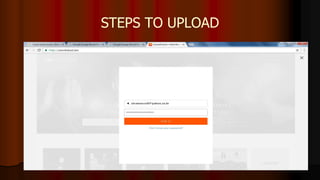
STEPS TO UPLOAD
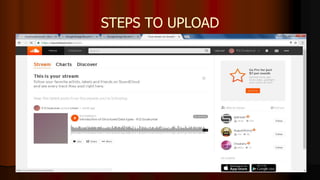
STEPS TO UPLOAD
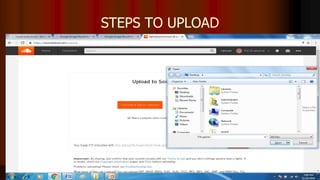
STEPS TO UPLOAD
STEPS TO UPLOAD
STEPS TO UPLOAD
STEPS TO UPLOAD
STEPS TO UPLOAD
STEPS TO UPLOAD
 http://www.learnoutloud.com/
 http://www.openculture.com/
 https://librivox.org/
 http://www.loyalbooks.com/
 http://www.readingfanatic.com/
 http://freeclassicaudiobooks.com/
 http://www.audiobooksforfree.com/
 http://www.audiobooks.org/
 http://www.audiobooks.com/
 http://www.librophile.com/
Audio Books
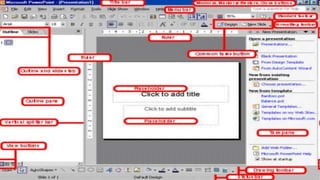
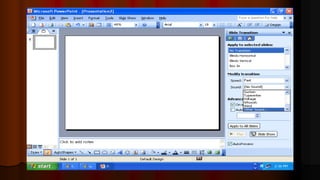
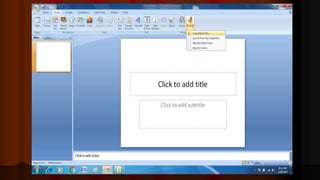
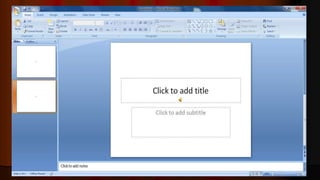
What is Power Point?
 To Create a Presentation
 Microsoft Product
 Version – 2003, 2007, 2010
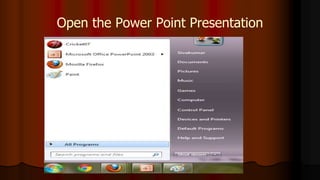
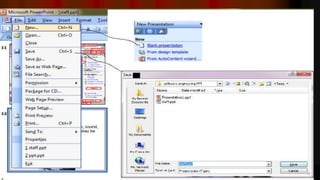
Open the Power Point Presentation
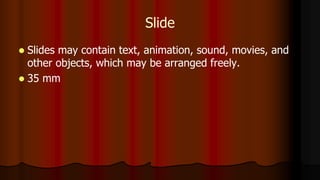
Slide
 Slides may contain text, animation, sound, movies, and
other objects, which may be arranged freely.
 35 mm
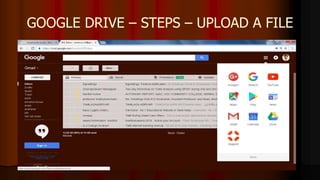
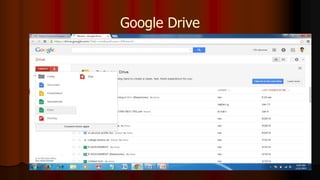
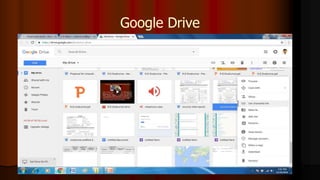
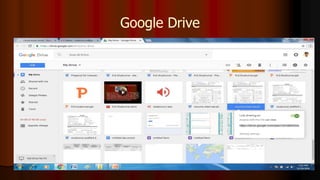
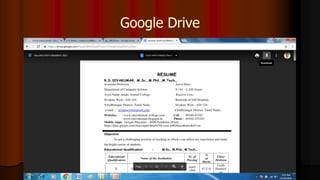
GOOGLE DRIVE – STEPS – UPLOAD A FILE
Google Drive
Google Drive
Google Drive
Google Drive
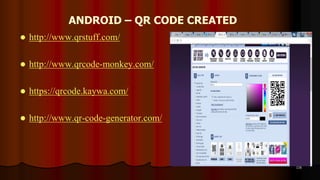
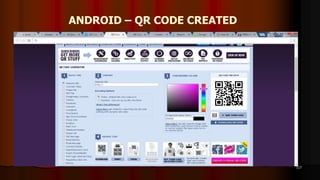
ANDROID – QR CODE CREATED
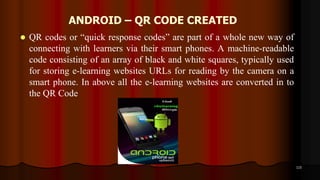
 QR codes or “quick response codes” are part of a whole new way of
connecting with learners via their smart phones. A machine-readable
code consisting of an array of black and white squares, typically used
for storing e-learning websites URLs for reading by the camera on a
smart phone. In above all the e-learning websites are converted in to
the QR Code
115
ANDROID – QR CODE CREATED
 http://www.qrstuff.com/
 http://www.qrcode-monkey.com/
 https://qrcode.kaywa.com/
 http://www.qr-code-generator.com/
116
ANDROID – QR CODE CREATED
117
ONLINE FREE WIDGETS
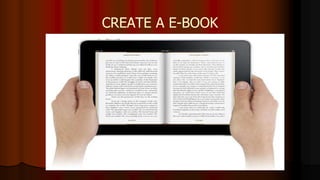
CREATE A E-BOOK
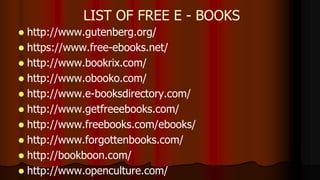
 http://www.gutenberg.org/
 https://www.free-ebooks.net/
 http://www.bookrix.com/
 http://www.obooko.com/
 http://www.e-booksdirectory.com/
 http://www.getfreeebooks.com/
 http://www.freebooks.com/ebooks/
 http://www.forgottenbooks.com/
 http://bookboon.com/
 http://www.openculture.com/
LIST OF FREE E - BOOKS
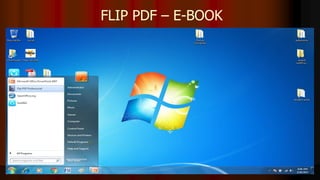
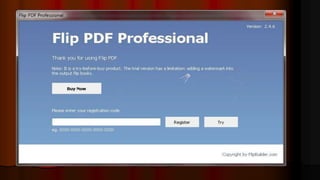
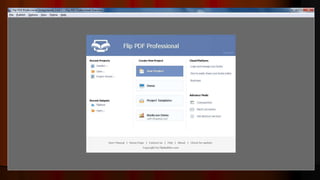
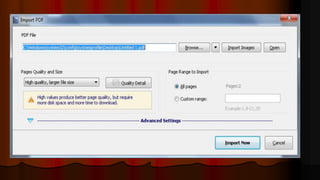
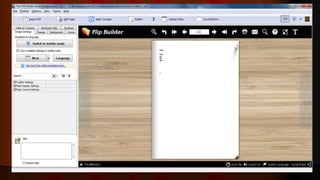
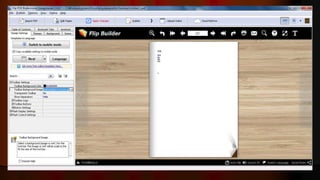
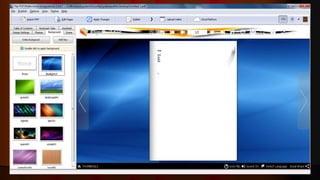
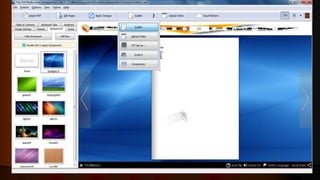
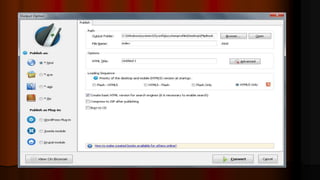
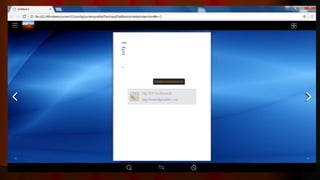
FLIP PDF – E-BOOK
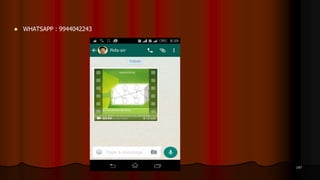
 WHATSAPP : 9944042243
147
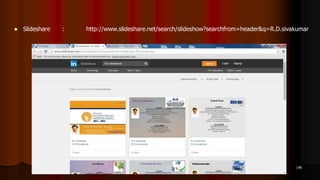
 Slideshare : http://www.slideshare.net/search/slideshow?searchfrom=header&q=R.D.sivakumar
148
149
150
Plagiarism
BEST E-LEARNING WEBSITES
 National programme on Technology Enhanced Learning
(NPTEL) - Maintained by the IIT’s. NPTEL provides E-
learning through online Web and Video courses in Engineering,
Science and humanities streams. (http://nptel.iitm.ac.in/)
 Khan Academy – Free Registration. All the courses available.
(https://www.khanacademy.org/)
 Coursera - Coursera is an education platform that partners with
top universities and organizations worldwide, to offer courses
online for anyone to take, for free. It covers a wide range of
sectors. (https://www.coursera.org/)
BEST E-LEARNING WEBSITES
 MIT OpenCourseWare (OCW) - MIT OpenCourseWare is a
web-based publication of virtually all Massachusetts Institute
of Technology (MIT) course content. OCW is open and
available to the world and is a permanent MIT activity. It
covers a wide range of domains including cross sectoral areas.
(http://ocw.mit.edu/)
 Open Culture - This is a site which provides information
regarding online courses available in multiple subjects
including Computer Sciences Engineering.
(http://www.openculture.com/computer_science_free_courses)
BEST E-LEARNING WEBSITES
 Educational Technology Services, Berkeley University -
Educational Technology Services is Berkeley’s central campus
resource providing technology tools, training and support for
faculty, staff and students in their work as teachers, learners,
researchers and collaborators. (http://ets.berkeley.edu/)
 Umass Boston OpenCourseWare - The UMass Boston
OpenCourseWare provides various e-learning courses covering
various subjects. (http://ocw.umb.edu/)
 Open University - The Open University offers courses through
distance learning at all levels.
(http://www.open.edu/openlearn/science-maths-technology)
BEST E-LEARNING WEBSITES
 Utah State Open Course Ware - Utah State OpenCourseWare is
a collection of educational material used in the formal campus
courses of Utah State University. It seeks to provide people
around the world with an opportunity to access high quality
learning opportunities. (http://ocw.usu.edu/)
 Cosmo Learning - Created with the goal to provide the world
with a free online school, CosmoLearning (CL) is an
educational website committed to improving the quality of
homeschooling, teaching and student
excellence. (http://www.cosmolearning.com/)
BEST E-LEARNING WEBSITES
 EdX - EdX offers interactive online classes and MOOCs from
the world’s best universities. Topics include biology, business,
chemistry, computer science, economics, finance, electronics,
engineering, food and nutrition, history, humanities, law,
literature, maths, medicine, music, philosophy, physics,
science, statistics and more. (https://www.edx.org/)
Exclusive Agencies
UGC-CEC
www.cec.nic.in
NMEICT
www.sakshat.ac.in
NPTEL
www.nptel.iitm.ac.in
Other Agencies
 Government Agencies like ICSSR, AICTE,
SSA, DST, Different Ministries, etc.,
 Non-governmental Agencies like Microsoft,
Intel, HP, Azim Premji Foundation etc.,
159
164
R.D.SIVAKUMAR,M.Sc.,M.Phil.,M.Tech.,
TECHNICAL TRAINER
CENTRE FOR TECHNOLOGY ENHANCED LEARNING (CTEL)
AYYA NADAR JANAKI AMMAL COLLEGE
(Affiliated to Madurai Kamaraj University, Madurai, Re-accredited (3rd Cycle) with
‘A’ Grade (CGPA 3.67 out of 4) by NAAC, Recognized by DBT as Star College and
College of Excellence by UGC)
SIVAKASI – 626 124.
www.rdsivakumar.blogspot.in
E-mail : sivamsccsit@gmail.com Mobile : 99440-42243

Instructional Package Preparation - R.D.Sivakumar

  • 1.
    1 Mr.R.D.SIVAKUMAR,M.Sc.,M.Phil.,M.Tech., TECHNICAL TRAINER CENTRE FORTECHNOLOGY ENHANCED LEARNING (CTEL) AYYA NADAR JANAKI AMMAL COLLEGE (Affiliated to Madurai Kamaraj University, Madurai, Re-accredited (3rd Cycle) with ‘A’ Grade (CGPA 3.67 out of 4) by NAAC, Recognized by DBT as Star College and College of Excellence by UGC) SIVAKASI – 626 124. www.rdsivakumar.blogspot.in E-mail : sivamsccsit@gmail.com Mobile : 99440-42243 INSTRUCTIONAL PACKAGE PREPARATION
  • 2.
  • 4.
  • 12.
    The future soldierswill not be carry guns but computers
  • 13.
    e  In theform of  CD  Pen Drive  Memory Card  Hard Disk
  • 14.
    E-learning Another Name E-learningis otherwise called as  Web Based Learning  Online Learning  Multimedia Learning Material (MLM)  Information and Communication Technologies (ICT)  Computer Based Learning  Technology Enhanced Learning  Internet Based Learning  Technology Enhanced Learning (TEL)  Computer Aided Instructions (CAI)
  • 15.
    Definition  E-learning involvesthe use of a computer or electronic device (e.g. a mobile phone) in some way to provide training, educational or learning material
  • 16.
    It is Combinationof Audio Video Text Graphics
  • 17.
  • 18.
    Self-paced Course  Itinvolves using the  Internet  Intranet
  • 20.
     Knowledge Explosion Digital Generation
  • 21.
     New Generationof Learners  New Learning Environments  New Learning Media  New Generation of Teachers ?
  • 22.
    Types of e-learning Synchronous Asynchronous
  • 23.
    Synchronous  It means"at the same time," involves interaction of participants with an instructor via the Web in real time.
  • 24.
  • 25.
    Use  web-based distanceeducation,  with no face-to-face interaction
  • 26.
  • 27.
    Advantages of E-Learning Anytime Anywhere Learning  User friendly and Flexible  Learner Centered  Individualized & Interactive  Many to Many Learning  Speed and Accuracy
  • 28.
    TEACHING AND LEARNINGPROCESS  LCD Projector  Clarity Visualizer  Interactive boards  Television with DTH  VYAS Channel access  NPTEL Lectures  MLM and  Video lessons  Group Discussion  Mock Interviews  Project Works 28  FM Radio,  eBooks,  Audio Books,  Educational Video,  Smart Phones,  Tablets  iPADs  Skype,  Wikis,  Facebook, Twitter, WhatsApp, and Instagram,  MySpace,  MOOCs
  • 29.
    OPEN SOURCE TECHNOLOGY Open source software is software with source code that anyone can inspect, modify, and enhance. The term was coined for this context in 2009 by David Preston, a teacher who developed the principles, tools, and techniques that are being used in a growing number of K-12 schools and colleges.
  • 31.
  • 32.
  • 33.
    Format of e-content Make your one or two web pages an outline of your e- content  Follow the order of your outline for the rest of the e- content  Use the titles of each web page as main points
  • 34.
    Structure – Good Write in point form, not complete sentences  Include 4-5 points per Web page  Avoid wordiness: use key words and phrases only
  • 35.
    Slide Structure -Bad  This page contains too many words for a presentation slide. It is not written in point form, making it difficult both for your audience to read and for you to present each point. Although there are exactly the same number of points on this slide as the previous slide, it looks much more complicated. In short, your audience will spend too much time trying to read this paragraph instead of listening to you.
  • 36.
    Structure – Good Show one point at a time:  Will help learner concentrate on what you are saying  Will prevent learner from reading ahead  Will help you keep your e-content focused
  • 37.
    Structure - Bad Do not use distracting animation  Do not go overboard with the animation  Be consistent with the animation that you use
  • 38.
    Background – Bad Avoid backgrounds that are distracting or difficult to read from  Always be consistent with the background that you use
  • 39.
    Graphs - Good Use graphs rather than just charts and words  Data in graphs is easier to comprehend & retain than is raw data  Trends are easier to visualize in graph form  Always title your graphs
  • 40.
    Fonts - Good Use at least an 12-point font  Use different size fonts for main points and secondary points  this font is 24-point, the main point font is 28-point, and the title font is 36-point  Use a standard font like Times New Roman or Arial
  • 41.
    Fonts - Bad If you use a small font, your learner won’t be able to read what you have written  CAPITALIZE ONLY WHEN NECESSARY. IT IS DIFFICULT TO READ  Don’t use a complicated font
  • 42.
    Color - Good Use a color of font that contrasts sharply with the background  Ex: blue font on white background  Use color to reinforce the logic of your structure  Ex: light blue title and dark blue text  Use color to emphasize a point  But only use this occasionally
  • 43.
    Colour - Bad Using a font colour that does not contrast with the background colour is hard to read  Using colour for decoration is distracting and annoying.  Using a different colour for each point is unnecessary  Using a different colour for secondary points is also unnecessary  Trying to be creative can also be bad
  • 44.
    Background - Good Use backgrounds such as this one that are attractive but simple  Use backgrounds which are light  Use the same background consistently throughout your e-content
  • 45.
    Graphs - Bad JanuaryFebruary March April Blue Balls 20.4 27.4 90 20.4 Red Balls 30.6 38.6 34.6 31.6
  • 46.
    Graphs - Good ItemsSold in First Quarter of 2002 0 10 20 30 40 50 60 70 80 90 100 January February March April Blue Balls Red Balls
  • 47.
  • 48.
    Graphs - Bad Minor gridlines are unnecessary  Font is too small  Colours are illogical  Title is missing  Shading is distracting
  • 49.
    Spelling and Grammar Proof your e-content for:  speling mistakes  the use of of repeated words  grammatical errors you might have make  If English is not your first language, please have someone else check your presentation!
  • 50.
  • 51.
  • 52.
    Identifying Plug-Points for Multimedia Elementsviz., text, images, graphics, music etc.
  • 53.
    Conversion of theWrite-up into Pre-production Technical Script
  • 54.
    Downloading images, video, animations/ Creating PowerPoint Slides
  • 55.
  • 56.
  • 57.
  • 58.
    Web Hosting thedeveloped e-content
  • 59.
    E-learning Terms  Protocol– HTTP and FTP  IP Address  Port Number  Web Page Language – HTML or Scripting  Website  Web Browser  e-mail
  • 60.
    E-LEARNING SOFTWARE USED HTML 5  MS- PowerPoint 2010  Macromedia Dreamweaver  Audacity  Quiz Maker  Movie Maker  Open Source Softwares 60
  • 62.
    HTML  HTML –Hypertext Markup Language. To design a web page.  Save Extension – filename.html  Run – Web Browser
  • 63.
  • 65.
    How to executethe HTML Coding?
  • 66.
  • 67.
    Hyperlink <html> <head> <body> <a href =“1.html”>College </a> </body> </head> </html> Save - index.html
  • 68.
  • 69.
  • 70.
    Free Tutorial Websites http://www.w3schools.com/  Youtube  Teachertube
  • 71.
  • 72.
  • 73.
  • 74.
  • 75.
  • 77.
    HTML CODE <html> <head> <body <center> <iframe width="560"height="315" src="https://www.youtube.com/embed/uTnkTZG4MZg" frameborder="0" allowfullscreen></iframe> </center> </body> </head> </html>
  • 79.
    How to downloadyoutube videos?  Before  http://www.youtube.com/watch?v=yyw3AYX After  http://www.ssyoutube.com/watch?v=yyw3AY
  • 80.
  • 81.
    AUDIO BOOK  Anaudiobook is a recorded book that can be played on a computer or mobile device.
  • 82.
  • 85.
     Audacity isa free open source audio recording and editing application  Audacity uses the best MP3 encoder available, the LAME MP3 CODEC, which is also open source.
  • 86.
  • 88.
  • 89.
    CLOUD AUDIO BOOKCREATED WEBSITE
  • 90.
  • 91.
  • 92.
  • 93.
  • 94.
  • 95.
  • 96.
  • 97.
  • 98.
  • 99.
     http://www.learnoutloud.com/  http://www.openculture.com/ https://librivox.org/  http://www.loyalbooks.com/  http://www.readingfanatic.com/  http://freeclassicaudiobooks.com/  http://www.audiobooksforfree.com/  http://www.audiobooks.org/  http://www.audiobooks.com/  http://www.librophile.com/ Audio Books
  • 100.
    What is PowerPoint?  To Create a Presentation  Microsoft Product  Version – 2003, 2007, 2010
  • 101.
    Open the PowerPoint Presentation
  • 104.
    Slide  Slides maycontain text, animation, sound, movies, and other objects, which may be arranged freely.  35 mm
  • 110.
    GOOGLE DRIVE –STEPS – UPLOAD A FILE
  • 111.
  • 112.
  • 113.
  • 114.
  • 115.
    ANDROID – QRCODE CREATED  QR codes or “quick response codes” are part of a whole new way of connecting with learners via their smart phones. A machine-readable code consisting of an array of black and white squares, typically used for storing e-learning websites URLs for reading by the camera on a smart phone. In above all the e-learning websites are converted in to the QR Code 115
  • 116.
    ANDROID – QRCODE CREATED  http://www.qrstuff.com/  http://www.qrcode-monkey.com/  https://qrcode.kaywa.com/  http://www.qr-code-generator.com/ 116
  • 117.
    ANDROID – QRCODE CREATED 117
  • 119.
  • 124.
  • 136.
     http://www.gutenberg.org/  https://www.free-ebooks.net/ http://www.bookrix.com/  http://www.obooko.com/  http://www.e-booksdirectory.com/  http://www.getfreeebooks.com/  http://www.freebooks.com/ebooks/  http://www.forgottenbooks.com/  http://bookboon.com/  http://www.openculture.com/ LIST OF FREE E - BOOKS
  • 137.
  • 147.
     WHATSAPP :9944042243 147
  • 148.
     Slideshare :http://www.slideshare.net/search/slideshow?searchfrom=header&q=R.D.sivakumar 148
  • 149.
  • 150.
  • 151.
  • 152.
    BEST E-LEARNING WEBSITES National programme on Technology Enhanced Learning (NPTEL) - Maintained by the IIT’s. NPTEL provides E- learning through online Web and Video courses in Engineering, Science and humanities streams. (http://nptel.iitm.ac.in/)  Khan Academy – Free Registration. All the courses available. (https://www.khanacademy.org/)  Coursera - Coursera is an education platform that partners with top universities and organizations worldwide, to offer courses online for anyone to take, for free. It covers a wide range of sectors. (https://www.coursera.org/)
  • 153.
    BEST E-LEARNING WEBSITES MIT OpenCourseWare (OCW) - MIT OpenCourseWare is a web-based publication of virtually all Massachusetts Institute of Technology (MIT) course content. OCW is open and available to the world and is a permanent MIT activity. It covers a wide range of domains including cross sectoral areas. (http://ocw.mit.edu/)  Open Culture - This is a site which provides information regarding online courses available in multiple subjects including Computer Sciences Engineering. (http://www.openculture.com/computer_science_free_courses)
  • 154.
    BEST E-LEARNING WEBSITES Educational Technology Services, Berkeley University - Educational Technology Services is Berkeley’s central campus resource providing technology tools, training and support for faculty, staff and students in their work as teachers, learners, researchers and collaborators. (http://ets.berkeley.edu/)  Umass Boston OpenCourseWare - The UMass Boston OpenCourseWare provides various e-learning courses covering various subjects. (http://ocw.umb.edu/)  Open University - The Open University offers courses through distance learning at all levels. (http://www.open.edu/openlearn/science-maths-technology)
  • 155.
    BEST E-LEARNING WEBSITES Utah State Open Course Ware - Utah State OpenCourseWare is a collection of educational material used in the formal campus courses of Utah State University. It seeks to provide people around the world with an opportunity to access high quality learning opportunities. (http://ocw.usu.edu/)  Cosmo Learning - Created with the goal to provide the world with a free online school, CosmoLearning (CL) is an educational website committed to improving the quality of homeschooling, teaching and student excellence. (http://www.cosmolearning.com/)
  • 156.
    BEST E-LEARNING WEBSITES EdX - EdX offers interactive online classes and MOOCs from the world’s best universities. Topics include biology, business, chemistry, computer science, economics, finance, electronics, engineering, food and nutrition, history, humanities, law, literature, maths, medicine, music, philosophy, physics, science, statistics and more. (https://www.edx.org/)
  • 157.
  • 158.
    Other Agencies  GovernmentAgencies like ICSSR, AICTE, SSA, DST, Different Ministries, etc.,  Non-governmental Agencies like Microsoft, Intel, HP, Azim Premji Foundation etc.,
  • 159.
  • 164.
    164 R.D.SIVAKUMAR,M.Sc.,M.Phil.,M.Tech., TECHNICAL TRAINER CENTRE FORTECHNOLOGY ENHANCED LEARNING (CTEL) AYYA NADAR JANAKI AMMAL COLLEGE (Affiliated to Madurai Kamaraj University, Madurai, Re-accredited (3rd Cycle) with ‘A’ Grade (CGPA 3.67 out of 4) by NAAC, Recognized by DBT as Star College and College of Excellence by UGC) SIVAKASI – 626 124. www.rdsivakumar.blogspot.in E-mail : sivamsccsit@gmail.com Mobile : 99440-42243