Workshop 2 Developing assessment tools on PDAs for SAL
Session Overview Morning Workshop schedule Reflect on individual progress Introduction to using PDAs for content delivery Use video recorder, spyglasses and digital camera to video a task Create instructional movie by editing video using Movie Maker
Workshop Timeline Workshop 1 - Full Day  Road test logistics workplaces assessment database  Decide on design aspects of SAL database Workshop 2 – Full Day Overview use of PDAs in TAFE Create instructional videos for PDA Create content for PDA Workshop 3 – Half Day  Road test SAL assessment database
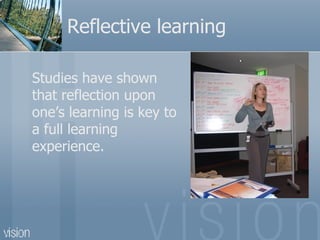
Reflective learning Studies have shown that r eflection upon one’s learning is key to a full learning experience.
Write down a question(s) relating to the last workshop on: Anything you felt confused about Or wanted clariyfed Or more information about  Or can not see the relevance of how it connects to what you want to achieved
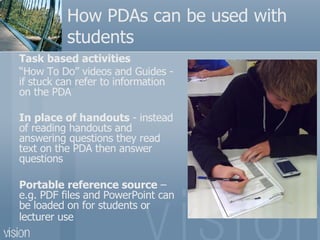
How PDAs can be used with students Task based activities “ How To Do” videos and Guides - if  stuck can refer to information on the PDA  In place of handouts  -  instead of reading handouts and answering questions they read text on the PDA then answer questions  Portable reference source  – e.g. PDF files and PowerPoint can be loaded on for students or lecturer use
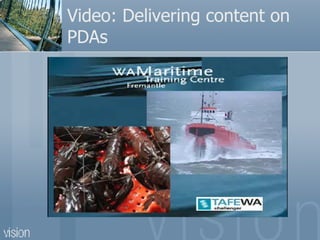
Video: Delivering content on PDAs
Tips on creating videos for PDAs Need to be reasonably short (a few mins) For students in classrooms – might be an idea not to include sound If demonstrating a task skills you need to film over the shoulder
Creating a video on “how to do” a task Record video footage using either digital video recorder or spyglasses Remember to slow down your actions Transfer video onto computer using Movie Maker  Edit video using Movie Maker
Useful Software for PDA cLaunch – creates icons on your PDA TCPMP – better then Windows Media Player for running movies on PDA
Project Wiki  Log into  http://visagepda.wikispaces.com/ Write information on your page: Insert title Workshop 2 (make it a heading 1) What are your thoughts on creating videos?  How might you use videos with your students? Is there any additional PD required for you to effectively create videos for your PDAs?
Final Task Decide on date for next workshop HOMEWORK  – try creating a video for your PDA, Complete Reflective Journal

Visage PDSP Workshop 2

  • 1.
    Workshop 2 Developingassessment tools on PDAs for SAL
  • 2.
    Session Overview MorningWorkshop schedule Reflect on individual progress Introduction to using PDAs for content delivery Use video recorder, spyglasses and digital camera to video a task Create instructional movie by editing video using Movie Maker
  • 3.
    Workshop Timeline Workshop1 - Full Day Road test logistics workplaces assessment database Decide on design aspects of SAL database Workshop 2 – Full Day Overview use of PDAs in TAFE Create instructional videos for PDA Create content for PDA Workshop 3 – Half Day Road test SAL assessment database
  • 4.
    Reflective learning Studieshave shown that r eflection upon one’s learning is key to a full learning experience.
  • 5.
    Write down aquestion(s) relating to the last workshop on: Anything you felt confused about Or wanted clariyfed Or more information about Or can not see the relevance of how it connects to what you want to achieved
  • 6.
    How PDAs canbe used with students Task based activities “ How To Do” videos and Guides - if stuck can refer to information on the PDA In place of handouts - instead of reading handouts and answering questions they read text on the PDA then answer questions Portable reference source – e.g. PDF files and PowerPoint can be loaded on for students or lecturer use
  • 7.
  • 8.
    Tips on creatingvideos for PDAs Need to be reasonably short (a few mins) For students in classrooms – might be an idea not to include sound If demonstrating a task skills you need to film over the shoulder
  • 9.
    Creating a videoon “how to do” a task Record video footage using either digital video recorder or spyglasses Remember to slow down your actions Transfer video onto computer using Movie Maker Edit video using Movie Maker
  • 10.
    Useful Software forPDA cLaunch – creates icons on your PDA TCPMP – better then Windows Media Player for running movies on PDA
  • 11.
    Project Wiki Log into http://visagepda.wikispaces.com/ Write information on your page: Insert title Workshop 2 (make it a heading 1) What are your thoughts on creating videos? How might you use videos with your students? Is there any additional PD required for you to effectively create videos for your PDAs?
  • 12.
    Final Task Decideon date for next workshop HOMEWORK – try creating a video for your PDA, Complete Reflective Journal