The document summarizes how the developers of God of War III utilized the SPUs on the PS3 to improve performance. Key tasks like simulation, scene traversal, and rendering were offloaded to the SPUs. This allowed the various components to run in parallel across the CPU and SPUs, reducing the overall frame time. Common techniques included porting CPU code to the SPUs with minimal changes, processing work in parallel batches, and using the on-screen profiler to identify and optimize bottlenecks. Offloading tasks like collision detection, cloth simulation, culling, and geometry processing to the SPUs helped the entire system complete a frame's worth of work within the target time.
Outline
• Motivation -why use the SPUs?
• Helping the simulation
• Helping the scene
• Helping the rendering
• Q&A
3.
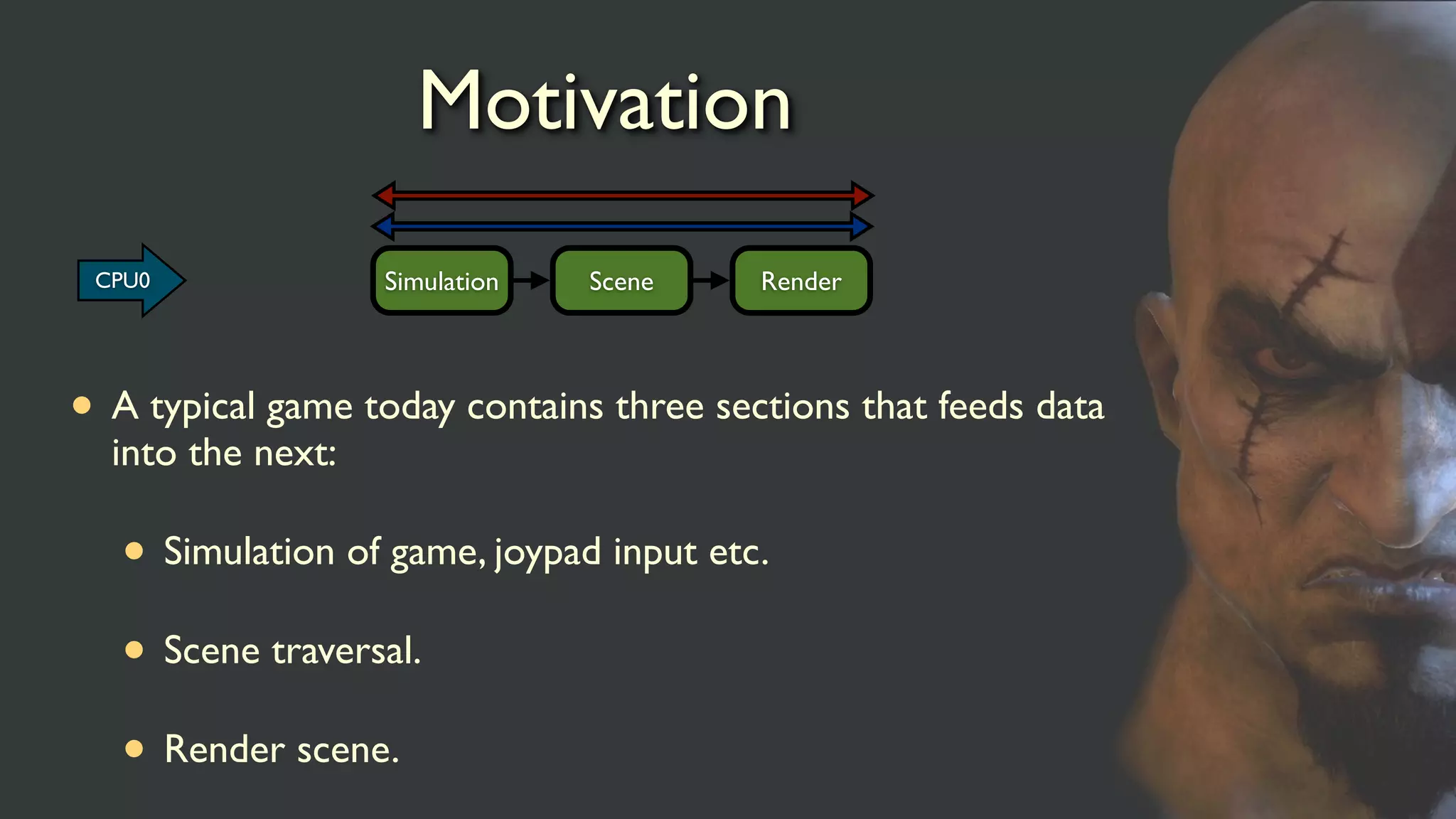
Motivation
• A typicalgame today contains three sections that feeds data
into the next:
• Simulation of game, joypad input etc.
• Scene traversal.
• Render scene.
Simulation Scene RenderCPU0
4.
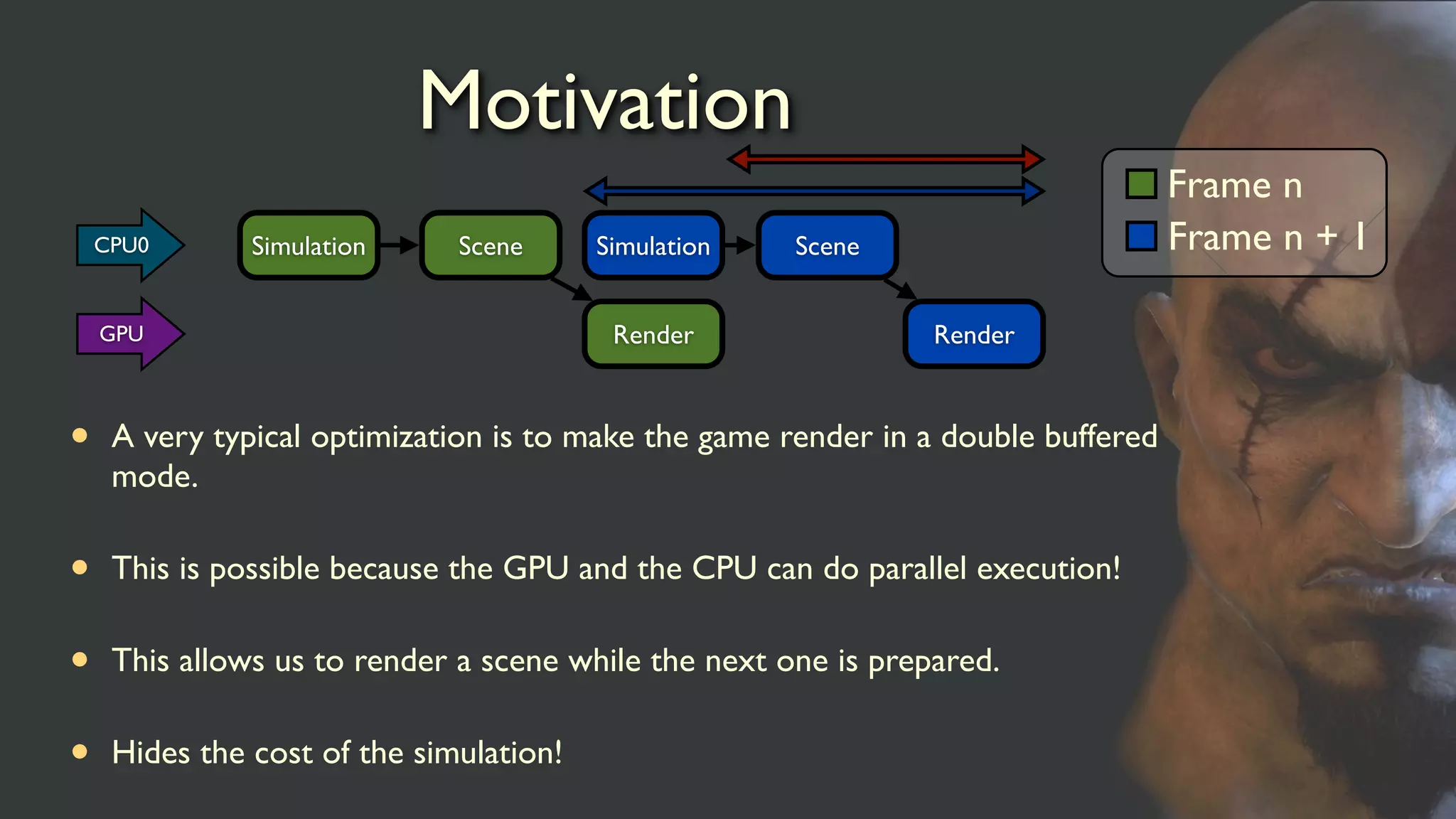
Motivation
• A verytypical optimization is to make the game render in a double buffered
mode.
• This is possible because the GPU and the CPU can do parallel execution!
• This allows us to render a scene while the next one is prepared.
• Hides the cost of the simulation!
Simulation Scene
Render
Simulation Scene
Render
Frame n
Frame n + 1CPU0
GPU
5.
Motivation
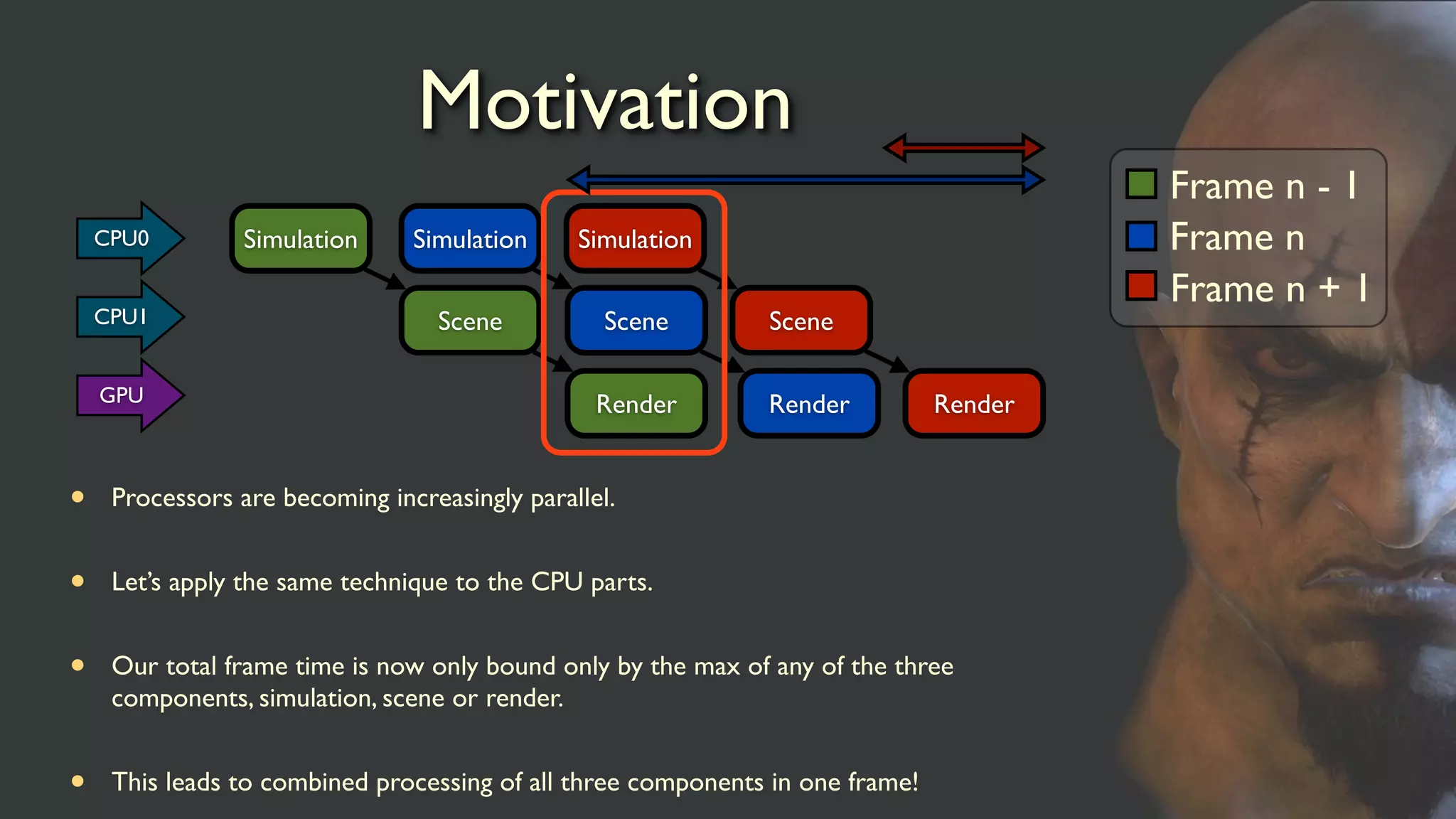
• Processors arebecoming increasingly parallel.
• Let’s apply the same technique to the CPU parts.
• Our total frame time is now only bound only by the max of any of the three
components, simulation, scene or render.
• This leads to combined processing of all three components in one frame!
Simulation
Scene
Render
Simulation
Scene
Render
Frame n - 1
Frame n
Frame n + 1
Simulation
Scene
Render
CPU0
CPU1
GPU
6.
Motivation
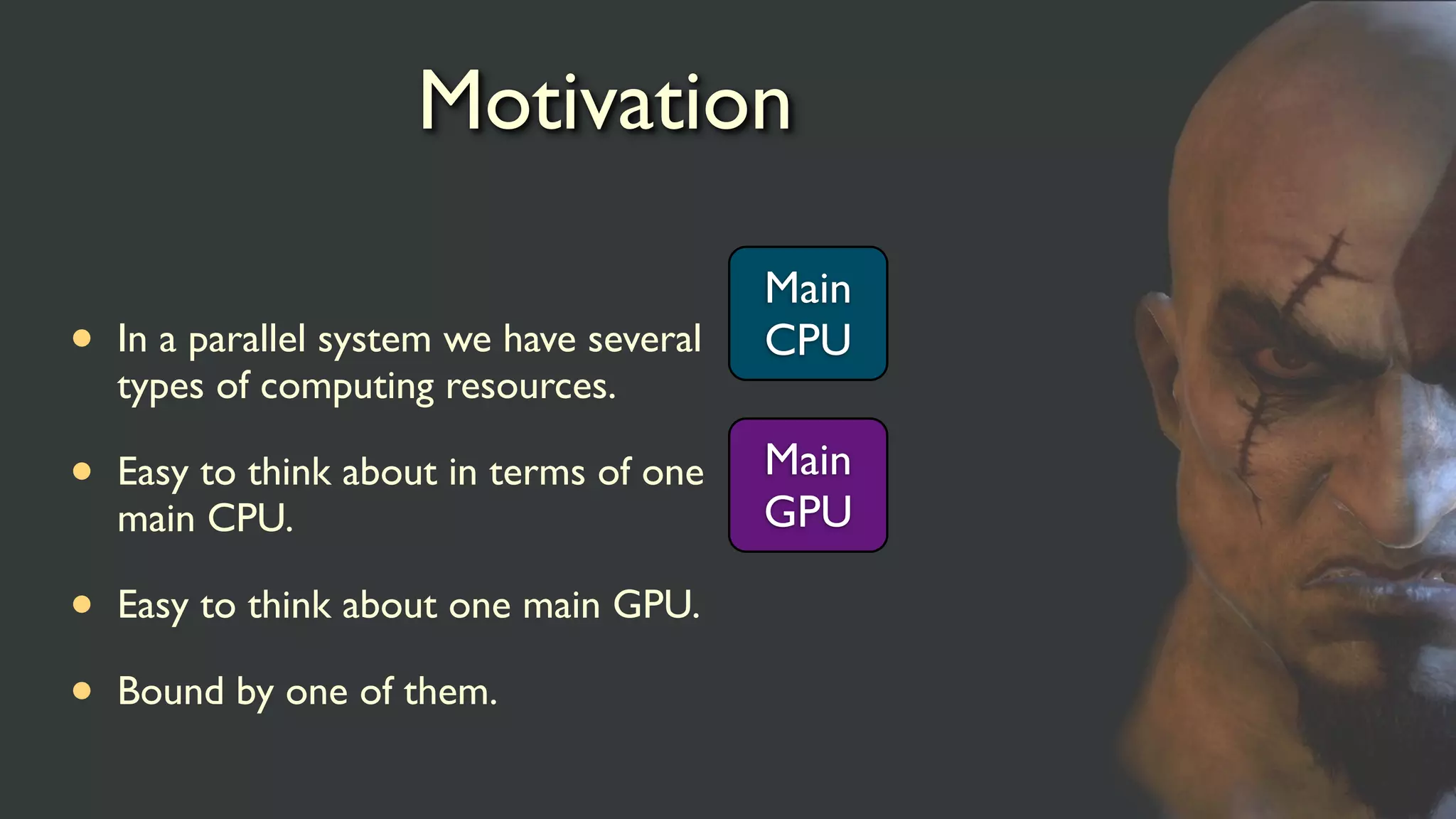
• In aparallel system we have several
types of computing resources.
• Easy to think about in terms of one
main CPU.
• Easy to think about one main GPU.
• Bound by one of them.
Main
CPU
Main
GPU
7.
Motivation
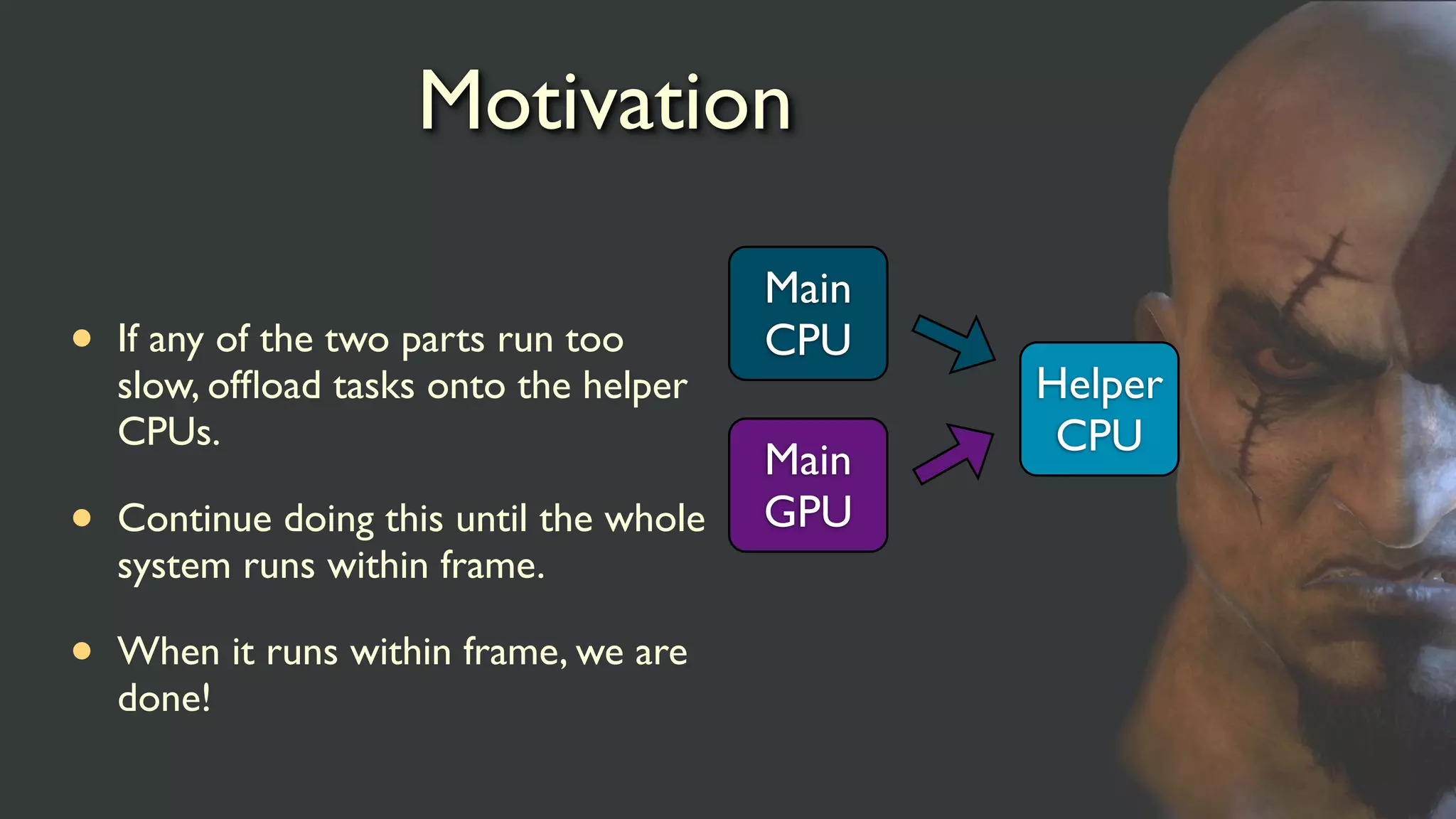
• If anyof the two parts run too
slow, offload tasks onto the helper
CPUs.
• Continue doing this until the whole
system runs within frame.
• When it runs within frame, we are
done!
Main
CPU
Main
GPU
Helper
CPU
8.
The PS3
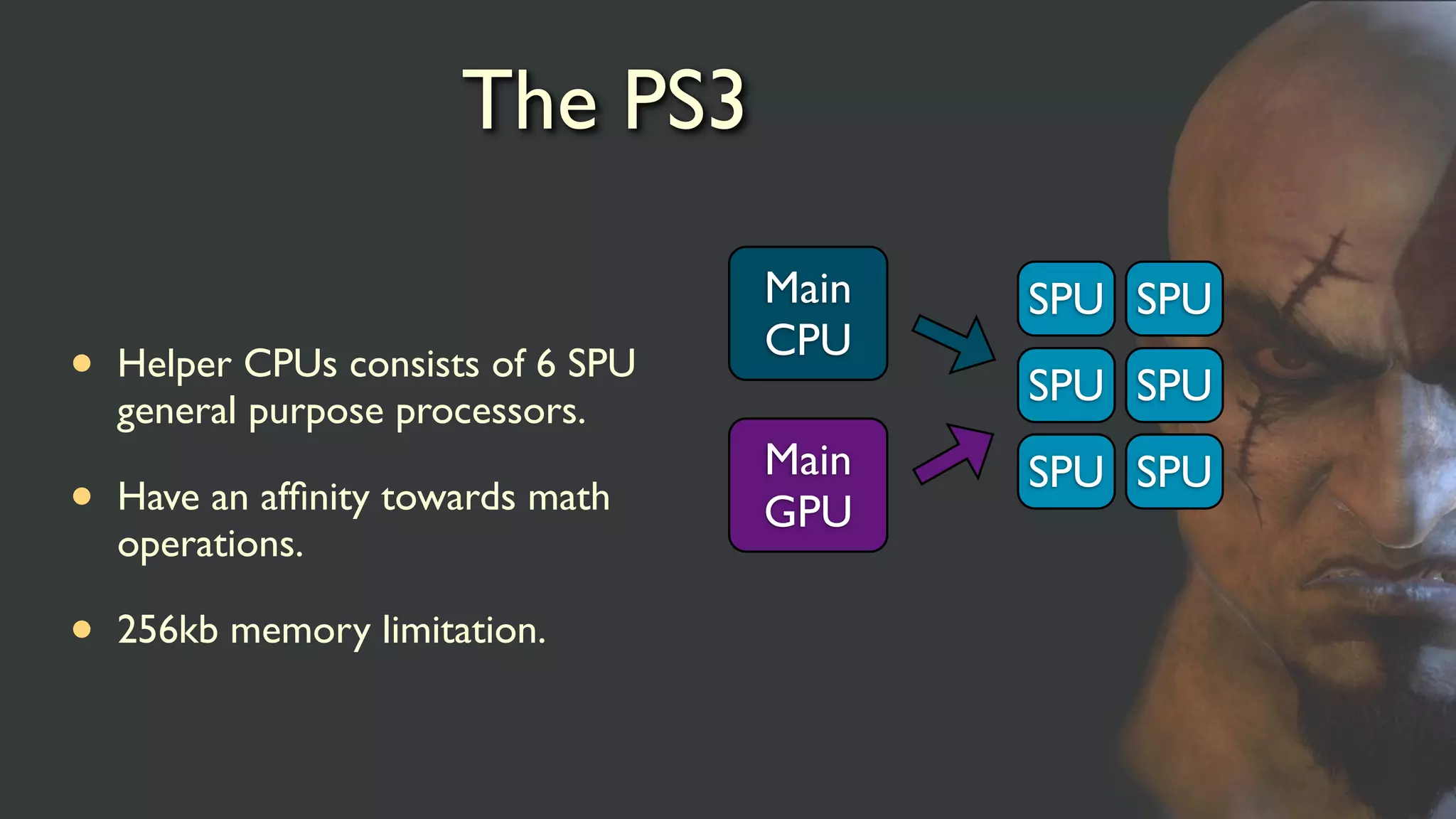
• HelperCPUs consists of 6 SPU
general purpose processors.
• Have an affinity towards math
operations.
• 256kb memory limitation.
Main
CPU
Main
GPU
SPU SPU
SPU SPU
SPU SPU
9.
SPU is nota co-processor
• The SPU is not a coprocessor.
• Full general purpose processor.
• Operates independently from the other processors.
• You can lift PPU code straight over by bracketing it with DMA
calls.
• They are fast enough to make this strategy work.
10.
The SPU isfast.
• Actually, it’s super fast.
• With a little help it can run code at unbelievable speeds.
• Manual optimization can use use the potential 48x speedup of
the architecture to the fullest (compiler never comes close).
• Memory is nearby.
• Leaves us to worry less about the actual computation on the
SPU.
11.
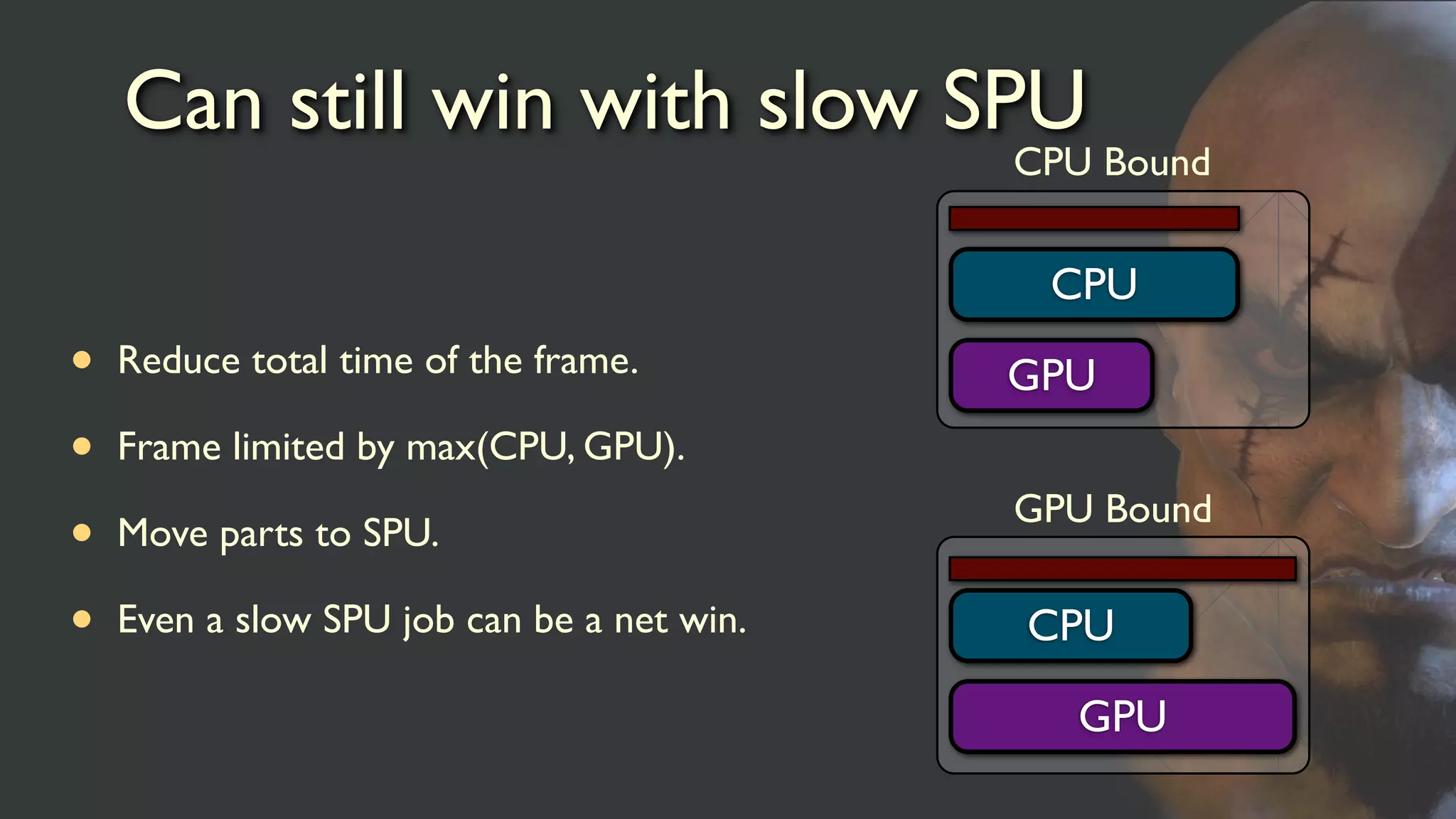
Can still winwith slow SPU
• Reduce total time of the frame.
• Frame limited by max(CPU, GPU).
• Move parts to SPU.
• Even a slow SPU job can be a net win.
GPU
CPU
CPU Bound
GPU
CPU
GPU Bound
12.
SPU == PPU
•Keep the code compilable on both platforms with minimal
changes.
• Limit the memory behavior on the PPU.
• Swap DMA calls for memcpy on PPU.
• Enable on the fly runtime switch between SPU and PPU
version.
13.
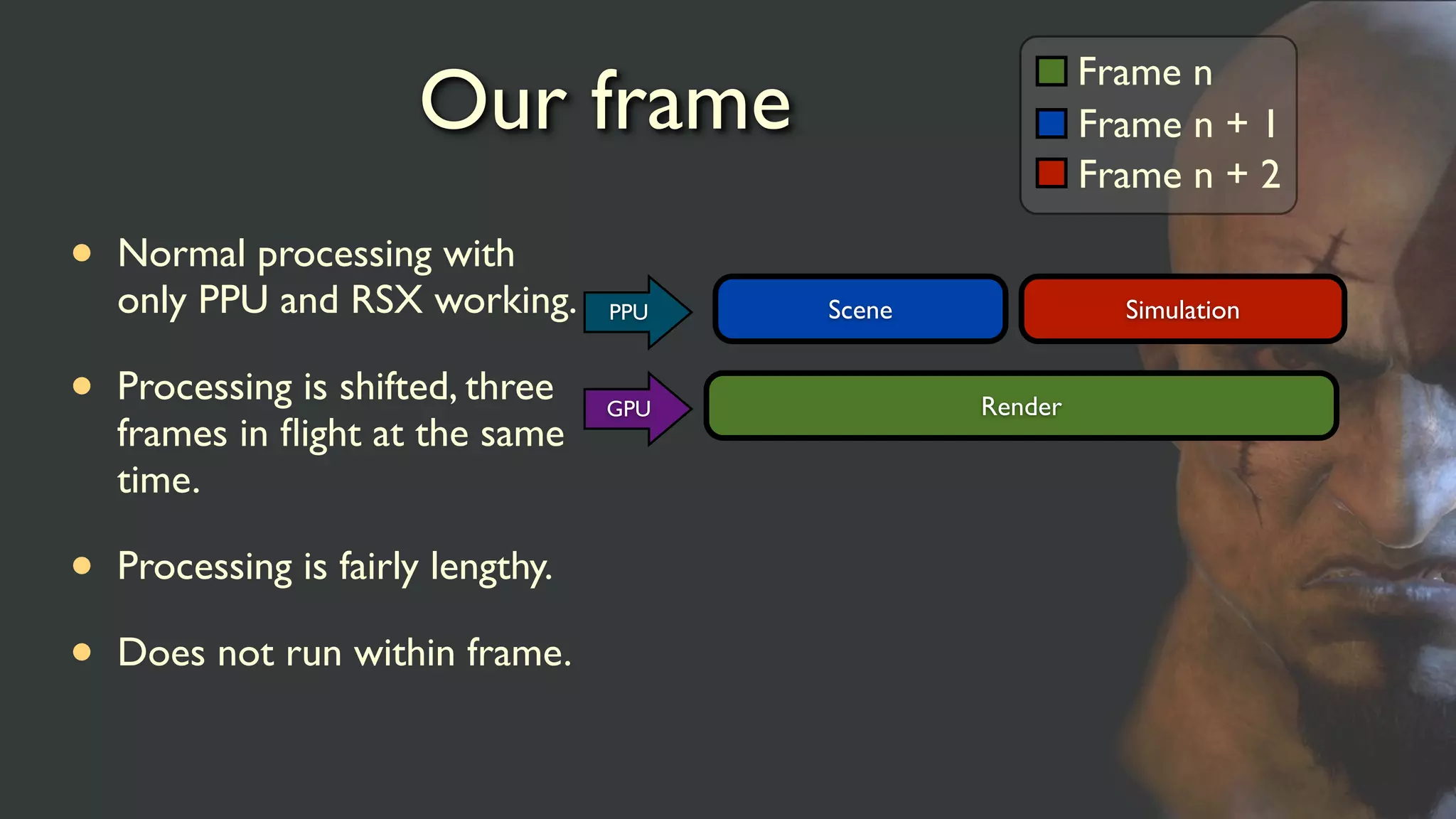
Our frame
• Normalprocessing with
only PPU and RSX working.
• Processing is shifted, three
frames in flight at the same
time.
• Processing is fairly lengthy.
• Does not run within frame.
Frame n
Frame n + 1
Frame n + 2
Render
Scene SimulationPPU
GPU
14.
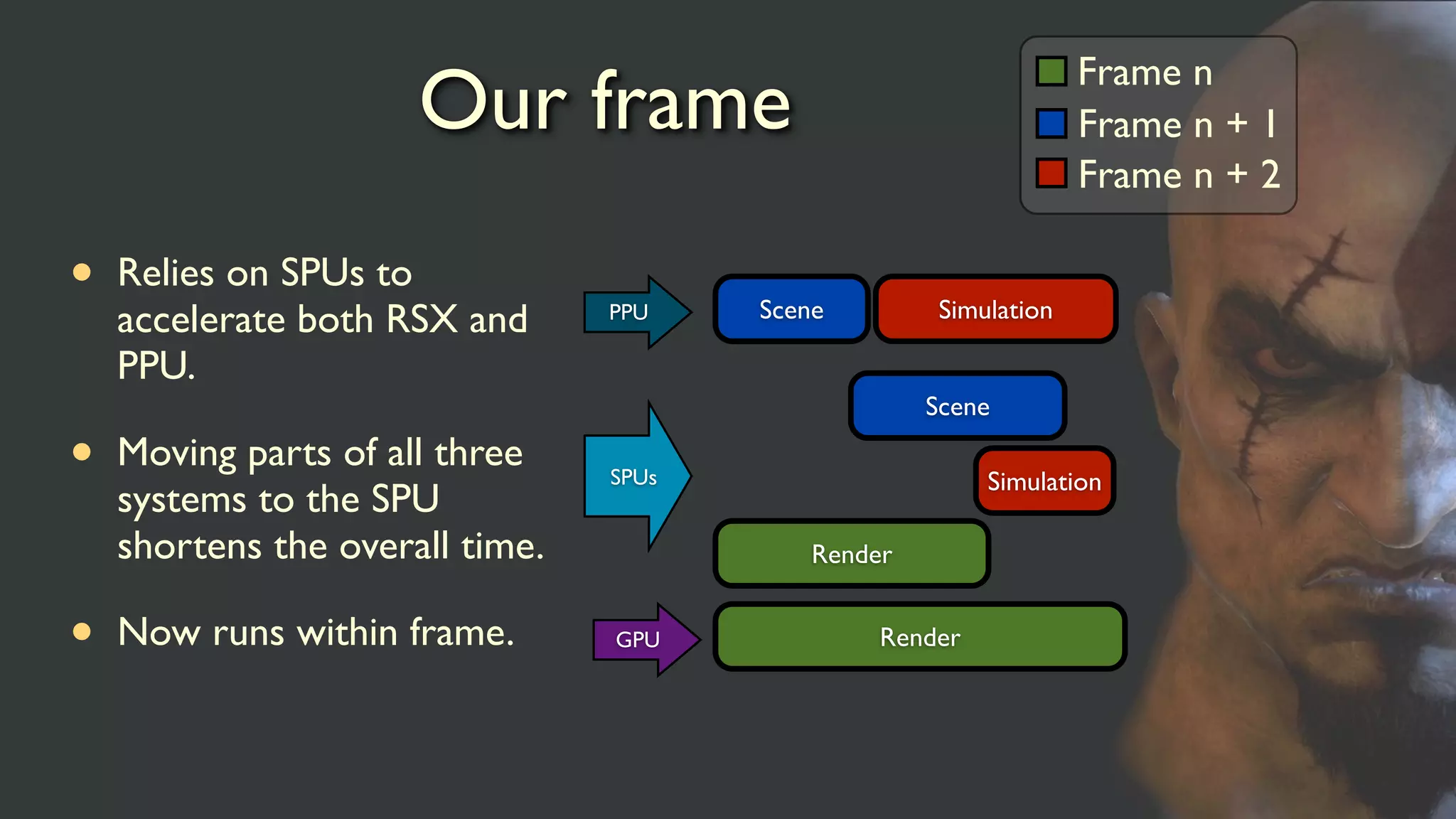
Our frame
• Relieson SPUs to
accelerate both RSX and
PPU.
• Moving parts of all three
systems to the SPU
shortens the overall time.
• Now runs within frame.
Frame n
Frame n + 1
Frame n + 2
Render
Scene SimulationPPU
SPUs
GPU
Scene
Simulation
Render
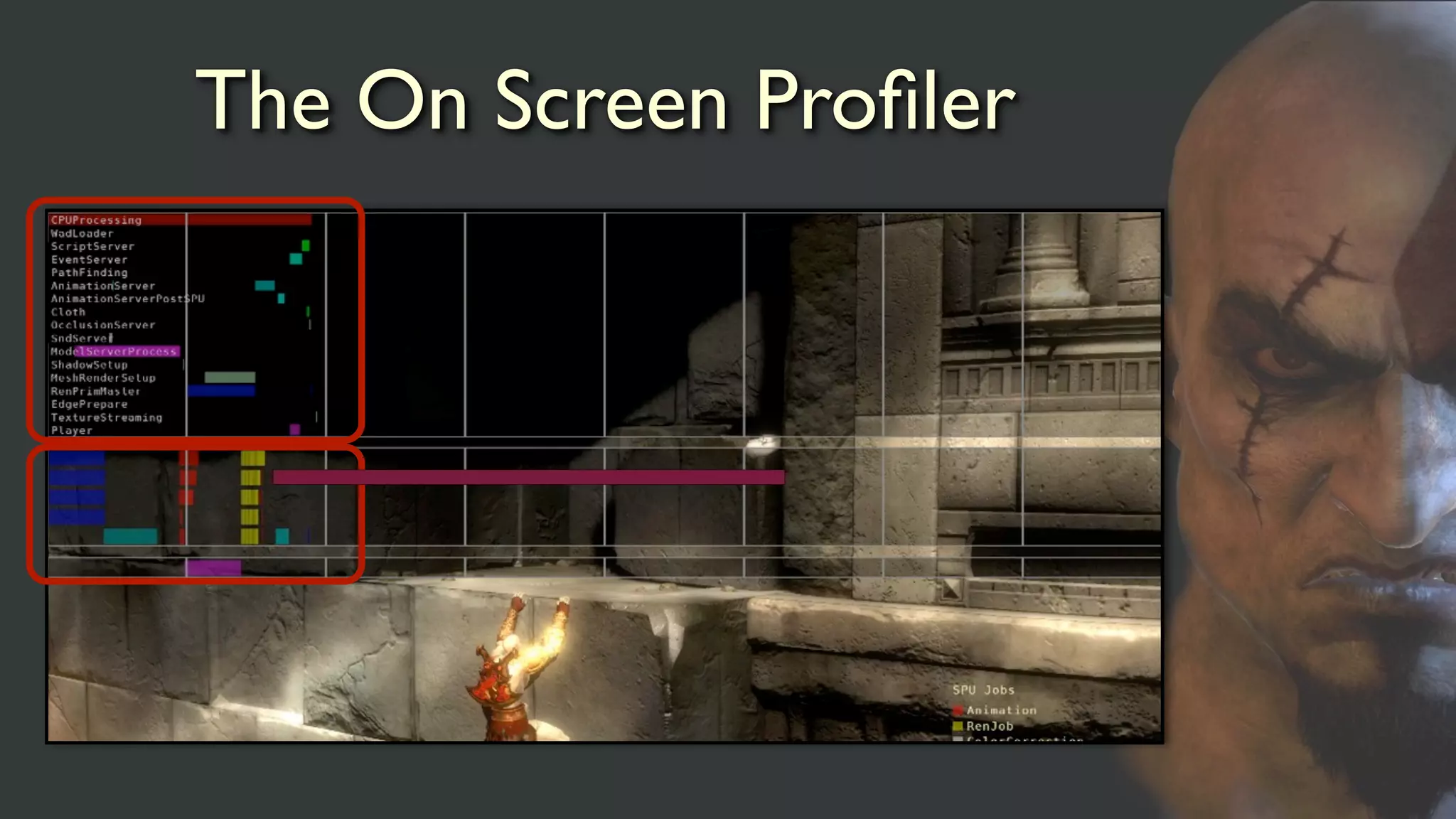
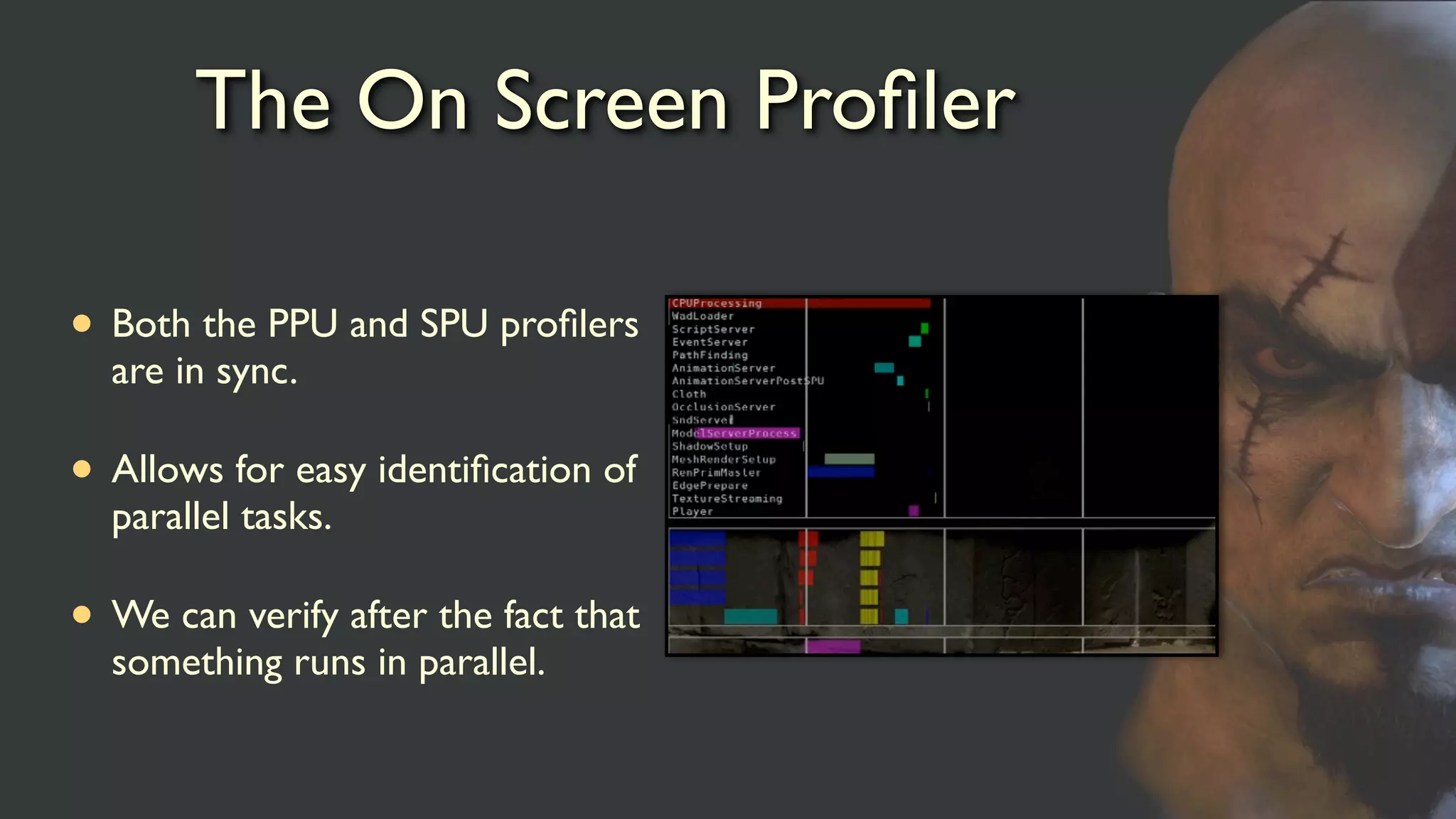
The On ScreenProfiler
• Both the PPU and SPU profilers
are in sync.
• Allows for easy identification of
parallel tasks.
• We can verify after the fact that
something runs in parallel.
17.
Systems on theSPU
• Animation
• Cloth
• Collision
• Procedural textures
• Culling
• Shadows
• Push buffer
generation
• Meta tasks
• Geometry
conditioning
• Sound
Simulation Scene Render
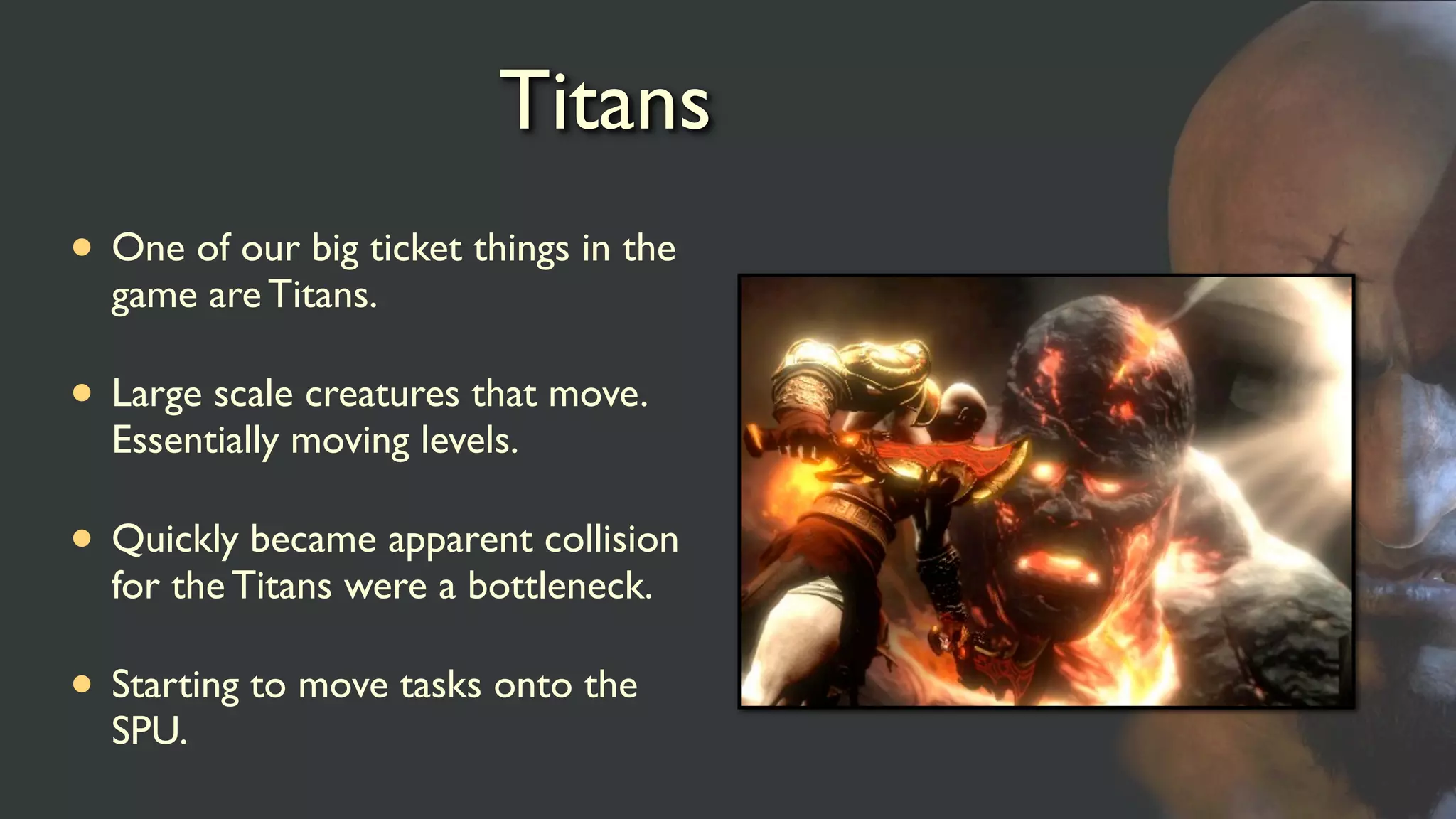
Titans
• One ofour big ticket things in the
game are Titans.
• Large scale creatures that move.
Essentially moving levels.
• Quickly became apparent collision
for the Titans were a bottleneck.
• Starting to move tasks onto the
SPU.
20.
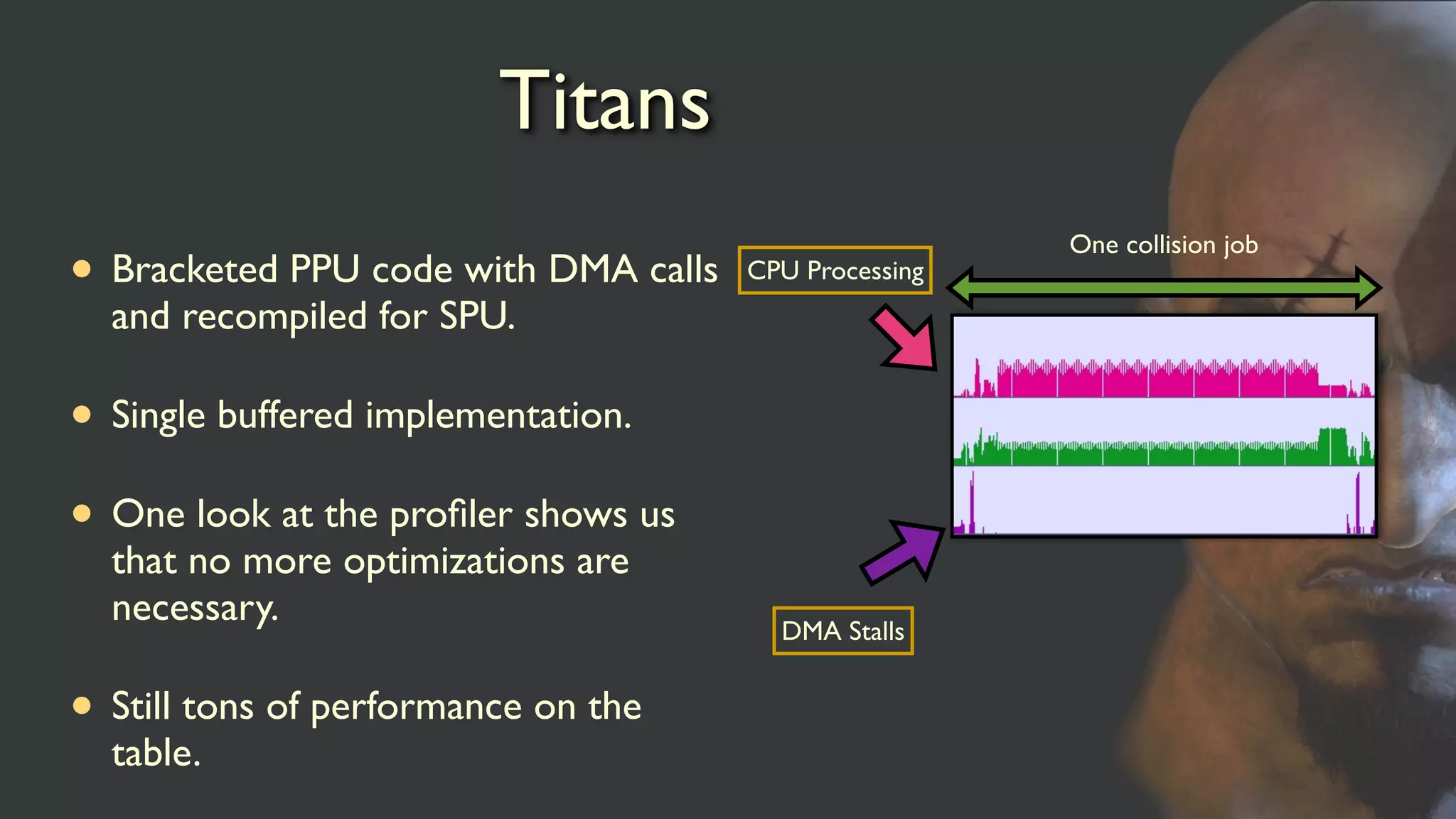
Titans
• Bracketed PPUcode with DMA calls
and recompiled for SPU.
• Single buffered implementation.
• One look at the profiler shows us
that no more optimizations are
necessary.
• Still tons of performance on the
table.
DMA Stalls
CPU Processing
One collision job
21.
Titans
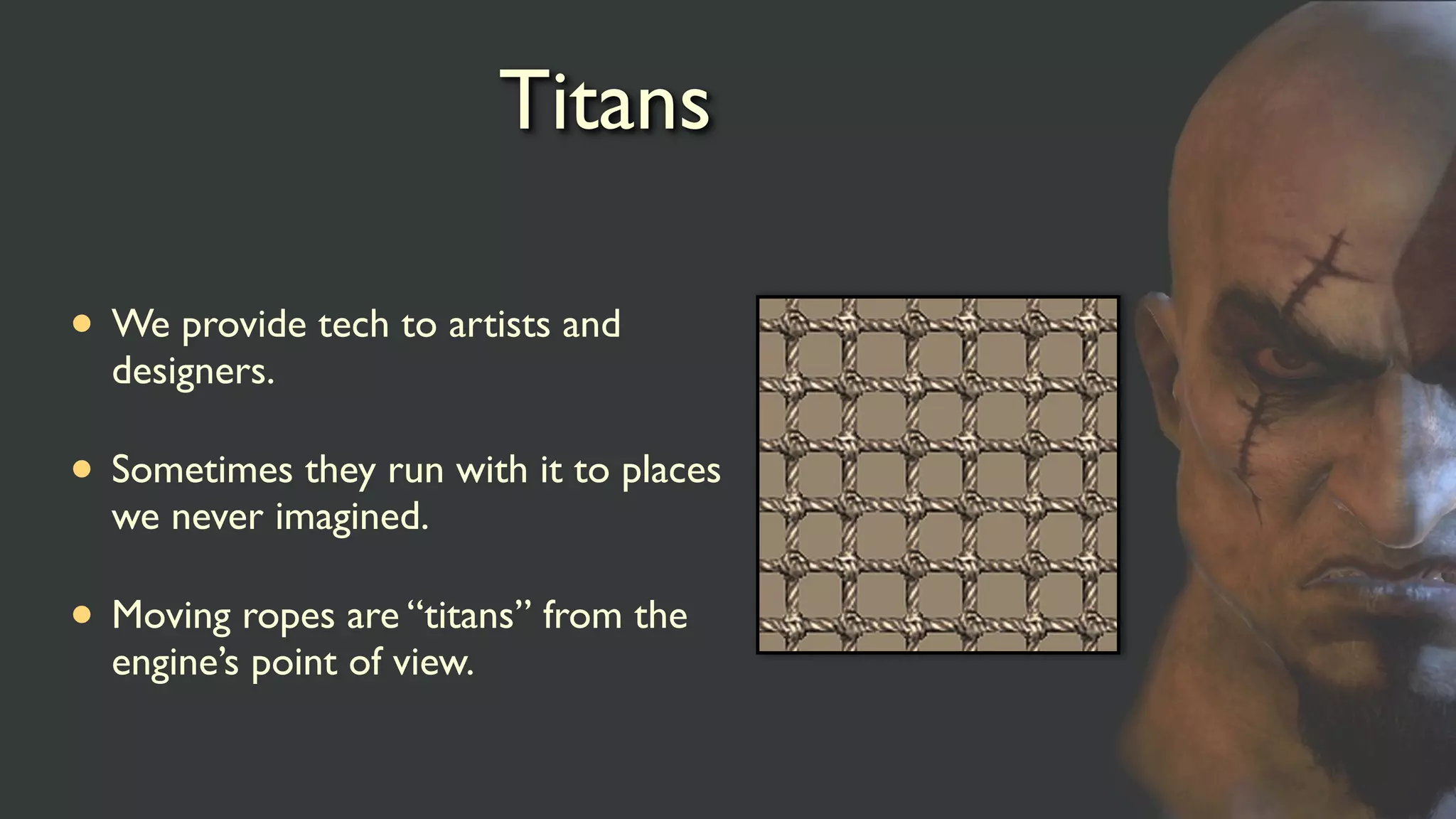
• We providetech to artists and
designers.
• Sometimes they run with it to places
we never imagined.
• Moving ropes are “titans” from the
engine’s point of view.
22.
Cloth simulation
• Kratoshas a short loin cloth.
• Enemies has various pieces of cloth.
• Independent jobs, naturally parallel.
• Fire and forget jobs, we can figure out early what we need for
calculation and don’t need the results until render.
23.
Cloth simulation
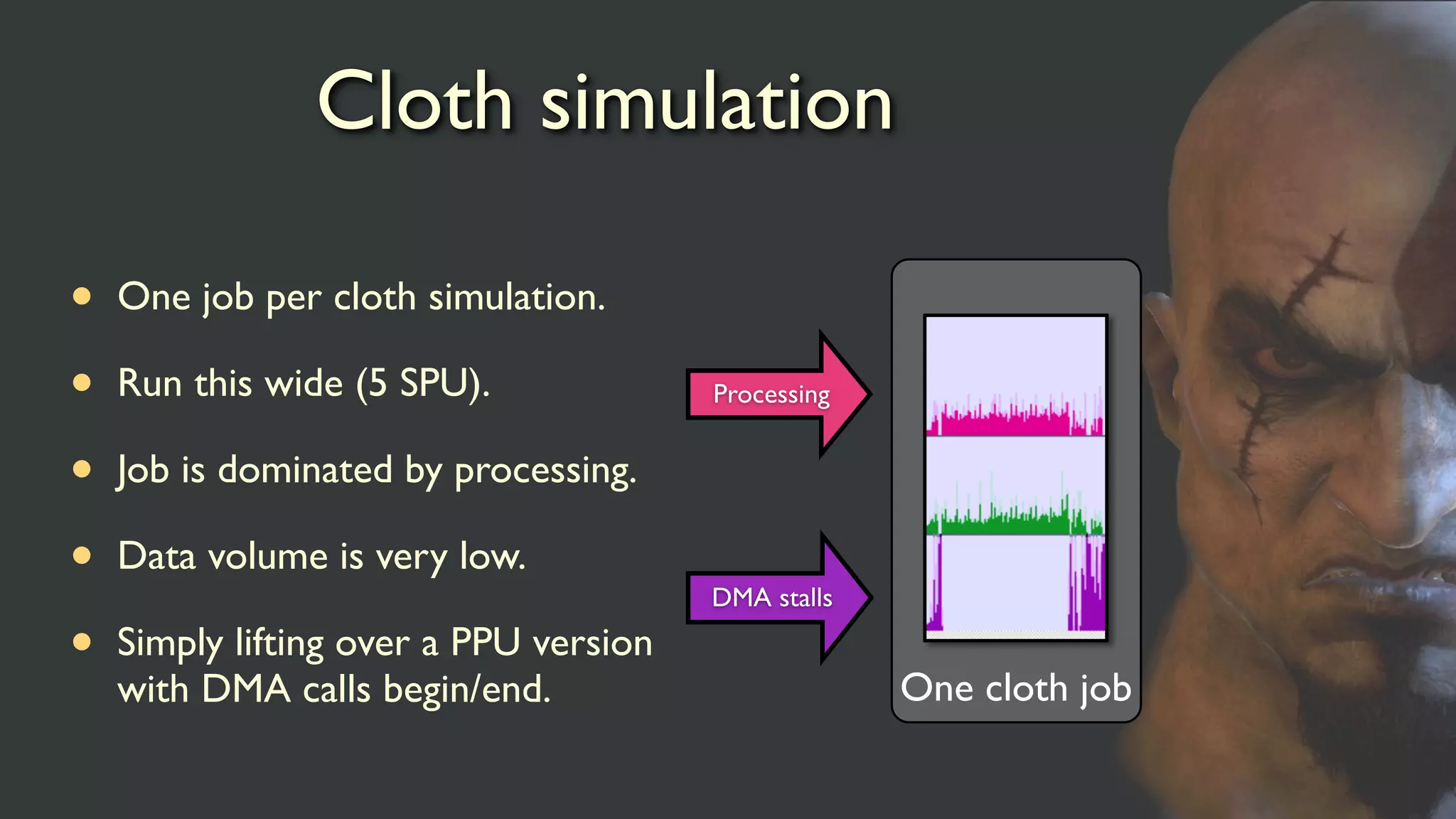
• Onejob per cloth simulation.
• Run this wide (5 SPU).
• Job is dominated by processing.
• Data volume is very low.
• Simply lifting over a PPU version
with DMA calls begin/end.
Processing
One cloth job
DMA stalls
Culling
• Simple frustumchecks against bound spheres.
• Traverses the list of all potential models.
• Produces visibility bits.
• Processes both frustum and occlusion checks at the same
time.
• Highly suited for the SPU.
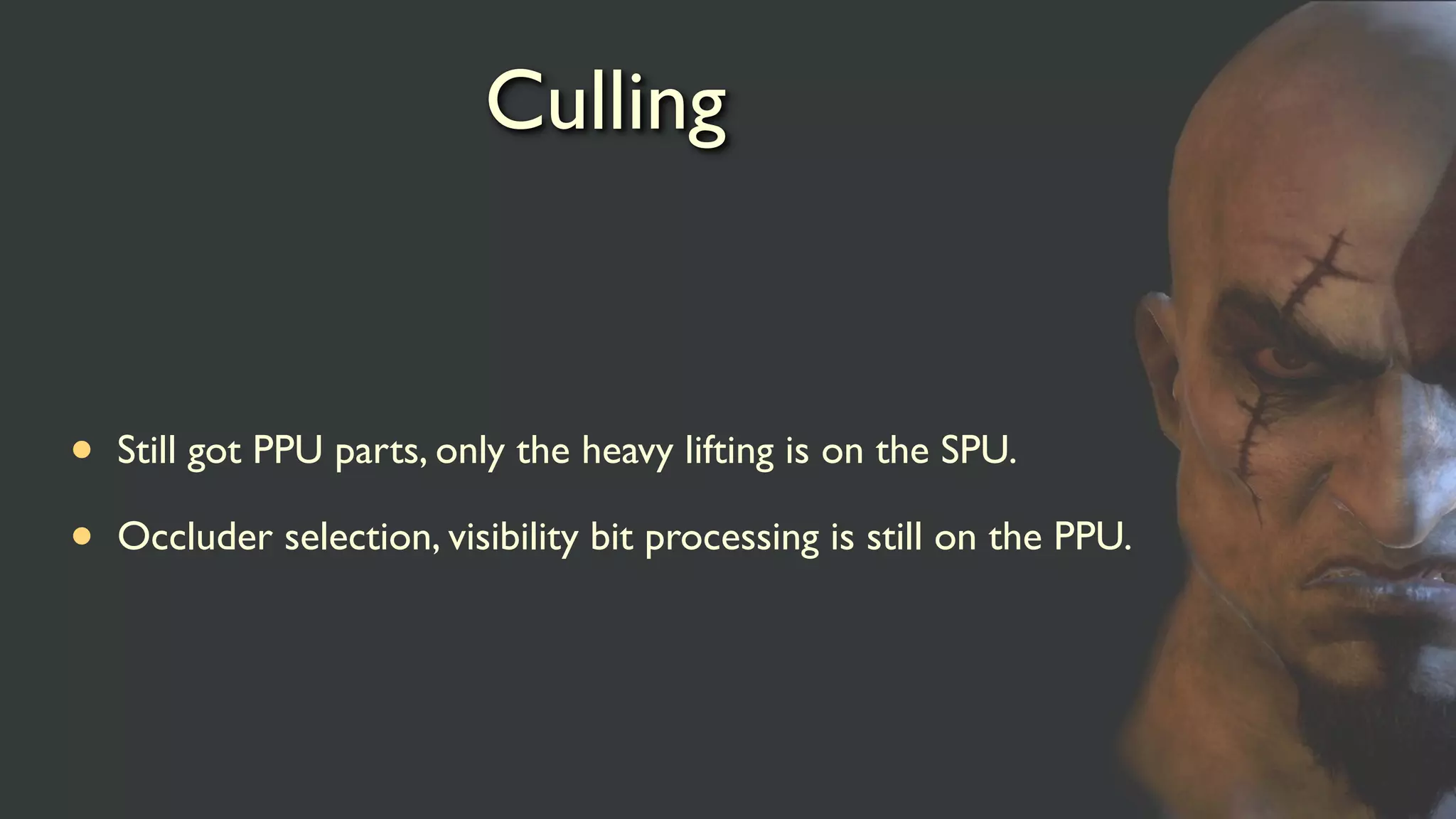
26.
Culling
• Still gotPPU parts, only the heavy lifting is on the SPU.
• Occluder selection, visibility bit processing is still on the PPU.
27.
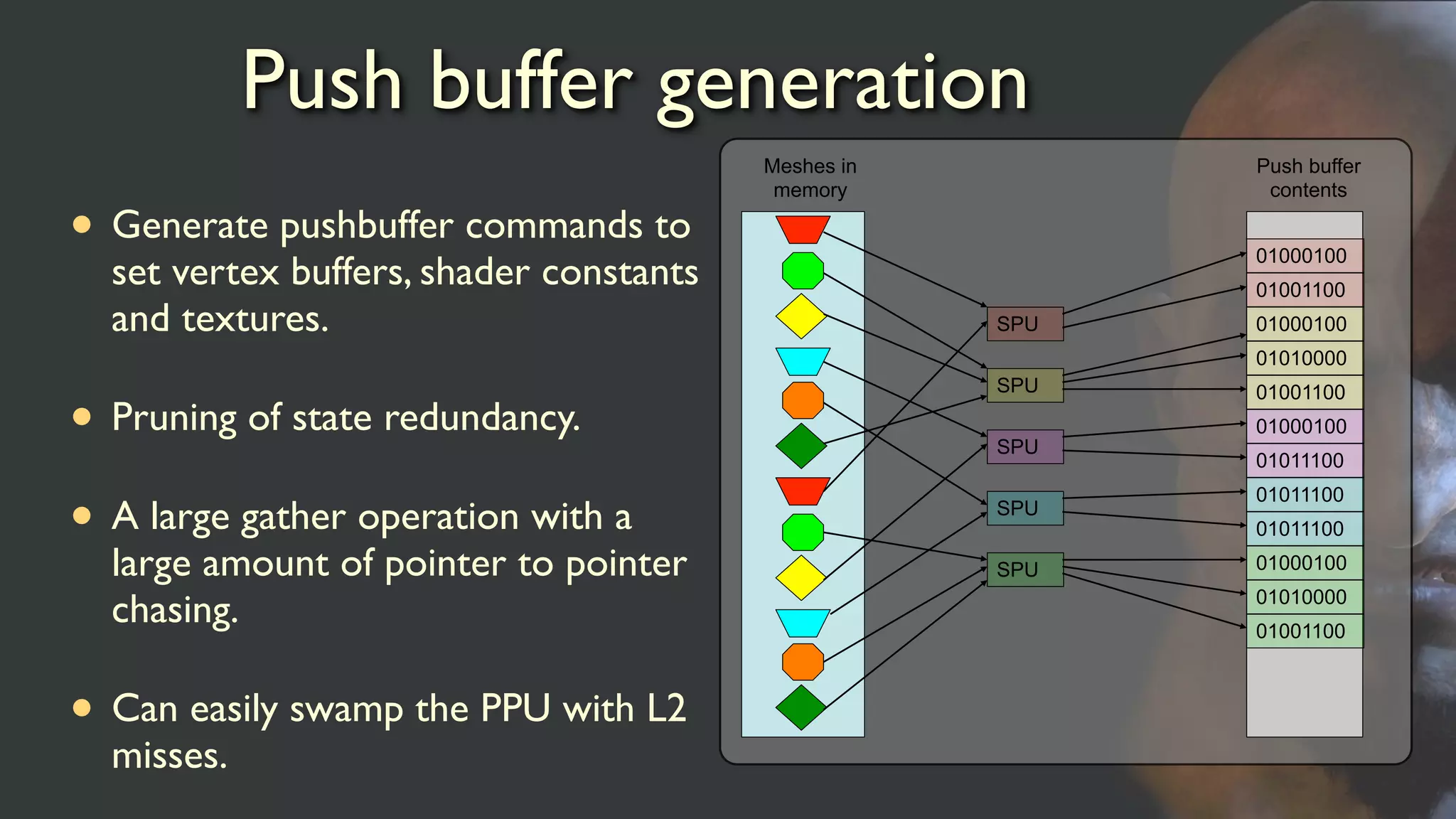
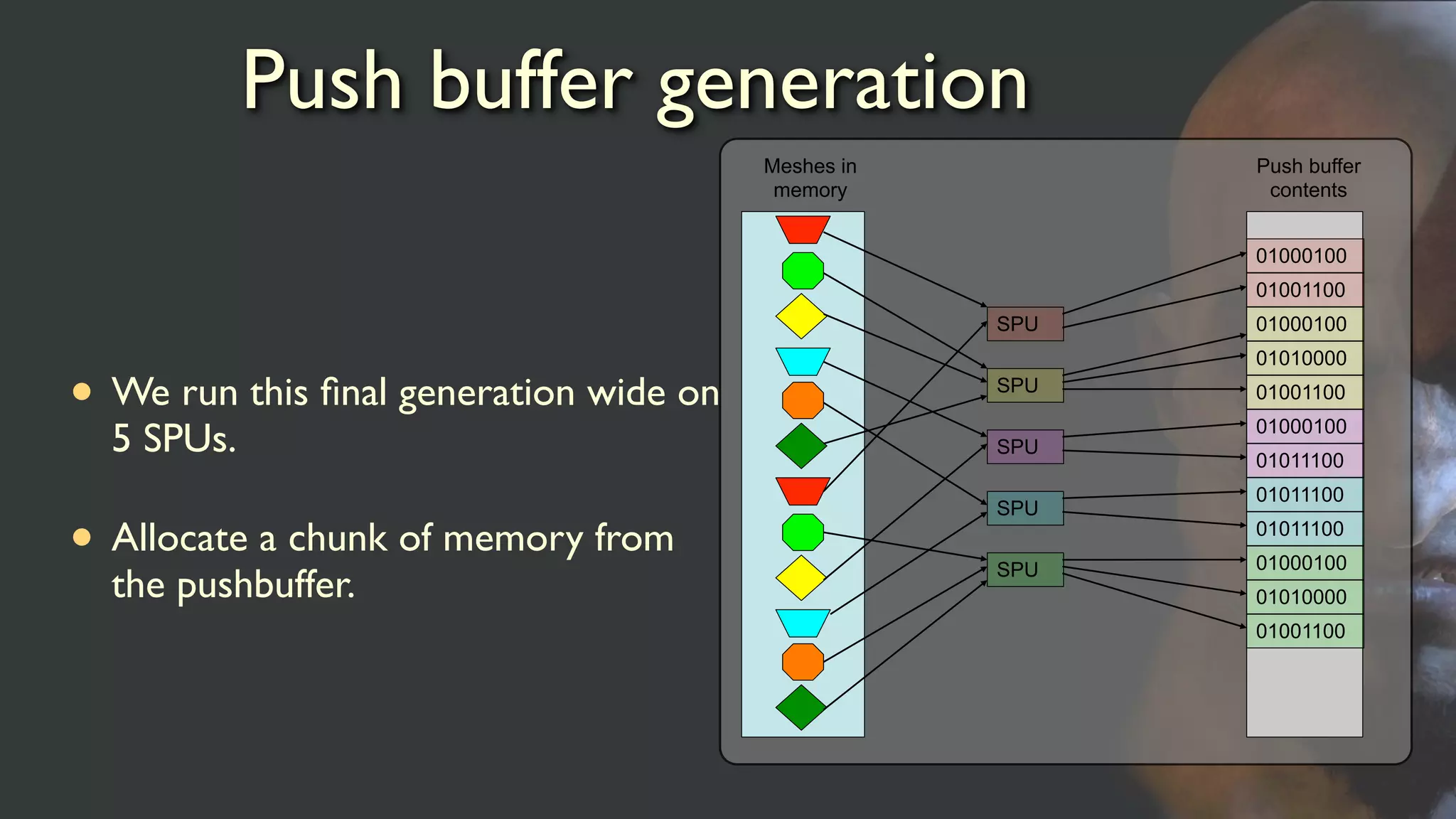
Push buffer generation
•Generate pushbuffer commands to
set vertex buffers, shader constants
and textures.
• Pruning of state redundancy.
• A large gather operation with a
large amount of pointer to pointer
chasing.
• Can easily swamp the PPU with L2
misses.
Meshes in
memory
SPU
SPU
SPU
SPU
SPU
Push buffer
contents
01000100
01001100
01000100
01011100
01000100
01010000
01001100
01000100
01010000
01001100
01011100
01011100
28.
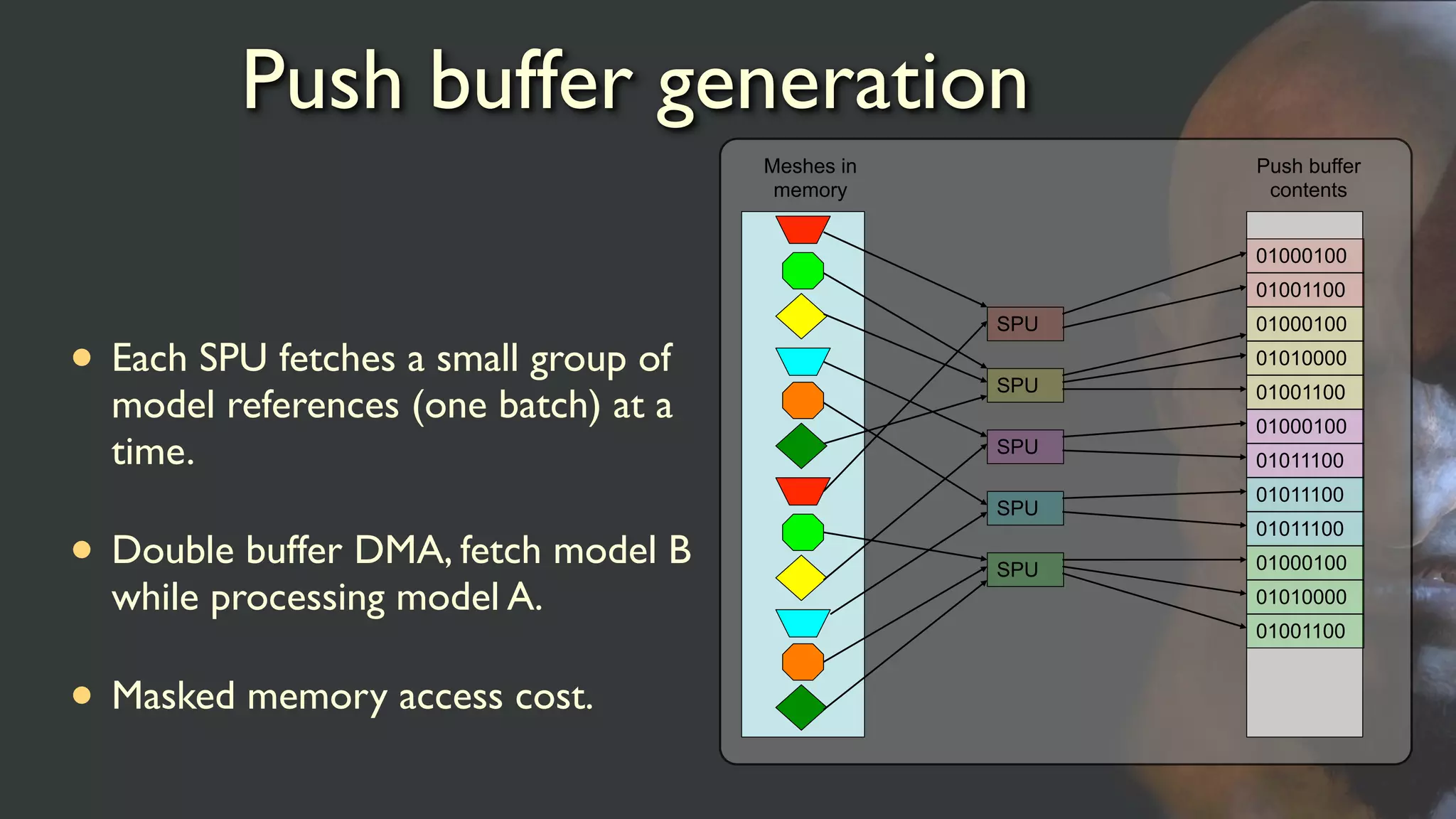
Push buffer generation
•Each SPU fetches a small group of
model references (one batch) at a
time.
• Double buffer DMA, fetch model B
while processing model A.
• Masked memory access cost.
Meshes in
memory
SPU
SPU
SPU
SPU
SPU
Push buffer
contents
01000100
01001100
01000100
01011100
01000100
01010000
01001100
01000100
01010000
01001100
01011100
01011100
29.
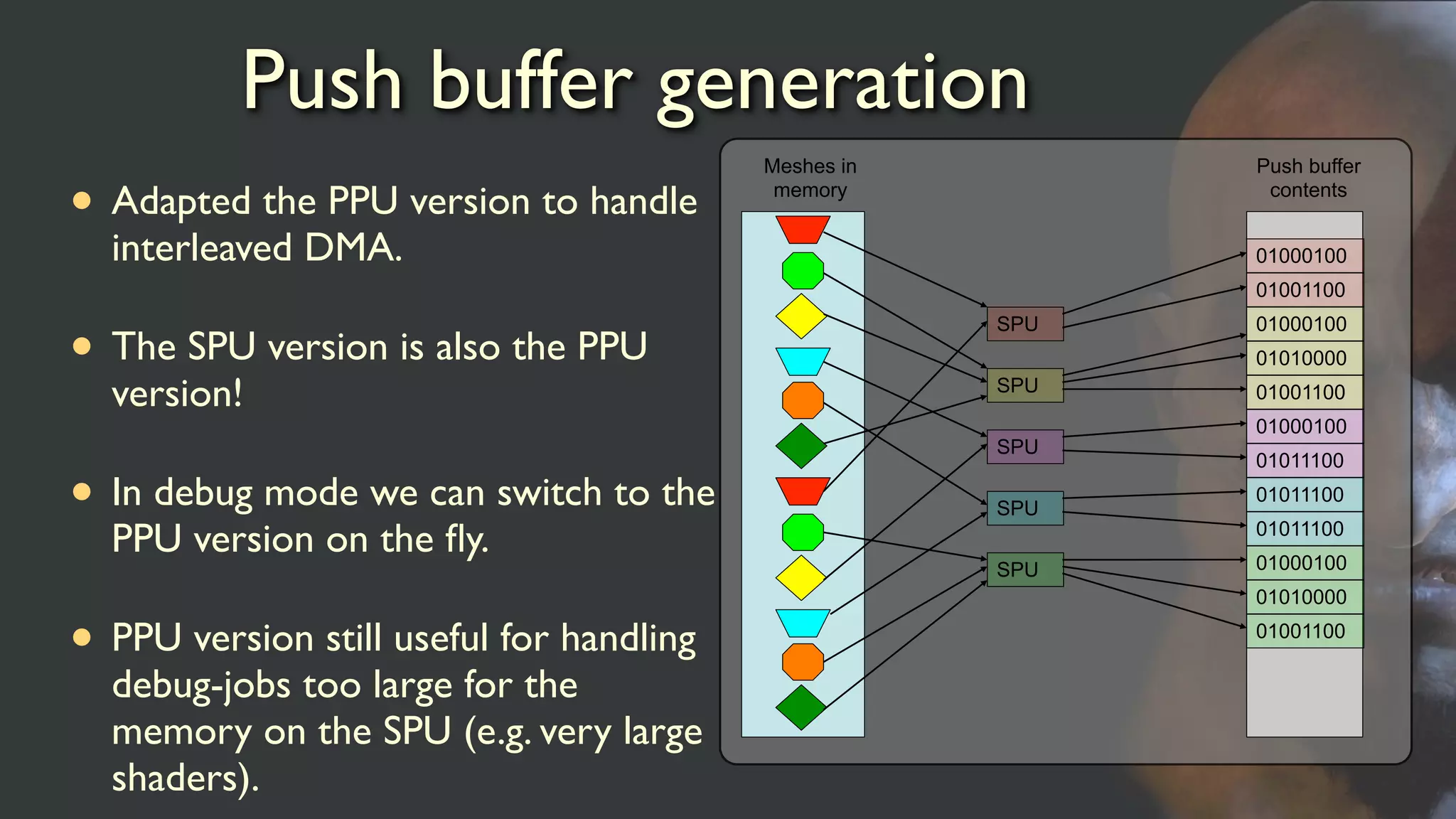
Push buffer generation
•Adapted the PPU version to handle
interleaved DMA.
• The SPU version is also the PPU
version!
• In debug mode we can switch to the
PPU version on the fly.
• PPU version still useful for handling
debug-jobs too large for the
memory on the SPU (e.g. very large
shaders).
Meshes in
memory
SPU
SPU
SPU
SPU
SPU
Push buffer
contents
01000100
01001100
01000100
01011100
01000100
01010000
01001100
01000100
01010000
01001100
01011100
01011100
30.
Push buffer generation
•We run this final generation wide on
5 SPUs.
• Allocate a chunk of memory from
the pushbuffer.
Meshes in
memory
SPU
SPU
SPU
SPU
SPU
Push buffer
contents
01000100
01001100
01000100
01011100
01000100
01010000
01001100
01000100
01010000
01001100
01011100
01011100
31.
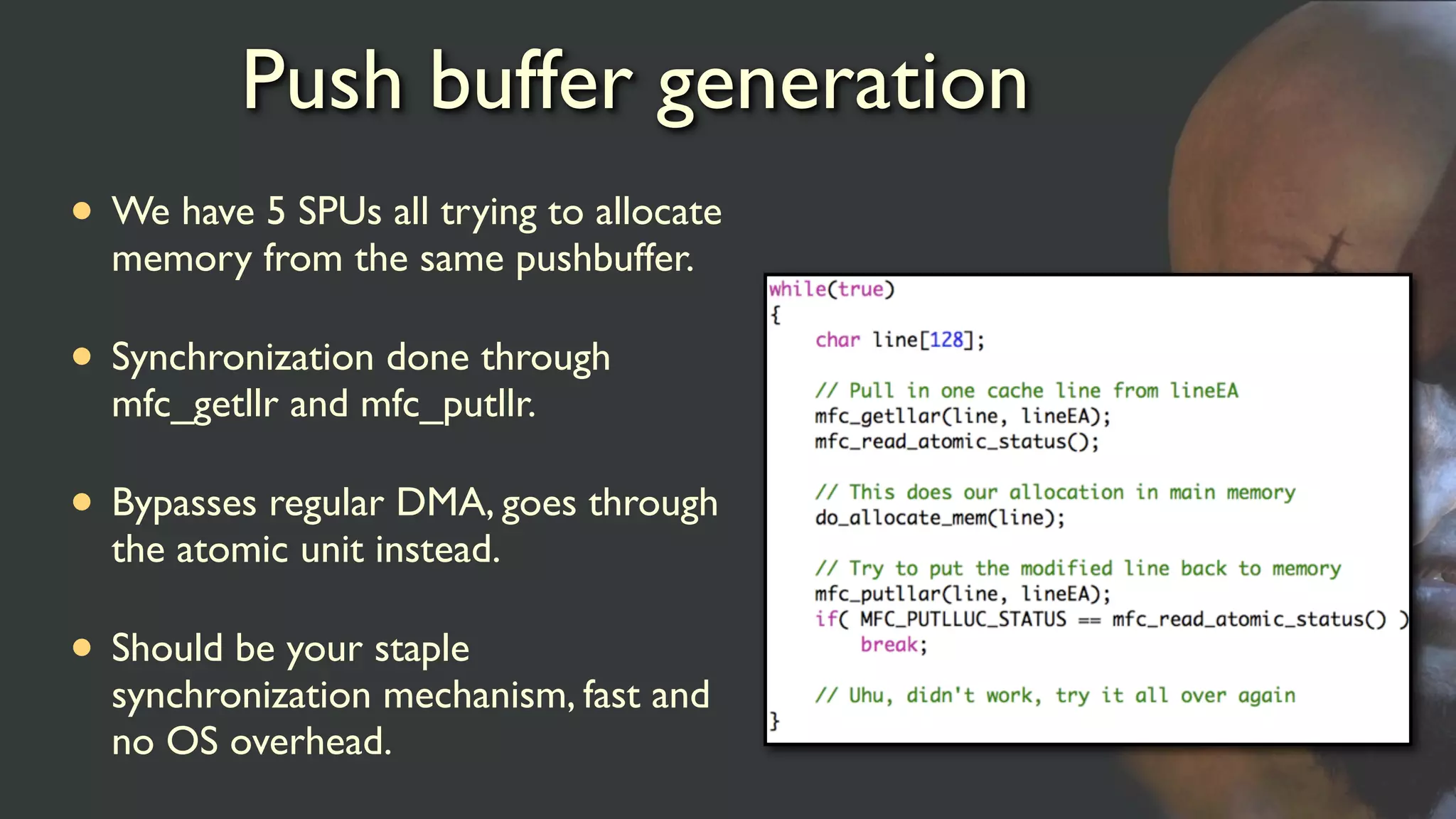
Push buffer generation
•We have 5 SPUs all trying to allocate
memory from the same pushbuffer.
• Synchronization done through
mfc_getllr and mfc_putllr.
• Bypasses regular DMA, goes through
the atomic unit instead.
• Should be your staple
synchronization mechanism, fast and
no OS overhead.
Geometry processing
• Varioustechniques to offload the GPU (post processing,
vertex processing, software rasterizers).
• We’ve focused on offloading the cost of the opaque pass.
• Majority of this cost comes from vertex processing and
lighting.
• Moved both over to the SPU.
34.
Geometry processing
• Wepass all our vertices through the SPUs to be pre-
conditioned for the GPU.
• A special purpose job handles various tasks to help the
GPU.
• Relies heavily on the SDK library EDGE.
35.
Geometry processing
• Whatis EDGE?
• Geometry processing library available to all PS3 developers.
• Highly optimized SPU code.
• Easy integration, you still control main().
• Can greatly improve your performance!
36.
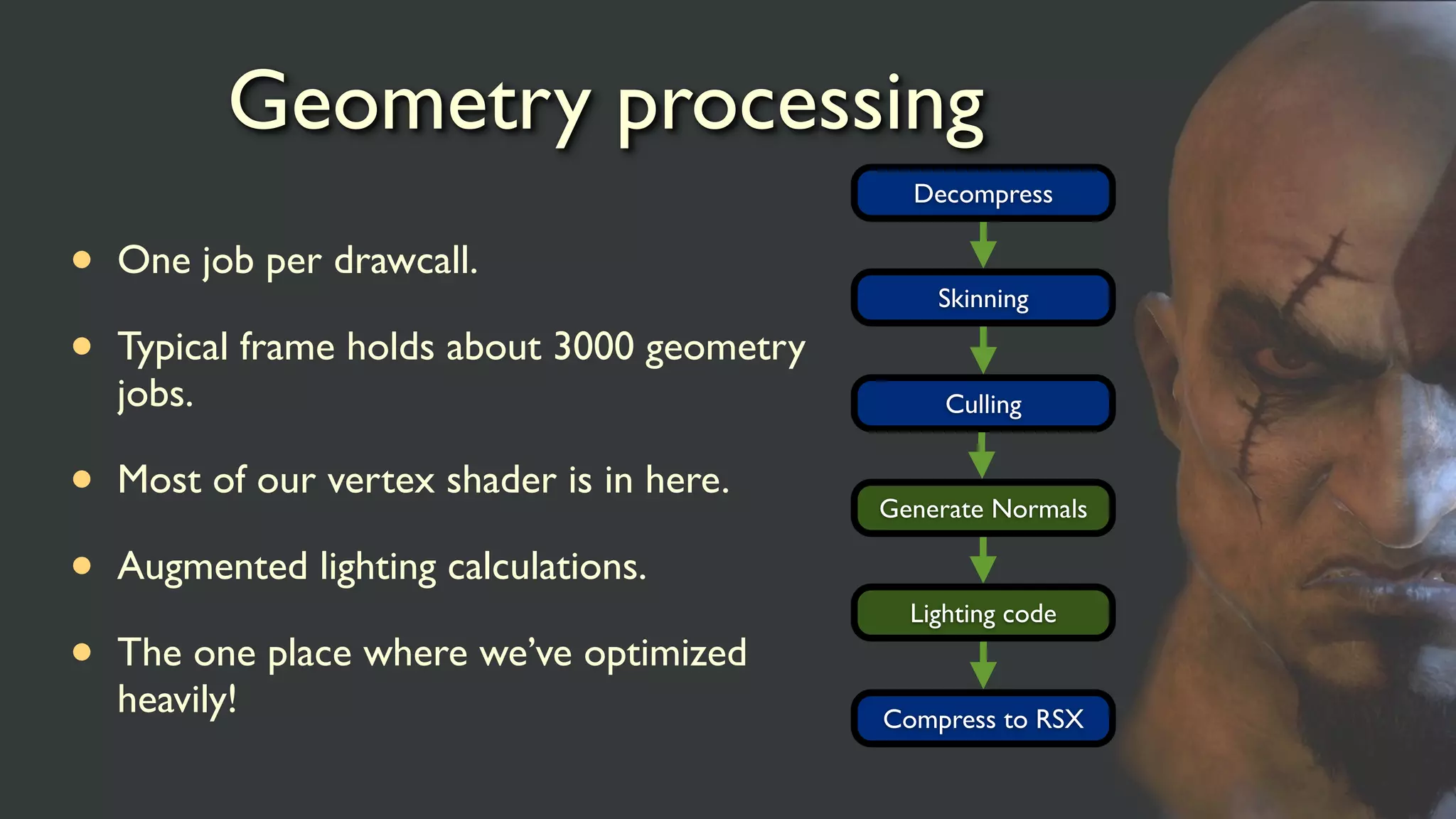
Geometry processing
• Onejob per drawcall.
• Typical frame holds about 3000 geometry
jobs.
• Most of our vertex shader is in here.
• Augmented lighting calculations.
• The one place where we’ve optimized
heavily!
Decompress
Skinning
Culling
Generate Normals
Lighting code
Compress to RSX
37.
Color correction
• Runas a post effects pass to give a certain (cinematic) look to
a scene.
• Basically just do a RGB lookup in a cube map for each pixel on
the screen.
• For dynamic effects we want to generate the cube map.
• How do we generate the cube map?
38.
Color correction
• Kicka SPU job early on to generate a cube map based on
parametric input.
• Algorithm involves a lot of if statements, harder to do
efficiently on the GPU.
• Simple lift of code from PPU.
• Job is dominated by processing, single buffered DMA.
Go parallel
• Youmust use the parallel nature of the machine.
• Do not special case the SPU, it is a general purpose processor.
• Offload from the currently bound system.
Measure speed
• Bescientific, measure before you jump! The on screen profiler
is your first tool.
• Start with a simple implementation that might seem non
optimal.
• Always keep the PPU version! Invaluable for debugging.
• Remember that the SPU is faster than you think.