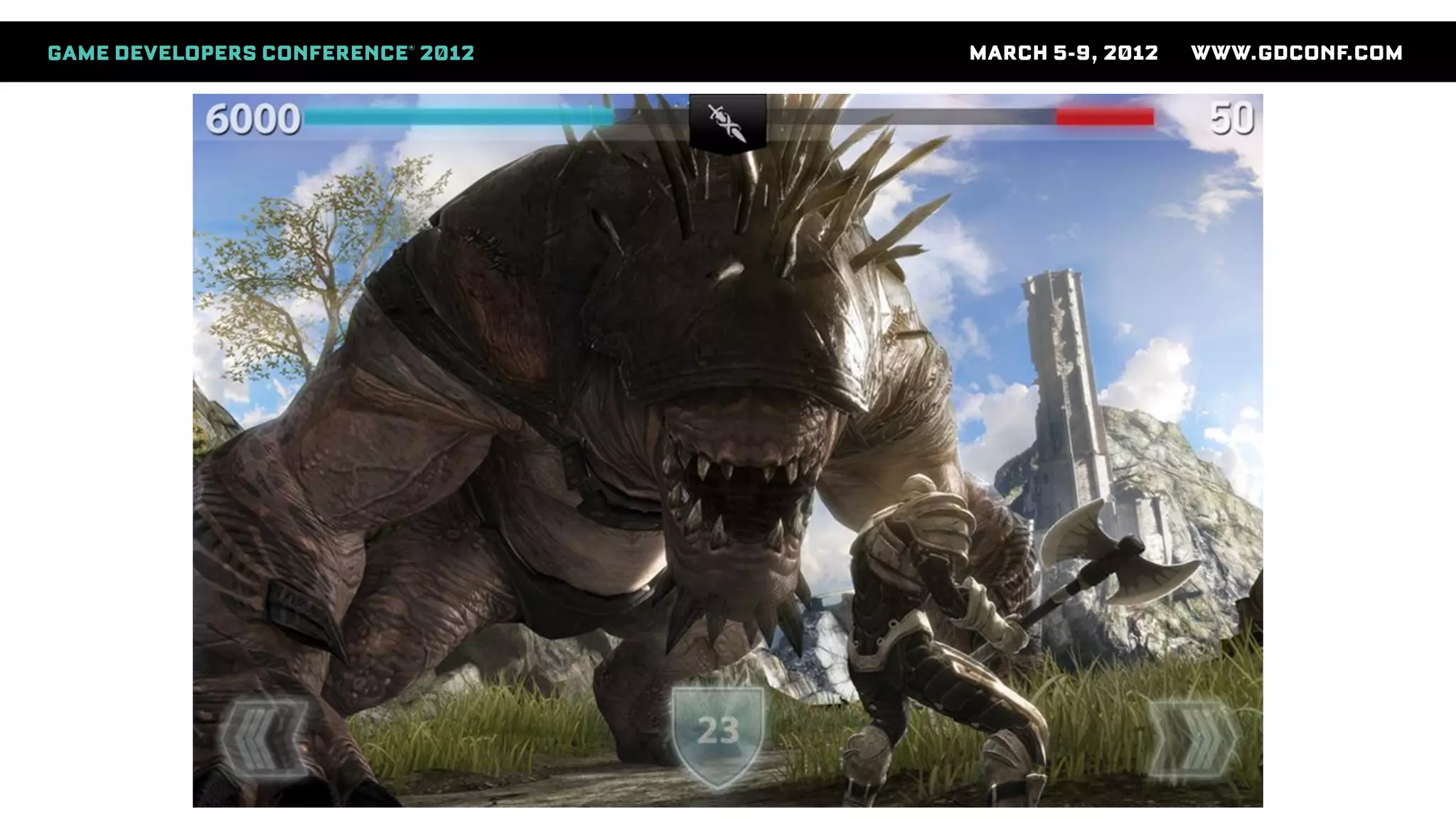
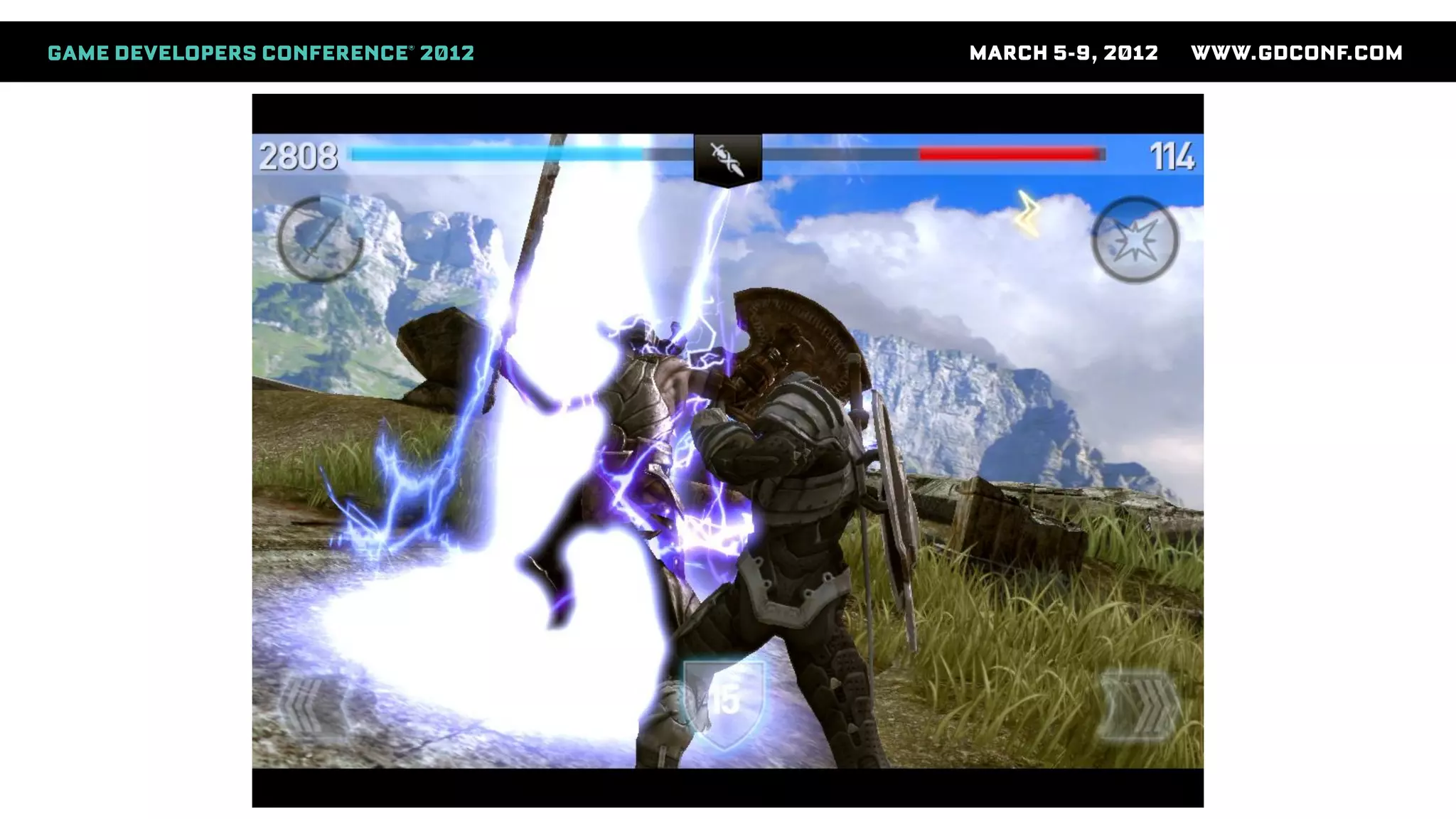
Bringing AAA graphics to mobile platforms
Niklas Smedberg
Senior Engine Programmer, Epic Games
Who Am I
● A.k.a. “Smedis”
● Platform team at Epic Games
● Unreal Engine
● 15 years in the industry
● 30 years of programming
● C64 demo scene
Content
● Hardware
● How it works under the hood
● Case study: ImgTec SGX GPU
● Software
● How to apply this knowledge to bring console
graphics to mobile platforms
Mobile Graphics Processors
● The feature support is there:
● Shaders
● Render to texture
● Depth textures
● MSAA
● But is the performance there?
● Yes. And it keeps getting better!
Mobile GPU Architecture
● Tile-based deferred rendering GPU
● Very different from desktop or consoles
● Common on smartphones and tablets
● ImgTec SGX GPUs fall into this category
● There are other tile-based GPUs (e.g. ARM Mali)
● Other mobile GPU types
● NVIDIA Tegra is more traditional
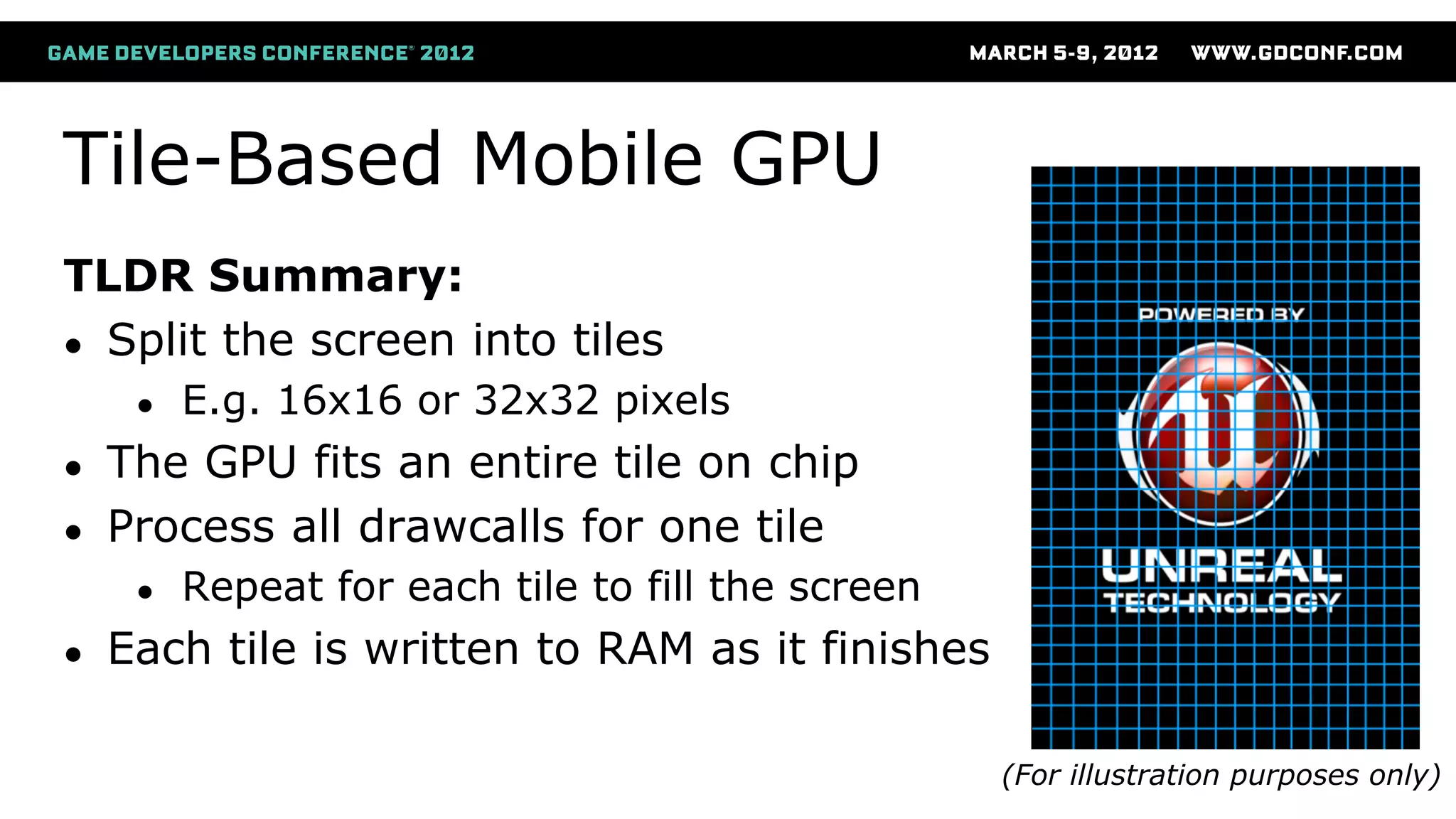
Tile-Based Mobile GPU
TLDR Summary:
● Split the screen into tiles
● E.g. 16x16 or 32x32 pixels
● The GPU fits an entire tile on chip
● Process all drawcalls for one tile
● Repeat for each tile to fill the screen
● Each tile is written to RAM as it finishes
(For illustration purposes only)
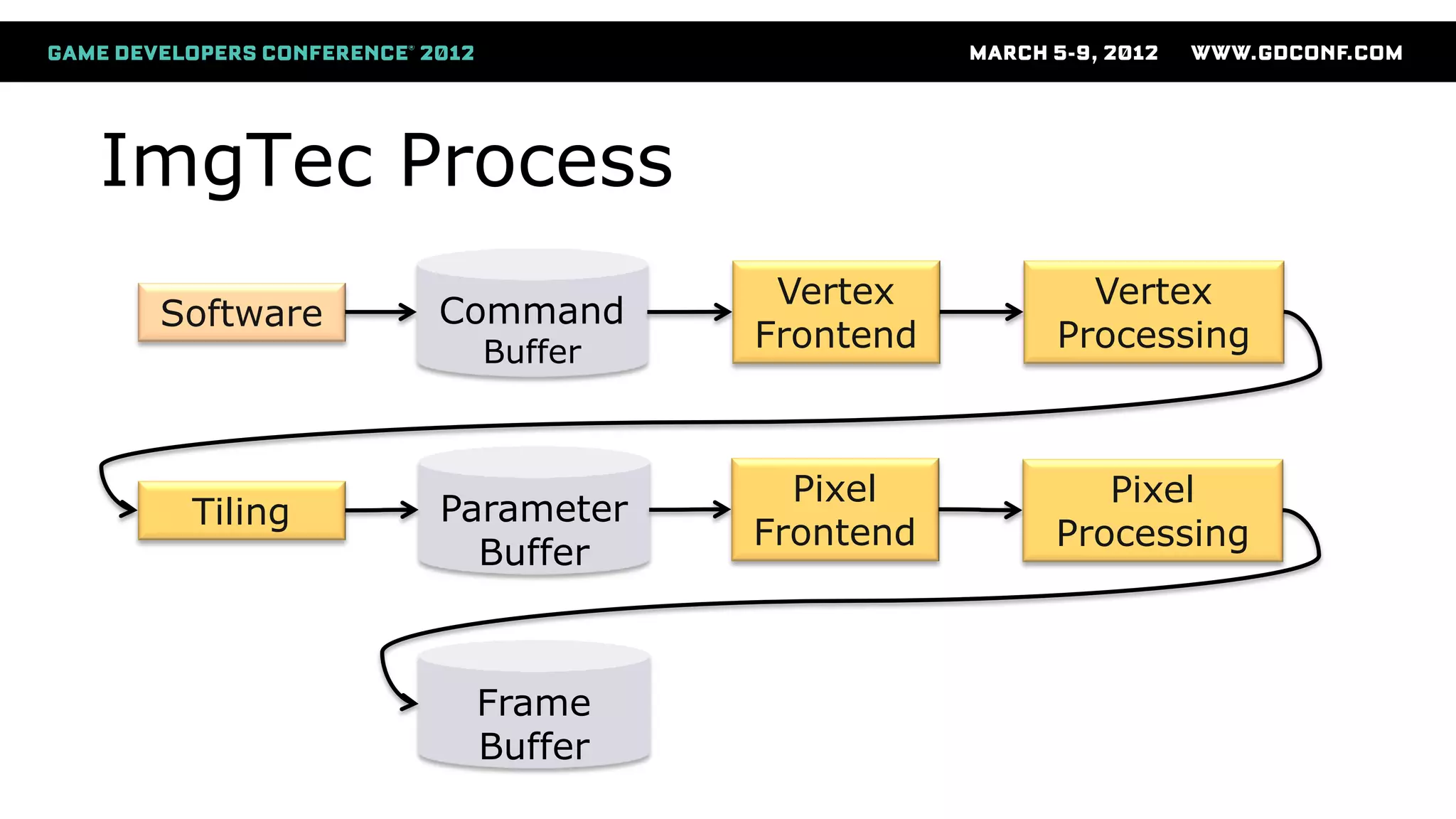
ImgTec Process
Software Command
Buffer
Vertex
Frontend
Vertex
Processing
Tiling Parameter
Buffer
Pixel
Frontend
Pixel
Processing
Frame
Buffer
Vertex
Processing
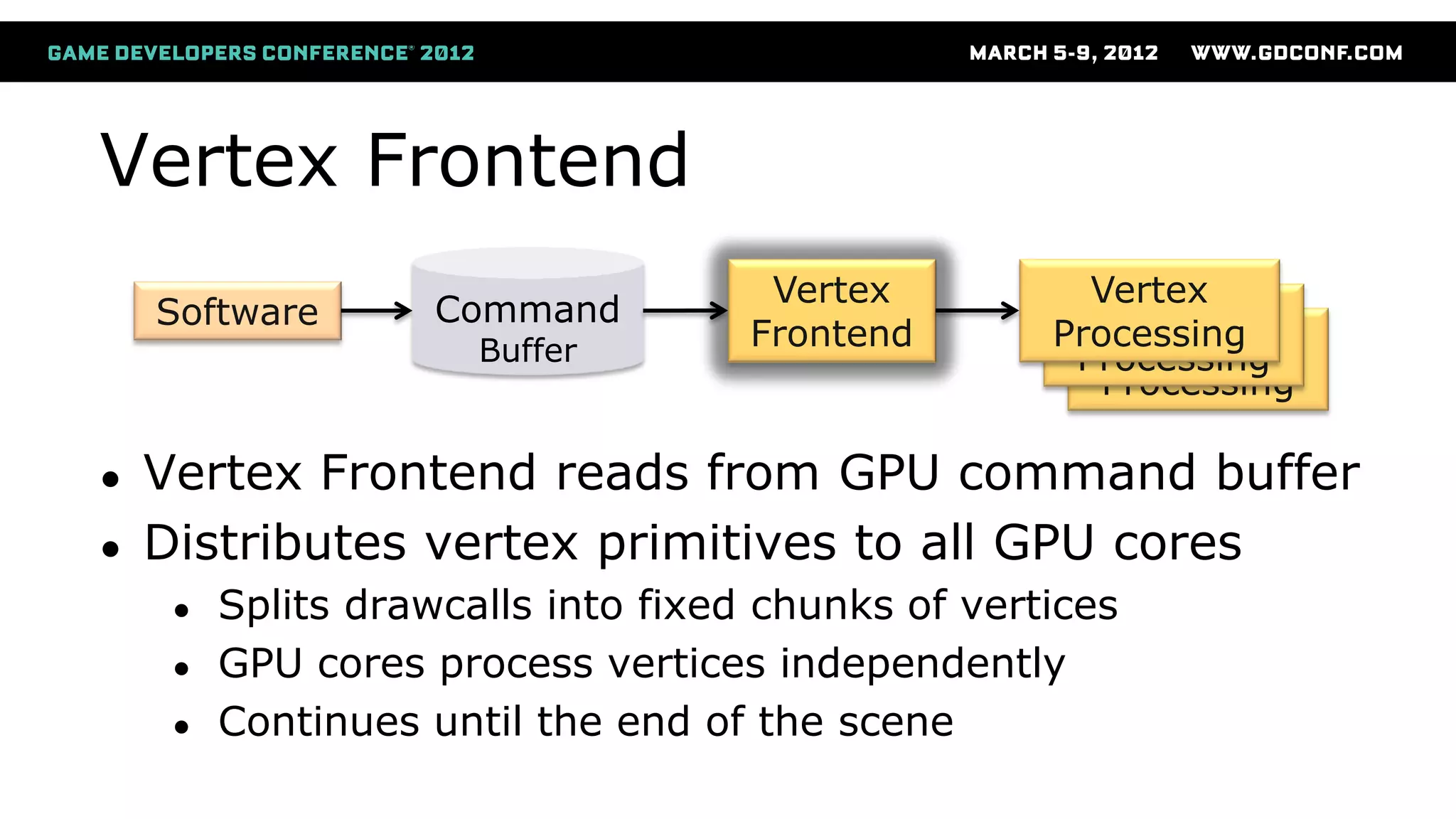
Vertex Frontend
● Vertex Frontend reads from GPU command buffer
● Distributes vertex primitives to all GPU cores
● Splits drawcalls into fixed chunks of vertices
● GPU cores process vertices independently
● Continues until the end of the scene
Software Command
Buffer
Vertex
Frontend
Vertex
Processing
Vertex
Processing
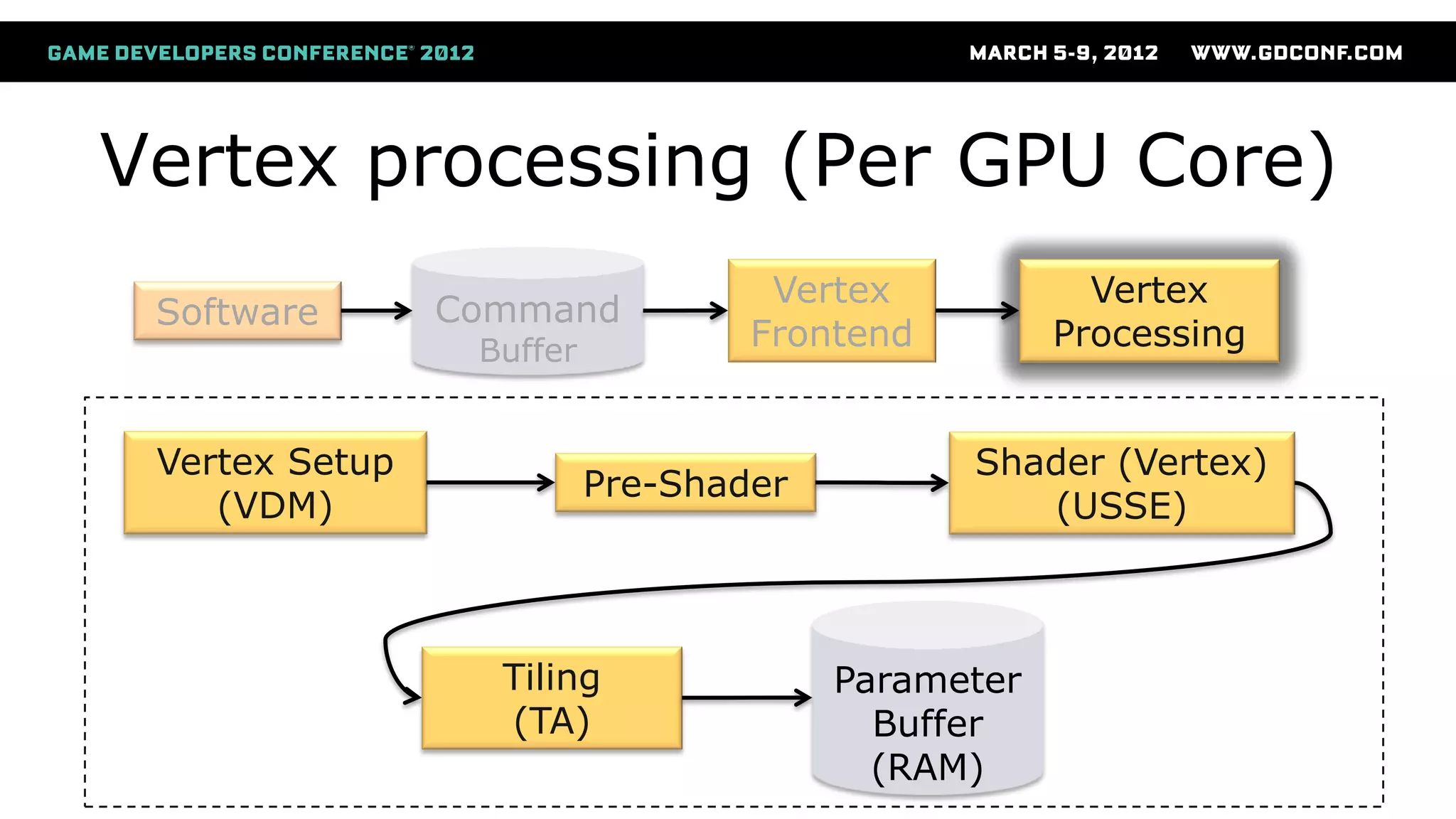
Vertex processing (Per GPU Core)
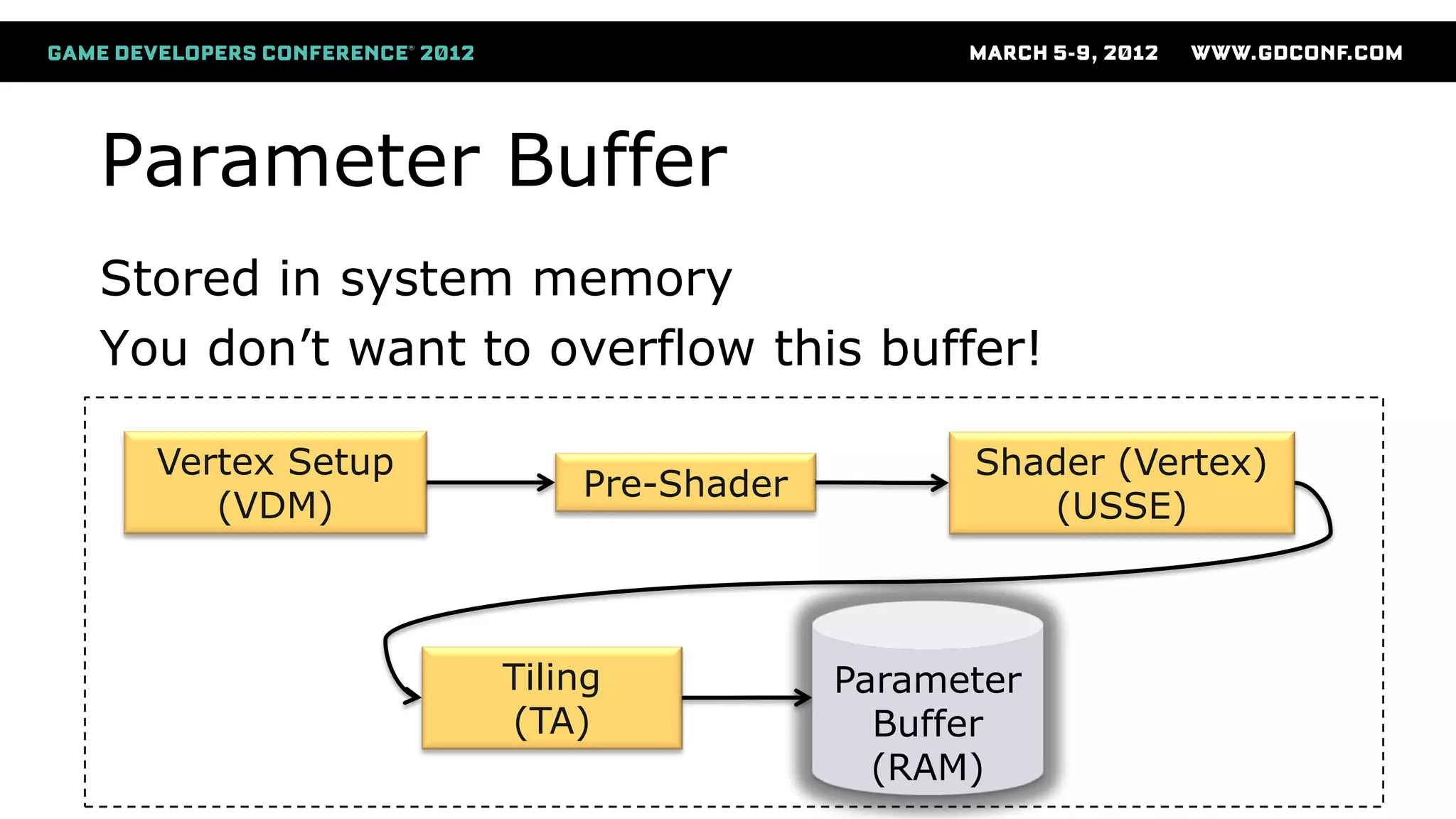
Vertex Setup
(VDM)
Pre-Shader
Shader (Vertex)
(USSE)
Parameter
Buffer
(RAM)
Tiling
(TA)
Software Command
Buffer
Vertex
Frontend
Vertex
Processing
Vertex Setup
Vertex Setup
(VDM)
Pre-Shader
Shader (Vertex)
(USSE)
Parameter
Buffer
(RAM)
Tiling
(TA)
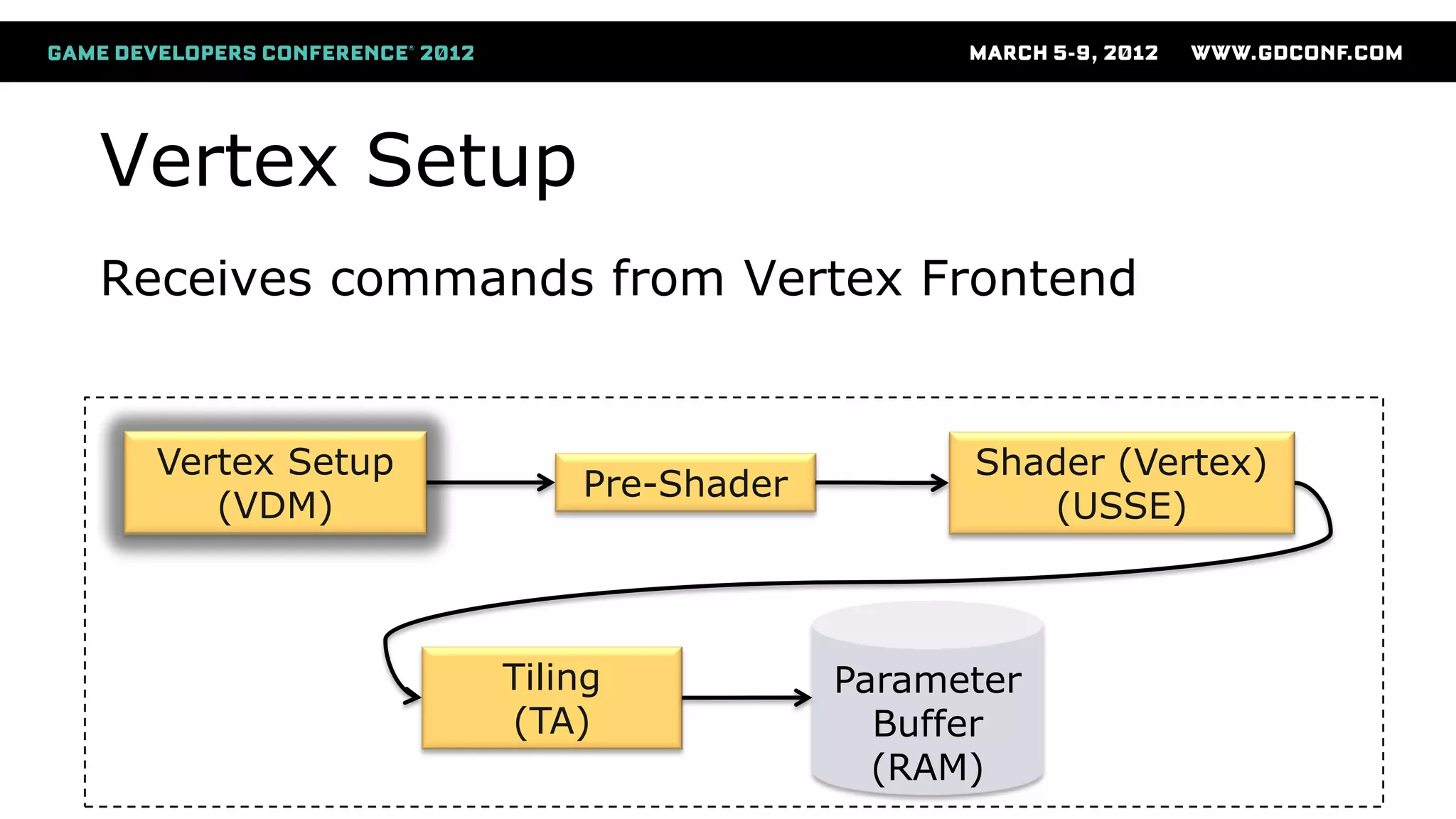
Receives commands from Vertex Frontend
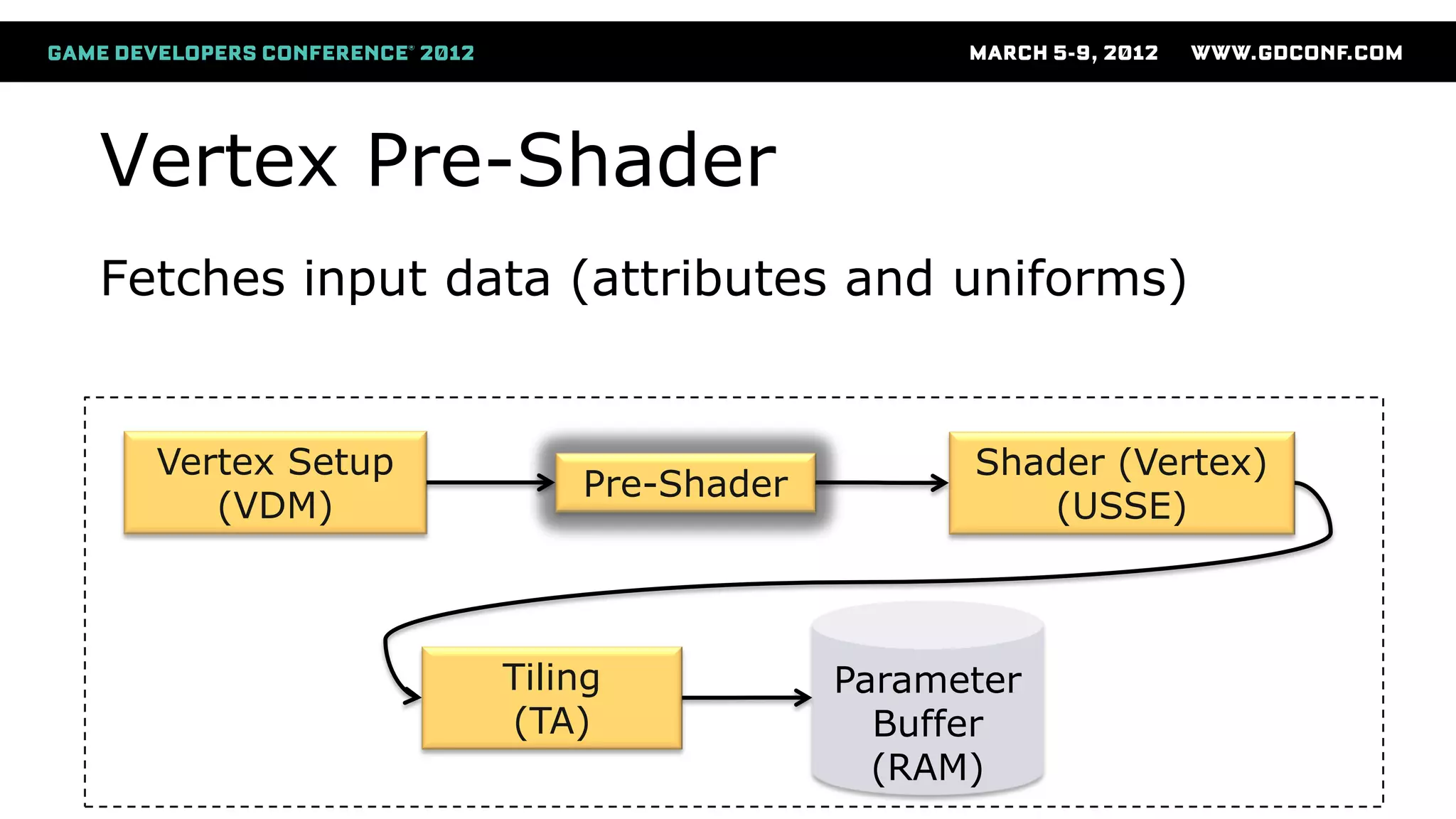
Vertex Pre-Shader
Vertex Setup
(VDM)
Pre-Shader
Shader (Vertex)
(USSE)
Parameter
Buffer
(RAM)
Tiling
(TA)
Fetches input data (attributes and uniforms)
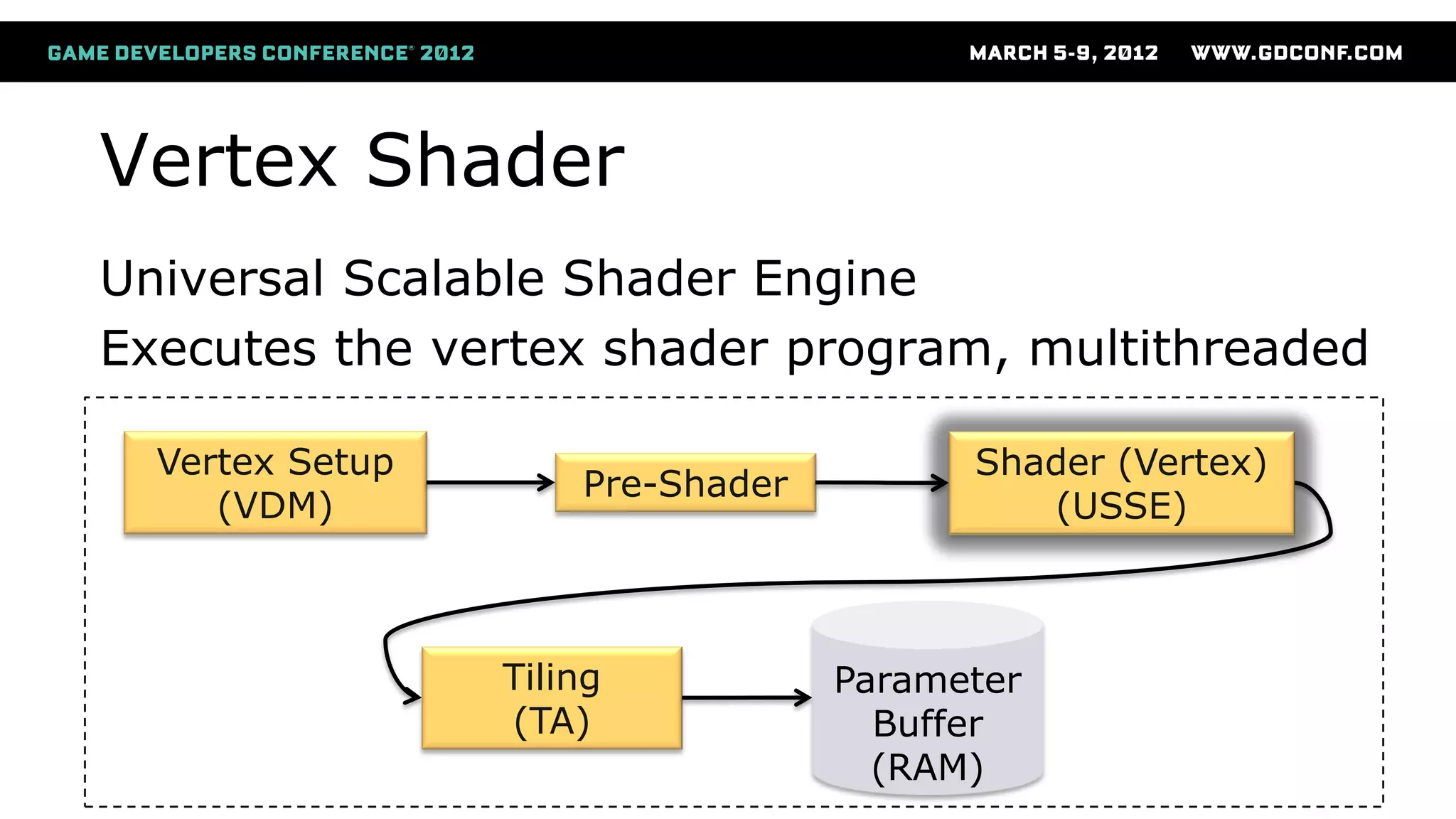
Vertex Shader
Vertex Setup
(VDM)
Pre-Shader
Shader (Vertex)
(USSE)
Parameter
Buffer
(RAM)
Tiling
(TA)
Universal Scalable Shader Engine
Executes the vertex shader program, multithreaded
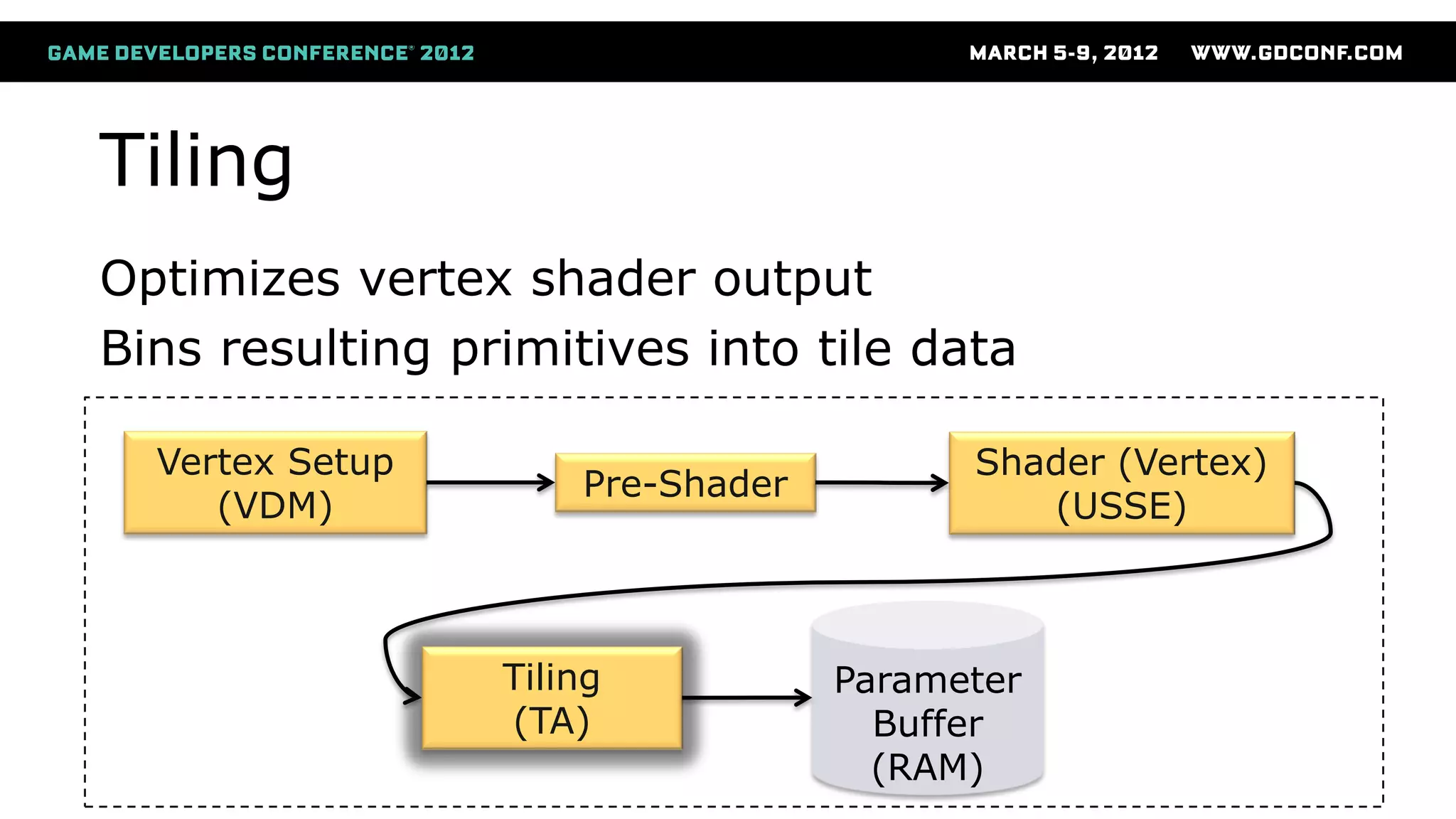
Tiling
Vertex Setup
(VDM)
Pre-Shader
Shader (Vertex)
(USSE)
Parameter
Buffer
(RAM)
Tiling
(TA)
Optimizes vertex shader output
Bins resulting primitives into tile data
Parameter Buffer
Vertex Setup
(VDM)
Pre-Shader
Shader (Vertex)
(USSE)
Parameter
Buffer
(RAM)
Tiling
(TA)
Stored in system memory
You don’t want to overflow this buffer!
Pixel
Processing
Pixel
Processing
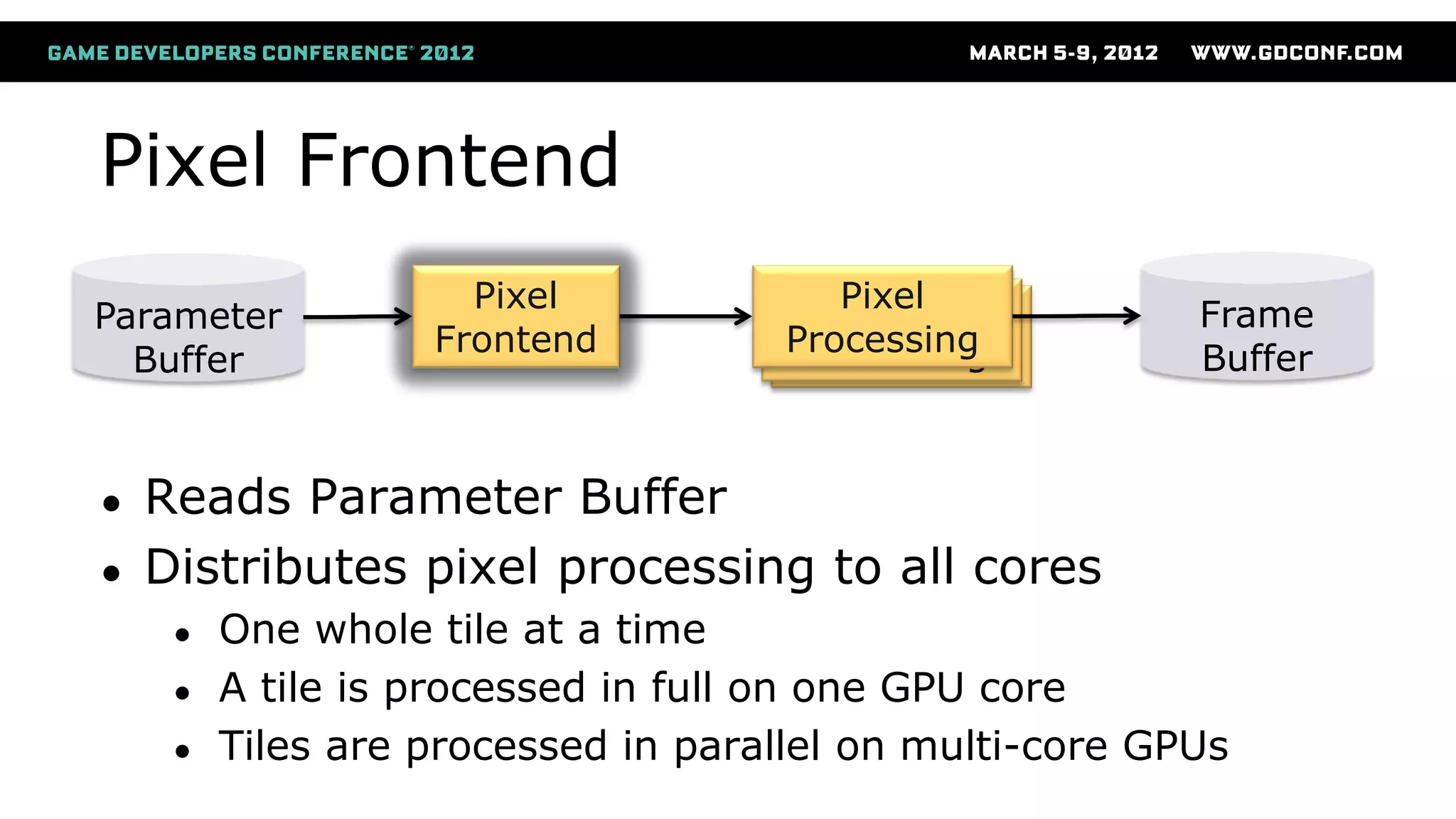
Pixel Frontend
● Reads Parameter Buffer
● Distributes pixel processing to all cores
● One whole tile at a time
● A tile is processed in full on one GPU core
● Tiles are processed in parallel on multi-core GPUs
Parameter
Buffer
Pixel
Frontend
Pixel
Processing
Frame
Buffer
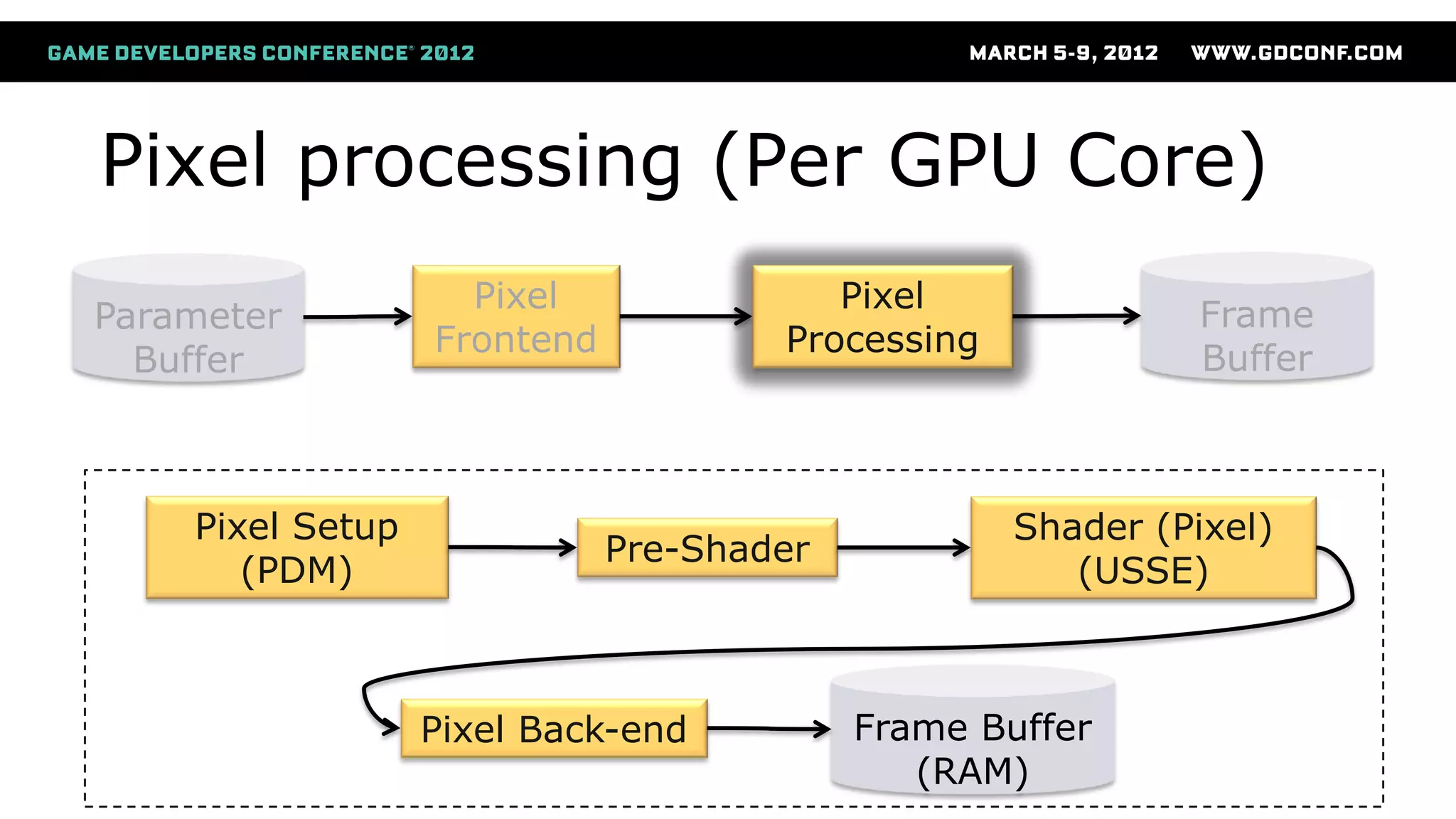
Pixel processing (Per GPU Core)
Pixel Setup
(PDM)
Pre-Shader
Shader (Pixel)
(USSE)
Frame Buffer
(RAM)
Pixel Back-end
Parameter
Buffer
Pixel
Frontend
Pixel
Processing
Frame
Buffer
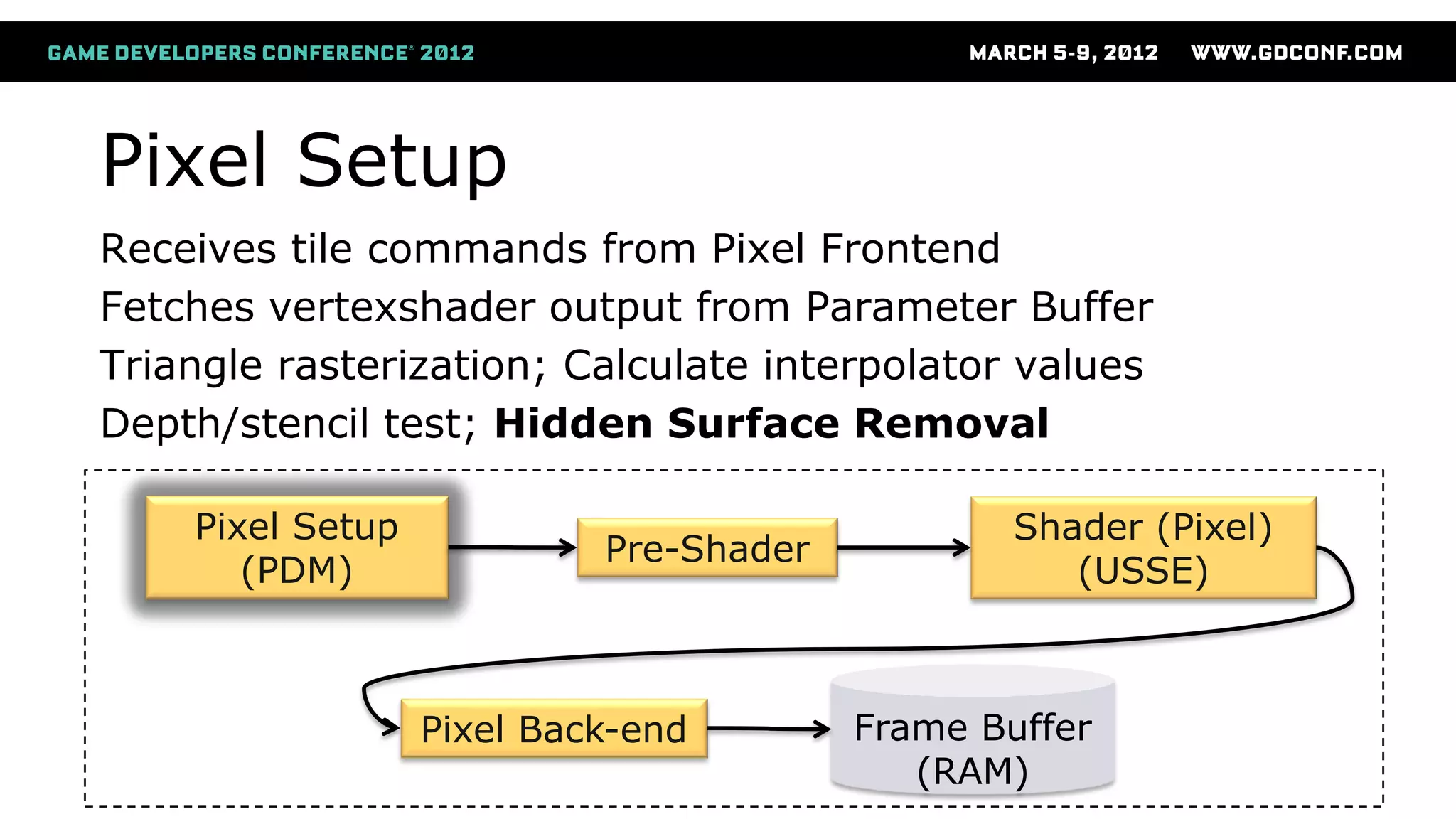
Pixel Setup
Pixel Setup
(PDM)
Pre-Shader
Shader (Pixel)
(USSE)
Frame Buffer
(RAM)
Pixel Back-end
Receives tile commands from Pixel Frontend
Fetches vertexshader output from Parameter Buffer
Triangle rasterization; Calculate interpolator values
Depth/stencil test; Hidden Surface Removal
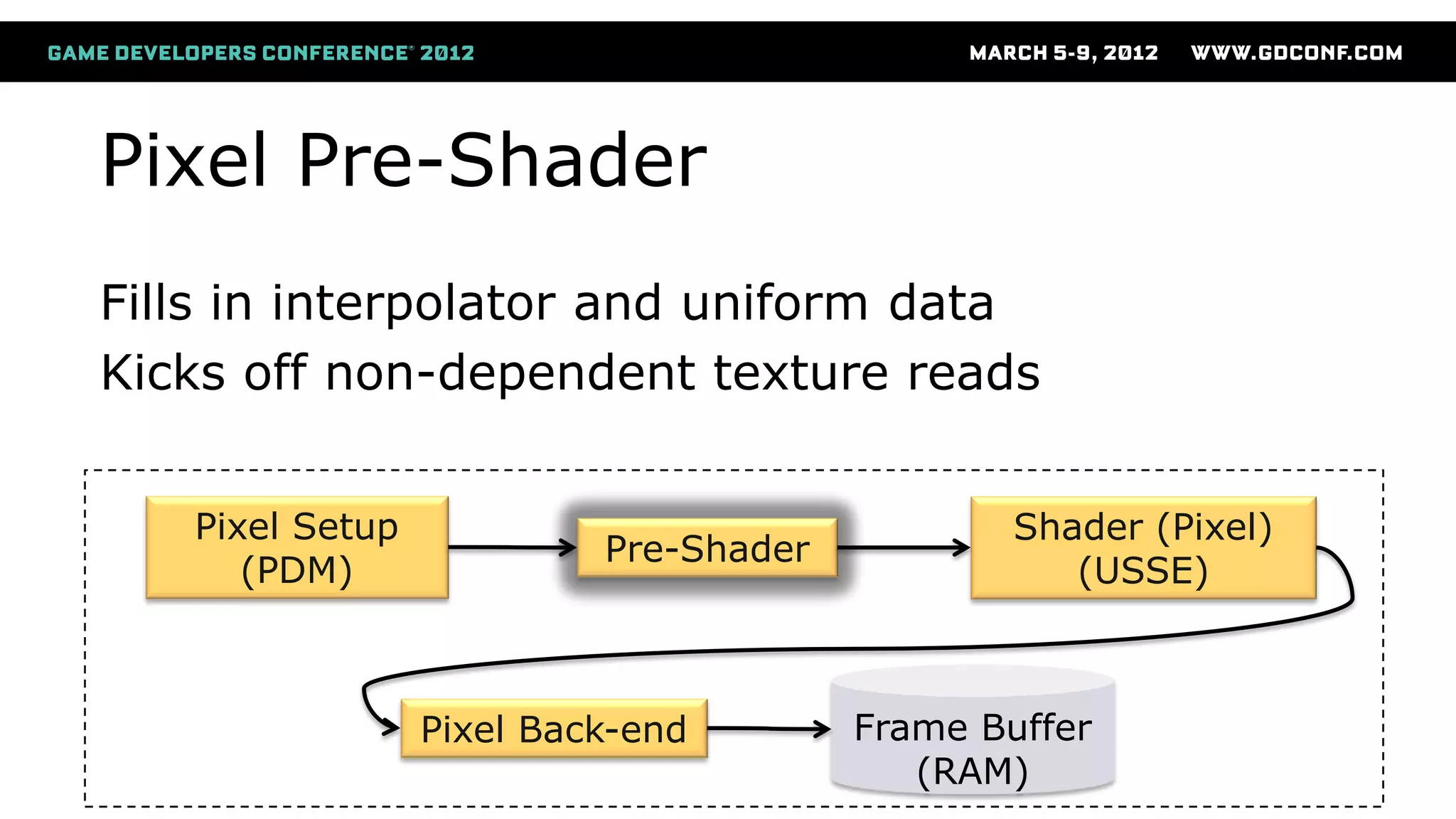
Pixel Pre-Shader
Pixel Setup
(PDM)
Pre-Shader
Shader (Pixel)
(USSE)
Frame Buffer
(RAM)
Pixel Back-end
Fills in interpolator and uniform data
Kicks off non-dependent texture reads
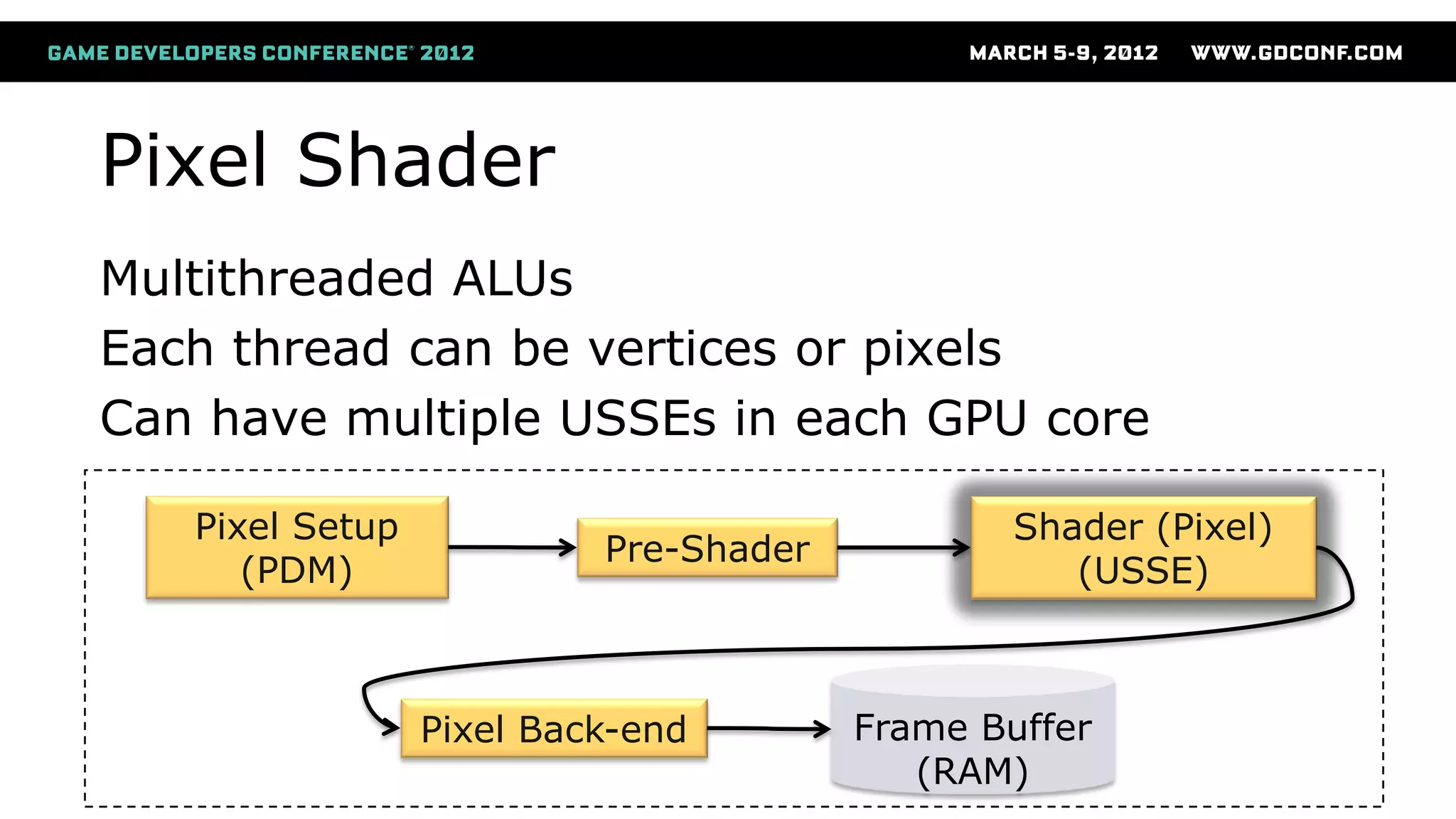
Pixel Shader
Pixel Setup
(PDM)
Pre-Shader
Shader (Pixel)
(USSE)
Frame Buffer
(RAM)
Pixel Back-end
Multithreaded ALUs
Each thread can be vertices or pixels
Can have multiple USSEs in each GPU core
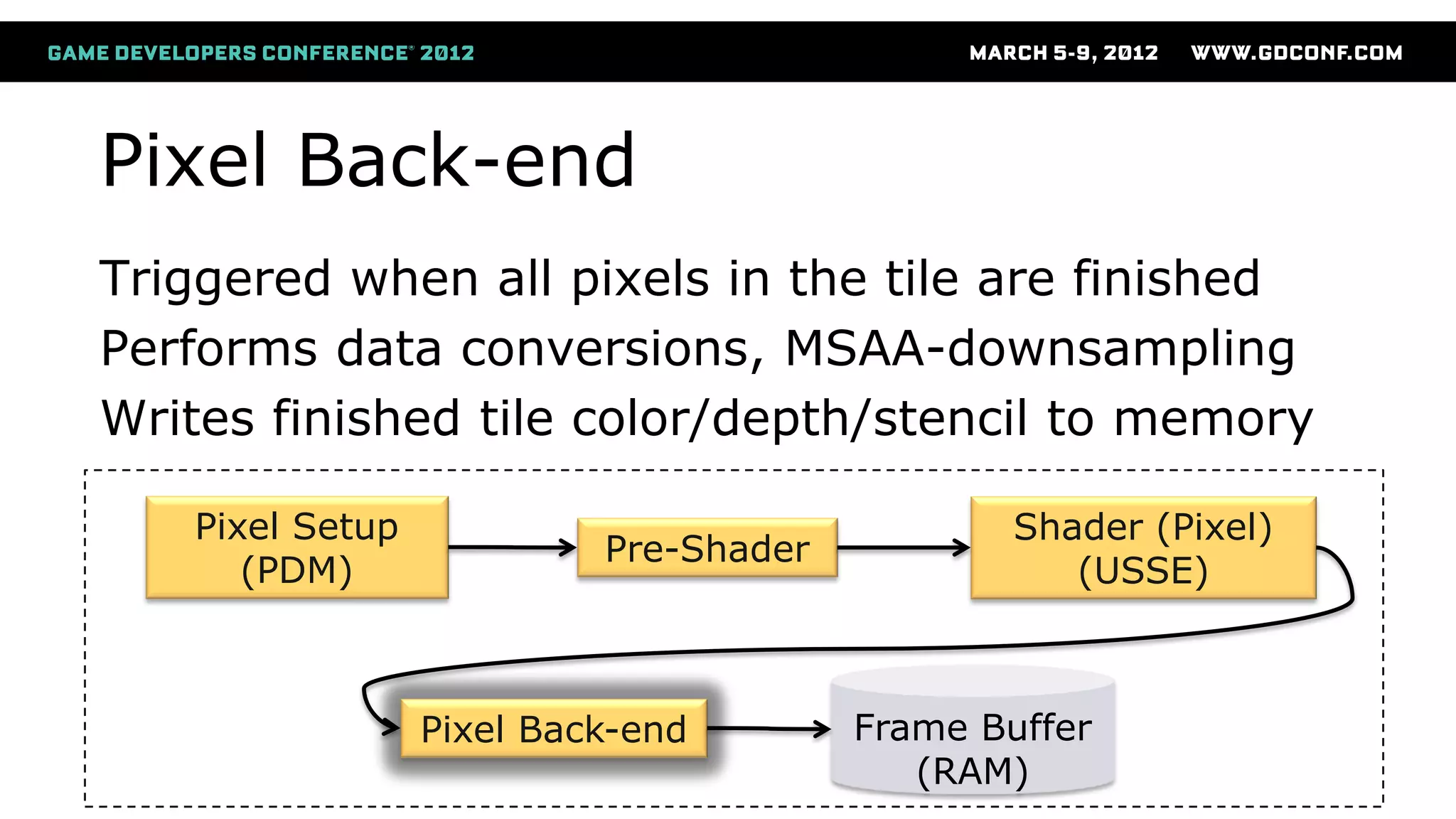
Pixel Back-end
Pixel Setup
(PDM)
Pre-Shader
Shader (Pixel)
(USSE)
Frame Buffer
(RAM)
Pixel Back-end
Triggered when all pixels in the tile are finished
Performs data conversions, MSAA-downsampling
Writes finished tile color/depth/stencil to memory
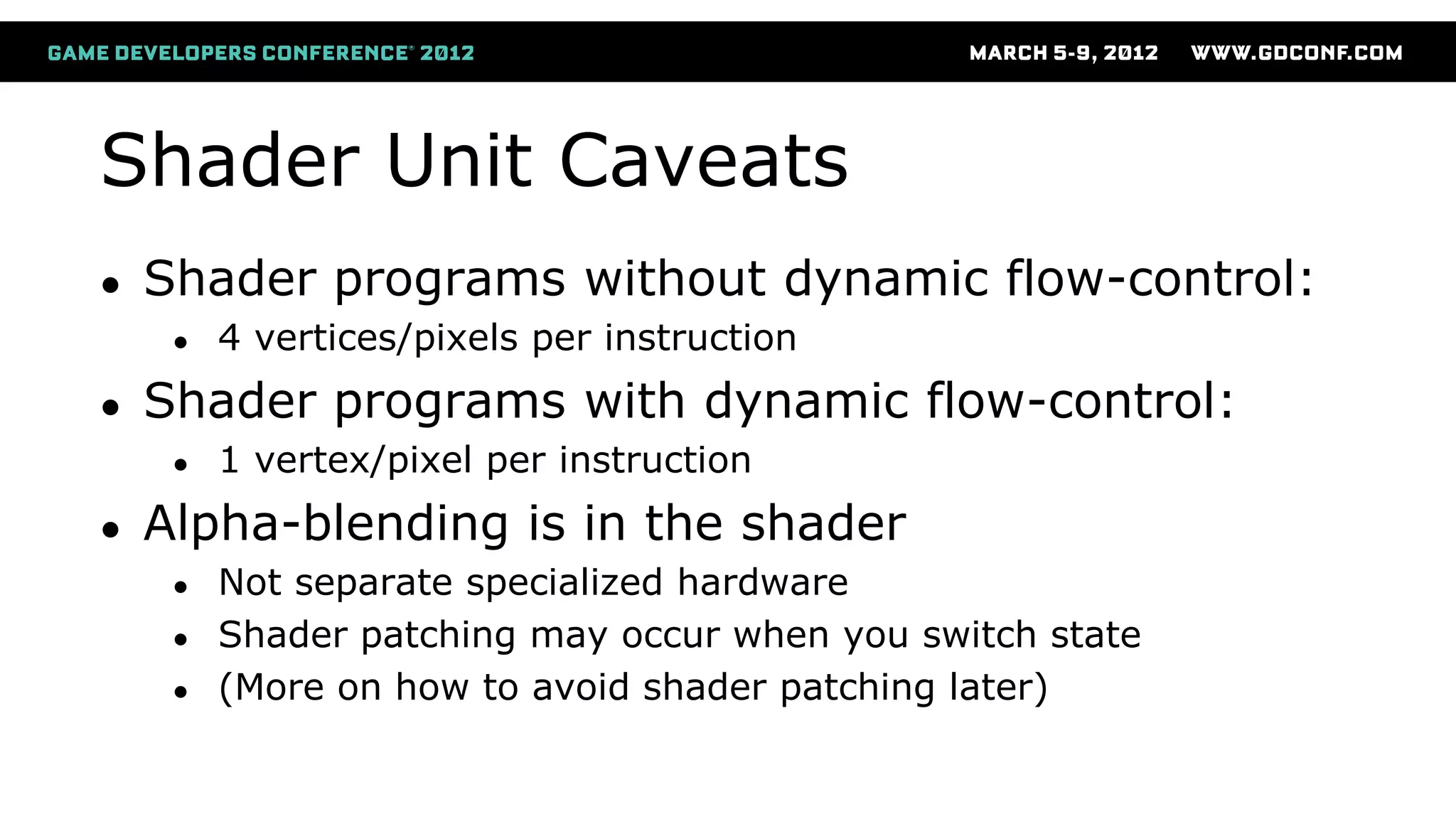
Shader Unit Caveats
● Shader programs without dynamic flow-control:
● 4 vertices/pixels per instruction
● Shader programs with dynamic flow-control:
● 1 vertex/pixel per instruction
● Alpha-blending is in the shader
● Not separate specialized hardware
● Shader patching may occur when you switch state
● (More on how to avoid shader patching later)
Rendering Techniques
● How to take advantage of this GPU?
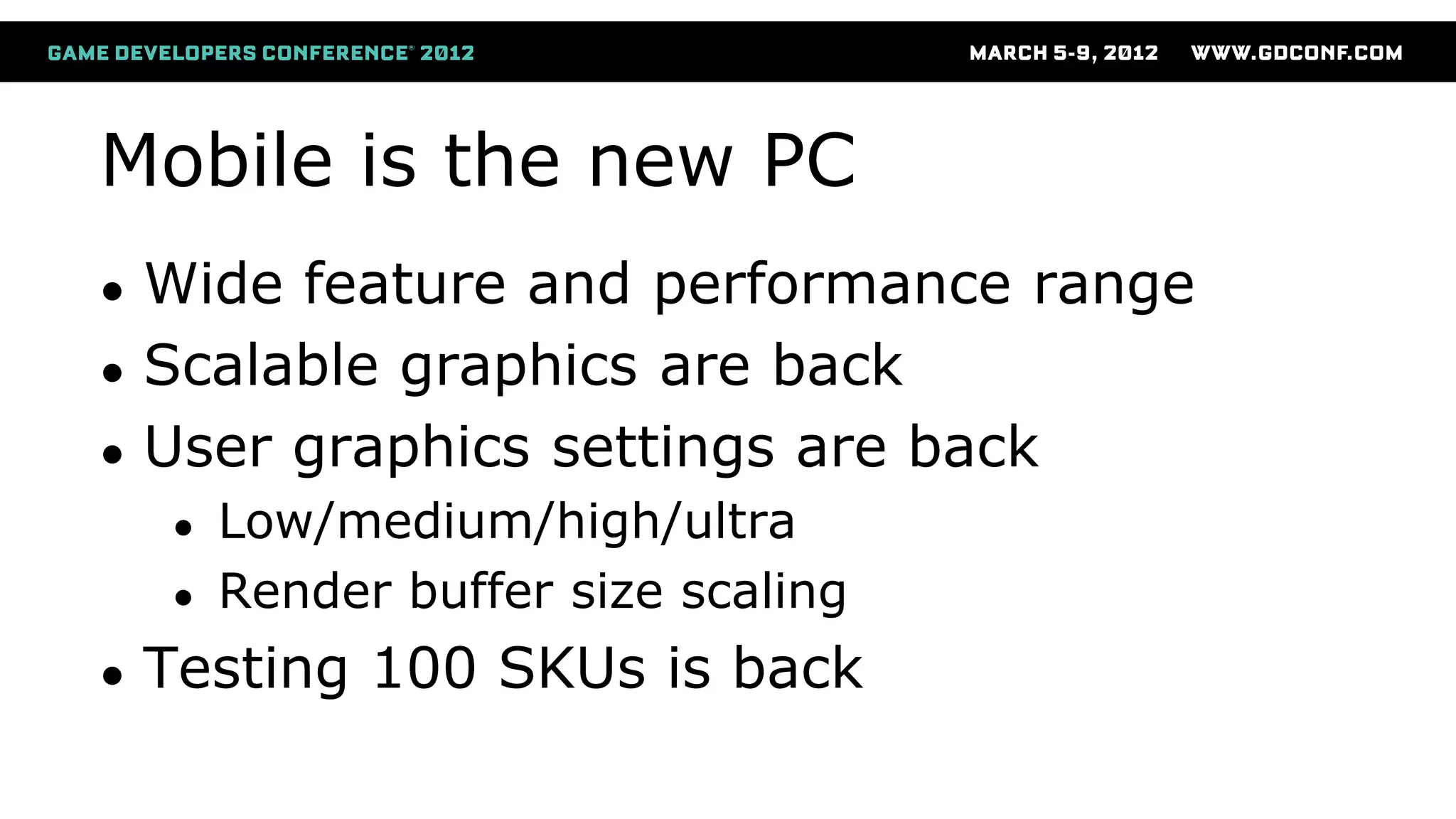
Mobile is the new PC
● Wide feature and performance range
● Scalable graphics are back
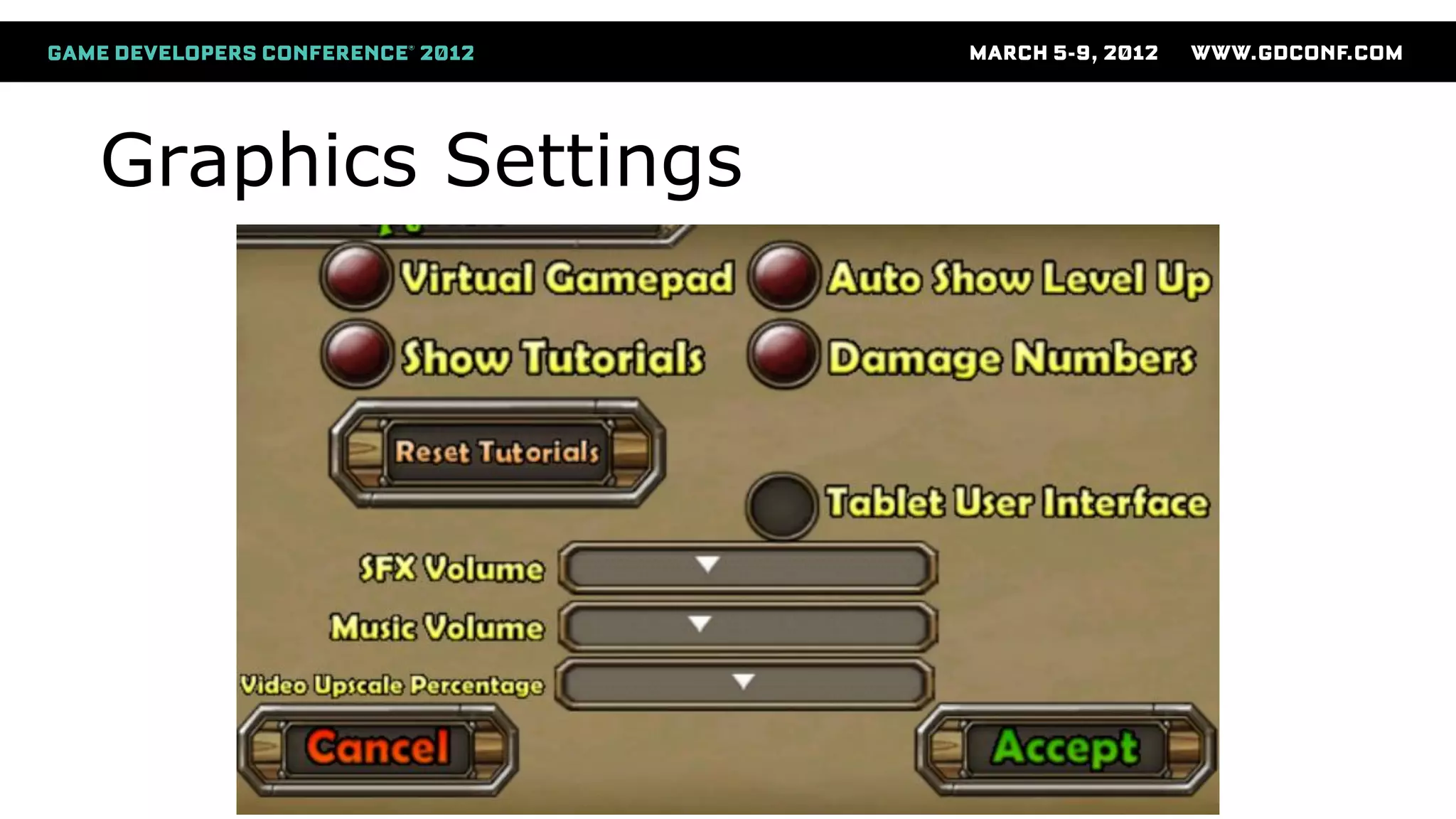
● User graphics settings are back
● Low/medium/high/ultra
● Render buffer size scaling
● Testing 100 SKUs is back
Graphics Settings
Render target is on die
● MSAA is cheap and use less memory
● Only the resolved data in RAM
● Have seen 0-5 ms cost for MSAA
● Be wary of buffer restores (color or depth)
● No bandwidth cost for alpha-blend
● Cheap depth/stencil testing
“Free” hidden surface removal
● Specific to ImgTec SGX GPU
● Eliminates all background pixels
● Eliminates overdraw
● Only for opaque
Mobile vs Console
● Very large CPU overhead for OpenGL ES API
● Max CPU usage at 100-300 drawcalls
● Avoid too much data per scene
● Parameter buffer between vertex & pixel processing
● Save bandwidth and GPU flushes
● Shader patching
● Some render states cause the shader to be modified and
recompiled by the driver
● E.g. alpha-blend settings, vertex input, color write masks, etc
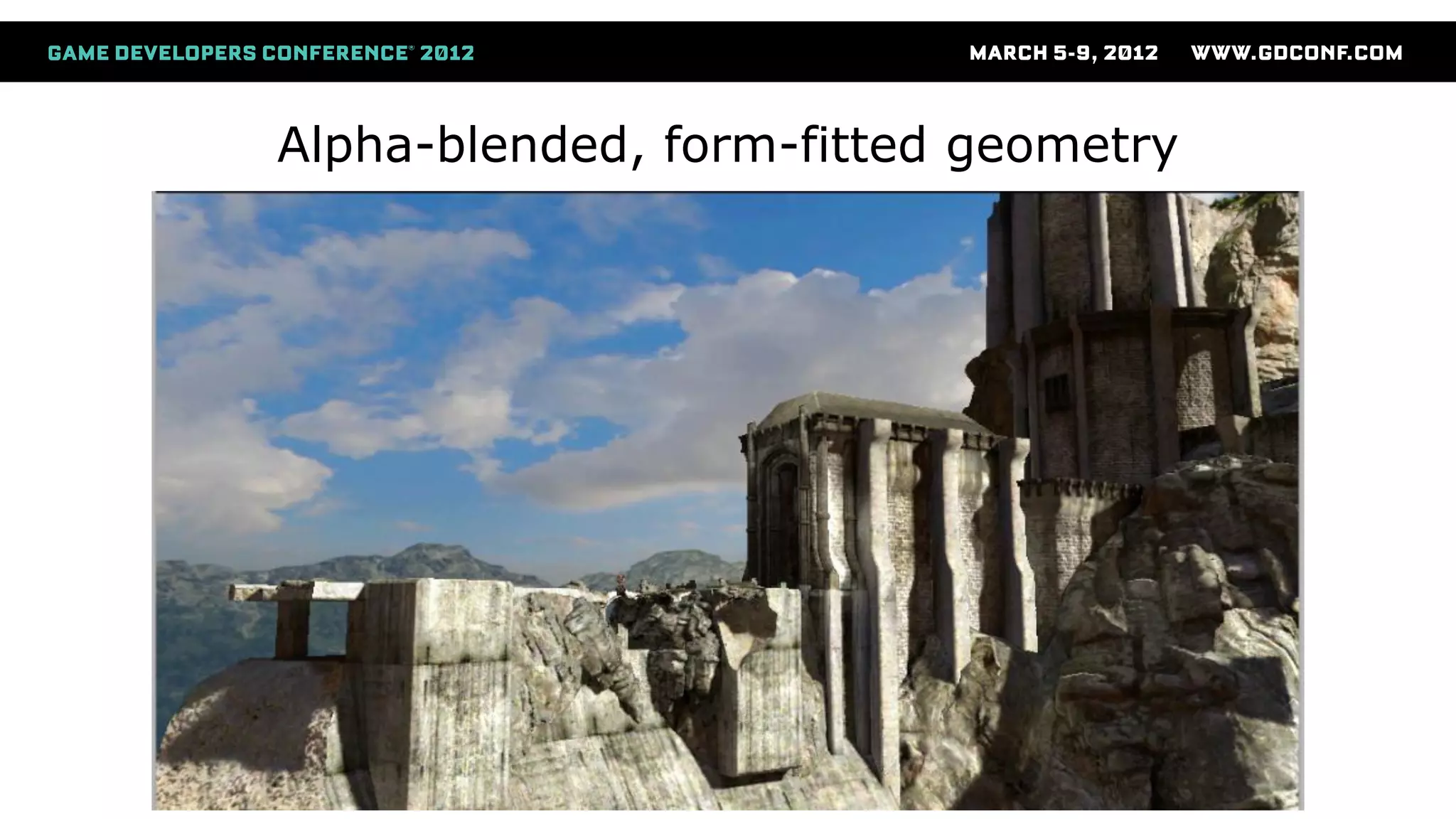
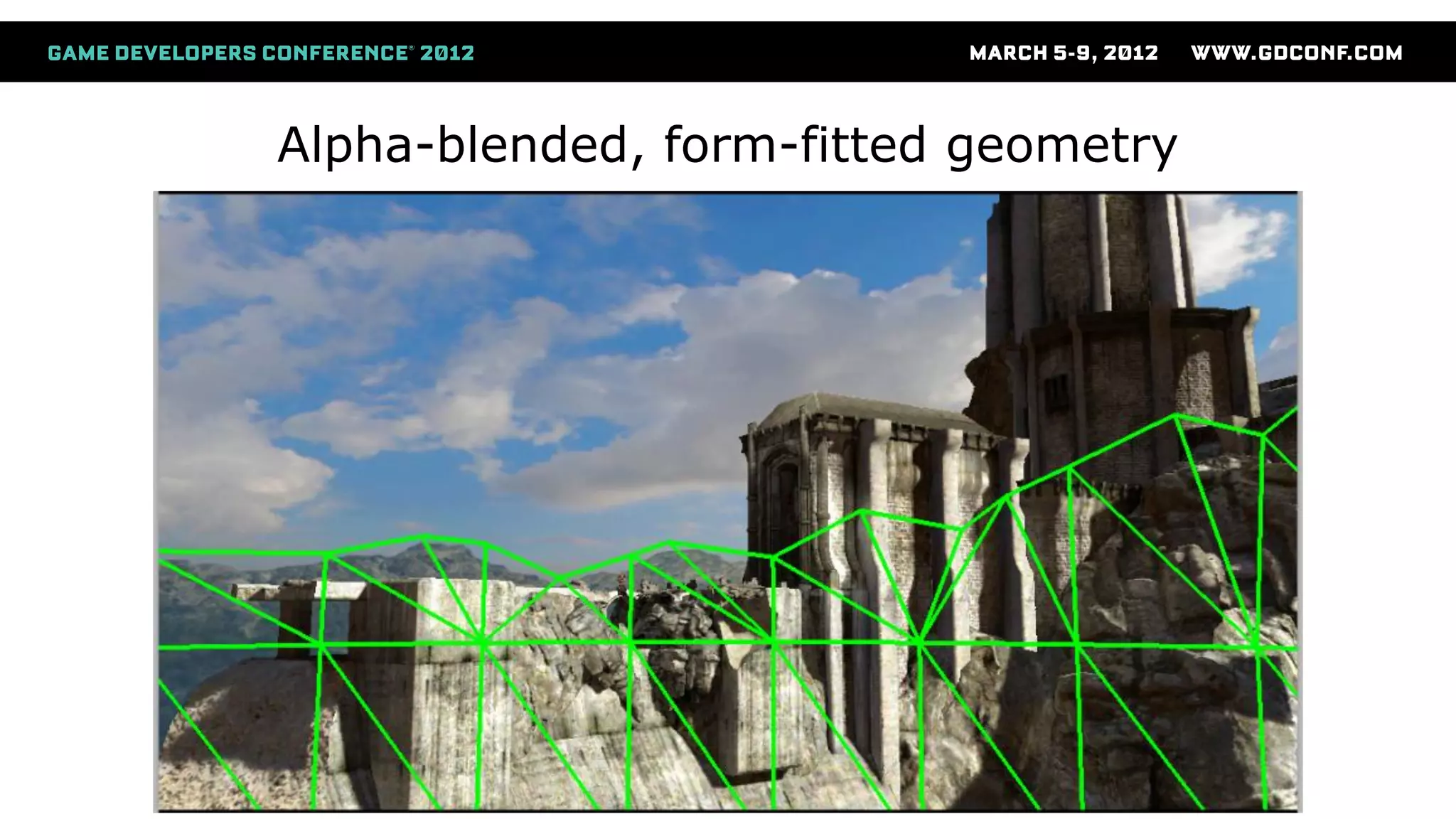
Alpha-test / Discard
● Conditional z-writes can be very slow
● Instead of writing out Z ahead of time,
the “Pixel setup” (PDM) won’t submit more
fragments until the pixelshader has
determined visibility for current pixels.
● Use alpha-blend instead of alpha-test
● Fit the geometry to visible pixels
Alpha-blended, form-fitted geometry
Render Buffer Management (1 of 2)
● Each render target is a whole new scene
● Avoid switching render target back and forth!
● Can cause a full restore:
● Copies full color/depth/stencil from RAM into Tile
Memory at the beginning of the scene
● Can cause a full resolve:
● Copies full color/depth/stencil from Tile Memory into
RAM at the end of the scene
Render Buffer Management (2 of 2)
● Avoid buffer restore
● Clear everything! Color/depth/stencil
● A clear just sets some dirty bits in a register
● Avoid buffer resolve
● Use discard extension (GL_EXT_discard_framebuffer)
● See usage case for shadows
● Avoid unnecessarily different FBO combos
● Don’t let the driver think it needs to start resolving and
restoring any buffers!
Texture Lookups
● Don’t perform texture lookups in the pixel shader!
● Let the “pre-shader” queue them up ahead of time
● I.e. avoid dependent texture lookups
● Don’t manipulate texture coordinate with math
● Move all math to vertex shader and pass down
● Don't use .zw components for texture coordinates
● Will be handled as a dependent texture lookup
● Only use .xy and pass other data in .zw
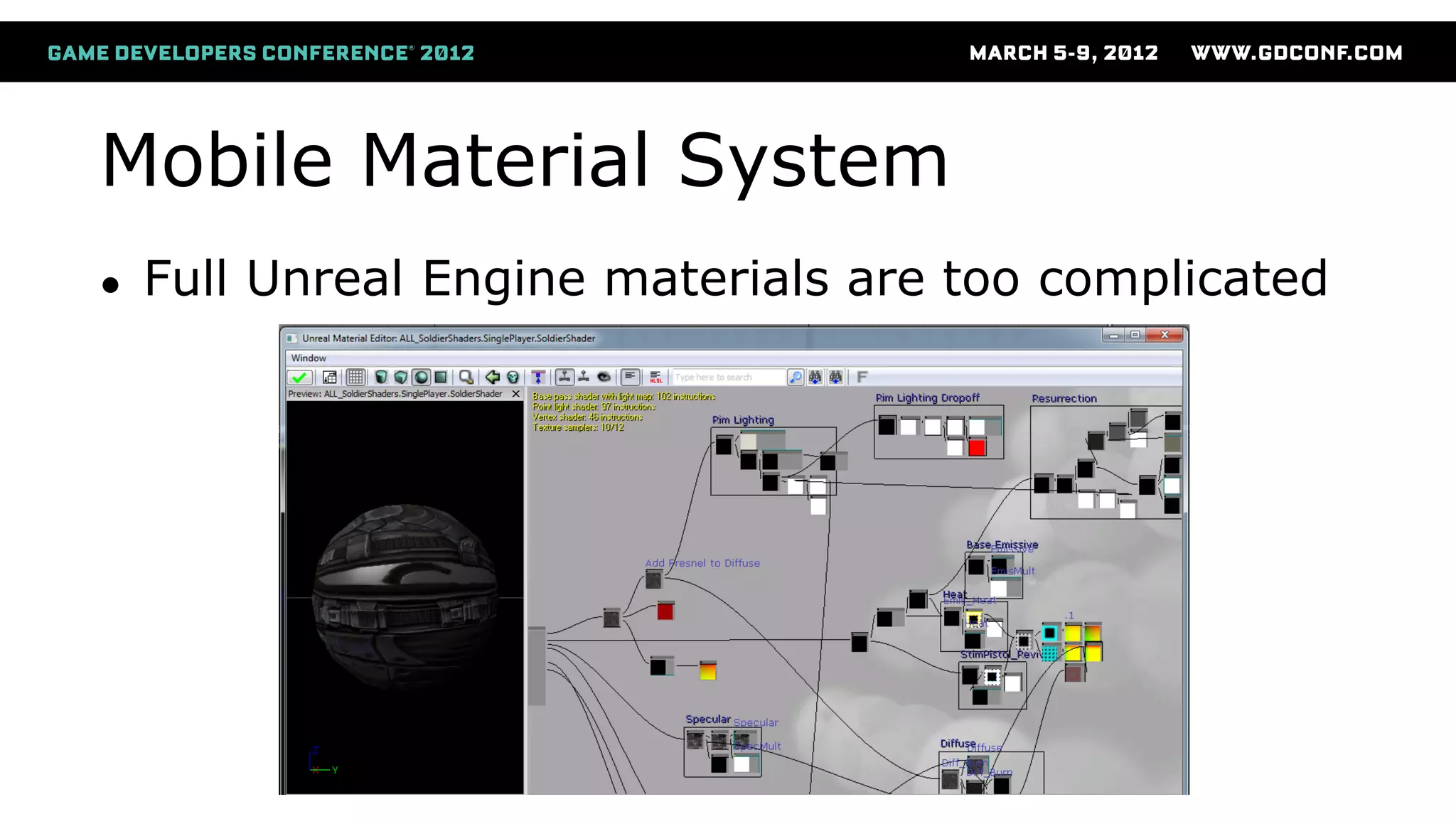
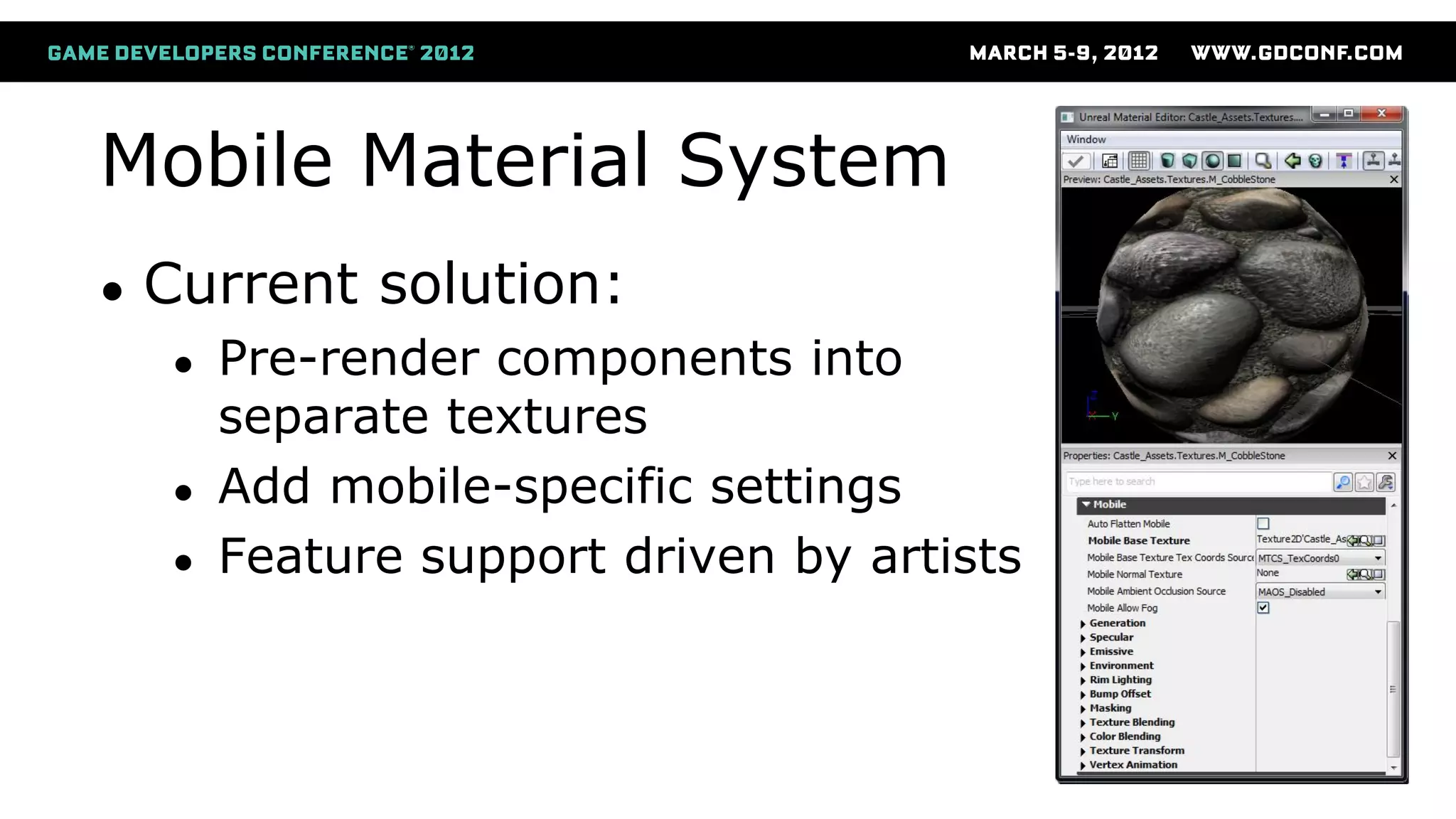
Mobile Material System
● Full Unreal Engine materials are too complicated
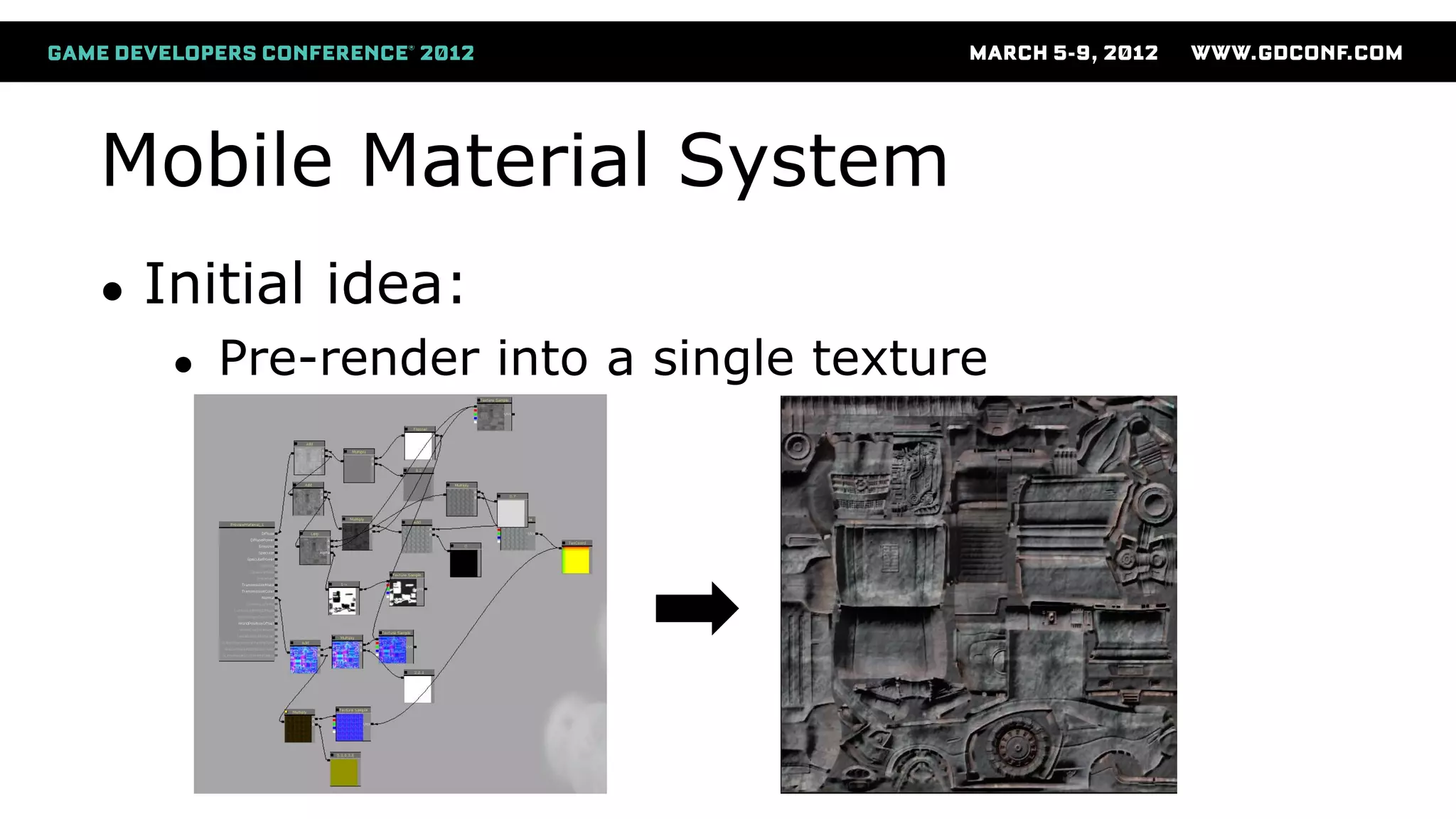
Mobile Material System
● Initial idea:
● Pre-render into a single texture
Mobile Material System
● Current solution:
● Pre-render components into
separate textures
● Add mobile-specific settings
● Feature support driven by artists
Mobile Material Shaders
● One hand-written ubershader
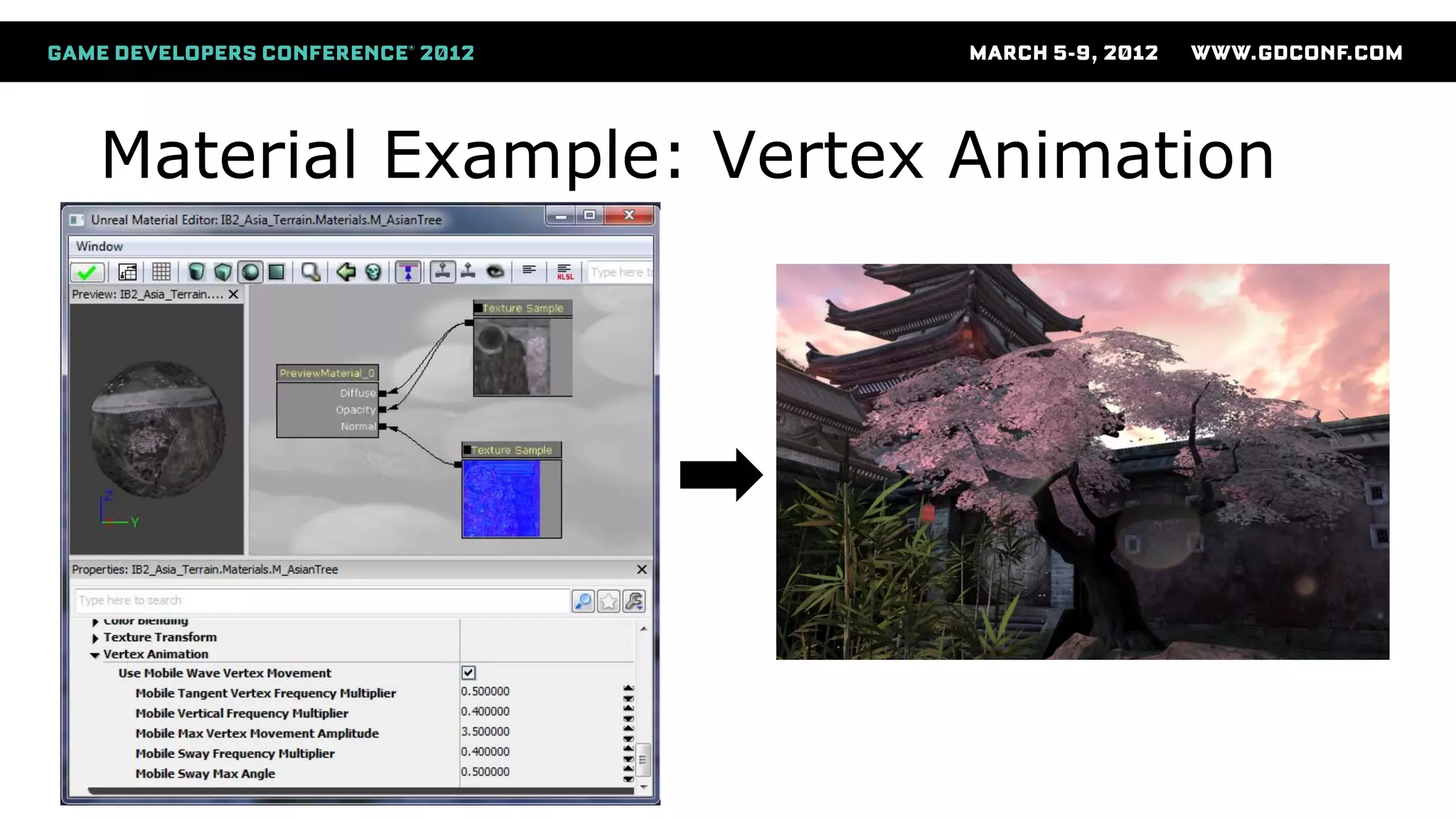
● Lots of #ifdef for all features
● Exposed as fixed settings in the artist UI
● Checkboxes, lists, values, etc
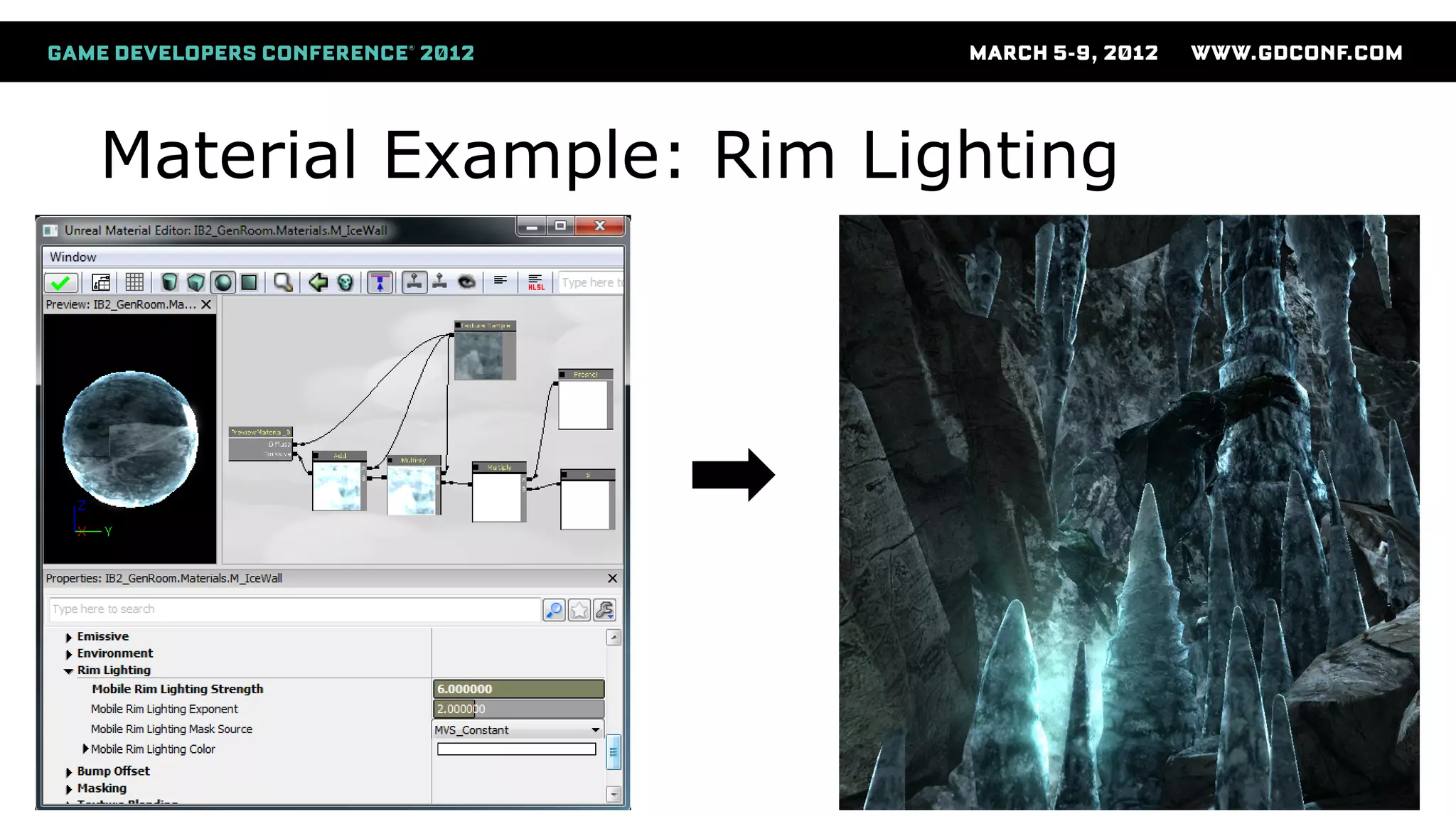
Material Example: Rim Lighting
Material Example: Vertex Animation
Shader Offline Processing
● Run C pre-processor offline
● Reduces in-game compile time
● Eliminates duplicates at off-line time
Shader Compiling
● Compile all shaders at startup
● Avoids hitching at run-time
● Compile on the GL thread, while loading on Game thread
● Compiling is not enough
● Must issue dummy drawcalls!
● Remember how certain states affect shaders!
● May need experimenting to avoid shader patching
E.g. alpha-blend states, color write masks
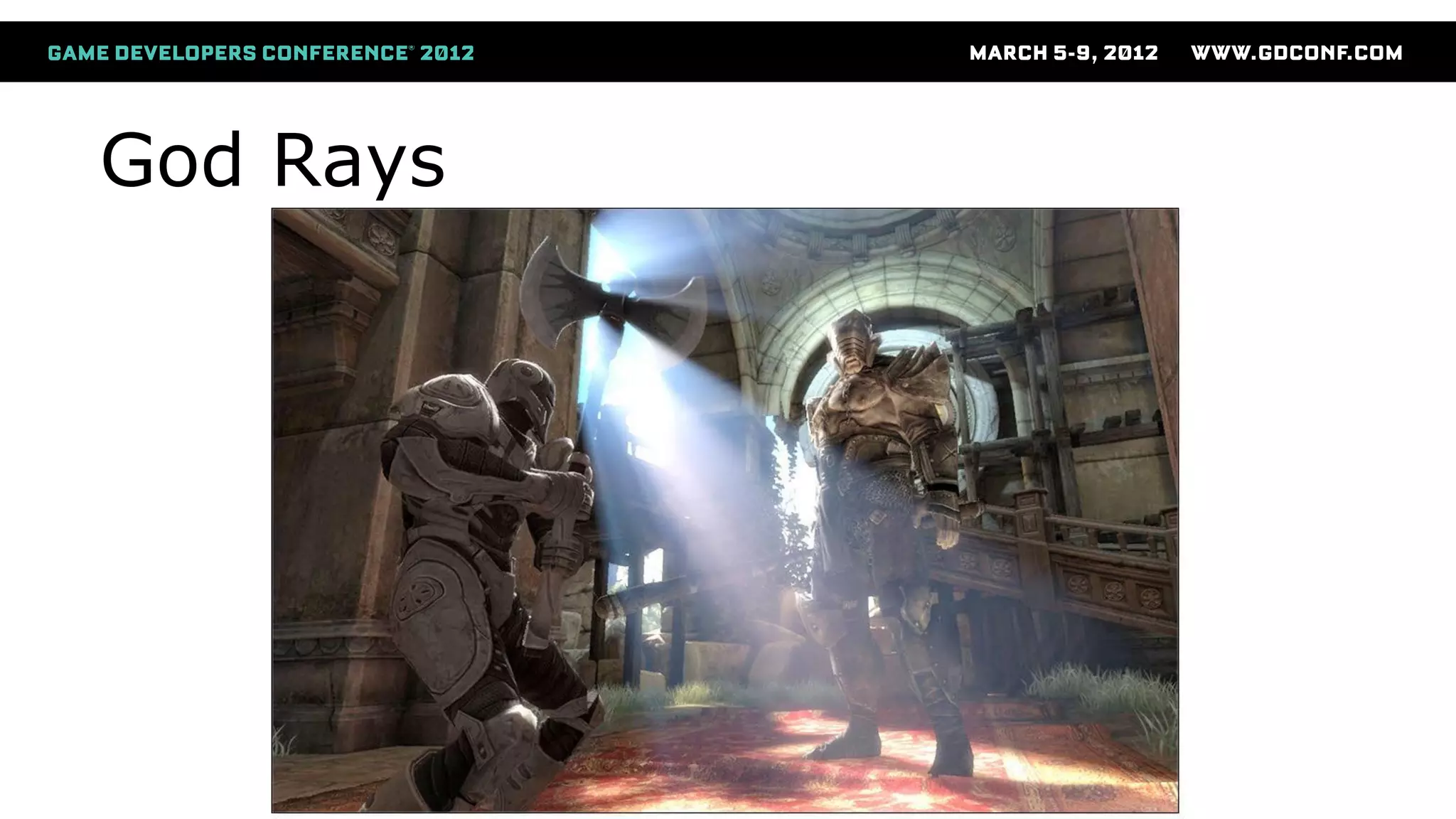
God Rays
God Rays
● Initially ported Xbox straight to PS Vita
● Worked, but was very slow
● But for Infinity Blade II, on a cell phone!?
● We first thought it was impossible
● But let’s have a deeper look
God Rays
● Port to OpenGL ES 2.0
● Use fewer texture lookups
● Worse quality
● And still very slow
Optimizations For Mobile
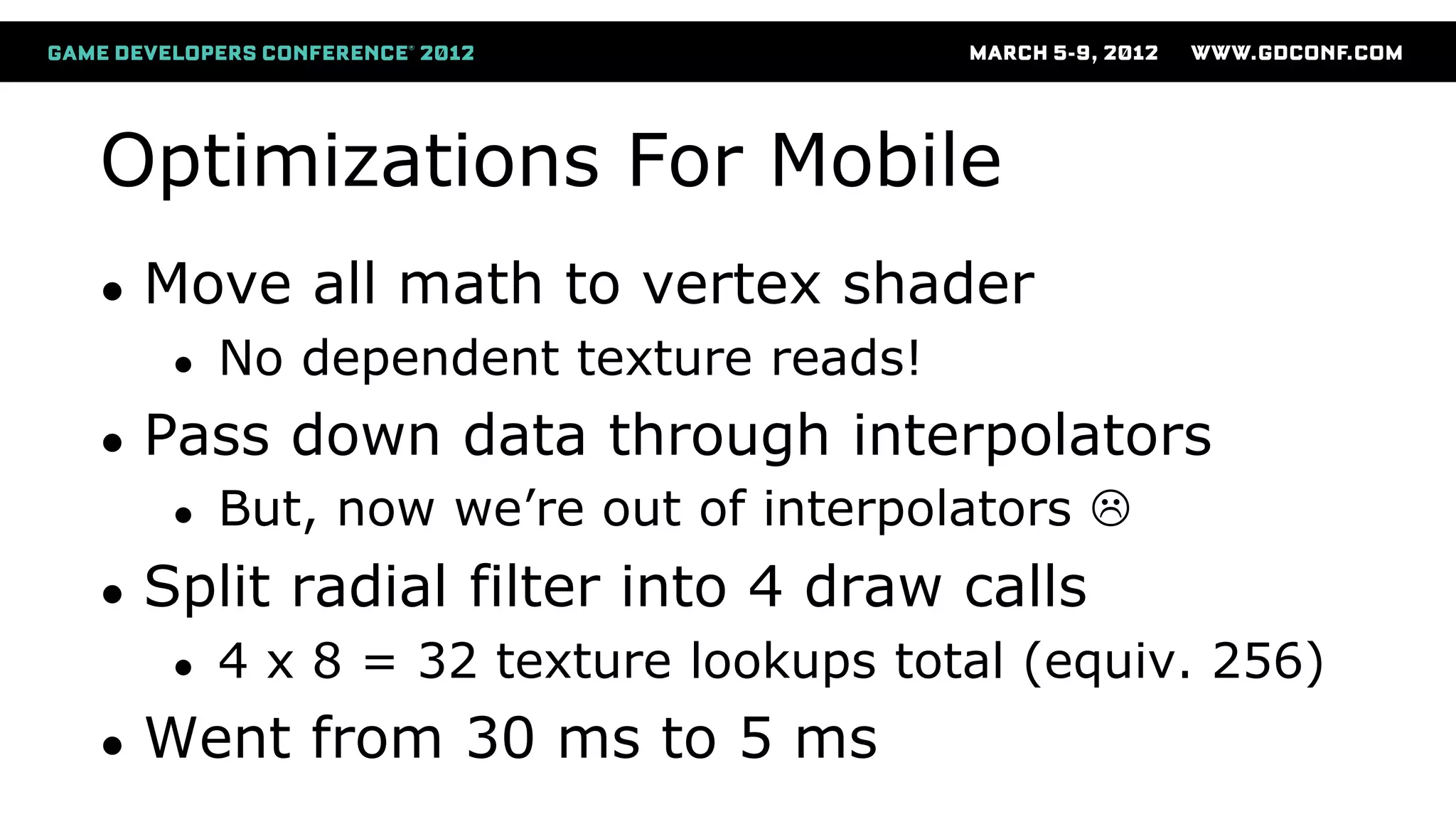
● Move all math to vertex shader
● No dependent texture reads!
● Pass down data through interpolators
● But, now we’re out of interpolators 
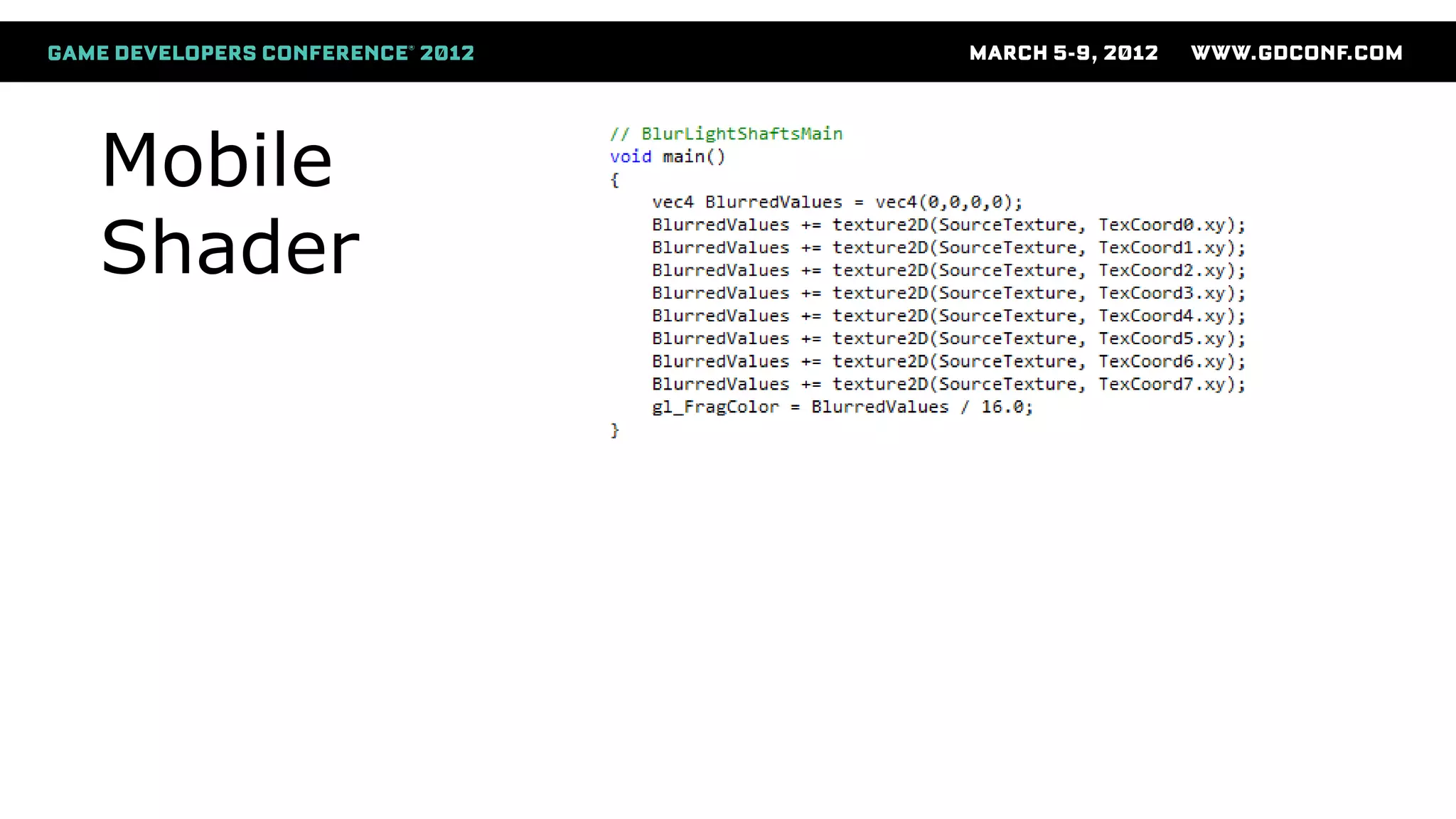
● Split radial filter into 4 draw calls
● 4 x 8 = 32 texture lookups total (equiv. 256)
● Went from 30 ms to 5 ms
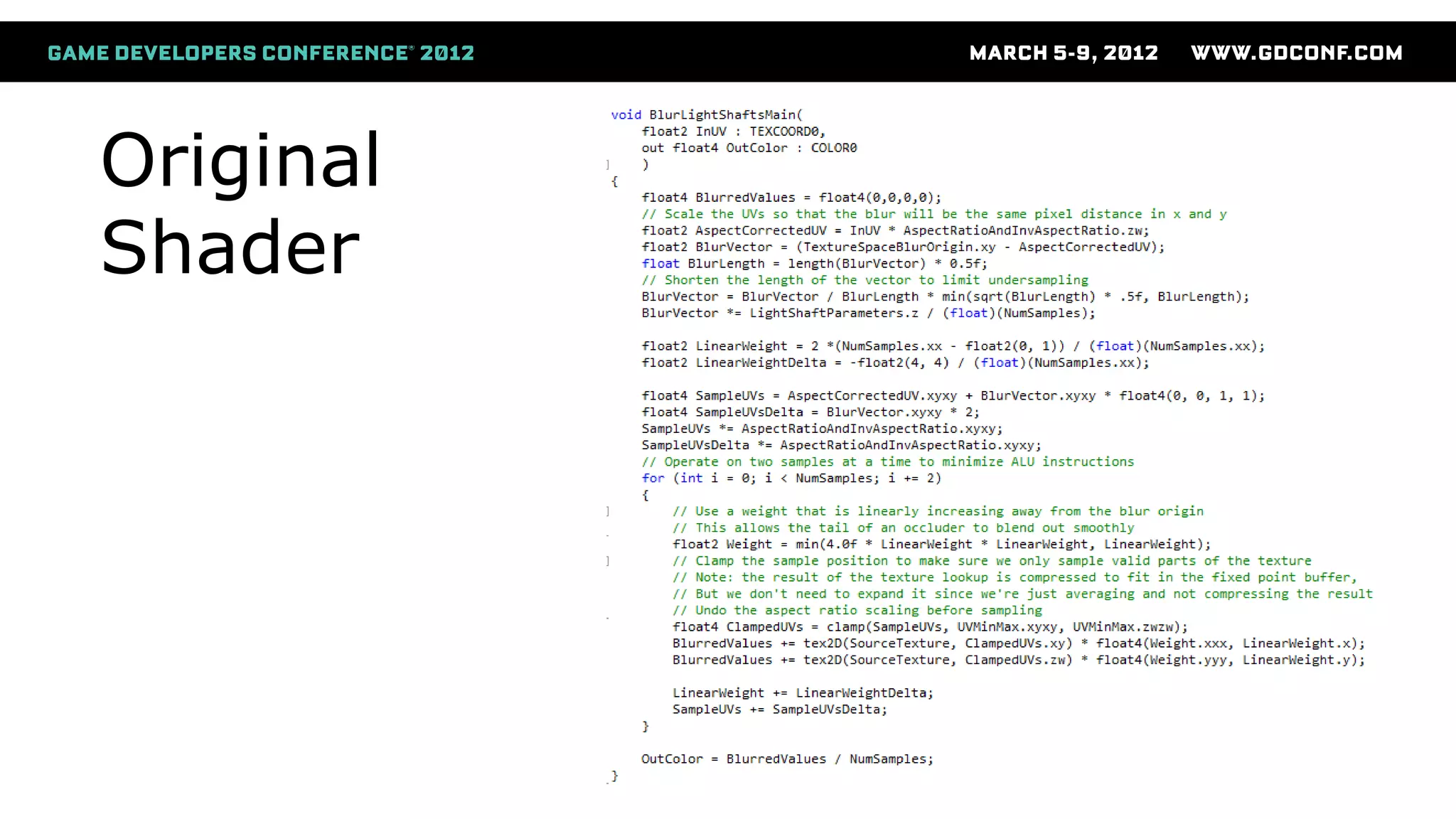
Original
Shader
Mobile
Shader
God Rays
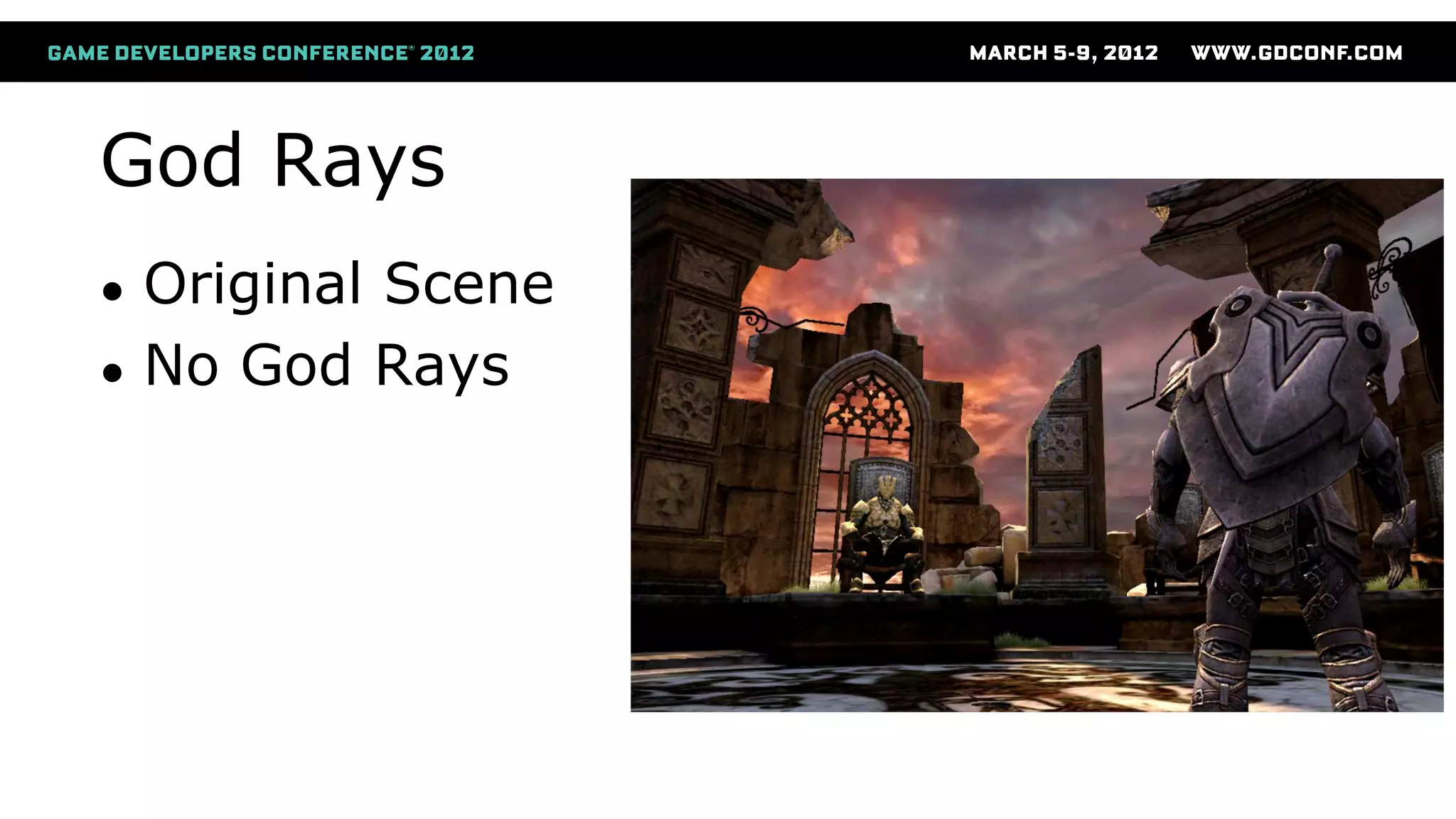
● Original Scene
● No God Rays
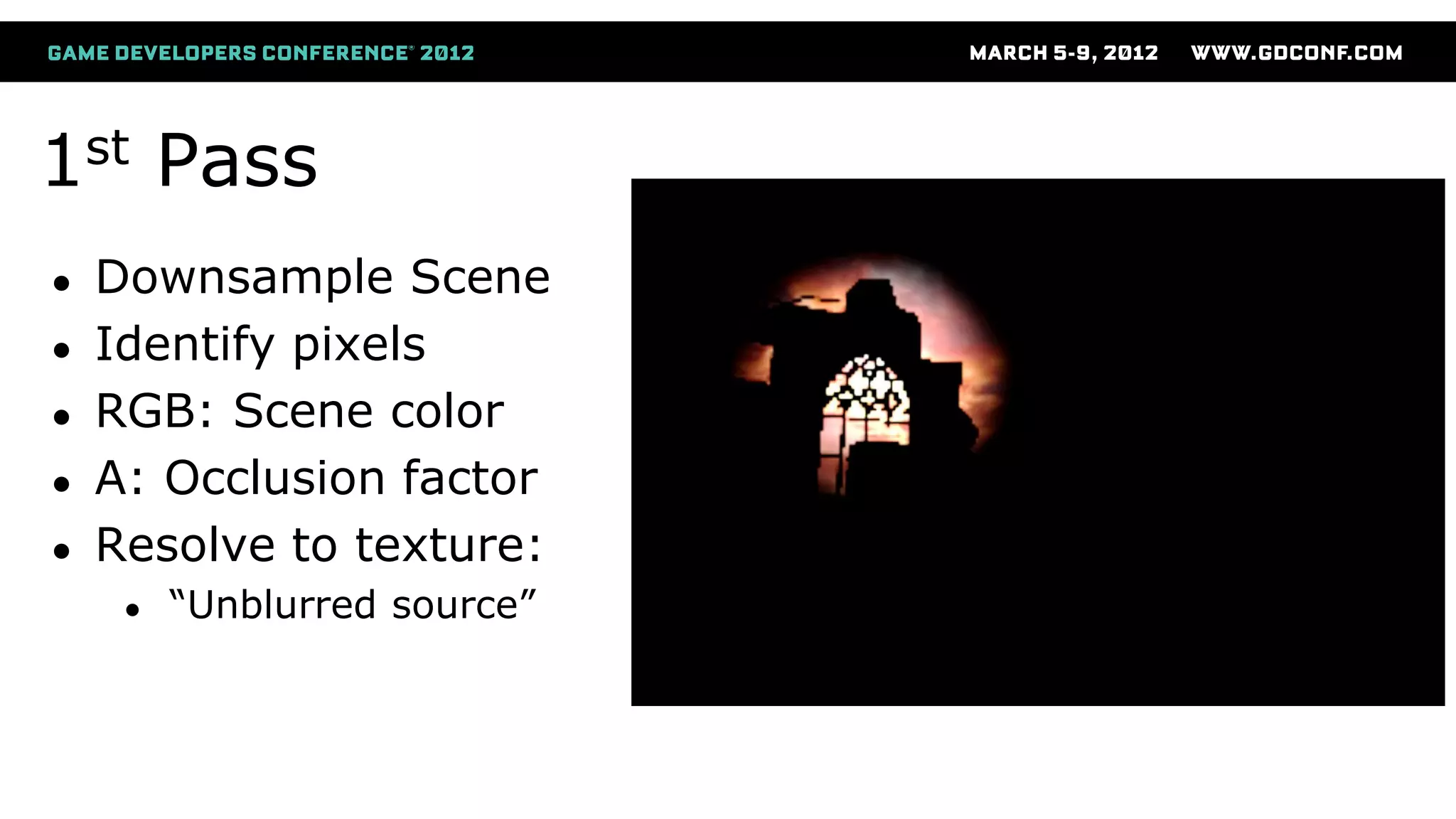
1st Pass
● Downsample Scene
● Identify pixels
● RGB: Scene color
● A: Occlusion factor
● Resolve to texture:
● “Unblurred source”
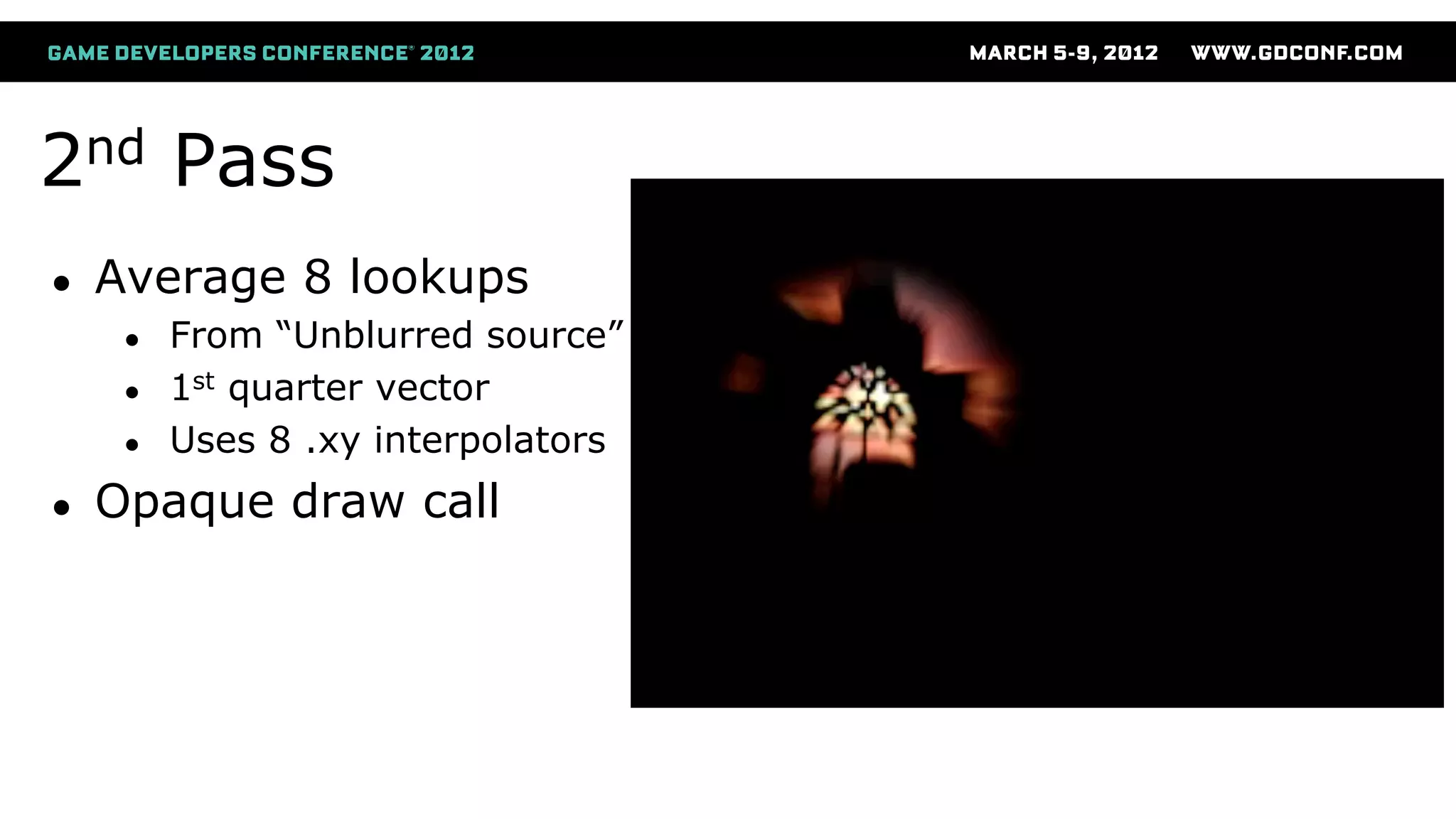
2nd Pass
● Average 8 lookups
● From “Unblurred source”
● 1st quarter vector
● Uses 8 .xy interpolators
● Opaque draw call
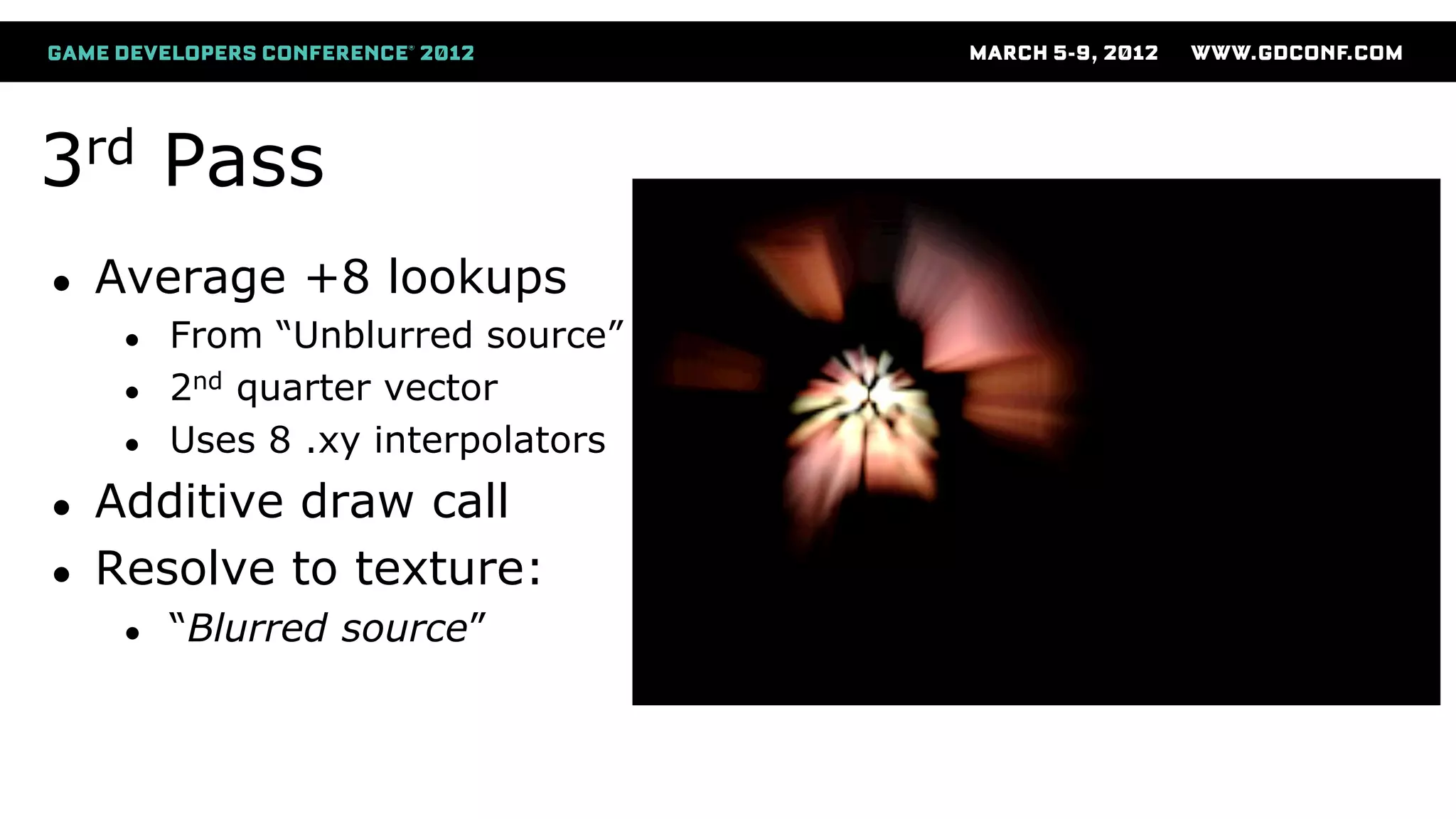
3rd Pass
● Average +8 lookups
● From “Unblurred source”
● 2nd quarter vector
● Uses 8 .xy interpolators
● Additive draw call
● Resolve to texture:
● “Blurred source”
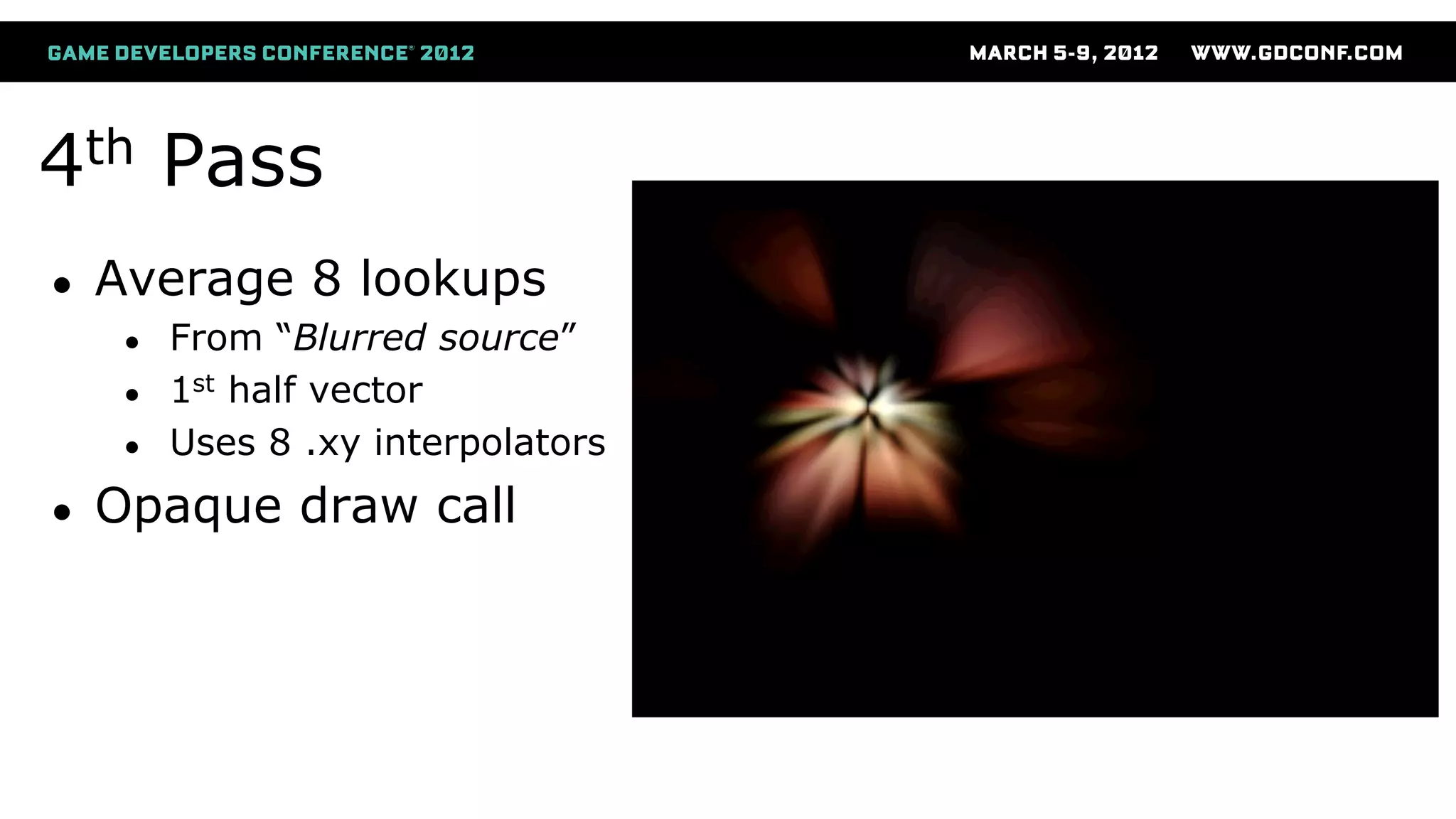
4th Pass
● Average 8 lookups
● From “Blurred source”
● 1st half vector
● Uses 8 .xy interpolators
● Opaque draw call
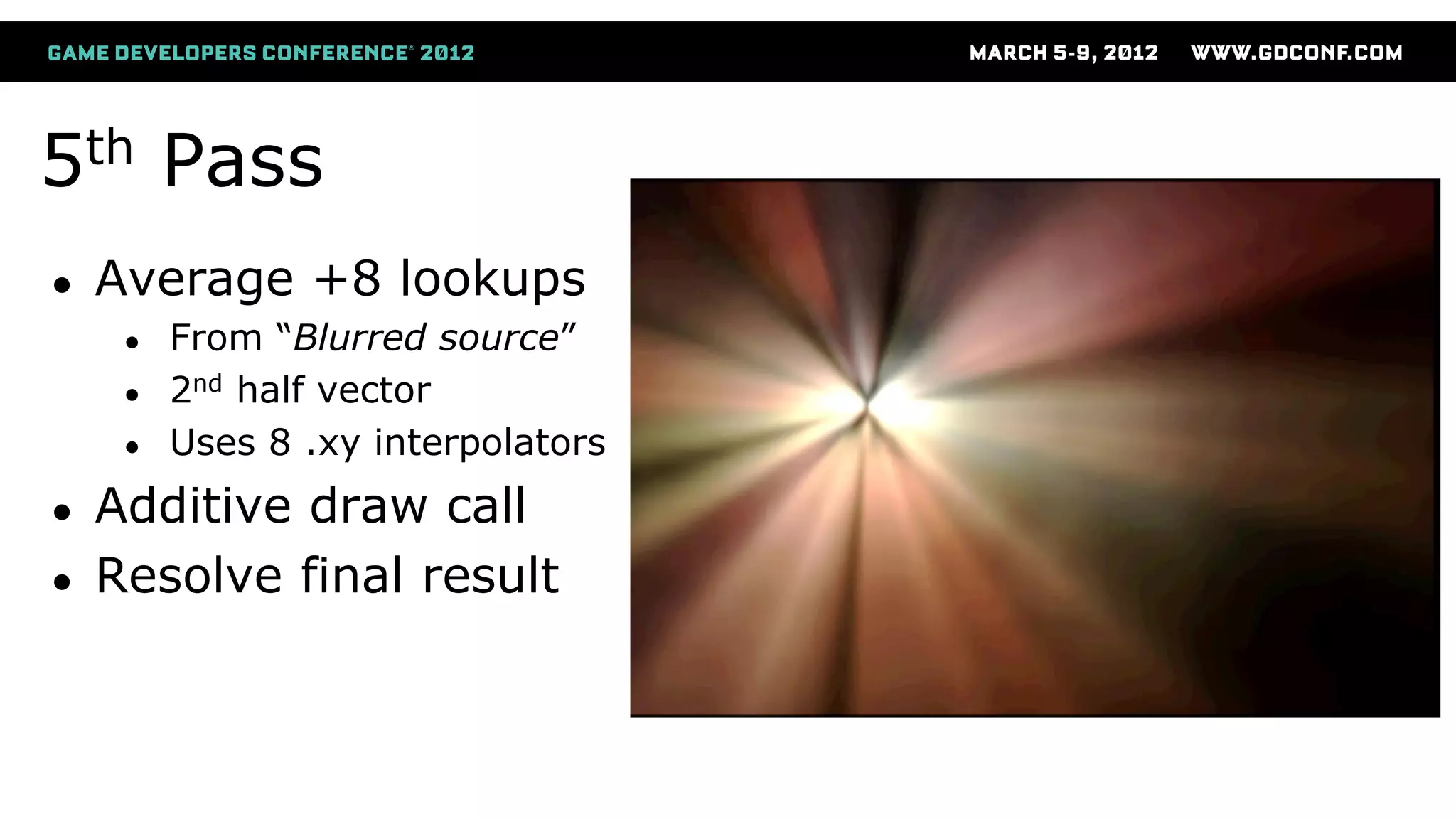
5th Pass
● Average +8 lookups
● From “Blurred source”
● 2nd half vector
● Uses 8 .xy interpolators
● Additive draw call
● Resolve final result
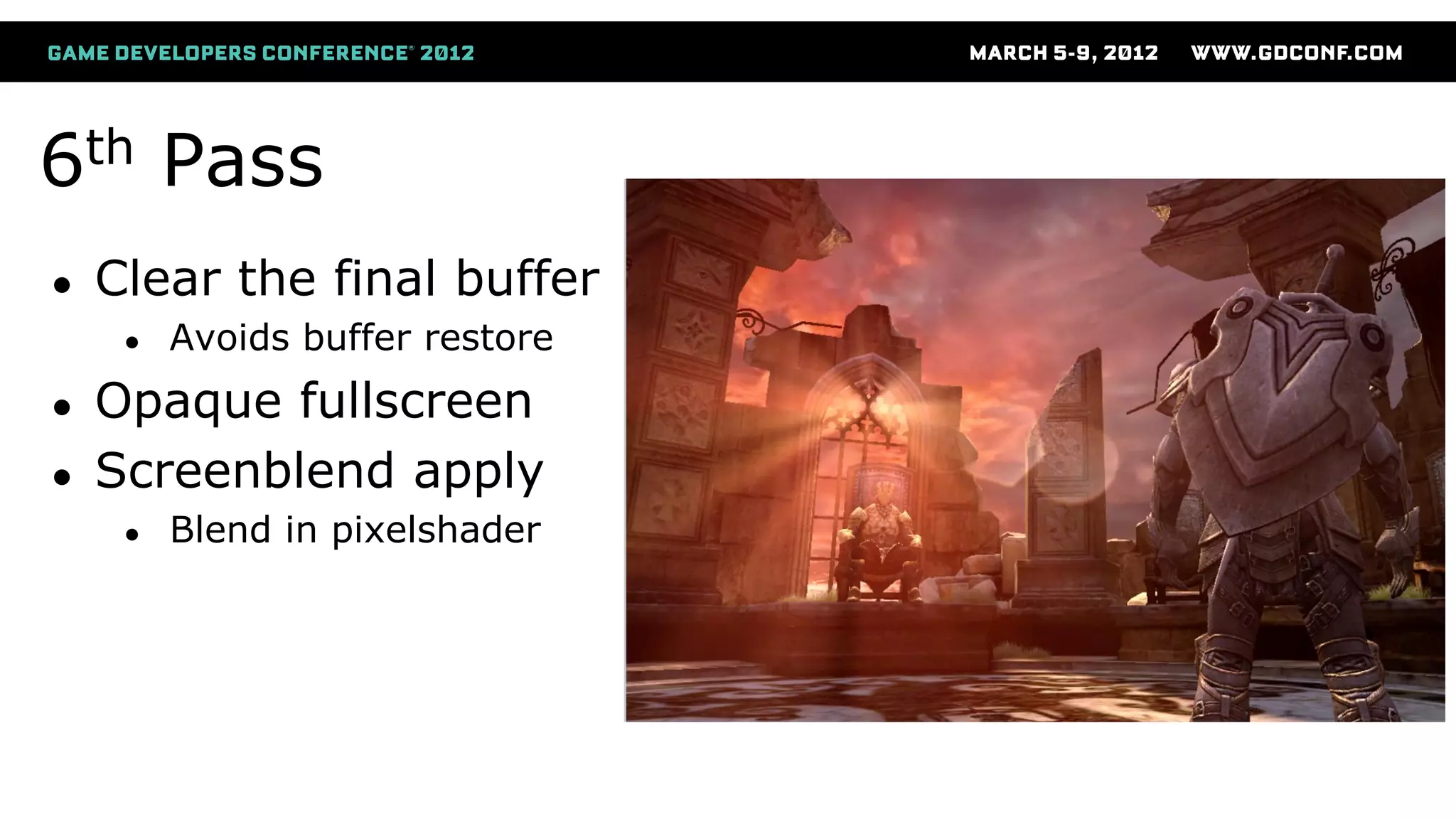
6th Pass
● Clear the final buffer
● Avoids buffer restore
● Opaque fullscreen
● Screenblend apply
● Blend in pixelshader
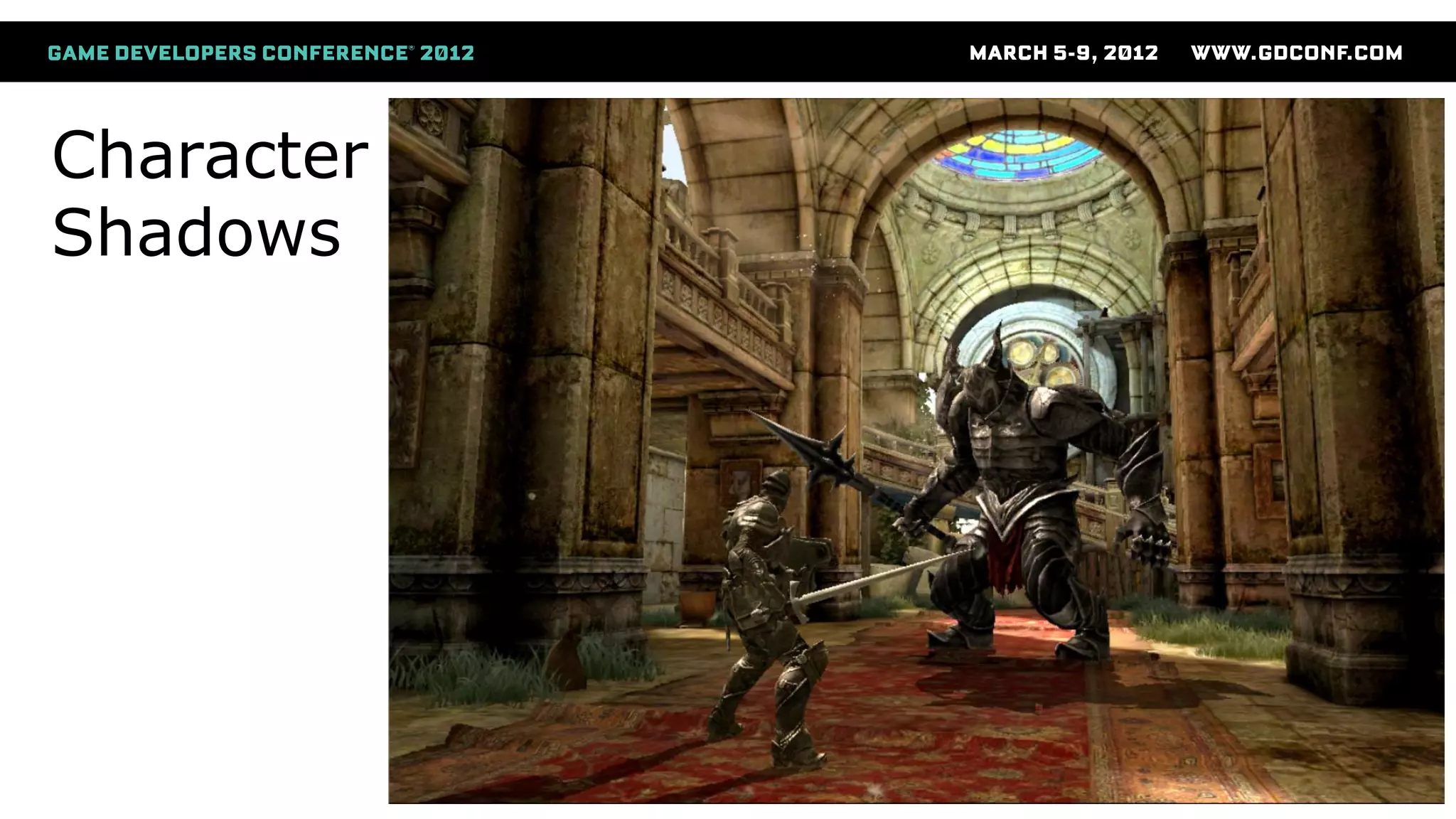
Character
Shadows
Character Shadows
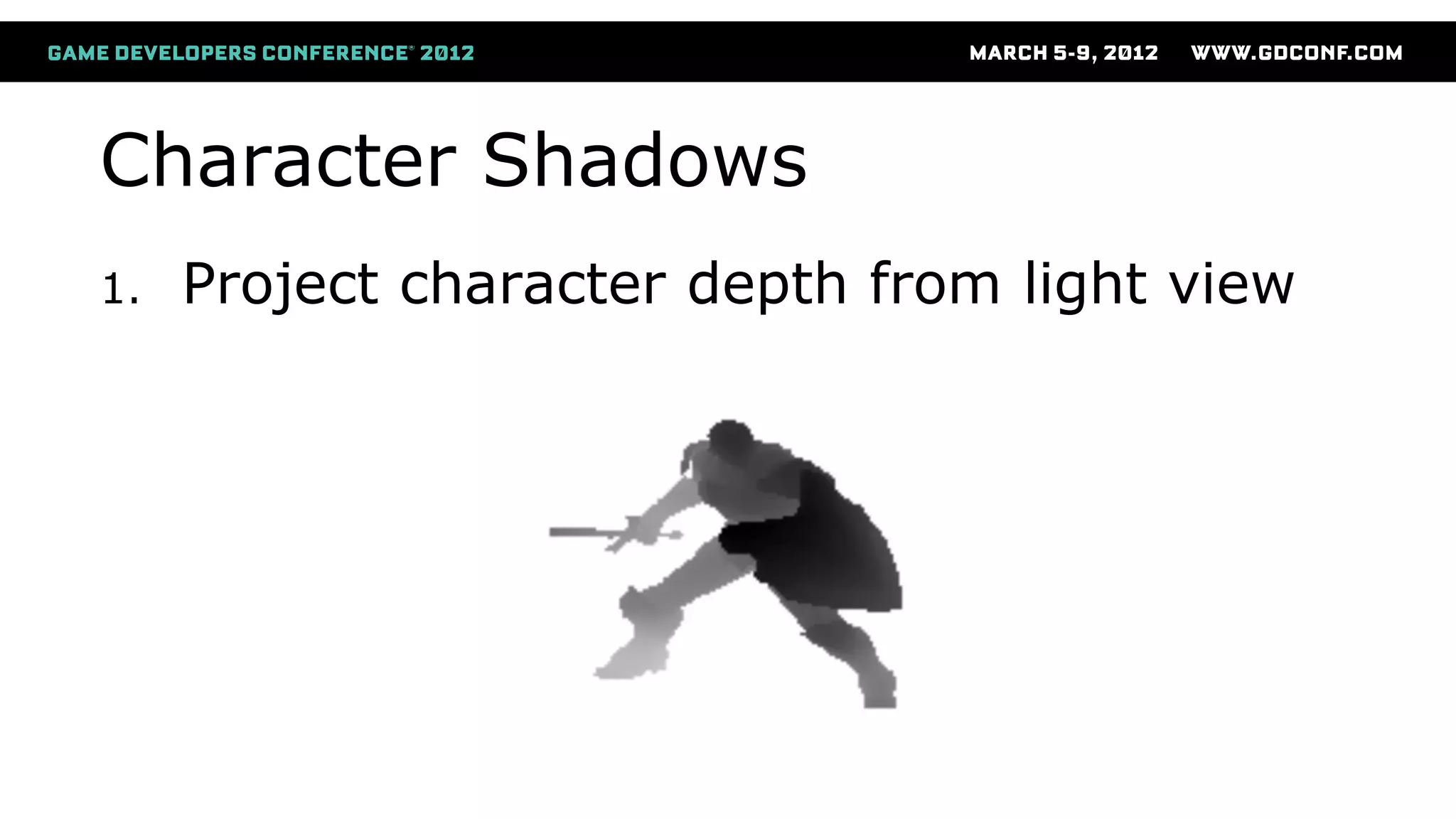
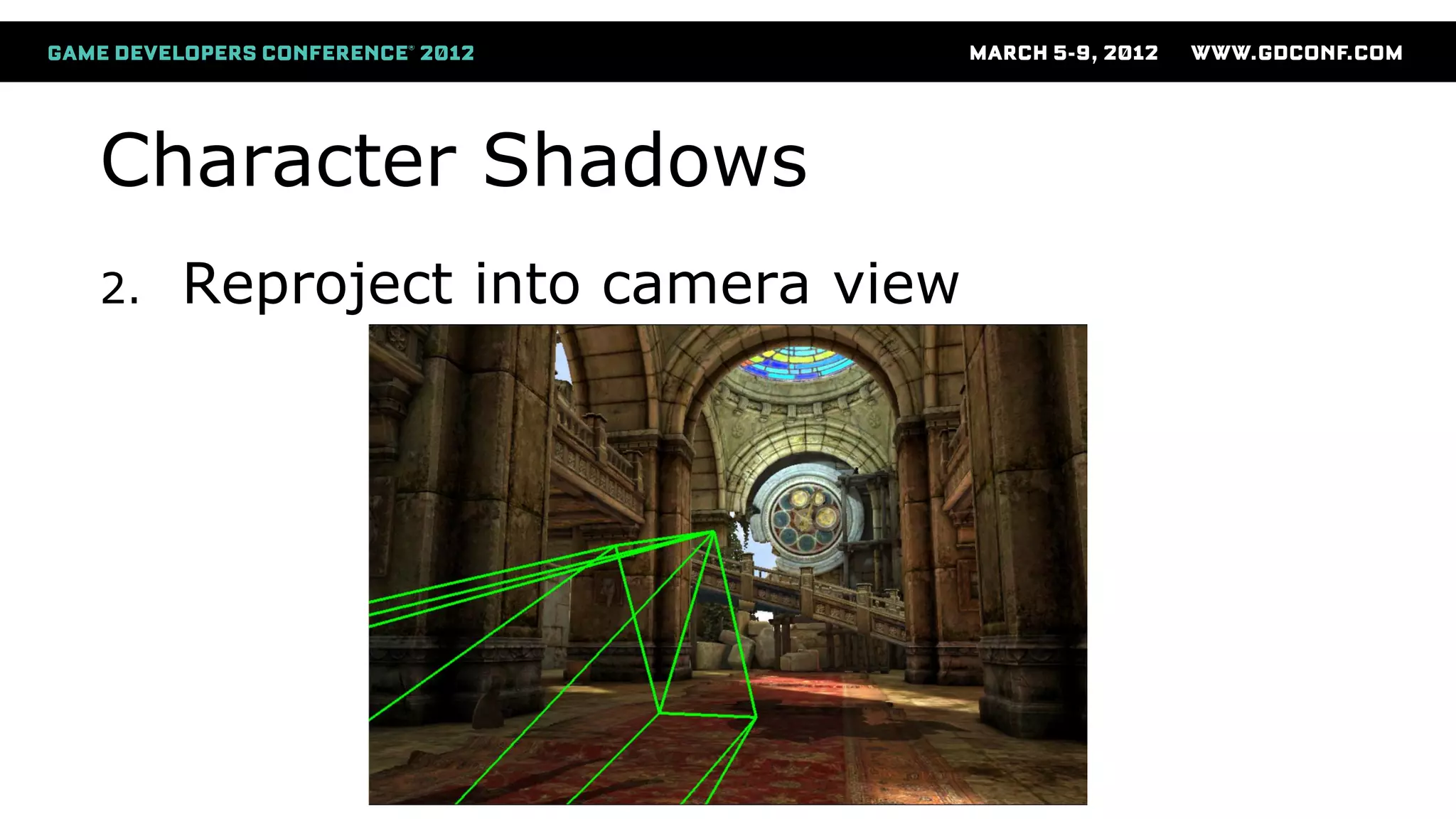
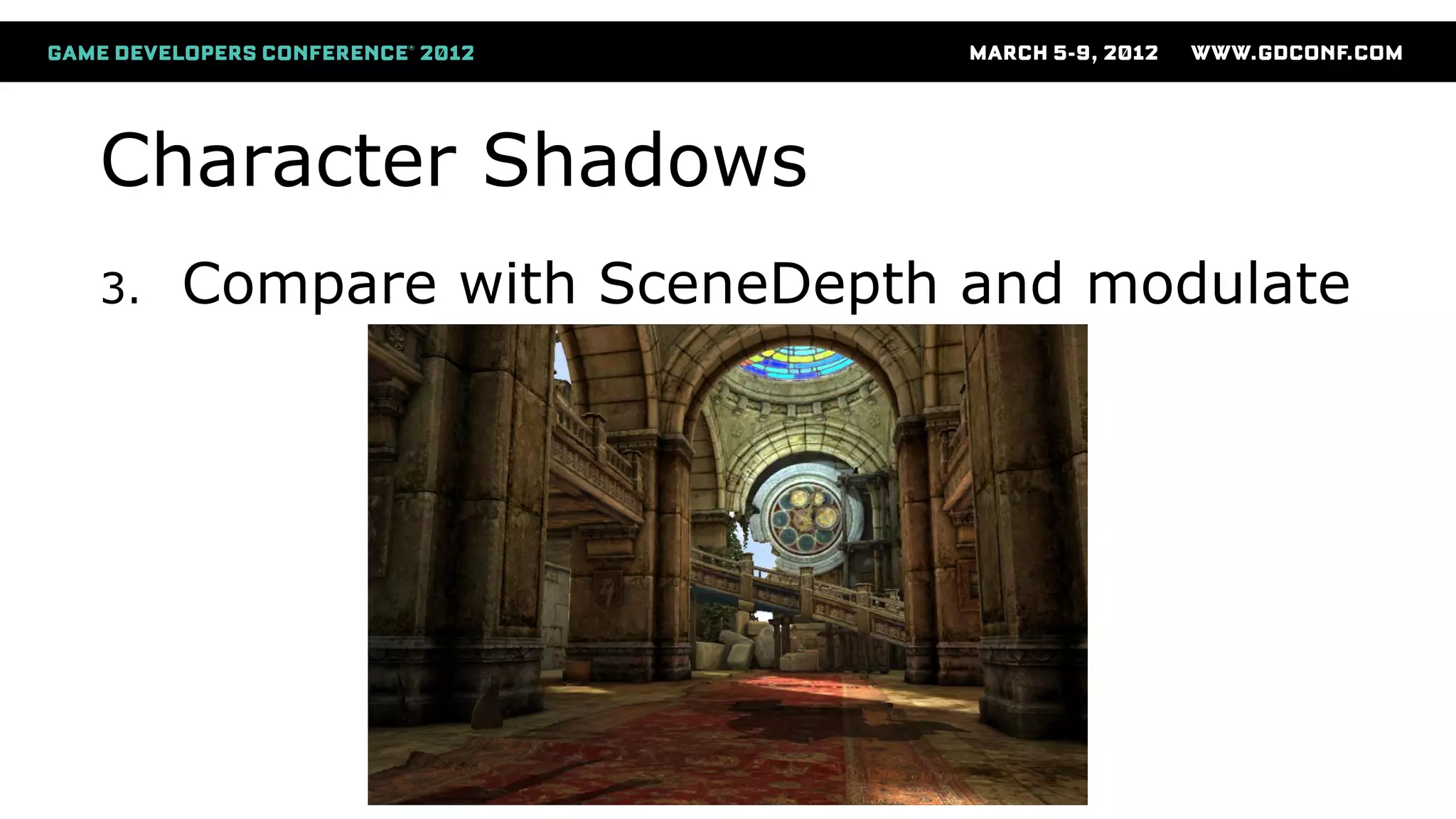
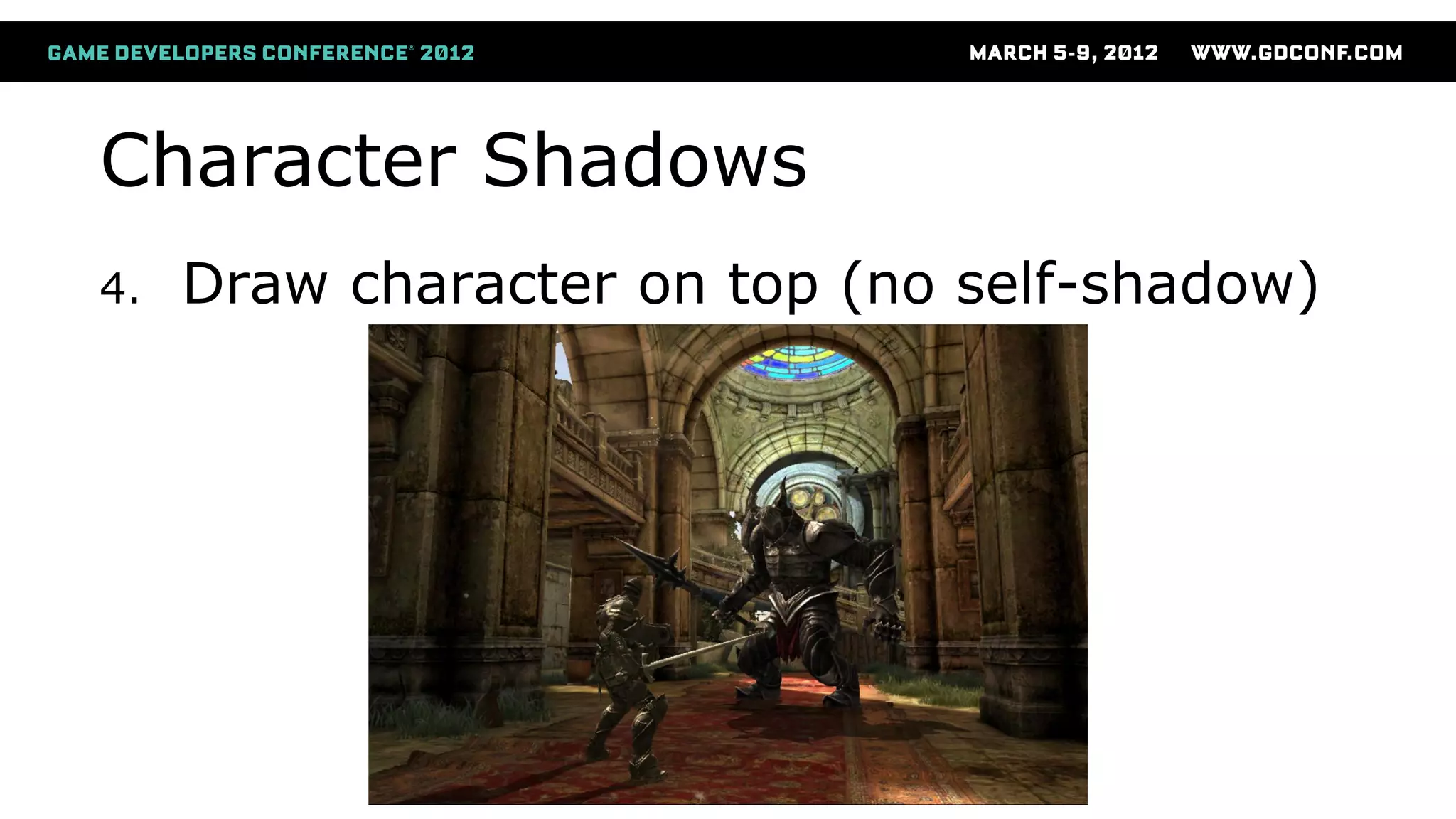
● Ported one type of shadows from Xbox:
● Projected, modulated dynamic shadows
● Fairly standard method
● Generate shadow depth buffer
● Stencil potential pixels
● Compare shadow depth and scene depth
● Darken affected pixels
Character Shadows
1. Project character depth from light view
Character Shadows
2. Reproject into camera view
Character Shadows
3. Compare with SceneDepth and modulate
Character Shadows
4. Draw character on top (no self-shadow)
Shadow Optimizations (1 of 2)
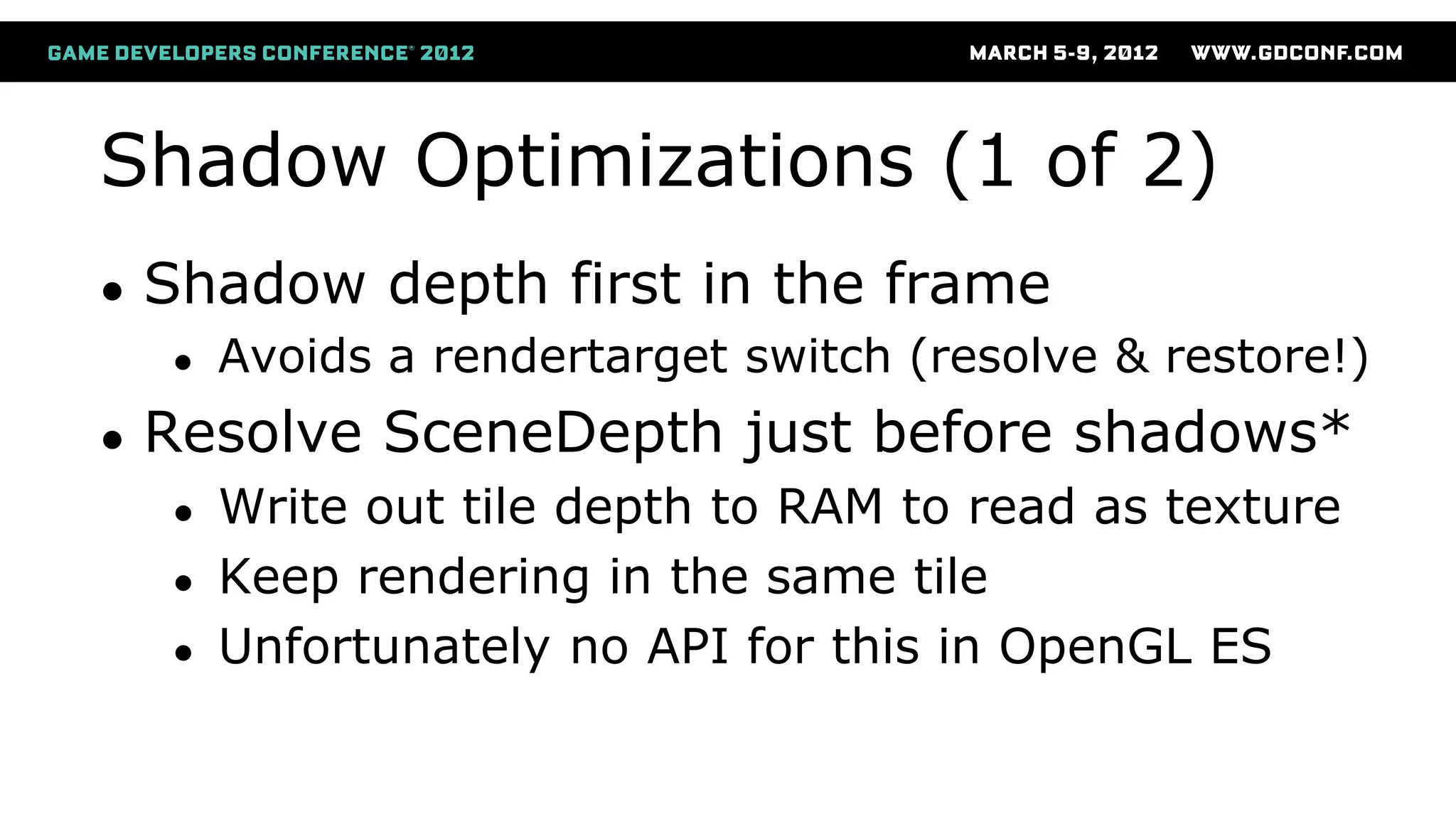
● Shadow depth first in the frame
● Avoids a rendertarget switch (resolve & restore!)
● Resolve SceneDepth just before shadows*
● Write out tile depth to RAM to read as texture
● Keep rendering in the same tile
● Unfortunately no API for this in OpenGL ES
Shadow Optimizations (2 of 2)
● Optimize color buffer usage for shadow
● We only need the depth buffer!
● Unnecessary buffer, but required in OpenGL ES
● Clear (avoid restore) and disable color writes
● Use glDiscardFrameBuffer() to avoid resolve
● Could encode depth in F16 / RGBA8 color instead
● Draw screen-space quad instead of cube
● Avoids a dependent texture lookup
Tool Tips:
● Use an OpenGL ES wrapper on PC
● Almost “WYSIWYG”
● Debug in Visual Studio
● Apple Xcode GL debugger, iOS 5
● Full capture of one frame
● Shows each drawcall, states in separate pane
● Shows all resources used by each drawcall
● Shows shader source code + all uniform values
Next Generation
ImgTec “Rogue” (6xxx series):
20x
ImgTec 6xxx series
● 100+ GFLOPS (scalable to TFLOPS range)
● DirectX 10, OpenGL ES “Halti”
● PVRTC 2
● Improved memory bandwidth usage
● Improved latency hiding
Questions?

Smedberg niklas bringing_aaa_graphics

  • 1.
    Bringing AAA graphicsto mobile platforms Niklas Smedberg Senior Engine Programmer, Epic Games
  • 2.
    Who Am I ●A.k.a. “Smedis” ● Platform team at Epic Games ● Unreal Engine ● 15 years in the industry ● 30 years of programming ● C64 demo scene
  • 3.
    Content ● Hardware ● Howit works under the hood ● Case study: ImgTec SGX GPU ● Software ● How to apply this knowledge to bring console graphics to mobile platforms
  • 7.
    Mobile Graphics Processors ●The feature support is there: ● Shaders ● Render to texture ● Depth textures ● MSAA ● But is the performance there? ● Yes. And it keeps getting better!
  • 8.
    Mobile GPU Architecture ●Tile-based deferred rendering GPU ● Very different from desktop or consoles ● Common on smartphones and tablets ● ImgTec SGX GPUs fall into this category ● There are other tile-based GPUs (e.g. ARM Mali) ● Other mobile GPU types ● NVIDIA Tegra is more traditional
  • 9.
    Tile-Based Mobile GPU TLDRSummary: ● Split the screen into tiles ● E.g. 16x16 or 32x32 pixels ● The GPU fits an entire tile on chip ● Process all drawcalls for one tile ● Repeat for each tile to fill the screen ● Each tile is written to RAM as it finishes (For illustration purposes only)
  • 10.
    ImgTec Process Software Command Buffer Vertex Frontend Vertex Processing TilingParameter Buffer Pixel Frontend Pixel Processing Frame Buffer
  • 11.
    Vertex Processing Vertex Frontend ● VertexFrontend reads from GPU command buffer ● Distributes vertex primitives to all GPU cores ● Splits drawcalls into fixed chunks of vertices ● GPU cores process vertices independently ● Continues until the end of the scene Software Command Buffer Vertex Frontend Vertex Processing Vertex Processing
  • 12.
    Vertex processing (PerGPU Core) Vertex Setup (VDM) Pre-Shader Shader (Vertex) (USSE) Parameter Buffer (RAM) Tiling (TA) Software Command Buffer Vertex Frontend Vertex Processing
  • 13.
    Vertex Setup Vertex Setup (VDM) Pre-Shader Shader(Vertex) (USSE) Parameter Buffer (RAM) Tiling (TA) Receives commands from Vertex Frontend
  • 14.
    Vertex Pre-Shader Vertex Setup (VDM) Pre-Shader Shader(Vertex) (USSE) Parameter Buffer (RAM) Tiling (TA) Fetches input data (attributes and uniforms)
  • 15.
    Vertex Shader Vertex Setup (VDM) Pre-Shader Shader(Vertex) (USSE) Parameter Buffer (RAM) Tiling (TA) Universal Scalable Shader Engine Executes the vertex shader program, multithreaded
  • 16.
  • 17.
    Parameter Buffer Vertex Setup (VDM) Pre-Shader Shader(Vertex) (USSE) Parameter Buffer (RAM) Tiling (TA) Stored in system memory You don’t want to overflow this buffer!
  • 18.
    Pixel Processing Pixel Processing Pixel Frontend ● ReadsParameter Buffer ● Distributes pixel processing to all cores ● One whole tile at a time ● A tile is processed in full on one GPU core ● Tiles are processed in parallel on multi-core GPUs Parameter Buffer Pixel Frontend Pixel Processing Frame Buffer
  • 19.
    Pixel processing (PerGPU Core) Pixel Setup (PDM) Pre-Shader Shader (Pixel) (USSE) Frame Buffer (RAM) Pixel Back-end Parameter Buffer Pixel Frontend Pixel Processing Frame Buffer
  • 20.
    Pixel Setup Pixel Setup (PDM) Pre-Shader Shader(Pixel) (USSE) Frame Buffer (RAM) Pixel Back-end Receives tile commands from Pixel Frontend Fetches vertexshader output from Parameter Buffer Triangle rasterization; Calculate interpolator values Depth/stencil test; Hidden Surface Removal
  • 21.
    Pixel Pre-Shader Pixel Setup (PDM) Pre-Shader Shader(Pixel) (USSE) Frame Buffer (RAM) Pixel Back-end Fills in interpolator and uniform data Kicks off non-dependent texture reads
  • 22.
    Pixel Shader Pixel Setup (PDM) Pre-Shader Shader(Pixel) (USSE) Frame Buffer (RAM) Pixel Back-end Multithreaded ALUs Each thread can be vertices or pixels Can have multiple USSEs in each GPU core
  • 23.
    Pixel Back-end Pixel Setup (PDM) Pre-Shader Shader(Pixel) (USSE) Frame Buffer (RAM) Pixel Back-end Triggered when all pixels in the tile are finished Performs data conversions, MSAA-downsampling Writes finished tile color/depth/stencil to memory
  • 24.
    Shader Unit Caveats ●Shader programs without dynamic flow-control: ● 4 vertices/pixels per instruction ● Shader programs with dynamic flow-control: ● 1 vertex/pixel per instruction ● Alpha-blending is in the shader ● Not separate specialized hardware ● Shader patching may occur when you switch state ● (More on how to avoid shader patching later)
  • 25.
    Rendering Techniques ● Howto take advantage of this GPU?
  • 26.
    Mobile is thenew PC ● Wide feature and performance range ● Scalable graphics are back ● User graphics settings are back ● Low/medium/high/ultra ● Render buffer size scaling ● Testing 100 SKUs is back
  • 27.
  • 28.
    Render target ison die ● MSAA is cheap and use less memory ● Only the resolved data in RAM ● Have seen 0-5 ms cost for MSAA ● Be wary of buffer restores (color or depth) ● No bandwidth cost for alpha-blend ● Cheap depth/stencil testing
  • 29.
    “Free” hidden surfaceremoval ● Specific to ImgTec SGX GPU ● Eliminates all background pixels ● Eliminates overdraw ● Only for opaque
  • 30.
    Mobile vs Console ●Very large CPU overhead for OpenGL ES API ● Max CPU usage at 100-300 drawcalls ● Avoid too much data per scene ● Parameter buffer between vertex & pixel processing ● Save bandwidth and GPU flushes ● Shader patching ● Some render states cause the shader to be modified and recompiled by the driver ● E.g. alpha-blend settings, vertex input, color write masks, etc
  • 31.
    Alpha-test / Discard ●Conditional z-writes can be very slow ● Instead of writing out Z ahead of time, the “Pixel setup” (PDM) won’t submit more fragments until the pixelshader has determined visibility for current pixels. ● Use alpha-blend instead of alpha-test ● Fit the geometry to visible pixels
  • 32.
  • 33.
  • 34.
    Render Buffer Management(1 of 2) ● Each render target is a whole new scene ● Avoid switching render target back and forth! ● Can cause a full restore: ● Copies full color/depth/stencil from RAM into Tile Memory at the beginning of the scene ● Can cause a full resolve: ● Copies full color/depth/stencil from Tile Memory into RAM at the end of the scene
  • 35.
    Render Buffer Management(2 of 2) ● Avoid buffer restore ● Clear everything! Color/depth/stencil ● A clear just sets some dirty bits in a register ● Avoid buffer resolve ● Use discard extension (GL_EXT_discard_framebuffer) ● See usage case for shadows ● Avoid unnecessarily different FBO combos ● Don’t let the driver think it needs to start resolving and restoring any buffers!
  • 36.
    Texture Lookups ● Don’tperform texture lookups in the pixel shader! ● Let the “pre-shader” queue them up ahead of time ● I.e. avoid dependent texture lookups ● Don’t manipulate texture coordinate with math ● Move all math to vertex shader and pass down ● Don't use .zw components for texture coordinates ● Will be handled as a dependent texture lookup ● Only use .xy and pass other data in .zw
  • 37.
    Mobile Material System ●Full Unreal Engine materials are too complicated
  • 38.
    Mobile Material System ●Initial idea: ● Pre-render into a single texture
  • 39.
    Mobile Material System ●Current solution: ● Pre-render components into separate textures ● Add mobile-specific settings ● Feature support driven by artists
  • 40.
    Mobile Material Shaders ●One hand-written ubershader ● Lots of #ifdef for all features ● Exposed as fixed settings in the artist UI ● Checkboxes, lists, values, etc
  • 41.
  • 42.
  • 43.
    Shader Offline Processing ●Run C pre-processor offline ● Reduces in-game compile time ● Eliminates duplicates at off-line time
  • 44.
    Shader Compiling ● Compileall shaders at startup ● Avoids hitching at run-time ● Compile on the GL thread, while loading on Game thread ● Compiling is not enough ● Must issue dummy drawcalls! ● Remember how certain states affect shaders! ● May need experimenting to avoid shader patching E.g. alpha-blend states, color write masks
  • 45.
  • 46.
    God Rays ● Initiallyported Xbox straight to PS Vita ● Worked, but was very slow ● But for Infinity Blade II, on a cell phone!? ● We first thought it was impossible ● But let’s have a deeper look
  • 47.
    God Rays ● Portto OpenGL ES 2.0 ● Use fewer texture lookups ● Worse quality ● And still very slow
  • 48.
    Optimizations For Mobile ●Move all math to vertex shader ● No dependent texture reads! ● Pass down data through interpolators ● But, now we’re out of interpolators  ● Split radial filter into 4 draw calls ● 4 x 8 = 32 texture lookups total (equiv. 256) ● Went from 30 ms to 5 ms
  • 49.
  • 50.
  • 51.
    God Rays ● OriginalScene ● No God Rays
  • 52.
    1st Pass ● DownsampleScene ● Identify pixels ● RGB: Scene color ● A: Occlusion factor ● Resolve to texture: ● “Unblurred source”
  • 53.
    2nd Pass ● Average8 lookups ● From “Unblurred source” ● 1st quarter vector ● Uses 8 .xy interpolators ● Opaque draw call
  • 54.
    3rd Pass ● Average+8 lookups ● From “Unblurred source” ● 2nd quarter vector ● Uses 8 .xy interpolators ● Additive draw call ● Resolve to texture: ● “Blurred source”
  • 55.
    4th Pass ● Average8 lookups ● From “Blurred source” ● 1st half vector ● Uses 8 .xy interpolators ● Opaque draw call
  • 56.
    5th Pass ● Average+8 lookups ● From “Blurred source” ● 2nd half vector ● Uses 8 .xy interpolators ● Additive draw call ● Resolve final result
  • 57.
    6th Pass ● Clearthe final buffer ● Avoids buffer restore ● Opaque fullscreen ● Screenblend apply ● Blend in pixelshader
  • 58.
  • 59.
    Character Shadows ● Portedone type of shadows from Xbox: ● Projected, modulated dynamic shadows ● Fairly standard method ● Generate shadow depth buffer ● Stencil potential pixels ● Compare shadow depth and scene depth ● Darken affected pixels
  • 60.
    Character Shadows 1. Projectcharacter depth from light view
  • 61.
  • 62.
    Character Shadows 3. Comparewith SceneDepth and modulate
  • 63.
    Character Shadows 4. Drawcharacter on top (no self-shadow)
  • 64.
    Shadow Optimizations (1of 2) ● Shadow depth first in the frame ● Avoids a rendertarget switch (resolve & restore!) ● Resolve SceneDepth just before shadows* ● Write out tile depth to RAM to read as texture ● Keep rendering in the same tile ● Unfortunately no API for this in OpenGL ES
  • 65.
    Shadow Optimizations (2of 2) ● Optimize color buffer usage for shadow ● We only need the depth buffer! ● Unnecessary buffer, but required in OpenGL ES ● Clear (avoid restore) and disable color writes ● Use glDiscardFrameBuffer() to avoid resolve ● Could encode depth in F16 / RGBA8 color instead ● Draw screen-space quad instead of cube ● Avoids a dependent texture lookup
  • 66.
    Tool Tips: ● Usean OpenGL ES wrapper on PC ● Almost “WYSIWYG” ● Debug in Visual Studio ● Apple Xcode GL debugger, iOS 5 ● Full capture of one frame ● Shows each drawcall, states in separate pane ● Shows all resources used by each drawcall ● Shows shader source code + all uniform values
  • 67.
  • 68.
    ImgTec 6xxx series ●100+ GFLOPS (scalable to TFLOPS range) ● DirectX 10, OpenGL ES “Halti” ● PVRTC 2 ● Improved memory bandwidth usage ● Improved latency hiding
  • 69.