What is GPU and its architecture and
functioning (eg. NVIDIA)
Heterogeneous Computation
PRESENTED BY:
JAVED IQBAL 13054149-097
ALI ASHGAR 13054149-098
MUHAMMAD ZAHEER ASHRAF 13054149-100
MUHAMMAD HASHIM 13054149-102
What is GPU?
 It is a processor optimized for 2D/3D graphics, video, visual
computing, and display.
 It is highly parallel, highly multithreaded multiprocessor optimized for
visual computing.
 It provide real-time visual interaction with computed objects via
graphics images, and video.
 It serves as both a programmable graphics processor and a scalable
parallel computing platform.
 Heterogeneous Systems: combine a GPU with a CPU
GPU Evolution
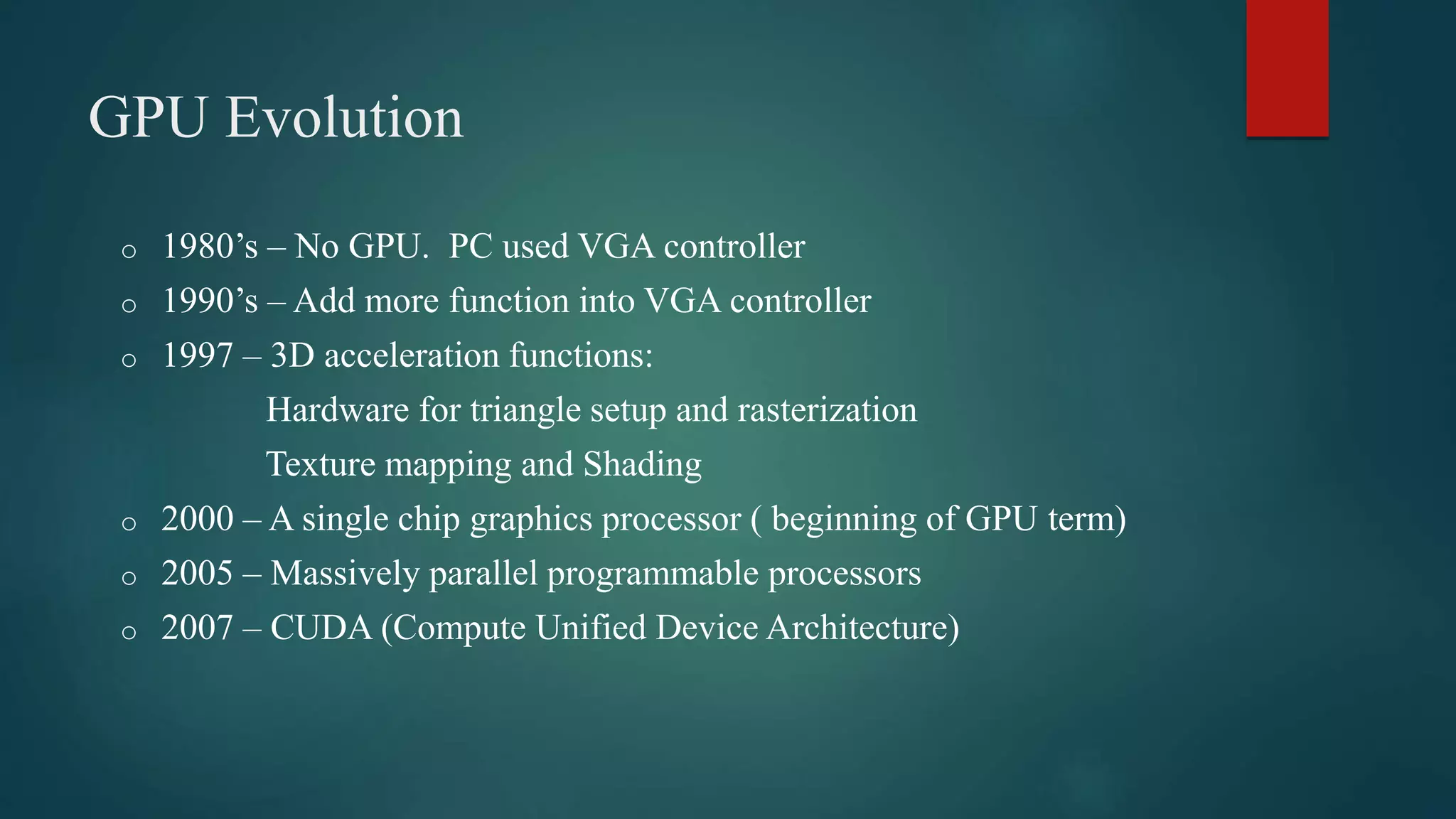
o 1980’s – No GPU. PC used VGA controller
o 1990’s – Add more function into VGA controller
o 1997 – 3D acceleration functions:
Hardware for triangle setup and rasterization
Texture mapping and Shading
o 2000 – A single chip graphics processor ( beginning of GPU term)
o 2005 – Massively parallel programmable processors
o 2007 – CUDA (Compute Unified Device Architecture)
GPU Graphic Trends
 OpenGL – an open standard for 3D programming
 DirectX – a series of Microsoft multimedia programming interfaces
 New GPU are being developed every 12 to 18 months
 New idea of visual computing:
combines graphics processing and parallel computing
 Heterogeneous System :
CPU + GPU
 GPU evolves into scalable parallel processor
 GPU Computing: GPGPU and CUDA
 GPU unifies graphics and computing
 GPU visual computing application: OpenGL, and DirectX
GPU vs CPU
 A GPU is tailored for highly parallel operation while a CPU executes
programs serially
 For this reason, GPUs have many parallel execution units and higher
transistor counts, while CPUs have few execution units and higher
clockspeeds
 A GPU is for the most part deterministic in its operation (though this is
quickly changing)
 GPUs have much deeper pipelines (several thousand stages vs 10-20 for
CPUs)
 GPUs have significantly faster and more advanced memory interfaces as
they need to shift around a lot more data than CPUs
The GPU pipeline
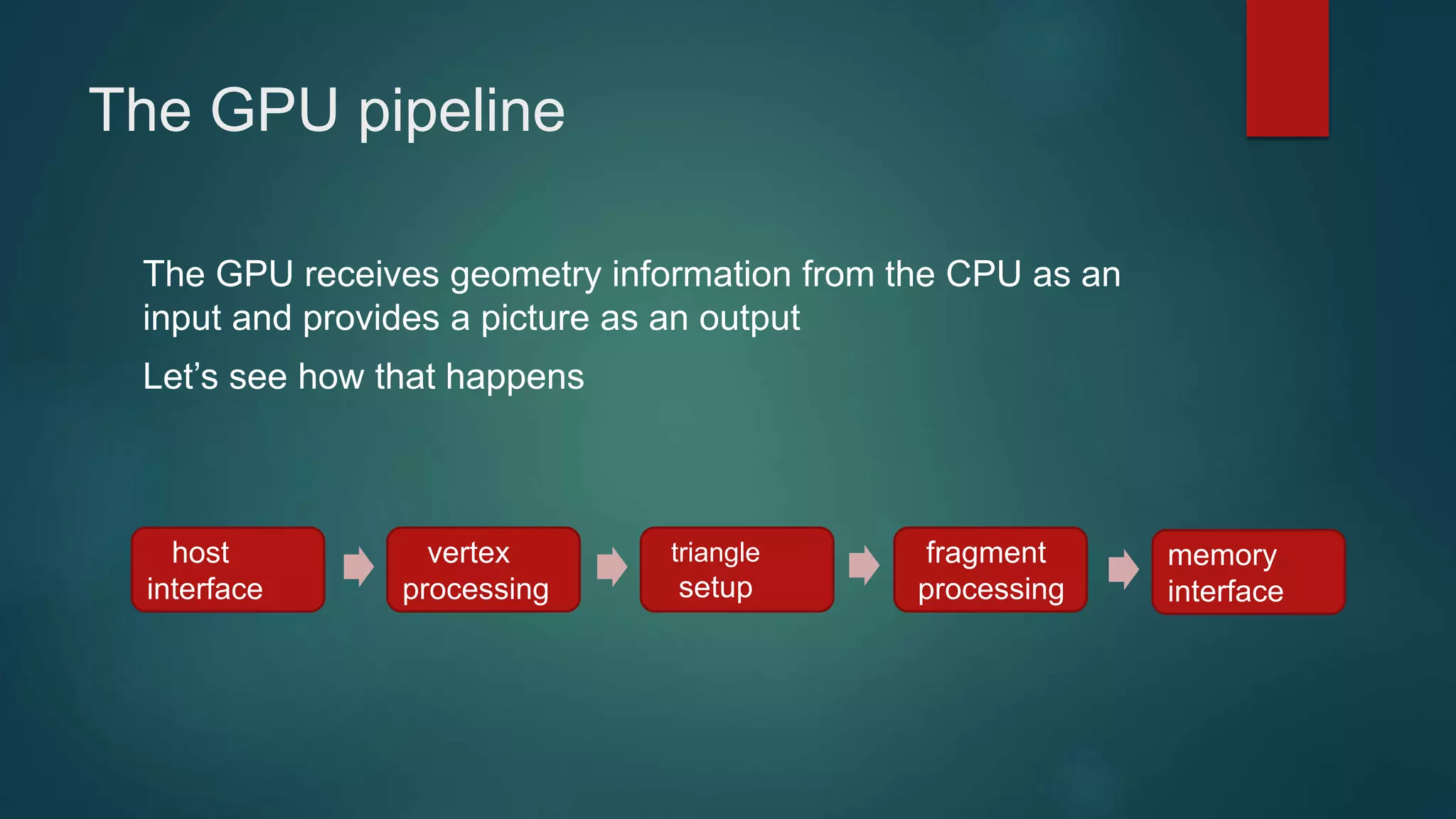
The GPU receives geometry information from the CPU as an
input and provides a picture as an output
Let’s see how that happens
host
interface
vertex
processing
triangle
setup
fragment
processing
memory
interface
Host Interface
 The host interface is the communication bridge between the
CPU and the GPU
 It receives commands from the CPU and also pulls geometry
information from system memory
 It outputs a stream of vertices in object space with all their
associated information (normals, texture coordinates, per
vertex color etc)
host
interface
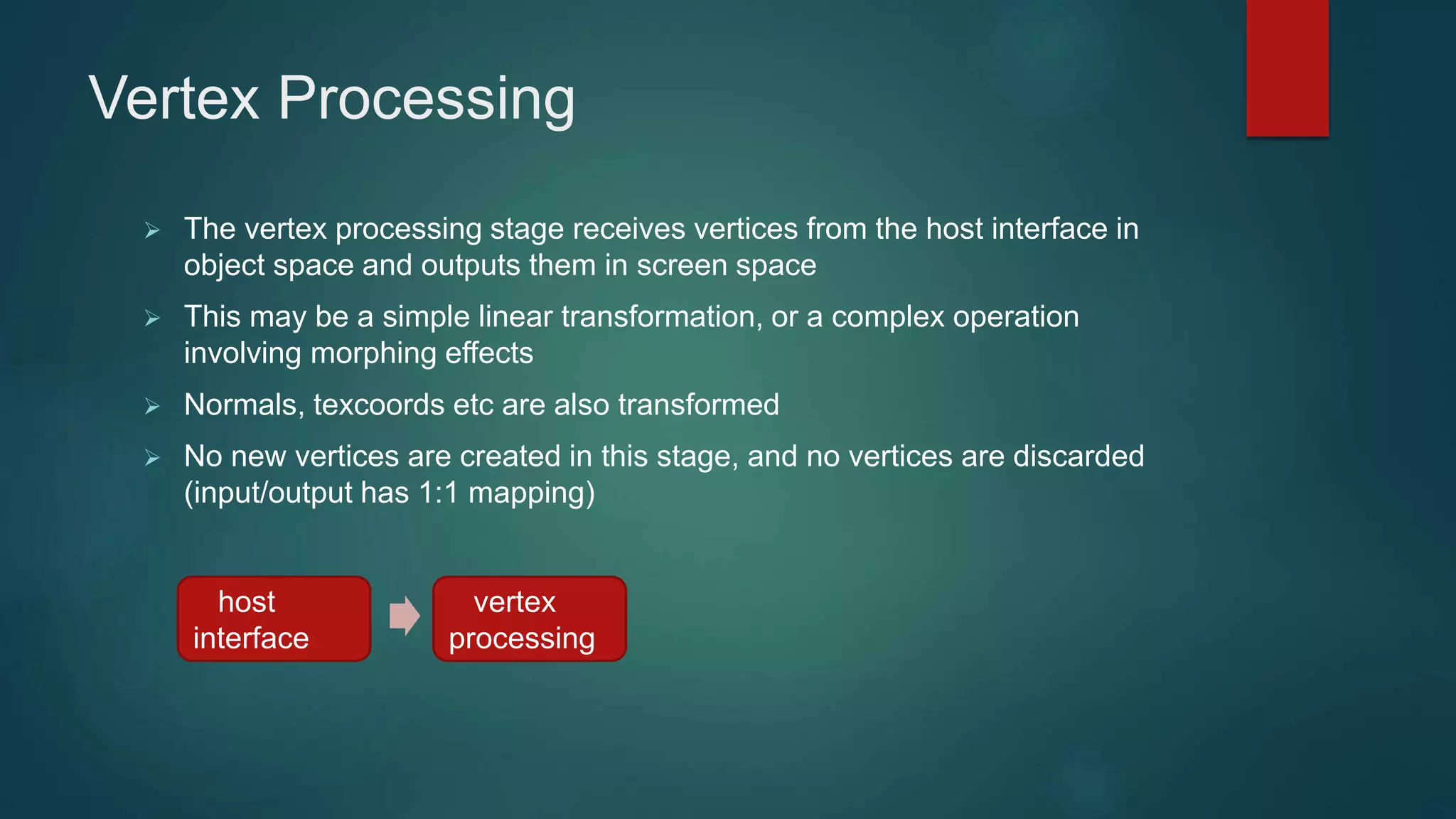
Vertex Processing
 The vertex processing stage receives vertices from the host interface in
object space and outputs them in screen space
 This may be a simple linear transformation, or a complex operation
involving morphing effects
 Normals, texcoords etc are also transformed
 No new vertices are created in this stage, and no vertices are discarded
(input/output has 1:1 mapping)
host
interface
vertex
processing
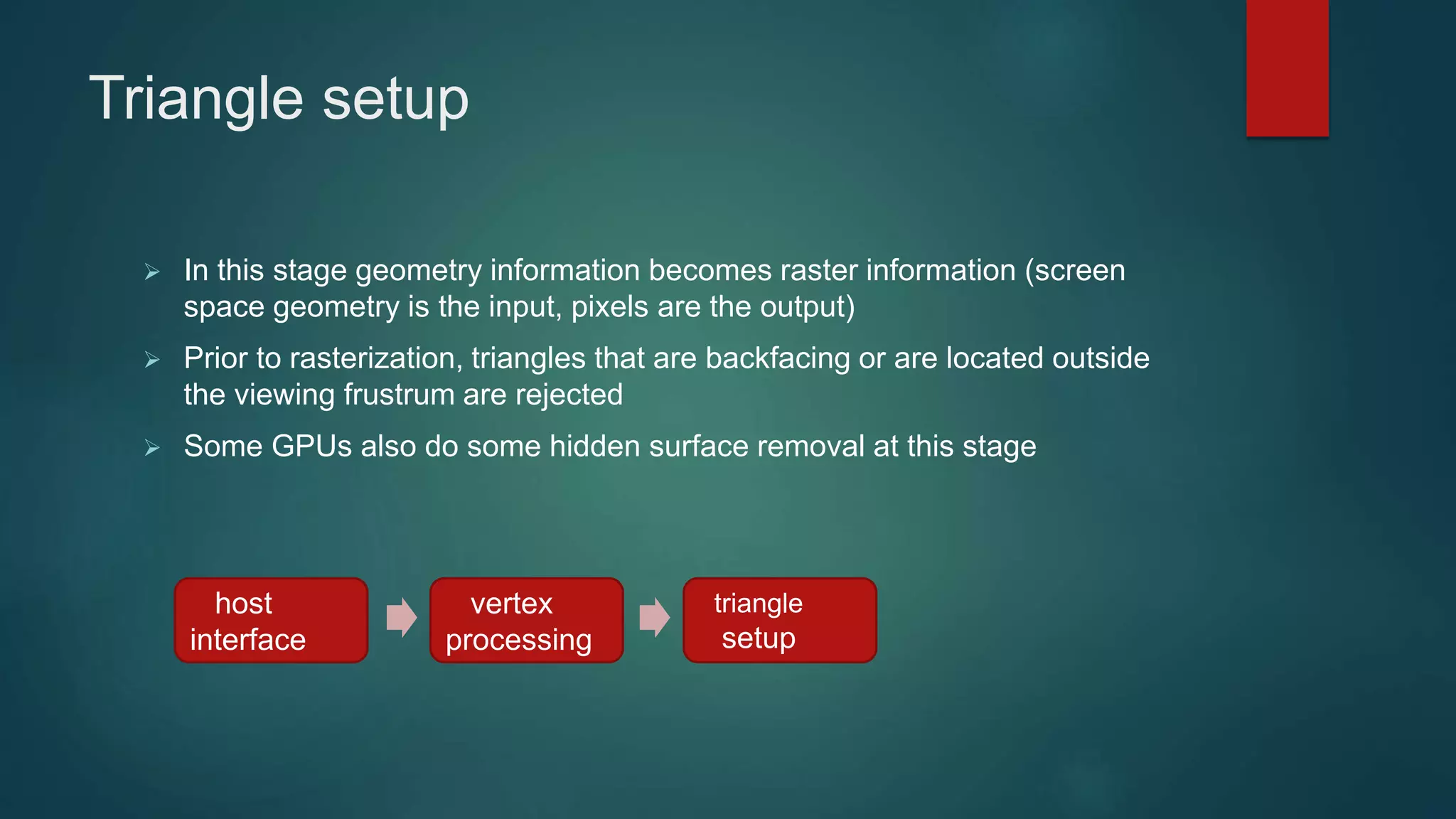
Triangle setup
 In this stage geometry information becomes raster information (screen
space geometry is the input, pixels are the output)
 Prior to rasterization, triangles that are backfacing or are located outside
the viewing frustrum are rejected
 Some GPUs also do some hidden surface removal at this stage
host
interface
vertex
processing
triangle
setup
Cont..
 A fragment is generated if and only if its center is inside the triangle
 Every fragment generated has its attributes computed to be the
perspective correct interpolation of the three vertices that make up the
triangle
host
interface
vertex
processing
triangle
setup
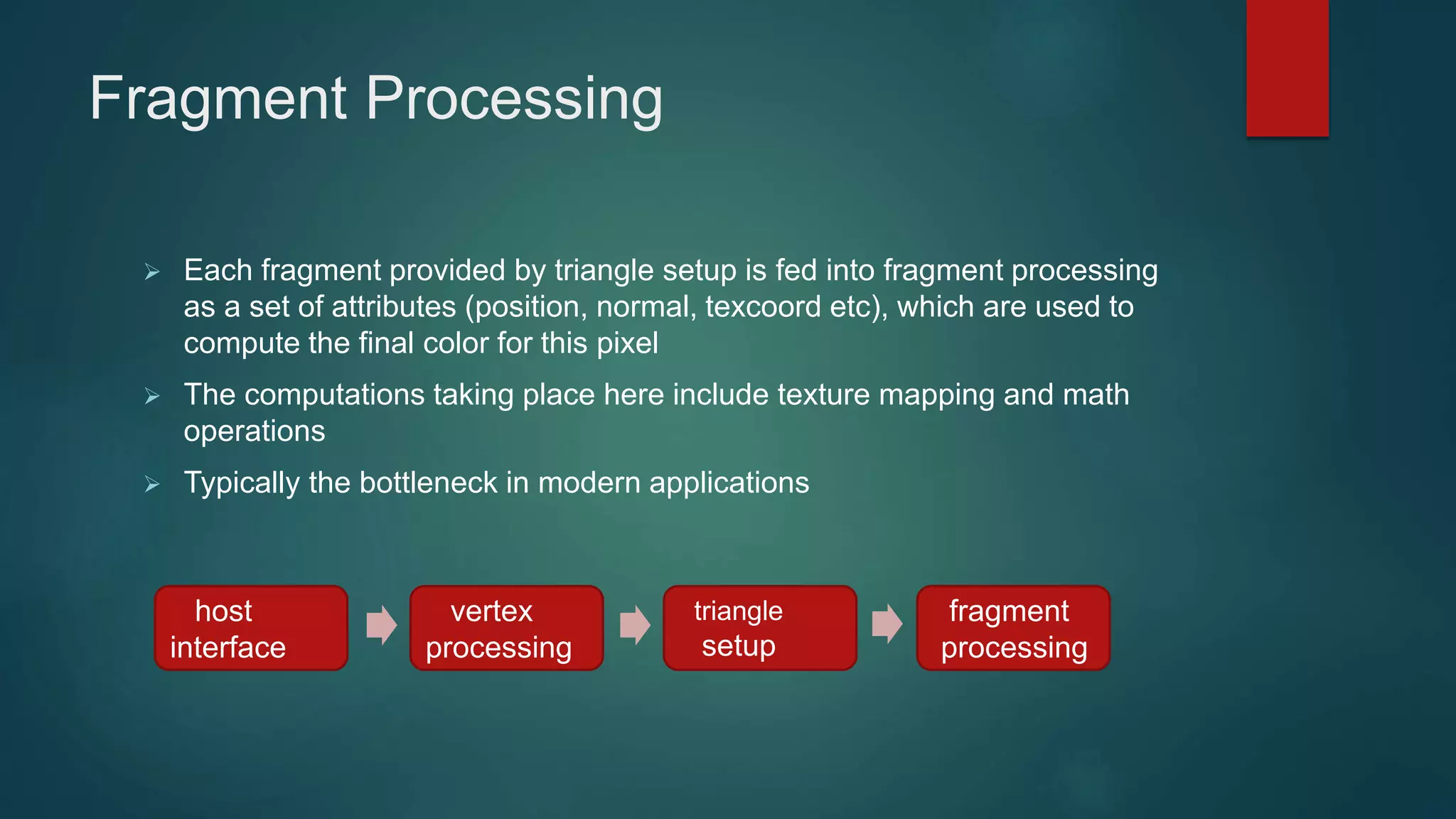
Fragment Processing
 Each fragment provided by triangle setup is fed into fragment processing
as a set of attributes (position, normal, texcoord etc), which are used to
compute the final color for this pixel
 The computations taking place here include texture mapping and math
operations
 Typically the bottleneck in modern applications
host
interface
vertex
processing
triangle
setup
fragment
processing
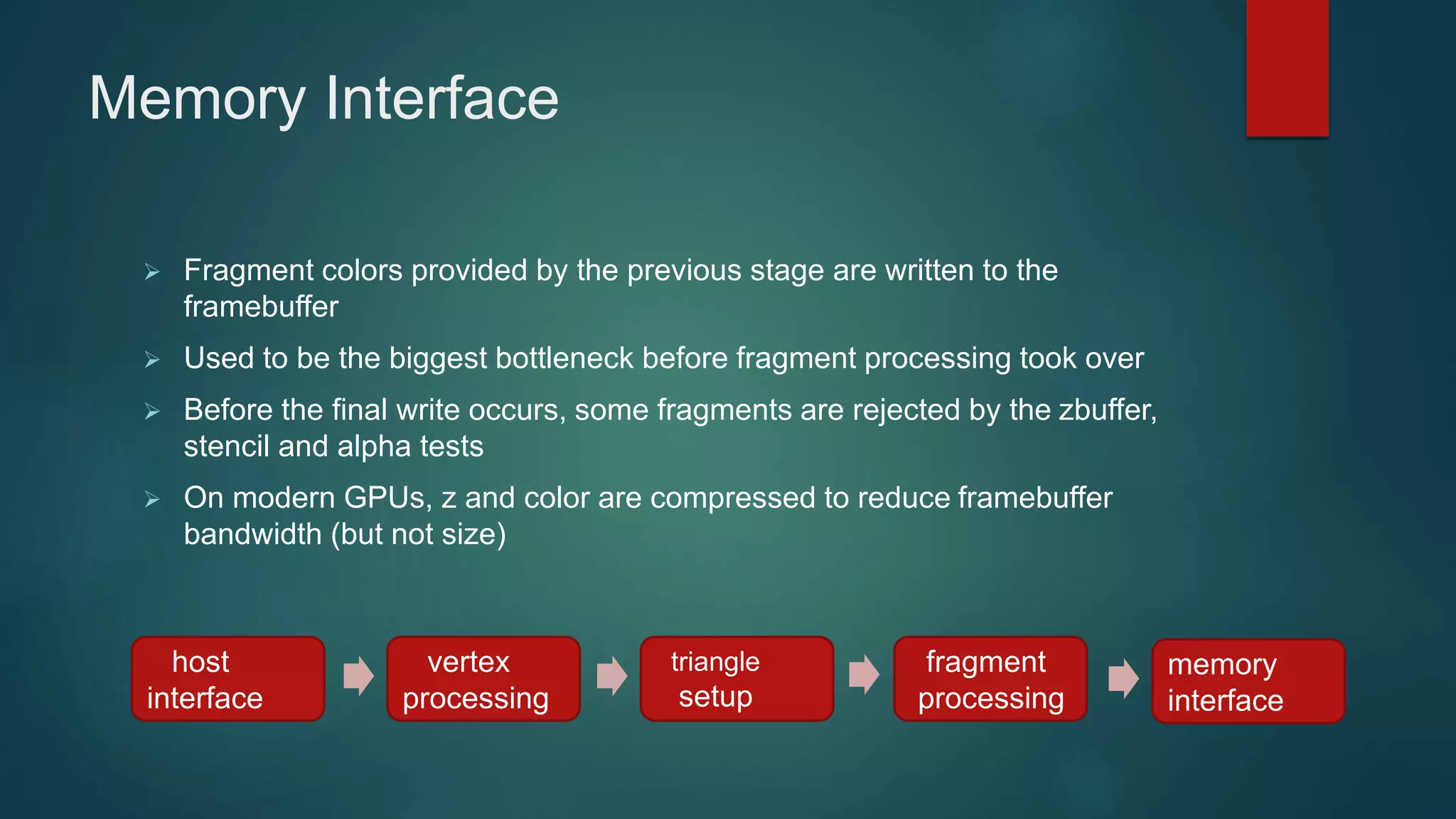
Memory Interface
 Fragment colors provided by the previous stage are written to the
framebuffer
 Used to be the biggest bottleneck before fragment processing took over
 Before the final write occurs, some fragments are rejected by the zbuffer,
stencil and alpha tests
 On modern GPUs, z and color are compressed to reduce framebuffer
bandwidth (but not size)
host
interface
vertex
processing
triangle
setup
fragment
processing
memory
interface
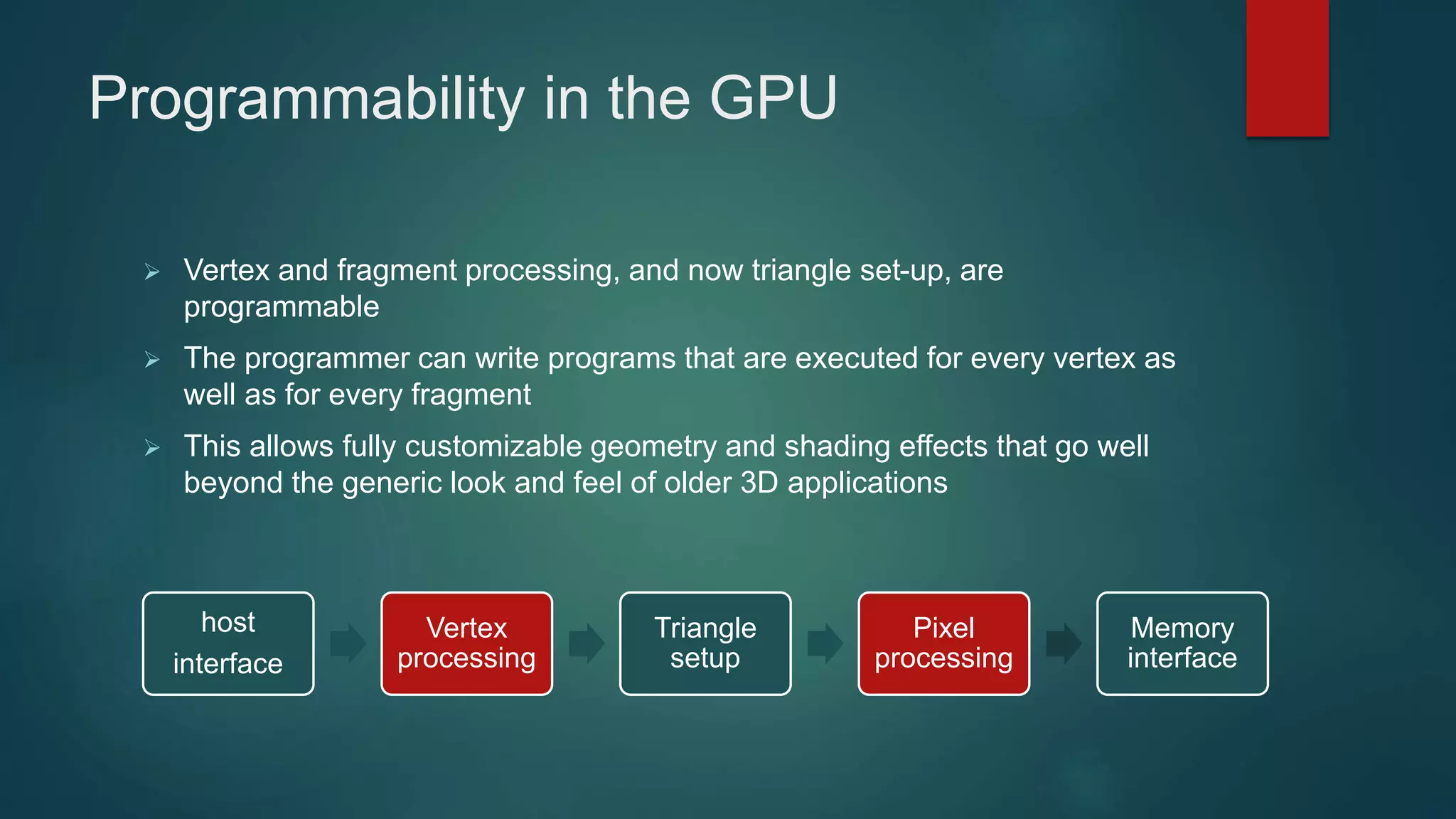
Programmability in the GPU
 Vertex and fragment processing, and now triangle set-up, are
programmable
 The programmer can write programs that are executed for every vertex as
well as for every fragment
 This allows fully customizable geometry and shading effects that go well
beyond the generic look and feel of older 3D applications
host
interface
Vertex
processing
Triangle
setup
Pixel
processing
Memory
interface
Diagram of a modern GPU
64bits to
memory
64bits to
memory
64bits to
memory
64bits to
memory
Input from CPU
Host interface
Vertex processing
Triangle setup
Pixel processing
Memory Interface
CPU/GPU interaction
 The CPU and GPU inside the PC work in parallel with each other
 There are two “threads” going on, one for the CPU and one for the GPU,
which communicate through a command buffer:
CPU writes commands here
GPU reads commands from here
Pending GPU commands
CPU/GPU interaction (cont)
 If this command buffer is drained empty, we are CPU limited and the GPU
will spin around waiting for new input. All the GPU power in the universe
isn’t going to make your application faster!
 If the command buffer fills up, the CPU will spin around waiting for the
GPU to consume it, and we are effectively GPU limited
CPU/GPU interaction (cont)
 Another important point to consider is that programs that use the GPU do
not follow the traditional sequential execution model
 In the CPU program below, the object is not drawn after statement A and
before statement B:
Statement A
API call to draw object
Statement B
 Instead, all the API call does, is to add the command to draw the object to
the GPU command buffer
Synchronization issues
 This leads to a number of synchronization considerations
 In the figure below, the CPU must not overwrite the data in the “yellow”
block until the GPU is done with the “black” command, which references
that data:
CPU writes commands here
GPU reads commands from here
data
Syncronization issues (cont)
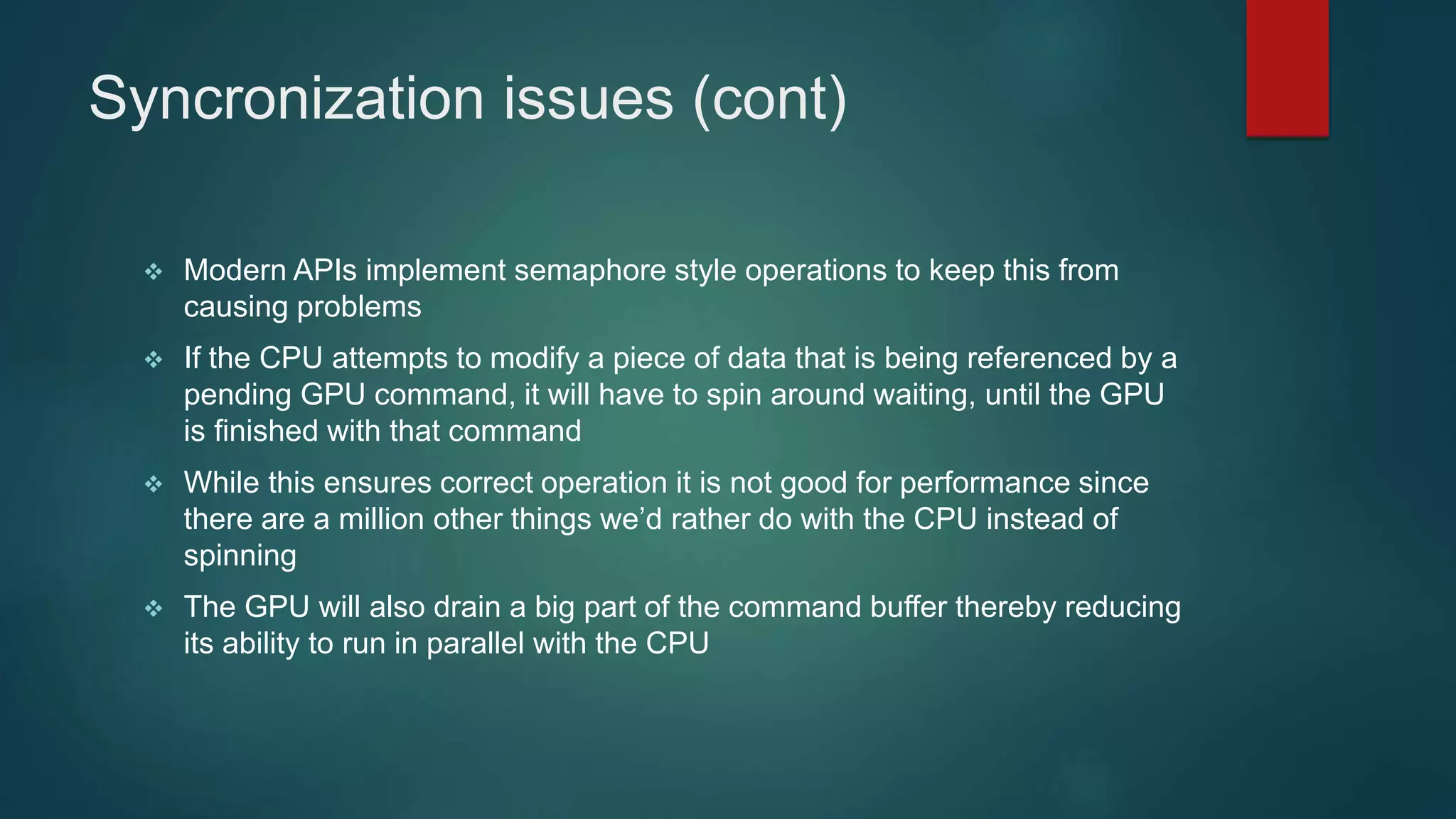
 Modern APIs implement semaphore style operations to keep this from
causing problems
 If the CPU attempts to modify a piece of data that is being referenced by a
pending GPU command, it will have to spin around waiting, until the GPU
is finished with that command
 While this ensures correct operation it is not good for performance since
there are a million other things we’d rather do with the CPU instead of
spinning
 The GPU will also drain a big part of the command buffer thereby reducing
its ability to run in parallel with the CPU
Inlining data
 One way to avoid these problems is to inline all data to the command
buffer and avoid references to separate data:
 However, this is also bad for performance, since we may need to copy
several Mbytes of data instead of merely passing around a pointer
CPU writes commands here
GPU reads commands from here
data
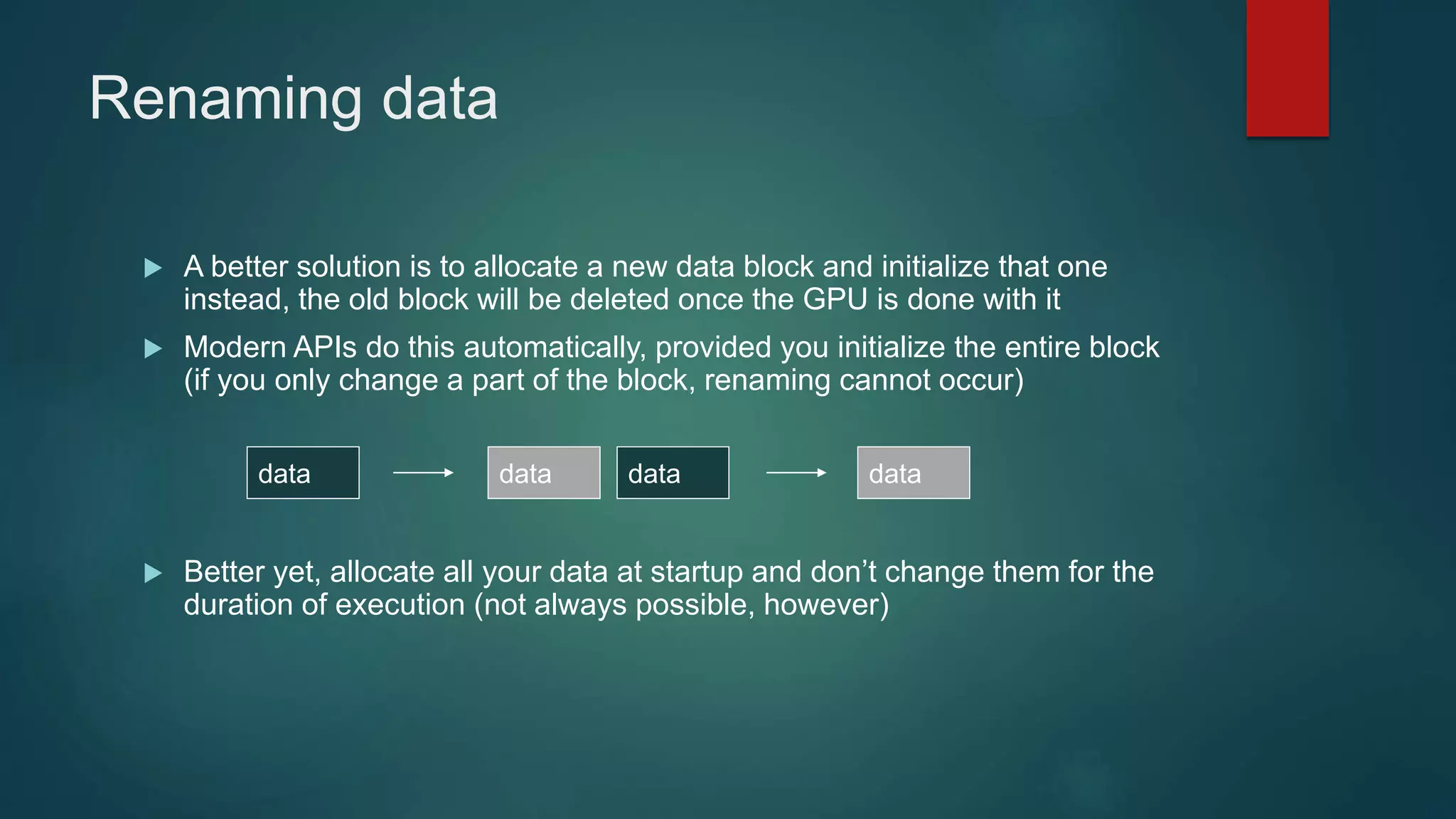
Renaming data
 A better solution is to allocate a new data block and initialize that one
instead, the old block will be deleted once the GPU is done with it
 Modern APIs do this automatically, provided you initialize the entire block
(if you only change a part of the block, renaming cannot occur)
 Better yet, allocate all your data at startup and don’t change them for the
duration of execution (not always possible, however)
data datadata data
GPU readbacks
 The output of a GPU is a rendered image on the screen, what will happen
if the CPU tries to read it?
 The GPU must be syncronized with the CPU, ie it must drain its entire
command buffer, and the CPU must wait while this happens
CPU writes commands here
GPU reads commands from here
Pending GPU commands
GPU readbacks (cont)
 We lose all parallelism, since first the CPU waits for the GPU, then the
GPU waits for the CPU (because the command buffer has been drained)
 Both CPU and GPU performance take a nosedive
 Bottom line: the image the GPU produces is for your eyes, not for the CPU
(treat the CPU -> GPU highway as a one way street)
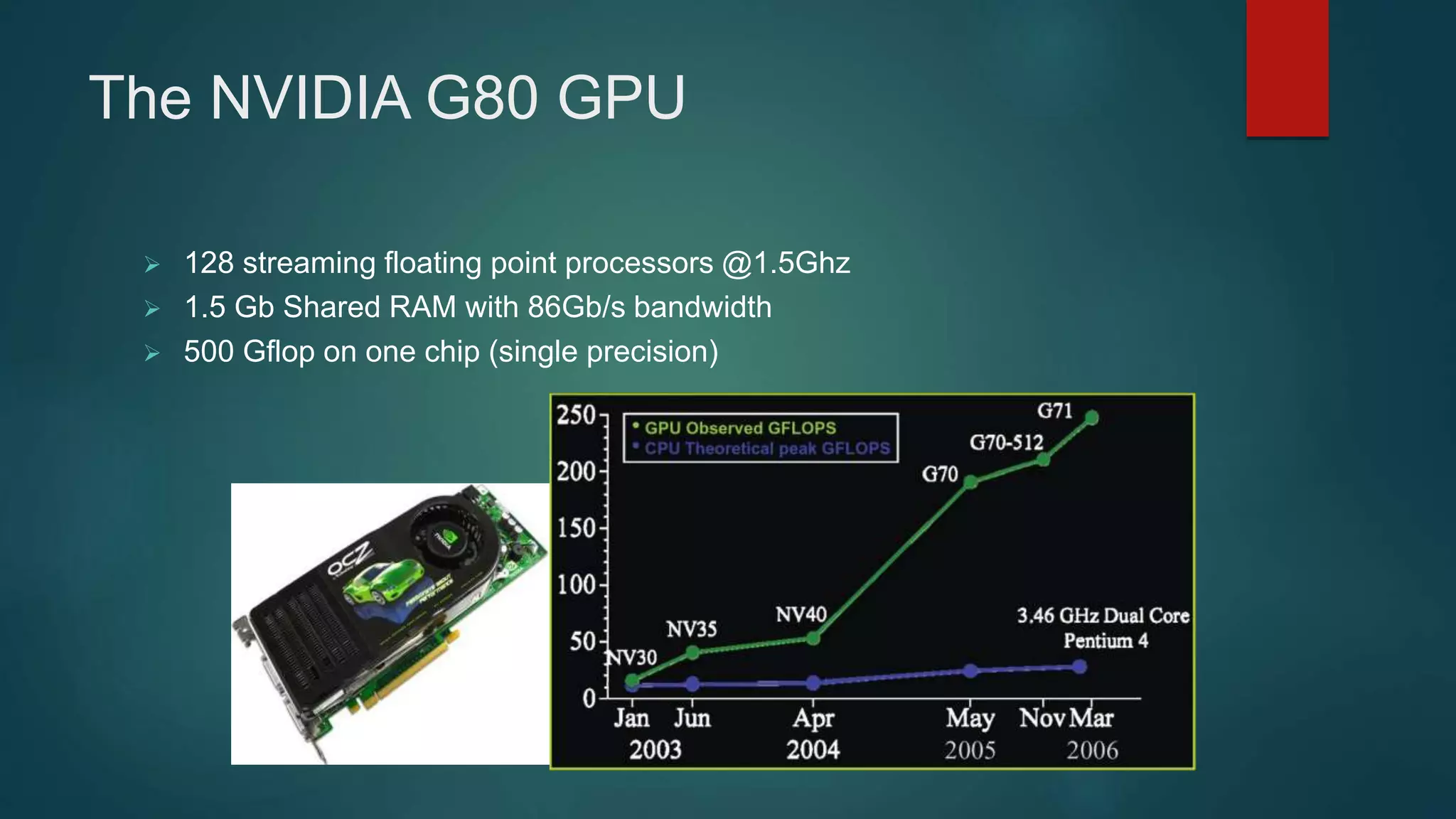
The NVIDIA G80 GPU
 128 streaming floating point processors @1.5Ghz
 1.5 Gb Shared RAM with 86Gb/s bandwidth
 500 Gflop on one chip (single precision)
Why are GPU’s so fast
 Entertainment Industry has driven the economy of these chips?
 Males age 15-35 buy
$10B in video games / year
 Moore’s Law ++
 Simplified design (stream processing)
 Single-chip designs.

Gpu

  • 1.
    What is GPUand its architecture and functioning (eg. NVIDIA) Heterogeneous Computation PRESENTED BY: JAVED IQBAL 13054149-097 ALI ASHGAR 13054149-098 MUHAMMAD ZAHEER ASHRAF 13054149-100 MUHAMMAD HASHIM 13054149-102
  • 2.
    What is GPU? It is a processor optimized for 2D/3D graphics, video, visual computing, and display.  It is highly parallel, highly multithreaded multiprocessor optimized for visual computing.  It provide real-time visual interaction with computed objects via graphics images, and video.  It serves as both a programmable graphics processor and a scalable parallel computing platform.  Heterogeneous Systems: combine a GPU with a CPU
  • 3.
    GPU Evolution o 1980’s– No GPU. PC used VGA controller o 1990’s – Add more function into VGA controller o 1997 – 3D acceleration functions: Hardware for triangle setup and rasterization Texture mapping and Shading o 2000 – A single chip graphics processor ( beginning of GPU term) o 2005 – Massively parallel programmable processors o 2007 – CUDA (Compute Unified Device Architecture)
  • 4.
    GPU Graphic Trends OpenGL – an open standard for 3D programming  DirectX – a series of Microsoft multimedia programming interfaces  New GPU are being developed every 12 to 18 months  New idea of visual computing: combines graphics processing and parallel computing  Heterogeneous System : CPU + GPU  GPU evolves into scalable parallel processor  GPU Computing: GPGPU and CUDA  GPU unifies graphics and computing  GPU visual computing application: OpenGL, and DirectX
  • 5.
    GPU vs CPU A GPU is tailored for highly parallel operation while a CPU executes programs serially  For this reason, GPUs have many parallel execution units and higher transistor counts, while CPUs have few execution units and higher clockspeeds  A GPU is for the most part deterministic in its operation (though this is quickly changing)  GPUs have much deeper pipelines (several thousand stages vs 10-20 for CPUs)  GPUs have significantly faster and more advanced memory interfaces as they need to shift around a lot more data than CPUs
  • 6.
    The GPU pipeline TheGPU receives geometry information from the CPU as an input and provides a picture as an output Let’s see how that happens host interface vertex processing triangle setup fragment processing memory interface
  • 7.
    Host Interface  Thehost interface is the communication bridge between the CPU and the GPU  It receives commands from the CPU and also pulls geometry information from system memory  It outputs a stream of vertices in object space with all their associated information (normals, texture coordinates, per vertex color etc) host interface
  • 8.
    Vertex Processing  Thevertex processing stage receives vertices from the host interface in object space and outputs them in screen space  This may be a simple linear transformation, or a complex operation involving morphing effects  Normals, texcoords etc are also transformed  No new vertices are created in this stage, and no vertices are discarded (input/output has 1:1 mapping) host interface vertex processing
  • 9.
    Triangle setup  Inthis stage geometry information becomes raster information (screen space geometry is the input, pixels are the output)  Prior to rasterization, triangles that are backfacing or are located outside the viewing frustrum are rejected  Some GPUs also do some hidden surface removal at this stage host interface vertex processing triangle setup
  • 10.
    Cont..  A fragmentis generated if and only if its center is inside the triangle  Every fragment generated has its attributes computed to be the perspective correct interpolation of the three vertices that make up the triangle host interface vertex processing triangle setup
  • 11.
    Fragment Processing  Eachfragment provided by triangle setup is fed into fragment processing as a set of attributes (position, normal, texcoord etc), which are used to compute the final color for this pixel  The computations taking place here include texture mapping and math operations  Typically the bottleneck in modern applications host interface vertex processing triangle setup fragment processing
  • 12.
    Memory Interface  Fragmentcolors provided by the previous stage are written to the framebuffer  Used to be the biggest bottleneck before fragment processing took over  Before the final write occurs, some fragments are rejected by the zbuffer, stencil and alpha tests  On modern GPUs, z and color are compressed to reduce framebuffer bandwidth (but not size) host interface vertex processing triangle setup fragment processing memory interface
  • 13.
    Programmability in theGPU  Vertex and fragment processing, and now triangle set-up, are programmable  The programmer can write programs that are executed for every vertex as well as for every fragment  This allows fully customizable geometry and shading effects that go well beyond the generic look and feel of older 3D applications host interface Vertex processing Triangle setup Pixel processing Memory interface
  • 14.
    Diagram of amodern GPU 64bits to memory 64bits to memory 64bits to memory 64bits to memory Input from CPU Host interface Vertex processing Triangle setup Pixel processing Memory Interface
  • 15.
    CPU/GPU interaction  TheCPU and GPU inside the PC work in parallel with each other  There are two “threads” going on, one for the CPU and one for the GPU, which communicate through a command buffer: CPU writes commands here GPU reads commands from here Pending GPU commands
  • 16.
    CPU/GPU interaction (cont) If this command buffer is drained empty, we are CPU limited and the GPU will spin around waiting for new input. All the GPU power in the universe isn’t going to make your application faster!  If the command buffer fills up, the CPU will spin around waiting for the GPU to consume it, and we are effectively GPU limited
  • 17.
    CPU/GPU interaction (cont) Another important point to consider is that programs that use the GPU do not follow the traditional sequential execution model  In the CPU program below, the object is not drawn after statement A and before statement B: Statement A API call to draw object Statement B  Instead, all the API call does, is to add the command to draw the object to the GPU command buffer
  • 18.
    Synchronization issues  Thisleads to a number of synchronization considerations  In the figure below, the CPU must not overwrite the data in the “yellow” block until the GPU is done with the “black” command, which references that data: CPU writes commands here GPU reads commands from here data
  • 19.
    Syncronization issues (cont) Modern APIs implement semaphore style operations to keep this from causing problems  If the CPU attempts to modify a piece of data that is being referenced by a pending GPU command, it will have to spin around waiting, until the GPU is finished with that command  While this ensures correct operation it is not good for performance since there are a million other things we’d rather do with the CPU instead of spinning  The GPU will also drain a big part of the command buffer thereby reducing its ability to run in parallel with the CPU
  • 20.
    Inlining data  Oneway to avoid these problems is to inline all data to the command buffer and avoid references to separate data:  However, this is also bad for performance, since we may need to copy several Mbytes of data instead of merely passing around a pointer CPU writes commands here GPU reads commands from here data
  • 21.
    Renaming data  Abetter solution is to allocate a new data block and initialize that one instead, the old block will be deleted once the GPU is done with it  Modern APIs do this automatically, provided you initialize the entire block (if you only change a part of the block, renaming cannot occur)  Better yet, allocate all your data at startup and don’t change them for the duration of execution (not always possible, however) data datadata data
  • 22.
    GPU readbacks  Theoutput of a GPU is a rendered image on the screen, what will happen if the CPU tries to read it?  The GPU must be syncronized with the CPU, ie it must drain its entire command buffer, and the CPU must wait while this happens CPU writes commands here GPU reads commands from here Pending GPU commands
  • 23.
    GPU readbacks (cont) We lose all parallelism, since first the CPU waits for the GPU, then the GPU waits for the CPU (because the command buffer has been drained)  Both CPU and GPU performance take a nosedive  Bottom line: the image the GPU produces is for your eyes, not for the CPU (treat the CPU -> GPU highway as a one way street)
  • 24.
    The NVIDIA G80GPU  128 streaming floating point processors @1.5Ghz  1.5 Gb Shared RAM with 86Gb/s bandwidth  500 Gflop on one chip (single precision)
  • 25.
    Why are GPU’sso fast  Entertainment Industry has driven the economy of these chips?  Males age 15-35 buy $10B in video games / year  Moore’s Law ++  Simplified design (stream processing)  Single-chip designs.