SPU-based Deferred Shading for Battlefield 3 on Playstation 3Christina CoffinPlatform Specialist, Senior EngineerDICE
AgendaIntroductionSPU lighting overviewSPU lighting practicalities & algorithmsCode optimizations & development practicesBest practicesConclusionsQ&A
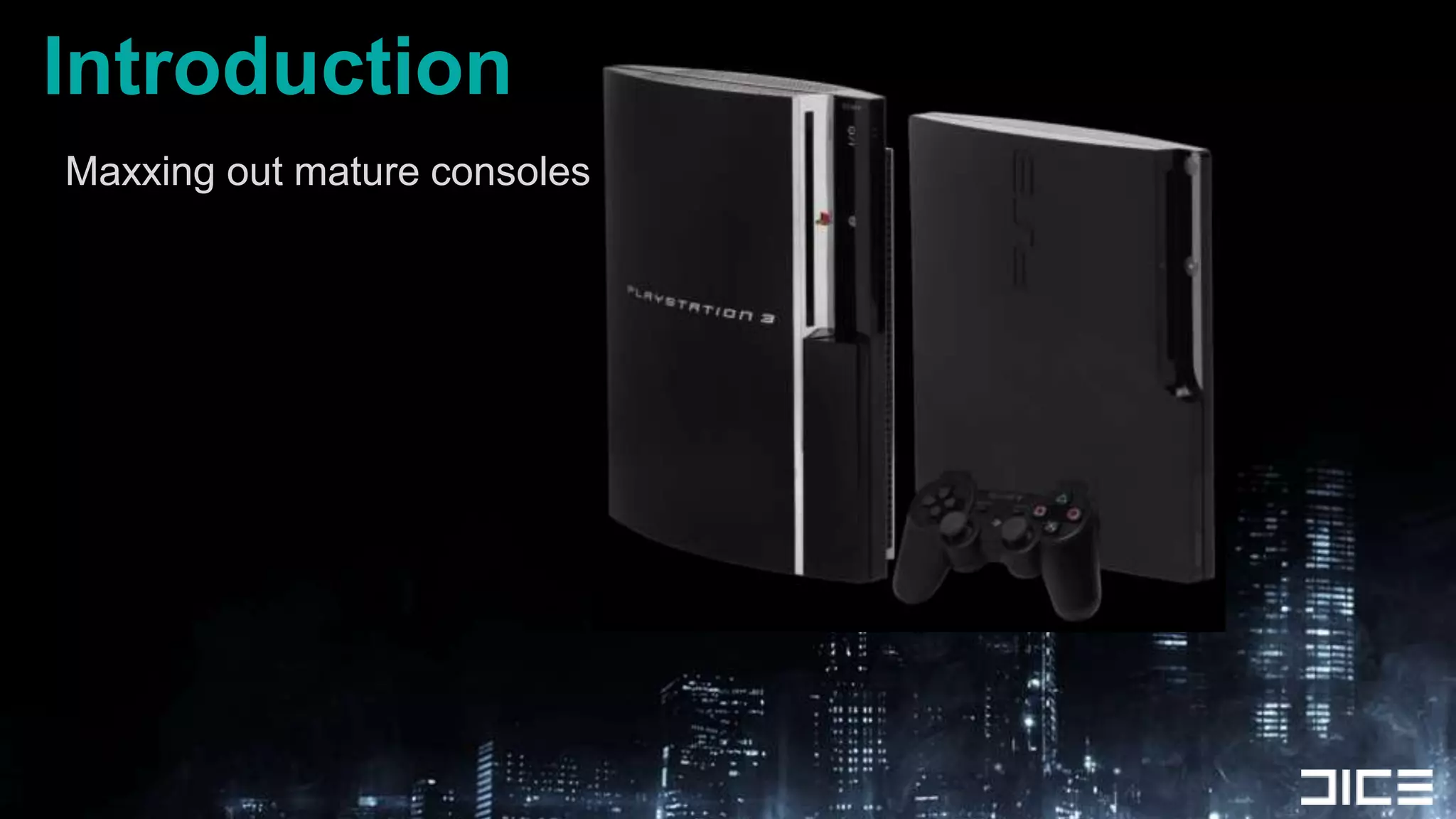
IntroductionMaxxing out mature consoles
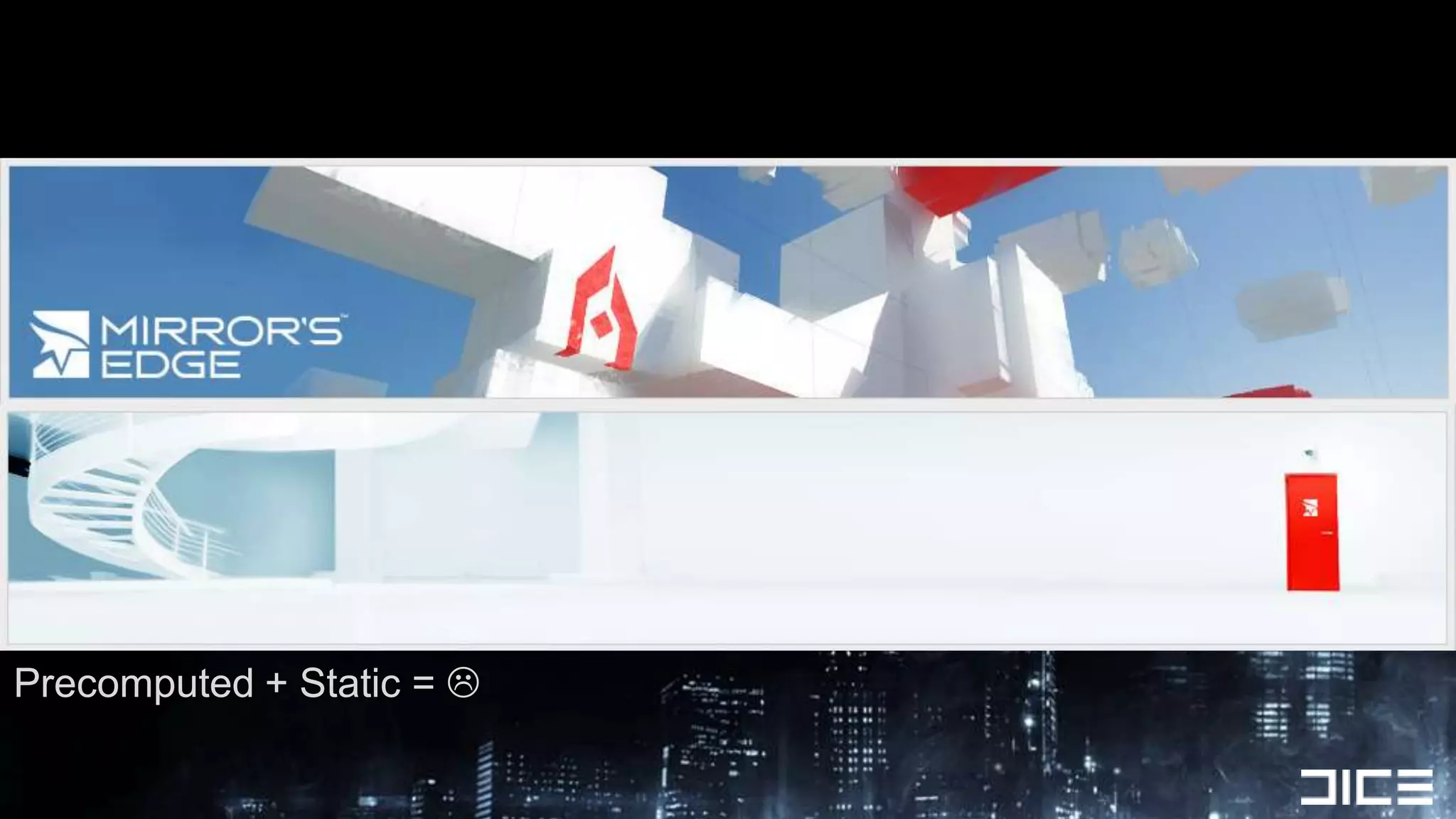
Past: Frostbite 1Forward Rendered + Destruction + Limited Lighting
Precomputed + Static = 
Now: Frostbite 2 + Battlefield 3Indoor + Outdoor + Urban HDR lighting solutionComplex lighting with Environment DestructionDeferred shadedMultiple Light types and materialsGoal: ”Use SPUs to distribute shading work and offload the GPU so it can do other work in parallel”
Why SPU-based Deferred Shading?Want more interesting visual lighting + FXOffload GPU work to the SPUs Having SPU+GPU work together on visuals raises the barAlready developed a tile-based DX 11 compute shaderGood reference point for doing deferred work on SPULots of SPU compute power to take advantage ofSimple sync model to get RSX + SPUs cooperating together
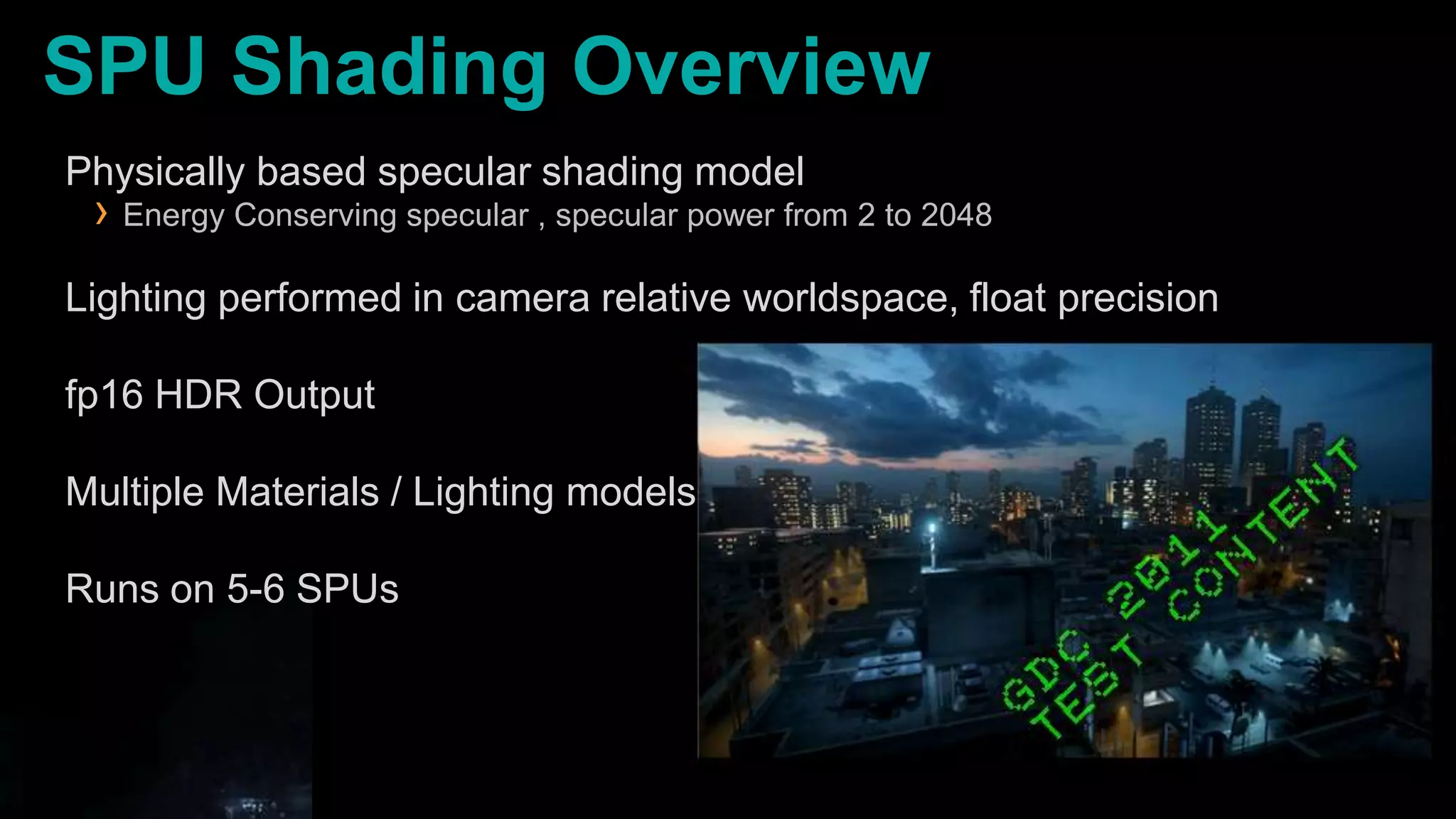
SPU Shading OverviewPhysically based specular shading modelEnergy Conserving specular , specular power from 2 to 2048Lighting performed in camera relative worldspace, float precisionfp16 HDR OutputMultiple Materials / Lighting modelsRuns on 5-6 SPUs
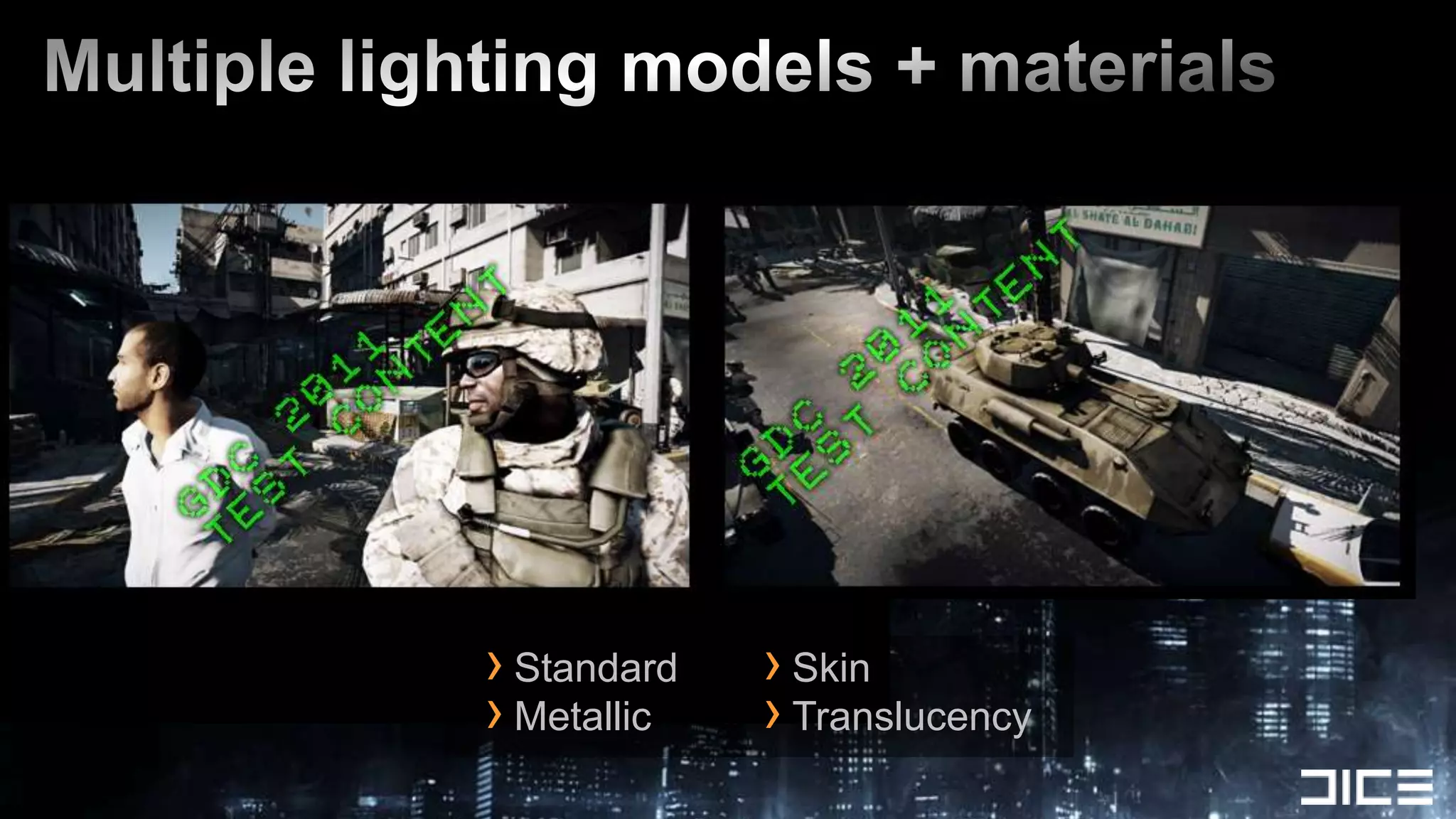
Multiple lighting models + materialsStandardMetallicSkinTranslucency
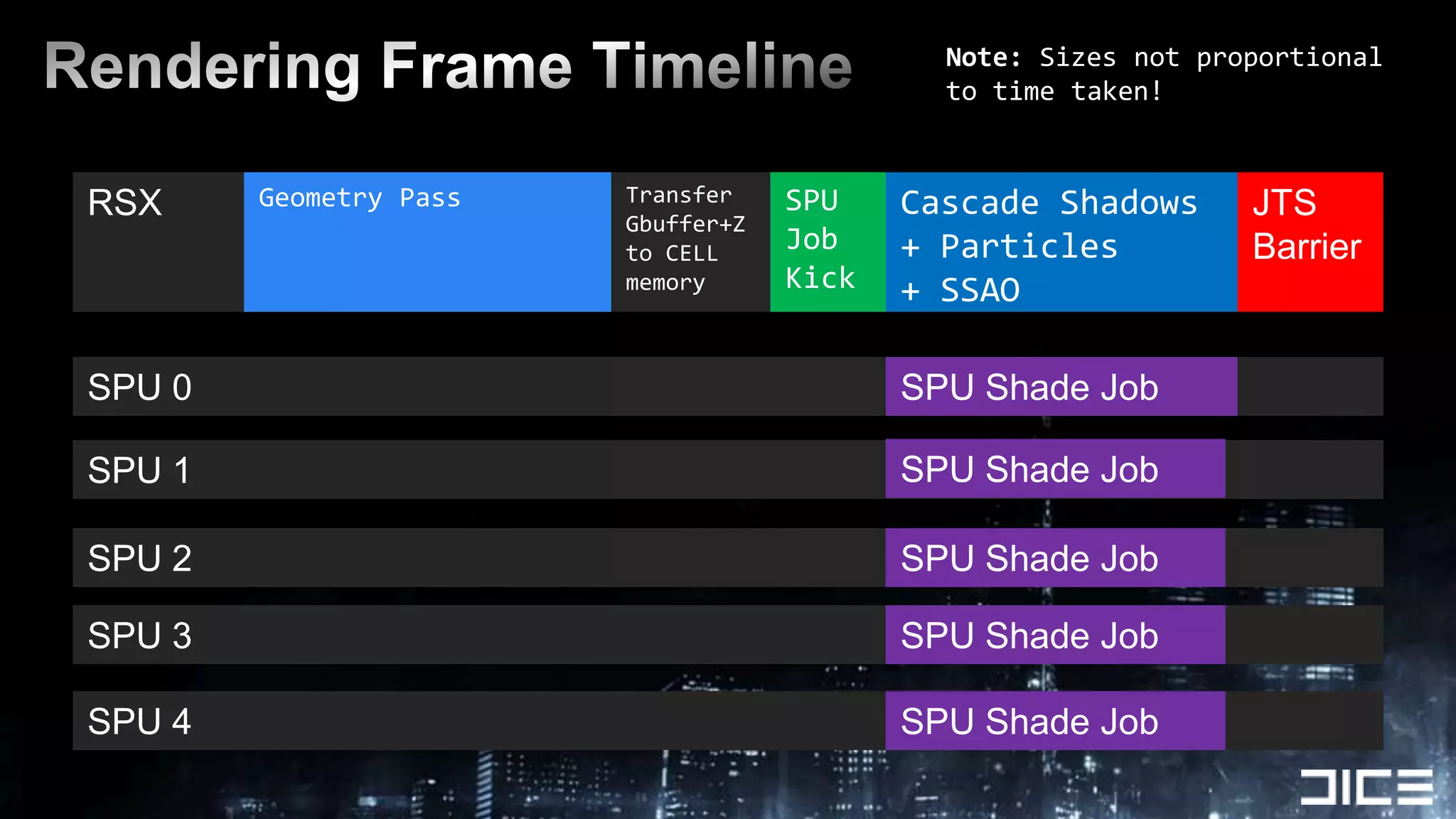
RSXRendering Frame TimelineNote: Sizes not proportional to time taken!Geometry PassTransfer  Gbuffer+Z to CELL memorySPUJob KickCascade Shadows + Particles+ SSAOJTSBarrierSPU 0SPU Shade JobSPU 1SPU Shade JobSPU 2SPU Shade JobSPU 3SPU Shade JobSPU 4SPU Shade Job
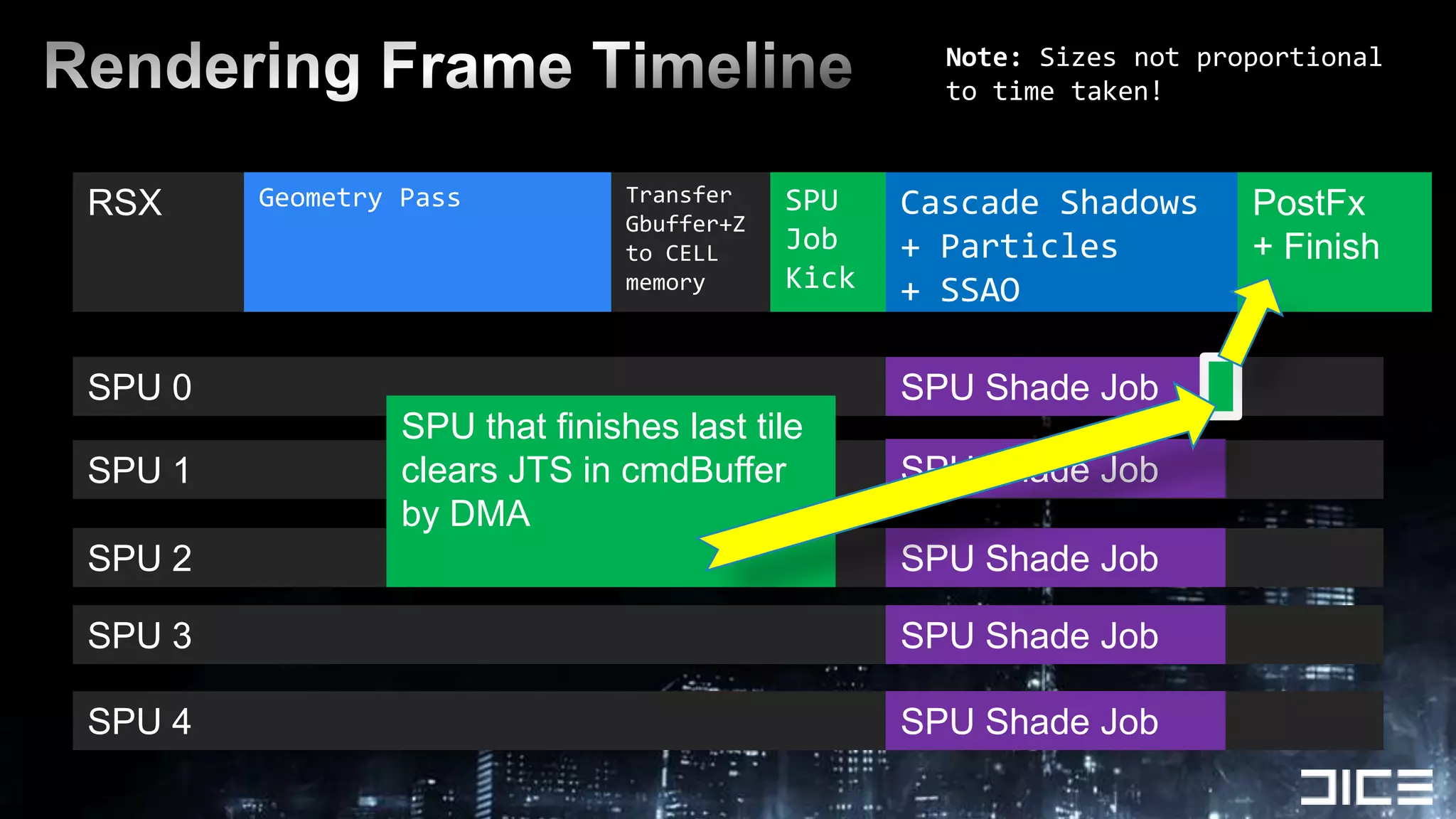
RSXRendering Frame TimelineNote: Sizes not proportional to time taken!Geometry PassTransfer  Gbuffer+Z to CELL memorySPUJob KickCascade Shadows + Particles+ SSAOJTSBarrierPostFx+ FinishSPU 0SPU that finishes last tileclears JTS in cmdBufferby DMASPU Shade JobSPU 1SPU Shade JobSPU 2SPU Shade JobSPU 3SPU Shade JobSPU 4SPU Shade Job
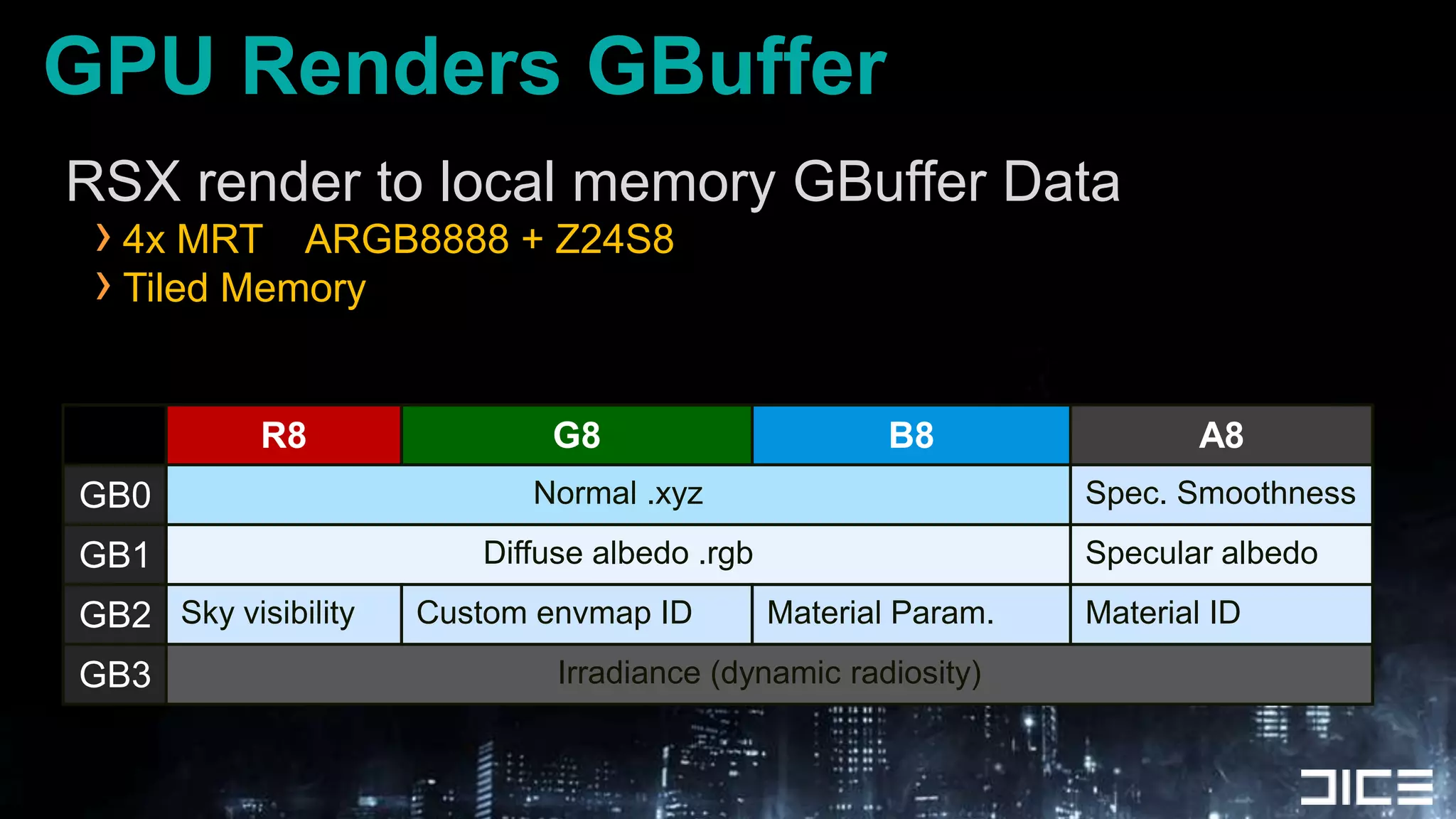
GPU Renders GBufferRSX render to local memory GBuffer Data4x MRT    ARGB8888 + Z24S8Tiled Memory
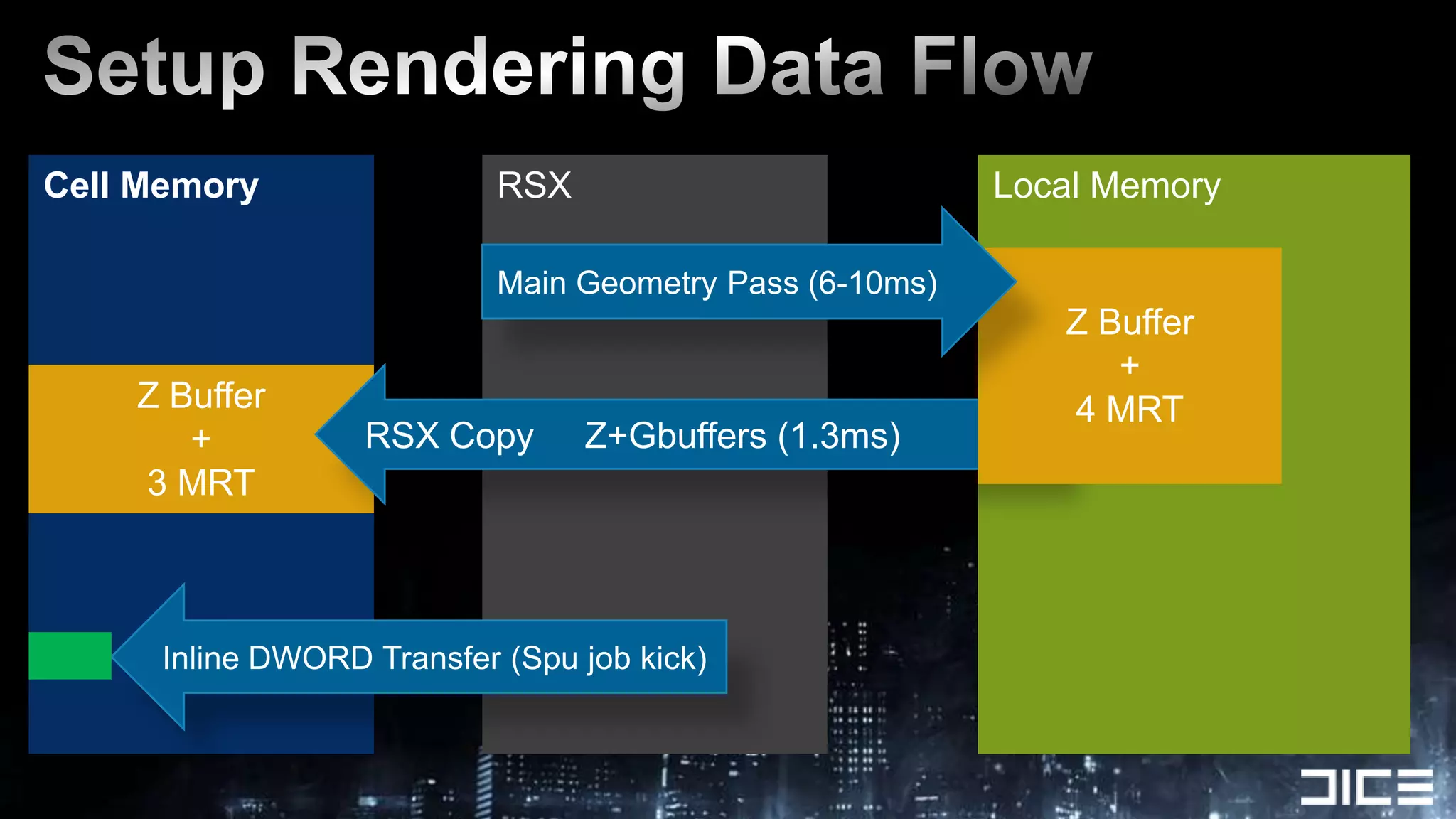
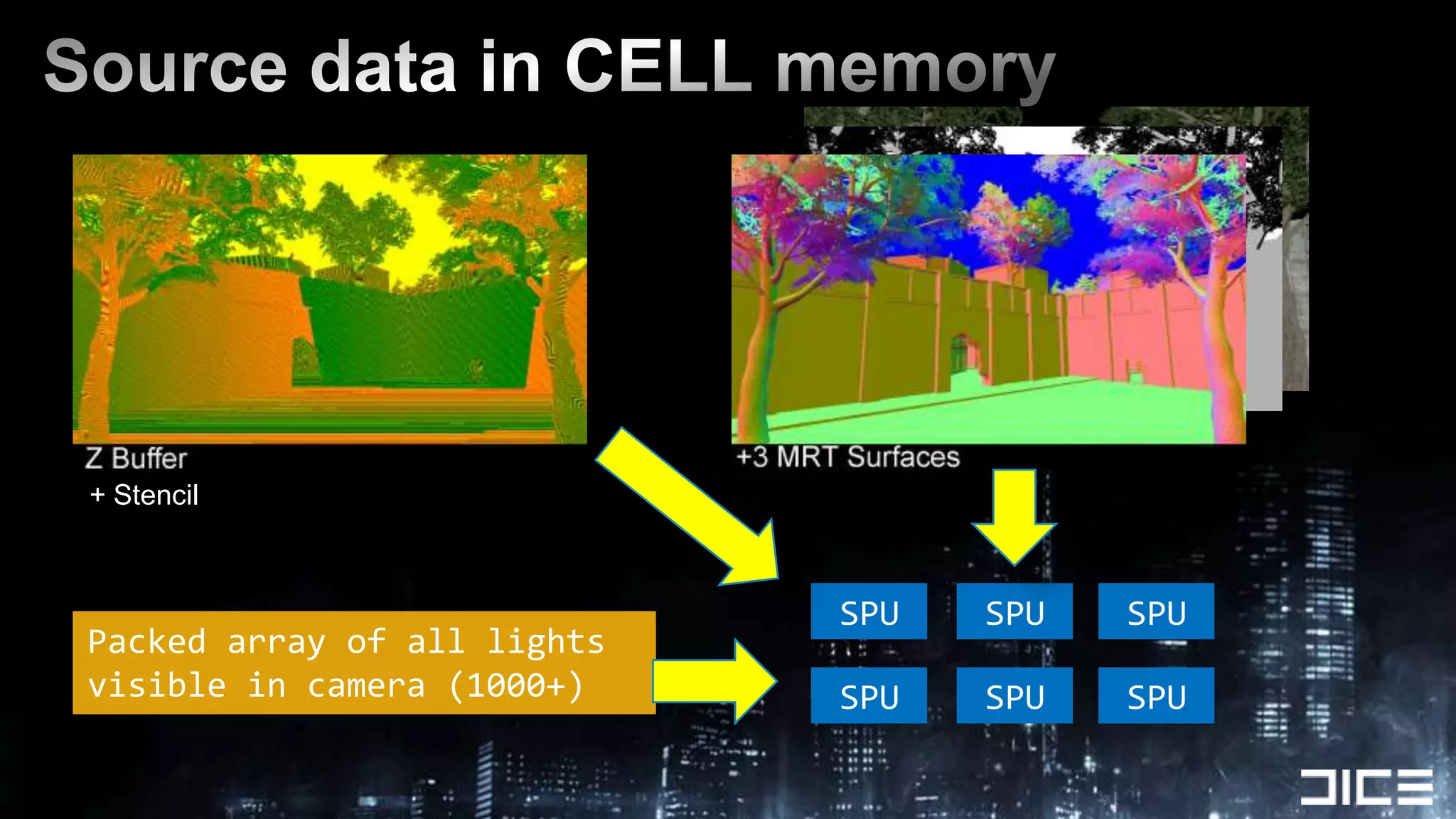
RSXSetup Rendering Data FlowLocal MemoryCell MemoryMain Geometry Pass (6-10ms)Z Buffer+4 MRTZ Buffer+3 MRTRSX Copy     Z+Gbuffers (1.3ms)Inline DWORD Transfer (Spu job kick)
Source data in CELL memory+ StencilSPUSPUSPUPacked array of all lights visible in camera (1000+)SPUSPUSPU
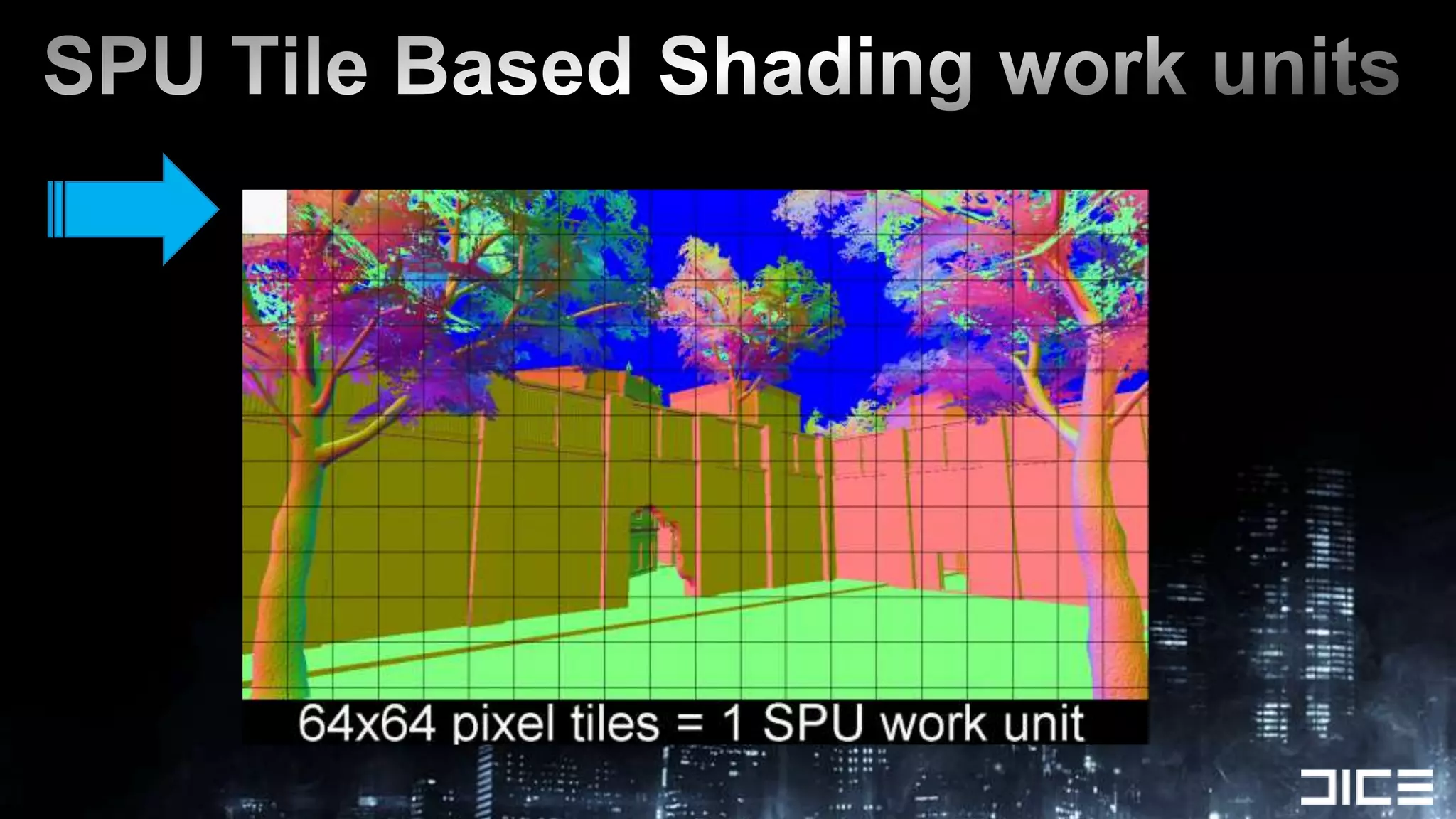
SPU Tile Based Shading work units
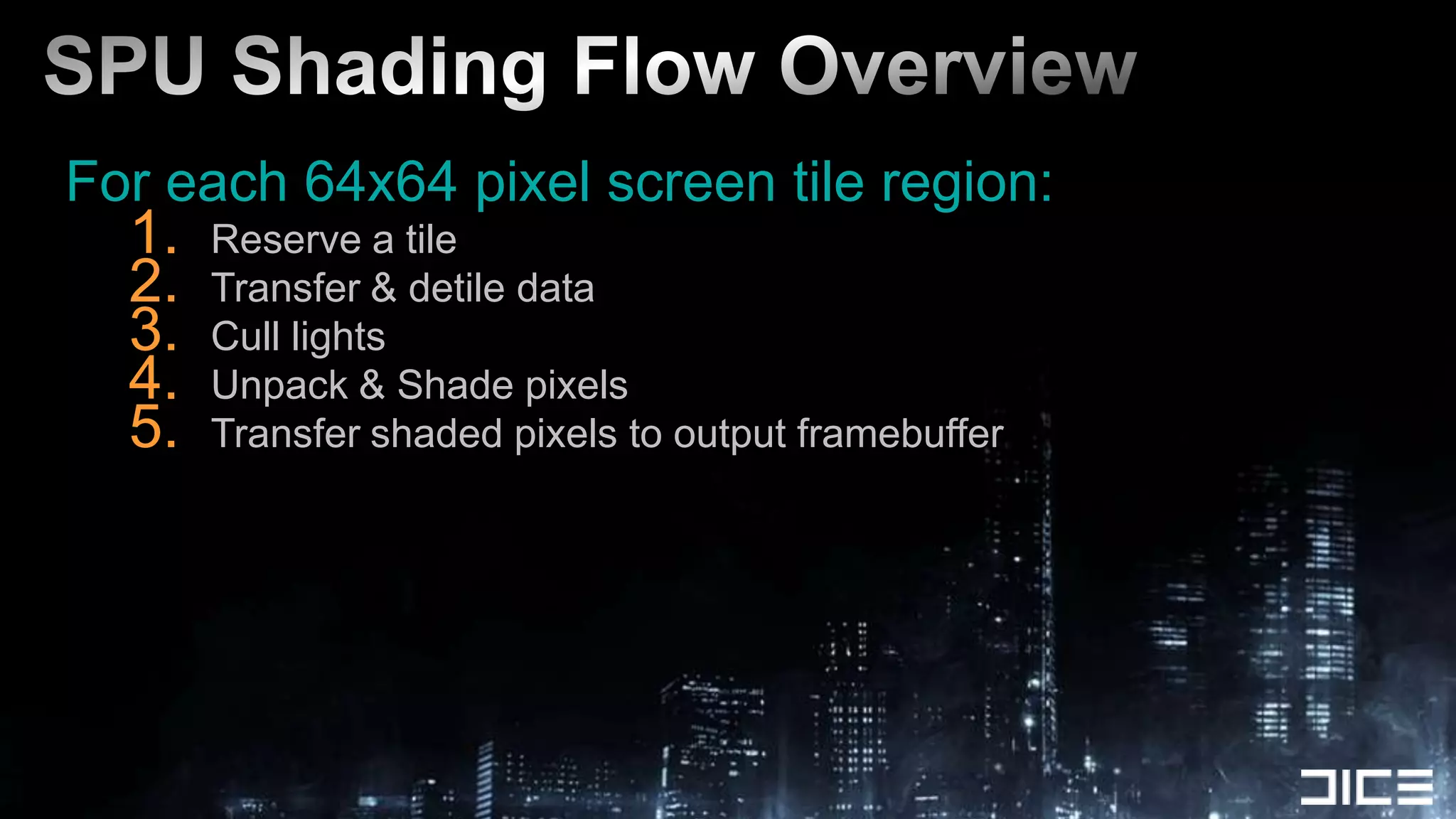
SPU Shading Flow OverviewFor each 64x64 pixel screen tile region:Reserve a tileTransfer & detile dataCull lightsUnpack & Shade pixelsTransfer shaded pixels to output framebuffer
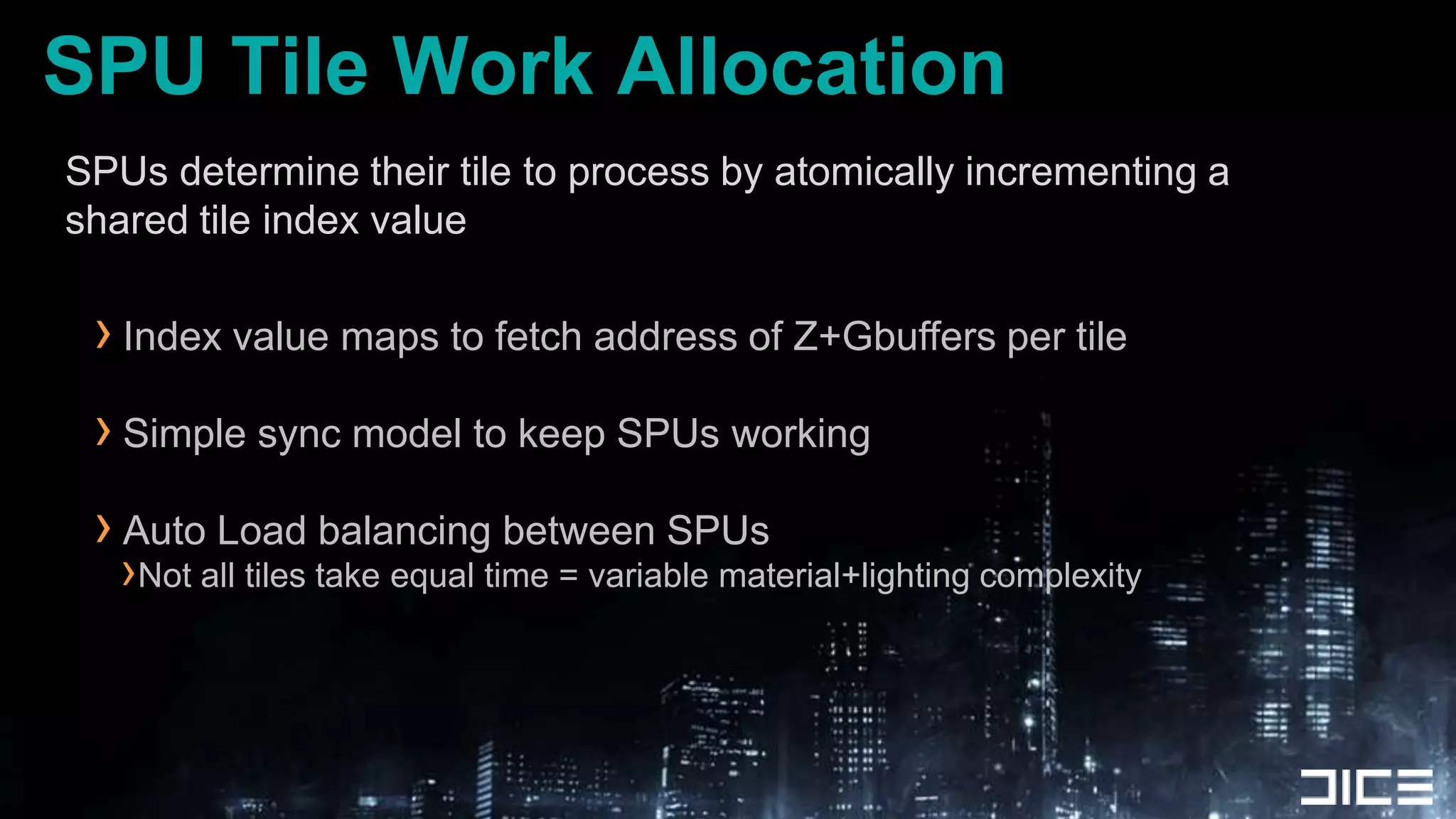
SPU Tile Work AllocationSPUs determine their tile to process by atomically incrementing a shared tile index valueIndex value maps to fetch address of Z+Gbuffers per tileSimple sync model to keep SPUs workingAuto Load balancing between SPUsNot all tiles take equal time = variable material+lighting complexity
Data transfer + De-TILINGGetting the Tile Data onto SPUs....
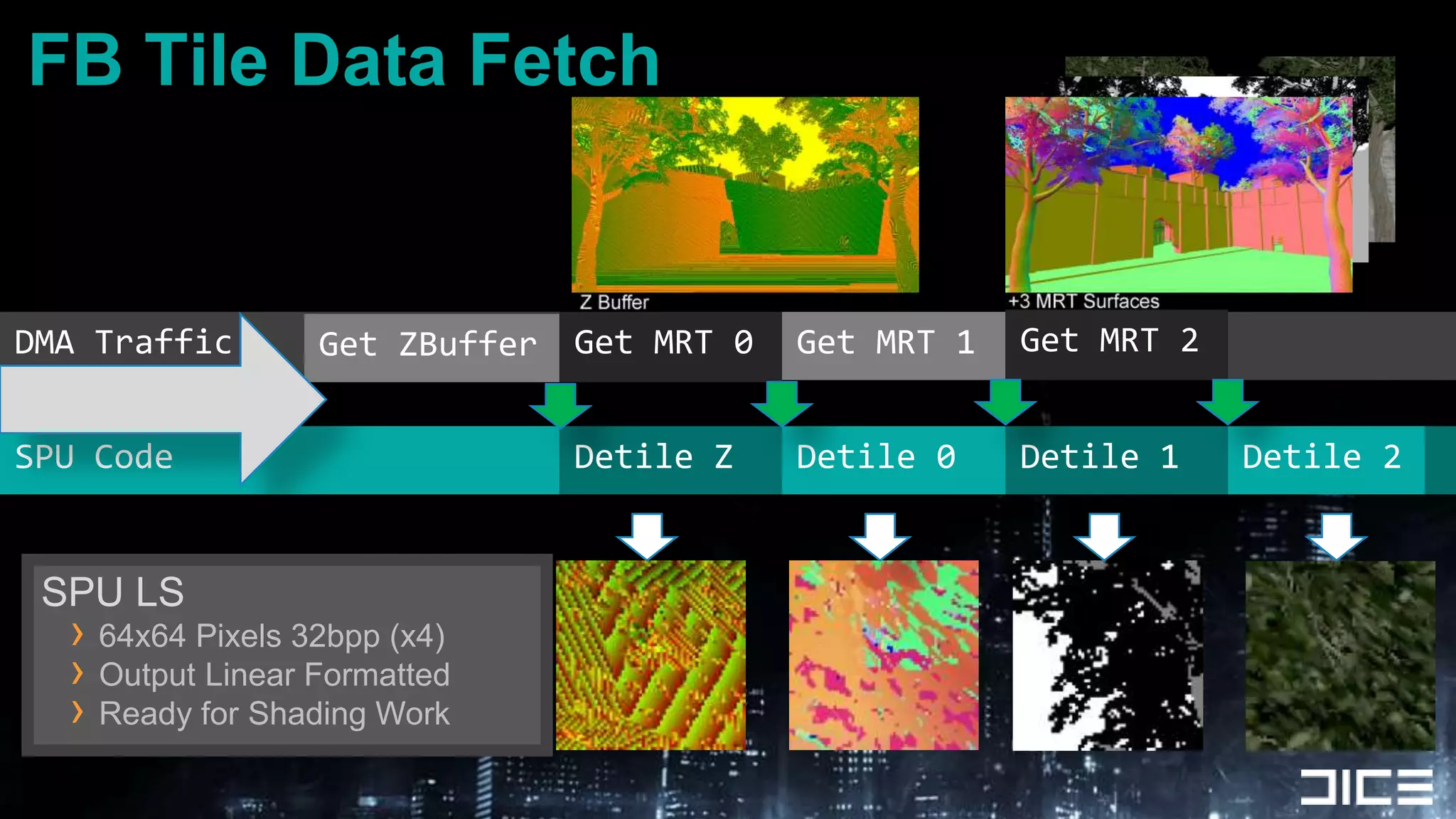
FB Tile Data FetchGet MRT 2DMA TrafficGet MRT 0Get MRT 1Get ZBufferSPU CodeDetile 0Detile 1Detile ZDetile 2SPU LS64x64 Pixels 32bpp (x4)Output Linear FormattedReady for Shading Work
SPU LIGHT TILE CULLING
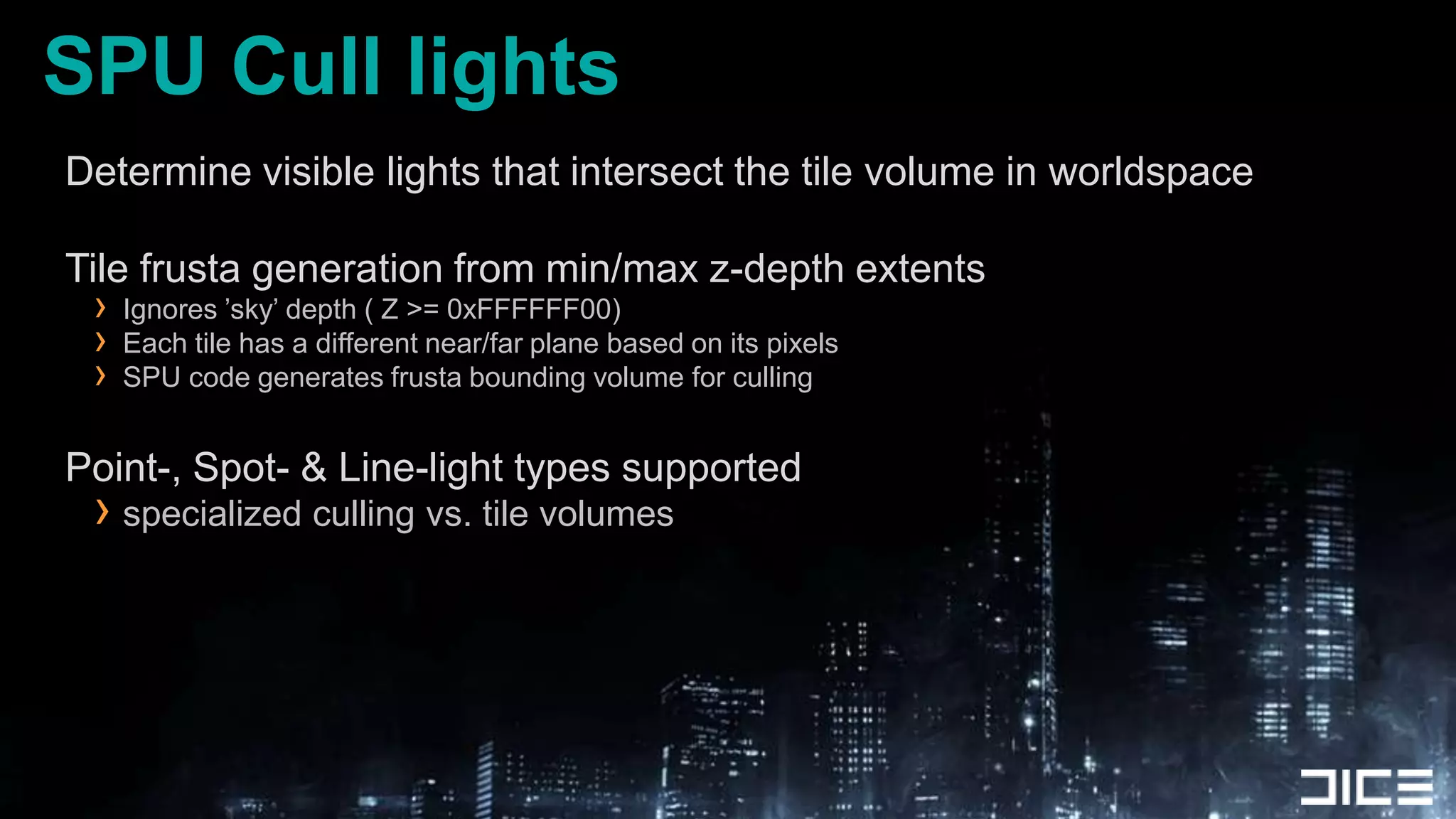
SPU Cull lightsDetermine visible lights that intersect the tile volume in worldspaceTile frusta generation from min/max z-depth extentsIgnores ’sky’ depth ( Z >= 0xFFFFFF00)Each tile has a different near/far plane based on its pixelsSPU code generates frusta bounding volume for cullingPoint-, Spot- & Line-light types supportedspecialized culling vs. tile volumes
SPU SHADING LOOP
SPU Shade pixelsSPU Tile Based ShadingWe do the same things the GPU does in shaders, but written for SPU ISAVectorize GPU .hlsl / compute shader to get startedNegligable differences in float rounding RSX vs SPUCore Steps:Unpack Gbuffer+Z Data -> Shade -> Pack to fp16 -> DMA out
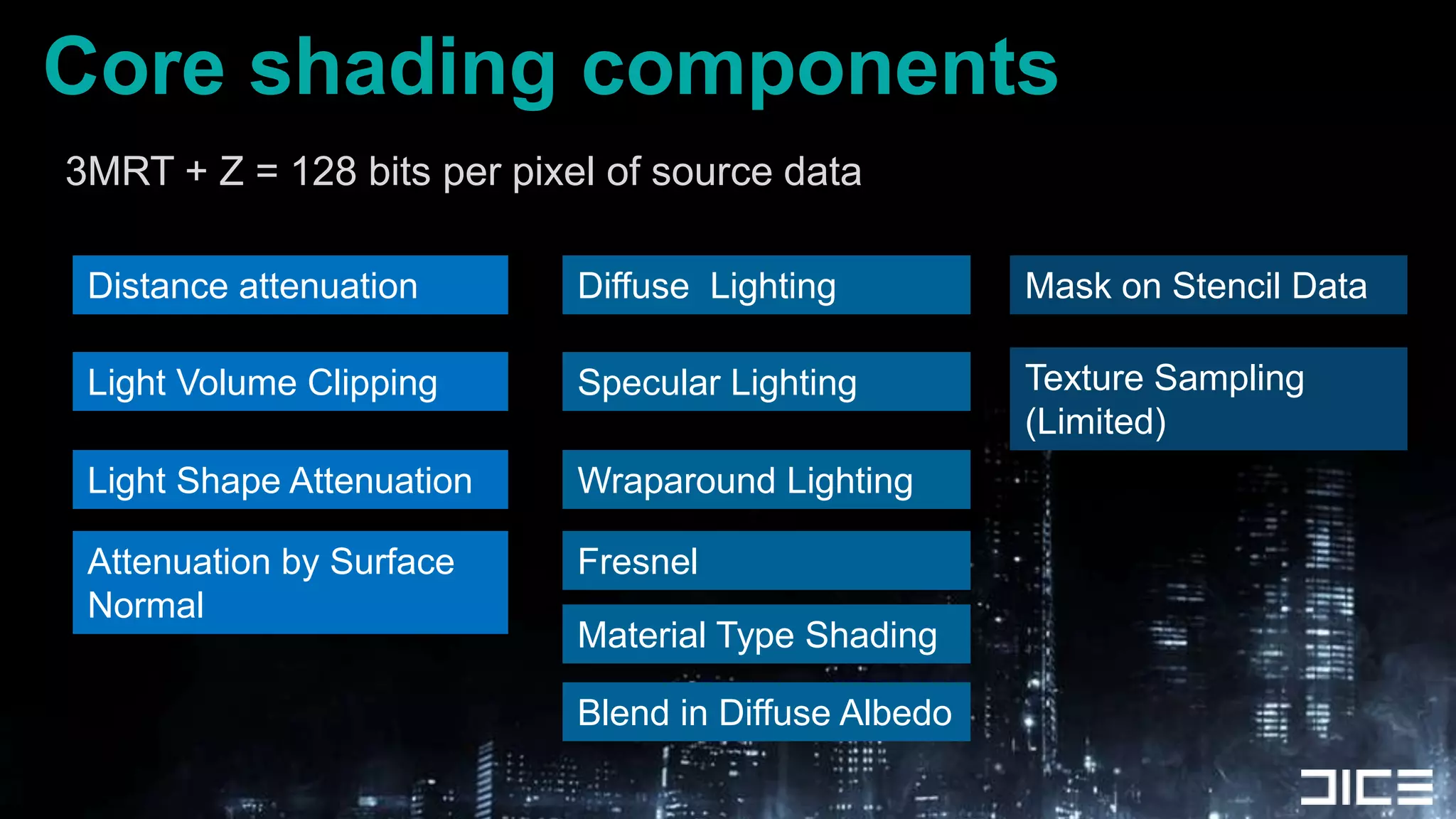
Core shading components3MRT + Z = 128 bits per pixel of source dataDistance attenuationDiffuse  LightingMask on Stencil DataTexture Sampling (Limited)Specular LightingLight Volume ClippingLight Shape AttenuationWraparound LightingAttenuation by Surface NormalFresnelMaterial Type ShadingBlend in Diffuse Albedo
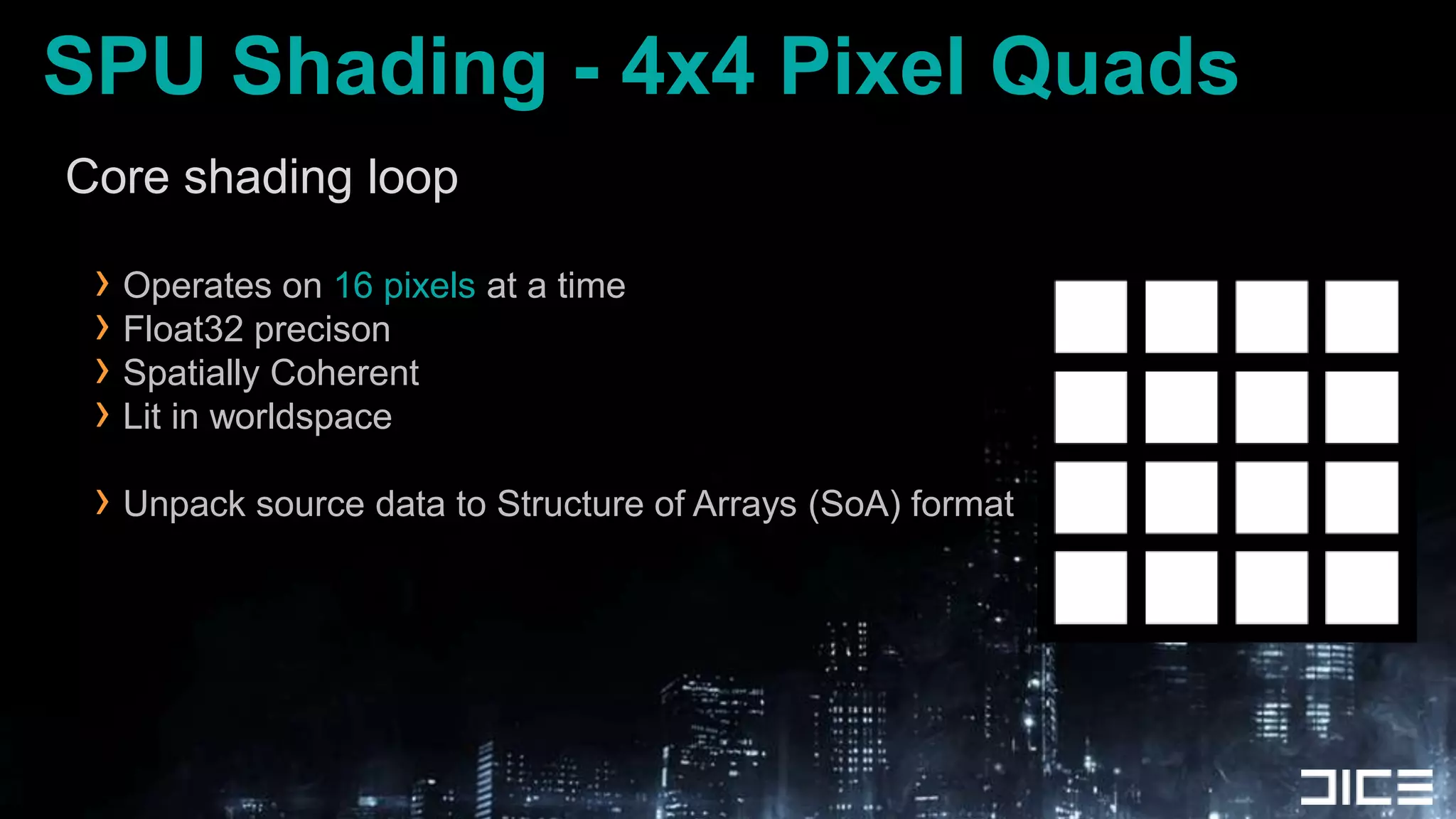
SPU Shading - 4x4 Pixel QuadsCore shading loopOperates on 16 pixels at a timeFloat32 precisonSpatially CoherentLit in worldspaceUnpack source data to Structure of Arrays (SoA) format
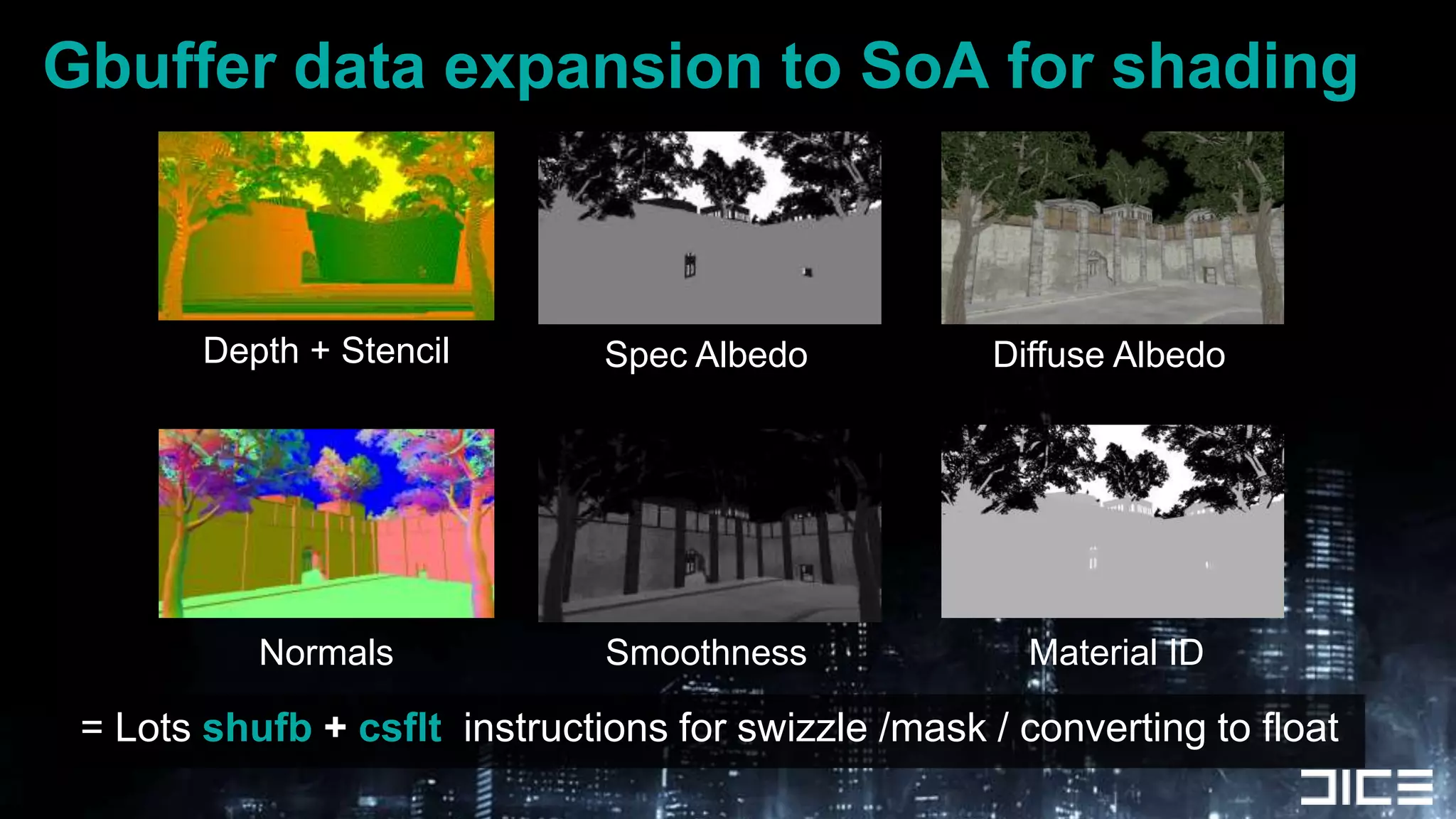
Gbuffer data expansion to SoA for shadingDepth + StencilSpec AlbedoDiffuse AlbedoNormalsSmoothnessMaterial ID = Lots shufb+ csfltinstructions for swizzle /mask / converting to float
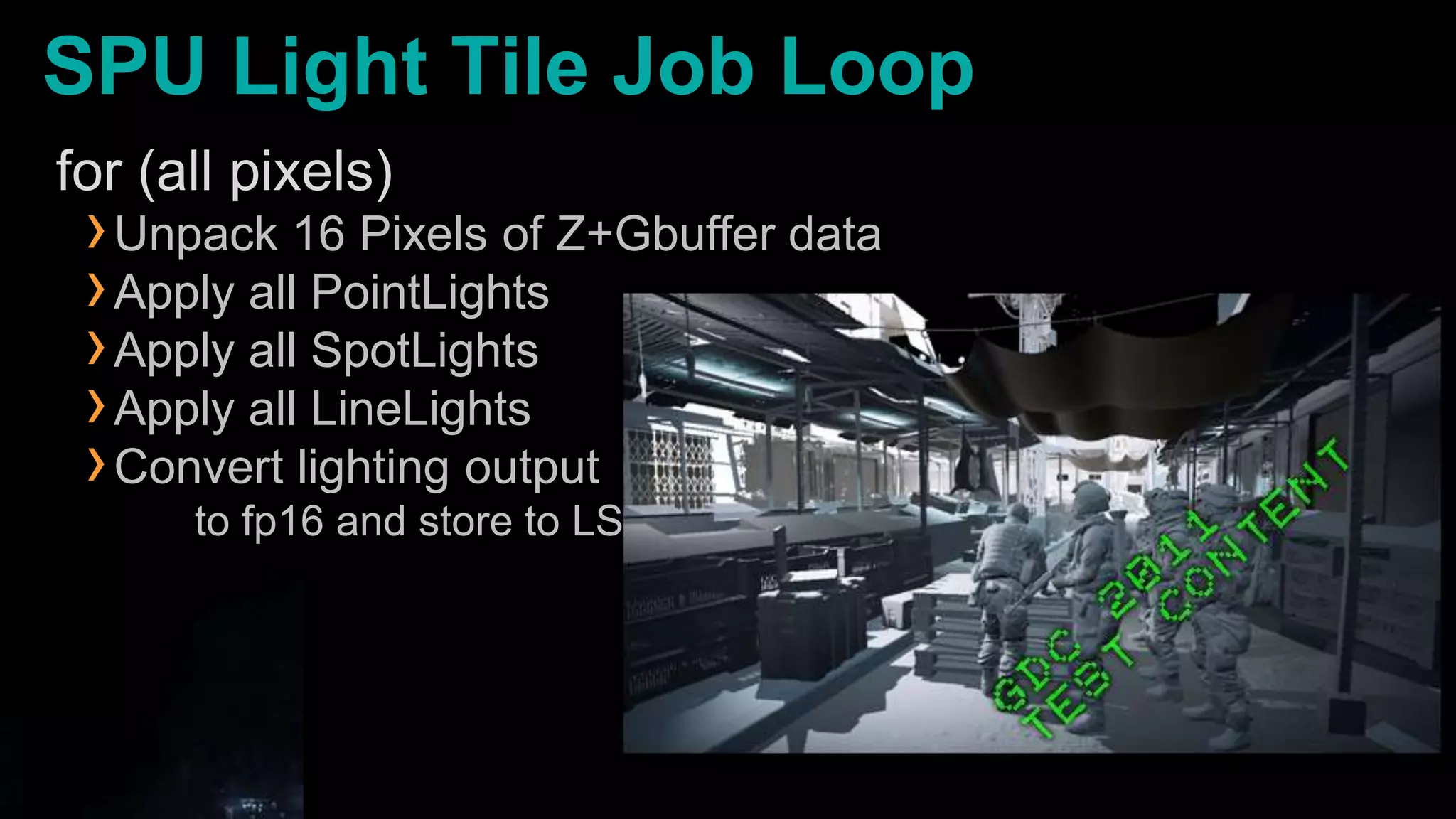
SPU Light Tile Job Loopfor (all pixels)Unpack 16 Pixels of Z+Gbuffer dataApply all PointLightsApply all SpotLightsApply all LineLightsConvert lighting output      to fp16 and store to LS
DMA output finished pixelsFinished 32x16 pixel tiles output to RSX memory by DMA list1 List entry per 32x1 pixel scanlineRequired due to Linear buffer destination  !Once all tiles are done & transfered:SPU finishing the last tile, clears ’wait for SPUs’ JTS in cmdbufferGPU is free to continue rendering for the frameTransparent objectsBlend-In ParticlesPost-processTonemapping
Meanwhile, back in RSX Land....RSX is busy doing something (useful) while the SPUs compute the fp16 radiance for tiles.Planar ReflectionsCascade and Spotlight Shadow RenderingGPU Lighting that mixes texture projection/samplingOffscreen buffer Particle RenderingZ downsamples for postFX + SSAOVirtual Texturing / CompositingOcclusion queries
Algorithmic optimizations
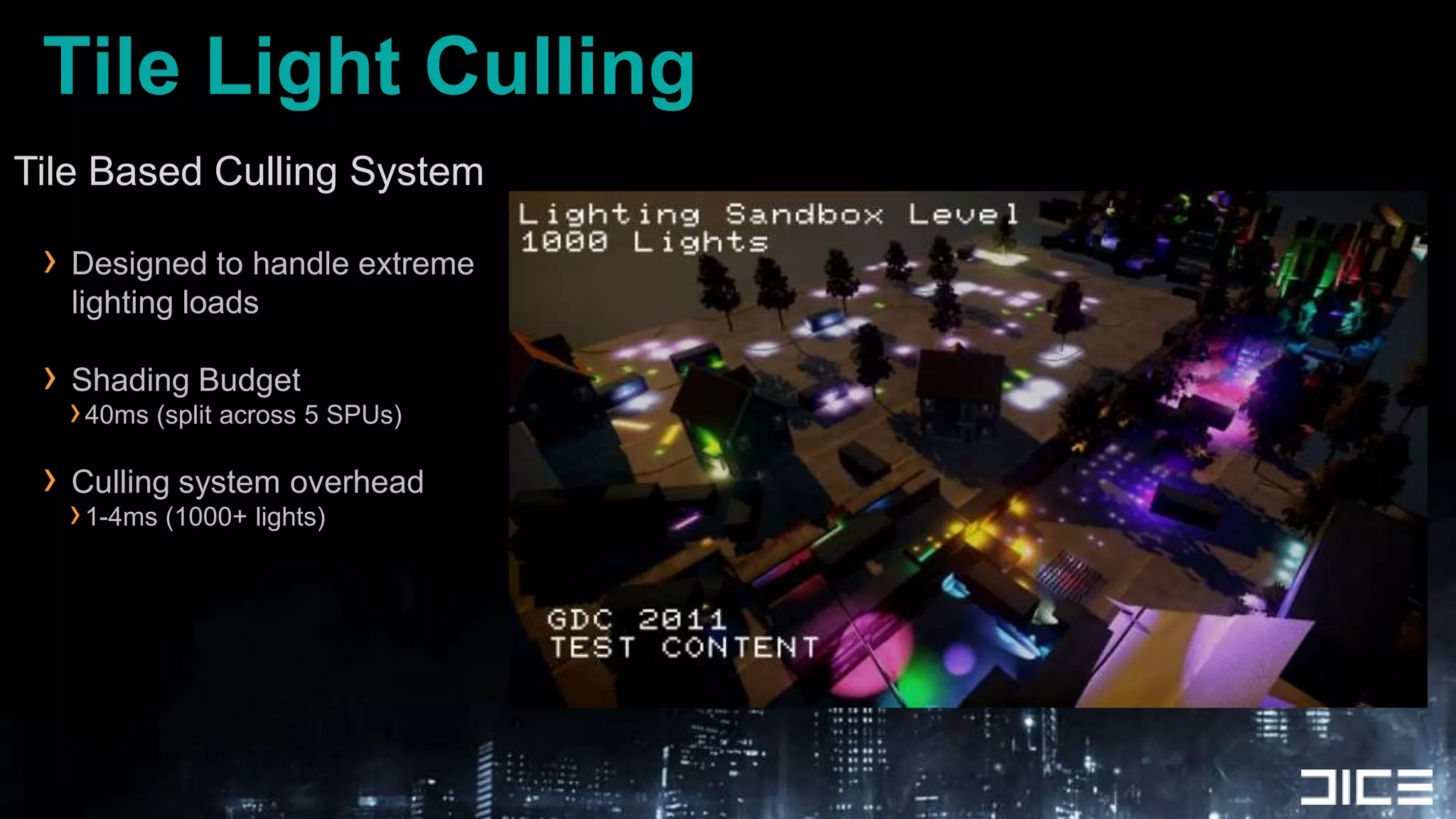
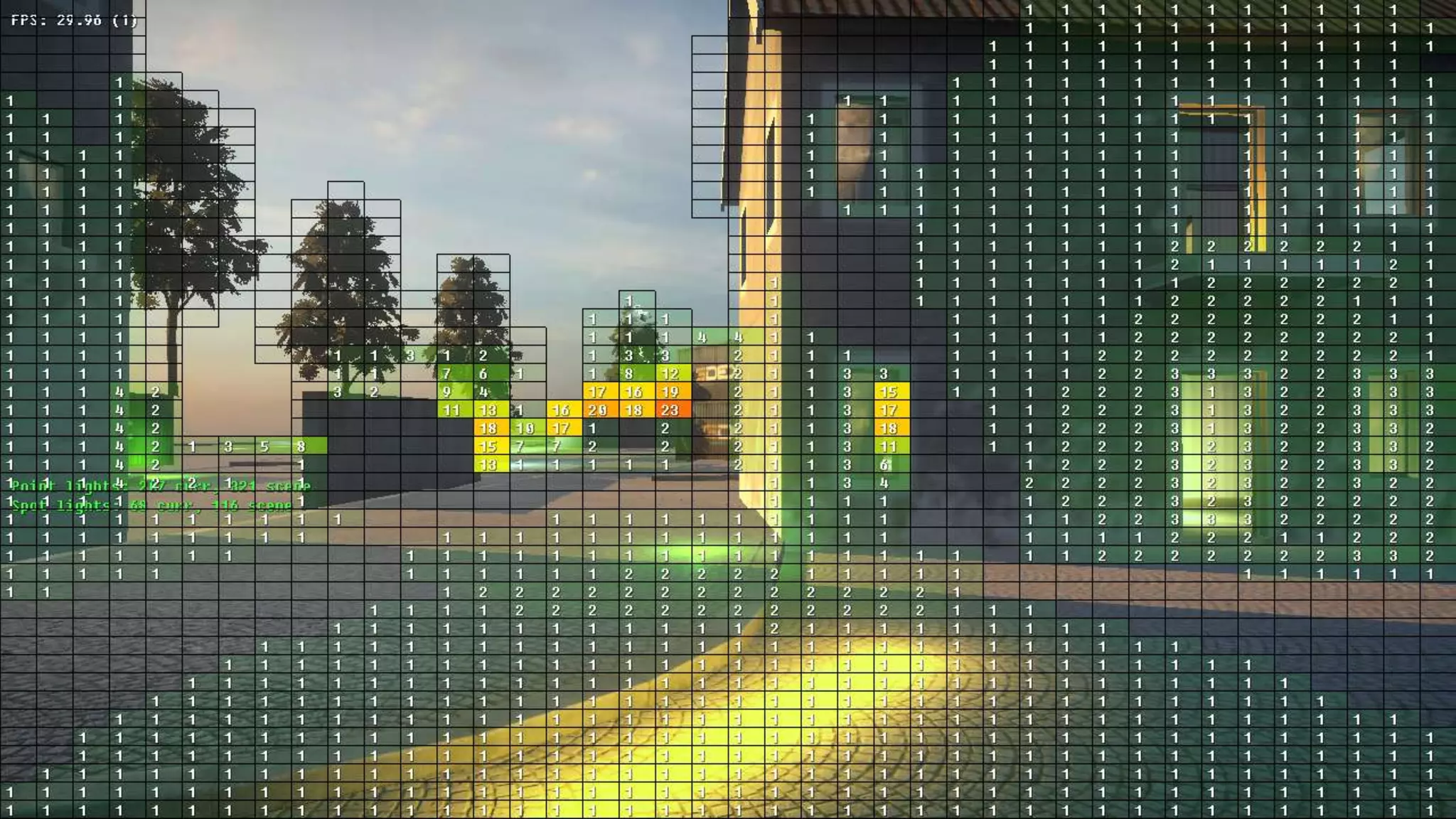
Tile Light CullingTile Based Culling System	Designed to handle extreme lighting loadsShading Budget40ms (split across 5 SPUs)Culling system overhead1-4ms (1000+ lights)
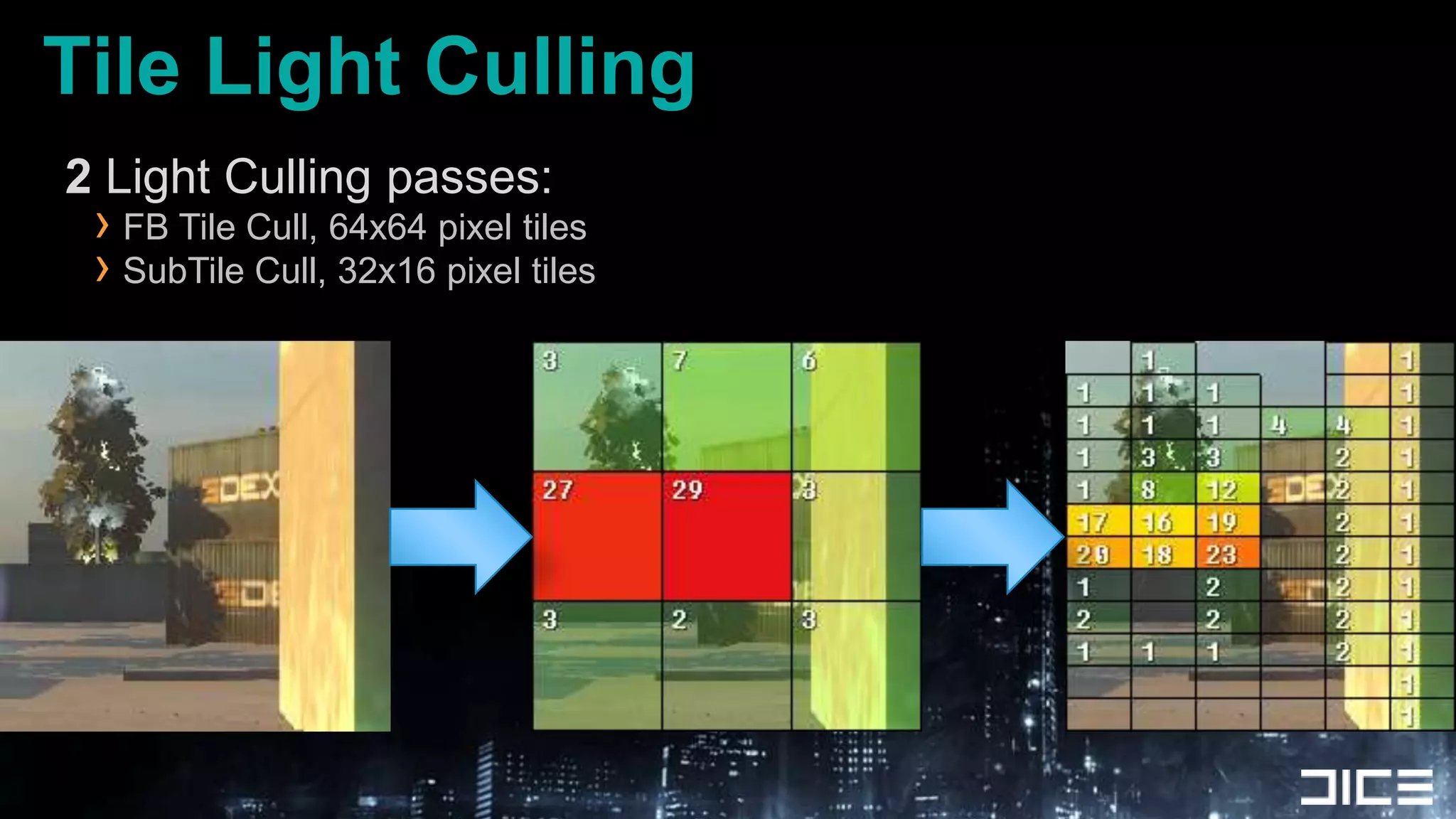
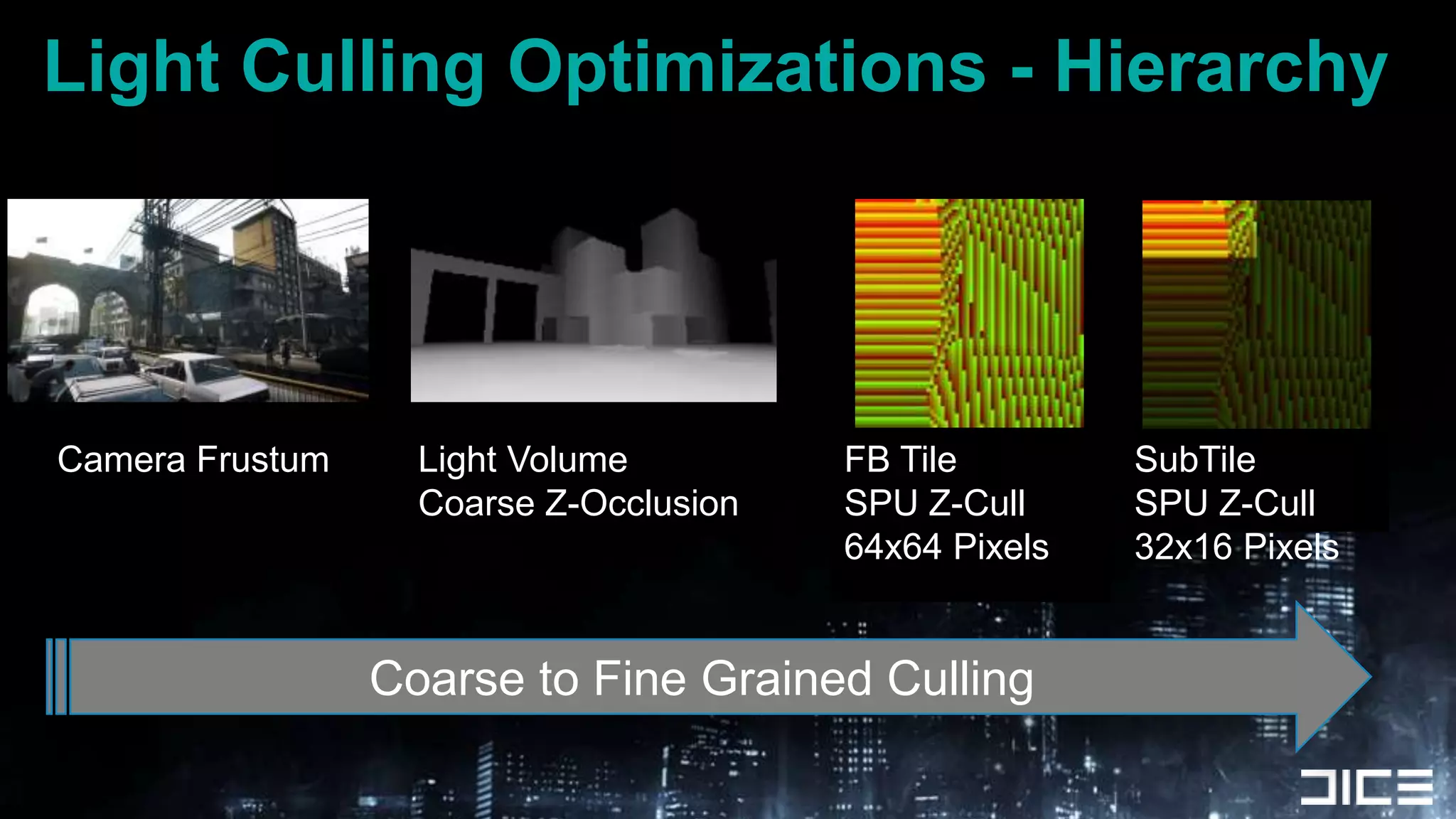
Tile Light Culling2 Light Culling passes:FB Tile Cull, 64x64 pixel tilesSubTile Cull, 32x16 pixel tiles
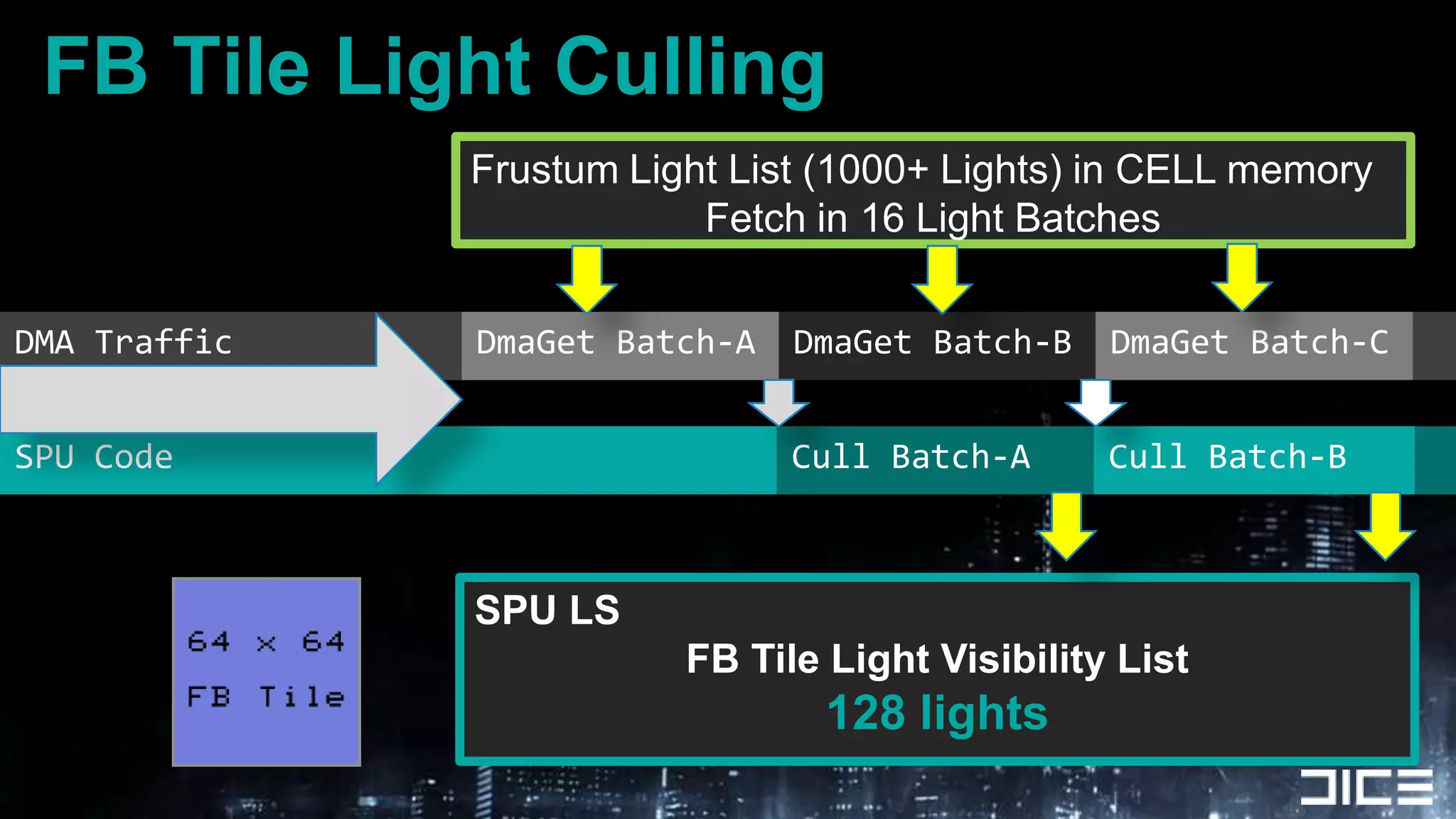
DMA TrafficFB Tile Light CullingFrustum Light List (1000+ Lights) in CELL memoryFetch in 16 Light BatchesDmaGet Batch-ADmaGet Batch-BDmaGet Batch-CSPU CodeCull Batch-ACull Batch-BSPU LSFB Tile Light Visibility List128 lights
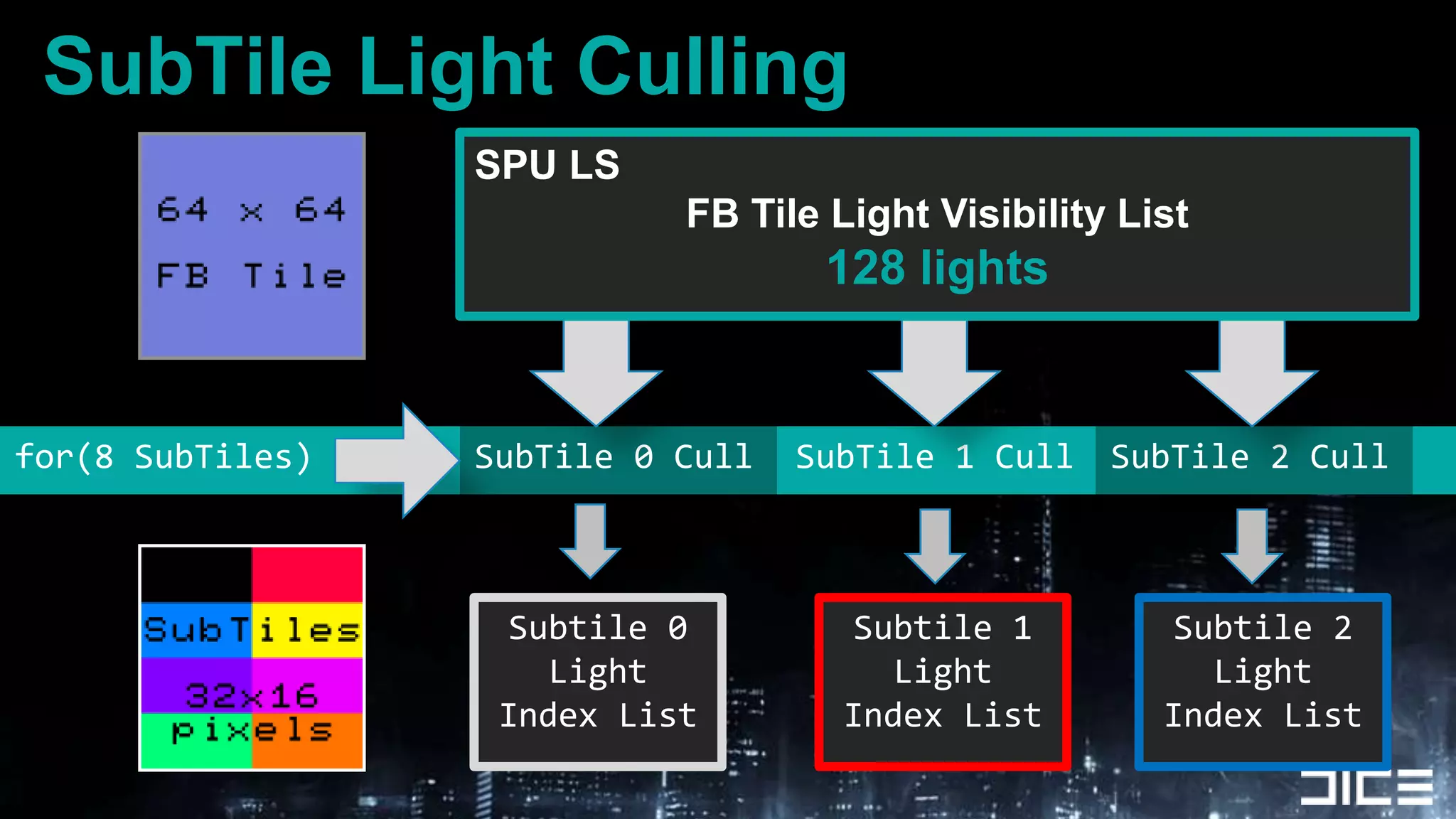
SubTile Light CullingSPU LSFB Tile Light Visibility List128 lightsSubTile 0 Cullfor(8 SubTiles)SubTile 1 CullSubTile 2 CullSubtile 0LightIndex ListSubtile 1LightIndex ListSubtile 2LightIndex List
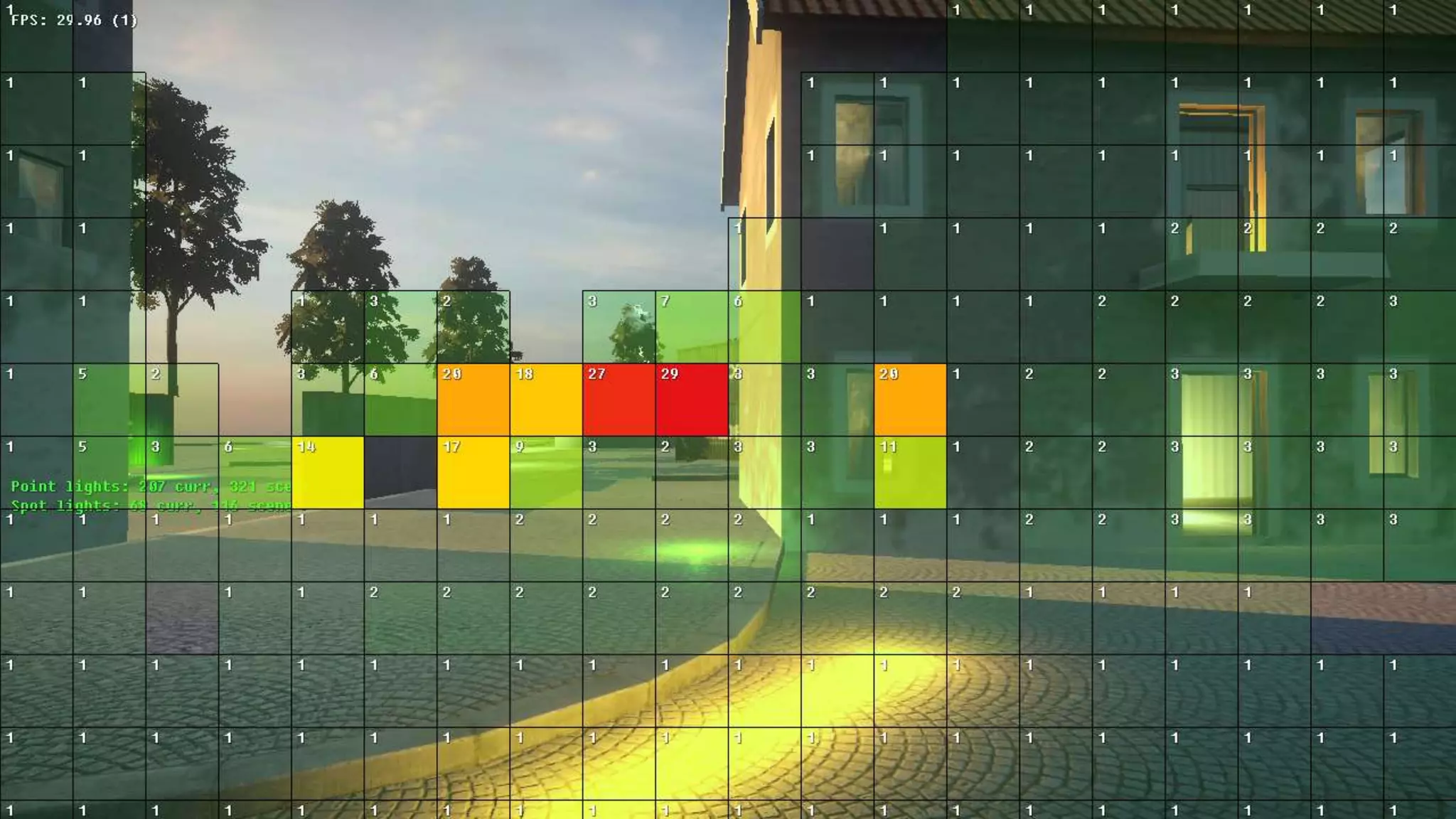
Lights per 64x64 pixel tile
Light Culling Optimizations - HierarchyCamera FrustumLight VolumeCoarse Z-OcclusionFB TileSPU Z-Cull64x64 PixelsSubTileSPU Z-Cull32x16 PixelsCoarse to Fine Grained Culling
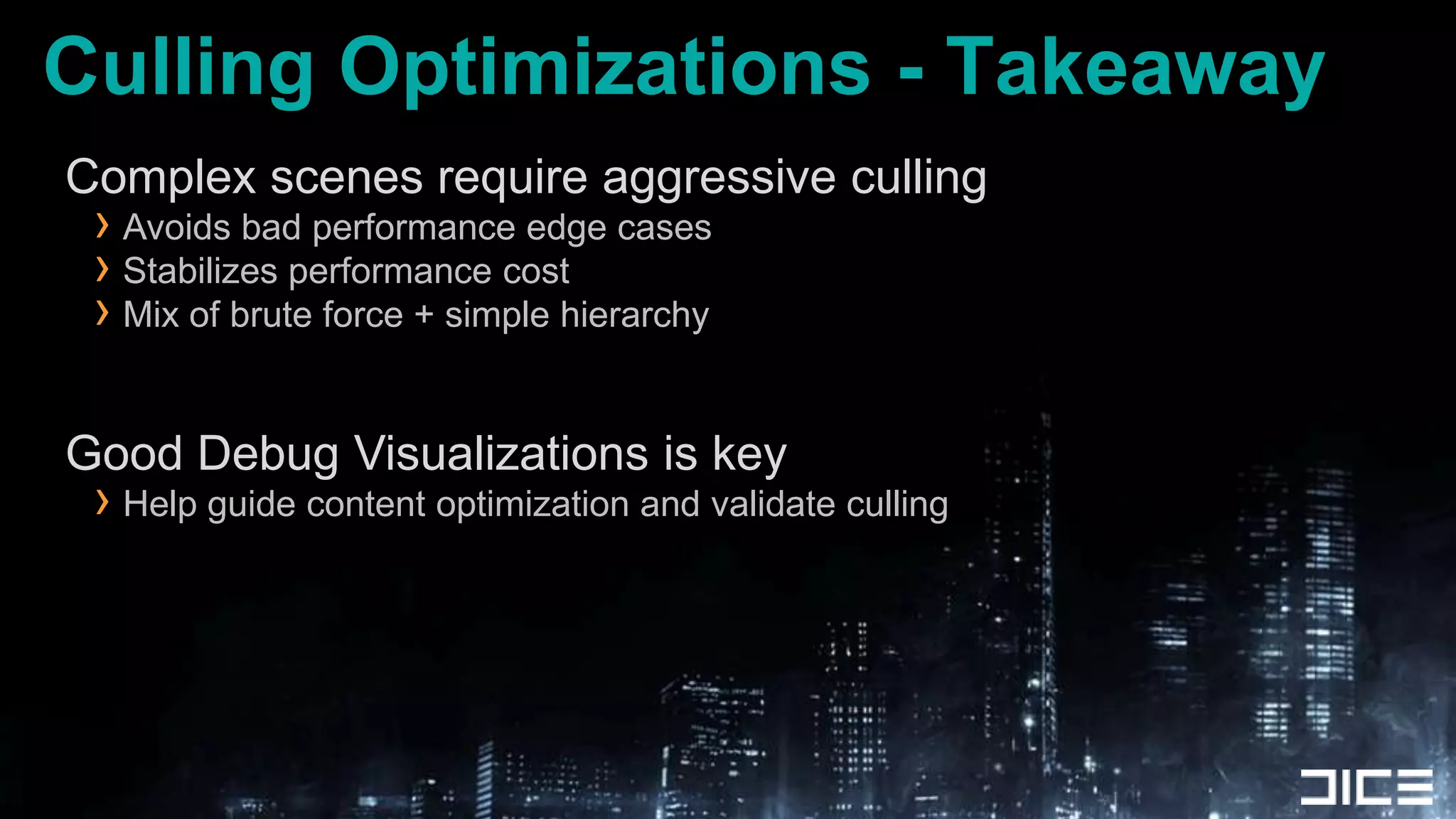
Culling Optimizations - TakeawayComplex scenes require aggressive cullingAvoids bad performance edge casesStabilizes performance costMix of brute force + simple hierarchyGood Debug Visualizations is keyHelp guide content optimization and validate culling
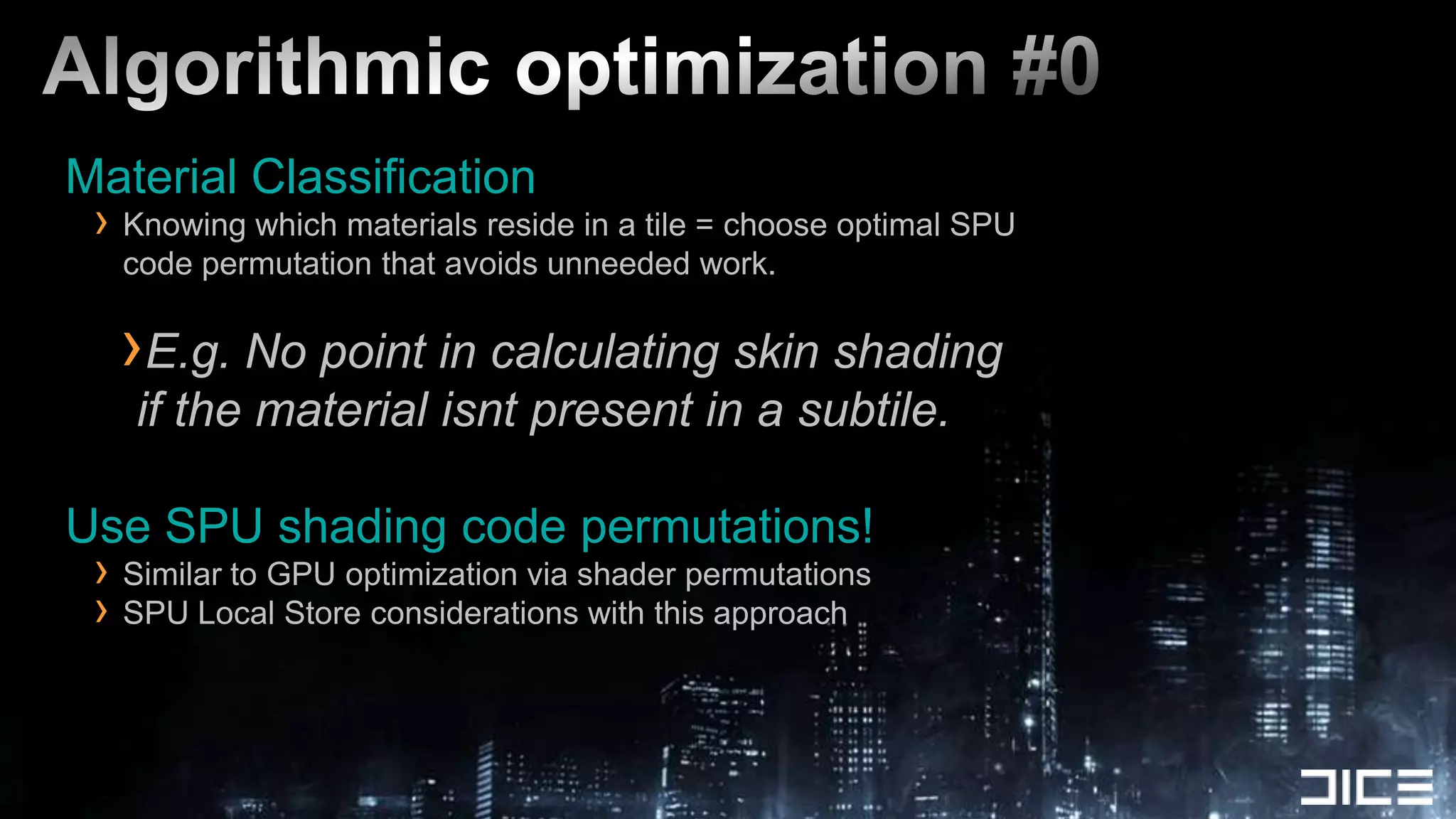
Algorithmic optimization #0Material ClassificationKnowing which materials reside in a tile = choose optimal SPU code permutation that avoids unneeded work.E.g. No point in calculating skin shading if the material isnt present in a subtile.Use SPU shading code permutations!Similar to GPU optimization via shader permutationsSPU Local Store considerations with this approach
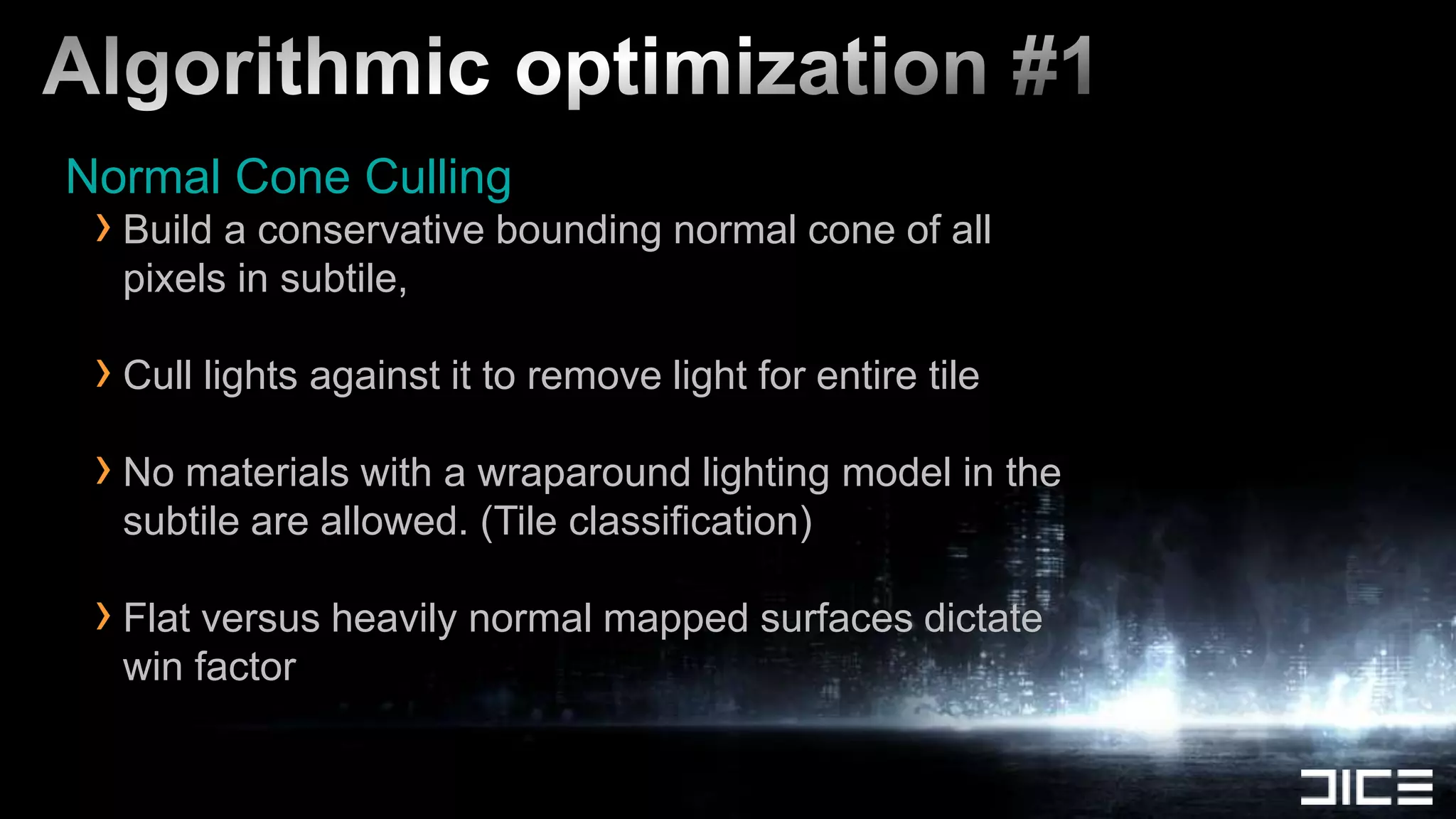
Algorithmic optimization #1Normal Cone CullingBuild a conservative bounding normal cone of all pixels in subtile, Cull lights against it to remove light for entire tileNo materials with a wraparound lighting model in the subtile are allowed. (Tile classification)Flat versus heavily normal mapped surfaces dictate win factor
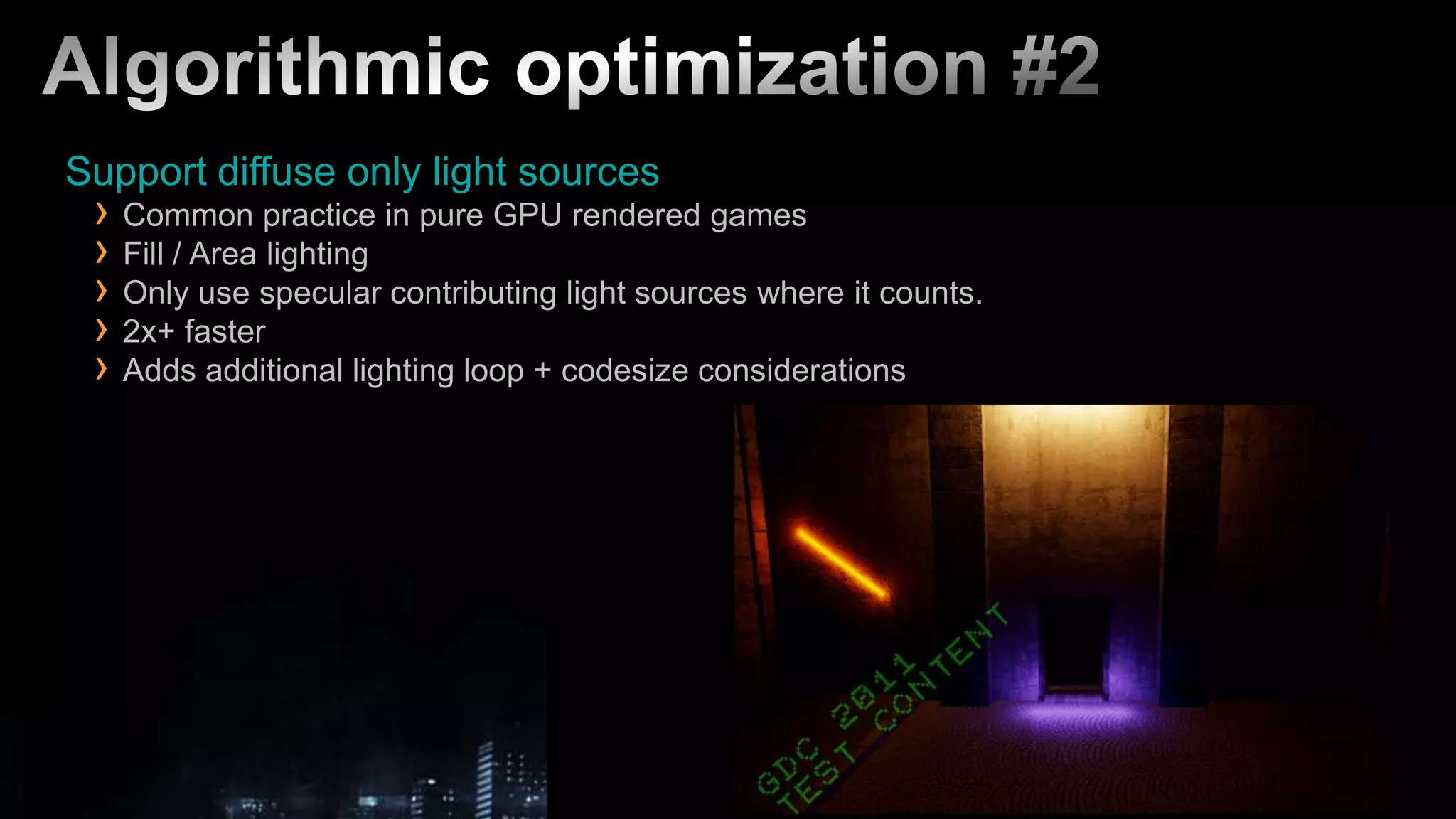
Algorithmic optimization #2Support diffuse only light sourcesCommon practice in pure GPU rendered gamesFill / Area lightingOnly use specular contributing light sources where it counts.2x+ fasterAdds additional lighting loop + codesize considerations
Algorithmic optimization #3Specular Albedo Present in a subtile?If all pixels in a subtile have specular albedo of zero:Execute diffuse only lighting fast path for this case.If your artists like to make everything shiny, you might not see much of a win here
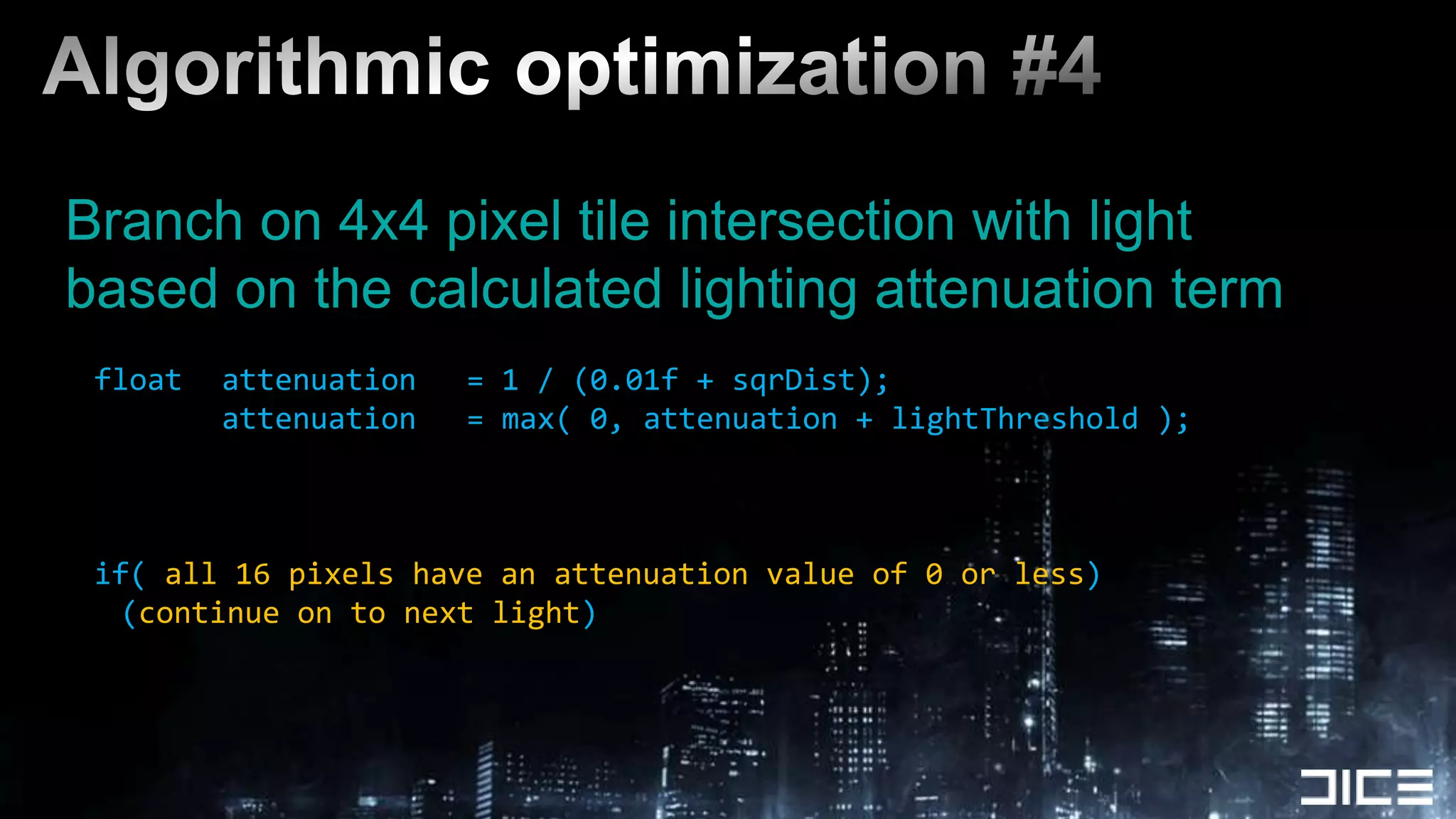
Algorithmic optimization #4Branch on 4x4 pixel tile intersection with lightbased on the calculated lighting attenuation termfloat	attenuation	= 1 / (0.01f + sqrDist);			attenuation	= max( 0, attenuation + lightThreshold );if( all 16 pixels have an attenuation value of 0 or less)(continue on to next light)
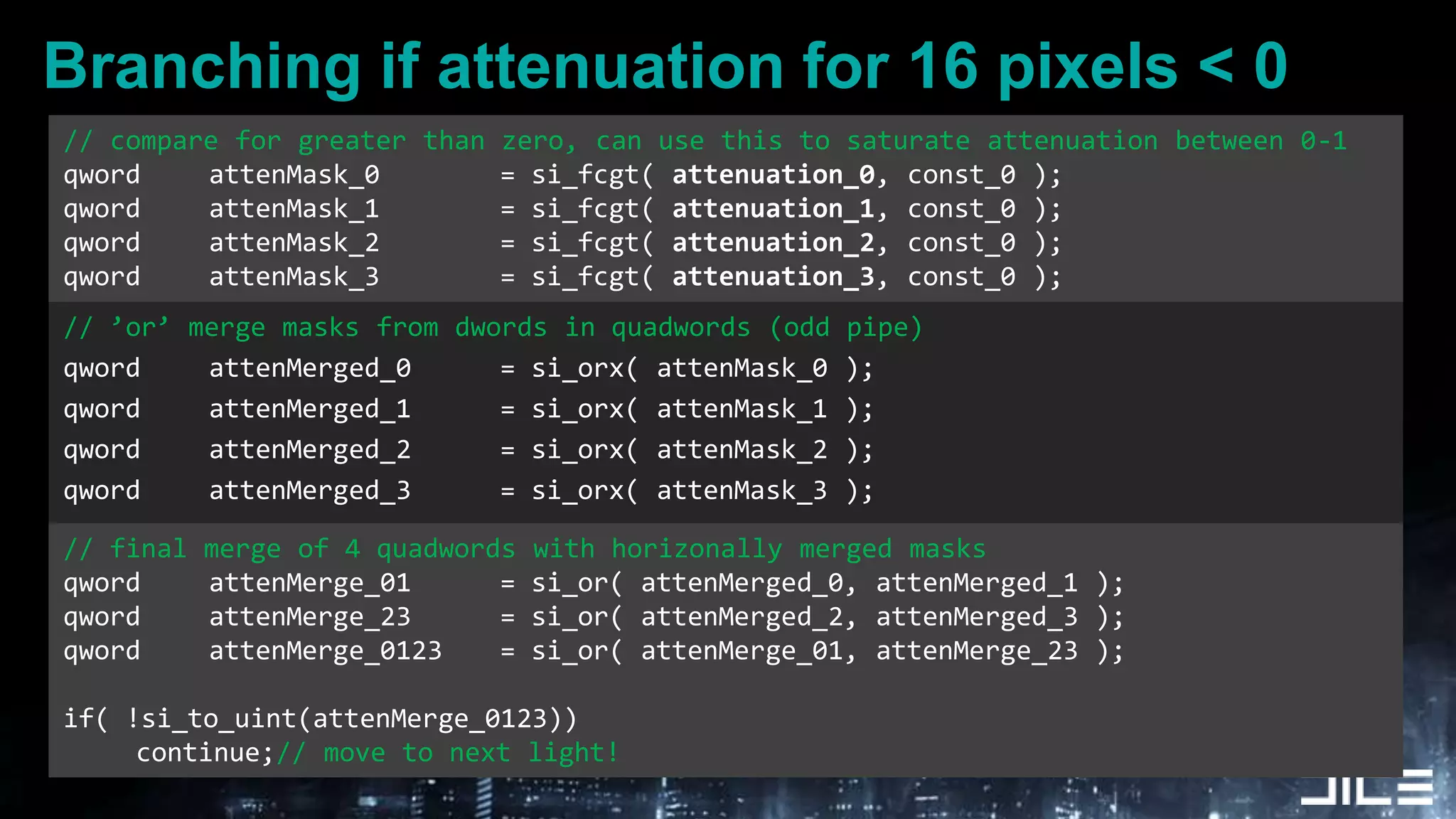
Branching if attenuation for 16 pixels < 0.// compare for greater than zero, can use this to saturate attenuation between 0-1qword	attenMask_0		= si_fcgt( attenuation_0, const_0 );qword	attenMask_1		= si_fcgt( attenuation_1, const_0 );qword	attenMask_2		= si_fcgt( attenuation_2, const_0 );qword	attenMask_3		= si_fcgt( attenuation_3, const_0 );// ’or’ merge masks from dwords in quadwords (odd pipe)qword	attenMerged_0		= si_orx( attenMask_0 );qword	attenMerged_1		= si_orx( attenMask_1 );qword	attenMerged_2		= si_orx( attenMask_2 );qword	attenMerged_3		= si_orx( attenMask_3 );// final merge of 4 quadwords with horizonally merged masksqword	attenMerge_01 	= si_or( attenMerged_0, attenMerged_1 );qword	attenMerge_23 	= si_or( attenMerged_2, attenMerged_3 );qword	attenMerge_0123	= si_or( attenMerge_01, attenMerge_23 );if( !si_to_uint(attenMerge_0123))	continue;// move to next light!
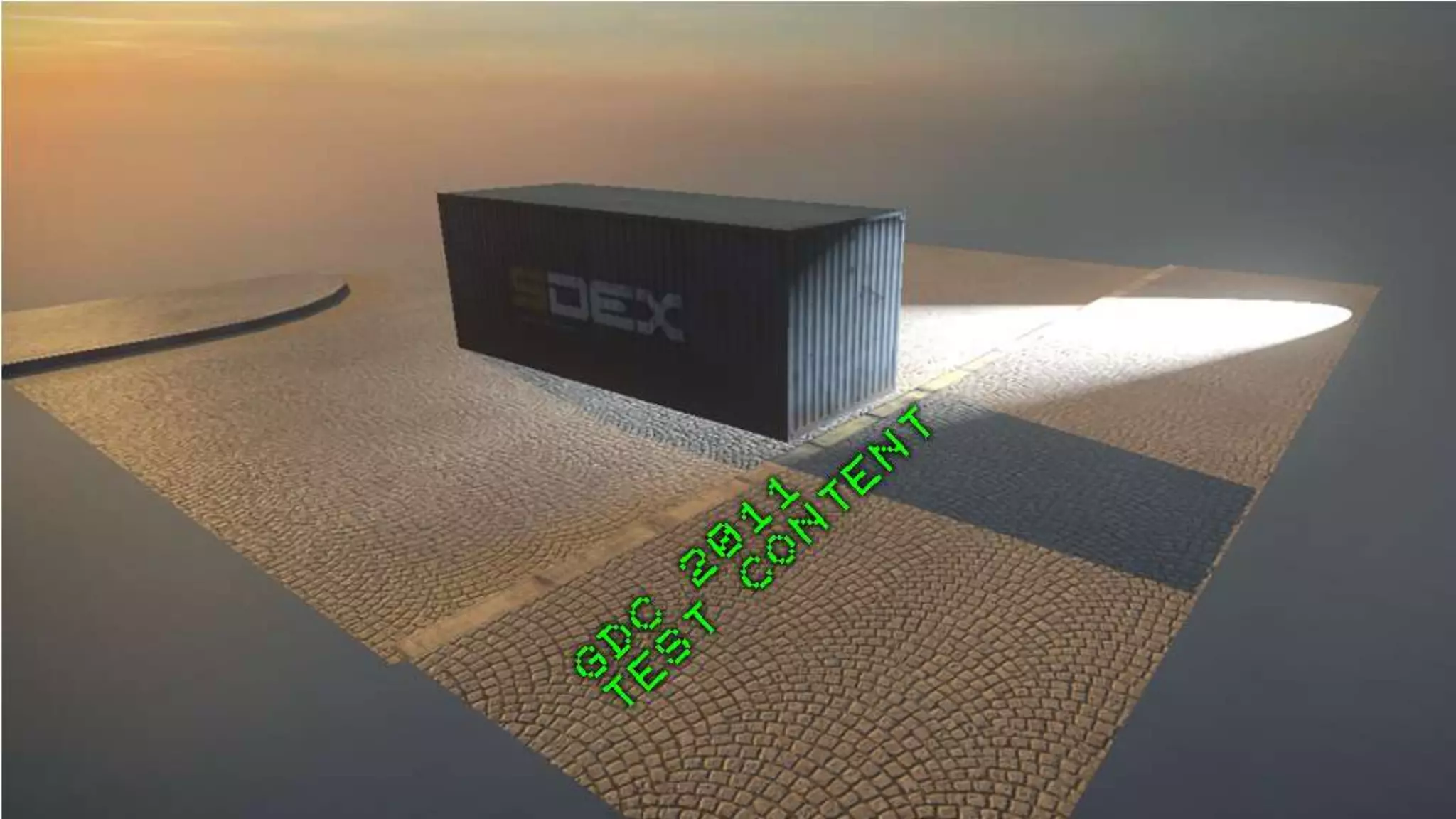
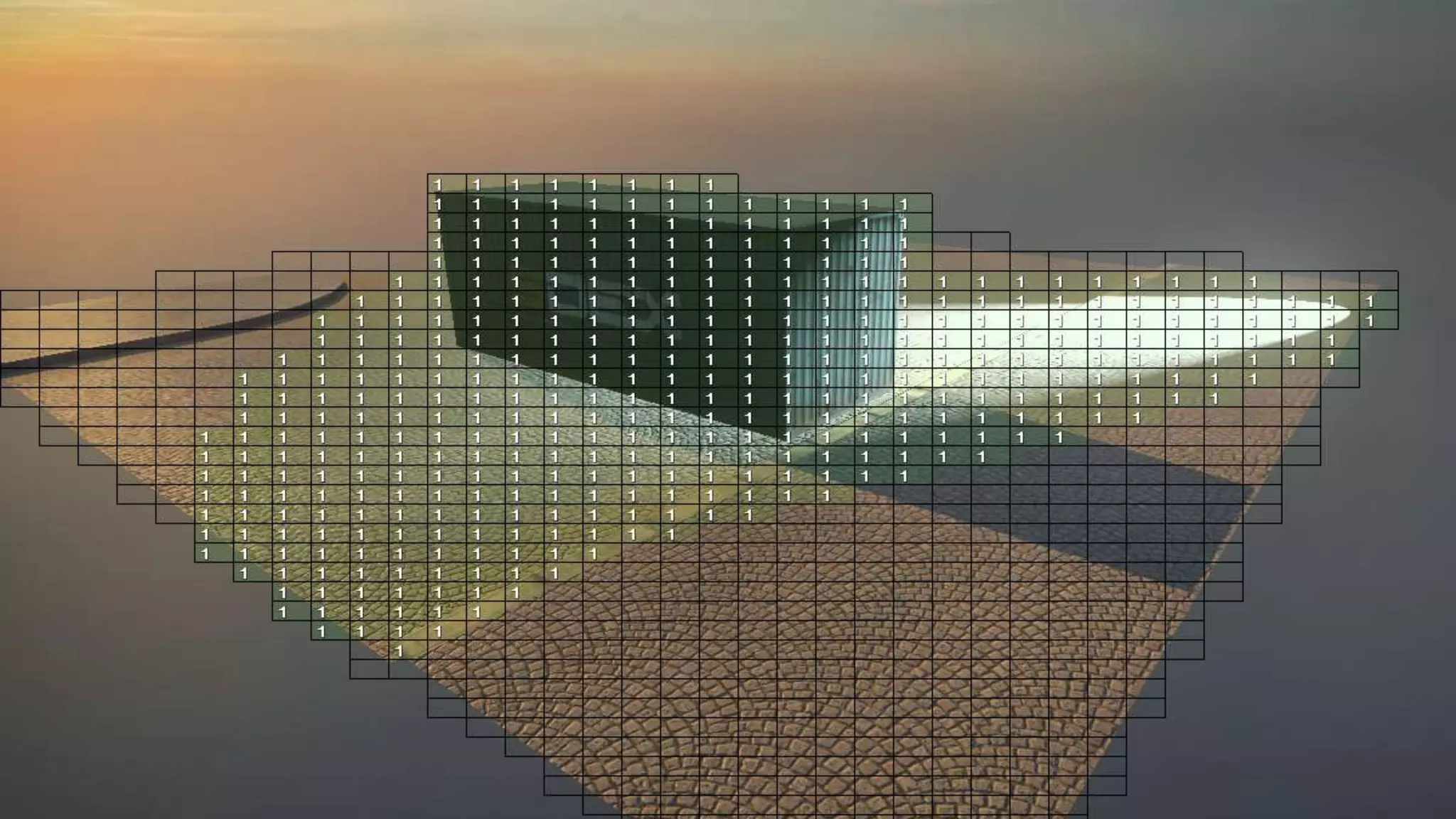
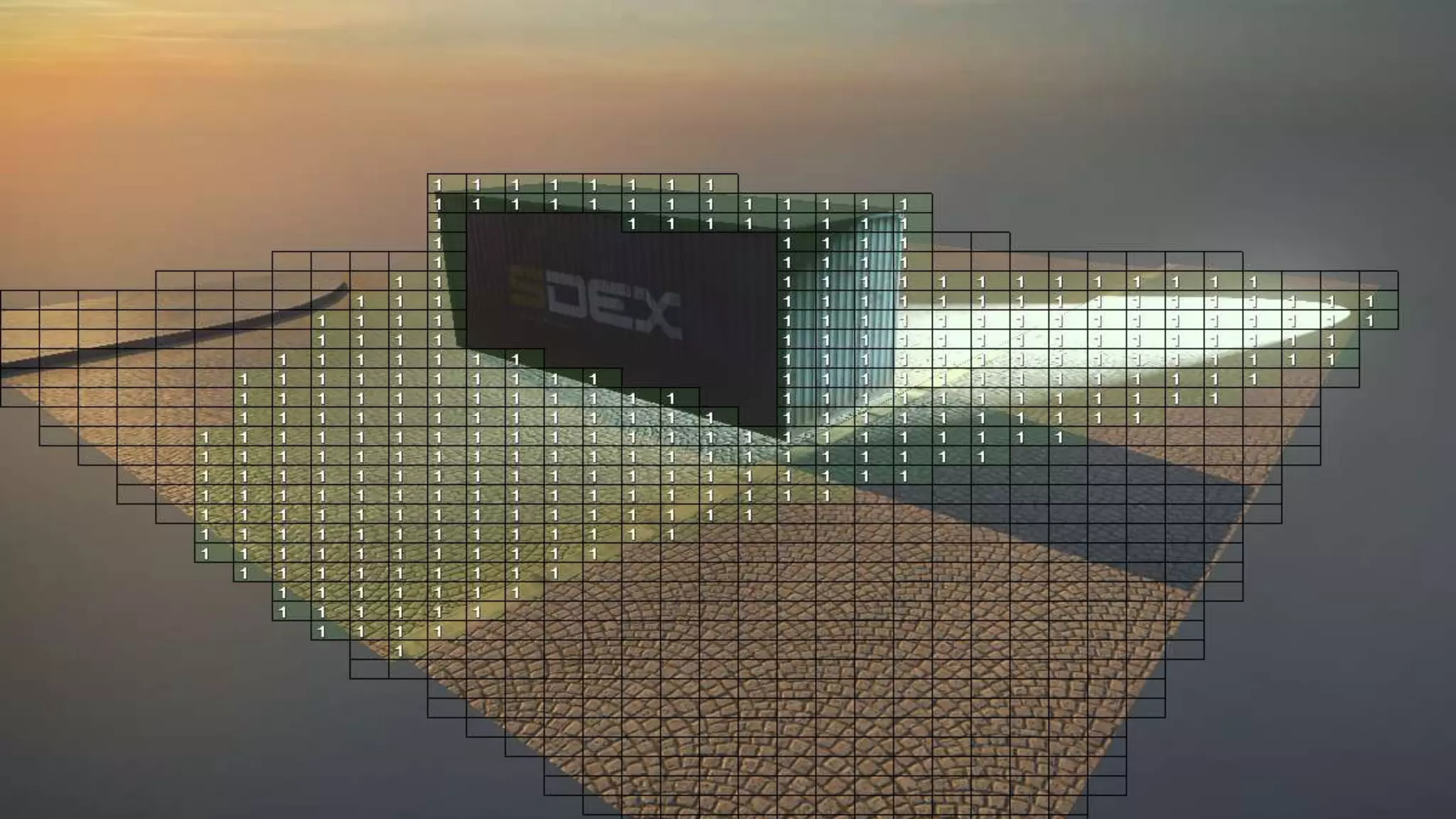
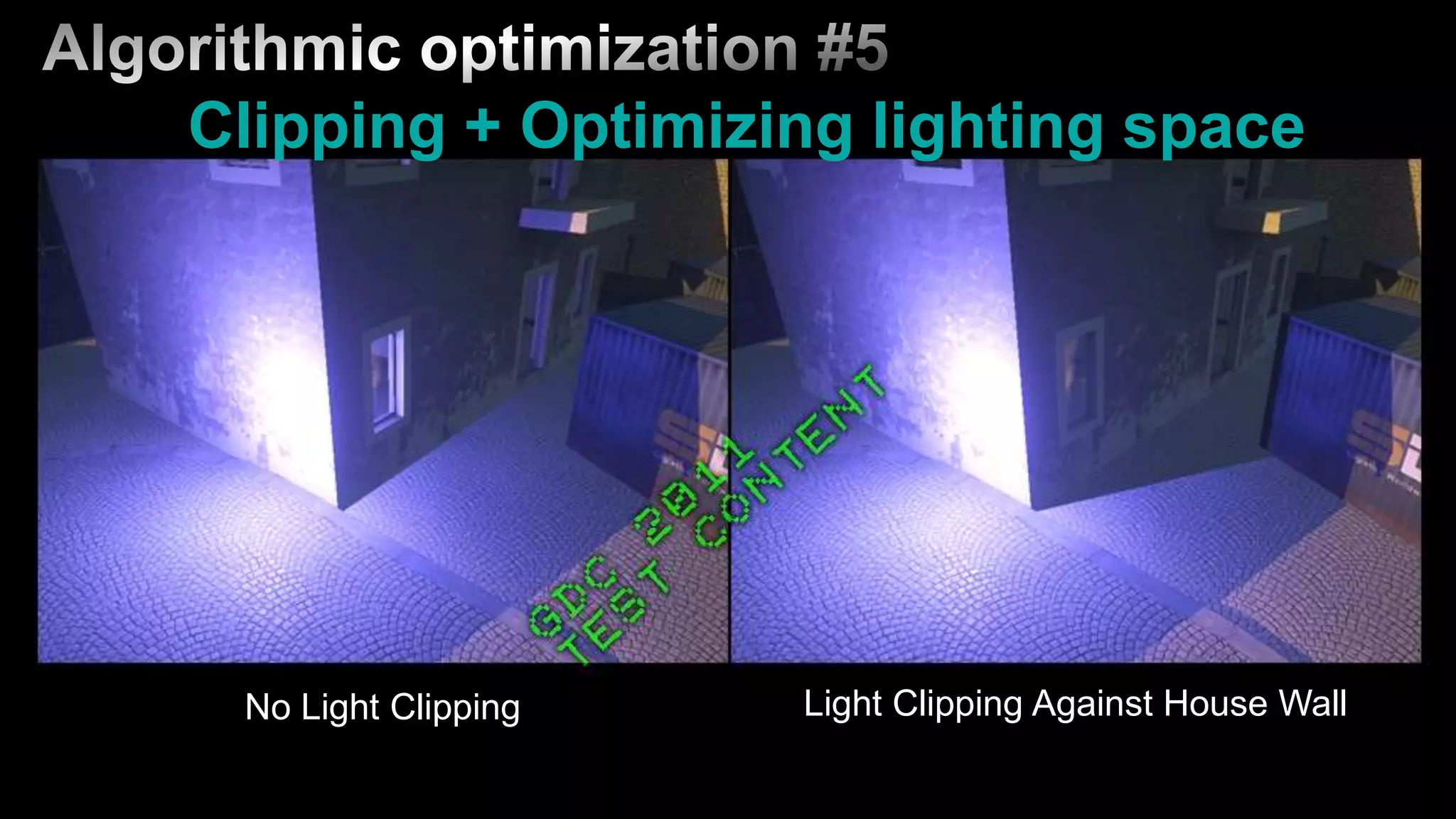
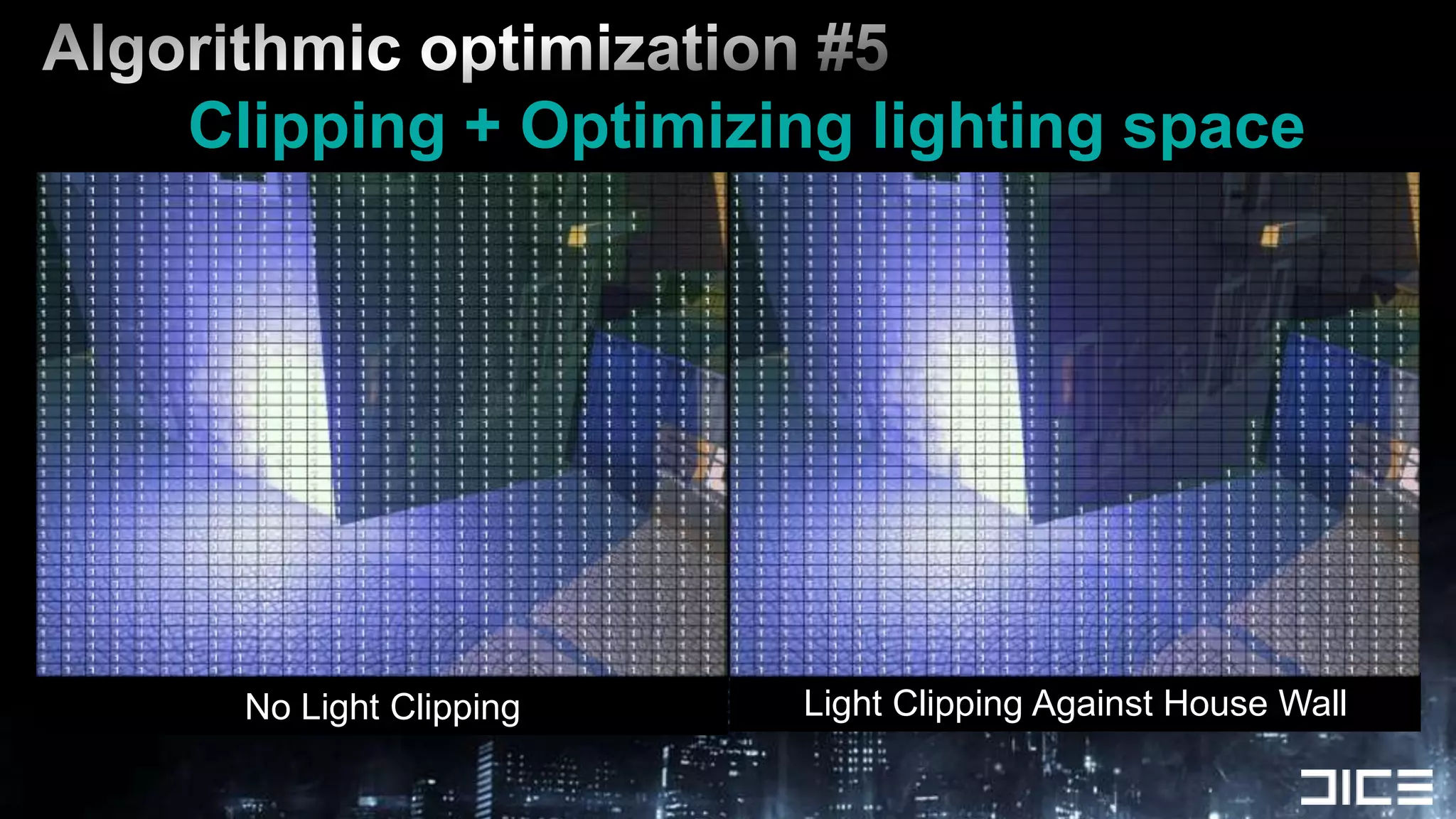
Algorithmic optimization #5Clipping + Optimizing lighting spaceLight Clipping Against House WallNo Light Clipping
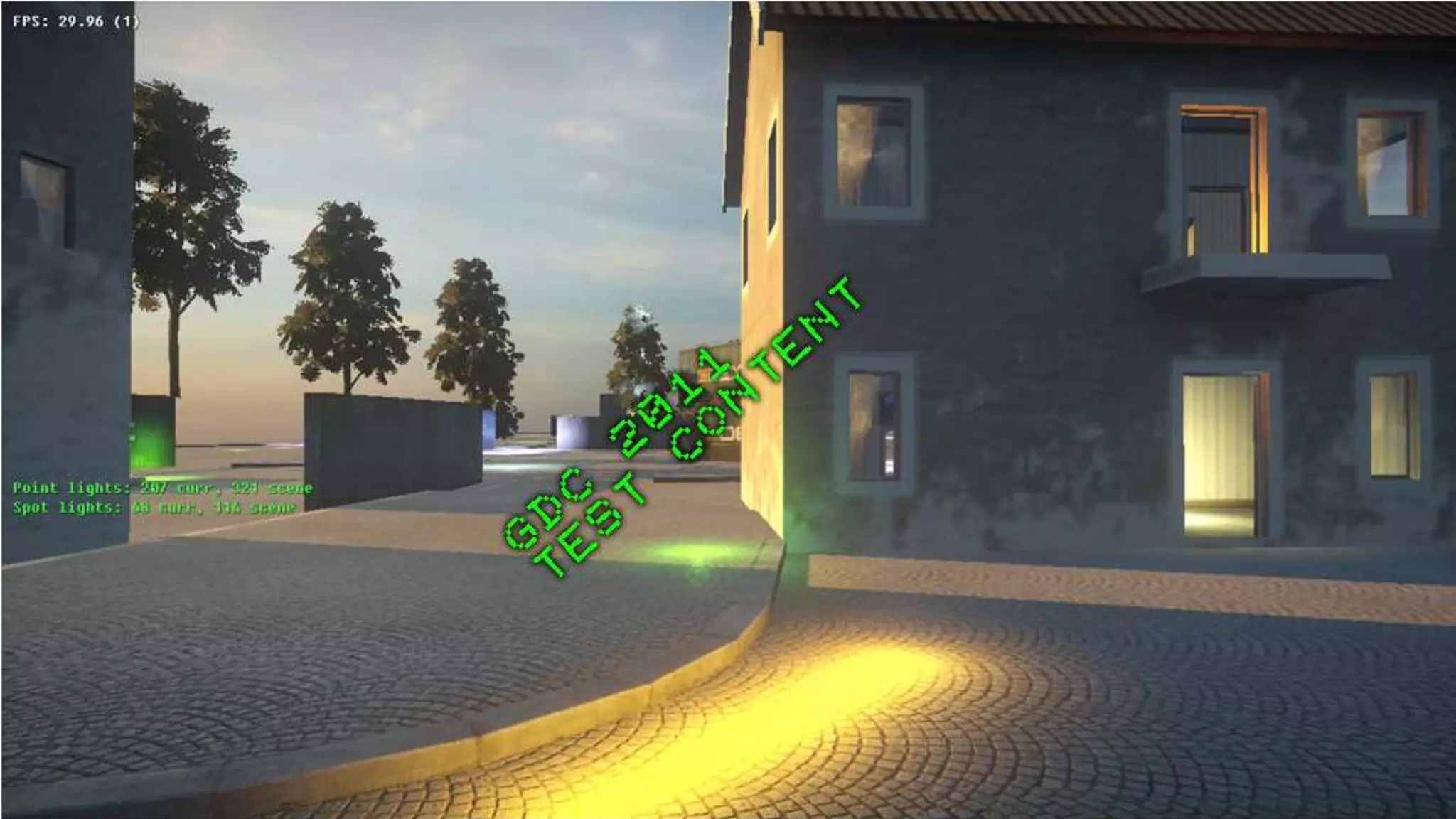
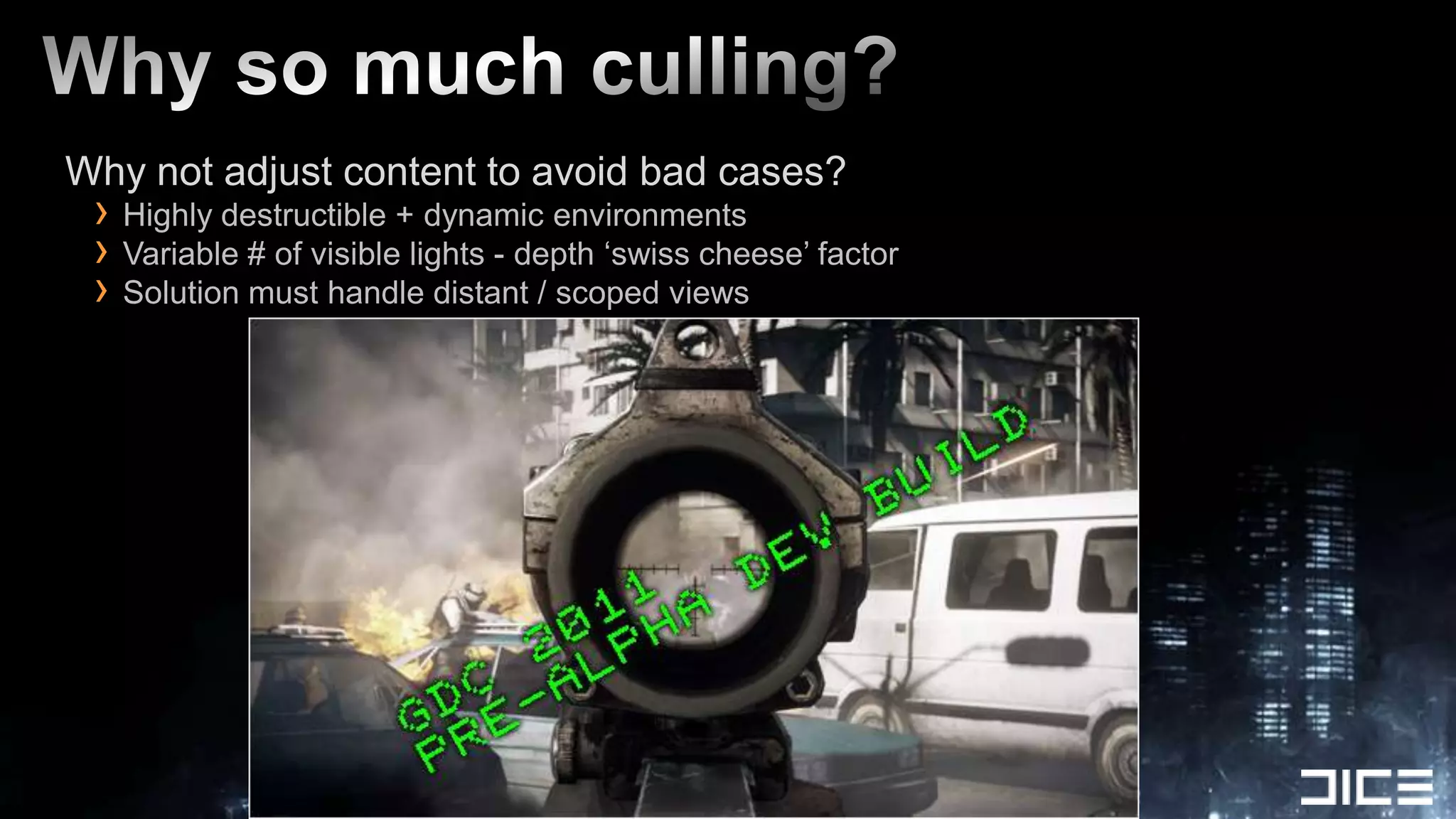
Why so much culling?Why not adjust content to avoid bad cases?Highly destructible + dynamic environmentsVariable # of visible lights - depth ‘swiss cheese’ factorSolution must handle distant / scoped views
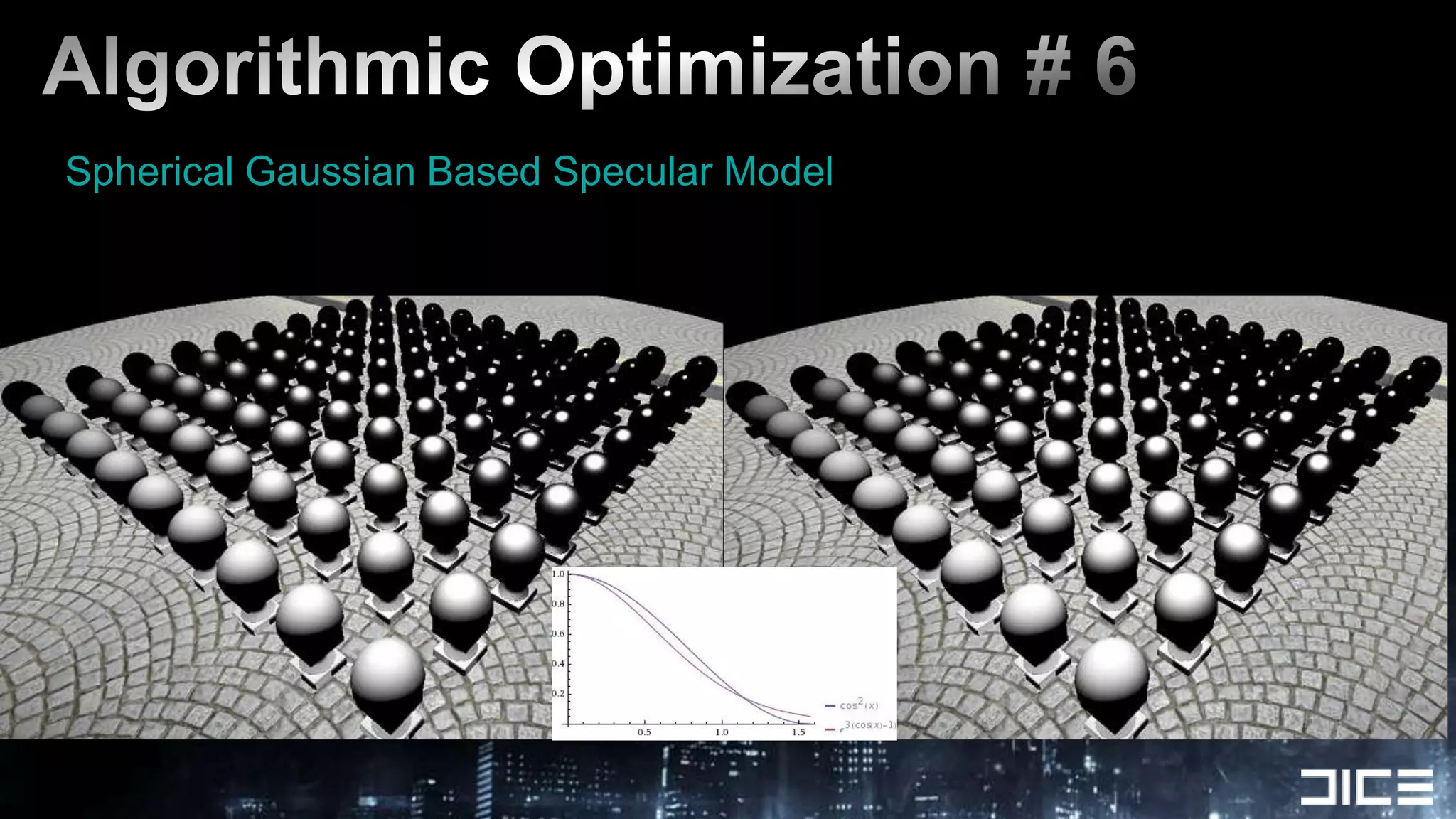
Algorithmic Optimization # 6Spherical Gaussian Based Specular Model
Code optimizations
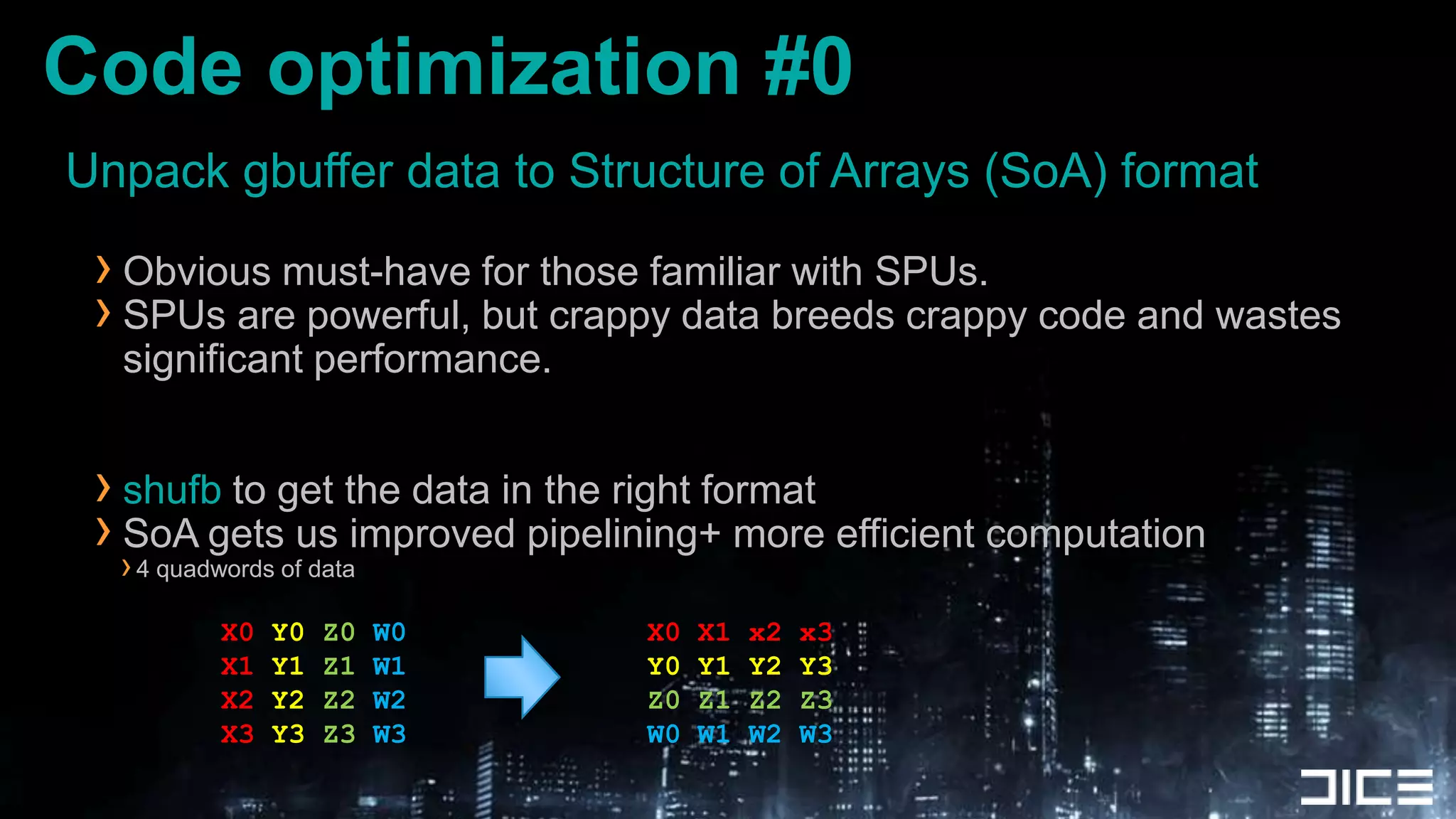
Unpack gbuffer data to Structure of Arrays (SoA) formatObvious must-have for those familiar with SPUs.SPUs are powerful, but crappy data breeds crappy code and wastes significant performance.shufb to get the data in the right formatSoA gets us improved pipelining+ more efficient computation4 quadwords of dataCode optimization #0X0 Y0Z0W0X1Y1Z1W1X2Y2Z2W2X3Y3Z3W3X0 X1 x2 x3Y0 Y1 Y2 Y3Z0 Z1 Z2 Z3W0 W1 W2 W3
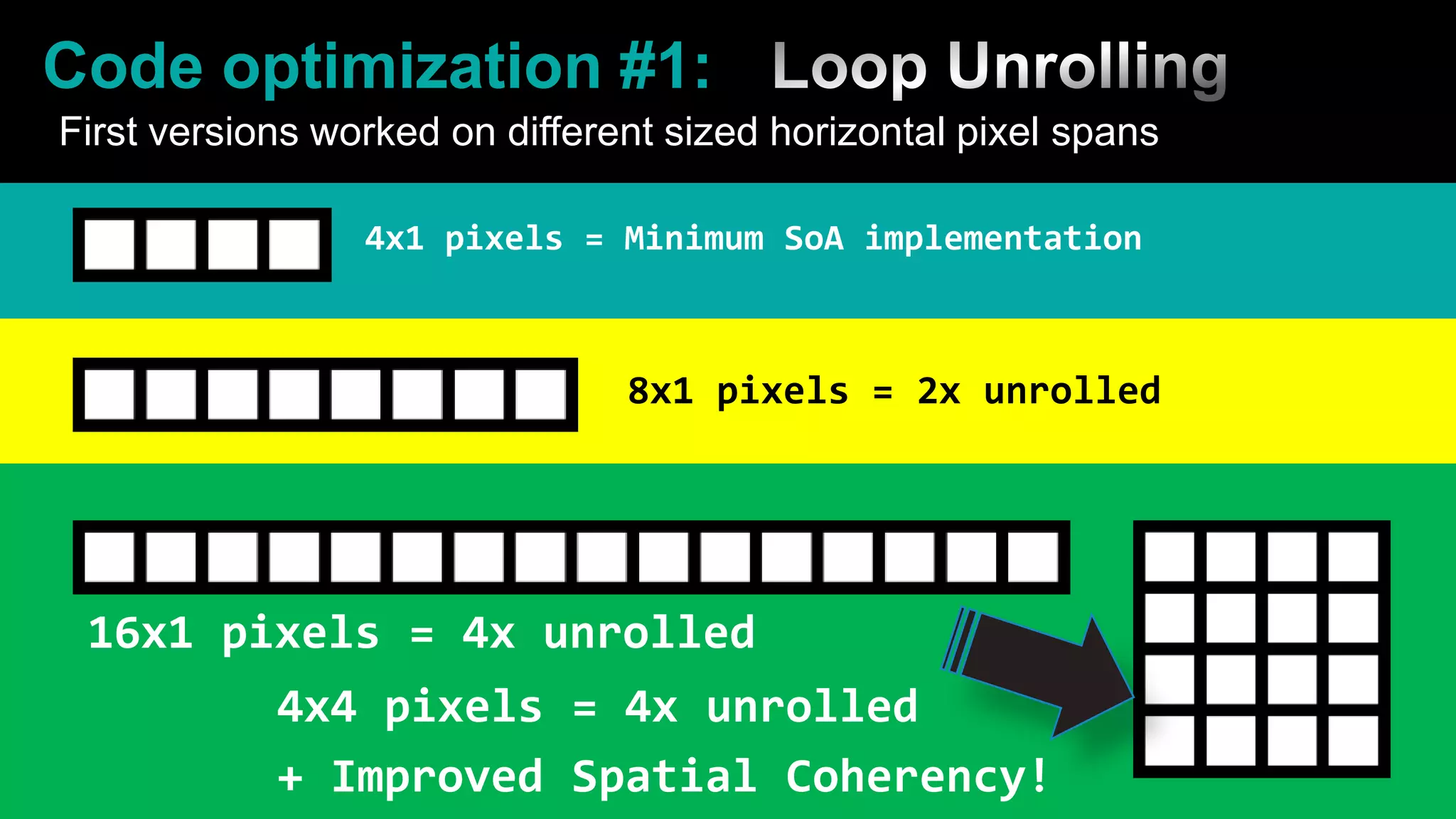
Code optimization #1:	Loop UnrollingFirst versions worked on different sized horizontal pixel spans4x1 pixels = Minimum SoA implementation8x1 pixels = 2x unrolled16x1 pixels = 4x unrolled4x4 pixels = 4x unrolled+Improved Spatial Coherency!
Code optimization #2Branch on Sky pixels in 4x4 pixel processing loopsBranches are expensive, but can be a performance winFully unpacking and shading 16 pixels = a lot of work to branch aroundAlso useful to branch on specific materialsDepends on the cost of branching relative to just doing a compute + vectorized select
Code optimization #3Instruction Pipe Balancing:SPU shading code very heavy on even instruction pipe	Lots of fm,fma, fa, fsub, csflt ....Avoid shli , or+and (even pipe),	use rotqbii + shufb (odd pipe) for shifting + masking- Vanilla C code with GCC doesnt reliably do this which is why you should use explicitly use si intrinsics.
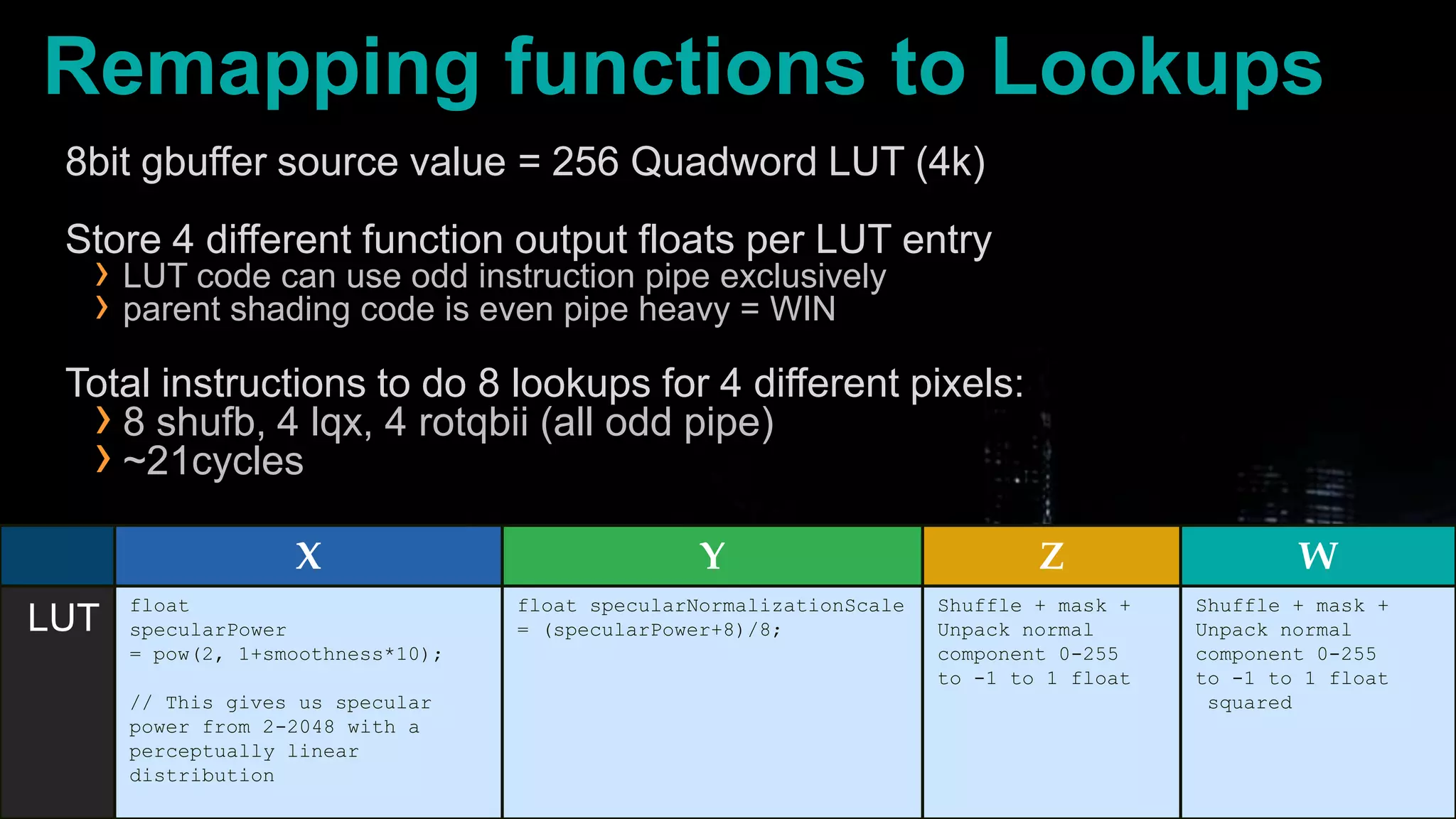
Code Optimization #4 Lookup tables for unpacking data   Can be done all in the odd instruction pipeLighting Code is naturally Even pipe heavyodd pipe is underutilized !Huge wins for complex functionsMinimum work for a win is ~21 cycles for 4 pixels when migrating to LUT.Source gbuffer data channels are 8bitConverted to float and multiplied by constants or values w/ limited range4k of LS can let us map 4 functions to convert  8bit ->float
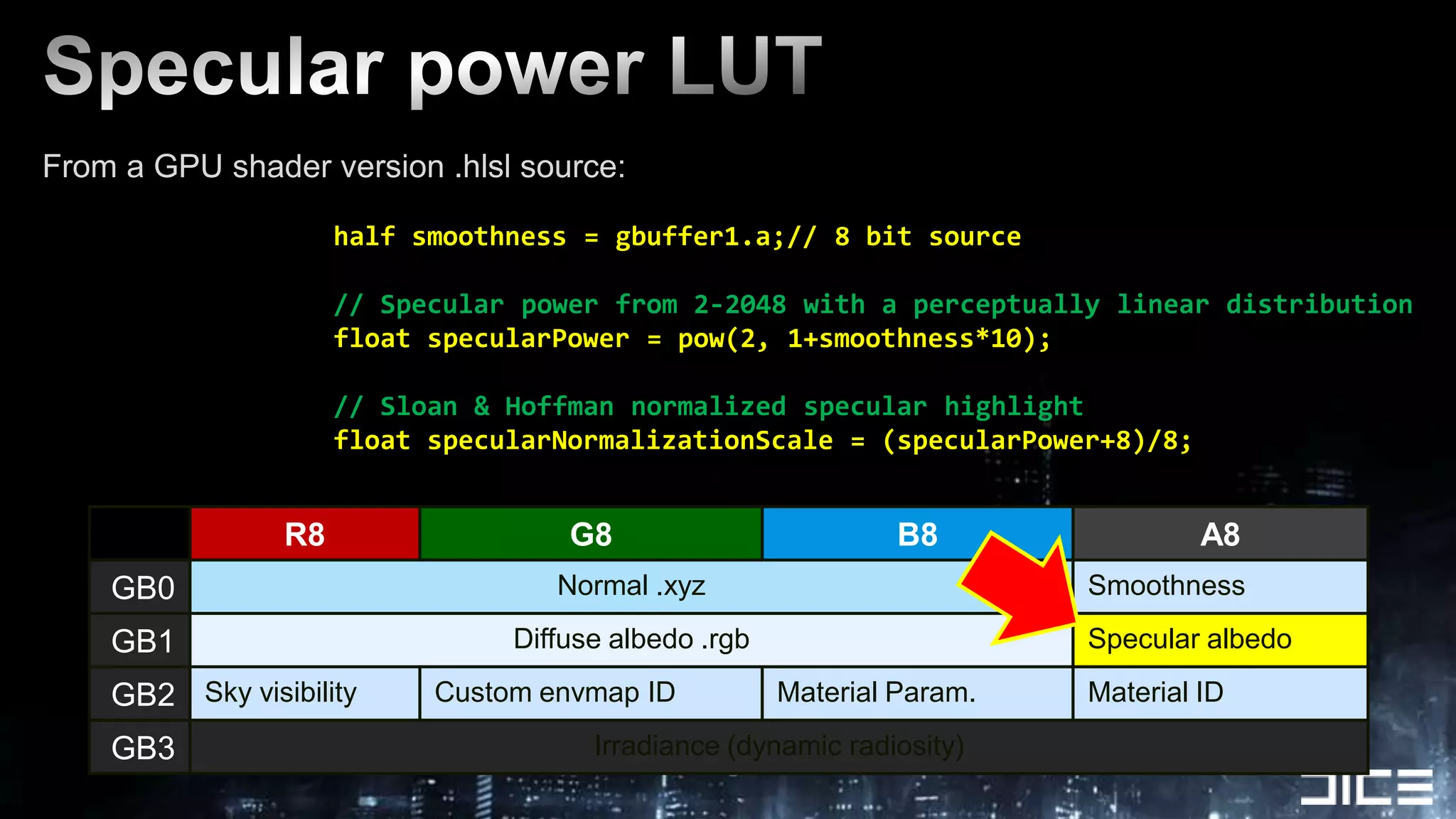
Specular power LUTFrom a GPU shader version .hlsl source:		half smoothness = gbuffer1.a;// 8 bit source	// Specular power from 2-2048 with a perceptually linear distribution		float specularPower = pow(2, 1+smoothness*10);		// Sloan & Hoffman normalized specular highlight		float specularNormalizationScale = (specularPower+8)/8;
Remapping functions to Lookups8bit gbuffer source value = 256 Quadword LUT (4k)Store 4 different function output floats per LUT entryLUT code can use odd instruction pipe exclusivelyparent shading code is even pipe heavy = WINTotal instructions to do 8 lookups for 4 different pixels:8 shufb, 4 lqx, 4 rotqbii (all odd pipe)~21cycles
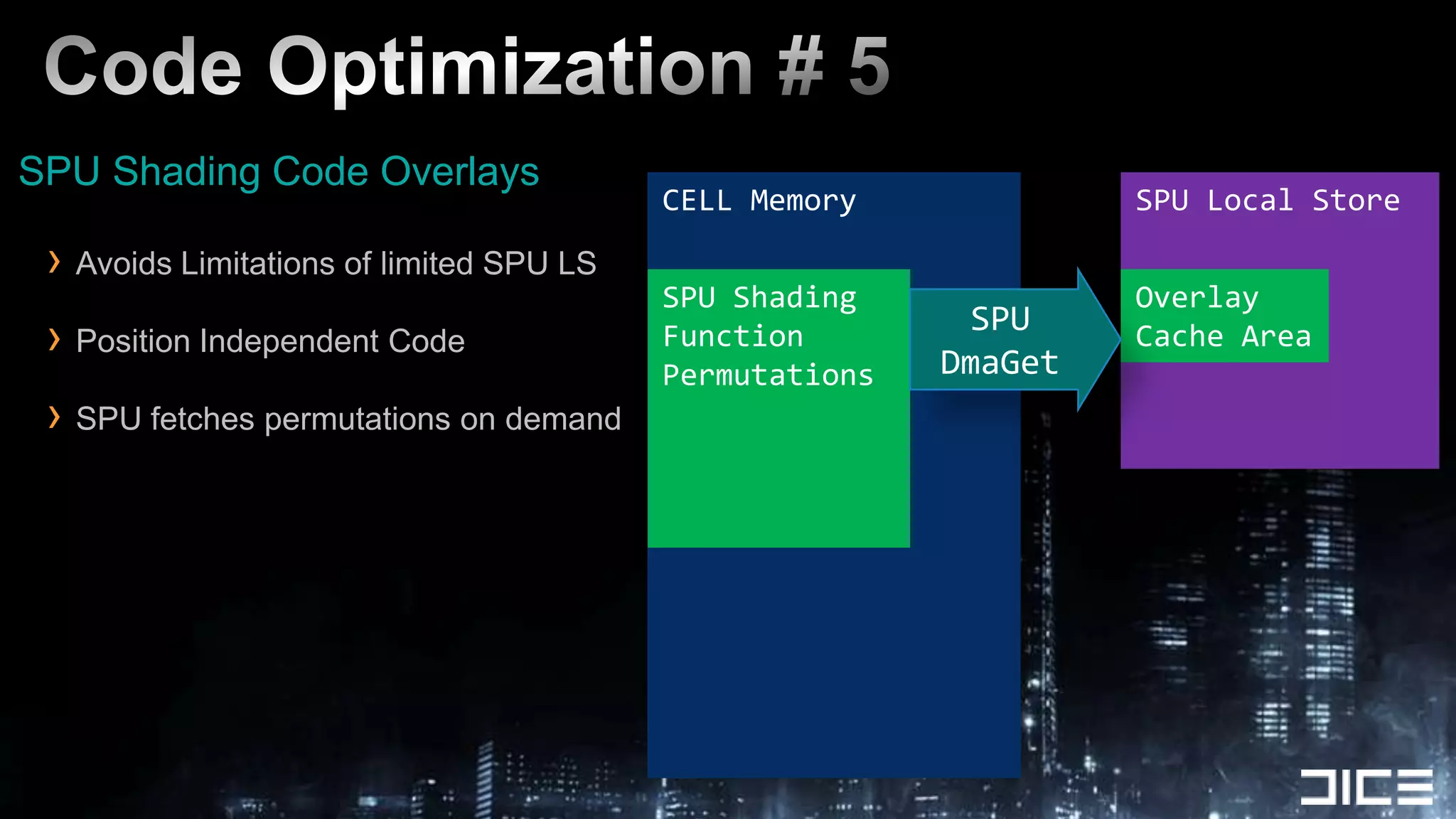
Code Optimization # 5SPU Shading Code OverlaysAvoids Limitations of limited SPU LSPosition Independent CodeSPU fetches permutations on demandSPU Local StoreCELL MemoryOverlayCache AreaSPU ShadingFunction PermutationsSPU DmaGet
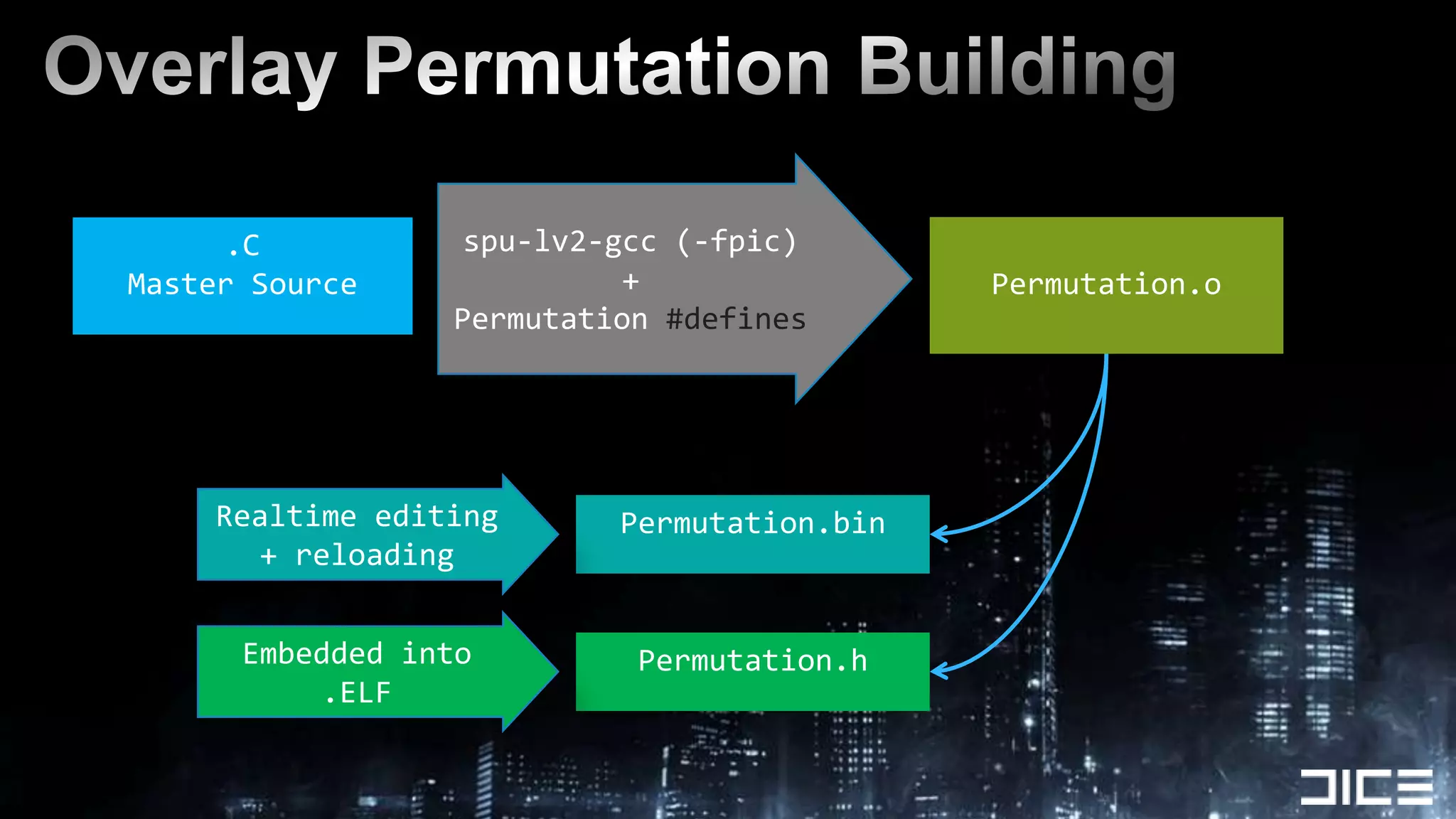
Overlay Permutation Buildingspu-lv2-gcc (-fpic)+ Permutation #defines .CMaster SourcePermutation.oRealtime editing + reloadingPermutation.binEmbedded into .ELFPermutation.h
Best practices
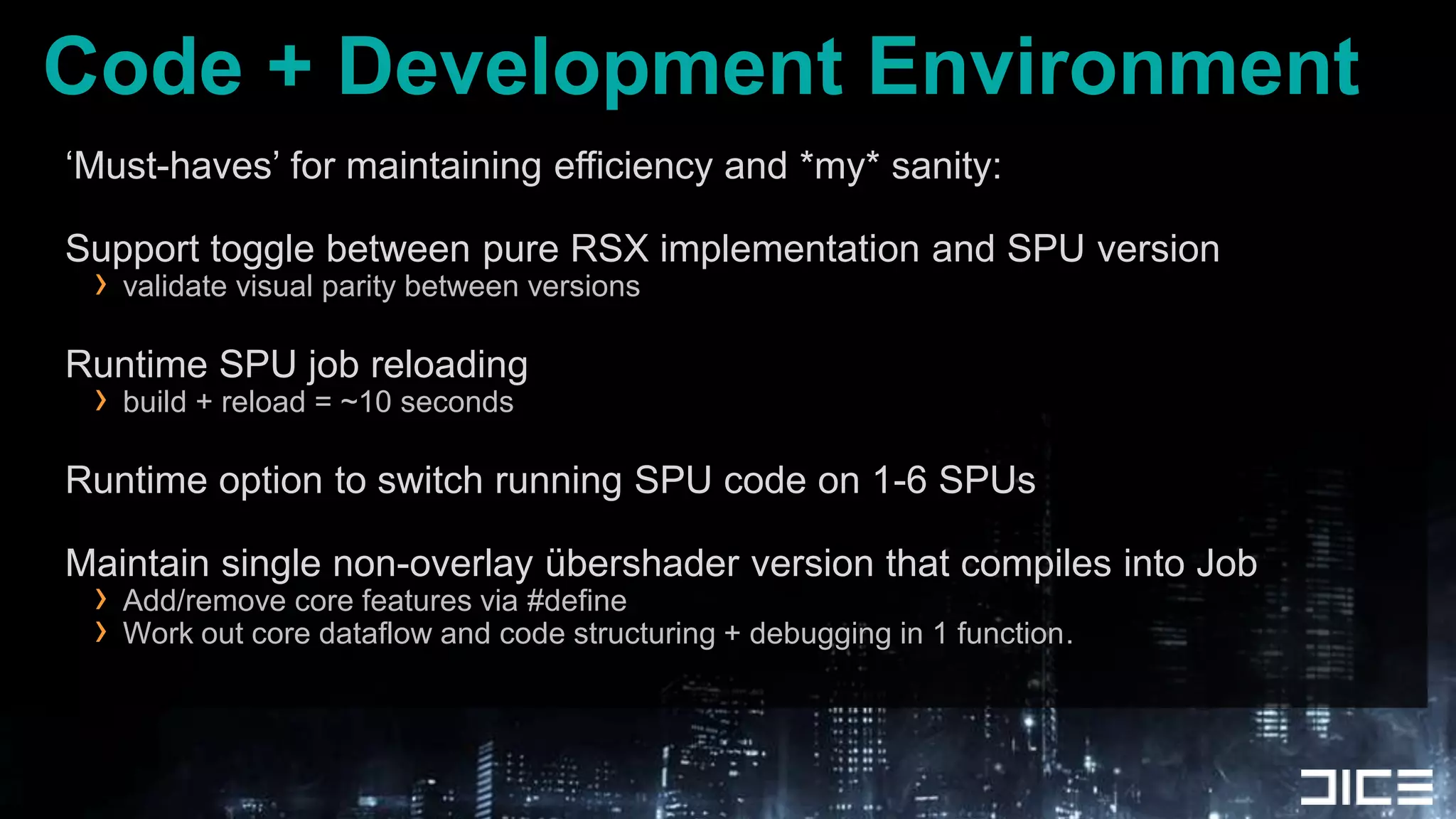
Code + Development Environment‘Must-haves’ for maintaining efficiency and *my* sanity:Support toggle between pure RSX implementation and SPU versionvalidate visual parity between versionsRuntime SPU job reloadingbuild + reload = ~10 secondsRuntime option to switch running SPU code on 1-6 SPUsMaintain single non-overlay übershader version that compiles into JobAdd/remove core features via #defineWork out core dataflow and code structuring + debugging in 1 function.
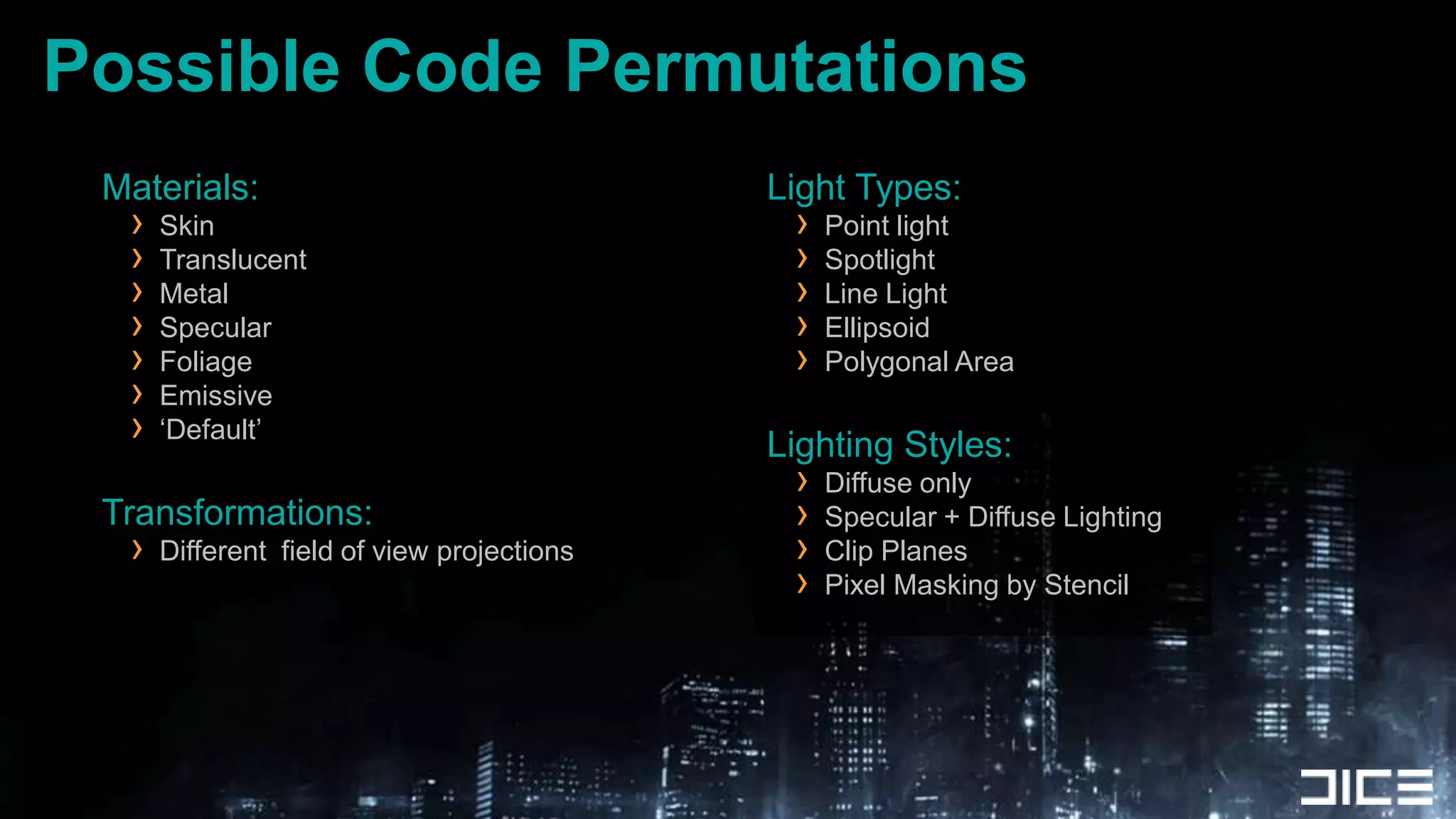
Possible Code PermutationsMaterials:SkinTranslucentMetalSpecularFoliageEmissive‘Default’Transformations:Different  field of view projectionsLight Types:Point lightSpotlightLine LightEllipsoidPolygonal AreaLighting Styles:Diffuse onlySpecular + Diffuse LightingClip PlanesPixel Masking by Stencil
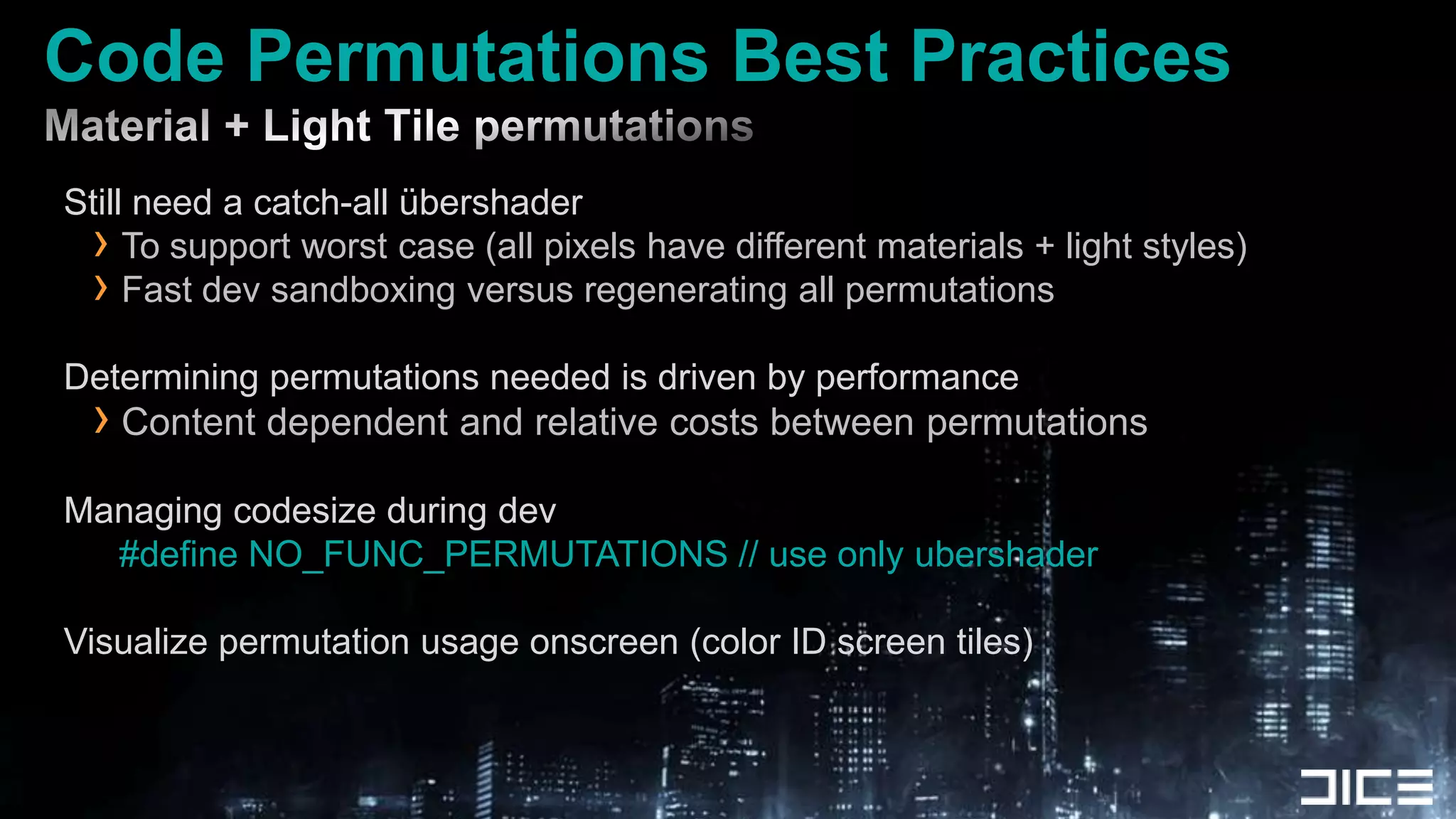
Code Permutations Best PracticesMaterial + Light Tile permutations Still need a catch-all übershaderTo support worst case (all pixels have different materials + light styles)Fast dev sandboxing versus regenerating all permutationsDetermining permutations needed is driven by performanceContent dependent and relative costs between permutationsManaging codesize during dev#define NO_FUNC_PERMUTATIONS // use only ubershaderVisualize permutation usage onscreen (color ID screen tiles)
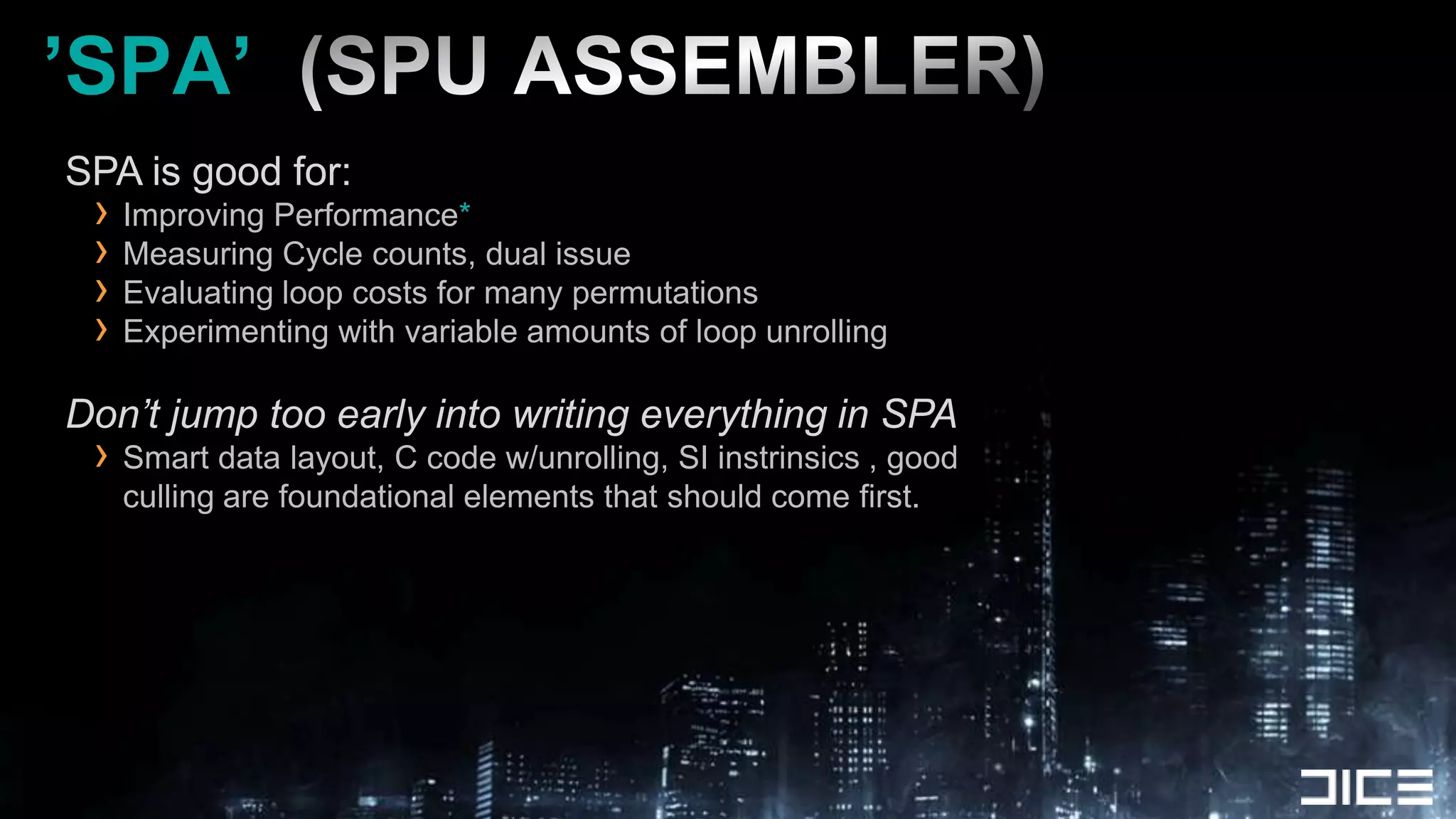
’SPA’  (SPU ASSEMBLER)SPA is good for:Improving Performance*Measuring Cycle counts, dual issueEvaluating loop costs for many permutationsExperimenting with variable amounts of loop unrollingDon’t jump too early into writing everything in SPASmart data layout, C code w/unrolling, SI instrinsics , good culling are foundational elements that should come first.
ConclusionsSPUs are more than capable of performing shading work traditionally done by RSXThink of SPUs as another GPU compute resourceSPUs can do significantly better light culling than the RSXRSX+SPU combined shading creates a great opportunity to raise the bar on graphics!
Special ThanksJohan AnderssonFrostbite Rendering TeamDaniel CollinAndreas FredrikssonColin Barre-BriseboisSteven Tovey + Matt Swoboda @ SCEEEveryone at DICE
Questions?Email: christina.coffin@dice.seBlog:     http://web.mac.com/christinacoffin/Twitter: @christinacoffinBattlefield 3 & Frostbite 2 talks at GDC’11:For more DICE talks: http://publications.dice.se
ReferencesA Bizarre Way to do Real-Time Lightinghttp://www.spuify.co.uk/?p=323Deferred Lighting and Post Processing on PLAYSTATION®3http://www.technology.scee.net/files/presentations/gdc2009/DeferredLightingandPostProcessingonPS3.pptSPU Shaders - Mike Acton, Insomniac Gameswww.insomniacgames.com/tech/articles/0108/files/spu_shaders.pdfDeferred Rendering in Killzone 2http://www.guerrilla-games.com/publications/dr_kz2_rsx_dev07.pdfBending the graphics pipelinehttp://www.slideshare.net/DICEStudio/bending-the-graphics-pipelineA Real-Time Radiosity Architecturehttp://www.slideshare.net/DICEStudio/siggraph10-arrrealtime-radiosityarchitecture

SPU-Based Deferred Shading in BATTLEFIELD 3 for Playstation 3

  • 1.
    SPU-based Deferred Shadingfor Battlefield 3 on Playstation 3Christina CoffinPlatform Specialist, Senior EngineerDICE
  • 2.
    AgendaIntroductionSPU lighting overviewSPUlighting practicalities & algorithmsCode optimizations & development practicesBest practicesConclusionsQ&A
  • 3.
  • 4.
    Past: Frostbite 1ForwardRendered + Destruction + Limited Lighting
  • 5.
  • 6.
    Now: Frostbite 2+ Battlefield 3Indoor + Outdoor + Urban HDR lighting solutionComplex lighting with Environment DestructionDeferred shadedMultiple Light types and materialsGoal: ”Use SPUs to distribute shading work and offload the GPU so it can do other work in parallel”
  • 7.
    Why SPU-based DeferredShading?Want more interesting visual lighting + FXOffload GPU work to the SPUs Having SPU+GPU work together on visuals raises the barAlready developed a tile-based DX 11 compute shaderGood reference point for doing deferred work on SPULots of SPU compute power to take advantage ofSimple sync model to get RSX + SPUs cooperating together
  • 8.
    SPU Shading OverviewPhysicallybased specular shading modelEnergy Conserving specular , specular power from 2 to 2048Lighting performed in camera relative worldspace, float precisionfp16 HDR OutputMultiple Materials / Lighting modelsRuns on 5-6 SPUs
  • 9.
    Multiple lighting models+ materialsStandardMetallicSkinTranslucency
  • 10.
    RSXRendering Frame TimelineNote:Sizes not proportional to time taken!Geometry PassTransfer Gbuffer+Z to CELL memorySPUJob KickCascade Shadows + Particles+ SSAOJTSBarrierSPU 0SPU Shade JobSPU 1SPU Shade JobSPU 2SPU Shade JobSPU 3SPU Shade JobSPU 4SPU Shade Job
  • 11.
    RSXRendering Frame TimelineNote:Sizes not proportional to time taken!Geometry PassTransfer Gbuffer+Z to CELL memorySPUJob KickCascade Shadows + Particles+ SSAOJTSBarrierPostFx+ FinishSPU 0SPU that finishes last tileclears JTS in cmdBufferby DMASPU Shade JobSPU 1SPU Shade JobSPU 2SPU Shade JobSPU 3SPU Shade JobSPU 4SPU Shade Job
  • 12.
    GPU Renders GBufferRSXrender to local memory GBuffer Data4x MRT ARGB8888 + Z24S8Tiled Memory
  • 13.
    RSXSetup Rendering DataFlowLocal MemoryCell MemoryMain Geometry Pass (6-10ms)Z Buffer+4 MRTZ Buffer+3 MRTRSX Copy Z+Gbuffers (1.3ms)Inline DWORD Transfer (Spu job kick)
  • 14.
    Source data inCELL memory+ StencilSPUSPUSPUPacked array of all lights visible in camera (1000+)SPUSPUSPU
  • 15.
    SPU Tile BasedShading work units
  • 16.
    SPU Shading FlowOverviewFor each 64x64 pixel screen tile region:Reserve a tileTransfer & detile dataCull lightsUnpack & Shade pixelsTransfer shaded pixels to output framebuffer
  • 17.
    SPU Tile WorkAllocationSPUs determine their tile to process by atomically incrementing a shared tile index valueIndex value maps to fetch address of Z+Gbuffers per tileSimple sync model to keep SPUs workingAuto Load balancing between SPUsNot all tiles take equal time = variable material+lighting complexity
  • 18.
    Data transfer +De-TILINGGetting the Tile Data onto SPUs....
  • 19.
    FB Tile DataFetchGet MRT 2DMA TrafficGet MRT 0Get MRT 1Get ZBufferSPU CodeDetile 0Detile 1Detile ZDetile 2SPU LS64x64 Pixels 32bpp (x4)Output Linear FormattedReady for Shading Work
  • 20.
  • 21.
    SPU Cull lightsDeterminevisible lights that intersect the tile volume in worldspaceTile frusta generation from min/max z-depth extentsIgnores ’sky’ depth ( Z >= 0xFFFFFF00)Each tile has a different near/far plane based on its pixelsSPU code generates frusta bounding volume for cullingPoint-, Spot- & Line-light types supportedspecialized culling vs. tile volumes
  • 22.
  • 23.
    SPU Shade pixelsSPUTile Based ShadingWe do the same things the GPU does in shaders, but written for SPU ISAVectorize GPU .hlsl / compute shader to get startedNegligable differences in float rounding RSX vs SPUCore Steps:Unpack Gbuffer+Z Data -> Shade -> Pack to fp16 -> DMA out
  • 24.
    Core shading components3MRT+ Z = 128 bits per pixel of source dataDistance attenuationDiffuse LightingMask on Stencil DataTexture Sampling (Limited)Specular LightingLight Volume ClippingLight Shape AttenuationWraparound LightingAttenuation by Surface NormalFresnelMaterial Type ShadingBlend in Diffuse Albedo
  • 25.
    SPU Shading -4x4 Pixel QuadsCore shading loopOperates on 16 pixels at a timeFloat32 precisonSpatially CoherentLit in worldspaceUnpack source data to Structure of Arrays (SoA) format
  • 26.
    Gbuffer data expansionto SoA for shadingDepth + StencilSpec AlbedoDiffuse AlbedoNormalsSmoothnessMaterial ID = Lots shufb+ csfltinstructions for swizzle /mask / converting to float
  • 27.
    SPU Light TileJob Loopfor (all pixels)Unpack 16 Pixels of Z+Gbuffer dataApply all PointLightsApply all SpotLightsApply all LineLightsConvert lighting output to fp16 and store to LS
  • 28.
    DMA output finishedpixelsFinished 32x16 pixel tiles output to RSX memory by DMA list1 List entry per 32x1 pixel scanlineRequired due to Linear buffer destination !Once all tiles are done & transfered:SPU finishing the last tile, clears ’wait for SPUs’ JTS in cmdbufferGPU is free to continue rendering for the frameTransparent objectsBlend-In ParticlesPost-processTonemapping
  • 29.
    Meanwhile, back inRSX Land....RSX is busy doing something (useful) while the SPUs compute the fp16 radiance for tiles.Planar ReflectionsCascade and Spotlight Shadow RenderingGPU Lighting that mixes texture projection/samplingOffscreen buffer Particle RenderingZ downsamples for postFX + SSAOVirtual Texturing / CompositingOcclusion queries
  • 30.
  • 31.
    Tile Light CullingTileBased Culling System Designed to handle extreme lighting loadsShading Budget40ms (split across 5 SPUs)Culling system overhead1-4ms (1000+ lights)
  • 32.
    Tile Light Culling2Light Culling passes:FB Tile Cull, 64x64 pixel tilesSubTile Cull, 32x16 pixel tiles
  • 33.
    DMA TrafficFB TileLight CullingFrustum Light List (1000+ Lights) in CELL memoryFetch in 16 Light BatchesDmaGet Batch-ADmaGet Batch-BDmaGet Batch-CSPU CodeCull Batch-ACull Batch-BSPU LSFB Tile Light Visibility List128 lights
  • 34.
    SubTile Light CullingSPULSFB Tile Light Visibility List128 lightsSubTile 0 Cullfor(8 SubTiles)SubTile 1 CullSubTile 2 CullSubtile 0LightIndex ListSubtile 1LightIndex ListSubtile 2LightIndex List
  • 36.
  • 37.
  • 38.
    Light Culling Optimizations- HierarchyCamera FrustumLight VolumeCoarse Z-OcclusionFB TileSPU Z-Cull64x64 PixelsSubTileSPU Z-Cull32x16 PixelsCoarse to Fine Grained Culling
  • 39.
    Culling Optimizations -TakeawayComplex scenes require aggressive cullingAvoids bad performance edge casesStabilizes performance costMix of brute force + simple hierarchyGood Debug Visualizations is keyHelp guide content optimization and validate culling
  • 40.
    Algorithmic optimization #0MaterialClassificationKnowing which materials reside in a tile = choose optimal SPU code permutation that avoids unneeded work.E.g. No point in calculating skin shading if the material isnt present in a subtile.Use SPU shading code permutations!Similar to GPU optimization via shader permutationsSPU Local Store considerations with this approach
  • 41.
    Algorithmic optimization #1NormalCone CullingBuild a conservative bounding normal cone of all pixels in subtile, Cull lights against it to remove light for entire tileNo materials with a wraparound lighting model in the subtile are allowed. (Tile classification)Flat versus heavily normal mapped surfaces dictate win factor
  • 45.
    Algorithmic optimization #2Supportdiffuse only light sourcesCommon practice in pure GPU rendered gamesFill / Area lightingOnly use specular contributing light sources where it counts.2x+ fasterAdds additional lighting loop + codesize considerations
  • 46.
    Algorithmic optimization #3SpecularAlbedo Present in a subtile?If all pixels in a subtile have specular albedo of zero:Execute diffuse only lighting fast path for this case.If your artists like to make everything shiny, you might not see much of a win here
  • 47.
    Algorithmic optimization #4Branchon 4x4 pixel tile intersection with lightbased on the calculated lighting attenuation termfloat attenuation = 1 / (0.01f + sqrDist); attenuation = max( 0, attenuation + lightThreshold );if( all 16 pixels have an attenuation value of 0 or less)(continue on to next light)
  • 48.
    Branching if attenuationfor 16 pixels < 0.// compare for greater than zero, can use this to saturate attenuation between 0-1qword attenMask_0 = si_fcgt( attenuation_0, const_0 );qword attenMask_1 = si_fcgt( attenuation_1, const_0 );qword attenMask_2 = si_fcgt( attenuation_2, const_0 );qword attenMask_3 = si_fcgt( attenuation_3, const_0 );// ’or’ merge masks from dwords in quadwords (odd pipe)qword attenMerged_0 = si_orx( attenMask_0 );qword attenMerged_1 = si_orx( attenMask_1 );qword attenMerged_2 = si_orx( attenMask_2 );qword attenMerged_3 = si_orx( attenMask_3 );// final merge of 4 quadwords with horizonally merged masksqword attenMerge_01 = si_or( attenMerged_0, attenMerged_1 );qword attenMerge_23 = si_or( attenMerged_2, attenMerged_3 );qword attenMerge_0123 = si_or( attenMerge_01, attenMerge_23 );if( !si_to_uint(attenMerge_0123)) continue;// move to next light!
  • 49.
    Algorithmic optimization #5Clipping+ Optimizing lighting spaceLight Clipping Against House WallNo Light Clipping
  • 50.
    Algorithmic optimization #5Clipping+ Optimizing lighting spaceLight Clipping Against House WallNo Light Clipping
  • 51.
    Why so muchculling?Why not adjust content to avoid bad cases?Highly destructible + dynamic environmentsVariable # of visible lights - depth ‘swiss cheese’ factorSolution must handle distant / scoped views
  • 52.
    Algorithmic Optimization #6Spherical Gaussian Based Specular Model
  • 53.
  • 54.
    Unpack gbuffer datato Structure of Arrays (SoA) formatObvious must-have for those familiar with SPUs.SPUs are powerful, but crappy data breeds crappy code and wastes significant performance.shufb to get the data in the right formatSoA gets us improved pipelining+ more efficient computation4 quadwords of dataCode optimization #0X0 Y0Z0W0X1Y1Z1W1X2Y2Z2W2X3Y3Z3W3X0 X1 x2 x3Y0 Y1 Y2 Y3Z0 Z1 Z2 Z3W0 W1 W2 W3
  • 55.
    Code optimization #1: LoopUnrollingFirst versions worked on different sized horizontal pixel spans4x1 pixels = Minimum SoA implementation8x1 pixels = 2x unrolled16x1 pixels = 4x unrolled4x4 pixels = 4x unrolled+Improved Spatial Coherency!
  • 56.
    Code optimization #2Branchon Sky pixels in 4x4 pixel processing loopsBranches are expensive, but can be a performance winFully unpacking and shading 16 pixels = a lot of work to branch aroundAlso useful to branch on specific materialsDepends on the cost of branching relative to just doing a compute + vectorized select
  • 57.
    Code optimization #3InstructionPipe Balancing:SPU shading code very heavy on even instruction pipe Lots of fm,fma, fa, fsub, csflt ....Avoid shli , or+and (even pipe), use rotqbii + shufb (odd pipe) for shifting + masking- Vanilla C code with GCC doesnt reliably do this which is why you should use explicitly use si intrinsics.
  • 58.
    Code Optimization #4Lookup tables for unpacking data Can be done all in the odd instruction pipeLighting Code is naturally Even pipe heavyodd pipe is underutilized !Huge wins for complex functionsMinimum work for a win is ~21 cycles for 4 pixels when migrating to LUT.Source gbuffer data channels are 8bitConverted to float and multiplied by constants or values w/ limited range4k of LS can let us map 4 functions to convert 8bit ->float
  • 59.
    Specular power LUTFroma GPU shader version .hlsl source: half smoothness = gbuffer1.a;// 8 bit source // Specular power from 2-2048 with a perceptually linear distribution float specularPower = pow(2, 1+smoothness*10); // Sloan & Hoffman normalized specular highlight float specularNormalizationScale = (specularPower+8)/8;
  • 60.
    Remapping functions toLookups8bit gbuffer source value = 256 Quadword LUT (4k)Store 4 different function output floats per LUT entryLUT code can use odd instruction pipe exclusivelyparent shading code is even pipe heavy = WINTotal instructions to do 8 lookups for 4 different pixels:8 shufb, 4 lqx, 4 rotqbii (all odd pipe)~21cycles
  • 61.
    Code Optimization #5SPU Shading Code OverlaysAvoids Limitations of limited SPU LSPosition Independent CodeSPU fetches permutations on demandSPU Local StoreCELL MemoryOverlayCache AreaSPU ShadingFunction PermutationsSPU DmaGet
  • 62.
    Overlay Permutation Buildingspu-lv2-gcc(-fpic)+ Permutation #defines .CMaster SourcePermutation.oRealtime editing + reloadingPermutation.binEmbedded into .ELFPermutation.h
  • 63.
  • 64.
    Code + DevelopmentEnvironment‘Must-haves’ for maintaining efficiency and *my* sanity:Support toggle between pure RSX implementation and SPU versionvalidate visual parity between versionsRuntime SPU job reloadingbuild + reload = ~10 secondsRuntime option to switch running SPU code on 1-6 SPUsMaintain single non-overlay übershader version that compiles into JobAdd/remove core features via #defineWork out core dataflow and code structuring + debugging in 1 function.
  • 65.
    Possible Code PermutationsMaterials:SkinTranslucentMetalSpecularFoliageEmissive‘Default’Transformations:Different field of view projectionsLight Types:Point lightSpotlightLine LightEllipsoidPolygonal AreaLighting Styles:Diffuse onlySpecular + Diffuse LightingClip PlanesPixel Masking by Stencil
  • 66.
    Code Permutations BestPracticesMaterial + Light Tile permutations Still need a catch-all übershaderTo support worst case (all pixels have different materials + light styles)Fast dev sandboxing versus regenerating all permutationsDetermining permutations needed is driven by performanceContent dependent and relative costs between permutationsManaging codesize during dev#define NO_FUNC_PERMUTATIONS // use only ubershaderVisualize permutation usage onscreen (color ID screen tiles)
  • 67.
    ’SPA’ (SPUASSEMBLER)SPA is good for:Improving Performance*Measuring Cycle counts, dual issueEvaluating loop costs for many permutationsExperimenting with variable amounts of loop unrollingDon’t jump too early into writing everything in SPASmart data layout, C code w/unrolling, SI instrinsics , good culling are foundational elements that should come first.
  • 68.
    ConclusionsSPUs are morethan capable of performing shading work traditionally done by RSXThink of SPUs as another GPU compute resourceSPUs can do significantly better light culling than the RSXRSX+SPU combined shading creates a great opportunity to raise the bar on graphics!
  • 69.
    Special ThanksJohan AnderssonFrostbiteRendering TeamDaniel CollinAndreas FredrikssonColin Barre-BriseboisSteven Tovey + Matt Swoboda @ SCEEEveryone at DICE
  • 70.
    Questions?Email: christina.coffin@dice.seBlog: http://web.mac.com/christinacoffin/Twitter: @christinacoffinBattlefield 3 & Frostbite 2 talks at GDC’11:For more DICE talks: http://publications.dice.se
  • 71.
    ReferencesA Bizarre Wayto do Real-Time Lightinghttp://www.spuify.co.uk/?p=323Deferred Lighting and Post Processing on PLAYSTATION®3http://www.technology.scee.net/files/presentations/gdc2009/DeferredLightingandPostProcessingonPS3.pptSPU Shaders - Mike Acton, Insomniac Gameswww.insomniacgames.com/tech/articles/0108/files/spu_shaders.pdfDeferred Rendering in Killzone 2http://www.guerrilla-games.com/publications/dr_kz2_rsx_dev07.pdfBending the graphics pipelinehttp://www.slideshare.net/DICEStudio/bending-the-graphics-pipelineA Real-Time Radiosity Architecturehttp://www.slideshare.net/DICEStudio/siggraph10-arrrealtime-radiosityarchitecture