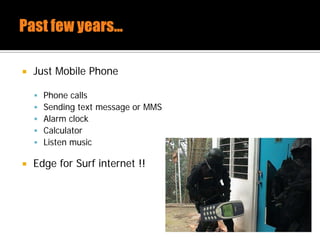
 Just Mobile Phone
 Phone calls
 Sending text message or MMS
 Alarm clock
 Calculator
 Listen music
 Edge for Surf internet !!
 3G, 4G and WIFI support on Mobile network
 Became more intelligent – Smart Phone
 Sending email
 Surf internet
 Check-on for flights
 Online Banking transactions
 Social Network (Facebook, Twitter, Instagram, Etc)
 Companies started creating mobile applications to offer
services to clients
 Storing and synchronizing data files in the cloud
 Participating in social network sites
 As the data that stored, processed and transferred can often be
considered sensitive.
Mobile App Attack Surface
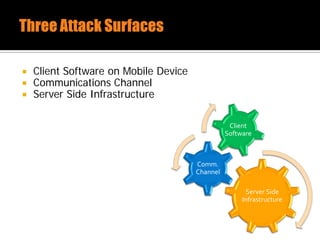
 Client Software on Mobile Device
 Communications Channel
 Server Side Infrastructure
Server Side
Infrastructure
Comm.
Channel
Client
Software
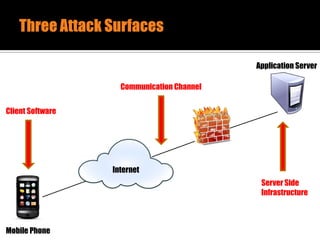
Mobile Phone
Internet
Application Server
Client Software
Communication Channel
Server Side
Infrastructure
 Packages are typically downloaded from an AppStore,
Google Play or provided via Company website
 Testing requires a device that is rooted or jailbroken for
access to all files and folders on the local file system
 Be able to decompiled, tampered or reverse engineered
 Attention points
 Files on the local file system
 Application authentication & authorization
 Error Handling & Session Management
 Business logic
 Decompiling and Analyzing
 Channel between the client and the server (HTTPs,
EDGE, 3G)
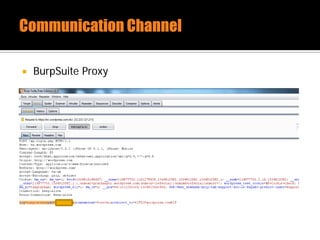
 Testing with HTTP Proxy (Burp, ZAP) to intercept and
manipulate alter traffic
 If the application does not use the HTTP protocol, can
use transparent TCP and UDP proxy like Mallory
 Attention points
 Sniff sensitive information
 Replay attack vulnerabilities
 Secure transfer of sensitive information
 The attack vectors for the web servers behind a mobile
application is similar to those use for regular websites
 Perform host and service scans on the target system to
identify running services
 Attention points
 OWASP Top 10 vulnerabilities (SQLi, XSS, …)
 Running services and version
 Infrastructure vulnerability scanning
Pentest iOS Application
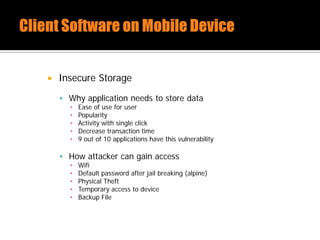
 Insecure Storage
 Why application needs to store data
▪ Ease of use for user
▪ Popularity
▪ Activity with single click
▪ Decrease transaction time
▪ 9 out of 10 applications have this vulnerability
 How attacker can gain access
▪ Wifi
▪ Default password after jail breaking (alpine)
▪ Physical Theft
▪ Temporary access to device
▪ Backup File
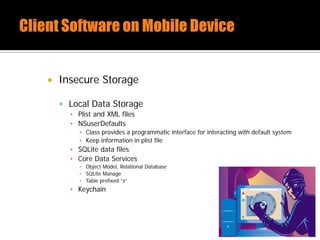
 Insecure Storage
 Local Data Storage
▪ Plist and XML files
▪ NSuserDefaults
▪ Class provides a programmatic interface for interacting with default system
▪ Keep information in plist file
▪ SQLite data files
▪ Core Data Services
▪ Object Model, Relational Database
▪ SQLite Manage
▪ Table prefixed “z”
▪ Keychain
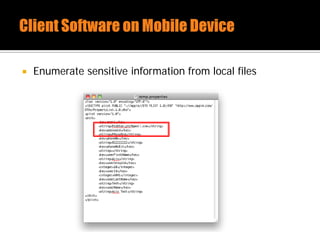
 Enumerate sensitive information from local files
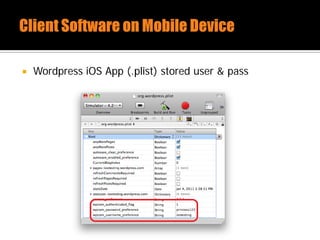
 Wordpress iOS App (.plist) stored user & pass
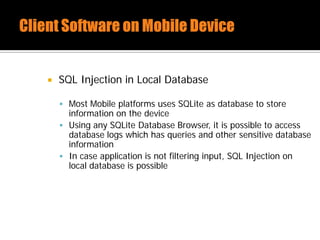
 SQL Injection in Local Database
 Most Mobile platforms uses SQLite as database to store
information on the device
 Using any SQLite Database Browser, it is possible to access
database logs which has queries and other sensitive database
information
 In case application is not filtering input, SQL Injection on
local database is possible
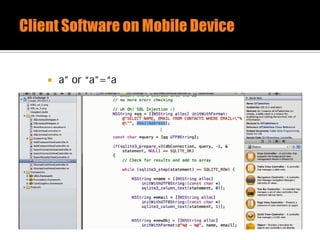
 a” or “a”=“a
 Bad Code
NSString *uid = [myHTTPConnection getUID];
NSString *statement = [NSString StringWithFormat : @”SELECT username FROM users
where uid = ‘%@’”, uid];
const char *sql = [statement UTF8String];
 Good Code
Const char *sql = “SELECT username FROM users where uid = ?”;
sqlite3_prepare_v2(db, sql, -1, &selectUid, NULL);
Sqlite3_bind_int(selectUid, 1, uid);
int status = sqlite3_step(selectUid);
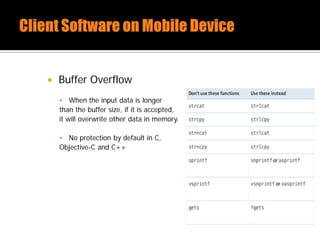
 Buffer Overflow
 When the input data is longer
than the buffer size, if it is accepted,
it will overwrite other data in memory.
 No protection by default in C,
Objective-C and C++
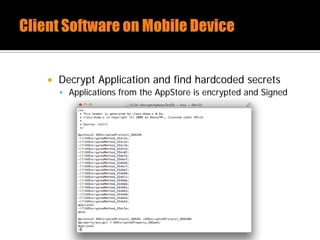
 Decrypt Application and find hardcoded secrets
 Applications from the AppStore is encrypted and Signed
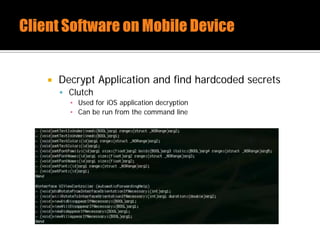
 Decrypt Application and find hardcoded secrets
 Clutch
▪ Used for iOS application decryption
▪ Can be run from the command line
 Decrypt Application and find hardcoded secrets
 Runtime Analysis with GDB
▪ Use clutch
▪ View classdump-z output
▪ Set breakpoint
▪ Analyze objc_msgsend
▪ Find passcode
▪ Evade checks
 https://vimeo.com/66617415
 Poor or no encryption during transit
 Traffic over HTTP
 Token passing
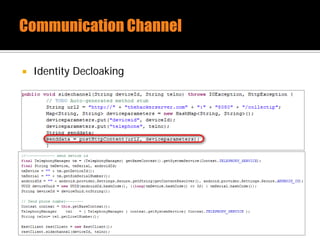
 Device ID over poor channel
 UDID Privacy concerns (Can be used to track user)
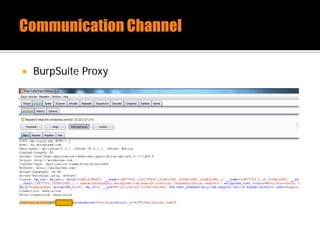
 BurpSuite Proxy
 Apps communicate with backend web services
 OWASP Top 10 auditing
 Most communication using XML
 MitM and inject bad XML
 UIWebviews (Used to embed web content in app)
 Execute JavaScript (XSS)
 Fuzz data sent/received
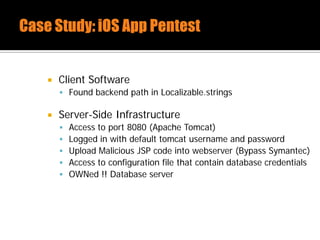
 Client Software
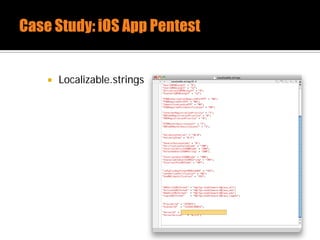
 Found backend path in Localizable.strings
 Server-Side Infrastructure
 Access to port 8080 (Apache Tomcat)
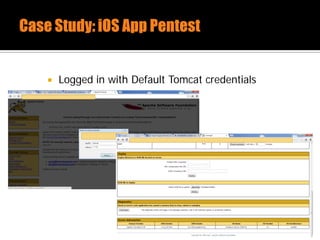
 Logged in with default tomcat username and password
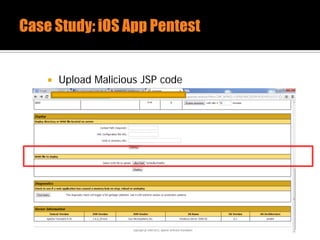
 Upload Malicious JSP code into webserver (Bypass Symantec)
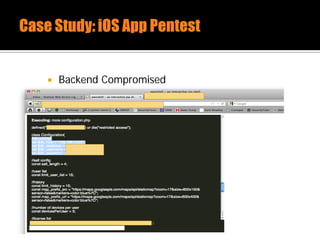
 Access to configuration file that contain database credentials
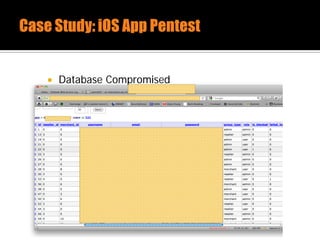
 OWNed !! Database server
 Localizable.strings
 Logged in with Default Tomcat credentials
 Upload Malicious JSP code
 Backend Compromised
 Database Compromised
Pentest Android Application
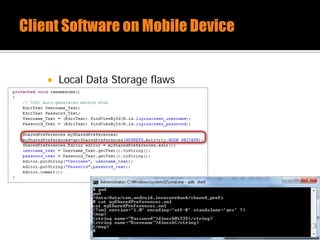
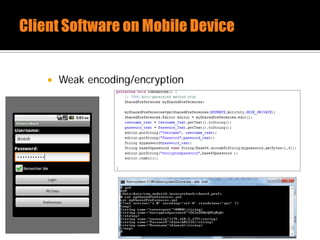
 Local Data Storage flaws
 Weak encoding/encryption
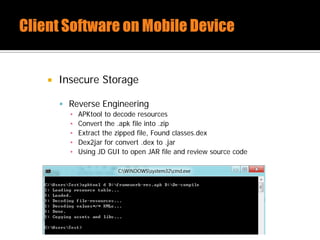
 Insecure Storage
 Reverse Engineering
▪ APKtool to decode resources
▪ Convert the .apk file into .zip
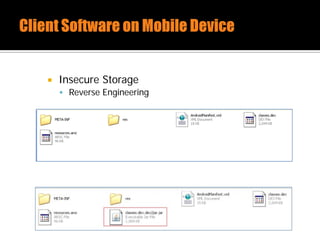
▪ Extract the zipped file, Found classes.dex
▪ Dex2jar for convert .dex to .jar
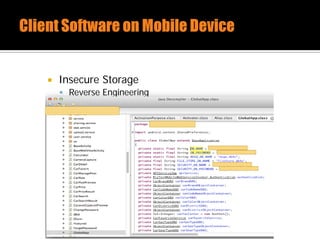
▪ Using JD GUI to open JAR file and review source code
 Insecure Storage
 Reverse Engineering
 Insecure Storage
 Reverse Engineering
 BurpSuite Proxy
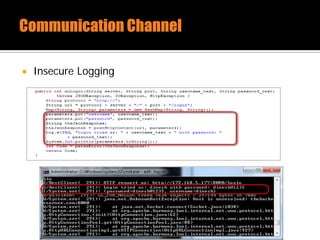
 Insecure Logging
 Identity Decloaking
 Apps communicate with backend web services
 OWASP Top 10 auditing
 Fuzz data sent/received
 Client Software
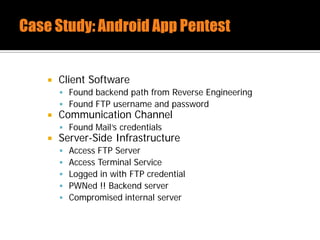
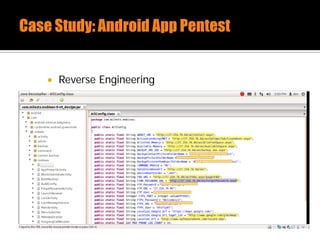
 Found backend path from Reverse Engineering
 Found FTP username and password
 Communication Channel
 Found Mail’s credentials
 Server-Side Infrastructure
 Access FTP Server
 Access Terminal Service
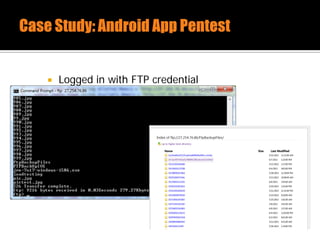
 Logged in with FTP credential
 PWNed !! Backend server
 Compromised internal server
 Reverse Engineering
 Logged in with FTP credential
 100 porn images found !!
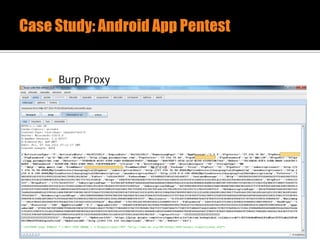
 Burp Proxy
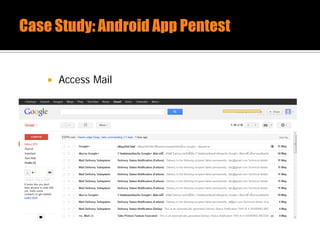
 Access Mail
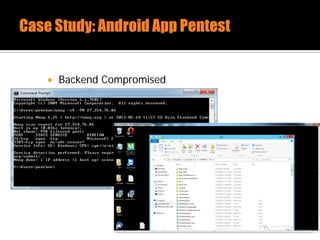
 Backend Compromised
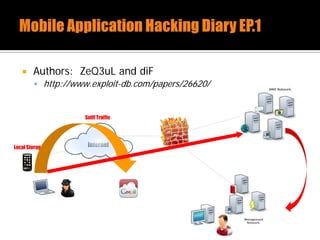
 Authors: ZeQ3uL and diF
 http://www.exploit-db.com/papers/26620/
Local Storage Internet
Sniff Traffic

Mobile Application Pentest [Fast-Track]

  • 2.
     Just MobilePhone  Phone calls  Sending text message or MMS  Alarm clock  Calculator  Listen music  Edge for Surf internet !!
  • 3.
     3G, 4Gand WIFI support on Mobile network  Became more intelligent – Smart Phone  Sending email  Surf internet  Check-on for flights  Online Banking transactions  Social Network (Facebook, Twitter, Instagram, Etc)
  • 4.
     Companies startedcreating mobile applications to offer services to clients  Storing and synchronizing data files in the cloud  Participating in social network sites  As the data that stored, processed and transferred can often be considered sensitive.
  • 5.
  • 6.
     Client Softwareon Mobile Device  Communications Channel  Server Side Infrastructure Server Side Infrastructure Comm. Channel Client Software
  • 7.
    Mobile Phone Internet Application Server ClientSoftware Communication Channel Server Side Infrastructure
  • 8.
     Packages aretypically downloaded from an AppStore, Google Play or provided via Company website  Testing requires a device that is rooted or jailbroken for access to all files and folders on the local file system  Be able to decompiled, tampered or reverse engineered
  • 9.
     Attention points Files on the local file system  Application authentication & authorization  Error Handling & Session Management  Business logic  Decompiling and Analyzing
  • 10.
     Channel betweenthe client and the server (HTTPs, EDGE, 3G)  Testing with HTTP Proxy (Burp, ZAP) to intercept and manipulate alter traffic  If the application does not use the HTTP protocol, can use transparent TCP and UDP proxy like Mallory
  • 11.
     Attention points Sniff sensitive information  Replay attack vulnerabilities  Secure transfer of sensitive information
  • 12.
     The attackvectors for the web servers behind a mobile application is similar to those use for regular websites  Perform host and service scans on the target system to identify running services
  • 13.
     Attention points OWASP Top 10 vulnerabilities (SQLi, XSS, …)  Running services and version  Infrastructure vulnerability scanning
  • 14.
  • 15.
     Insecure Storage Why application needs to store data ▪ Ease of use for user ▪ Popularity ▪ Activity with single click ▪ Decrease transaction time ▪ 9 out of 10 applications have this vulnerability  How attacker can gain access ▪ Wifi ▪ Default password after jail breaking (alpine) ▪ Physical Theft ▪ Temporary access to device ▪ Backup File
  • 16.
     Insecure Storage Local Data Storage ▪ Plist and XML files ▪ NSuserDefaults ▪ Class provides a programmatic interface for interacting with default system ▪ Keep information in plist file ▪ SQLite data files ▪ Core Data Services ▪ Object Model, Relational Database ▪ SQLite Manage ▪ Table prefixed “z” ▪ Keychain
  • 17.
     Enumerate sensitiveinformation from local files
  • 18.
     Wordpress iOSApp (.plist) stored user & pass
  • 19.
     SQL Injectionin Local Database  Most Mobile platforms uses SQLite as database to store information on the device  Using any SQLite Database Browser, it is possible to access database logs which has queries and other sensitive database information  In case application is not filtering input, SQL Injection on local database is possible
  • 20.
     a” or“a”=“a
  • 21.
     Bad Code NSString*uid = [myHTTPConnection getUID]; NSString *statement = [NSString StringWithFormat : @”SELECT username FROM users where uid = ‘%@’”, uid]; const char *sql = [statement UTF8String];  Good Code Const char *sql = “SELECT username FROM users where uid = ?”; sqlite3_prepare_v2(db, sql, -1, &selectUid, NULL); Sqlite3_bind_int(selectUid, 1, uid); int status = sqlite3_step(selectUid);
  • 22.
     Buffer Overflow When the input data is longer than the buffer size, if it is accepted, it will overwrite other data in memory.  No protection by default in C, Objective-C and C++
  • 23.
     Decrypt Applicationand find hardcoded secrets  Applications from the AppStore is encrypted and Signed
  • 24.
     Decrypt Applicationand find hardcoded secrets  Clutch ▪ Used for iOS application decryption ▪ Can be run from the command line
  • 25.
     Decrypt Applicationand find hardcoded secrets  Runtime Analysis with GDB ▪ Use clutch ▪ View classdump-z output ▪ Set breakpoint ▪ Analyze objc_msgsend ▪ Find passcode ▪ Evade checks  https://vimeo.com/66617415
  • 26.
     Poor orno encryption during transit  Traffic over HTTP  Token passing  Device ID over poor channel  UDID Privacy concerns (Can be used to track user)
  • 27.
  • 28.
     Apps communicatewith backend web services  OWASP Top 10 auditing  Most communication using XML  MitM and inject bad XML  UIWebviews (Used to embed web content in app)  Execute JavaScript (XSS)  Fuzz data sent/received
  • 29.
     Client Software Found backend path in Localizable.strings  Server-Side Infrastructure  Access to port 8080 (Apache Tomcat)  Logged in with default tomcat username and password  Upload Malicious JSP code into webserver (Bypass Symantec)  Access to configuration file that contain database credentials  OWNed !! Database server
  • 30.
  • 31.
     Logged inwith Default Tomcat credentials
  • 32.
  • 33.
  • 34.
  • 35.
  • 36.
     Local DataStorage flaws
  • 37.
  • 38.
     Insecure Storage Reverse Engineering ▪ APKtool to decode resources ▪ Convert the .apk file into .zip ▪ Extract the zipped file, Found classes.dex ▪ Dex2jar for convert .dex to .jar ▪ Using JD GUI to open JAR file and review source code
  • 39.
     Insecure Storage Reverse Engineering
  • 40.
     Insecure Storage Reverse Engineering
  • 41.
  • 42.
  • 43.
  • 44.
     Apps communicatewith backend web services  OWASP Top 10 auditing  Fuzz data sent/received
  • 45.
     Client Software Found backend path from Reverse Engineering  Found FTP username and password  Communication Channel  Found Mail’s credentials  Server-Side Infrastructure  Access FTP Server  Access Terminal Service  Logged in with FTP credential  PWNed !! Backend server  Compromised internal server
  • 46.
  • 47.
     Logged inwith FTP credential
  • 48.
     100 pornimages found !!
  • 49.
  • 50.
  • 51.
  • 52.
     Authors: ZeQ3uLand diF  http://www.exploit-db.com/papers/26620/ Local Storage Internet Sniff Traffic