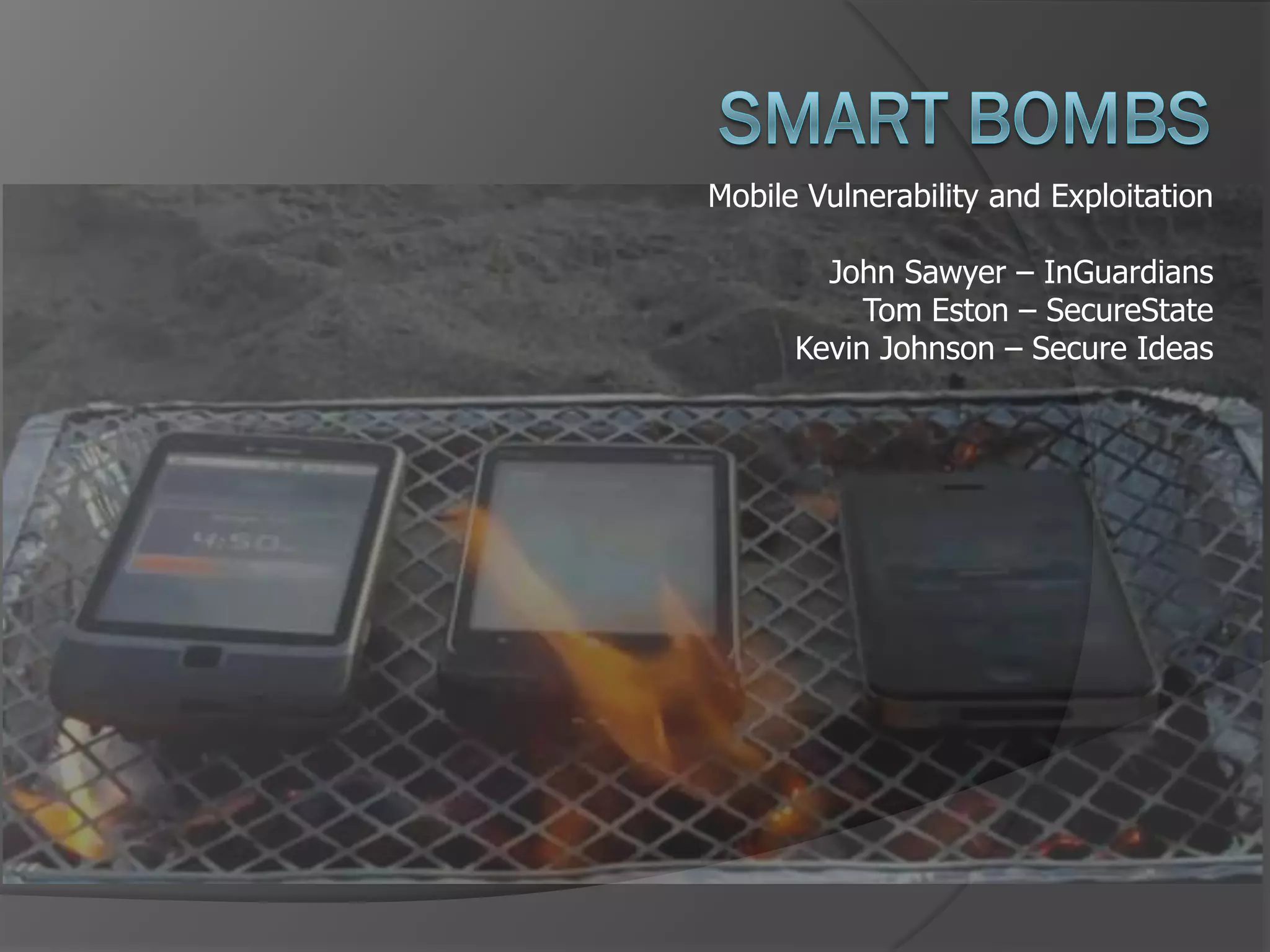
Mobile Vulnerability and Exploitation

        John Sawyer – InGuardians
           Tom Eston – SecureState
      Kevin Johnson – Secure Ideas
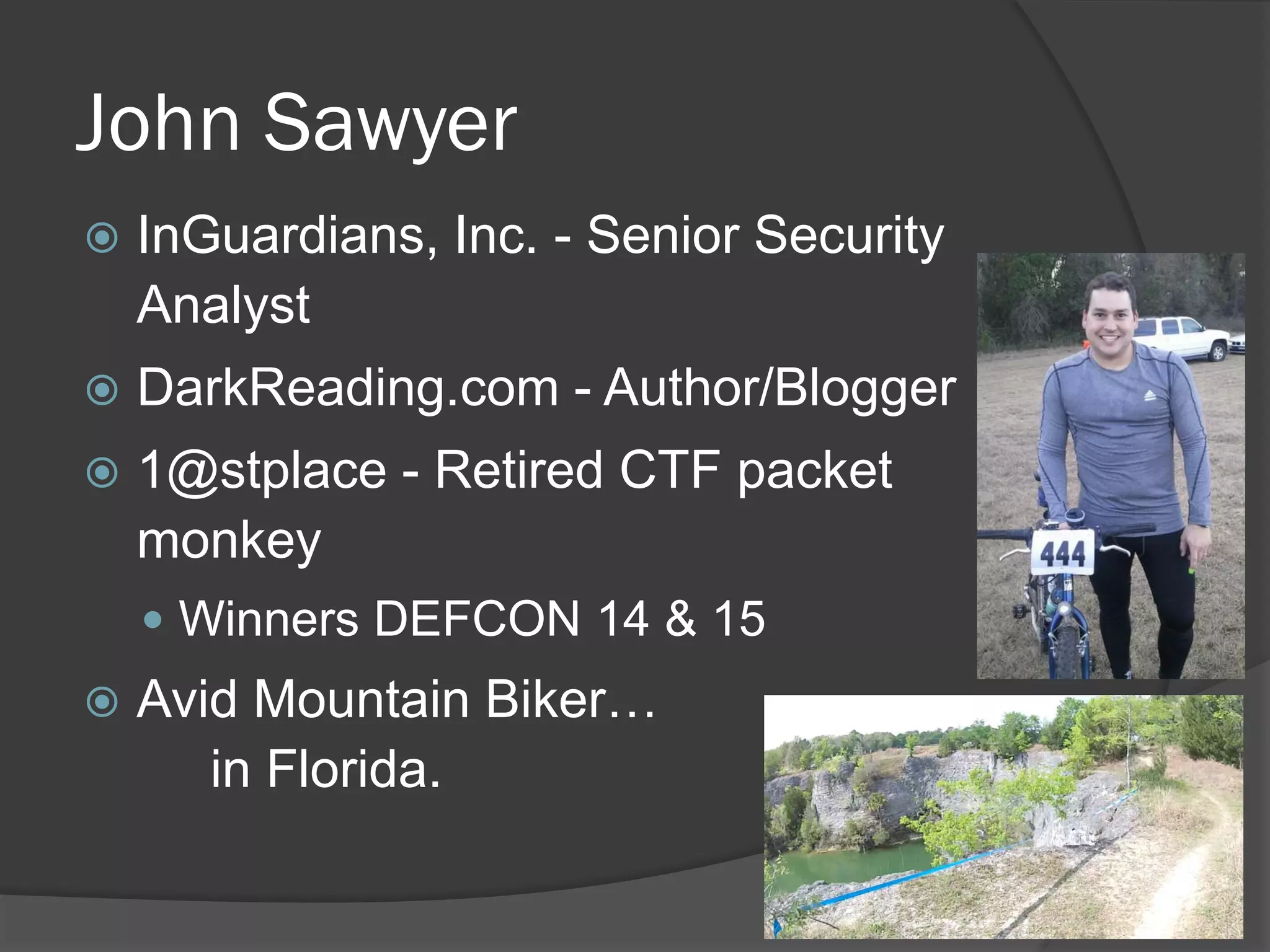
John Sawyer
   InGuardians, Inc. - Senior Security
    Analyst
   DarkReading.com - Author/Blogger
   1@stplace - Retired CTF packet
    monkey
     Winners DEFCON 14 & 15
   Avid Mountain Biker…
       in Florida.
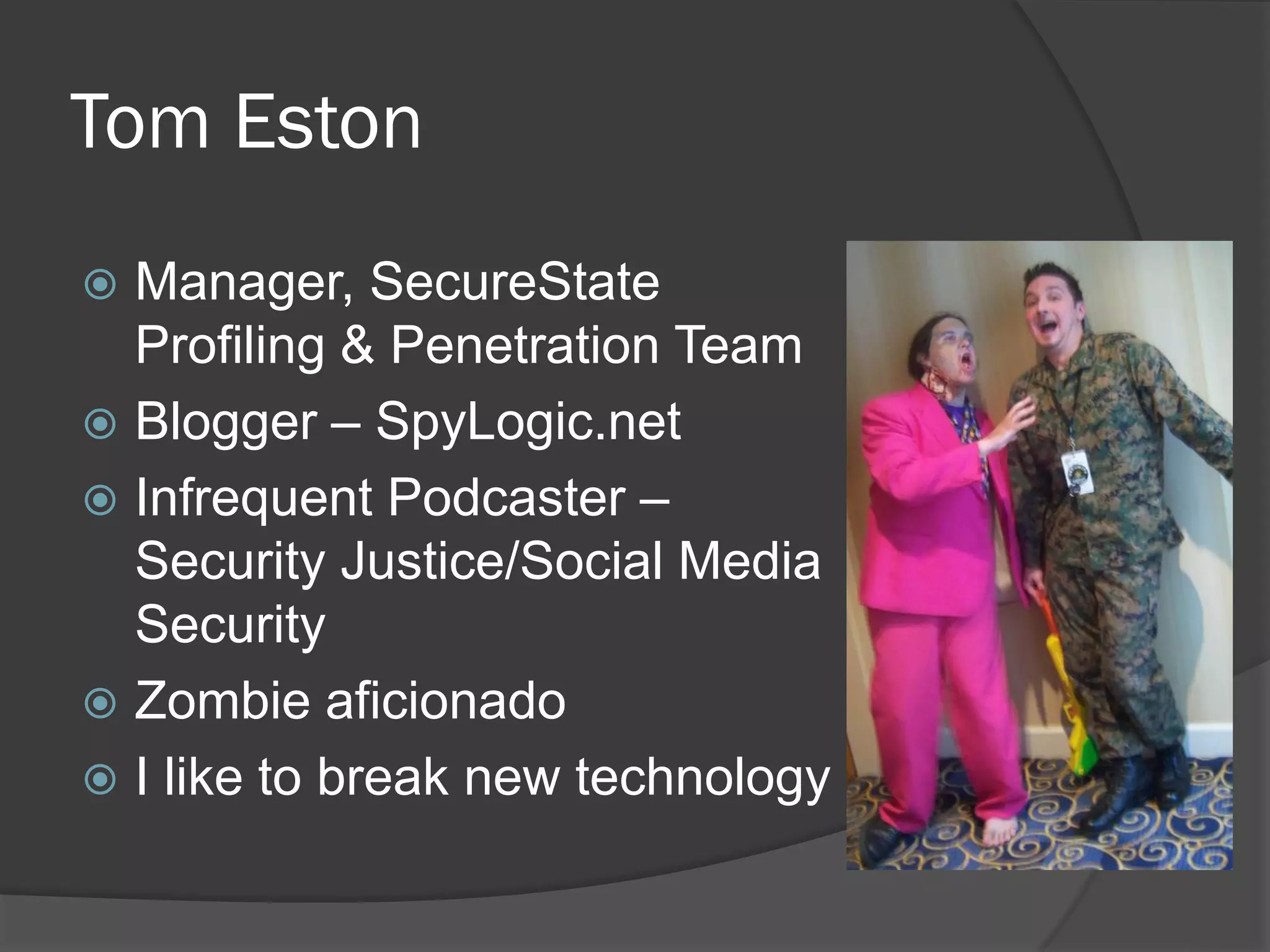
Tom Eston
 Manager, SecureState
  Profiling & Penetration Team
 Blogger – SpyLogic.net
 Infrequent Podcaster –
  Security Justice/Social Media
  Security
 Zombie aficionado
 I like to break new technology
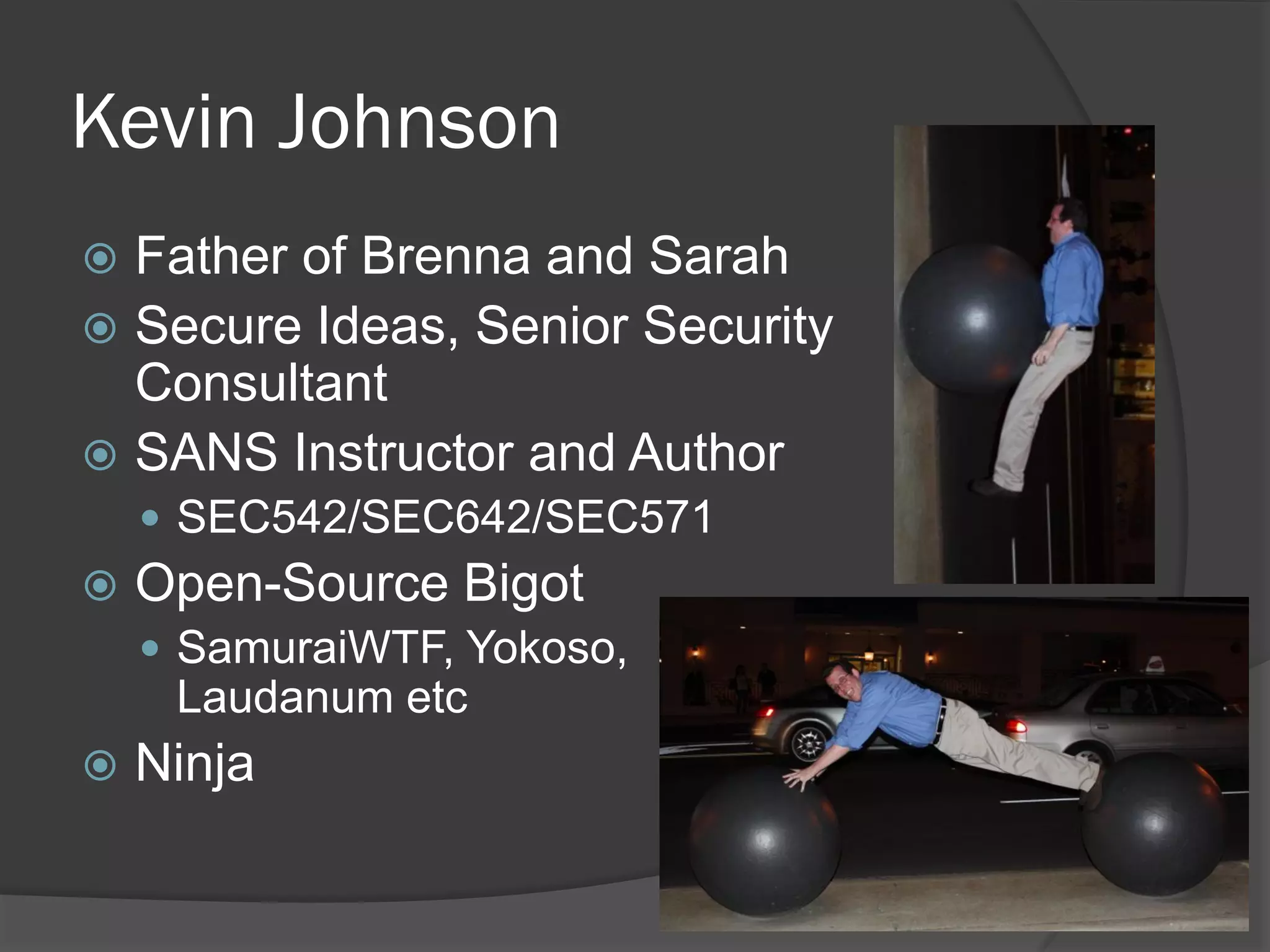
Kevin Johnson
 Father of Brenna and Sarah
 Secure Ideas, Senior Security
  Consultant
 SANS Instructor and Author
     SEC542/SEC642/SEC571
   Open-Source Bigot
     SamuraiWTF, Yokoso,
     Laudanum etc
   Ninja
What are we talking about today?
 What’s at risk?
 Tools, Testing and Exploitation
 Common vulnerabilities found in popular apps
   (this is the fun part)
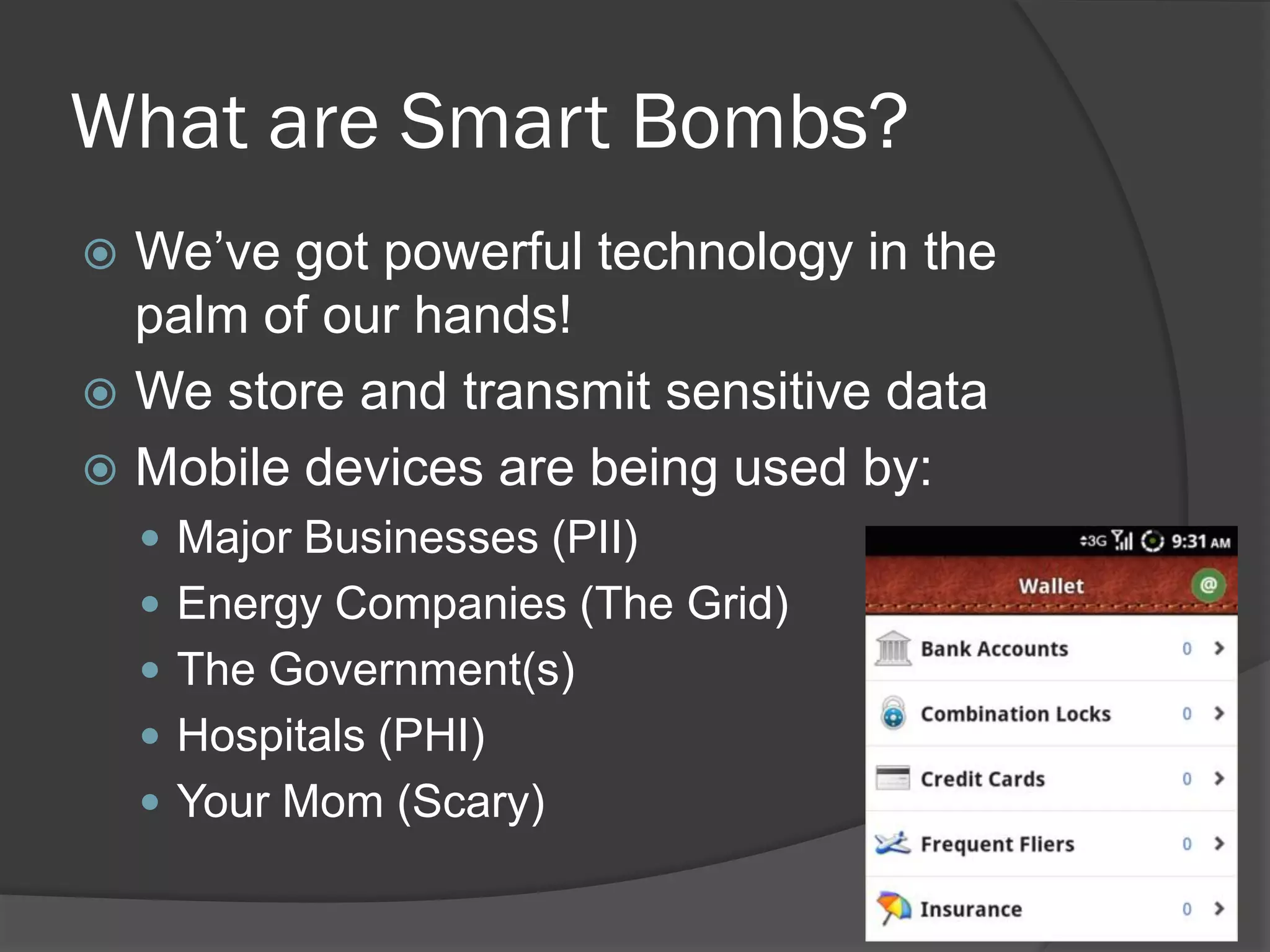
What are Smart Bombs?
 We’ve got powerful technology in the
  palm of our hands!
 We store and transmit sensitive data
 Mobile devices are being used by:
     Major Businesses (PII)
     Energy Companies (The Grid)
     The Government(s)
     Hospitals (PHI)
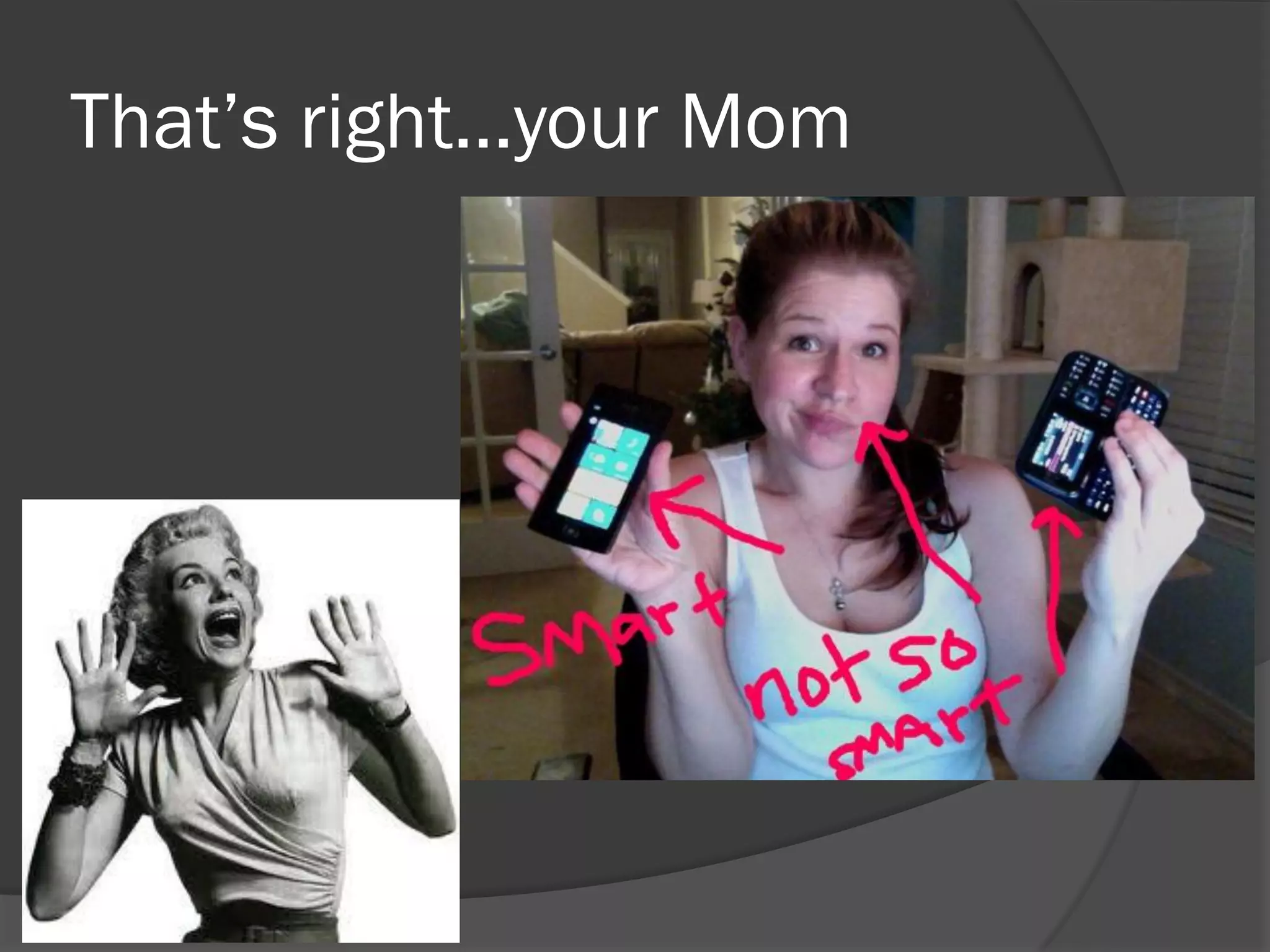
     Your Mom (Scary)
That’s right…your Mom
Testing Mobile Apps
   What are the 3 major areas for testing?

     File System
      What are apps writing to the file system?
      How is data stored?
     Application Layer
      How are apps communicating via HTTP and
      Web Services? SSL?
     Transport Layer
      How are apps communicating over the
      network? TCP and Third-party APIs
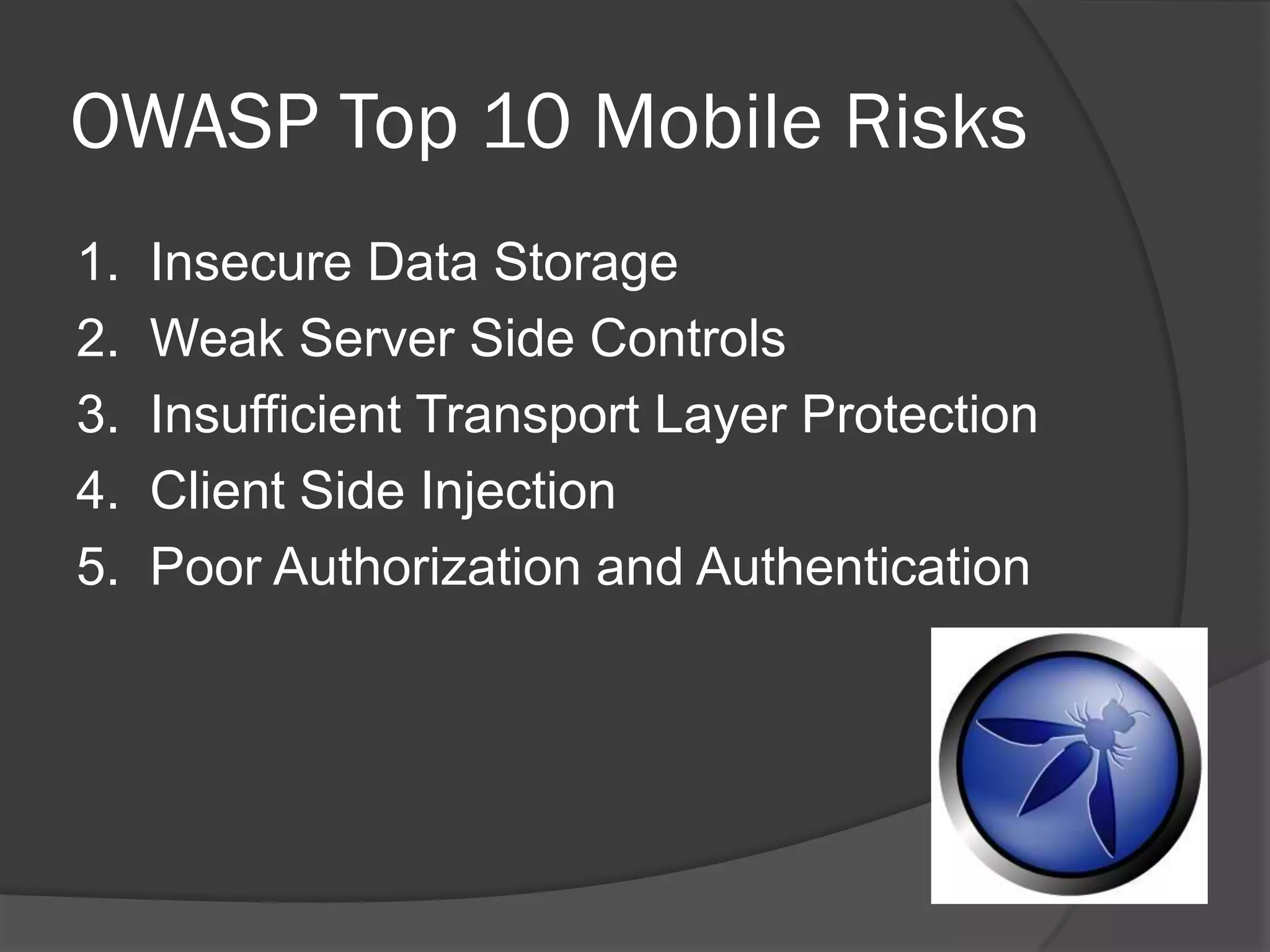
OWASP Top 10 Mobile Risks
1.   Insecure Data Storage
2.   Weak Server Side Controls
3.   Insufficient Transport Layer Protection
4.   Client Side Injection
5.   Poor Authorization and Authentication
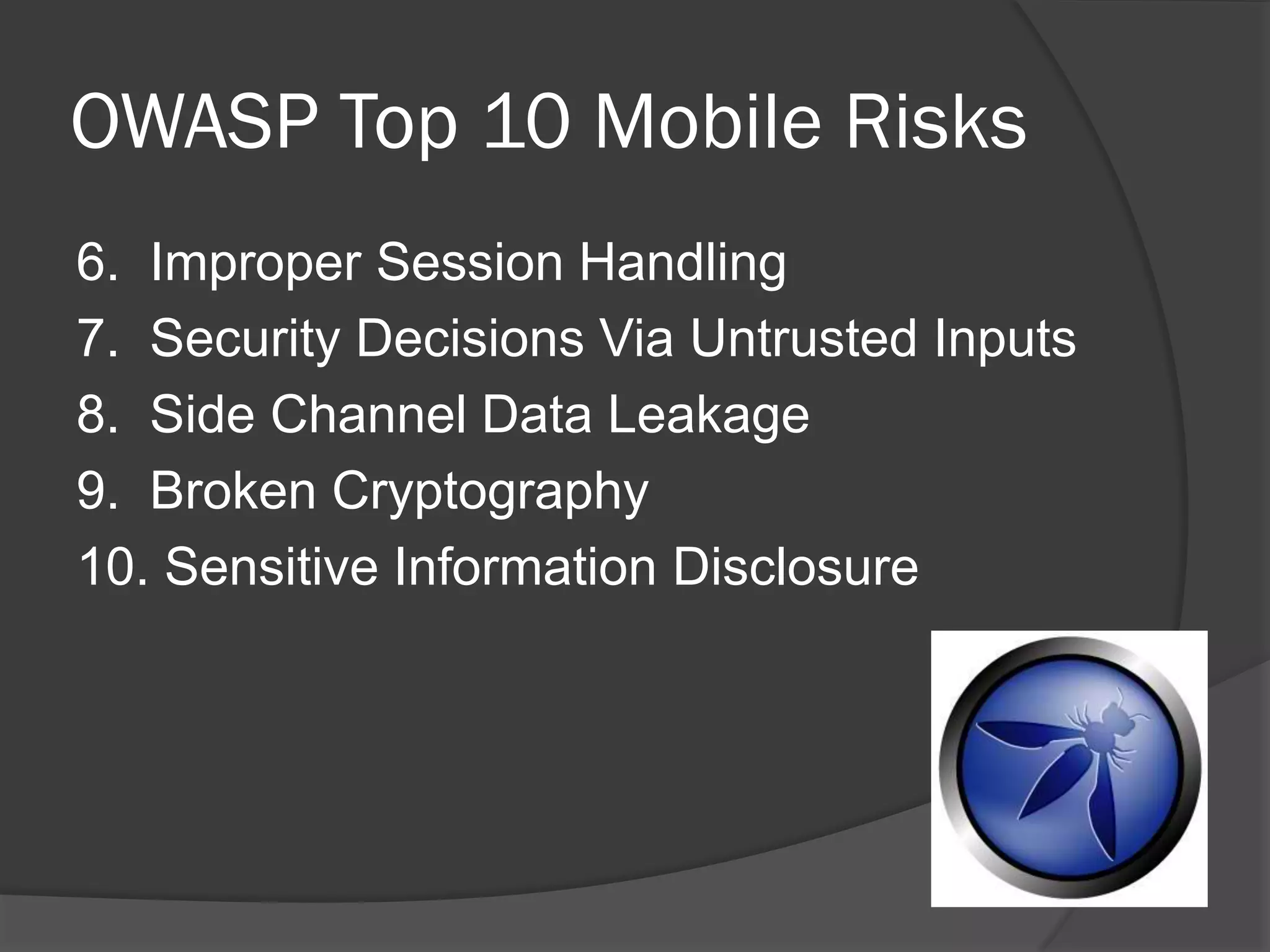
OWASP Top 10 Mobile Risks
6. Improper Session Handling
7. Security Decisions Via Untrusted Inputs
8. Side Channel Data Leakage
9. Broken Cryptography
10. Sensitive Information Disclosure
OWASP Mobile Security Project
   You should get involved!
   https://www.owasp.org/index.php/OWASP_Mobile_Security_Project
Other Issues
   Privacy of your data!
     Mobile apps talk to many third party APIs
      (ads)
     What’s collected by Google/Apple/Microsoft?
Common Tools
 SSH
 VNC server
 A compiler (gcc / agcc)
 Android SDK (adb!)
 XCode
 Jailbroken iDevice
 Rooted Android Device
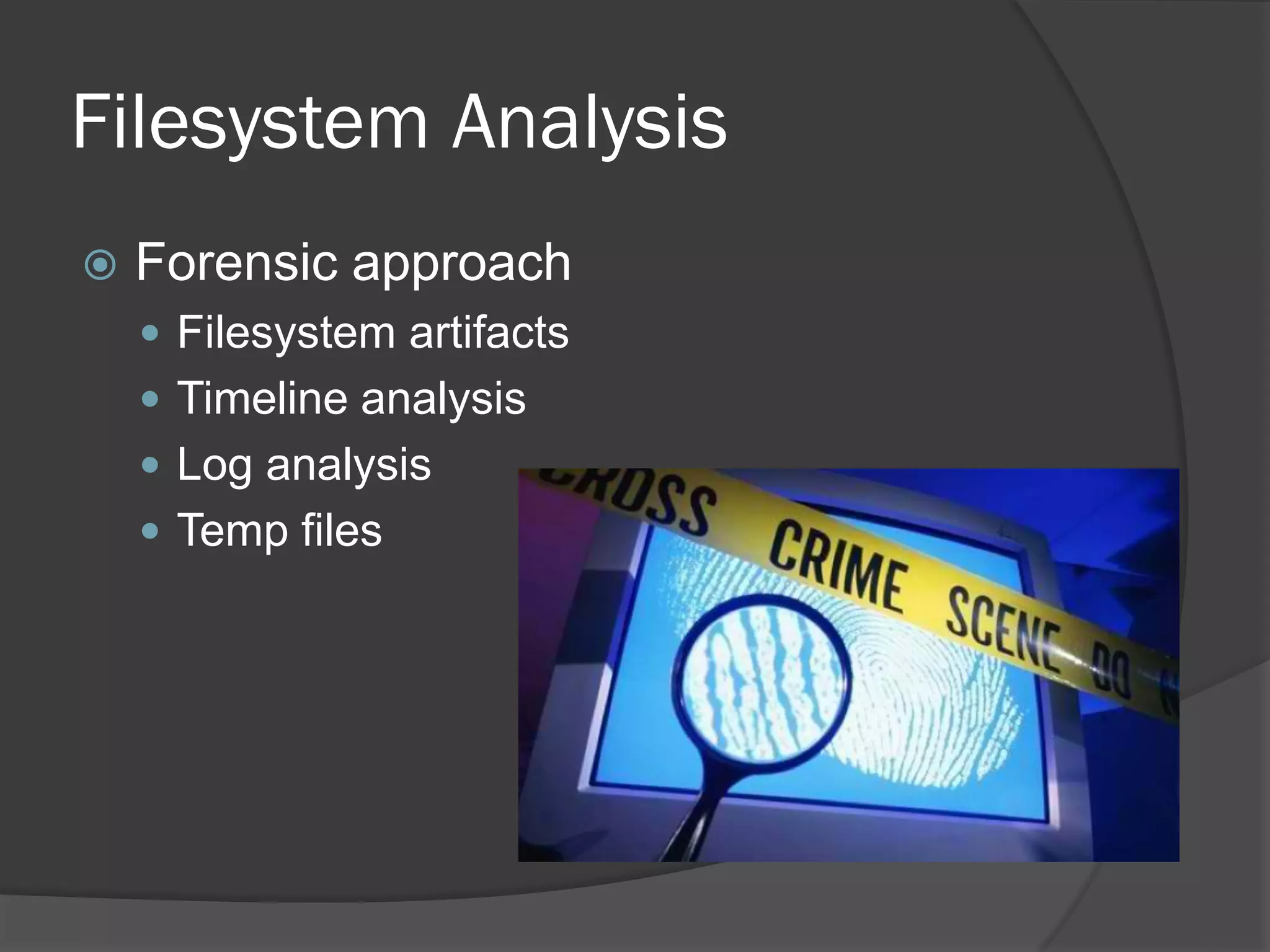
Filesystem Analysis
   Forensic approach
     Filesystem artifacts
     Timeline analysis
     Log analysis
     Temp files
Forensic Tools
   Mobile Forensic Tools
     EnCase, FTK, Cellebrite
   Free and/or Open Source
     file, strings, less, dd, md5sum
     The Sleuthkit (mactime, mac-robber)
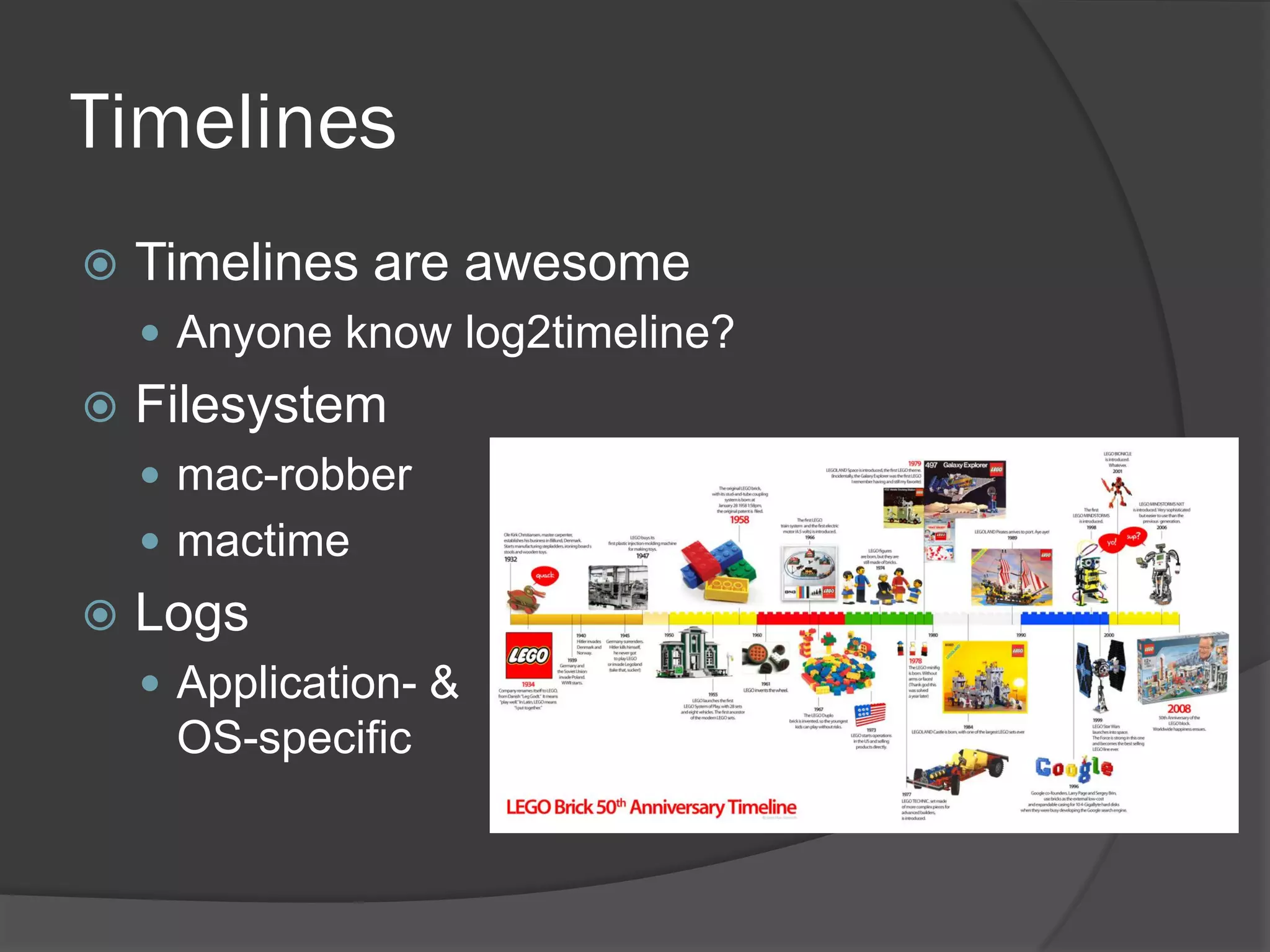
Timelines
   Timelines are awesome
     Anyone know log2timeline?
   Filesystem
     mac-robber
     mactime
   Logs
     Application- &
     OS-specific
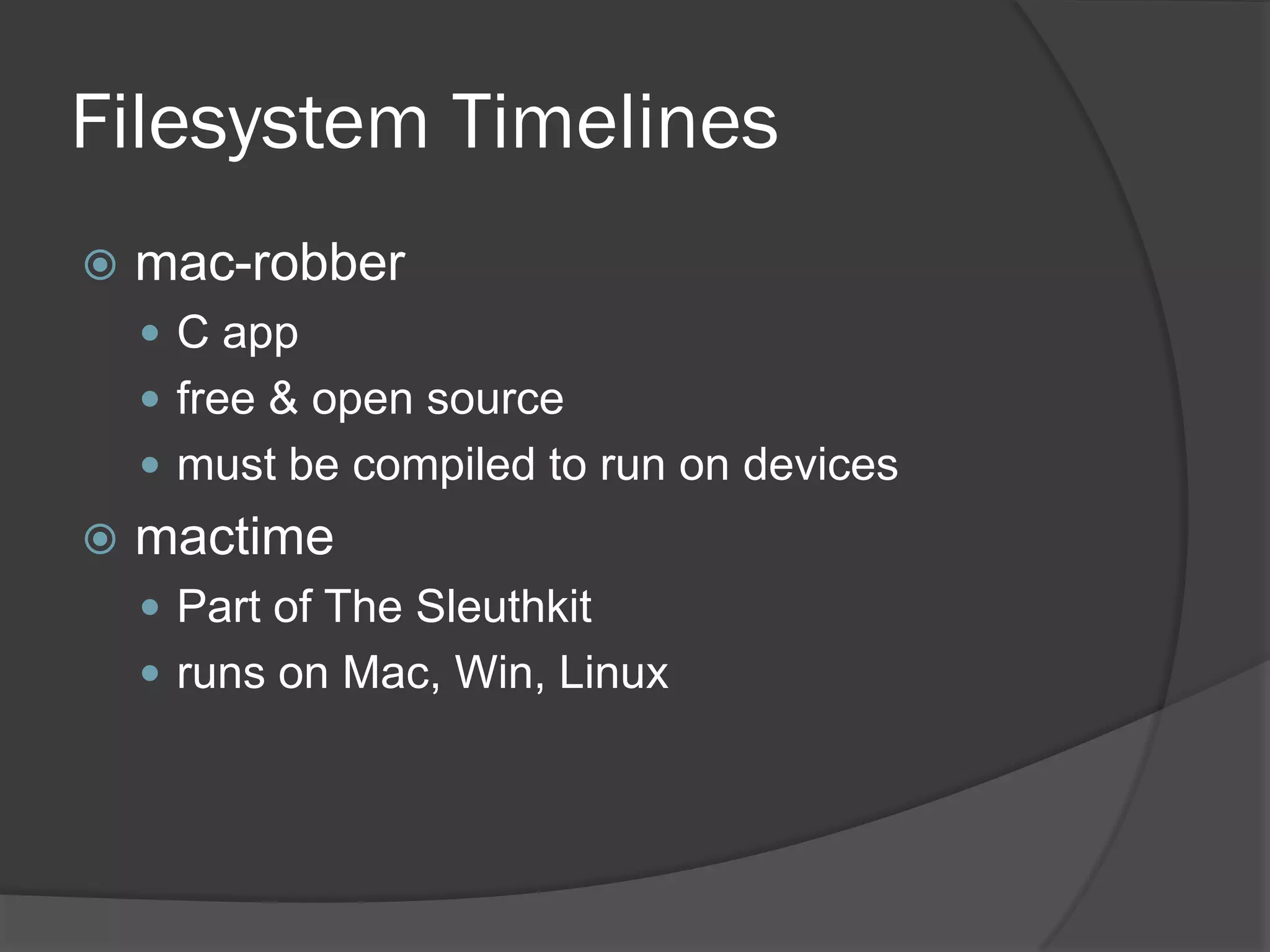
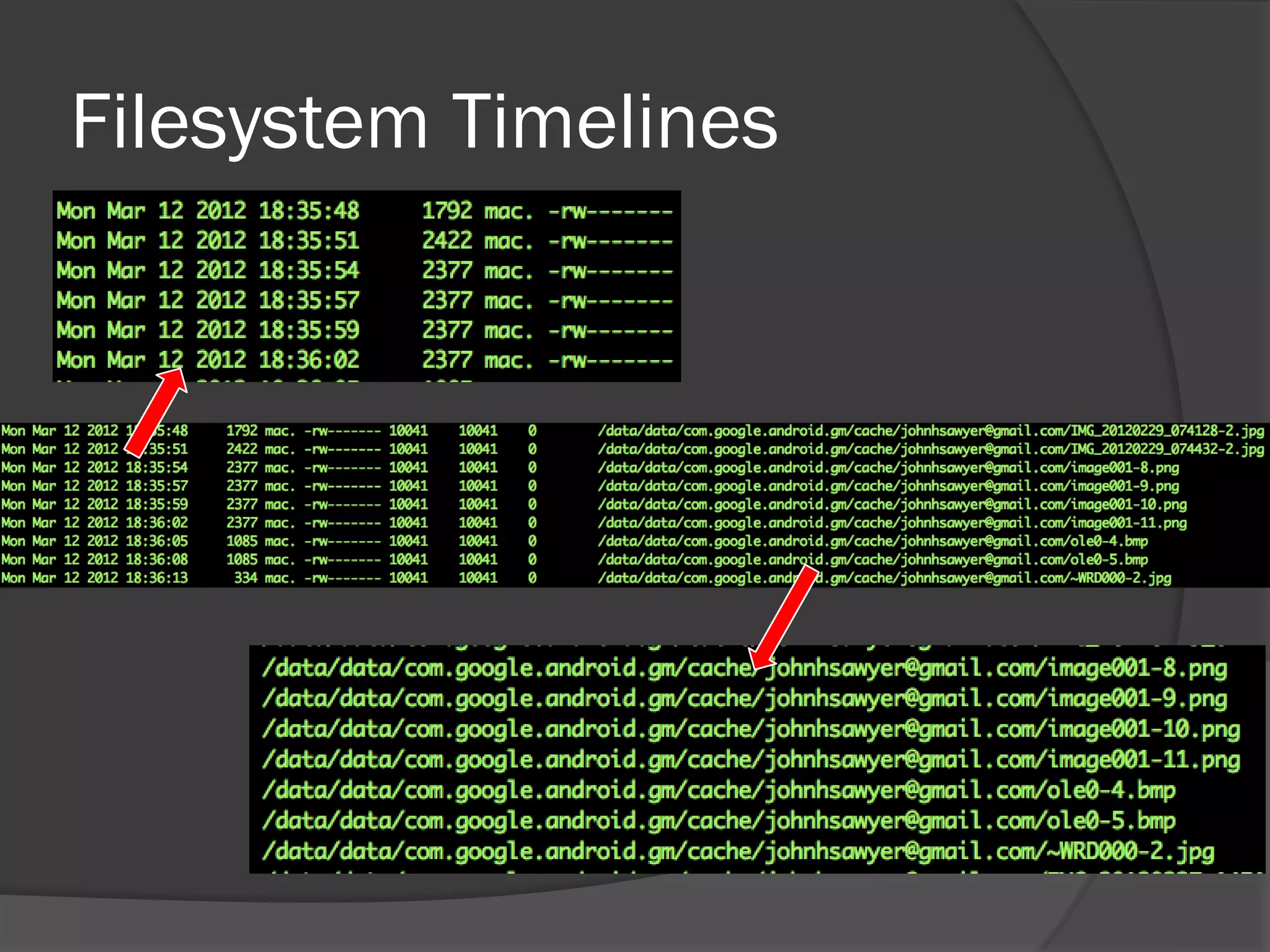
Filesystem Timelines
   mac-robber
     C app
     free & open source
     must be compiled to run on devices
   mactime
     Part of The Sleuthkit
     runs on Mac, Win, Linux
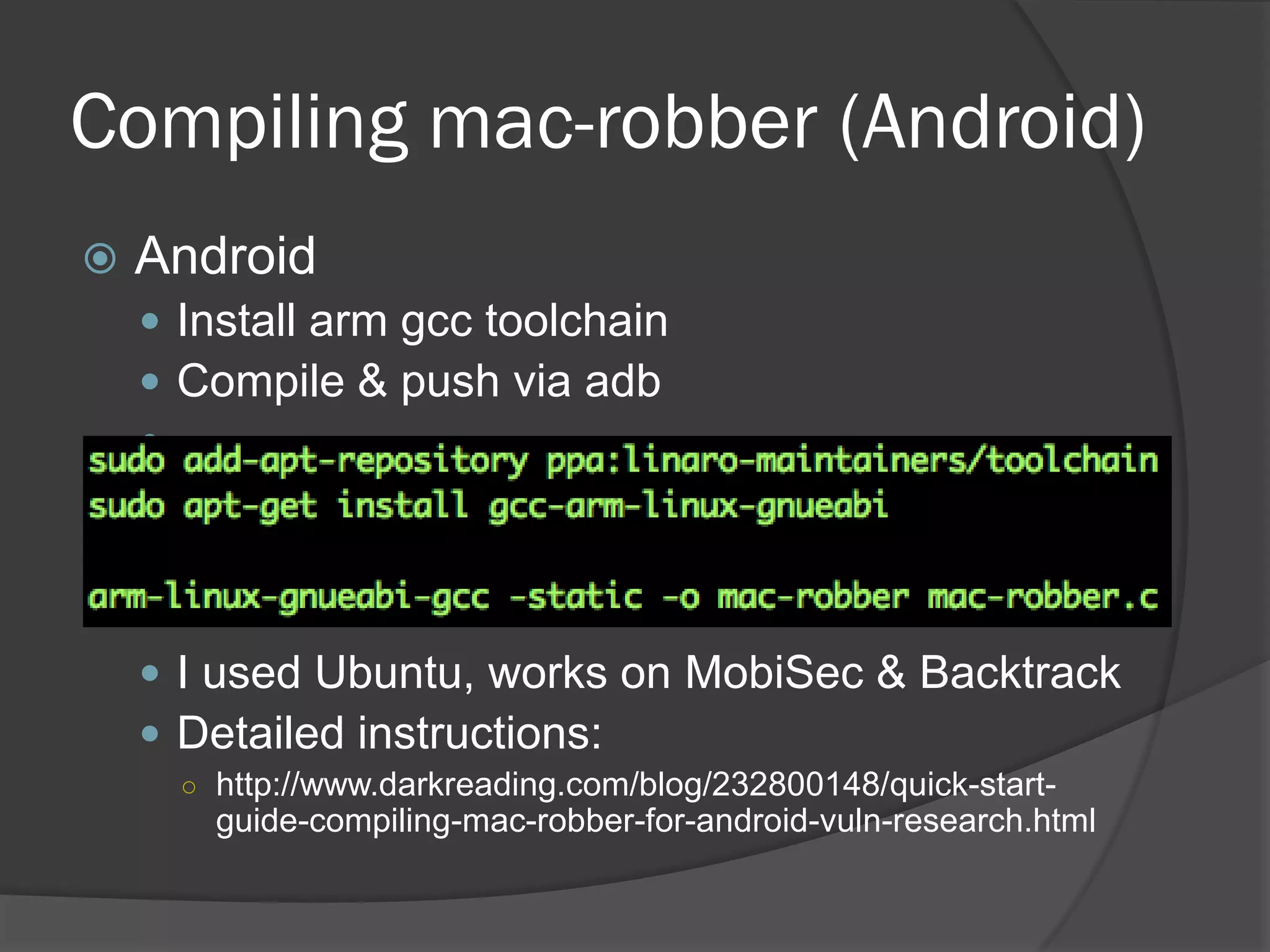
Compiling mac-robber (Android)
   Android
     Install arm gcc toolchain
     Compile & push via adb
    


     I used Ubuntu, works on MobiSec & Backtrack
     Detailed instructions:
      ○ http://www.darkreading.com/blog/232800148/quick-start-
        guide-compiling-mac-robber-for-android-vuln-research.html
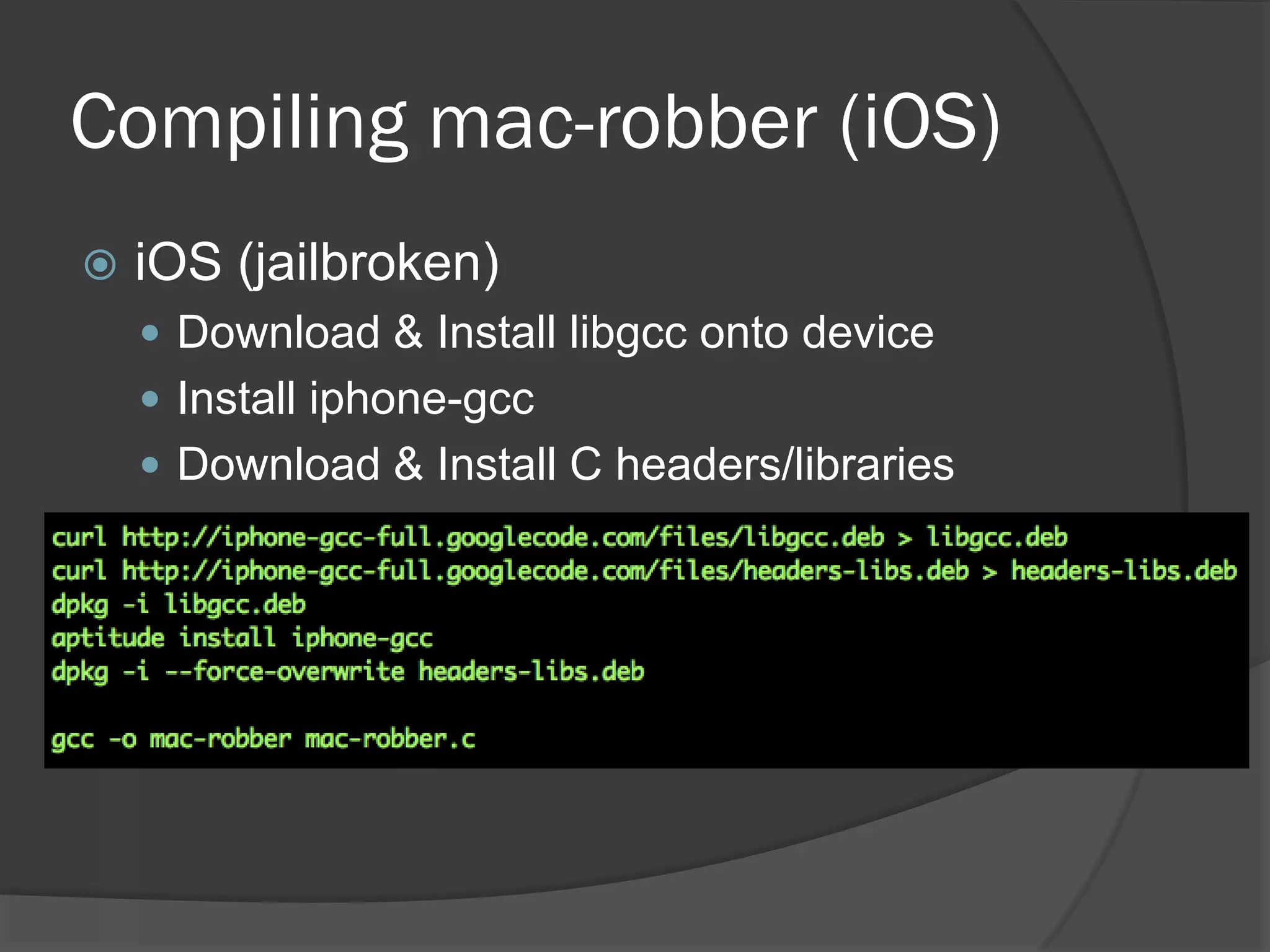
Compiling mac-robber (iOS)
   iOS (jailbroken)
     Download & Install libgcc onto device
     Install iphone-gcc
     Download & Install C headers/libraries
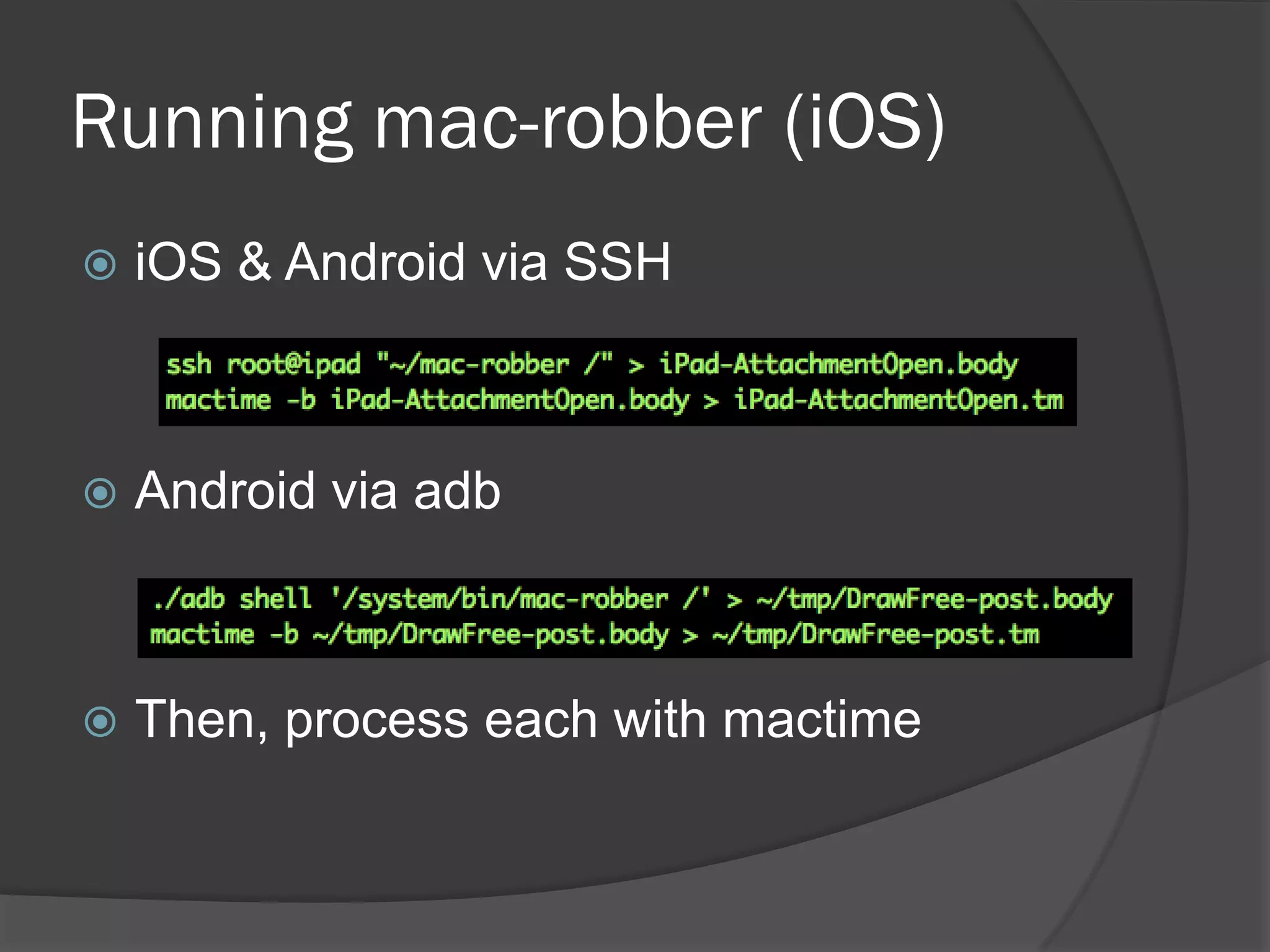
Running mac-robber (iOS)
   iOS & Android via SSH


   Android via adb


   Then, process each with mactime
Filesystem Timelines
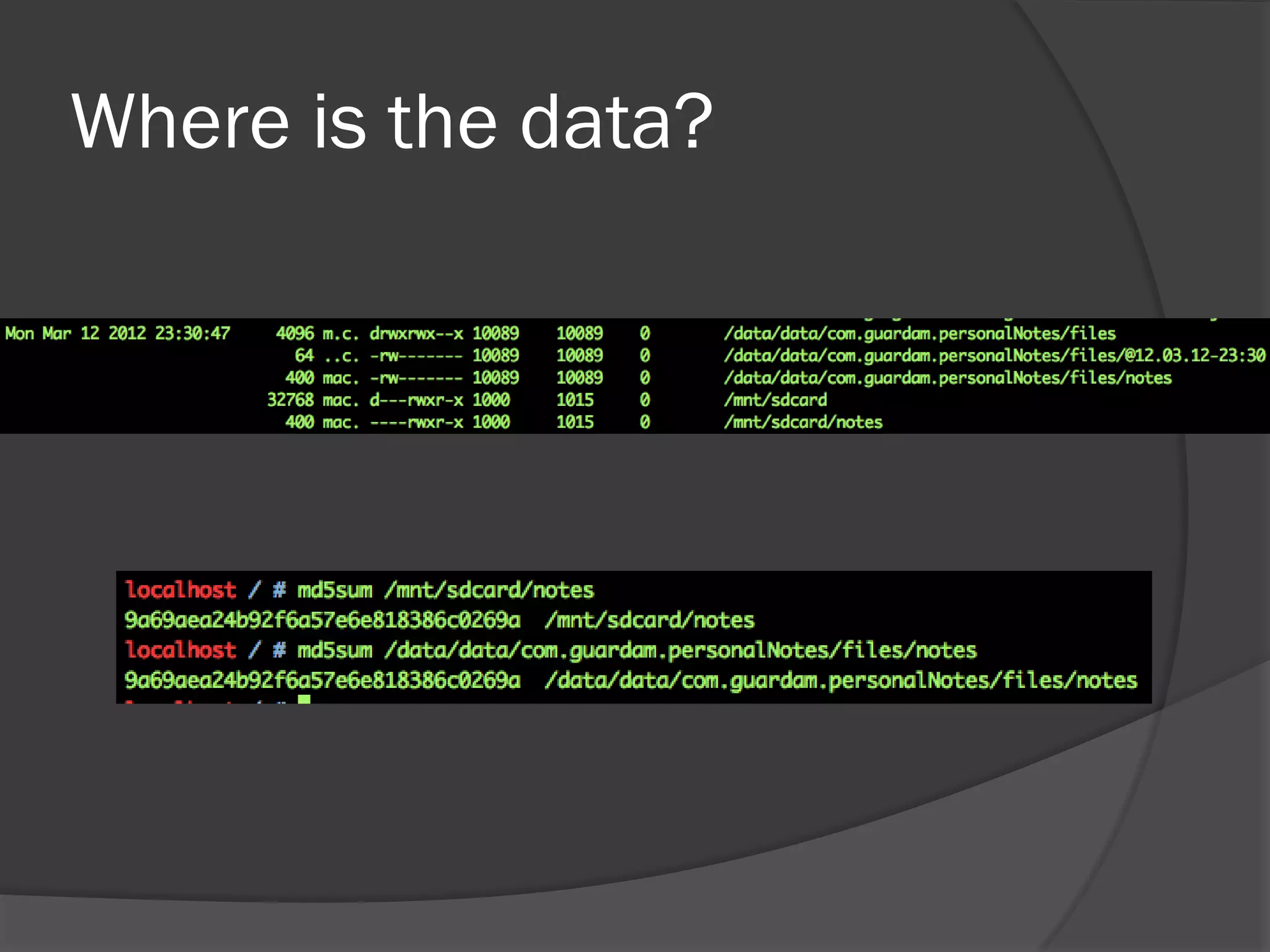
Where is the data?
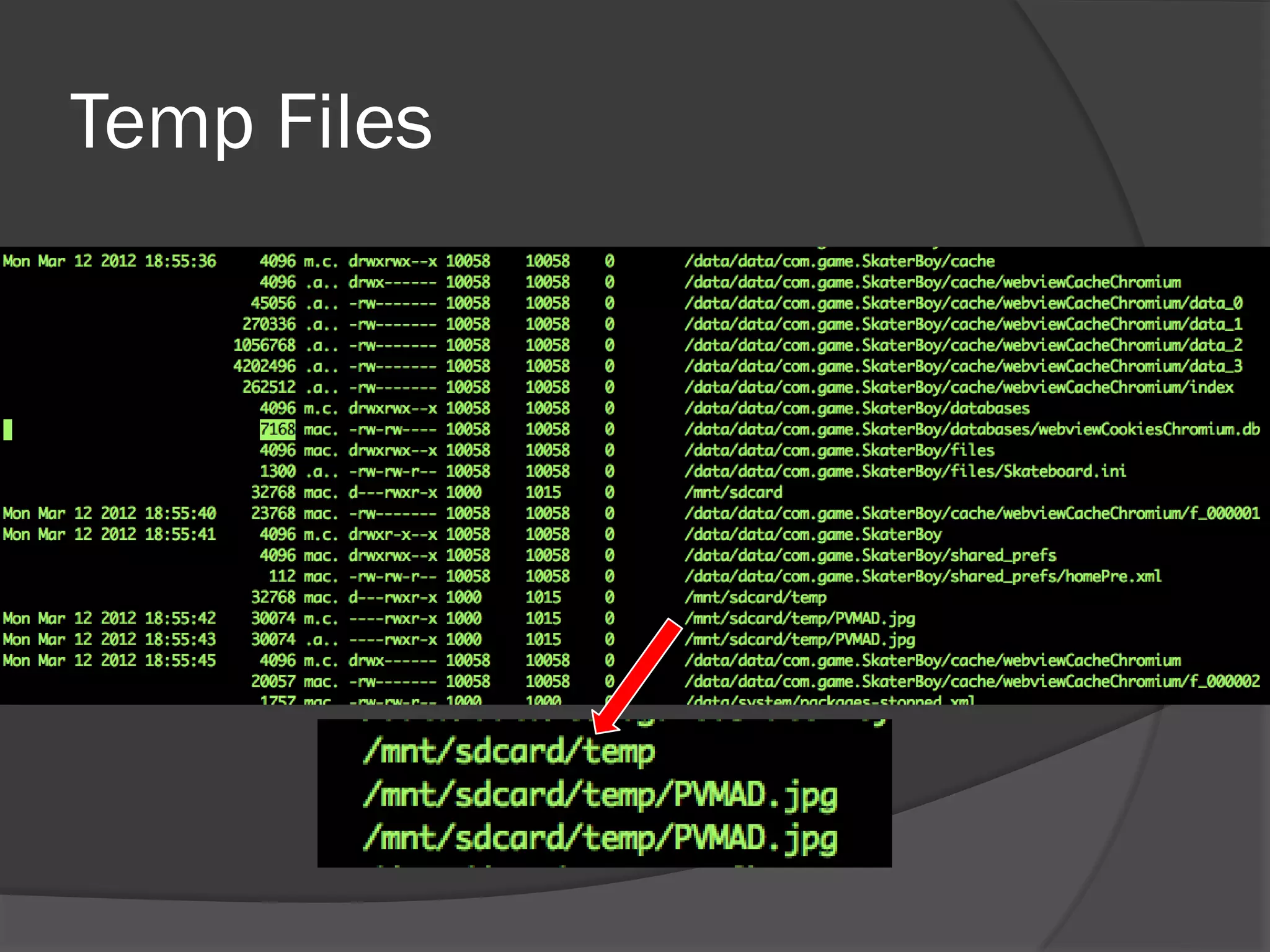
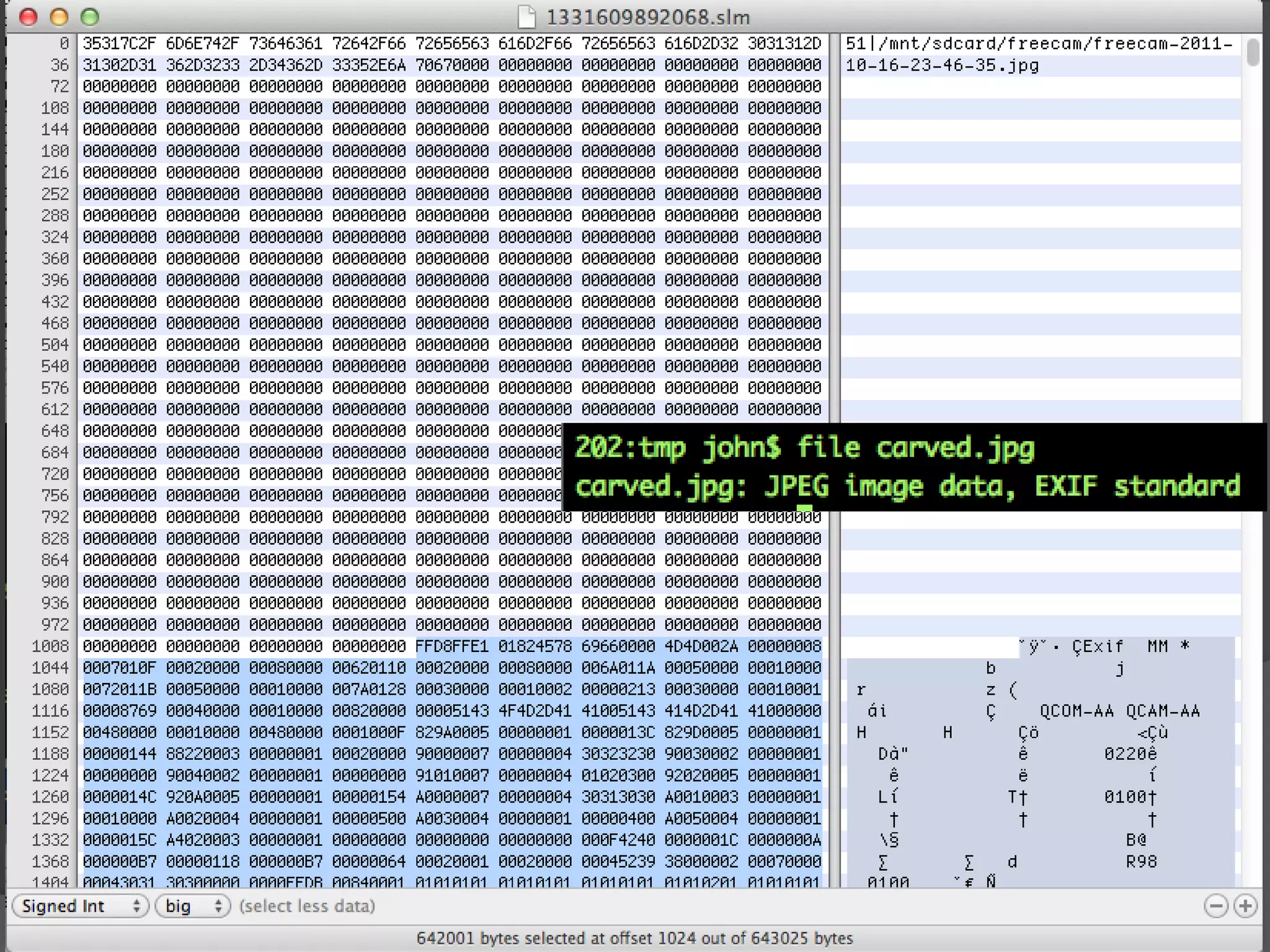
Temp Files
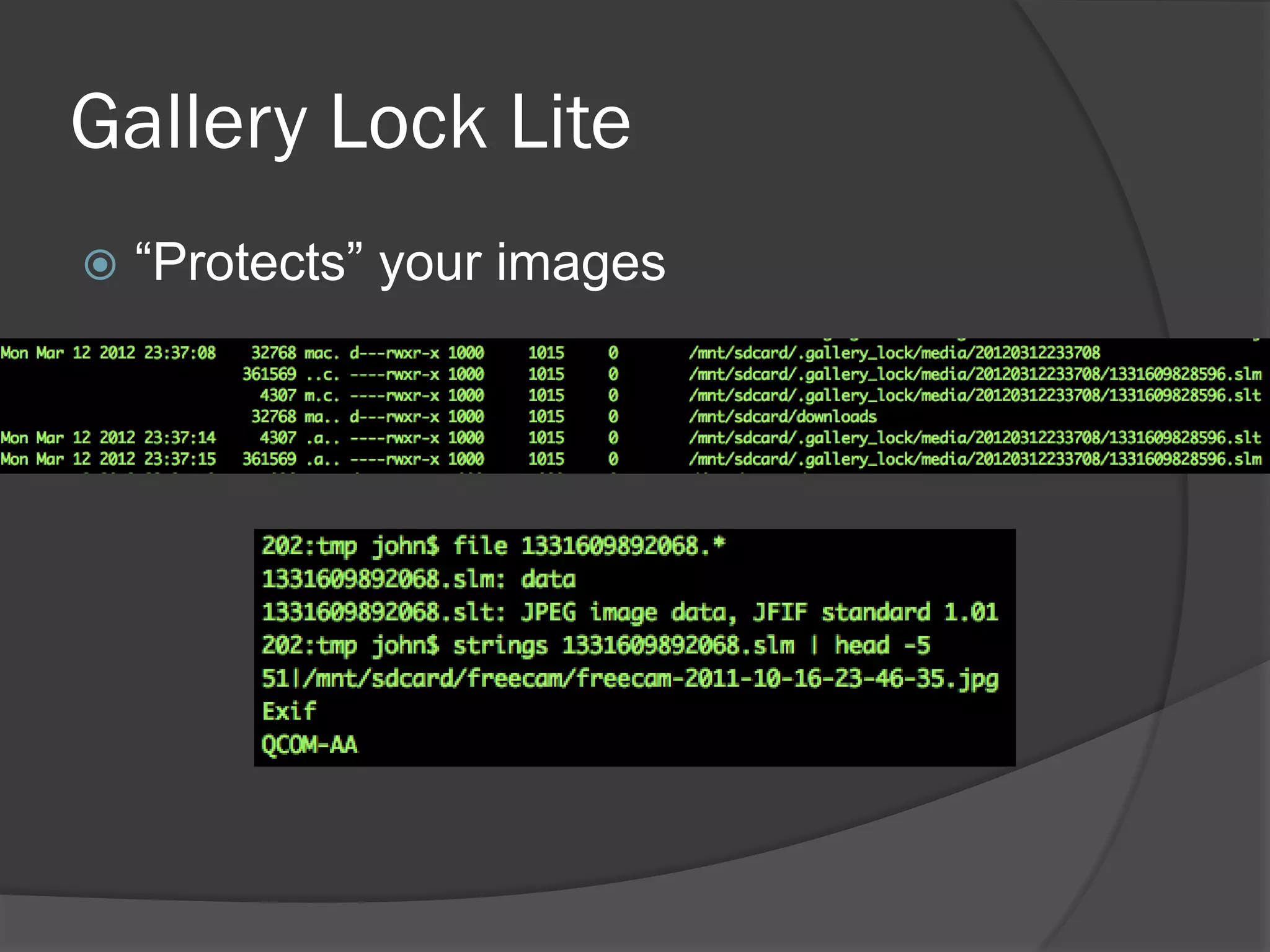
Gallery Lock Lite
   “Protects” your images
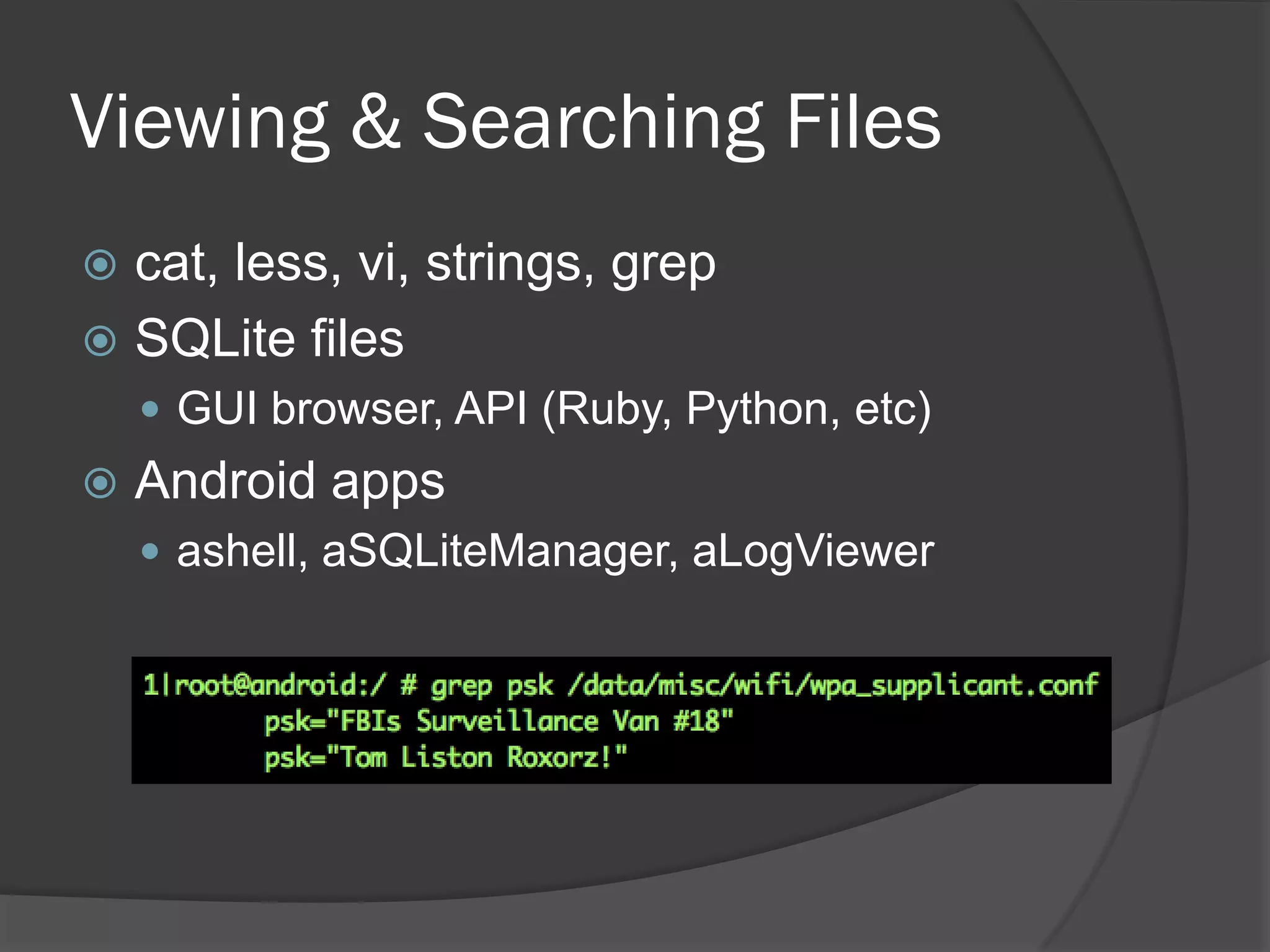
Viewing & Searching Files
 cat, less, vi, strings, grep
 SQLite files
     GUI browser, API (Ruby, Python, etc)
   Android apps
     ashell, aSQLiteManager, aLogViewer
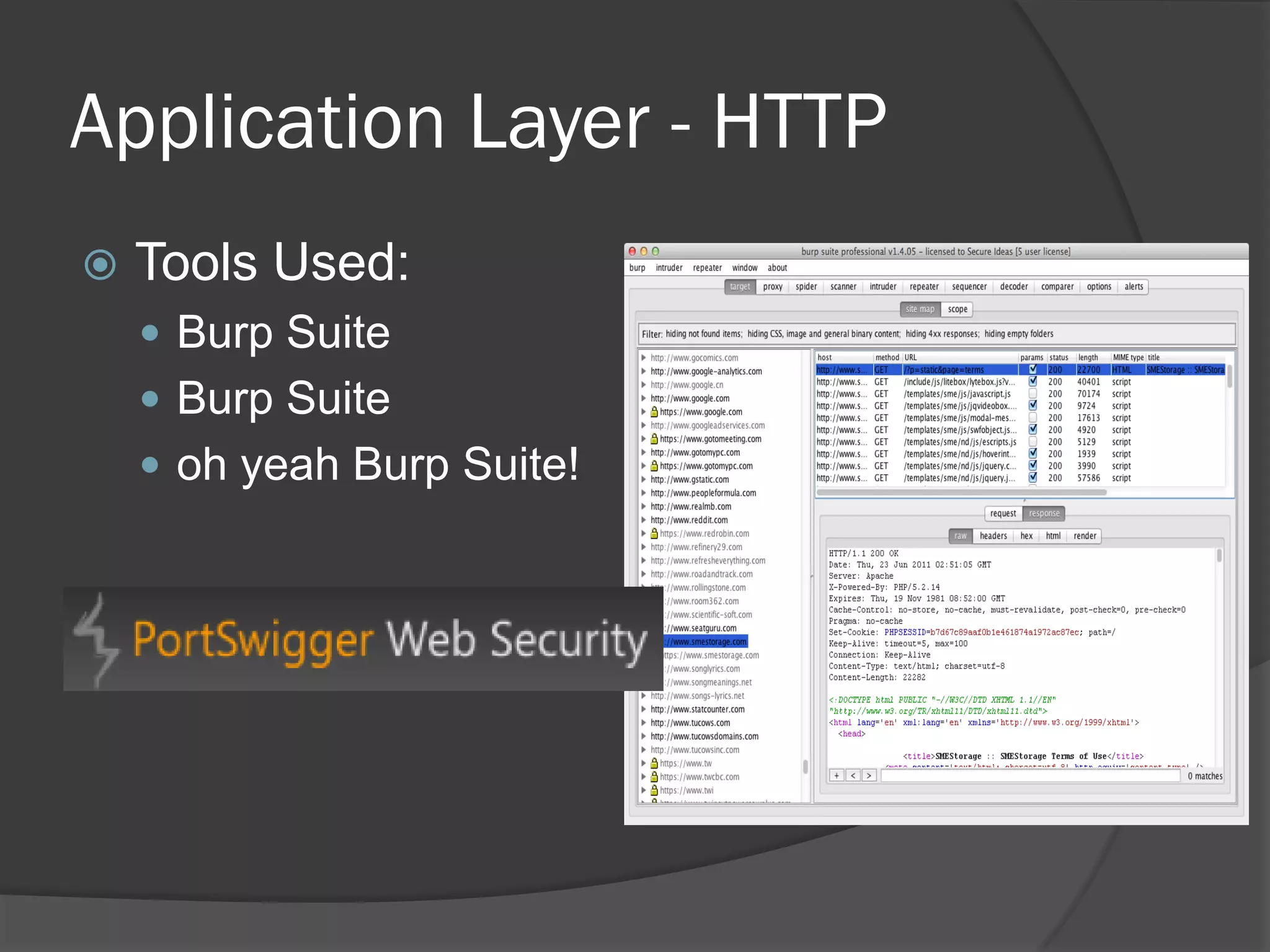
Application Layer - HTTP
   Tools Used:
     Burp Suite
     Burp Suite
     oh yeah Burp Suite!
Why Look at the App Layer?
 Very common in mobile platforms
 Many errors are found within the
  application
     And how it talks to the back end service
   Able to use many existing tools
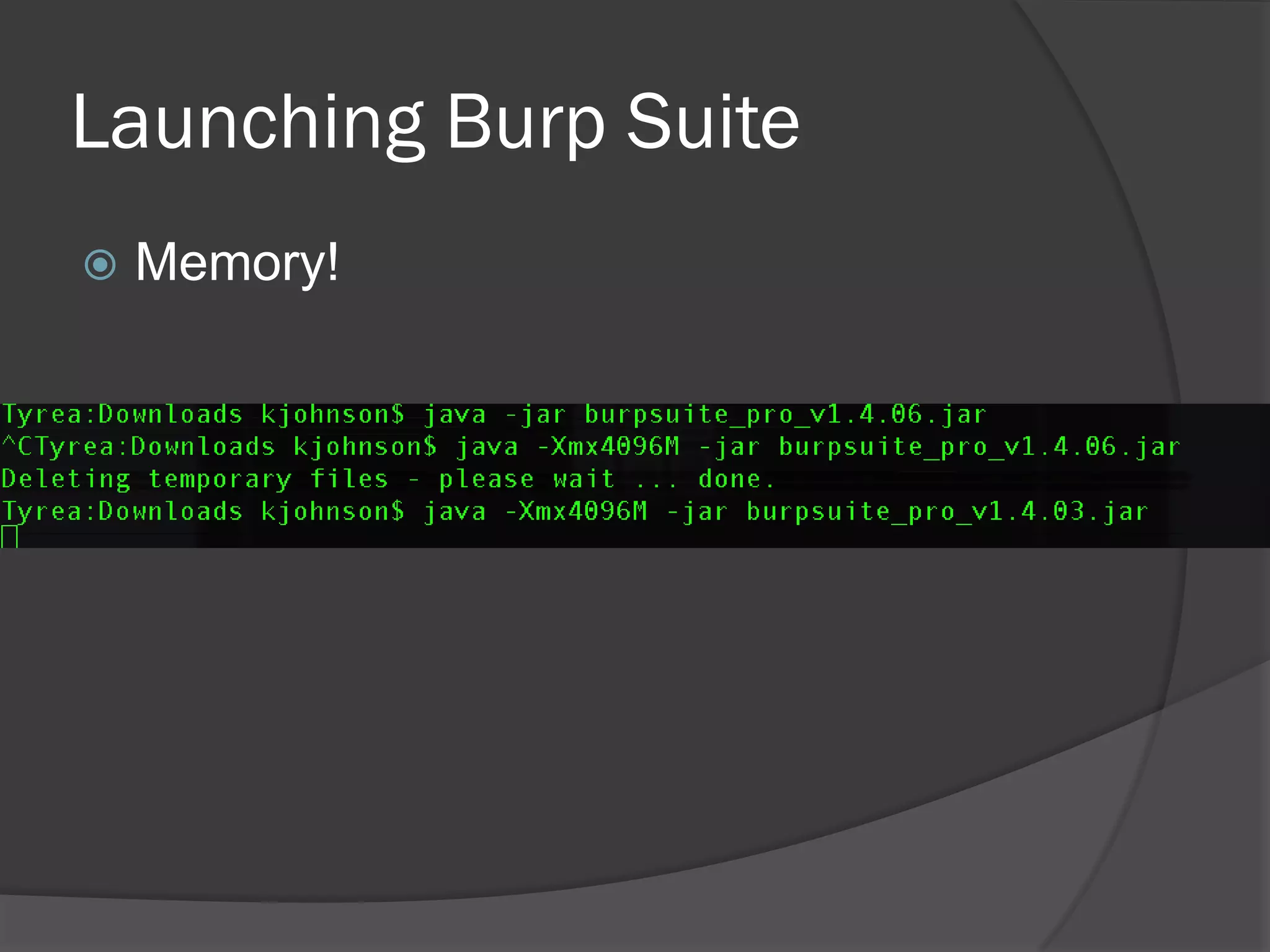
Launching Burp Suite
   Memory!
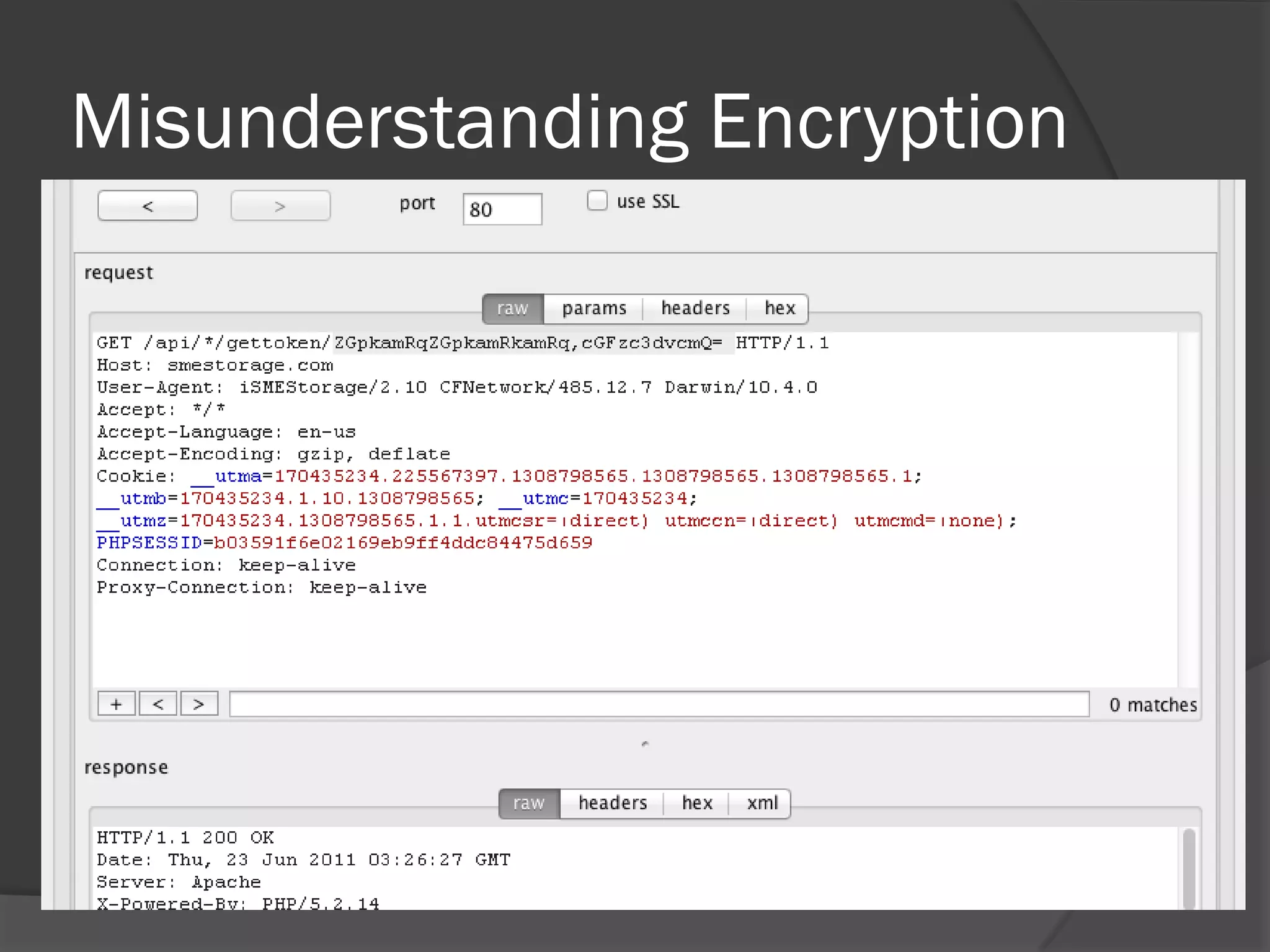
Misunderstanding Encryption
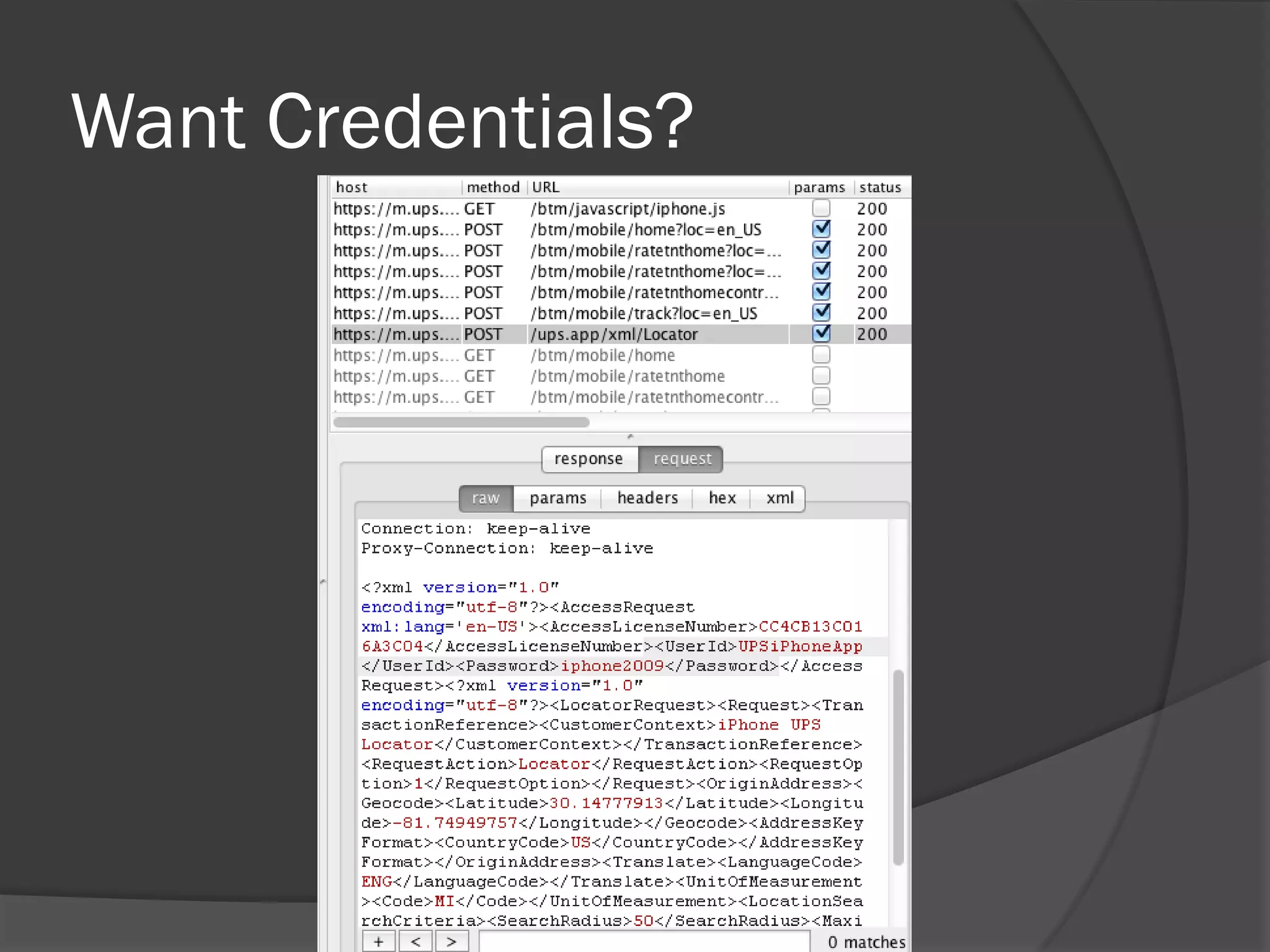
Want Credentials?
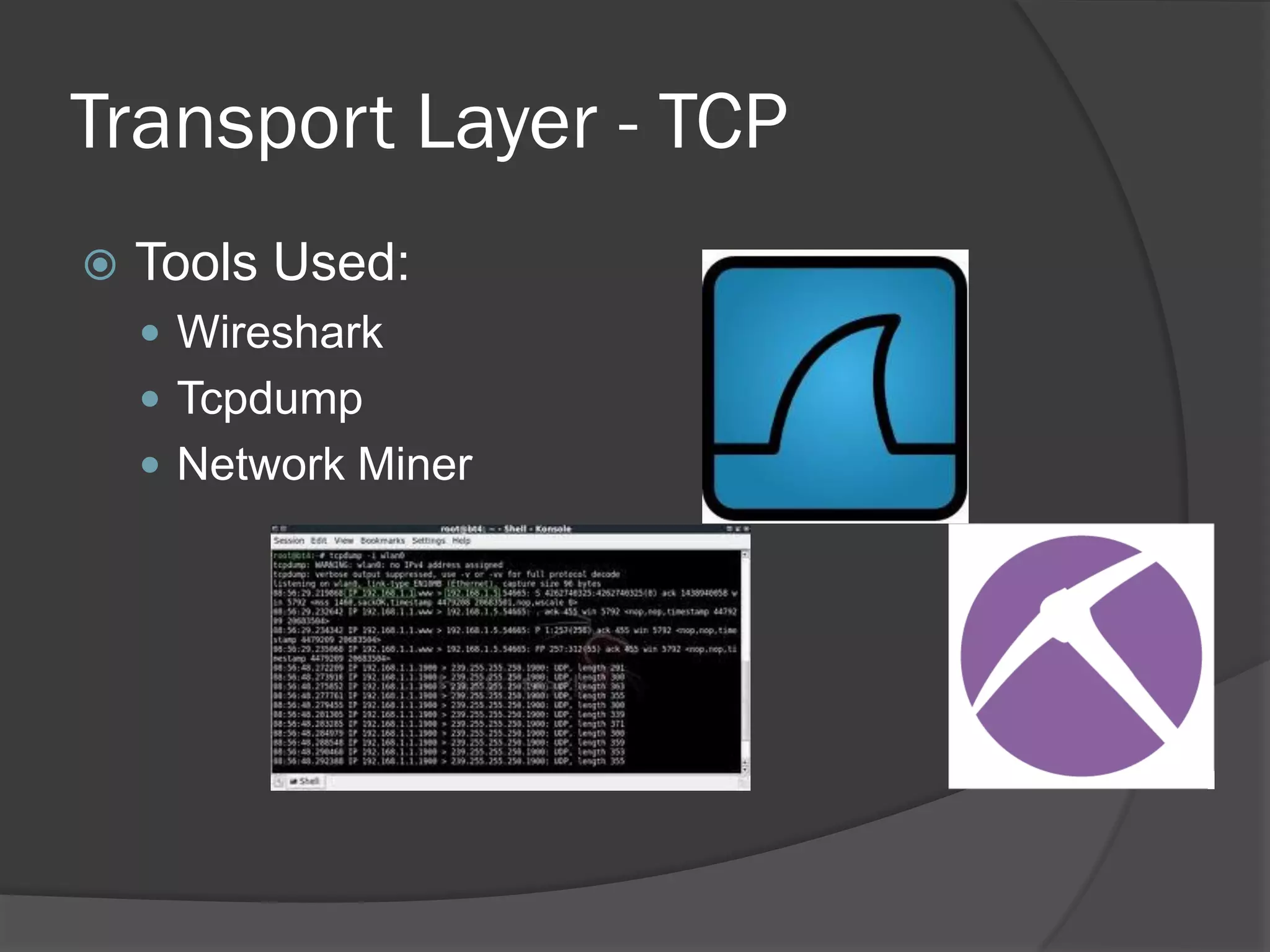
Transport Layer - TCP
   Tools Used:
     Wireshark
     Tcpdump
     Network Miner
Why look at the transport layer?
 Check to see how network protocols are
  handled in the app
 Easily look for SSL certificate or other
  communication issues
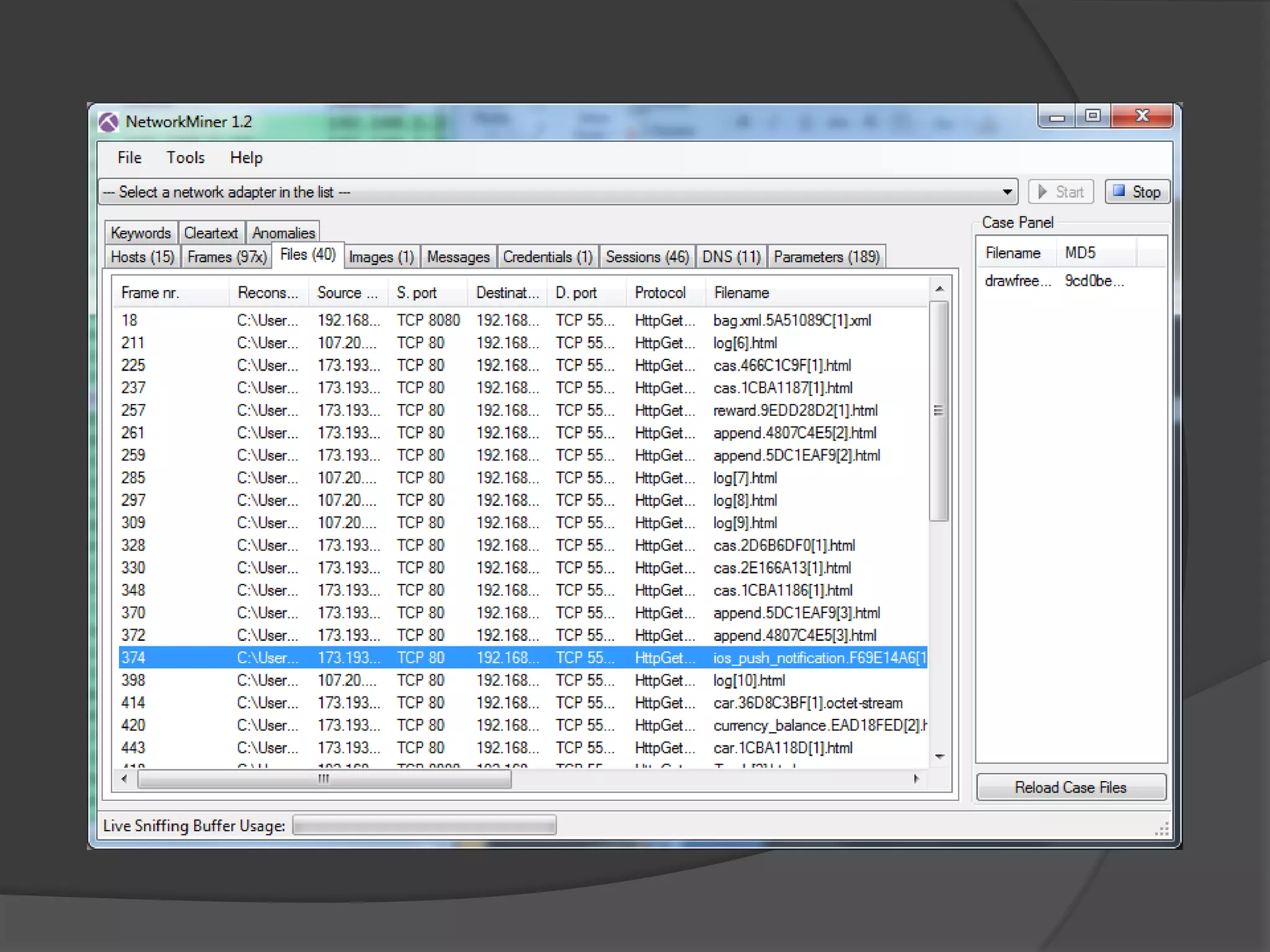
NetworkMiner
 Extracts files/images and more
 Can pull out clear txt credentials
 Quickly view parameters
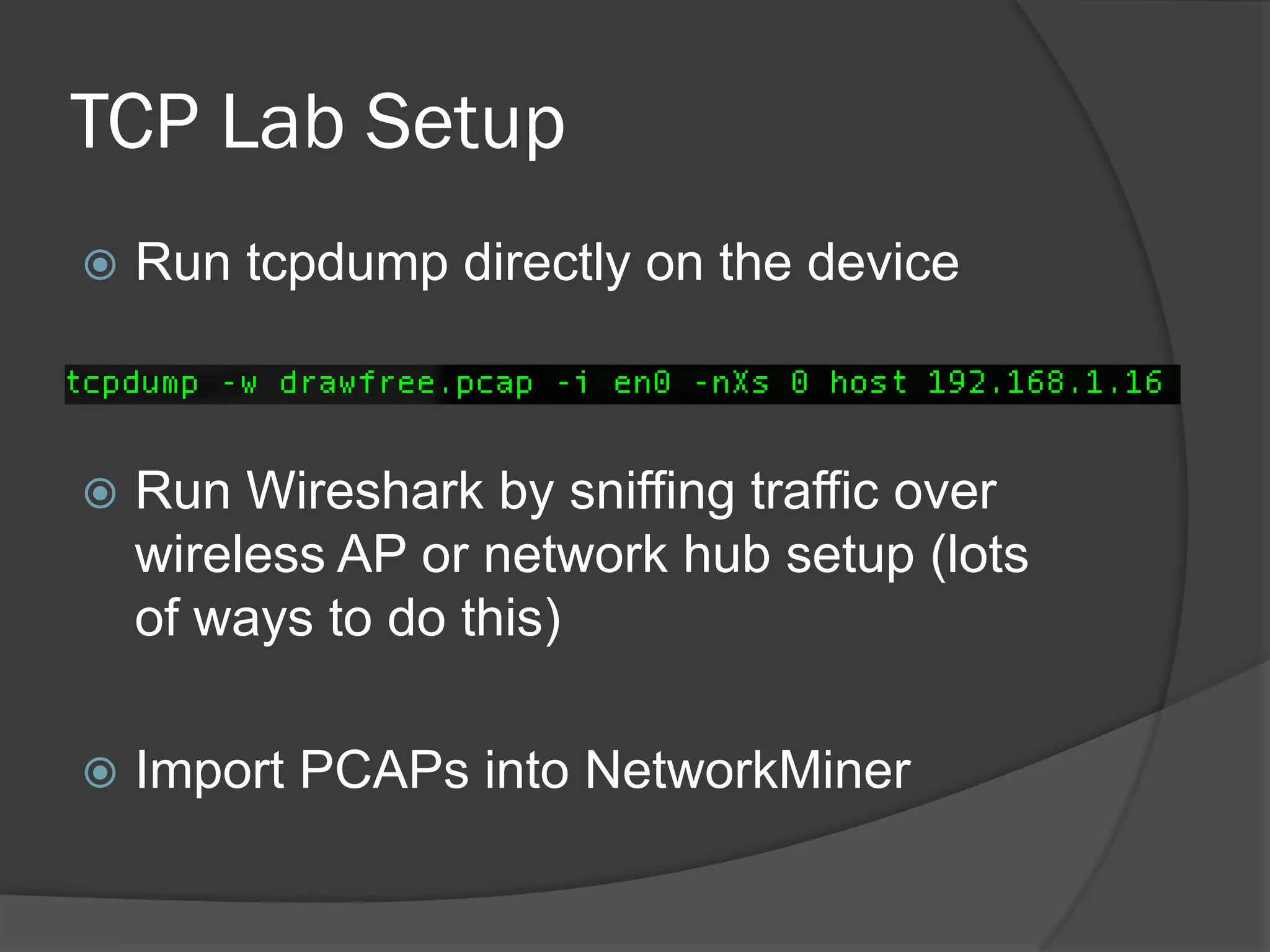
TCP Lab Setup
   Run tcpdump directly on the device


   Run Wireshark by sniffing traffic over
    wireless AP or network hub setup (lots
    of ways to do this)

   Import PCAPs into NetworkMiner
App Vulnerabilities
 Several examples that we’ve found
 Many from the Top 25 downloaded apps
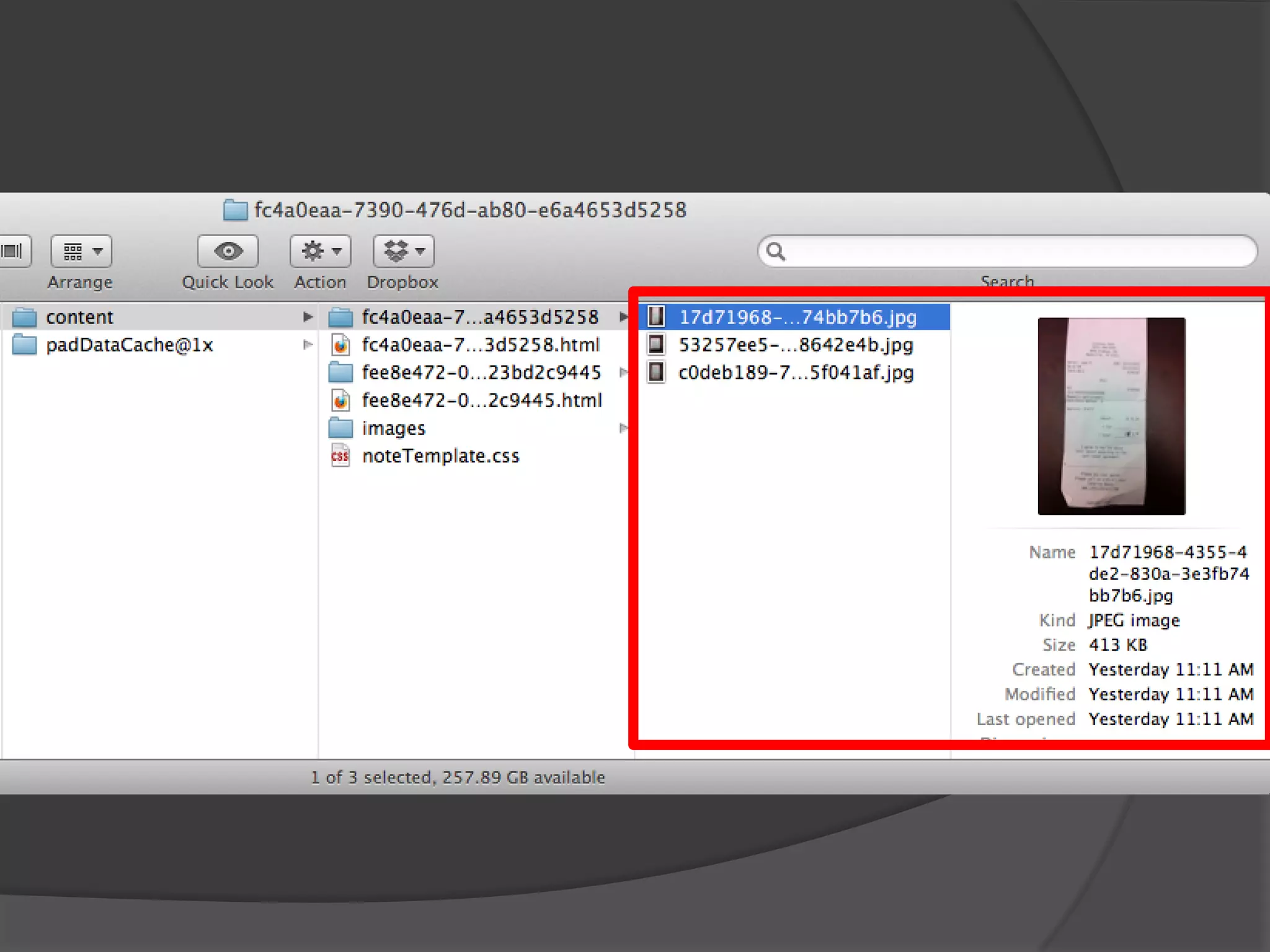
Evernote
 Notebooks are stored in the cloud
 But…caches some files on the device…
 OWASP M1: Insecure Data Storage
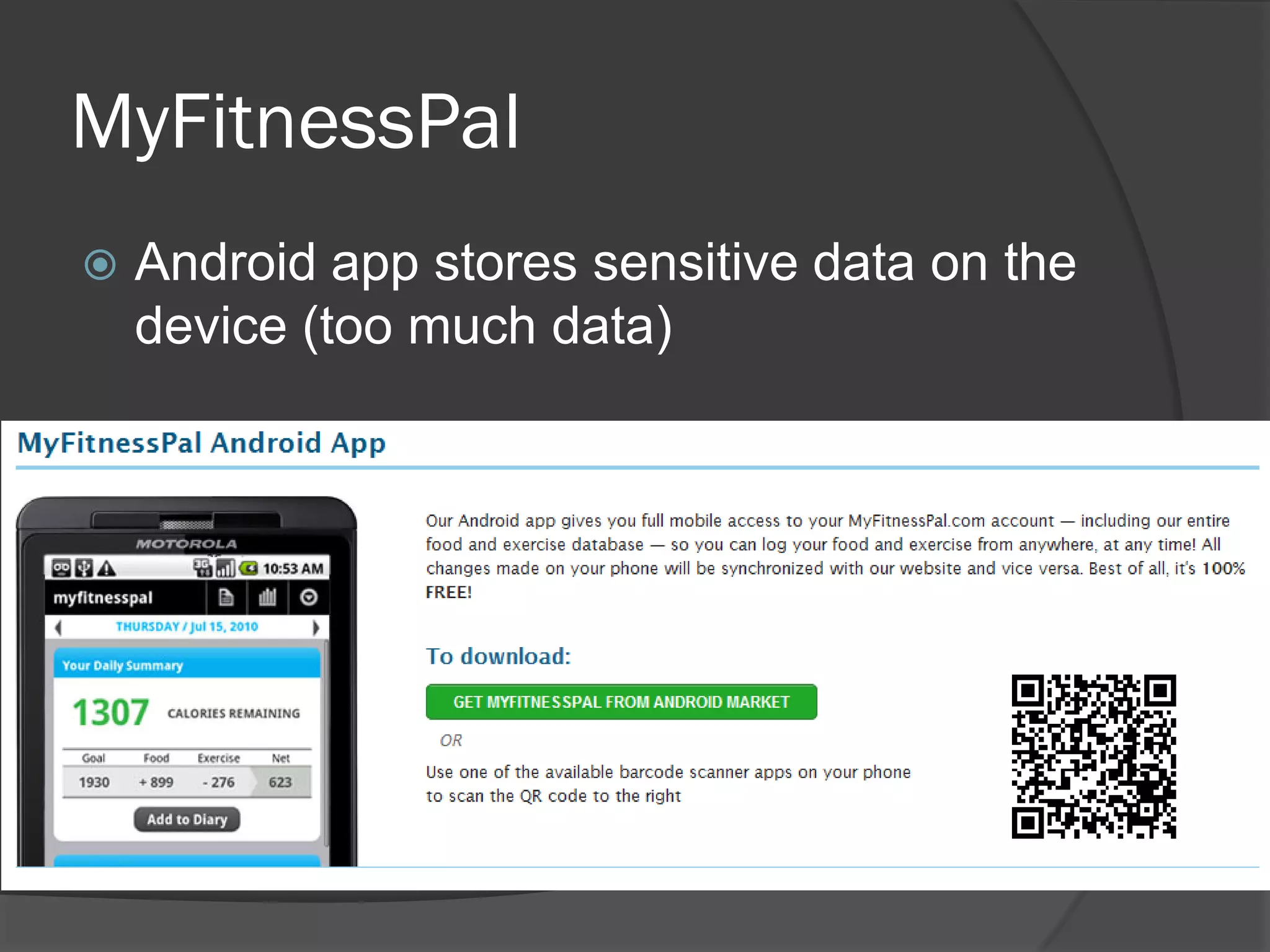
MyFitnessPal
   Android app stores sensitive data on the
    device (too much data)
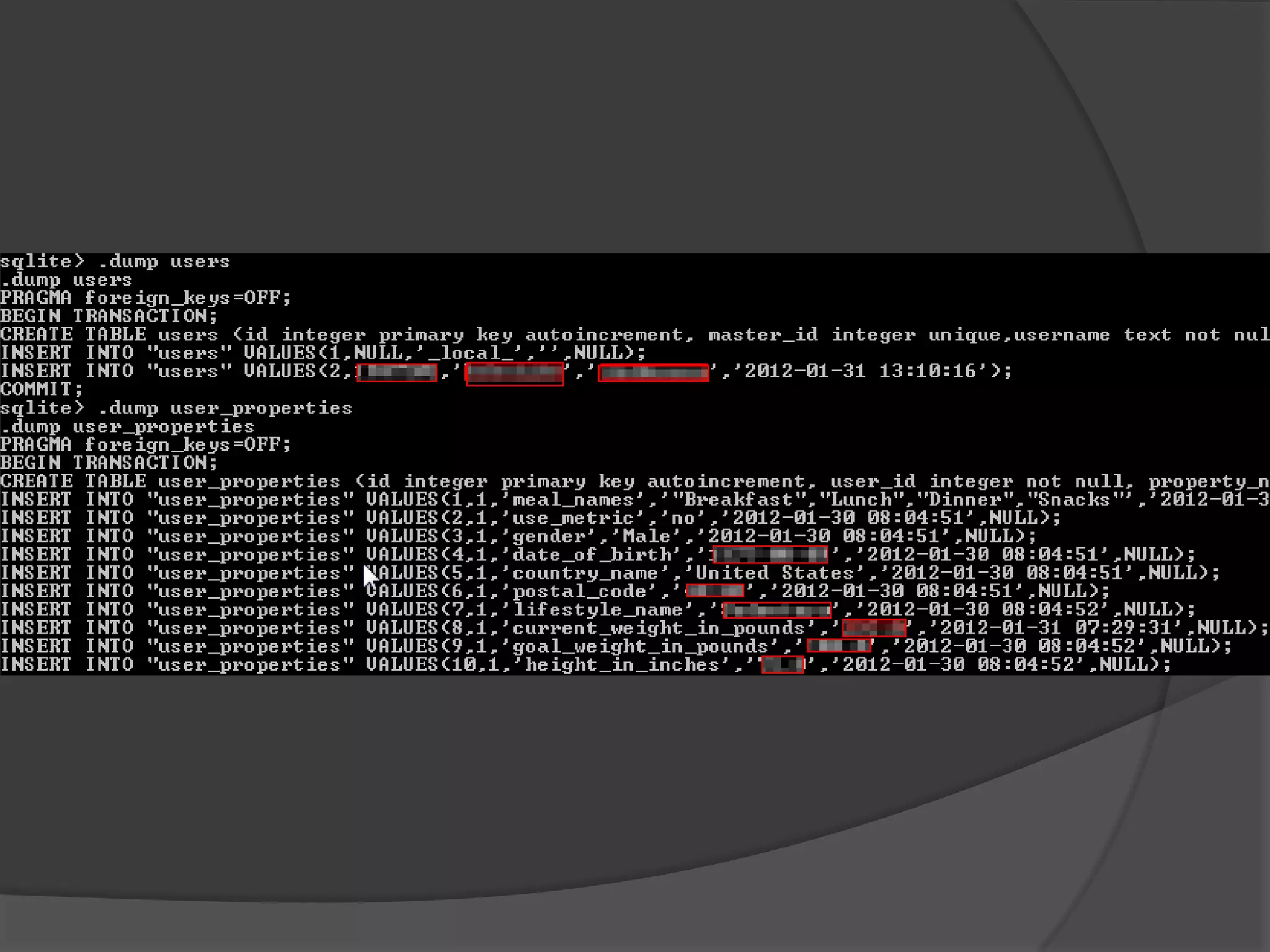
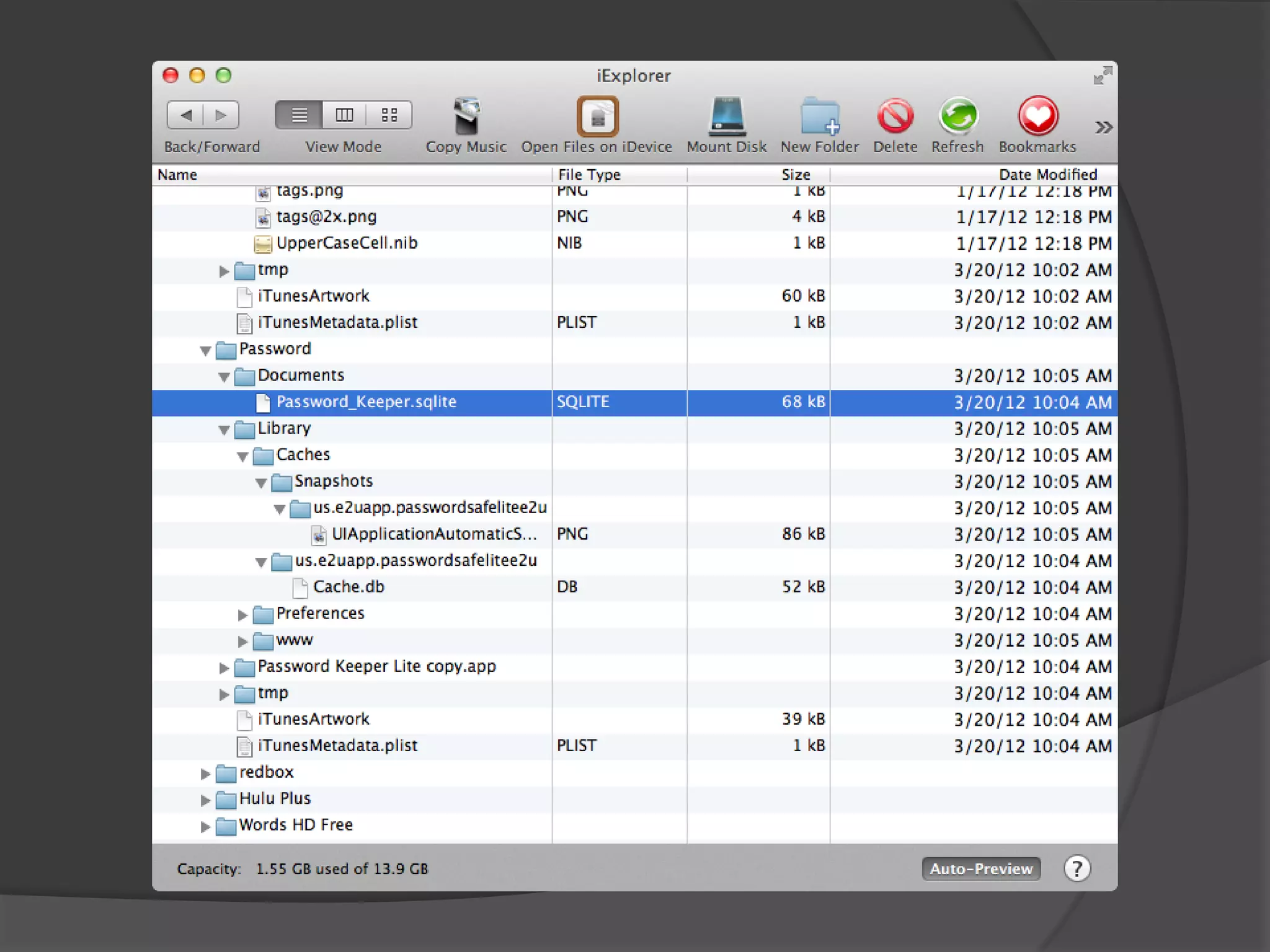
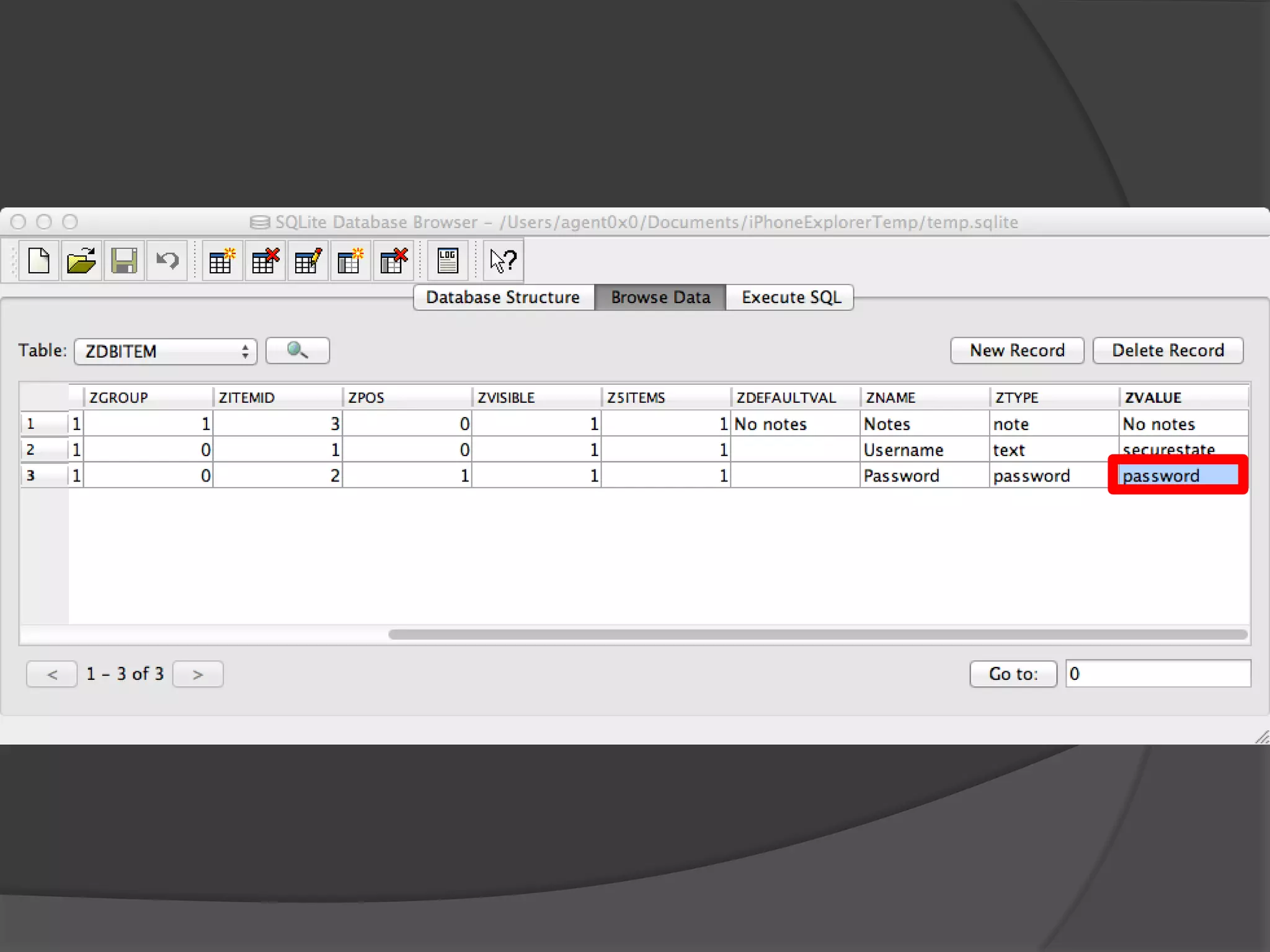
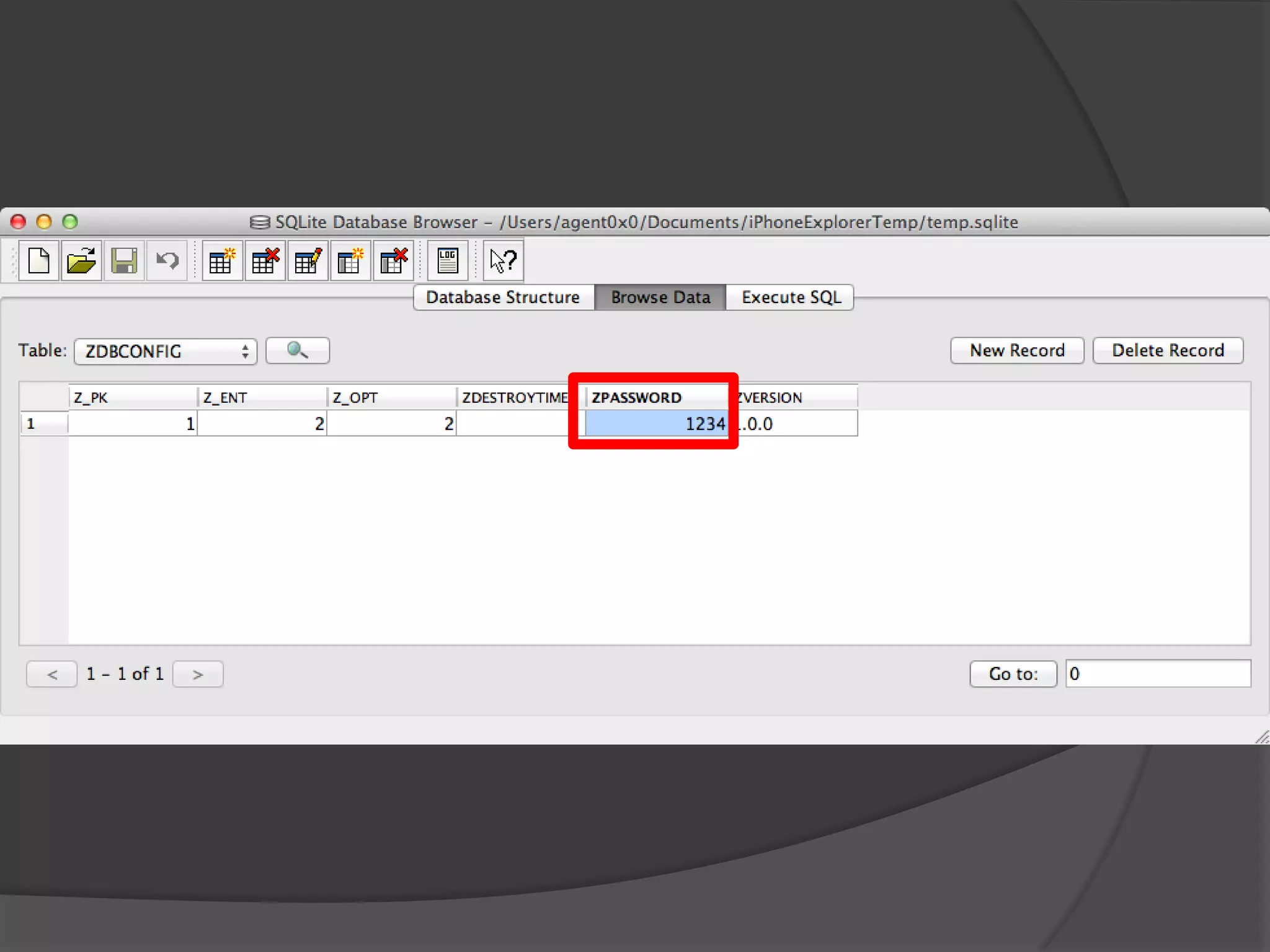
Password Keeper “Lite”
 PIN and passwords stored in clear-text
  SQLite database
 So much for the security of your
  passwords…
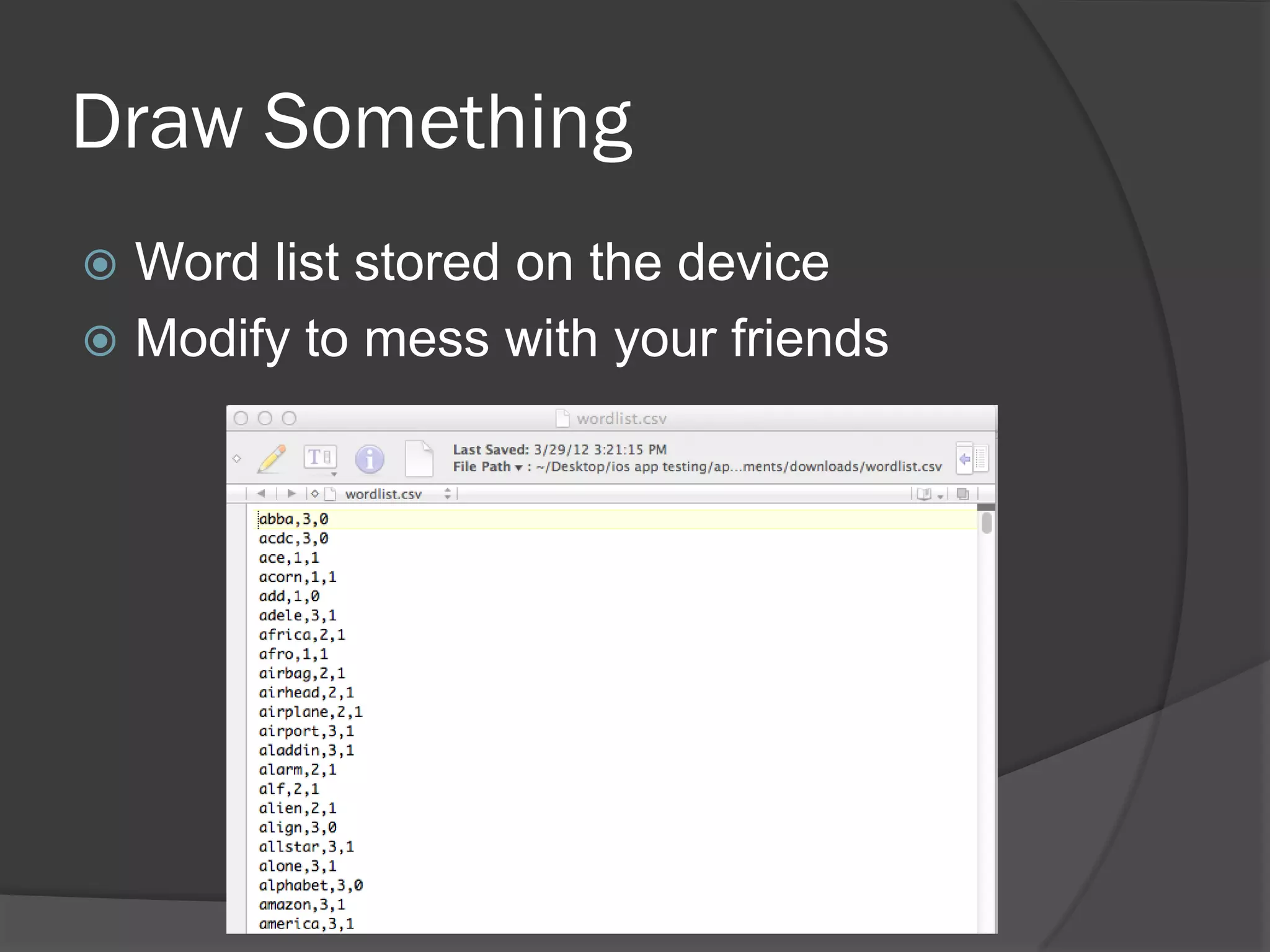
Draw Something
 Word list stored on the device
 Modify to mess with your friends
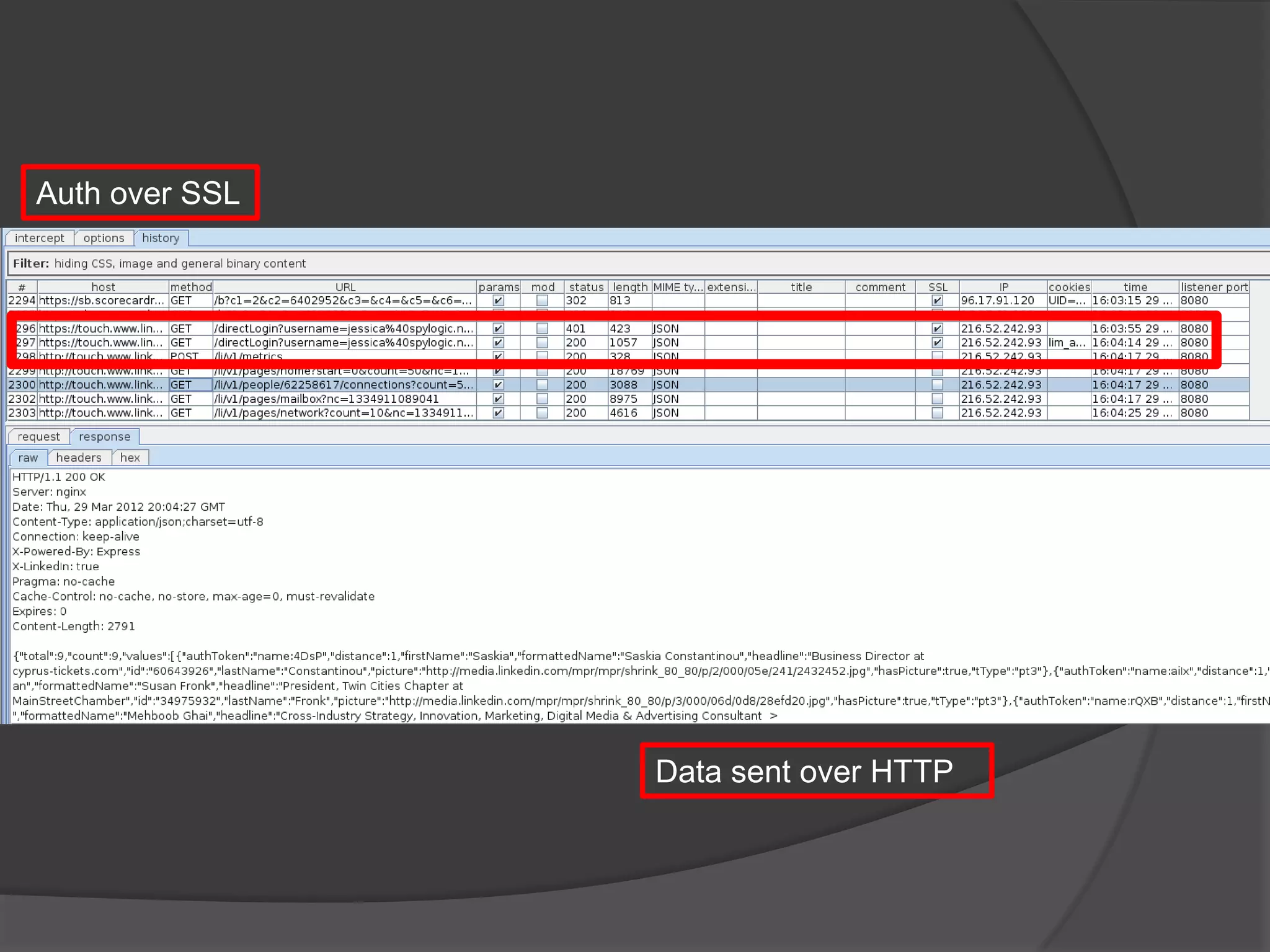
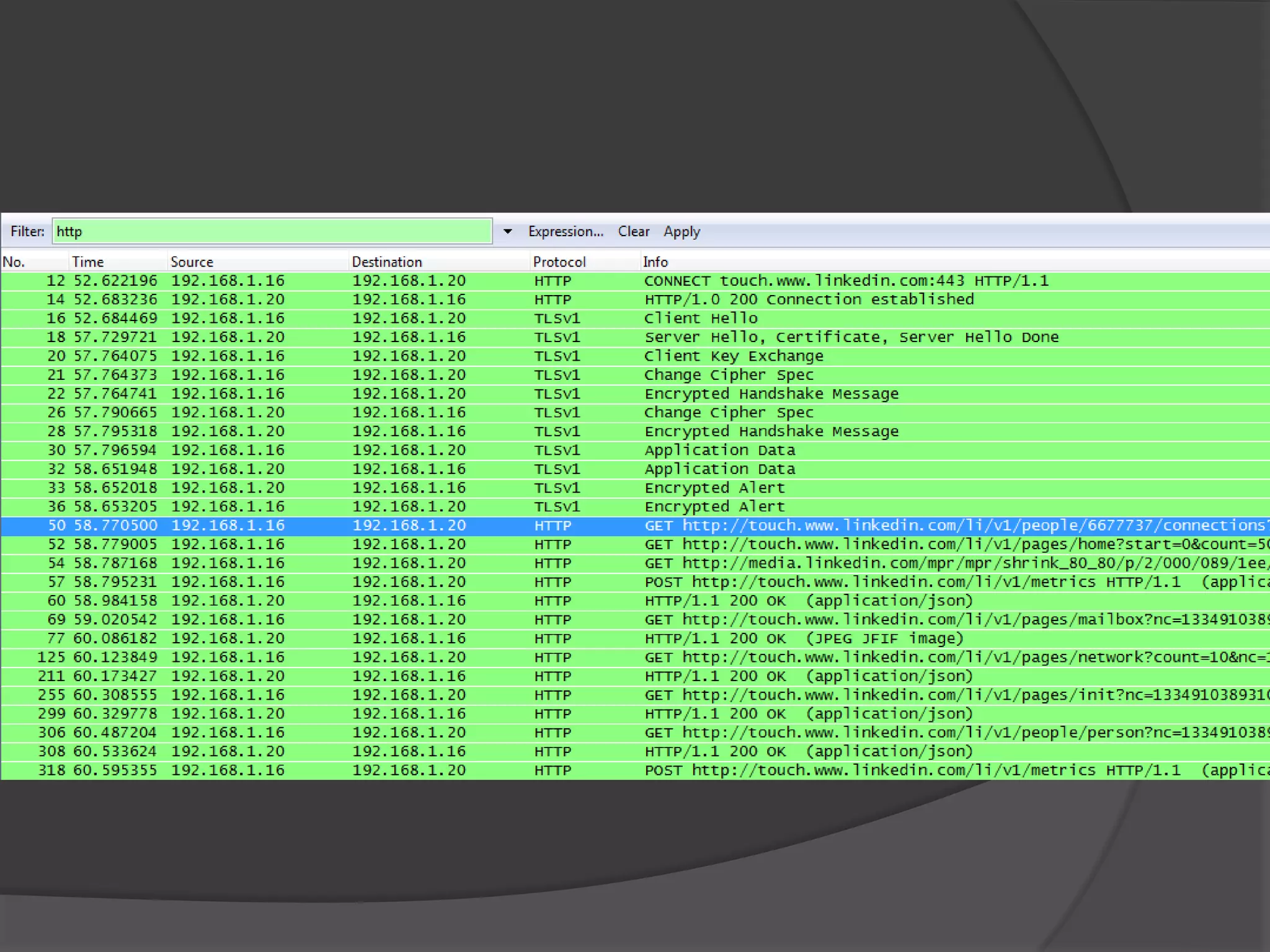
LinkedIn
 SSL only for authentication
 Session tokens and data sent over HTTP
 Lots of apps do this
 M3: Insufficient Transport Layer Protection
Auth over SSL


                Data sent over HTTP
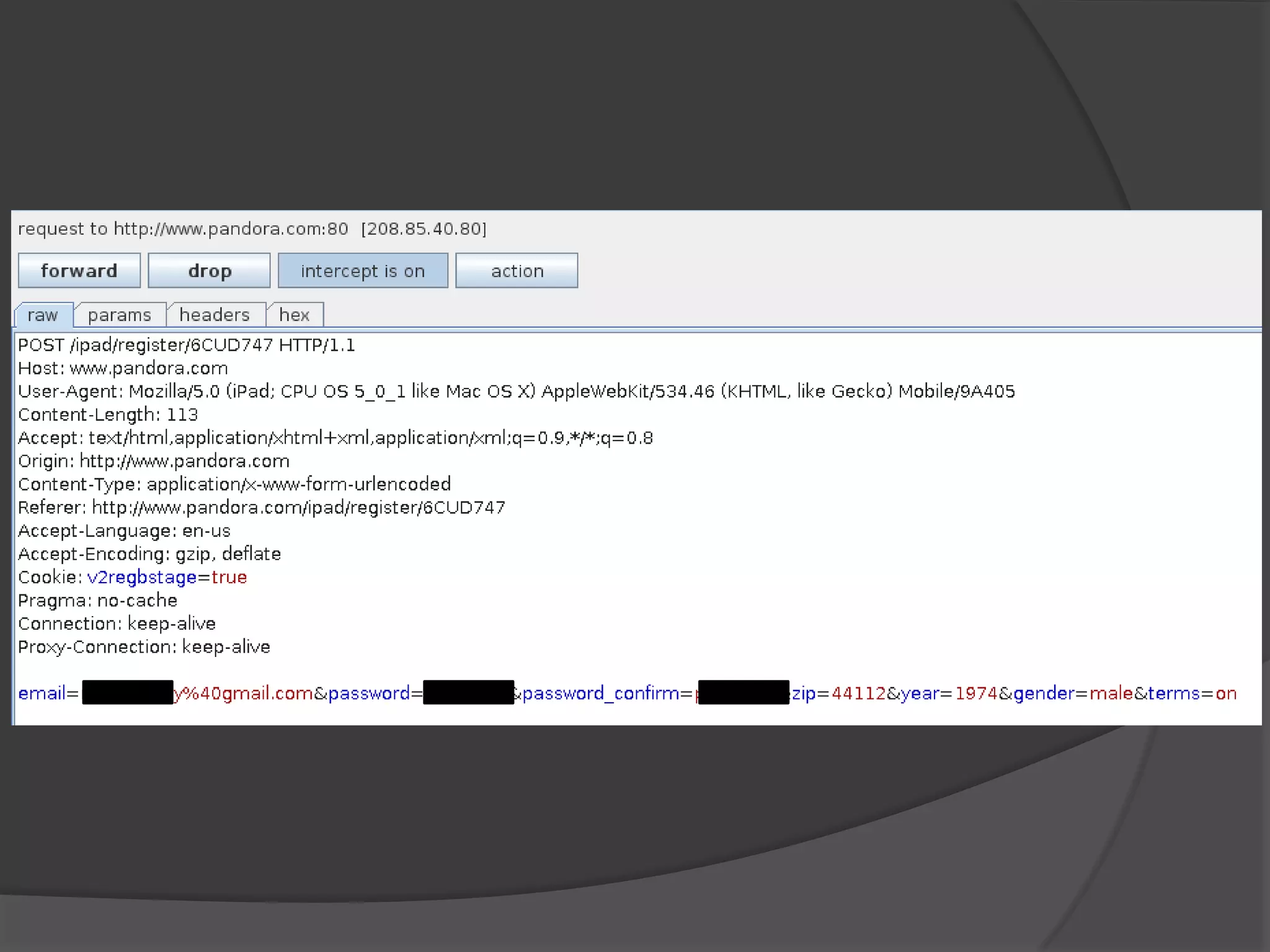
Pandora
 Registration over HTTP
 User name/Password and Registration
  info sent over clear text
 Unfortunately…lots of apps do this
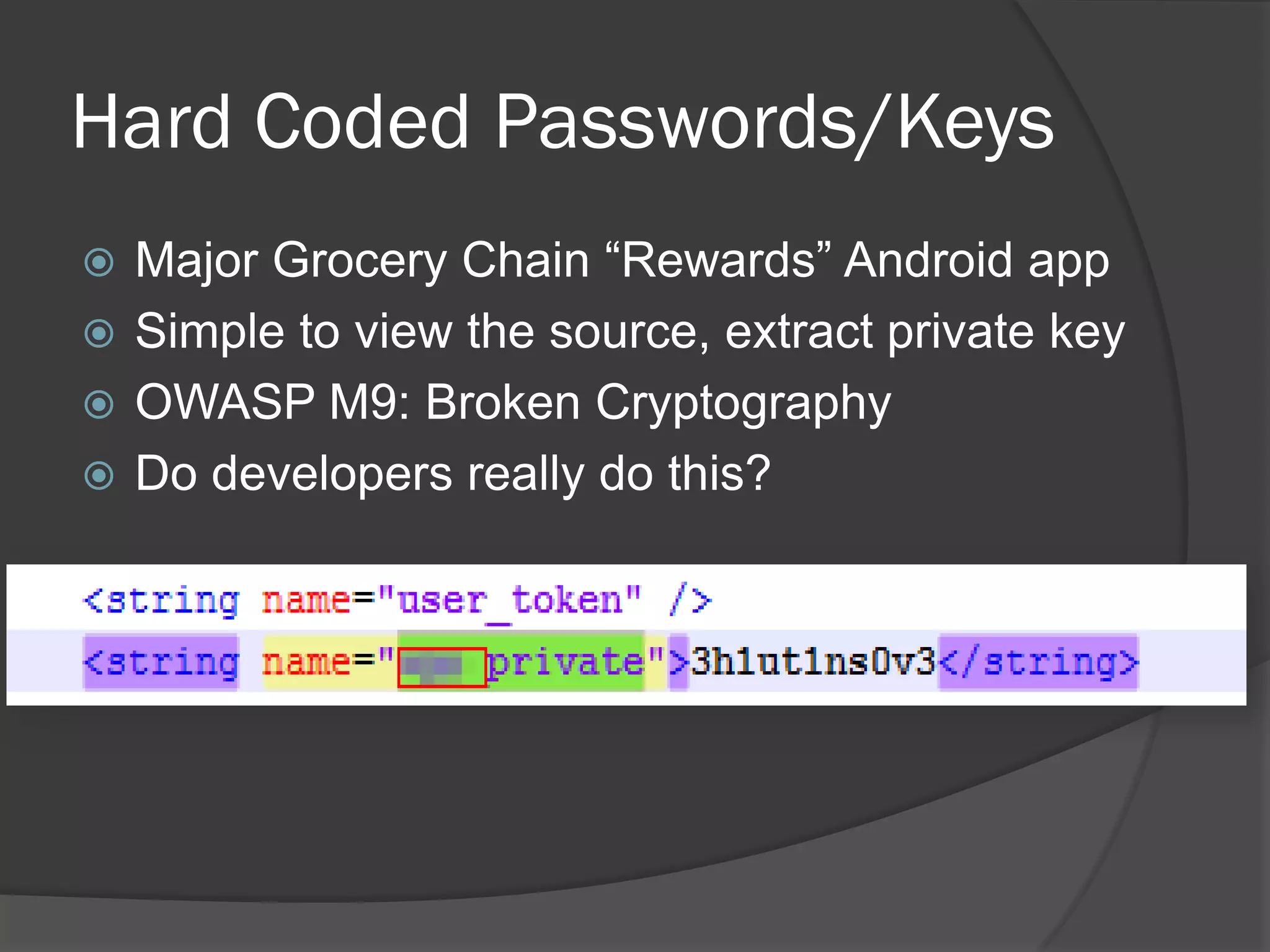
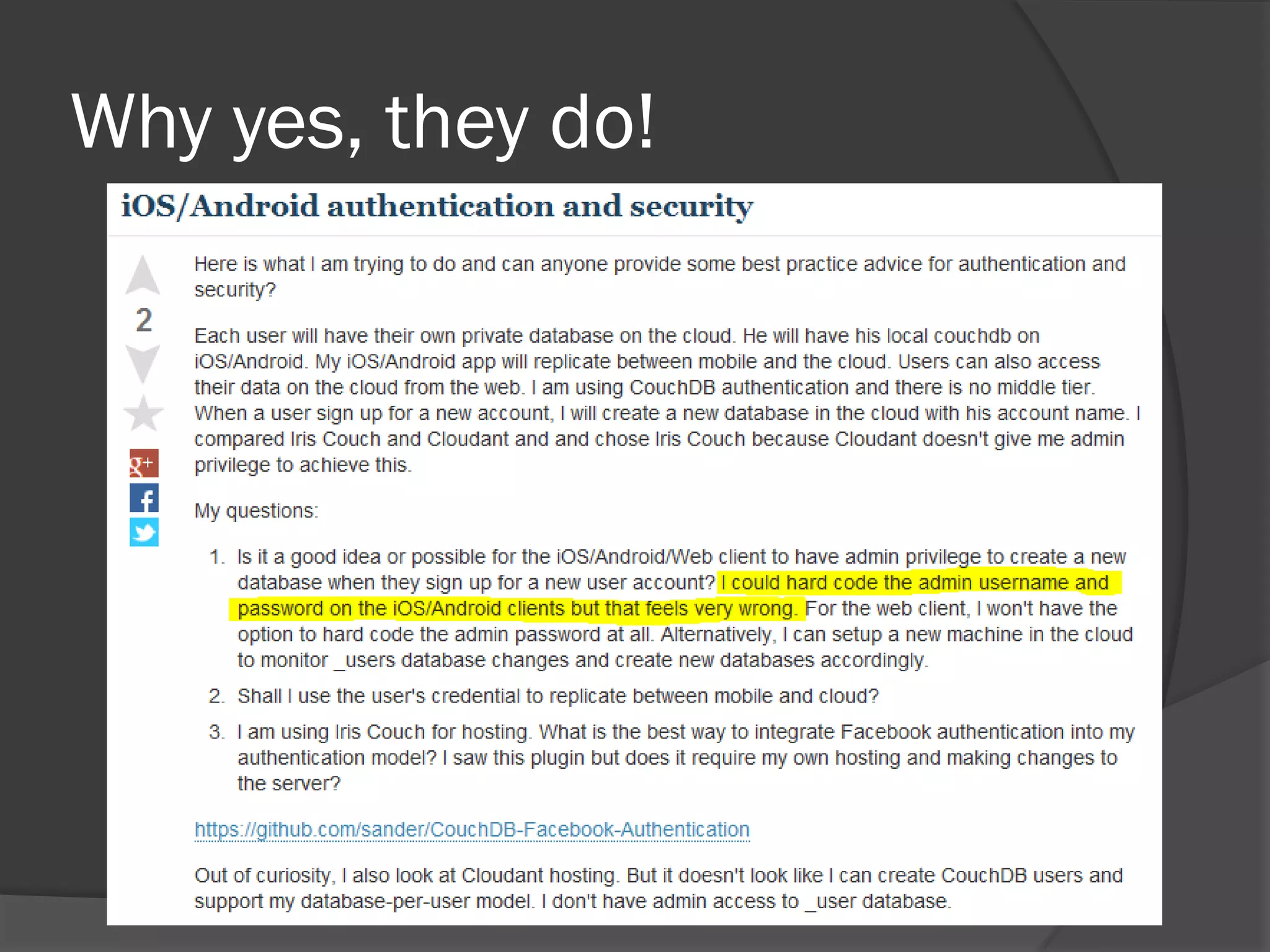
Hard Coded Passwords/Keys
 Major Grocery Chain “Rewards” Android app
 Simple to view the source, extract private key
 OWASP M9: Broken Cryptography
 Do developers really do this?
Why yes, they do!
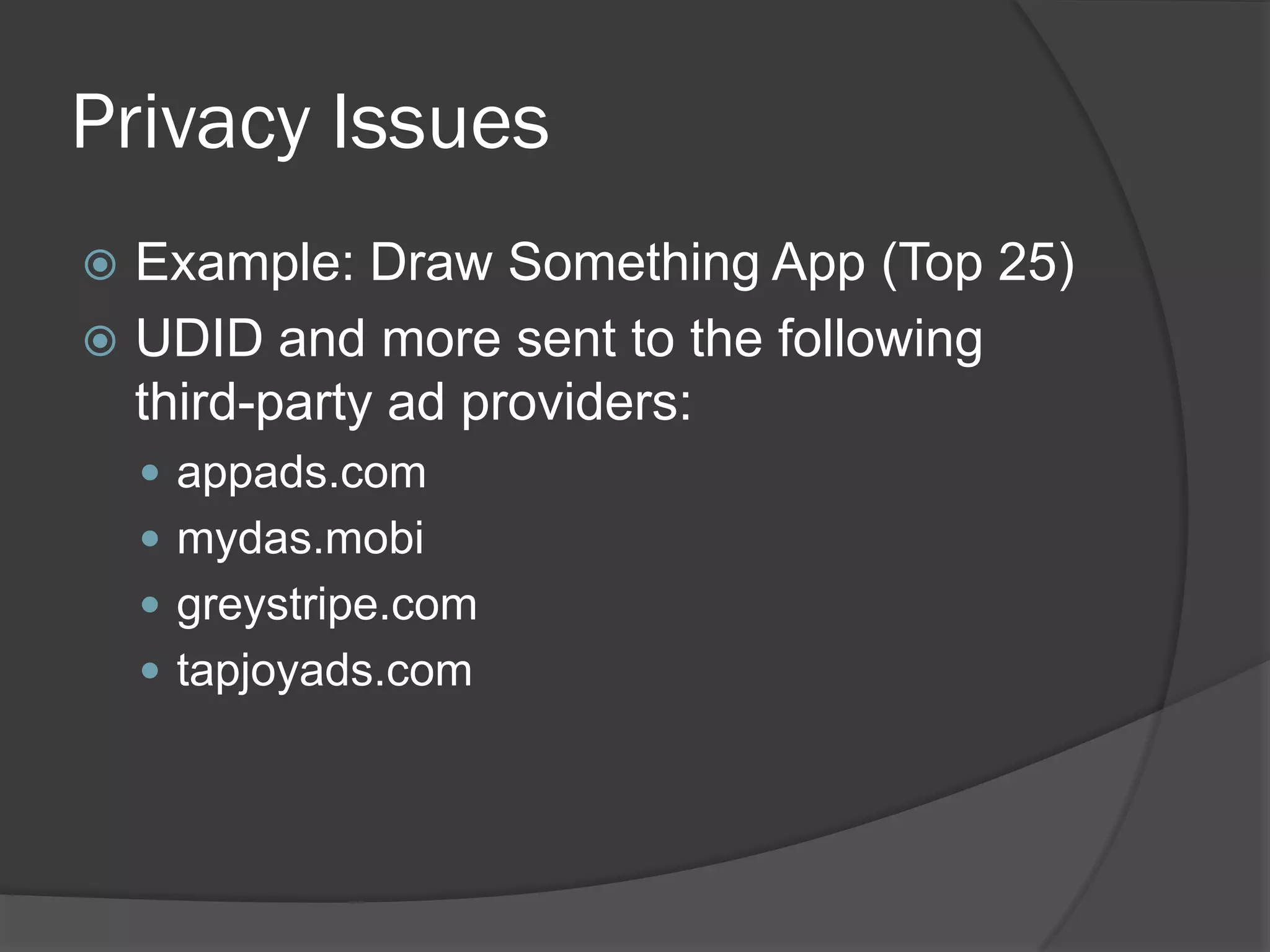
Privacy Issues
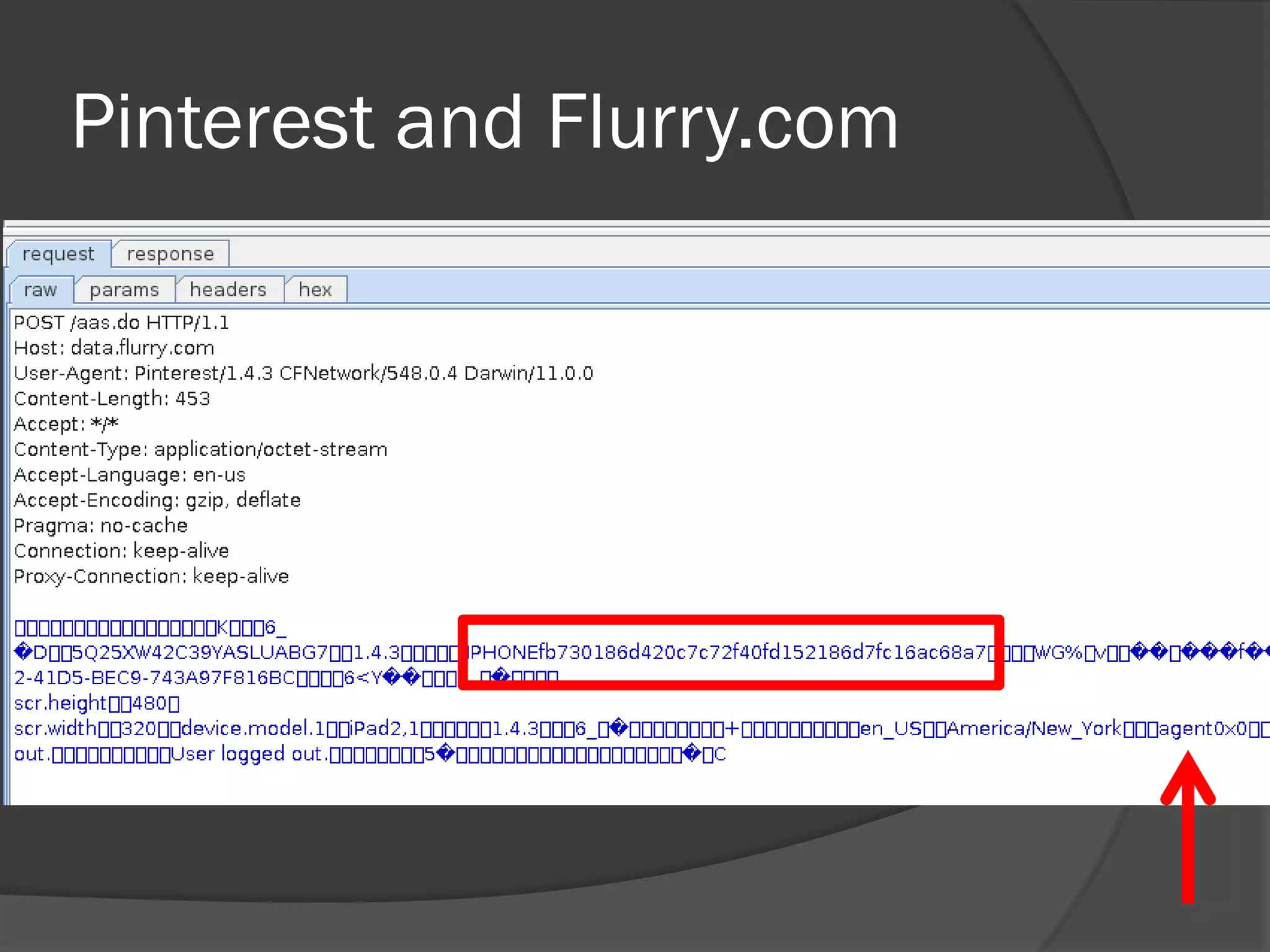
 Example: Draw Something App (Top 25)
 UDID and more sent to the following
  third-party ad providers:
     appads.com
     mydas.mobi
     greystripe.com
     tapjoyads.com
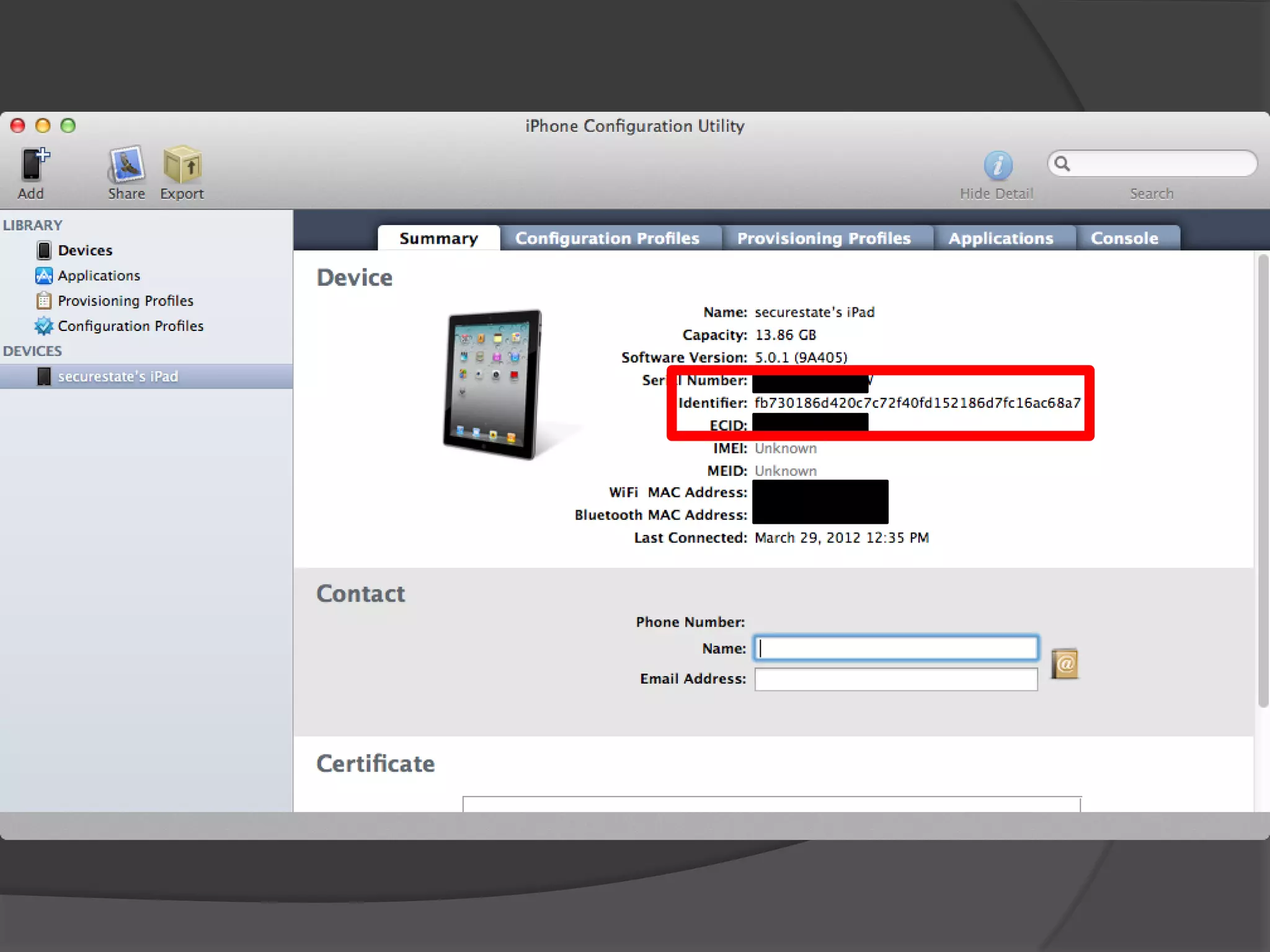
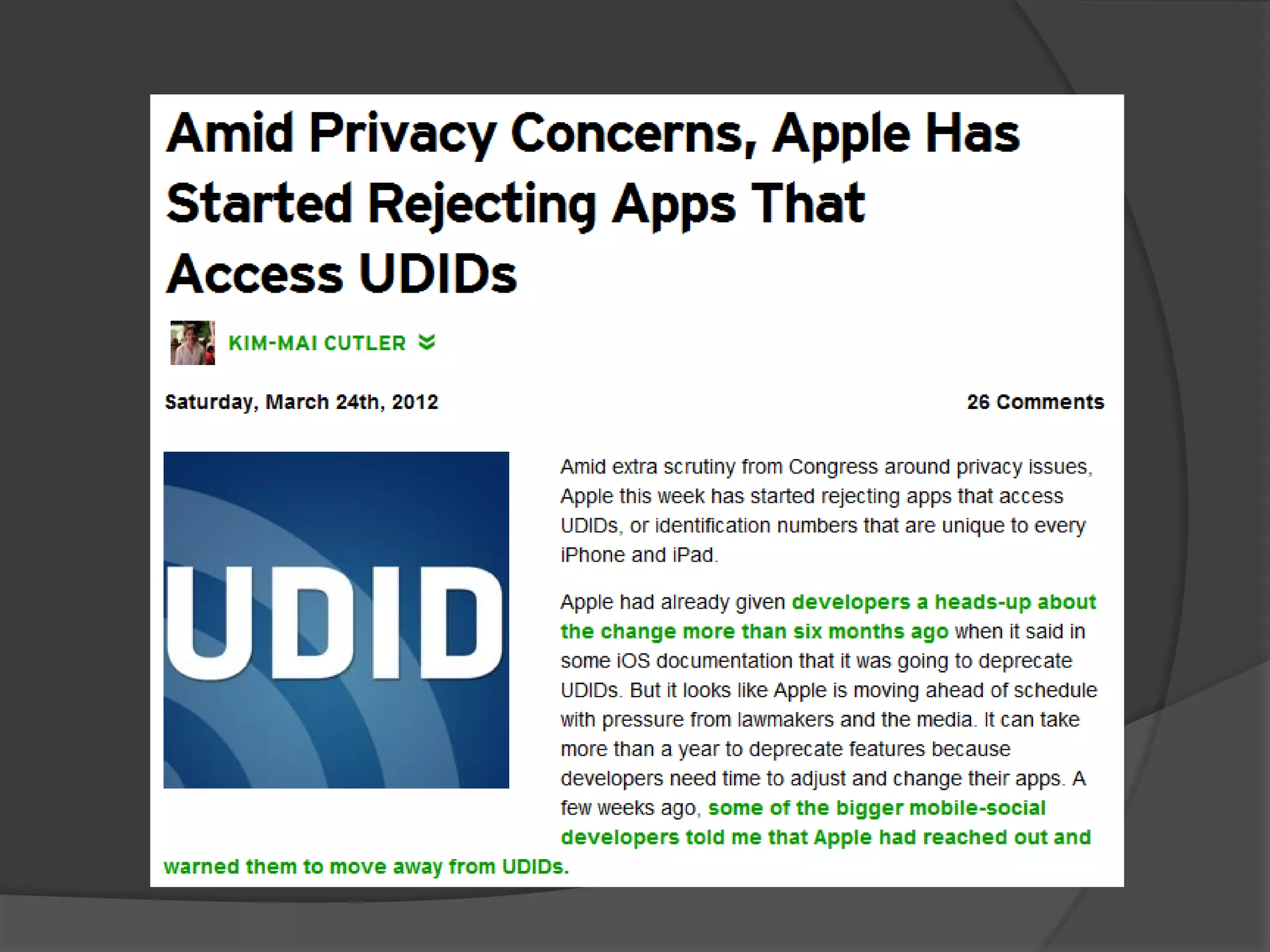
What is UDID?
   Alpha-numeric string that uniquely
    identifies an Apple device
Pinterest and Flurry.com
Conclusions
 Mobile devices are critically common
 Most people use them without thinking
  of security
 Developers seem to be repeating the
  past
 We need to secure this area
Contact Us
   John Sawyer
     Twitter: @johnhsawyer
     john@inguardians.com
   Tom Eston
     Twitter: @agent0x0
     teston@securestate.com
   Kevin Johnson
     Twitter: @secureideas
     kjohnson@secureideas.net

Smart Bombs: Mobile Vulnerability and Exploitation

  • 1.
    Mobile Vulnerability andExploitation John Sawyer – InGuardians Tom Eston – SecureState Kevin Johnson – Secure Ideas
  • 2.
    John Sawyer  InGuardians, Inc. - Senior Security Analyst  DarkReading.com - Author/Blogger  1@stplace - Retired CTF packet monkey  Winners DEFCON 14 & 15  Avid Mountain Biker… in Florida.
  • 3.
    Tom Eston  Manager,SecureState Profiling & Penetration Team  Blogger – SpyLogic.net  Infrequent Podcaster – Security Justice/Social Media Security  Zombie aficionado  I like to break new technology
  • 4.
    Kevin Johnson  Fatherof Brenna and Sarah  Secure Ideas, Senior Security Consultant  SANS Instructor and Author  SEC542/SEC642/SEC571  Open-Source Bigot  SamuraiWTF, Yokoso, Laudanum etc  Ninja
  • 5.
    What are wetalking about today?  What’s at risk?  Tools, Testing and Exploitation  Common vulnerabilities found in popular apps (this is the fun part)
  • 6.
    What are SmartBombs?  We’ve got powerful technology in the palm of our hands!  We store and transmit sensitive data  Mobile devices are being used by:  Major Businesses (PII)  Energy Companies (The Grid)  The Government(s)  Hospitals (PHI)  Your Mom (Scary)
  • 7.
  • 8.
    Testing Mobile Apps  What are the 3 major areas for testing?  File System What are apps writing to the file system? How is data stored?  Application Layer How are apps communicating via HTTP and Web Services? SSL?  Transport Layer How are apps communicating over the network? TCP and Third-party APIs
  • 9.
    OWASP Top 10Mobile Risks 1. Insecure Data Storage 2. Weak Server Side Controls 3. Insufficient Transport Layer Protection 4. Client Side Injection 5. Poor Authorization and Authentication
  • 10.
    OWASP Top 10Mobile Risks 6. Improper Session Handling 7. Security Decisions Via Untrusted Inputs 8. Side Channel Data Leakage 9. Broken Cryptography 10. Sensitive Information Disclosure
  • 11.
    OWASP Mobile SecurityProject  You should get involved!  https://www.owasp.org/index.php/OWASP_Mobile_Security_Project
  • 12.
    Other Issues  Privacy of your data!  Mobile apps talk to many third party APIs (ads)  What’s collected by Google/Apple/Microsoft?
  • 13.
    Common Tools  SSH VNC server  A compiler (gcc / agcc)  Android SDK (adb!)  XCode  Jailbroken iDevice  Rooted Android Device
  • 14.
    Filesystem Analysis  Forensic approach  Filesystem artifacts  Timeline analysis  Log analysis  Temp files
  • 15.
    Forensic Tools  Mobile Forensic Tools  EnCase, FTK, Cellebrite  Free and/or Open Source  file, strings, less, dd, md5sum  The Sleuthkit (mactime, mac-robber)
  • 16.
    Timelines  Timelines are awesome  Anyone know log2timeline?  Filesystem  mac-robber  mactime  Logs  Application- & OS-specific
  • 17.
    Filesystem Timelines  mac-robber  C app  free & open source  must be compiled to run on devices  mactime  Part of The Sleuthkit  runs on Mac, Win, Linux
  • 18.
    Compiling mac-robber (Android)  Android  Install arm gcc toolchain  Compile & push via adb   I used Ubuntu, works on MobiSec & Backtrack  Detailed instructions: ○ http://www.darkreading.com/blog/232800148/quick-start- guide-compiling-mac-robber-for-android-vuln-research.html
  • 19.
    Compiling mac-robber (iOS)  iOS (jailbroken)  Download & Install libgcc onto device  Install iphone-gcc  Download & Install C headers/libraries
  • 20.
    Running mac-robber (iOS)  iOS & Android via SSH  Android via adb  Then, process each with mactime
  • 21.
  • 22.
  • 23.
  • 24.
    Gallery Lock Lite  “Protects” your images
  • 26.
    Viewing & SearchingFiles  cat, less, vi, strings, grep  SQLite files  GUI browser, API (Ruby, Python, etc)  Android apps  ashell, aSQLiteManager, aLogViewer
  • 27.
    Application Layer -HTTP  Tools Used:  Burp Suite  Burp Suite  oh yeah Burp Suite!
  • 28.
    Why Look atthe App Layer?  Very common in mobile platforms  Many errors are found within the application  And how it talks to the back end service  Able to use many existing tools
  • 29.
  • 30.
  • 31.
  • 32.
    Transport Layer -TCP  Tools Used:  Wireshark  Tcpdump  Network Miner
  • 33.
    Why look atthe transport layer?  Check to see how network protocols are handled in the app  Easily look for SSL certificate or other communication issues
  • 34.
    NetworkMiner  Extracts files/imagesand more  Can pull out clear txt credentials  Quickly view parameters
  • 36.
    TCP Lab Setup  Run tcpdump directly on the device  Run Wireshark by sniffing traffic over wireless AP or network hub setup (lots of ways to do this)  Import PCAPs into NetworkMiner
  • 37.
    App Vulnerabilities  Severalexamples that we’ve found  Many from the Top 25 downloaded apps
  • 38.
    Evernote  Notebooks arestored in the cloud  But…caches some files on the device…  OWASP M1: Insecure Data Storage
  • 40.
    MyFitnessPal  Android app stores sensitive data on the device (too much data)
  • 42.
    Password Keeper “Lite” PIN and passwords stored in clear-text SQLite database  So much for the security of your passwords…
  • 46.
    Draw Something  Wordlist stored on the device  Modify to mess with your friends
  • 47.
    LinkedIn  SSL onlyfor authentication  Session tokens and data sent over HTTP  Lots of apps do this  M3: Insufficient Transport Layer Protection
  • 48.
    Auth over SSL Data sent over HTTP
  • 50.
    Pandora  Registration overHTTP  User name/Password and Registration info sent over clear text  Unfortunately…lots of apps do this
  • 52.
    Hard Coded Passwords/Keys Major Grocery Chain “Rewards” Android app  Simple to view the source, extract private key  OWASP M9: Broken Cryptography  Do developers really do this?
  • 53.
  • 54.
    Privacy Issues  Example:Draw Something App (Top 25)  UDID and more sent to the following third-party ad providers:  appads.com  mydas.mobi  greystripe.com  tapjoyads.com
  • 55.
    What is UDID?  Alpha-numeric string that uniquely identifies an Apple device
  • 57.
  • 59.
    Conclusions  Mobile devicesare critically common  Most people use them without thinking of security  Developers seem to be repeating the past  We need to secure this area
  • 60.
    Contact Us  John Sawyer  Twitter: @johnhsawyer  john@inguardians.com  Tom Eston  Twitter: @agent0x0  teston@securestate.com  Kevin Johnson  Twitter: @secureideas  kjohnson@secureideas.net