The document provides an in-depth overview of the OWASP Mobile Top 10 risks in mobile application security, detailing vulnerabilities such as improper platform usage, insecure data storage, and inadequate cryptography. Each risk is accompanied by mitigation strategies to enhance mobile app security, emphasizing best practices like secure coding and proper authentication methods. The resources and guidelines mentioned serve as references for developers to protect against these security threats.
Prathan Phongthiproek
OWASP MobileTeam
OWASP Mobile Top 10 Deep-Dive presentation at OWASP Thailand Meeting July 26, 2018
Content is available under Creative Commons Attribution-ShareAlike unless otherwise noted.
Misuse of aplatform feature or lack of platform
security controls for the Android, iOS and APIs.
Issues might include Android intents, platform
permissions, the Keychain and Insecure web
server configurations.
Mitigation Measures
o Understandthe additional risks mobile apps introduce into existing architectures.
o Following rules and guidelines created by platform.
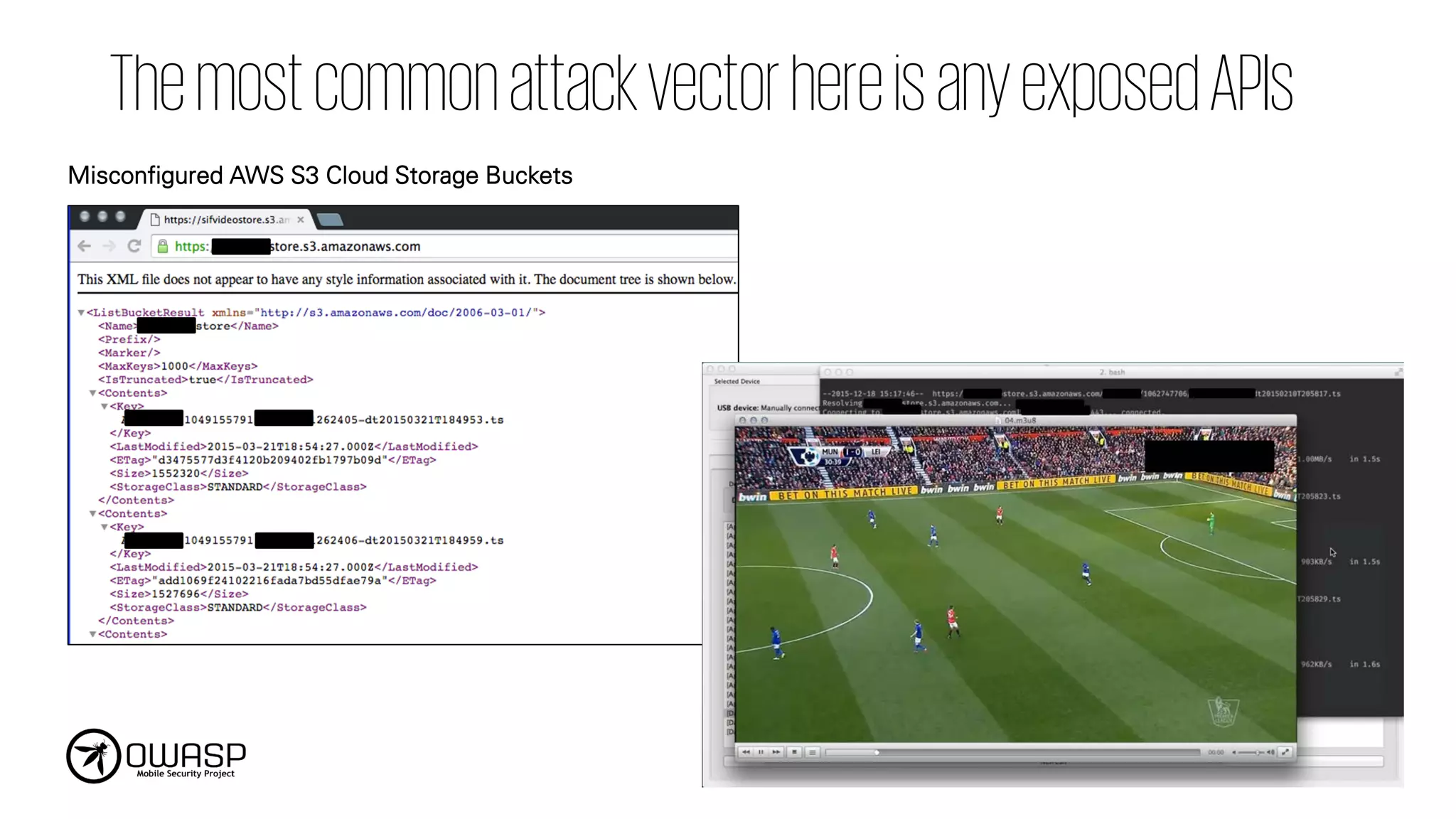
o Following common best practices when developing your API is also a key.
o Secure coding and configuration practices must be used on server-side of the mobile
application:
• OWASP Proactive Controls
• OWASP ASVS
• REST Security Cheat Sheet
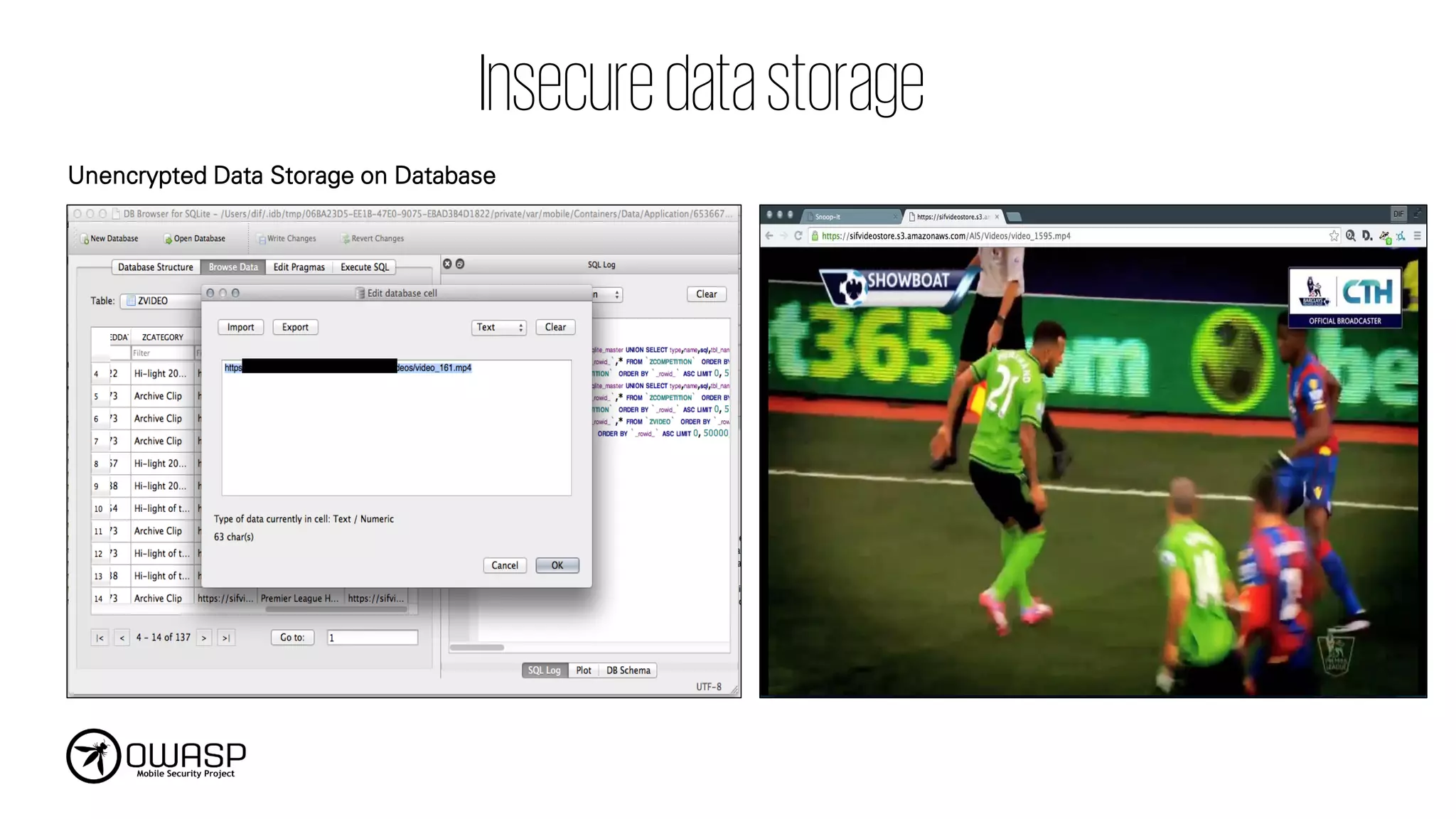
Vulnerabilities that leaksensitive information
or personal information through insecure data
storage and unintended data leakage that
provide access to hackers.
Mitigation Measures
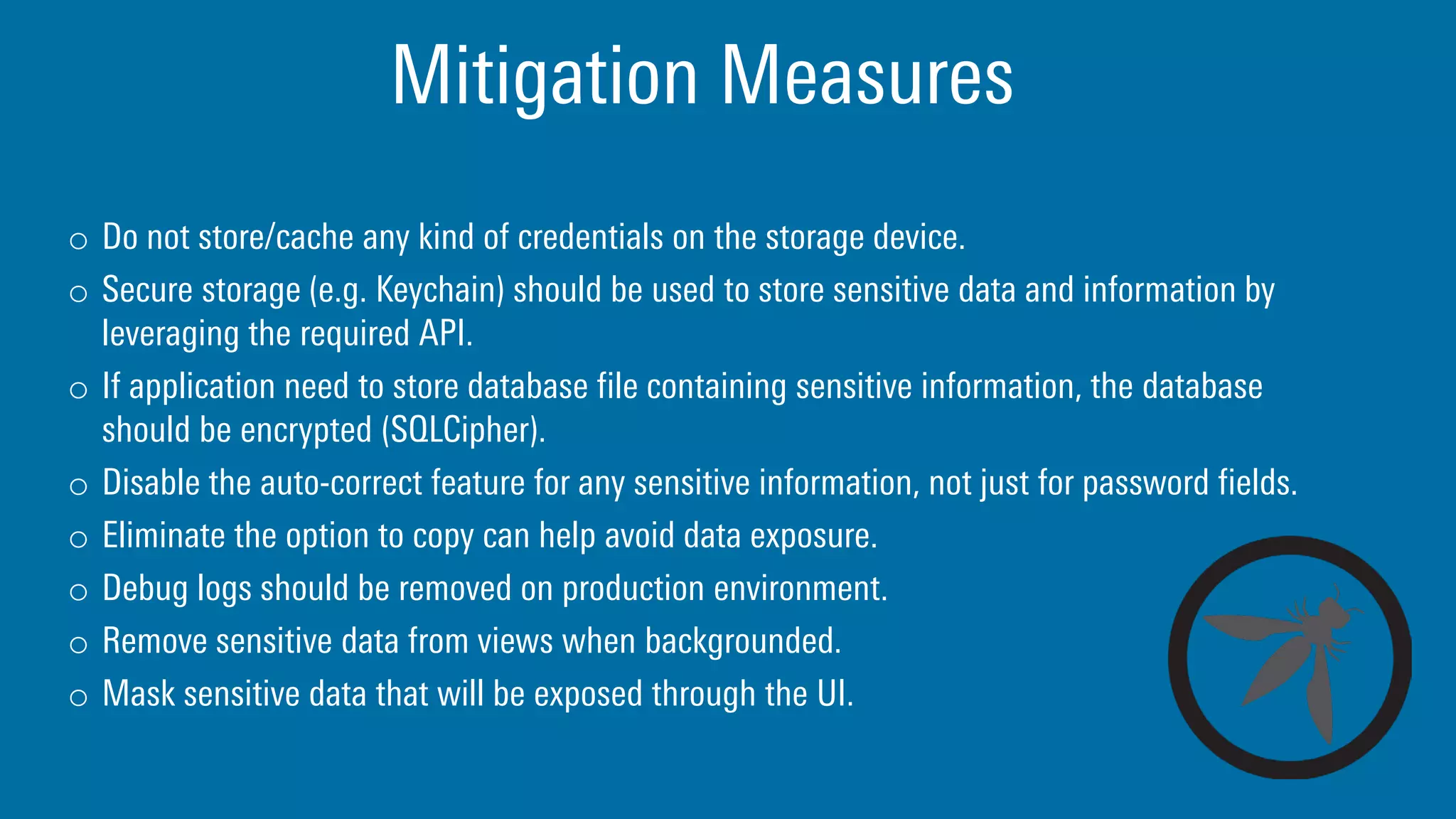
o Donot store/cache any kind of credentials on the storage device.
o Secure storage (e.g. Keychain) should be used to store sensitive data and information by
leveraging the required API.
o If application need to store database file containing sensitive information, the database
should be encrypted (SQLCipher).
o Disable the auto-correct feature for any sensitive information, not just for password fields.
o Eliminate the option to copy can help avoid data exposure.
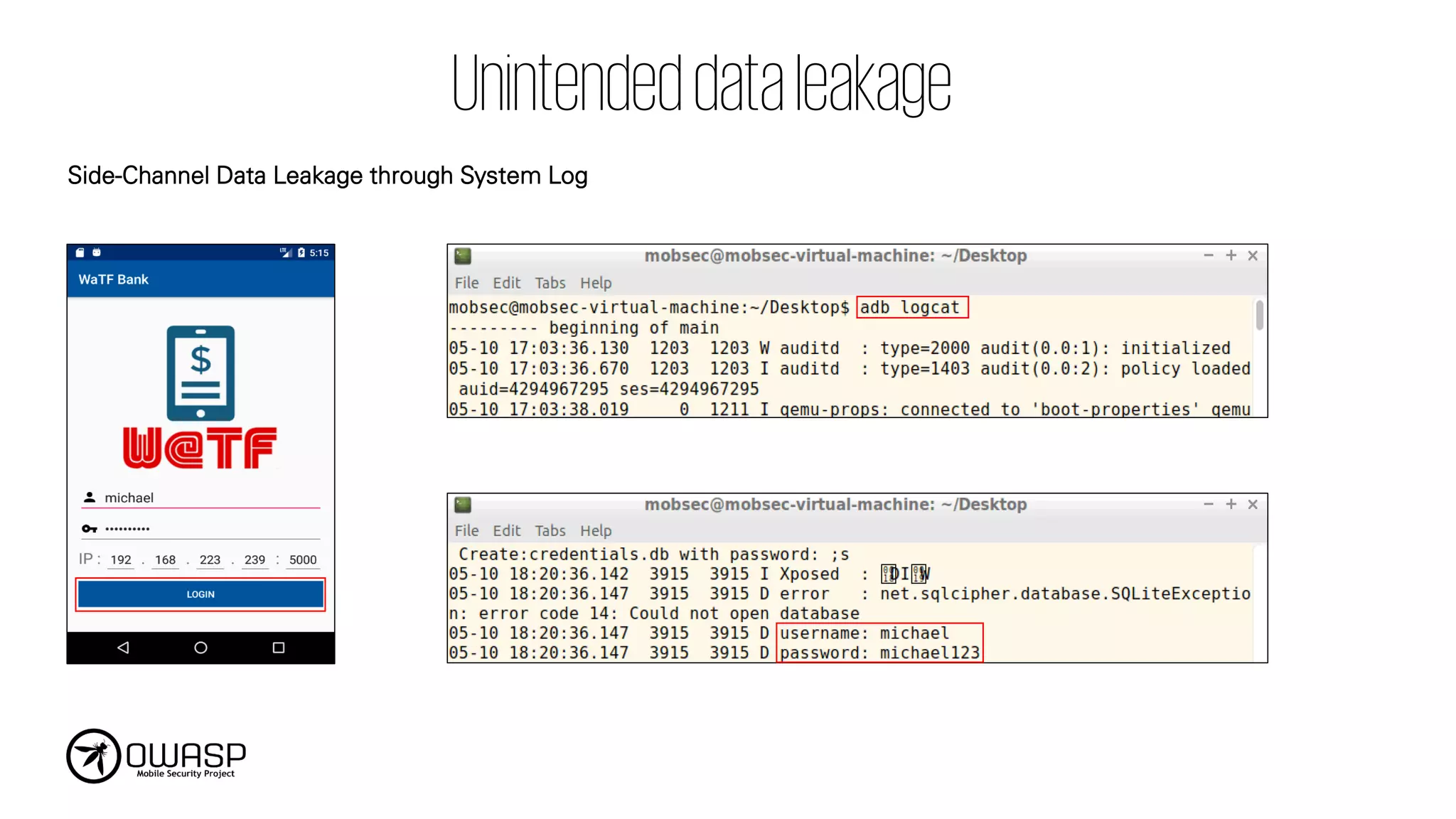
o Debug logs should be removed on production environment.
o Remove sensitive data from views when backgrounded.
o Mask sensitive data that will be exposed through the UI.
Mitigation Measures
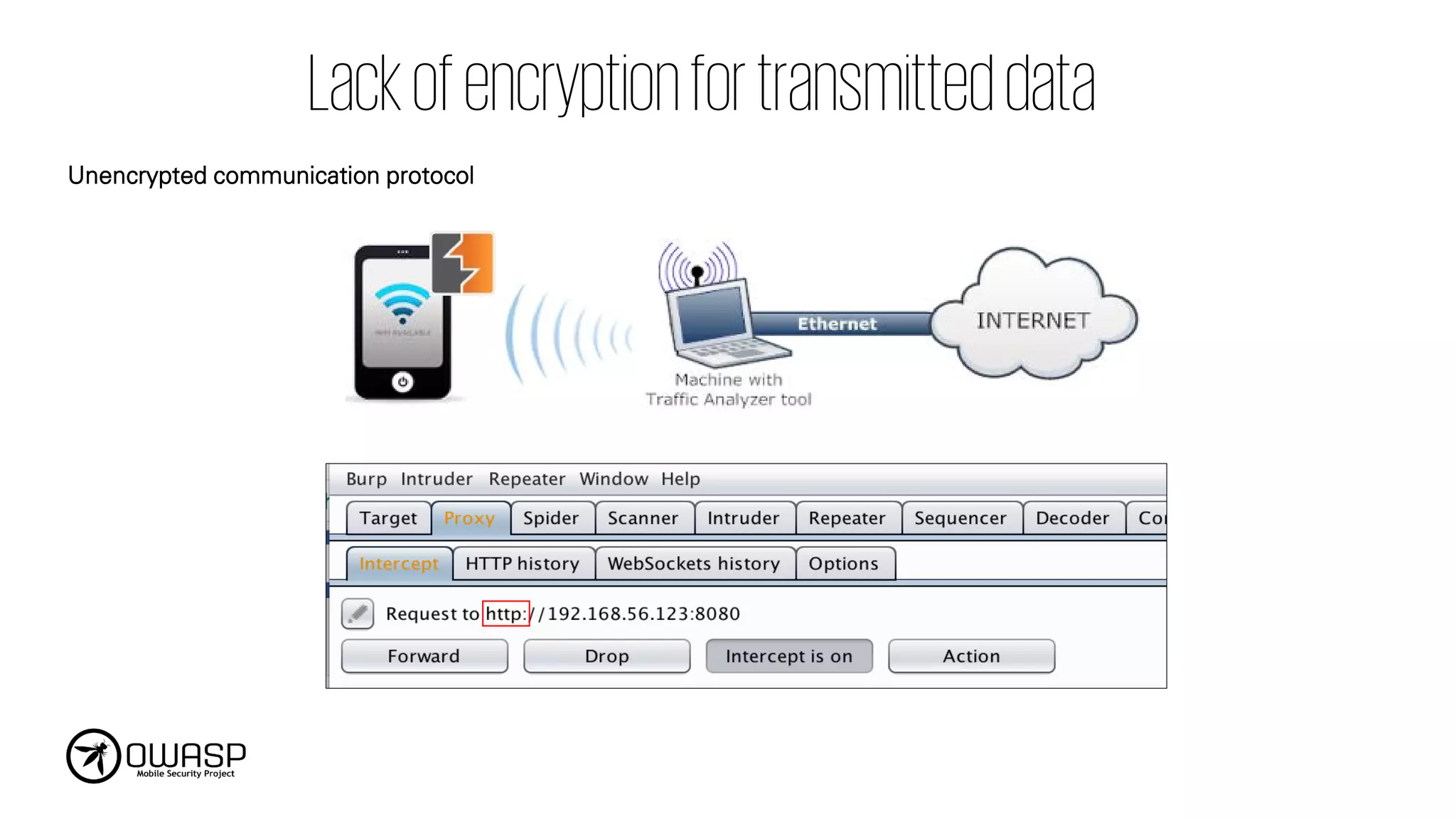
o ApplyTLS to transport channels that the mobile app will use to transmit sensitive
information, session tokens, or other sensitive data to a backend API or web service.
o Use strong, industry standard cipher suites with appropriate key lengths.
o Never allow self-signed certificates, and consider certificate pinning for security conscious
applications.
o If possible, apply a separate layer of encryption to any sensitive data before it is given to the
SSL channel (End-to-end encryption).
Mobile apps needto securely identify a user
and maintain that user’s identity, especially
when users are calling and sending sensitive
data such as financial information.
Mitigation Measures
o Wherepossible, ensure that all authentication requests are performed server-side.
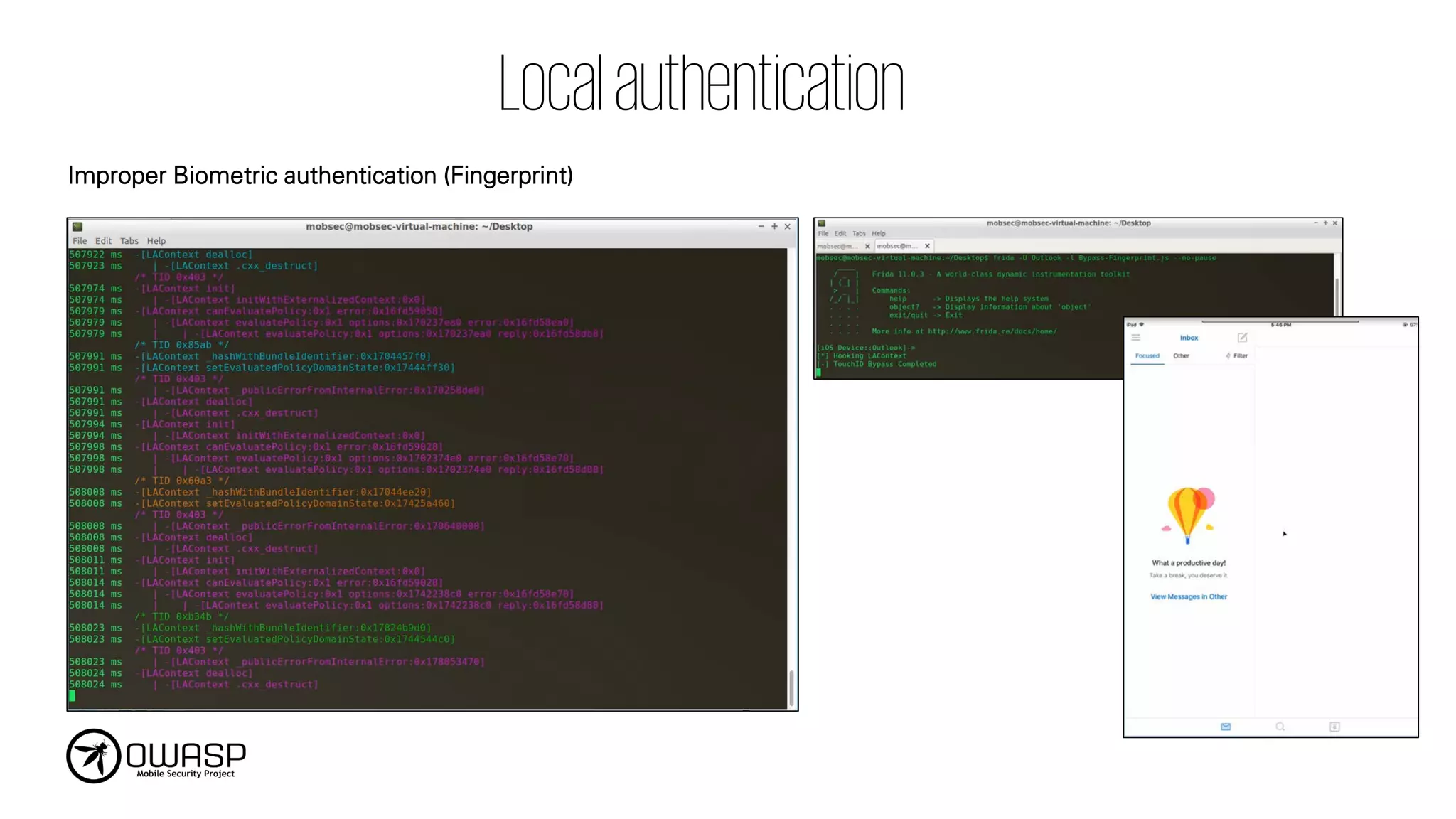
o When using Touch ID for authentication, store the app’s secret in the Keychain with an ACL
assigned to that item.
o Do not use any spoof-able values for authenticating a user. This includes device identifiers
or geo-location.
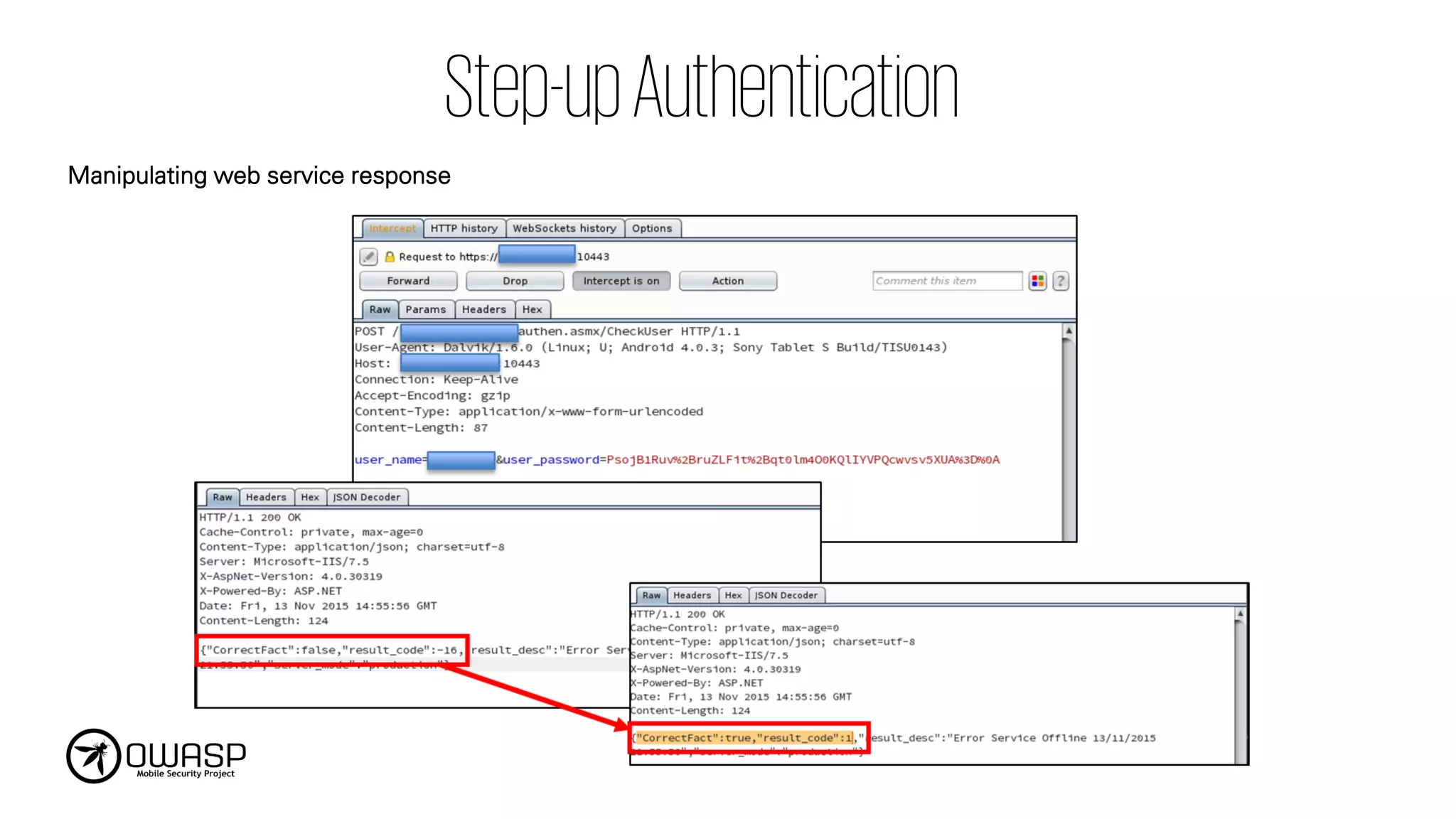
o 2FA or Step-up authentication should be enforced.
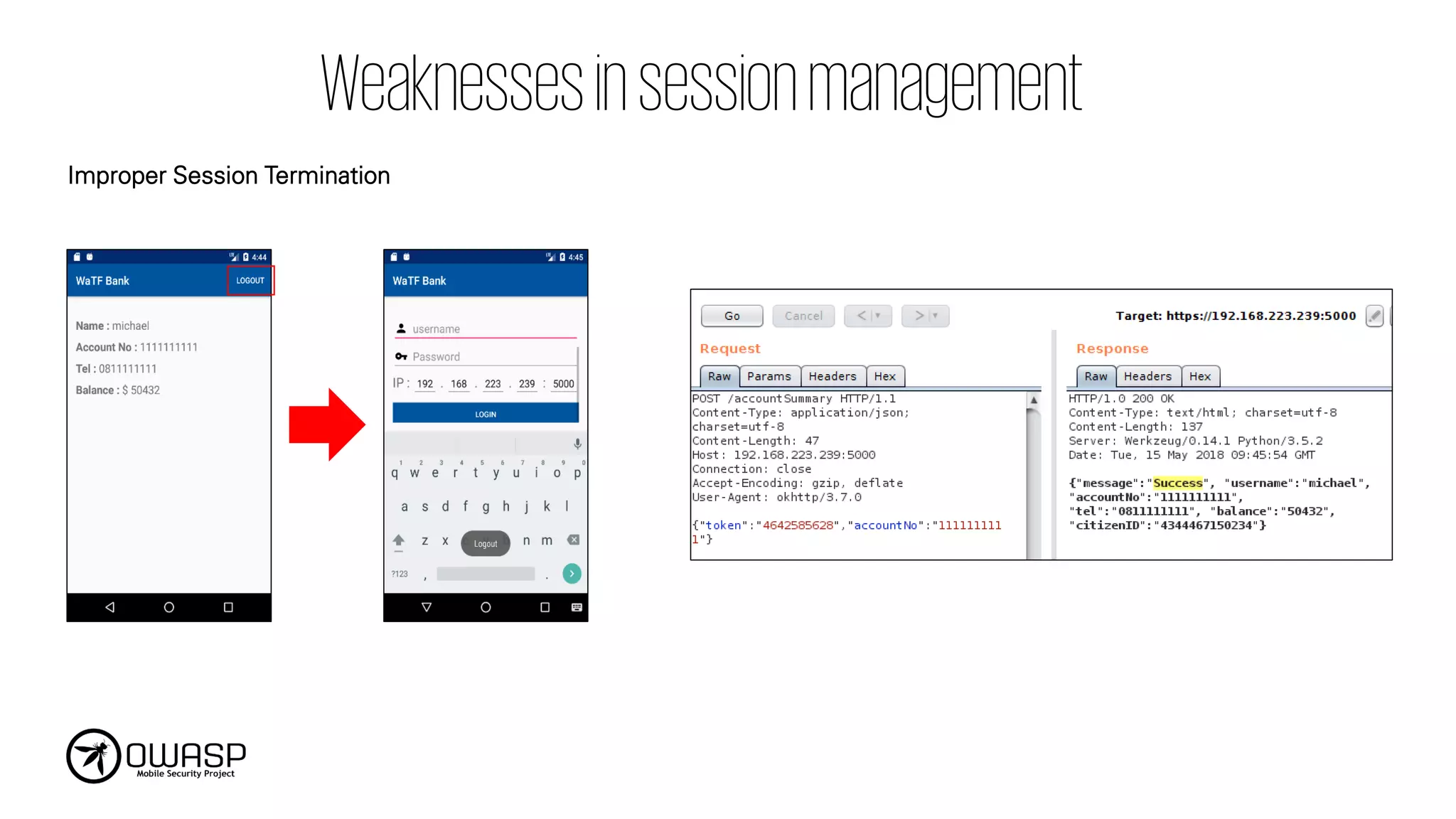
o Session Timeout and Session termination should be properly implemented.
o Secure guidelines should be used on server-side of the mobile application:
• OWASP Authentication Cheat Sheet
• OWASP Session Management Cheat Sheet
The process behindencryption and decryption
may allow a hacker to decrypt sensitive data.
The algorithm behind encryption and
decryption may be weak in nature.
Mitigation Measures
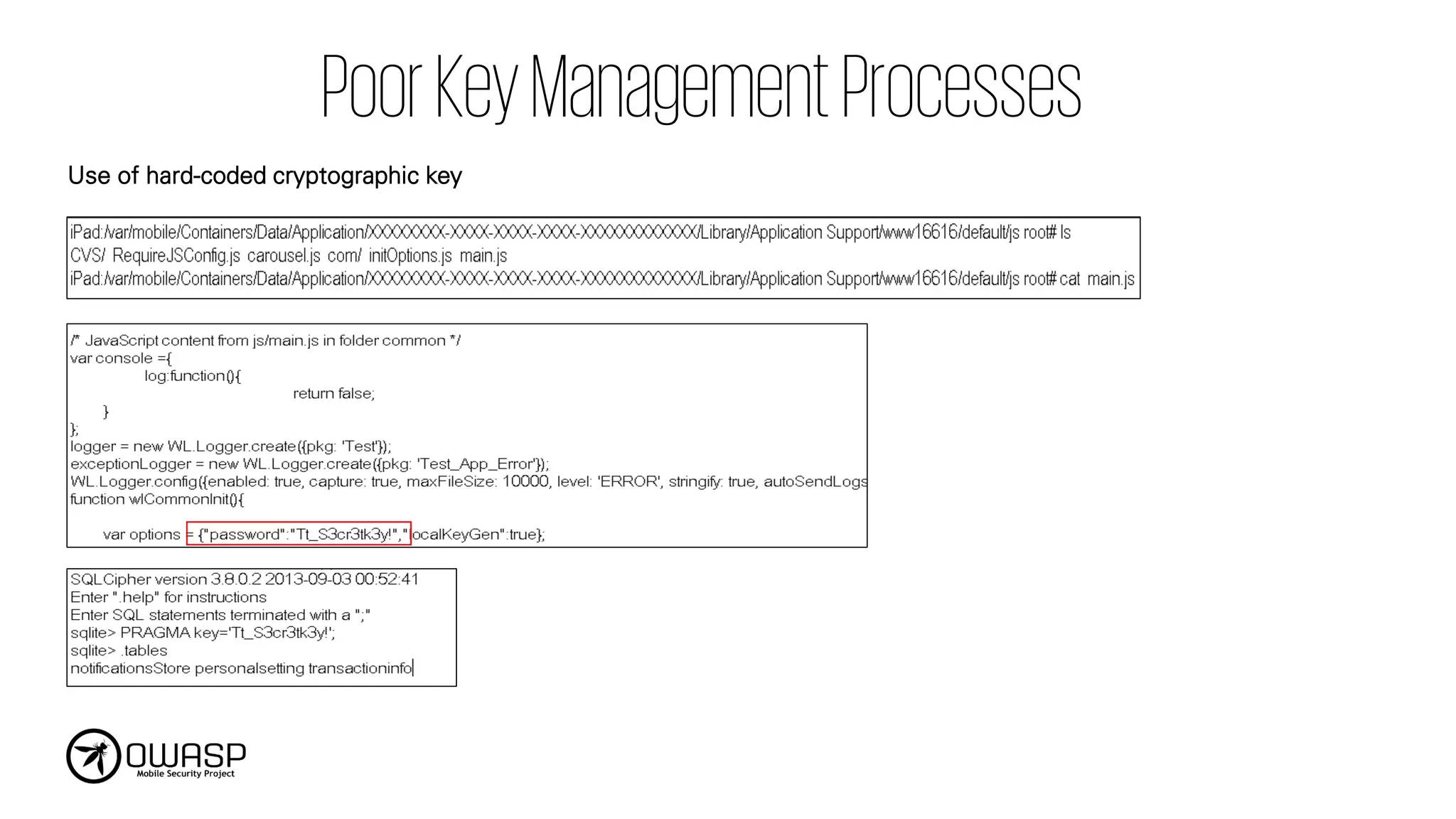
o Avoidthe use of hardcoded keys within your binary.
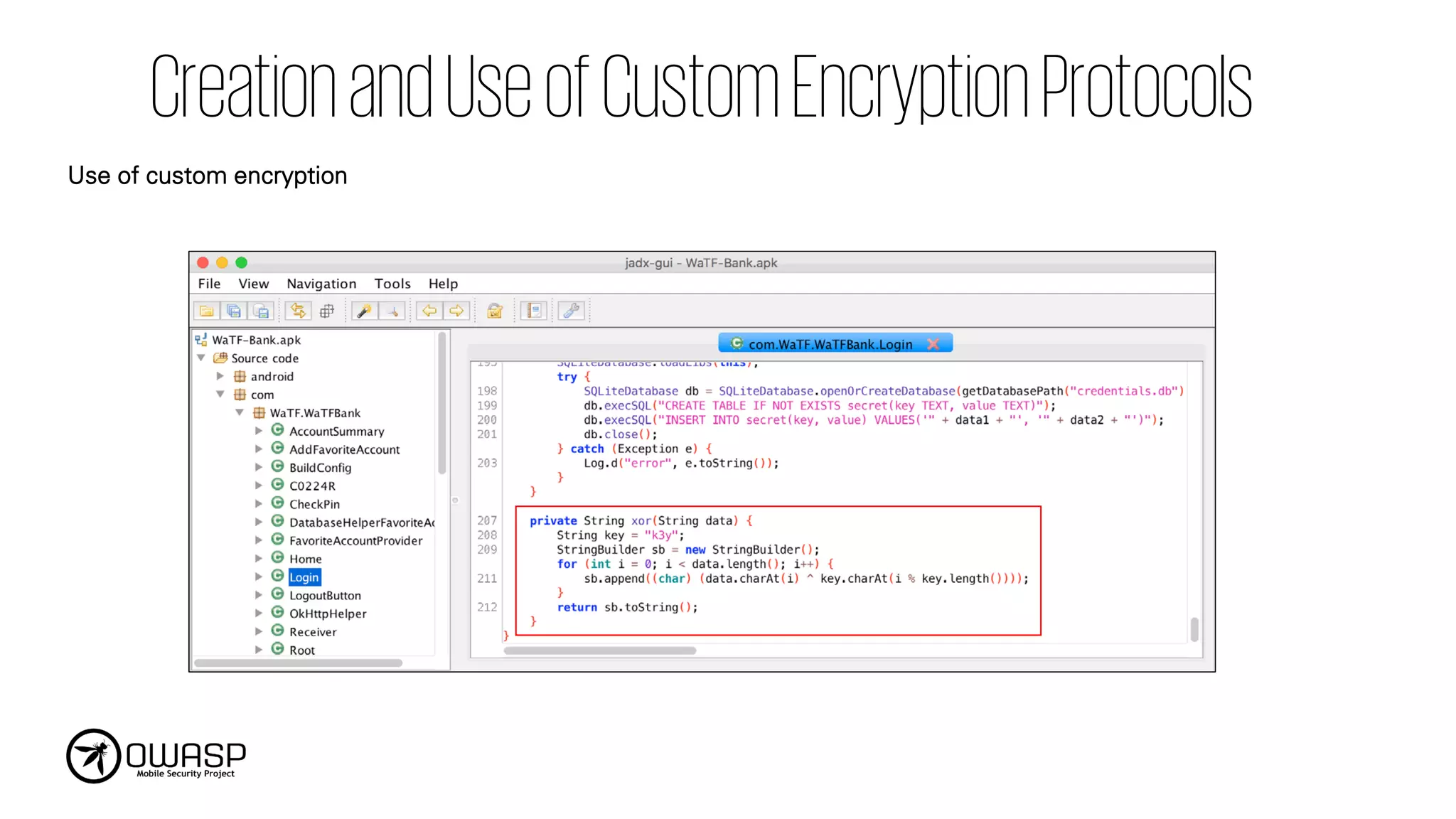
o Avoid custom cryptographic algorithms development.
o Always use modern algorithms that are accepted as strong by the security community or
standard.
o Secure guidelines should be used on server-side of the mobile application:
• OWASP Cryptographic Storage Cheat Sheet
• OWASP Password Storage Cheat Sheet
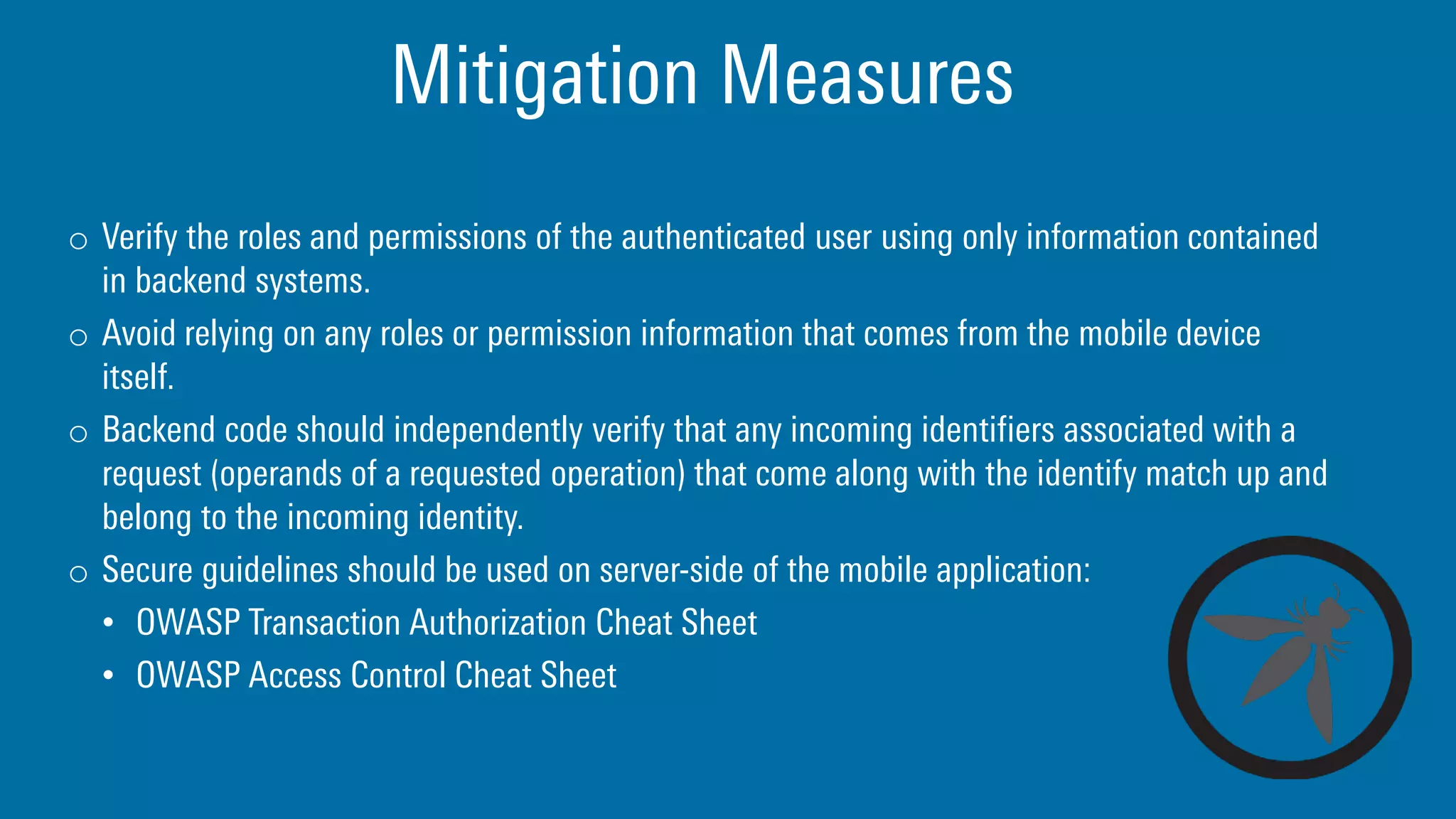
Mitigation Measures
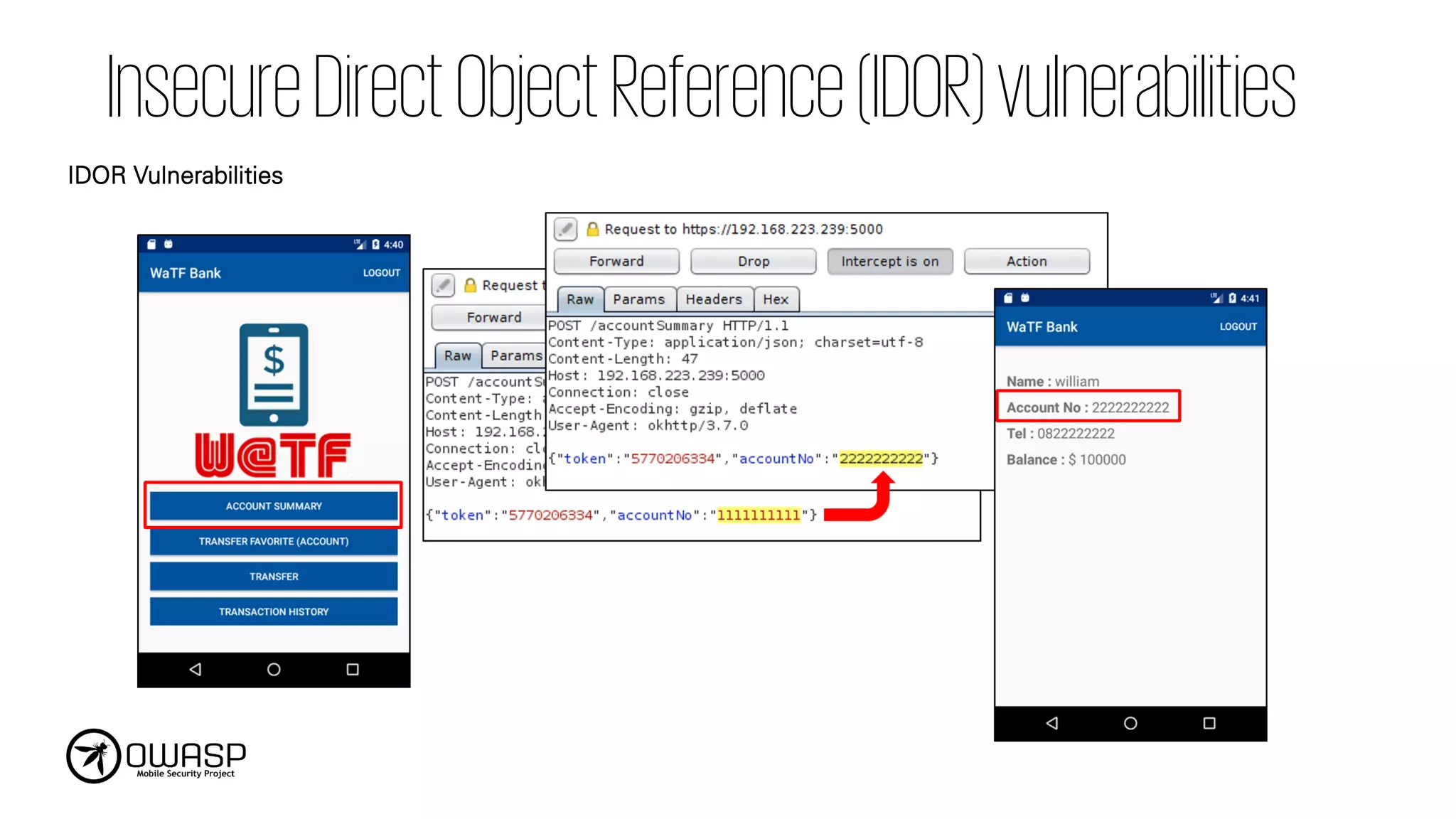
o Verifythe roles and permissions of the authenticated user using only information contained
in backend systems.
o Avoid relying on any roles or permission information that comes from the mobile device
itself.
o Backend code should independently verify that any incoming identifiers associated with a
request (operands of a requested operation) that come along with the identify match up and
belong to the incoming identity.
o Secure guidelines should be used on server-side of the mobile application:
• OWASP Transaction Authorization Cheat Sheet
• OWASP Access Control Cheat Sheet
Risks that comefrom vulnerabilities like buffer
overflows, format-string vulnerabilities, and
various other code-level mistakes where the
solution is to rewrite some code that's running
on the mobile device.
Mitigation Measures
o Inunmanaged code, memory is allocated, freed and used securely.
o Error handling logic in security controls denies access by default.
o All inputs from external sources and the user should be validated and if necessary sanitized.
This includes data received via the UI, IPC mechanisms such as intents, custom URLs, and
network sources.
o All third party components used by the mobile app, such as libraries and frameworks, are
identified, and checked for known vulnerabilities.
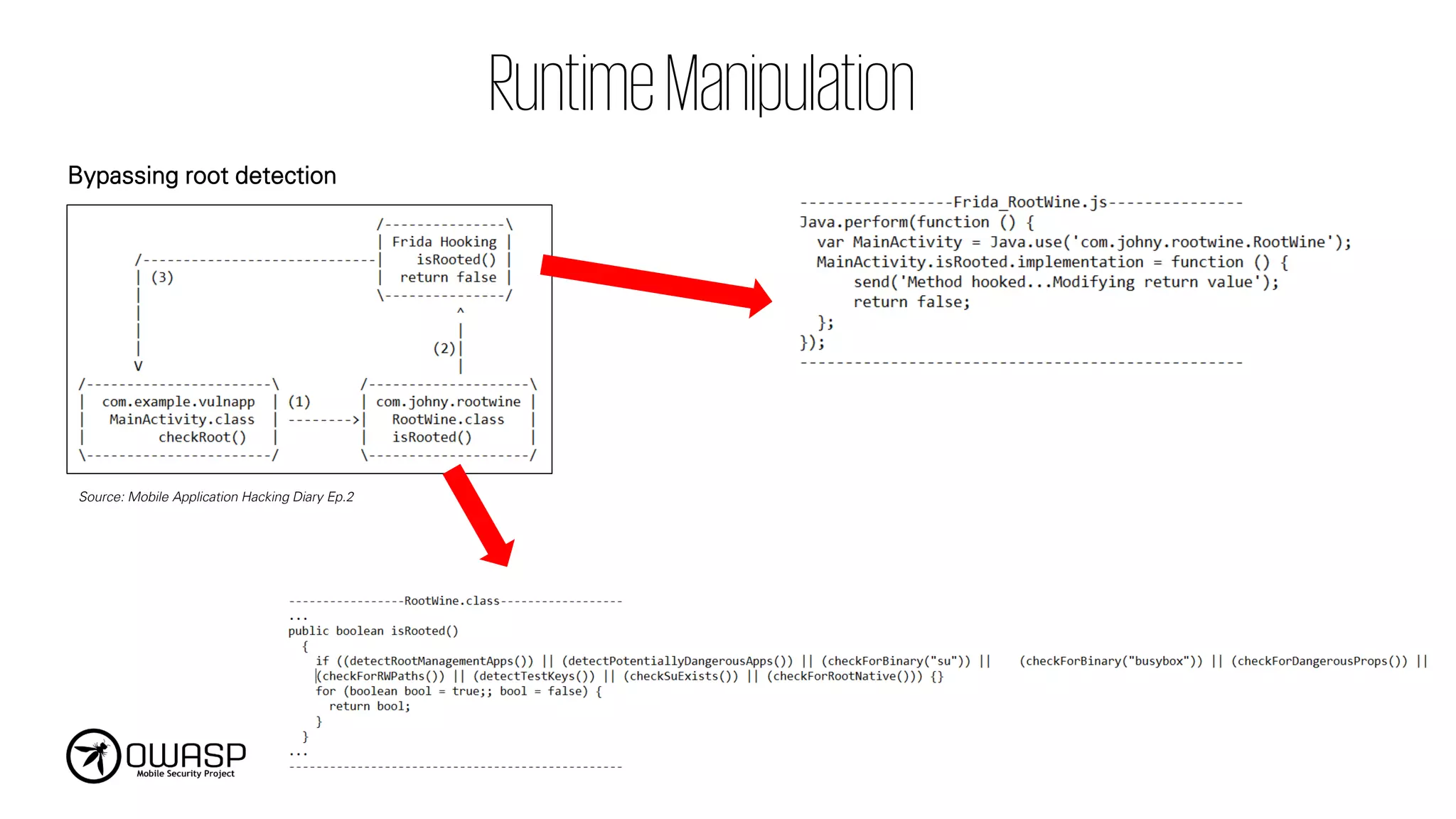
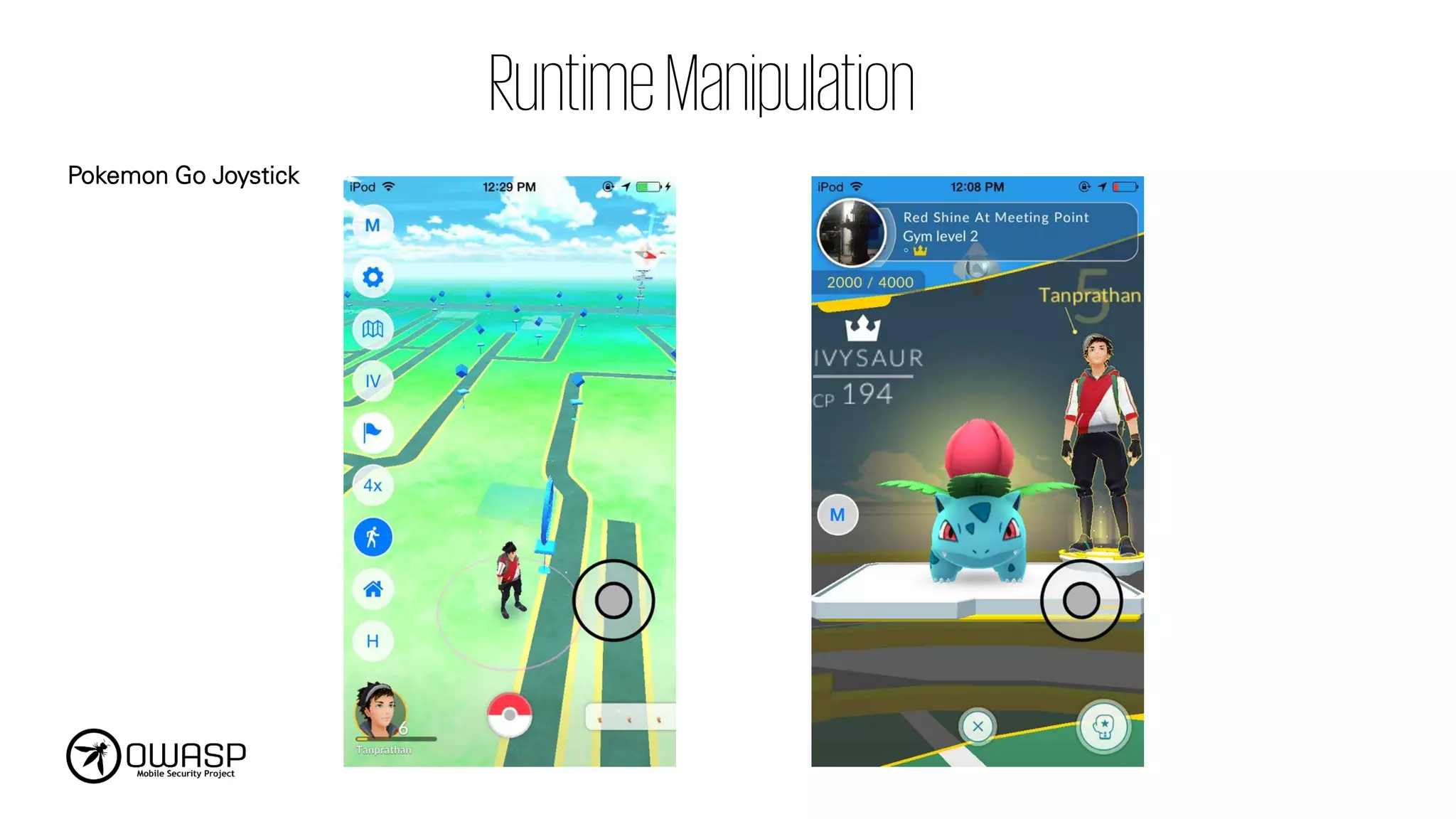
When attackers caneither directly modify the
code, change the contents of memory
dynamically, change or replace the system APIs
that the application uses, or modify the
application's data and resources.
Mitigation Measures
o Varioustechnique can be implemented to defend against runtime analysis and
manipulation:
• Implementing root/jailbreak/emulator/simulator detection controls
• Implementing Anti-debugging and Anti-tampering techniques
• Code Integrity Checking
Mitigation Measures
o Considercode obfuscation in order to make apps difficult and annoying to analyze:
• Splitting up code and data between Java bytecode and native code
• Encrypting strings
• Encrypting parts of the code and data within the program
• Encrypting whole binary files and class files
o OWASP Technical Risks of Reverse Engineering and Unauthorized Code Modification
Developers frequently includehidden backdoors
or security controls they do not plan on
releasing into production.
This error creates risk when a feature is
released to the wild that was never
intended to be shared.
Mitigation Measures
o Manualsource code review should be performed by conducting:
• Examine the app's configuration settings to discover any hidden switches;
• Verify that all test code is not included in the final production build of the app;
• Examine all API endpoints accessed by the mobile app to verify that these endpoints are
well documented and publicly available;
• Examine all log statements to ensure nothing overly descriptive about the backend is
being written to the logs;
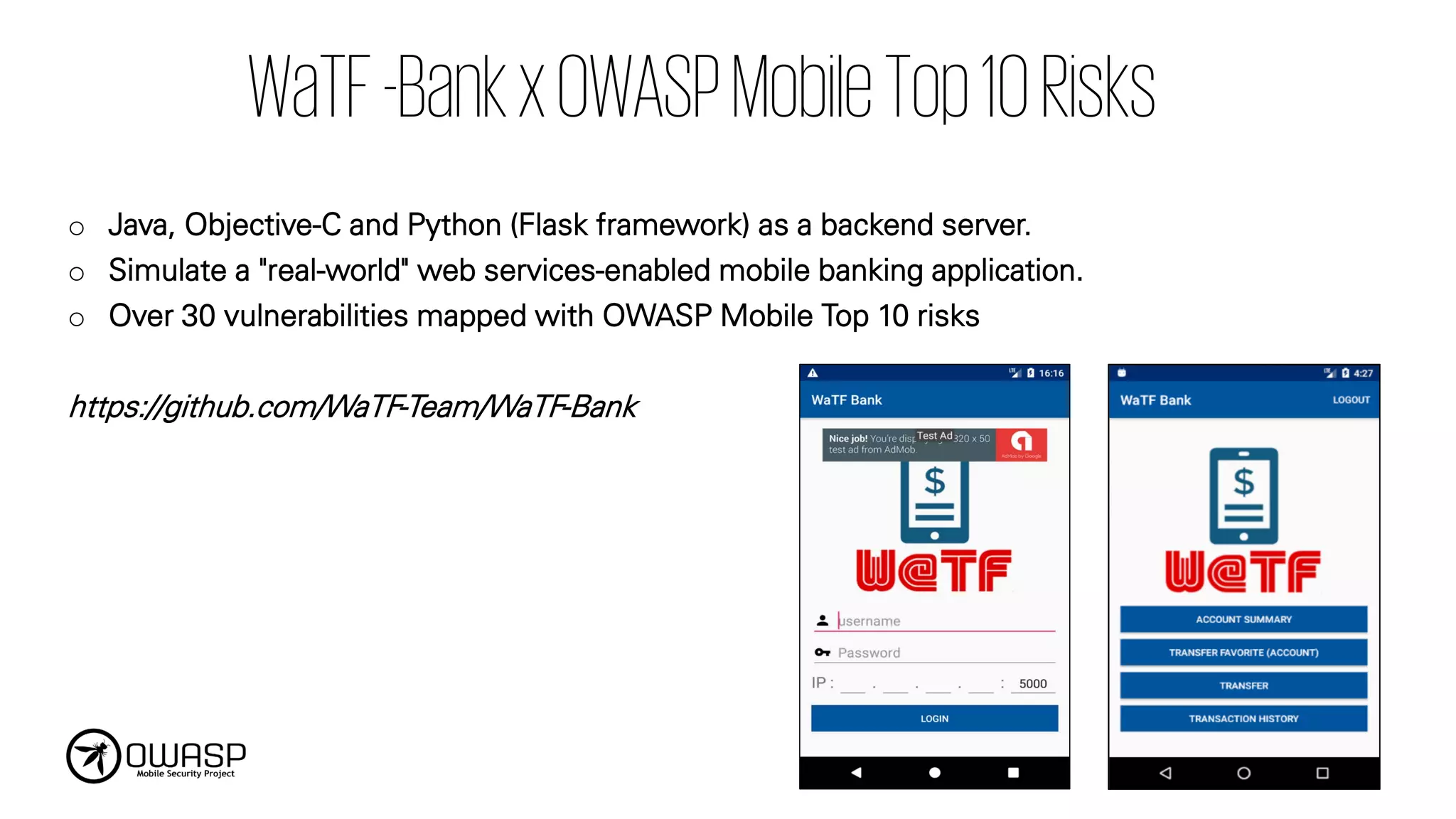
WaTF-BankxOWASPMobileTop10Risks
o Java, Objective-Cand Python (Flask framework) as a backend server.
o Simulate a "real-world" web services-enabled mobile banking application.
o Over 30 vulnerabilities mapped with OWASP Mobile Top 10 risks
https://github.com/WaTF-Team/WaTF-Bank
71.
WaTF-BankxOWASPMobileTop10Risks
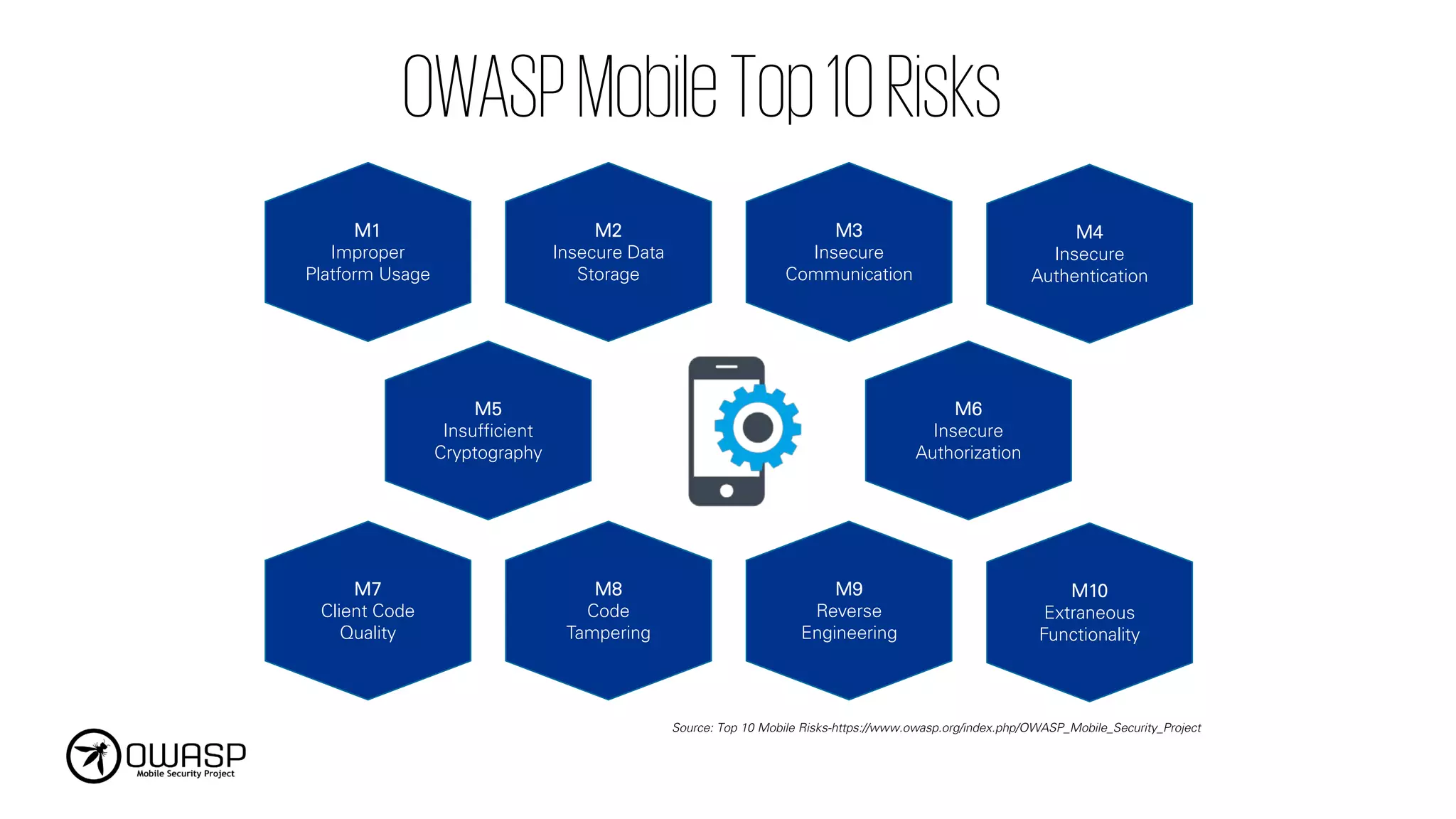
OWASP Mobile Top10 2016 Vulnerability Name
M1. Improper Platform Usage
• Excessive App Permissions
• Unsupported version of OS Installation Allowed
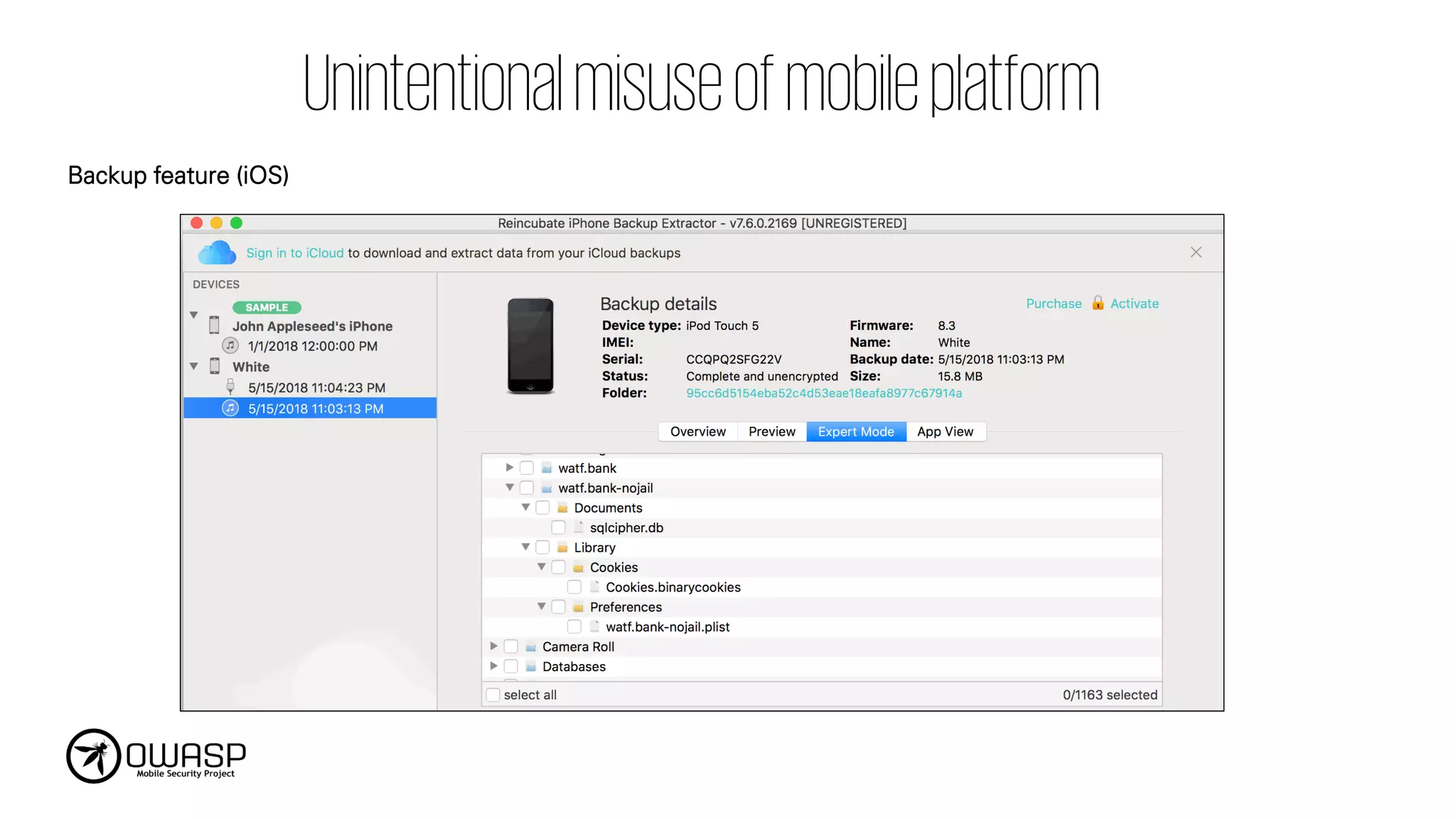
• Unrestricted Backup File
• Android Content provider Flaw
• Android Broadcast receiver Flaw
• Input Validation on API (SQL Injection, Negative value)
• Information Exposure through API Response Message
• Control of Interaction Frequency on API
M2. Insecure Data Storage
• Insecure Application Local Storage
• Insecure Keychain Usage
• Unencrypted Database File
• Sensitive Information on Application Backgrounding
• Information Disclosure Through Device Logs
• Copy/Paste Buffer Caching
• Keyboard Input Caching
• Lack of Sensitive Information Masking
M3. Insecure Communication • Insecure SSL Verification
M4. Insecure Authentication
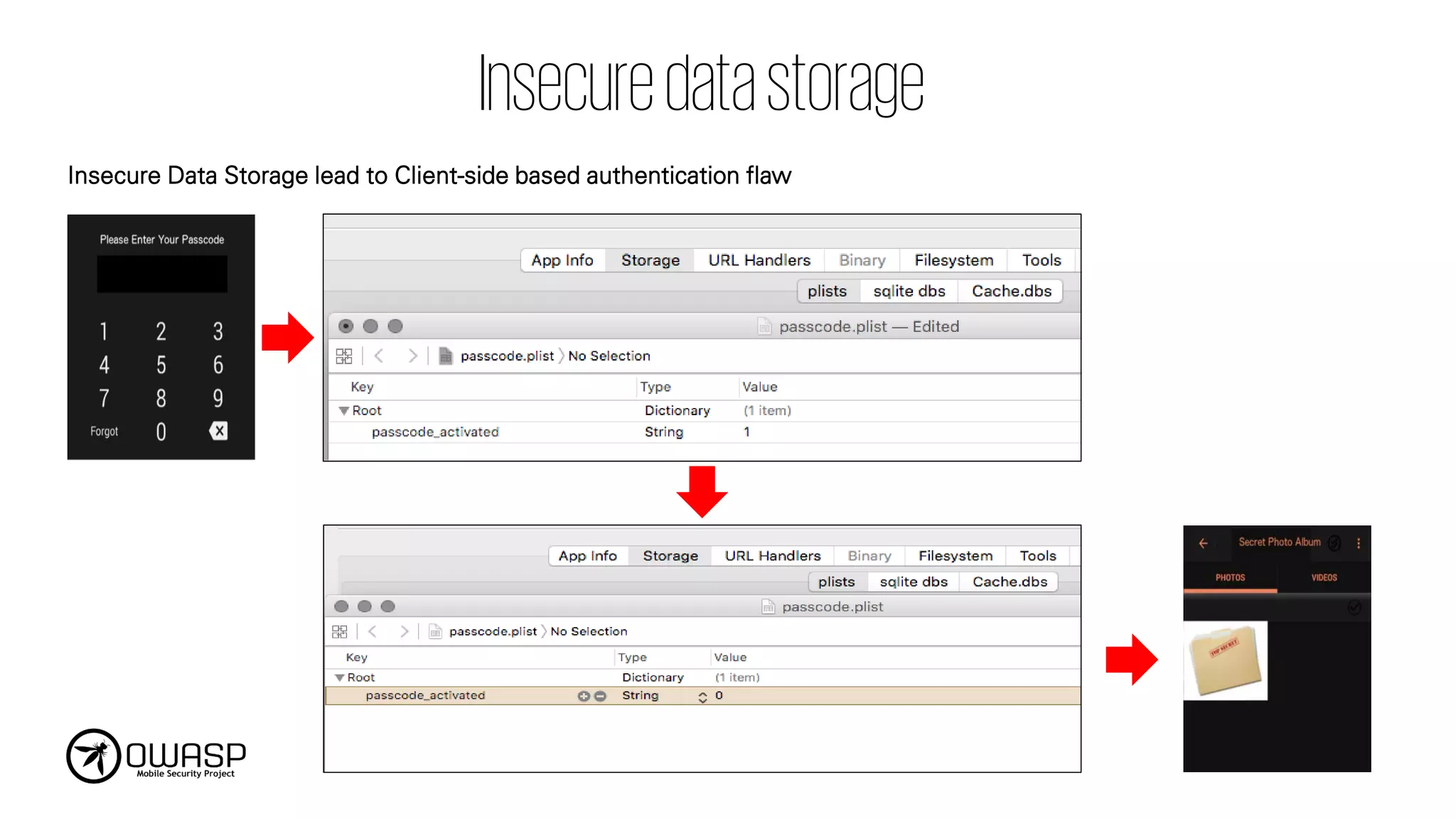
• Client-Side Based Authentication Flaw
• Account Enumeration
• Account Lockout Policy
• Weak Password Policy for Password/PIN
• Misuse of Biometric Authentication
• Session Management Flaw
M5. Insufficient Cryptography
• Hardcoded Encryption Key
• Weak Cryptographic Algorithm
• Custom Encryption Protocol
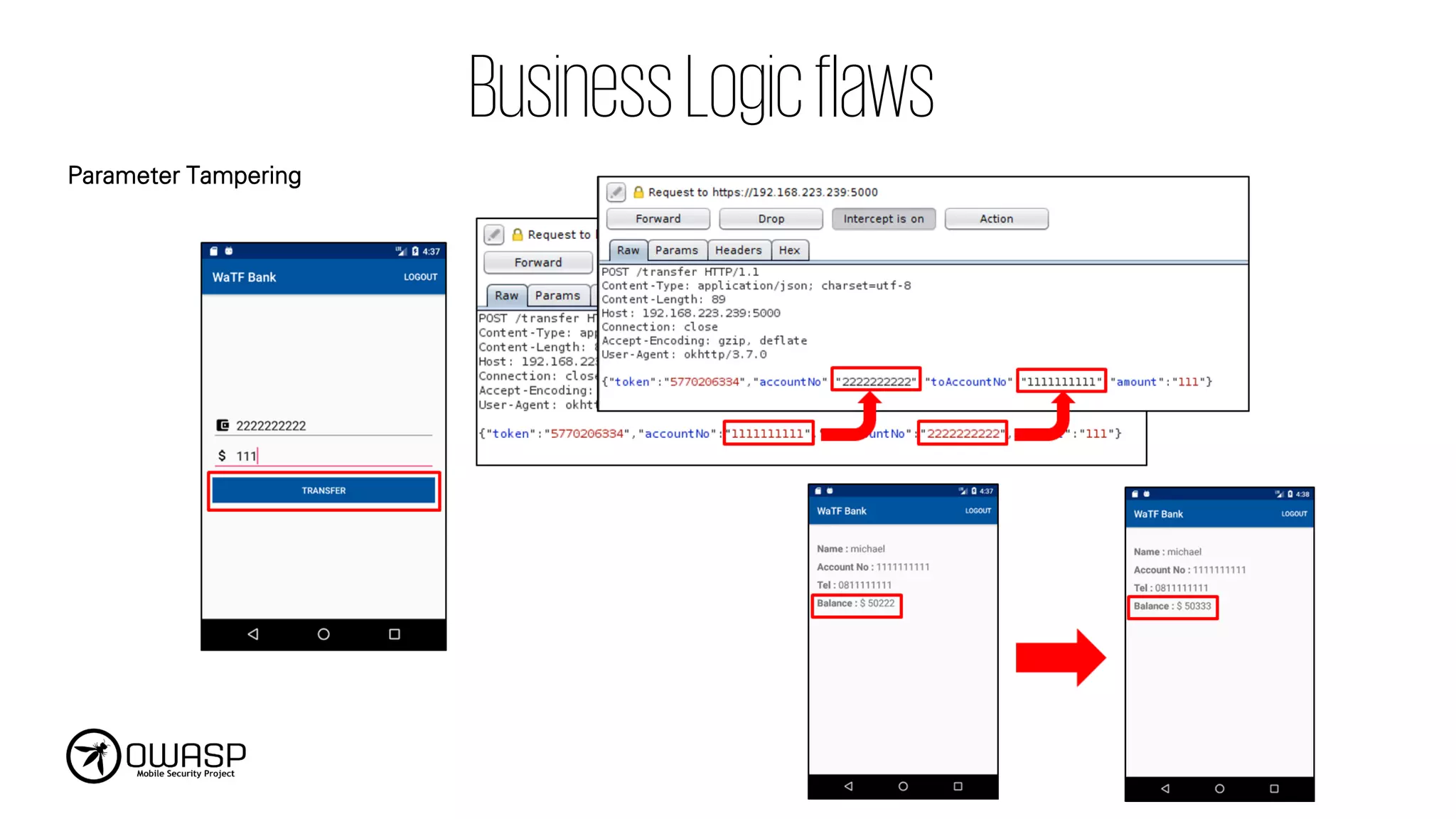
M6. Insecure Authorization • Insecure Direct Object Reference • Business Logic Flaw
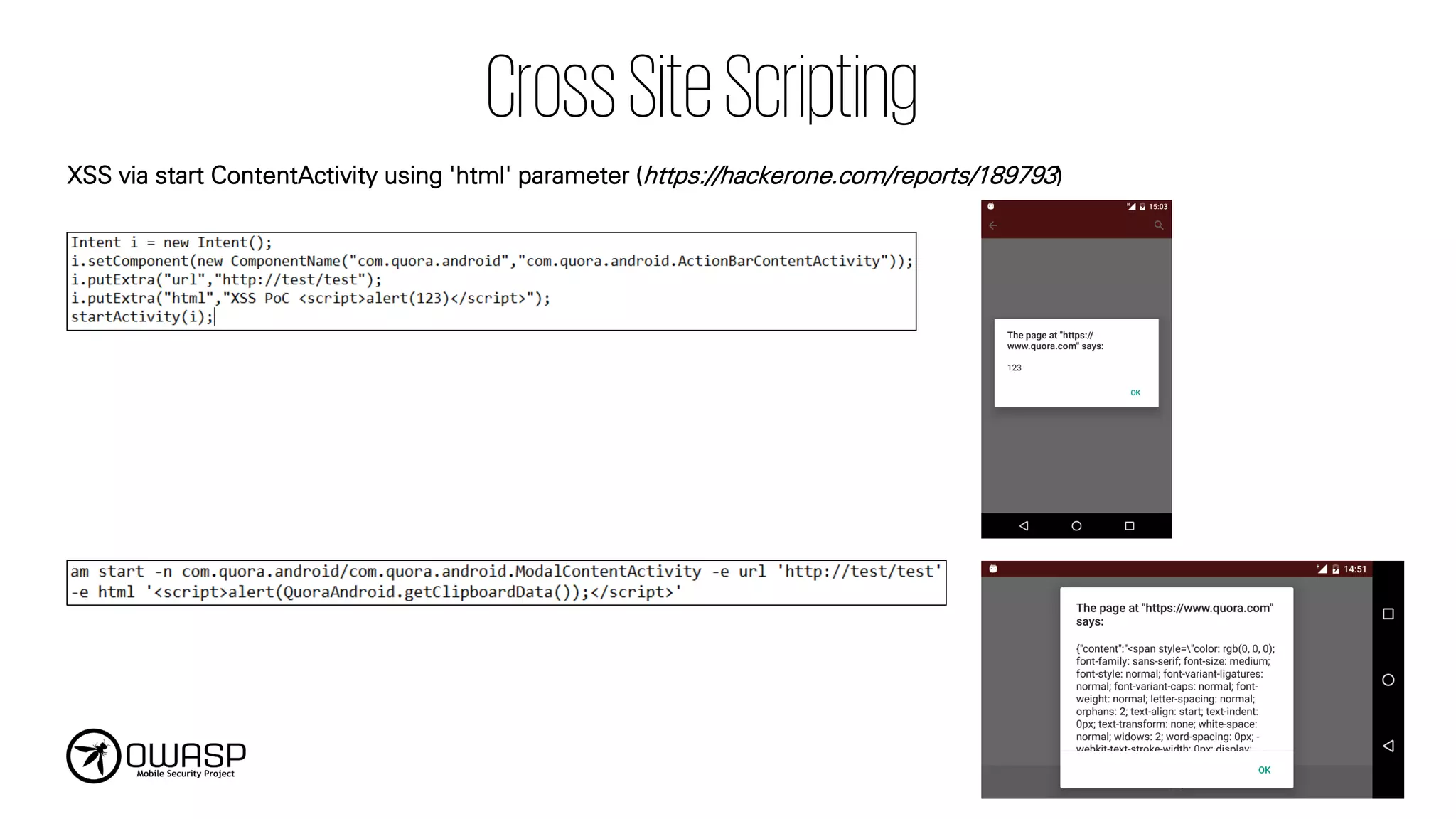
M7. Client Code Quality • SQL Injection on Content provider • Insecure URL Scheme Handler
M8. Code Tampering
• Unauthorized Code Modification (Application Patching)
• Weak Root/Jailbreak Detection
• Method Swizzling
M9. Reverse Engineering • Lack of Code Obfuscation
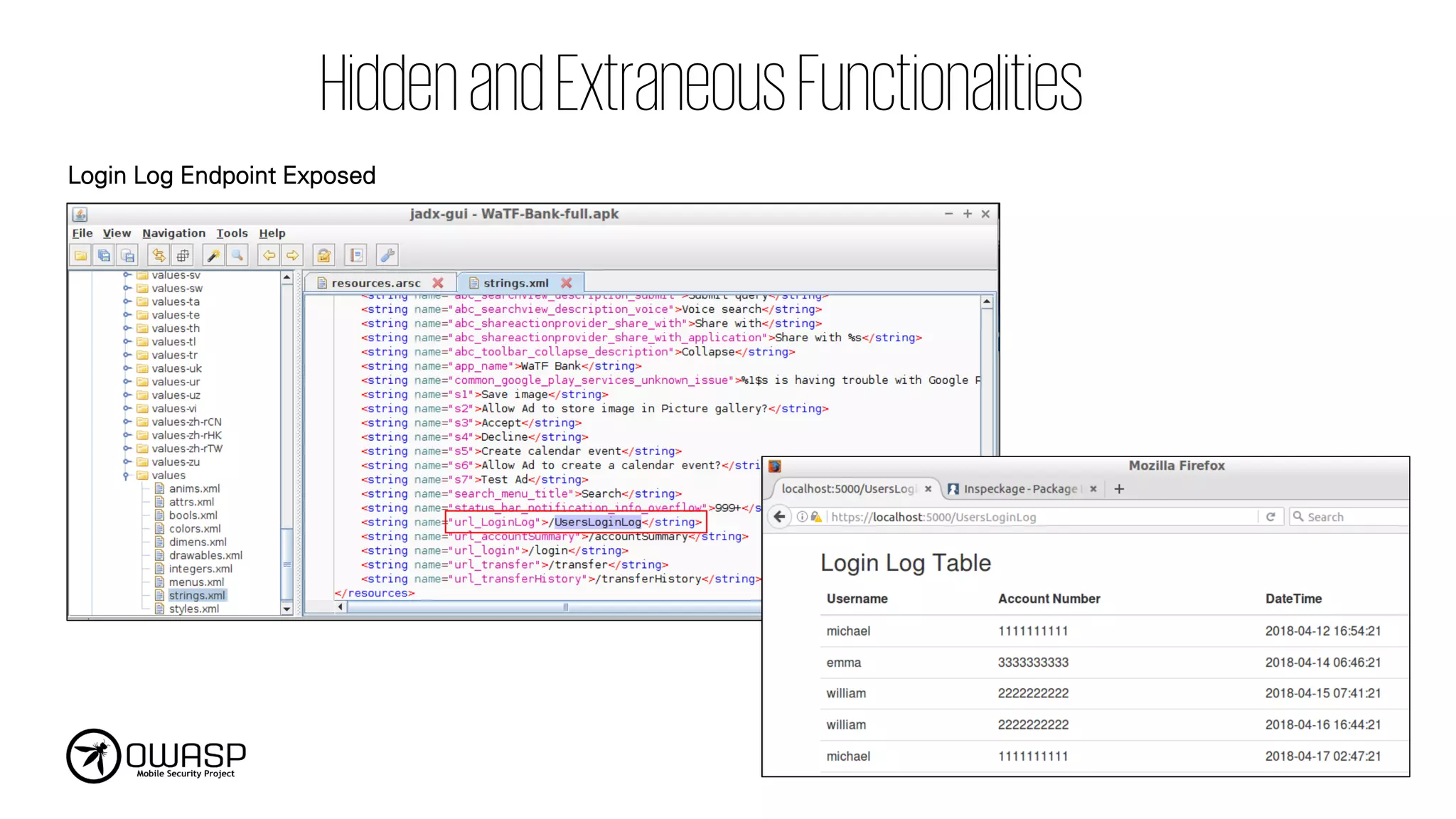
M10. Extraneous Functionality • Application Debuggable • Hidden Endpoint Exposure