Manage Your Virtualized
Environment
David Babbitt
Software Developer,
Spiceworks
What We’ll Be Covering
•Virtualization 101
•Benefits (Community)
•Advanced Uses of Virtualization
•Lessons Learned (Community)
•Managing Virtualization with Spiceworks
VIRTUALIZATION 101
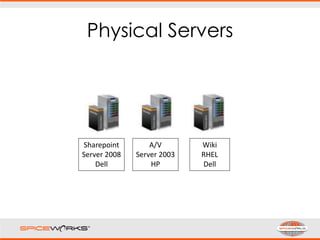
Physical Servers
Sharepoint
Server 2008
Dell
A/V
Server 2003
HP
Wiki
RHEL
Dell
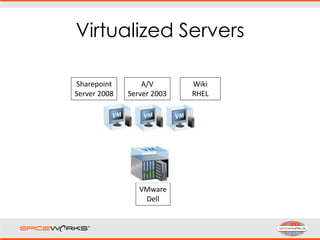
Virtualized Servers
Sharepoint
Server 2008
A/V
Server 2003
Wiki
RHEL
VMware
Dell
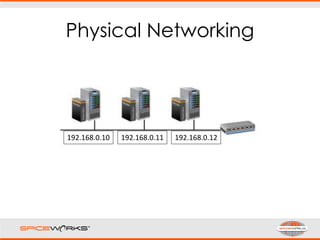
Physical Networking
192.168.0.10 192.168.0.11 192.168.0.12
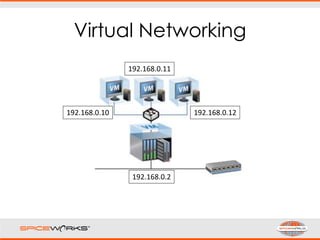
Virtual Networking
192.168.0.10
192.168.0.11
192.168.0.12
192.168.0.2
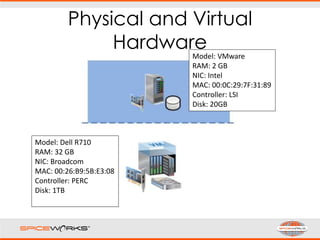
Physical and Virtual
Hardware
Model: Dell R710
RAM: 32 GB
NIC: Broadcom
MAC: 00:26:B9:5B:E3:08
Controller: PERC
Disk: 1TB
Model: VMware
RAM: 2 GB
NIC: Intel
MAC: 00:0C:29:7F:31:89
Controller: LSI
Disk: 20GB
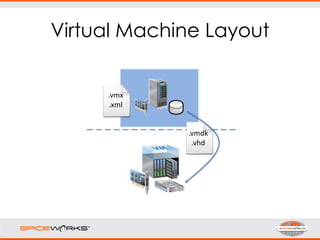
Virtual Machine Layout
.vmx
.xml
.vmdk
.vhd
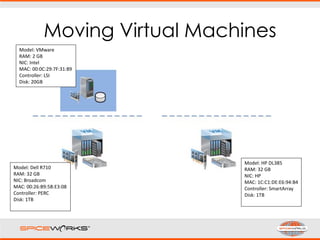
Moving Virtual Machines
Model: Dell R710
RAM: 32 GB
NIC: Broadcom
MAC: 00:26:B9:5B:E3:08
Controller: PERC
Disk: 1TB
Model: HP DL385
RAM: 32 GB
NIC: HP
MAC: 1C:C1:DE:E6:94:B4
Controller: SmartArray
Disk: 1TB
Model: VMware
RAM: 2 GB
NIC: Intel
MAC: 00:0C:29:7F:31:89
Controller: LSI
Disk: 20GB
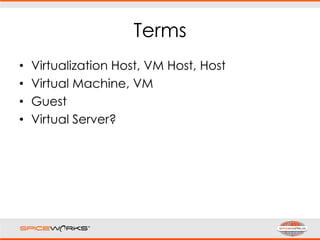
Terms
• Virtualization Host, VM Host, Host
• Virtual Machine, VM
• Guest
• Virtual Server?
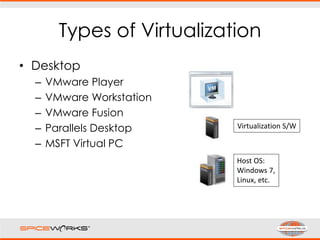
Types of Virtualization
• Desktop
– VMware Player
– VMware Workstation
– VMware Fusion
– Parallels Desktop
– MSFT Virtual PC
Host OS:
Windows 7,
Linux, etc.
Virtualization S/W
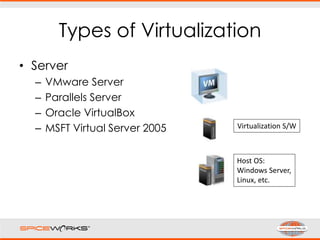
Types of Virtualization
• Server
– VMware Server
– Parallels Server
– Oracle VirtualBox
– MSFT Virtual Server 2005
Host OS:
Windows Server,
Linux, etc.
Virtualization S/W
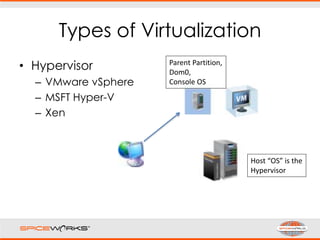
Types of Virtualization
• Hypervisor
– VMware vSphere
– MSFT Hyper-V
– Xen
Host “OS” is the
Hypervisor
Parent Partition,
Dom0,
Console OS
Microsoft Hyper-V
• Standalone (Hyper-V Server), or
• Windows Server 2008 (x64) Hyper-V
Role
• Hyper-V Server is FREE
• Manage with System Center Virtual
Machine Manager (SCVMM)
• H/W: Intel-VT + XD, AMD-V + NX
• Guest support: Windows, RHEL, SuSE
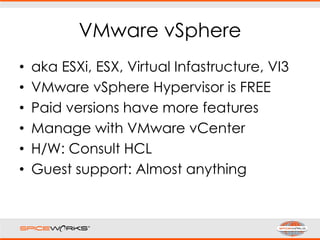
VMware vSphere
• aka ESXi, ESX, Virtual Infastructure, VI3
• VMware vSphere Hypervisor is FREE
• Paid versions have more features
• Manage with VMware vCenter
• H/W: Consult HCL
• Guest support: Almost anything
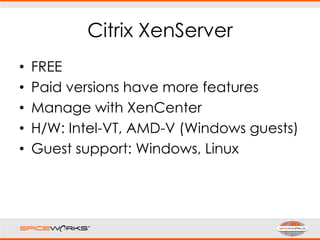
Citrix XenServer
• FREE
• Paid versions have more features
• Manage with XenCenter
• H/W: Intel-VT, AMD-V (Windows guests)
• Guest support: Windows, Linux
Which is best?? ….
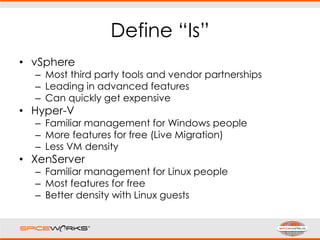
Define “Is”
• vSphere
– Most third party tools and vendor partnerships
– Leading in advanced features
– Can quickly get expensive
• Hyper-V
– Familiar management for Windows people
– More features for free (Live Migration)
– Less VM density
• XenServer
– Familiar management for Linux people
– Most features for free
– Better density with Linux guests
BENEFITS
(COMMUNITY)
Agility
• A new VM is a few clicks away
• Add as many VMs as host capacity
allows
“Think about trying to get the OK to
purchase a physical server for
something that only benefits IT.”
Windows Licensing
• Server 2008 Enterprise license allows for
4 VM instances on same host
• Server 2008 Datacenter license allows
for unlimited VM instances on same
host (license per host CPU)
• Applies to any virtualization platform
• Additional benefit for Hyper-V Role:
Host license includes guest license(s)
Oversubscription
• Memory Oversubscription
– Paging, deduplication, compression, etc.
– Microsoft “any day now”
• Disk Oversubscription
– “Thin provisioning”, “Expanding”
Backups
• VMs are just files
• copy, rsync, scp works for these too
• Veeam FastSCP
• Veeam Backup
• Trilead VMX
Reduced Downtime
• VMs are portable between hosts
• Storage shared across VM hosts
• Restore backup to another VM host
• Run from backup using VMware Player
ADVANCED USAGE
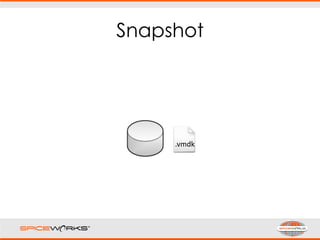
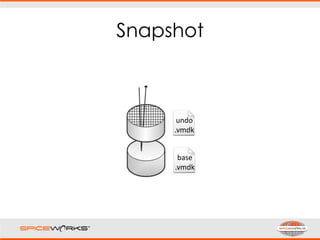
Snapshot
.vmdk
Snapshot
base
.vmdk
undo
.vmdk
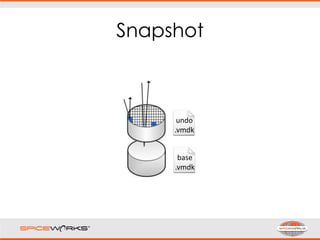
Snapshot
base
.vmdk
undo
.vmdk
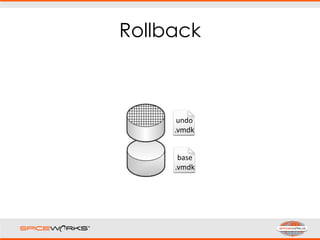
Rollback
base
.vmdk
undo
.vmdk
Non-Persistent
• I install Spiceworks in a VM 5-10 times
per week.
• Every “Power Off” or “Restart” performs
automatic Rollback
scsi0:0.mode = "independent-nonpersistent"
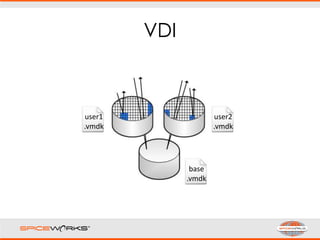
VDI
user1
.vmdk
user2
.vmdk
base
.vmdk
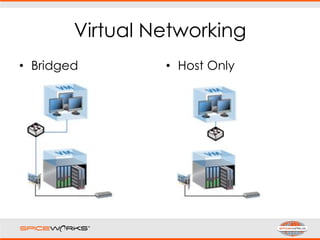
Virtual Networking
• Bridged • Host Only
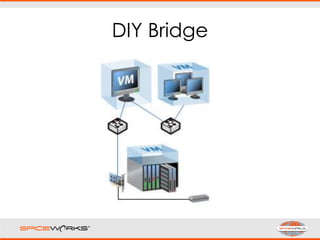
DIY Bridge
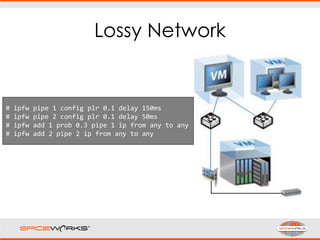
Lossy Network
# ipfw pipe 1 config plr 0.1 delay 150ms
# ipfw pipe 2 config plr 0.1 delay 50ms
# ipfw add 1 prob 0.3 pipe 1 ip from any to any
# ipfw add 2 pipe 2 ip from any to any
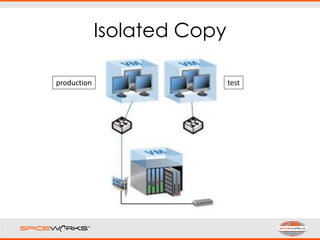
Isolated Copy
production test
LESSONS LEARNED
(COMMUNITY)
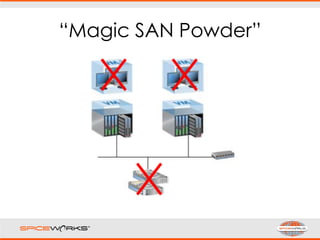
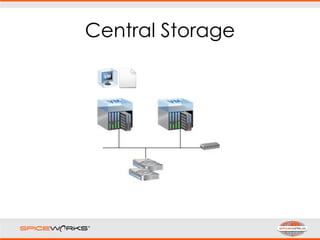
Central Storage
“Magic SAN Powder”
Put it into Practice
• Start Free, Educate Yourself
– VMware Go, Hyper-V server, VMware
Player
– VMware Virtual Appliance Marketplace
– MSFT Product Trials at Technet
Put it into Practice
• Virtualize IT Resources, Gain
Confidence
– WSUS, A/V
– Conversion Tools
– Learn how to monitor resources, errors
Put it into Practice
• Opportunity and Argument to virtualize
the rest
– Warranties expiring, Hardware refresh
– Future capacity via more CPU and RAM
– Savings on Windows Licensing
– Limited downtime DR no-brainer
Special Thanks
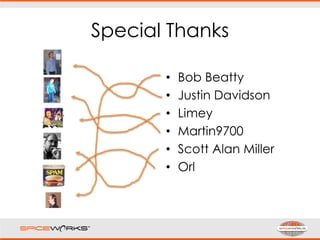
• Bob Beatty
• Justin Davidson
• Limey
• Martin9700
• Scott Alan Miller
• Orl
Questions?
DEMO
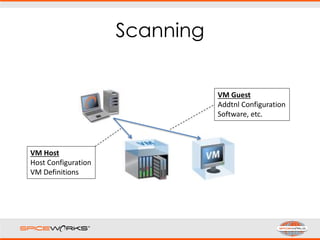
Scanning
VM Host
Host Configuration
VM Definitions
VM Guest
Addtnl Configuration
Software, etc.
Questions?
http://tinyurl.com/sw2010v
m

Making IT Easier to Manage Your Virtualized Environment - David Babbitt, Spiceworks

Editor's Notes

  • #20 Licensing for vsphere ramps up after 3 hosts x 2 sockets each Hyper-V still does not have memory overcommit (page dedup, etc.) XenServer most popular for paravirtualization