Unit 10 – Frames Presentation   2 Web  Programming
Objectives At the end of this presentation, you will be able to Add Inline Frames in your Web page Add Nested Frames in your Web page Add Navigation Frames in your Web page
  Inline Frame An Inline Frame is a frame that occupies a rectangular area anywhere inside a Web page. The Inline frame is added to a Web page using  <IFRAME>  tag inside the  <BODY>  tag.
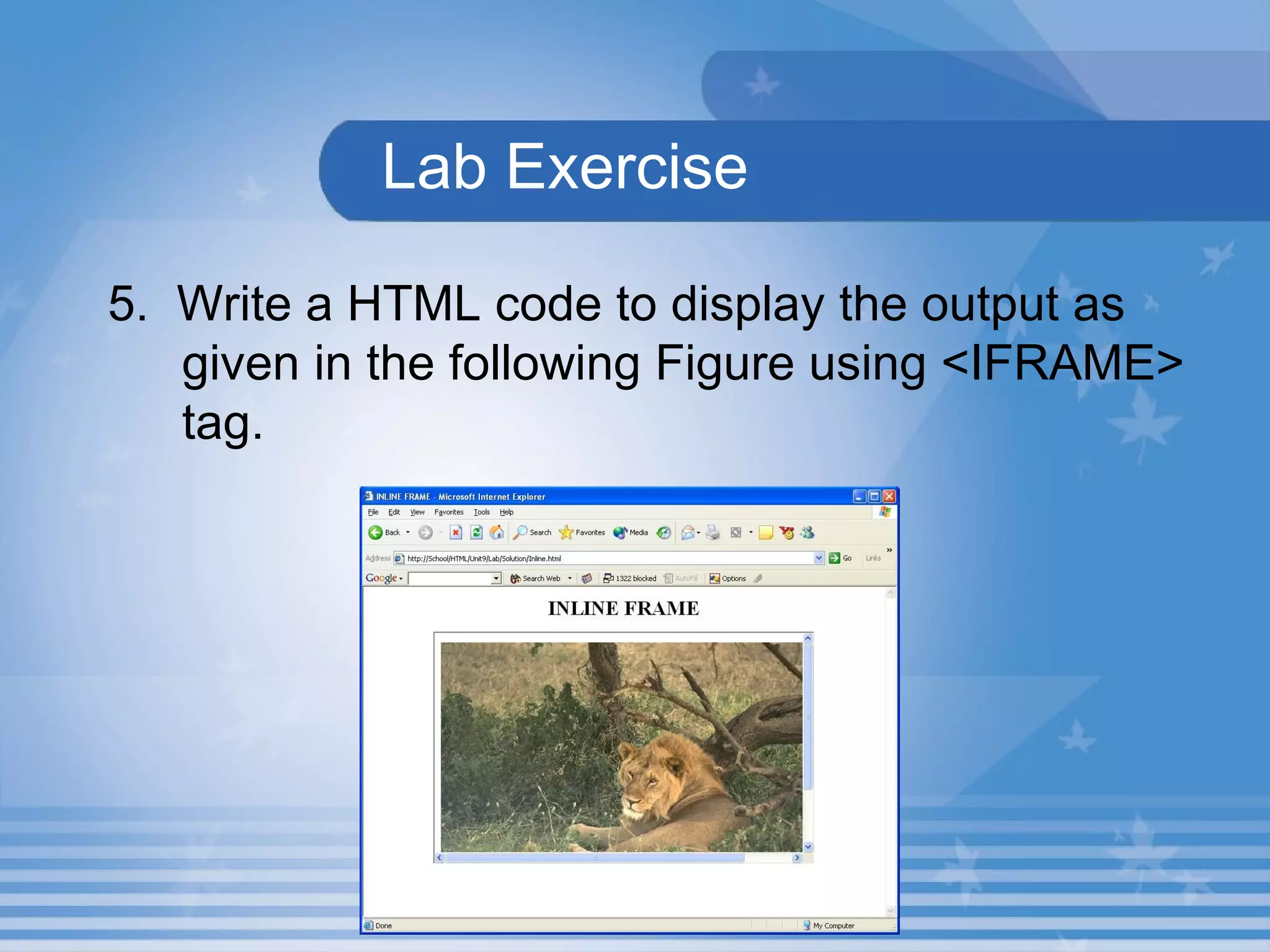
  Lab Exercise   5.  Write a HTML code to display the output as given in the following Figure using <IFRAME> tag.
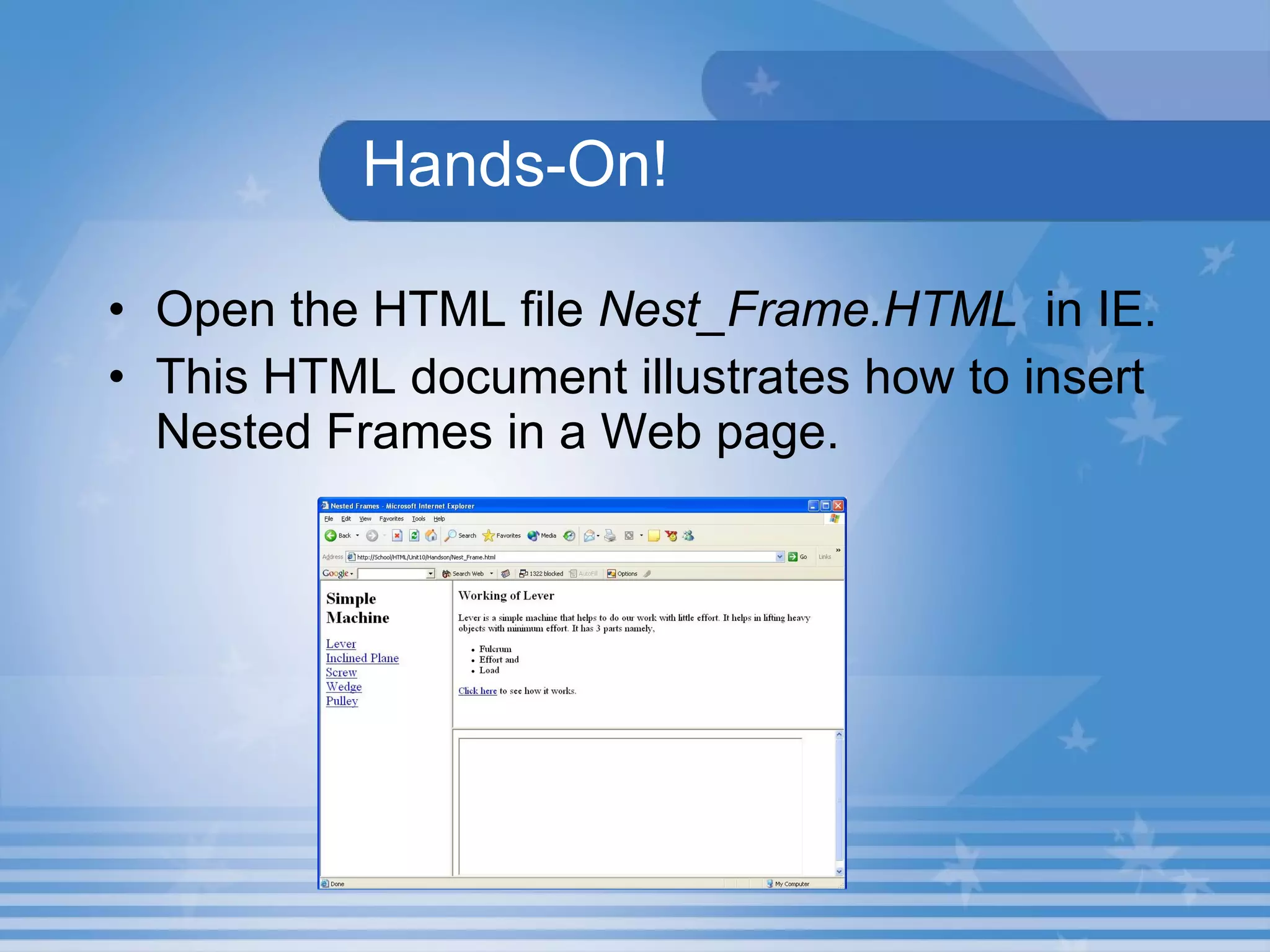
Nested Frames A set of frames in which one frame lies completely inside another frame is called as Nested Frames.
Hands-On! Open the HTML file  Nest_Frame.HTML   in IE. This HTML document illustrates how to insert Nested Frames in a Web page.
Activity 2.10.5 Create a Web page that explains Inline Frames as shown in Figure. Save the HTML file as In_Frame2.html in C:\HTML\Unit10\Activity folder. Create a Web page that displays the HTML document In_Frame.html in an Inline Frame shown in the right frame of the Web page shown in Figure. Save the HTML file as In_Frame1.html in C:\HTML\Unit10\Activity folder.
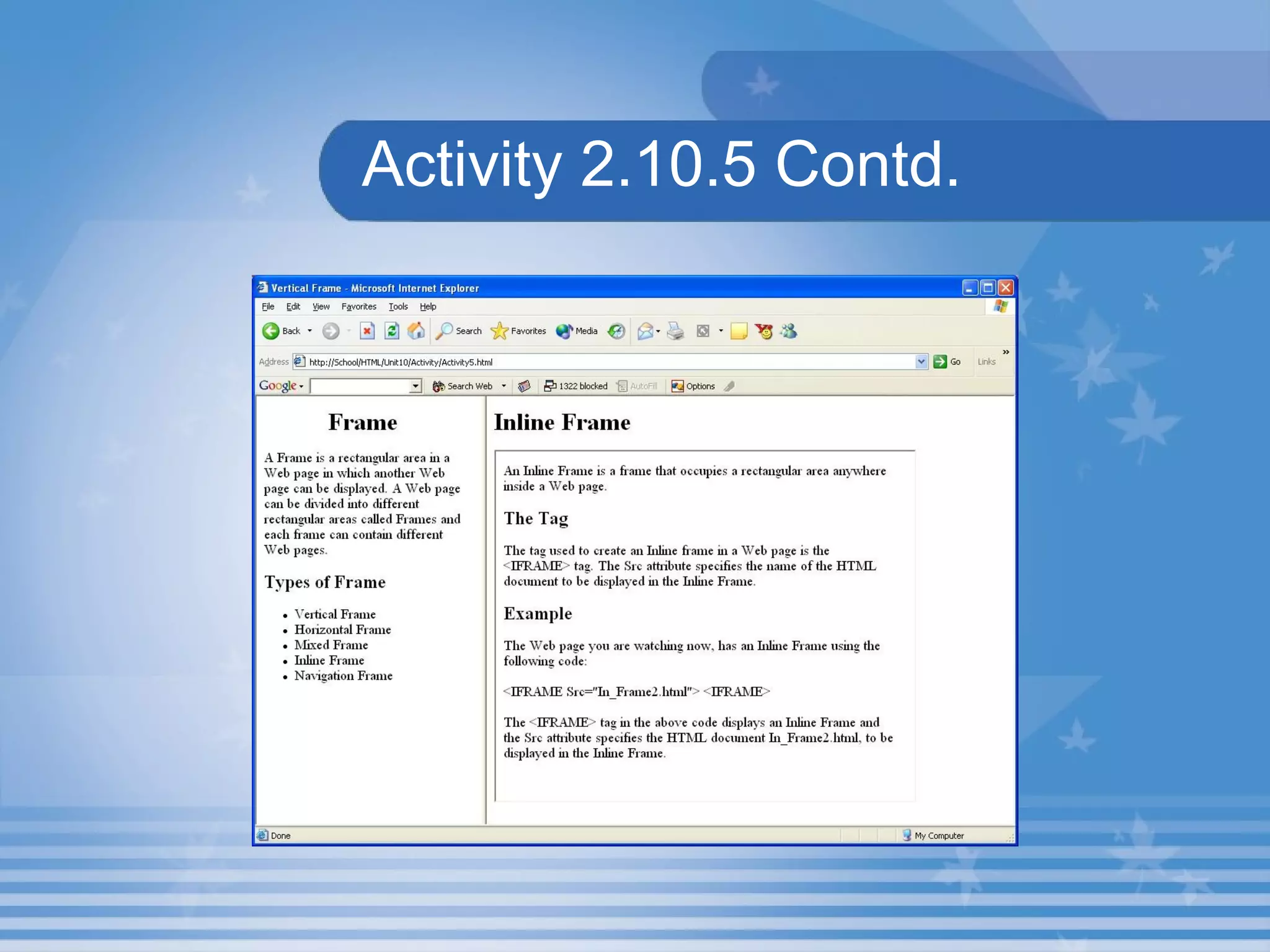
Activity 2.10.5 Contd. Create a Web page that displays the HTML documents Activity1.html in the left frame and In_Frame1.html in the right frame as shown in Figure. Save the HTML file as Activity5.html  in C:\HTML\Unit10\Activity folder.
Activity 2.10.5 Contd.
Navigation Frame A Web page can be divided into different frames.   One frame can have links and the linked document can be displayed in the other frame. These frames are called  Navigation Frames .
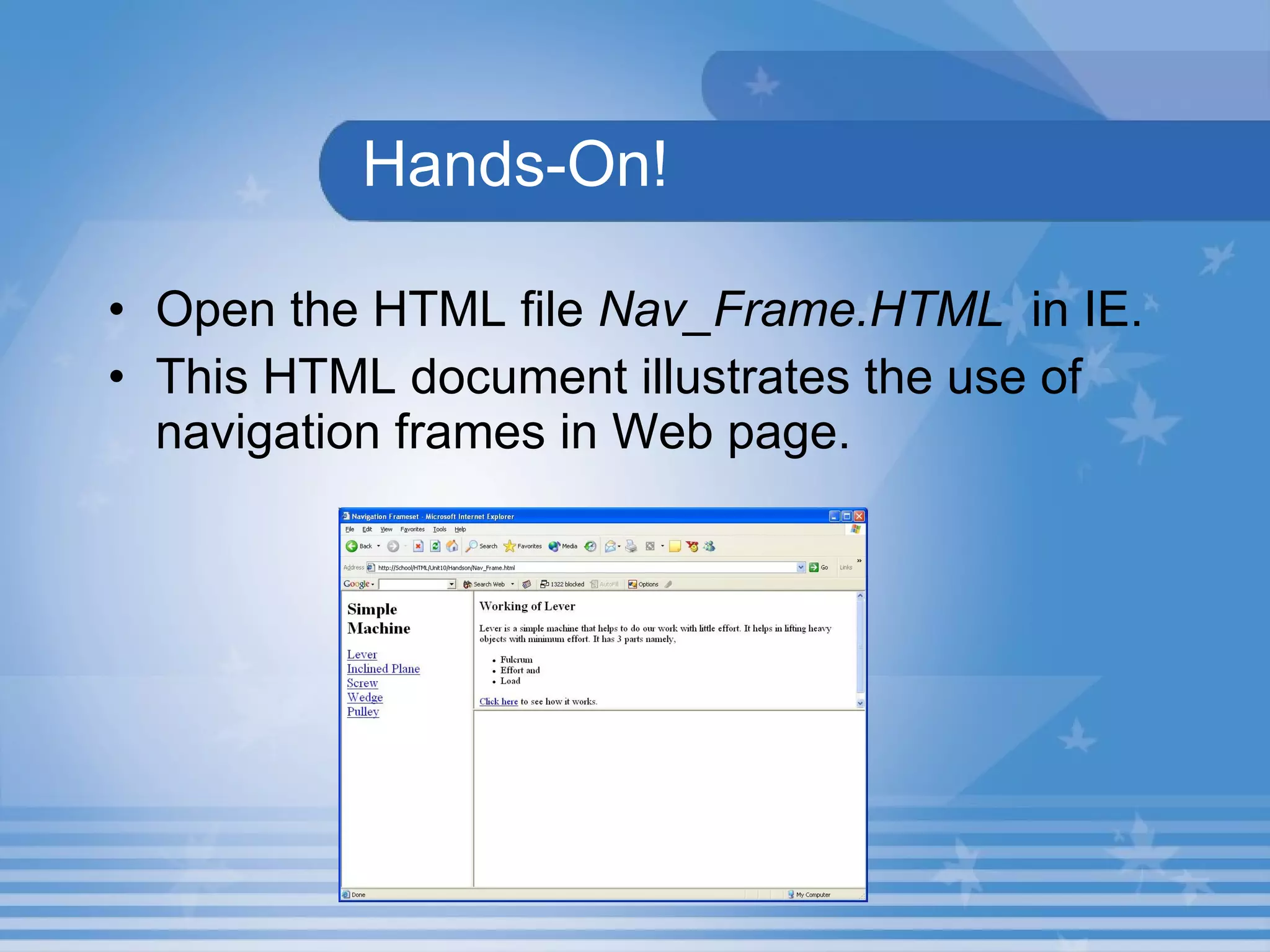
Hands-On! Open the HTML file  Nav_Frame.HTML   in IE. This HTML document illustrates the use of navigation frames in Web page.
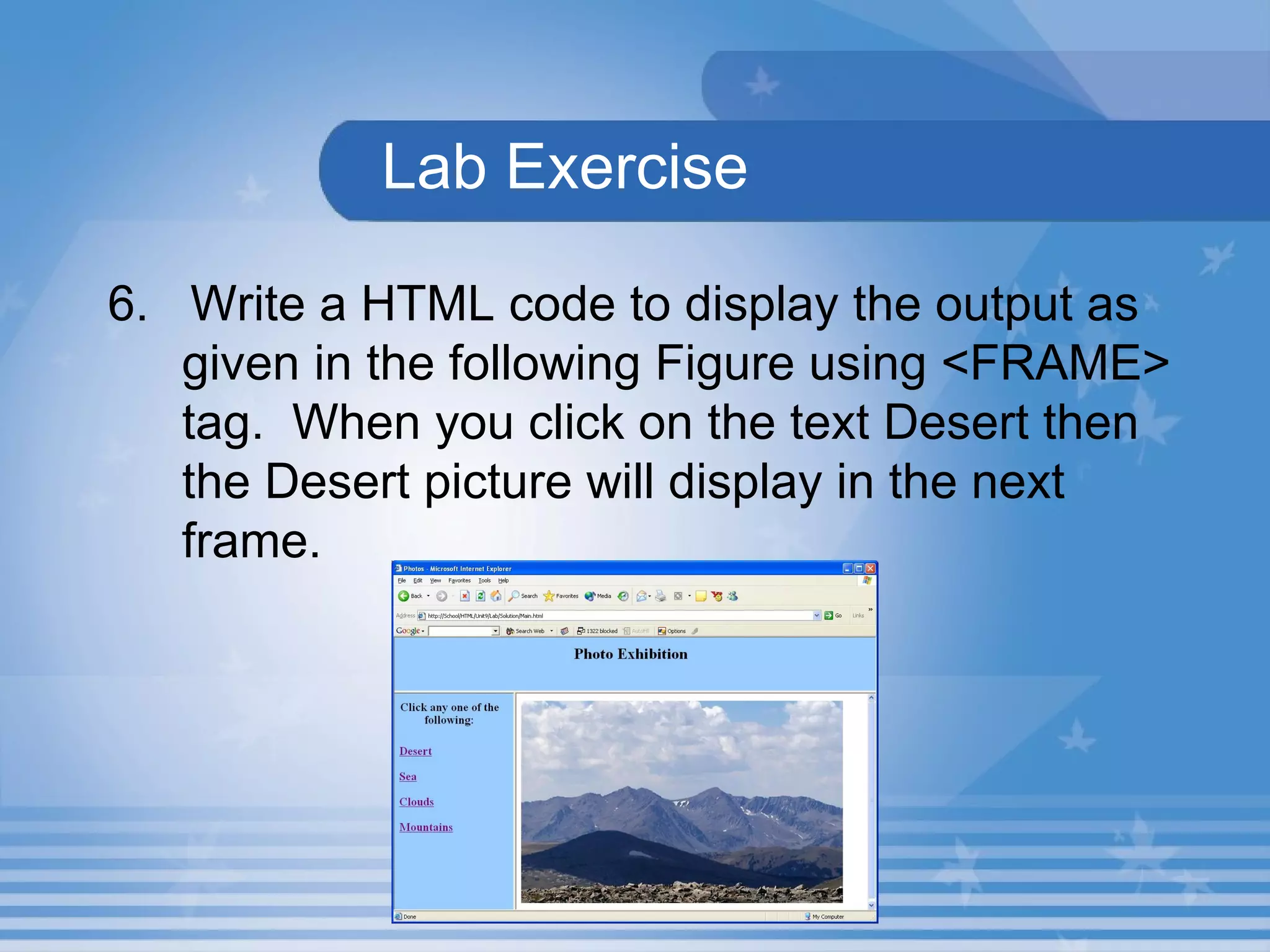
  Lab Exercise   6.  Write a HTML code to display the output as given in the following Figure using <FRAME> tag.  When you click on the text Desert then the Desert picture will display in the next frame.
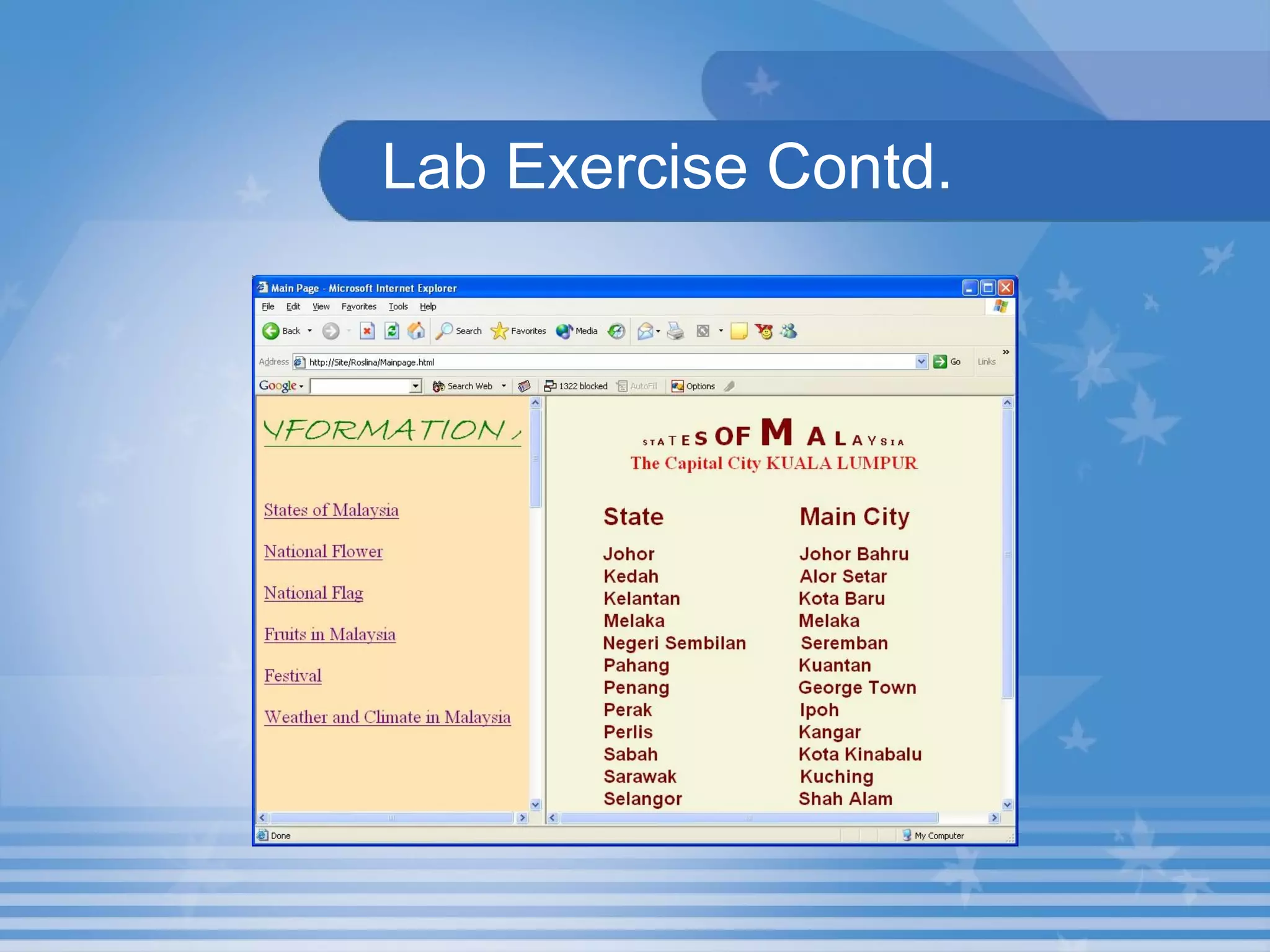
  Lab Exercise   Create two frames and open Welcome.html in the first frame.  When you click on the text “ States of Malaysia ” from the first frame the corresponding file States.html which you have created under the folder in your name in C: should open in Second frame as shown in the following Figure.
  Lab Exercise Contd. When you click on the text “ National Flower ” in the first frame the Flower description which is available in Malaysia.html which you have created under the folder in your name in C:  should be displayed in the second frame. The same way you open reset of the files.
  Lab Exercise Contd.
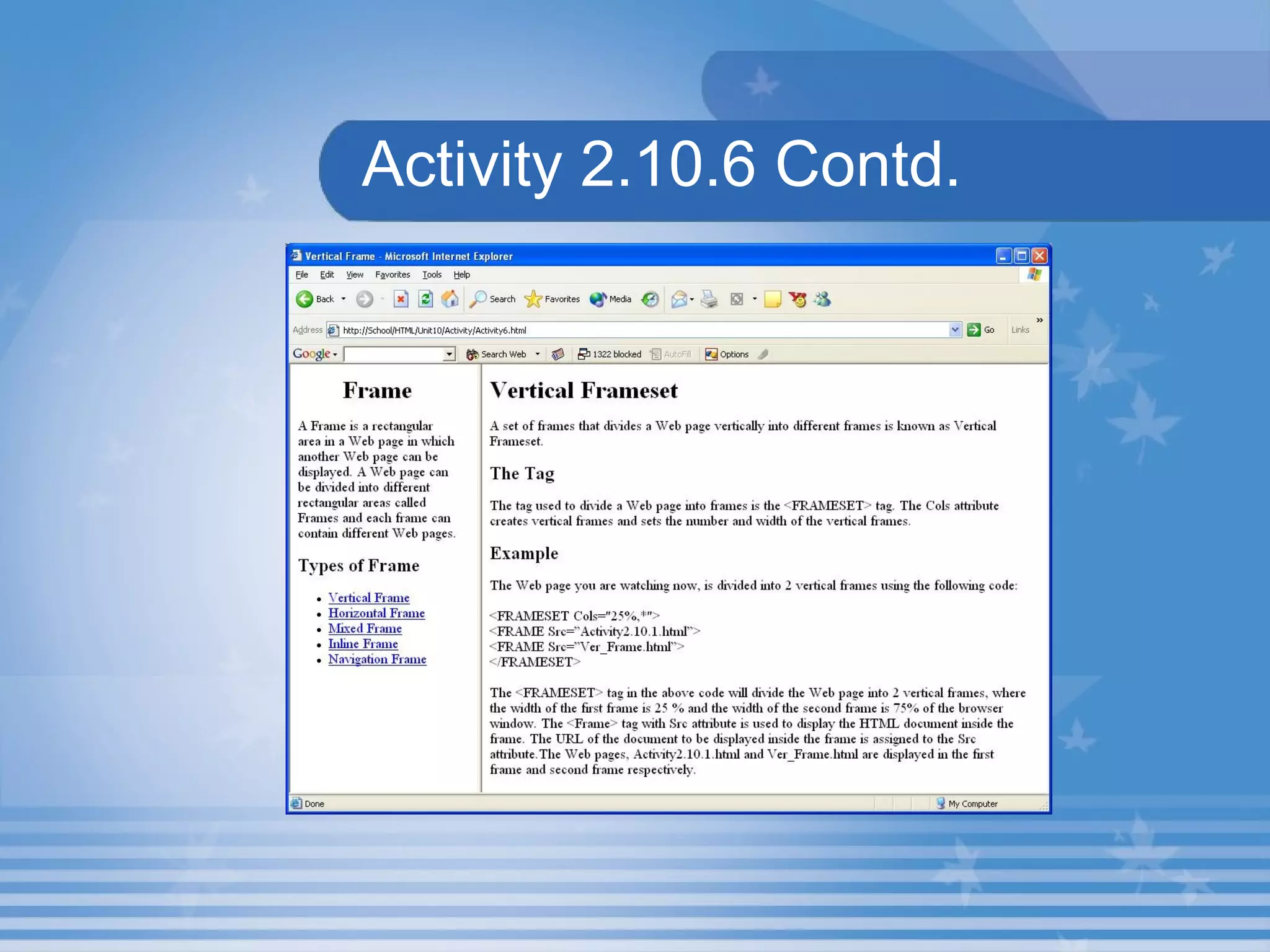
Activity 2.10.6 Create a Web page that explains Navigation Frames as shown in the right frame of the Web page in Figure. Save the HTML file as  Nav_Frame.html  in  C:\HTML\Unit10\Activity  folder. Modify the  Activity1.html  file to convert the list mentioned under the heading  Types of Frame  to links and save the file as  Links.html  in  C\HTML\Uni10\Activity  folder.
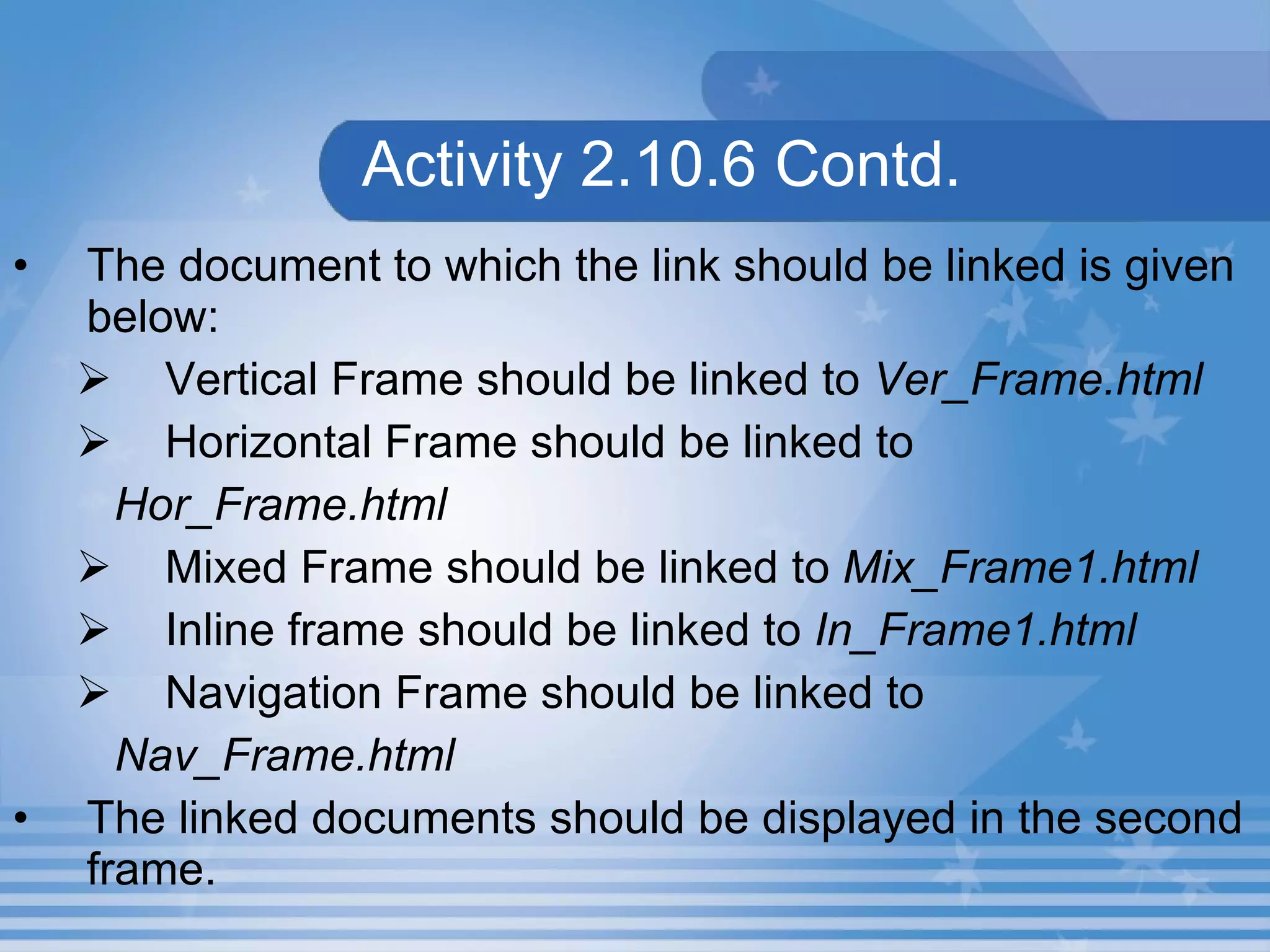
Activity 2.10.6 Contd. The document to which the link should be linked is given below: Vertical Frame should be linked to  Ver_Frame.html Horizontal Frame should be linked to   Hor_Frame.html Mixed Frame should be linked to  Mix_Frame1.html Inline frame should be linked to  In_Frame1.html Navigation Frame should be linked to  Nav_Frame.html The linked documents should be displayed in the second frame.
Activity 2.10.6 Contd.
Summary In this presentation, you learnt the following: An  Inline Frame  is a frame that occupies a rectangular area anywhere inside a Web page. The Inline frame is added to a Web page using  <IFRAME>  tag.
Assignment Write the code segment to create a Web page with mixed frameset. Write the code segment to create a Web page with Inline Frame.

M02 un10 p02

  • 1.
    Unit 10 –Frames Presentation 2 Web Programming
  • 2.
    Objectives At theend of this presentation, you will be able to Add Inline Frames in your Web page Add Nested Frames in your Web page Add Navigation Frames in your Web page
  • 3.
    InlineFrame An Inline Frame is a frame that occupies a rectangular area anywhere inside a Web page. The Inline frame is added to a Web page using <IFRAME> tag inside the <BODY> tag.
  • 4.
    LabExercise 5. Write a HTML code to display the output as given in the following Figure using <IFRAME> tag.
  • 5.
    Nested Frames Aset of frames in which one frame lies completely inside another frame is called as Nested Frames.
  • 6.
    Hands-On! Open theHTML file Nest_Frame.HTML in IE. This HTML document illustrates how to insert Nested Frames in a Web page.
  • 7.
    Activity 2.10.5 Createa Web page that explains Inline Frames as shown in Figure. Save the HTML file as In_Frame2.html in C:\HTML\Unit10\Activity folder. Create a Web page that displays the HTML document In_Frame.html in an Inline Frame shown in the right frame of the Web page shown in Figure. Save the HTML file as In_Frame1.html in C:\HTML\Unit10\Activity folder.
  • 8.
    Activity 2.10.5 Contd.Create a Web page that displays the HTML documents Activity1.html in the left frame and In_Frame1.html in the right frame as shown in Figure. Save the HTML file as Activity5.html in C:\HTML\Unit10\Activity folder.
  • 9.
  • 10.
    Navigation Frame AWeb page can be divided into different frames. One frame can have links and the linked document can be displayed in the other frame. These frames are called Navigation Frames .
  • 11.
    Hands-On! Open theHTML file Nav_Frame.HTML in IE. This HTML document illustrates the use of navigation frames in Web page.
  • 12.
    LabExercise 6. Write a HTML code to display the output as given in the following Figure using <FRAME> tag. When you click on the text Desert then the Desert picture will display in the next frame.
  • 13.
    LabExercise Create two frames and open Welcome.html in the first frame. When you click on the text “ States of Malaysia ” from the first frame the corresponding file States.html which you have created under the folder in your name in C: should open in Second frame as shown in the following Figure.
  • 14.
    LabExercise Contd. When you click on the text “ National Flower ” in the first frame the Flower description which is available in Malaysia.html which you have created under the folder in your name in C: should be displayed in the second frame. The same way you open reset of the files.
  • 15.
    LabExercise Contd.
  • 16.
    Activity 2.10.6 Createa Web page that explains Navigation Frames as shown in the right frame of the Web page in Figure. Save the HTML file as Nav_Frame.html in C:\HTML\Unit10\Activity folder. Modify the Activity1.html file to convert the list mentioned under the heading Types of Frame to links and save the file as Links.html in C\HTML\Uni10\Activity folder.
  • 17.
    Activity 2.10.6 Contd.The document to which the link should be linked is given below: Vertical Frame should be linked to Ver_Frame.html Horizontal Frame should be linked to Hor_Frame.html Mixed Frame should be linked to Mix_Frame1.html Inline frame should be linked to In_Frame1.html Navigation Frame should be linked to Nav_Frame.html The linked documents should be displayed in the second frame.
  • 18.
  • 19.
    Summary In thispresentation, you learnt the following: An Inline Frame is a frame that occupies a rectangular area anywhere inside a Web page. The Inline frame is added to a Web page using <IFRAME> tag.
  • 20.
    Assignment Write thecode segment to create a Web page with mixed frameset. Write the code segment to create a Web page with Inline Frame.