Unit 5 – List Types Presentation   1 Web Programming
Revision Name the tag to make a text bold? List the advantages of <FONT> tag over <BIG> tag. Write the use of <SUB> and <SUP> tags? Name the tag used to centre align a text? Which tag is used to strike out a text?
Objectives At the end of this presentation, you will be able to Add Ordered List to your document Add Unordered List to your document
  Introduction A list is generally a number of items displayed one after the other in consecutive lines.  There are three types of list in HTML. They are  Ordered List Unordered List  Definition List
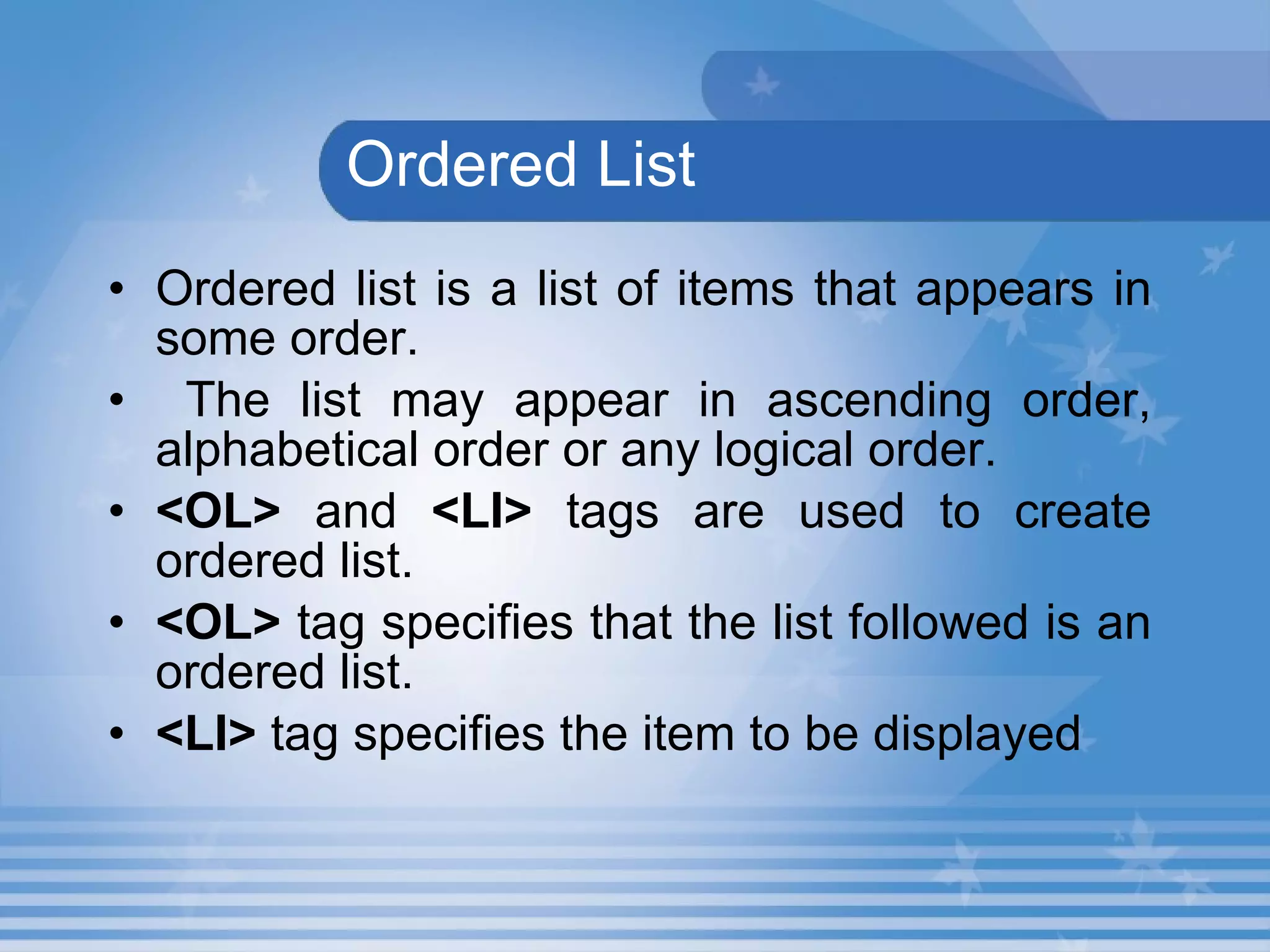
  Ordered List Ordered list is a list of items that appears in some order. The list may appear in ascending order, alphabetical order or any logical order.   <OL>  and  <LI>  tags are used to create ordered list.   <OL>  tag specifies that the list followed is an ordered list.  <LI>  tag specifies the item to be displayed
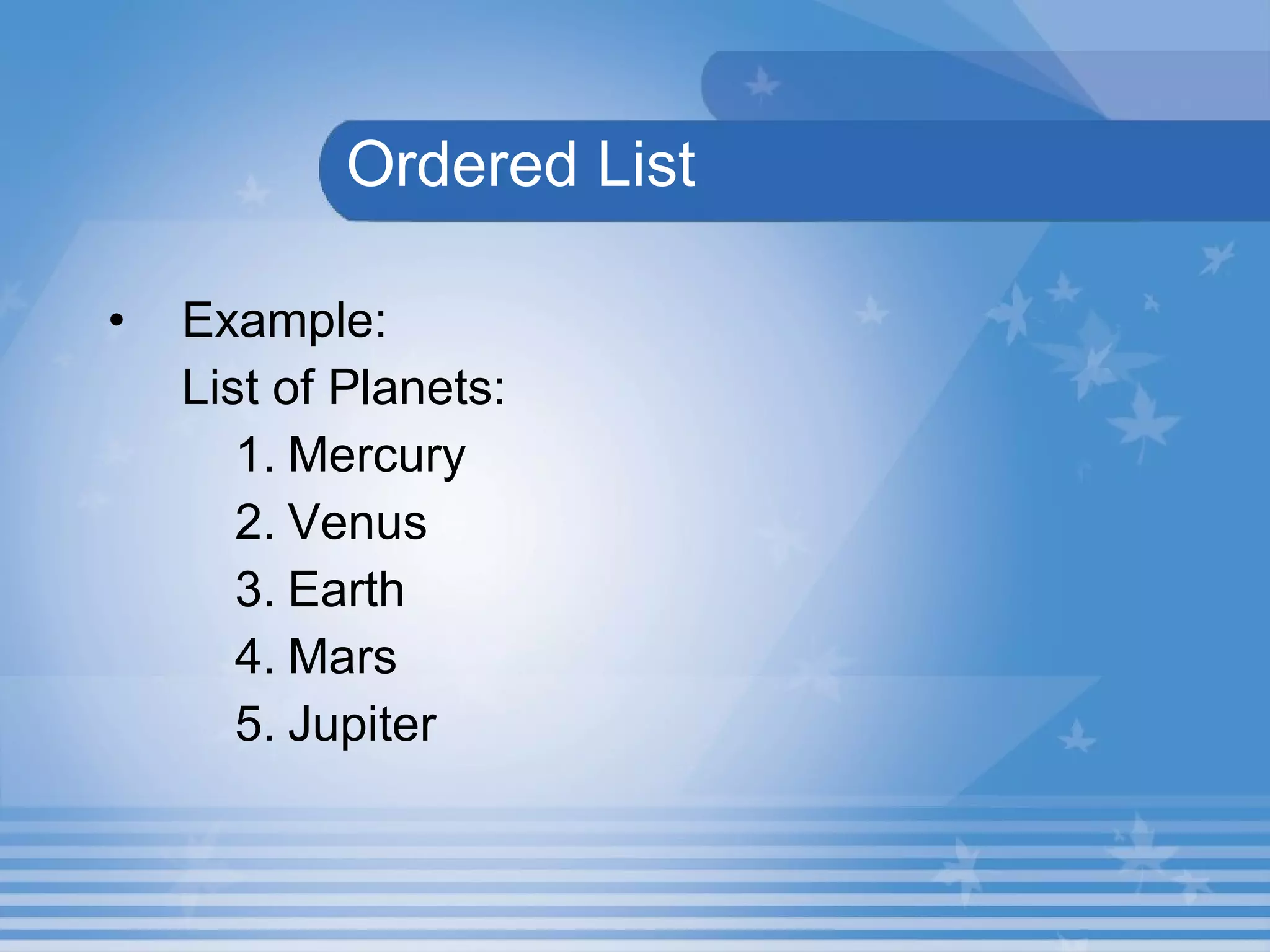
  Ordered List Example: List of Planets: Mercury Venus Earth Mars Jupiter
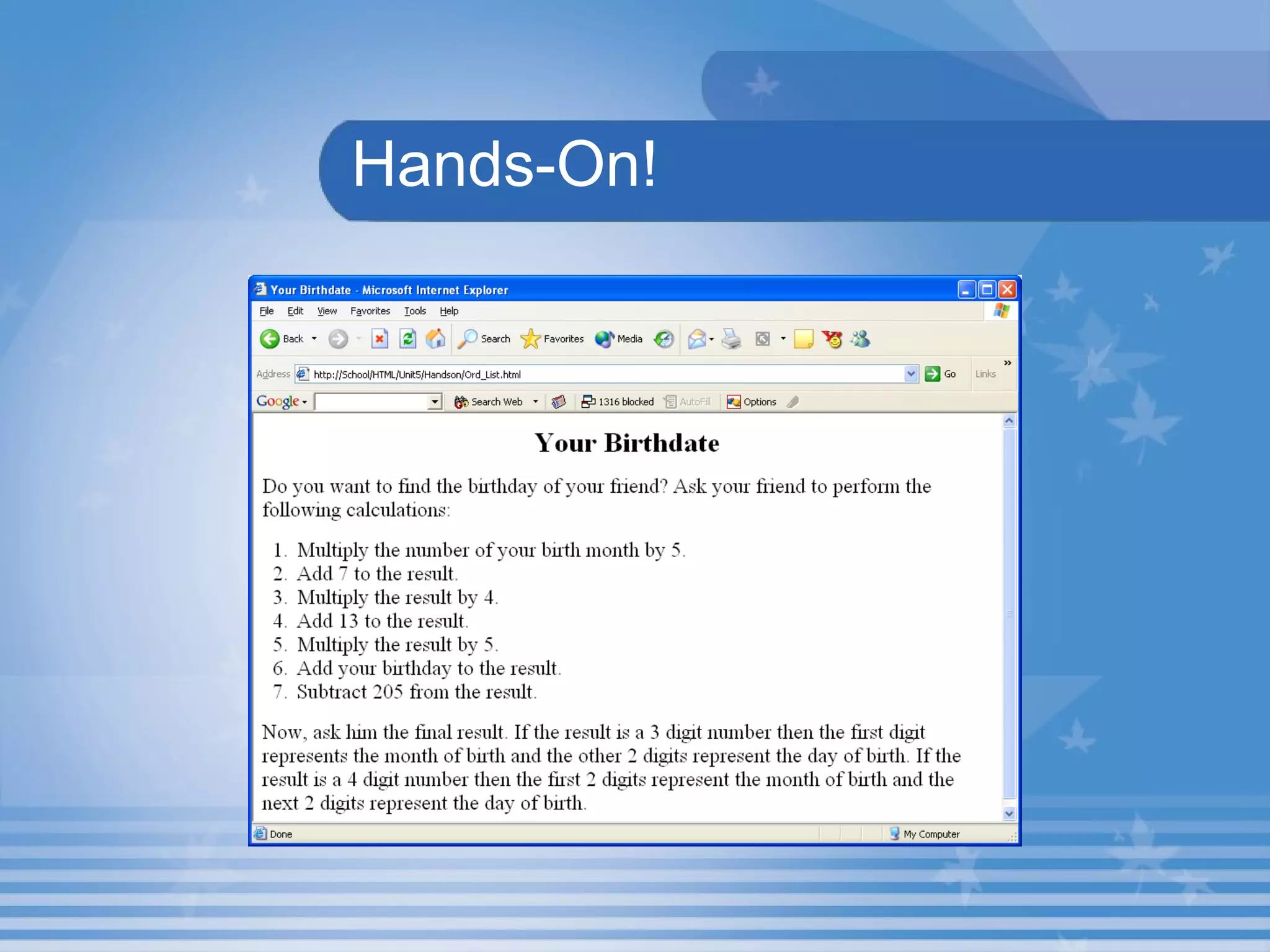
Hands-On! Open the HTML file  Ord_List.html  in  C:\HTML\Unit5\Hands On  Folder in Internet Explorer. This HTML document describes the use of Ordered List. The output is shown in the next slide.
Hands-On!
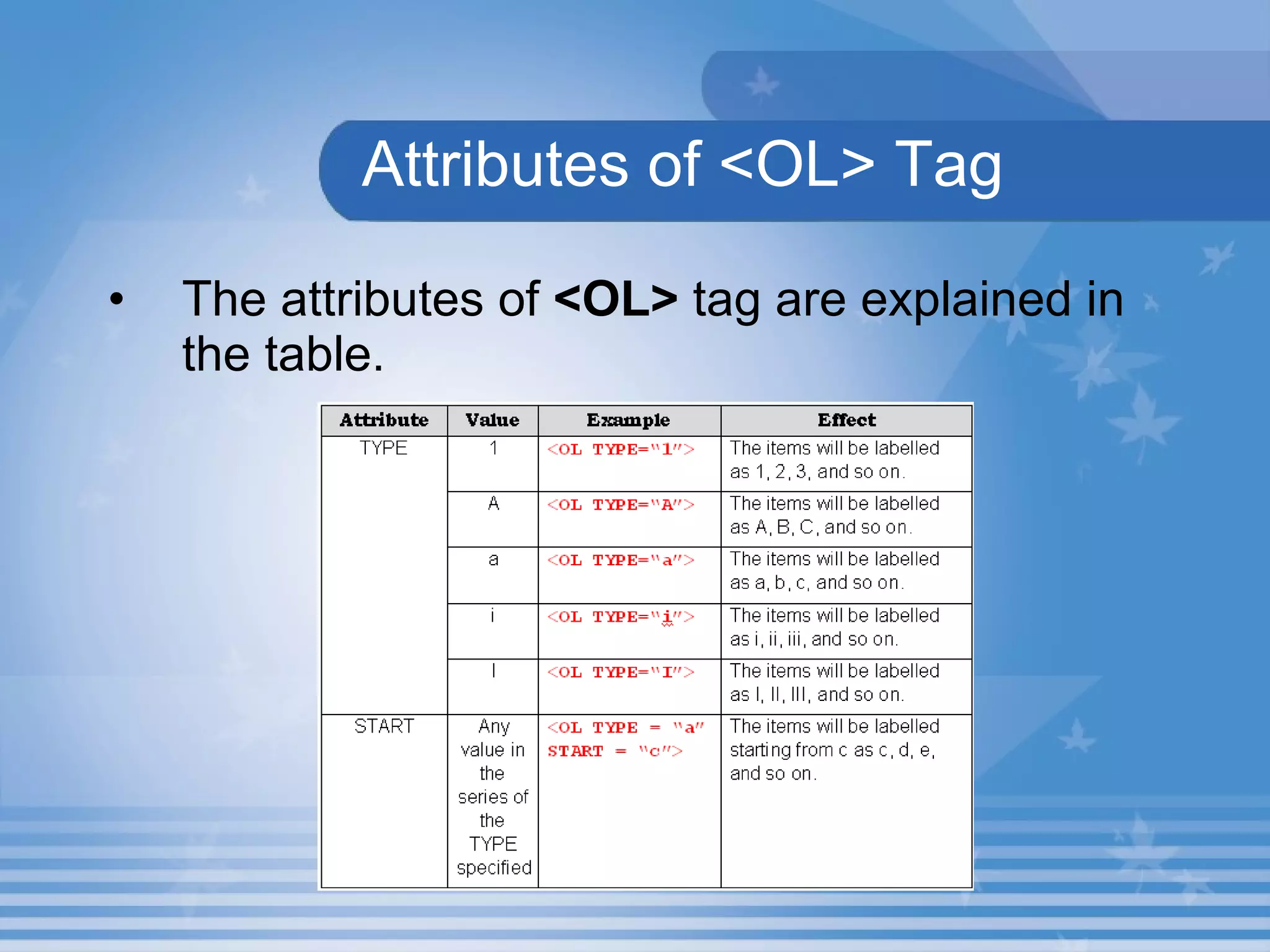
Attributes of <OL> Tag The attributes of  <OL>  tag are explained in the table.
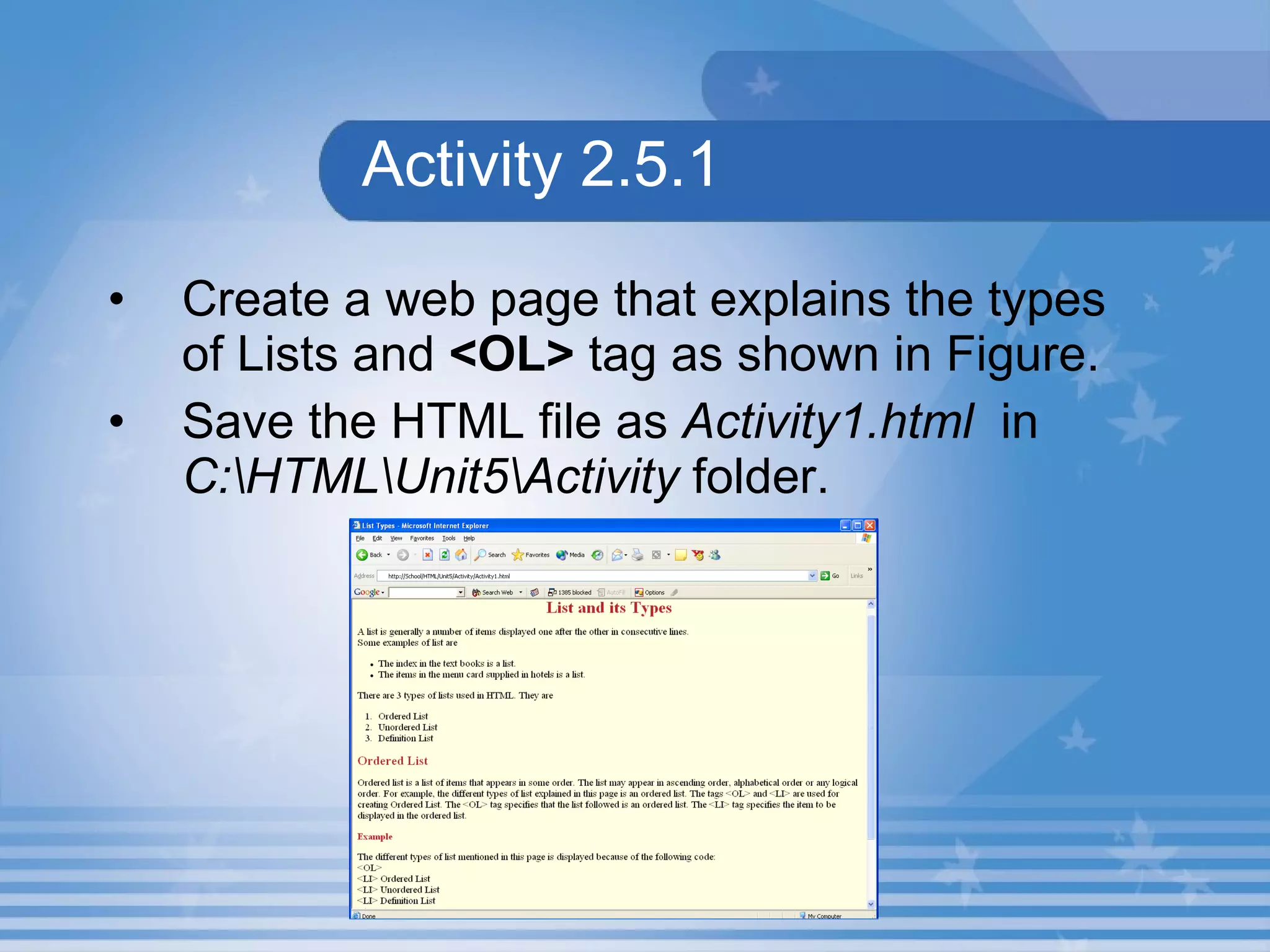
Activity 2.5.1 Create a web page that explains the types of Lists and  <OL>  tag as shown in Figure.   Save the HTML file as  Activity1.html   in  C:\HTML\Unit5\Activity  folder.
Lab Exercise Open D5_1.html in Internet Explorer.  Identify the tag which is used create an unordered list in source code D5_1.html. Name the attribute which used to change bullet type. Change the bullet style to a.
Unordered List Unordered list is a list of items that can appear in any order.   The  <UL>  and  <LI>  tags are used to create Unordered list.   <UL>  tag specifies that the list followed is an ordered list.  <LI>  tag specifies the item to be displayed.
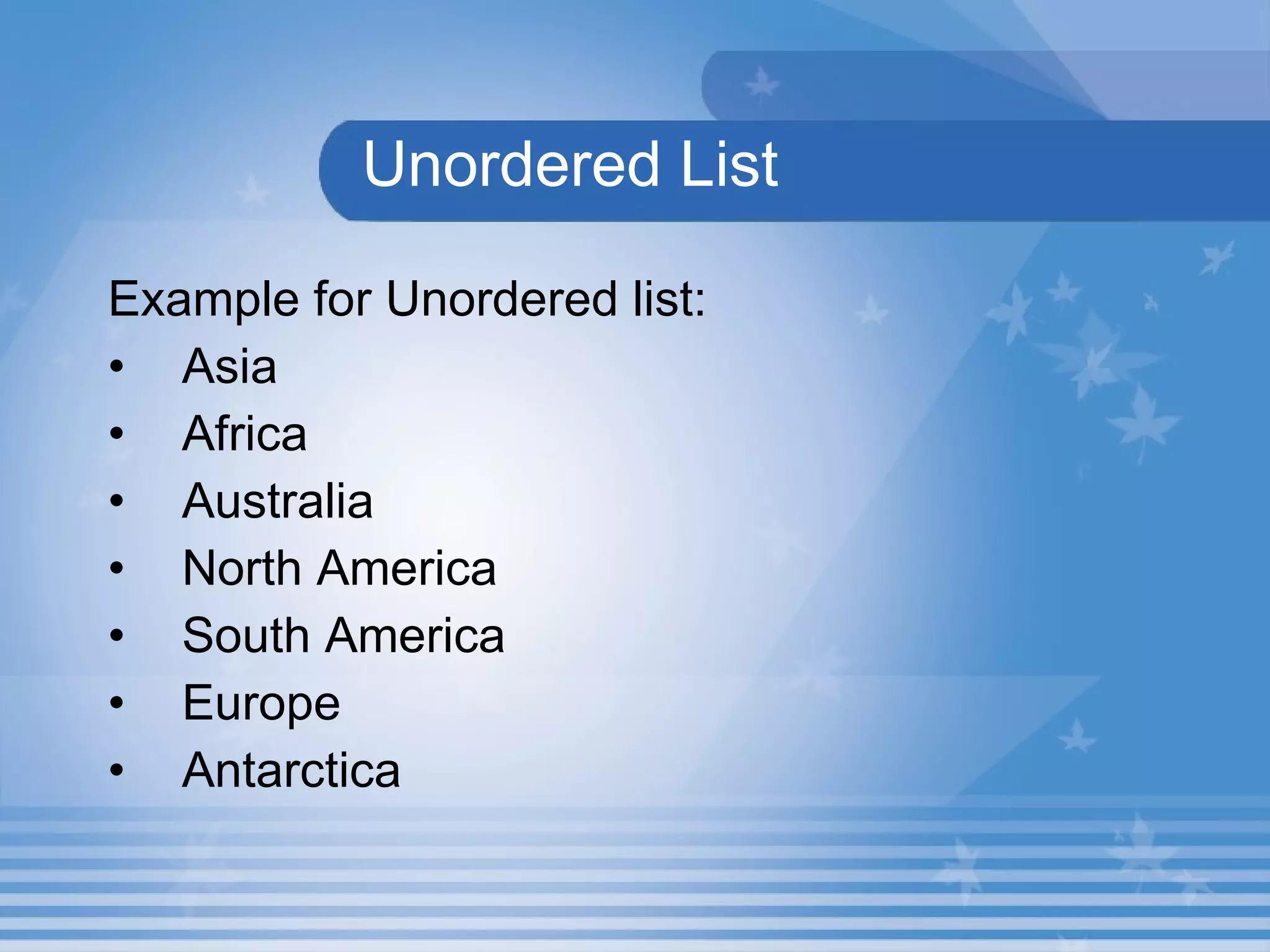
Unordered List Example for Unordered list: Asia Africa Australia North America South America Europe Antarctica
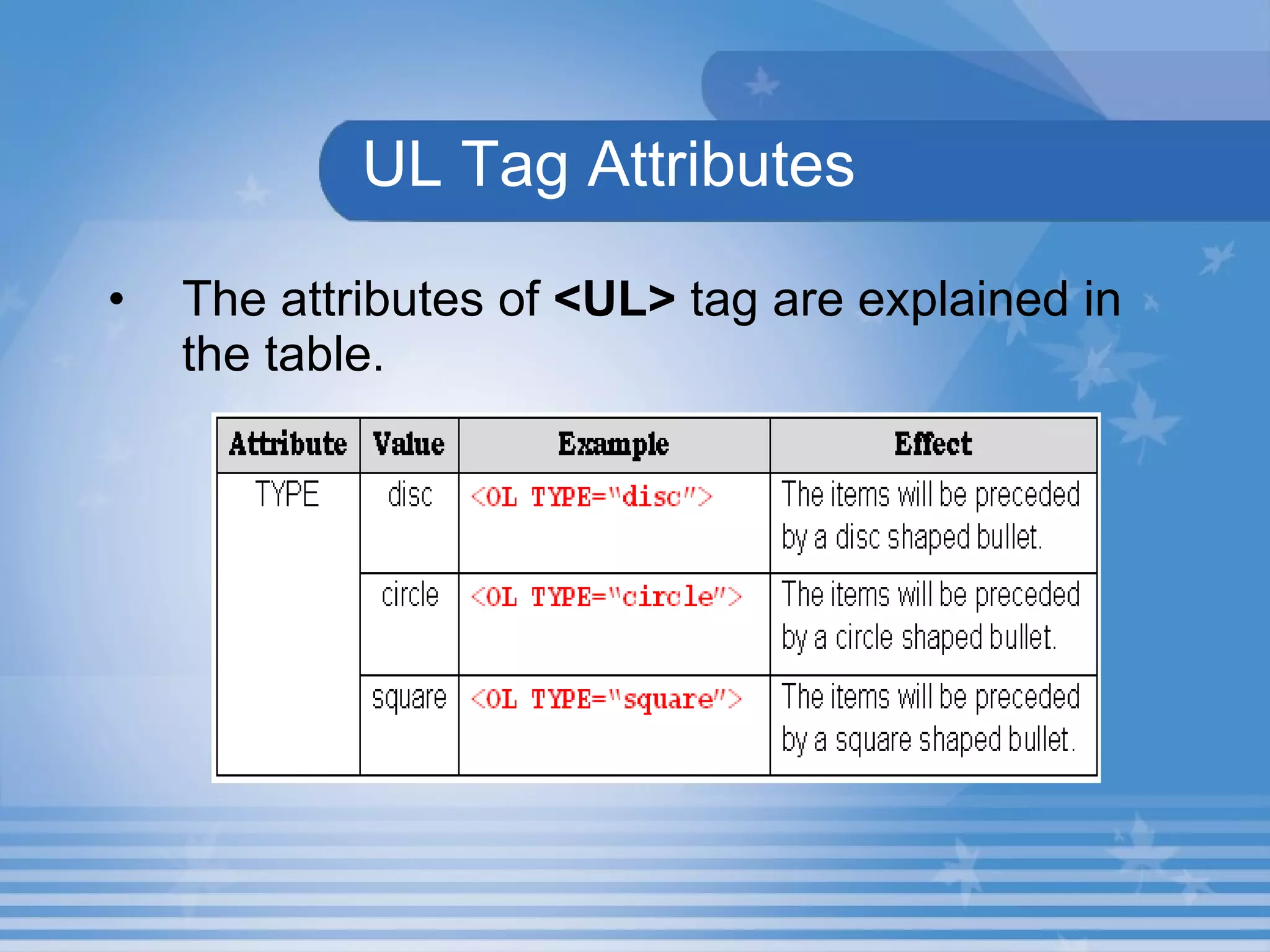
UL Tag Attributes The attributes of  <UL>  tag are explained in the table.
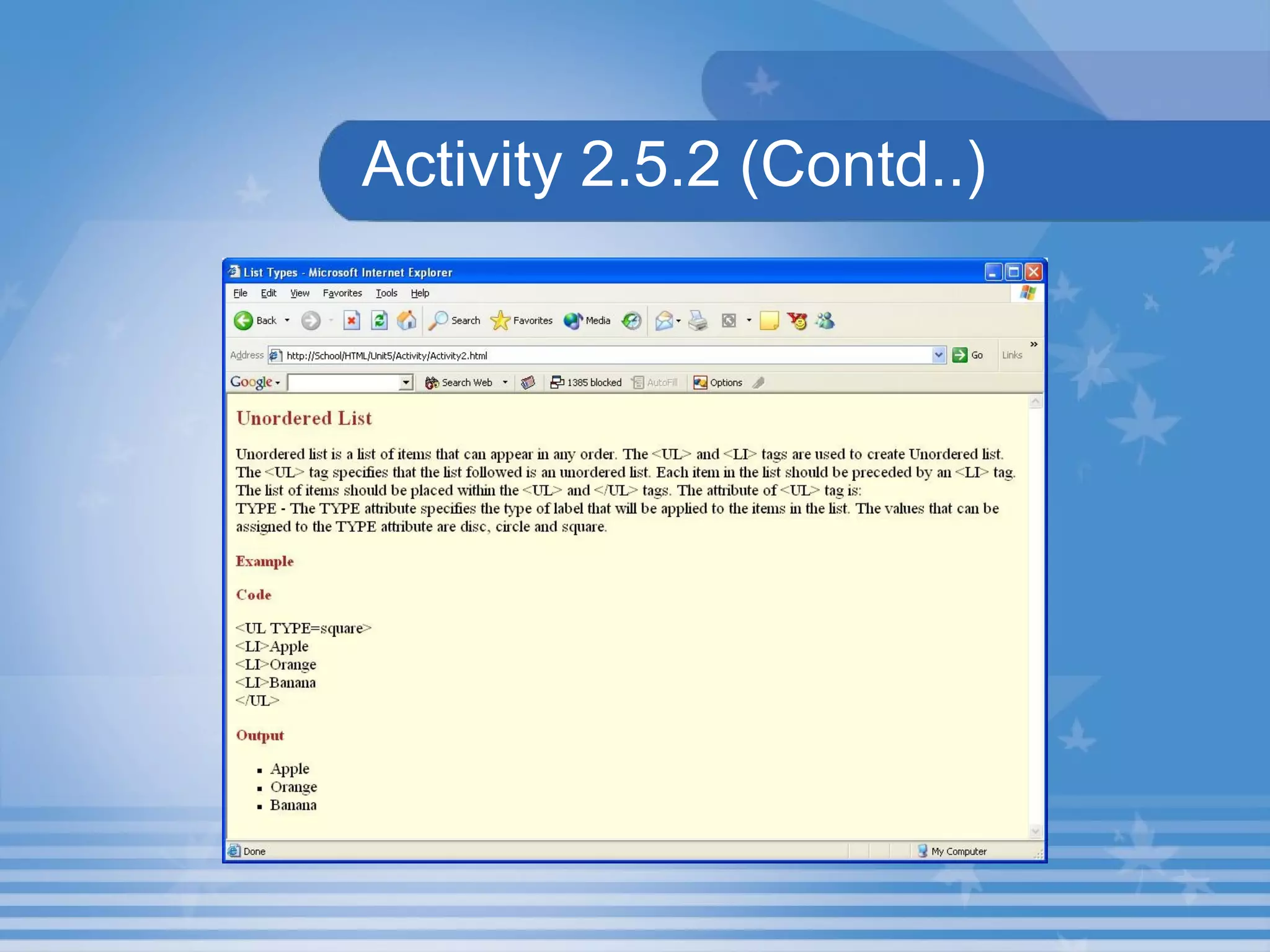
Activity 2.5.2 Create a web page that explains Unordered List as shown in Figure. Save the HTML file as Activity2.html  in C:\HTML\Unit5\Activity folder. The output is shown in the next slide.
Activity 2.5.2 (Contd..)
Lab Exercise Open D5_2.html in Internet Explorer.  Identify the tag which is used to create order list in source code D5_2.html. Identify the attribute which used to change bullet type. Change the bullet style to square.
Summary In this presentation, you learnt the following: The three types of list are Ordered List, Unordered List and Definition List. The  <OL>  and  <LI>  tags are used to create ordered list. TYPE and START are attributes of  <OL>  tag The  <UL>  and  <LI>  tags are used to create Unordered list. UL stands for Unordered List.
Assignment State the difference between Ordered and Unordered list. List the attributes that is used in <OL> tag.

M02 un05 p01

  • 1.
    Unit 5 –List Types Presentation 1 Web Programming
  • 2.
    Revision Name thetag to make a text bold? List the advantages of <FONT> tag over <BIG> tag. Write the use of <SUB> and <SUP> tags? Name the tag used to centre align a text? Which tag is used to strike out a text?
  • 3.
    Objectives At theend of this presentation, you will be able to Add Ordered List to your document Add Unordered List to your document
  • 4.
    IntroductionA list is generally a number of items displayed one after the other in consecutive lines. There are three types of list in HTML. They are Ordered List Unordered List Definition List
  • 5.
    OrderedList Ordered list is a list of items that appears in some order. The list may appear in ascending order, alphabetical order or any logical order. <OL> and <LI> tags are used to create ordered list. <OL> tag specifies that the list followed is an ordered list. <LI> tag specifies the item to be displayed
  • 6.
    OrderedList Example: List of Planets: Mercury Venus Earth Mars Jupiter
  • 7.
    Hands-On! Open theHTML file Ord_List.html in C:\HTML\Unit5\Hands On Folder in Internet Explorer. This HTML document describes the use of Ordered List. The output is shown in the next slide.
  • 8.
  • 9.
    Attributes of <OL>Tag The attributes of <OL> tag are explained in the table.
  • 10.
    Activity 2.5.1 Createa web page that explains the types of Lists and <OL> tag as shown in Figure. Save the HTML file as Activity1.html in C:\HTML\Unit5\Activity folder.
  • 11.
    Lab Exercise OpenD5_1.html in Internet Explorer. Identify the tag which is used create an unordered list in source code D5_1.html. Name the attribute which used to change bullet type. Change the bullet style to a.
  • 12.
    Unordered List Unorderedlist is a list of items that can appear in any order. The <UL> and <LI> tags are used to create Unordered list. <UL> tag specifies that the list followed is an ordered list. <LI> tag specifies the item to be displayed.
  • 13.
    Unordered List Examplefor Unordered list: Asia Africa Australia North America South America Europe Antarctica
  • 14.
    UL Tag AttributesThe attributes of <UL> tag are explained in the table.
  • 15.
    Activity 2.5.2 Createa web page that explains Unordered List as shown in Figure. Save the HTML file as Activity2.html in C:\HTML\Unit5\Activity folder. The output is shown in the next slide.
  • 16.
  • 17.
    Lab Exercise OpenD5_2.html in Internet Explorer. Identify the tag which is used to create order list in source code D5_2.html. Identify the attribute which used to change bullet type. Change the bullet style to square.
  • 18.
    Summary In thispresentation, you learnt the following: The three types of list are Ordered List, Unordered List and Definition List. The <OL> and <LI> tags are used to create ordered list. TYPE and START are attributes of <OL> tag The <UL> and <LI> tags are used to create Unordered list. UL stands for Unordered List.
  • 19.
    Assignment State thedifference between Ordered and Unordered list. List the attributes that is used in <OL> tag.