Unit 5 – List Types Presentation   2 Web Programming
Objectives At the end of this presentation, you will be able to Add Nested List to your document Add Definition List to your document
  Nested List   A list of items appearing inside another list is known as Nested List.   Lists of same type or of different type can be nested within each other.
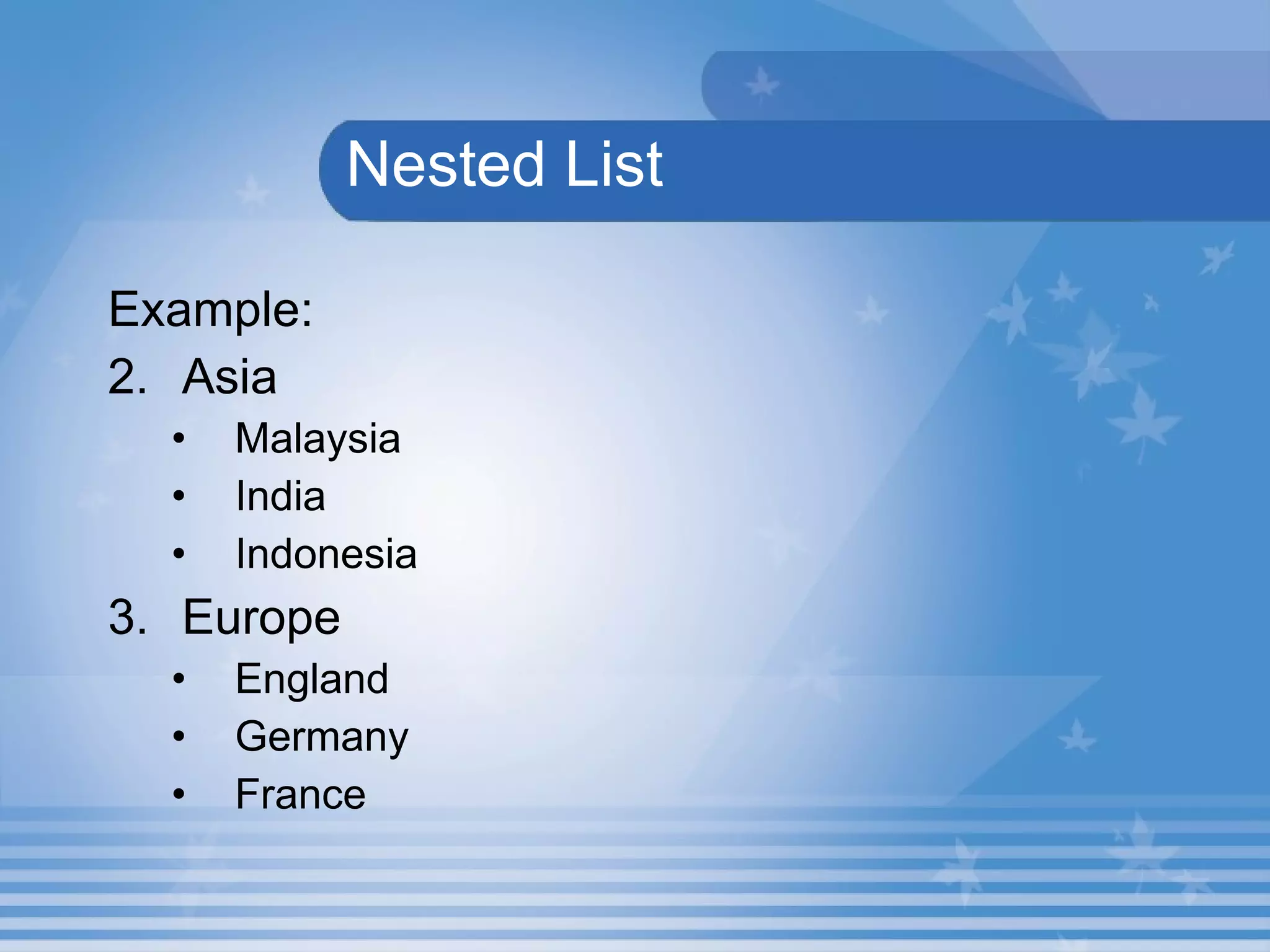
  Nested List   Example: Asia Malaysia India Indonesia Europe England Germany France
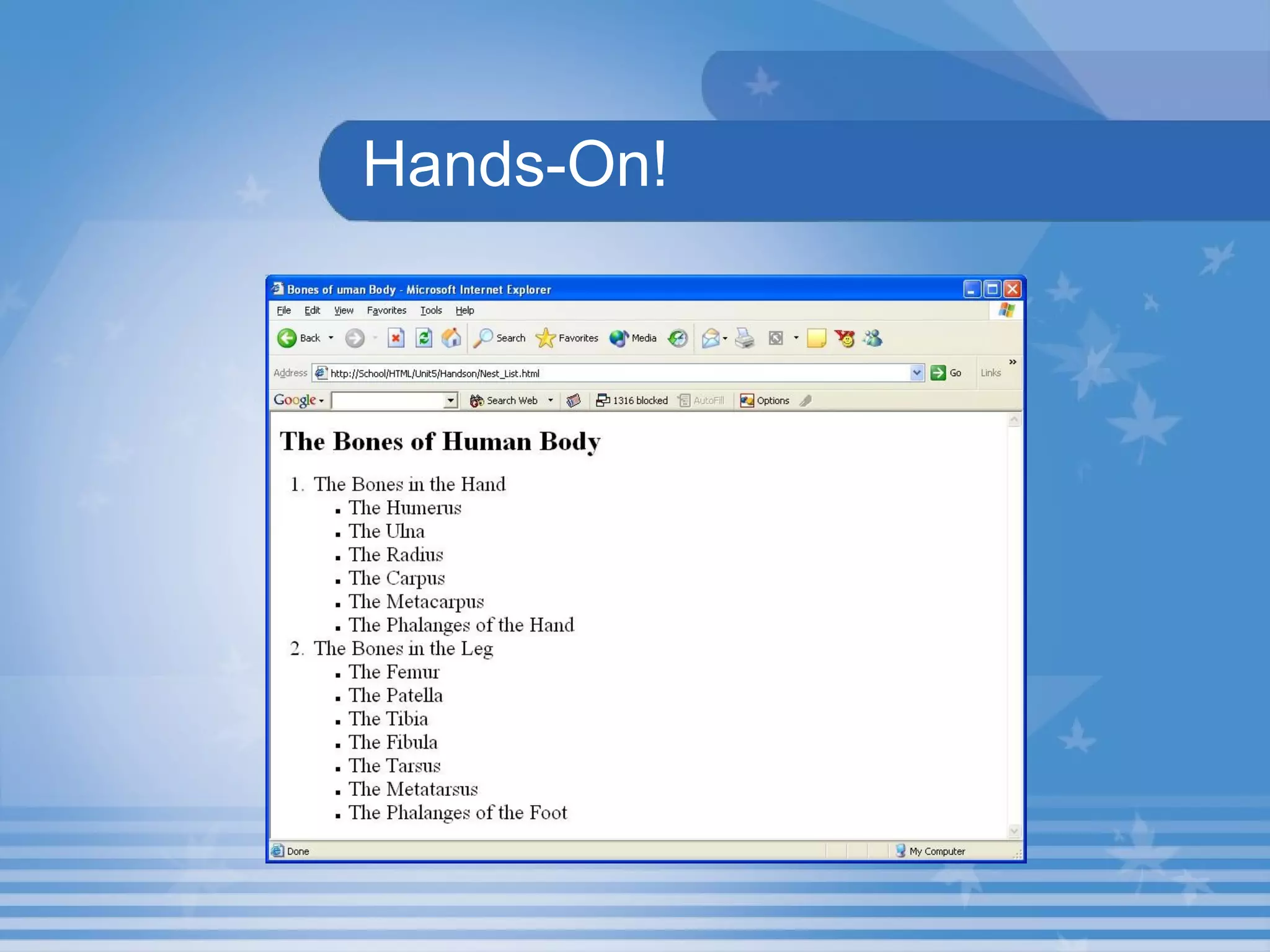
Hands-On! Open the HTML file  Nest_List.html  in  C:\HTML\Unit5\Hands On  Folder in Internet Explorer. This HTML document describes the use of Nested List. The output is shown in the next slide.
Hands-On!
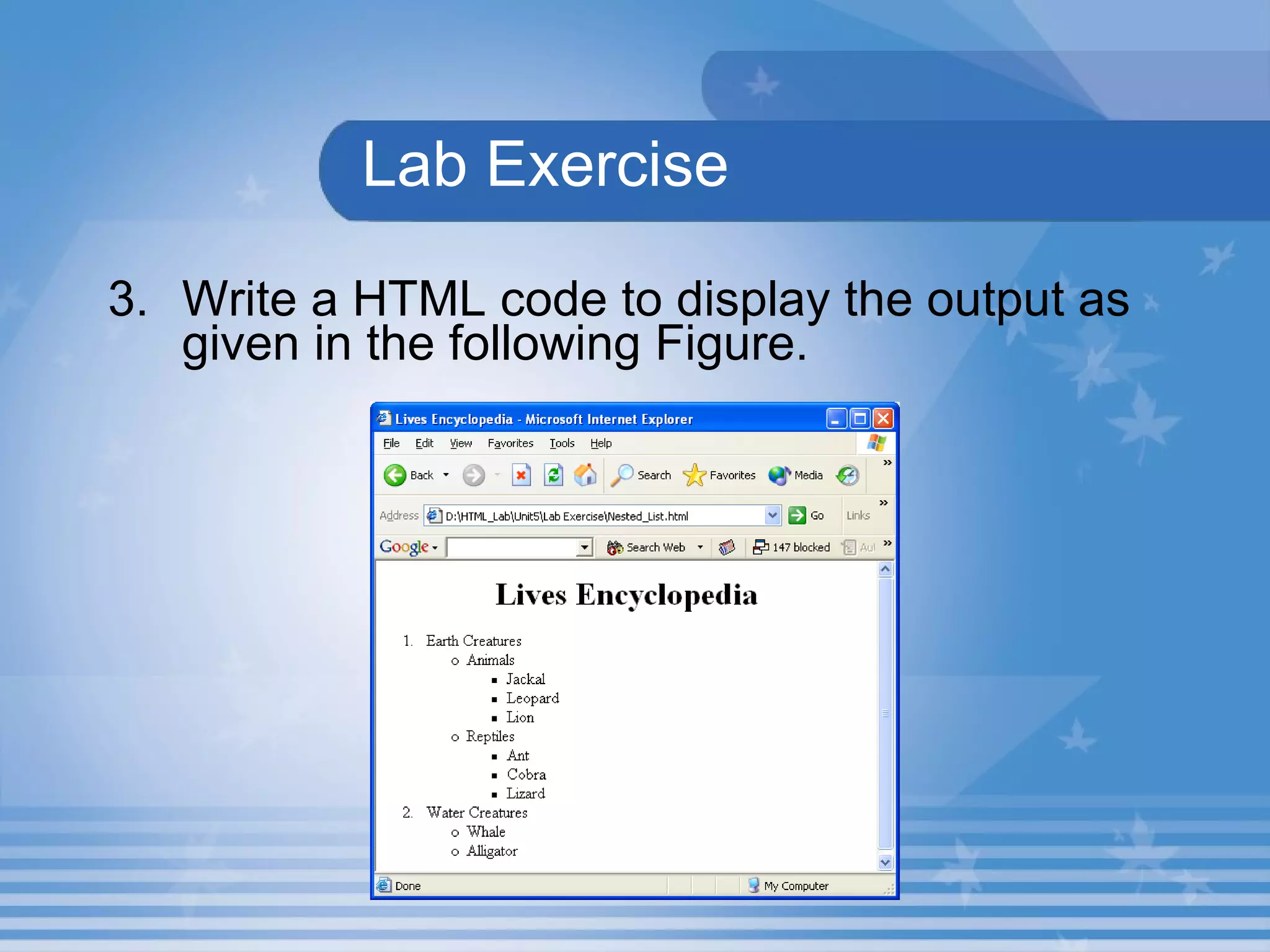
Lab Exercise 3. Write a HTML code to display the output as given in the following Figure.
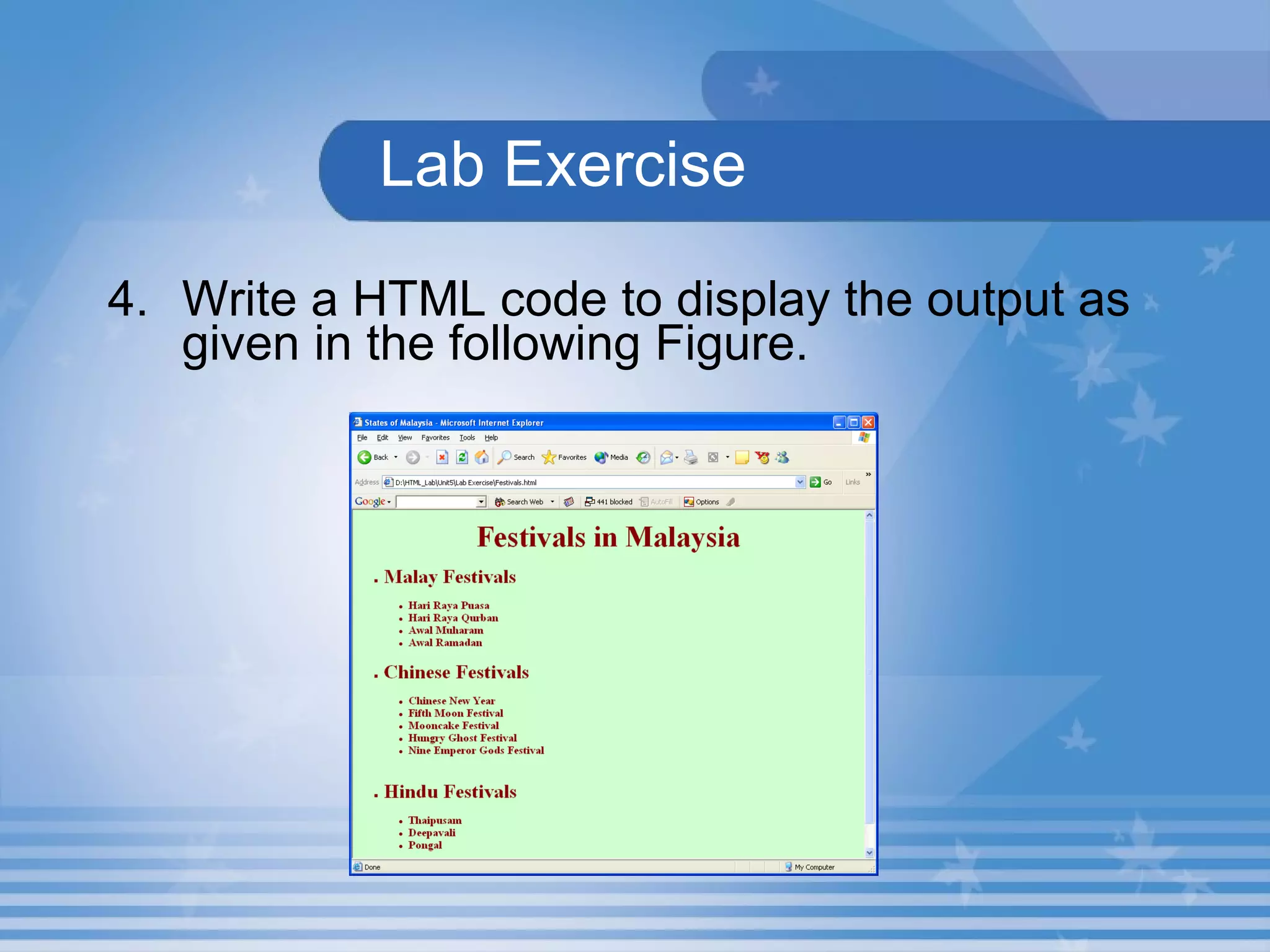
  Lab Exercise 4. Write a HTML code to display the output as given in the following Figure.
Definition List Definition list is a list used to display the definitions of terms.   <DL> ,  <DT>  and  <DD>  tags are used to create definition list.
Hands-On! Open the HTML file  Def_List.html  in  C:\HTML\Unit5\Hands On  Folder in Internet Explorer. This HTML document describes the use of Definition List.
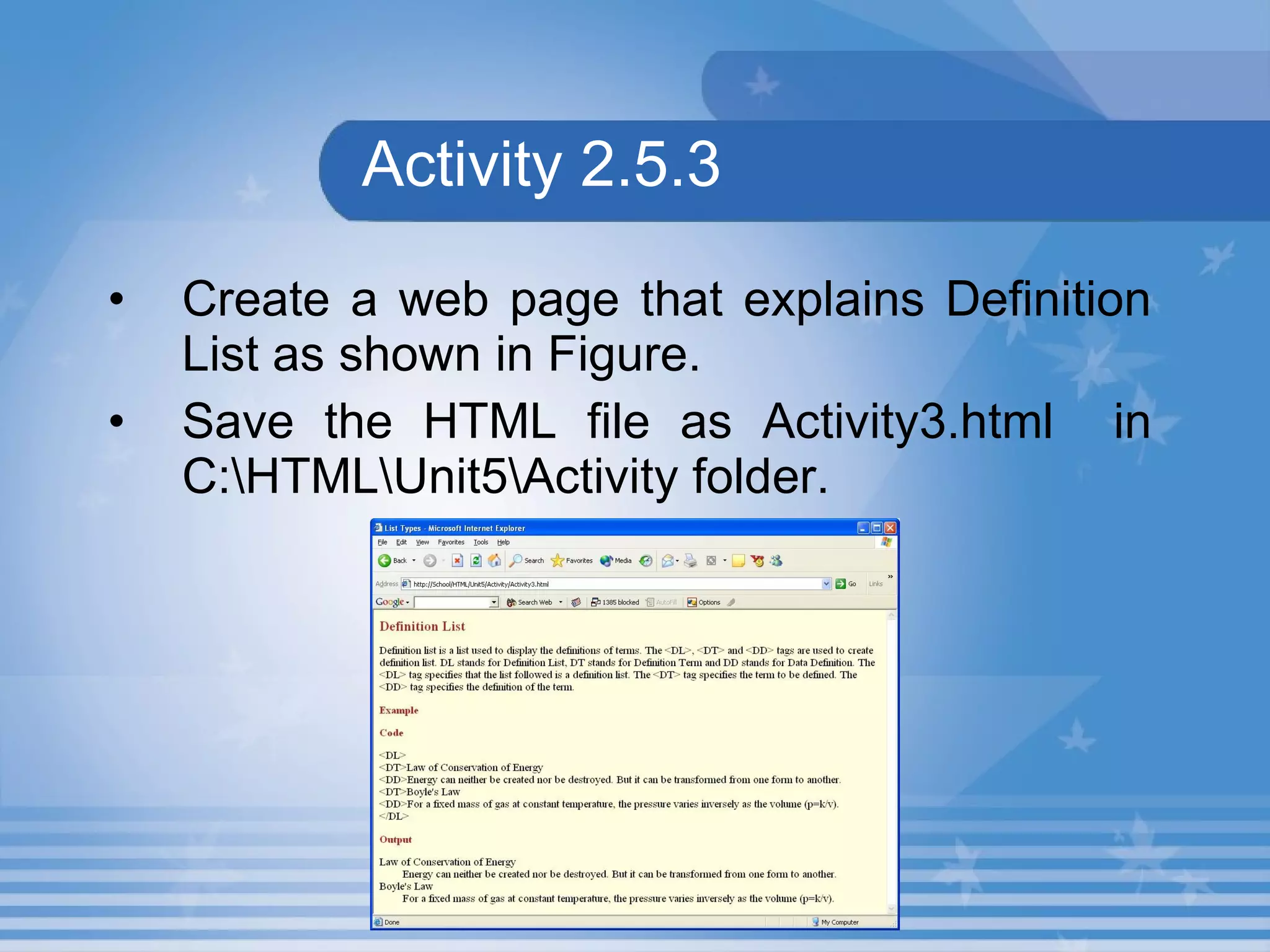
Activity 2.5.3 Create a web page that explains Definition List as shown in Figure.  Save the HTML file as Activity3.html  in C:\HTML\Unit5\Activity folder.
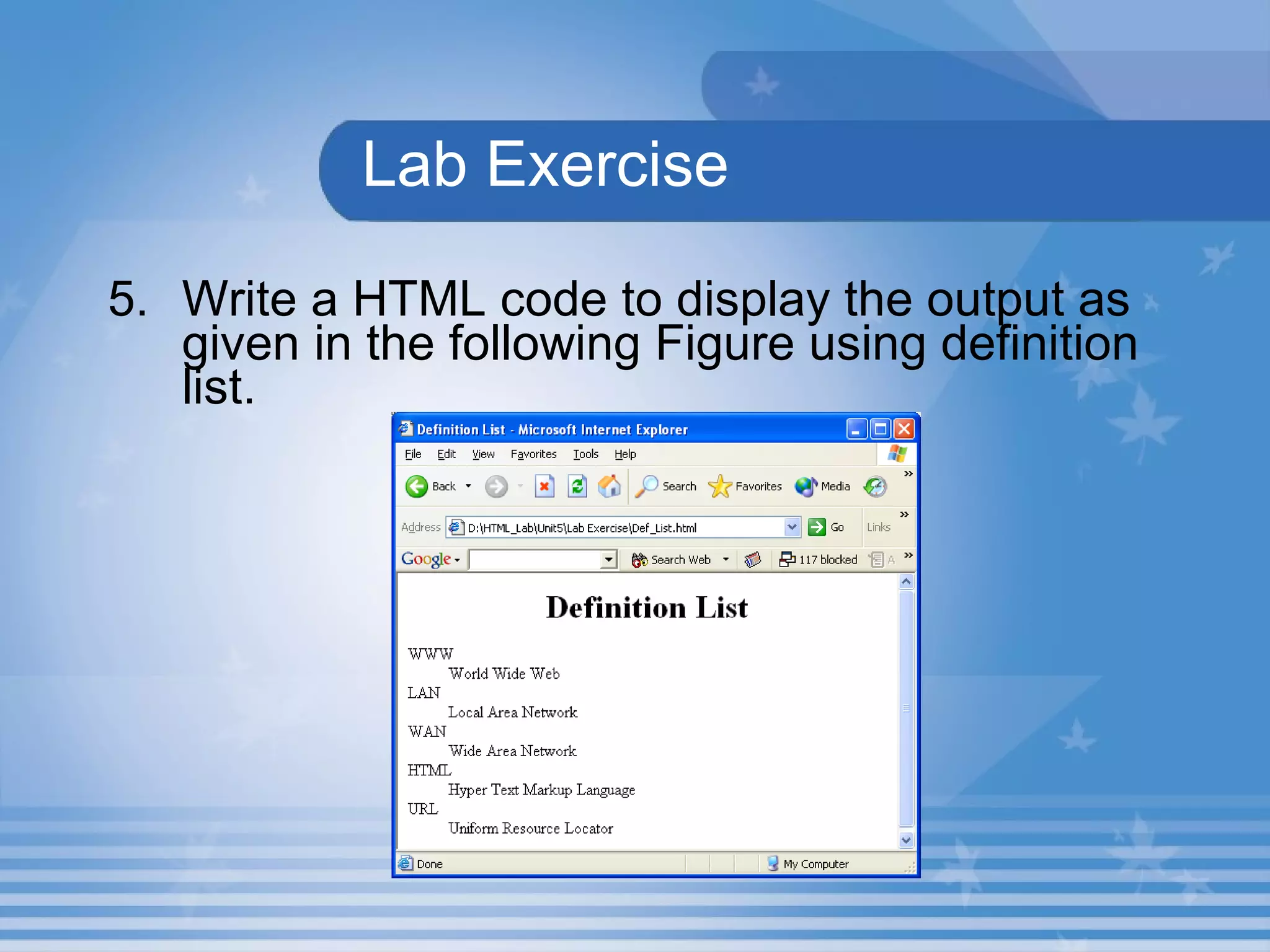
Lab Exercise 5. Write a HTML code to display the output as given in the following Figure using definition list.
Summary In this presentation, you learnt the following: A list of items appearing inside another list is known as Nested List.   The  <DL> ,  <DT>  and  <DD>  tags are used to create definition list.
Assignment Define the term Nested List. List the tags that is used to create Definition List.

M02 un05 p02

  • 1.
    Unit 5 –List Types Presentation 2 Web Programming
  • 2.
    Objectives At theend of this presentation, you will be able to Add Nested List to your document Add Definition List to your document
  • 3.
    NestedList A list of items appearing inside another list is known as Nested List. Lists of same type or of different type can be nested within each other.
  • 4.
    NestedList Example: Asia Malaysia India Indonesia Europe England Germany France
  • 5.
    Hands-On! Open theHTML file Nest_List.html in C:\HTML\Unit5\Hands On Folder in Internet Explorer. This HTML document describes the use of Nested List. The output is shown in the next slide.
  • 6.
  • 7.
    Lab Exercise 3.Write a HTML code to display the output as given in the following Figure.
  • 8.
    LabExercise 4. Write a HTML code to display the output as given in the following Figure.
  • 9.
    Definition List Definitionlist is a list used to display the definitions of terms. <DL> , <DT> and <DD> tags are used to create definition list.
  • 10.
    Hands-On! Open theHTML file Def_List.html in C:\HTML\Unit5\Hands On Folder in Internet Explorer. This HTML document describes the use of Definition List.
  • 11.
    Activity 2.5.3 Createa web page that explains Definition List as shown in Figure. Save the HTML file as Activity3.html in C:\HTML\Unit5\Activity folder.
  • 12.
    Lab Exercise 5.Write a HTML code to display the output as given in the following Figure using definition list.
  • 13.
    Summary In thispresentation, you learnt the following: A list of items appearing inside another list is known as Nested List. The <DL> , <DT> and <DD> tags are used to create definition list.
  • 14.
    Assignment Define theterm Nested List. List the tags that is used to create Definition List.