Download to read offline

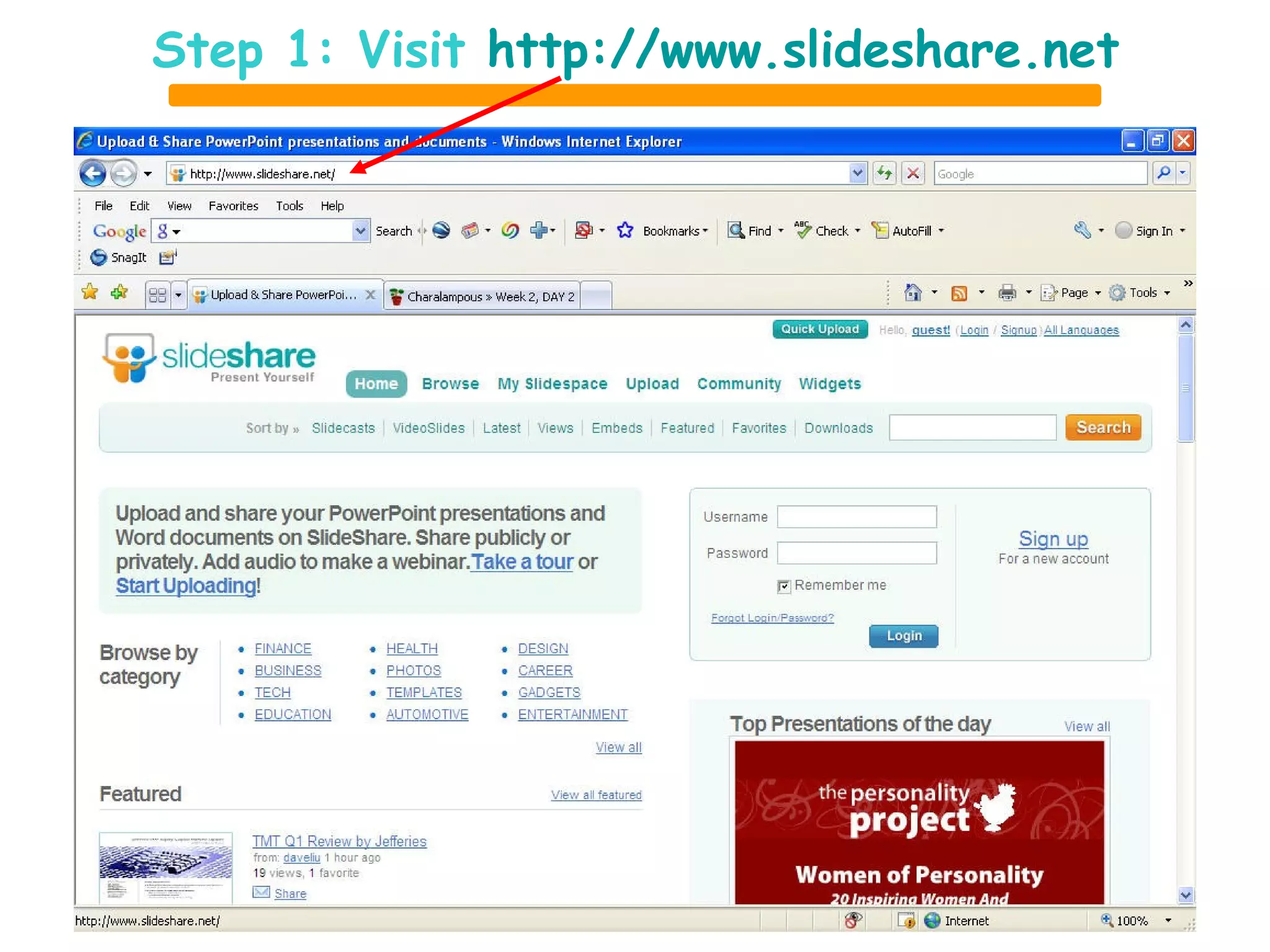
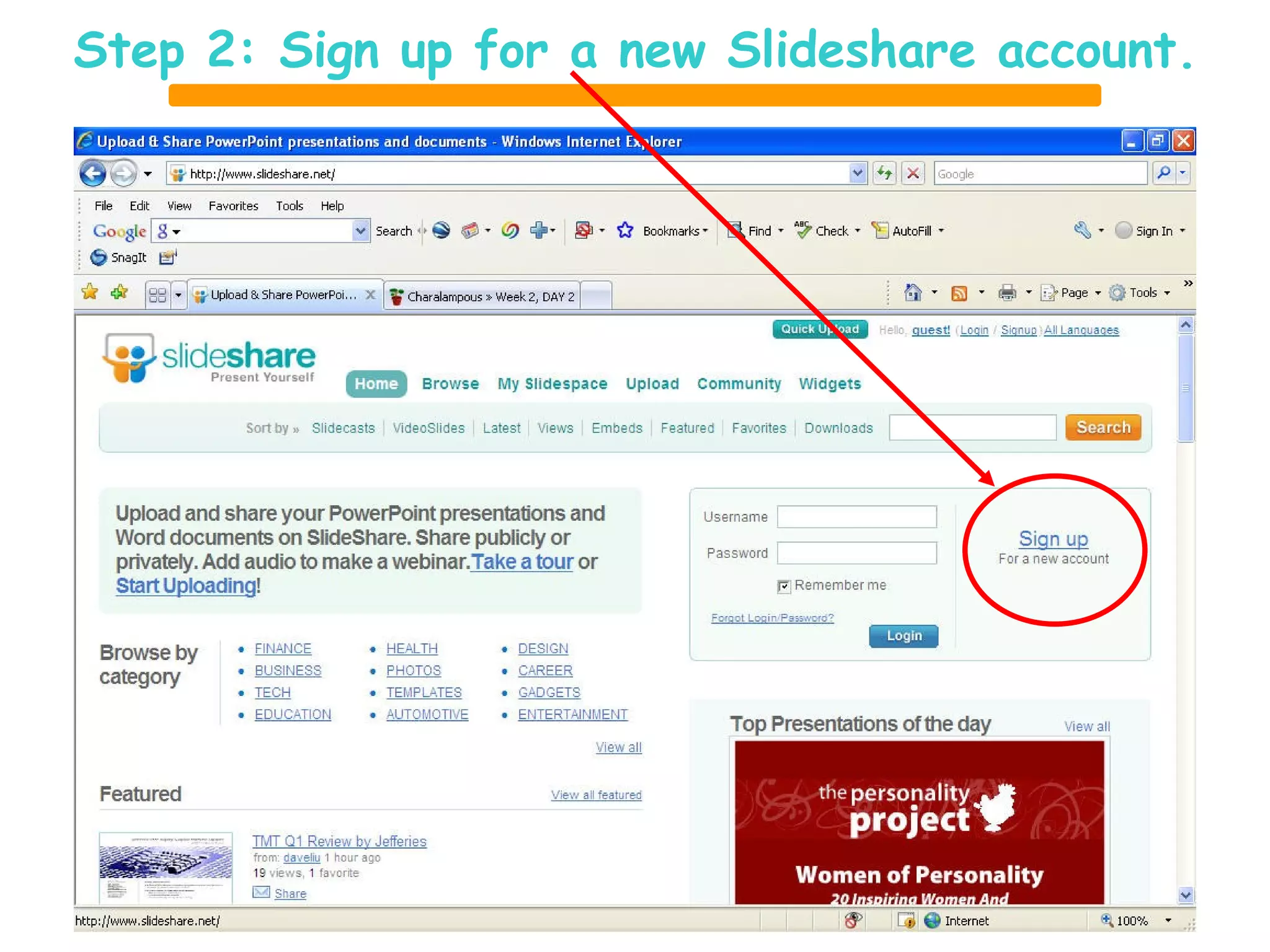
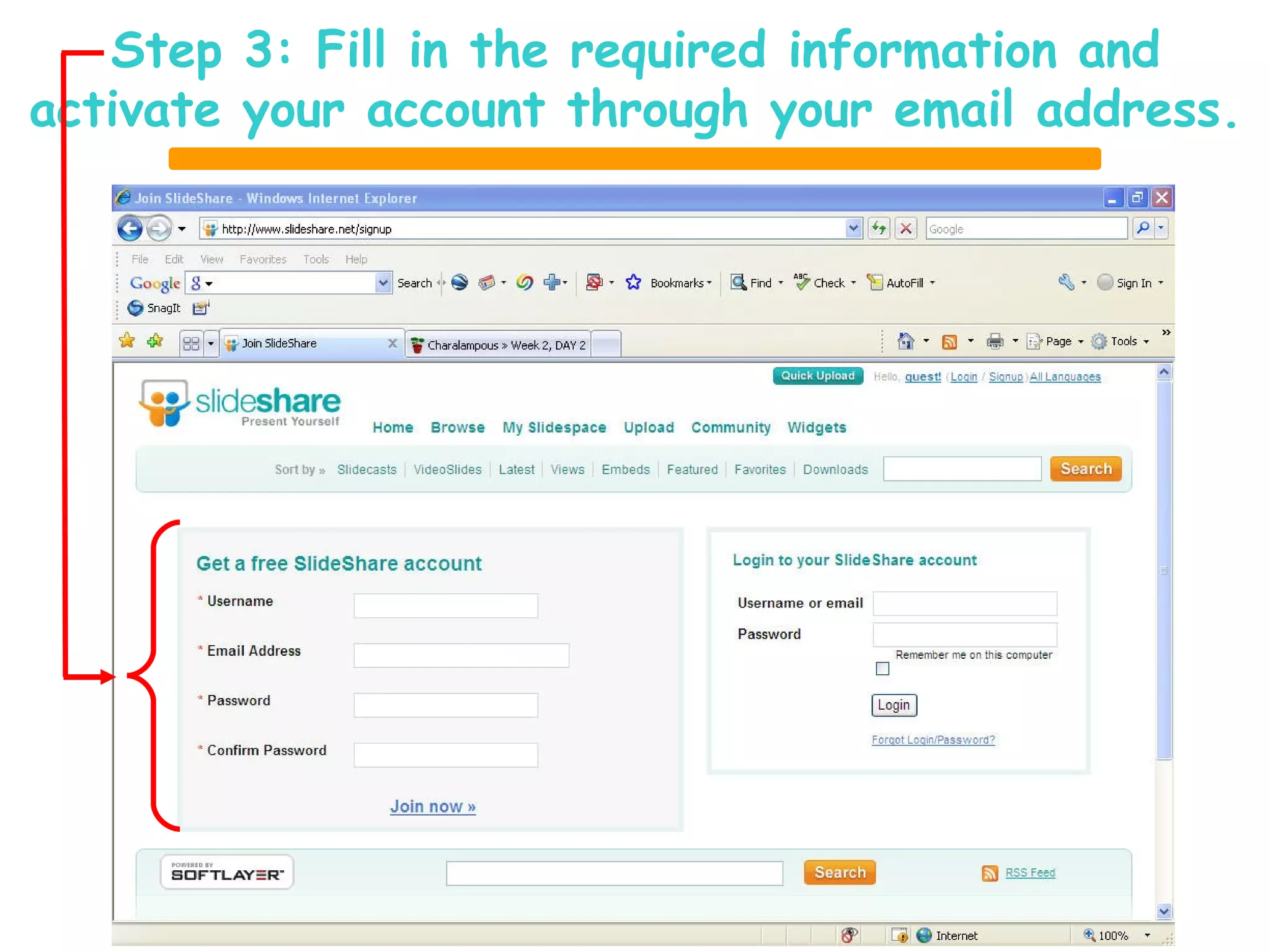
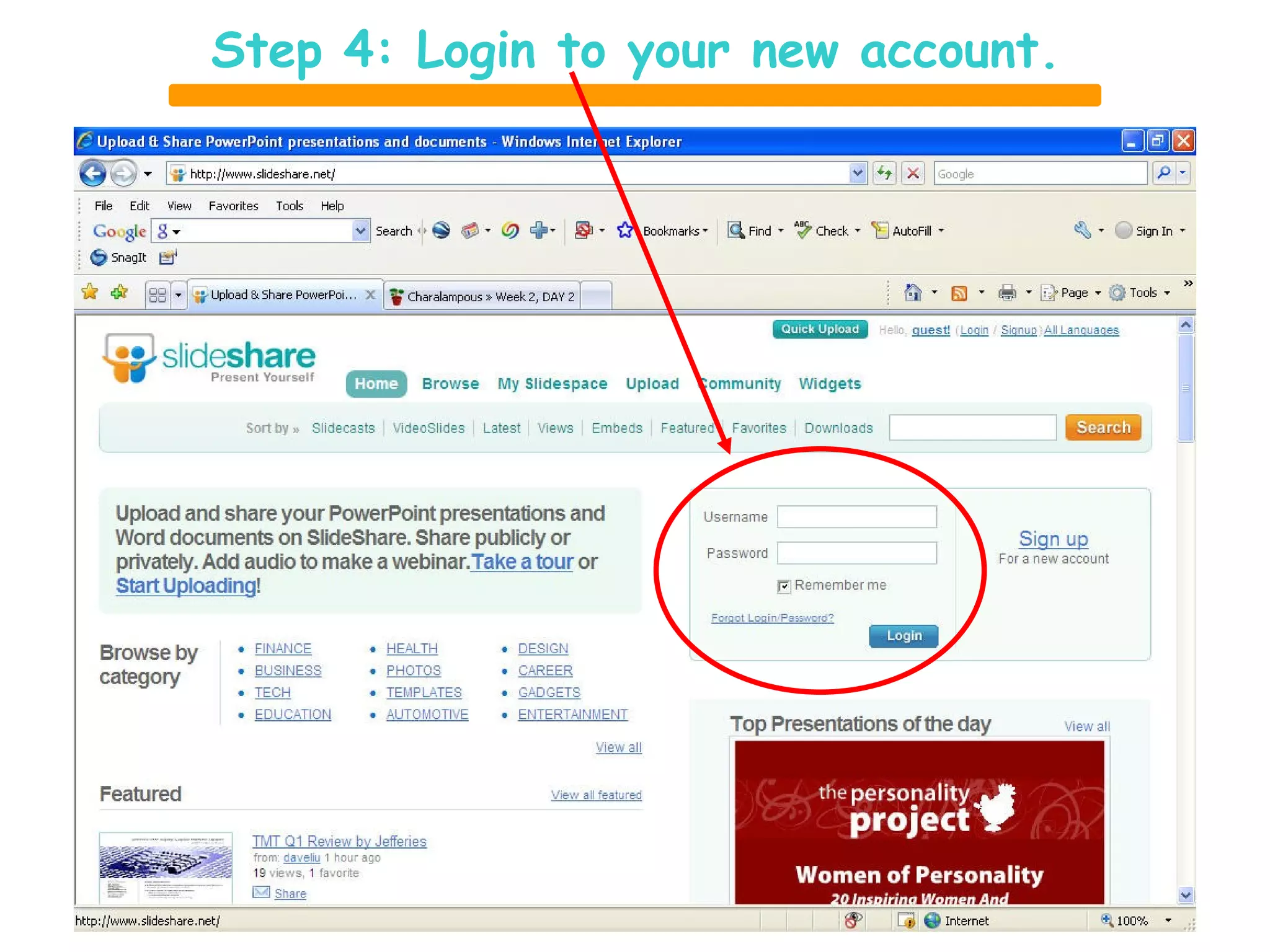
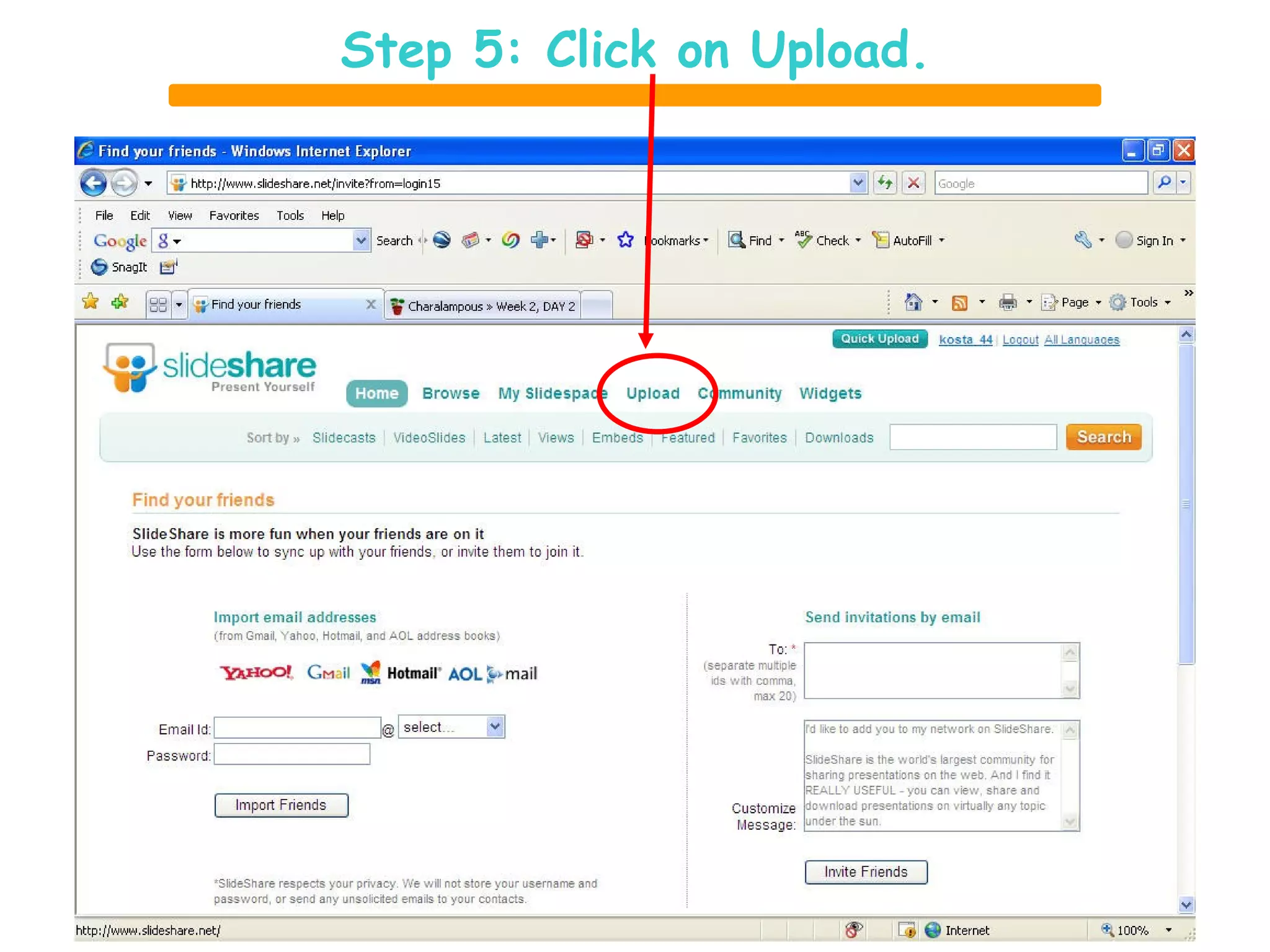
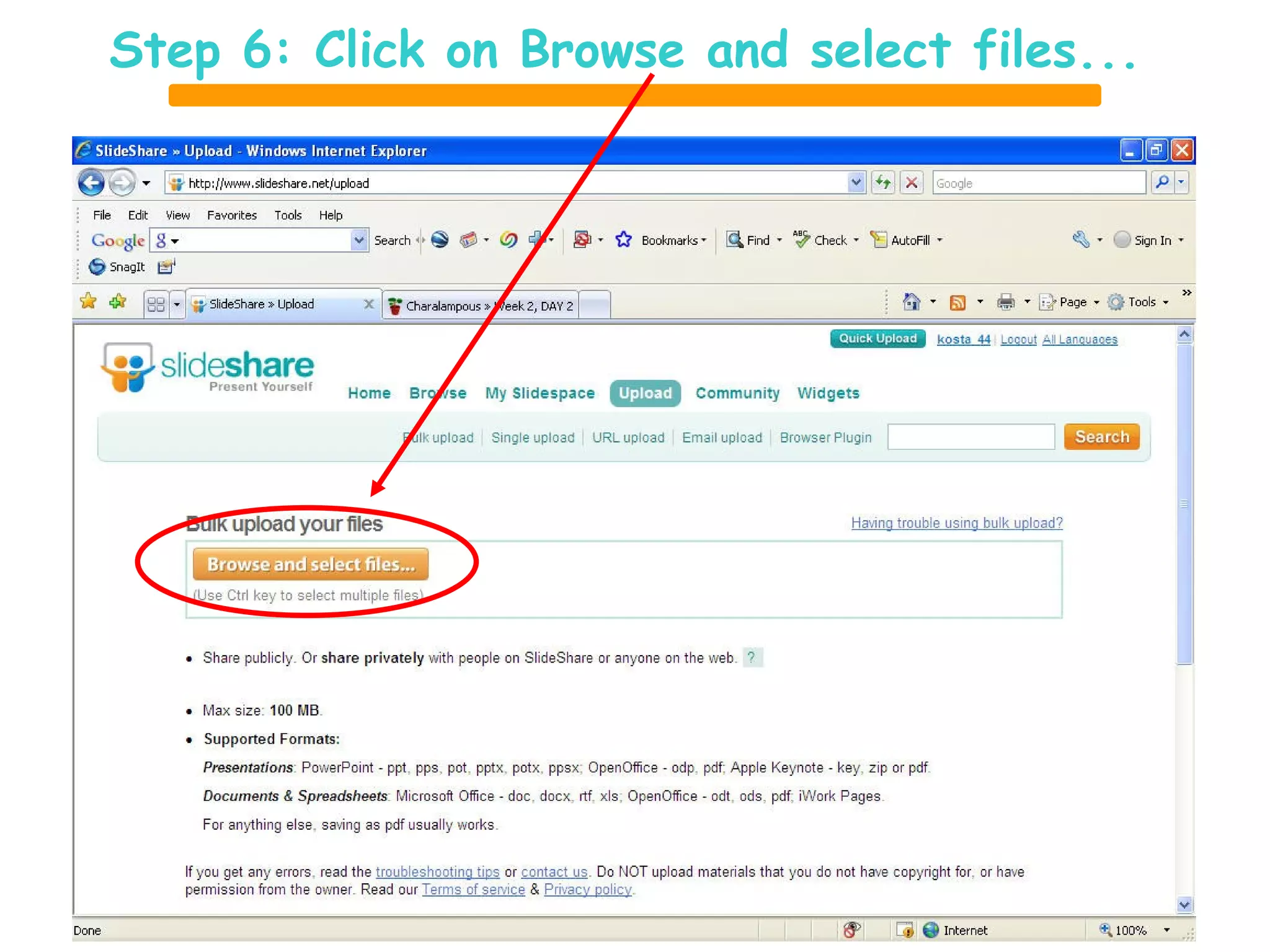
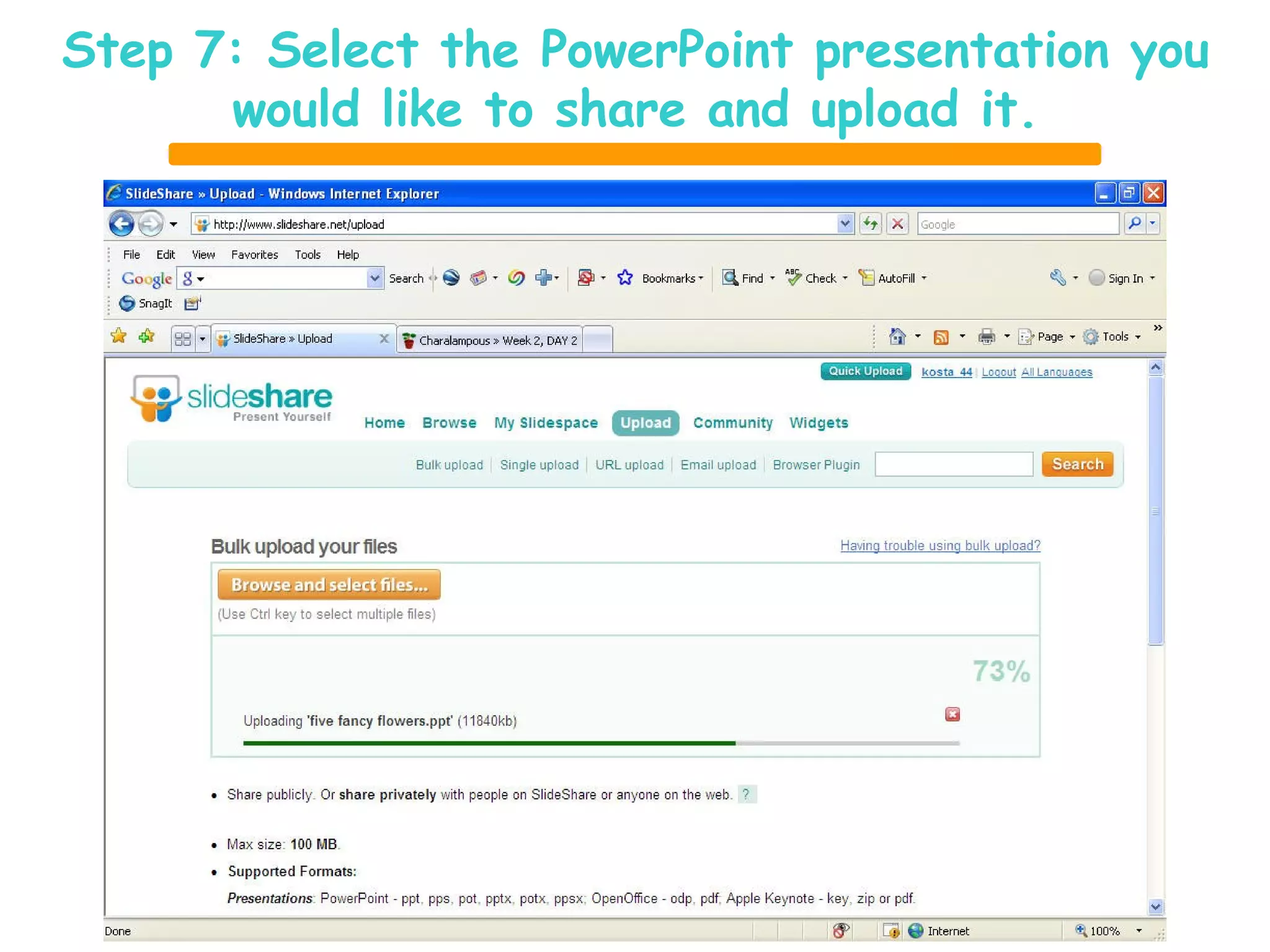
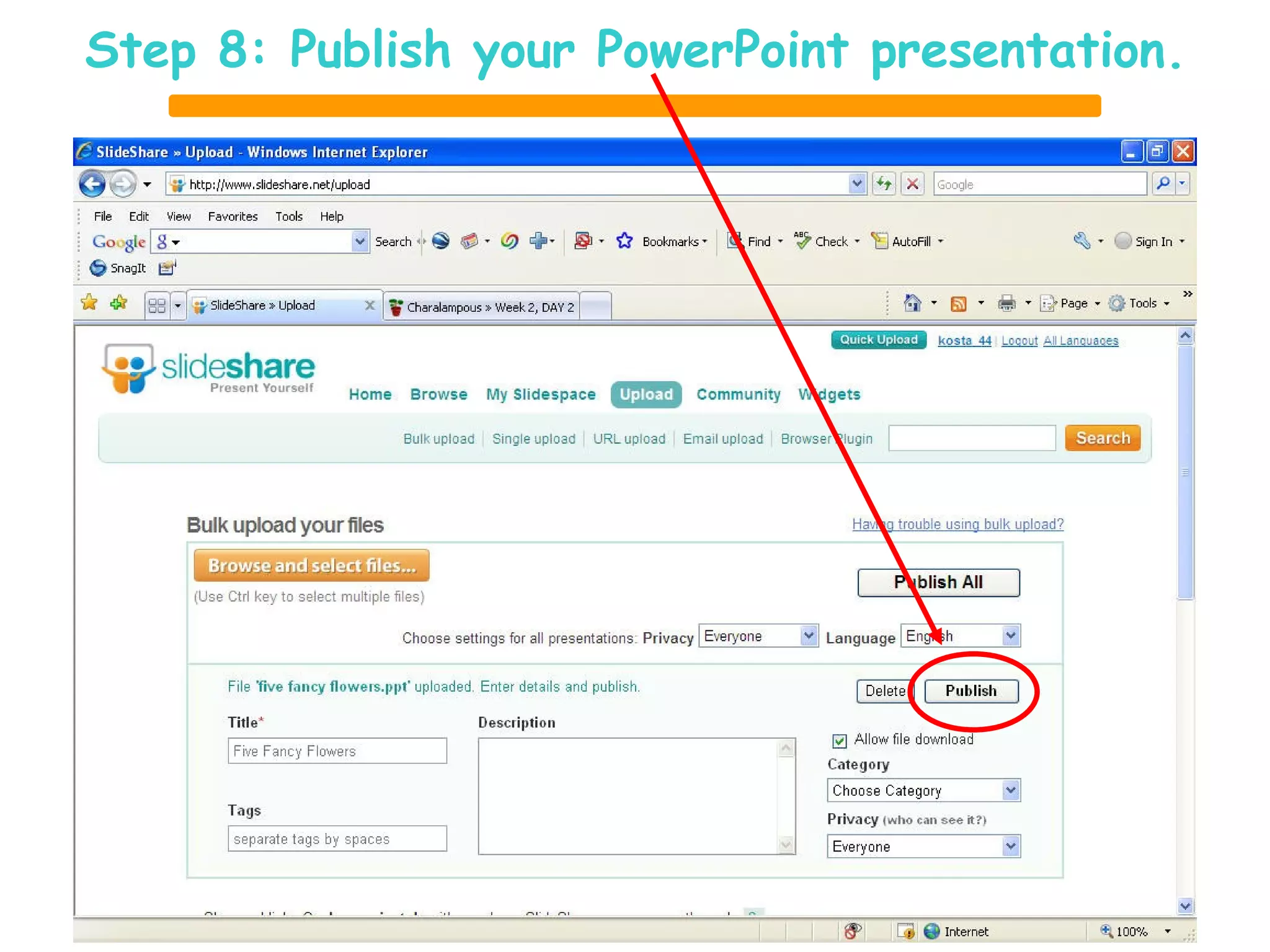
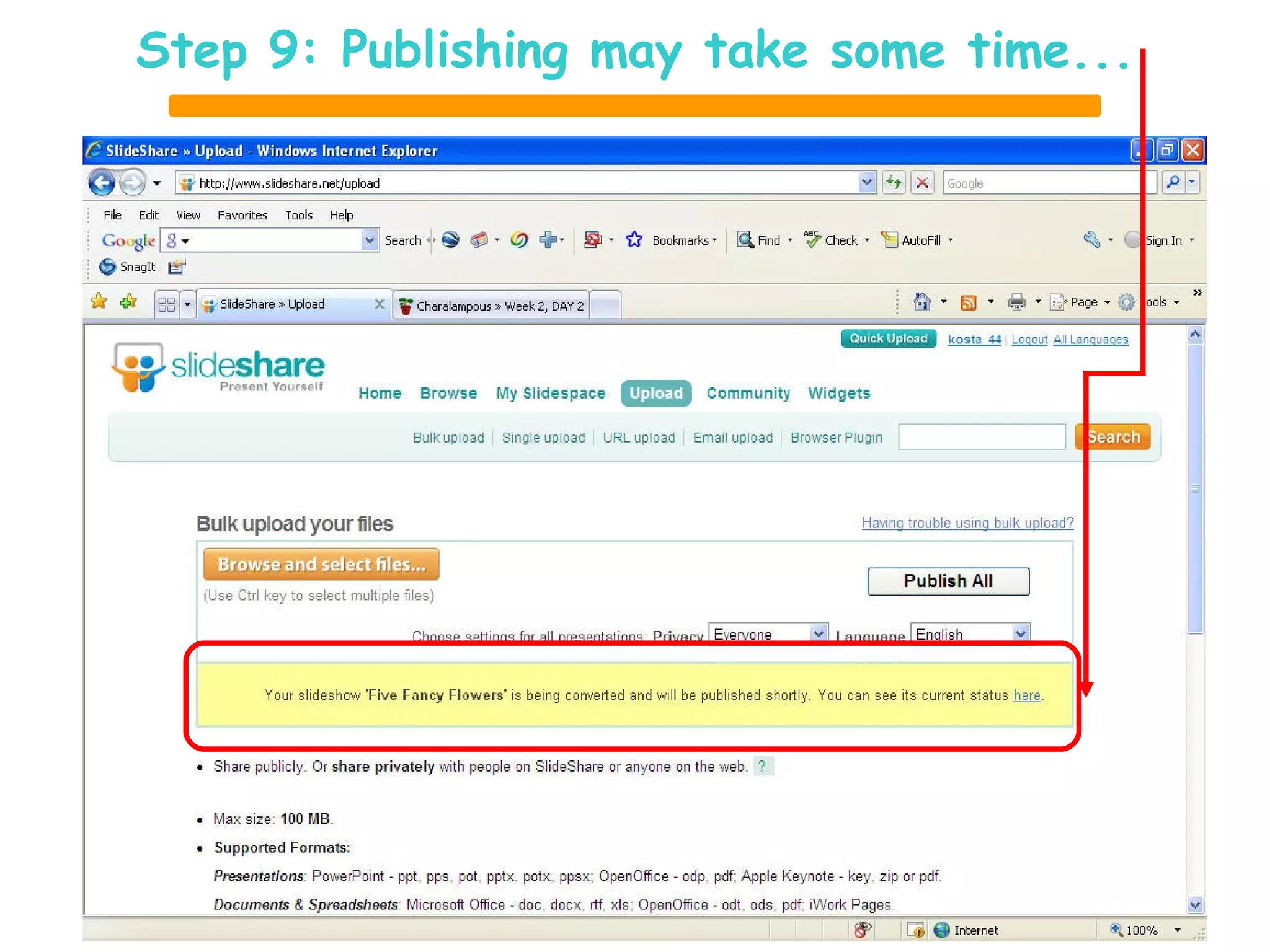

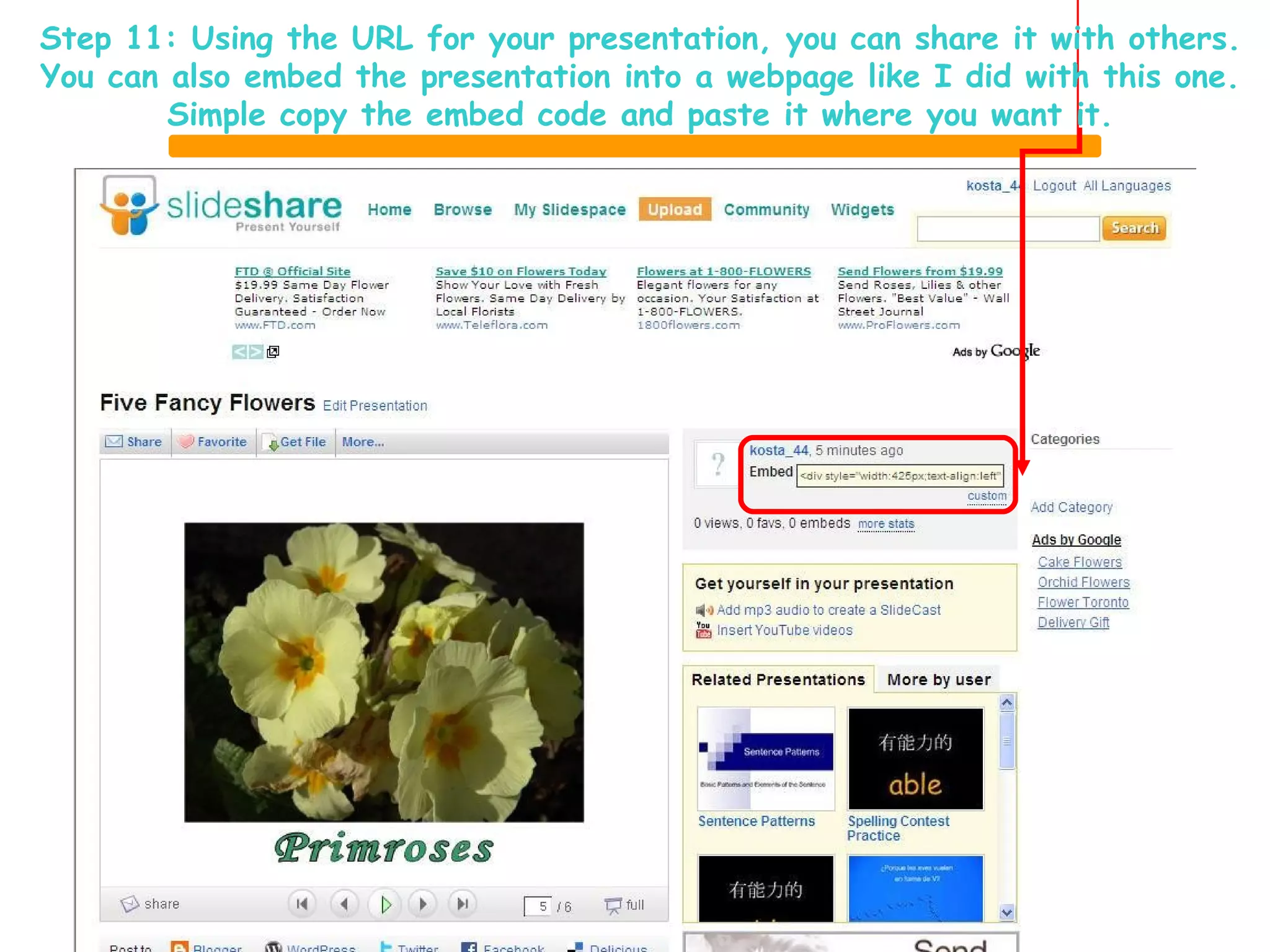

This document provides 12 steps for uploading a PowerPoint presentation to Slideshare for collaborative sharing online. The key steps are to sign up for a Slideshare account, login, upload the PowerPoint file by browsing and selecting it, publish the presentation, and then share the presentation's URL or embed it in a webpage so others can view it collaboratively online.


![Coded Agents – with UiPath SDK + LangGraph [Virtual Hands-on Workshop]](https://cdn.slidesharecdn.com/ss_thumbnails/codedagentsdeck-251215155422-5497c599-thumbnail.jpg?width=640&height=640&fit=bounds)


