Download to read offline


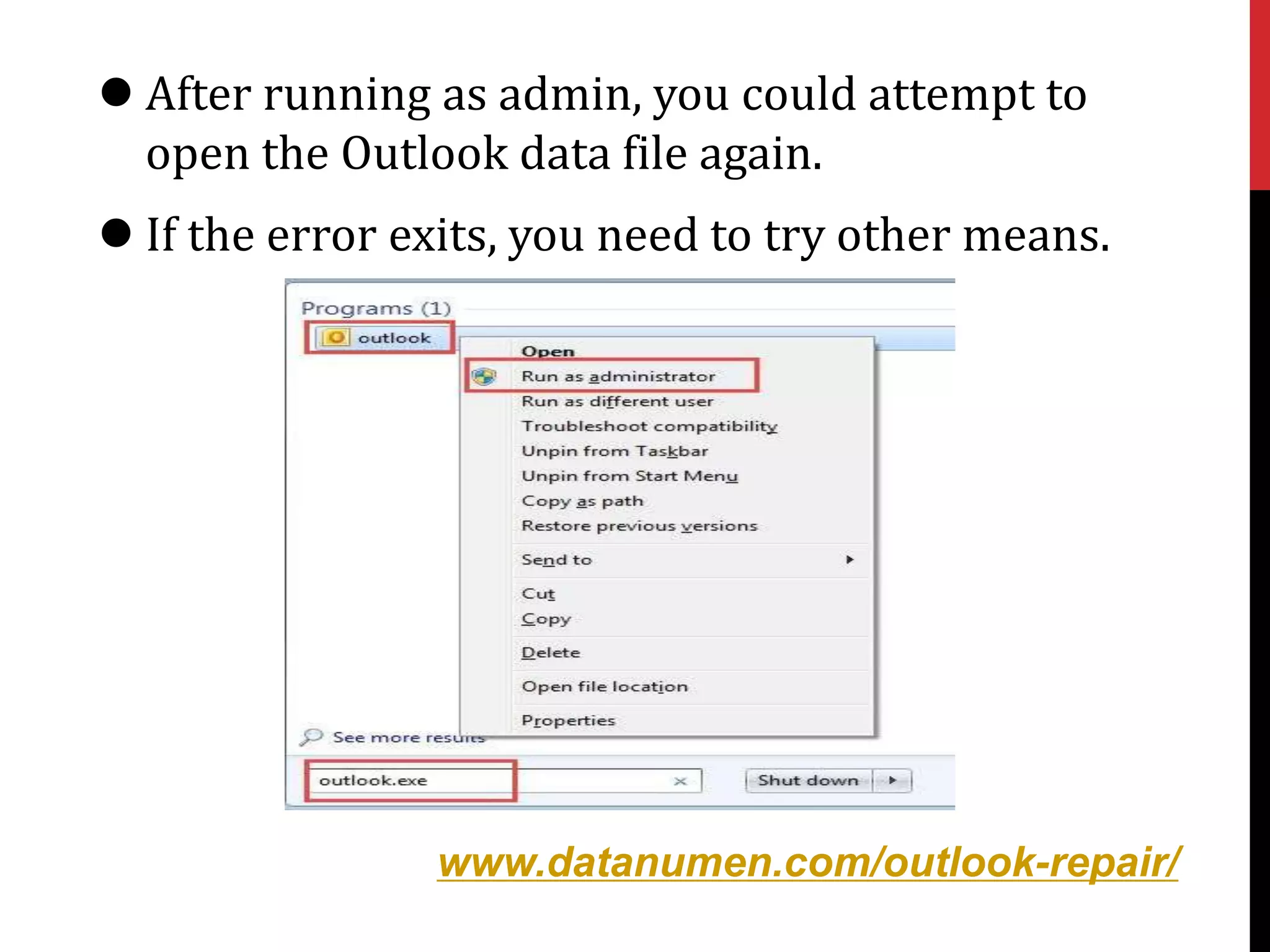
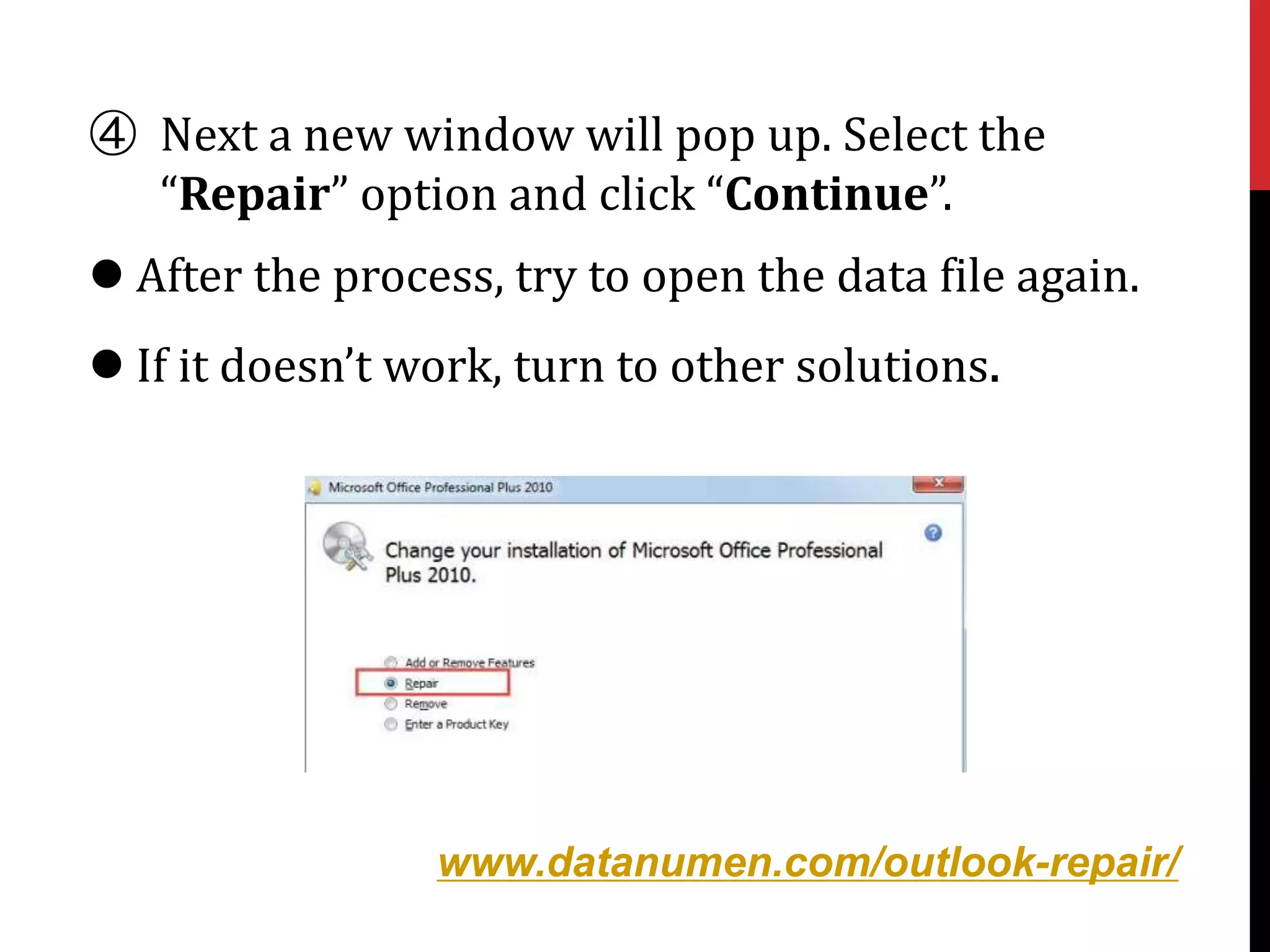



The document provides seven methods to resolve the error message 'you don’t have appropriate permission to perform this operation' when trying to access an archived PST file in Outlook. Suggested solutions include running Outlook as an administrator, repairing Microsoft Office, creating a new Outlook profile, checking PST file attributes, changing registry key values, using the built-in tool 'scanpst.exe', and considering alternative recovery tools. Each method includes step-by-step instructions to aid users in troubleshooting the issue.


