Week 8
Selecting, transforming and arranging.
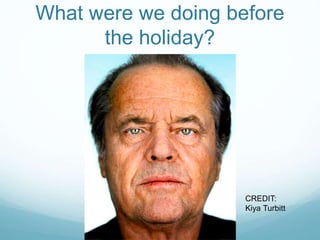
What were we doing before
the holiday?
CREDIT:
Kiya Turbitt
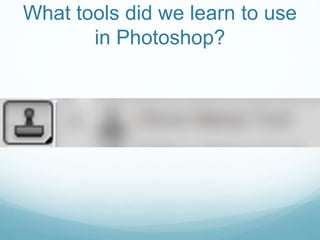
What tools did we learn to use
in Photoshop?
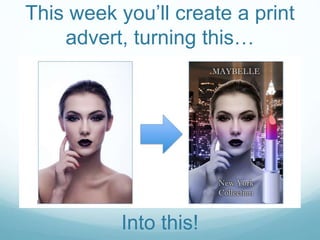
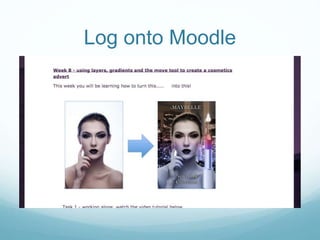
This week you’ll create a print
advert, turning this…
Into this!
In this lesson…
You will learn how to skillfully use several different tools within
Photoshop, learning how to select, transform and arrange
different elements within an image.
You will then apply this new knowledge to edit several images
together, creating a print advert for a cosmetics brand.
Learning how to use these tools and techniques will give you
more control over how you edit images.
By the end of today, you
 MUST be able to copy images from one
composition into another, arranging them
where you want them to be.
 SHOULD be able to transform the size of
individual layers within a composition
 COULD be able to use different selection tools
to select specific parts of an image
Log onto Moodle
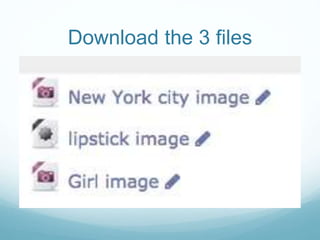
Download the 3 files
Watch the video tutorial
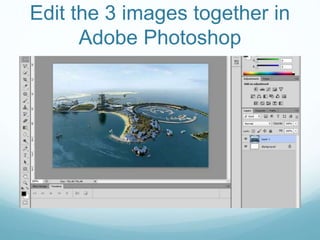
Edit the 3 images together in
Adobe Photoshop
If you get stuck, what should
you do?
If you finish creating your advert
what could you do next?
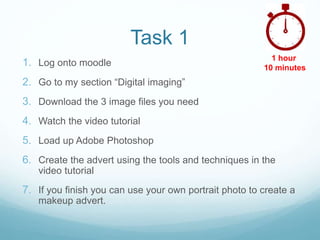
Task 1
1. Log onto moodle
2. Go to my section “Digital imaging”
3. Download the 3 image files you need
4. Watch the video tutorial
5. Load up Adobe Photoshop
6. Create the advert using the tools and techniques in the
video tutorial
7. If you finish you can use your own portrait photo to create a
makeup advert.
1 hour
10 minutes
End of lesson quiz
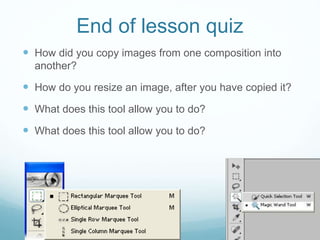
 How did you copy images from one composition into
another?
 How do you resize an image, after you have copied it?
 What does this tool allow you to do?
End of lesson quiz
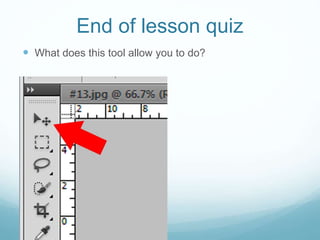
 What does this tool allow you to do?
Lets look at some of your
work!

Level 1 photoshop - makeup tutorial

  • 1.
  • 2.
    What were wedoing before the holiday? CREDIT: Kiya Turbitt
  • 3.
    What tools didwe learn to use in Photoshop?
  • 4.
    This week you’llcreate a print advert, turning this… Into this!
  • 5.
    In this lesson… Youwill learn how to skillfully use several different tools within Photoshop, learning how to select, transform and arrange different elements within an image. You will then apply this new knowledge to edit several images together, creating a print advert for a cosmetics brand. Learning how to use these tools and techniques will give you more control over how you edit images.
  • 6.
    By the endof today, you  MUST be able to copy images from one composition into another, arranging them where you want them to be.  SHOULD be able to transform the size of individual layers within a composition  COULD be able to use different selection tools to select specific parts of an image
  • 7.
  • 8.
  • 9.
  • 10.
    Edit the 3images together in Adobe Photoshop
  • 11.
    If you getstuck, what should you do?
  • 12.
    If you finishcreating your advert what could you do next?
  • 13.
    Task 1 1. Logonto moodle 2. Go to my section “Digital imaging” 3. Download the 3 image files you need 4. Watch the video tutorial 5. Load up Adobe Photoshop 6. Create the advert using the tools and techniques in the video tutorial 7. If you finish you can use your own portrait photo to create a makeup advert. 1 hour 10 minutes
  • 14.
    End of lessonquiz  How did you copy images from one composition into another?  How do you resize an image, after you have copied it?  What does this tool allow you to do?  What does this tool allow you to do?
  • 15.
    End of lessonquiz  What does this tool allow you to do?
  • 16.
    Lets look atsome of your work!