Stop Motion Techniques and styles
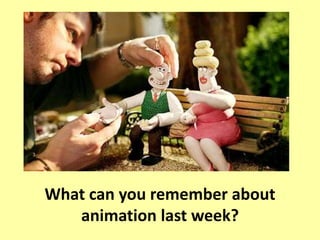
What can you remember about
animation last week?
Lesson Aims
• All of you will be able to discuss
title sequences.
• Most of you will be able to
research and explain title
sequences.
• Some of you will be able to
research animation styles.
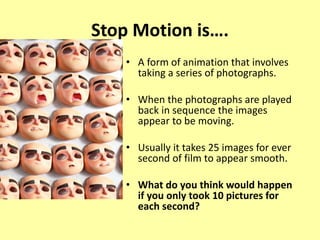
Stop Motion is….
• A form of animation that involves
taking a series of photographs.
• When the photographs are played
back in sequence the images
appear to be moving.
• Usually it takes 25 images for ever
second of film to appear smooth.
• What do you think would happen
if you only took 10 pictures for
each second?
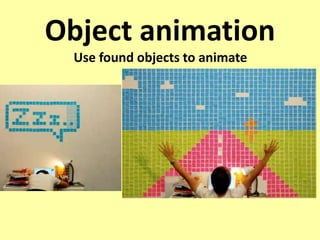
Object animation
Use found objects to animate
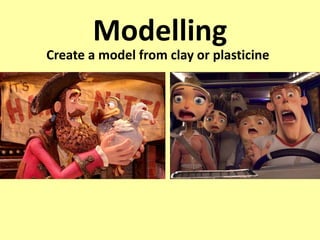
Modelling
Create a model from clay or plasticine
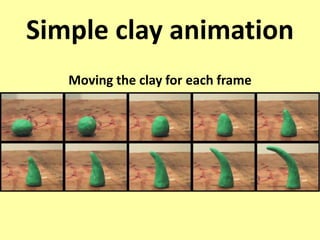
Simple clay animation
Moving the clay for each frame
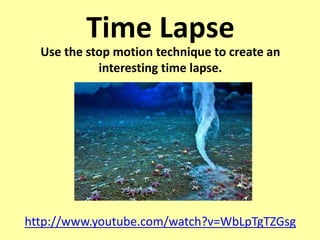
Time Lapse
Use the stop motion technique to create an
interesting time lapse.
http://www.youtube.com/watch?v=WbLpTgTZGsg
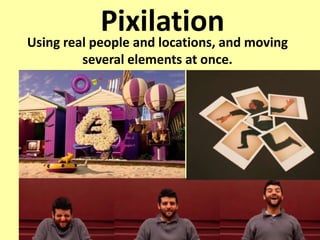
PixilationUsing real people and locations, and moving
several elements at once.
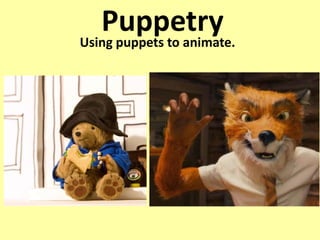
PuppetryUsing puppets to animate.
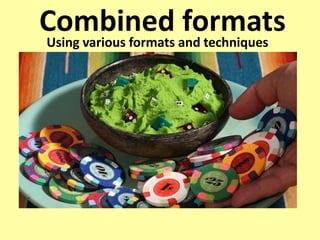
Combined formatsUsing various formats and techniques
TASK 1: Research an animator and
explain their animation style.
• Download the worksheet “Animators”
• Gather pictures
• Add links to their animations.
• Compare their animations.
• Give details about the animator.
• Explain their strengths and
weaknesses.
Lesson Aims
• All of you will be able to discuss
title sequences.
• Most of you will be able to
research and explain title
sequences.
• Some of you will be able to
research animation styles.
Animation wk2

  • 1.
  • 2.
    What can youremember about animation last week?
  • 3.
    Lesson Aims • Allof you will be able to discuss title sequences. • Most of you will be able to research and explain title sequences. • Some of you will be able to research animation styles.
  • 4.
    Stop Motion is…. •A form of animation that involves taking a series of photographs. • When the photographs are played back in sequence the images appear to be moving. • Usually it takes 25 images for ever second of film to appear smooth. • What do you think would happen if you only took 10 pictures for each second?
  • 5.
    Object animation Use foundobjects to animate
  • 6.
    Modelling Create a modelfrom clay or plasticine
  • 7.
    Simple clay animation Movingthe clay for each frame
  • 8.
    Time Lapse Use thestop motion technique to create an interesting time lapse. http://www.youtube.com/watch?v=WbLpTgTZGsg
  • 9.
    PixilationUsing real peopleand locations, and moving several elements at once.
  • 10.
  • 11.
    Combined formatsUsing variousformats and techniques
  • 12.
    TASK 1: Researchan animator and explain their animation style. • Download the worksheet “Animators” • Gather pictures • Add links to their animations. • Compare their animations. • Give details about the animator. • Explain their strengths and weaknesses.
  • 13.
    Lesson Aims • Allof you will be able to discuss title sequences. • Most of you will be able to research and explain title sequences. • Some of you will be able to research animation styles.