www.glcnetworks.com
Layer 7 Firewall
on mikrotik
GLC Webinar,
27 May 2021
Achmad Mardiansyah
achmad@glcnetworks.com
GLC Networks, Indonesia
1
L7 firewall
www.glcnetworks.com
Agenda
● Introduction
● Review prerequisite knowledge
● Firewall
● L7 firewall
● Tips and trick
● Live practice
● Q & A
2
www.glcnetworks.com
introduction
3
www.glcnetworks.com
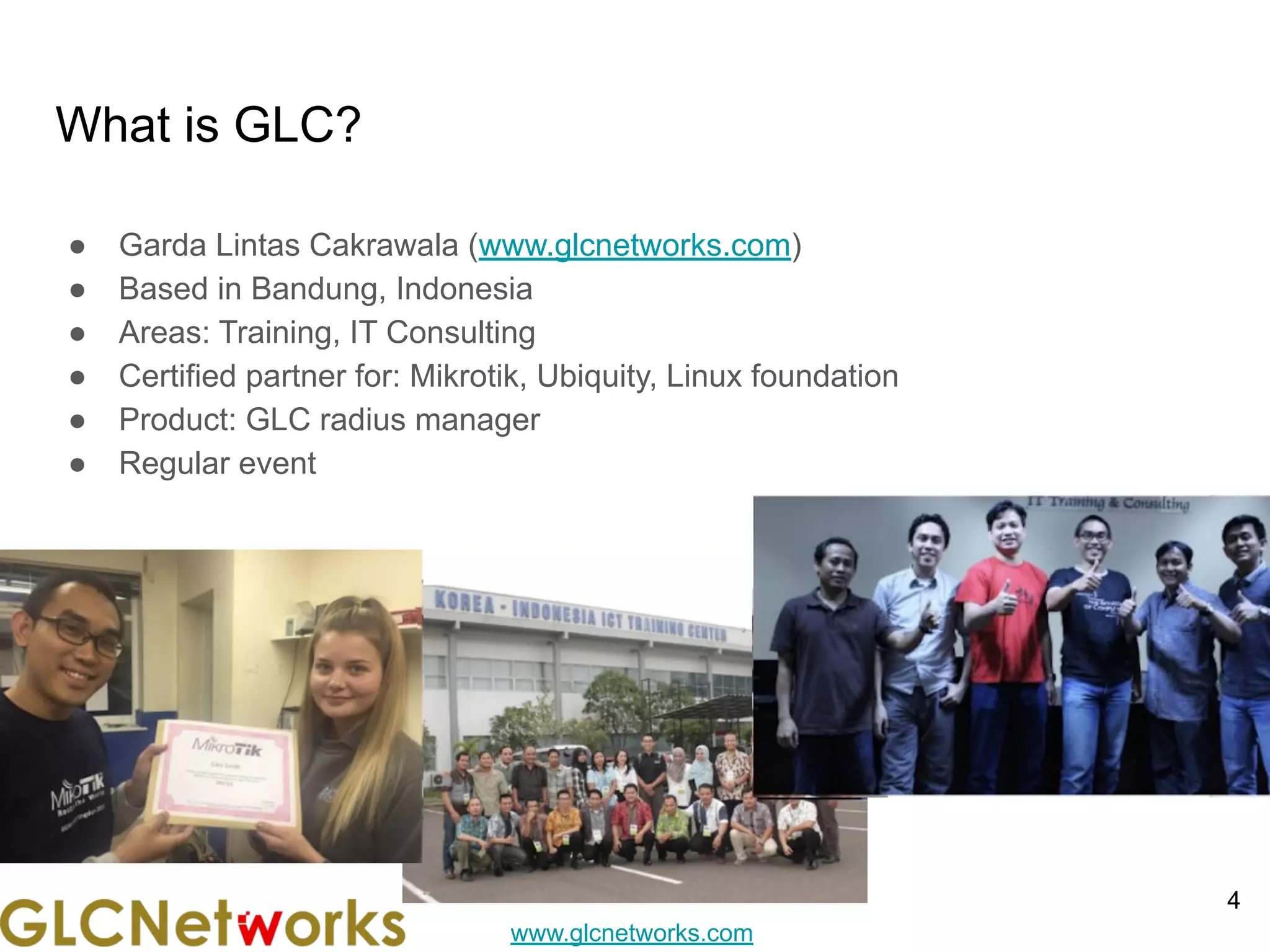
What is GLC?
● Garda Lintas Cakrawala (www.glcnetworks.com)
● Based in Bandung, Indonesia
● Areas: Training, IT Consulting
● Certified partner for: Mikrotik, Ubiquity, Linux foundation
● Product: GLC radius manager
● Regular event
4
www.glcnetworks.com
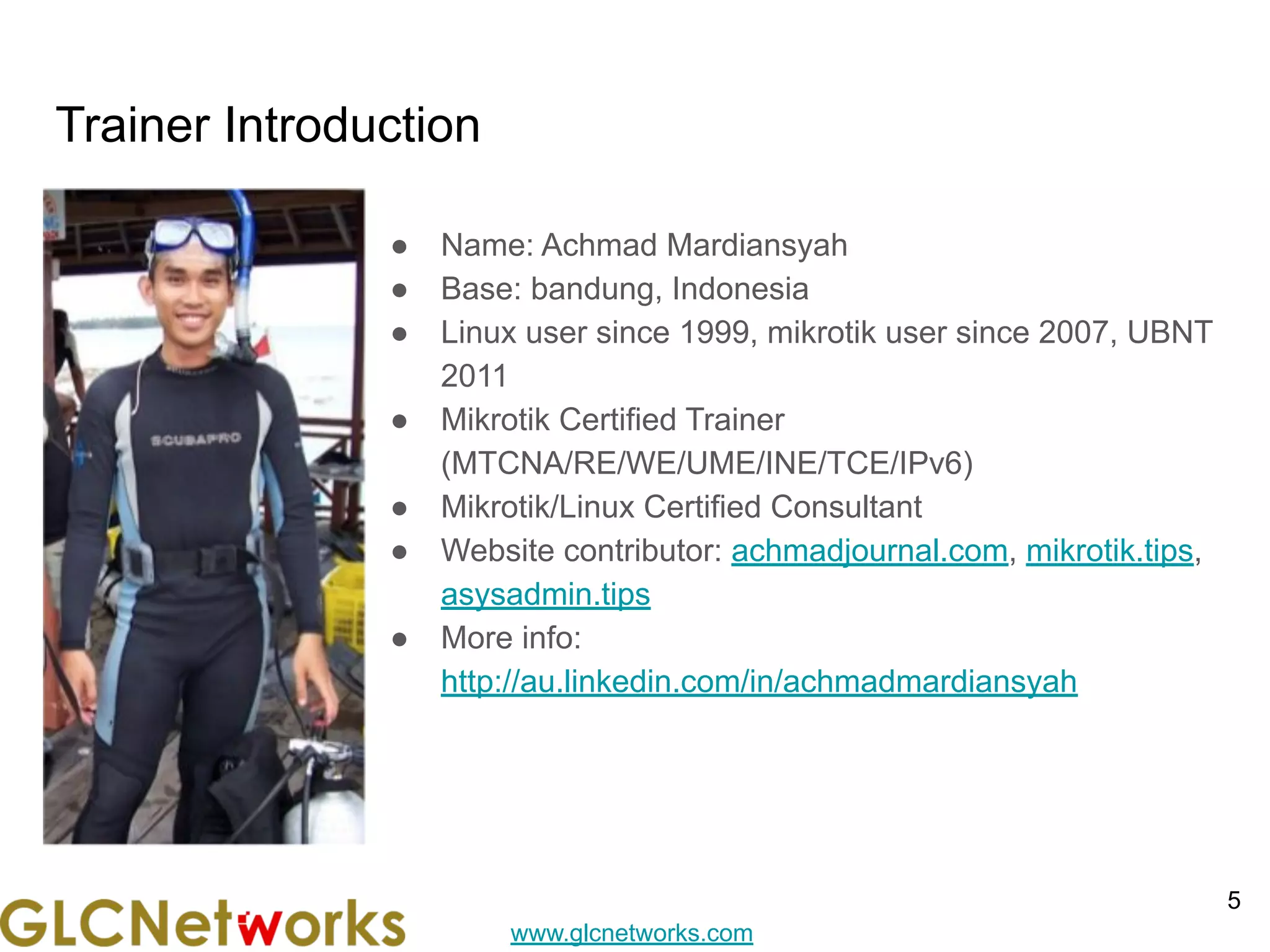
Trainer Introduction
● Name: Achmad Mardiansyah
● Base: bandung, Indonesia
● Linux user since 1999, mikrotik user since 2007, UBNT
2011
● Mikrotik Certified Trainer
(MTCNA/RE/WE/UME/INE/TCE/IPv6)
● Mikrotik/Linux Certified Consultant
● Website contributor: achmadjournal.com, mikrotik.tips,
asysadmin.tips
● More info:
http://au.linkedin.com/in/achmadmardiansyah
5
www.glcnetworks.com
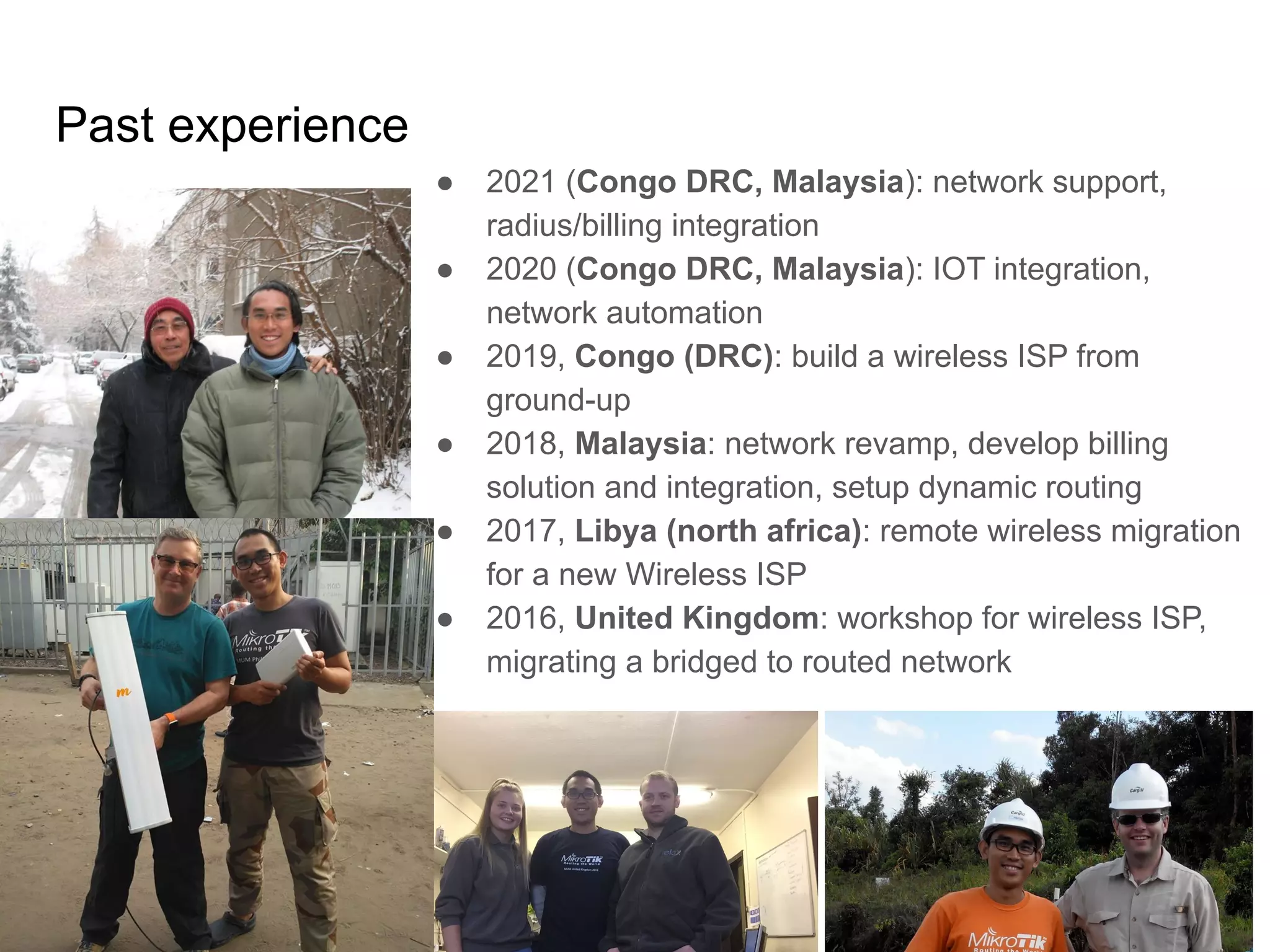
Past experience
6
● 2021 (Congo DRC, Malaysia): network support,
radius/billing integration
● 2020 (Congo DRC, Malaysia): IOT integration,
network automation
● 2019, Congo (DRC): build a wireless ISP from
ground-up
● 2018, Malaysia: network revamp, develop billing
solution and integration, setup dynamic routing
● 2017, Libya (north africa): remote wireless migration
for a new Wireless ISP
● 2016, United Kingdom: workshop for wireless ISP,
migrating a bridged to routed network
www.glcnetworks.com
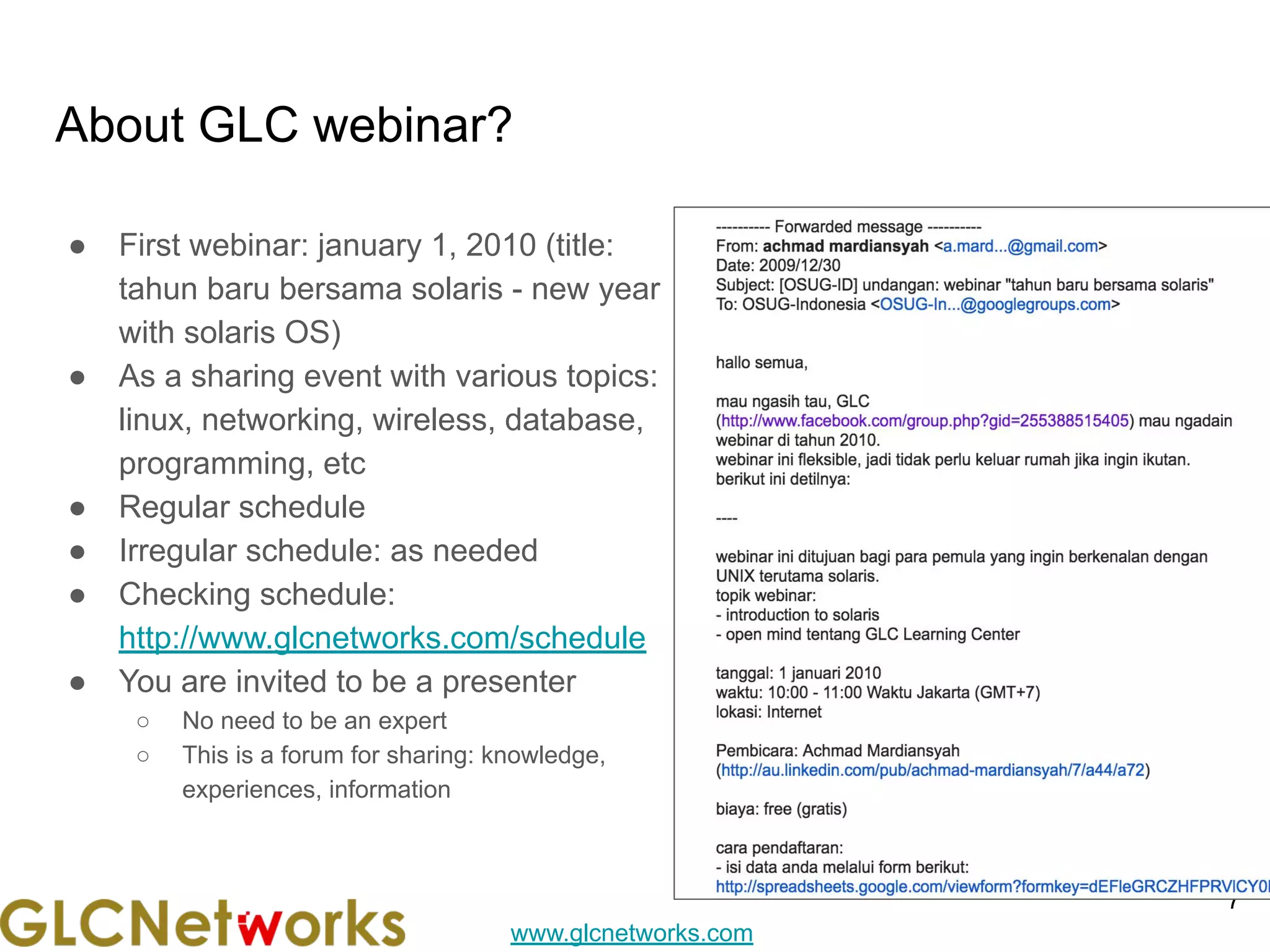
About GLC webinar?
● First webinar: january 1, 2010 (title:
tahun baru bersama solaris - new year
with solaris OS)
● As a sharing event with various topics:
linux, networking, wireless, database,
programming, etc
● Regular schedule
● Irregular schedule: as needed
● Checking schedule:
http://www.glcnetworks.com/schedule
● You are invited to be a presenter
○ No need to be an expert
○ This is a forum for sharing: knowledge,
experiences, information
7
www.glcnetworks.com
Please introduce yourself
● Your name
● Your company/university?
● Your networking experience?
● Your mikrotik experience?
● Your expectation from this course?
8
www.glcnetworks.com
Prerequisite
● This presentation some prerequisite knowledge
● We assume you already know:
○ 7 OSI layer
○ Encapsulation
○ How to use mikrotik device
○ Mikrotik firewall
○ Regular expression
○
9
www.glcnetworks.com
Review prerequisite knowledge
10
www.glcnetworks.com
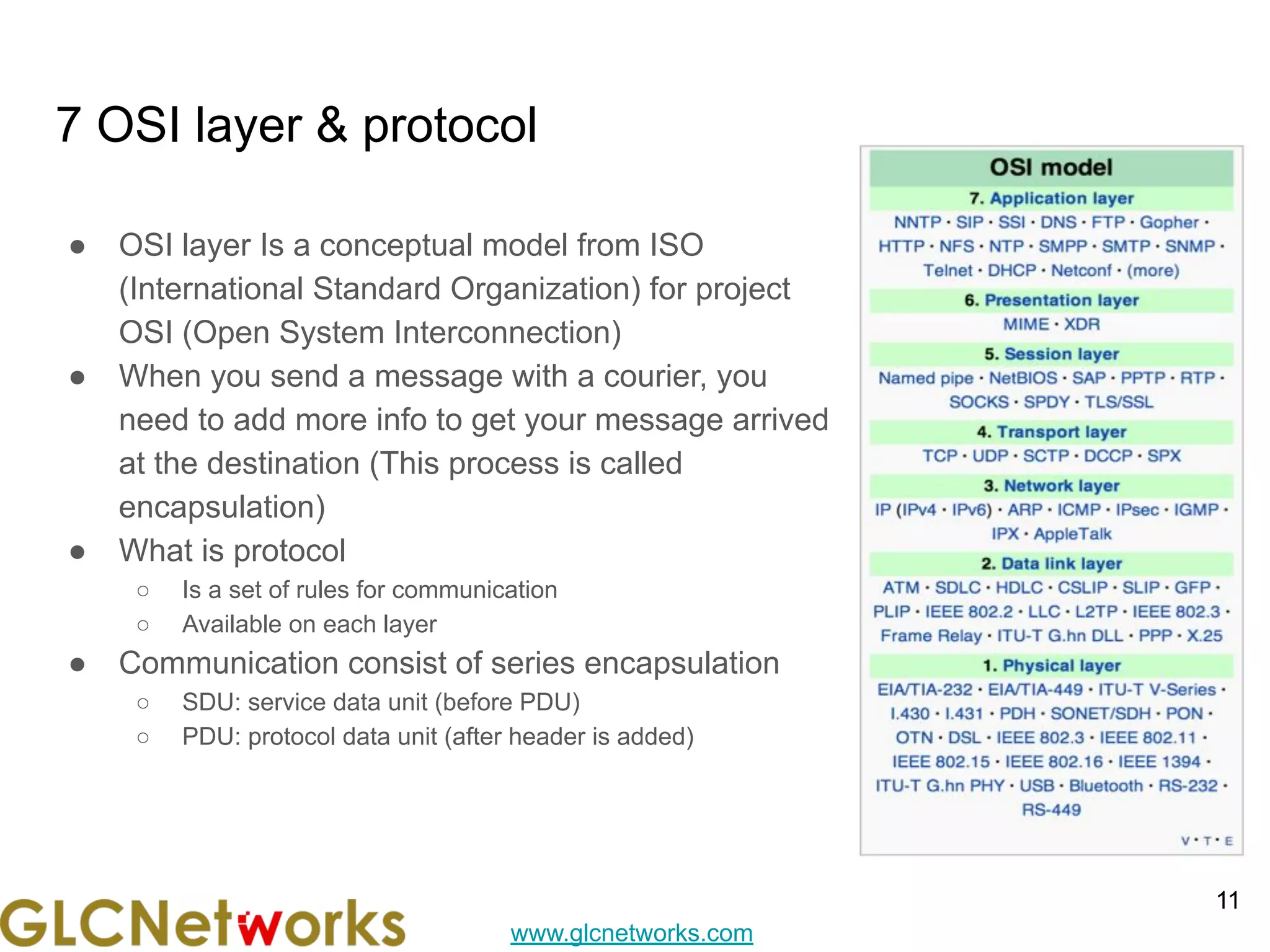
7 OSI layer & protocol
11
● OSI layer Is a conceptual model from ISO
(International Standard Organization) for project
OSI (Open System Interconnection)
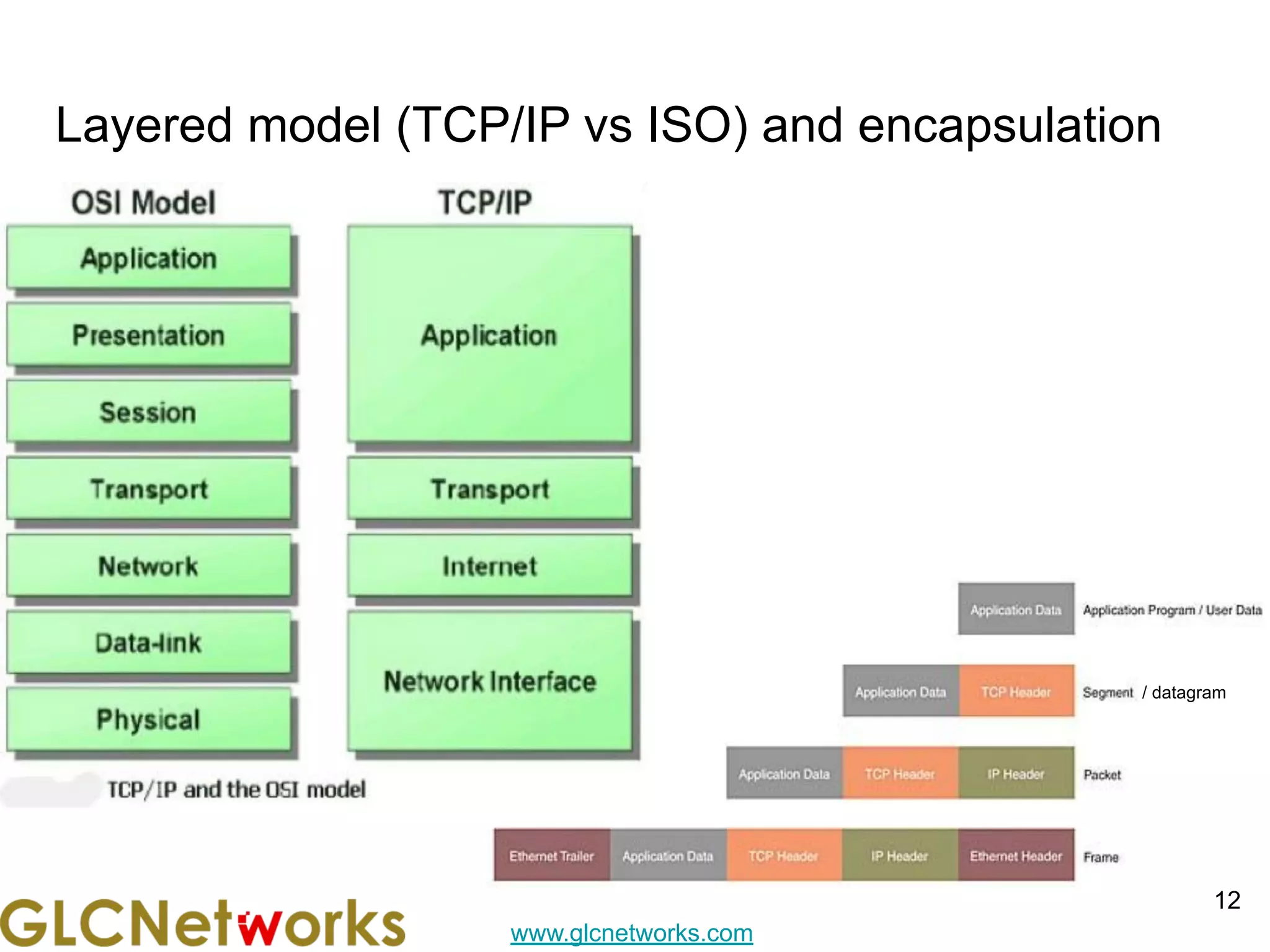
● When you send a message with a courier, you
need to add more info to get your message arrived
at the destination (This process is called
encapsulation)
● What is protocol
○ Is a set of rules for communication
○ Available on each layer
● Communication consist of series encapsulation
○ SDU: service data unit (before PDU)
○ PDU: protocol data unit (after header is added)
www.glcnetworks.com
Layered model (TCP/IP vs ISO) and encapsulation
12
/ datagram
www.glcnetworks.com
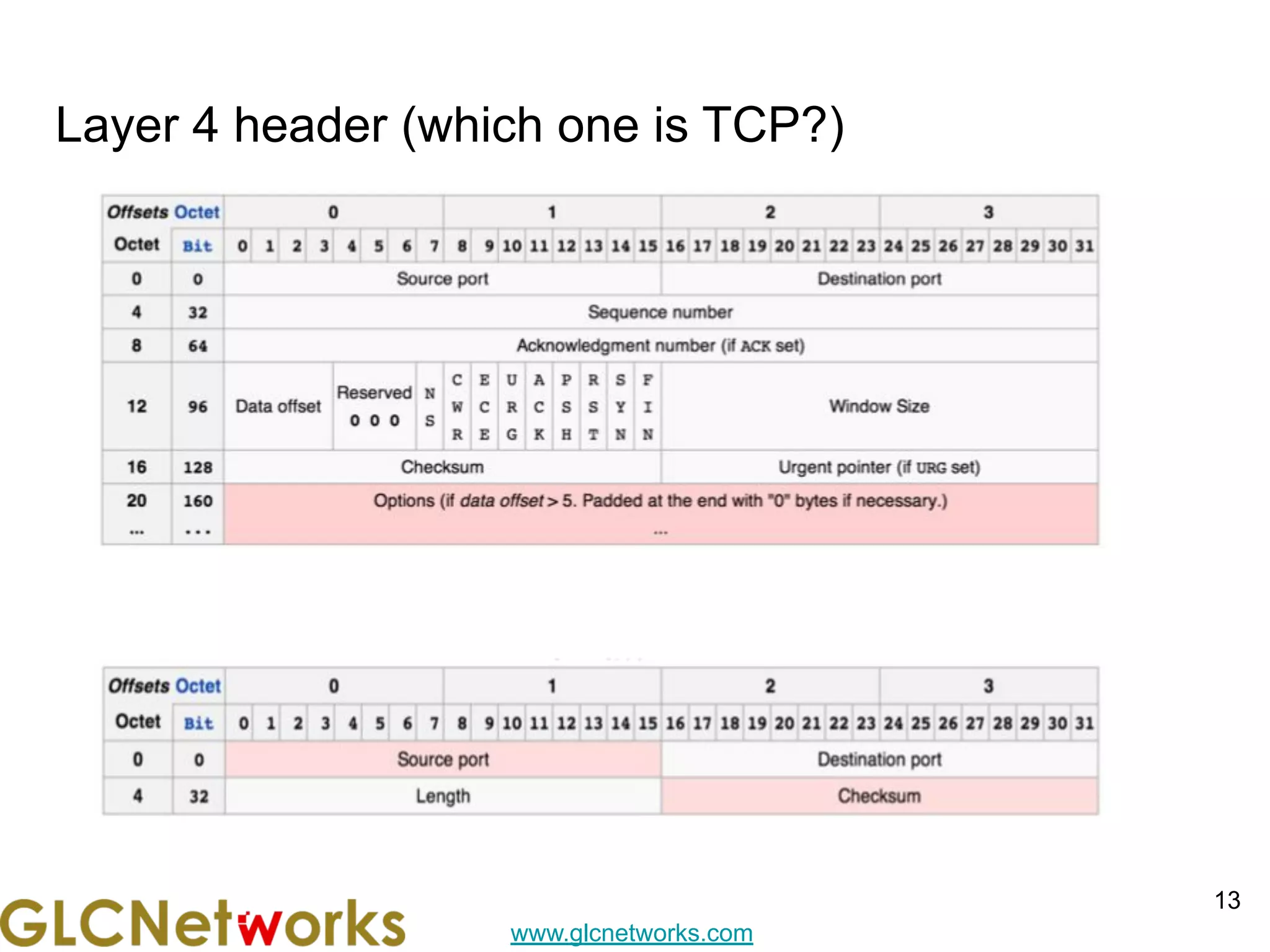
Layer 4 header (which one is TCP?)
13
www.glcnetworks.com
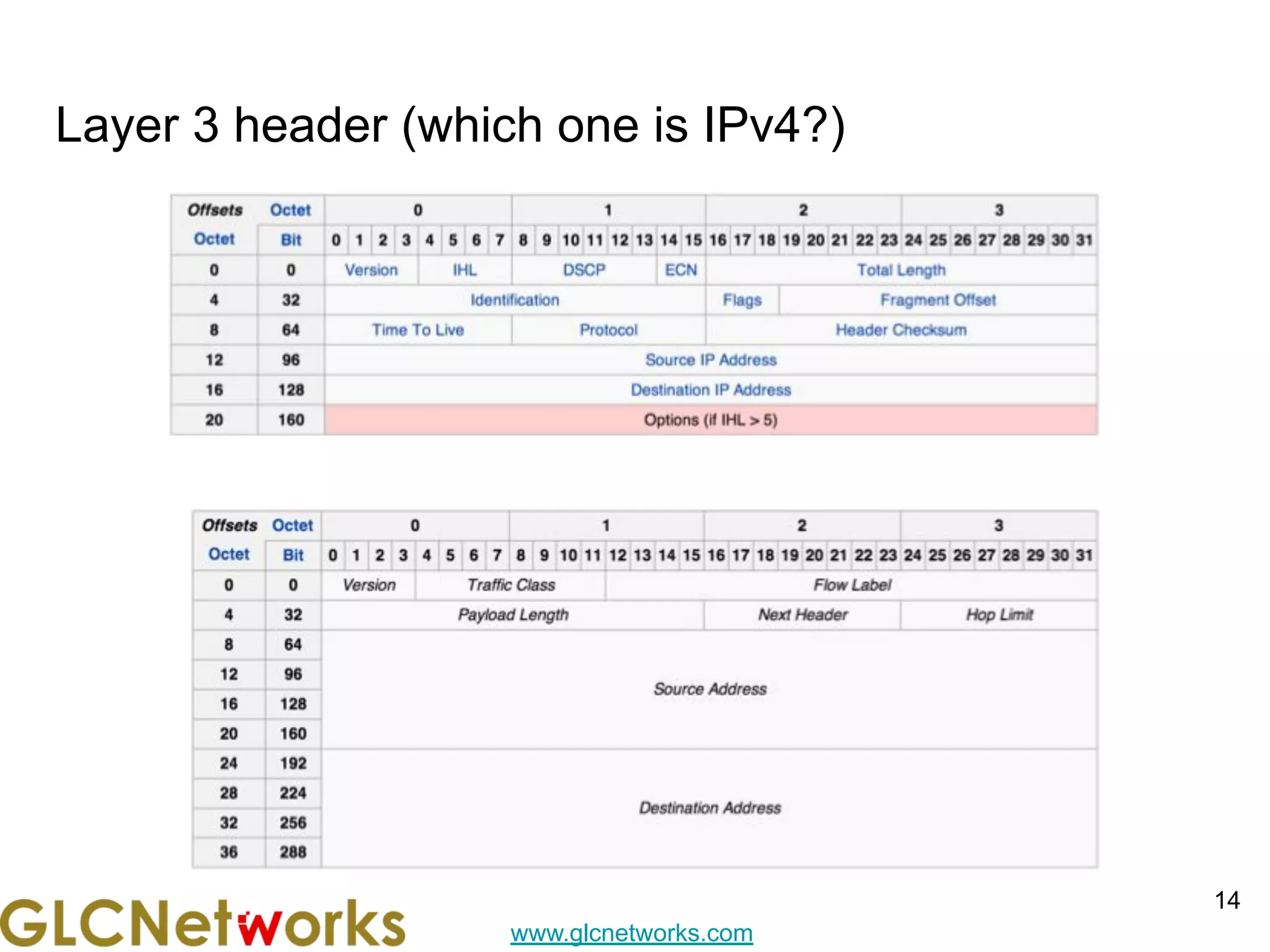
Layer 3 header (which one is IPv4?)
14
www.glcnetworks.com
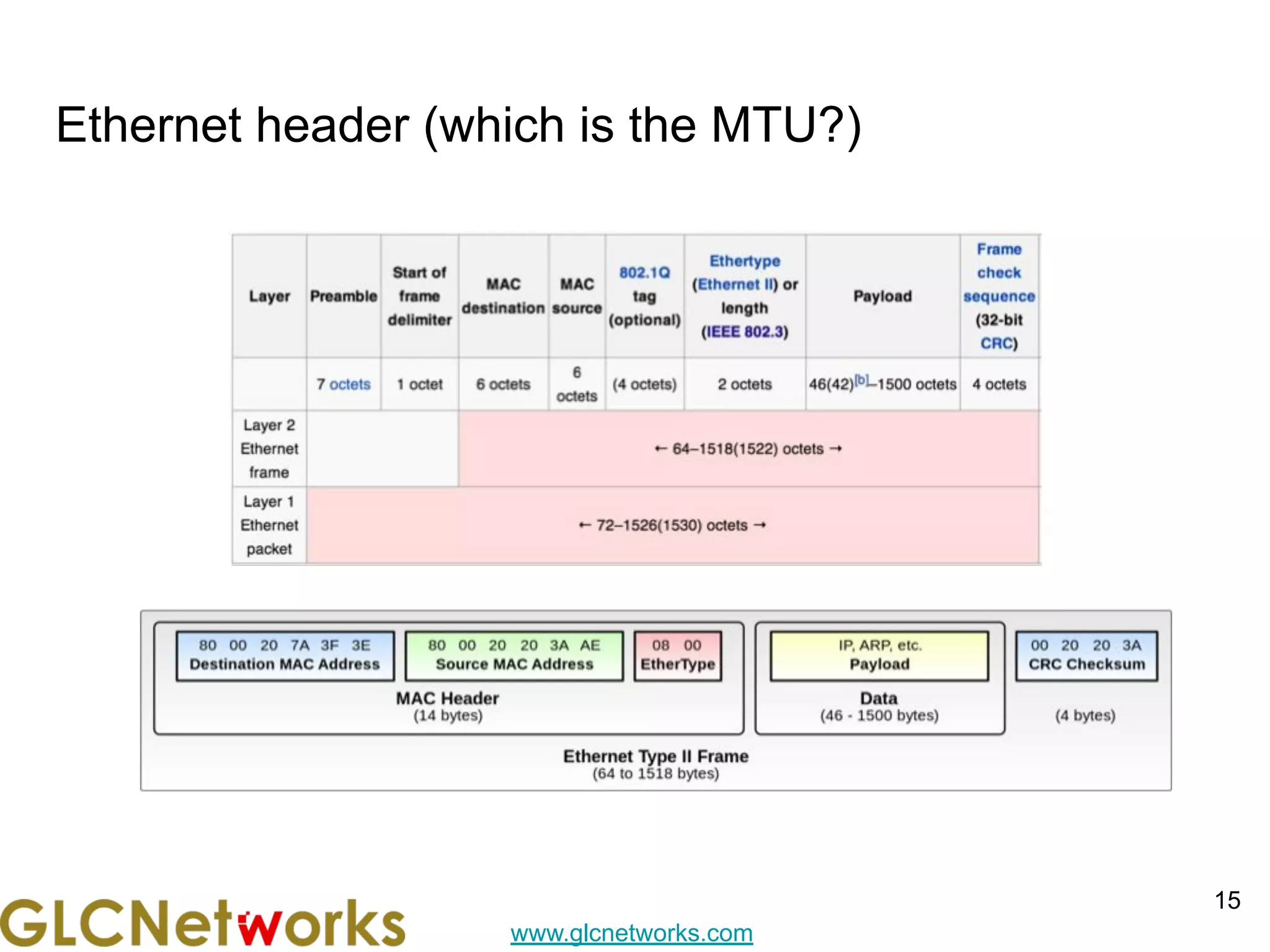
Ethernet header (which is the MTU?)
15
www.glcnetworks.com
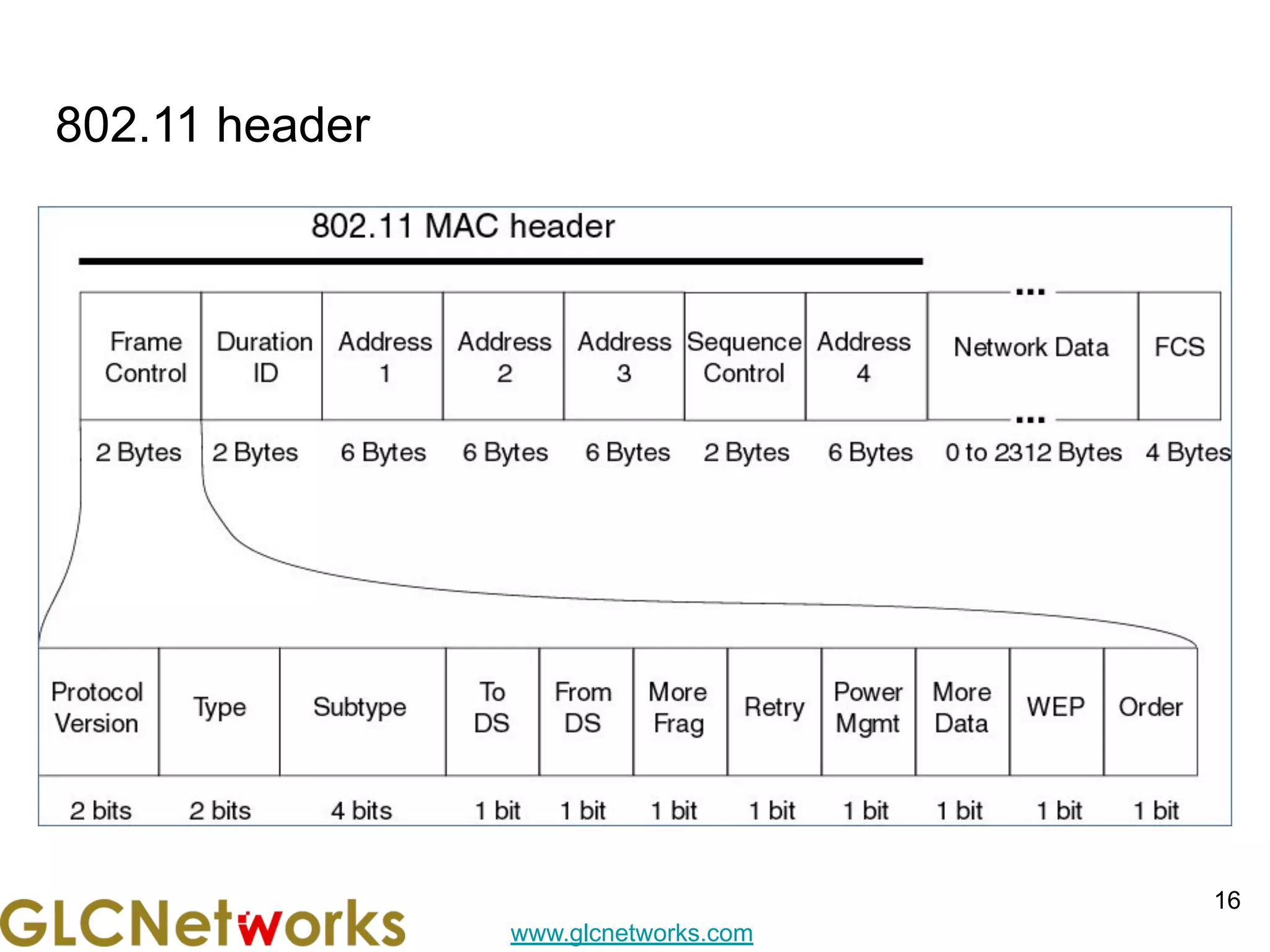
802.11 header
16
www.glcnetworks.com
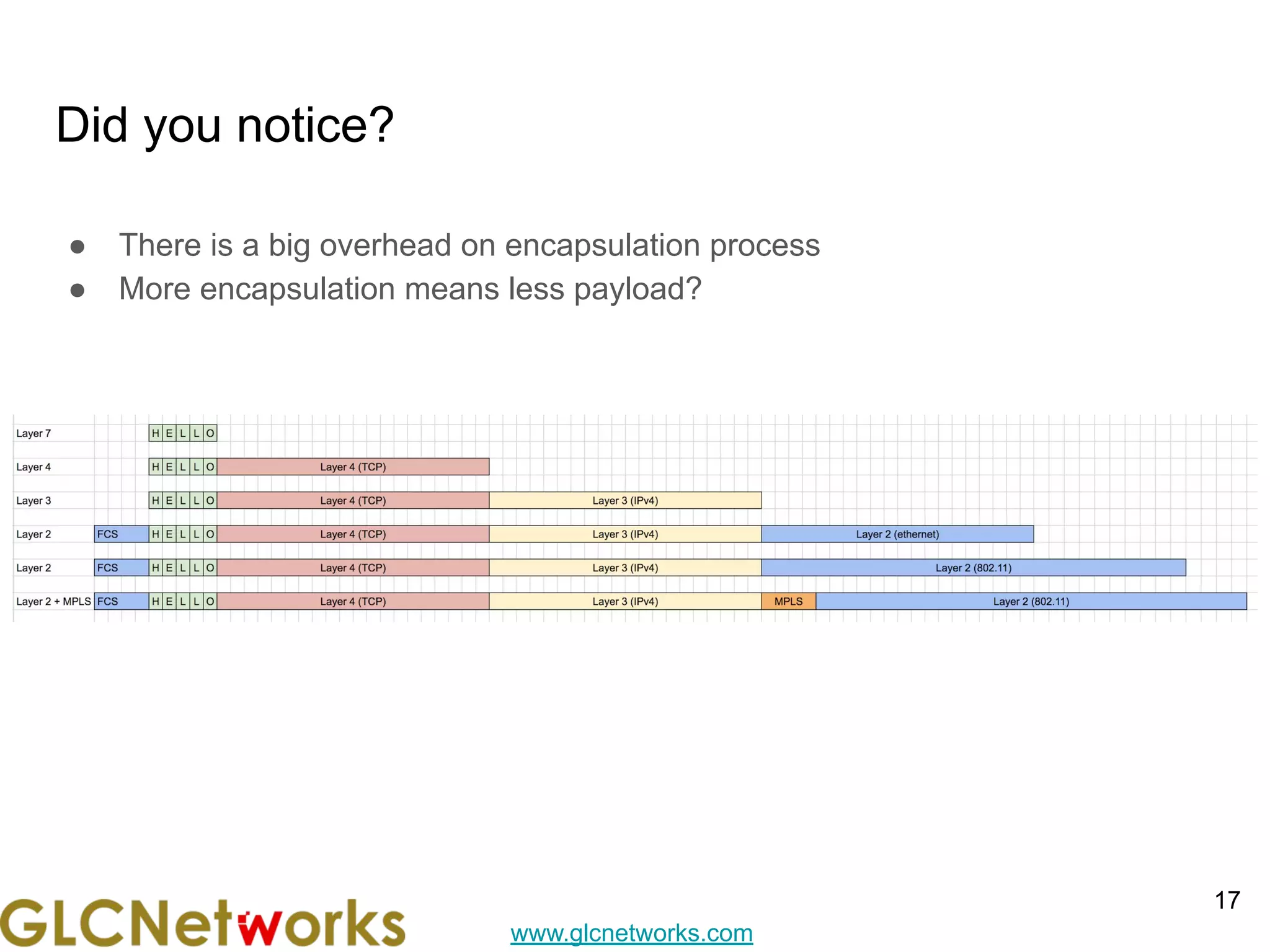
Did you notice?
● There is a big overhead on encapsulation process
● More encapsulation means less payload?
17
www.glcnetworks.com
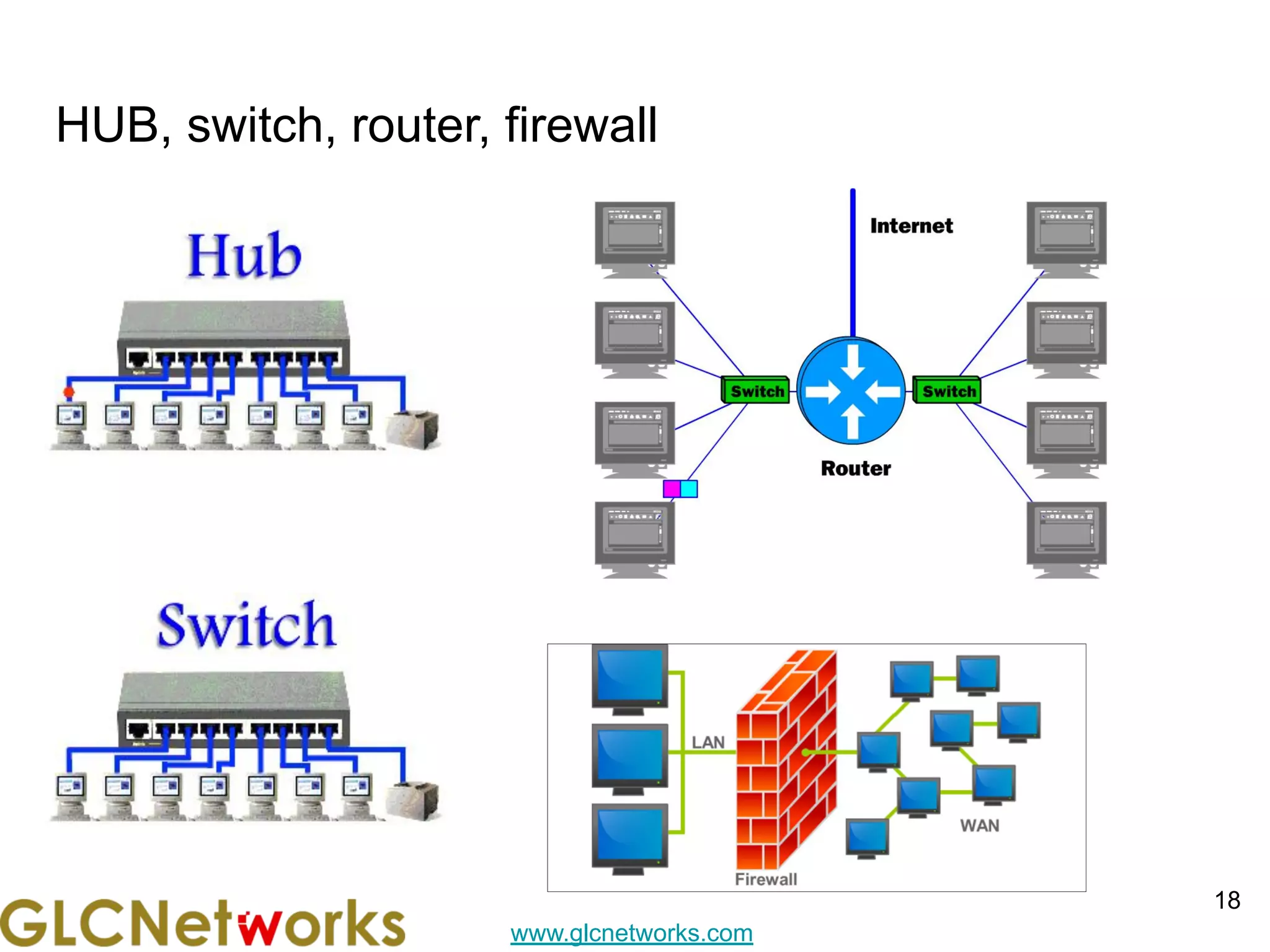
HUB, switch, router, firewall
18
www.glcnetworks.com
Regular Expression (REGEX), part 1
● Regex = Regular Expression, a feature to search pattern in a data (useful to
apply custom filter)
● Applied on filter (l7 firewall, routing filter)
● Regex code:
○ () → grouping characters together
○ . → match 1 character
○ ?, *, + → shows how the previous character is repeated
■ ? → match 0 or 1 repetition of previous string
■ * → match 0 or many repetition of previous string
■ + → match 1 or many repetition of previous string
○ ^ → matches the beginning of string
○ $ → matches at the end of string
○  → escape character (ffrfom ?*+|^$)
○ [] → match 1 character from the bracket
■ [abc] → match 1 character from the bracket (a or b or c)
■ [a-z] → match 1 character from the bracket (a to z)
●
19
www.glcnetworks.com
Regular Expression (REGEX), part 2
● Regex code:
○ | → similar to or, match left or right part
○ [x09-x0d -~] → match on all printable ASCII characters & space
○ [x09-x0d ] → match a TAB, LF, Vertical Tab, Form Feed, Carriage Return (CR) or space
○ [!-~] → match non-whitespace printable characters
○
20
www.glcnetworks.com
Mikrotik firewall
21
www.glcnetworks.com
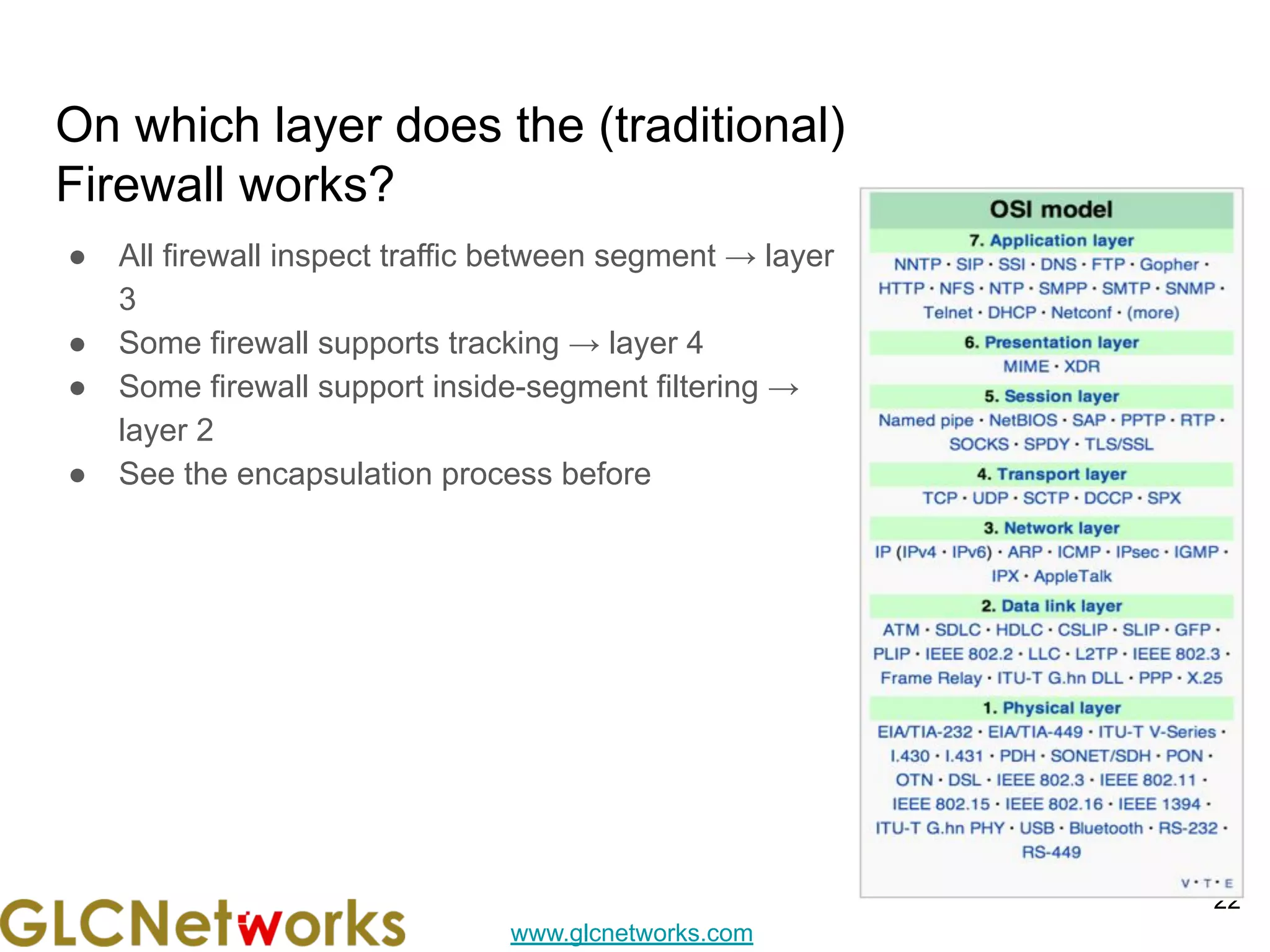
On which layer does the (traditional)
Firewall works?
22
● All firewall inspect traffic between segment → layer
3
● Some firewall supports tracking → layer 4
● Some firewall support inside-segment filtering →
layer 2
● See the encapsulation process before
www.glcnetworks.com
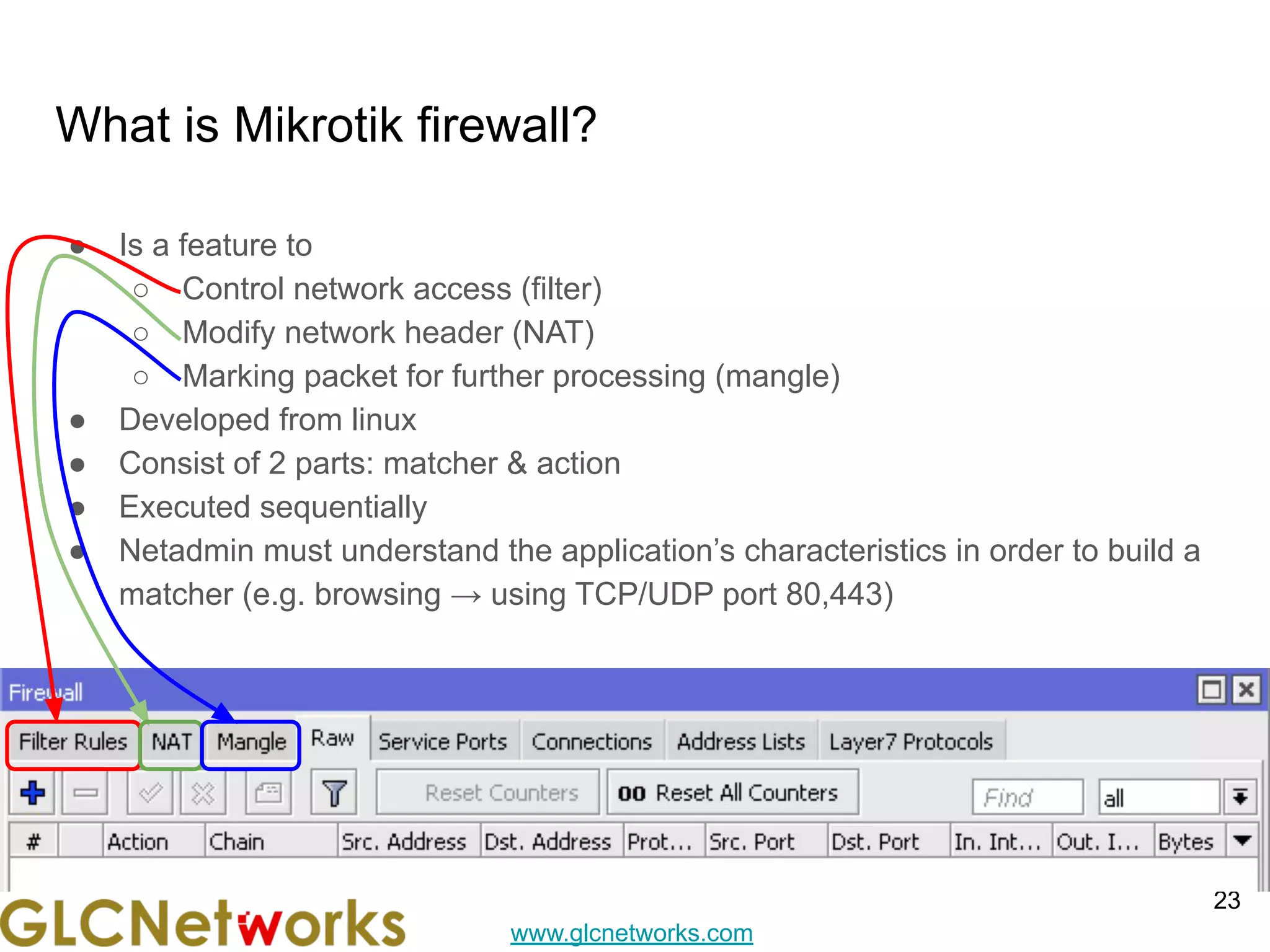
What is Mikrotik firewall?
● Is a feature to
○ Control network access (filter)
○ Modify network header (NAT)
○ Marking packet for further processing (mangle)
● Developed from linux
● Consist of 2 parts: matcher & action
● Executed sequentially
● Netadmin must understand the application’s characteristics in order to build a
matcher (e.g. browsing → using TCP/UDP port 80,443)
23
www.glcnetworks.com
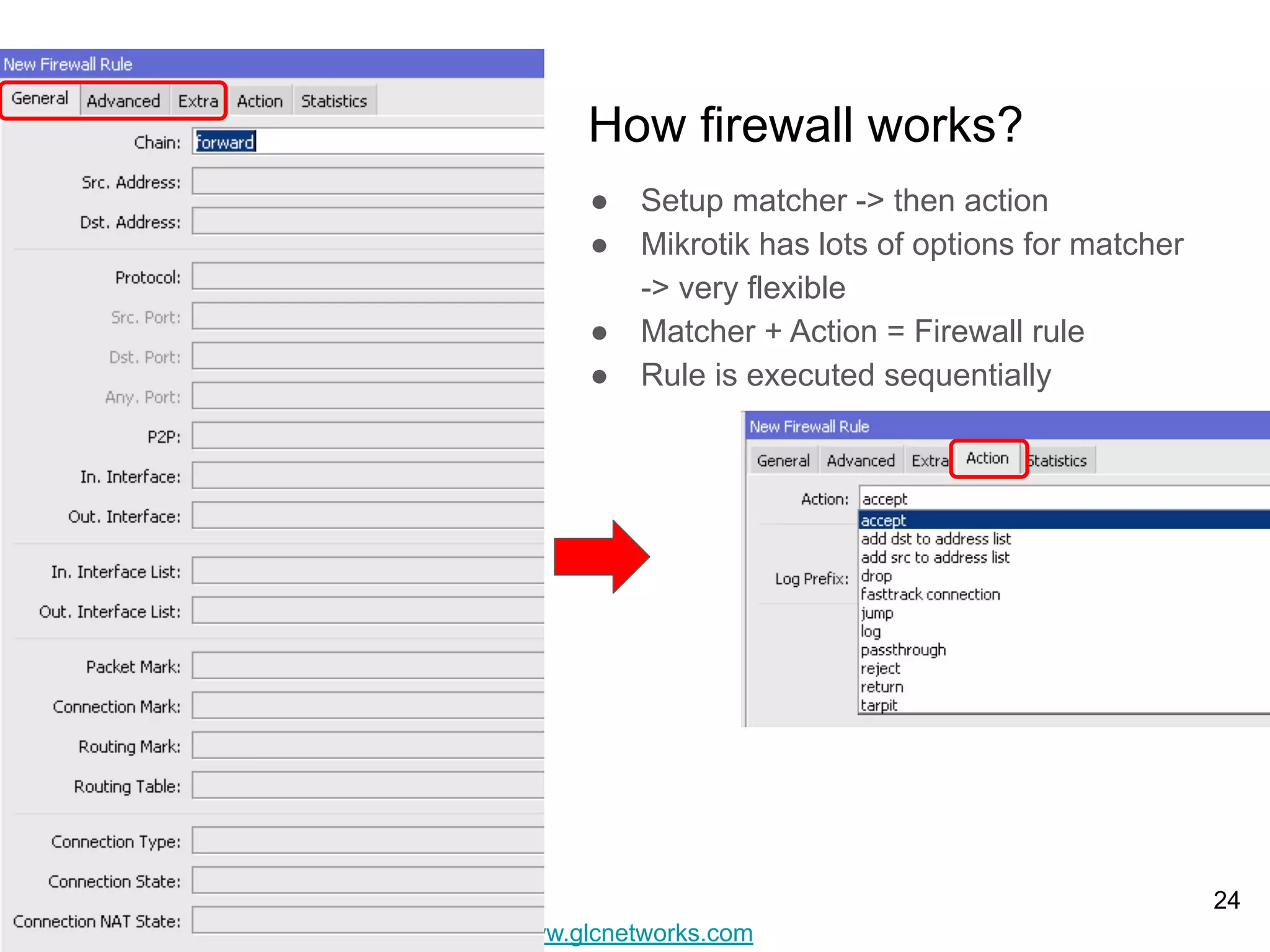
How firewall works?
● Setup matcher -> then action
● Mikrotik has lots of options for matcher
-> very flexible
● Matcher + Action = Firewall rule
● Rule is executed sequentially
24
www.glcnetworks.com
25
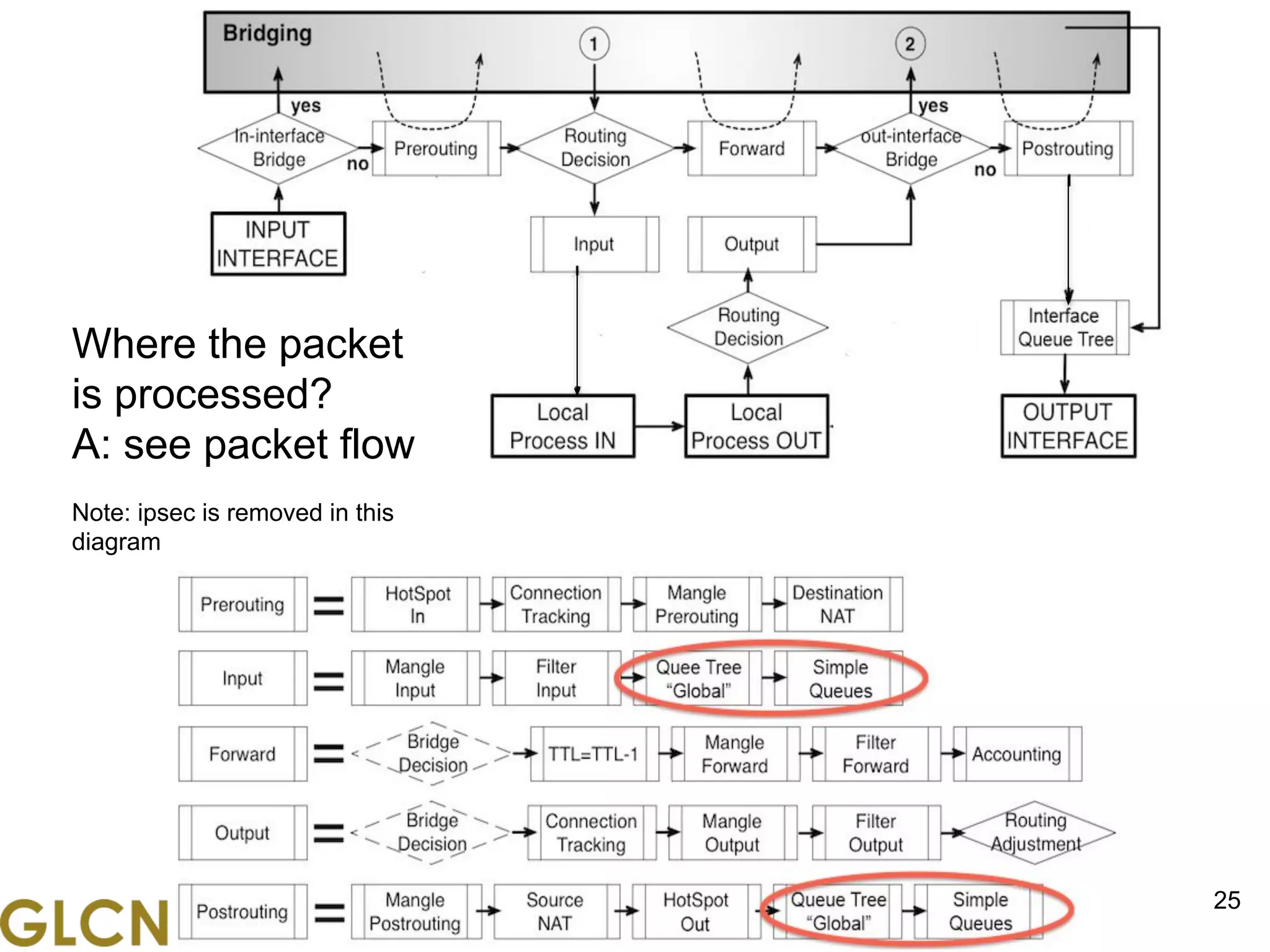
Where the packet
is processed?
A: see packet flow
Note: ipsec is removed in this
diagram
www.glcnetworks.com
26
26
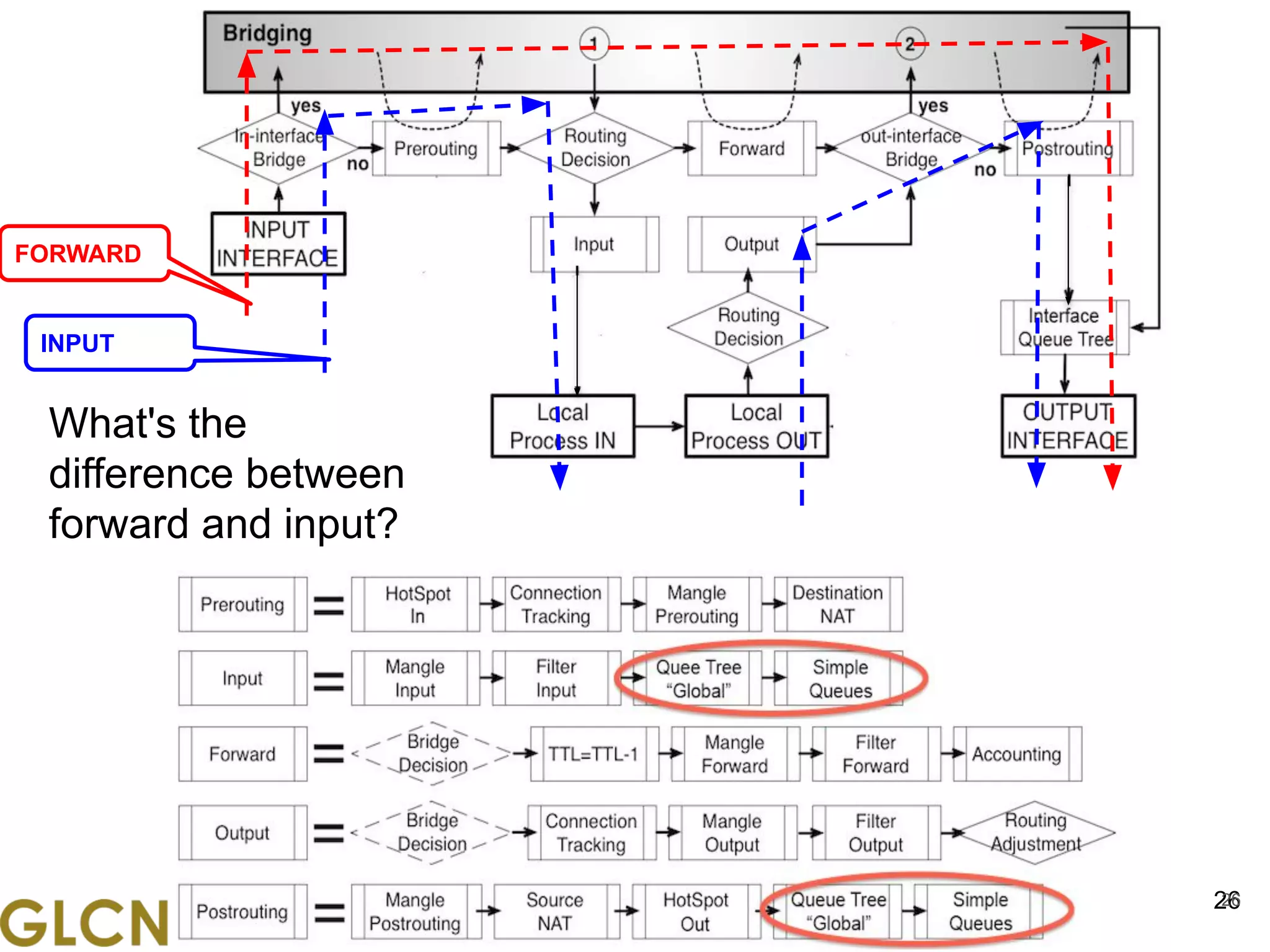
What's the
difference between
forward and input?
FORWARD
INPUT
www.glcnetworks.com
Layer 7 firewall
27
www.glcnetworks.com
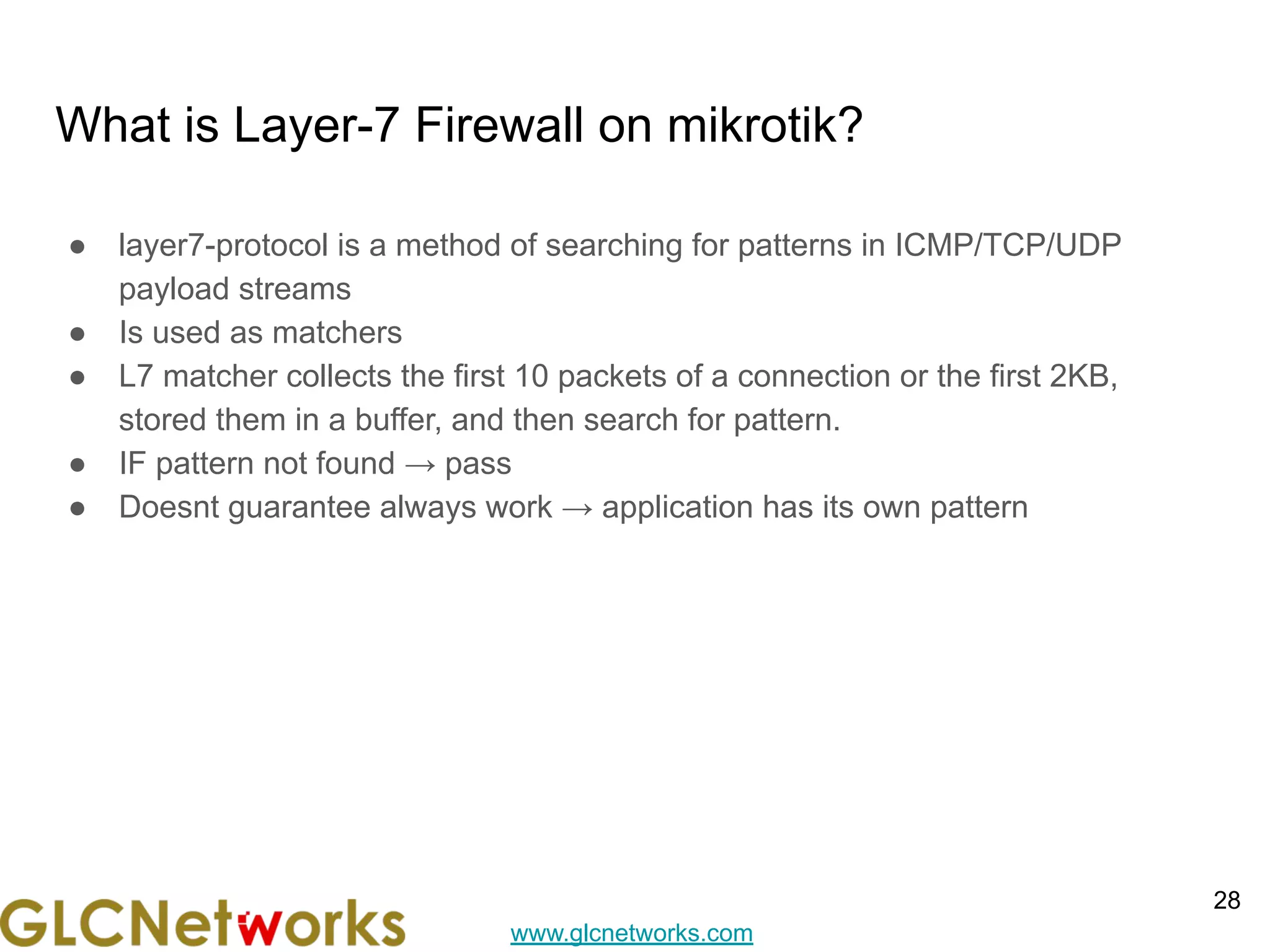
What is Layer-7 Firewall on mikrotik?
● layer7-protocol is a method of searching for patterns in ICMP/TCP/UDP
payload streams
● Is used as matchers
● L7 matcher collects the first 10 packets of a connection or the first 2KB,
stored them in a buffer, and then search for pattern.
● IF pattern not found → pass
● Doesnt guarantee always work → application has its own pattern
28
www.glcnetworks.com
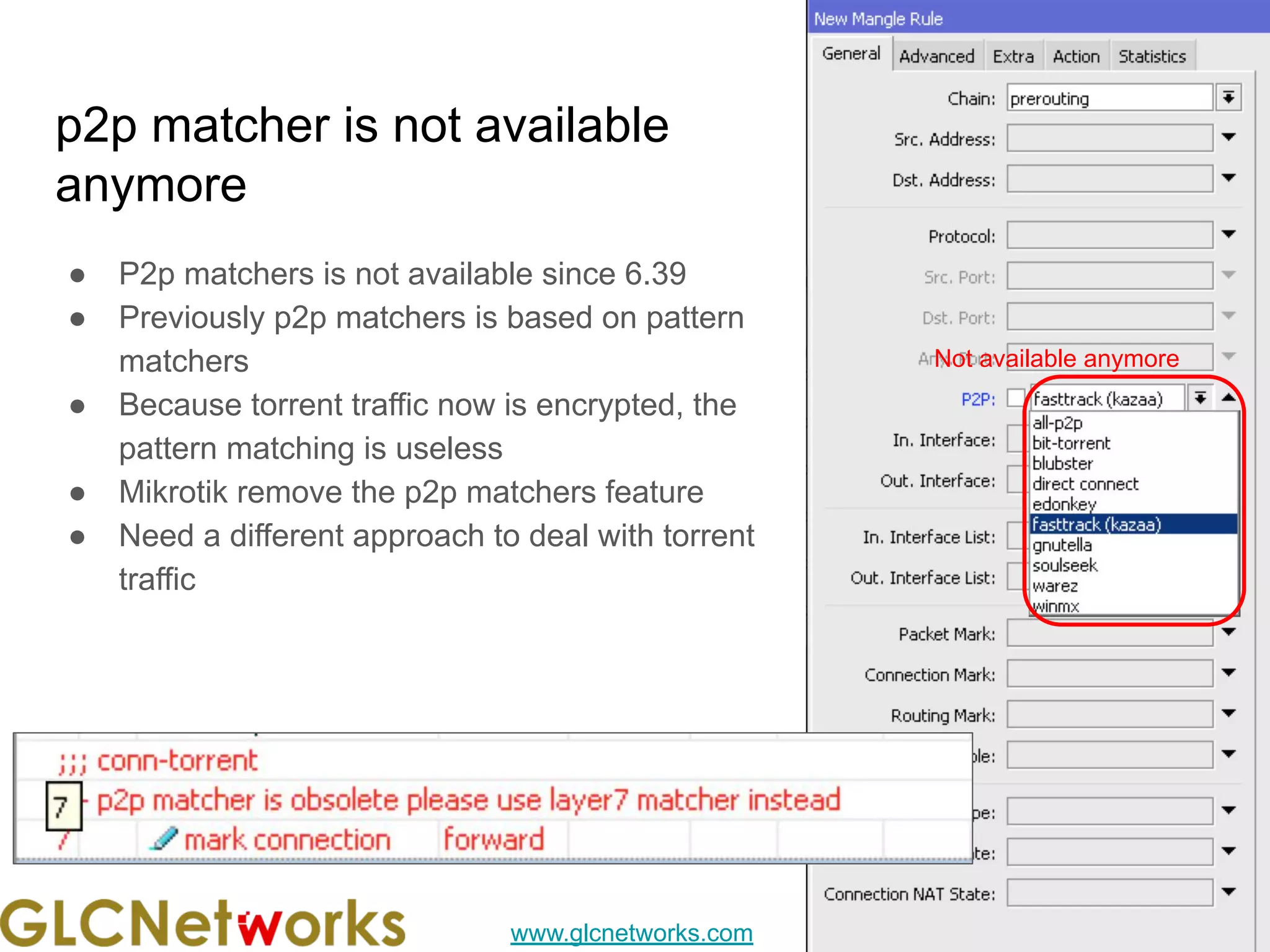
p2p matcher is not available
anymore
● P2p matchers is not available since 6.39
● Previously p2p matchers is based on pattern
matchers
● Because torrent traffic now is encrypted, the
pattern matching is useless
● Mikrotik remove the p2p matchers feature
● Need a different approach to deal with torrent
traffic
29
Not available anymore
www.glcnetworks.com
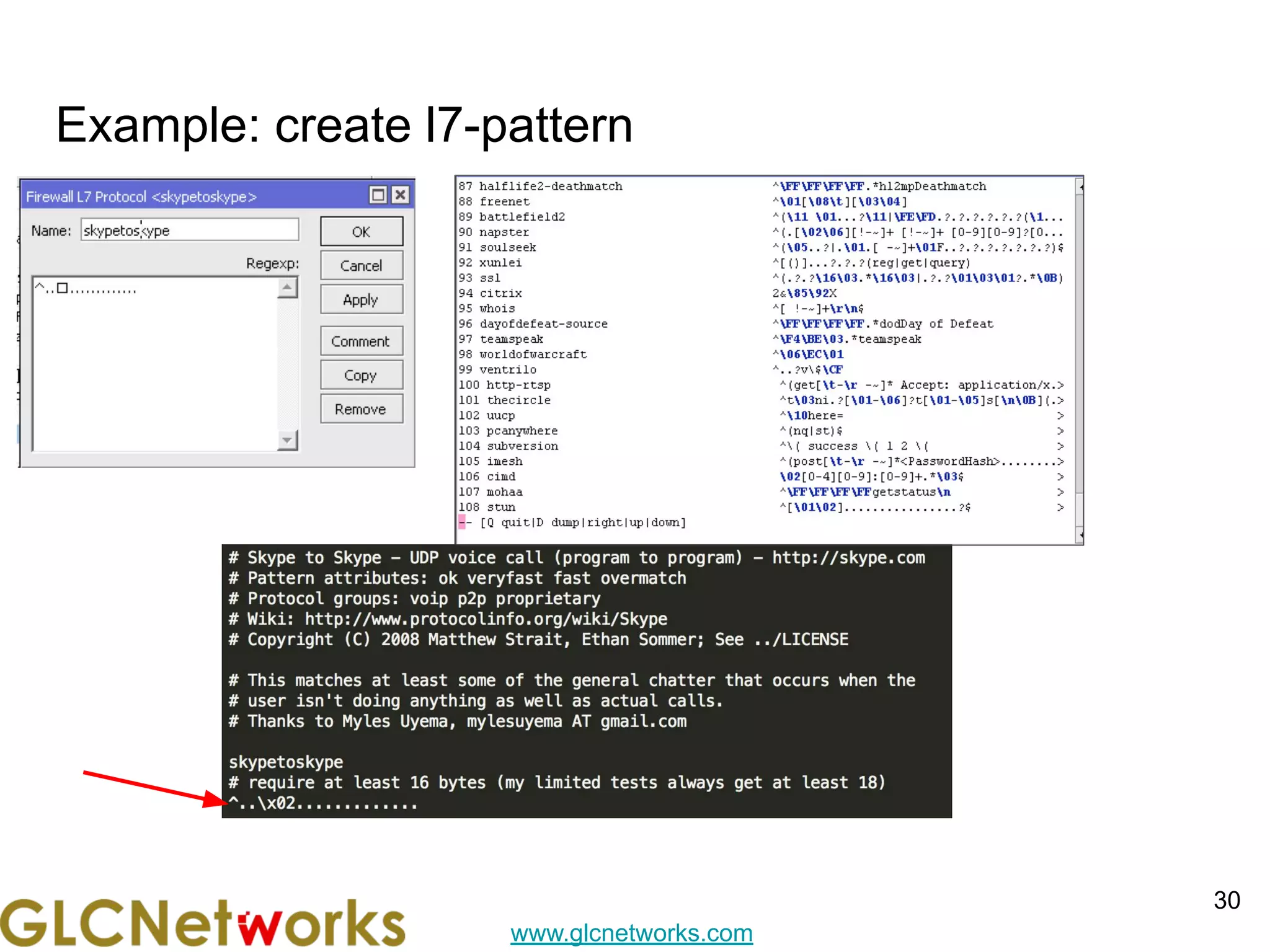
Example: create l7-pattern
30
www.glcnetworks.com
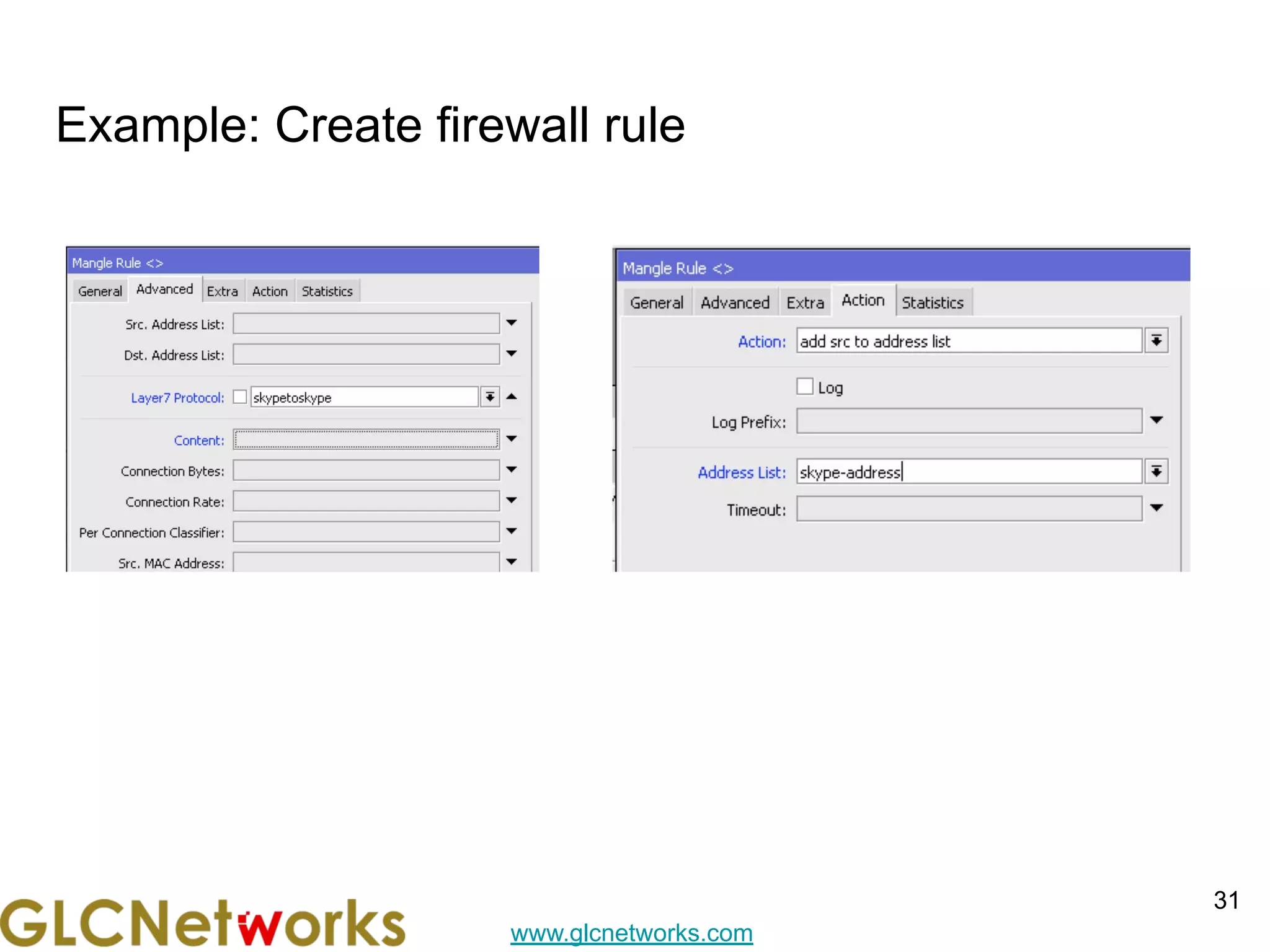
Example: Create firewall rule
31
www.glcnetworks.com
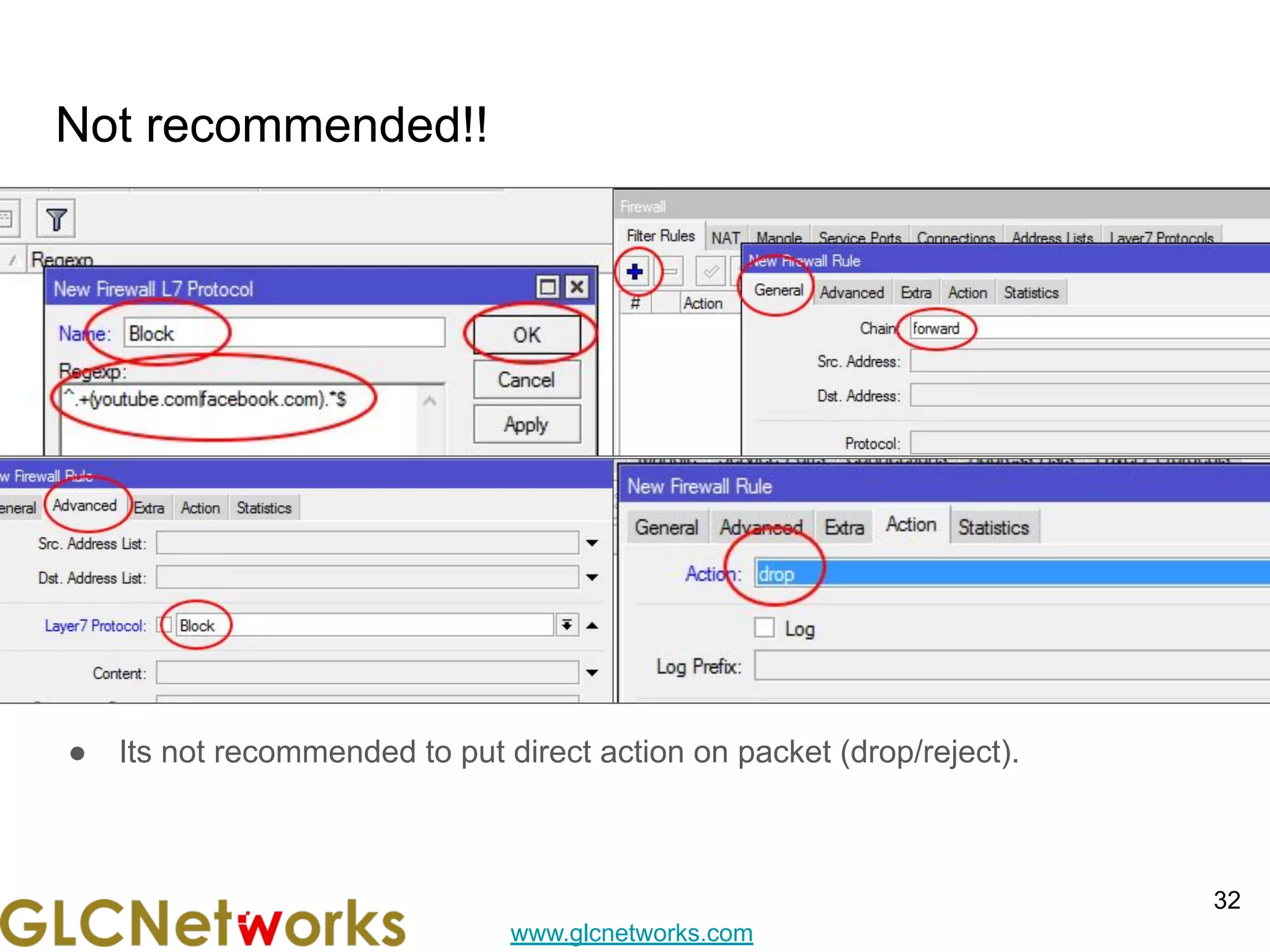
Not recommended!!
● Its not recommended to put direct action on packet (drop/reject).
32
www.glcnetworks.com
Tips trick
33
www.glcnetworks.com
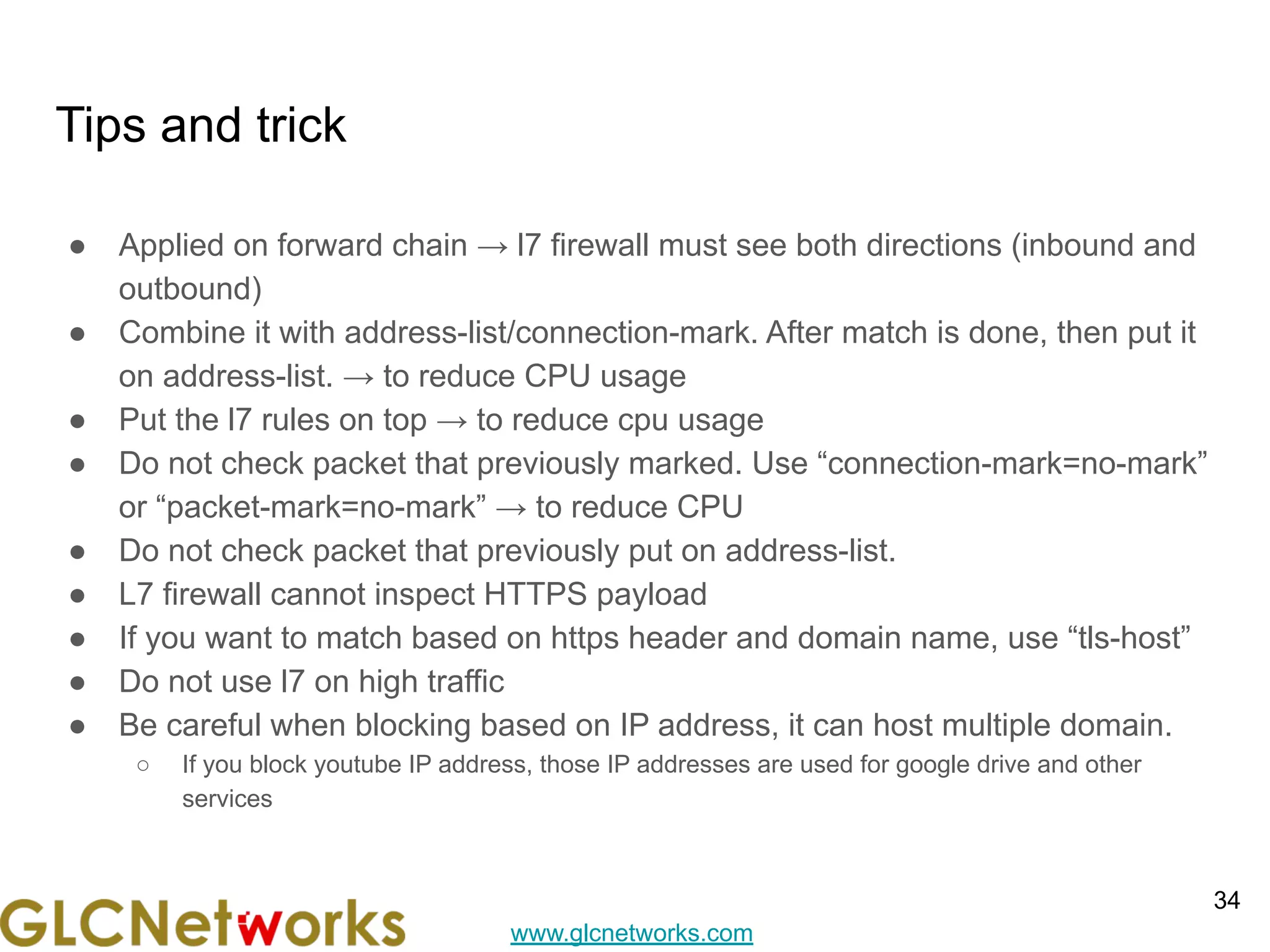
Tips and trick
● Applied on forward chain → l7 firewall must see both directions (inbound and
outbound)
● Combine it with address-list/connection-mark. After match is done, then put it
on address-list. → to reduce CPU usage
● Put the l7 rules on top → to reduce cpu usage
● Do not check packet that previously marked. Use “connection-mark=no-mark”
or “packet-mark=no-mark” → to reduce CPU
● Do not check packet that previously put on address-list.
● L7 firewall cannot inspect HTTPS payload
● If you want to match based on https header and domain name, use “tls-host”
● Do not use l7 on high traffic
● Be careful when blocking based on IP address, it can host multiple domain.
○ If you block youtube IP address, those IP addresses are used for google drive and other
services
34
www.glcnetworks.com
Tips and trick
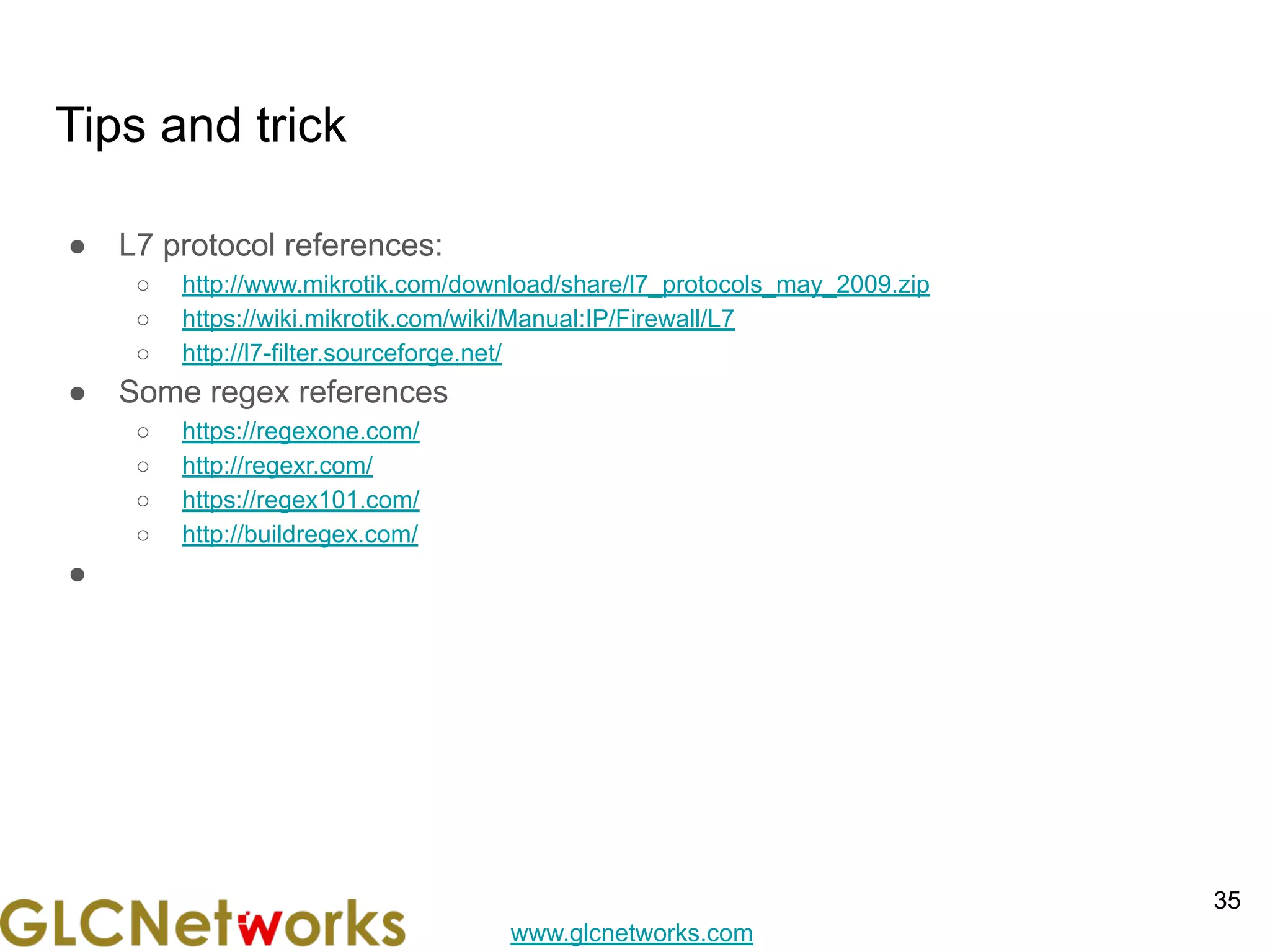
● L7 protocol references:
○ http://www.mikrotik.com/download/share/l7_protocols_may_2009.zip
○ https://wiki.mikrotik.com/wiki/Manual:IP/Firewall/L7
○ http://l7-filter.sourceforge.net/
● Some regex references
○ https://regexone.com/
○ http://regexr.com/
○ https://regex101.com/
○ http://buildregex.com/
●
35
www.glcnetworks.com
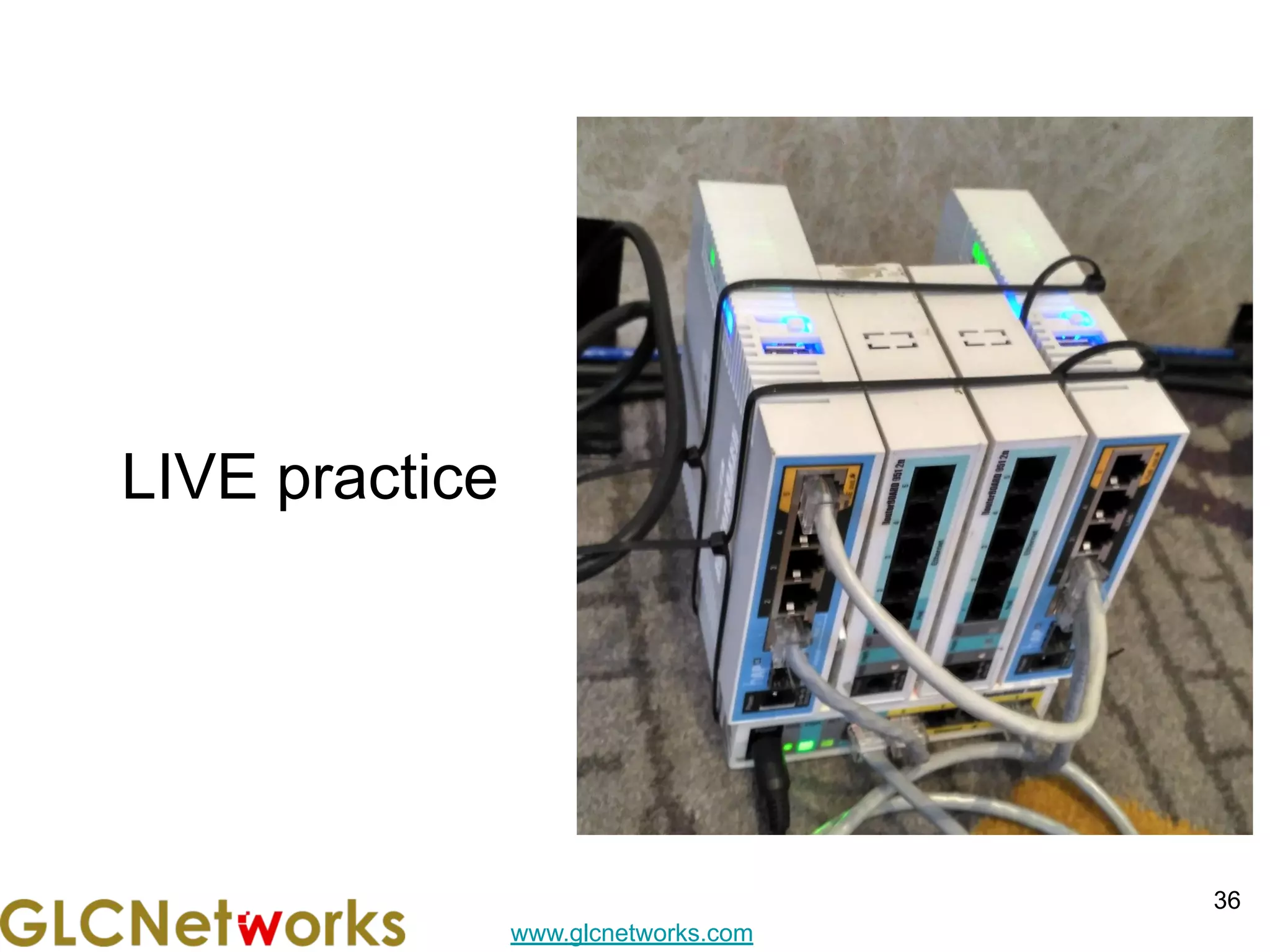
LIVE practice
36
www.glcnetworks.com
preparation
● SSH client
● SSH parameters
○ SSH address
○ SSH port
○ SSH username
○ SSH password
37
www.glcnetworks.com
Q & A
38
www.glcnetworks.com
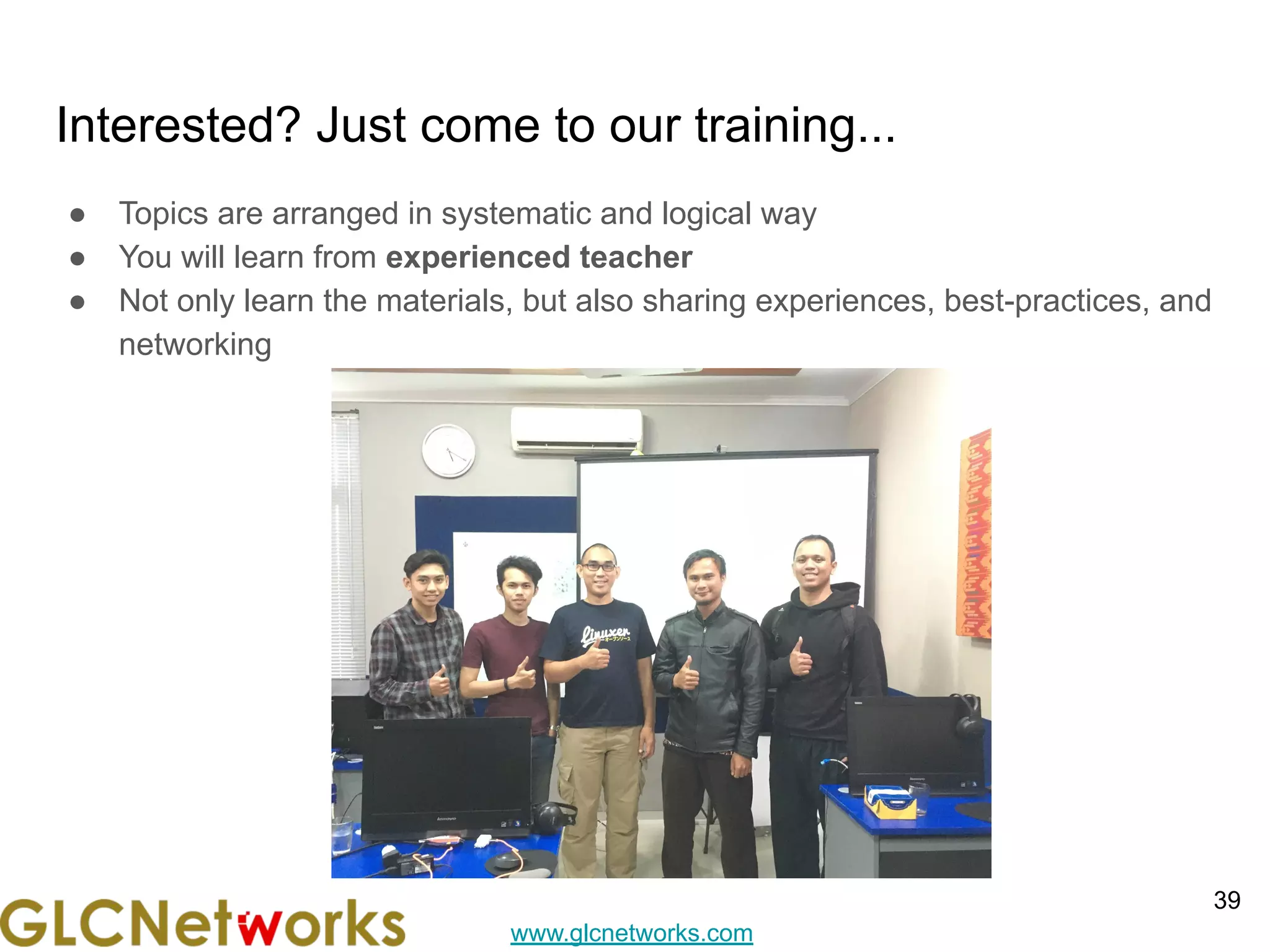
Interested? Just come to our training...
● Topics are arranged in systematic and logical way
● You will learn from experienced teacher
● Not only learn the materials, but also sharing experiences, best-practices, and
networking
39
www.glcnetworks.com
End of slides
● Thank you for your attention
● Please submit your feedback: http://bit.ly/glcfeedback
● Find our further event on our website : https://www.glcnetworks.com/en/
● Like our facebook page: https://www.facebook.com/glcnetworks
● Slide: https://www.slideshare.net/glcnetworks/
● Recording (youtube): https://www.youtube.com/c/GLCNetworks
● Stay tune with our schedule
● Any questions?
40

Layer 7 Firewall on Mikrotik

  • 1.
    www.glcnetworks.com Layer 7 Firewall onmikrotik GLC Webinar, 27 May 2021 Achmad Mardiansyah achmad@glcnetworks.com GLC Networks, Indonesia 1 L7 firewall
  • 2.
    www.glcnetworks.com Agenda ● Introduction ● Reviewprerequisite knowledge ● Firewall ● L7 firewall ● Tips and trick ● Live practice ● Q & A 2
  • 3.
  • 4.
    www.glcnetworks.com What is GLC? ●Garda Lintas Cakrawala (www.glcnetworks.com) ● Based in Bandung, Indonesia ● Areas: Training, IT Consulting ● Certified partner for: Mikrotik, Ubiquity, Linux foundation ● Product: GLC radius manager ● Regular event 4
  • 5.
    www.glcnetworks.com Trainer Introduction ● Name:Achmad Mardiansyah ● Base: bandung, Indonesia ● Linux user since 1999, mikrotik user since 2007, UBNT 2011 ● Mikrotik Certified Trainer (MTCNA/RE/WE/UME/INE/TCE/IPv6) ● Mikrotik/Linux Certified Consultant ● Website contributor: achmadjournal.com, mikrotik.tips, asysadmin.tips ● More info: http://au.linkedin.com/in/achmadmardiansyah 5
  • 6.
    www.glcnetworks.com Past experience 6 ● 2021(Congo DRC, Malaysia): network support, radius/billing integration ● 2020 (Congo DRC, Malaysia): IOT integration, network automation ● 2019, Congo (DRC): build a wireless ISP from ground-up ● 2018, Malaysia: network revamp, develop billing solution and integration, setup dynamic routing ● 2017, Libya (north africa): remote wireless migration for a new Wireless ISP ● 2016, United Kingdom: workshop for wireless ISP, migrating a bridged to routed network
  • 7.
    www.glcnetworks.com About GLC webinar? ●First webinar: january 1, 2010 (title: tahun baru bersama solaris - new year with solaris OS) ● As a sharing event with various topics: linux, networking, wireless, database, programming, etc ● Regular schedule ● Irregular schedule: as needed ● Checking schedule: http://www.glcnetworks.com/schedule ● You are invited to be a presenter ○ No need to be an expert ○ This is a forum for sharing: knowledge, experiences, information 7
  • 8.
    www.glcnetworks.com Please introduce yourself ●Your name ● Your company/university? ● Your networking experience? ● Your mikrotik experience? ● Your expectation from this course? 8
  • 9.
    www.glcnetworks.com Prerequisite ● This presentationsome prerequisite knowledge ● We assume you already know: ○ 7 OSI layer ○ Encapsulation ○ How to use mikrotik device ○ Mikrotik firewall ○ Regular expression ○ 9
  • 10.
  • 11.
    www.glcnetworks.com 7 OSI layer& protocol 11 ● OSI layer Is a conceptual model from ISO (International Standard Organization) for project OSI (Open System Interconnection) ● When you send a message with a courier, you need to add more info to get your message arrived at the destination (This process is called encapsulation) ● What is protocol ○ Is a set of rules for communication ○ Available on each layer ● Communication consist of series encapsulation ○ SDU: service data unit (before PDU) ○ PDU: protocol data unit (after header is added)
  • 12.
    www.glcnetworks.com Layered model (TCP/IPvs ISO) and encapsulation 12 / datagram
  • 13.
    www.glcnetworks.com Layer 4 header(which one is TCP?) 13
  • 14.
    www.glcnetworks.com Layer 3 header(which one is IPv4?) 14
  • 15.
  • 16.
  • 17.
    www.glcnetworks.com Did you notice? ●There is a big overhead on encapsulation process ● More encapsulation means less payload? 17
  • 18.
  • 19.
    www.glcnetworks.com Regular Expression (REGEX),part 1 ● Regex = Regular Expression, a feature to search pattern in a data (useful to apply custom filter) ● Applied on filter (l7 firewall, routing filter) ● Regex code: ○ () → grouping characters together ○ . → match 1 character ○ ?, *, + → shows how the previous character is repeated ■ ? → match 0 or 1 repetition of previous string ■ * → match 0 or many repetition of previous string ■ + → match 1 or many repetition of previous string ○ ^ → matches the beginning of string ○ $ → matches at the end of string ○ → escape character (ffrfom ?*+|^$) ○ [] → match 1 character from the bracket ■ [abc] → match 1 character from the bracket (a or b or c) ■ [a-z] → match 1 character from the bracket (a to z) ● 19
  • 20.
    www.glcnetworks.com Regular Expression (REGEX),part 2 ● Regex code: ○ | → similar to or, match left or right part ○ [x09-x0d -~] → match on all printable ASCII characters & space ○ [x09-x0d ] → match a TAB, LF, Vertical Tab, Form Feed, Carriage Return (CR) or space ○ [!-~] → match non-whitespace printable characters ○ 20
  • 21.
  • 22.
    www.glcnetworks.com On which layerdoes the (traditional) Firewall works? 22 ● All firewall inspect traffic between segment → layer 3 ● Some firewall supports tracking → layer 4 ● Some firewall support inside-segment filtering → layer 2 ● See the encapsulation process before
  • 23.
    www.glcnetworks.com What is Mikrotikfirewall? ● Is a feature to ○ Control network access (filter) ○ Modify network header (NAT) ○ Marking packet for further processing (mangle) ● Developed from linux ● Consist of 2 parts: matcher & action ● Executed sequentially ● Netadmin must understand the application’s characteristics in order to build a matcher (e.g. browsing → using TCP/UDP port 80,443) 23
  • 24.
    www.glcnetworks.com How firewall works? ●Setup matcher -> then action ● Mikrotik has lots of options for matcher -> very flexible ● Matcher + Action = Firewall rule ● Rule is executed sequentially 24
  • 25.
    www.glcnetworks.com 25 Where the packet isprocessed? A: see packet flow Note: ipsec is removed in this diagram
  • 26.
  • 27.
  • 28.
    www.glcnetworks.com What is Layer-7Firewall on mikrotik? ● layer7-protocol is a method of searching for patterns in ICMP/TCP/UDP payload streams ● Is used as matchers ● L7 matcher collects the first 10 packets of a connection or the first 2KB, stored them in a buffer, and then search for pattern. ● IF pattern not found → pass ● Doesnt guarantee always work → application has its own pattern 28
  • 29.
    www.glcnetworks.com p2p matcher isnot available anymore ● P2p matchers is not available since 6.39 ● Previously p2p matchers is based on pattern matchers ● Because torrent traffic now is encrypted, the pattern matching is useless ● Mikrotik remove the p2p matchers feature ● Need a different approach to deal with torrent traffic 29 Not available anymore
  • 30.
  • 31.
  • 32.
    www.glcnetworks.com Not recommended!! ● Itsnot recommended to put direct action on packet (drop/reject). 32
  • 33.
  • 34.
    www.glcnetworks.com Tips and trick ●Applied on forward chain → l7 firewall must see both directions (inbound and outbound) ● Combine it with address-list/connection-mark. After match is done, then put it on address-list. → to reduce CPU usage ● Put the l7 rules on top → to reduce cpu usage ● Do not check packet that previously marked. Use “connection-mark=no-mark” or “packet-mark=no-mark” → to reduce CPU ● Do not check packet that previously put on address-list. ● L7 firewall cannot inspect HTTPS payload ● If you want to match based on https header and domain name, use “tls-host” ● Do not use l7 on high traffic ● Be careful when blocking based on IP address, it can host multiple domain. ○ If you block youtube IP address, those IP addresses are used for google drive and other services 34
  • 35.
    www.glcnetworks.com Tips and trick ●L7 protocol references: ○ http://www.mikrotik.com/download/share/l7_protocols_may_2009.zip ○ https://wiki.mikrotik.com/wiki/Manual:IP/Firewall/L7 ○ http://l7-filter.sourceforge.net/ ● Some regex references ○ https://regexone.com/ ○ http://regexr.com/ ○ https://regex101.com/ ○ http://buildregex.com/ ● 35
  • 36.
  • 37.
    www.glcnetworks.com preparation ● SSH client ●SSH parameters ○ SSH address ○ SSH port ○ SSH username ○ SSH password 37
  • 38.
  • 39.
    www.glcnetworks.com Interested? Just cometo our training... ● Topics are arranged in systematic and logical way ● You will learn from experienced teacher ● Not only learn the materials, but also sharing experiences, best-practices, and networking 39
  • 40.
    www.glcnetworks.com End of slides ●Thank you for your attention ● Please submit your feedback: http://bit.ly/glcfeedback ● Find our further event on our website : https://www.glcnetworks.com/en/ ● Like our facebook page: https://www.facebook.com/glcnetworks ● Slide: https://www.slideshare.net/glcnetworks/ ● Recording (youtube): https://www.youtube.com/c/GLCNetworks ● Stay tune with our schedule ● Any questions? 40