LECTURE 3
Introduction to Information
Technology
Miss Madiha Khadim
Input devices
 “The hardware components used to enter data, programs, commands, and users
response into a computer are called input devices.”
 If the user interact with the computer, he needs an input devices.
Example:
 Keyboard
 Mouse
 Digital Camera
 Webcam
 Scanner
Keyboard
 “Keyboard is an input device that has certain several buttons called keyboard keys
and user press these keys to enter data or instruction into computer.”
 We can enter text, number, symbol and special characters by using keyboard
 Keyboard is connected by serial and USB port with computer system
Process of Keyboard
 The computer processor scans the keyboard hundreds of times per second to see
when a key has pressed.
 When a key pressed, a digital code is sent to central processing unit (CPU). This
digital code is translated ASCII Code (American Standard Code of information
interchange).
 Press “A” key
 Produce Binary code 01000001that is called back end process
 Monitor show the letter “A”
Keys
 The buttons of the keyboard are called keys. Keys are arranged in specific order.
The keyboards are available in many different arrangements and layouts.
 For example:
I. Qwerty layout
II. Dvorak layout
Qwerty Layout
 Most type writer and computer keyboards follow the scheme QWERTY. The
alphabetic keys are arranged so that the upper left row of letters begins
 With the six letters Q W E R T Y.
Dvorak layout
 Dvorak layout was designed in 1980s by August Dvorak. In Dvorak layout middle
rows of keys includes the most common letters. The letters are arranged in such
way it can be typed easily and quickly. But it is not popular layout of keyboards for
fast typing.
Keys of keyboard
 Alphabetic Keys: A -- Z
 Numerical Keys: 0 -- 9
 Symbols Keys: !, @, #, $, %, &, *,
 Function Keys: F1--- F12
 Multimedia Keys: down, forward, Rewind, next,
 Special Purpose Keys: Esc, Alt, Ctrl, Backspace, Enter
Types of Keyboard
 Traditional keyboards: Full sized, Inflexible
 Flexible keyboards: easy carrying and flexible as mobile keyboards
 Ergonomic keyboards: comfort for user hands and wrist
 Wireless Keyboards: transfer input through Bluetooth
Advantage of Keyboard
 Reliable
 Skilled Typist
 Type as you want to write
 Data enter quickly
Disadvantage of Keyboard
 To make typing mistakes
 Time consuming
 Difficult for the people that are unable to use it
 Harmful for wrist
Mouse
 Mouse is an input device that fits under the palm of a hand and controls
movement of pointer or cursor.
 The mouse is a palm sized device with the ball rolling at the bottom. The mouse is
usually connected with computer by cable.
 When you move the mouse over a smooth surface, the balls rolls and signals is
generated which moves the pointer on the display screen accordingly.
 You can draw, select, lines or other graphics.
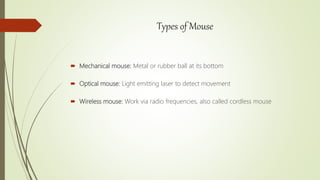
Types of Mouse
 Mechanical mouse: Metal or rubber ball at its bottom
 Optical mouse: Light emitting laser to detect movement
 Wireless mouse: Work via radio frequencies, also called cordless mouse
Advantage of Mouse
 Ideal for use with desktop computer
 Help for drawing
 Attach with laptop
 Light weight
Disadvantage of MOUSE
 Need a flat space
 Jammed due to dust
Touch pad
 A touch pad is a device for pointing on a computer display screen.
 Alternative to mouse
 Touch pad also has two buttons as like mouse
ADVANTAGE
 Convenient
 Easily useful as compare with mouse
Touch Screen
 A touch screen is a computer display screen that is also an input device. The screen
are sensitive to pressure; a user interact with the computer by touching pictures or
words on the screen.
Advantage of Touch screen
 Easy to use
 Flexible
Disadvantage of Touch screen
 Not suitable for inputting large amounts of data
 Not very accurate
 Expensive than alternatives such as mouse

Input Devices

  • 1.
    LECTURE 3 Introduction toInformation Technology Miss Madiha Khadim
  • 2.
    Input devices  “Thehardware components used to enter data, programs, commands, and users response into a computer are called input devices.”  If the user interact with the computer, he needs an input devices. Example:  Keyboard  Mouse  Digital Camera  Webcam  Scanner
  • 3.
    Keyboard  “Keyboard isan input device that has certain several buttons called keyboard keys and user press these keys to enter data or instruction into computer.”  We can enter text, number, symbol and special characters by using keyboard  Keyboard is connected by serial and USB port with computer system
  • 4.
    Process of Keyboard The computer processor scans the keyboard hundreds of times per second to see when a key has pressed.  When a key pressed, a digital code is sent to central processing unit (CPU). This digital code is translated ASCII Code (American Standard Code of information interchange).  Press “A” key  Produce Binary code 01000001that is called back end process  Monitor show the letter “A”
  • 5.
    Keys  The buttonsof the keyboard are called keys. Keys are arranged in specific order. The keyboards are available in many different arrangements and layouts.  For example: I. Qwerty layout II. Dvorak layout
  • 6.
    Qwerty Layout  Mosttype writer and computer keyboards follow the scheme QWERTY. The alphabetic keys are arranged so that the upper left row of letters begins  With the six letters Q W E R T Y.
  • 7.
    Dvorak layout  Dvoraklayout was designed in 1980s by August Dvorak. In Dvorak layout middle rows of keys includes the most common letters. The letters are arranged in such way it can be typed easily and quickly. But it is not popular layout of keyboards for fast typing.
  • 8.
    Keys of keyboard Alphabetic Keys: A -- Z  Numerical Keys: 0 -- 9  Symbols Keys: !, @, #, $, %, &, *,  Function Keys: F1--- F12  Multimedia Keys: down, forward, Rewind, next,  Special Purpose Keys: Esc, Alt, Ctrl, Backspace, Enter
  • 9.
    Types of Keyboard Traditional keyboards: Full sized, Inflexible  Flexible keyboards: easy carrying and flexible as mobile keyboards  Ergonomic keyboards: comfort for user hands and wrist  Wireless Keyboards: transfer input through Bluetooth
  • 10.
    Advantage of Keyboard Reliable  Skilled Typist  Type as you want to write  Data enter quickly
  • 11.
    Disadvantage of Keyboard To make typing mistakes  Time consuming  Difficult for the people that are unable to use it  Harmful for wrist
  • 12.
    Mouse  Mouse isan input device that fits under the palm of a hand and controls movement of pointer or cursor.  The mouse is a palm sized device with the ball rolling at the bottom. The mouse is usually connected with computer by cable.  When you move the mouse over a smooth surface, the balls rolls and signals is generated which moves the pointer on the display screen accordingly.  You can draw, select, lines or other graphics.
  • 13.
    Types of Mouse Mechanical mouse: Metal or rubber ball at its bottom  Optical mouse: Light emitting laser to detect movement  Wireless mouse: Work via radio frequencies, also called cordless mouse
  • 14.
    Advantage of Mouse Ideal for use with desktop computer  Help for drawing  Attach with laptop  Light weight Disadvantage of MOUSE  Need a flat space  Jammed due to dust
  • 15.
    Touch pad  Atouch pad is a device for pointing on a computer display screen.  Alternative to mouse  Touch pad also has two buttons as like mouse ADVANTAGE  Convenient  Easily useful as compare with mouse
  • 16.
    Touch Screen  Atouch screen is a computer display screen that is also an input device. The screen are sensitive to pressure; a user interact with the computer by touching pictures or words on the screen.
  • 17.
    Advantage of Touchscreen  Easy to use  Flexible Disadvantage of Touch screen  Not suitable for inputting large amounts of data  Not very accurate  Expensive than alternatives such as mouse