UKWIMI TRADES TRAINING
INSTITUTE
COMPUTER APPLICATION
TERM 1 – SESSION 5
TOPIC COVERED TODAY:
Keyboard
• Typing (Alphanumeric) Keys
• Control keys
• Function Keys
• Navigation keys
• Numeric keypad
Mouse
Input Devices
• Devices used to provide data and instructions to the computer are
called Input devices. Some important input devices are
• Key board,
• Mouse,
• Scanner,
• MICR,
• Web camera,
• Microphone etc.
Keyboard
• The Key board is used for typing text into the computer.
• It is also known as standard Input device.
• A computer keyboard is similar to that of a type writer with additional
keys.
• The most commonly available computer keyboard has 104 keys.
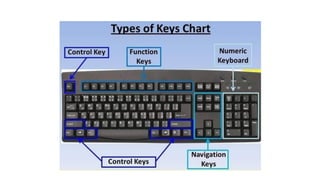
• There are different types of keys on the keyboard. The keys are
categorized as :
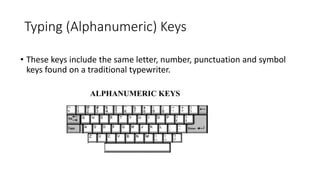
Typing (Alphanumeric) Keys
• These keys include the same letter, number, punctuation and symbol
keys found on a traditional typewriter.
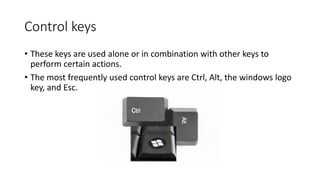
Control keys
• These keys are used alone or in combination with other keys to
perform certain actions.
• The most frequently used control keys are Ctrl, Alt, the windows logo
key, and Esc.
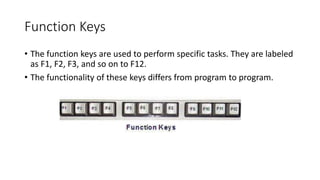
Function Keys
• The function keys are used to perform specific tasks. They are labeled
as F1, F2, F3, and so on to F12.
• The functionality of these keys differs from program to program.
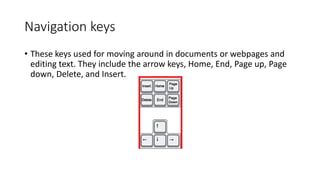
Navigation keys
• These keys used for moving around in documents or webpages and
editing text. They include the arrow keys, Home, End, Page up, Page
down, Delete, and Insert.
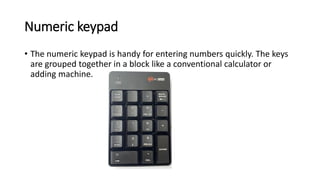
Numeric keypad
• The numeric keypad is handy for entering numbers quickly. The keys
are grouped together in a block like a conventional calculator or
adding machine.
Mouse
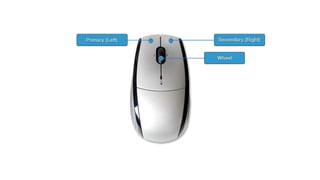
• It is a device that controls the movement of the cursor on a monitor.
• A mouse will have 2 buttons on its top.
• The left button is the most frequently used button.
• There will be a wheel between the left and right buttons.
• This wheel enables us to smoothly scroll through screens of information.
• As we move the mouse, the pointer on the monitor moves in the same
direction.
• Optical mouse is another advanced pointing device that uses a light
emitting component instead of the mouse ball.
• Mouse cannot be used for entering the data. It is only useful to select the
options on the screen.
SESSION 5 - Basic input devices, Keyboard and Mouse .pdf