HTTP
• Hypertext Transport Protocol
• Language of the Web
– protocol used for communication between web
browsers and web servers
URI,URN,URL
• Uniform Resource Identifier
– Information about a resource
• Uniform Resource Name
– The name of the resource with in a namespace
• Uniform Resource Locator
– How to find the resource, a URI that says how to
find the resource
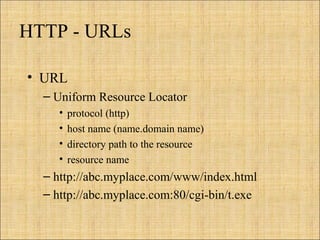
HTTP - URLs
• URL
– Uniform Resource Locator
• protocol (http)
• host name (name.domain name)
• directory path to the resource
• resource name
– http://abc.myplace.com/www/index.html
– http://abc.myplace.com:80/cgi-bin/t.exe
5
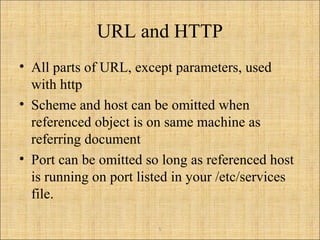
URL and HTTP
• All parts of URL, except parameters, used
with http
• Scheme and host can be omitted when
referenced object is on same machine as
referring document
• Port can be omitted so long as referenced host
is running on port listed in your /etc/services
file.
6
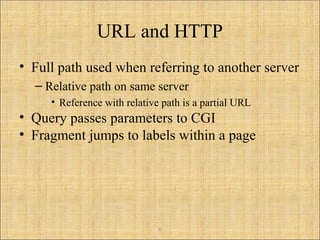
URL and HTTP
• Full path used when referring to another server
– Relative path on same server
• Reference with relative path is a partial URL
• Query passes parameters to CGI
• Fragment jumps to labels within a page
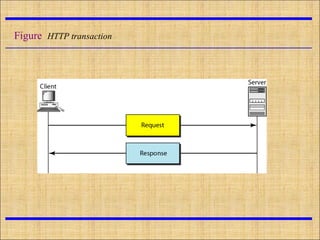
Figure HTTP transaction
HTTP is an application layer protocol
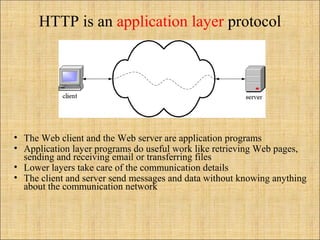
• The Web client and the Web server are application programs
• Application layer programs do useful work like retrieving Web pages,
sending and receiving email or transferring files
• Lower layers take care of the communication details
• The client and server send messages and data without knowing anything
about the communication network
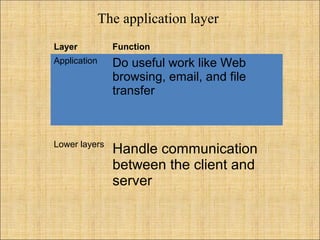
The application layer
Layer Function
Application Do useful work like Web
browsing, email, and file
transfer
Lower layers
Handle communication
between the client and
server
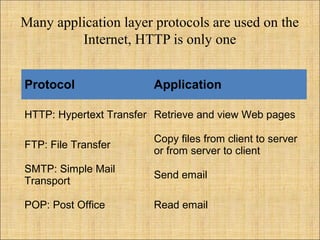
Many application layer protocols are used on the
Internet, HTTP is only one
Protocol Application
HTTP: Hypertext Transfer Retrieve and view Web pages
FTP: File Transfer
Copy files from client to server
or from server to client
SMTP: Simple Mail
Transport
Send email
POP: Post Office Read email
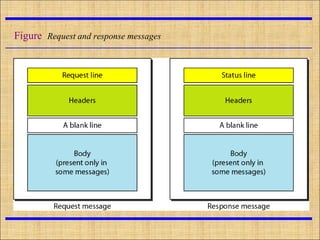
Figure Request and response messages
Example
• This example retrieves a document. We use the GET
method to retrieve an image with the path
/usr/bin/image1. The request line shows the method
(GET), the URL, and the HTTP. The header has two
lines that show that the client can accept images in
the GIF or JPEG format. The request does not have a
body. The response message contains the status line
and four lines of header. The header lines define the
date, server, MIME version, and length of the
document. The body of the document follows the
header
Http utilize

Http utilize

  • 2.
    HTTP • Hypertext TransportProtocol • Language of the Web – protocol used for communication between web browsers and web servers
  • 3.
    URI,URN,URL • Uniform ResourceIdentifier – Information about a resource • Uniform Resource Name – The name of the resource with in a namespace • Uniform Resource Locator – How to find the resource, a URI that says how to find the resource
  • 4.
    HTTP - URLs •URL – Uniform Resource Locator • protocol (http) • host name (name.domain name) • directory path to the resource • resource name – http://abc.myplace.com/www/index.html – http://abc.myplace.com:80/cgi-bin/t.exe
  • 5.
    5 URL and HTTP •All parts of URL, except parameters, used with http • Scheme and host can be omitted when referenced object is on same machine as referring document • Port can be omitted so long as referenced host is running on port listed in your /etc/services file.
  • 6.
    6 URL and HTTP •Full path used when referring to another server – Relative path on same server • Reference with relative path is a partial URL • Query passes parameters to CGI • Fragment jumps to labels within a page
  • 7.
  • 8.
    HTTP is anapplication layer protocol • The Web client and the Web server are application programs • Application layer programs do useful work like retrieving Web pages, sending and receiving email or transferring files • Lower layers take care of the communication details • The client and server send messages and data without knowing anything about the communication network
  • 9.
    The application layer LayerFunction Application Do useful work like Web browsing, email, and file transfer Lower layers Handle communication between the client and server
  • 10.
    Many application layerprotocols are used on the Internet, HTTP is only one Protocol Application HTTP: Hypertext Transfer Retrieve and view Web pages FTP: File Transfer Copy files from client to server or from server to client SMTP: Simple Mail Transport Send email POP: Post Office Read email
  • 11.
    Figure Request andresponse messages
  • 12.
    Example • This exampleretrieves a document. We use the GET method to retrieve an image with the path /usr/bin/image1. The request line shows the method (GET), the URL, and the HTTP. The header has two lines that show that the client can accept images in the GIF or JPEG format. The request does not have a body. The response message contains the status line and four lines of header. The header lines define the date, server, MIME version, and length of the document. The body of the document follows the header