The World Wide Web Outline Background Structure Protocols
WWW Background 1989-1990 – Tim Berners-Lee invents the World Wide Web at CERN Means for transferring text and graphics simultaneously Client/Server data transfer protocol Communication via application level protocol System ran on top of standard networking infrastructure Text mark up language Not invented by Bernes-Lee Simple and easy to use Requires a client application to render text/graphics
WWW History contd. 1994 – Mark Andreesen invents MOSAIC at National Center for Super Computing  Applications (NCSA) First graphical browser Internet’s first “killer app” Freely distributed Became Netscape Inc. 1995 (approx.) – Web traffic becomes dominant Exponential growth E-commerce Web infrastructure companies World Wide Web Consortium Reference:  “Web Protocols and Practice”, Krishnamurthy and Rexford
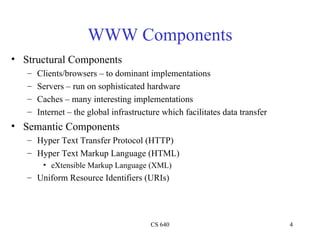
WWW Components Structural Components Clients/browsers – to dominant implementations Servers – run on sophisticated hardware Caches – many interesting implementations Internet – the global infrastructure which facilitates data transfer Semantic Components Hyper Text Transfer Protocol (HTTP) Hyper Text Markup Language (HTML) eXtensible Markup Language (XML) Uniform Resource Identifiers (URIs)
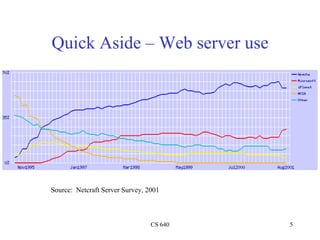
Quick Aside – Web server use Source:  Netcraft Server Survey, 2001
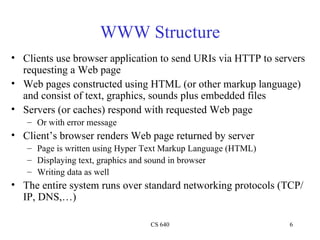
WWW Structure Clients use browser application to send URIs via HTTP to servers requesting a Web page Web pages constructed using HTML (or other markup language) and consist of text, graphics, sounds plus embedded files Servers (or caches) respond with requested Web page Or with error message Client’s browser renders Web page returned by server Page is written using Hyper Text Markup Language (HTML) Displaying text, graphics and sound in browser Writing data as well The entire system runs over standard networking protocols (TCP/IP, DNS,…)
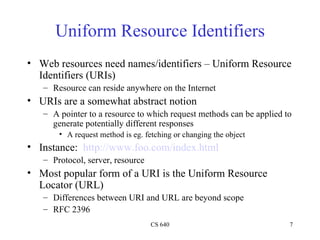
Uniform Resource Identifiers Web resources need names/identifiers – Uniform Resource Identifiers (URIs) Resource can reside anywhere on the Internet URIs are a somewhat abstract notion A pointer to a resource to which request methods can be applied to generate potentially different responses A request method is eg. fetching or changing the object Instance:  http://www.foo.com/index.html Protocol, server, resource Most popular form of a URI is the Uniform Resource Locator (URL) Differences between URI and URL are beyond scope RFC 2396
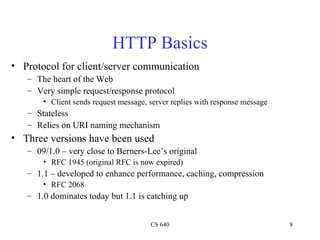
HTTP Basics Protocol for client/server communication The heart of the Web Very simple request/response protocol Client sends request message, server replies with response message Stateless Relies on URI naming mechanism Three versions have been used 09/1.0 – very close to Berners-Lee’s original  RFC 1945 (original RFC is now expired) 1.1 – developed to enhance performance, caching, compression RFC 2068 1.0 dominates today but 1.1 is catching up
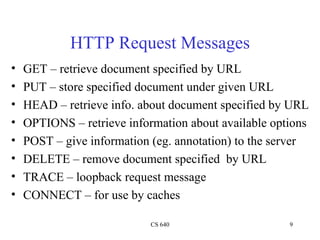
HTTP Request Messages GET – retrieve document specified by URL PUT – store specified document under given URL HEAD – retrieve info. about document specified by URL OPTIONS – retrieve information about available options POST – give information (eg. annotation) to the server DELETE – remove document specified  by URL TRACE – loopback request message CONNECT – for use by caches
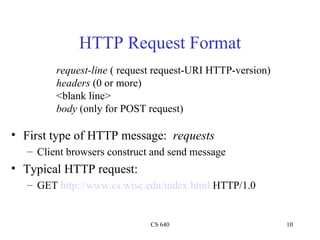
HTTP Request Format First type of HTTP message:  requests Client browsers construct and send message Typical HTTP request: GET  http://www.cs.wisc.edu/index.html  HTTP/1.0 request-line  ( request request-URI HTTP-version) headers  (0 or more) <blank line> body  (only for POST request)
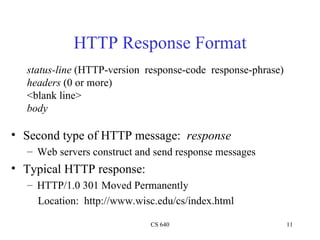
HTTP Response Format Second type of HTTP message:  response Web servers construct and send response messages Typical HTTP response: HTTP/1.0 301 Moved Permanently Location:  http://www.wisc.edu/cs/index.html status-line  (HTTP-version  response-code  response-phrase) headers  (0 or more) <blank line> body
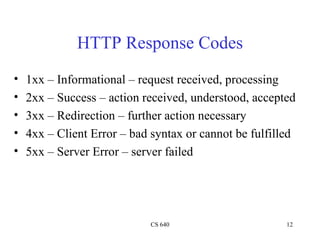
HTTP Response Codes 1xx – Informational – request received, processing 2xx – Success – action received, understood, accepted 3xx – Redirection – further action necessary 4xx – Client Error – bad syntax or cannot be fulfilled 5xx – Server Error – server failed
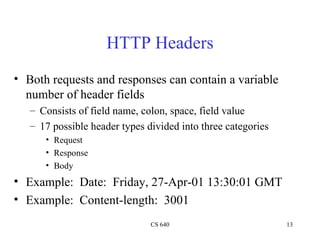
HTTP Headers Both requests and responses can contain a variable number of header fields Consists of field name, colon, space, field value 17 possible header types divided into three categories Request Response Body Example:  Date:  Friday, 27-Apr-01 13:30:01 GMT Example:  Content-length:  3001
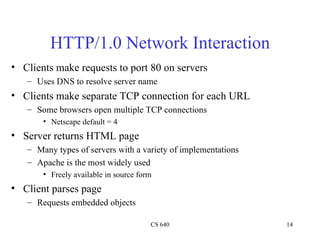
HTTP/1.0 Network Interaction Clients make requests to port 80 on servers Uses DNS to resolve server name Clients make separate TCP connection for each URL Some browsers open multiple TCP connections Netscape default = 4 Server returns HTML page Many types of servers with a variety of implementations Apache is the most widely used Freely available in source form Client parses page Requests embedded objects
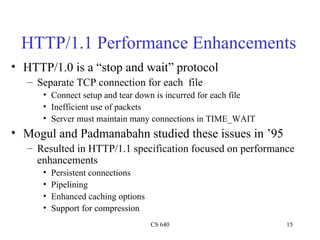
HTTP/1.1 Performance Enhancements HTTP/1.0 is a “stop and wait” protocol Separate TCP connection for each  file Connect setup and tear down is incurred for each file Inefficient use of packets Server must maintain many connections in TIME_WAIT Mogul and Padmanabahn studied these issues in ’95 Resulted in HTTP/1.1 specification focused on performance enhancements Persistent connections Pipelining Enhanced caching options Support for compression
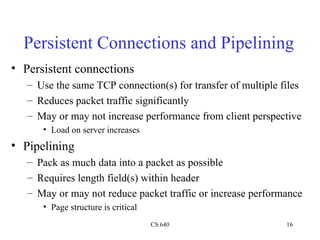
Persistent Connections and Pipelining Persistent connections Use the same TCP connection(s) for transfer of multiple files Reduces packet traffic significantly May or may not increase performance from client perspective Load on server increases Pipelining Pack as much data into a packet as possible Requires length field(s) within header May or may not reduce packet traffic or increase performance Page structure is critical
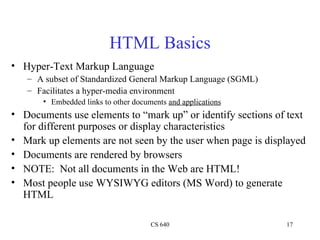
HTML Basics Hyper-Text Markup Language A subset of Standardized General Markup Language (SGML) Facilitates a hyper-media environment Embedded links to other documents  and applications Documents use elements to “mark up” or identify sections of text for different purposes or display characteristics Mark up elements are not seen by the user when page is displayed Documents are rendered by browsers NOTE:  Not all documents in the Web are HTML! Most people use WYSIWYG editors (MS Word) to generate HTML
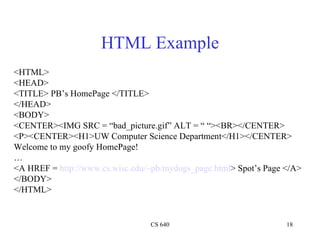
HTML Example <HTML> <HEAD> <TITLE> PB’s HomePage </TITLE> </HEAD> <BODY> <CENTER><IMG SRC = “bad_picture.gif” ALT = “ “><BR></CENTER> <P><CENTER><H1>UW Computer Science Department</H1></CENTER> Welcome to my goofy HomePage! … <A HREF =  http://www.cs.wisc.edu/~pb/mydogs_page.html > Spot’s Page </A> </BODY> </HTML>

Web

  • 1.
    The World WideWeb Outline Background Structure Protocols
  • 2.
    WWW Background 1989-1990– Tim Berners-Lee invents the World Wide Web at CERN Means for transferring text and graphics simultaneously Client/Server data transfer protocol Communication via application level protocol System ran on top of standard networking infrastructure Text mark up language Not invented by Bernes-Lee Simple and easy to use Requires a client application to render text/graphics
  • 3.
    WWW History contd.1994 – Mark Andreesen invents MOSAIC at National Center for Super Computing Applications (NCSA) First graphical browser Internet’s first “killer app” Freely distributed Became Netscape Inc. 1995 (approx.) – Web traffic becomes dominant Exponential growth E-commerce Web infrastructure companies World Wide Web Consortium Reference: “Web Protocols and Practice”, Krishnamurthy and Rexford
  • 4.
    WWW Components StructuralComponents Clients/browsers – to dominant implementations Servers – run on sophisticated hardware Caches – many interesting implementations Internet – the global infrastructure which facilitates data transfer Semantic Components Hyper Text Transfer Protocol (HTTP) Hyper Text Markup Language (HTML) eXtensible Markup Language (XML) Uniform Resource Identifiers (URIs)
  • 5.
    Quick Aside –Web server use Source: Netcraft Server Survey, 2001
  • 6.
    WWW Structure Clientsuse browser application to send URIs via HTTP to servers requesting a Web page Web pages constructed using HTML (or other markup language) and consist of text, graphics, sounds plus embedded files Servers (or caches) respond with requested Web page Or with error message Client’s browser renders Web page returned by server Page is written using Hyper Text Markup Language (HTML) Displaying text, graphics and sound in browser Writing data as well The entire system runs over standard networking protocols (TCP/IP, DNS,…)
  • 7.
    Uniform Resource IdentifiersWeb resources need names/identifiers – Uniform Resource Identifiers (URIs) Resource can reside anywhere on the Internet URIs are a somewhat abstract notion A pointer to a resource to which request methods can be applied to generate potentially different responses A request method is eg. fetching or changing the object Instance: http://www.foo.com/index.html Protocol, server, resource Most popular form of a URI is the Uniform Resource Locator (URL) Differences between URI and URL are beyond scope RFC 2396
  • 8.
    HTTP Basics Protocolfor client/server communication The heart of the Web Very simple request/response protocol Client sends request message, server replies with response message Stateless Relies on URI naming mechanism Three versions have been used 09/1.0 – very close to Berners-Lee’s original RFC 1945 (original RFC is now expired) 1.1 – developed to enhance performance, caching, compression RFC 2068 1.0 dominates today but 1.1 is catching up
  • 9.
    HTTP Request MessagesGET – retrieve document specified by URL PUT – store specified document under given URL HEAD – retrieve info. about document specified by URL OPTIONS – retrieve information about available options POST – give information (eg. annotation) to the server DELETE – remove document specified by URL TRACE – loopback request message CONNECT – for use by caches
  • 10.
    HTTP Request FormatFirst type of HTTP message: requests Client browsers construct and send message Typical HTTP request: GET http://www.cs.wisc.edu/index.html HTTP/1.0 request-line ( request request-URI HTTP-version) headers (0 or more) <blank line> body (only for POST request)
  • 11.
    HTTP Response FormatSecond type of HTTP message: response Web servers construct and send response messages Typical HTTP response: HTTP/1.0 301 Moved Permanently Location: http://www.wisc.edu/cs/index.html status-line (HTTP-version response-code response-phrase) headers (0 or more) <blank line> body
  • 12.
    HTTP Response Codes1xx – Informational – request received, processing 2xx – Success – action received, understood, accepted 3xx – Redirection – further action necessary 4xx – Client Error – bad syntax or cannot be fulfilled 5xx – Server Error – server failed
  • 13.
    HTTP Headers Bothrequests and responses can contain a variable number of header fields Consists of field name, colon, space, field value 17 possible header types divided into three categories Request Response Body Example: Date: Friday, 27-Apr-01 13:30:01 GMT Example: Content-length: 3001
  • 14.
    HTTP/1.0 Network InteractionClients make requests to port 80 on servers Uses DNS to resolve server name Clients make separate TCP connection for each URL Some browsers open multiple TCP connections Netscape default = 4 Server returns HTML page Many types of servers with a variety of implementations Apache is the most widely used Freely available in source form Client parses page Requests embedded objects
  • 15.
    HTTP/1.1 Performance EnhancementsHTTP/1.0 is a “stop and wait” protocol Separate TCP connection for each file Connect setup and tear down is incurred for each file Inefficient use of packets Server must maintain many connections in TIME_WAIT Mogul and Padmanabahn studied these issues in ’95 Resulted in HTTP/1.1 specification focused on performance enhancements Persistent connections Pipelining Enhanced caching options Support for compression
  • 16.
    Persistent Connections andPipelining Persistent connections Use the same TCP connection(s) for transfer of multiple files Reduces packet traffic significantly May or may not increase performance from client perspective Load on server increases Pipelining Pack as much data into a packet as possible Requires length field(s) within header May or may not reduce packet traffic or increase performance Page structure is critical
  • 17.
    HTML Basics Hyper-TextMarkup Language A subset of Standardized General Markup Language (SGML) Facilitates a hyper-media environment Embedded links to other documents and applications Documents use elements to “mark up” or identify sections of text for different purposes or display characteristics Mark up elements are not seen by the user when page is displayed Documents are rendered by browsers NOTE: Not all documents in the Web are HTML! Most people use WYSIWYG editors (MS Word) to generate HTML
  • 18.
    HTML Example <HTML><HEAD> <TITLE> PB’s HomePage </TITLE> </HEAD> <BODY> <CENTER><IMG SRC = “bad_picture.gif” ALT = “ “><BR></CENTER> <P><CENTER><H1>UW Computer Science Department</H1></CENTER> Welcome to my goofy HomePage! … <A HREF = http://www.cs.wisc.edu/~pb/mydogs_page.html > Spot’s Page </A> </BODY> </HTML>