Submitted By:
Rajan pandey
0505cs081036
VII th Sem
Introduction
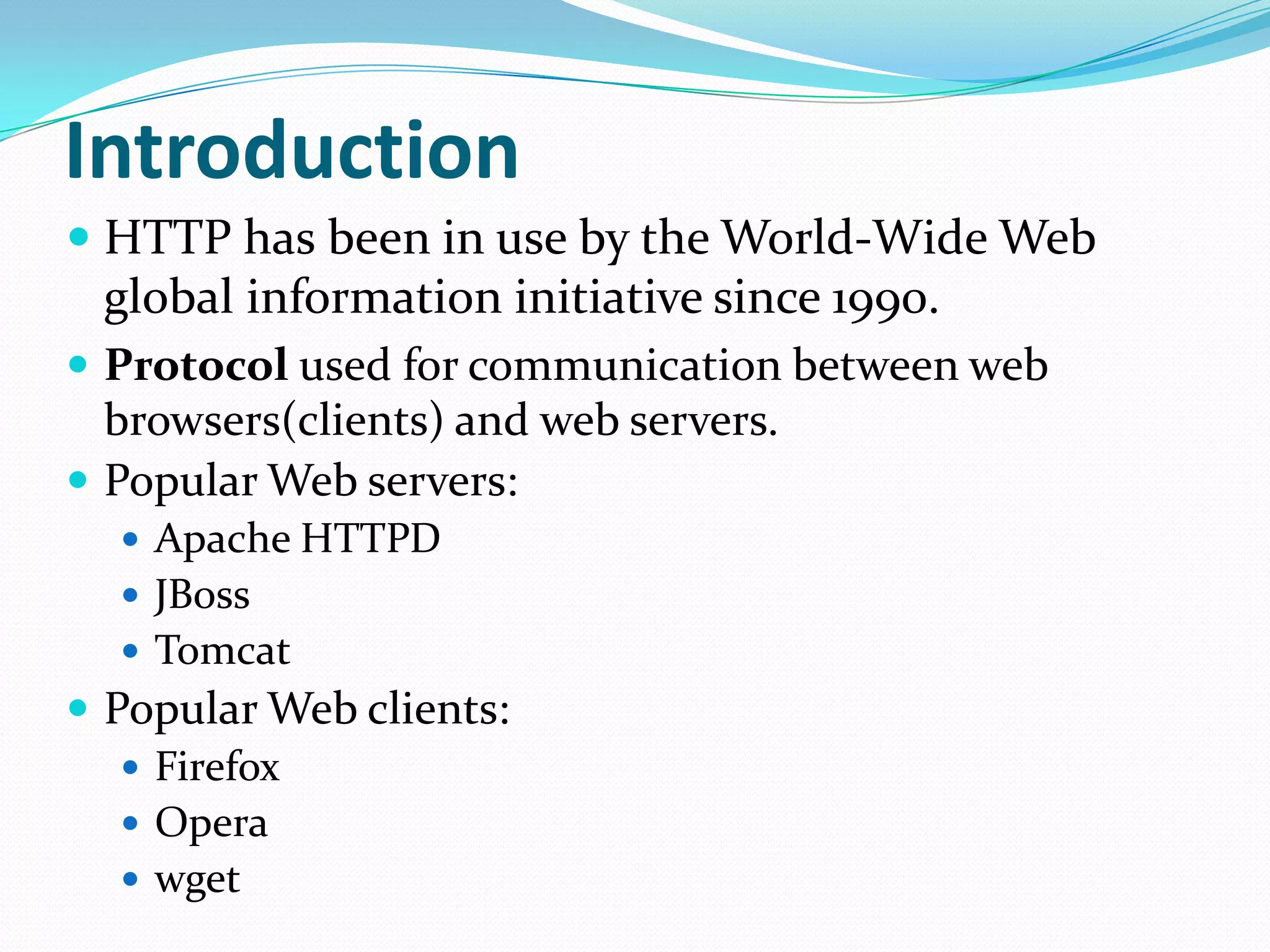
 HTTP has been in use by the World-Wide Web
global information initiative since 1990.
 Protocol used for communication between web
browsers(clients) and web servers.
 Popular Web servers:
 Apache HTTPD
 JBoss
 Tomcat
 Popular Web clients:
 Firefox
 Opera
 wget
Why study HTTP ?
 Understand the interaction between web clients (browsers,
robots, search engines, etc.) and web servers.
 Manually query web servers and receive low-level information
that typical web browsers hide from the user.
 can better understand the configuration and capabilities of a particular
server
 debug configuration errors with the server or programming errors in
programs invoked by the web server.
 Hacking !
 Streamline web services to make better use of the protocol.
What are the different evolutions ?
 HTTP 0.9 (1991 )
 HTTP 1.0 ( 1996)
 HTTP 1.1 ( 1997)
Many application layer protocols are used on
the Internet, HTTP is only one
Protocol Application
HTTP: Hypertext Transfer Retrieve and view Web pages
FTP: File Transfer
Copy files from client to server
or from server to client
SMTP: Simple Mail
Transport
Send email
POP: Post Office Read email
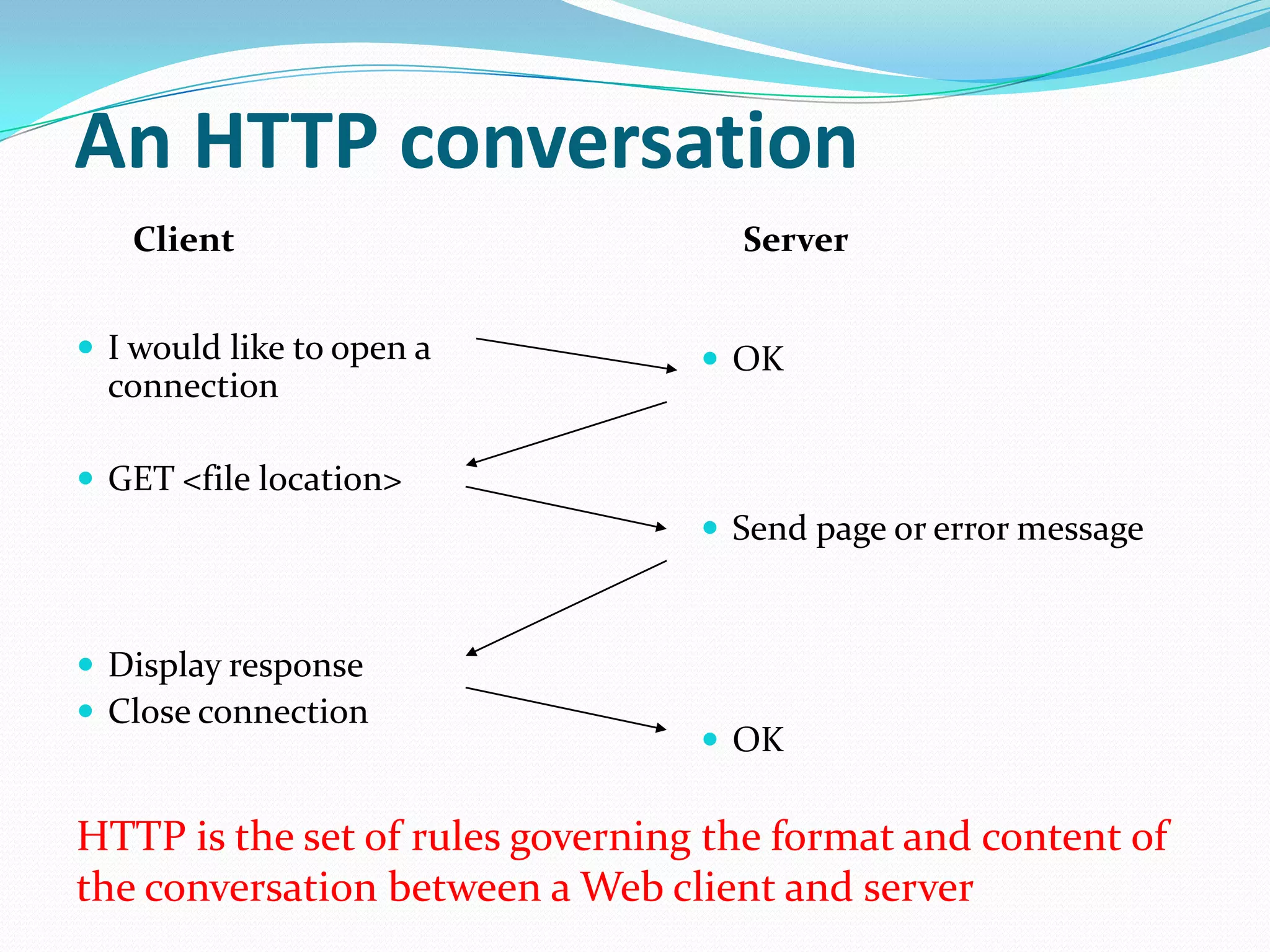
An HTTP conversation
 I would like to open a
connection
 GET <file location>
 Display response
 Close connection
 OK
 Send page or error message
 OK
Client Server
HTTP is the set of rules governing the format and content of
the conversation between a Web client and server
An HTTP example
The message requesting a Web page must begin with the work
“GET” and be followed by a space and the location of a file on
the server, like this:
GET /fac/lpress/shortbio.htm
The protocol spells out the exact message format, so any
Web client can retrieve pages from any Web server.
Basic Operation
Client Server
Request Method
URL / RelativeURL
Request Headers
Request Body
Protocol Version
Status Code
Response Headers
Response Body
HTTP Transactions
Requests
 Given the following URL: http://www.google.com:80/ the browser
interprets the URL as follows:
 http://
 Use HTTP, the Hypertext Transfer Protocol.
 www.google.com
 Contact a computer over the network with the hostname of
www.google.com.
 :80
 Connect to the computer at port 80. The port number can be any
legitimate IP port number: 1 through 65535,
 /
 Anything after the hostname and optional port number is regarded
as a document path. In this example, the document path is /.
HTTP Request
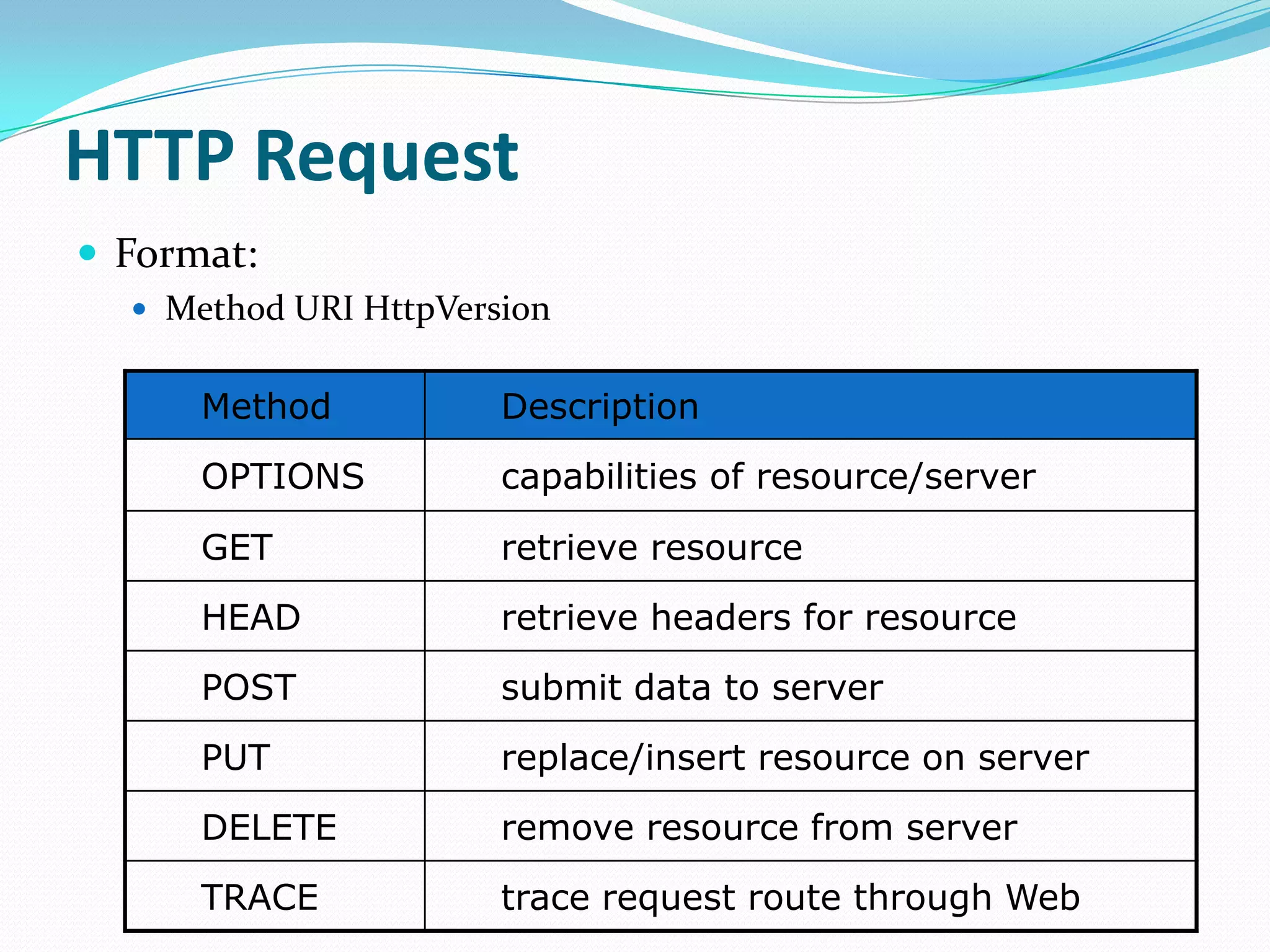
 Format:
 Method URI HttpVersion
Method Description
OPTIONS capabilities of resource/server
GET retrieve resource
HEAD retrieve headers for resource
POST submit data to server
PUT replace/insert resource on server
DELETE remove resource from server
TRACE trace request route through Web
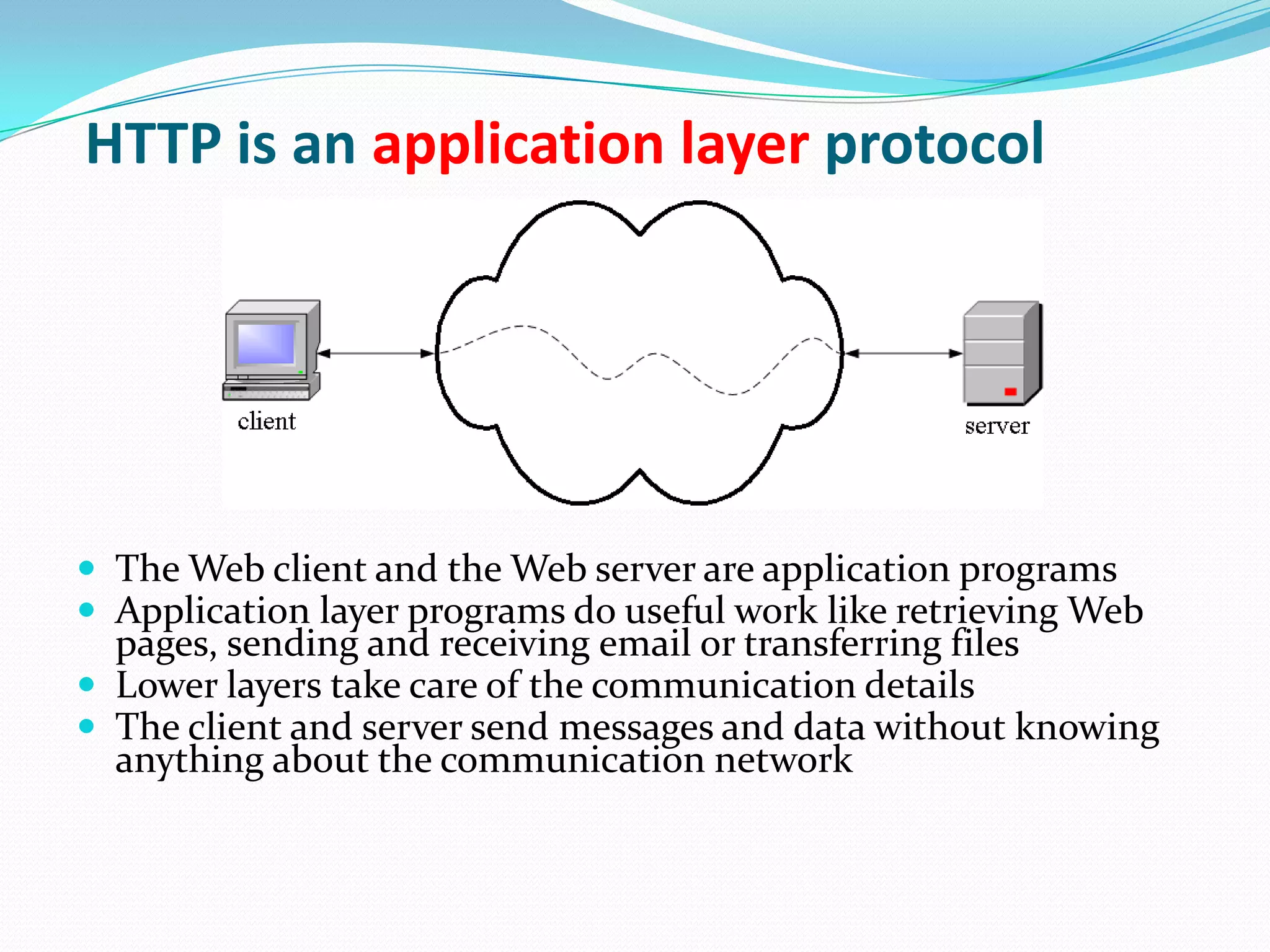
HTTP is an application layer protocol
 The Web client and the Web server are application programs
 Application layer programs do useful work like retrieving Web
pages, sending and receiving email or transferring files
 Lower layers take care of the communication details
 The client and server send messages and data without knowing
anything about the communication network
URLs, URNs and URIs
 Every resource accessible through HTTP is identified by a Uniform
Resource Location (URL), which is a location-specific identifier.
 For example,
 http://www.cs.uct.ac.za:80/
 ftp://ftp.cs.uct.ac.za/
 A Uniform Resource Identifier (URI) is a standard format
(<scheme>:<identifier>) generic identifier.
 For example,
 mailto:hussein@cs.uct.ac.za
 oai:www.ndltd.org:123456-789
 A Uniform Resource Name (URN) is one example of a location-
independent URI.
 For example,
 urn:isbn:123-456-789
 Note: Every URL and URN is also a URI!
Other HTTP Features
 Authentication
 Persistent connections
 GET-if-modified
 Byte ranges
 Content type negotiation
 Cache control
 Proxy support
THANK YOU
“Wish you have a Great Time
Ahead”
RAJAN PANDEY

Hypertext Transfer Protocol

  • 1.
  • 2.
    Introduction  HTTP hasbeen in use by the World-Wide Web global information initiative since 1990.  Protocol used for communication between web browsers(clients) and web servers.  Popular Web servers:  Apache HTTPD  JBoss  Tomcat  Popular Web clients:  Firefox  Opera  wget
  • 3.
    Why study HTTP?  Understand the interaction between web clients (browsers, robots, search engines, etc.) and web servers.  Manually query web servers and receive low-level information that typical web browsers hide from the user.  can better understand the configuration and capabilities of a particular server  debug configuration errors with the server or programming errors in programs invoked by the web server.  Hacking !  Streamline web services to make better use of the protocol.
  • 4.
    What are thedifferent evolutions ?  HTTP 0.9 (1991 )  HTTP 1.0 ( 1996)  HTTP 1.1 ( 1997)
  • 5.
    Many application layerprotocols are used on the Internet, HTTP is only one Protocol Application HTTP: Hypertext Transfer Retrieve and view Web pages FTP: File Transfer Copy files from client to server or from server to client SMTP: Simple Mail Transport Send email POP: Post Office Read email
  • 6.
    An HTTP conversation I would like to open a connection  GET <file location>  Display response  Close connection  OK  Send page or error message  OK Client Server HTTP is the set of rules governing the format and content of the conversation between a Web client and server
  • 7.
    An HTTP example Themessage requesting a Web page must begin with the work “GET” and be followed by a space and the location of a file on the server, like this: GET /fac/lpress/shortbio.htm The protocol spells out the exact message format, so any Web client can retrieve pages from any Web server.
  • 8.
    Basic Operation Client Server RequestMethod URL / RelativeURL Request Headers Request Body Protocol Version Status Code Response Headers Response Body
  • 9.
    HTTP Transactions Requests  Giventhe following URL: http://www.google.com:80/ the browser interprets the URL as follows:  http://  Use HTTP, the Hypertext Transfer Protocol.  www.google.com  Contact a computer over the network with the hostname of www.google.com.  :80  Connect to the computer at port 80. The port number can be any legitimate IP port number: 1 through 65535,  /  Anything after the hostname and optional port number is regarded as a document path. In this example, the document path is /.
  • 10.
    HTTP Request  Format: Method URI HttpVersion Method Description OPTIONS capabilities of resource/server GET retrieve resource HEAD retrieve headers for resource POST submit data to server PUT replace/insert resource on server DELETE remove resource from server TRACE trace request route through Web
  • 11.
    HTTP is anapplication layer protocol  The Web client and the Web server are application programs  Application layer programs do useful work like retrieving Web pages, sending and receiving email or transferring files  Lower layers take care of the communication details  The client and server send messages and data without knowing anything about the communication network
  • 12.
    URLs, URNs andURIs  Every resource accessible through HTTP is identified by a Uniform Resource Location (URL), which is a location-specific identifier.  For example,  http://www.cs.uct.ac.za:80/  ftp://ftp.cs.uct.ac.za/  A Uniform Resource Identifier (URI) is a standard format (<scheme>:<identifier>) generic identifier.  For example,  mailto:hussein@cs.uct.ac.za  oai:www.ndltd.org:123456-789  A Uniform Resource Name (URN) is one example of a location- independent URI.  For example,  urn:isbn:123-456-789  Note: Every URL and URN is also a URI!
  • 13.
    Other HTTP Features Authentication  Persistent connections  GET-if-modified  Byte ranges  Content type negotiation  Cache control  Proxy support
  • 14.
    THANK YOU “Wish youhave a Great Time Ahead” RAJAN PANDEY