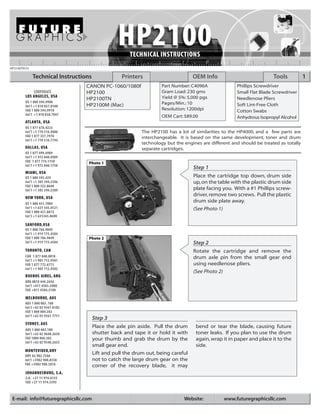
HP2100TECH

             Technical Instructions               Printers                        OEM Info                             Tools           1
                                 CANON PC-1060/1080f                Part Number: C4096A               Phillips Screwdriver
            CORPORATE            HP2100                             Gram Load: 230 gms                Small Flat Blade Screwdriver
        LOS ANGELES, USA                                            Yield @ 5%: 5,000 pgs
                                 HP2100TN                                                             Needlenose Pliers
        US 1 800 394.9900                                           Pages/Min.: 10
        Int’l +1 818 837.8100    HP2100M (Mac)                                                        Soft Lint-Free Cloth
        FAX 1 800 394.9910                                          Resolution: 1200dpi               Cotton Swabs
        Int’l +1 818 838.7047                                       OEM Cart: $89.00                  Anhydrous Isopropyl Alcohol
        ATLANTA, USA
        US 1 877 676.4223
        Int’l +1 770 516.9488                              The HP2100 has a lot of similarities to the HP4000, and a few parts are
        FAX 1 877 337.7976                                 interchangeable. It is based on the same development, toner and drum
        Int’l +1 770 516.7794
                                                           technology but the engines are different and should be treated as totally
        DALLAS, USA                                        separate cartridges.
        US 1 877 499.4989
        Int’l +1 972 840.4989
        FAX 1 877 774.1750        Photo 1
        Int’l +1 972 840.1750
                                                                                  Step 1
        MIAMI, USA
        US 1 800 595.429                                                          Place the cartridge top down, drum side
        Int’l +1 305 594.3396                                                     up, on the table with the plastic drum side
        FAX 1 800 522.8640
        Int’l +1 305 594.3309                                                     plate facing you. With a #1 Phillips screw-
                                                                                  driver, remove two screws. Pull the plastic
        NEW YORK, USA
        US 1 800 431.7884
                                                                                  drum side plate away.
        Int’l +1 631 345.0121                                                     (See Photo 1)
        FAX 1 800 431.8812
        Int’l +1 631345.0690

        SANFORD,USA
        US 1 800 786.9049
        Int’l +1 919 775.4584
        FAX 1 800 786.9049        Photo 2
        Int’l +1 919 775.4584                                                     Step 2
        TORONTO, CAN                                                              Rotate the cartridge and remove the
        CAN 1 877 848.0818                                                        drum axle pin from the small gear end
        Int’l +1 905 712.9501
        FAX 1 877 772.6773                                                        using needlenose pliers.
        Int’l +1 905 712.9502
                                                                                  (See Photo 2)
        BUENOS AIRES, ARG
        ARG 0810 444.2656
        Int’l +011 4583.5900
        FAX +011 4584.3100

        MELBOURNE, AUS
        AUS 1 800 003. 100
        Int’l +62 03 9561.8102
        FAX 1 800 004.302
        Int’l +62 03 9561-7751
                                      Step 3                                       Gray 5%
        SYDNEY, AUS
                                      Place the axle pin aside. Pull the drum      bend or tear the blade, causing future
        AUS 1 800 003.100
        Int’l +62 02 9648.2630        shutter back and tape it or hold it with     toner leaks. If you plan to use the drum
        FAX 1800 004.302              your thumb and grab the drum by the          again, wrap it in paper and place it to the
        Int’l +62 02 9548.2635
                                      small gear end.                              side.
        MONTEVIDEO,URY
        URY 02 902.7206
                                      Lift and pull the drum out, being careful
        Int’l +5982 900.8358          not to catch the large drum gear on the
        FAX +5982 908.3816            corner of the recovery blade, it may
        JOHANNESBURG, S.A.
        S.A. +27 11 974.6155
        FAX +27 11 974.3593


 E-mail: info@futuregraphicsllc.com                                           Website:          www.futuregraphicsllc.com
2                                                                                           HP2100 Technical Instructions

                                            Photo 4
                                                                                       Step 5
                                                                                       You can now remove the two pins that
                                                                                       hold the cartridge together. These are
 Step 4
                                                                                       tapered pins pushed in from the outside,
 Next, using a pair of needlenose                                                      so they must be removed from the inside
 pliers, grasp the PCR by the metal                                                    of the cartridge. With the drum shutter
 shaft, remove it, and place it off to                                                 held back, use a long punch or thin flat
 the side as well.    (See Photo 3)                                                    blade screw driver, press the tapered pins
                                                                                       out as far as possible, from the inside on
                                                                                       both ends of the cartridge.
                                                                                       (See Photo 4)
Photo 3                                     Photo 5


                                                                                       Grasp the pins from the outside and
                                                                                       remove.
                                                                                       (See Photo 5)


 Step 6                                      Step 7                                     Step 8
 Set the toner hopper aside for              Lift the wiper blade out and away. Dump    Clean or replace the wiper blade and rein-
 now. Hold the waste hopper                  out all waste toner from the hopper,       stall it at this time. Clean the PCR with a soft
 with the wiper blade facing you,            being careful not to damage the recov-     clean cloth (do not use water or solvents on
 and remove the two Phillips                 ery blade or foam seal (on the upper       this PCR, it reacts differently than those of
 head screws holding the wiper               back of the waste hopper). Clean the       previous PCR technology). Reinstall the PCR,
 blade.            (See Photo 6)             PCR saddles with a cotton swab and         place the drum in position and reinstall the
                                             alcohol.                                   axle pin and the plastic side plate. The waste
                                                                                        hopper is now finished and can be set aside.


Photo 6                                     Photo 7
                                                                                       Step 9
                                                                                       Take the toner hopper and place it on the table
                                                                                       with the mag roller side facing you. The drum
                                                                                       cover is easily broken and attached on the left
                                                                                       side by a wire only. On the right side it is
                                                                                       attached by both a wire and the curved,spring-
                                                                                       loaded plastic “drum cover arm” To remover it,
                                                                                                                       .
                                                                                       lift the drum cover spring arm and latch it on
                                                                                       the cutout of the arm.           (See Photo 8)


                                            Photo 8
                                                                                       Step 10
                                                                                       Next, take a flat blade screwdriver and pry
                                                                                       the drum arm outward until it comes
                                                                                       completely off the shaft.
                                                                                       (See Photo 8)

    Need trust-worthy, detailed Technical
    Instructions for another engine?
    Visit: www.futuregraphicsllc.com
HP2100 Technical Instructions                                                                                               3

Photo 9
                                     Step 11
                                     At this point, pull the wire and arm out on
                                     this side until it is completely released                      Notes
                                     from the toner hopper.
                                     (See Photo 9)


                                     Step 12
                                     Turn the wire back and upward until the
                                     keyed flat piece of the wire on the other
Photo 10                             side is vertical and aligned with the vertical
                                     slot on the plastic side plate, then slide it
                                     out. Do NOT force it, as it will come out
                                     easily when aligned correctly.
                                     (See Photo 10)
                                     You have now completely removed the
                                     drum cover (it is very easy to re-install in
                                     reverse order). Set it aside until the end.


Photo 11                             Step 13
                                     Next, use a Phillips screwdriver to remove
                                     the two screws on the left (gear) side of
                                     the toner hopper             (See Photo 11)
                                     Step 14
                                     Pressing backward on the latch with a
                                     small, flat blade screwdriver remover the
                                     side plate. All the gears will stay attached to
                                     the side cover and can easily be air cleaned.


Photo 12
                                     Step 15
                                     Rotate the cartridge and remove the two
                                     screws on the other end.
                                     (See Photo 12)


Photo 13


                                     Press backward on the latch with a small,
                                     flat blade screwdriver and remove the side
                                     plate.
                                     (See Photo 13)
                                                                                       Need help with a particular remanu-
                                                                                       facturing problem?
                                                                                       Call the Technical Resource Center from
                                                                                       8am - 5pm PST: 800 394.9900
4                                                                                                             HP2100 Technical Instructions

                                              Photo 15
                                                                                                        Step 17
                                                                                                        The mag roller can now be removed.
                                                                                                        (See Photo 15)
 Step 16
                                                                                                        NOTE: Be careful no to lose the small c-
 Using a cotton swab and
                                                                                                        shaped inner-bearing guide attached to
 alcohol, remove all conductive
                                                                                                        the stabilizer arm.
 grease from the mag roller
 contact and replace with fresh
 conductive grease.      If you
 remove the white plastic mag
 roller guide, carefully put it               Photo 16
 back in the correct position.                                                                          Step 18
 NOTE: This mag roller guide will                                                                       Remove the two Phillips head screws hold-
 cause binding if put back on                                                                           ing on the doctor blade.
 wrong.
                                                                                                        (See Photo 16)
 (See Photo 14)
                                                                                                        NOTE: Be careful not to lose the two clear
                                                                                                        mylar shims behind the doctor blade.


                                                                                                                      clear mylar shims

Photo 14                                      Photo 17
                                                                                                        Step 19
                                                                                                        Dump the remaining toner from the toner
                                                                                                        hopper and vacuum or clean with com-
                                                                                                        pressed air. Clean the toner sensor bar with
                                                                                                        a cotton swab and alcohol. (See Photo 17)
                                                                                                        Step 20
                                                                                                        Use a vacuum or compressed air to clean
                                                                                                        the mag roller “magnetic seals”
                                                                                                                                      .


 Step 21                                             Step 23                                               Step 24
 The hopper may now be filled through the            After splitting the hopper and installing             Complete re-assembling the toner hop-
 magnetic roller opening and reassembled             a gasket seal, add the toner through the              per, including reinstallation of the drum
 in reverse order, if a seal is not to be used.      fill plug hole and re-install the plug.               cover assembly. Check for toner leak-
                                                     Use rail clips or hopper clips to reattach            age.
 Step 22
                                                     both pieces of the hopper back                        Step 25
 If you plan to split and seal the hopper,           together, being careful to align them
 it must be done so with a splitting                 properly.                                             With the toner hopper and waste hop-
 machine or “dremel” tool along the                                                                        per units now re-assembled, test each
 toner hopper weld as shown by the                                                                         one for free movement and lack of
 arrows in photo 18.        (See Photo 18)                                                                 noise by turning them manually.

Photo 18                                      Photo 19
                                                                                                        Step 26
                                                                                                        Finally, join the two hoppers together.
                                                                                                        Align them and push the two pins into
                                                                                                        place.
                                                                                                        (See Photo 19)
                                                                                                        The cartridge is now ready for testing.


                           Future Graphics (FG) is a distributor of compatible replacement parts and products for imagining equipment.
              None of FG's products are genuine OEM replacement parts and no affiliation or sponsorship is to be implied between FG and any OEM.

Hp 2100

  • 1.
    HP2100TECH Technical Instructions Printers OEM Info Tools 1 CANON PC-1060/1080f Part Number: C4096A Phillips Screwdriver CORPORATE HP2100 Gram Load: 230 gms Small Flat Blade Screwdriver LOS ANGELES, USA Yield @ 5%: 5,000 pgs HP2100TN Needlenose Pliers US 1 800 394.9900 Pages/Min.: 10 Int’l +1 818 837.8100 HP2100M (Mac) Soft Lint-Free Cloth FAX 1 800 394.9910 Resolution: 1200dpi Cotton Swabs Int’l +1 818 838.7047 OEM Cart: $89.00 Anhydrous Isopropyl Alcohol ATLANTA, USA US 1 877 676.4223 Int’l +1 770 516.9488 The HP2100 has a lot of similarities to the HP4000, and a few parts are FAX 1 877 337.7976 interchangeable. It is based on the same development, toner and drum Int’l +1 770 516.7794 technology but the engines are different and should be treated as totally DALLAS, USA separate cartridges. US 1 877 499.4989 Int’l +1 972 840.4989 FAX 1 877 774.1750 Photo 1 Int’l +1 972 840.1750 Step 1 MIAMI, USA US 1 800 595.429 Place the cartridge top down, drum side Int’l +1 305 594.3396 up, on the table with the plastic drum side FAX 1 800 522.8640 Int’l +1 305 594.3309 plate facing you. With a #1 Phillips screw- driver, remove two screws. Pull the plastic NEW YORK, USA US 1 800 431.7884 drum side plate away. Int’l +1 631 345.0121 (See Photo 1) FAX 1 800 431.8812 Int’l +1 631345.0690 SANFORD,USA US 1 800 786.9049 Int’l +1 919 775.4584 FAX 1 800 786.9049 Photo 2 Int’l +1 919 775.4584 Step 2 TORONTO, CAN Rotate the cartridge and remove the CAN 1 877 848.0818 drum axle pin from the small gear end Int’l +1 905 712.9501 FAX 1 877 772.6773 using needlenose pliers. Int’l +1 905 712.9502 (See Photo 2) BUENOS AIRES, ARG ARG 0810 444.2656 Int’l +011 4583.5900 FAX +011 4584.3100 MELBOURNE, AUS AUS 1 800 003. 100 Int’l +62 03 9561.8102 FAX 1 800 004.302 Int’l +62 03 9561-7751 Step 3 Gray 5% SYDNEY, AUS Place the axle pin aside. Pull the drum bend or tear the blade, causing future AUS 1 800 003.100 Int’l +62 02 9648.2630 shutter back and tape it or hold it with toner leaks. If you plan to use the drum FAX 1800 004.302 your thumb and grab the drum by the again, wrap it in paper and place it to the Int’l +62 02 9548.2635 small gear end. side. MONTEVIDEO,URY URY 02 902.7206 Lift and pull the drum out, being careful Int’l +5982 900.8358 not to catch the large drum gear on the FAX +5982 908.3816 corner of the recovery blade, it may JOHANNESBURG, S.A. S.A. +27 11 974.6155 FAX +27 11 974.3593 E-mail: info@futuregraphicsllc.com Website: www.futuregraphicsllc.com
  • 2.
    2 HP2100 Technical Instructions Photo 4 Step 5 You can now remove the two pins that hold the cartridge together. These are Step 4 tapered pins pushed in from the outside, Next, using a pair of needlenose so they must be removed from the inside pliers, grasp the PCR by the metal of the cartridge. With the drum shutter shaft, remove it, and place it off to held back, use a long punch or thin flat the side as well. (See Photo 3) blade screw driver, press the tapered pins out as far as possible, from the inside on both ends of the cartridge. (See Photo 4) Photo 3 Photo 5 Grasp the pins from the outside and remove. (See Photo 5) Step 6 Step 7 Step 8 Set the toner hopper aside for Lift the wiper blade out and away. Dump Clean or replace the wiper blade and rein- now. Hold the waste hopper out all waste toner from the hopper, stall it at this time. Clean the PCR with a soft with the wiper blade facing you, being careful not to damage the recov- clean cloth (do not use water or solvents on and remove the two Phillips ery blade or foam seal (on the upper this PCR, it reacts differently than those of head screws holding the wiper back of the waste hopper). Clean the previous PCR technology). Reinstall the PCR, blade. (See Photo 6) PCR saddles with a cotton swab and place the drum in position and reinstall the alcohol. axle pin and the plastic side plate. The waste hopper is now finished and can be set aside. Photo 6 Photo 7 Step 9 Take the toner hopper and place it on the table with the mag roller side facing you. The drum cover is easily broken and attached on the left side by a wire only. On the right side it is attached by both a wire and the curved,spring- loaded plastic “drum cover arm” To remover it, . lift the drum cover spring arm and latch it on the cutout of the arm. (See Photo 8) Photo 8 Step 10 Next, take a flat blade screwdriver and pry the drum arm outward until it comes completely off the shaft. (See Photo 8) Need trust-worthy, detailed Technical Instructions for another engine? Visit: www.futuregraphicsllc.com
  • 3.
    HP2100 Technical Instructions 3 Photo 9 Step 11 At this point, pull the wire and arm out on this side until it is completely released Notes from the toner hopper. (See Photo 9) Step 12 Turn the wire back and upward until the keyed flat piece of the wire on the other Photo 10 side is vertical and aligned with the vertical slot on the plastic side plate, then slide it out. Do NOT force it, as it will come out easily when aligned correctly. (See Photo 10) You have now completely removed the drum cover (it is very easy to re-install in reverse order). Set it aside until the end. Photo 11 Step 13 Next, use a Phillips screwdriver to remove the two screws on the left (gear) side of the toner hopper (See Photo 11) Step 14 Pressing backward on the latch with a small, flat blade screwdriver remover the side plate. All the gears will stay attached to the side cover and can easily be air cleaned. Photo 12 Step 15 Rotate the cartridge and remove the two screws on the other end. (See Photo 12) Photo 13 Press backward on the latch with a small, flat blade screwdriver and remove the side plate. (See Photo 13) Need help with a particular remanu- facturing problem? Call the Technical Resource Center from 8am - 5pm PST: 800 394.9900
  • 4.
    4 HP2100 Technical Instructions Photo 15 Step 17 The mag roller can now be removed. (See Photo 15) Step 16 NOTE: Be careful no to lose the small c- Using a cotton swab and shaped inner-bearing guide attached to alcohol, remove all conductive the stabilizer arm. grease from the mag roller contact and replace with fresh conductive grease. If you remove the white plastic mag roller guide, carefully put it Photo 16 back in the correct position. Step 18 NOTE: This mag roller guide will Remove the two Phillips head screws hold- cause binding if put back on ing on the doctor blade. wrong. (See Photo 16) (See Photo 14) NOTE: Be careful not to lose the two clear mylar shims behind the doctor blade. clear mylar shims Photo 14 Photo 17 Step 19 Dump the remaining toner from the toner hopper and vacuum or clean with com- pressed air. Clean the toner sensor bar with a cotton swab and alcohol. (See Photo 17) Step 20 Use a vacuum or compressed air to clean the mag roller “magnetic seals” . Step 21 Step 23 Step 24 The hopper may now be filled through the After splitting the hopper and installing Complete re-assembling the toner hop- magnetic roller opening and reassembled a gasket seal, add the toner through the per, including reinstallation of the drum in reverse order, if a seal is not to be used. fill plug hole and re-install the plug. cover assembly. Check for toner leak- Use rail clips or hopper clips to reattach age. Step 22 both pieces of the hopper back Step 25 If you plan to split and seal the hopper, together, being careful to align them it must be done so with a splitting properly. With the toner hopper and waste hop- machine or “dremel” tool along the per units now re-assembled, test each toner hopper weld as shown by the one for free movement and lack of arrows in photo 18. (See Photo 18) noise by turning them manually. Photo 18 Photo 19 Step 26 Finally, join the two hoppers together. Align them and push the two pins into place. (See Photo 19) The cartridge is now ready for testing. Future Graphics (FG) is a distributor of compatible replacement parts and products for imagining equipment. None of FG's products are genuine OEM replacement parts and no affiliation or sponsorship is to be implied between FG and any OEM.