1. Case for Change
2. 6 Adoption Strategies That Work
3. Resources
This session will cover:
A Case for Change
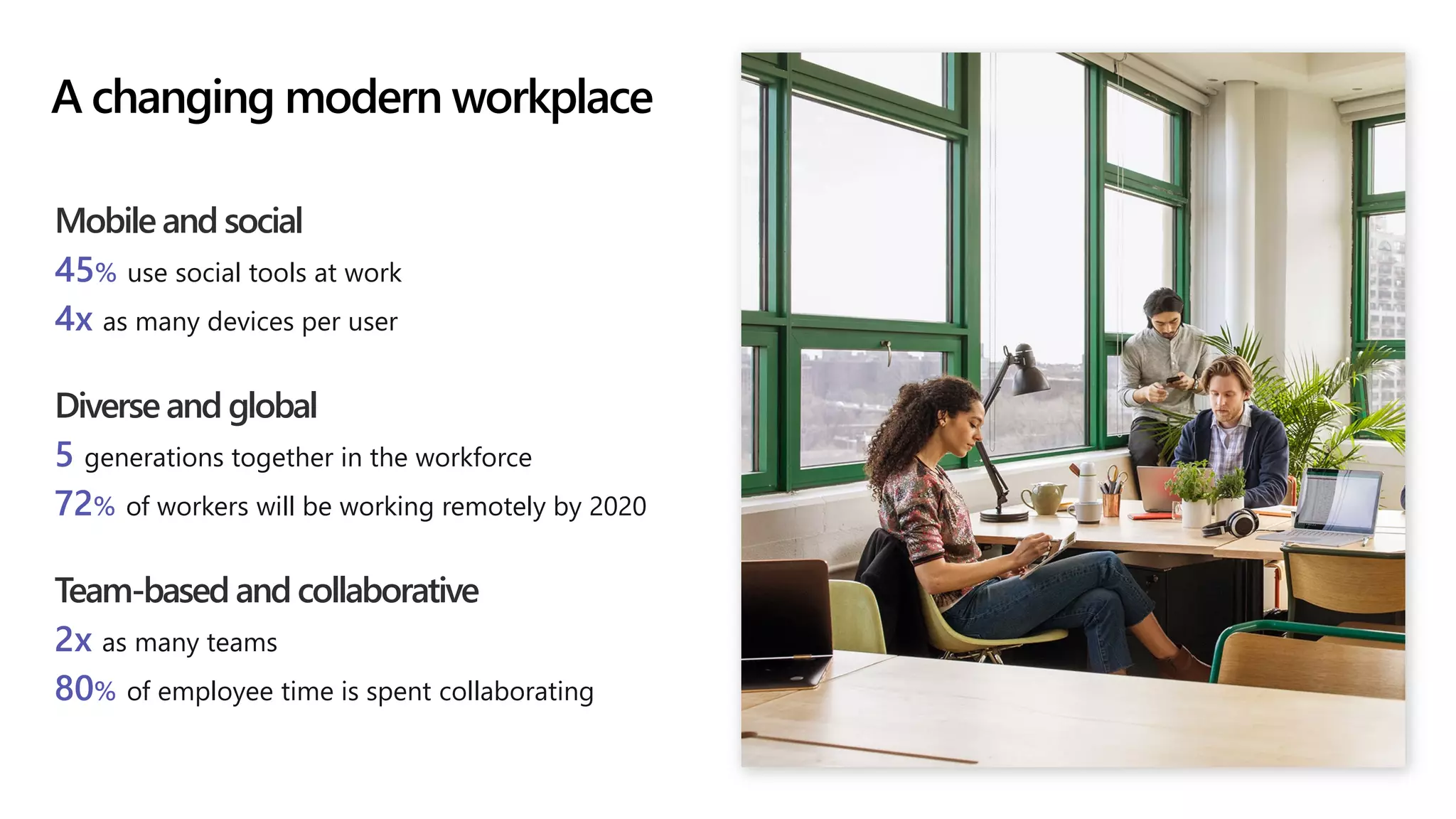
Mobile and social
45% use social tools at work
4x as many devices per user
Diverse and global
5 generations together in the workforce
72% of workers will be working remotely by 2020
Team-based and collaborative
2x as many teams
80% of employee time is spent collaborating
A changing modern workplace
The successful adoption of
Microsoft Teams represents a
change in behavior.
It is more than a set of
products—it is a fundamentally
different way of working.
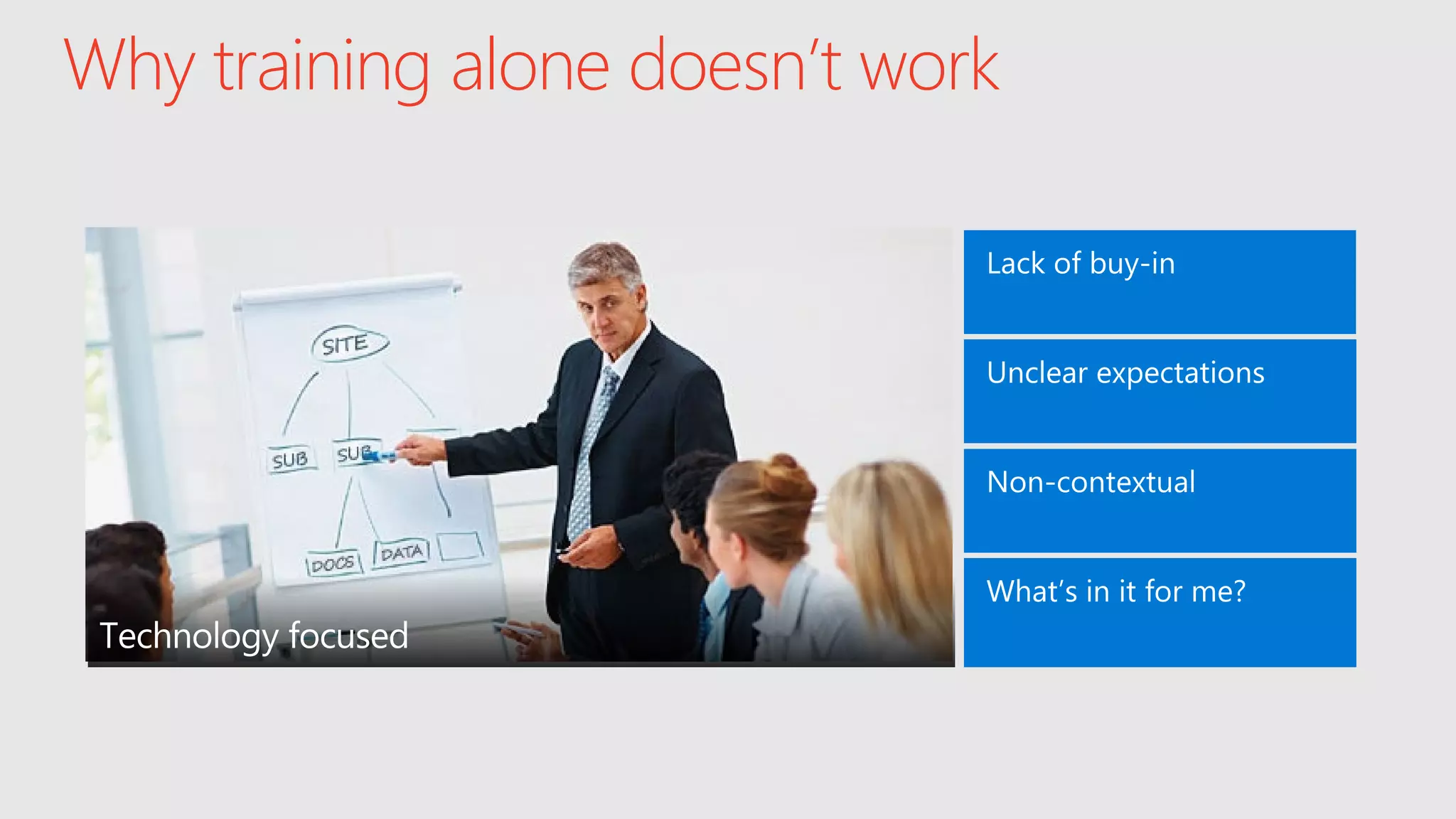
Why training alone doesn’t work
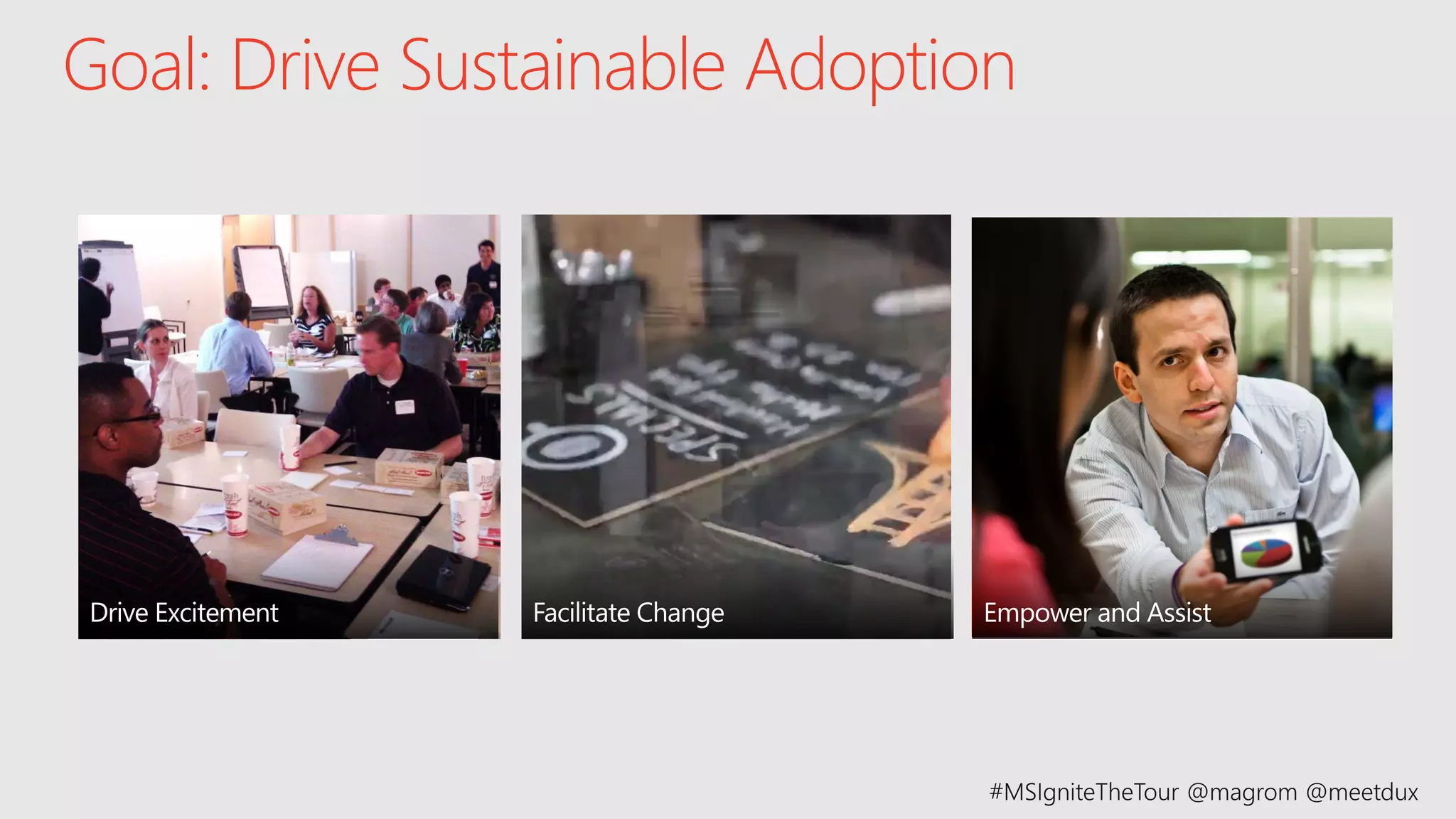
Goal: Drive Sustainable Adoption
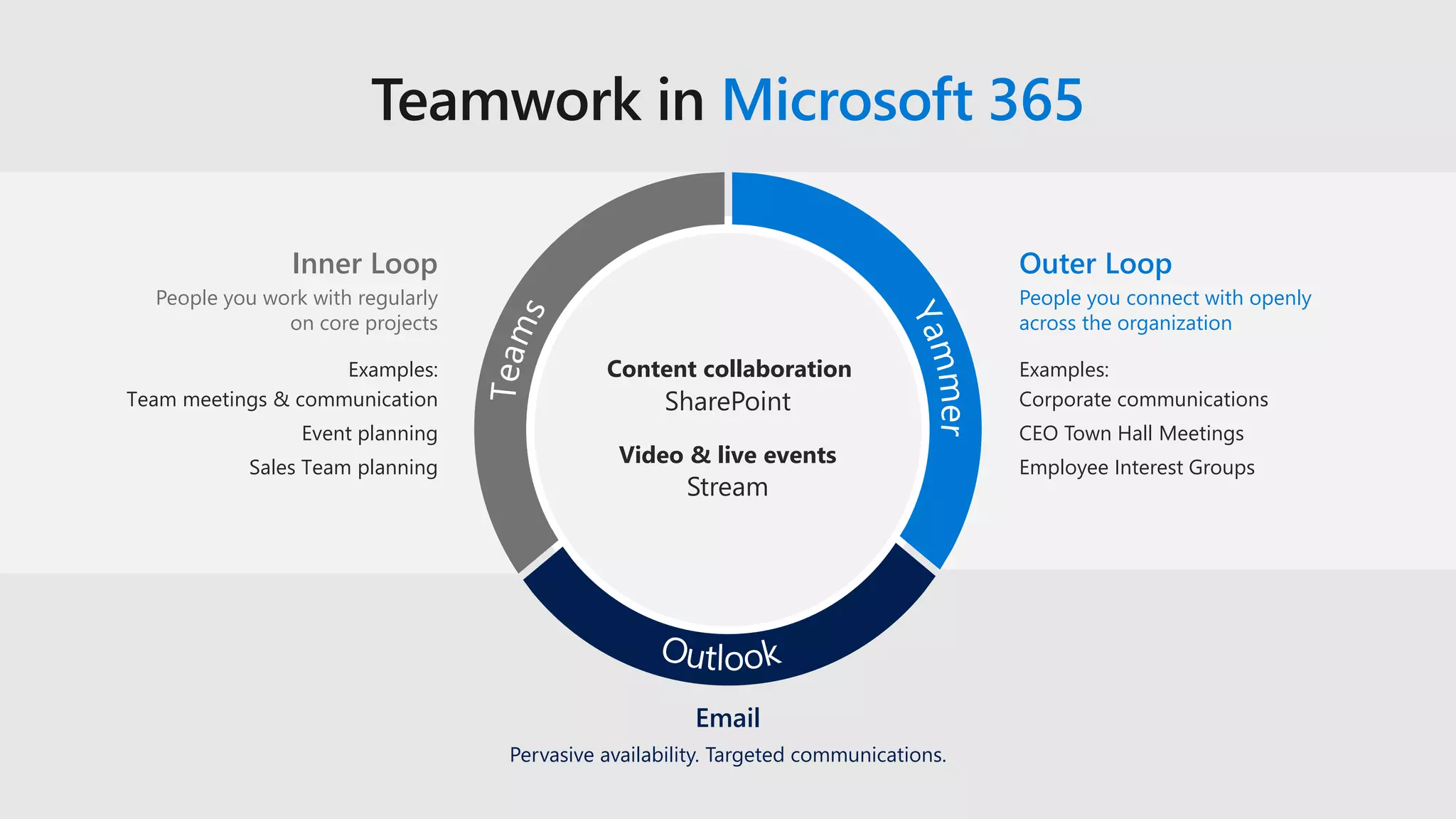
Teamwork in Microsoft 365
Pervasive availability. Targeted communications.
Email
Inner Loop
People you work with regularly
on core projects
Outer Loop
People you connect with openly
across the organization
Examples:
Team meetings & communication
Event planning
Sales Team planning
Examples:
Corporate communications
CEO Town Hall Meetings
Employee Interest Groups
SharePoint
Content collaboration
Stream
Video & live events
6 Adoption Strategies That Work
Strategy 1:
Establish adoption
framework & plan
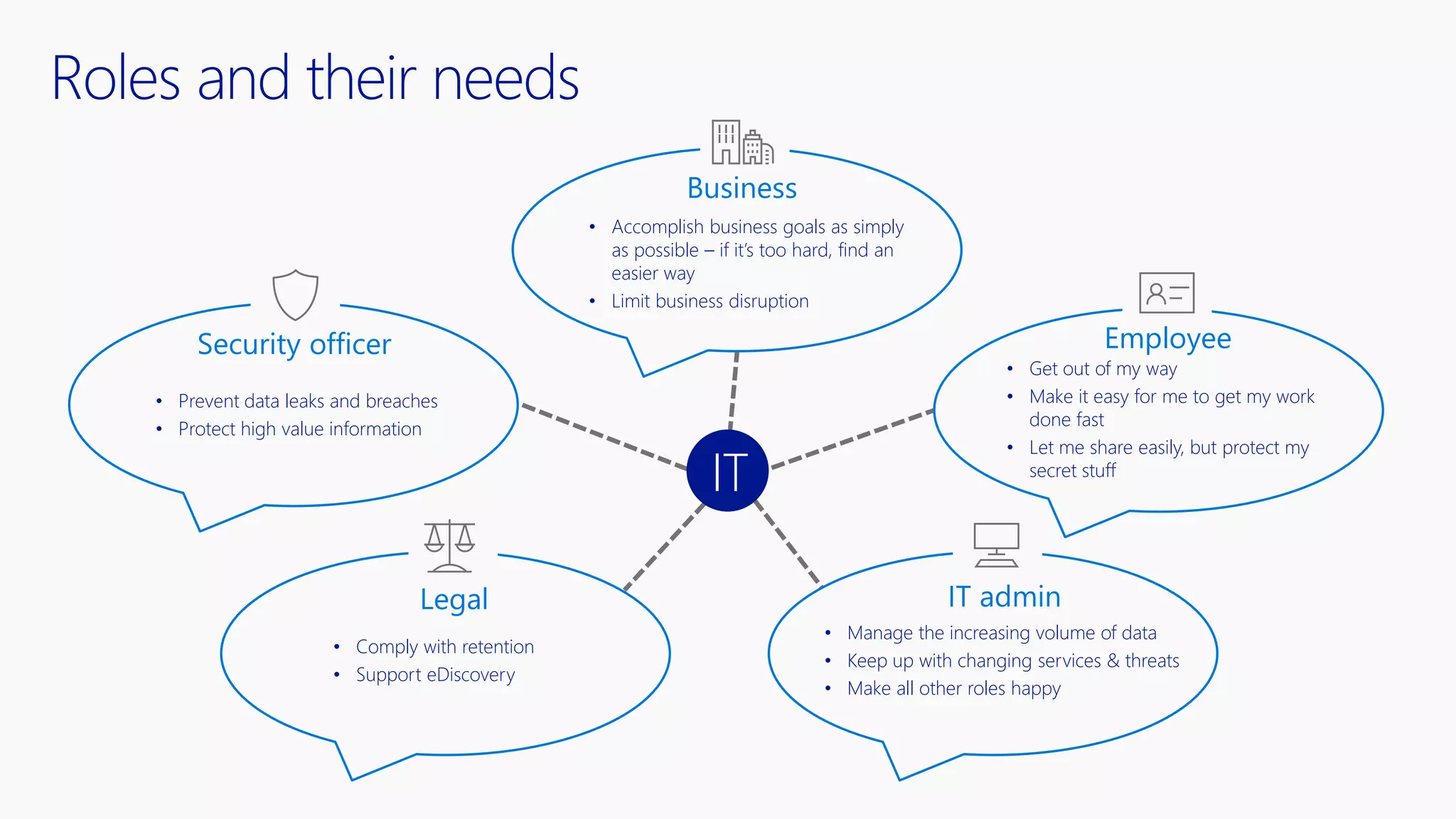
Roles and their needs
IT
Business
EmployeeSecurity officer
Legal IT admin
• Prevent data leaks and breaches
• Protect high value information
• Accomplish business goals as simply
as possible – if it’s too hard, find an
easier way
• Limit business disruption
• Get out of my way
• Make it easy for me to get my work
done fast
• Let me share easily, but protect my
secret stuff
• Manage the increasing volume of data
• Keep up with changing services & threats
• Make all other roles happy
• Comply with retention
• Support eDiscovery
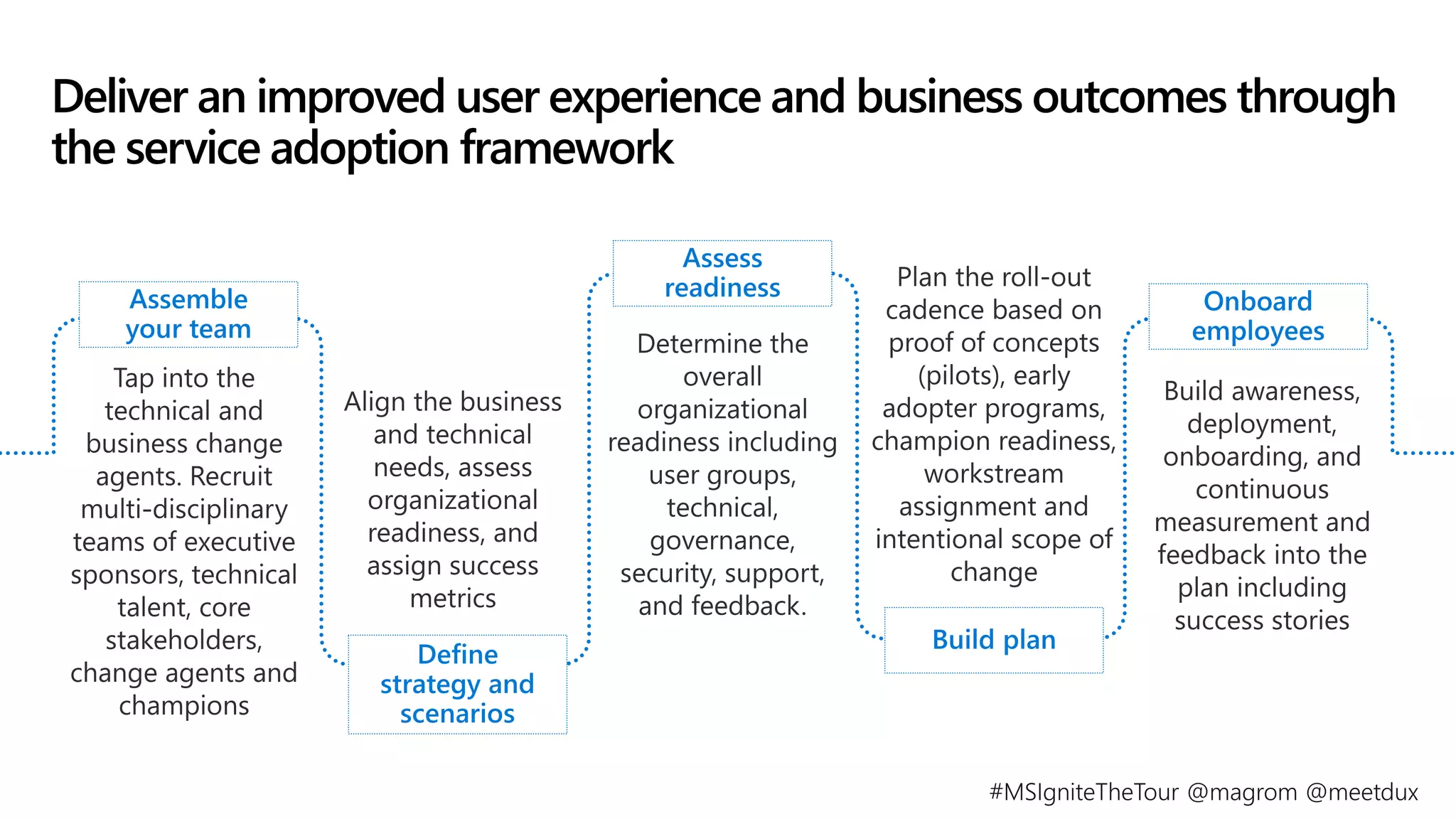
Deliver an improved user experience and business outcomes through
the service adoption framework
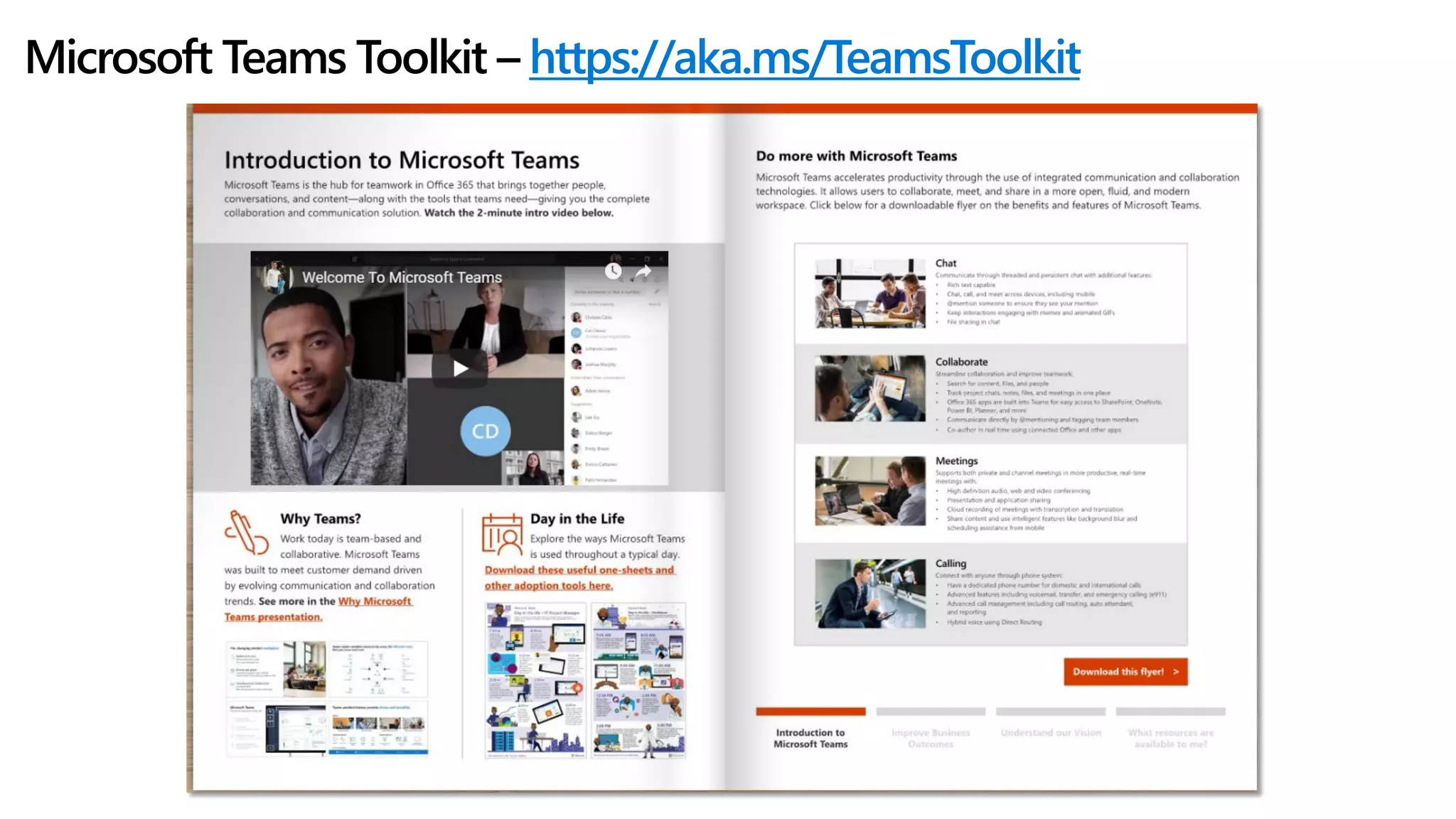
Microsoft Teams Toolkit – https://aka.ms/TeamsToolkit
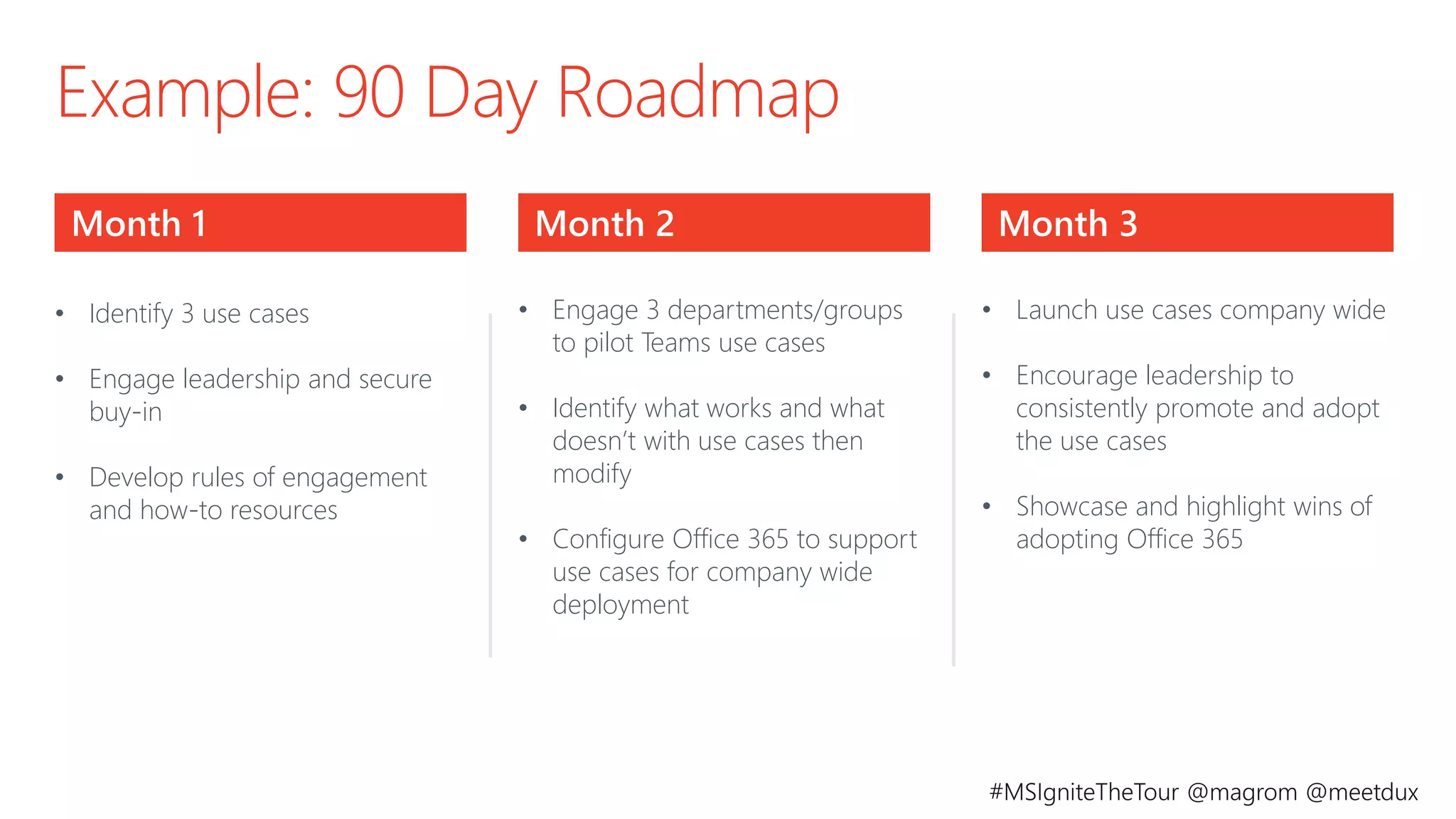
Example: 90 Day Roadmap
Month 2Month 1 Month 3
• Identify 3 use cases
• Engage leadership and secure
buy-in
• Develop rules of engagement
and how-to resources
• Engage 3 departments/groups
to pilot Teams use cases
• Identify what works and what
doesn’t with use cases then
modify
• Configure Office 365 to support
use cases for company wide
deployment
• Launch use cases company wide
• Encourage leadership to
consistently promote and adopt
the use cases
• Showcase and highlight wins of
adopting Office 365
©AvePoint, Inc. All rights reserved. Confidential and proprietary information of AvePoint, Inc.
Strategy 2:
Ensure operational
governance
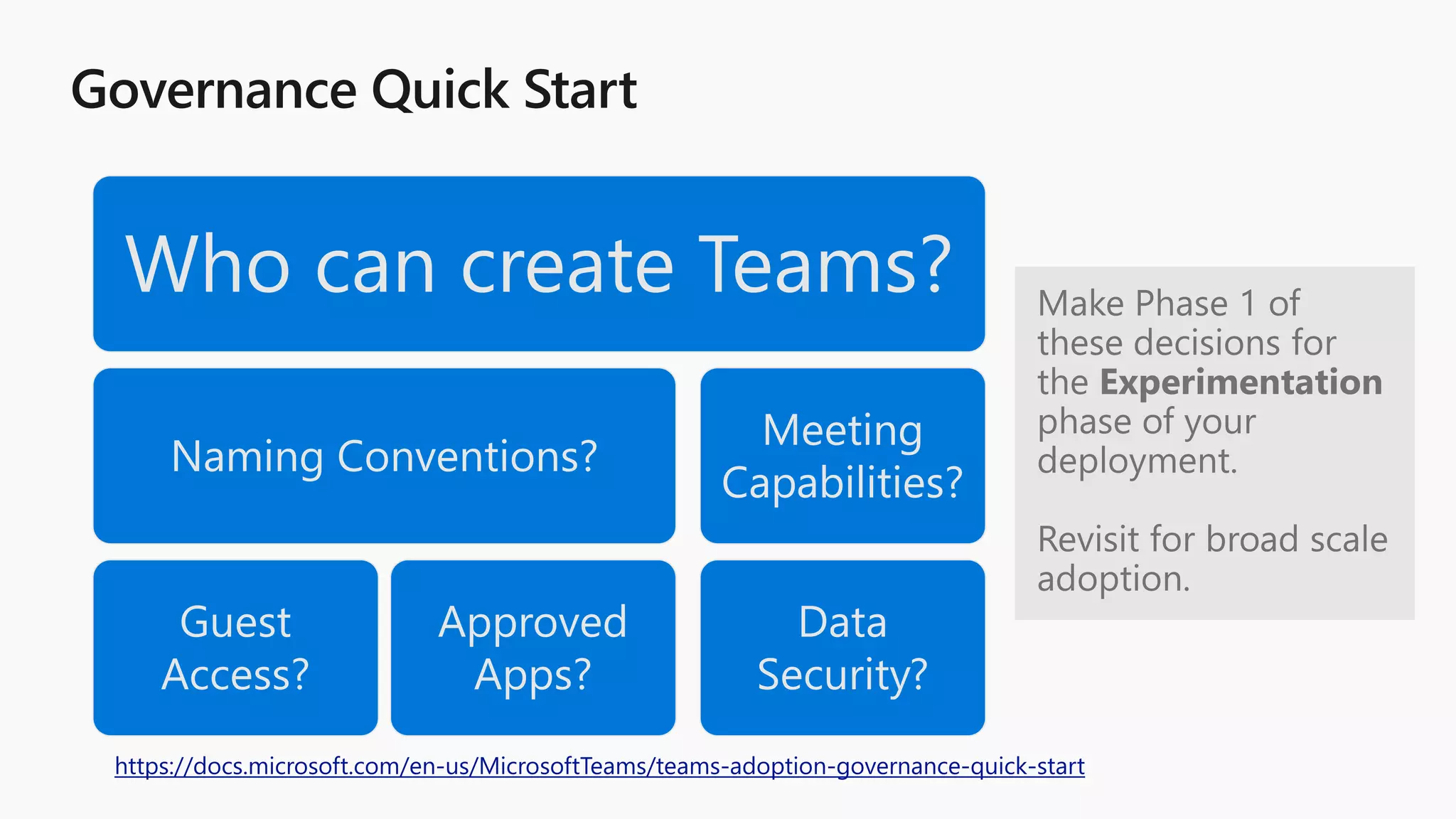
Who can create Teams?
Naming Conventions?
Guest
Access?
Approved
Apps?
Meeting
Capabilities?
Data
Security?
https://docs.microsoft.com/en-us/MicrosoftTeams/teams-adoption-governance-quick-start
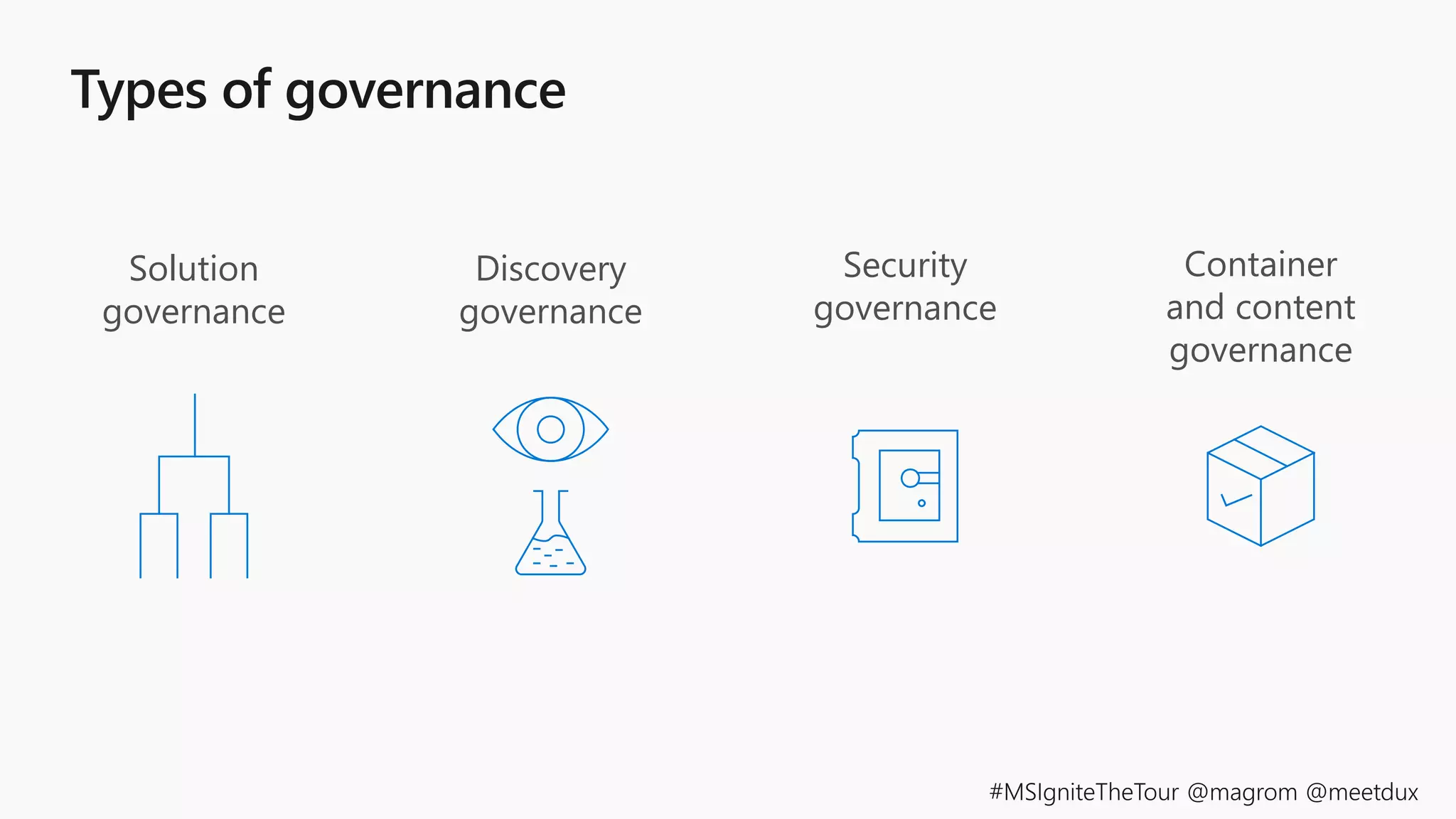
Solution
governance
Discovery
governance
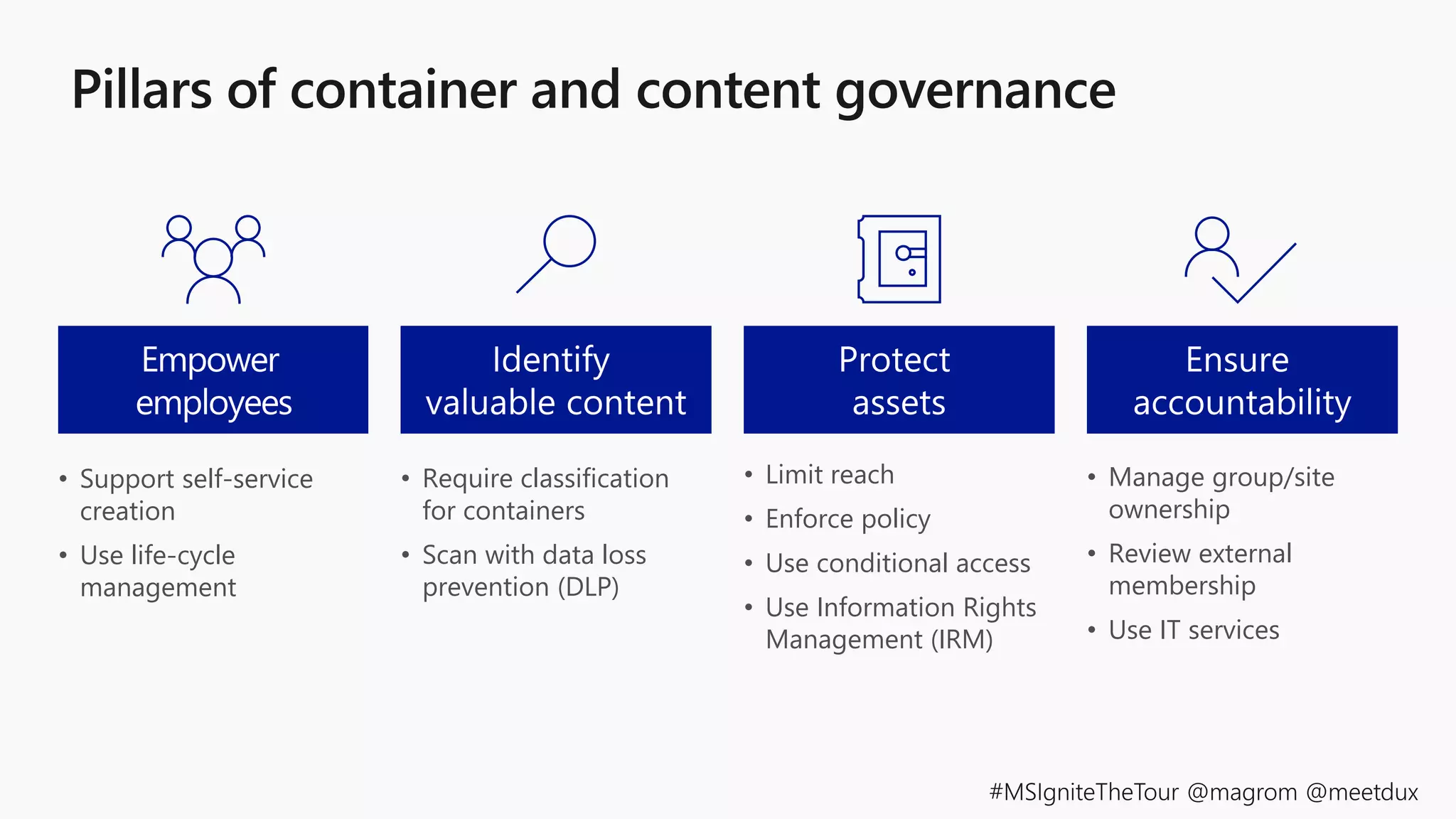
Container
and content
governance
Security
governance
• Support self-service
creation
• Use life-cycle
management
• Require classification
for containers
• Scan with data loss
prevention (DLP)
• Limit reach
• Enforce policy
• Use conditional access
• Use Information Rights
Management (IRM)
• Manage group/site
ownership
• Review external
membership
• Use IT services
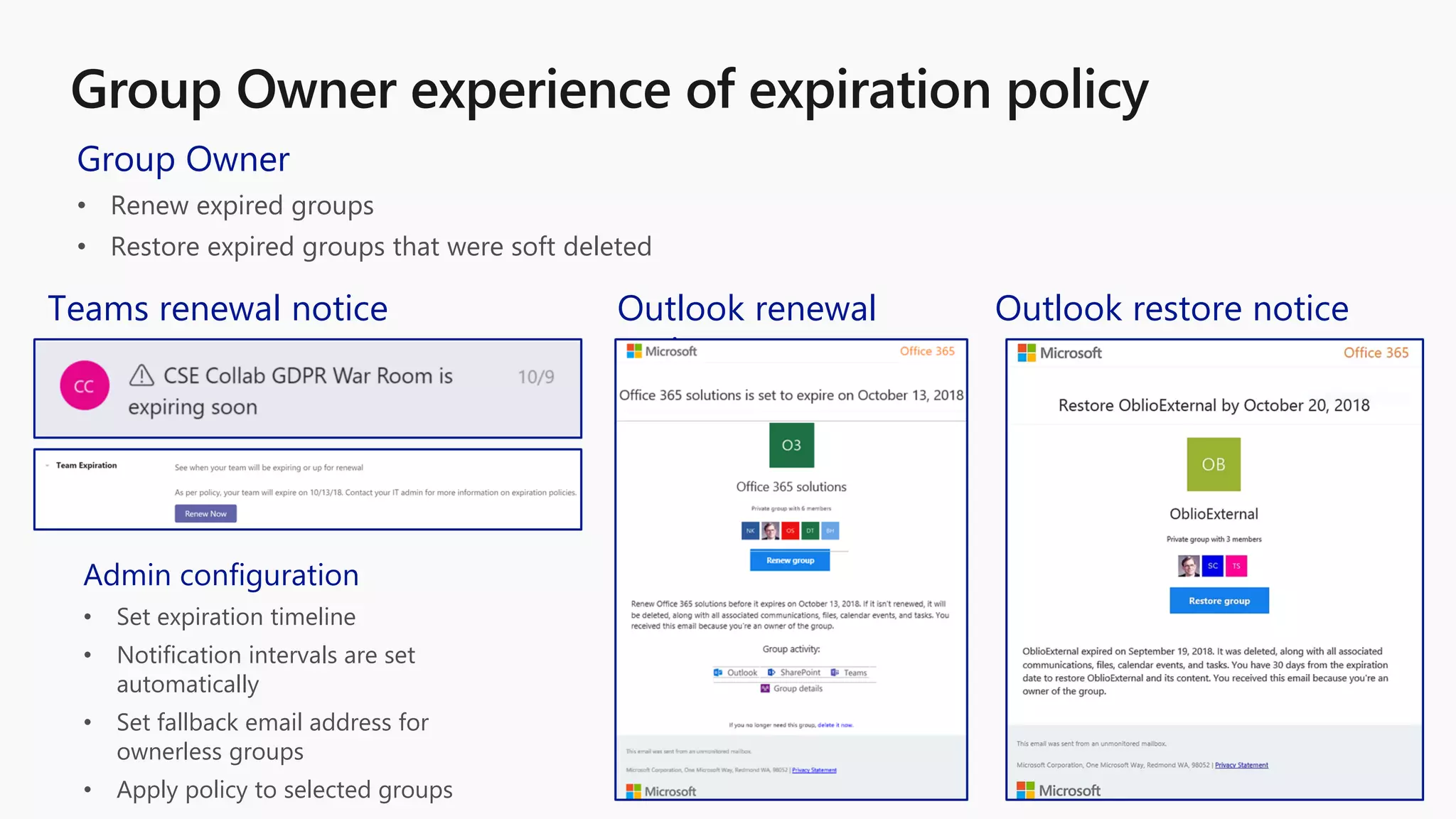
Group Owner
• Renew expired groups
• Restore expired groups that were soft deleted
Teams renewal notice Outlook renewal
notice
Outlook restore notice
Admin configuration
• Set expiration timeline
• Notification intervals are set
automatically
• Set fallback email address for
ownerless groups
• Apply policy to selected groups
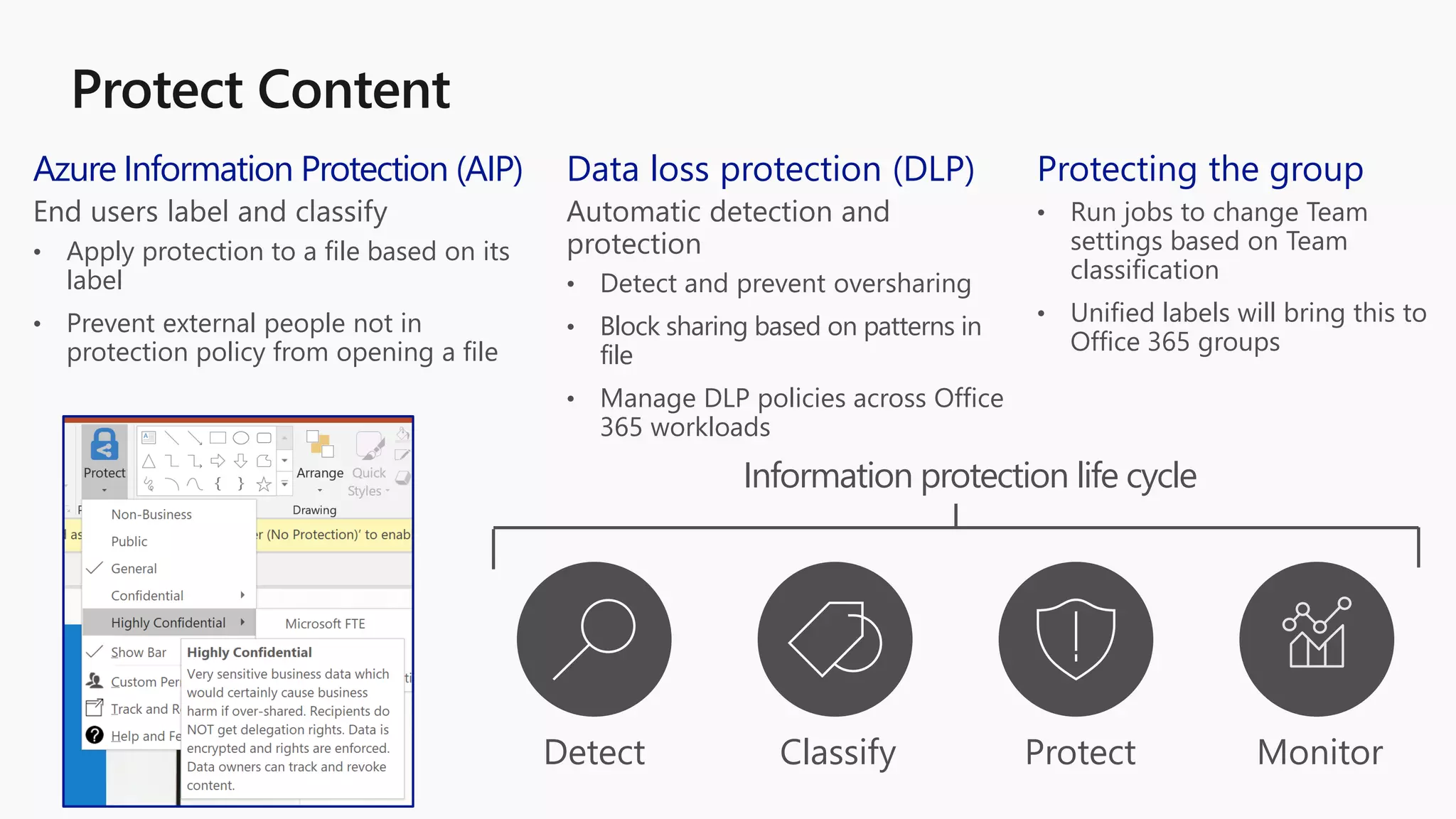
Data loss protection (DLP)
Automatic detection and
protection
• Detect and prevent oversharing
• Block sharing based on patterns in
file
• Manage DLP policies across Office
365 workloads
Azure Information Protection (AIP)
End users label and classify
• Apply protection to a file based on its
label
• Prevent external people not in
protection policy from opening a file
Protecting the group
• Run jobs to change Team
settings based on Team
classification
• Unified labels will bring this to
Office 365 groups
Detect Classify Protect Monitor
Information protection life cycle
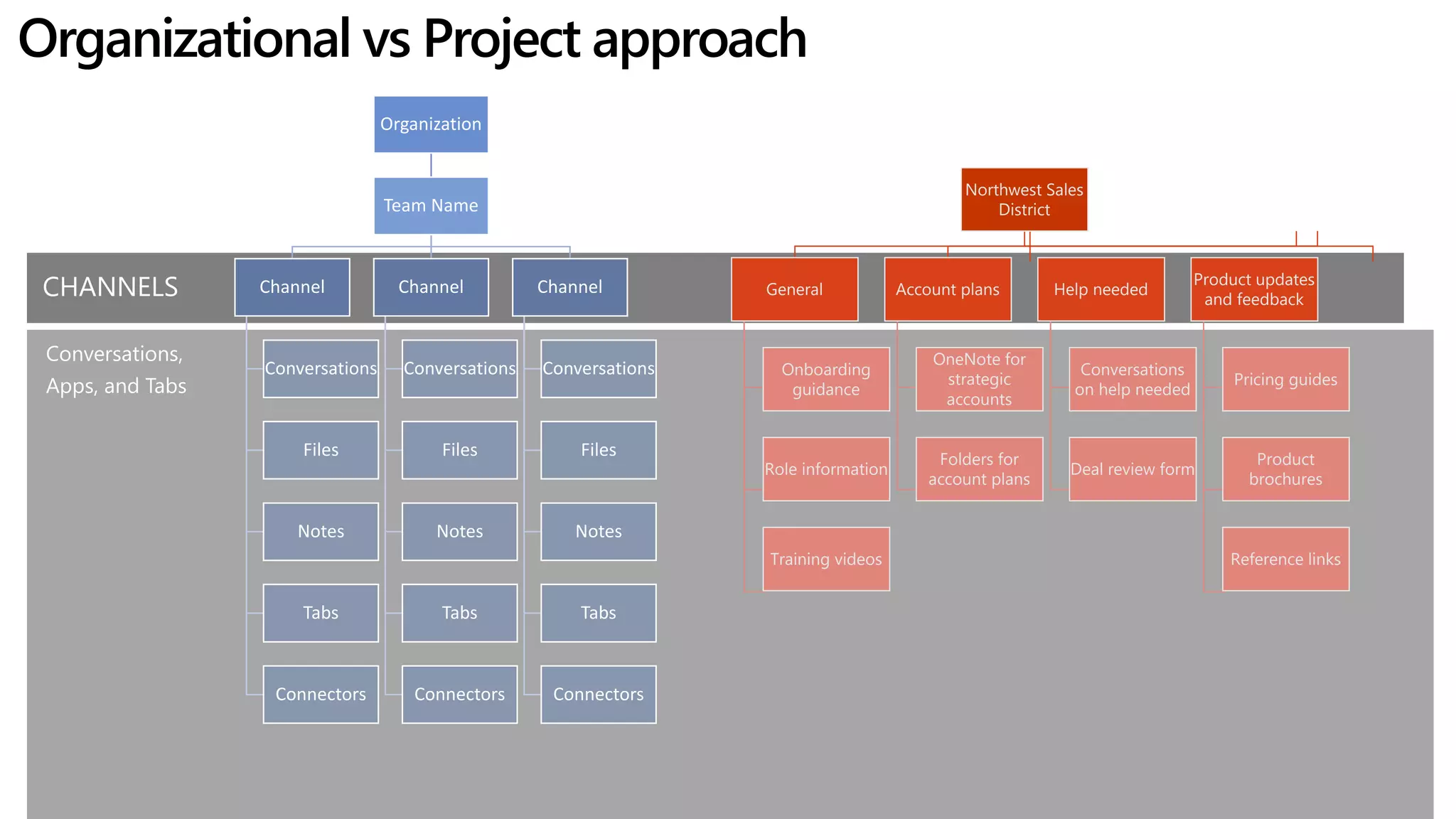
Organizational vs Project approach
Organization
Team Name
Channel
Conversations
Files
Notes
Tabs
Connectors
Channel
Conversations
Files
Notes
Tabs
Connectors
Channel
Conversations
Files
Notes
Tabs
Connectors
CHANNELS
Conversations,
Apps, and Tabs
Northwest Sales
District
General
Onboarding
guidance
Role information
Training videos
Account plans
OneNote for
strategic
accounts
Folders for
account plans
Help needed
Conversations
on help needed
Deal review form
Product updates
and feedback
Pricing guides
Product
brochures
Reference links
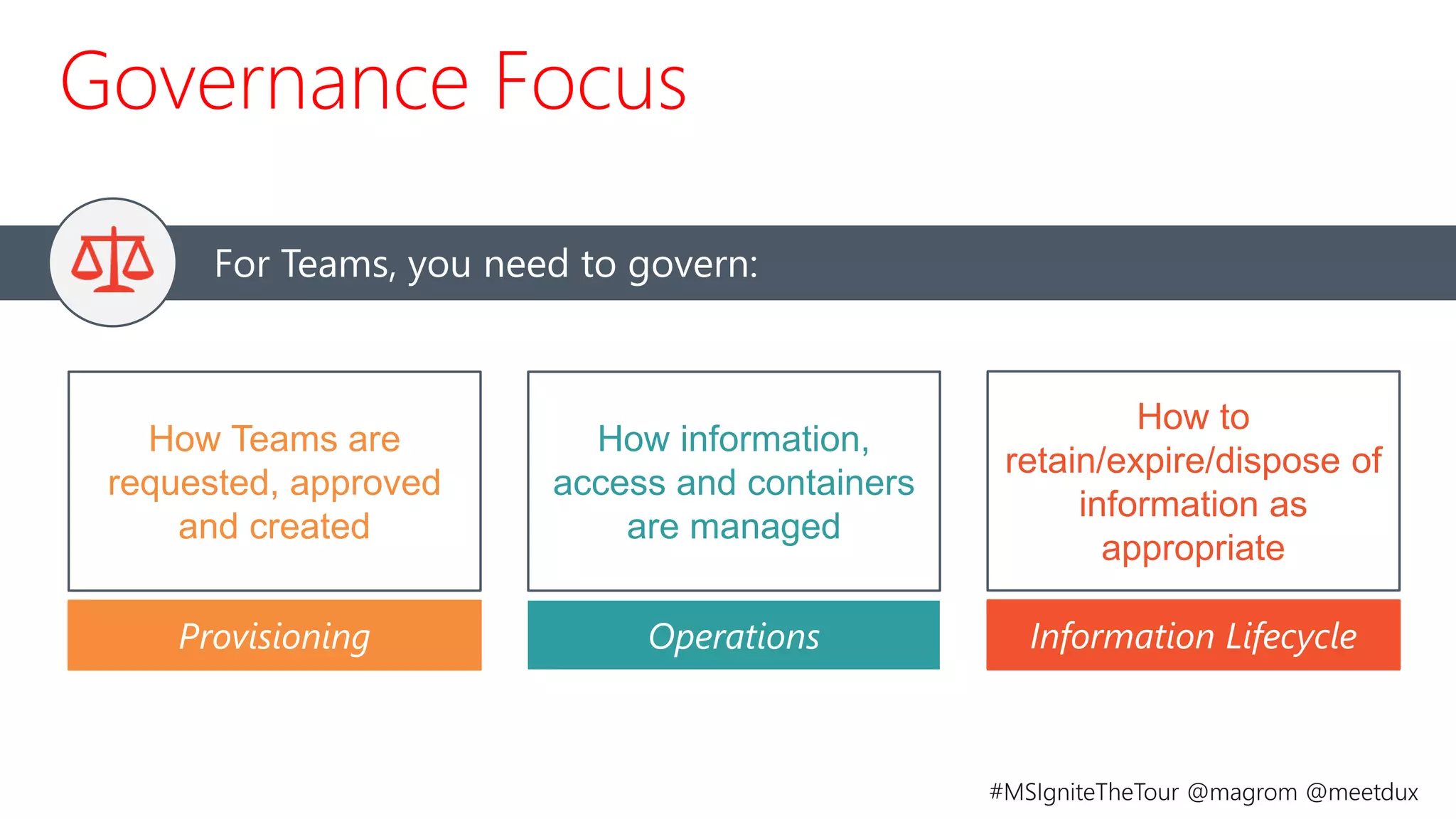
How Teams are
requested, approved
and created
For Teams, you need to govern:
Governance Focus
Provisioning
How information,
access and containers
are managed
Operations
How to
retain/expire/dispose of
information as
appropriate
Information Lifecycle
©AvePoint, Inc. All rights reserved. Confidential and proprietary information of AvePoint, Inc.
Strategy 3: Demonstrate quick wins
Focus on business scenarios
Enable mobility
Showcase key benefits
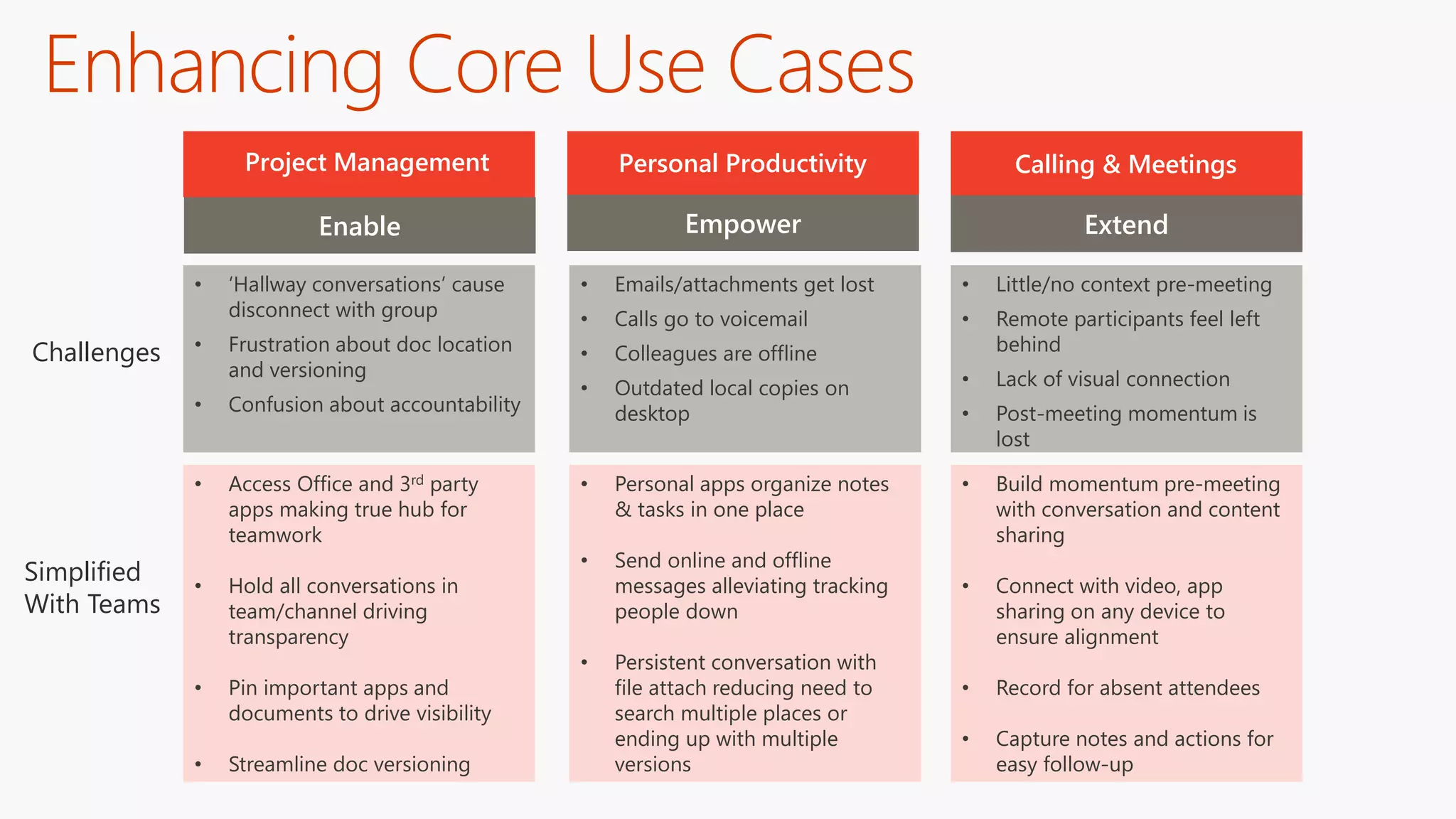
Enable
• ‘Hallway conversations’ cause
disconnect with group
• Frustration about doc location
and versioning
• Confusion about accountability
Calling & MeetingsProject Management Personal Productivity
Empower Extend
Simplified
With Teams
Challenges
• Access Office and 3rd party
apps making true hub for
teamwork
• Hold all conversations in
team/channel driving
transparency
• Pin important apps and
documents to drive visibility
• Streamline doc versioning
• Emails/attachments get lost
• Calls go to voicemail
• Colleagues are offline
• Outdated local copies on
desktop
• Personal apps organize notes
& tasks in one place
• Send online and offline
messages alleviating tracking
people down
• Persistent conversation with
file attach reducing need to
search multiple places or
ending up with multiple
versions
• Little/no context pre-meeting
• Remote participants feel left
behind
• Lack of visual connection
• Post-meeting momentum is
lost
• Build momentum pre-meeting
with conversation and content
sharing
• Connect with video, app
sharing on any device to
ensure alignment
• Record for absent attendees
• Capture notes and actions for
easy follow-up
Enhancing Core Use Cases
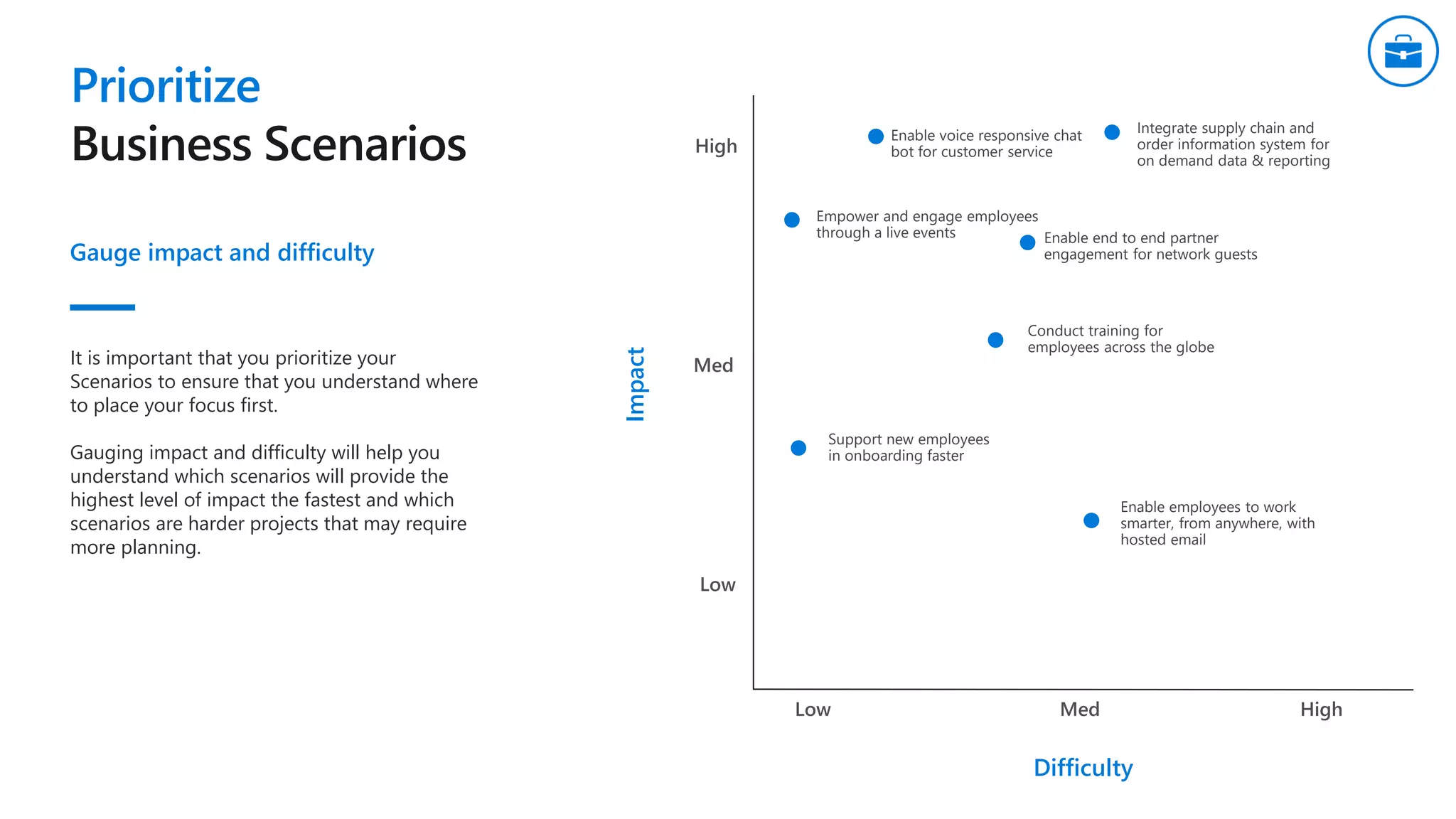
Prioritize
Gauge impact and difficulty
Integrate supply chain and
order information system for
on demand data & reporting
Difficulty
Enable end to end partner
engagement for network guests
Enable voice responsive chat
bot for customer service
Support new employees
in onboarding faster
Empower and engage employees
through a live events
Conduct training for
employees across the globe
Enable employees to work
smarter, from anywhere, with
hosted email
It is important that you prioritize your
Scenarios to ensure that you understand where
to place your focus first.
Gauging impact and difficulty will help you
understand which scenarios will provide the
highest level of impact the fastest and which
scenarios are harder projects that may require
more planning.
Impact
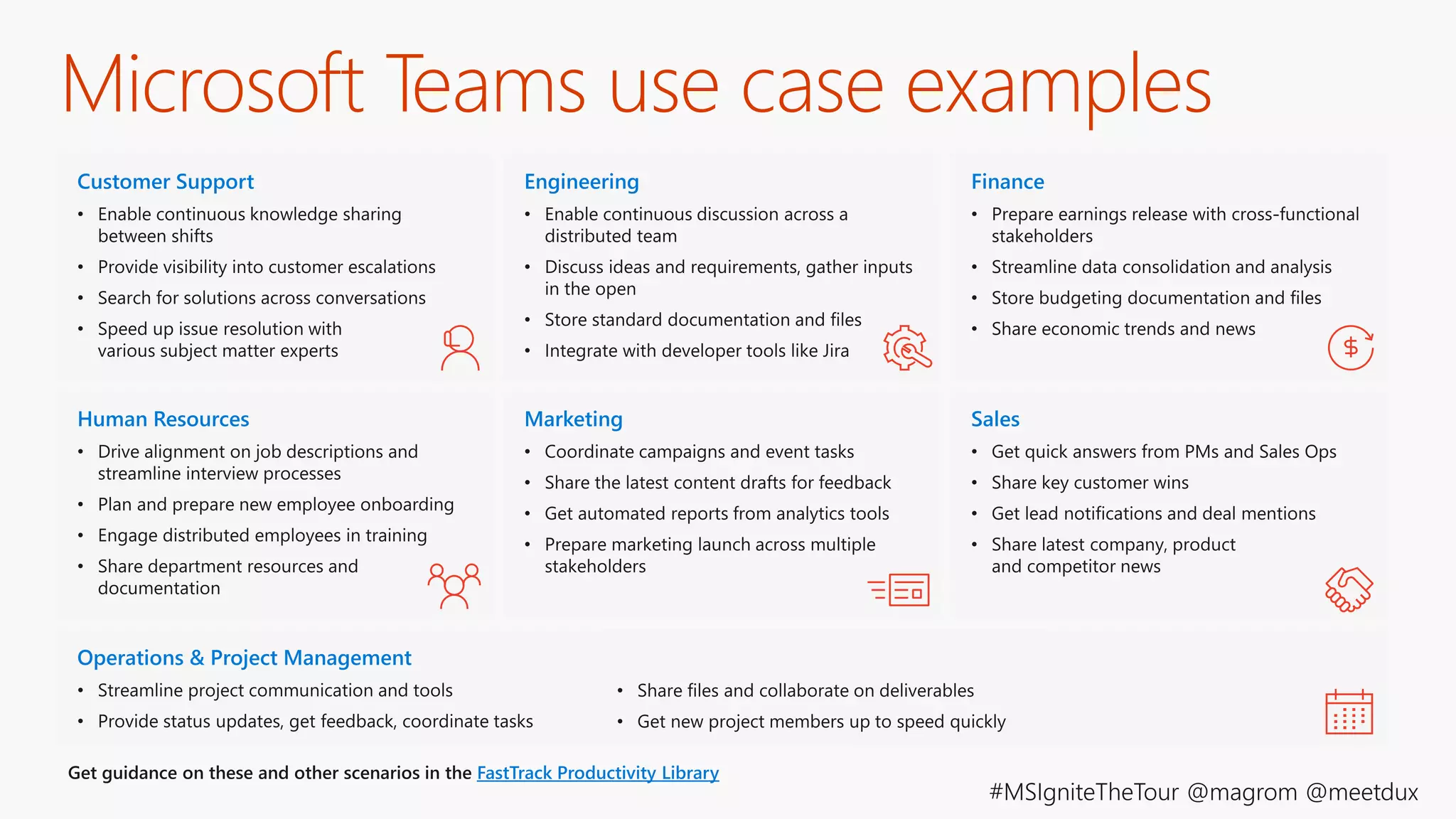
Microsoft Teams use case examples
©AvePoint, Inc. All rights reserved. Confidential and proprietary information of AvePoint, Inc.
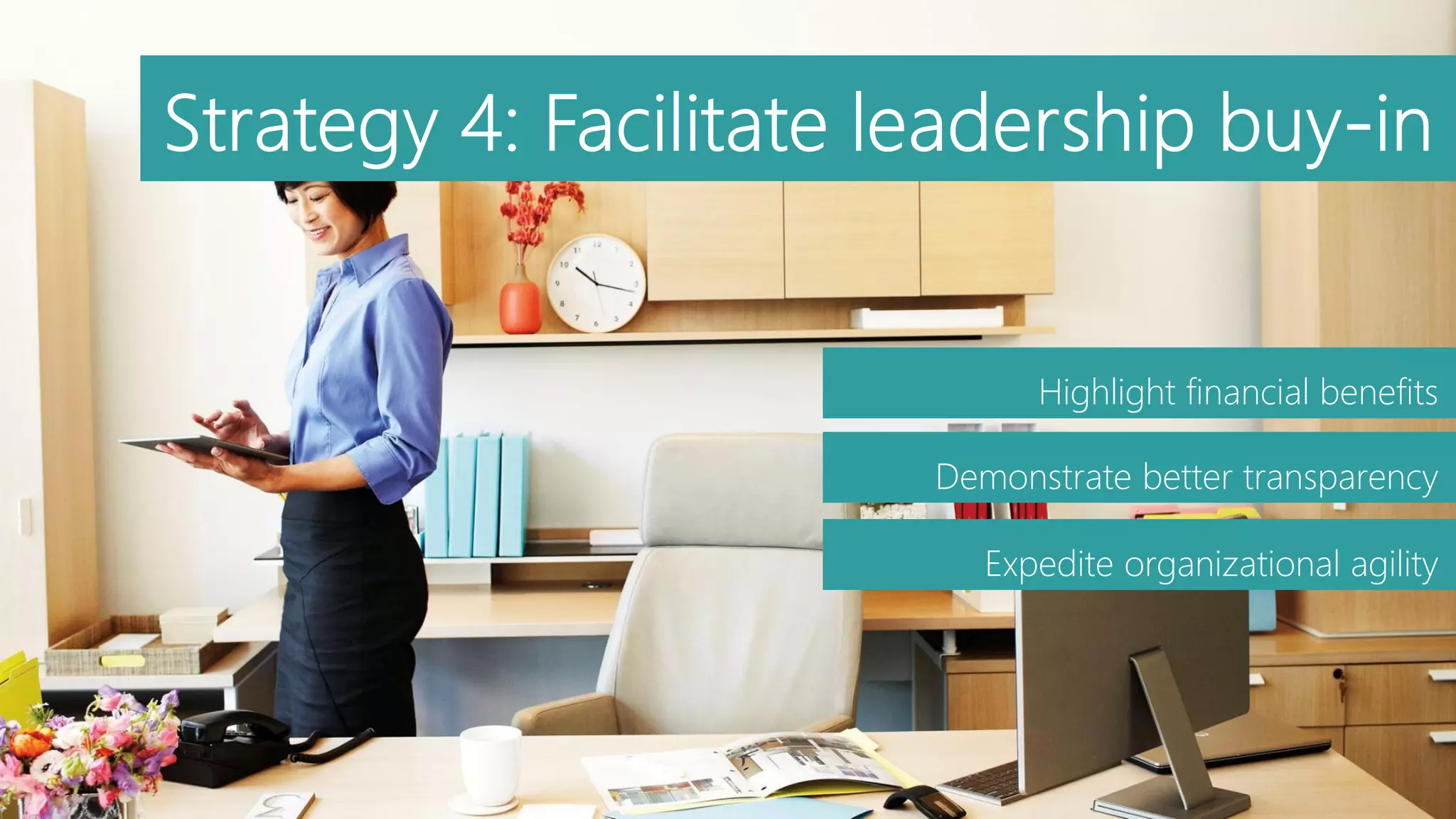
Highlight financial benefits
Demonstrate better transparency
Expedite organizational agility
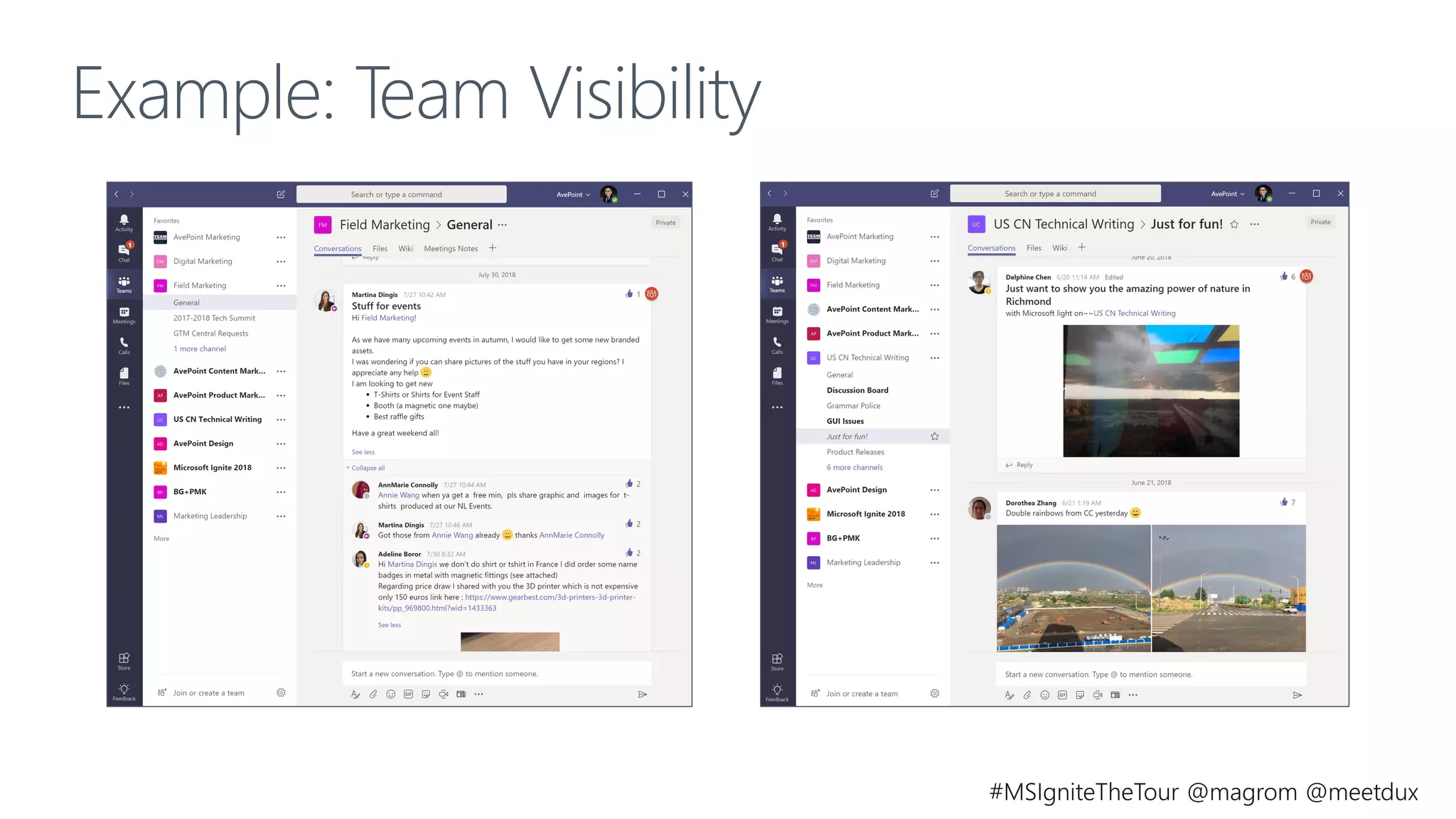
Example: Team Visibility
©AvePoint, Inc. All rights reserved. Confidential and proprietary information of AvePoint, Inc.
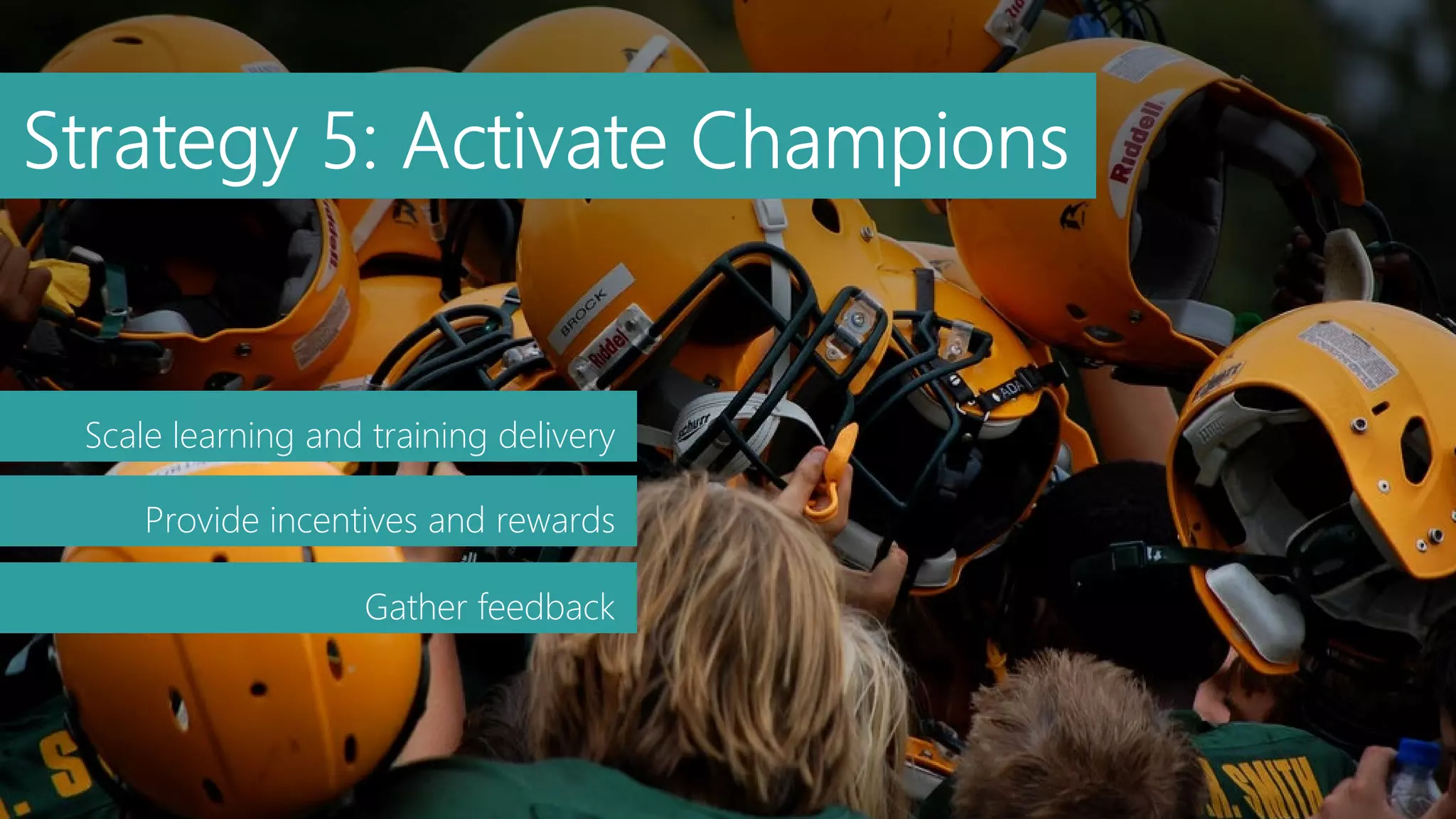
Scale learning and training delivery
Provide incentives and rewards
Gather feedback
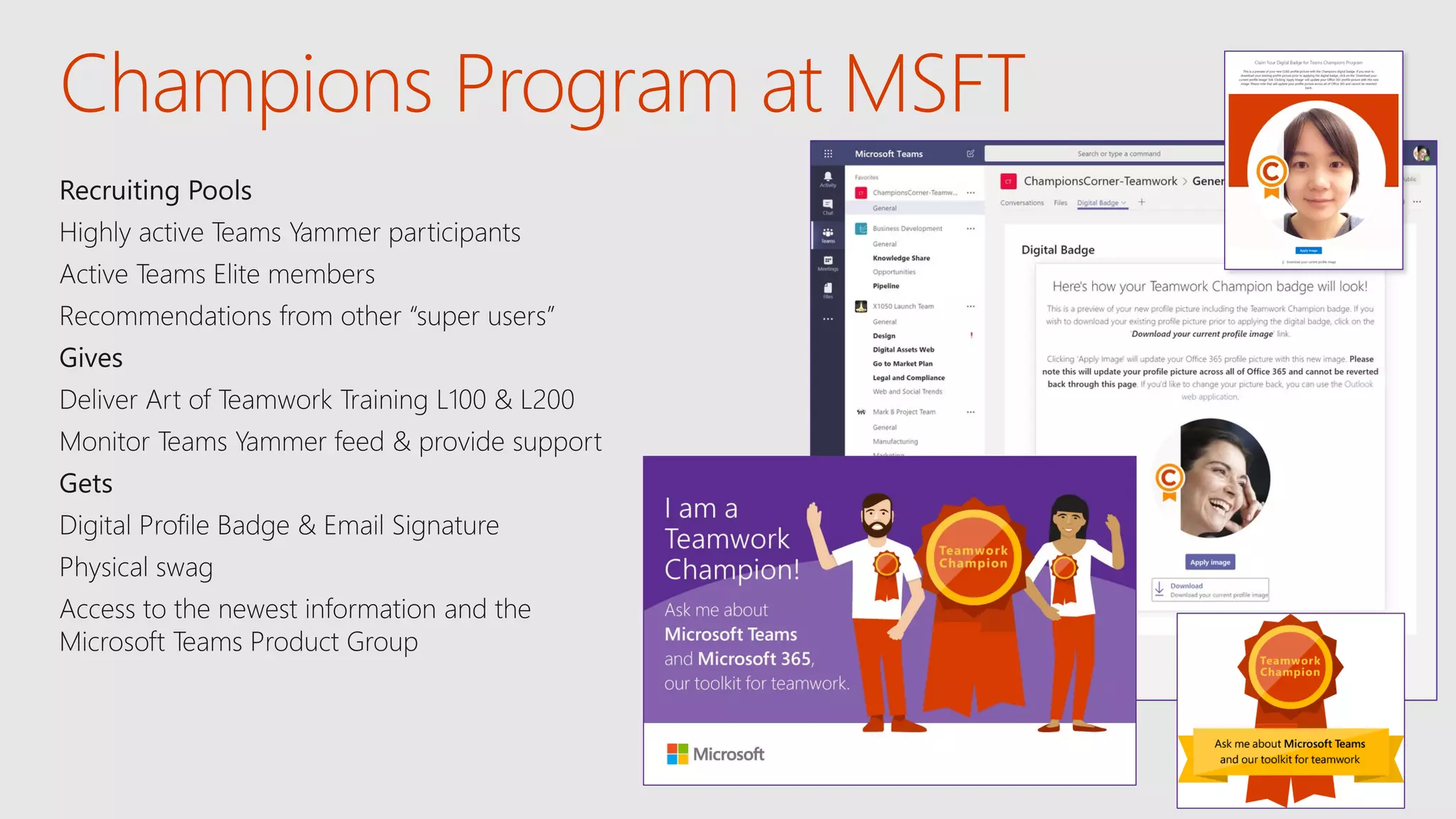
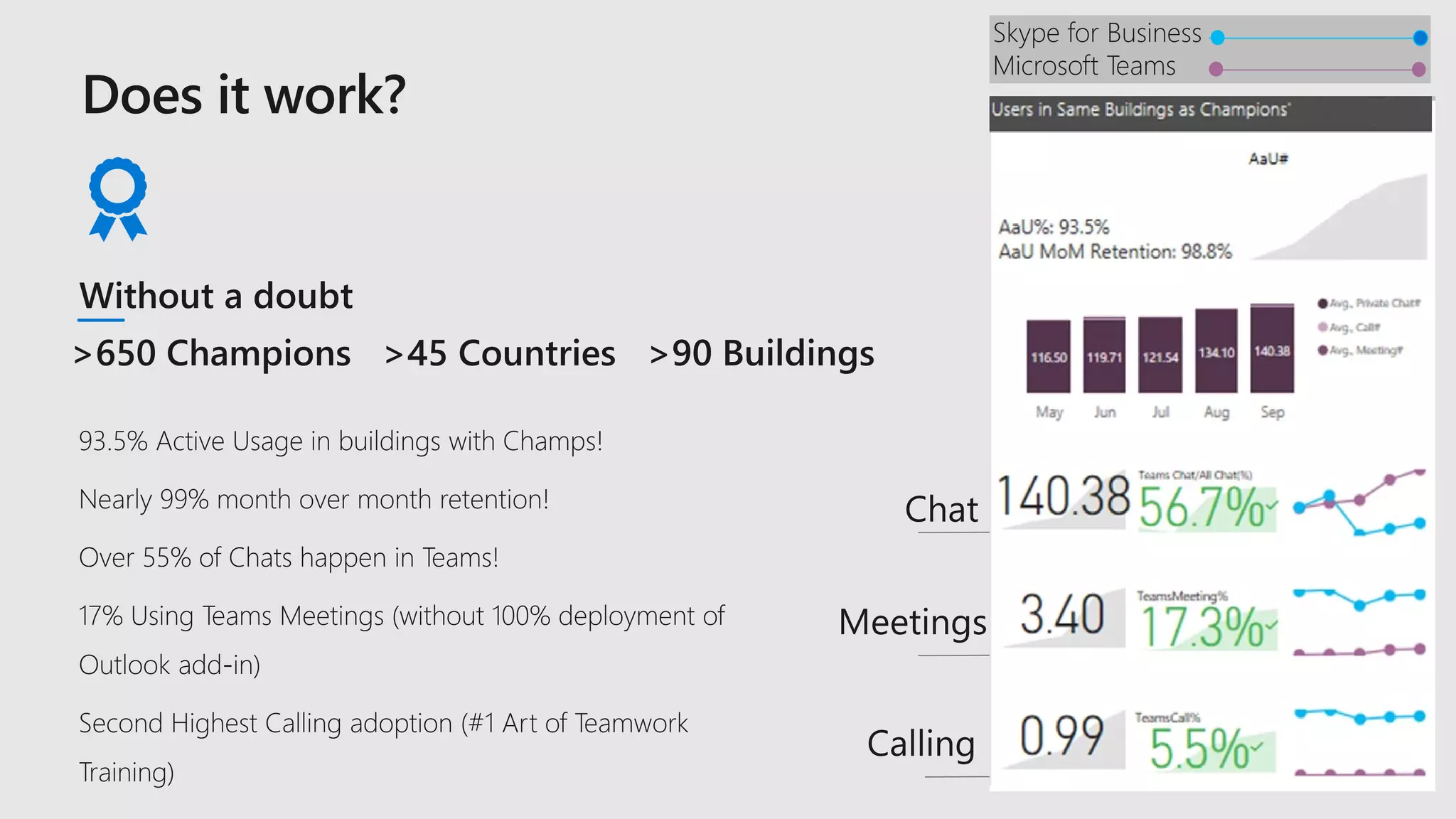
Champions Program at MSFT
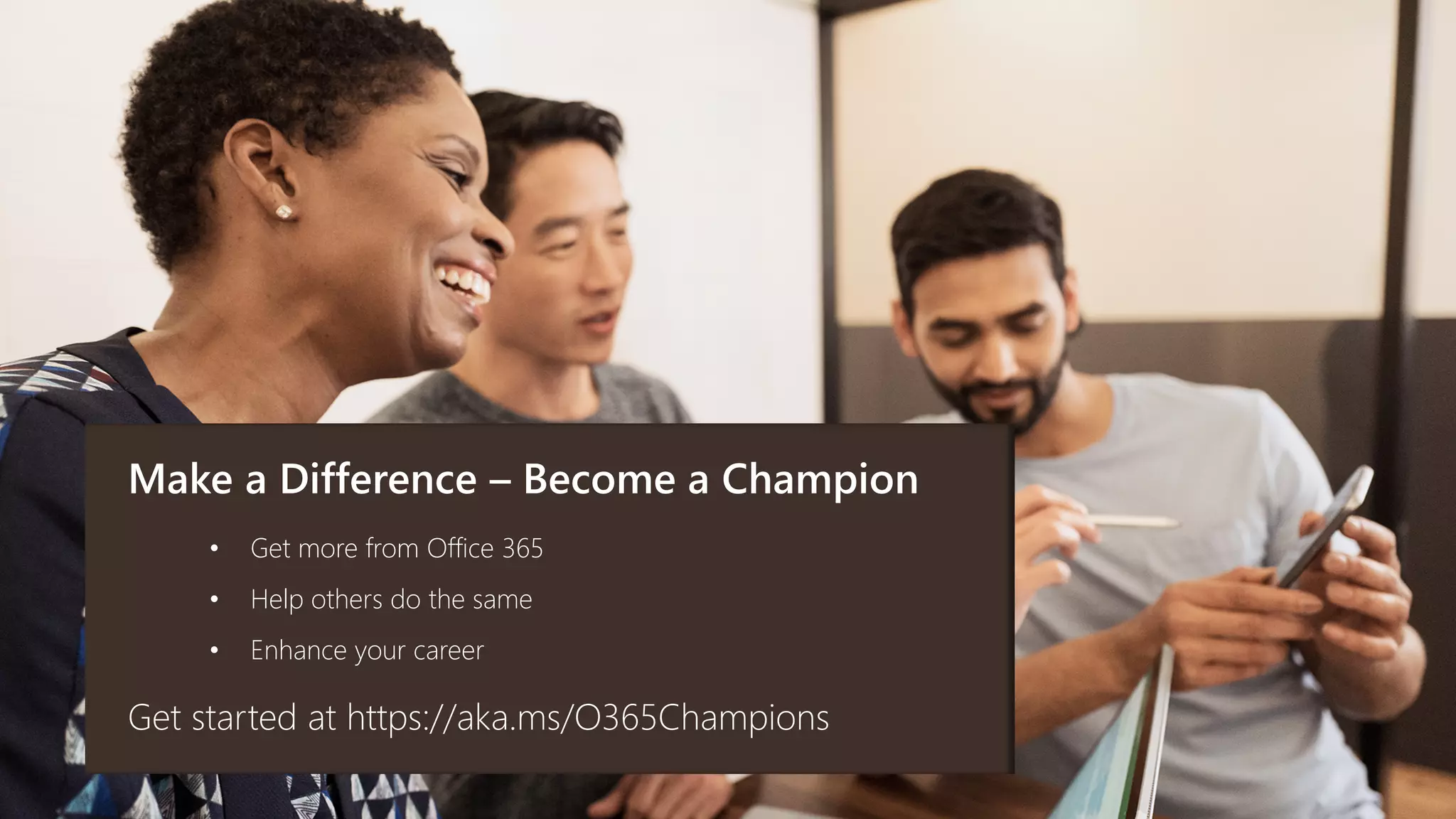
Make a Difference – Become a Champion
Get started at https://aka.ms/O365Champions
• Get more from Office 365
• Help others do the same
• Enhance your career
Strategy 6:
Deliver contextual and
continuous learning
Learning Goals
Resources
Assets referenced during the session:
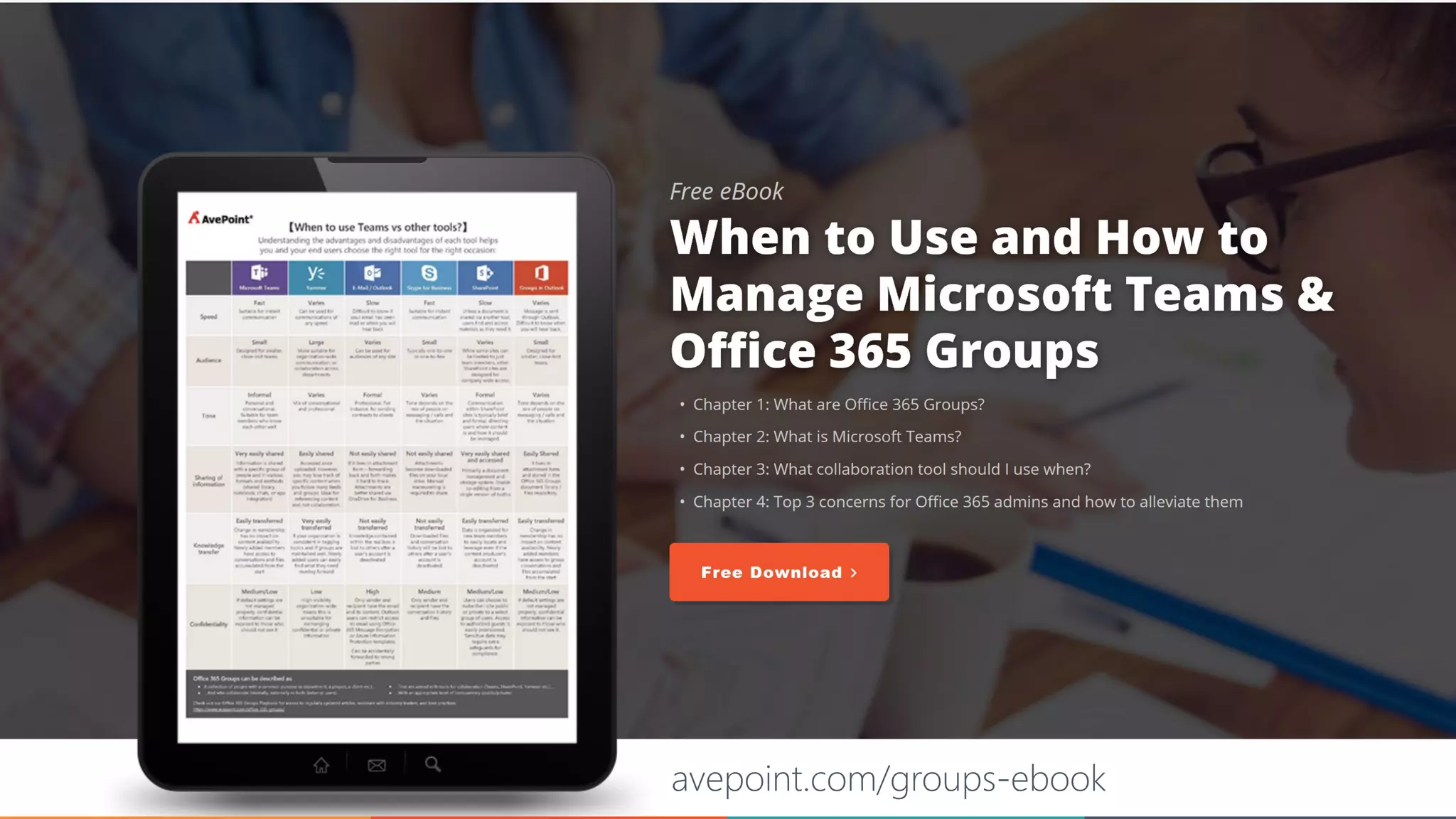
E-Book: When to use what and how to manage Microsoft Teams and
Office 365 Groups
Blog: How to Ensure Operational Governance for Microsoft Teams
PDF: Adoption Framework example
Report: Forrester study on Microsoft Teams Total Economic Impact
Excel Workbook: Microsoft Teams 90 Days Deployment Schedule
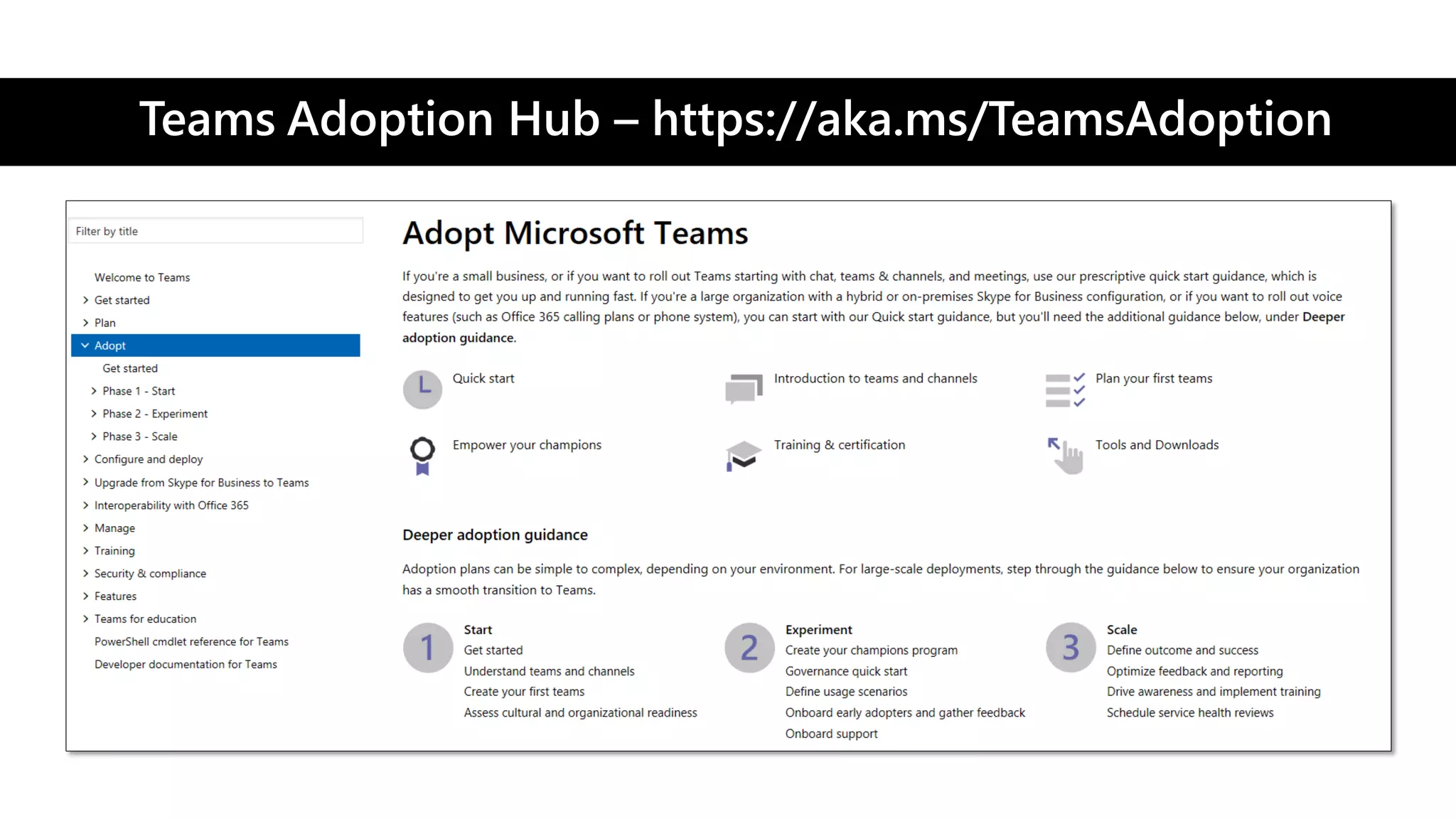
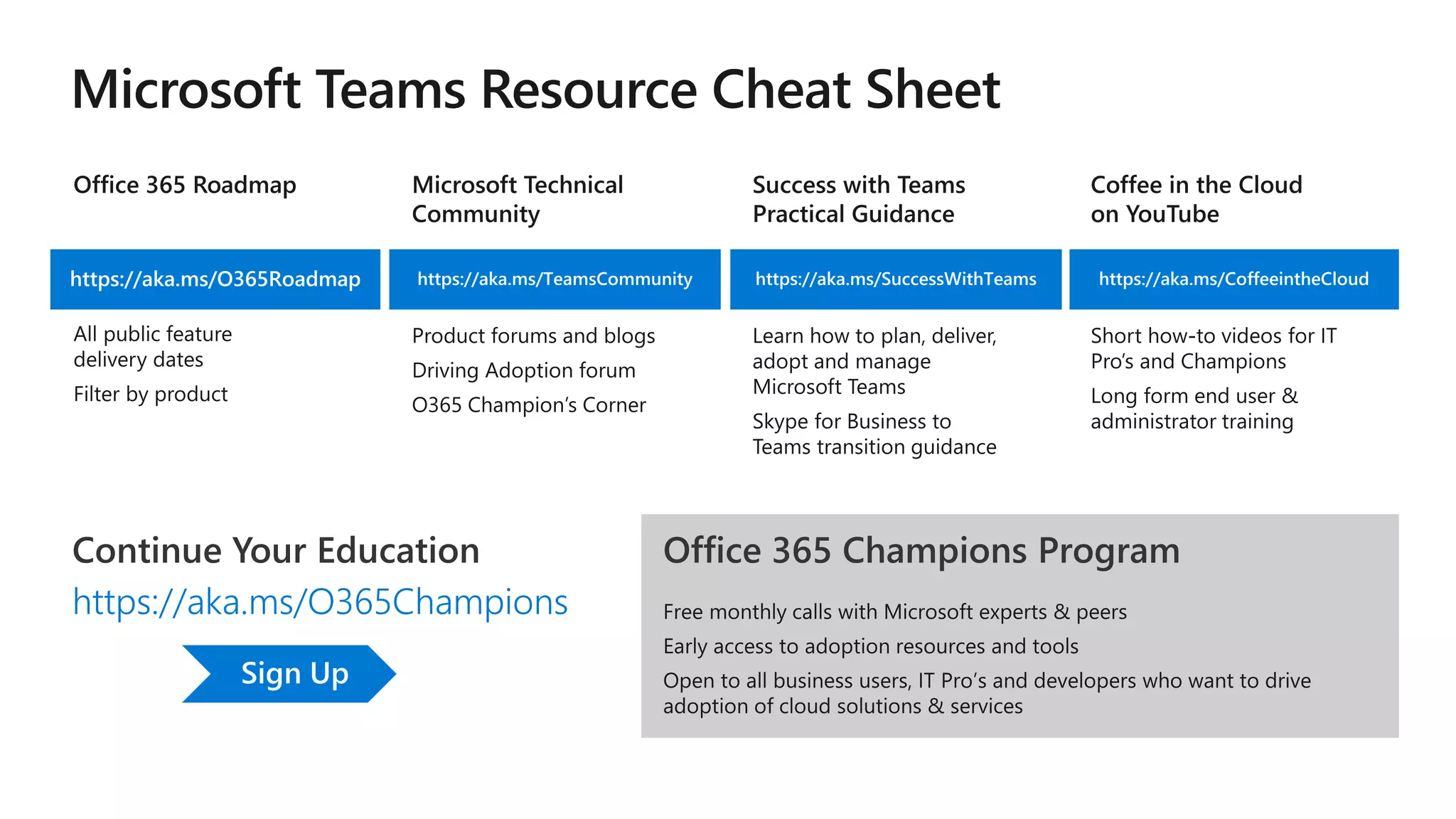
Teams Adoption Hub – https://aka.ms/TeamsAdoption
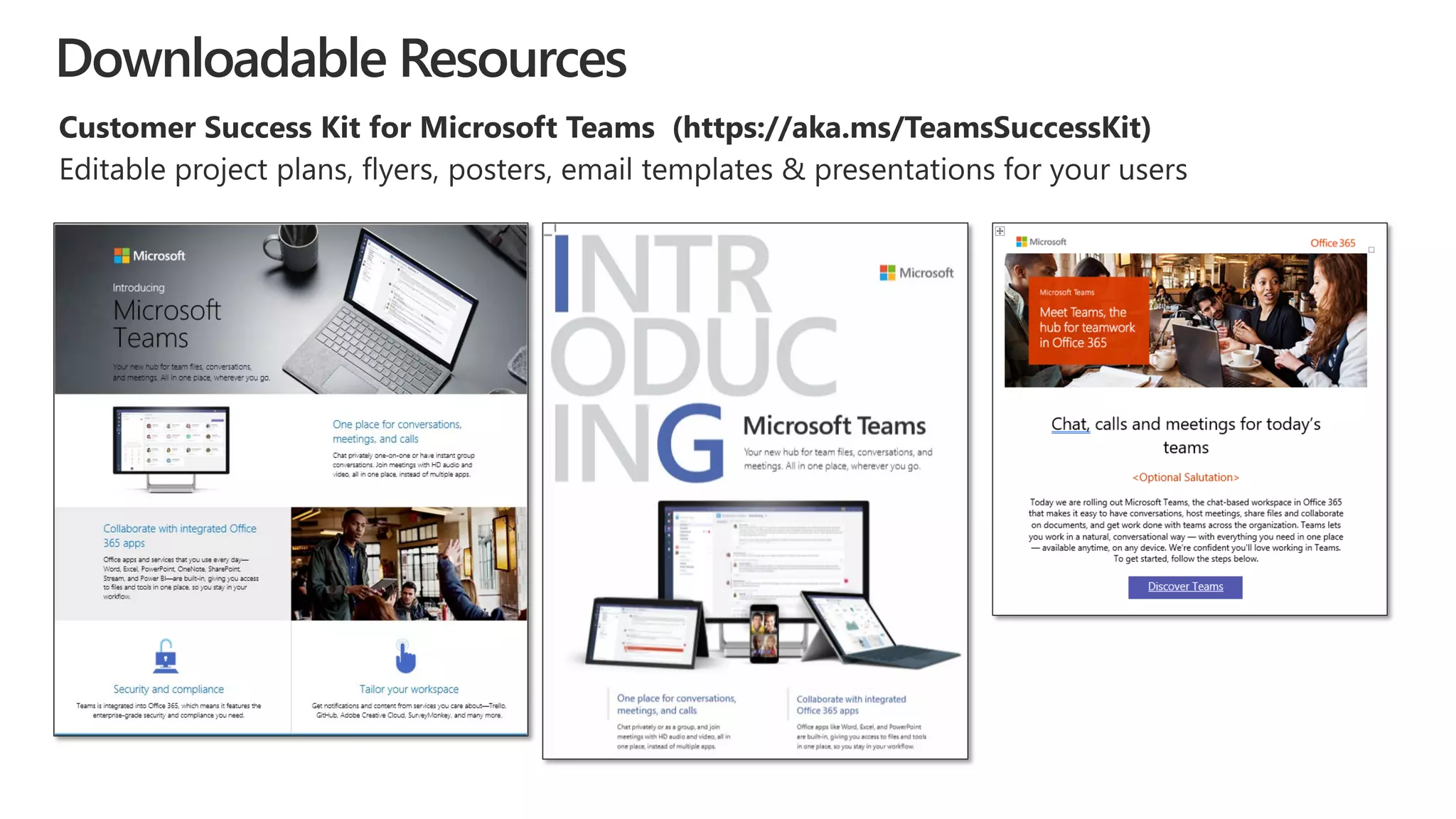
Downloadable Resources
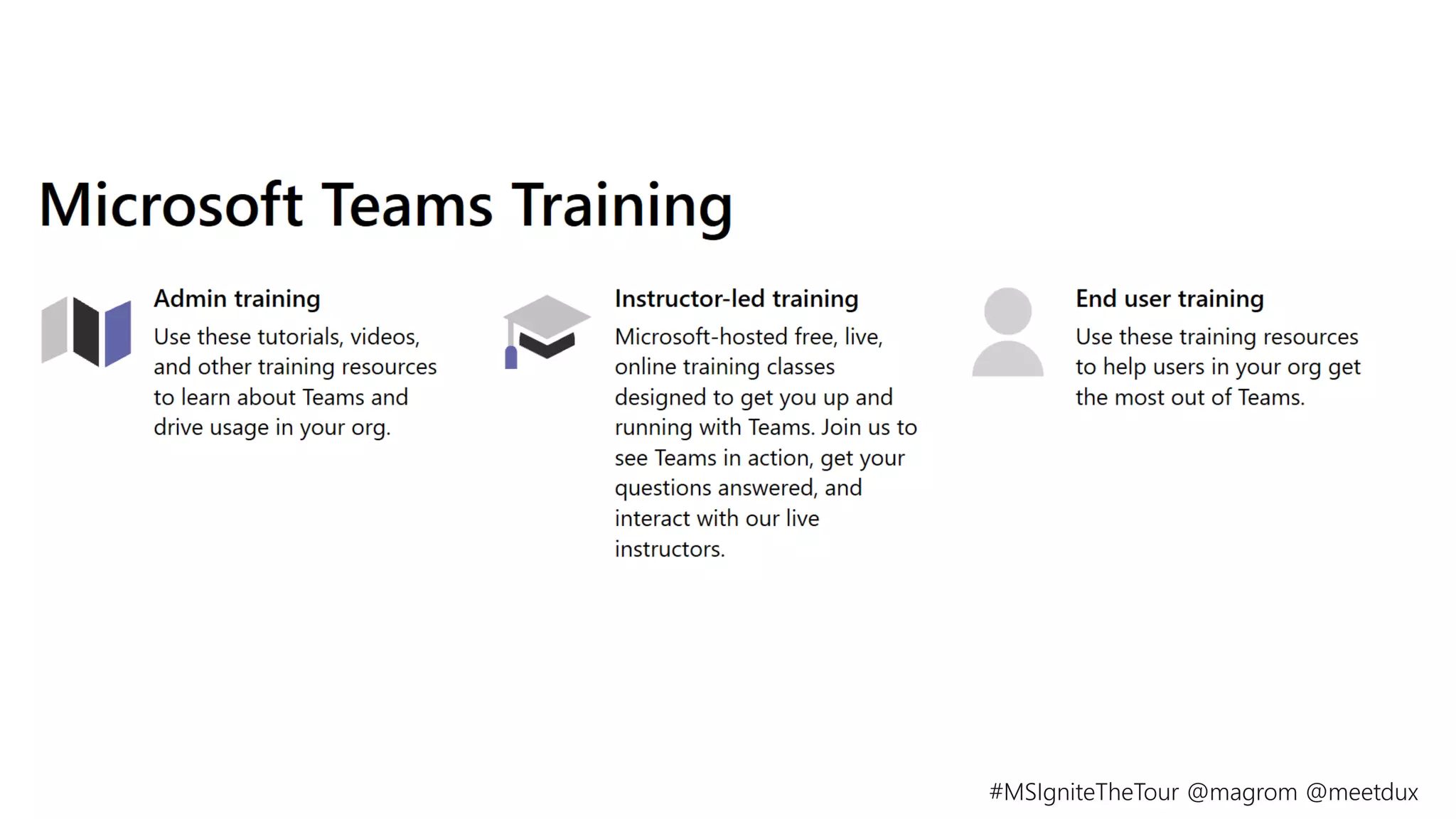
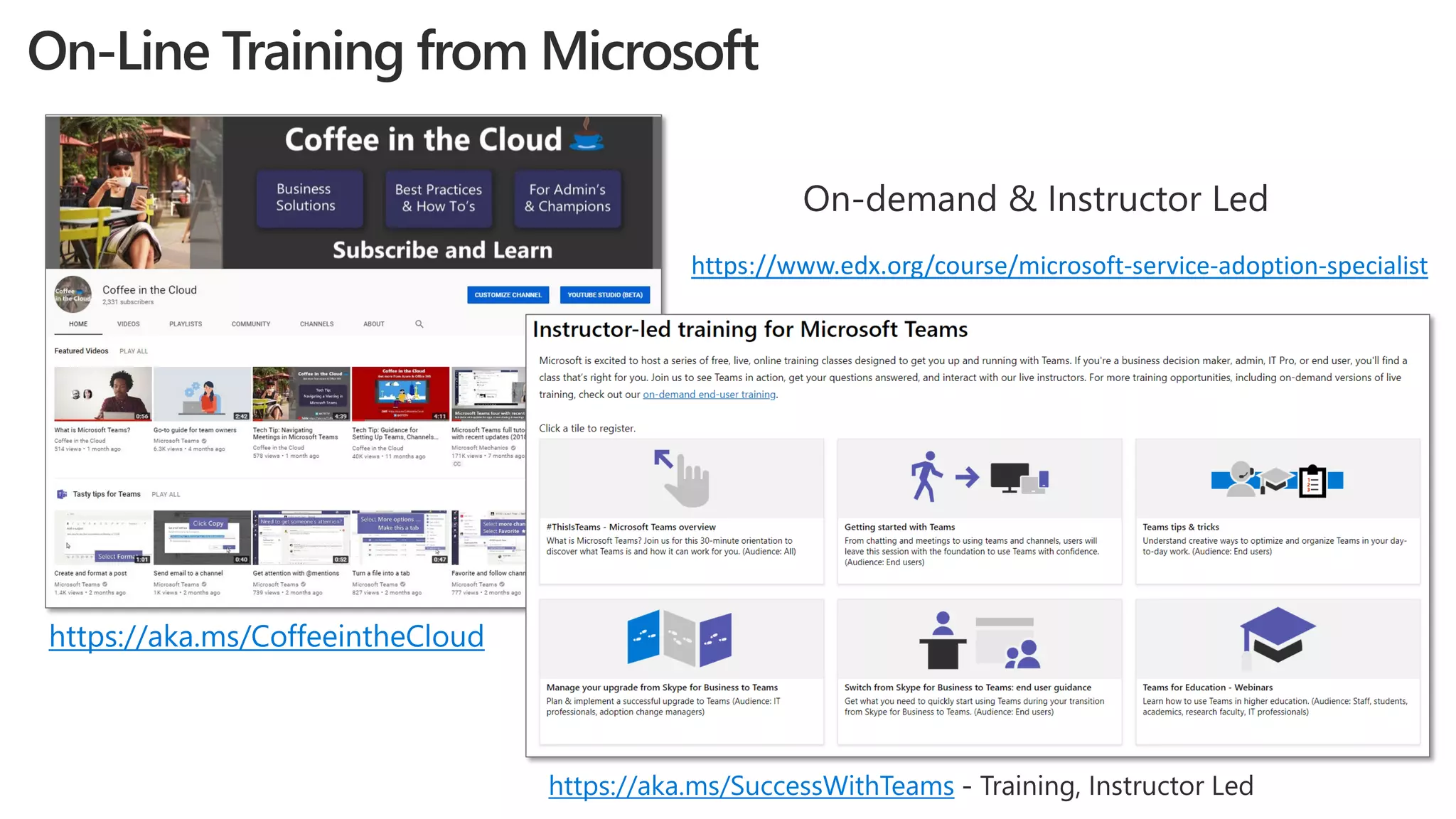
On-Line Training from Microsoft
https://aka.ms/CoffeeintheCloud
https://aka.ms/SuccessWithTeams
https://www.edx.org/course/microsoft-service-adoption-specialist
Sign Up
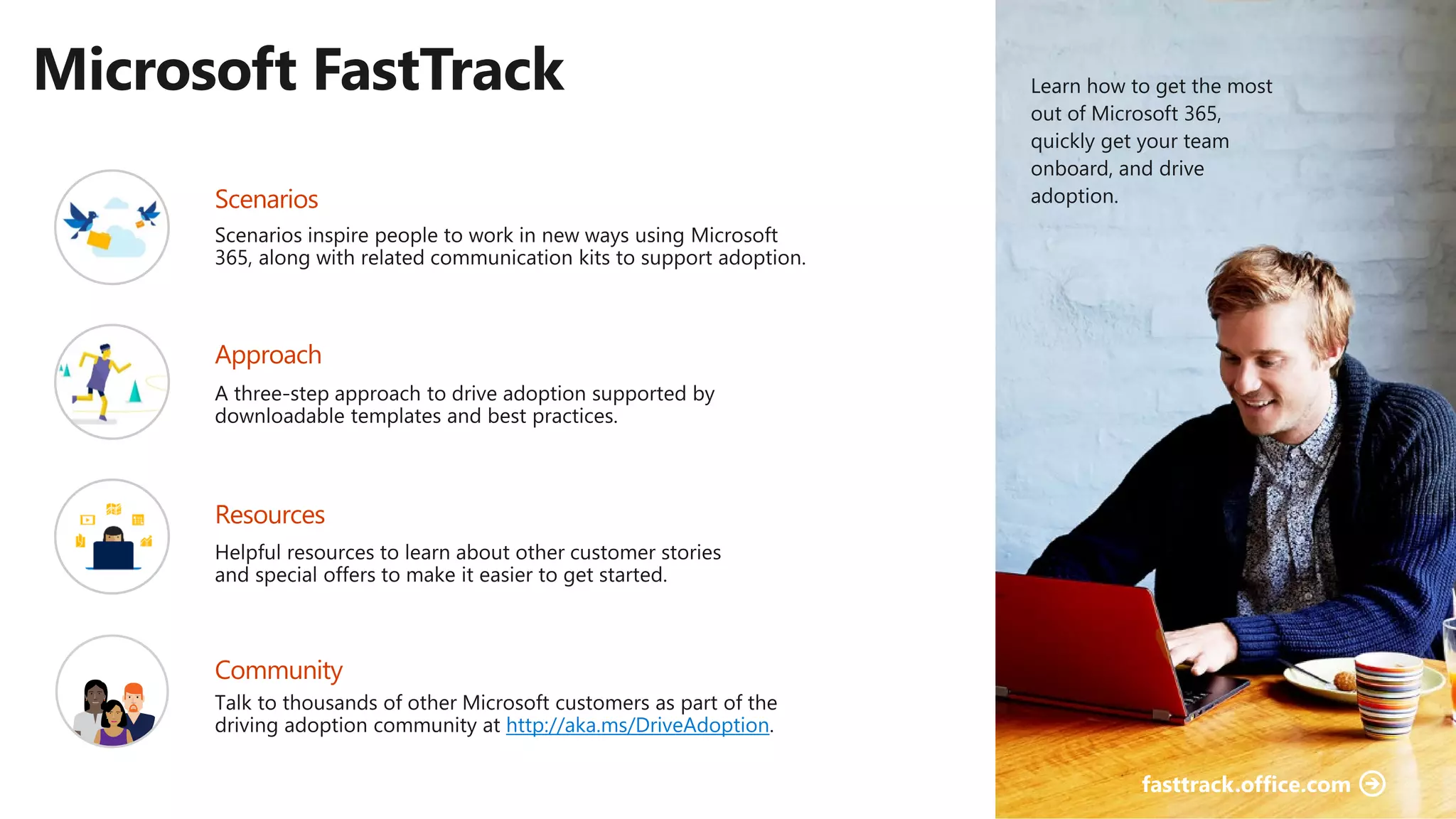
http://aka.ms/DriveAdoption
©AvePoint, Inc. All rights reserved. Confidential and proprietary information of AvePoint, Inc.
avepoint.com/groups-ebook
©AvePoint, Inc. All rights reserved. Confidential and proprietary information of AvePoint, Inc.
1. Case for Change
2. 6 Adoption Strategies That Work
3. Resources
What we covered:
Gracias
Merci
Let’s Connect
Get Resources: avepoint.com/presentations
Martina Grom
linkedin.com/in/martinagrom/
@magrom
Dux Raymond Sy
linkedin.com/in/meetdux/
@meetdux

How to Get Your Organizations To Start Using Microsoft Teams

  • 2.
    1. Case forChange 2. 6 Adoption Strategies That Work 3. Resources This session will cover:
  • 3.
    A Case forChange
  • 4.
    Mobile and social 45%use social tools at work 4x as many devices per user Diverse and global 5 generations together in the workforce 72% of workers will be working remotely by 2020 Team-based and collaborative 2x as many teams 80% of employee time is spent collaborating A changing modern workplace
  • 5.
    The successful adoptionof Microsoft Teams represents a change in behavior. It is more than a set of products—it is a fundamentally different way of working.
  • 8.
    Why training alonedoesn’t work
  • 9.
  • 10.
    Teamwork in Microsoft365 Pervasive availability. Targeted communications. Email Inner Loop People you work with regularly on core projects Outer Loop People you connect with openly across the organization Examples: Team meetings & communication Event planning Sales Team planning Examples: Corporate communications CEO Town Hall Meetings Employee Interest Groups SharePoint Content collaboration Stream Video & live events
  • 11.
  • 12.
  • 13.
    Roles and theirneeds IT Business EmployeeSecurity officer Legal IT admin • Prevent data leaks and breaches • Protect high value information • Accomplish business goals as simply as possible – if it’s too hard, find an easier way • Limit business disruption • Get out of my way • Make it easy for me to get my work done fast • Let me share easily, but protect my secret stuff • Manage the increasing volume of data • Keep up with changing services & threats • Make all other roles happy • Comply with retention • Support eDiscovery
  • 14.
    Deliver an improveduser experience and business outcomes through the service adoption framework
  • 16.
    Microsoft Teams Toolkit– https://aka.ms/TeamsToolkit
  • 17.
    Example: 90 DayRoadmap Month 2Month 1 Month 3 • Identify 3 use cases • Engage leadership and secure buy-in • Develop rules of engagement and how-to resources • Engage 3 departments/groups to pilot Teams use cases • Identify what works and what doesn’t with use cases then modify • Configure Office 365 to support use cases for company wide deployment • Launch use cases company wide • Encourage leadership to consistently promote and adopt the use cases • Showcase and highlight wins of adopting Office 365
  • 18.
    ©AvePoint, Inc. Allrights reserved. Confidential and proprietary information of AvePoint, Inc. Strategy 2: Ensure operational governance
  • 19.
    Who can createTeams? Naming Conventions? Guest Access? Approved Apps? Meeting Capabilities? Data Security? https://docs.microsoft.com/en-us/MicrosoftTeams/teams-adoption-governance-quick-start
  • 20.
  • 21.
    • Support self-service creation •Use life-cycle management • Require classification for containers • Scan with data loss prevention (DLP) • Limit reach • Enforce policy • Use conditional access • Use Information Rights Management (IRM) • Manage group/site ownership • Review external membership • Use IT services
  • 22.
    Group Owner • Renewexpired groups • Restore expired groups that were soft deleted Teams renewal notice Outlook renewal notice Outlook restore notice Admin configuration • Set expiration timeline • Notification intervals are set automatically • Set fallback email address for ownerless groups • Apply policy to selected groups
  • 23.
    Data loss protection(DLP) Automatic detection and protection • Detect and prevent oversharing • Block sharing based on patterns in file • Manage DLP policies across Office 365 workloads Azure Information Protection (AIP) End users label and classify • Apply protection to a file based on its label • Prevent external people not in protection policy from opening a file Protecting the group • Run jobs to change Team settings based on Team classification • Unified labels will bring this to Office 365 groups Detect Classify Protect Monitor Information protection life cycle
  • 24.
    Organizational vs Projectapproach Organization Team Name Channel Conversations Files Notes Tabs Connectors Channel Conversations Files Notes Tabs Connectors Channel Conversations Files Notes Tabs Connectors CHANNELS Conversations, Apps, and Tabs Northwest Sales District General Onboarding guidance Role information Training videos Account plans OneNote for strategic accounts Folders for account plans Help needed Conversations on help needed Deal review form Product updates and feedback Pricing guides Product brochures Reference links
  • 26.
    How Teams are requested,approved and created For Teams, you need to govern: Governance Focus Provisioning How information, access and containers are managed Operations How to retain/expire/dispose of information as appropriate Information Lifecycle
  • 27.
    ©AvePoint, Inc. Allrights reserved. Confidential and proprietary information of AvePoint, Inc. Strategy 3: Demonstrate quick wins Focus on business scenarios Enable mobility Showcase key benefits
  • 28.
    Enable • ‘Hallway conversations’cause disconnect with group • Frustration about doc location and versioning • Confusion about accountability Calling & MeetingsProject Management Personal Productivity Empower Extend Simplified With Teams Challenges • Access Office and 3rd party apps making true hub for teamwork • Hold all conversations in team/channel driving transparency • Pin important apps and documents to drive visibility • Streamline doc versioning • Emails/attachments get lost • Calls go to voicemail • Colleagues are offline • Outdated local copies on desktop • Personal apps organize notes & tasks in one place • Send online and offline messages alleviating tracking people down • Persistent conversation with file attach reducing need to search multiple places or ending up with multiple versions • Little/no context pre-meeting • Remote participants feel left behind • Lack of visual connection • Post-meeting momentum is lost • Build momentum pre-meeting with conversation and content sharing • Connect with video, app sharing on any device to ensure alignment • Record for absent attendees • Capture notes and actions for easy follow-up Enhancing Core Use Cases
  • 29.
    Prioritize Gauge impact anddifficulty Integrate supply chain and order information system for on demand data & reporting Difficulty Enable end to end partner engagement for network guests Enable voice responsive chat bot for customer service Support new employees in onboarding faster Empower and engage employees through a live events Conduct training for employees across the globe Enable employees to work smarter, from anywhere, with hosted email It is important that you prioritize your Scenarios to ensure that you understand where to place your focus first. Gauging impact and difficulty will help you understand which scenarios will provide the highest level of impact the fastest and which scenarios are harder projects that may require more planning. Impact
  • 30.
    Microsoft Teams usecase examples
  • 31.
    ©AvePoint, Inc. Allrights reserved. Confidential and proprietary information of AvePoint, Inc. Highlight financial benefits Demonstrate better transparency Expedite organizational agility
  • 32.
  • 34.
    ©AvePoint, Inc. Allrights reserved. Confidential and proprietary information of AvePoint, Inc.
  • 35.
    ©AvePoint, Inc. Allrights reserved. Confidential and proprietary information of AvePoint, Inc.
  • 36.
    ©AvePoint, Inc. Allrights reserved. Confidential and proprietary information of AvePoint, Inc.
  • 37.
    ©AvePoint, Inc. Allrights reserved. Confidential and proprietary information of AvePoint, Inc. Scale learning and training delivery Provide incentives and rewards Gather feedback
  • 38.
  • 40.
    Make a Difference– Become a Champion Get started at https://aka.ms/O365Champions • Get more from Office 365 • Help others do the same • Enhance your career
  • 41.
    Strategy 6: Deliver contextualand continuous learning
  • 42.
  • 44.
  • 45.
    Assets referenced duringthe session: E-Book: When to use what and how to manage Microsoft Teams and Office 365 Groups Blog: How to Ensure Operational Governance for Microsoft Teams PDF: Adoption Framework example Report: Forrester study on Microsoft Teams Total Economic Impact Excel Workbook: Microsoft Teams 90 Days Deployment Schedule
  • 46.
    Teams Adoption Hub– https://aka.ms/TeamsAdoption
  • 47.
  • 48.
    On-Line Training fromMicrosoft https://aka.ms/CoffeeintheCloud https://aka.ms/SuccessWithTeams https://www.edx.org/course/microsoft-service-adoption-specialist
  • 49.
  • 50.
  • 51.
    ©AvePoint, Inc. Allrights reserved. Confidential and proprietary information of AvePoint, Inc. avepoint.com/groups-ebook
  • 52.
    ©AvePoint, Inc. Allrights reserved. Confidential and proprietary information of AvePoint, Inc. 1. Case for Change 2. 6 Adoption Strategies That Work 3. Resources What we covered:
  • 53.
  • 54.
    Let’s Connect Get Resources:avepoint.com/presentations Martina Grom linkedin.com/in/martinagrom/ @magrom Dux Raymond Sy linkedin.com/in/meetdux/ @meetdux