Reimagining
Productivity
David J. Rosenthal
President & CEO, Atidan
Microsoft MTC, NYC, May 6, 2014
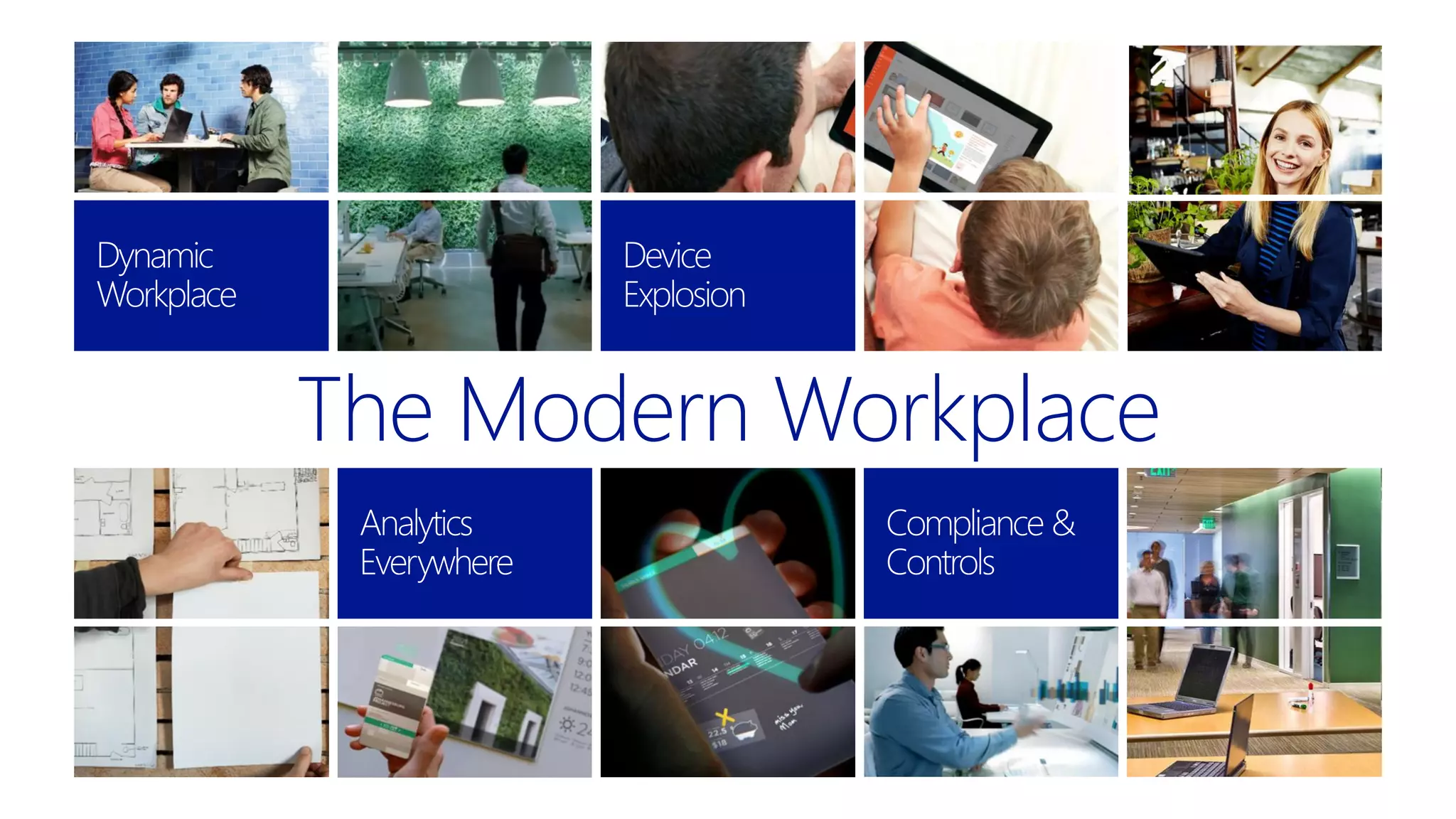
The Modern Workplace
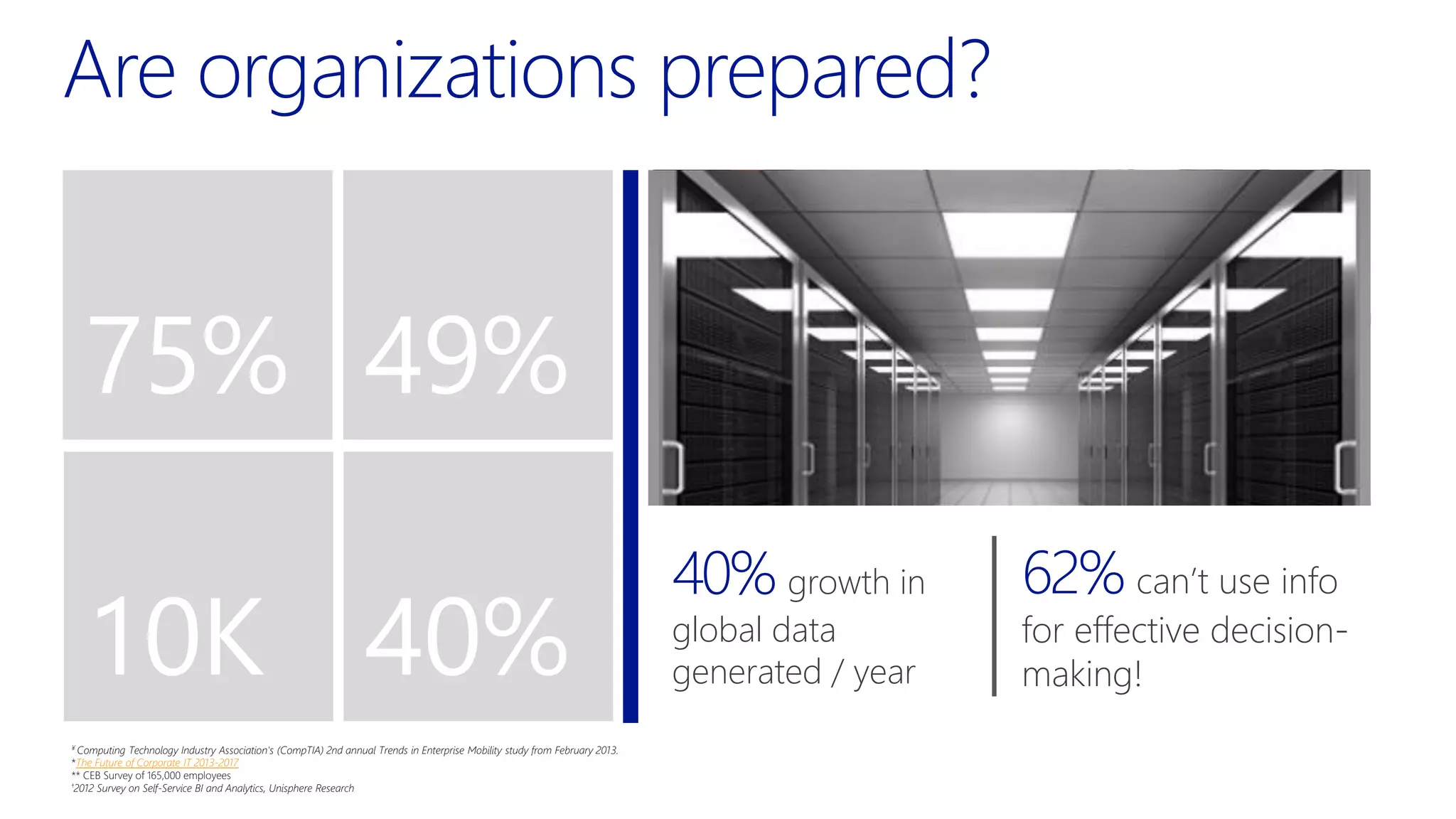
Are organizations prepared?
75% 49%
10K 40%
75% allow personal
mobile devices for
business use
~49% of work
requires network
contribution
10K new federal &
industry regulations
created in last 5 years
80% of employees
are ineffective at
collaboration!
only 24%
have a BYOD
policy in place
93% of employees
admit to violating
compliance policies
40% growth in
global data
generated / year
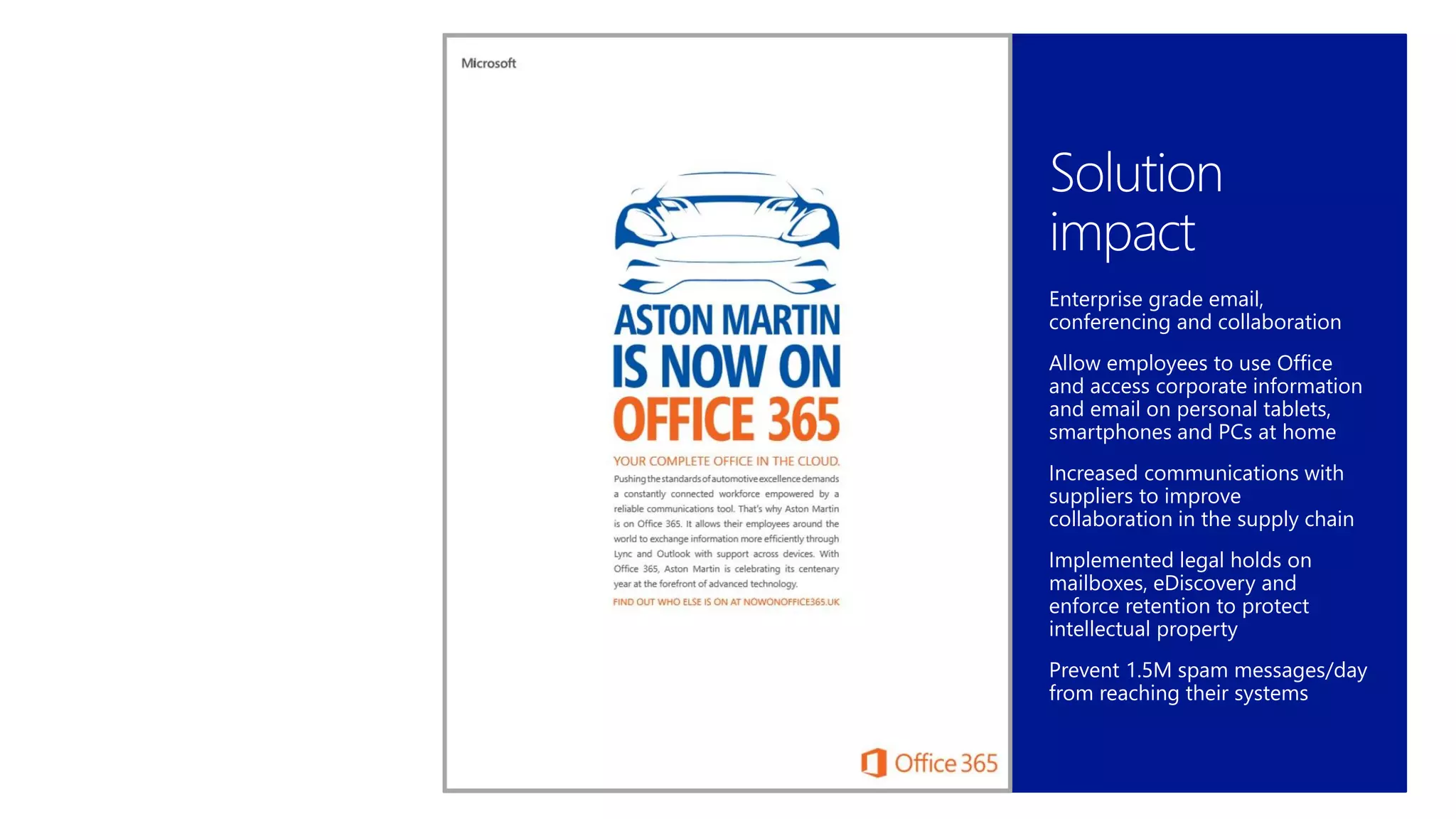
62% can’t use info
for effective decision-
making!
¥ Computing Technology Industry Association's (CompTIA) 2nd annual Trends in Enterprise Mobility study from February 2013.
*The Future of Corporate IT 2013-2017
** CEB Survey of 165,000 employees
†2012 Survey on Self-Service BI and Analytics, Unisphere Research
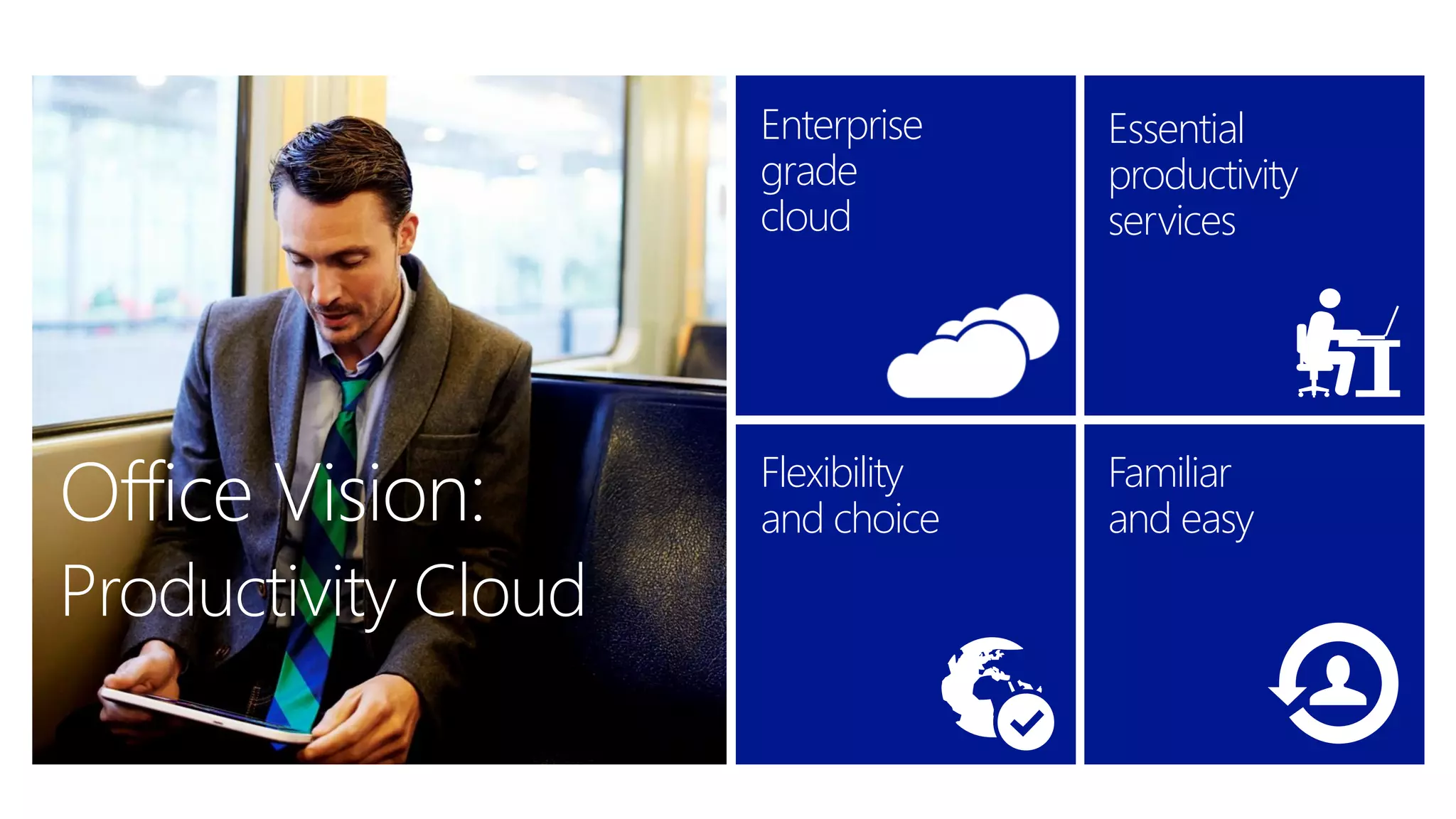
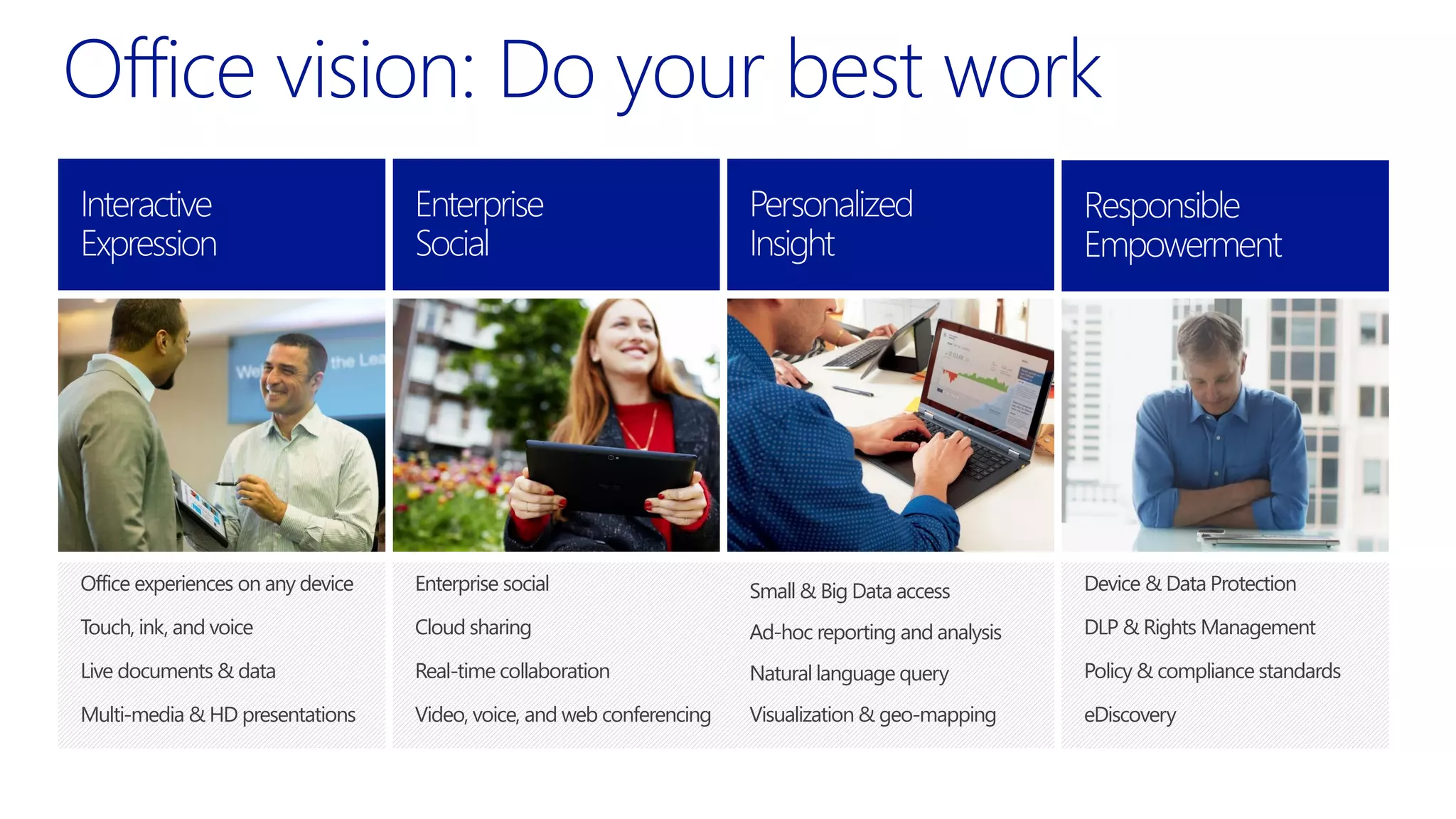
Flexibility
and choice
Enterprise-grade
cloud
Essential productivity
services
Familiar
and easy
Office Vision: Flexibility
and choice
Enterprise
grade
cloud
Essential
productivity
services
Familiar
and easy
Productivity Cloud
Enterprise social
Cloud sharing
Real-time collaboration
Video, voice, and web conferencing
Office experiences on any device
Touch, ink, and voice
Live documents & data
Multi-media & HD presentations
Device & Data Protection
DLP & Rights Management
Policy & compliance standards
eDiscovery
Small & Big Data access
Ad-hoc reporting and analysis
Natural language query
Visualization & geo-mapping
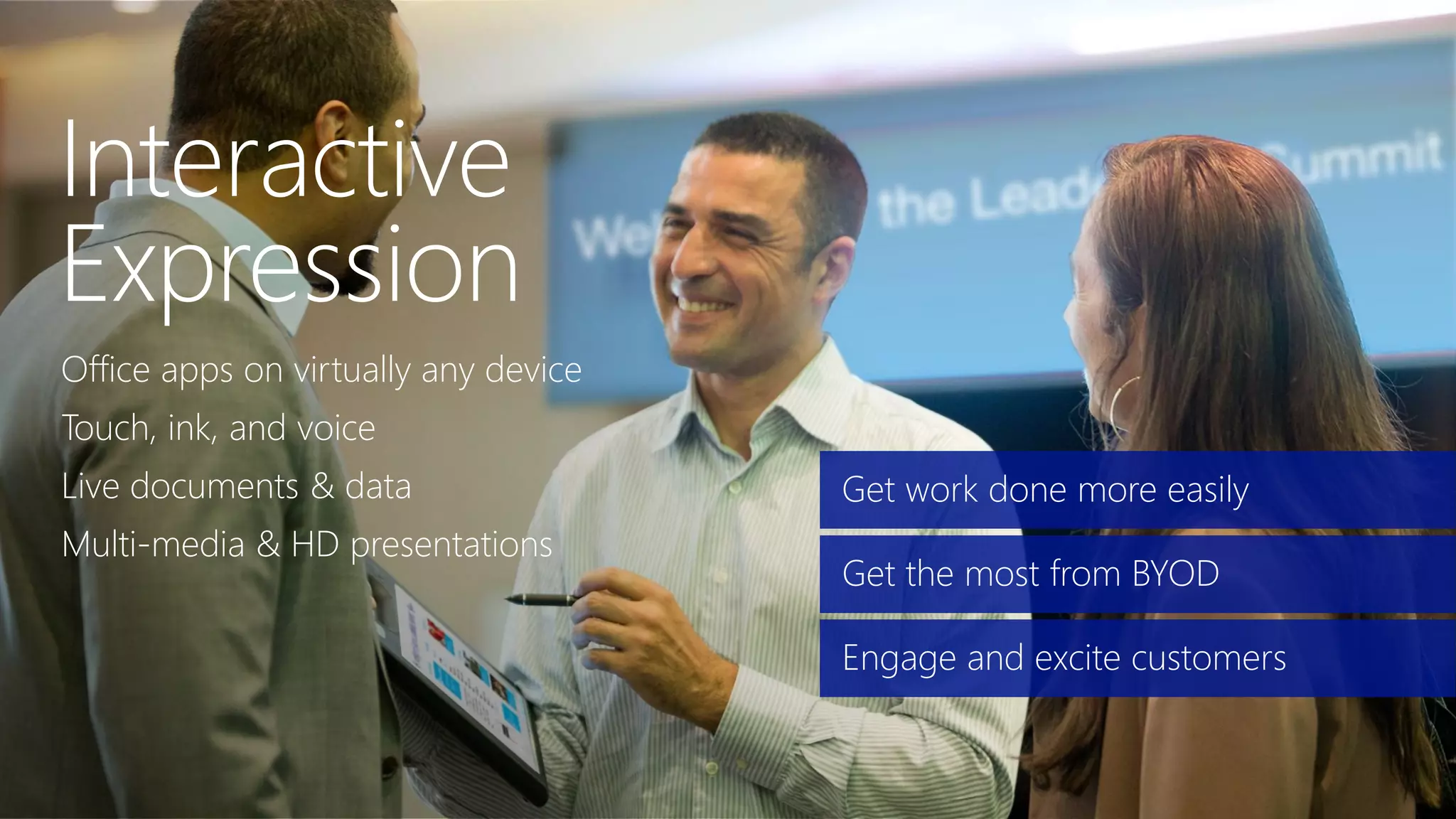
Office apps on virtually any device
Touch, ink, and voice
Live documents & data
Multi-media & HD presentations
Get work done more easily
Get the most from BYOD
Engage and excite customers
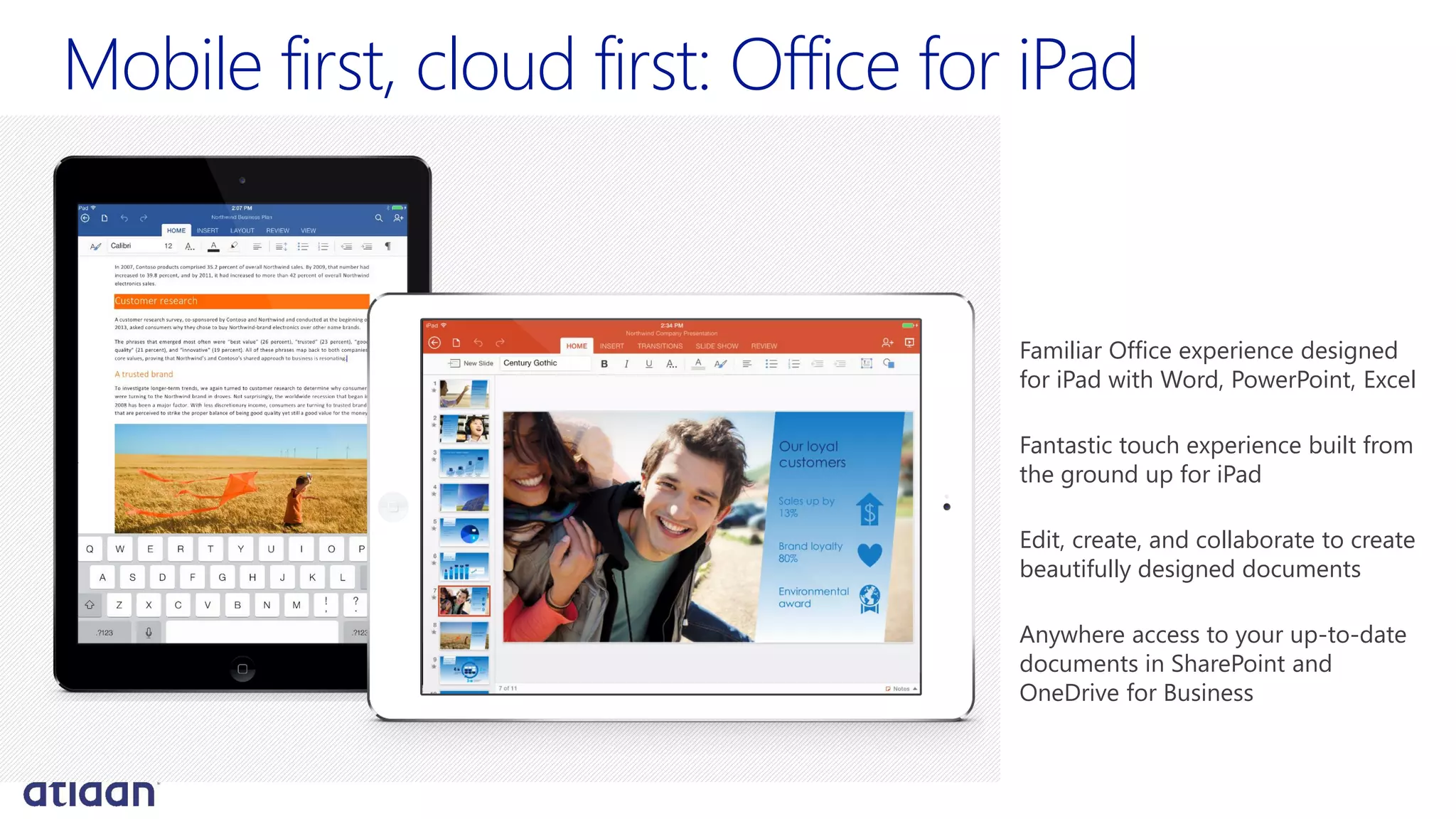
Mobile first, cloud first: Office for iPad
Familiar Office experience designed
for iPad with Word, PowerPoint, Excel
Fantastic touch experience built from
the ground up for iPad
Edit, create, and collaborate to create
beautifully designed documents
Anywhere access to your up-to-date
documents in SharePoint and
OneDrive for Business
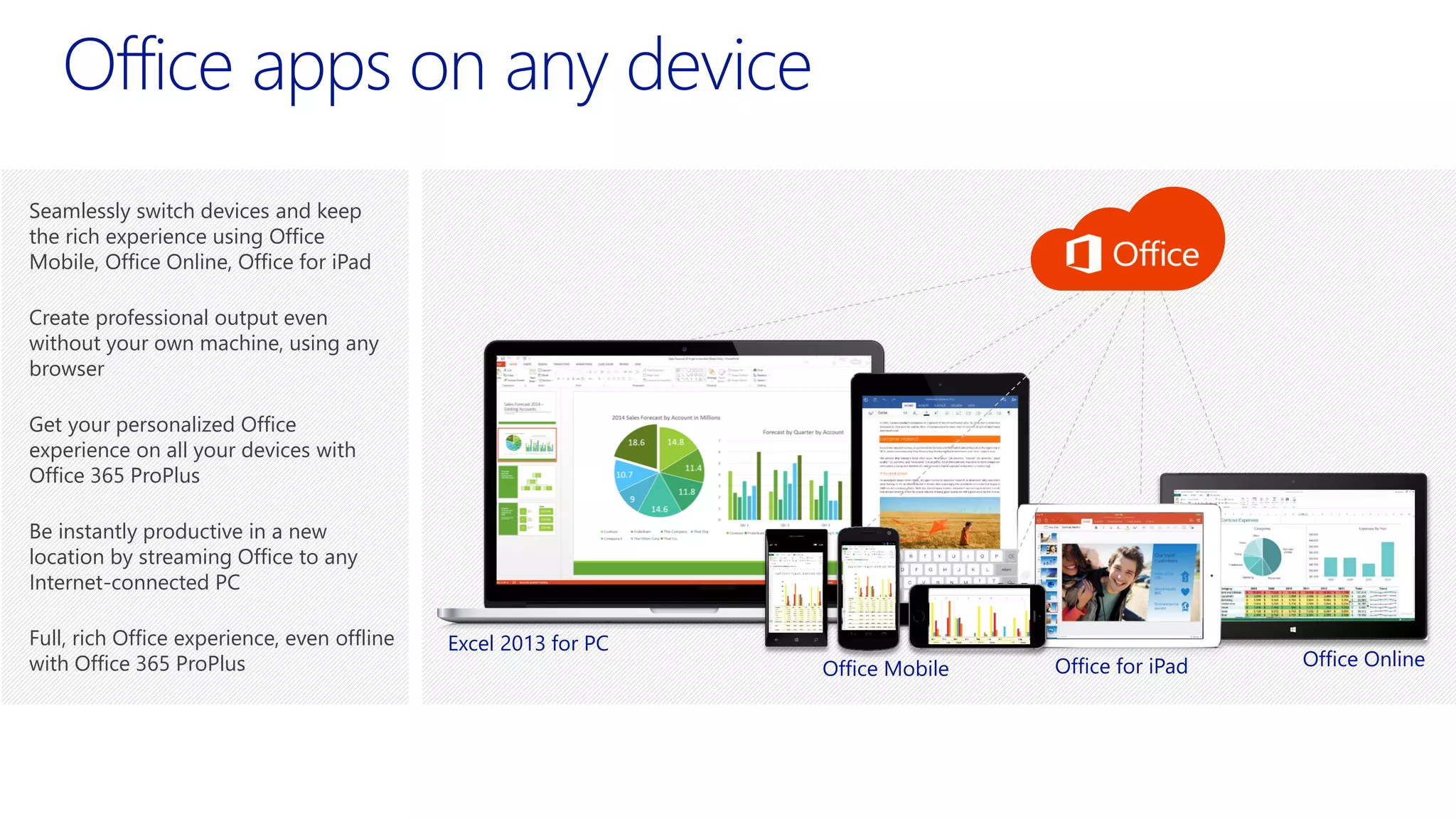
Office apps on any device
Seamlessly switch devices and keep
the rich experience using Office
Mobile, Office Online, Office for iPad
Create professional output even
without your own machine, using any
browser
Get your personalized Office
experience on all your devices with
Office 365 ProPlus
Be instantly productive in a new
location by streaming Office to any
Internet-connected PC
Full, rich Office experience, even offline
with Office 365 ProPlus
Excel 2013 for PC
Office Mobile Office for iPad Office Online
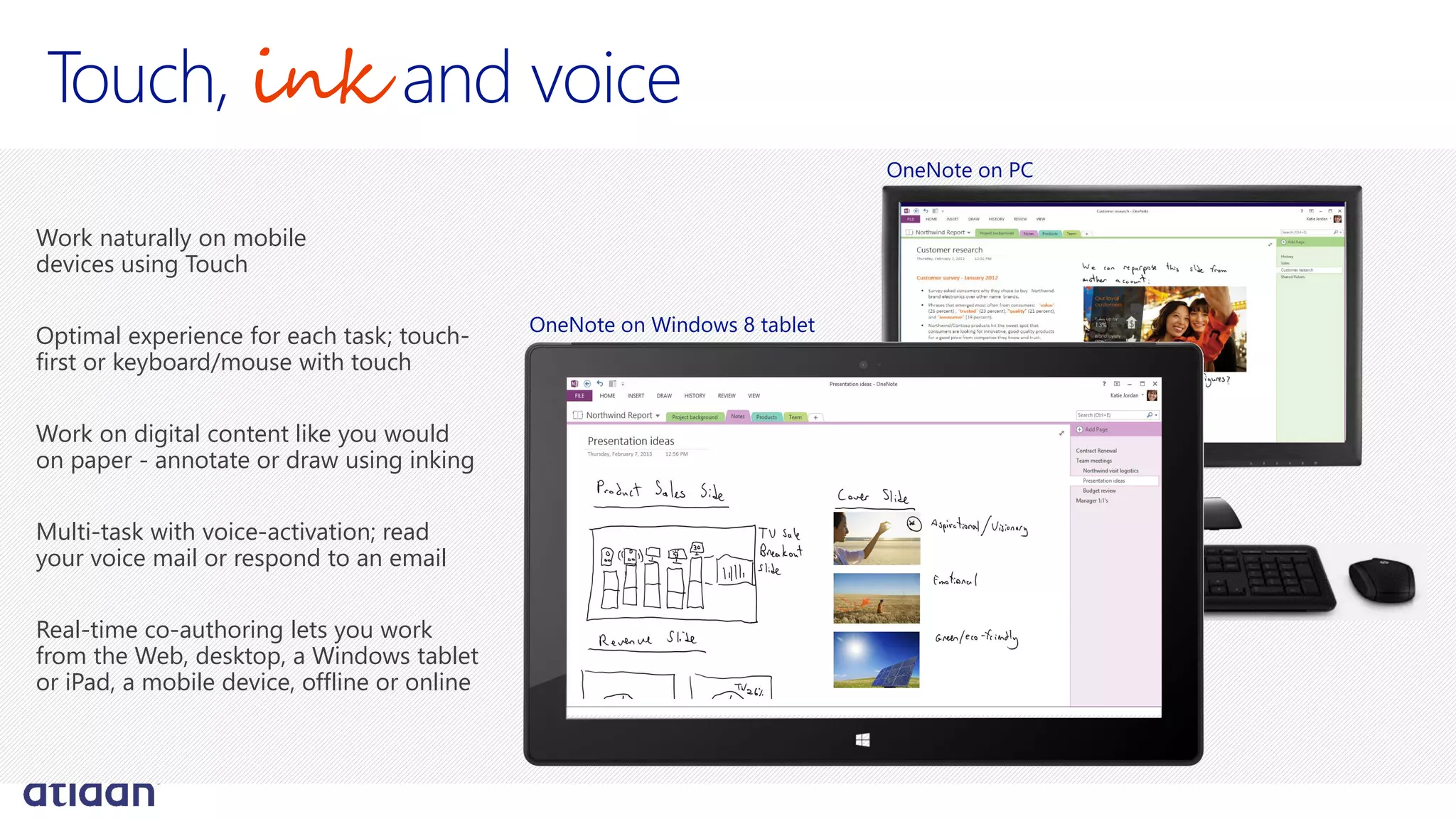
Touch, ink and voice
Work naturally on mobile
devices using Touch
Optimal experience for each task; touch-
first or keyboard/mouse with touch
Work on digital content like you would
on paper - annotate or draw using inking
Multi-task with voice-activation; read
your voice mail or respond to an email
Real-time co-authoring lets you work
from the Web, desktop, a Windows tablet
or iPad, a mobile device, offline or online
OneNote on Windows 8 tablet
OneNote on PC
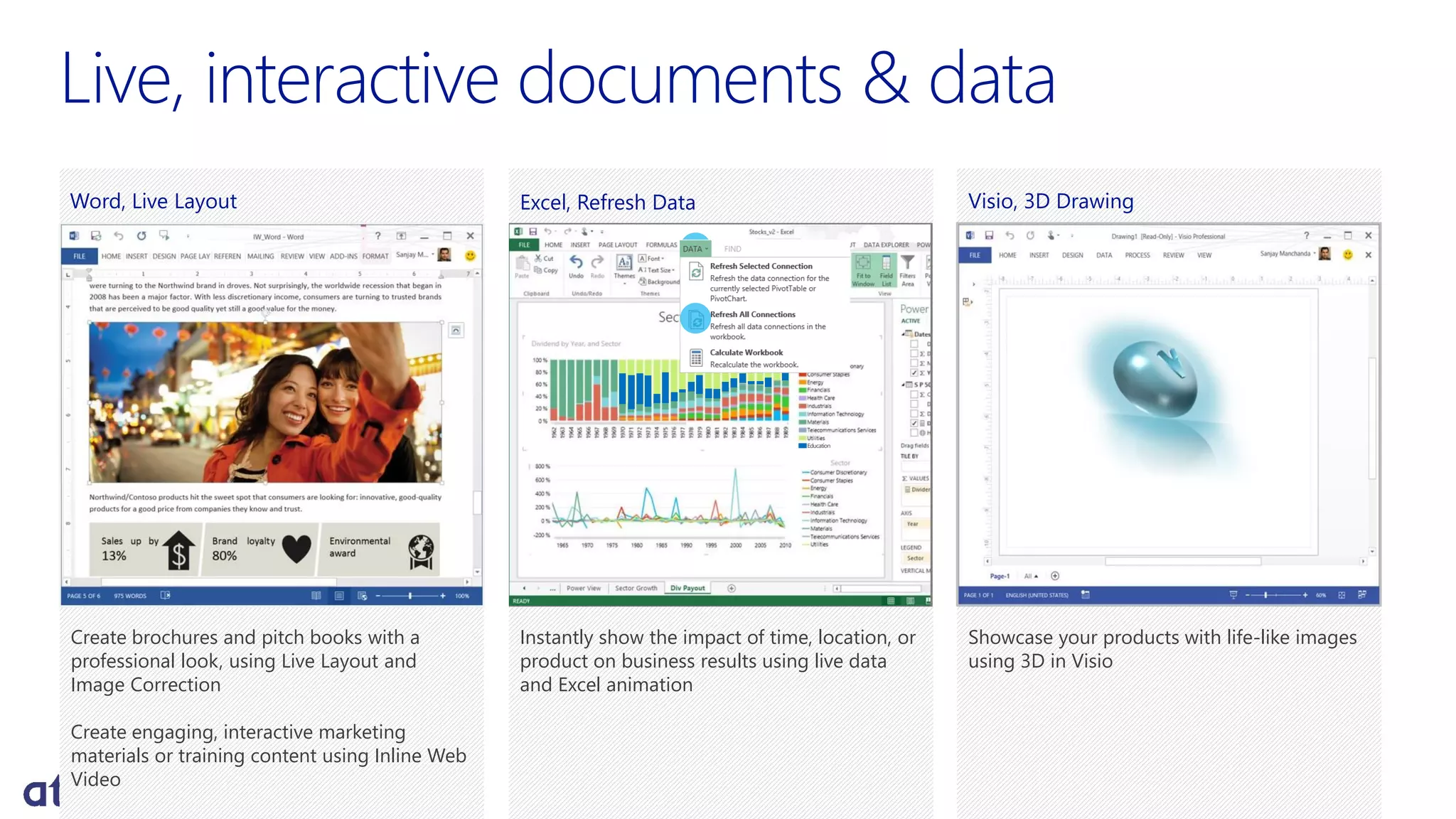
Live, interactive documents & data
Create brochures and pitch books with a
professional look, using Live Layout and
Image Correction
Create engaging, interactive marketing
materials or training content using Inline Web
Video
Word, Live Layout Visio, 3D Drawing
Showcase your products with life-like images
using 3D in Visio
Instantly show the impact of time, location, or
product on business results using live data
and Excel animation
Excel, Refresh Data
Education
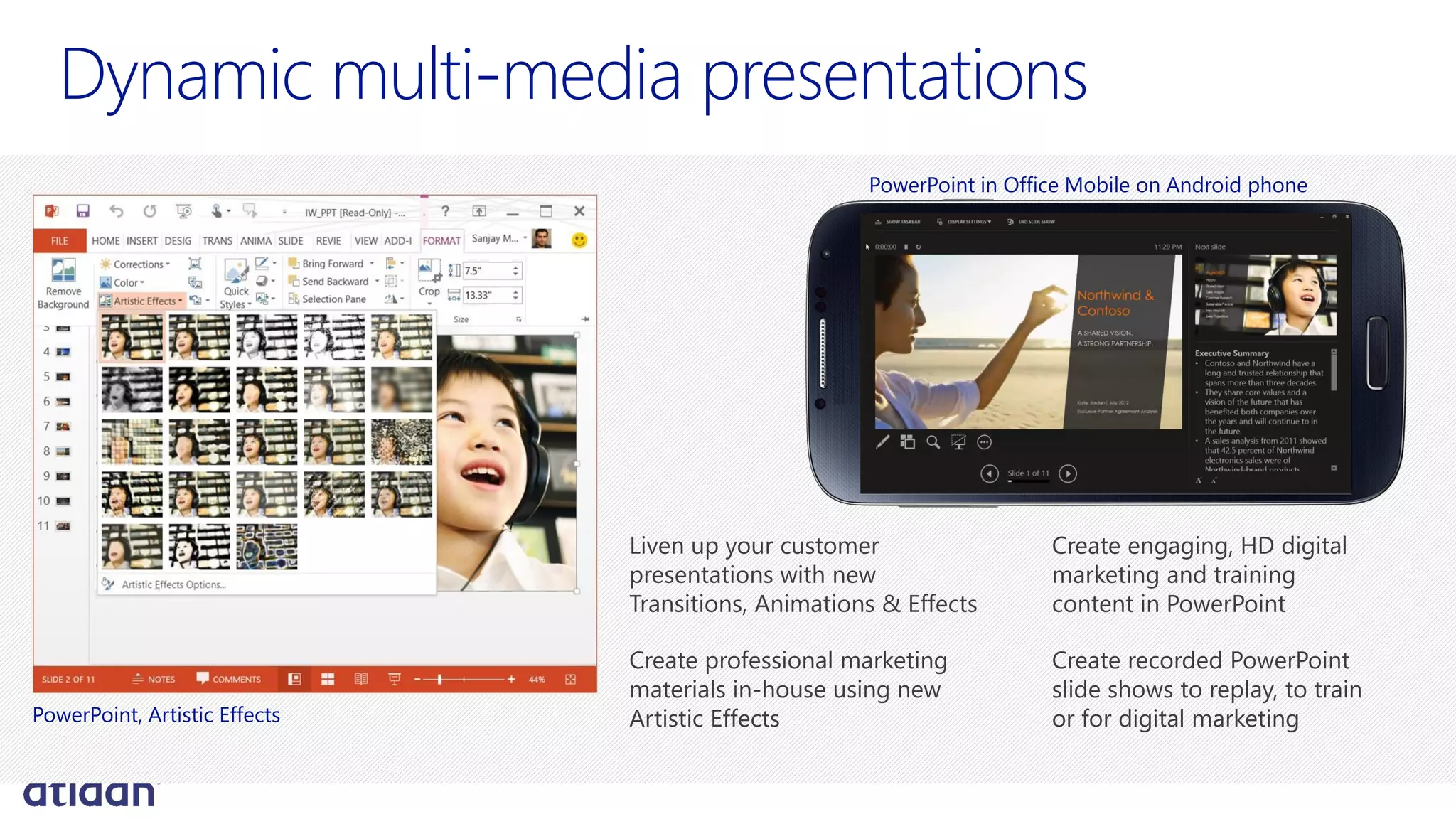
Dynamic multi-media presentations
Liven up your customer
presentations with new
Transitions, Animations & Effects
Create professional marketing
materials in-house using new
Artistic Effects
Create engaging, HD digital
marketing and training
content in PowerPoint
Create recorded PowerPoint
slide shows to replay, to train
or for digital marketingPowerPoint, Artistic Effects
PowerPoint in Office Mobile on Android phone
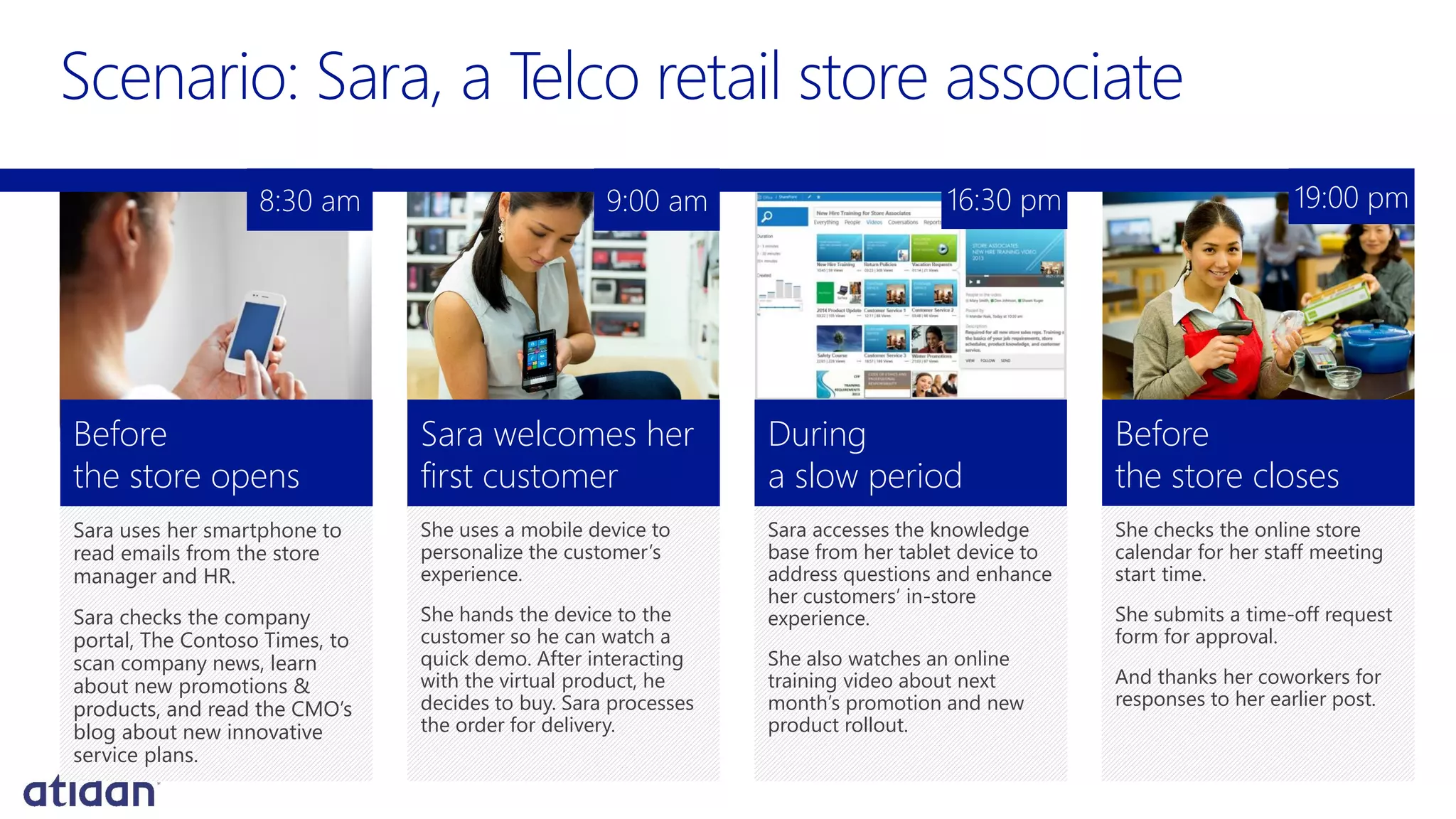
Sara uses her smartphone to
read emails from the store
manager and HR.
Sara checks the company
portal, The Contoso Times, to
scan company news, learn
about new promotions &
products, and read the CMO’s
blog about new innovative
service plans.
Before
the store opens
She uses a mobile device to
personalize the customer’s
experience.
She hands the device to the
customer so he can watch a
quick demo. After interacting
with the virtual product, he
decides to buy. Sara processes
the order for delivery.
Sara welcomes her
first customer
Sara accesses the knowledge
base from her tablet device to
address questions and enhance
her customers’ in-store
experience.
She also watches an online
training video about next
month’s promotion and new
product rollout.
During
a slow period
She checks the online store
calendar for her staff meeting
start time.
She submits a time-off request
form for approval.
And thanks her coworkers for
responses to her earlier post.
Before
the store closes
8:30 am 9:00 am 16:30 pm 19:00 pm
Social workplace
Video, voice, and web conferencing
Cloud storing & sharing
Real-time collaboration
Increase employee engagement
Innovate and stay competitive
Be more responsive to customers
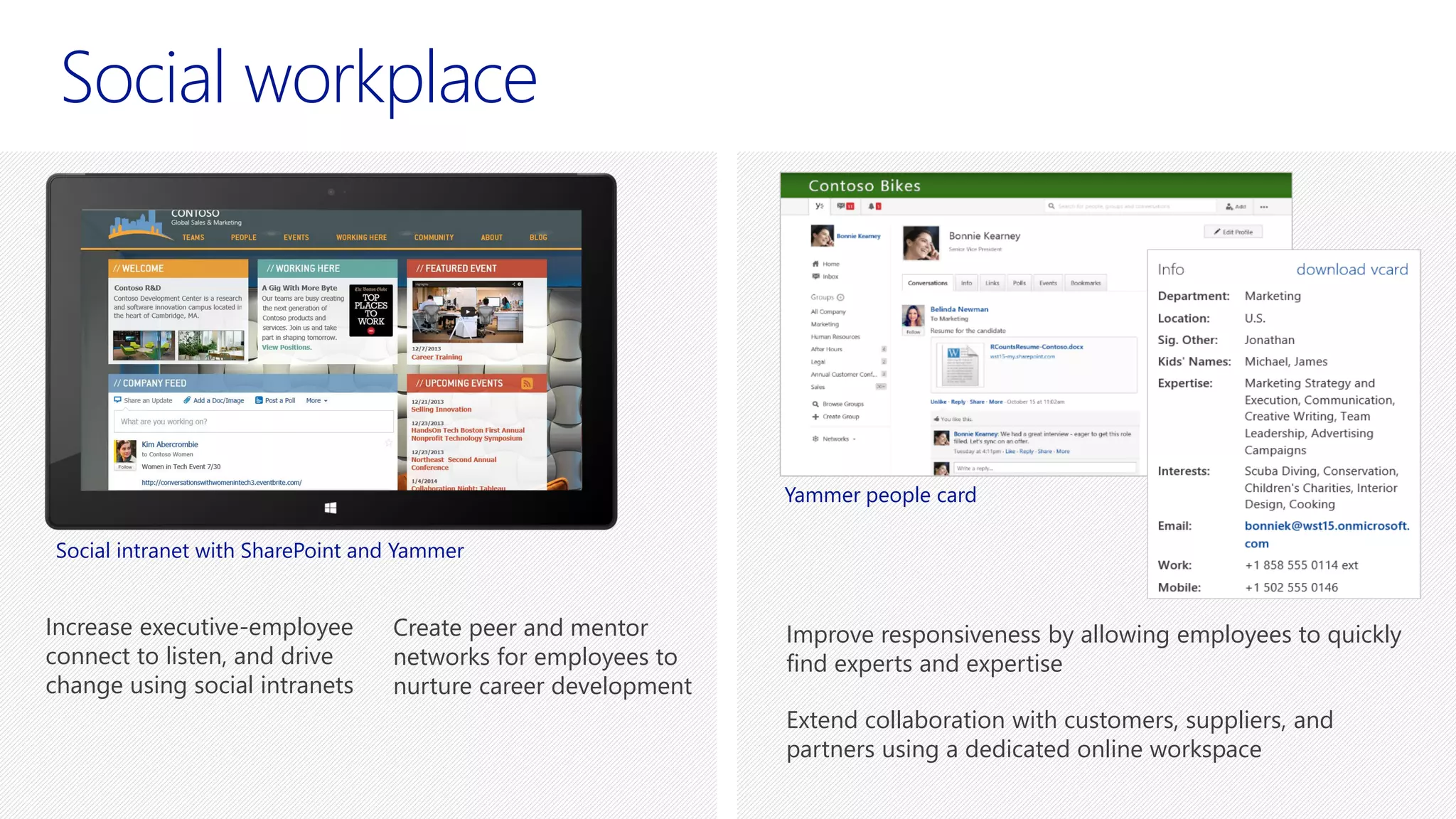
Social workplace
Improve responsiveness by allowing employees to quickly
find experts and expertise
Extend collaboration with customers, suppliers, and
partners using a dedicated online workspace
Increase executive-employee
connect to listen, and drive
change using social intranets
Create peer and mentor
networks for employees to
nurture career development
Social intranet with SharePoint and Yammer
Yammer people card
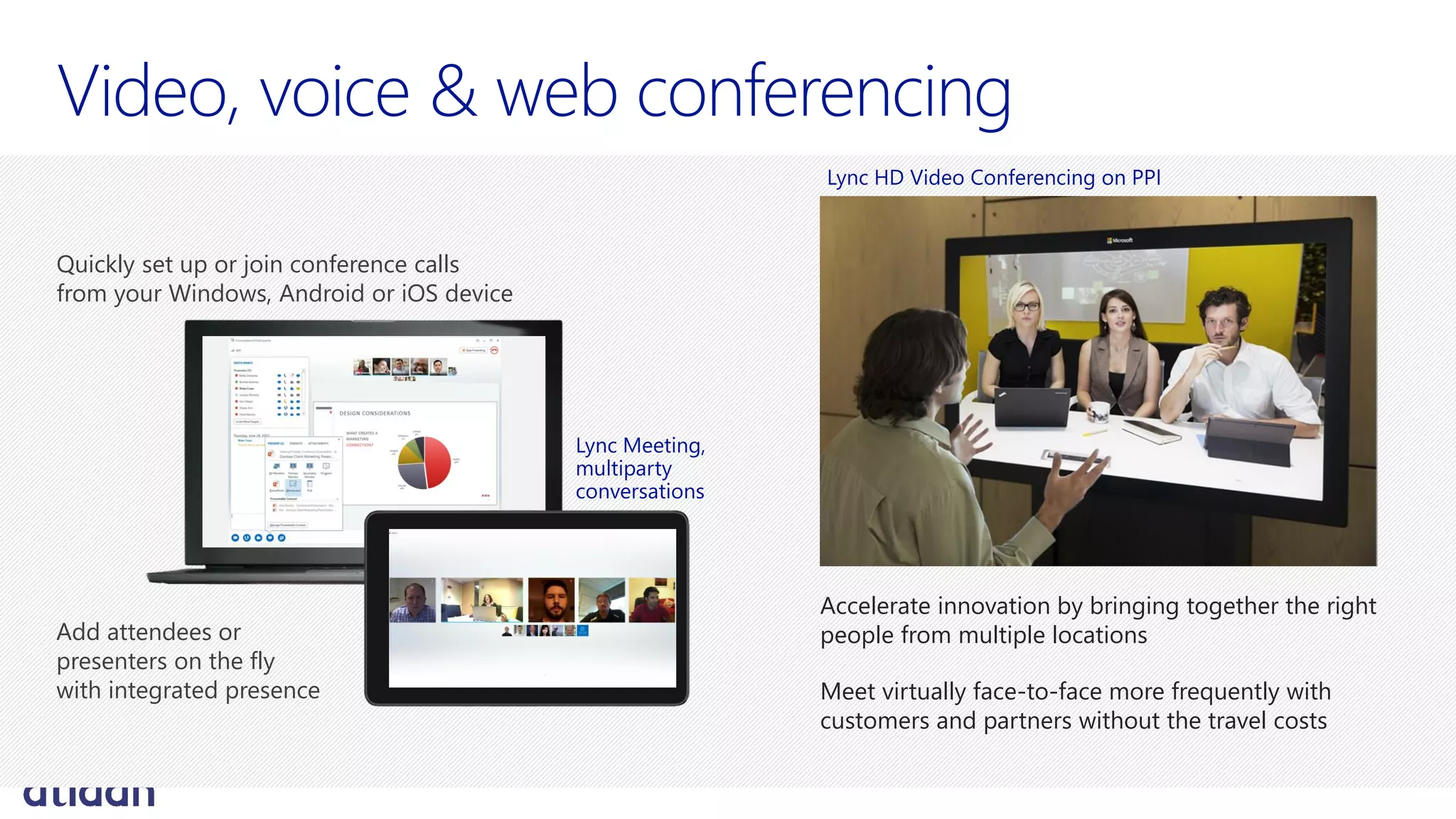
Accelerate innovation by bringing together the right
people from multiple locations
Meet virtually face-to-face more frequently with
customers and partners without the travel costs
Lync HD Video Conferencing on PPI
Quickly set up or join conference calls
from your Windows, Android or iOS device
Add attendees or
presenters on the fly
with integrated presence
Lync Meeting,
multiparty
conversations
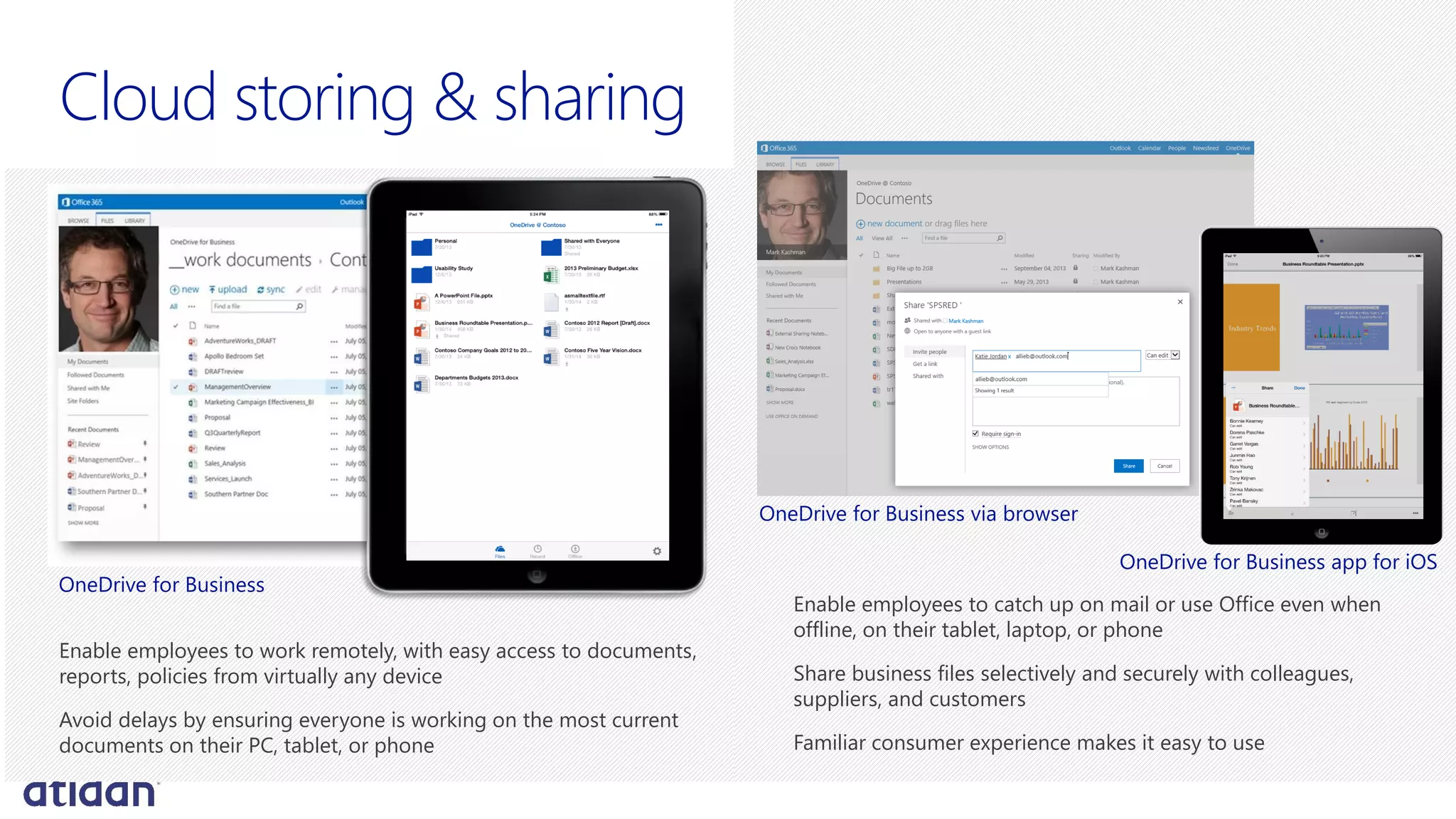
Cloud storing & sharing
Enable employees to work remotely, with easy access to documents,
reports, policies from virtually any device
Avoid delays by ensuring everyone is working on the most current
documents on their PC, tablet, or phone
OneDrive for Business
Enable employees to catch up on mail or use Office even when
offline, on their tablet, laptop, or phone
Share business files selectively and securely with colleagues,
suppliers, and customers
Familiar consumer experience makes it easy to use
OneDrive for Business app for iOS
OneDrive for Business via browser
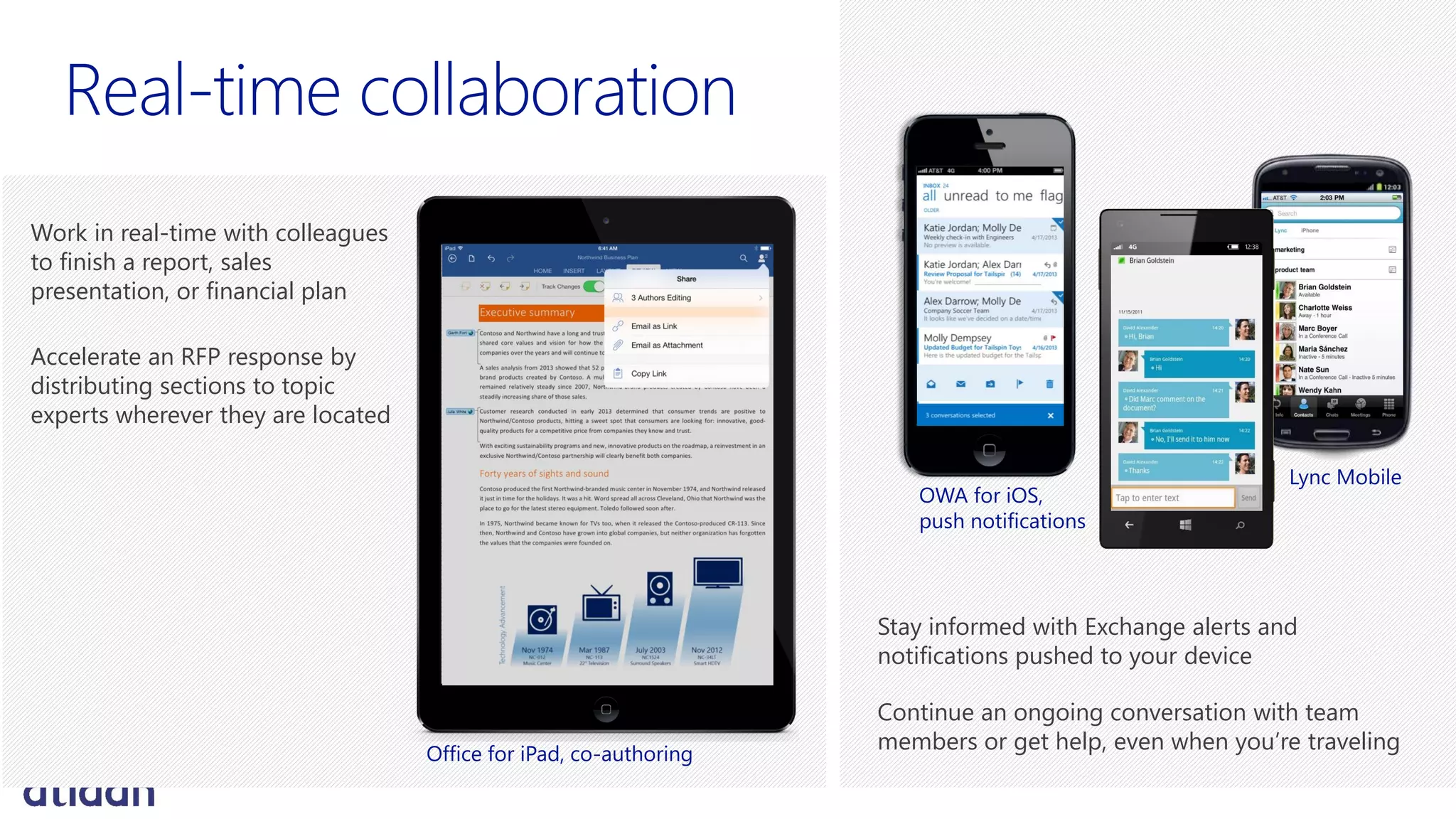
Work in real-time with colleagues
to finish a report, sales
presentation, or financial plan
Accelerate an RFP response by
distributing sections to topic
experts wherever they are located
Stay informed with Exchange alerts and
notifications pushed to your device
Continue an ongoing conversation with team
members or get help, even when you’re traveling
OWA for iOS,
push notifications
Lync Mobile
Office for iPad, co-authoring
Business
requirements
Improve communication
and collaboration to run
manufacturing at peak efficiency
168,000 employees in 1,500
offices across 150 countries
Improve resolution times for
quality or production issues to
improve customer service
Solution
impact
Connected 300 production plants
via real-time communications to
avoid production issues
Fostering innovation through
knowledge sharing using real-time
translation capabilities
Improved consistency of customer
service by coordinating account
teams in different countries
Extended communication
and collaboration to 70,000
“un-wired” employees
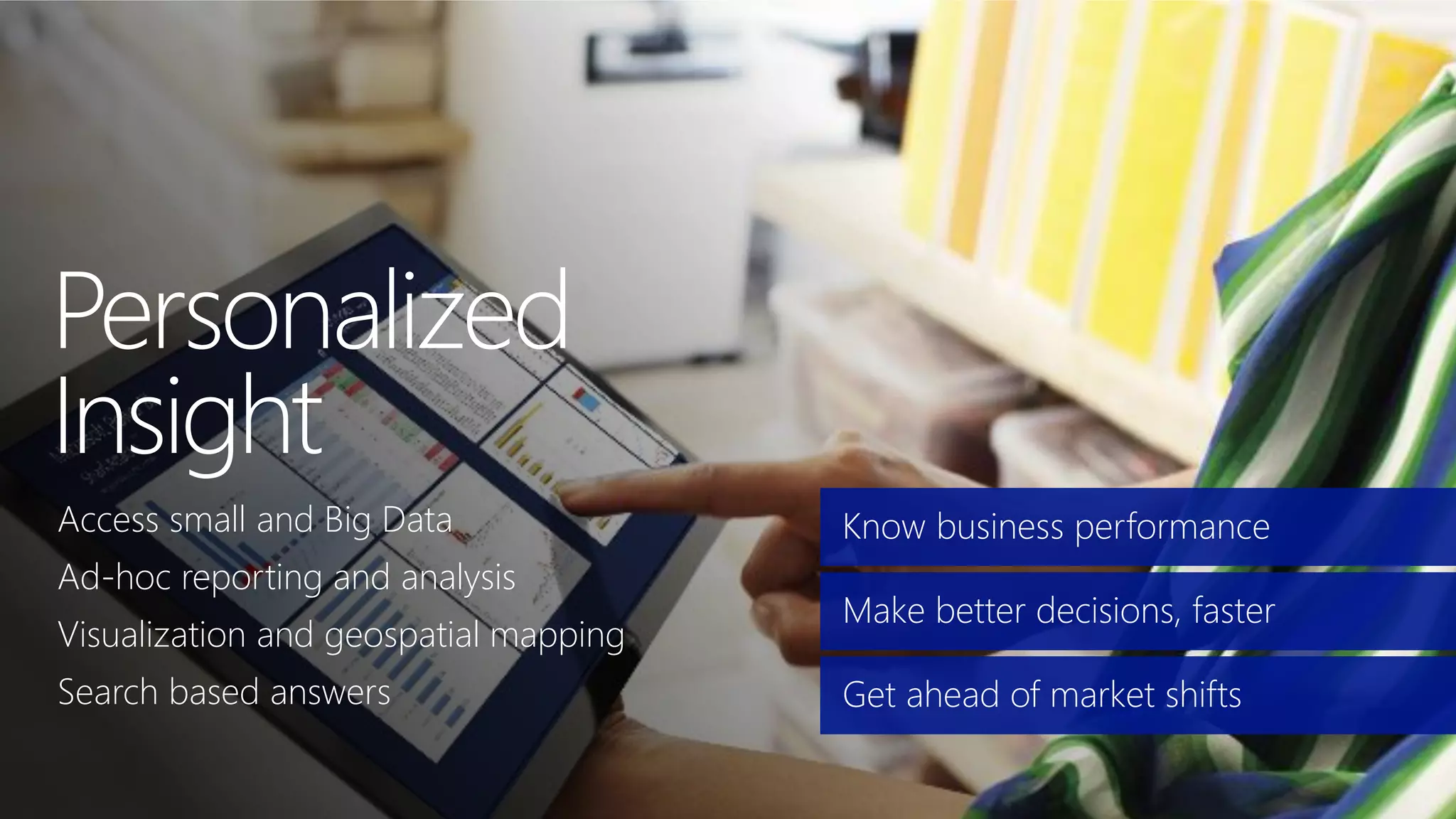
Know business performance
Make better decisions, faster
Get ahead of market shifts
Access small and Big Data
Ad-hoc reporting and analysis
Visualization and geospatial mapping
Search based answers
Small & Big Data discovery
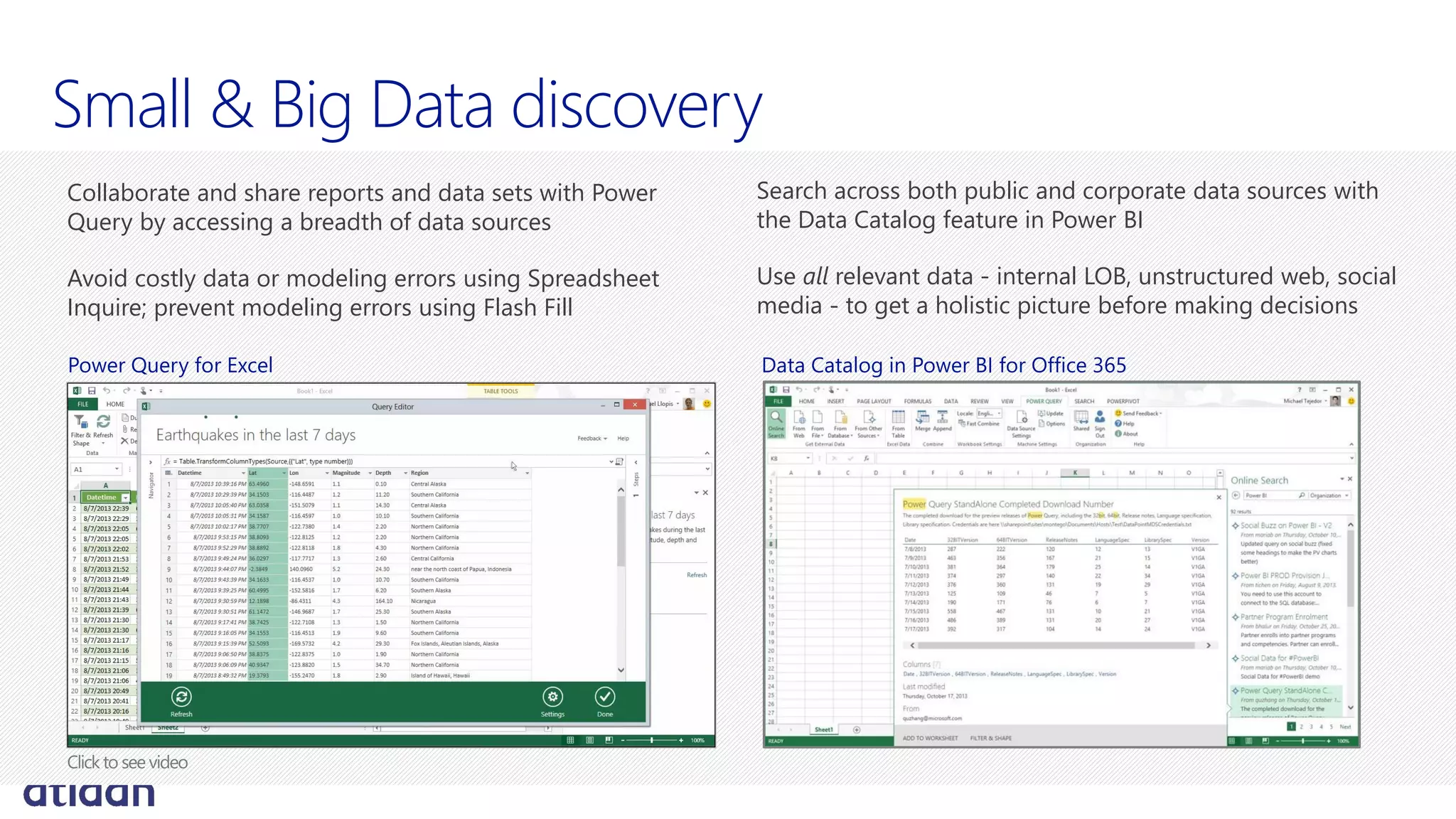
Search across both public and corporate data sources with
the Data Catalog feature in Power BI
Use all relevant data - internal LOB, unstructured web, social
media - to get a holistic picture before making decisions
Collaborate and share reports and data sets with Power
Query by accessing a breadth of data sources
Avoid costly data or modeling errors using Spreadsheet
Inquire; prevent modeling errors using Flash Fill
Data Catalog in Power BI for Office 365Power Query for Excel
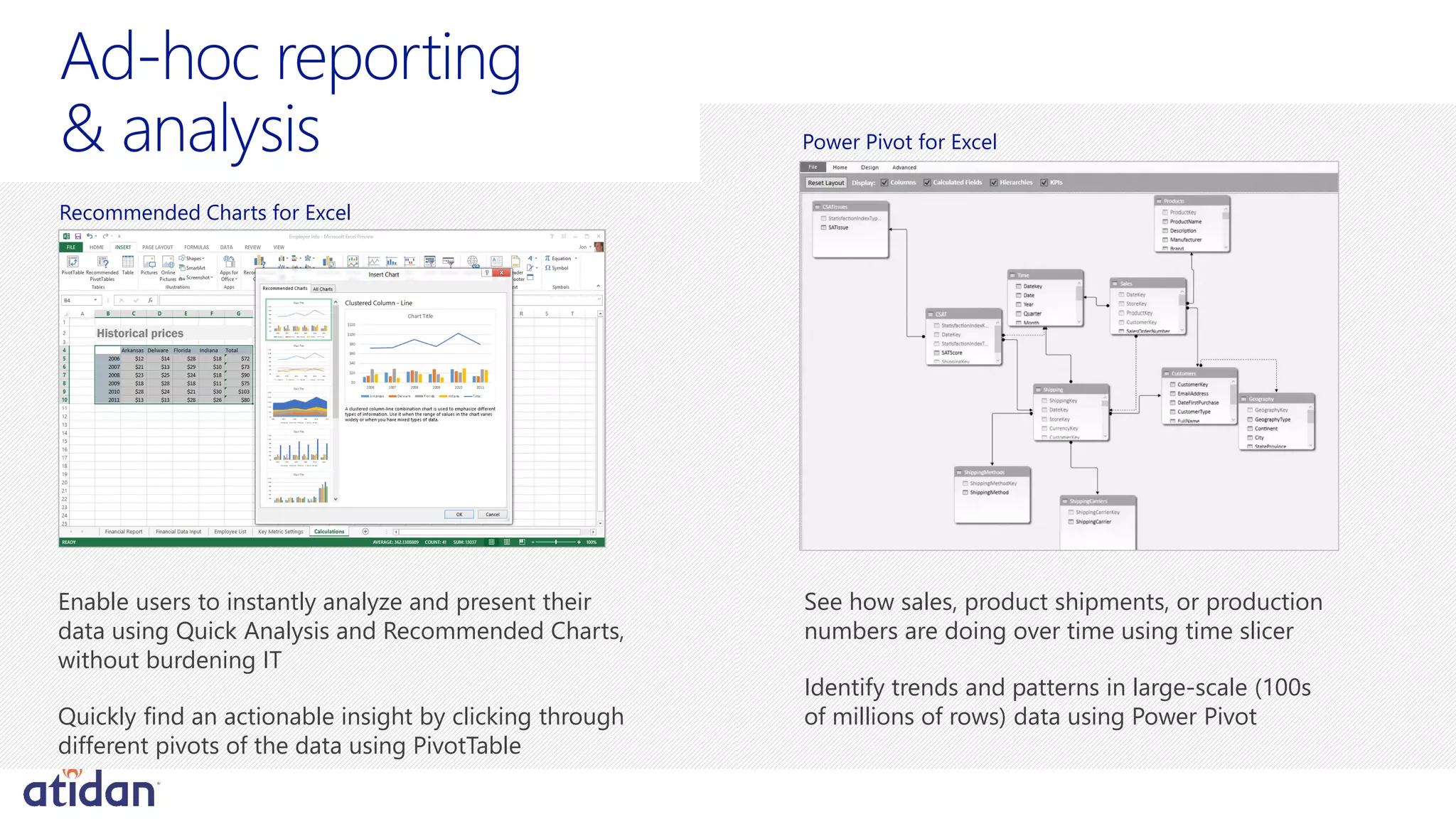
See how sales, product shipments, or production
numbers are doing over time using time slicer
Identify trends and patterns in large-scale (100s
of millions of rows) data using Power Pivot
Historical prices
Enable users to instantly analyze and present their
data using Quick Analysis and Recommended Charts,
without burdening IT
Quickly find an actionable insight by clicking through
different pivots of the data using PivotTable
Recommended Charts for Excel
Power Pivot for Excel
Visualization and geospatial mapping
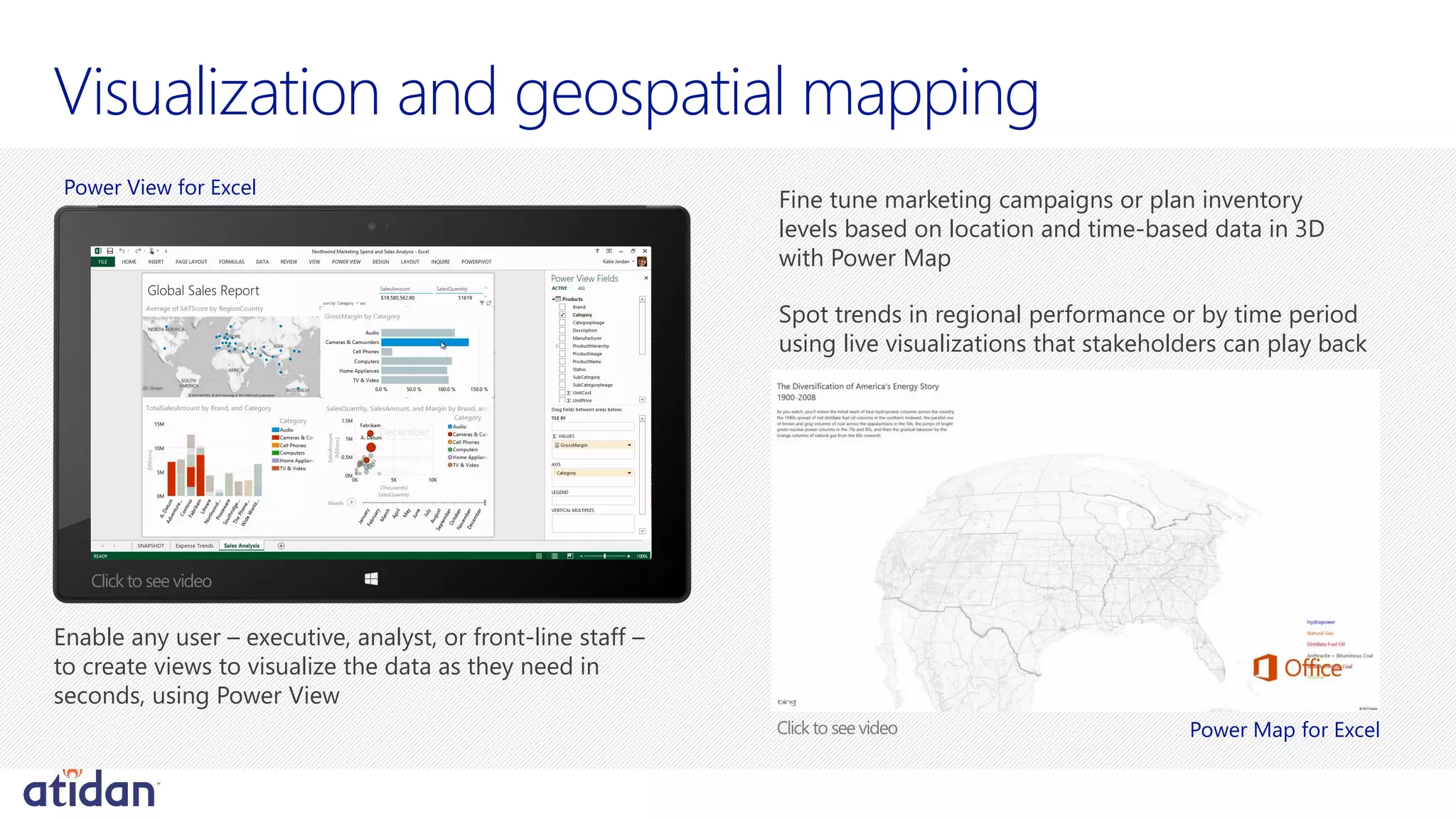
Fine tune marketing campaigns or plan inventory
levels based on location and time-based data in 3D
with Power Map
Spot trends in regional performance or by time period
using live visualizations that stakeholders can play back
Enable any user – executive, analyst, or front-line staff –
to create views to visualize the data as they need in
seconds, using Power View
Power View for Excel
Power Map for Excel
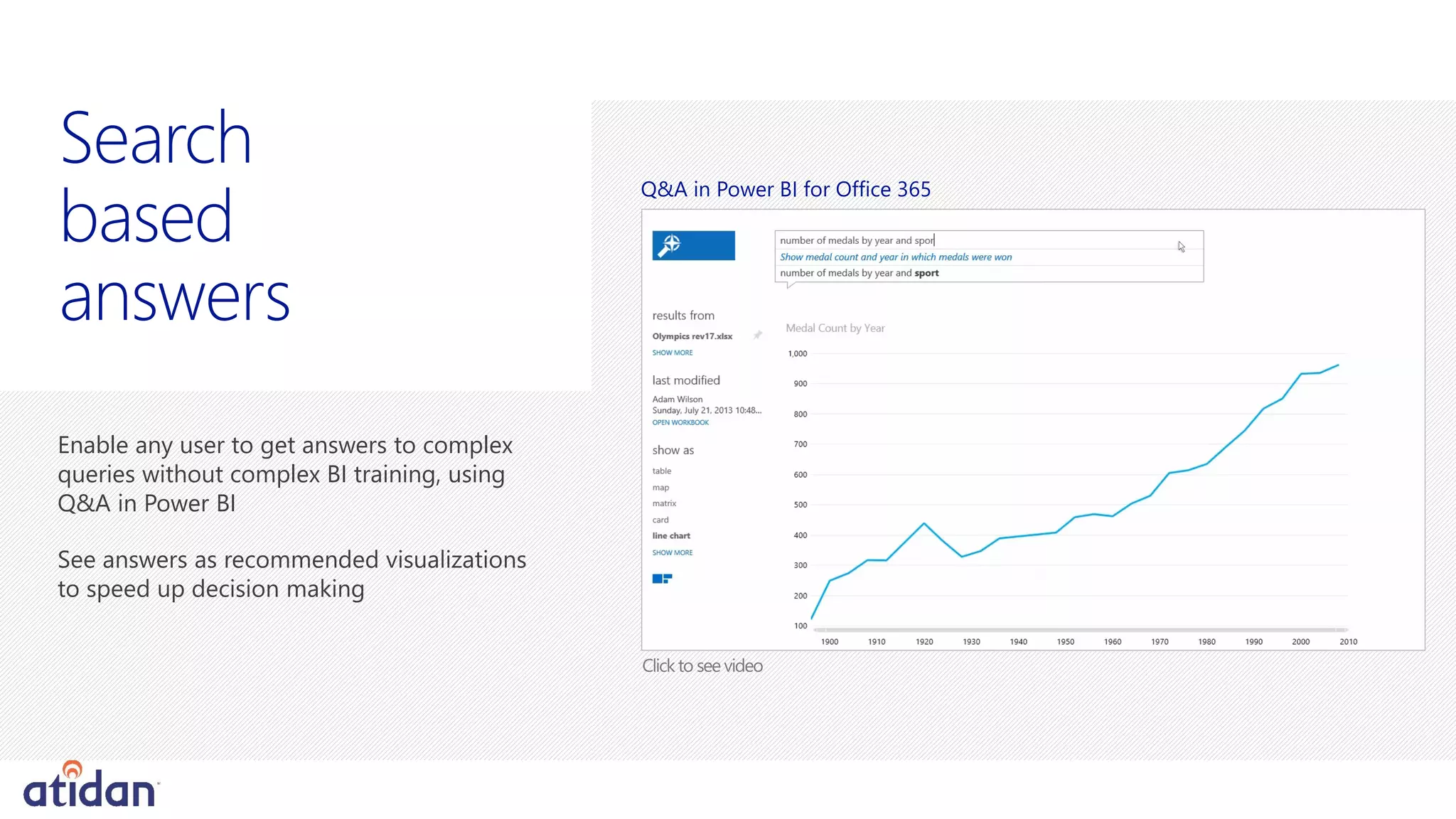
Enable any user to get answers to complex
queries without complex BI training, using
Q&A in Power BI
Search
based
answers
Q&A in Power BI for Office 365
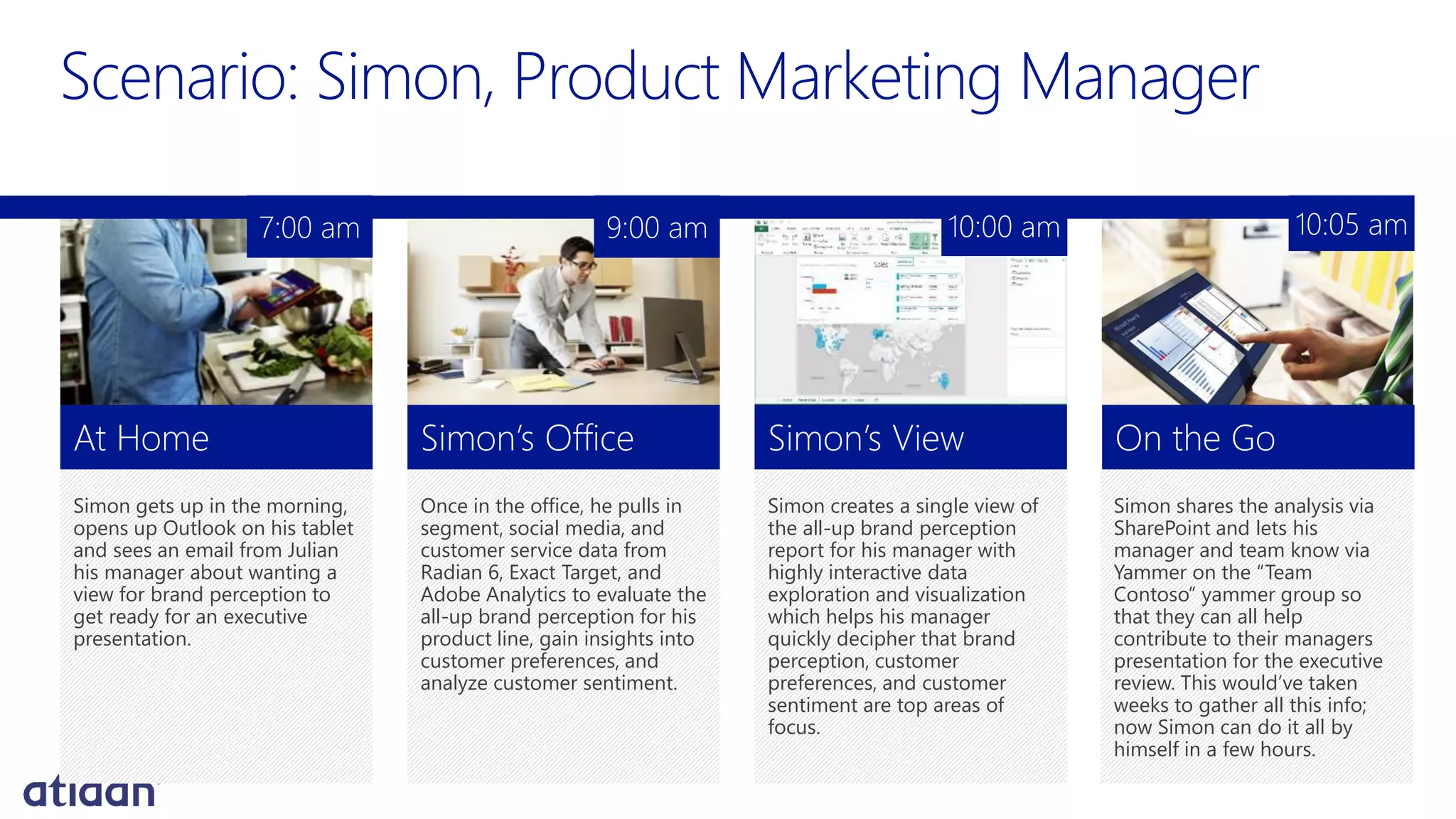
Simon gets up in the morning,
opens up Outlook on his tablet
and sees an email from Julian
his manager about wanting a
view for brand perception to
get ready for an executive
presentation.
At Home
Once in the office, he pulls in
segment, social media, and
customer service data from
Radian 6, Exact Target, and
Adobe Analytics to evaluate the
all-up brand perception for his
product line, gain insights into
customer preferences, and
analyze customer sentiment.
Simon’s Office
Simon creates a single view of
the all-up brand perception
report for his manager with
highly interactive data
exploration and visualization
which helps his manager
quickly decipher that brand
perception, customer
preferences, and customer
sentiment are top areas of
focus.
Simon’s View
Simon shares the analysis via
SharePoint and lets his
manager and team know via
Yammer on the “Team
Contoso” yammer group so
that they can all help
contribute to their managers
presentation for the executive
review. This would’ve taken
weeks to gather all this info;
now Simon can do it all by
himself in a few hours.
On the Go
7:00 am 9:00 am 10:00 am 10:05 am
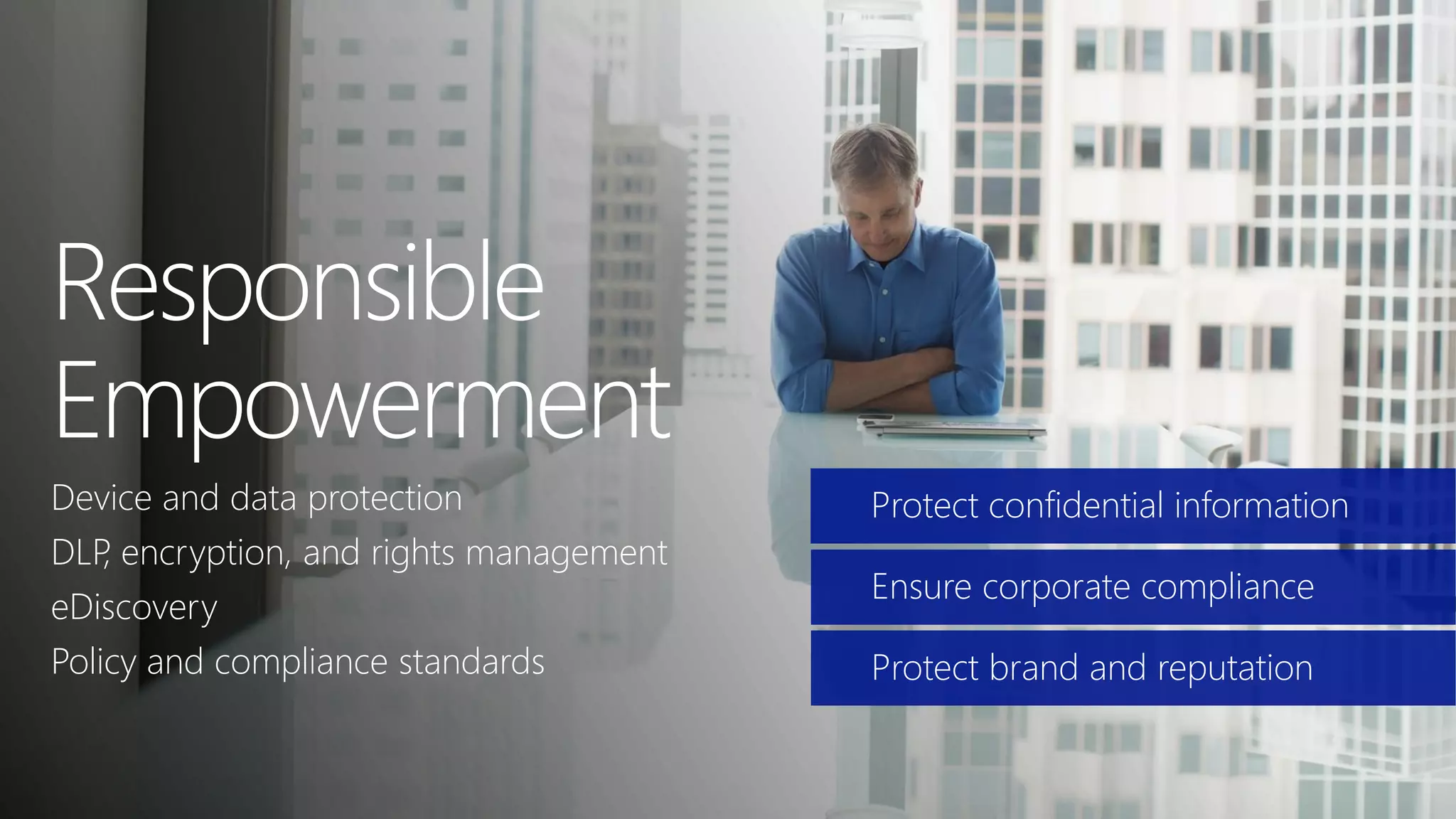
Device and data protection
DLP, encryption, and rights management
eDiscovery
Policy and compliance standards
Protect confidential information
Ensure corporate compliance
Protect brand and reputation
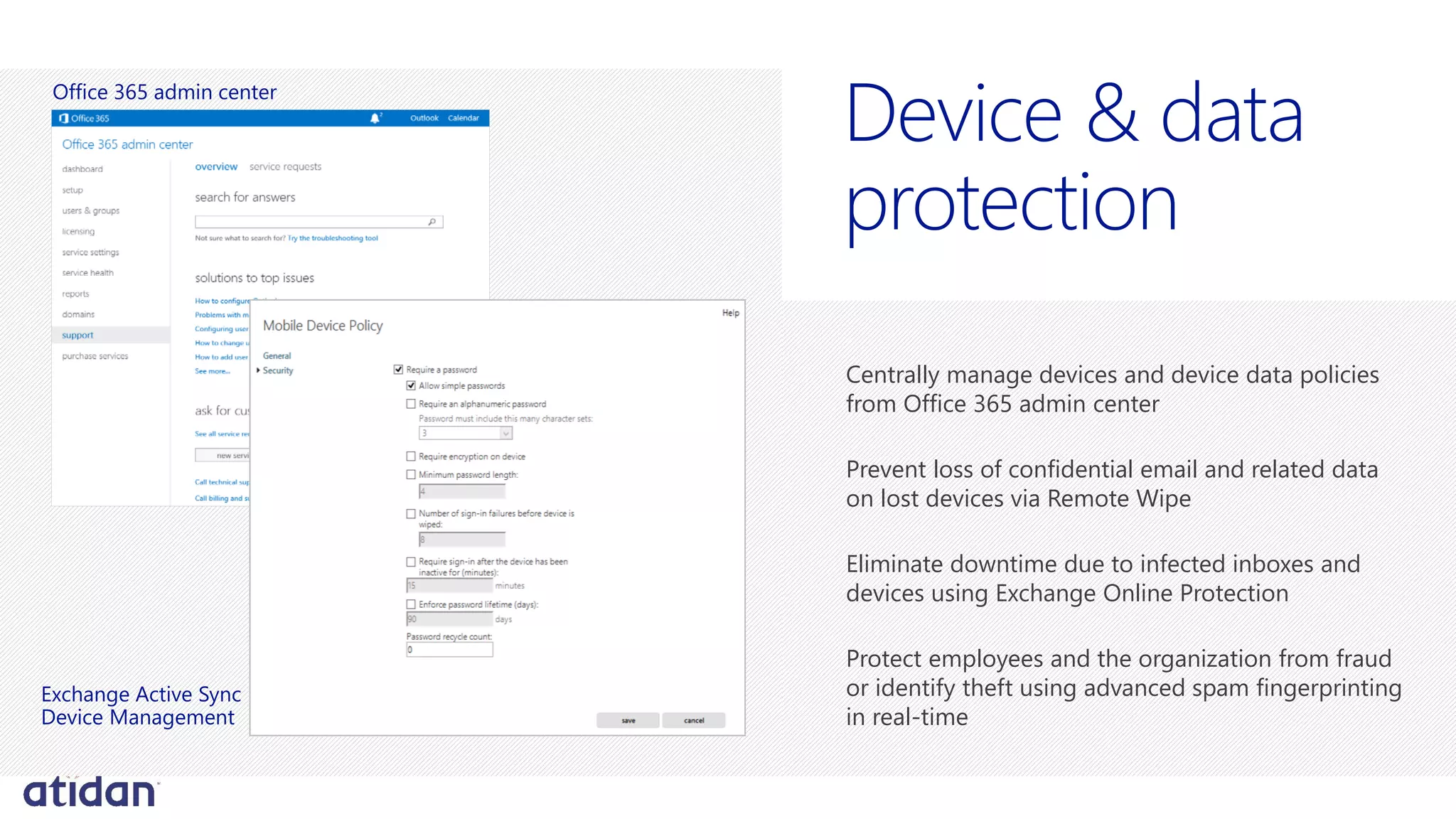
Centrally manage devices and device data policies
from Office 365 admin center
Prevent loss of confidential email and related data
on lost devices via Remote Wipe
Eliminate downtime due to infected inboxes and
devices using Exchange Online Protection
Protect employees and the organization from fraud
or identify theft using advanced spam fingerprinting
in real-time
protection
Office 365 admin center
Exchange Active Sync
Device Management
anagement
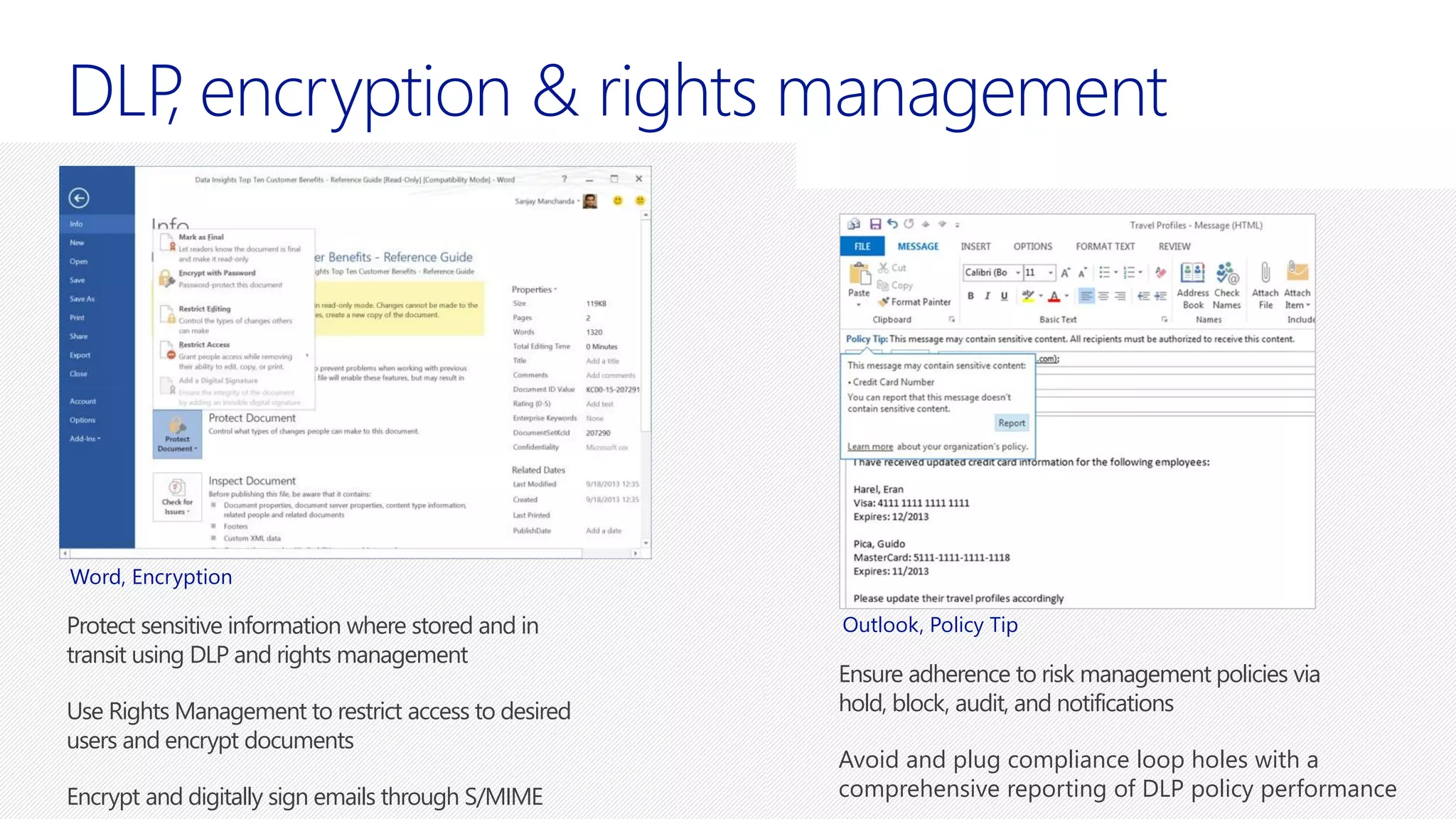
Protect sensitive information where stored and in
transit using DLP and rights management
Use Rights Management to restrict access to desired
users and encrypt documents
Encrypt and digitally sign emails through S/MIME
Ensure adherence to risk management policies via
hold, block, audit, and notifications
Avoid and plug compliance loop holes with a
comprehensive reporting of DLP policy performance
Word, Encryption
Outlook, Policy Tip
e
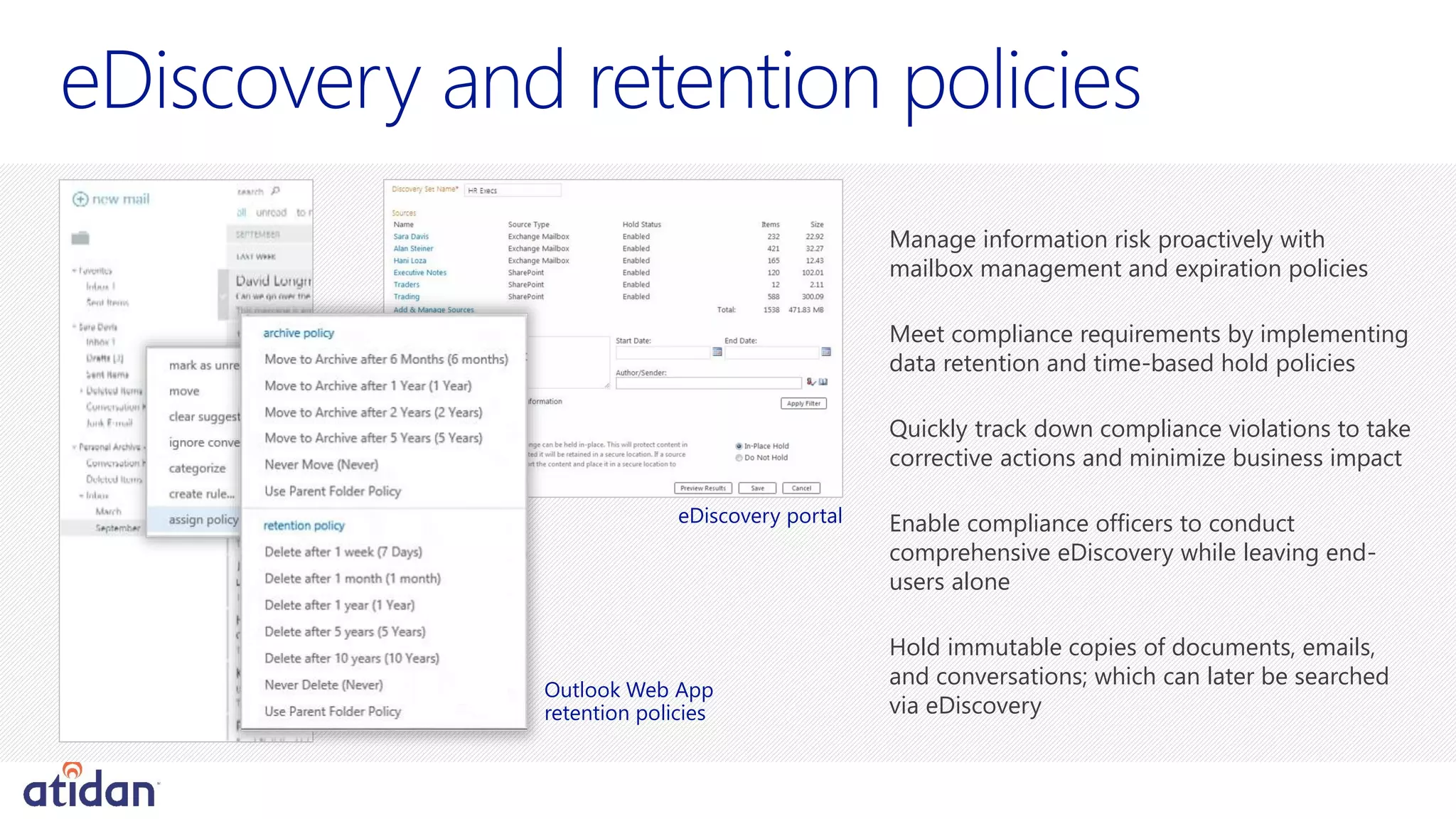
Manage information risk proactively with
mailbox management and expiration policies
Meet compliance requirements by implementing
data retention and time-based hold policies
Quickly track down compliance violations to take
corrective actions and minimize business impact
Enable compliance officers to conduct
comprehensive eDiscovery while leaving end-
users alone
Hold immutable copies of documents, emails,
and conversations; which can later be searched
via eDiscovery
eDiscovery portal
Outlook Web App
retention policies
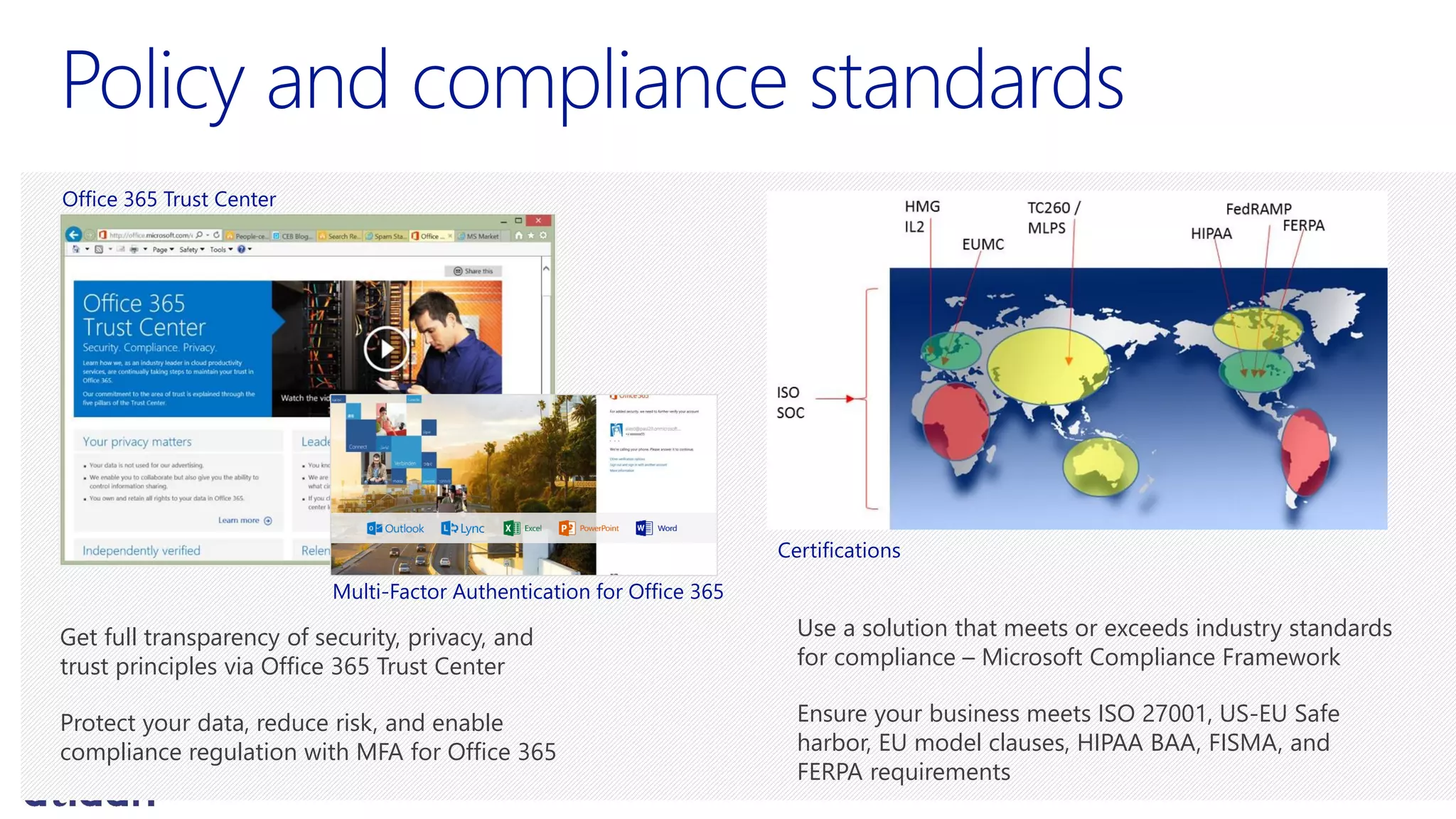
Get full transparency of security, privacy, and
trust principles via Office 365 Trust Center
Protect your data, reduce risk, and enable
compliance regulation with MFA for Office 365
Use a solution that meets or exceeds industry standards
for compliance – Microsoft Compliance Framework
Ensure your business meets ISO 27001, US-EU Safe
harbor, EU model clauses, HIPAA BAA, FISMA, and
FERPA requirements
Office 365 Trust Center
Certifications
Multi-Factor Authentication for Office 365
Business
requirements
Improve productivity tools to
deliver luxury sports cars with
cutting-edge design, high-end
performance and comfort
Keep IT focused on high-value
projects manufacturing IT projects
Business transformation drove
need to implement tighter
security and compliance
procedures
Solution
impact
Enterprise grade email,
conferencing and collaboration
Allow employees to use Office
and access corporate information
and email on personal tablets,
smartphones and PCs at home
Increased communications with
suppliers to improve
collaboration in the supply chain
Implemented legal holds on
mailboxes, eDiscovery and
enforce retention to protect
intellectual property
Prevent 1.5M spam messages/day
from reaching their systems
Redundancy & financially backed SLA
Security, privacy and trust principles
Flexible deployment options
Enterprise services & support
Enterprise
Grade Cloud
Visibility and control for IT
Service continuity
Data sovereignty
Migration and change management
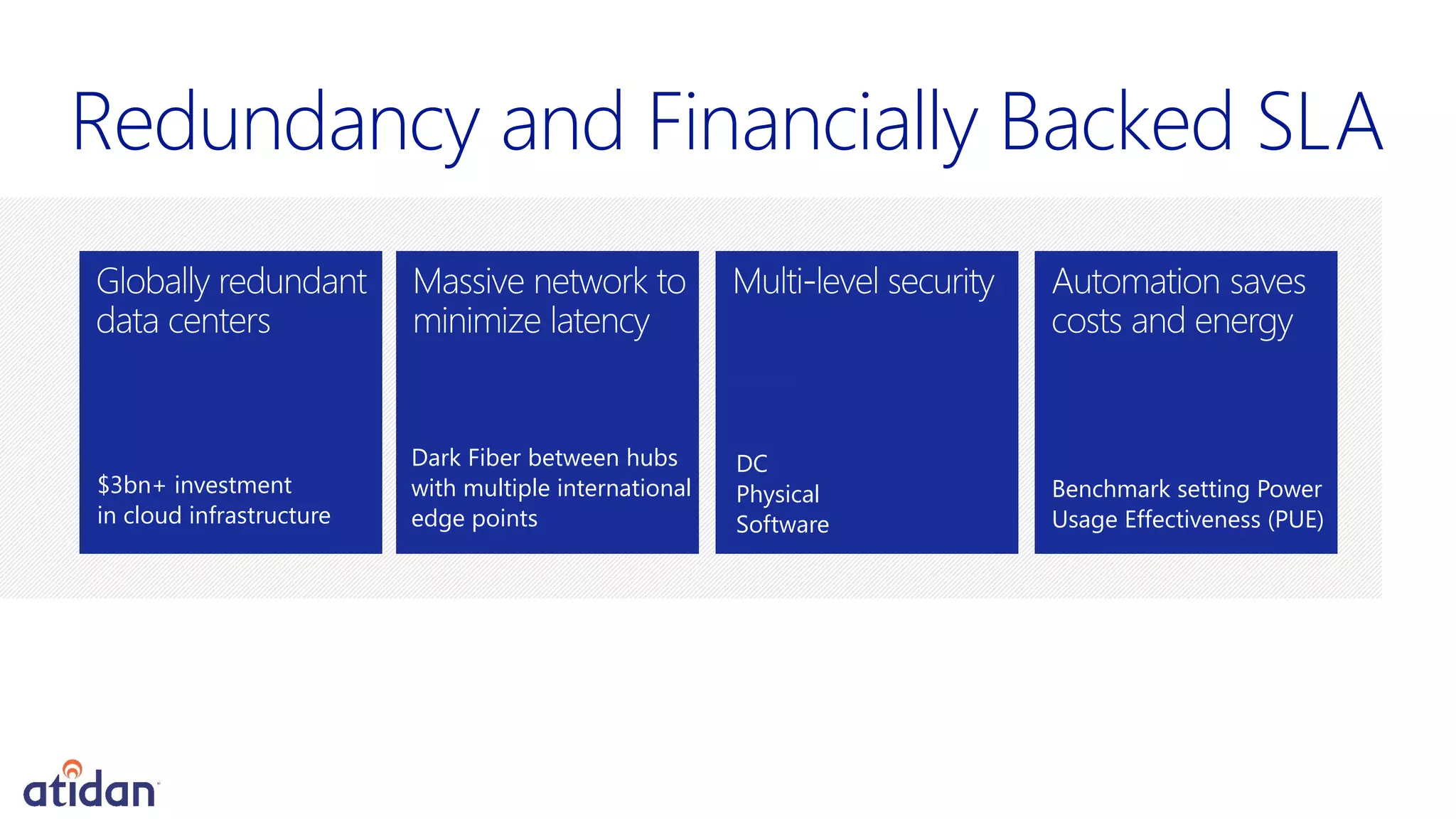
$3bn+ investment
in cloud infrastructure
Dark Fiber between hubs
with multiple international
edge points
DC
Physical
Software
Benchmark setting Power
Usage Effectiveness (PUE)
Redundancy and Financially Backed SLA
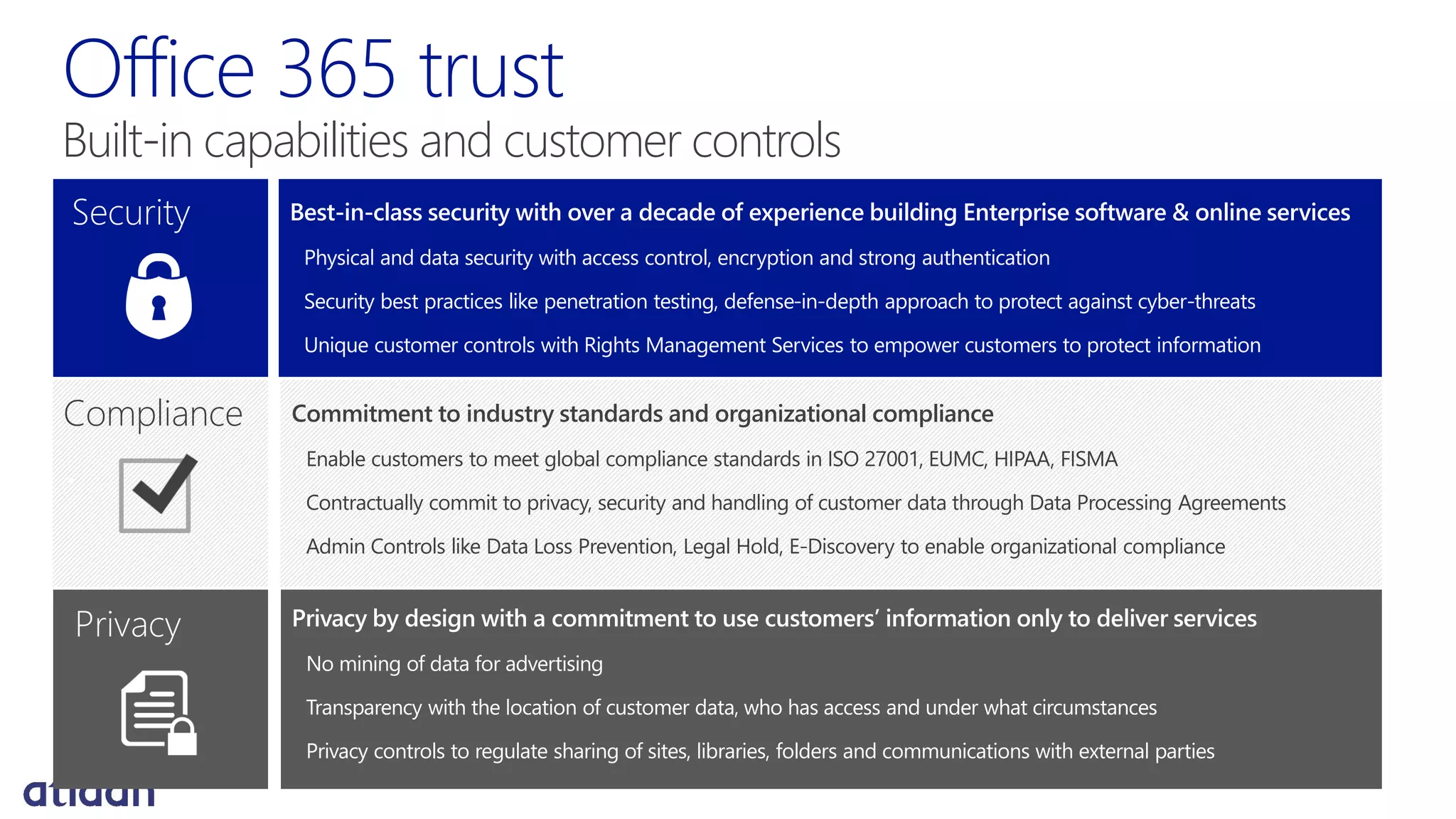
Security Best-in-class security with over a decade of experience building Enterprise software & online services
Physical and data security with access control, encryption and strong authentication
Security best practices like penetration testing, defense-in-depth approach to protect against cyber-threats
Unique customer controls with Rights Management Services to empower customers to protect information
Compliance Commitment to industry standards and organizational compliance
Enable customers to meet global compliance standards in ISO 27001, EUMC, HIPAA, FISMA
Contractually commit to privacy, security and handling of customer data through Data Processing Agreements
Admin Controls like Data Loss Prevention, Legal Hold, E-Discovery to enable organizational compliance
Privacy Privacy by design with a commitment to use customers’ information only to deliver services
No mining of data for advertising
Transparency with the location of customer data, who has access and under what circumstances
Privacy controls to regulate sharing of sites, libraries, folders and communications with external parties
Office 365 trust
Built-in capabilities and customer controls
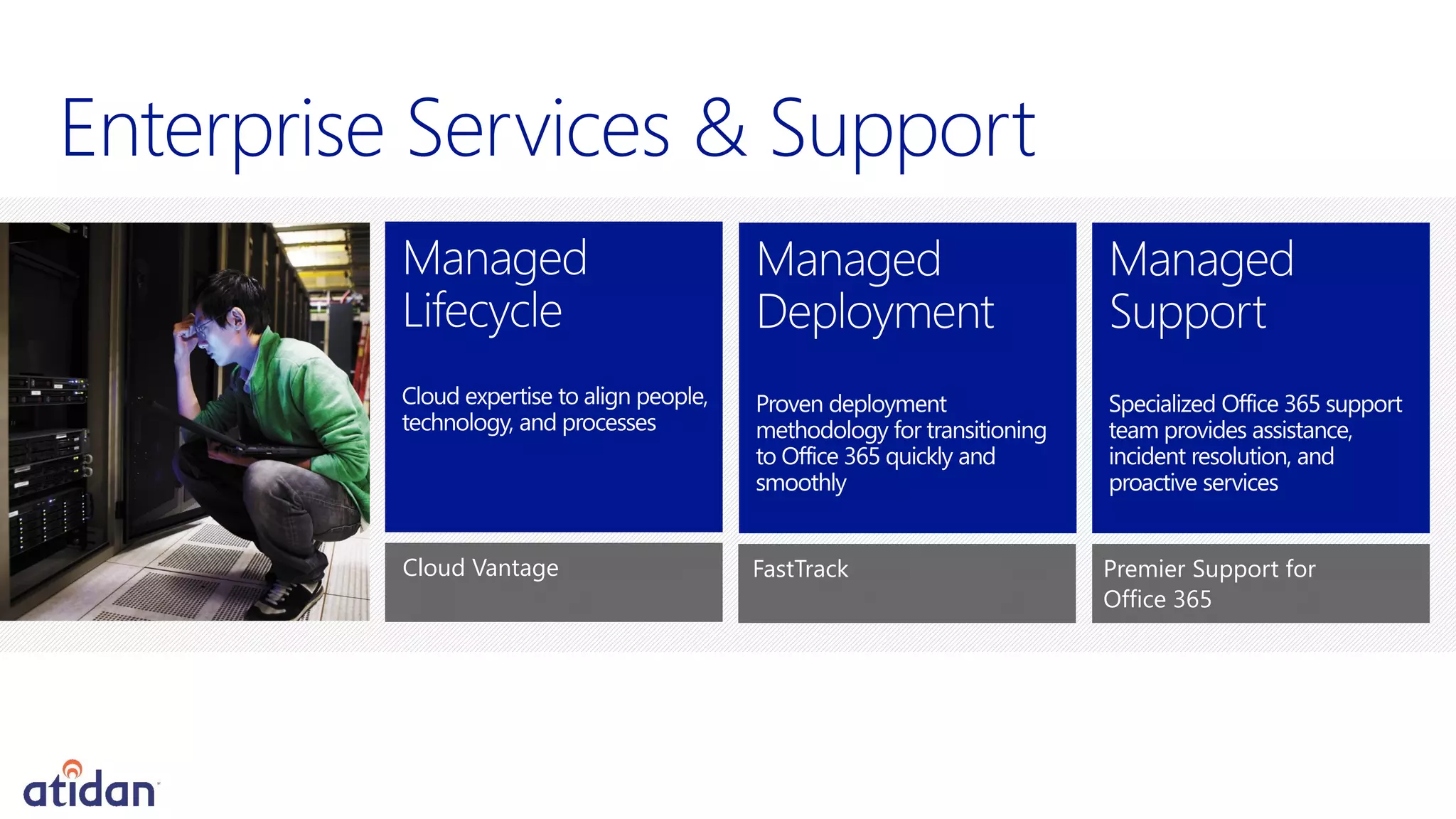
Enterprise Services & Support
Premier Support for
Office 365
Cloud Vantage FastTrack
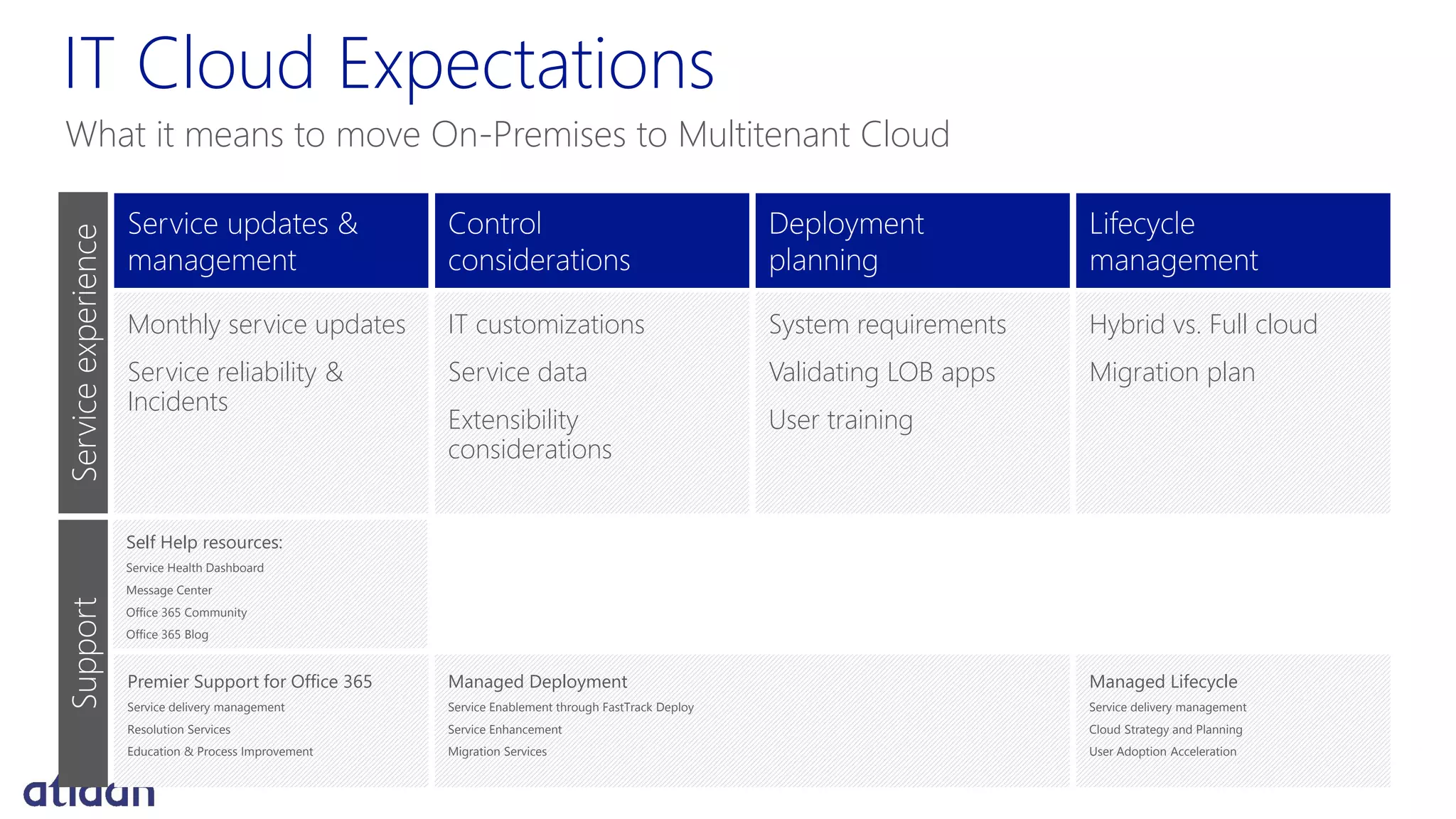
IT Cloud Expectations
What it means to move On-Premises to Multitenant Cloud
Service updates &
management
Monthly service updates
Service reliability &
Incidents
Control
considerations
IT customizations
Service data
Extensibility
considerations
Deployment
planning
System requirements
Validating LOB apps
User training
Lifecycle
management
Hybrid vs. Full cloud
Migration plan
ServiceexperienceSupport
Self Help resources:
Service Health Dashboard
Message Center
Office 365 Community
Office 365 Blog
Premier Support for Office 365
Service delivery management
Resolution Services
Education & Process Improvement
Managed Deployment
Service Enablement through FastTrack Deploy
Service Enhancement
Migration Services
Managed Lifecycle
Service delivery management
Cloud Strategy and Planning
User Adoption Acceleration
office365@Atidan.com
Appendix
"When you look at the capabilities, the
price per user, and the opportunity costs
of supporting on-premises servers
internally, we are confident Office 365 is
the right decision for our business."
Patagonia
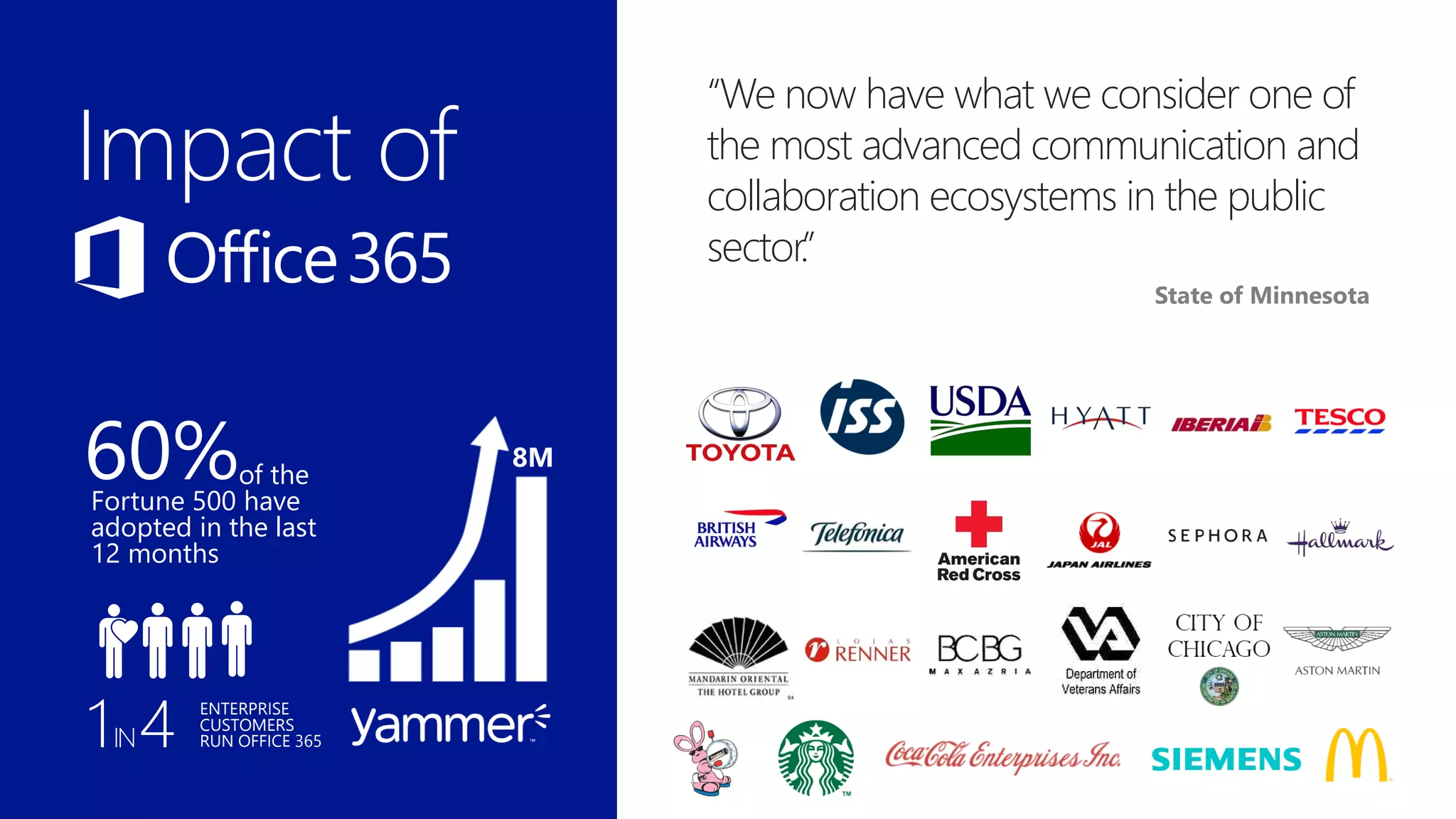
“We now have what we consider one of
the most advanced communication and
collaboration ecosystems in the public
sector.”
State of Minnesota
of the
Fortune 500 have
adopted in the last
12 months
8M
1IN4 ENTERPRISE
CUSTOMERS
RUN OFFICE 365
60%
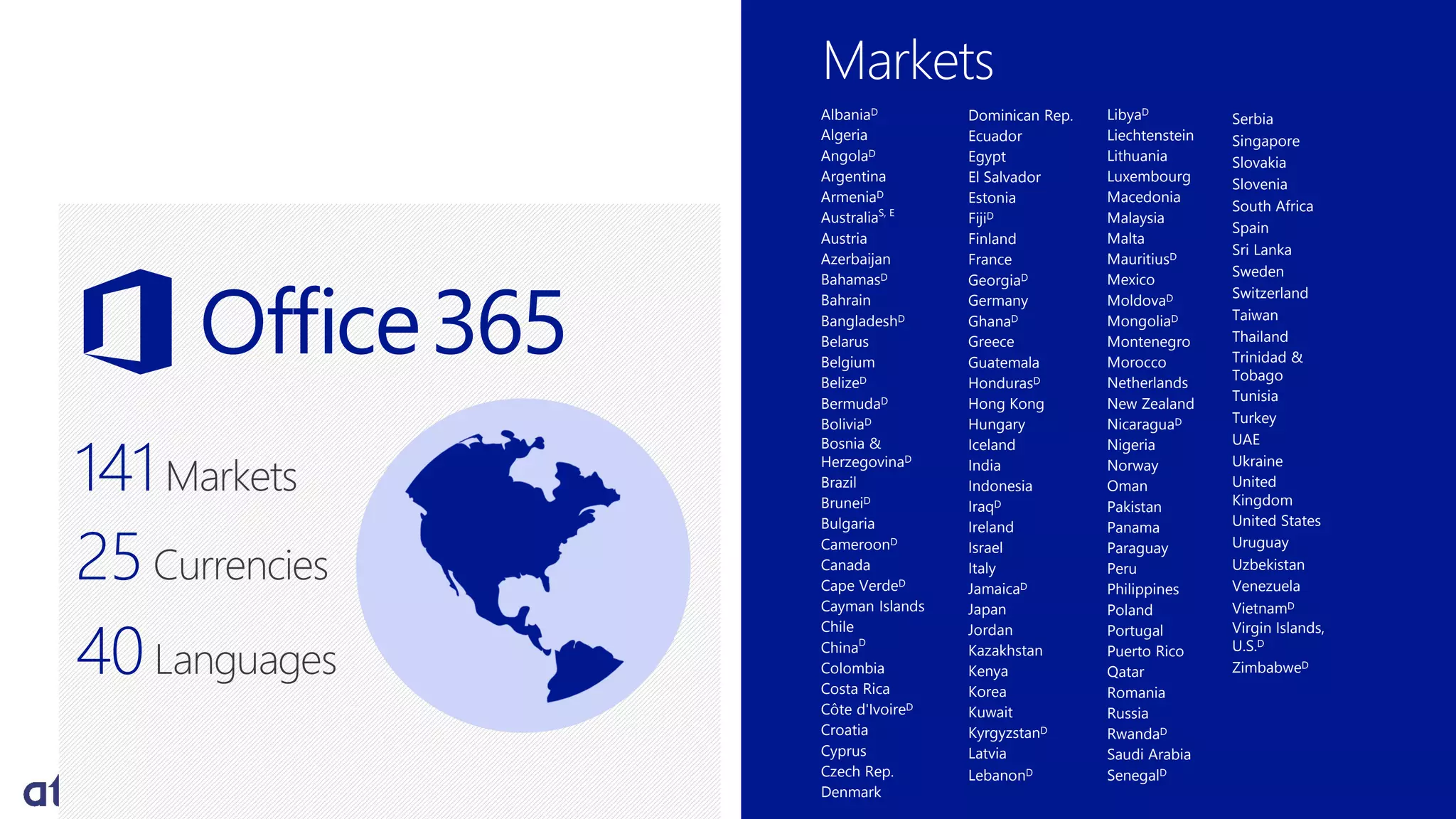
Markets
141Markets
AlbaniaD
Algeria
AngolaD
Argentina
ArmeniaD
AustraliaS, E
Austria
Azerbaijan
BahamasD
Bahrain
BangladeshD
Belarus
Belgium
BelizeD
BermudaD
BoliviaD
Bosnia &
HerzegovinaD
Brazil
BruneiD
Bulgaria
CameroonD
Canada
Cape VerdeD
Cayman Islands
Chile
ChinaD
Colombia
Costa Rica
Côte d'IvoireD
Croatia
Cyprus
Czech Rep.
Denmark
LibyaD
Liechtenstein
Lithuania
Luxembourg
Macedonia
Malaysia
Malta
MauritiusD
Mexico
MoldovaD
MongoliaD
Montenegro
Morocco
Netherlands
New Zealand
NicaraguaD
Nigeria
Norway
Oman
Pakistan
Panama
Paraguay
Peru
Philippines
Poland
Portugal
Puerto Rico
Qatar
Romania
Russia
RwandaD
Saudi Arabia
SenegalD
Dominican Rep.
Ecuador
Egypt
El Salvador
Estonia
FijiD
Finland
France
GeorgiaD
Germany
GhanaD
Greece
Guatemala
HondurasD
Hong Kong
Hungary
Iceland
India
Indonesia
IraqD
Ireland
Israel
Italy
JamaicaD
Japan
Jordan
Kazakhstan
Kenya
Korea
Kuwait
KyrgyzstanD
Latvia
LebanonD
Serbia
Singapore
Slovakia
Slovenia
South Africa
Spain
Sri Lanka
Sweden
Switzerland
Taiwan
Thailand
Trinidad &
Tobago
Tunisia
Turkey
UAE
Ukraine
United
Kingdom
United States
Uruguay
Uzbekistan
Venezuela
VietnamD
Virgin Islands,
U.S.D
ZimbabweD
25Currencies
40Languages
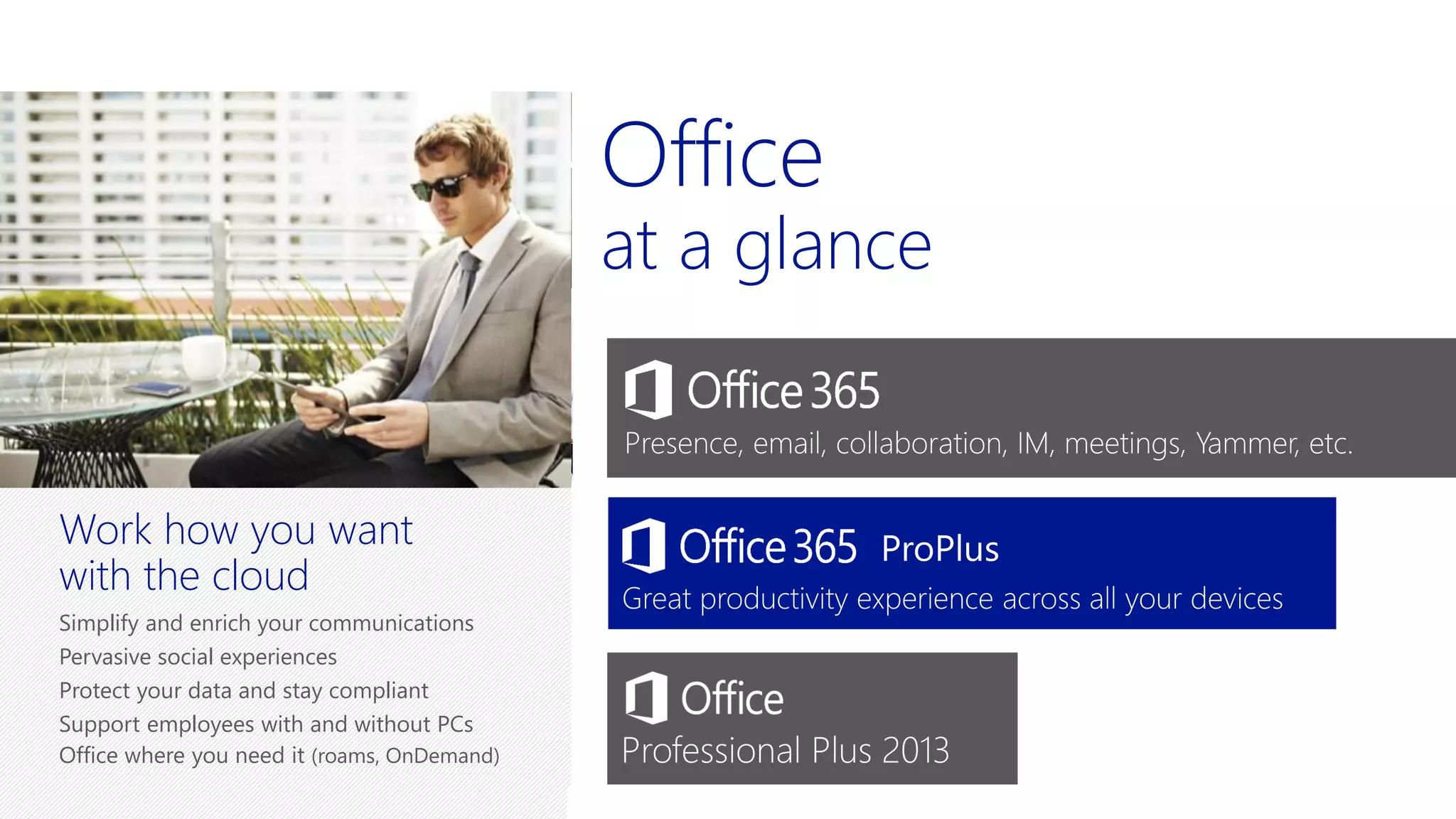
Office
at a glance
New, modern Office
Familiar & full Office applications
Work online and offline
Touch, ink and voice
Office in minutes across
your devices
Work across your Windows, Android and
iOS devices (x-platform)
Get Office fast (deploy)
Fast, impactful updates (updates)
Office where you need it (roams, OnDemand)
Work how you want
with the cloud
Simplify and enrich your communications
Pervasive social experiences
Protect your data and stay compliant
Support employees with and without PCs
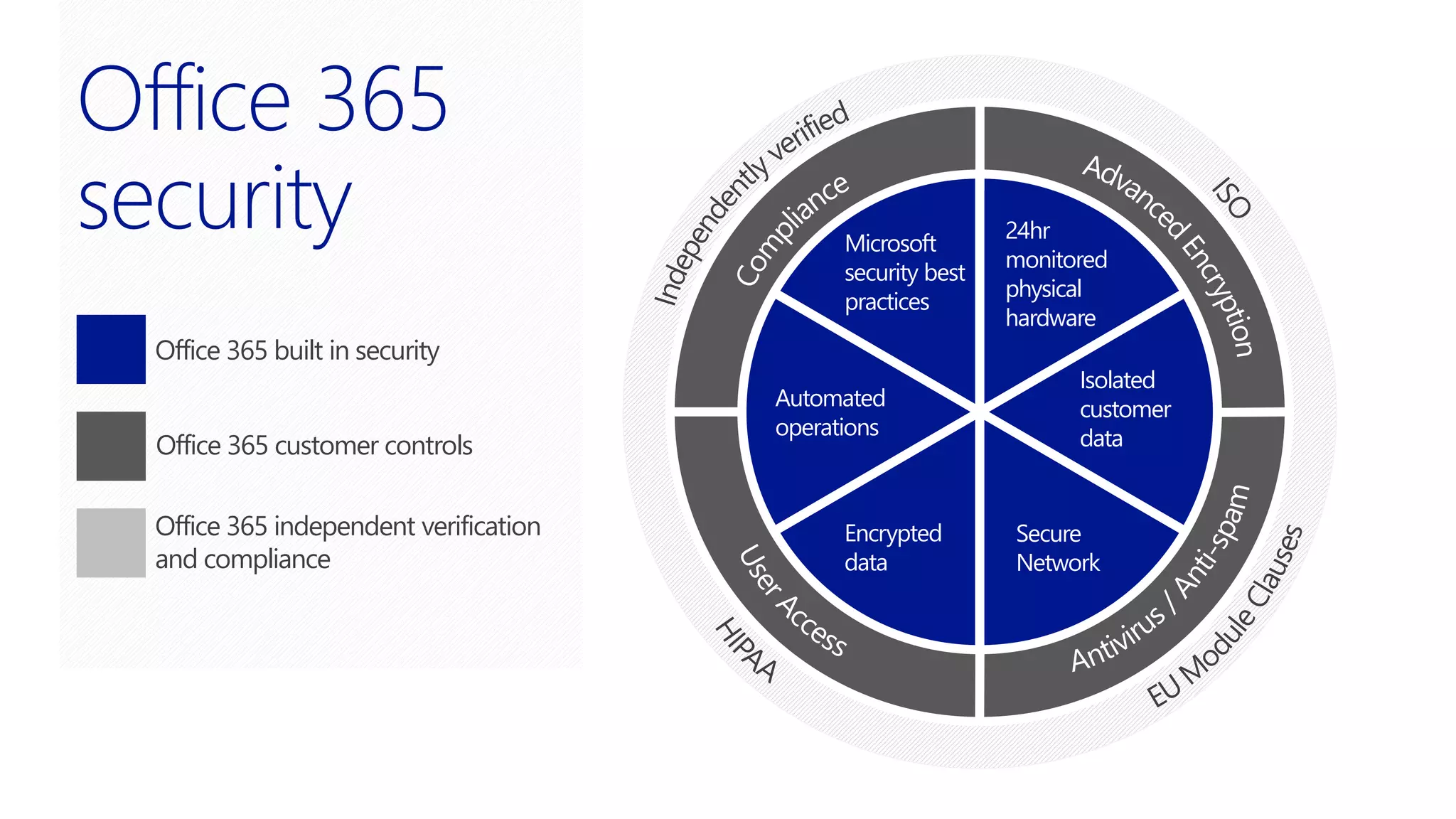
Microsoft
security best
practices
24hr
monitored
physical
hardware
Isolated
customer
data
Secure
Network
Encrypted
data
Automated
operations
Office 365 built in security
Office 365 customer controls
Office 365 independent verification
and compliance
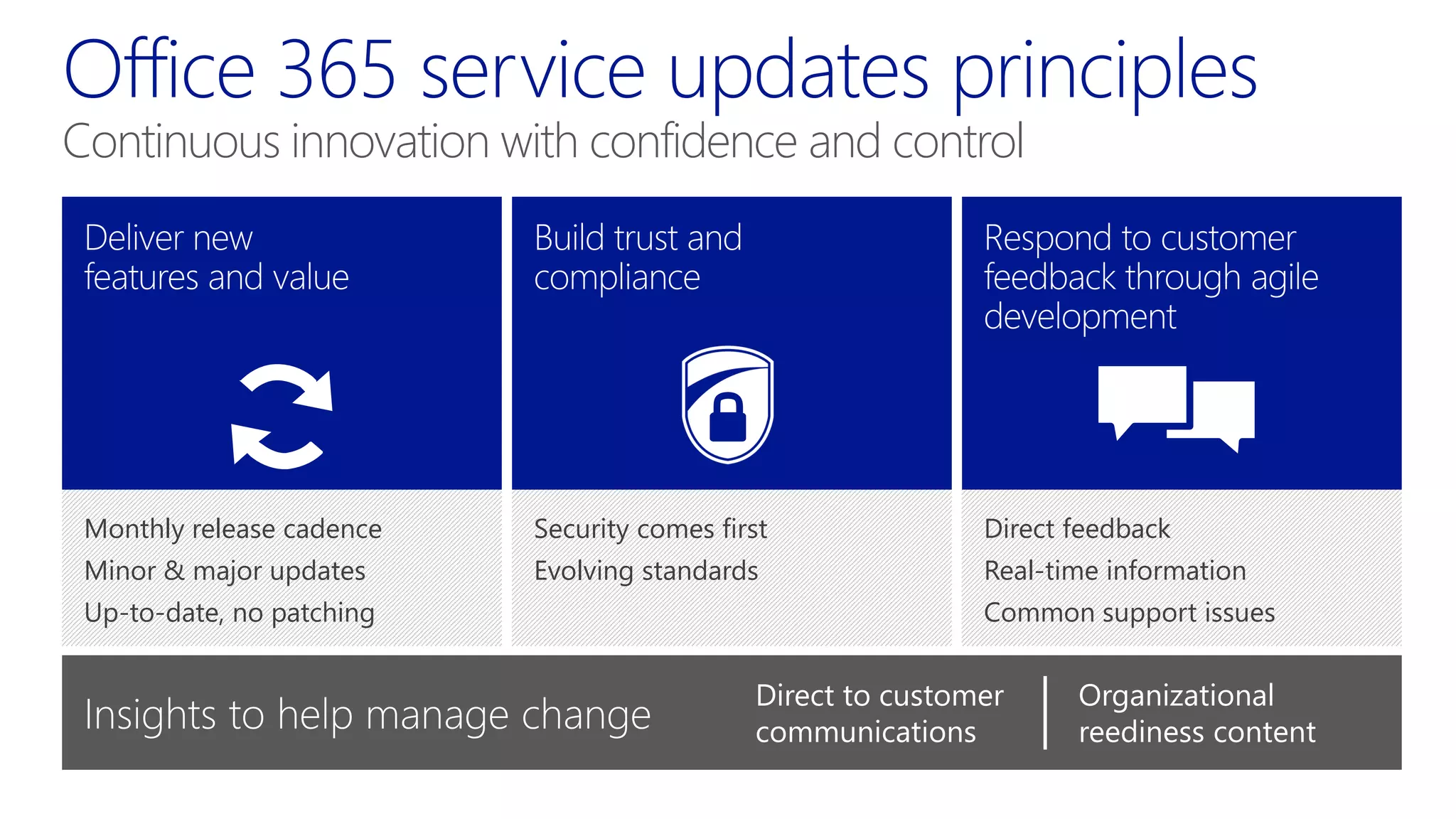
Security comes first
Evolving standards
Direct feedback
Real-time information
Common support issues
Monthly release cadence
Minor & major updates
Up-to-date, no patching
Continuous innovation with confidence and control
Direct to customer
communications
Organizational
reediness content

Microsoft Office 365 for Enterprise - Presented by Atidan

  • 1.
    Reimagining Productivity David J. Rosenthal President& CEO, Atidan Microsoft MTC, NYC, May 6, 2014
  • 2.
  • 3.
    Are organizations prepared? 75%49% 10K 40% 75% allow personal mobile devices for business use ~49% of work requires network contribution 10K new federal & industry regulations created in last 5 years 80% of employees are ineffective at collaboration! only 24% have a BYOD policy in place 93% of employees admit to violating compliance policies 40% growth in global data generated / year 62% can’t use info for effective decision- making! ¥ Computing Technology Industry Association's (CompTIA) 2nd annual Trends in Enterprise Mobility study from February 2013. *The Future of Corporate IT 2013-2017 ** CEB Survey of 165,000 employees †2012 Survey on Self-Service BI and Analytics, Unisphere Research
  • 4.
    Flexibility and choice Enterprise-grade cloud Essential productivity services Familiar andeasy Office Vision: Flexibility and choice Enterprise grade cloud Essential productivity services Familiar and easy Productivity Cloud
  • 5.
    Enterprise social Cloud sharing Real-timecollaboration Video, voice, and web conferencing Office experiences on any device Touch, ink, and voice Live documents & data Multi-media & HD presentations Device & Data Protection DLP & Rights Management Policy & compliance standards eDiscovery Small & Big Data access Ad-hoc reporting and analysis Natural language query Visualization & geo-mapping
  • 6.
    Office apps onvirtually any device Touch, ink, and voice Live documents & data Multi-media & HD presentations Get work done more easily Get the most from BYOD Engage and excite customers
  • 7.
    Mobile first, cloudfirst: Office for iPad Familiar Office experience designed for iPad with Word, PowerPoint, Excel Fantastic touch experience built from the ground up for iPad Edit, create, and collaborate to create beautifully designed documents Anywhere access to your up-to-date documents in SharePoint and OneDrive for Business
  • 8.
    Office apps onany device Seamlessly switch devices and keep the rich experience using Office Mobile, Office Online, Office for iPad Create professional output even without your own machine, using any browser Get your personalized Office experience on all your devices with Office 365 ProPlus Be instantly productive in a new location by streaming Office to any Internet-connected PC Full, rich Office experience, even offline with Office 365 ProPlus Excel 2013 for PC Office Mobile Office for iPad Office Online
  • 9.
    Touch, ink andvoice Work naturally on mobile devices using Touch Optimal experience for each task; touch- first or keyboard/mouse with touch Work on digital content like you would on paper - annotate or draw using inking Multi-task with voice-activation; read your voice mail or respond to an email Real-time co-authoring lets you work from the Web, desktop, a Windows tablet or iPad, a mobile device, offline or online OneNote on Windows 8 tablet OneNote on PC
  • 10.
    Live, interactive documents& data Create brochures and pitch books with a professional look, using Live Layout and Image Correction Create engaging, interactive marketing materials or training content using Inline Web Video Word, Live Layout Visio, 3D Drawing Showcase your products with life-like images using 3D in Visio Instantly show the impact of time, location, or product on business results using live data and Excel animation Excel, Refresh Data Education
  • 11.
    Dynamic multi-media presentations Livenup your customer presentations with new Transitions, Animations & Effects Create professional marketing materials in-house using new Artistic Effects Create engaging, HD digital marketing and training content in PowerPoint Create recorded PowerPoint slide shows to replay, to train or for digital marketingPowerPoint, Artistic Effects PowerPoint in Office Mobile on Android phone
  • 12.
    Sara uses hersmartphone to read emails from the store manager and HR. Sara checks the company portal, The Contoso Times, to scan company news, learn about new promotions & products, and read the CMO’s blog about new innovative service plans. Before the store opens She uses a mobile device to personalize the customer’s experience. She hands the device to the customer so he can watch a quick demo. After interacting with the virtual product, he decides to buy. Sara processes the order for delivery. Sara welcomes her first customer Sara accesses the knowledge base from her tablet device to address questions and enhance her customers’ in-store experience. She also watches an online training video about next month’s promotion and new product rollout. During a slow period She checks the online store calendar for her staff meeting start time. She submits a time-off request form for approval. And thanks her coworkers for responses to her earlier post. Before the store closes 8:30 am 9:00 am 16:30 pm 19:00 pm
  • 13.
    Social workplace Video, voice,and web conferencing Cloud storing & sharing Real-time collaboration Increase employee engagement Innovate and stay competitive Be more responsive to customers
  • 14.
    Social workplace Improve responsivenessby allowing employees to quickly find experts and expertise Extend collaboration with customers, suppliers, and partners using a dedicated online workspace Increase executive-employee connect to listen, and drive change using social intranets Create peer and mentor networks for employees to nurture career development Social intranet with SharePoint and Yammer Yammer people card
  • 15.
    Accelerate innovation bybringing together the right people from multiple locations Meet virtually face-to-face more frequently with customers and partners without the travel costs Lync HD Video Conferencing on PPI Quickly set up or join conference calls from your Windows, Android or iOS device Add attendees or presenters on the fly with integrated presence Lync Meeting, multiparty conversations
  • 16.
    Cloud storing &sharing Enable employees to work remotely, with easy access to documents, reports, policies from virtually any device Avoid delays by ensuring everyone is working on the most current documents on their PC, tablet, or phone OneDrive for Business Enable employees to catch up on mail or use Office even when offline, on their tablet, laptop, or phone Share business files selectively and securely with colleagues, suppliers, and customers Familiar consumer experience makes it easy to use OneDrive for Business app for iOS OneDrive for Business via browser
  • 17.
    Work in real-timewith colleagues to finish a report, sales presentation, or financial plan Accelerate an RFP response by distributing sections to topic experts wherever they are located Stay informed with Exchange alerts and notifications pushed to your device Continue an ongoing conversation with team members or get help, even when you’re traveling OWA for iOS, push notifications Lync Mobile Office for iPad, co-authoring
  • 18.
    Business requirements Improve communication and collaborationto run manufacturing at peak efficiency 168,000 employees in 1,500 offices across 150 countries Improve resolution times for quality or production issues to improve customer service Solution impact Connected 300 production plants via real-time communications to avoid production issues Fostering innovation through knowledge sharing using real-time translation capabilities Improved consistency of customer service by coordinating account teams in different countries Extended communication and collaboration to 70,000 “un-wired” employees
  • 19.
    Know business performance Makebetter decisions, faster Get ahead of market shifts Access small and Big Data Ad-hoc reporting and analysis Visualization and geospatial mapping Search based answers
  • 20.
    Small & BigData discovery Search across both public and corporate data sources with the Data Catalog feature in Power BI Use all relevant data - internal LOB, unstructured web, social media - to get a holistic picture before making decisions Collaborate and share reports and data sets with Power Query by accessing a breadth of data sources Avoid costly data or modeling errors using Spreadsheet Inquire; prevent modeling errors using Flash Fill Data Catalog in Power BI for Office 365Power Query for Excel
  • 21.
    See how sales,product shipments, or production numbers are doing over time using time slicer Identify trends and patterns in large-scale (100s of millions of rows) data using Power Pivot Historical prices Enable users to instantly analyze and present their data using Quick Analysis and Recommended Charts, without burdening IT Quickly find an actionable insight by clicking through different pivots of the data using PivotTable Recommended Charts for Excel Power Pivot for Excel
  • 22.
    Visualization and geospatialmapping Fine tune marketing campaigns or plan inventory levels based on location and time-based data in 3D with Power Map Spot trends in regional performance or by time period using live visualizations that stakeholders can play back Enable any user – executive, analyst, or front-line staff – to create views to visualize the data as they need in seconds, using Power View Power View for Excel Power Map for Excel
  • 23.
    Enable any userto get answers to complex queries without complex BI training, using Q&A in Power BI Search based answers Q&A in Power BI for Office 365
  • 24.
    Simon gets upin the morning, opens up Outlook on his tablet and sees an email from Julian his manager about wanting a view for brand perception to get ready for an executive presentation. At Home Once in the office, he pulls in segment, social media, and customer service data from Radian 6, Exact Target, and Adobe Analytics to evaluate the all-up brand perception for his product line, gain insights into customer preferences, and analyze customer sentiment. Simon’s Office Simon creates a single view of the all-up brand perception report for his manager with highly interactive data exploration and visualization which helps his manager quickly decipher that brand perception, customer preferences, and customer sentiment are top areas of focus. Simon’s View Simon shares the analysis via SharePoint and lets his manager and team know via Yammer on the “Team Contoso” yammer group so that they can all help contribute to their managers presentation for the executive review. This would’ve taken weeks to gather all this info; now Simon can do it all by himself in a few hours. On the Go 7:00 am 9:00 am 10:00 am 10:05 am
  • 25.
    Device and dataprotection DLP, encryption, and rights management eDiscovery Policy and compliance standards Protect confidential information Ensure corporate compliance Protect brand and reputation
  • 26.
    Centrally manage devicesand device data policies from Office 365 admin center Prevent loss of confidential email and related data on lost devices via Remote Wipe Eliminate downtime due to infected inboxes and devices using Exchange Online Protection Protect employees and the organization from fraud or identify theft using advanced spam fingerprinting in real-time protection Office 365 admin center Exchange Active Sync Device Management
  • 27.
    anagement Protect sensitive informationwhere stored and in transit using DLP and rights management Use Rights Management to restrict access to desired users and encrypt documents Encrypt and digitally sign emails through S/MIME Ensure adherence to risk management policies via hold, block, audit, and notifications Avoid and plug compliance loop holes with a comprehensive reporting of DLP policy performance Word, Encryption Outlook, Policy Tip
  • 28.
    e Manage information riskproactively with mailbox management and expiration policies Meet compliance requirements by implementing data retention and time-based hold policies Quickly track down compliance violations to take corrective actions and minimize business impact Enable compliance officers to conduct comprehensive eDiscovery while leaving end- users alone Hold immutable copies of documents, emails, and conversations; which can later be searched via eDiscovery eDiscovery portal Outlook Web App retention policies
  • 29.
    Get full transparencyof security, privacy, and trust principles via Office 365 Trust Center Protect your data, reduce risk, and enable compliance regulation with MFA for Office 365 Use a solution that meets or exceeds industry standards for compliance – Microsoft Compliance Framework Ensure your business meets ISO 27001, US-EU Safe harbor, EU model clauses, HIPAA BAA, FISMA, and FERPA requirements Office 365 Trust Center Certifications Multi-Factor Authentication for Office 365
  • 30.
    Business requirements Improve productivity toolsto deliver luxury sports cars with cutting-edge design, high-end performance and comfort Keep IT focused on high-value projects manufacturing IT projects Business transformation drove need to implement tighter security and compliance procedures Solution impact Enterprise grade email, conferencing and collaboration Allow employees to use Office and access corporate information and email on personal tablets, smartphones and PCs at home Increased communications with suppliers to improve collaboration in the supply chain Implemented legal holds on mailboxes, eDiscovery and enforce retention to protect intellectual property Prevent 1.5M spam messages/day from reaching their systems
  • 31.
    Redundancy & financiallybacked SLA Security, privacy and trust principles Flexible deployment options Enterprise services & support Enterprise Grade Cloud Visibility and control for IT Service continuity Data sovereignty Migration and change management
  • 32.
    $3bn+ investment in cloudinfrastructure Dark Fiber between hubs with multiple international edge points DC Physical Software Benchmark setting Power Usage Effectiveness (PUE) Redundancy and Financially Backed SLA
  • 33.
    Security Best-in-class securitywith over a decade of experience building Enterprise software & online services Physical and data security with access control, encryption and strong authentication Security best practices like penetration testing, defense-in-depth approach to protect against cyber-threats Unique customer controls with Rights Management Services to empower customers to protect information Compliance Commitment to industry standards and organizational compliance Enable customers to meet global compliance standards in ISO 27001, EUMC, HIPAA, FISMA Contractually commit to privacy, security and handling of customer data through Data Processing Agreements Admin Controls like Data Loss Prevention, Legal Hold, E-Discovery to enable organizational compliance Privacy Privacy by design with a commitment to use customers’ information only to deliver services No mining of data for advertising Transparency with the location of customer data, who has access and under what circumstances Privacy controls to regulate sharing of sites, libraries, folders and communications with external parties Office 365 trust Built-in capabilities and customer controls
  • 34.
    Enterprise Services &Support Premier Support for Office 365 Cloud Vantage FastTrack
  • 35.
    IT Cloud Expectations Whatit means to move On-Premises to Multitenant Cloud Service updates & management Monthly service updates Service reliability & Incidents Control considerations IT customizations Service data Extensibility considerations Deployment planning System requirements Validating LOB apps User training Lifecycle management Hybrid vs. Full cloud Migration plan ServiceexperienceSupport Self Help resources: Service Health Dashboard Message Center Office 365 Community Office 365 Blog Premier Support for Office 365 Service delivery management Resolution Services Education & Process Improvement Managed Deployment Service Enablement through FastTrack Deploy Service Enhancement Migration Services Managed Lifecycle Service delivery management Cloud Strategy and Planning User Adoption Acceleration
  • 36.
  • 37.
  • 38.
    "When you lookat the capabilities, the price per user, and the opportunity costs of supporting on-premises servers internally, we are confident Office 365 is the right decision for our business." Patagonia “We now have what we consider one of the most advanced communication and collaboration ecosystems in the public sector.” State of Minnesota of the Fortune 500 have adopted in the last 12 months 8M 1IN4 ENTERPRISE CUSTOMERS RUN OFFICE 365 60%
  • 39.
    Markets 141Markets AlbaniaD Algeria AngolaD Argentina ArmeniaD AustraliaS, E Austria Azerbaijan BahamasD Bahrain BangladeshD Belarus Belgium BelizeD BermudaD BoliviaD Bosnia & HerzegovinaD Brazil BruneiD Bulgaria CameroonD Canada CapeVerdeD Cayman Islands Chile ChinaD Colombia Costa Rica Côte d'IvoireD Croatia Cyprus Czech Rep. Denmark LibyaD Liechtenstein Lithuania Luxembourg Macedonia Malaysia Malta MauritiusD Mexico MoldovaD MongoliaD Montenegro Morocco Netherlands New Zealand NicaraguaD Nigeria Norway Oman Pakistan Panama Paraguay Peru Philippines Poland Portugal Puerto Rico Qatar Romania Russia RwandaD Saudi Arabia SenegalD Dominican Rep. Ecuador Egypt El Salvador Estonia FijiD Finland France GeorgiaD Germany GhanaD Greece Guatemala HondurasD Hong Kong Hungary Iceland India Indonesia IraqD Ireland Israel Italy JamaicaD Japan Jordan Kazakhstan Kenya Korea Kuwait KyrgyzstanD Latvia LebanonD Serbia Singapore Slovakia Slovenia South Africa Spain Sri Lanka Sweden Switzerland Taiwan Thailand Trinidad & Tobago Tunisia Turkey UAE Ukraine United Kingdom United States Uruguay Uzbekistan Venezuela VietnamD Virgin Islands, U.S.D ZimbabweD 25Currencies 40Languages
  • 40.
    Office at a glance New,modern Office Familiar & full Office applications Work online and offline Touch, ink and voice Office in minutes across your devices Work across your Windows, Android and iOS devices (x-platform) Get Office fast (deploy) Fast, impactful updates (updates) Office where you need it (roams, OnDemand) Work how you want with the cloud Simplify and enrich your communications Pervasive social experiences Protect your data and stay compliant Support employees with and without PCs
  • 41.
  • 42.
    Security comes first Evolvingstandards Direct feedback Real-time information Common support issues Monthly release cadence Minor & major updates Up-to-date, no patching Continuous innovation with confidence and control Direct to customer communications Organizational reediness content