
















































How to Develop
Online Product Training Course
It is common knowledge that products are the
lifeline of companies.
You need to train your personnel,
very effectively, on your products.
But,
why?
Good training on your products
provides comprehensive knowledge
of their features and benefits.
Good training on your products
provides comprehensive knowledge
of their features and benefits.
It helps your sales people sell your
products better, as they can face
customers and answer their
queries confidently.
Good training on your products
provides comprehensive knowledge
of their features and benefits.
It helps your sales people sell your
products better, as they can face
customers and answer their
queries confidently.
And, a thorough understanding of
the working of your products is
necessary for technicians to
perform their jobs well.
Furthermore, customers and end-users of your products
need to know about your products to use them effectively.
What are the
challenges in
imparting
product
training?
Too much of knowledge to
be assimilated by the sales
people as companies are
coming up with new
products every year.
Most of the time, sales people are on move.
This makes it difficult to gather them at one place
and provide training on new products.
Today, most of the workforce is made up of the
Gen-Y people. Most of them have short attention
spans and get bored quickly.
With globalization,
companies are expanding
into markets, and training
a global workforce is costly
and time consuming.
Sales people come from
diverse linguistic
backgrounds.
So, product training may
not be effective, if it is
delivered only in English.
Product training
managers find it
difficult to travel
across the globe
and train personnel.
These are the challenges faced
in imparting product training.
Classroom training sessions may not be very useful
to overcome these challenges effectively.
So, how can you impart good
product training?
Well, you need to make use of
technology.
Why technology enhanced learning should
be considered for product training?
It is the best way to reach
your global audience.
Online courses can be accessed
anytime, anywhere, on any device.
It is a cost-effective and an efficient
way to impart training on products.
You can update the content of your existing online courses,
in quick time, at low cost.
You can translate product training
into various languages economically.
Sales people can get trained
at their convenience, during
off-peak hours.
Learners can learn at their
own pace, spending more
time to comprehend difficult
modules effectively.
They can re-visit courses to
get their doubts clarified
and post questions in
discussion forums to get
solutions quickly.
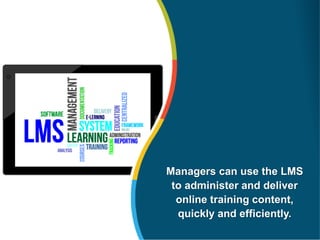
Managers can use the LMS
to administer and deliver
online training content,
quickly and efficiently.
Key Strategies to Design Online Courses
to Impart Product Training.
Firstly, understand
your target audience –
sales people, service
staff and end-users.
Provide learners with a clear
profile of the potential
customer and the position of
the product in the company’s
business portfolio.
Provide information
on competitors’
products. It helps your
sales staff convince
the customer of the
superiority of your
product.
Give a list of “ice-breaker”
ideas to elicit the interest
of a potential customer.
K
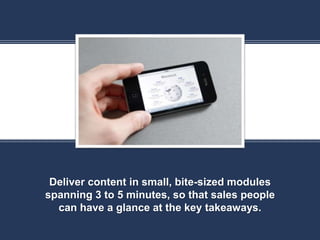
Deliver content in small, bite-sized modules
spanning 3 to 5 minutes, so that sales people
can have a glance at the key takeaways.
K
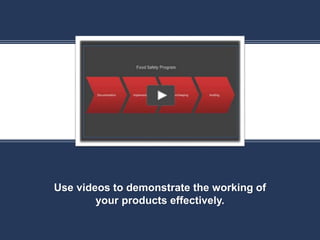
Use videos to demonstrate the working of
your products effectively.
K
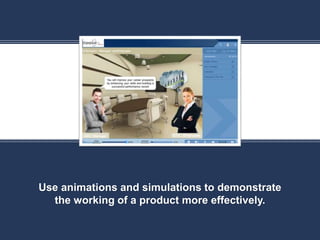
Use animations and simulations to demonstrate
the working of a product more effectively.
K
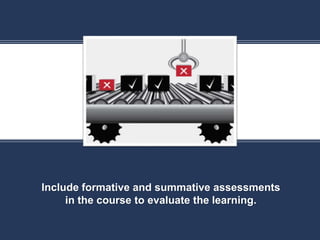
Include formative and summative assessments
in the course to evaluate the learning.
Authoring Tools to Develop Online
Courses for Product Training
You need to select an
authoring tool which is
developer-friendly and
comes with readymade
templates and resources,
so that an instructional
designer can use it easily.
It should facilitate easy
translation of the product
training course into multiple
languages.
The tool must have the
feature to produce HTML5
output, so that the product
training course can be
accessed on any device.
The authoring tool should be
SCORM-compliant, so that
courses can be tracked and
monitored using the LMS.
The tool should be able to
create basic animations
and adequate interactivities
to ensure that learners are
actively engaged.
Now let us see the features of a few widely
used rapid authoring tools.
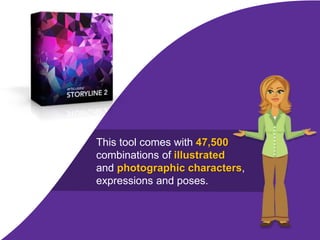
This tool comes with 47,500
combinations of illustrated
and photographic characters,
expressions and poses.
It has a rich library of built-in, ready-to-use templates for
online course development that saves considerable time.
You can effortlessly re-author your existing online courses
developed using Articulate Studio, using Storyline.
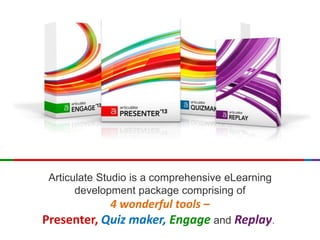
Articulate Studio is a comprehensive eLearning
development package comprising of
4 wonderful tools –
Presenter, Quiz maker, Engage and Replay.
You can convert existing PowerPoint presentations into
engaging online eLearning courses very rapidly.
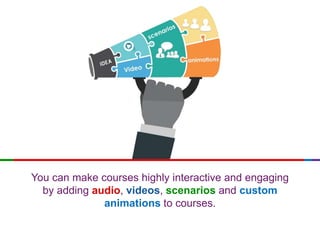
You can make courses highly interactive and engaging
by adding audio, videos, scenarios and custom
animations to courses.
Captivate is widely used to
create watch-try-do simulations.
This tool comes with in-built quiz templates that facilitate
creation of assessments rapidly.
This tool allows you to publish courses to Flash and HTML5
and create iPad-compatible courses.
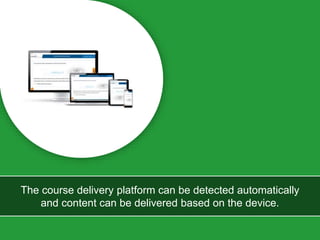
The course delivery platform can be detected automatically
and content can be delivered based on the device.
Another striking feature of this tool is that courses can be accessed
seamlessly on multiple devices with varied screen sizes.
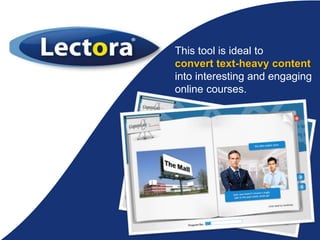
This tool is ideal to
convert text-heavy content
into interesting and engaging
online courses.
It has the feature of developing courses simultaneously
in multiple languages.
It supports integration of multiple language versions
of the same eLearning course in a single GUI.
It supports right to left languages such as Arabic and languages that
use double-byte character sets like Chinese, Japanese and Korean.
We have come to the end of the presentation.
Before we leave,
let us quickly recap what we have learnt.
I. Introduction to product training
II. Challenges in imparting effective product
training
III. Benefits of using technology based learning
to deliver product training
IV. Key strategies to design online
courses to impart product training
V. Authoring tools to develop product training
courses Represent slide with good visual
design
So,
go ahead
And
create the winning product training course
How to Develop Online Product Training Course

How to Develop Online Product Training Course

  • 1.
    How to Develop OnlineProduct Training Course
  • 2.
    It is commonknowledge that products are the lifeline of companies.
  • 3.
    You need totrain your personnel, very effectively, on your products.
  • 4.
  • 5.
    Good training onyour products provides comprehensive knowledge of their features and benefits.
  • 6.
    Good training onyour products provides comprehensive knowledge of their features and benefits. It helps your sales people sell your products better, as they can face customers and answer their queries confidently.
  • 7.
    Good training onyour products provides comprehensive knowledge of their features and benefits. It helps your sales people sell your products better, as they can face customers and answer their queries confidently. And, a thorough understanding of the working of your products is necessary for technicians to perform their jobs well.
  • 8.
    Furthermore, customers andend-users of your products need to know about your products to use them effectively.
  • 10.
    What are the challengesin imparting product training?
  • 11.
    Too much ofknowledge to be assimilated by the sales people as companies are coming up with new products every year.
  • 12.
    Most of thetime, sales people are on move. This makes it difficult to gather them at one place and provide training on new products.
  • 13.
    Today, most ofthe workforce is made up of the Gen-Y people. Most of them have short attention spans and get bored quickly.
  • 14.
    With globalization, companies areexpanding into markets, and training a global workforce is costly and time consuming.
  • 15.
    Sales people comefrom diverse linguistic backgrounds. So, product training may not be effective, if it is delivered only in English.
  • 16.
    Product training managers findit difficult to travel across the globe and train personnel.
  • 17.
    These are thechallenges faced in imparting product training.
  • 18.
    Classroom training sessionsmay not be very useful to overcome these challenges effectively.
  • 19.
    So, how canyou impart good product training? Well, you need to make use of technology.
  • 20.
    Why technology enhancedlearning should be considered for product training?
  • 21.
    It is thebest way to reach your global audience.
  • 22.
    Online courses canbe accessed anytime, anywhere, on any device.
  • 23.
    It is acost-effective and an efficient way to impart training on products.
  • 24.
    You can updatethe content of your existing online courses, in quick time, at low cost.
  • 25.
    You can translateproduct training into various languages economically.
  • 26.
    Sales people canget trained at their convenience, during off-peak hours.
  • 27.
    Learners can learnat their own pace, spending more time to comprehend difficult modules effectively.
  • 28.
    They can re-visitcourses to get their doubts clarified and post questions in discussion forums to get solutions quickly.
  • 29.
    Managers can usethe LMS to administer and deliver online training content, quickly and efficiently.
  • 30.
    Key Strategies toDesign Online Courses to Impart Product Training.
  • 31.
    Firstly, understand your targetaudience – sales people, service staff and end-users.
  • 32.
    Provide learners witha clear profile of the potential customer and the position of the product in the company’s business portfolio.
  • 33.
    Provide information on competitors’ products.It helps your sales staff convince the customer of the superiority of your product.
  • 34.
    Give a listof “ice-breaker” ideas to elicit the interest of a potential customer.
  • 35.
    K Deliver content insmall, bite-sized modules spanning 3 to 5 minutes, so that sales people can have a glance at the key takeaways.
  • 36.
    K Use videos todemonstrate the working of your products effectively.
  • 37.
    K Use animations andsimulations to demonstrate the working of a product more effectively.
  • 38.
    K Include formative andsummative assessments in the course to evaluate the learning.
  • 39.
    Authoring Tools toDevelop Online Courses for Product Training
  • 40.
    You need toselect an authoring tool which is developer-friendly and comes with readymade templates and resources, so that an instructional designer can use it easily.
  • 41.
    It should facilitateeasy translation of the product training course into multiple languages.
  • 42.
    The tool musthave the feature to produce HTML5 output, so that the product training course can be accessed on any device.
  • 43.
    The authoring toolshould be SCORM-compliant, so that courses can be tracked and monitored using the LMS.
  • 44.
    The tool shouldbe able to create basic animations and adequate interactivities to ensure that learners are actively engaged.
  • 45.
    Now let ussee the features of a few widely used rapid authoring tools.
  • 46.
    This tool comeswith 47,500 combinations of illustrated and photographic characters, expressions and poses.
  • 47.
    It has arich library of built-in, ready-to-use templates for online course development that saves considerable time.
  • 48.
    You can effortlesslyre-author your existing online courses developed using Articulate Studio, using Storyline.
  • 49.
    Articulate Studio isa comprehensive eLearning development package comprising of 4 wonderful tools – Presenter, Quiz maker, Engage and Replay.
  • 50.
    You can convertexisting PowerPoint presentations into engaging online eLearning courses very rapidly.
  • 51.
    You can makecourses highly interactive and engaging by adding audio, videos, scenarios and custom animations to courses.
  • 52.
    Captivate is widelyused to create watch-try-do simulations.
  • 53.
    This tool comeswith in-built quiz templates that facilitate creation of assessments rapidly.
  • 54.
    This tool allowsyou to publish courses to Flash and HTML5 and create iPad-compatible courses.
  • 55.
    The course deliveryplatform can be detected automatically and content can be delivered based on the device.
  • 56.
    Another striking featureof this tool is that courses can be accessed seamlessly on multiple devices with varied screen sizes.
  • 57.
    This tool isideal to convert text-heavy content into interesting and engaging online courses.
  • 58.
    It has thefeature of developing courses simultaneously in multiple languages.
  • 59.
    It supports integrationof multiple language versions of the same eLearning course in a single GUI.
  • 60.
    It supports rightto left languages such as Arabic and languages that use double-byte character sets like Chinese, Japanese and Korean.
  • 61.
    We have cometo the end of the presentation.
  • 62.
    Before we leave, letus quickly recap what we have learnt. I. Introduction to product training II. Challenges in imparting effective product training III. Benefits of using technology based learning to deliver product training IV. Key strategies to design online courses to impart product training V. Authoring tools to develop product training courses Represent slide with good visual design
  • 63.
  • 64.
    And create the winningproduct training course