How to
Create
Unforgettable
Facebook
Content
About Rebekah Radice
@RebekahRadice
@PostPlanner
#ViralWebinar
@AdamsConsulting
@PostPlanner
#ViralWebinar
About Diana Adams
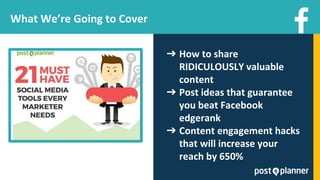
What We’re Going to Cover
➔ How to share
RIDICULOUSLY valuable
content
➔ Post ideas that guarantee
you beat Facebook
edgerank
➔ Content engagement hacks
that will increase your
reach by 650%
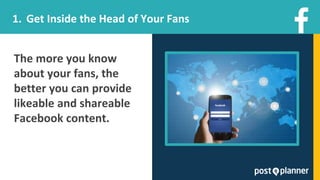
The more you know
about your fans, the
better you can provide
likeable and shareable
Facebook content.
1. Get Inside the Head of Your Fans
Make a list of interests
that are relevant to
your business -- if you
own a restaurant, your
list might include
dining, cooking, recipes,
health, etc.
Find Out What Content Your Fans Want
1.
Find Out What Content Your Fans Want
Make a list of
people/businesses
on Facebook who
live or work within
your area or
range.
2.
Find Out What Content Your Fans Want
3. Compare those lists,
pull out the names
that show up on both
and use it for focused
marketing effort.
Find Out What Content Your Fans Want
Armed with this info, you can now:
➔ Target people nearby and not waste
marketing dollars
➔ Find other businesses for collaboration
potential
➔ Curate content from local Pages
➔ Stop theorizing about your audience and
begin working with hard data
Remember to save that interest list and keep
refining it!
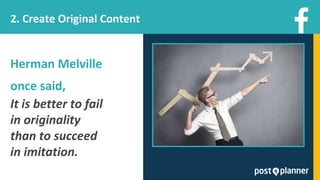
Herman Melville
once said,
It is better to fail
in originality
than to succeed
in imitation.
2. Create Original Content
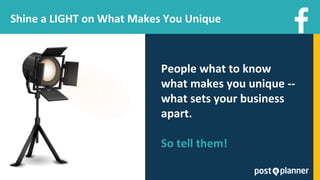
People what to know
what makes you unique --
what sets your business
apart.
So tell them!
Shine a LIGHT on What Makes You Unique
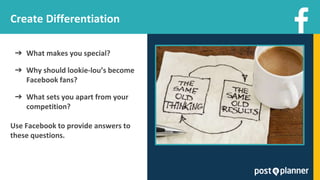
➔ What makes you special?
➔ Why should lookie-lou’s become
Facebook fans?
➔ What sets you apart from your
competition?
Use Facebook to provide answers to
these questions.
Create Differentiation
Make Your Space Irresistible
Want to work from
home? Love hanging with
your pet all day? Then
Stella & Dot is for you!
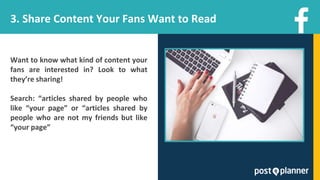
3. Share Content Your Fans Want to Read
Want to know what kind of content your
fans are interested in? Look to what
they’re sharing!
Search: “articles shared by people who
like “your page” or “articles shared by
people who are not my friends but like
“your page”
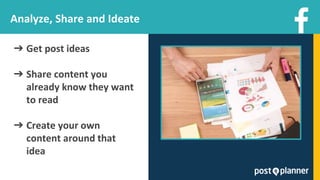
Analyze, Share and Ideate
➔ Get post ideas
➔ Share content you
already know they want
to read
➔ Create your own
content around that
idea
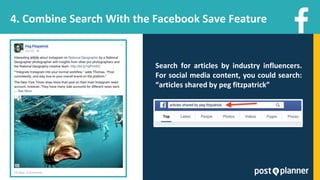
4. Combine Search With the Facebook Save Feature
Search for articles by industry influencers.
For social media content, you could search:
“articles shared by peg fitzpatrick”
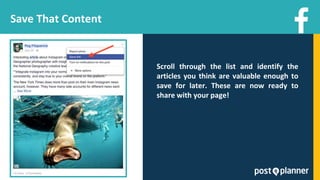
Save That Content
Scroll through the list and identify the
articles you think are valuable enough to
save for later. These are now ready to
share with your page!
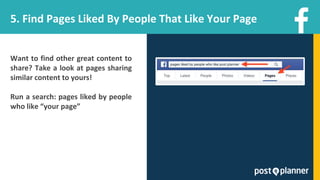
5. Find Pages Liked By People That Like Your Page
Want to find other great content to
share? Take a look at pages sharing
similar content to yours!
Run a search: pages liked by people
who like “your page”
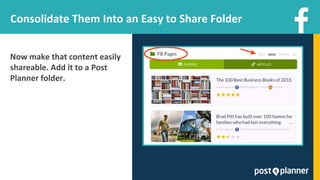
Consolidate Them Into an Easy to Share Folder
Now make that content easily
shareable. Add it to a Post
Planner folder.
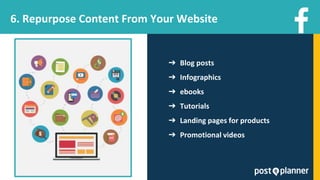
6. Repurpose Content From Your Website
➔ Blog posts
➔ Infographics
➔ ebooks
➔ Tutorials
➔ Landing pages for products
➔ Promotional videos
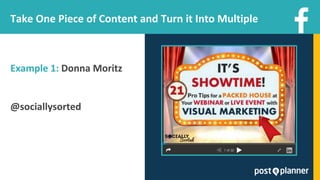
Take One Piece of Content and Turn it Into Multiple
Example 1: Donna Moritz
@sociallysorted
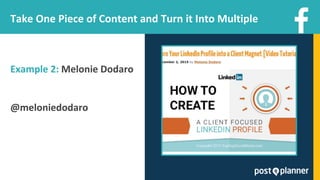
Take One Piece of Content and Turn it Into Multiple
Example 2: Melonie Dodaro
@meloniedodaro
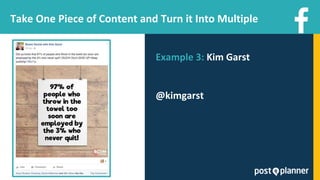
Take One Piece of Content and Turn it Into Multiple
Example 3: Kim Garst
@kimgarst
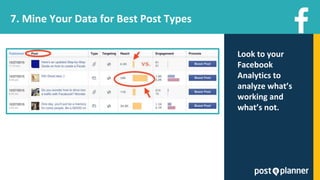
7. Mine Your Data for Best Post Types
Look to your
Facebook
Analytics to
analyze what’s
working and
what’s not.
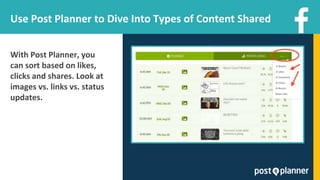
Use Post Planner to Dive Into Types of Content Shared
With Post Planner, you
can sort based on likes,
clicks and shares. Look at
images vs. links vs. status
updates.
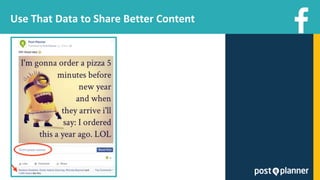
Use That Data to Share Better Content
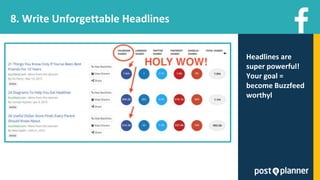
8. Write Unforgettable Headlines
Headlines are
super powerful!
Your goal =
become Buzzfeed
worthyl
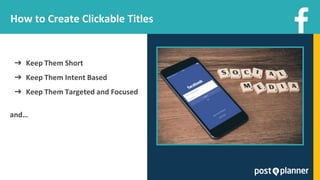
How to Create Clickable Titles
➔ Keep Them Short
➔ Keep Them Intent Based
➔ Keep Them Targeted and Focused
and…
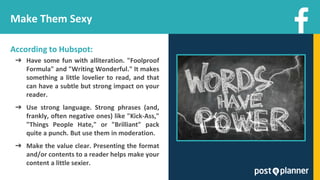
Make Them Sexy
According to Hubspot:
➔ Have some fun with alliteration. "Foolproof
Formula" and "Writing Wonderful." It makes
something a little lovelier to read, and that
can have a subtle but strong impact on your
reader.
➔ Use strong language. Strong phrases (and,
frankly, often negative ones) like "Kick-Ass,"
"Things People Hate," or "Brilliant" pack
quite a punch. But use them in moderation.
➔ Make the value clear. Presenting the format
and/or contents to a reader helps make your
content a little sexier.
9. Get on the Video Bandwagon
Facebook Now Has Over 8 Billion Video
Views Per Day
Twice the amount users watched back in
April, 2015 (via TheVerge.com)
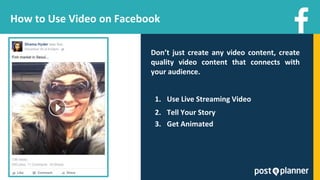
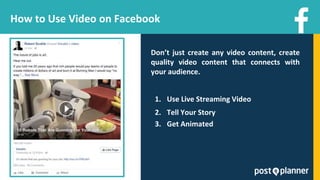
How to Use Video on Facebook
Don’t just create any video content, create
quality video content that connects with
your audience.
1. Use Live Streaming Video
2. Tell Your Story
3. Get Animated
How to Use Video on Facebook
Don’t just create any video content, create
quality video content that connects with
your audience.
1. Use Live Streaming Video
2. Tell Your Story
3. Get Animated
10. Ask Questions to Encourage Interaction
Posting thought-provoking questions to your
Page is one of the best ways to increase
engagement. People love to talk if you give
them a chance!
Types of Questions You Should Post
➔ Fill in the blank (e.g. “If I could go anywhere
in the world, I’d go to ______________”)
➔ Trending topics (e.g. “Who are you cheering
for in the upcoming finals?”)
➔ Business-related questions (e.g. “What’s
your favorite tool for increasing your
productivity?”)
➔ Product preferences with photos: Show the
choices, then ask your fans which product
they prefer.
➔ Opinions on a blog post: Link to a post, then
ask your fans a question about the post
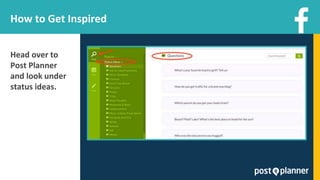
How to Get Inspired
Head over to
Post Planner
and look under
status ideas.
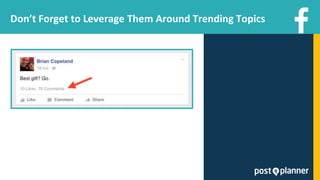
Don’t Forget to Leverage Them Around Trending Topics
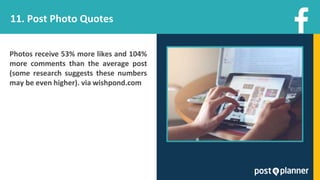
11. Post Photo Quotes
Photos receive 53% more likes and 104%
more comments than the average post
(some research suggests these numbers
may be even higher). via wishpond.com
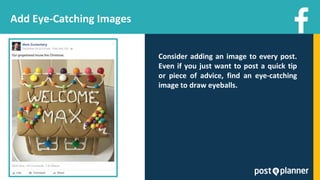
Add Eye-Catching Images
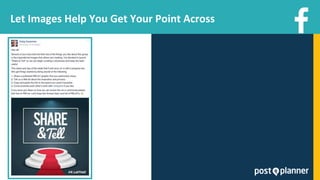
Consider adding an image to every post.
Even if you just want to post a quick tip
or piece of advice, find an eye-catching
image to draw eyeballs.
Let Images Help You Get Your Point Across
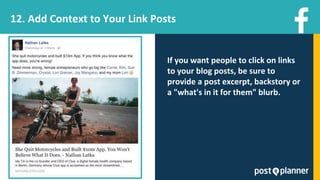
12. Add Context to Your Link Posts
If you want people to click on links
to your blog posts, be sure to
provide a post excerpt, backstory or
a "what's in it for them" blurb.
13. Post Frequently to Get More Reach
Facebook organic post reach has fallen
over the past few years. This means
your posts often reach only a small
percentage of your fans.
Posting high-quality content more
frequently can lead to better
engagement and increased reach for
your posts.
Get Started Today
✓ Love annual for only $7 per
month or $84 per year - that’s
just .23 cents per day
✓ bit.ly/viralwebinarfb
Get Started Today
✓ With our *scientifically proven* content, you
will skyrocket your Likes, Shares, and Clicks!
✓ Buffer says Post Planner users get 650%
MORE ENGAGEMENT than the most popular
social media tools.
THANK YOU!
@PostPlanner
@RebekahRadice
@AdamsConsulting

How to Create Unforgettable Facebook Content

  • 1.
  • 2.
  • 3.
  • 4.
    What We’re Goingto Cover ➔ How to share RIDICULOUSLY valuable content ➔ Post ideas that guarantee you beat Facebook edgerank ➔ Content engagement hacks that will increase your reach by 650%
  • 5.
    The more youknow about your fans, the better you can provide likeable and shareable Facebook content. 1. Get Inside the Head of Your Fans
  • 6.
    Make a listof interests that are relevant to your business -- if you own a restaurant, your list might include dining, cooking, recipes, health, etc. Find Out What Content Your Fans Want 1.
  • 7.
    Find Out WhatContent Your Fans Want Make a list of people/businesses on Facebook who live or work within your area or range. 2.
  • 8.
    Find Out WhatContent Your Fans Want 3. Compare those lists, pull out the names that show up on both and use it for focused marketing effort.
  • 9.
    Find Out WhatContent Your Fans Want Armed with this info, you can now: ➔ Target people nearby and not waste marketing dollars ➔ Find other businesses for collaboration potential ➔ Curate content from local Pages ➔ Stop theorizing about your audience and begin working with hard data Remember to save that interest list and keep refining it!
  • 10.
    Herman Melville once said, Itis better to fail in originality than to succeed in imitation. 2. Create Original Content
  • 11.
    People what toknow what makes you unique -- what sets your business apart. So tell them! Shine a LIGHT on What Makes You Unique
  • 12.
    ➔ What makesyou special? ➔ Why should lookie-lou’s become Facebook fans? ➔ What sets you apart from your competition? Use Facebook to provide answers to these questions. Create Differentiation
  • 13.
    Make Your SpaceIrresistible Want to work from home? Love hanging with your pet all day? Then Stella & Dot is for you!
  • 14.
    3. Share ContentYour Fans Want to Read Want to know what kind of content your fans are interested in? Look to what they’re sharing! Search: “articles shared by people who like “your page” or “articles shared by people who are not my friends but like “your page”
  • 15.
    Analyze, Share andIdeate ➔ Get post ideas ➔ Share content you already know they want to read ➔ Create your own content around that idea
  • 16.
    4. Combine SearchWith the Facebook Save Feature Search for articles by industry influencers. For social media content, you could search: “articles shared by peg fitzpatrick”
  • 17.
    Save That Content Scrollthrough the list and identify the articles you think are valuable enough to save for later. These are now ready to share with your page!
  • 18.
    5. Find PagesLiked By People That Like Your Page Want to find other great content to share? Take a look at pages sharing similar content to yours! Run a search: pages liked by people who like “your page”
  • 19.
    Consolidate Them Intoan Easy to Share Folder Now make that content easily shareable. Add it to a Post Planner folder.
  • 20.
    6. Repurpose ContentFrom Your Website ➔ Blog posts ➔ Infographics ➔ ebooks ➔ Tutorials ➔ Landing pages for products ➔ Promotional videos
  • 21.
    Take One Pieceof Content and Turn it Into Multiple Example 1: Donna Moritz @sociallysorted
  • 22.
    Take One Pieceof Content and Turn it Into Multiple Example 2: Melonie Dodaro @meloniedodaro
  • 23.
    Take One Pieceof Content and Turn it Into Multiple Example 3: Kim Garst @kimgarst
  • 24.
    7. Mine YourData for Best Post Types Look to your Facebook Analytics to analyze what’s working and what’s not.
  • 25.
    Use Post Plannerto Dive Into Types of Content Shared With Post Planner, you can sort based on likes, clicks and shares. Look at images vs. links vs. status updates.
  • 26.
    Use That Datato Share Better Content
  • 27.
    8. Write UnforgettableHeadlines Headlines are super powerful! Your goal = become Buzzfeed worthyl
  • 28.
    How to CreateClickable Titles ➔ Keep Them Short ➔ Keep Them Intent Based ➔ Keep Them Targeted and Focused and…
  • 29.
    Make Them Sexy Accordingto Hubspot: ➔ Have some fun with alliteration. "Foolproof Formula" and "Writing Wonderful." It makes something a little lovelier to read, and that can have a subtle but strong impact on your reader. ➔ Use strong language. Strong phrases (and, frankly, often negative ones) like "Kick-Ass," "Things People Hate," or "Brilliant" pack quite a punch. But use them in moderation. ➔ Make the value clear. Presenting the format and/or contents to a reader helps make your content a little sexier.
  • 30.
    9. Get onthe Video Bandwagon Facebook Now Has Over 8 Billion Video Views Per Day Twice the amount users watched back in April, 2015 (via TheVerge.com)
  • 31.
    How to UseVideo on Facebook Don’t just create any video content, create quality video content that connects with your audience. 1. Use Live Streaming Video 2. Tell Your Story 3. Get Animated
  • 32.
    How to UseVideo on Facebook Don’t just create any video content, create quality video content that connects with your audience. 1. Use Live Streaming Video 2. Tell Your Story 3. Get Animated
  • 33.
    10. Ask Questionsto Encourage Interaction Posting thought-provoking questions to your Page is one of the best ways to increase engagement. People love to talk if you give them a chance!
  • 34.
    Types of QuestionsYou Should Post ➔ Fill in the blank (e.g. “If I could go anywhere in the world, I’d go to ______________”) ➔ Trending topics (e.g. “Who are you cheering for in the upcoming finals?”) ➔ Business-related questions (e.g. “What’s your favorite tool for increasing your productivity?”) ➔ Product preferences with photos: Show the choices, then ask your fans which product they prefer. ➔ Opinions on a blog post: Link to a post, then ask your fans a question about the post
  • 35.
    How to GetInspired Head over to Post Planner and look under status ideas.
  • 36.
    Don’t Forget toLeverage Them Around Trending Topics
  • 37.
    11. Post PhotoQuotes Photos receive 53% more likes and 104% more comments than the average post (some research suggests these numbers may be even higher). via wishpond.com
  • 38.
    Add Eye-Catching Images Consideradding an image to every post. Even if you just want to post a quick tip or piece of advice, find an eye-catching image to draw eyeballs.
  • 39.
    Let Images HelpYou Get Your Point Across
  • 40.
    12. Add Contextto Your Link Posts If you want people to click on links to your blog posts, be sure to provide a post excerpt, backstory or a "what's in it for them" blurb.
  • 41.
    13. Post Frequentlyto Get More Reach Facebook organic post reach has fallen over the past few years. This means your posts often reach only a small percentage of your fans. Posting high-quality content more frequently can lead to better engagement and increased reach for your posts.
  • 42.
    Get Started Today ✓Love annual for only $7 per month or $84 per year - that’s just .23 cents per day ✓ bit.ly/viralwebinarfb
  • 43.
    Get Started Today ✓With our *scientifically proven* content, you will skyrocket your Likes, Shares, and Clicks! ✓ Buffer says Post Planner users get 650% MORE ENGAGEMENT than the most popular social media tools.
  • 44.