PLANNING
CONTENT
STEP 1
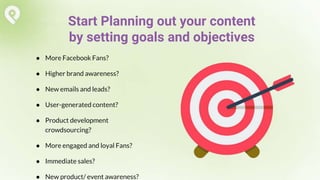
● More Facebook Fans?
● Higher brand awareness?
● New emails and leads?
● User-generated content?
● Product development
crowdsourcing?
● More engaged and loyal Fans?
● Immediate sales?
● New product/ event awareness?
Start Planning out your content
by setting goals and objectives
Teens, single women,
business professionals,
sports enthusiasts.
Know your ideal
customer to create
specific contests just for
them!
Know Your Target Market
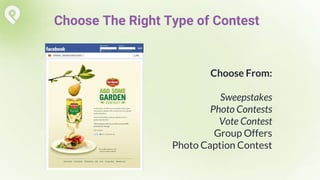
Choose From:
Sweepstakes
Photo Contests
Vote Contest
Group Offers
Photo Caption Contest
Choose The Right Type of Contest
SWEEPSTAKES
PHOTO
CONTEST
REFERRAL
PROMOTION
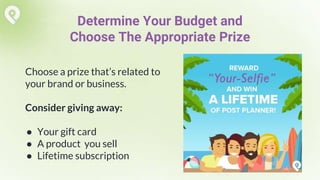
Choose a prize that’s related to
your brand or business.
Consider giving away:
● Your gift card
● A product you sell
● Lifetime subscription
Determine Your Budget and
Choose The Appropriate Prize
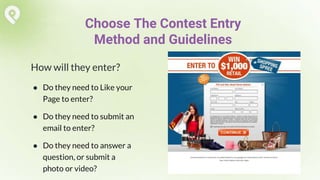
How will they enter?
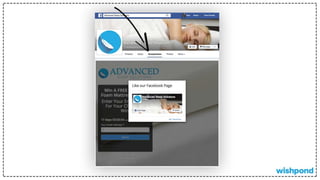
● Do they need to Like your
Page to enter?
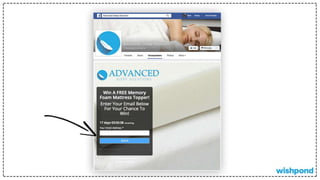
● Do they need to submit an
email to enter?
● Do they need to answer a
question, or submit a
photo or video?
Choose The Contest Entry
Method and Guidelines
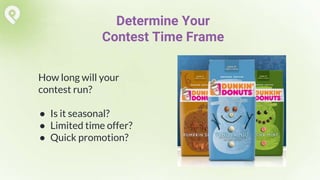
How long will your
contest run?
● Is it seasonal?
● Limited time offer?
● Quick promotion?
Determine Your
Contest Time Frame
CREATING
CONTESTS
STEP 2
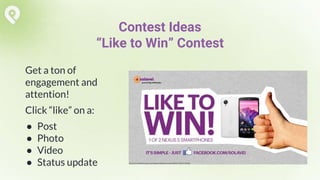
Get a ton of
engagement and
attention!
Click “like” on a:
● Post
● Photo
● Video
● Status update
Contest Ideas
“Like to Win” Contest
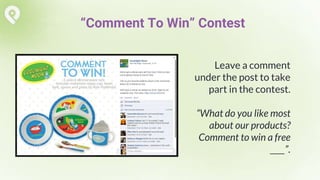
Leave a comment
under the post to take
part in the contest.
“What do you like most
about our products?
Comment to win a free
____”.
“Comment To Win” Contest
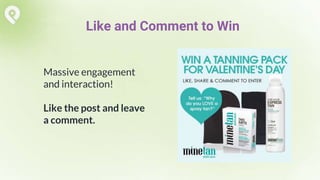
Massive engagement
and interaction!
Like the post and leave
a comment.
Like and Comment to Win
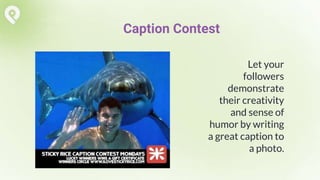
Let your
followers
demonstrate
their creativity
and sense of
humor by writing
a great caption to
a photo.
Caption Contest
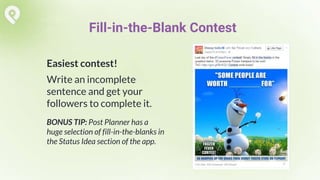
Easiest contest!
Write an incomplete
sentence and get your
followers to complete it.
BONUS TIP: Post Planner has a
huge selection of fill-in-the-blanks in
the Status Idea section of the app.
Fill-in-the-Blank Contest
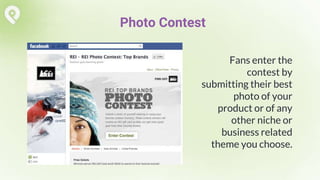
Fans enter the
contest by
submitting their best
photo of your
product or of any
other niche or
business related
theme you choose.
Photo Contest
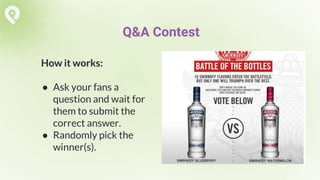
How it works:
● Ask your fans a
question and wait for
them to submit the
correct answer.
● Randomly pick the
winner(s).
Q&A Contest
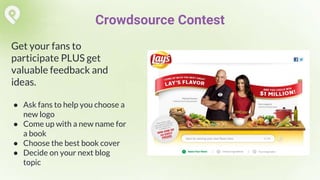
Get your fans to
participate PLUS get
valuable feedback and
ideas.
● Ask fans to help you choose a
new logo
● Come up with a new name for
a book
● Choose the best book cover
● Decide on your next blog
topic
Crowdsource Contest
PROMOTING,
MONITORING AND
FOLLOWING UP
STEP 3
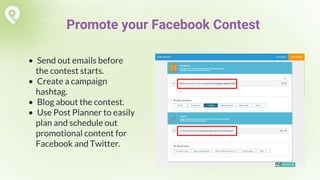
• Send out emails before
the contest starts.
• Create a campaign
hashtag.
• Blog about the contest.
• Use Post Planner to easily
plan and schedule out
promotional content for
Facebook and Twitter.
Promote your Facebook Contest
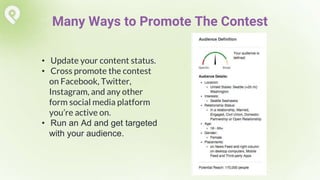
• Update your content status.
• Cross promote the contest
on Facebook, Twitter,
Instagram, and any other
form social media platform
you’re active on.
• Run an Ad and get targeted
with your audience.
Many Ways to Promote The Contest
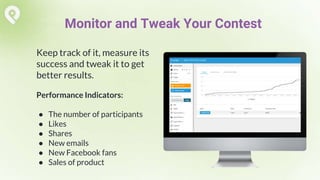
Keep track of it, measure its
success and tweak it to get
better results.
Performance Indicators:
● The number of participants
● Likes
● Shares
● New emails
● New Facebook fans
● Sales of product
Monitor and Tweak Your Contest
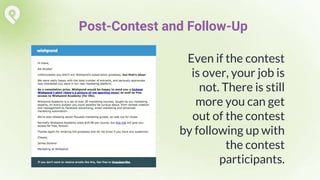
Even if the contest
is over, your job is
not. There is still
more you can get
out of the contest
by following up with
the contest
participants.
Post-Contest and Follow-Up
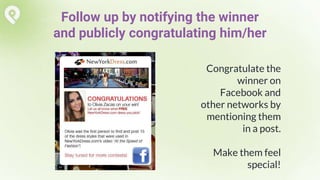
Congratulate the
winner on
Facebook and
other networks by
mentioning them
in a post.
Make them feel
special!
Follow up by notifying the winner
and publicly congratulating him/her
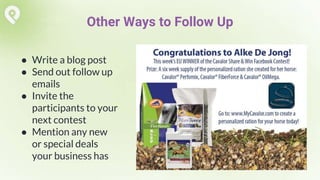
● Write a blog post
● Send out follow up
emails
● Invite the
participants to your
next contest
● Mention any new
or special deals
your business has
Other Ways to Follow Up
Simply Measured Case Study
of Post Planner Growth
How to Use
Automation
to Grow Your
Facebook Page
by 193%
http://bitly.com/fbgrowthplan
How to Run a Successful Facebook Contest

How to Run a Successful Facebook Contest

  • 2.
  • 3.
    ● More FacebookFans? ● Higher brand awareness? ● New emails and leads? ● User-generated content? ● Product development crowdsourcing? ● More engaged and loyal Fans? ● Immediate sales? ● New product/ event awareness? Start Planning out your content by setting goals and objectives
  • 4.
    Teens, single women, businessprofessionals, sports enthusiasts. Know your ideal customer to create specific contests just for them! Know Your Target Market
  • 5.
    Choose From: Sweepstakes Photo Contests VoteContest Group Offers Photo Caption Contest Choose The Right Type of Contest
  • 6.
  • 12.
  • 16.
  • 23.
    Choose a prizethat’s related to your brand or business. Consider giving away: ● Your gift card ● A product you sell ● Lifetime subscription Determine Your Budget and Choose The Appropriate Prize
  • 24.
    How will theyenter? ● Do they need to Like your Page to enter? ● Do they need to submit an email to enter? ● Do they need to answer a question, or submit a photo or video? Choose The Contest Entry Method and Guidelines
  • 25.
    How long willyour contest run? ● Is it seasonal? ● Limited time offer? ● Quick promotion? Determine Your Contest Time Frame
  • 26.
  • 27.
    Get a tonof engagement and attention! Click “like” on a: ● Post ● Photo ● Video ● Status update Contest Ideas “Like to Win” Contest
  • 28.
    Leave a comment underthe post to take part in the contest. “What do you like most about our products? Comment to win a free ____”. “Comment To Win” Contest
  • 29.
    Massive engagement and interaction! Likethe post and leave a comment. Like and Comment to Win
  • 30.
    Let your followers demonstrate their creativity andsense of humor by writing a great caption to a photo. Caption Contest
  • 31.
    Easiest contest! Write anincomplete sentence and get your followers to complete it. BONUS TIP: Post Planner has a huge selection of fill-in-the-blanks in the Status Idea section of the app. Fill-in-the-Blank Contest
  • 32.
    Fans enter the contestby submitting their best photo of your product or of any other niche or business related theme you choose. Photo Contest
  • 33.
    How it works: ●Ask your fans a question and wait for them to submit the correct answer. ● Randomly pick the winner(s). Q&A Contest
  • 34.
    Get your fansto participate PLUS get valuable feedback and ideas. ● Ask fans to help you choose a new logo ● Come up with a new name for a book ● Choose the best book cover ● Decide on your next blog topic Crowdsource Contest
  • 35.
  • 36.
    • Send outemails before the contest starts. • Create a campaign hashtag. • Blog about the contest. • Use Post Planner to easily plan and schedule out promotional content for Facebook and Twitter. Promote your Facebook Contest
  • 37.
    • Update yourcontent status. • Cross promote the contest on Facebook, Twitter, Instagram, and any other form social media platform you’re active on. • Run an Ad and get targeted with your audience. Many Ways to Promote The Contest
  • 38.
    Keep track ofit, measure its success and tweak it to get better results. Performance Indicators: ● The number of participants ● Likes ● Shares ● New emails ● New Facebook fans ● Sales of product Monitor and Tweak Your Contest
  • 39.
    Even if thecontest is over, your job is not. There is still more you can get out of the contest by following up with the contest participants. Post-Contest and Follow-Up
  • 40.
    Congratulate the winner on Facebookand other networks by mentioning them in a post. Make them feel special! Follow up by notifying the winner and publicly congratulating him/her
  • 41.
    ● Write ablog post ● Send out follow up emails ● Invite the participants to your next contest ● Mention any new or special deals your business has Other Ways to Follow Up
  • 42.
    Simply Measured CaseStudy of Post Planner Growth How to Use Automation to Grow Your Facebook Page by 193% http://bitly.com/fbgrowthplan