21 Steps to running an effective
        Facebook Page
21 Define your strategy
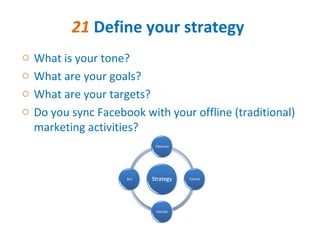
o   What is your tone?
o   What are your goals?
o   What are your targets?
o   Do you sync Facebook with your offline (traditional)
    marketing activities?
20 Assign Roles
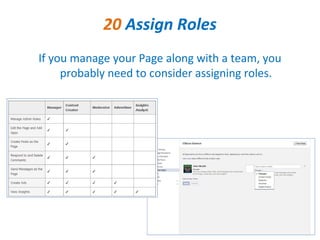
If you manage your Page along with a team, you
     probably need to consider assigning roles.
19 Pick a name
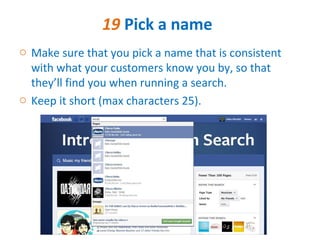
o Make sure that you pick a name that is consistent
  with what your customers know you by, so that
  they’ll find you when running a search.
o Keep it short (max characters 25).
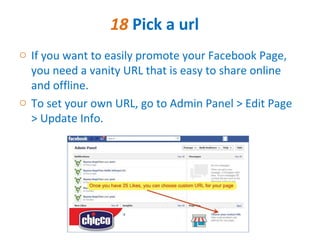
18 Pick a url
o If you want to easily promote your Facebook Page,
  you need a vanity URL that is easy to share online
  and offline.
o To set your own URL, go to Admin Panel > Edit Page
  > Update Info.
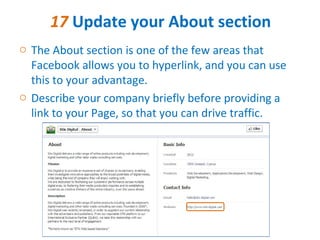
17 Update your About section
o The About section is one of the few areas that
  Facebook allows you to hyperlink, and you can use
  this to your advantage.
o Describe your company briefly before providing a
  link to your Page, so that you can drive traffic.
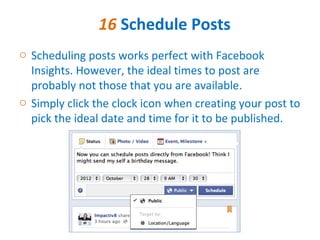
16 Schedule Posts
o Scheduling posts works perfect with Facebook
  Insights. However, the ideal times to post are
  probably not those that you are available.
o Simply click the clock icon when creating your post to
  pick the ideal date and time for it to be published.
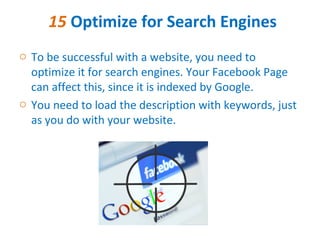
15 Optimize for Search Engines
o To be successful with a website, you need to
  optimize it for search engines. Your Facebook Page
  can affect this, since it is indexed by Google.
o You need to load the description with keywords, just
  as you do with your website.
14 Create a Content Calendar
o Make a list of your assets and planned content. Then
  start mapping out themes per day of the week, who
  will be posting, what they’ll be posting about and at
  what time.
o You don’t need to stay strictly to the schedule, but
  having kind of a plan helps.
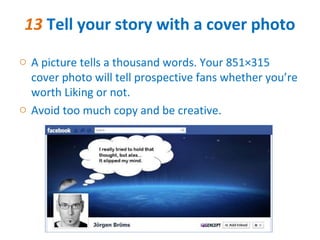
13 Tell your story with a cover photo
o A picture tells a thousand words. Your 851Ă—315
  cover photo will tell prospective fans whether you’re
  worth Liking or not.
o Avoid too much copy and be creative.
12 Use an engaging Profile Photo

o Your profile photo is what your fans will see every
  day (or whenever you post). Make sure that you
  make the most out of it.
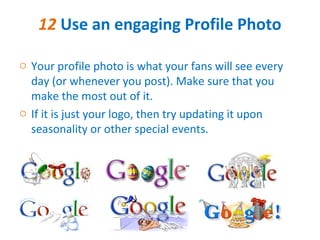
o If it is just your logo, then try updating it upon
  seasonality or other special events.
11 Create tabs that drive goals
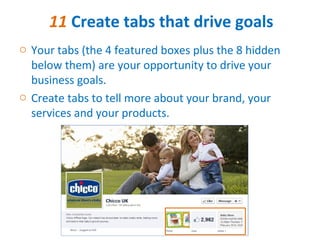
o Your tabs (the 4 featured boxes plus the 8 hidden
  below them) are your opportunity to drive your
  business goals.
o Create tabs to tell more about your brand, your
  services and your products.
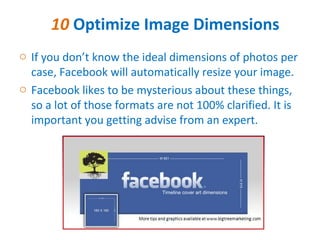
10 Optimize Image Dimensions
o If you don’t know the ideal dimensions of photos per
  case, Facebook will automatically resize your image.
o Facebook likes to be mysterious about these things,
  so a lot of those formats are not 100% clarified. It is
  important you getting advise from an expert.
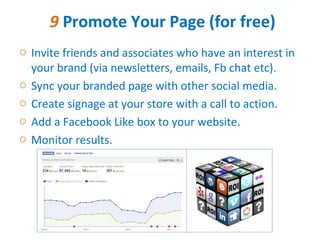
9 Promote Your Page (for free)
o Invite friends and associates who have an interest in
  your brand (via newsletters, emails, Fb chat etc).
o Sync your branded page with other social media.
o Create signage at your store with a call to action.
o Add a Facebook Like box to your website.
o Monitor results.
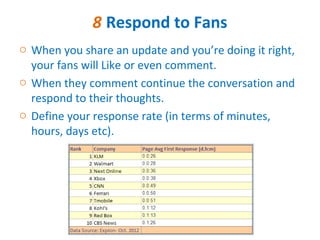
8 Respond to Fans
o When you share an update and you’re doing it right,
  your fans will Like or even comment.
o When they comment continue the conversation and
  respond to their thoughts.
o Define your response rate (in terms of minutes,
  hours, days etc).
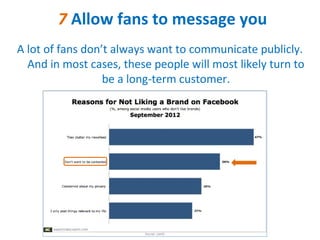
7 Allow fans to message you
A lot of fans don’t always want to communicate publicly.
  And in most cases, these people will most likely turn to
                  be a long-term customer.
6 Update your Featured Likes
o If you want to provide a resource by highlighting.
  other helpful brands in your Page space, you can do
  this.
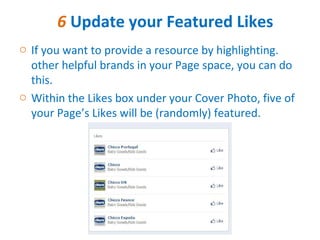
o Within the Likes box under your Cover Photo, five of
  your Page’s Likes will be (randomly) featured.
5 Highlight and Pin to the top
o Once you create a post only 16% of your fans will see
  it and then it is quickly buried on your Timeline.
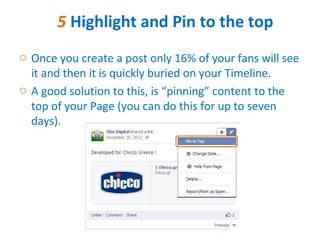
o A good solution to this, is “pinning” content to the
  top of your Page (you can do this for up to seven
  days).
4 Share diverse content
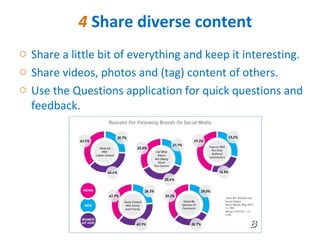
o Share a little bit of everything and keep it interesting.
o Share videos, photos and (tag) content of others.
o Use the Questions application for quick questions and
  feedback.
3 Be Brief
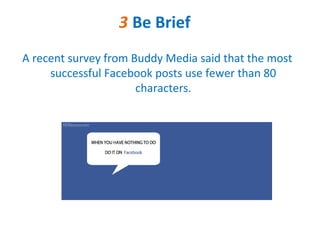
A recent survey from Buddy Media said that the most
     successful Facebook posts use fewer than 80
                      characters.
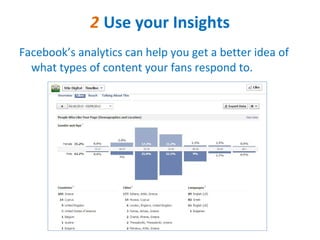
2 Use your Insights
Facebook’s analytics can help you get a better idea of
  what types of content your fans respond to.
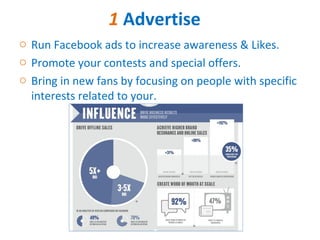
1 Advertise
o Run Facebook ads to increase awareness & Likes.
o Promote your contests and special offers.
o Bring in new fans by focusing on people with specific
  interests related to your.
Takeaway Tip From Stix Digital
o Image is everything (profile photo, cover photo, Tab
  icons, Link thumbnails, milestones etc).
o Be strategic about your tabs and about your special
  offers.
o Listen to your audience.
o Pay attention to your analytics.
o Target your fans and non-fans as well.

21 steps for running a succesful facebook page

  • 2.
    21 Steps torunning an effective Facebook Page
  • 3.
    21 Define yourstrategy o What is your tone? o What are your goals? o What are your targets? o Do you sync Facebook with your offline (traditional) marketing activities?
  • 4.
    20 Assign Roles Ifyou manage your Page along with a team, you probably need to consider assigning roles.
  • 5.
    19 Pick aname o Make sure that you pick a name that is consistent with what your customers know you by, so that they’ll find you when running a search. o Keep it short (max characters 25).
  • 6.
    18 Pick aurl o If you want to easily promote your Facebook Page, you need a vanity URL that is easy to share online and offline. o To set your own URL, go to Admin Panel > Edit Page > Update Info.
  • 7.
    17 Update yourAbout section o The About section is one of the few areas that Facebook allows you to hyperlink, and you can use this to your advantage. o Describe your company briefly before providing a link to your Page, so that you can drive traffic.
  • 8.
    16 Schedule Posts oScheduling posts works perfect with Facebook Insights. However, the ideal times to post are probably not those that you are available. o Simply click the clock icon when creating your post to pick the ideal date and time for it to be published.
  • 9.
    15 Optimize forSearch Engines o To be successful with a website, you need to optimize it for search engines. Your Facebook Page can affect this, since it is indexed by Google. o You need to load the description with keywords, just as you do with your website.
  • 10.
    14 Create aContent Calendar o Make a list of your assets and planned content. Then start mapping out themes per day of the week, who will be posting, what they’ll be posting about and at what time. o You don’t need to stay strictly to the schedule, but having kind of a plan helps.
  • 11.
    13 Tell yourstory with a cover photo o A picture tells a thousand words. Your 851×315 cover photo will tell prospective fans whether you’re worth Liking or not. o Avoid too much copy and be creative.
  • 12.
    12 Use anengaging Profile Photo o Your profile photo is what your fans will see every day (or whenever you post). Make sure that you make the most out of it. o If it is just your logo, then try updating it upon seasonality or other special events.
  • 13.
    11 Create tabsthat drive goals o Your tabs (the 4 featured boxes plus the 8 hidden below them) are your opportunity to drive your business goals. o Create tabs to tell more about your brand, your services and your products.
  • 14.
    10 Optimize ImageDimensions o If you don’t know the ideal dimensions of photos per case, Facebook will automatically resize your image. o Facebook likes to be mysterious about these things, so a lot of those formats are not 100% clarified. It is important you getting advise from an expert.
  • 15.
    9 Promote YourPage (for free) o Invite friends and associates who have an interest in your brand (via newsletters, emails, Fb chat etc). o Sync your branded page with other social media. o Create signage at your store with a call to action. o Add a Facebook Like box to your website. o Monitor results.
  • 16.
    8 Respond toFans o When you share an update and you’re doing it right, your fans will Like or even comment. o When they comment continue the conversation and respond to their thoughts. o Define your response rate (in terms of minutes, hours, days etc).
  • 17.
    7 Allow fansto message you A lot of fans don’t always want to communicate publicly. And in most cases, these people will most likely turn to be a long-term customer.
  • 18.
    6 Update yourFeatured Likes o If you want to provide a resource by highlighting. other helpful brands in your Page space, you can do this. o Within the Likes box under your Cover Photo, five of your Page’s Likes will be (randomly) featured.
  • 19.
    5 Highlight andPin to the top o Once you create a post only 16% of your fans will see it and then it is quickly buried on your Timeline. o A good solution to this, is “pinning” content to the top of your Page (you can do this for up to seven days).
  • 20.
    4 Share diversecontent o Share a little bit of everything and keep it interesting. o Share videos, photos and (tag) content of others. o Use the Questions application for quick questions and feedback.
  • 21.
    3 Be Brief Arecent survey from Buddy Media said that the most successful Facebook posts use fewer than 80 characters.
  • 22.
    2 Use yourInsights Facebook’s analytics can help you get a better idea of what types of content your fans respond to.
  • 23.
    1 Advertise o RunFacebook ads to increase awareness & Likes. o Promote your contests and special offers. o Bring in new fans by focusing on people with specific interests related to your.
  • 24.
    Takeaway Tip FromStix Digital o Image is everything (profile photo, cover photo, Tab icons, Link thumbnails, milestones etc). o Be strategic about your tabs and about your special offers. o Listen to your audience. o Pay attention to your analytics. o Target your fans and non-fans as well.