Rebekah Radice Ashton Hauff
@RebekahRadice @ashtonhauff
You’re In The Right Place
If You Want To Learn:
• Exactly how to use visual content in your
business to triple your engagement
• 6 fundamentals to help you create the perfect
social media image
• Where to find FREE images for your design
• What tools to use for designing eye-catching
images
• Growth hacking ideas you can quickly implement
PLUS, Stick Around Until the End...
For a FREE
surprise!
Why Use Visual Marketing?
• Over 63% of all social media content is comprised of images
• Nearly 54% of internet users have uploaded a video or photo they created
• Content with relevant images receive 94% more views than content
without
• Tweets with images get 150% more retweets than those without images
• 37% more engagement is experienced when posts on Facebook include
photos
• More than 60% of consumers are likely to make contact with a company
whose images appear on local searches
THE FUNDAMENTALS OF A
GREAT IMAGE
01 Correct Image Size
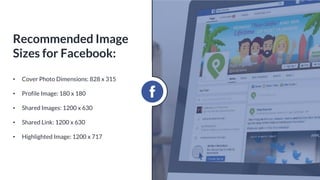
• Cover Photo Dimensions: 828 x 315
• Profile Image: 180 x 180
• Shared Images: 1200 x 630
• Shared Link: 1200 x 630
• Highlighted Image: 1200 x 717
Recommended Image
Sizes for Facebook:
• Profile Photo: 400 x 400px
• Header Photo: 1500 x 500px
• In-Stream Photo: 440 x 220px
Recommended Image
Sizes for Twitter:
• Profile Image: 110 x 110
• Photo Thumbnails: 161 x 161
• Photo Size: 1080 x 1080
Recommended Image
Sizes for Instagram:
• Banner Image: 646 x 220px
• Standard Logo: 400 x 400px
• Profile Picture: 400 x 400px
• Background Image: 1000 x 425px
Recommended Image
Sizes for LinkedIn:
• Profile Image: 165 x 165
• Pins in feed: 236 px wide
• Expanded Pin size: 735 x adjusted size
• Pin board cover image: 217 x 146
Recommended Image
Sizes for Pinterest:
• Profile Image: 250 x 250
• Cover Image: 1080 x 608
• Shared Image: (in home stream and on
page) 497 x 373
• Shared Image: (in the feed) 150 x 150
Recommended Image
Sizes for Google Plus:
THE FUNDAMENTALS OF A
GREAT IMAGE
02 Consistency
Be Recognizable
To make images consistent:
• Use the same filters (or filter) across all images
• Use a consistent font for each section of images
• Create a brand style and maintain it
• Own your branded colors and don’t deviate (even
slightly)
• Place a watermark – logo, hashtag, or a slogan – on
all images
“It takes less than two-
tenths of a second for an
online visitor to form a
first opinion of your brand
once they've perused your
company's website.”
- Missouri University of Science and Technology
Grab Attention
Make yours stand out in the feed!
• Don’t use a corporate-style
stock image
• Do ask “Is it relative to my topic
and audience?”
• Do make sure the image has a
bold focal point
• Do choose images that are
clear and easy to view
• Don’t do the same thing as
everyone else in your niche
Images that Stand Out
THE FUNDAMENTALS OF A
GREAT IMAGE
03 Relevancy
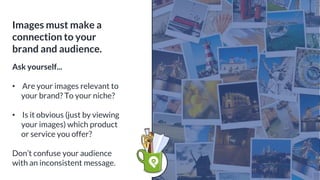
Images must make a
connection to your
brand and audience.
Ask yourself...
• Are your images relevant to
your brand? To your niche?
• Is it obvious (just by viewing
your images) which product
or service you offer?
Don’t confuse your audience
with an inconsistent message.
THE FUNDAMENTALS OF A
GREAT IMAGE
04 Ability to Stand Out On It’s Own
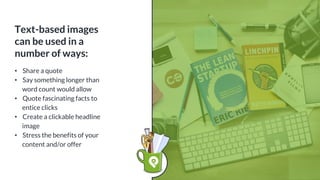
Text-based images
can be used in a
number of ways:
• Share a quote
• Say something longer than
word count would allow
• Quote fascinating facts to
entice clicks
• Create a clickable headline
image
• Stress the benefits of your
content and/or offer
THE FUNDAMENTALS OF A
GREAT IMAGE
05 Pictures That Tell Your Story
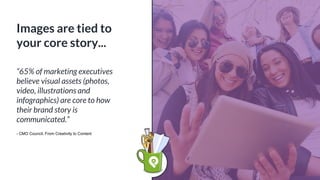
Images are tied to
your core story...
“65% of marketing executives
believe visual assets (photos,
video, illustrations and
infographics) are core to how
their brand story is
communicated.”
- CMO Council, From Creativity to Content
Images are powerful...
They can:
• Persuade
• Motivate
• Mesmerize
• Enthrall
They tell a unique
story, connecting
viewers with your
message in a
compelling and
impactful way.
Whether humorous,
controversial or
emotional, telling
your story through
images can create
massive results.
THE FUNDAMENTALS OF A
GREAT IMAGE
06 Evoke Emotion
There are 3 reasons
consumers buy:
1. To satisfy a basic necessity:
food, clothing, shelter
2. To solve a problem: what’s
their concern, challenge or
problem
3. Better themselves: better
body, life, bank account
The Psychology
Behind Social Sharing
Understand the
Psychology Behind
Brand Colors
• Black - authority, power.
• Yellow - fun, joyous and
optimistic.
• Orange - cheerful, inviting.
• Red - emotionally intense.
• Blue - tranquility, loyalty.
• Green - nature, refreshing.
GETTING STARTED
Psychologists suggest that color
impression accounts for 60% of
the acceptance or rejection
your product or service.
That’s HUGE!
Define Your Visual
Style Through a
Consistent Color Range
• Best represents
your company social
media promotional
strategy
• The feelings you
want to impart
• The action you
want them to take
Choose a Color That...
Define Your Visual
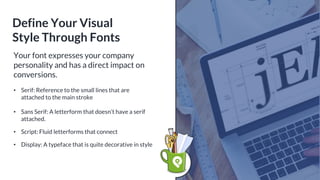
Style Through Fonts
Your font expresses your company
personality and has a direct impact on
conversions.
• Serif: Reference to the small lines that are
attached to the main stroke
• Sans Serif: A letterform that doesn’t have a serif
attached.
• Script: Fluid letterforms that connect
• Display: A typeface that is quite decorative in style
HubSpot found that
using 3 font styles
makes it easier to
read content.
When choosing your font, ask
yourself these questions:
• Is my company fun, silly, entertaining,
serious, inquisitive, playful, or
straightforward?
• Is my content fun, silly, entertaining,
serious, inquisitive, playful, or
straightforward?
Your headings and titles should be
easy to read and understand.
“Typography is the detail and
the presentation of a story. It
represents the voice of an
atmosphere, or historical
setting of some kind. It can do
a lot of things.”
- Cypress Highsmith
Define Your Visual
Style Through
Typography
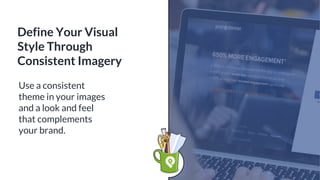
Use a consistent
theme in your images
and a look and feel
that complements
your brand.
Define Your Visual
Style Through
Consistent Imagery
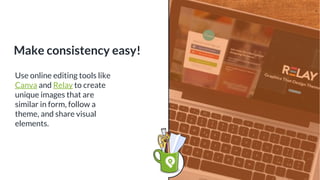
Use online editing tools like
Canva and Relay to create
unique images that are
similar in form, follow a
theme, and share visual
elements.
Make consistency easy!
Brands Using Visual Marketing Effectively
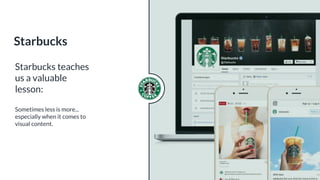
Starbucks teaches
us a valuable
lesson:
Sometimes less is more...

especially when it comes to
visual content.
Starbucks
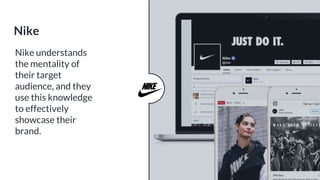
Nike understands
the mentality of
their target
audience, and they
use this knowledge
to effectively
showcase their
brand.
Nike
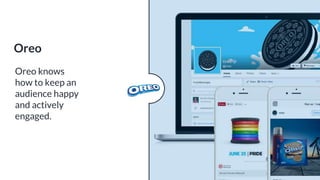
Oreo knows
how to keep an
audience happy
and actively
engaged.
Oreo
Different Types of Visuals
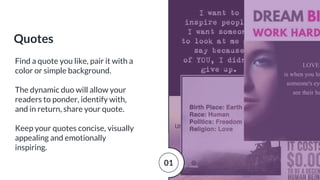
Find a quote you like, pair it with a
color or simple background.
The dynamic duo will allow your
readers to ponder, identify with,
and in return, share your quote.
Keep your quotes concise, visually
appealing and emotionally
inspiring.
Quotes
01
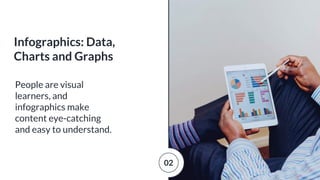
People are visual
learners, and
infographics make
content eye-catching
and easy to understand.
Infographics: Data,
Charts and Graphs
02
Questions, thoughts
and calls to action are a
great ways to use text
within visuals.
Conversation Starters
03
“100 Million Internet users
watch online video every
day.”
- Digital Sherpa
“90% of online shoppers say
they find video helpful in
making shopping and buying
decisions.”
- ZenDesk
Create Videos
04
• Write effective scripts
and make your video
informative with a healthy
blend of information,
entertainment, and
appeal.
• Choose a relevant topic
• Know where to post, how
to post and how often to
post
Where to Begin
with Video
4a
● YouTube
● Facebook
● Periscope
● Vine
● Instagram
● Twitter
● Snapchat
Choosing Your
Platform
04
Most fans and
customers are eager
to see what you do
and how you achieve
your results.
Behind-The-Scenes
05
Tools To Use For Designing
Eye-Catching Images
• Pexels
• Pixabay
• Unsplash
• Stocksnap
• Gratisography
Free Image Sites
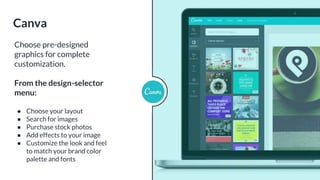
Choose pre-designed
graphics for complete
customization.
From the design-selector
menu:
● Choose your layout
● Search for images
● Purchase stock photos
● Add effects to your image
● Customize the look and feel
to match your brand color
palette and fonts
Canva
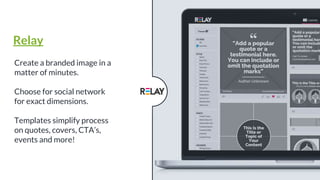
Create a branded image in a
matter of minutes.
Choose for social network
for exact dimensions.
Templates simplify process
on quotes, covers, CTA’s,
events and more!
Relay
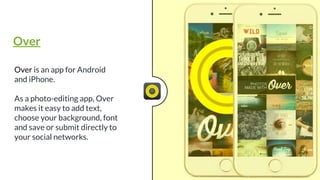
Over is an app for Android
and iPhone.
As a photo-editing app, Over
makes it easy to add text,
choose your background, font
and save or submit directly to
your social networks.
Over
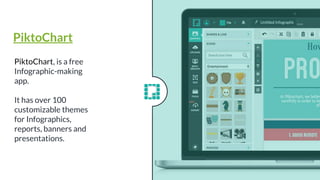
PiktoChart, is a free
Infographic-making
app.
It has over 100
customizable themes
for Infographics,
reports, banners and
presentations.
PiktoChart
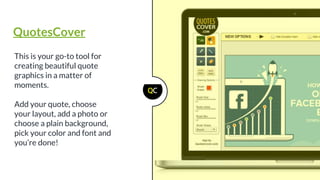
This is your go-to tool for
creating beautiful quote
graphics in a matter of
moments.
Add your quote, choose
your layout, add a photo or
choose a plain background,
pick your color and font and
you’re done!
QuotesCover
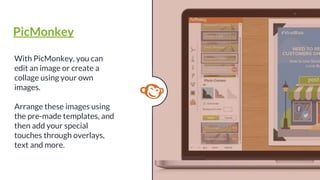
With PicMonkey, you can
edit an image or create a
collage using your own
images.
Arrange these images using
the pre-made templates, and
then add your special
touches through overlays,
text and more.
PicMonkey
Growth Hacking Ideas: How To Grow
Your Brand With Visual Marketing
Tackle each one visually....
Instagram:
● More Tags = More Likes and
Comments
● No filter is the Best Filter
● Don’t Forget to Add a Call-to-
Action – they really do work!
● Desaturated Photos Get More
Likes
● Photos with Faces Get More Likes
Know the Social Network
02
Snapchat
To increase engagement on Snapchat:
● Add VIP content - e.g. a sneak peek or behind-the-
scenes look into your snaps or experiment with
limited and special offers.
● Use dual filters.
● Location, location, location.
● Be real, be fun, be YOU!
● Try out segmentation: For every chat, you can
select a number of recipients, which is an ideal
feature for business owners looking to connect
with a specific audience.
02
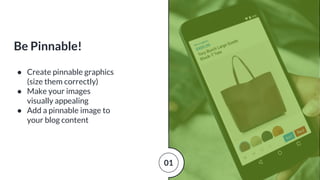
● Create pinnable graphics
(size them correctly)
● Make your images
visually appealing
● Add a pinnable image to
your blog content
Be Pinnable!
01
Never post visual content just for
the sake of it, and don’t limit your
visual marketing to the sole
promotion of your business.
Stop making it all about YOU.
Design an experience around your
business and brand.
Design an Experience, Don’t
Just Sell a Product or Service
02
How can you implement
these ideas today?
● Put Your Plan in Place
○ 3 simple steps to
getting started!
● Use Tools the Pro’s
Use
○ Batch and automate
what you can!
So the Question Is...
3-Step Visual
Content Plan:
• Determine Goals:
Where do you want to be?
What does success look
like?
Know what you want each
design to help you
achieve.
01
• Identify Tools:
Which tools are right for you?
How will they help you create
a brand connection through
visual content?
02
• Define:
Where your visuals be shared:
social media, blog, website,
print?
How you will consistently
create and share visual
content.
03
● It might be that you’re frustrated
by your current visual content
strategy
● It might be that you have no visual
strategy at all
● It might be your need to create
high quality content without a big
budget
● It might be that you need an easy
way to share your visual content.
● It might be that you know you
need to use visual content but
don’t know where to begin.
Why Did You Show
Up Here Today?
You Have a Choice...
Fast or Slow?
1. DIY = Do it Slow
1. Use the Tools the Pro’s
Use = Do it Fast!
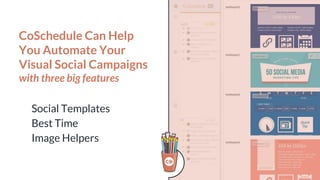
CoSchedule Can Help
You Automate Your
Visual Social Campaigns
with three big features
Social Templates
Best Time
Image Helpers
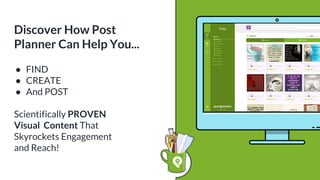
● FIND
● CREATE
● And POST
Scientifically PROVEN
Visual Content That
Skyrockets Engagement
and Reach!
Discover How Post
Planner Can Help You...
Save 40% on Our Most
Popular Plan: GURU!
● Increase social media
engagement up to 650%!
● Post the right type of visual
content, not just any content.
● Share scientifically proven
content with our STAR rating
system!
Don’t miss your chance to
combine visual content with
smart automation for a
POWERFUL combination!
USE CODE: PPVISUAL
LINK: bitly.com/PPVISUAL
Time Runs Out
on Sunday at
Midnight!
Get a FREE 30-day trial
from CoSchedule!
● Automate your visual campaigns
across all social media networks.
● Save a ton of time for the more
important things.
● Become a rockstar marketer!
Get it right now!
http://coschedule.com/postplanner
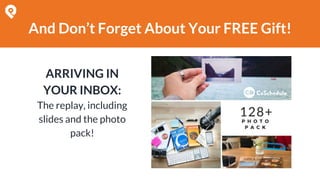
And Don’t Forget About Your FREE Gift!
ARRIVING IN
YOUR INBOX:
The replay, including
slides and the photo
pack!
QUESTIONS?

Attract the RIGHT Audience With Visual Marketing

  • 2.
    Rebekah Radice AshtonHauff @RebekahRadice @ashtonhauff
  • 3.
    You’re In TheRight Place If You Want To Learn: • Exactly how to use visual content in your business to triple your engagement • 6 fundamentals to help you create the perfect social media image • Where to find FREE images for your design • What tools to use for designing eye-catching images • Growth hacking ideas you can quickly implement
  • 4.
    PLUS, Stick AroundUntil the End... For a FREE surprise!
  • 5.
    Why Use VisualMarketing? • Over 63% of all social media content is comprised of images • Nearly 54% of internet users have uploaded a video or photo they created • Content with relevant images receive 94% more views than content without • Tweets with images get 150% more retweets than those without images • 37% more engagement is experienced when posts on Facebook include photos • More than 60% of consumers are likely to make contact with a company whose images appear on local searches
  • 6.
    THE FUNDAMENTALS OFA GREAT IMAGE 01 Correct Image Size
  • 7.
    • Cover PhotoDimensions: 828 x 315 • Profile Image: 180 x 180 • Shared Images: 1200 x 630 • Shared Link: 1200 x 630 • Highlighted Image: 1200 x 717 Recommended Image Sizes for Facebook:
  • 8.
    • Profile Photo:400 x 400px • Header Photo: 1500 x 500px • In-Stream Photo: 440 x 220px Recommended Image Sizes for Twitter:
  • 9.
    • Profile Image:110 x 110 • Photo Thumbnails: 161 x 161 • Photo Size: 1080 x 1080 Recommended Image Sizes for Instagram:
  • 10.
    • Banner Image:646 x 220px • Standard Logo: 400 x 400px • Profile Picture: 400 x 400px • Background Image: 1000 x 425px Recommended Image Sizes for LinkedIn:
  • 11.
    • Profile Image:165 x 165 • Pins in feed: 236 px wide • Expanded Pin size: 735 x adjusted size • Pin board cover image: 217 x 146 Recommended Image Sizes for Pinterest:
  • 12.
    • Profile Image:250 x 250 • Cover Image: 1080 x 608 • Shared Image: (in home stream and on page) 497 x 373 • Shared Image: (in the feed) 150 x 150 Recommended Image Sizes for Google Plus:
  • 13.
    THE FUNDAMENTALS OFA GREAT IMAGE 02 Consistency
  • 14.
    Be Recognizable To makeimages consistent: • Use the same filters (or filter) across all images • Use a consistent font for each section of images • Create a brand style and maintain it • Own your branded colors and don’t deviate (even slightly) • Place a watermark – logo, hashtag, or a slogan – on all images
  • 15.
    “It takes lessthan two- tenths of a second for an online visitor to form a first opinion of your brand once they've perused your company's website.” - Missouri University of Science and Technology Grab Attention
  • 16.
    Make yours standout in the feed! • Don’t use a corporate-style stock image • Do ask “Is it relative to my topic and audience?” • Do make sure the image has a bold focal point • Do choose images that are clear and easy to view • Don’t do the same thing as everyone else in your niche Images that Stand Out
  • 17.
    THE FUNDAMENTALS OFA GREAT IMAGE 03 Relevancy
  • 18.
    Images must makea connection to your brand and audience. Ask yourself... • Are your images relevant to your brand? To your niche? • Is it obvious (just by viewing your images) which product or service you offer? Don’t confuse your audience with an inconsistent message.
  • 19.
    THE FUNDAMENTALS OFA GREAT IMAGE 04 Ability to Stand Out On It’s Own
  • 20.
    Text-based images can beused in a number of ways: • Share a quote • Say something longer than word count would allow • Quote fascinating facts to entice clicks • Create a clickable headline image • Stress the benefits of your content and/or offer
  • 21.
    THE FUNDAMENTALS OFA GREAT IMAGE 05 Pictures That Tell Your Story
  • 22.
    Images are tiedto your core story... “65% of marketing executives believe visual assets (photos, video, illustrations and infographics) are core to how their brand story is communicated.” - CMO Council, From Creativity to Content
  • 23.
    Images are powerful... Theycan: • Persuade • Motivate • Mesmerize • Enthrall
  • 24.
    They tell aunique story, connecting viewers with your message in a compelling and impactful way.
  • 25.
    Whether humorous, controversial or emotional,telling your story through images can create massive results.
  • 26.
    THE FUNDAMENTALS OFA GREAT IMAGE 06 Evoke Emotion
  • 27.
    There are 3reasons consumers buy: 1. To satisfy a basic necessity: food, clothing, shelter 2. To solve a problem: what’s their concern, challenge or problem 3. Better themselves: better body, life, bank account
  • 28.
  • 29.
    Understand the Psychology Behind BrandColors • Black - authority, power. • Yellow - fun, joyous and optimistic. • Orange - cheerful, inviting. • Red - emotionally intense. • Blue - tranquility, loyalty. • Green - nature, refreshing.
  • 30.
  • 31.
    Psychologists suggest thatcolor impression accounts for 60% of the acceptance or rejection your product or service. That’s HUGE! Define Your Visual Style Through a Consistent Color Range
  • 32.
    • Best represents yourcompany social media promotional strategy • The feelings you want to impart • The action you want them to take Choose a Color That...
  • 33.
    Define Your Visual StyleThrough Fonts Your font expresses your company personality and has a direct impact on conversions. • Serif: Reference to the small lines that are attached to the main stroke • Sans Serif: A letterform that doesn’t have a serif attached. • Script: Fluid letterforms that connect • Display: A typeface that is quite decorative in style
  • 34.
    HubSpot found that using3 font styles makes it easier to read content. When choosing your font, ask yourself these questions: • Is my company fun, silly, entertaining, serious, inquisitive, playful, or straightforward? • Is my content fun, silly, entertaining, serious, inquisitive, playful, or straightforward?
  • 35.
    Your headings andtitles should be easy to read and understand. “Typography is the detail and the presentation of a story. It represents the voice of an atmosphere, or historical setting of some kind. It can do a lot of things.” - Cypress Highsmith Define Your Visual Style Through Typography
  • 36.
    Use a consistent themein your images and a look and feel that complements your brand. Define Your Visual Style Through Consistent Imagery
  • 37.
    Use online editingtools like Canva and Relay to create unique images that are similar in form, follow a theme, and share visual elements. Make consistency easy!
  • 38.
    Brands Using VisualMarketing Effectively
  • 39.
    Starbucks teaches us avaluable lesson: Sometimes less is more... especially when it comes to visual content. Starbucks
  • 40.
    Nike understands the mentalityof their target audience, and they use this knowledge to effectively showcase their brand. Nike
  • 41.
    Oreo knows how tokeep an audience happy and actively engaged. Oreo
  • 42.
  • 43.
    Find a quoteyou like, pair it with a color or simple background. The dynamic duo will allow your readers to ponder, identify with, and in return, share your quote. Keep your quotes concise, visually appealing and emotionally inspiring. Quotes 01
  • 44.
    People are visual learners,and infographics make content eye-catching and easy to understand. Infographics: Data, Charts and Graphs 02
  • 45.
    Questions, thoughts and callsto action are a great ways to use text within visuals. Conversation Starters 03
  • 46.
    “100 Million Internetusers watch online video every day.” - Digital Sherpa “90% of online shoppers say they find video helpful in making shopping and buying decisions.” - ZenDesk Create Videos 04
  • 47.
    • Write effectivescripts and make your video informative with a healthy blend of information, entertainment, and appeal. • Choose a relevant topic • Know where to post, how to post and how often to post Where to Begin with Video 4a
  • 48.
    ● YouTube ● Facebook ●Periscope ● Vine ● Instagram ● Twitter ● Snapchat Choosing Your Platform 04
  • 49.
    Most fans and customersare eager to see what you do and how you achieve your results. Behind-The-Scenes 05
  • 50.
    Tools To UseFor Designing Eye-Catching Images
  • 51.
    • Pexels • Pixabay •Unsplash • Stocksnap • Gratisography Free Image Sites
  • 52.
    Choose pre-designed graphics forcomplete customization. From the design-selector menu: ● Choose your layout ● Search for images ● Purchase stock photos ● Add effects to your image ● Customize the look and feel to match your brand color palette and fonts Canva
  • 53.
    Create a brandedimage in a matter of minutes. Choose for social network for exact dimensions. Templates simplify process on quotes, covers, CTA’s, events and more! Relay
  • 54.
    Over is anapp for Android and iPhone. As a photo-editing app, Over makes it easy to add text, choose your background, font and save or submit directly to your social networks. Over
  • 55.
    PiktoChart, is afree Infographic-making app. It has over 100 customizable themes for Infographics, reports, banners and presentations. PiktoChart
  • 56.
    This is yourgo-to tool for creating beautiful quote graphics in a matter of moments. Add your quote, choose your layout, add a photo or choose a plain background, pick your color and font and you’re done! QuotesCover
  • 57.
    With PicMonkey, youcan edit an image or create a collage using your own images. Arrange these images using the pre-made templates, and then add your special touches through overlays, text and more. PicMonkey
  • 58.
    Growth Hacking Ideas:How To Grow Your Brand With Visual Marketing
  • 59.
    Tackle each onevisually.... Instagram: ● More Tags = More Likes and Comments ● No filter is the Best Filter ● Don’t Forget to Add a Call-to- Action – they really do work! ● Desaturated Photos Get More Likes ● Photos with Faces Get More Likes Know the Social Network 02
  • 60.
    Snapchat To increase engagementon Snapchat: ● Add VIP content - e.g. a sneak peek or behind-the- scenes look into your snaps or experiment with limited and special offers. ● Use dual filters. ● Location, location, location. ● Be real, be fun, be YOU! ● Try out segmentation: For every chat, you can select a number of recipients, which is an ideal feature for business owners looking to connect with a specific audience. 02
  • 61.
    ● Create pinnablegraphics (size them correctly) ● Make your images visually appealing ● Add a pinnable image to your blog content Be Pinnable! 01
  • 62.
    Never post visualcontent just for the sake of it, and don’t limit your visual marketing to the sole promotion of your business. Stop making it all about YOU. Design an experience around your business and brand. Design an Experience, Don’t Just Sell a Product or Service 02
  • 63.
    How can youimplement these ideas today? ● Put Your Plan in Place ○ 3 simple steps to getting started! ● Use Tools the Pro’s Use ○ Batch and automate what you can! So the Question Is...
  • 64.
    3-Step Visual Content Plan: •Determine Goals: Where do you want to be? What does success look like? Know what you want each design to help you achieve. 01
  • 65.
    • Identify Tools: Whichtools are right for you? How will they help you create a brand connection through visual content? 02
  • 66.
    • Define: Where yourvisuals be shared: social media, blog, website, print? How you will consistently create and share visual content. 03
  • 67.
    ● It mightbe that you’re frustrated by your current visual content strategy ● It might be that you have no visual strategy at all ● It might be your need to create high quality content without a big budget ● It might be that you need an easy way to share your visual content. ● It might be that you know you need to use visual content but don’t know where to begin. Why Did You Show Up Here Today?
  • 68.
    You Have aChoice... Fast or Slow? 1. DIY = Do it Slow 1. Use the Tools the Pro’s Use = Do it Fast!
  • 69.
    CoSchedule Can Help YouAutomate Your Visual Social Campaigns with three big features Social Templates Best Time Image Helpers
  • 70.
    ● FIND ● CREATE ●And POST Scientifically PROVEN Visual Content That Skyrockets Engagement and Reach! Discover How Post Planner Can Help You...
  • 71.
    Save 40% onOur Most Popular Plan: GURU! ● Increase social media engagement up to 650%! ● Post the right type of visual content, not just any content. ● Share scientifically proven content with our STAR rating system!
  • 72.
    Don’t miss yourchance to combine visual content with smart automation for a POWERFUL combination! USE CODE: PPVISUAL LINK: bitly.com/PPVISUAL Time Runs Out on Sunday at Midnight!
  • 73.
    Get a FREE30-day trial from CoSchedule! ● Automate your visual campaigns across all social media networks. ● Save a ton of time for the more important things. ● Become a rockstar marketer! Get it right now! http://coschedule.com/postplanner
  • 74.
    And Don’t ForgetAbout Your FREE Gift! ARRIVING IN YOUR INBOX: The replay, including slides and the photo pack!
  • 75.