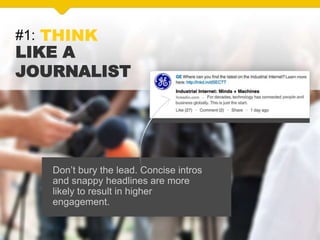
#1: THINK
LIKE A
JOURNALIST
Don’t bury the lead. Concise intros
and snappy headlines are more
likely to result in higher
engagement.
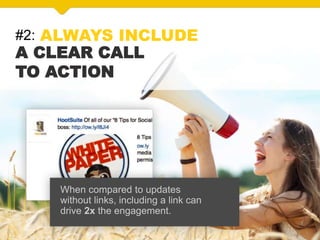
#2: ALWAYS INCLUDE
A CLEAR CALL
TO ACTION
When compared to updates
without links, including a link can
drive 2x the engagement.
#3: ASK THOUGHTFUL
QUESTIONS TO INVOLVE
YOUR AUDIENCE
Start a conversation by asking a
question that is relevant to your
target audience.
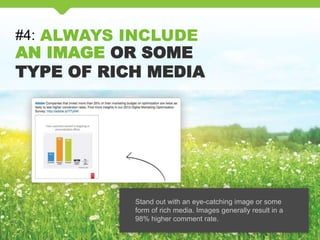
#4: ALWAYS INCLUDE
AN IMAGE OR SOME
TYPE OF RICH MEDIA
Stand out with an eye-catching image or some
form of rich media. Images generally result in a
98% higher comment rate.
#5: BEFORE POSTING
DOUBLE CHECK THAT
AN IMAGE APPEARS
When linking to external content,
make sure your update has a
relevant image.
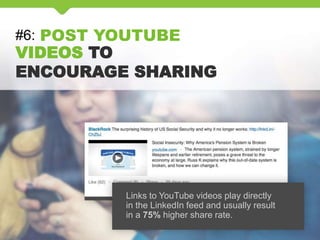
#6: POST YOUTUBE
VIDEOS TO
ENCOURAGE SHARING
Links to YouTube videos play directly
in the LinkedIn feed and usually result
in a 75% higher share rate.
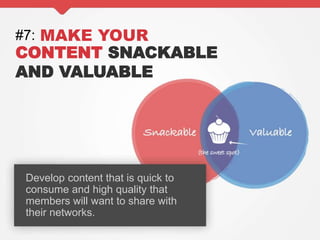
#7: MAKE YOUR
CONTENT SNACKABLE
AND VALUABLE
Develop content that is quick to
consume and high quality that
members will want to share with
their networks.
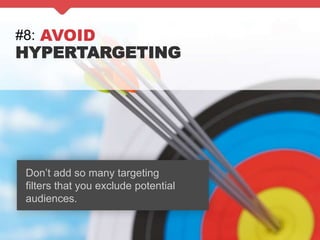
#8: AVOID
HYPERTARGETING
Don’t add so many targeting
filters that you exclude potential
audiences.
#9: TEST TO
UNDERSTAND
YOUR AUDIENCE
Experiment to find the right balance.
Consider mixing entertaining and
inspirational posts with informative
and insightful updates.
#10: CREATE AN
EDITORIAL CALENDAR,
BUT REACT TIMELY TO EVENTS
Rely on your editorial calendar as a
guide, but be flexible enough to
respond to relevant news, topics
and trends.
#11: ENGAGE
WITH MEMBERS
THROUGH COMMENTS
Keep the conversation going.
Monitor discussions and remove
inappropriate comments.
Develop a plan for proactively
handling any customer-service
issues that may surface.
#12: MONITOR,
ANALYSE AND REFINE
YOUR CONTENT
Track all available analytics. Pay
attention to the audience targeting,
types of content, time of day and
frequency that drive the most
interactions – and do more of that!
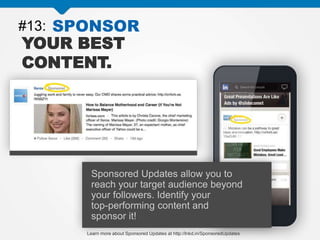
#13: SPONSOR
YOUR BEST
CONTENT.
Sponsored Updates allow you to
reach your target audience beyond
your followers. Identify your
top-performing content and
sponsor it!
Learn more about Sponsored Updates at http://lnkd.in/SponsoredUpdates
#14: EVALUATE
AND OPTIMISE
YOUR SPONSORED UPDATES
With LinkedIn’s detailed reporting
tools, you can monitor the
performance of your Sponsored
Updates and adjust to make them
more effective.
#15: DON’T BE TIED
TO JUST THE
WORK WEEK
Professionals engage with
Sponsored Updates across devices
throughout the week, with strong
engagement through the weekend.
Consider adopting an always-on
approach.
HTTP://LNKD.IN/CONTENTMARKETING
15 Tips for Compelling Company Updates on LinkedIn

15 Tips for Compelling Company Updates on LinkedIn

  • 2.
    #1: THINK LIKE A JOURNALIST Don’tbury the lead. Concise intros and snappy headlines are more likely to result in higher engagement.
  • 3.
    #2: ALWAYS INCLUDE ACLEAR CALL TO ACTION When compared to updates without links, including a link can drive 2x the engagement.
  • 4.
    #3: ASK THOUGHTFUL QUESTIONSTO INVOLVE YOUR AUDIENCE Start a conversation by asking a question that is relevant to your target audience.
  • 5.
    #4: ALWAYS INCLUDE ANIMAGE OR SOME TYPE OF RICH MEDIA Stand out with an eye-catching image or some form of rich media. Images generally result in a 98% higher comment rate.
  • 6.
    #5: BEFORE POSTING DOUBLECHECK THAT AN IMAGE APPEARS When linking to external content, make sure your update has a relevant image.
  • 7.
    #6: POST YOUTUBE VIDEOSTO ENCOURAGE SHARING Links to YouTube videos play directly in the LinkedIn feed and usually result in a 75% higher share rate.
  • 8.
    #7: MAKE YOUR CONTENTSNACKABLE AND VALUABLE Develop content that is quick to consume and high quality that members will want to share with their networks.
  • 9.
    #8: AVOID HYPERTARGETING Don’t addso many targeting filters that you exclude potential audiences.
  • 10.
    #9: TEST TO UNDERSTAND YOURAUDIENCE Experiment to find the right balance. Consider mixing entertaining and inspirational posts with informative and insightful updates.
  • 11.
    #10: CREATE AN EDITORIALCALENDAR, BUT REACT TIMELY TO EVENTS Rely on your editorial calendar as a guide, but be flexible enough to respond to relevant news, topics and trends.
  • 12.
    #11: ENGAGE WITH MEMBERS THROUGHCOMMENTS Keep the conversation going. Monitor discussions and remove inappropriate comments. Develop a plan for proactively handling any customer-service issues that may surface.
  • 13.
    #12: MONITOR, ANALYSE ANDREFINE YOUR CONTENT Track all available analytics. Pay attention to the audience targeting, types of content, time of day and frequency that drive the most interactions – and do more of that!
  • 14.
    #13: SPONSOR YOUR BEST CONTENT. SponsoredUpdates allow you to reach your target audience beyond your followers. Identify your top-performing content and sponsor it! Learn more about Sponsored Updates at http://lnkd.in/SponsoredUpdates
  • 15.
    #14: EVALUATE AND OPTIMISE YOURSPONSORED UPDATES With LinkedIn’s detailed reporting tools, you can monitor the performance of your Sponsored Updates and adjust to make them more effective.
  • 16.
    #15: DON’T BETIED TO JUST THE WORK WEEK Professionals engage with Sponsored Updates across devices throughout the week, with strong engagement through the weekend. Consider adopting an always-on approach.
  • 17.