

Git Workflows
Agenda
1 Compare workflows
2 Git Workflows - branding model
3 Special cases - how to resolve
Workflows
Compare and review
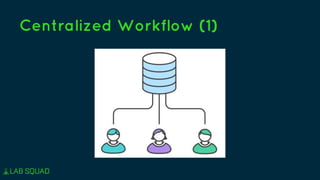
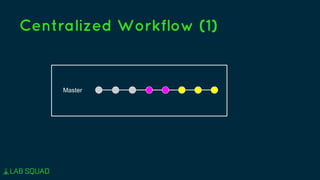
Centralized Workflow (1)
Master
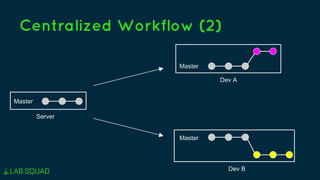
Centralized Workflow (2)
Server
Master
Dev A
Master
Dev B
Master
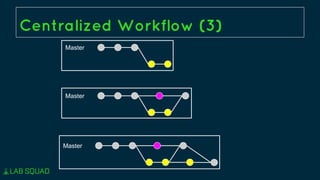
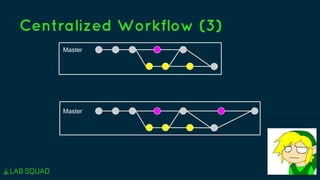
Centralized Workflow (3)
Master
Master
Master
Centralized Workflow (3)
Master
Master
Centralized Workflow (4)
Advantages
. Simple with 1 dev
. Take less effort
Disadvantages
. Complex with > 2 devs
. A unstable commits will
affect other devs
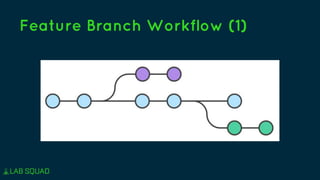
Feature Branch Workflow (1)
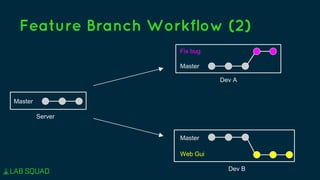
Feature Branch Workflow (2)
Server
Master
Dev A
Master
Fix bug
Dev B
Master
Web Gui
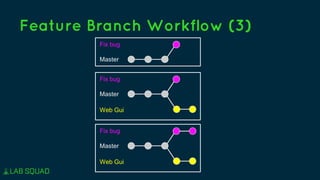
Feature Branch Workflow (3)
Master
Fix bug
Master
Fix bug
Web Gui
Master
Fix bug
Web Gui
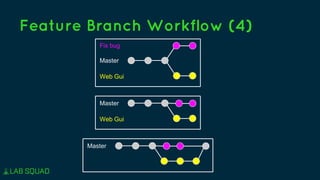
Feature Branch Workflow (4)
Master
Fix bug
Web Gui
Master
Web Gui
Master
Disadvantages
. Not manage releasing flow
yet
. Not support hotfix flow yet
. Master still unstable for
production
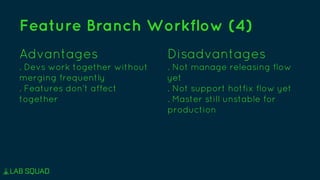
Feature Branch Workflow (4)
Advantages
. Devs work together without
merging frequently
. Features don’t affect
together
Git Workflows
Branding model
Vincent Driessen
. January 05, 2010
. A post
. Standard for most
git projects
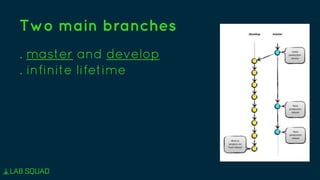
Two main branches
. master and develop
. infinite lifetime
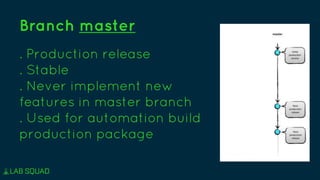
Branch master
. Production release
. Stable
. Never implement new
features in master branch
. Used for automation build
production package
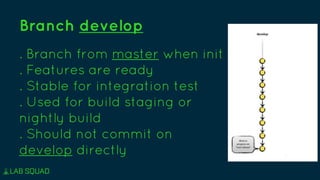
Branch develop
. Branch from master when init
. Features are ready
. Stable for integration test
. Used for build staging or
nightly build
. Should not commit on
develop directly
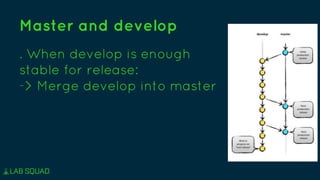
Master and develop
. When develop is enough
stable for release:
-> Merge develop into master
. Feature branches
. Release branches
. Hotfix branches
. Have a limited life time
Supporting branches
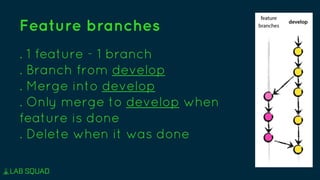
Feature branches
. 1 feature - 1 branch
. Branch from develop
. Merge into develop
. Only merge to develop when
feature is done
. Delete when it was done
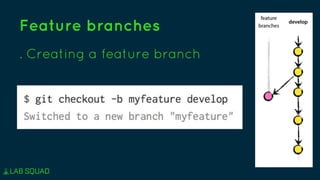
Feature branches
. Creating a feature branch
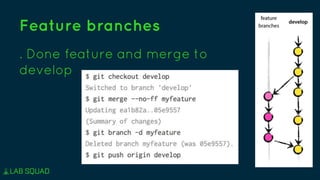
Feature branches
. Done feature and merge to
develop
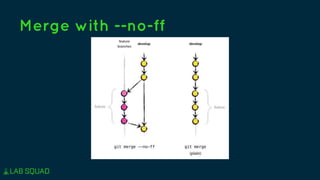
Merge with --no-ff
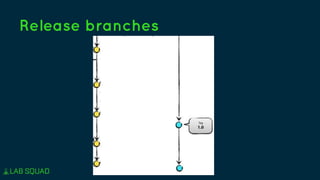
Release branches
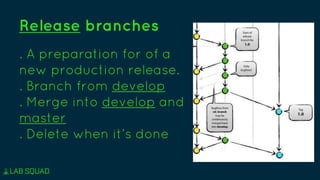
Release branches
. A preparation for of a
new production release.
. Branch from develop
. Merge into develop and
master
. Delete when it’s done
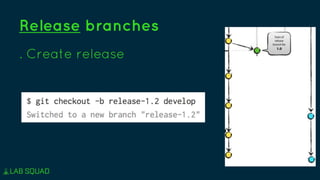
Release branches
. Create release
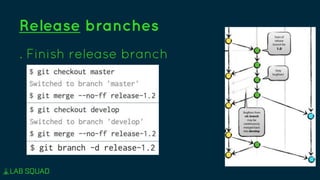
Release branches
. Finish release branch
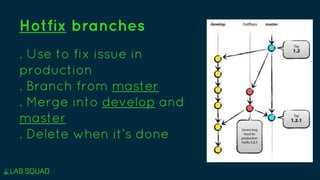
Hotfix branches
. Use to fix issue in
production
. Branch from master
. Merge into develop and
master
. Delete when it’s done
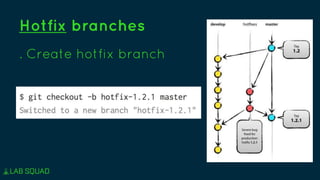
Hotfix branches
. Create hotfix branch
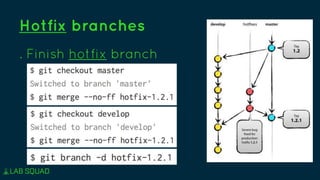
Hotfix branches
. Finish hotfix branch
Summary
. Two main branches: master, develop
. Three supporting branches: feature,
release, hotfix
Fullflow:
http://nvie.com/files/Git-branching-
model.pdf
Special cases
Experience when applying
Exception cases
1 Commit in master…
2 Feature branch A needs commits
from develop
3 Feature branch A needs commits
from feature branch B
4 Multiple environment: production,
staging, testing, xxx

Git workflows

Editor's Notes