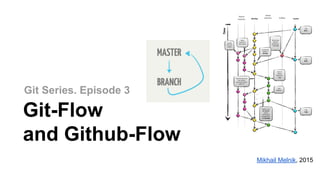
Git Series. Episode 3
Git-Flow
and Github-Flow
Mikhail Melnik, 2015
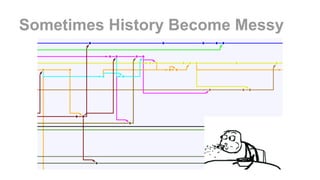
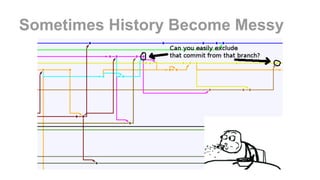
Sometimes History Become Messy
Branching Model Matters
Good branching strategy allows you:
● Group the features with its description and its code
● Easy removal of a feature from code if requirements change
● Track to the developers implied in a feature and their progress
● Control the features and changes in the roadmap
● Group the differents elements related with the feature (test cases, specs, docs) just linking
to the ticket
● Automate the merge with main branch by using a CI server if tests run OK
● Join two worlds: developers and their code with managers and their planning
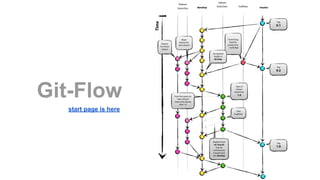
Git-Flow
start page is here
WTF! GOD,
HELP US!
Take a closer look!
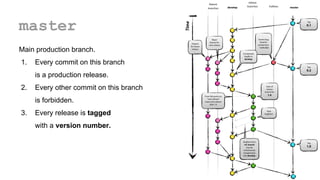
master
Main production branch.
1. Every commit on this branch
is a production release.
2. Every other commit on this branch
is forbidden.
3. Every release is tagged
with a version number.
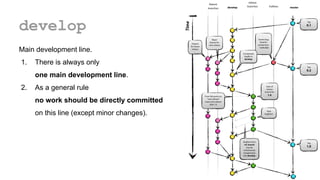
develop
Main development line.
1. There is always only
one main development line.
2. As a general rule
no work should be directly committed
on this line (except minor changes).
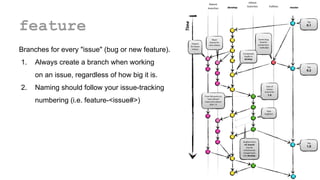
feature
Branches for every "issue" (bug or new feature).
1. Always create a branch when working
on an issue, regardless of how big it is.
2. Naming should follow your issue-tracking
numbering (i.e. feature-<issue#>)
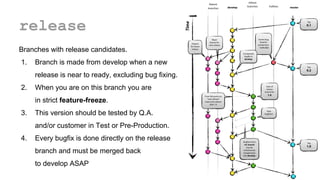
release
Branches with release candidates.
1. Branch is made from develop when a new
release is near to ready, excluding bug fixing.
2. When you are on this branch you are
in strict feature-freeze.
3. This version should be tested by Q.A.
and/or customer in Test or Pre-Production.
4. Every bugfix is done directly on the release
branch and must be merged back
to develop ASAP
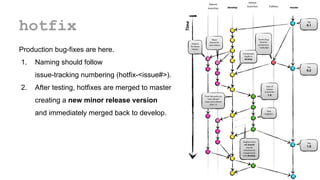
hotfix
Production bug-fixes are here.
1. Naming should follow
issue-tracking numbering (hotfix-<issue#>).
2. After testing, hotfixes are merged to master
creating a new minor release version
and immediately merged back to develop.
Git-Flow
It works really great for the projects with planned,
versioned deployments that are:
● time based (every second Tuesday
no matter what)
or
● based on milestones (finished set
of new features).
Git-Flow
Two important things you should remember.
All merges must be strictly non Fast-Forward
In canonical Git-flow Rebases are forbidden
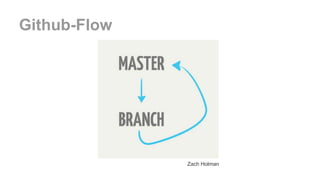
Zach Holman
Github-Flow
What’s in a branch?
Releasable business value
● As small as cosmetic UI (e.g. spelling) fix
● Bug fix
● Feature
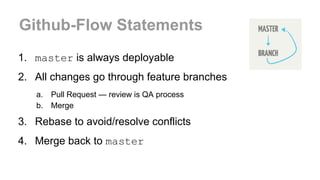
Github-Flow Statements
1. master is always deployable
2. All changes go through feature branches
a. Pull Request — review is QA process
b. Merge
3. Rebase to avoid/resolve conflicts
4. Merge back to master
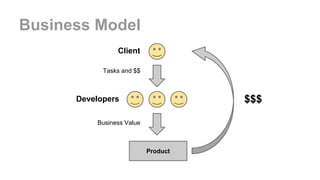
Business Model
Product
Client
Developers
Tasks and $$
Business Value
$$$
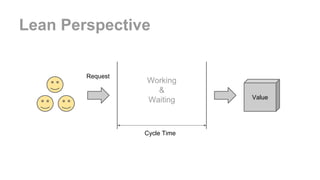
Lean Perspective
Working
&
Waiting
Request
Value
Cycle Time
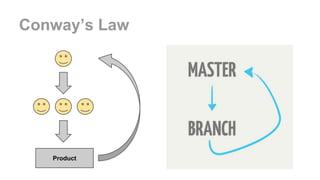
Conway’s Law
Product
DOs
● DO keep master in working order.
● DO rebase your feature branches.
o DO pull in (rebase on top of) changes
● DO tag releases
● DO push feature branches for discussion
● DO learn to rebase
DON’Ts
● DON'T merge in broken code.
● DON'T commit onto master directly.
o DON'T hotfix onto master! Use a feature branch.
● DON'T rebase master.
● DON'T merge with conflicts. Handle conflicts upon
rebasing.
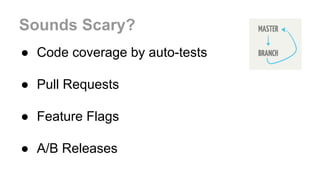
Sounds Scary?
● Code coverage by auto-tests
● Pull Requests
● Feature Flags
● A/B Releases
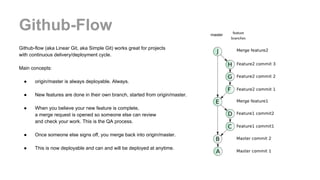
Github-Flow
Github-flow (aka Linear Git, aka Simple Git) works great for projects
with continuous delivery/deployment cycle.
Main concepts:
● origin/master is always deployable. Always.
● New features are done in their own branch, started from origin/master.
● When you believe your new feature is complete,
a merge request is opened so someone else can review
and check your work. This is the QA process.
● Once someone else signs off, you merge back into origin/master.
● This is now deployable and can and will be deployed at anytime.
master
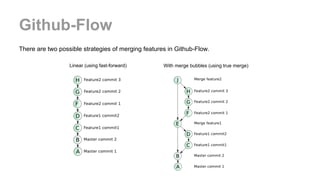
Github-Flow
There are two possible strategies of merging features in Github-Flow.
Linear (using fast-forward) With merge bubbles (using true merge)
Links
Popular branching models:
1. Git-flow
2. Github-flow
3. Git workflow for agile team
More links on flow discussions:
1. What Git branching models work for you
2. The Dymitruk Model
3. Trust the merge and branch simplification musings
4. The essence of branch-based workflows
More links about Github-flow:
1. Issues with Git-flow
2. Understanding the Github-flow
3. Simple git workflow is simple
Feel free to mail me at mikhailimelnik@gmail.com.

Git Series. Episode 3. Git Flow and Github-Flow

  • 1.
    Git Series. Episode3 Git-Flow and Github-Flow Mikhail Melnik, 2015
  • 2.
  • 3.
  • 4.
    Branching Model Matters Goodbranching strategy allows you: ● Group the features with its description and its code ● Easy removal of a feature from code if requirements change ● Track to the developers implied in a feature and their progress ● Control the features and changes in the roadmap ● Group the differents elements related with the feature (test cases, specs, docs) just linking to the ticket ● Automate the merge with main branch by using a CI server if tests run OK ● Join two worlds: developers and their code with managers and their planning
  • 5.
  • 6.
  • 7.
  • 8.
    master Main production branch. 1.Every commit on this branch is a production release. 2. Every other commit on this branch is forbidden. 3. Every release is tagged with a version number.
  • 9.
    develop Main development line. 1.There is always only one main development line. 2. As a general rule no work should be directly committed on this line (except minor changes).
  • 10.
    feature Branches for every"issue" (bug or new feature). 1. Always create a branch when working on an issue, regardless of how big it is. 2. Naming should follow your issue-tracking numbering (i.e. feature-<issue#>)
  • 11.
    release Branches with releasecandidates. 1. Branch is made from develop when a new release is near to ready, excluding bug fixing. 2. When you are on this branch you are in strict feature-freeze. 3. This version should be tested by Q.A. and/or customer in Test or Pre-Production. 4. Every bugfix is done directly on the release branch and must be merged back to develop ASAP
  • 12.
    hotfix Production bug-fixes arehere. 1. Naming should follow issue-tracking numbering (hotfix-<issue#>). 2. After testing, hotfixes are merged to master creating a new minor release version and immediately merged back to develop.
  • 13.
    Git-Flow It works reallygreat for the projects with planned, versioned deployments that are: ● time based (every second Tuesday no matter what) or ● based on milestones (finished set of new features).
  • 14.
    Git-Flow Two important thingsyou should remember. All merges must be strictly non Fast-Forward In canonical Git-flow Rebases are forbidden
  • 15.
  • 16.
    What’s in abranch? Releasable business value ● As small as cosmetic UI (e.g. spelling) fix ● Bug fix ● Feature
  • 17.
    Github-Flow Statements 1. masteris always deployable 2. All changes go through feature branches a. Pull Request — review is QA process b. Merge 3. Rebase to avoid/resolve conflicts 4. Merge back to master
  • 18.
  • 19.
  • 20.
  • 21.
    DOs ● DO keepmaster in working order. ● DO rebase your feature branches. o DO pull in (rebase on top of) changes ● DO tag releases ● DO push feature branches for discussion ● DO learn to rebase
  • 22.
    DON’Ts ● DON'T mergein broken code. ● DON'T commit onto master directly. o DON'T hotfix onto master! Use a feature branch. ● DON'T rebase master. ● DON'T merge with conflicts. Handle conflicts upon rebasing.
  • 23.
    Sounds Scary? ● Codecoverage by auto-tests ● Pull Requests ● Feature Flags ● A/B Releases
  • 24.
    Github-Flow Github-flow (aka LinearGit, aka Simple Git) works great for projects with continuous delivery/deployment cycle. Main concepts: ● origin/master is always deployable. Always. ● New features are done in their own branch, started from origin/master. ● When you believe your new feature is complete, a merge request is opened so someone else can review and check your work. This is the QA process. ● Once someone else signs off, you merge back into origin/master. ● This is now deployable and can and will be deployed at anytime. master
  • 25.
    Github-Flow There are twopossible strategies of merging features in Github-Flow. Linear (using fast-forward) With merge bubbles (using true merge)
  • 26.
    Links Popular branching models: 1.Git-flow 2. Github-flow 3. Git workflow for agile team More links on flow discussions: 1. What Git branching models work for you 2. The Dymitruk Model 3. Trust the merge and branch simplification musings 4. The essence of branch-based workflows More links about Github-flow: 1. Issues with Git-flow 2. Understanding the Github-flow 3. Simple git workflow is simple Feel free to mail me at mikhailimelnik@gmail.com.