
Git workflows for Drupal  projects Mack Hardy, Raphael Huefner, Smith Milner, Shawn Price @AffinityBridge
What is a workflow? "... a  sequence of connected steps " -Wikipedia The workflow we are looking for is an  efficient method  to allow  multiple developers  to  integrate working code  into a project. 
What is Git, and why should you use it Distributed version control system Fast Easy and cheap branching Drupal.org uses GIT
SVN... in the beginning Our SVN workflow: branching is hard(er) all work committed to and deployed from /trunk and release tags could not commit locally, hard to work offline hidden .svn folders made module updates difficult
The move to Git All the cool kids using it Seemed to solve some of our SVN pain points Wasn't as easy as we'd hoped Expect productivity to go down before it goes up
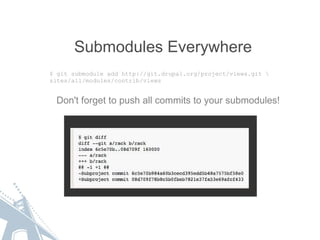
Submodules Everywhere $ git submodule add http://git.drupal.org/project/views.git \ sites/all/modules/contrib/views Don't forget to push all commits to your submodules!
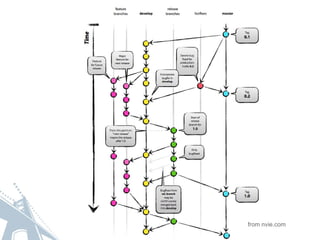
Where We Landed Everything in one Git repo (i.e. no Git submodules) 2 long-living branches, "master" and "develop" "master" is production ready all the time Releases managed with tags Separate "feature" or "topic" branches
from nvie.com
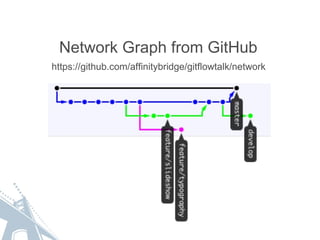
https://github.com/affinitybridge/gitflowtalk/network Network Graph from GitHub
The &quot;gitflow&quot; Git extension Based on the previous graph Project page https://github.com/nvie/gitflow &quot;water wings&quot; or &quot;training wheels&quot; to stay on track Command shortcuts for repetitive tasks Branch naming convention &quot;<prefix>/<name>&quot; 
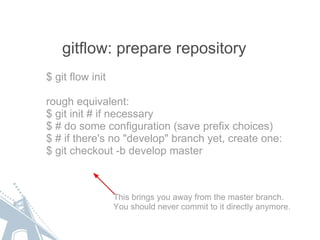
gitflow: prepare repository $ git flow init rough equivalent: $ git init # if necessary $ # do some configuration (save prefix choices) $ # if there's no &quot;develop&quot; branch yet, create one: $ git checkout -b develop master This brings you away from the master branch. You should never commit to it directly anymore.
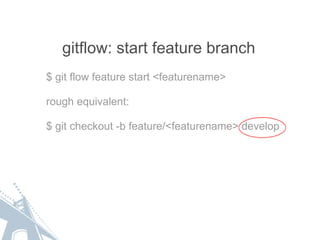
gitflow: start feature branch $ git flow feature start <featurename> rough equivalent: $ git checkout -b feature/<featurename> develop
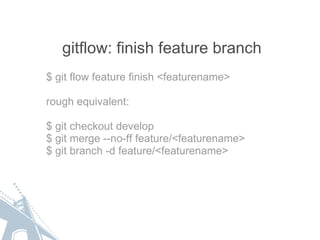
gitflow: finish feature branch $ git flow feature finish <featurename> rough equivalent: $ git checkout develop $ git merge --no-ff feature/<featurename> $ git branch -d feature/<featurename>
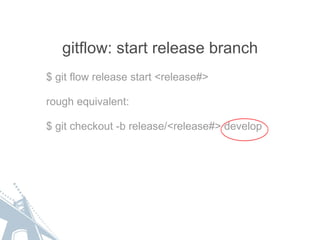
gitflow: start release branch $ git flow release start <release#> rough equivalent: $ git checkout -b release/<release#> develop
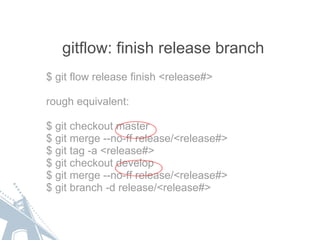
gitflow: finish release branch $ git flow release finish <release#> rough equivalent: $ git checkout master $ git merge --no-ff release/<release#> $ git tag -a <release#> $ git checkout develop $ git merge --no-ff release/<release#> $ git branch -d release/<release#>
gitflow: start hotfix branch $ git flow hotfix start <hotfix#> rough equivalent: $ git checkout -b hotfix/<hotfix#> master
gitflow: finish hotfix branch $ git flow hotfix finish <hotfix#> rough equivalent: $ git checkout master $ git merge --no-ff hotfix/<hotfix#> $ git tag -a <hotfix#> $ git checkout develop $ git merge --no-ff hotfix/<hotfix#> $ git branch -d hotfix/<hotfix#>
Git Deployment Consolidating the work of multiple developers and preparing it for release. Always have that production ready branch.
 
GIT and the Drupal Community Drupal.org is now using GIT for version control. Choosing Git for your own code means less tools to learn when also contributing to Drupal projects. Git makes it easy to create and apply patches using  &quot;git diff&quot; and &quot;git apply&quot;.                 http://drupal.org/node/1054616#applying-patches
Wrapping Up This is what works for us. You may find a process that fits you better. Big win for us is ability to create new branches on a whim. Knowing that master is always production ready helps us sleep at night.
Resources http://affinitybridge.com Git Flow  https://github.com/nvie/gitflow NVIE Branching Model http://nvie.com/posts/a-successful-git-branching-model/ SVN to GIT Crash Course https://git.wiki.kernel.org/index.php/GitSvnCrashCourse

Git workflows presentation

  • 1.
    Git workflows forDrupal  projects Mack Hardy, Raphael Huefner, Smith Milner, Shawn Price @AffinityBridge
  • 2.
    What is aworkflow? &quot;... a  sequence of connected steps &quot; -Wikipedia The workflow we are looking for is an efficient method to allow multiple developers to integrate working code into a project. 
  • 3.
    What is Git,and why should you use it Distributed version control system Fast Easy and cheap branching Drupal.org uses GIT
  • 4.
    SVN... in thebeginning Our SVN workflow: branching is hard(er) all work committed to and deployed from /trunk and release tags could not commit locally, hard to work offline hidden .svn folders made module updates difficult
  • 5.
    The move toGit All the cool kids using it Seemed to solve some of our SVN pain points Wasn't as easy as we'd hoped Expect productivity to go down before it goes up
  • 6.
    Submodules Everywhere $git submodule add http://git.drupal.org/project/views.git \ sites/all/modules/contrib/views Don't forget to push all commits to your submodules!
  • 7.
    Where We LandedEverything in one Git repo (i.e. no Git submodules) 2 long-living branches, &quot;master&quot; and &quot;develop&quot; &quot;master&quot; is production ready all the time Releases managed with tags Separate &quot;feature&quot; or &quot;topic&quot; branches
  • 8.
  • 9.
  • 10.
    The &quot;gitflow&quot; Gitextension Based on the previous graph Project page https://github.com/nvie/gitflow &quot;water wings&quot; or &quot;training wheels&quot; to stay on track Command shortcuts for repetitive tasks Branch naming convention &quot;<prefix>/<name>&quot; 
  • 11.
    gitflow: prepare repository$ git flow init rough equivalent: $ git init # if necessary $ # do some configuration (save prefix choices) $ # if there's no &quot;develop&quot; branch yet, create one: $ git checkout -b develop master This brings you away from the master branch. You should never commit to it directly anymore.
  • 12.
    gitflow: start featurebranch $ git flow feature start <featurename> rough equivalent: $ git checkout -b feature/<featurename> develop
  • 13.
    gitflow: finish featurebranch $ git flow feature finish <featurename> rough equivalent: $ git checkout develop $ git merge --no-ff feature/<featurename> $ git branch -d feature/<featurename>
  • 14.
    gitflow: start releasebranch $ git flow release start <release#> rough equivalent: $ git checkout -b release/<release#> develop
  • 15.
    gitflow: finish releasebranch $ git flow release finish <release#> rough equivalent: $ git checkout master $ git merge --no-ff release/<release#> $ git tag -a <release#> $ git checkout develop $ git merge --no-ff release/<release#> $ git branch -d release/<release#>
  • 16.
    gitflow: start hotfixbranch $ git flow hotfix start <hotfix#> rough equivalent: $ git checkout -b hotfix/<hotfix#> master
  • 17.
    gitflow: finish hotfixbranch $ git flow hotfix finish <hotfix#> rough equivalent: $ git checkout master $ git merge --no-ff hotfix/<hotfix#> $ git tag -a <hotfix#> $ git checkout develop $ git merge --no-ff hotfix/<hotfix#> $ git branch -d hotfix/<hotfix#>
  • 18.
    Git Deployment Consolidatingthe work of multiple developers and preparing it for release. Always have that production ready branch.
  • 19.
  • 20.
    GIT and theDrupal Community Drupal.org is now using GIT for version control. Choosing Git for your own code means less tools to learn when also contributing to Drupal projects. Git makes it easy to create and apply patches using  &quot;git diff&quot; and &quot;git apply&quot;.                 http://drupal.org/node/1054616#applying-patches
  • 21.
    Wrapping Up Thisis what works for us. You may find a process that fits you better. Big win for us is ability to create new branches on a whim. Knowing that master is always production ready helps us sleep at night.
  • 22.
    Resources http://affinitybridge.com GitFlow  https://github.com/nvie/gitflow NVIE Branching Model http://nvie.com/posts/a-successful-git-branching-model/ SVN to GIT Crash Course https://git.wiki.kernel.org/index.php/GitSvnCrashCourse