Center for Research and Application for Satellite Remote Sensing
Yamaguchi University
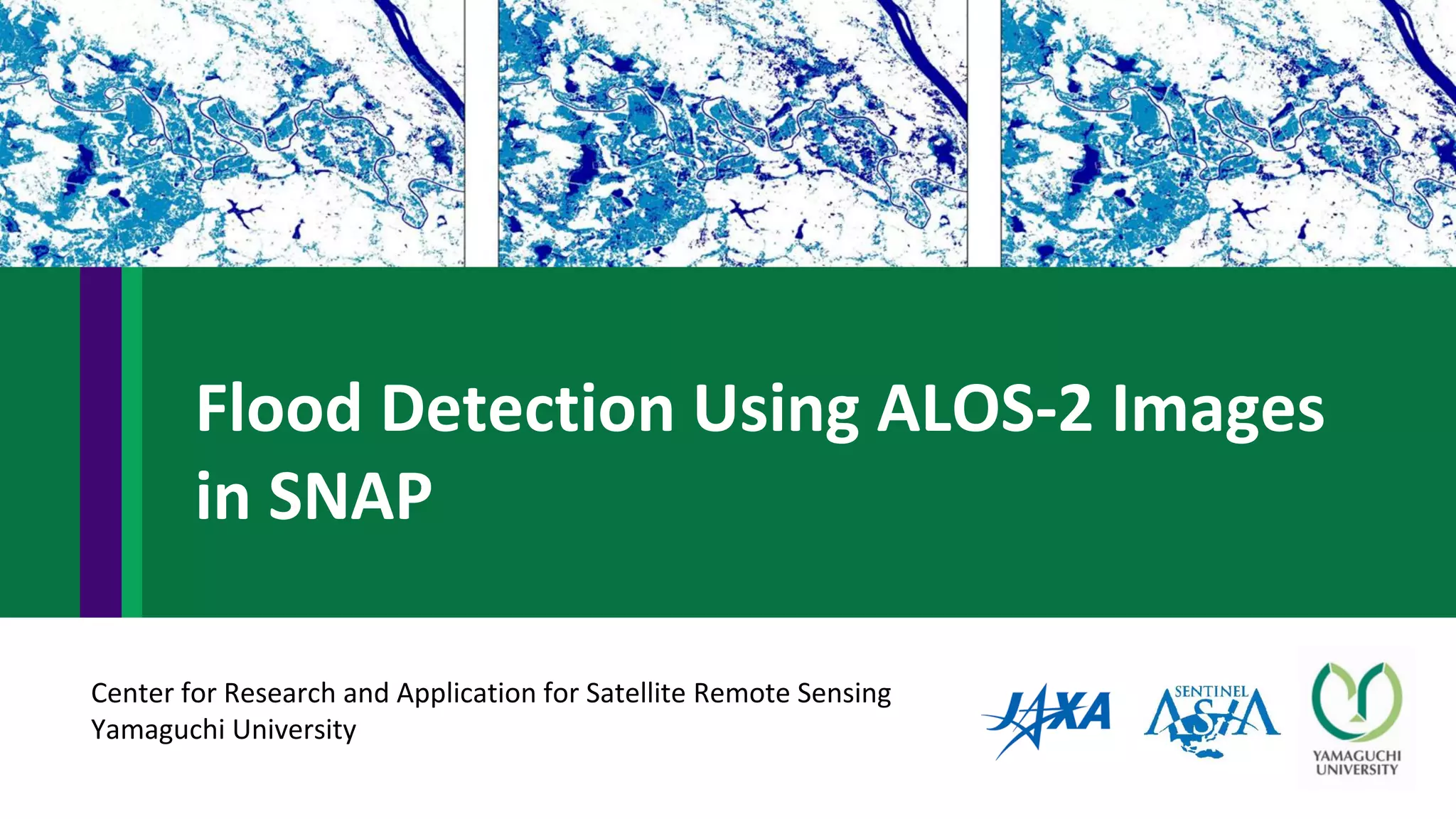
Flood Detection Using ALOS-2 Images
in SNAP
Flood in Thailand in 2018
• At the begin of August 2018, flood situation was reported in Asian
Disaster Reduction Center (ADRC) because heavy rain hit to the
northeast of Thailand. The flood affected nine provinces as a result of
heavy rain and overflow from the Mekong River. It highly affected in
Nakhon Phanom province with 12 districts, more than 12,000
households have been inundated and affected (ADRC, 2019).
https://www.adrc.asia/view_disaster_en.php?NationCode=&Lang=en&Key=2284
ALOS-2 Images
ALOS-2 on 6 April 2018
• ALOS2209010340-180406
ALOS-2 on 10 August 2018
• ALOS2227640340-180810
ALOS-2 images level 2.1
File → import → SAR sensors → ALOS-2 GEOTIFF (before and during flood images)
Open files
Before flood image
During flood image
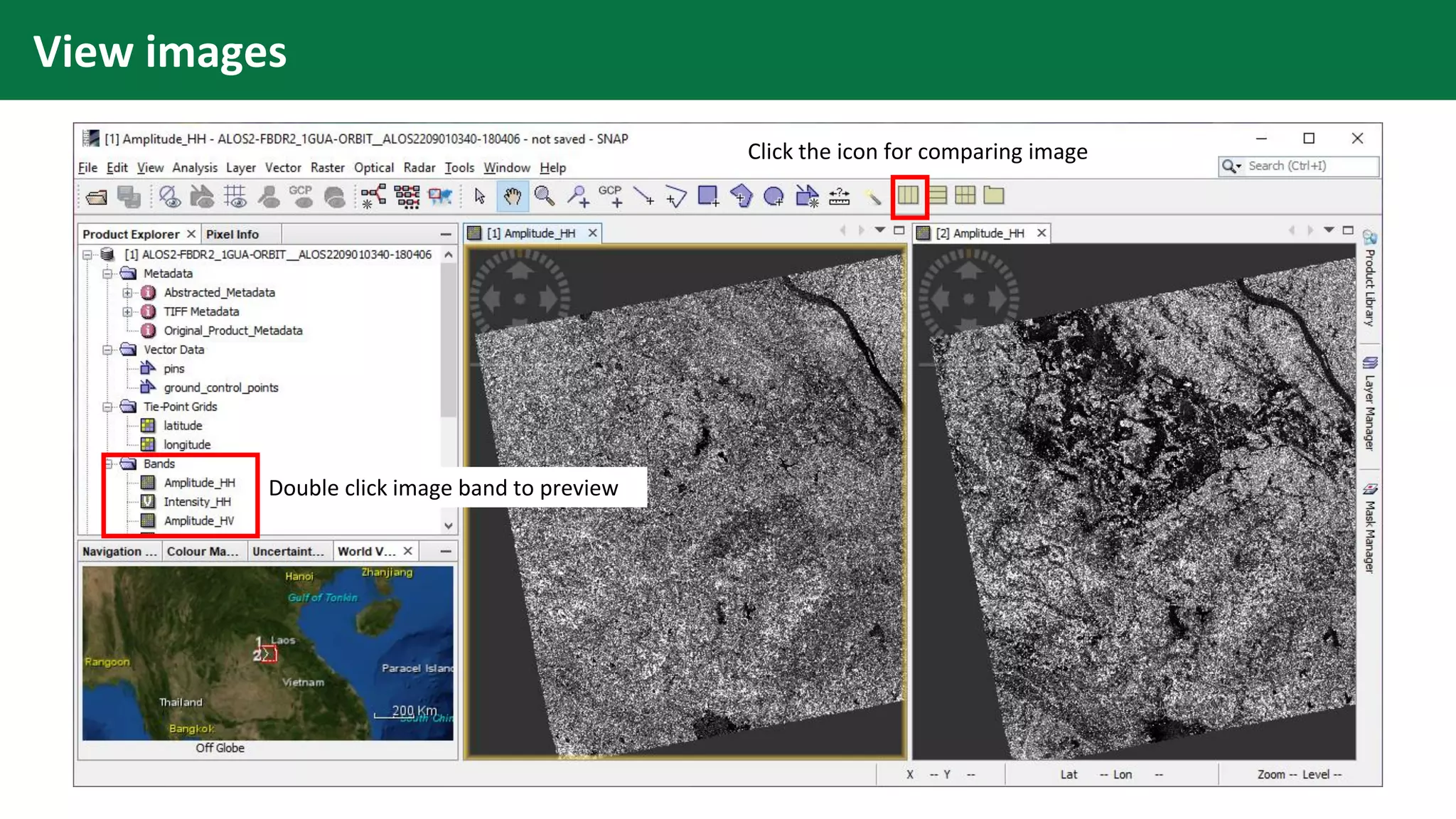
View images
Double click image band to preview
Click the icon for comparing image
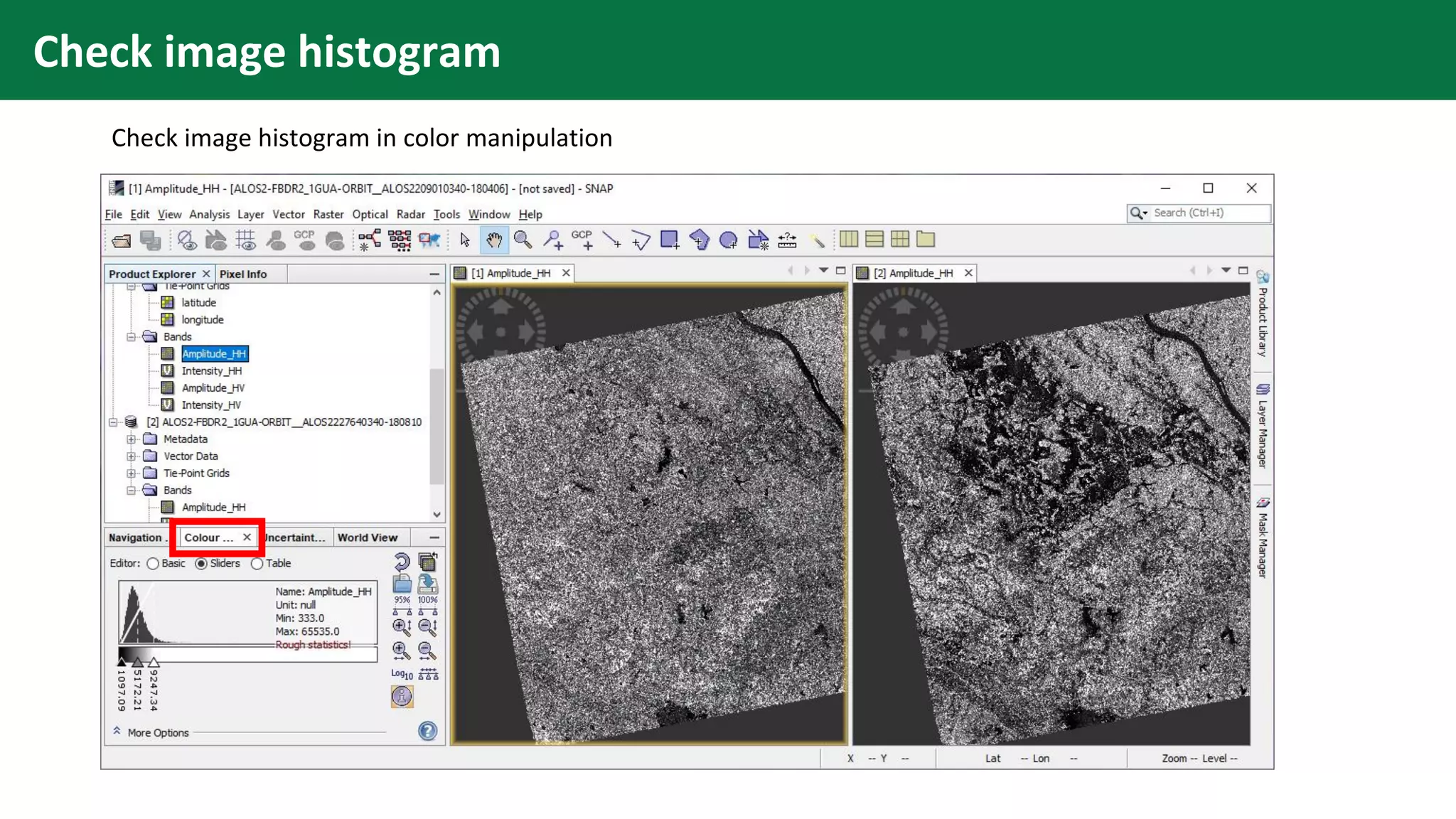
Check image histogram
Check image histogram in color manipulation
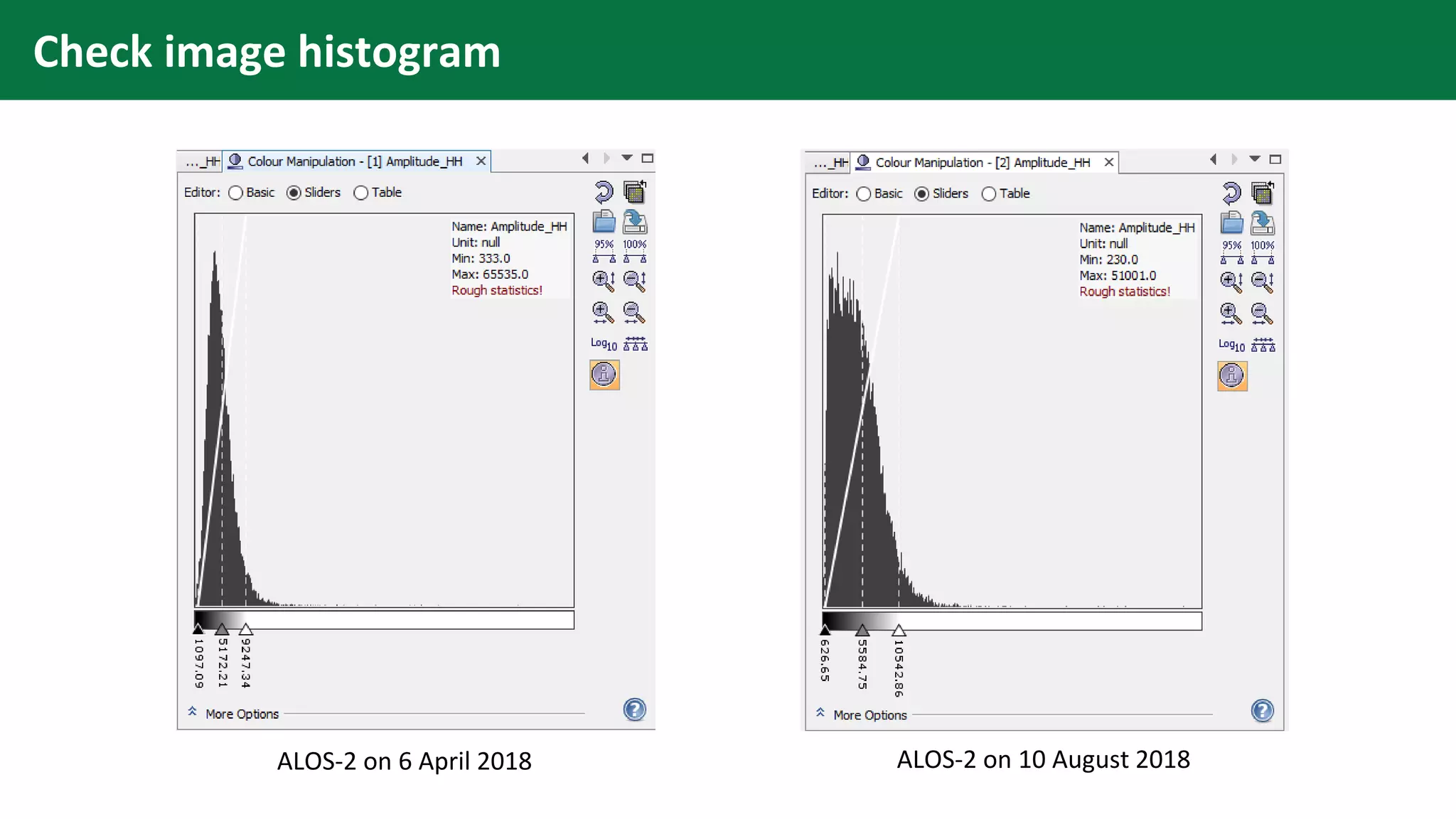
Check image histogram
ALOS-2 on 6 April 2018 ALOS-2 on 10 August 2018
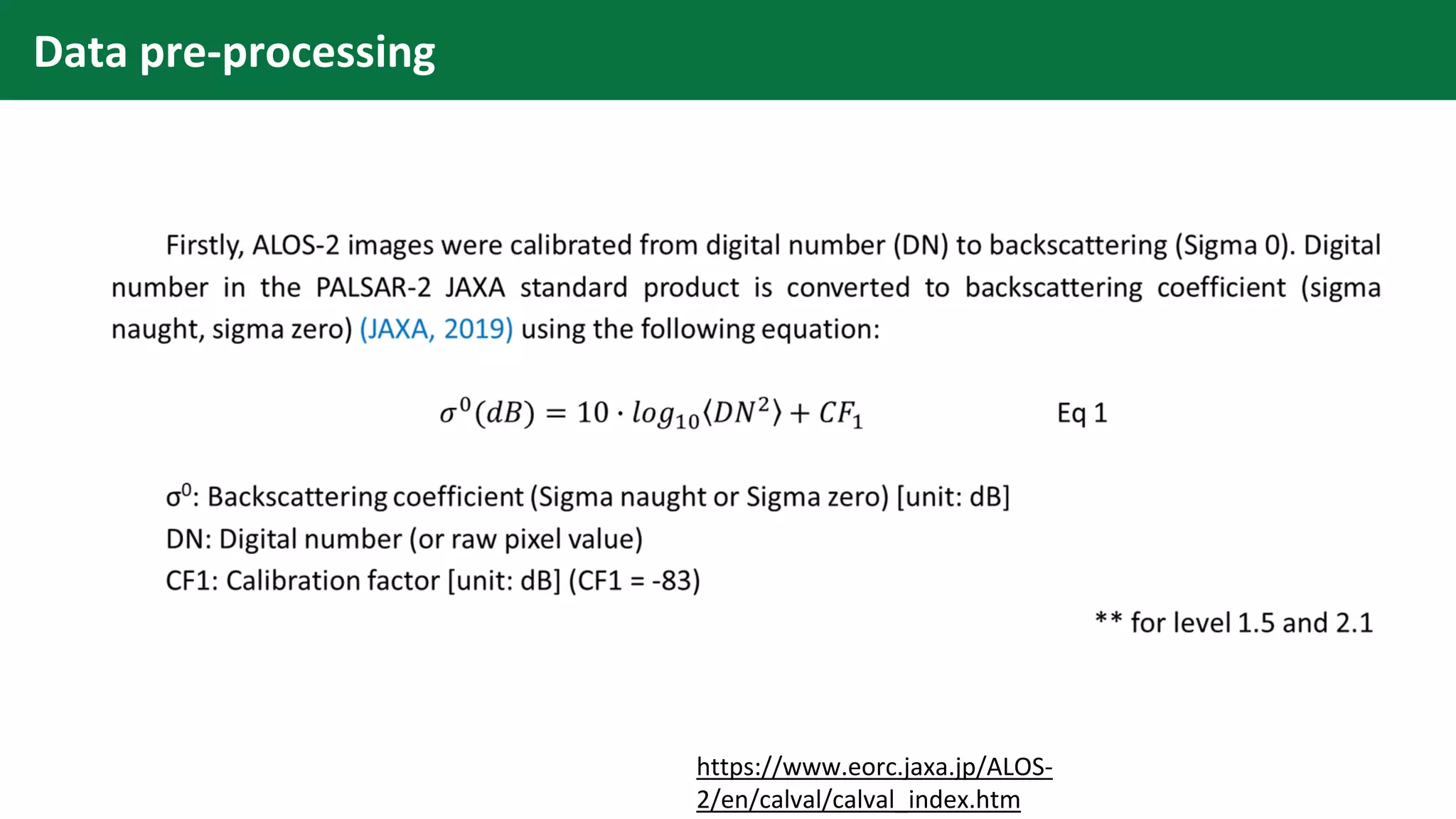
Data pre-processing
https://www.eorc.jaxa.jp/ALOS-
2/en/calval/calval_index.htm
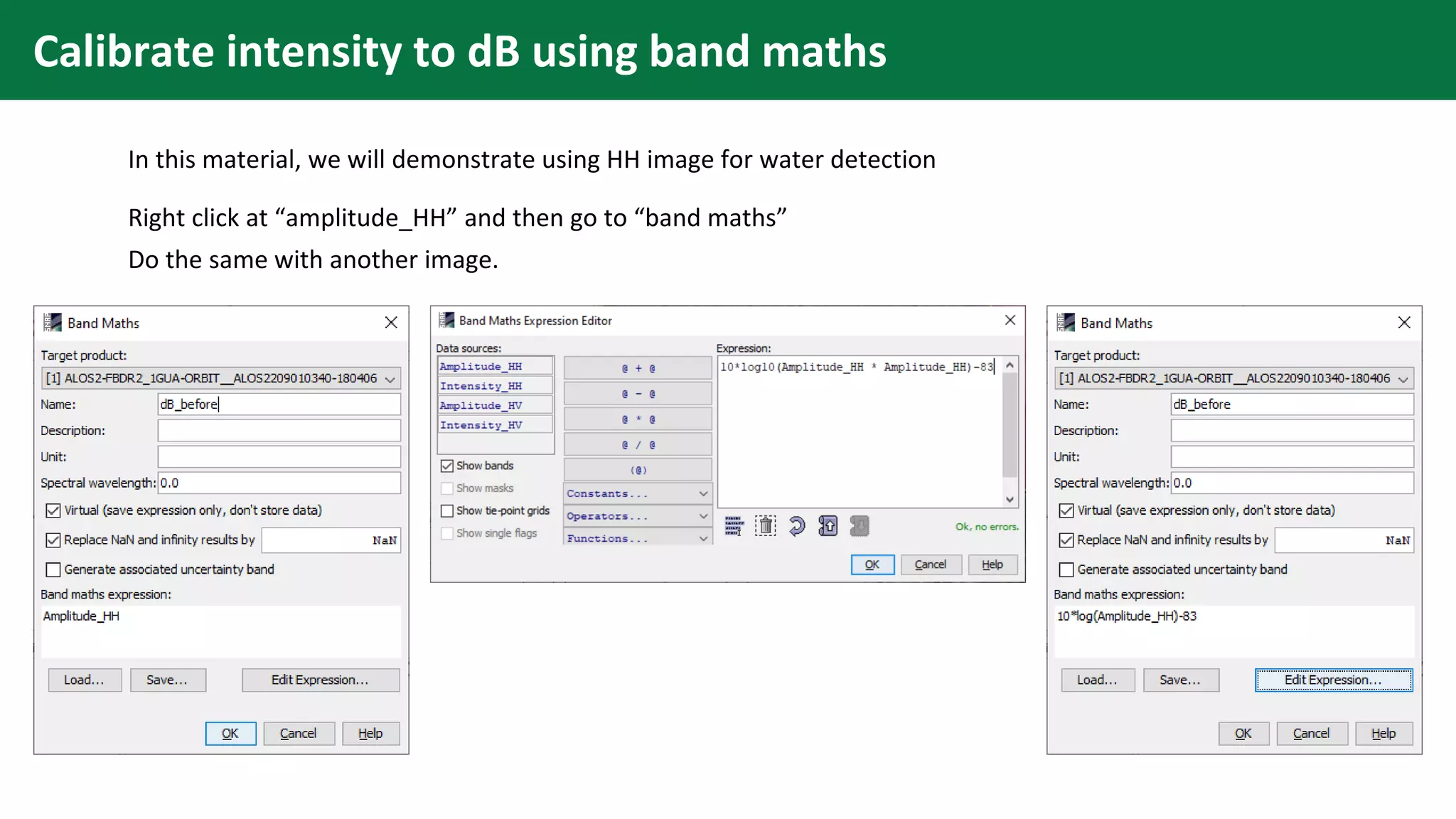
Calibrate intensity to dB using band maths
In this material, we will demonstrate using HH image for water detection
Right click at “amplitude_HH” and then go to “band maths”
Do the same with another image.
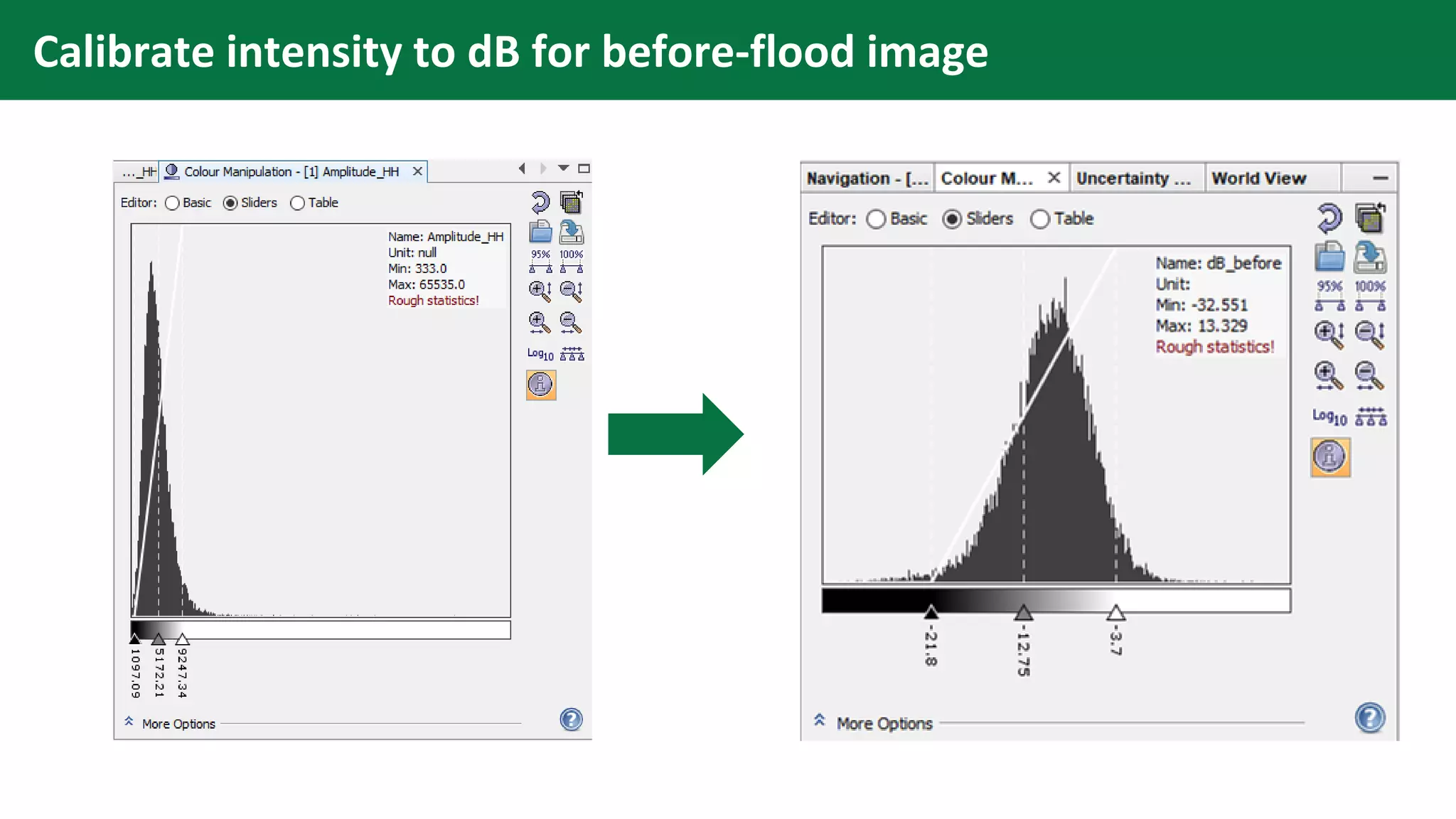
Calibrate intensity to dB for before-flood image
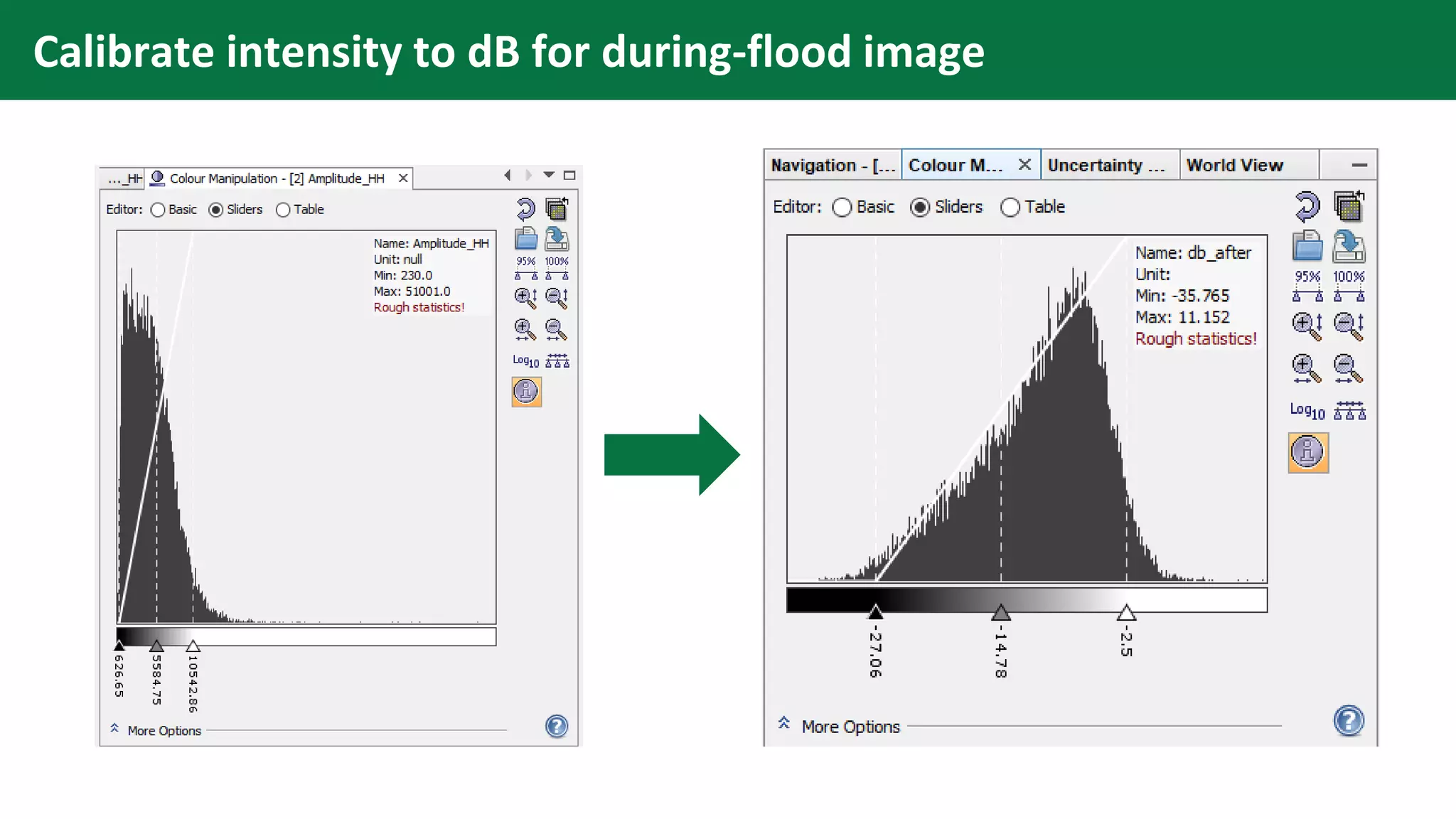
Calibrate intensity to dB for during-flood image
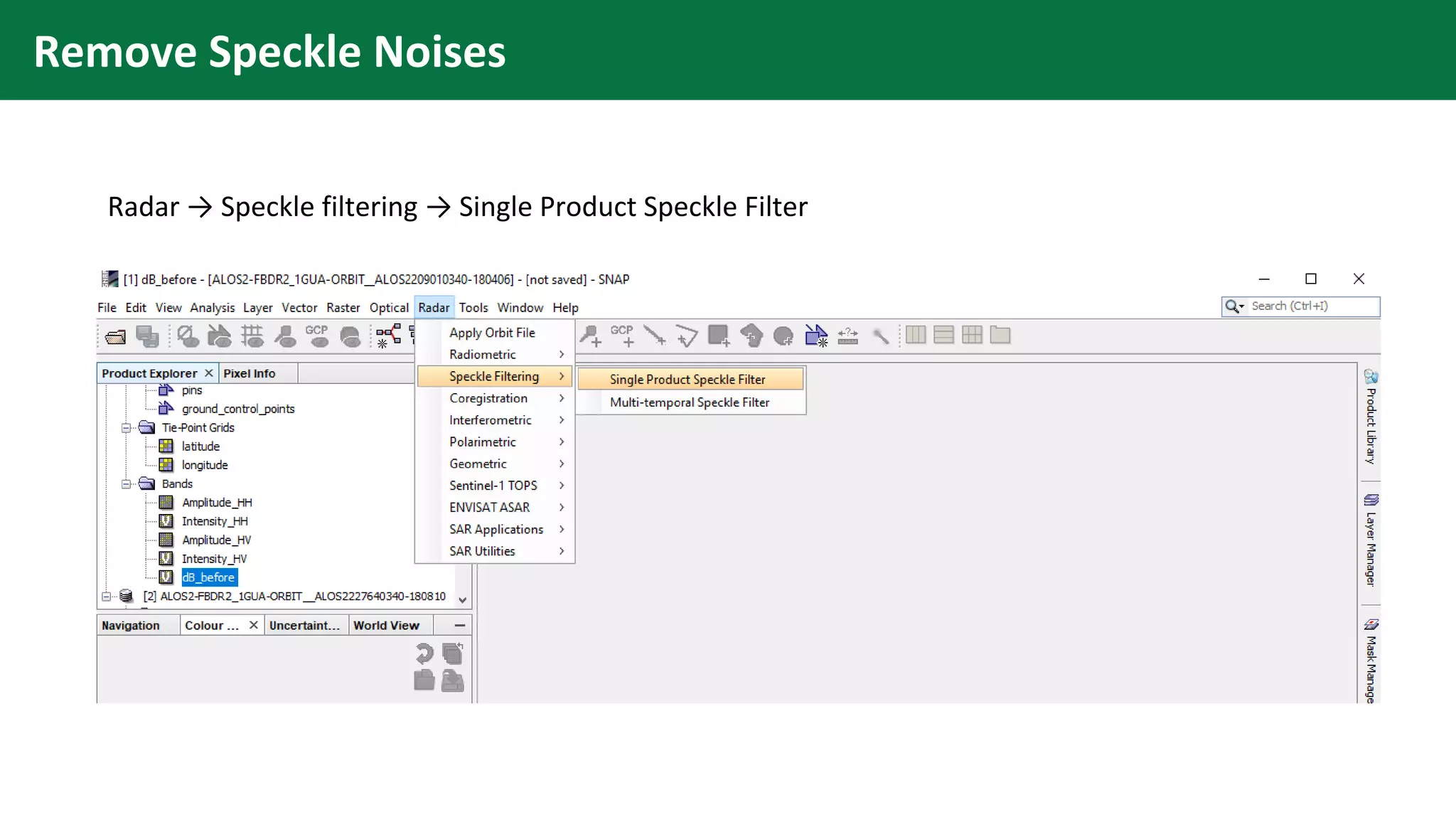
Remove Speckle Noises
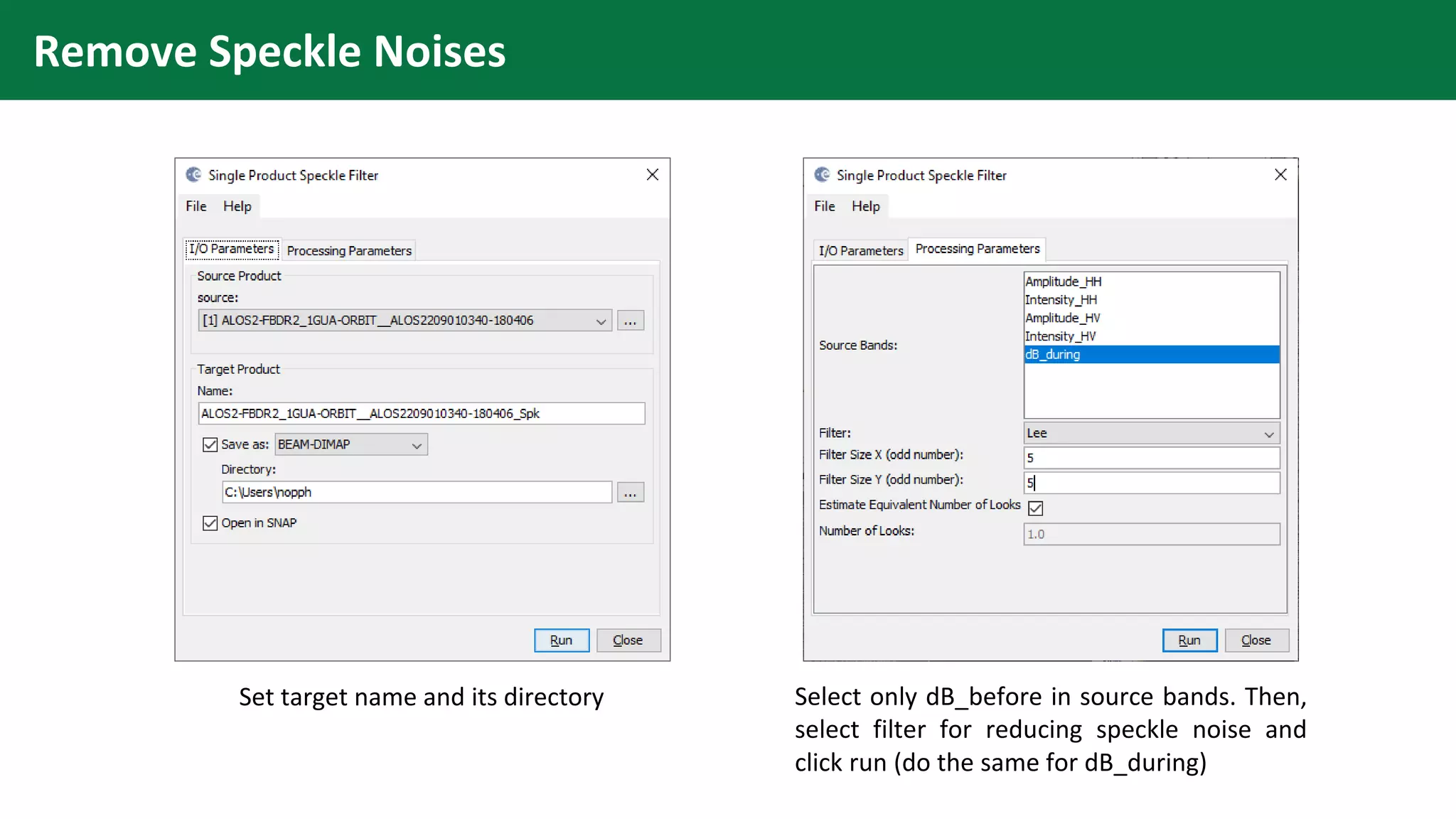
Radar → Speckle filtering → Single Product Speckle Filter
Remove Speckle Noises
Set target name and its directory Select only dB_before in source bands. Then,
select filter for reducing speckle noise and
click run (do the same for dB_during)
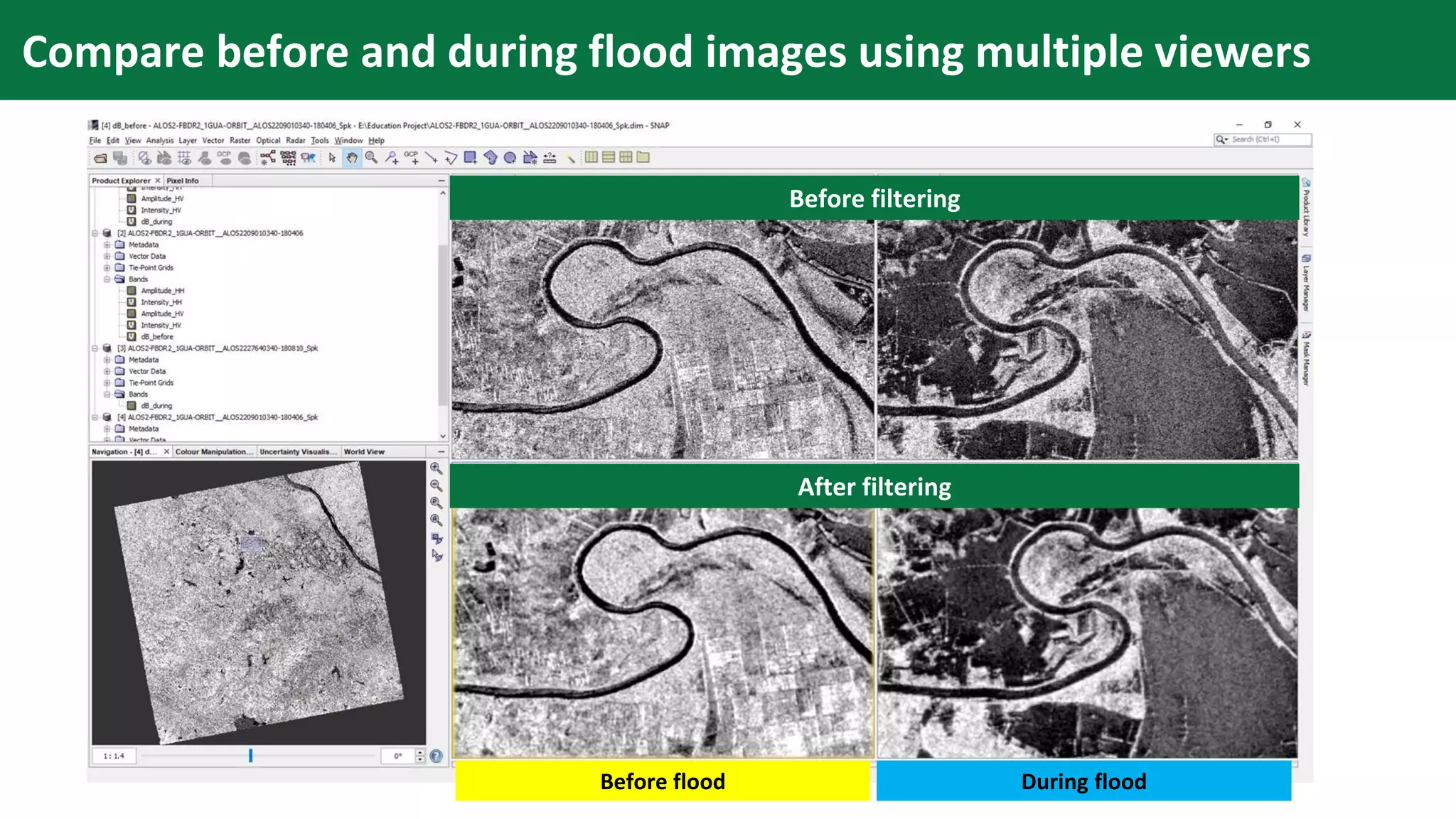
Compare before and during flood images using multiple viewers
Before filtering
After filtering
Before flood During flood
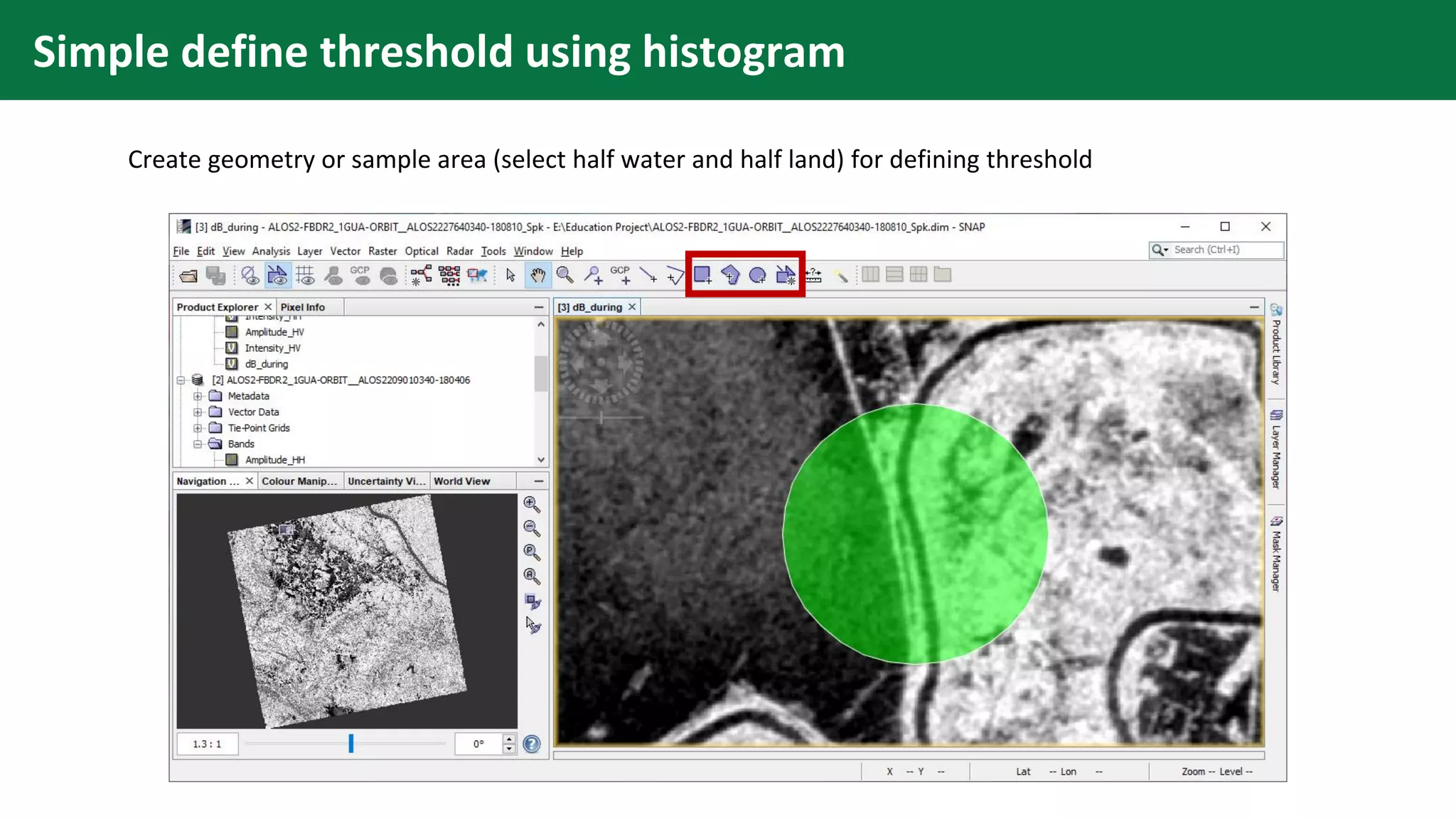
Simple define threshold using histogram
Create geometry or sample area (select half water and half land) for defining threshold
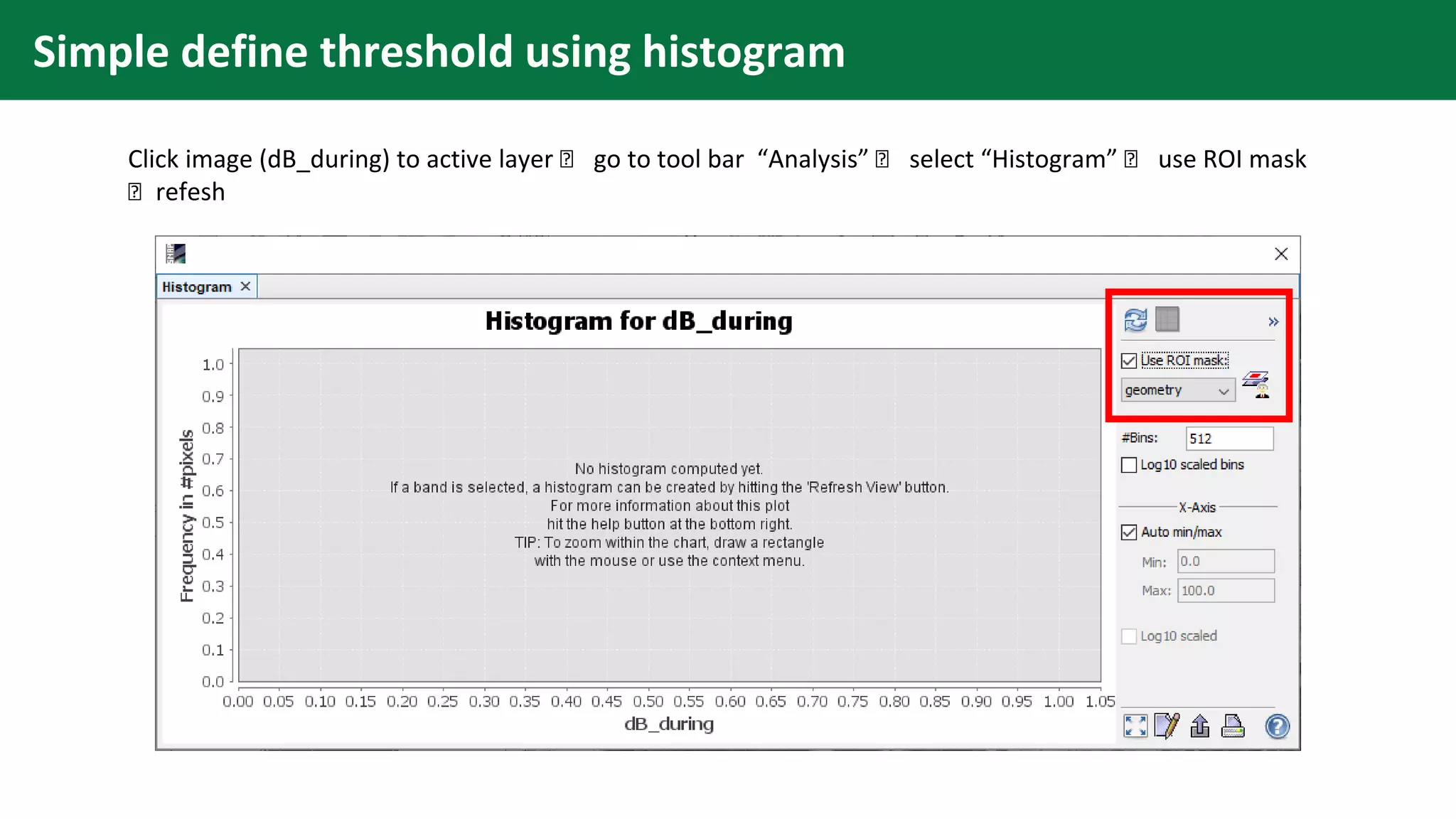
Simple define threshold using histogram
Click image (dB_during) to active layer 🡪 go to tool bar “Analysis” 🡪 select “Histogram” 🡪 use ROI mask
🡪 refesh
Simple define threshold using histogram
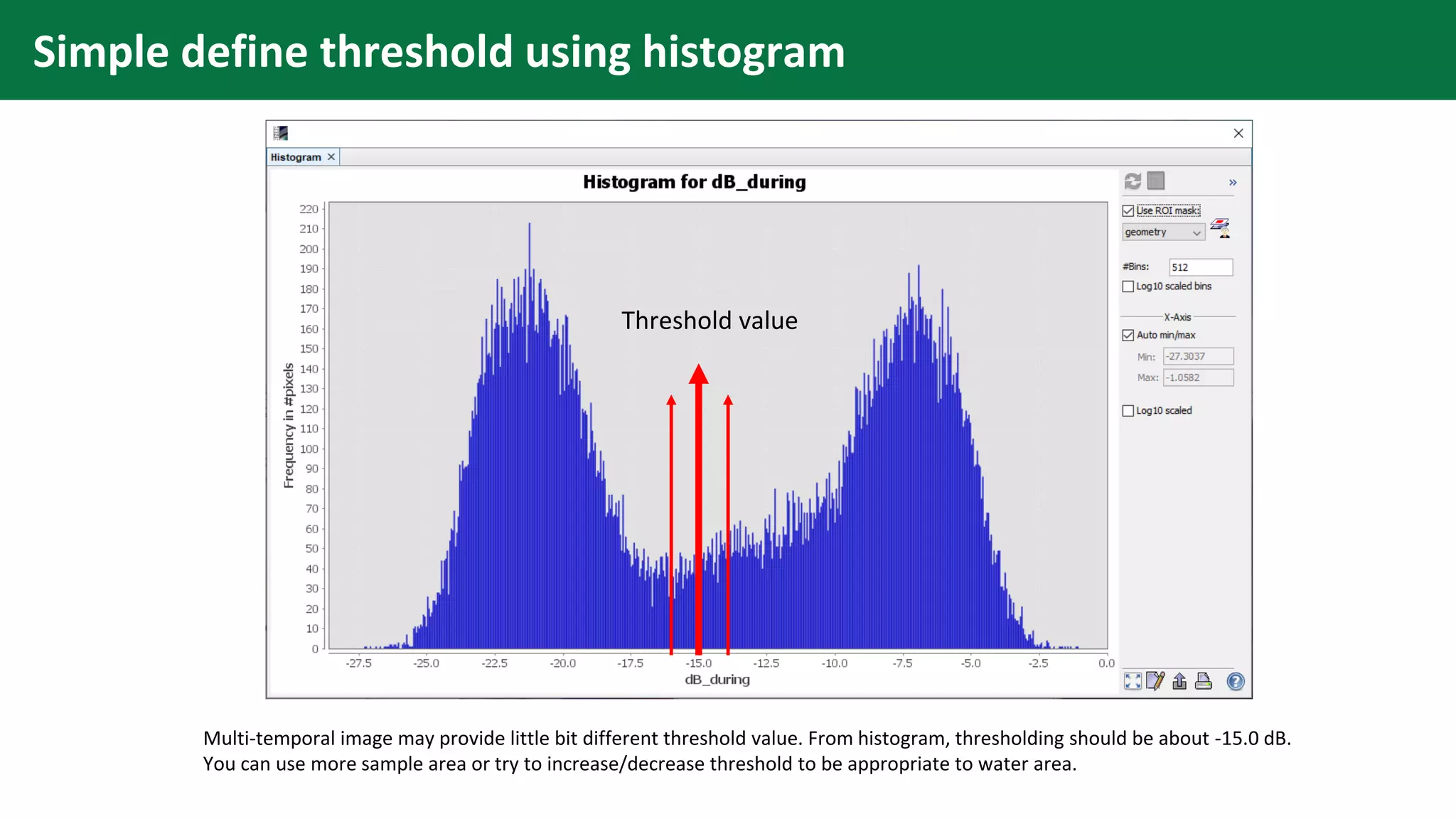
Multi-temporal image may provide little bit different threshold value. From histogram, thresholding should be about -15.0 dB.
You can use more sample area or try to increase/decrease threshold to be appropriate to water area.
Threshold value
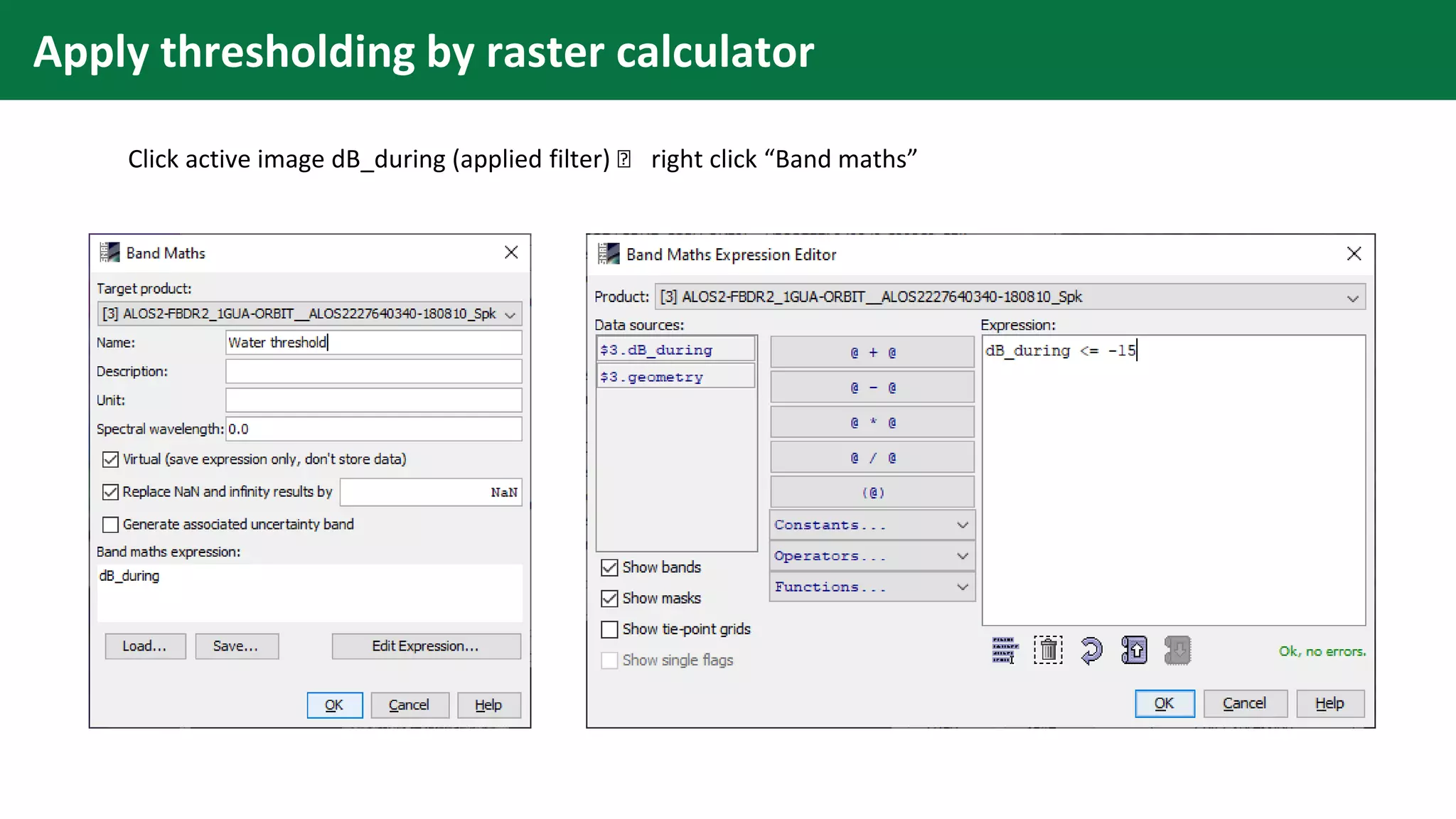
Apply thresholding by raster calculator
Click active image dB_during (applied filter) 🡪 right click “Band maths”
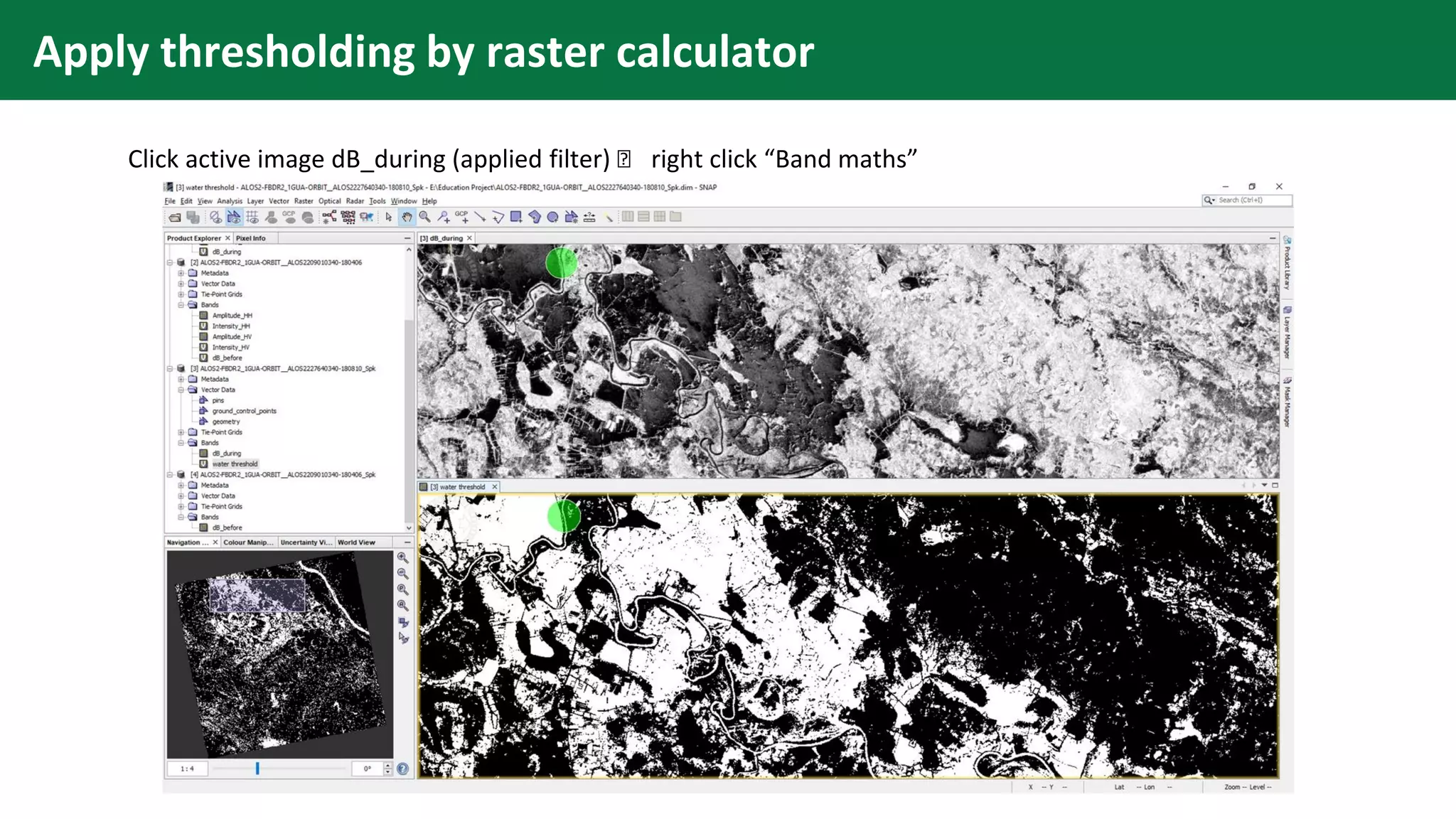
Apply thresholding by raster calculator
Click active image dB_during (applied filter) 🡪 right click “Band maths”
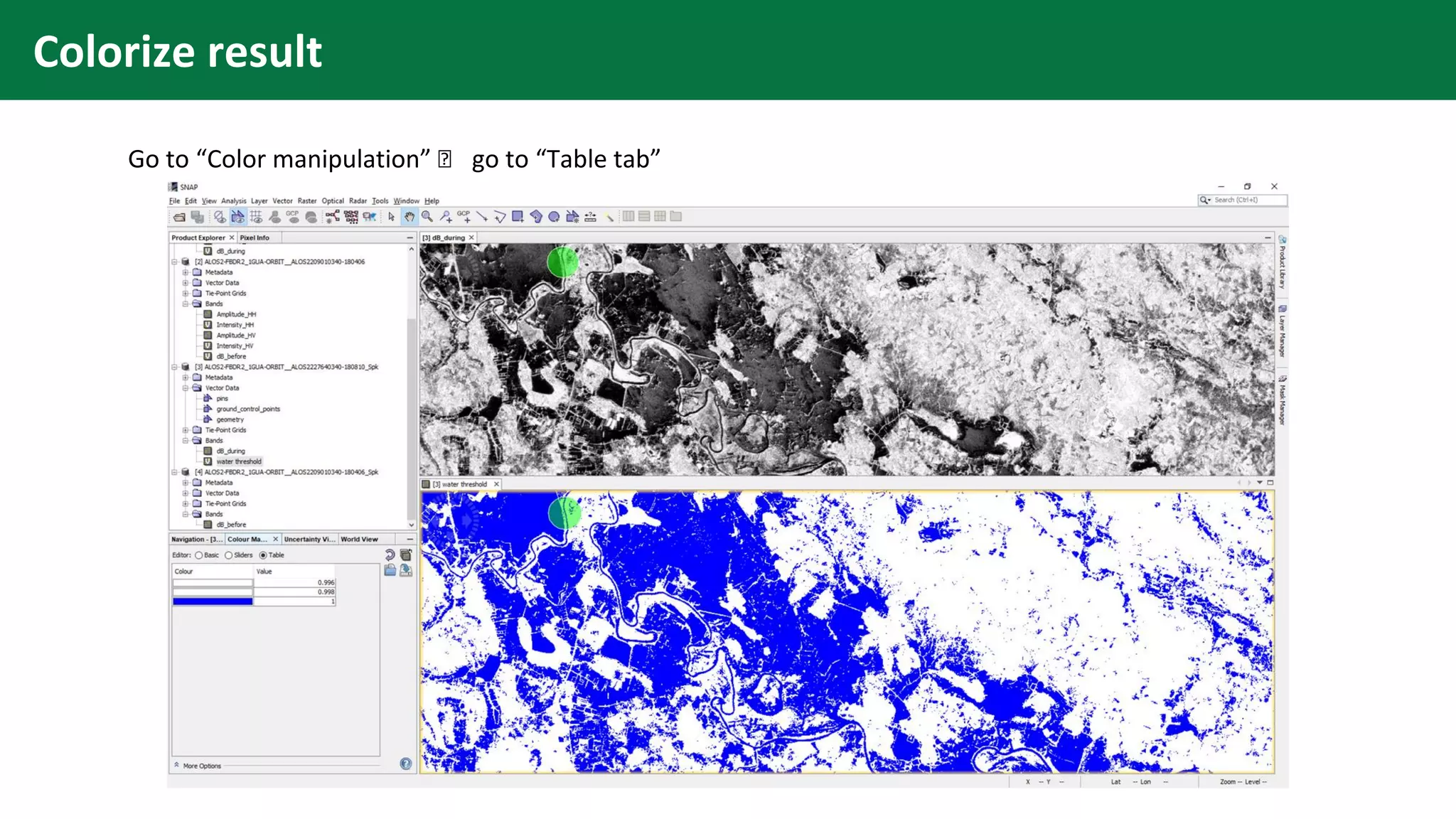
Colorize result
Go to “Color manipulation” 🡪 go to “Table tab”
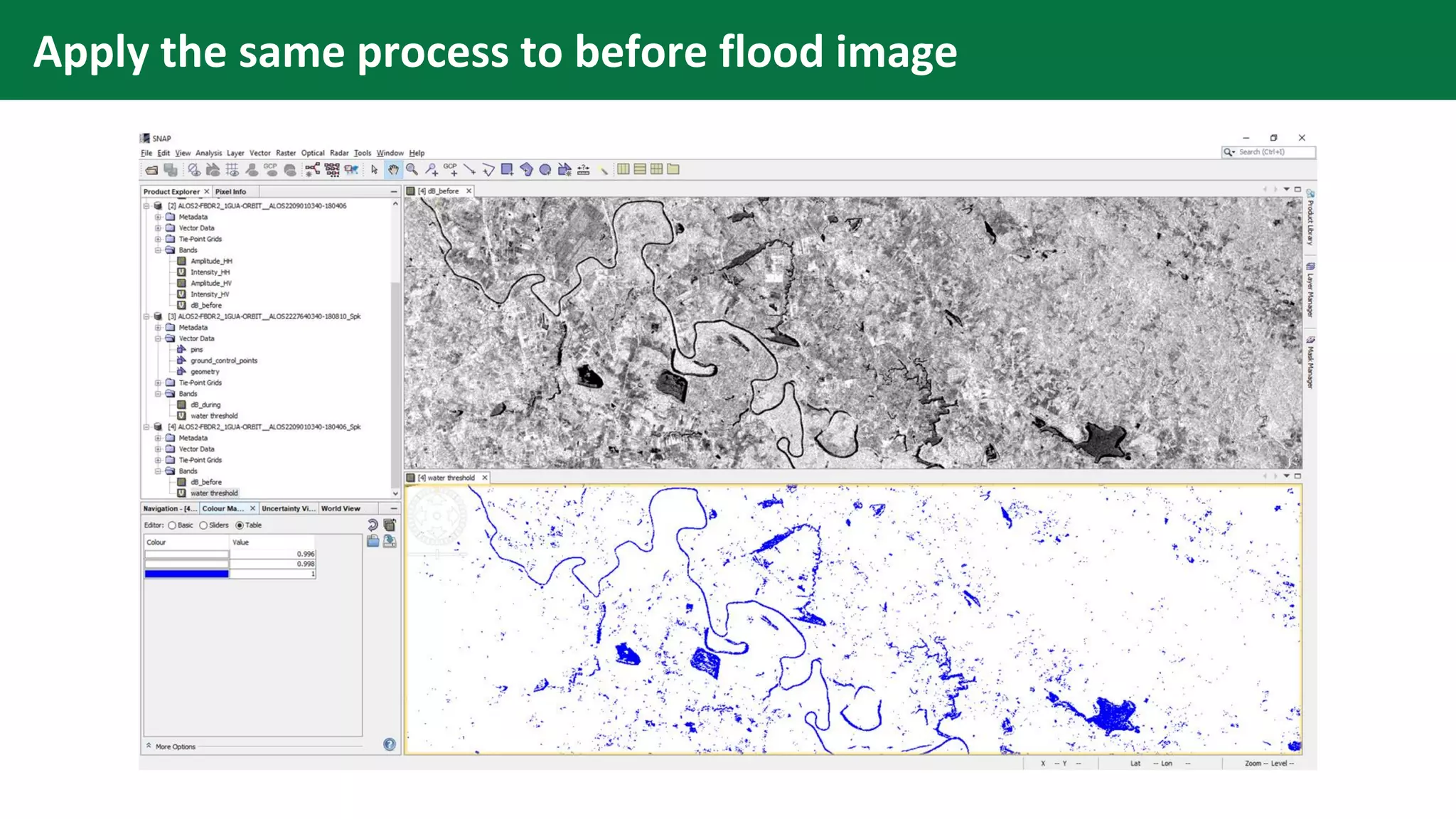
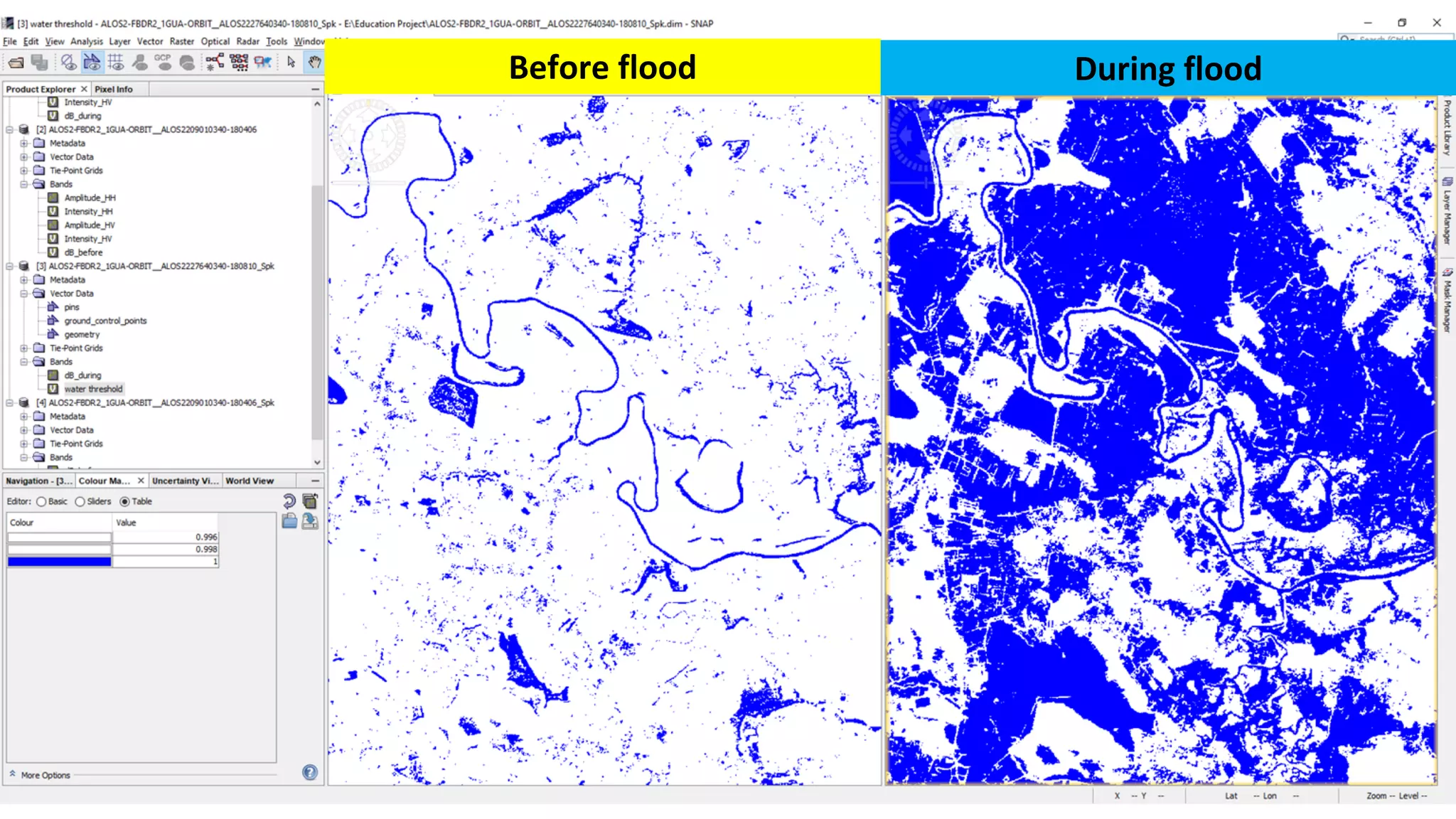
Apply the same process to before flood image
Before flood During flood
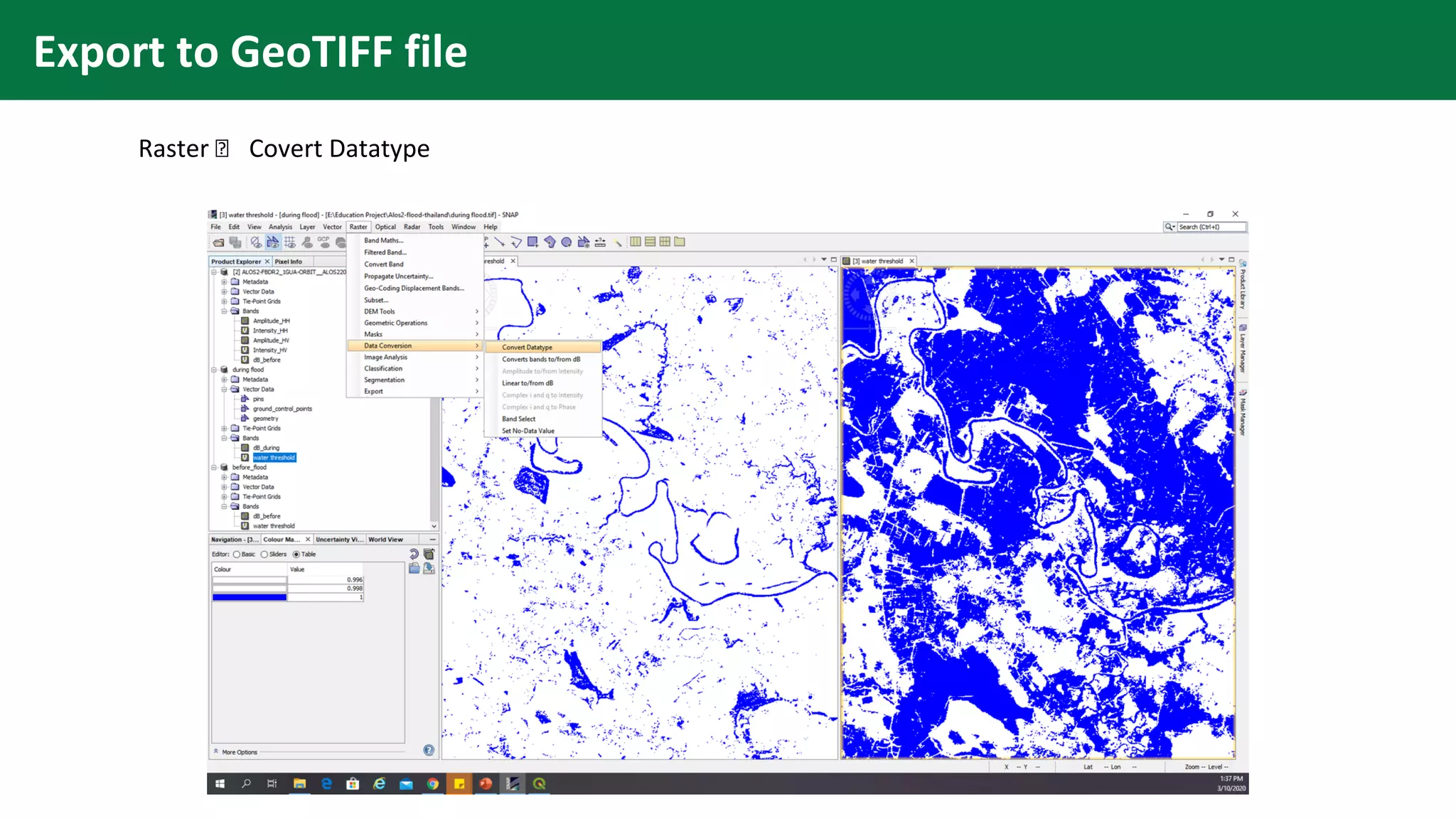
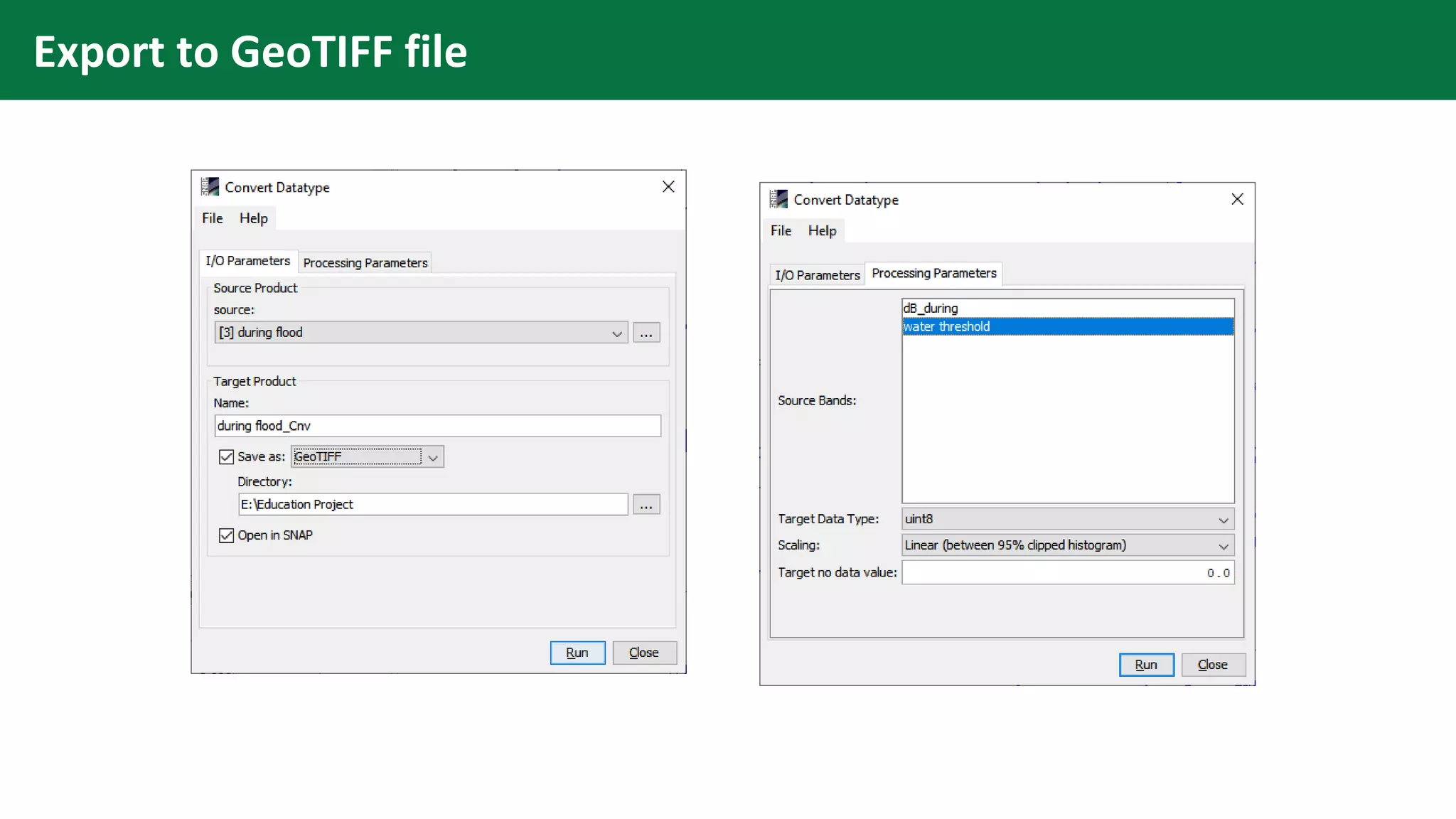
Export to GeoTIFF file
Raster 🡪 Covert Datatype
Export to GeoTIFF file
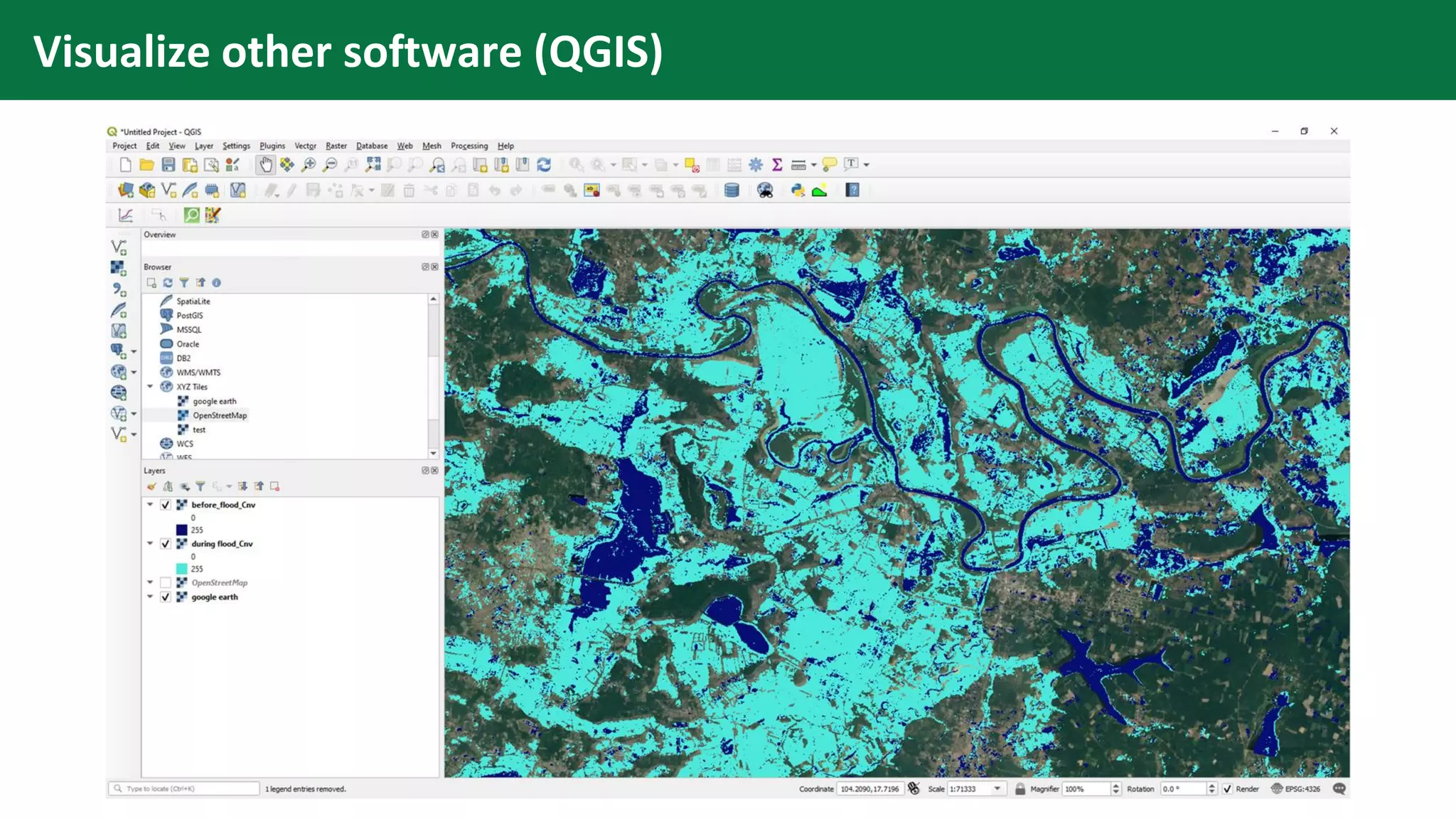
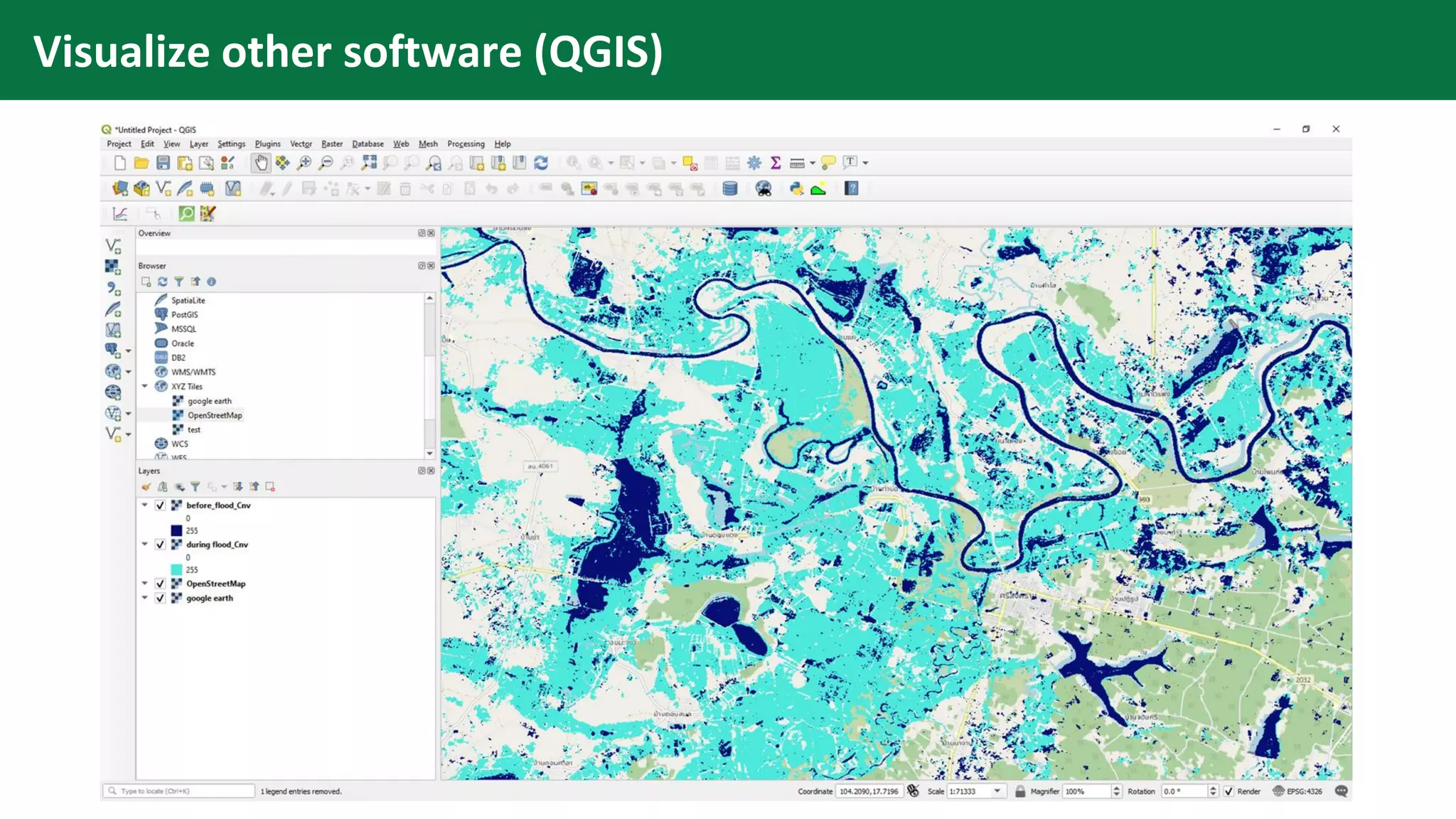
Visualize other software (QGIS)

Flood Detection Using ALOS-2 Images in SNAP