Center for Research and Application for Satellite Remote Sensing
Yamaguchi University
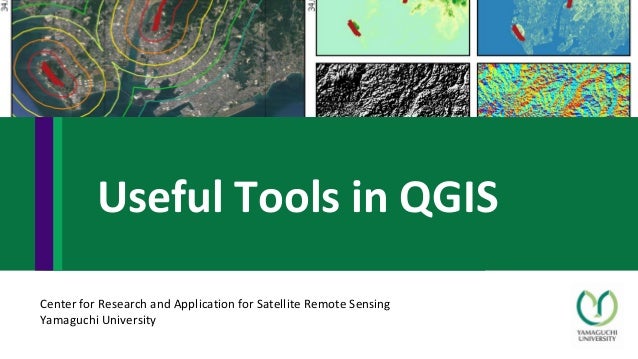
Useful Tools in QGIS
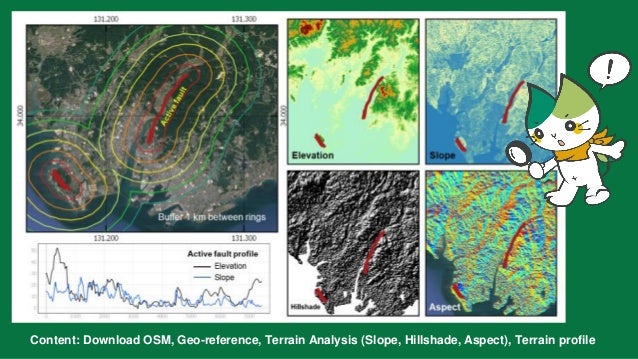
Content: Download OSM, Geo-reference, Terrain Analysis (Slope, Hillshade, Aspect), Terrain profile
https://drive.google.co
m/drive/u/0/folders/1W
4Aq76DuCTkXQkx5jR4rt
nokvCBqcs1M
Download
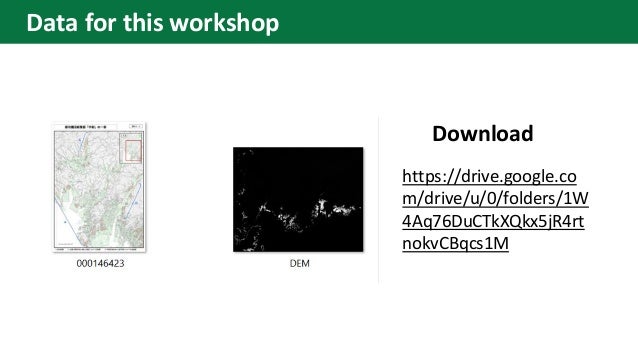
Data for this workshop
• Install plugin “QuickOSM”
Download OSM
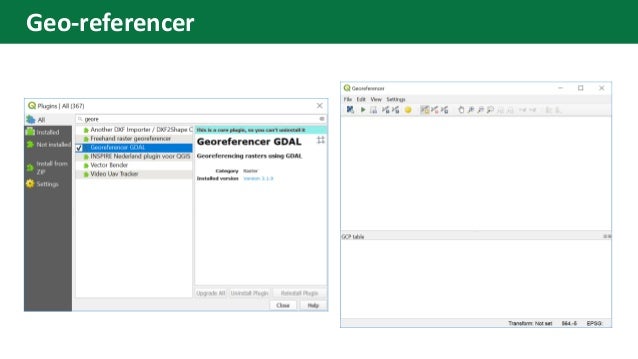
Geo-referencer
Input ground
control point
location ( need
at least 4 points
and RMS error
should be very
less )
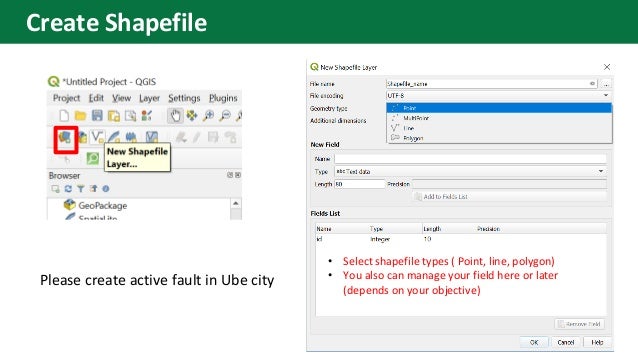
• Select shapefile types ( Point, line, polygon)
• You also can manage your field here or later
(depends on your objective)
Please create active fault in Ube city
Create Shapefile
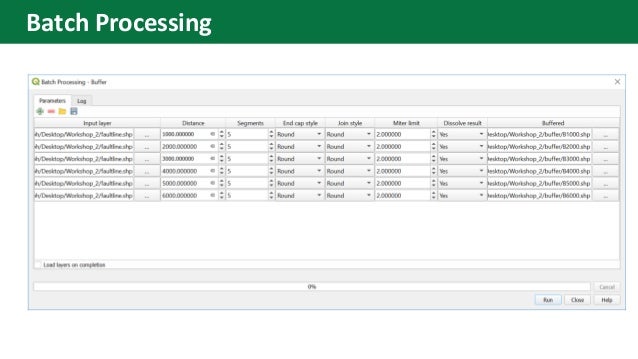
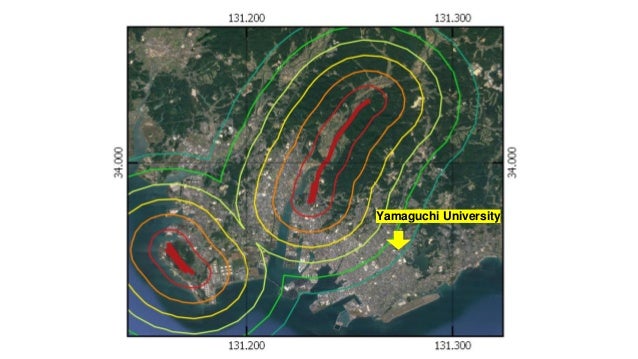
create active
fault (line)
and buffer
from fault line
Batch Processing
Yamaguchi University
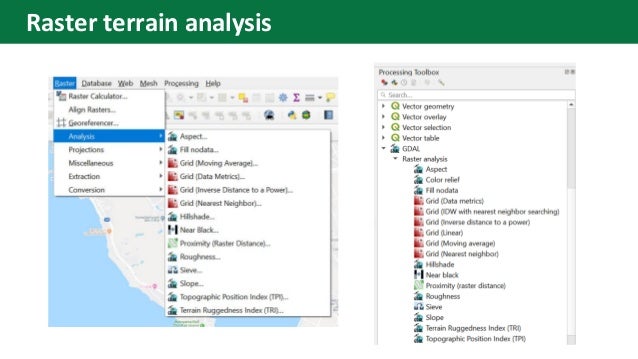
Raster terrain analysis
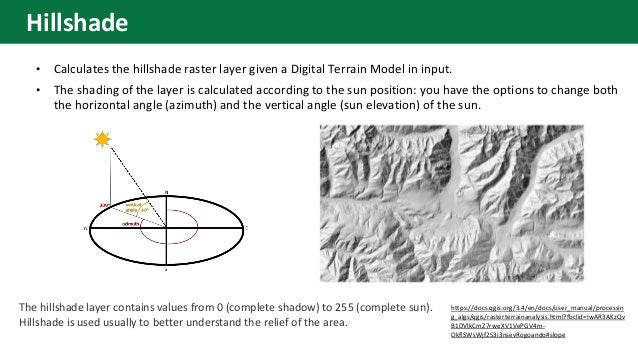
• Calculates the hillshade raster layer given a Digital Terrain Model in input.
• The shading of the layer is calculated according to the sun position: you have the options to change both
the horizontal angle (azimuth) and the vertical angle (sun elevation) of the sun.
https://docs.qgis.org/3.4/en/docs/user_manual/processin
g_algs/qgis/rasterterrainanalysis.html?fbclid=IwAR3AKzQv
B1DVlkCmZ7rweXV1VePGV4m-
OkflSWsWjf2S3i3nsevRogoando#slope
The hillshade layer contains values from 0 (complete shadow) to 255 (complete sun).
Hillshade is used usually to better understand the relief of the area.
Hillshade
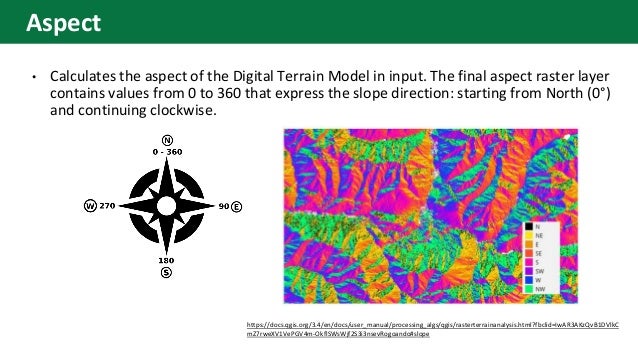
• Calculates the aspect of the Digital Terrain Model in input. The final aspect raster layer
contains values from 0 to 360 that express the slope direction: starting from North (0°)
and continuing clockwise.
https://docs.qgis.org/3.4/en/docs/user_manual/processing_algs/qgis/rasterterrainanalysis.html?fbclid=IwAR3AKzQvB1DVlkC
mZ7rweXV1VePGV4m-OkflSWsWjf2S3i3nsevRogoando#slope
Aspect
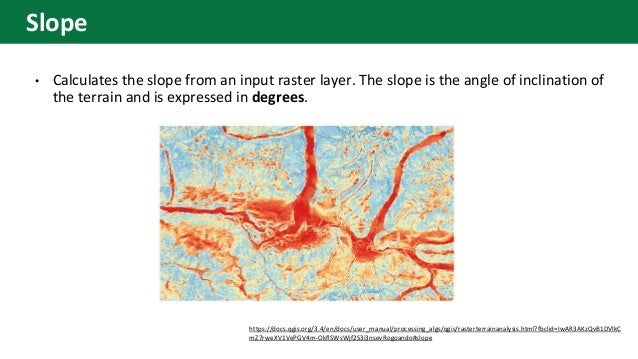
• Calculates the slope from an input raster layer. The slope is the angle of inclination of
the terrain and is expressed in degrees.
https://docs.qgis.org/3.4/en/docs/user_manual/processing_algs/qgis/rasterterrainanalysis.html?fbclid=IwAR3AKzQvB1DVlkC
mZ7rweXV1VePGV4m-OkflSWsWjf2S3i3nsevRogoando#slope
Slope
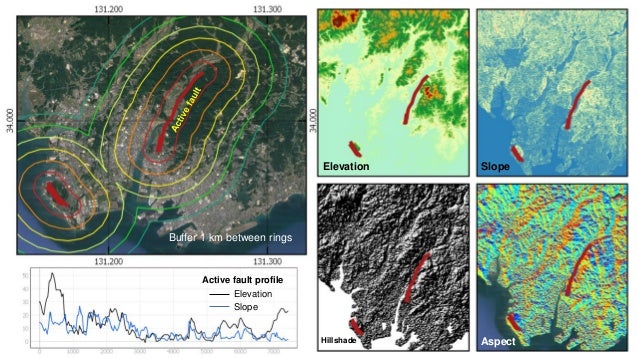
Create your map
Active fault profile
Elevation
Slope
Elevation Slope
Hillshade Aspect
Buffer 1 km between rings

Useful Tools in QGIS

  • 1.
    Center for Researchand Application for Satellite Remote Sensing Yamaguchi University Useful Tools in QGIS
  • 2.
    Content: Download OSM,Geo-reference, Terrain Analysis (Slope, Hillshade, Aspect), Terrain profile
  • 3.
  • 4.
    • Install plugin“QuickOSM” Download OSM
  • 6.
  • 7.
    Input ground control point location( need at least 4 points and RMS error should be very less )
  • 9.
    • Select shapefiletypes ( Point, line, polygon) • You also can manage your field here or later (depends on your objective) Please create active fault in Ube city Create Shapefile
  • 10.
    create active fault (line) andbuffer from fault line
  • 11.
  • 12.
  • 13.
  • 14.
    • Calculates thehillshade raster layer given a Digital Terrain Model in input. • The shading of the layer is calculated according to the sun position: you have the options to change both the horizontal angle (azimuth) and the vertical angle (sun elevation) of the sun. https://docs.qgis.org/3.4/en/docs/user_manual/processin g_algs/qgis/rasterterrainanalysis.html?fbclid=IwAR3AKzQv B1DVlkCmZ7rweXV1VePGV4m- OkflSWsWjf2S3i3nsevRogoando#slope The hillshade layer contains values from 0 (complete shadow) to 255 (complete sun). Hillshade is used usually to better understand the relief of the area. Hillshade
  • 15.
    • Calculates theaspect of the Digital Terrain Model in input. The final aspect raster layer contains values from 0 to 360 that express the slope direction: starting from North (0°) and continuing clockwise. https://docs.qgis.org/3.4/en/docs/user_manual/processing_algs/qgis/rasterterrainanalysis.html?fbclid=IwAR3AKzQvB1DVlkC mZ7rweXV1VePGV4m-OkflSWsWjf2S3i3nsevRogoando#slope Aspect
  • 16.
    • Calculates theslope from an input raster layer. The slope is the angle of inclination of the terrain and is expressed in degrees. https://docs.qgis.org/3.4/en/docs/user_manual/processing_algs/qgis/rasterterrainanalysis.html?fbclid=IwAR3AKzQvB1DVlkC mZ7rweXV1VePGV4m-OkflSWsWjf2S3i3nsevRogoando#slope Slope
  • 18.
    Create your map Activefault profile Elevation Slope Elevation Slope Hillshade Aspect Buffer 1 km between rings