Group 5.
Overvie
w.
 WHAT IS E-MAIL .
 DIFFERENT E-MAIL PROVIDERS.
 WHAT MAKES UP AN E-MAIL.
 DIFFERENT ARCHITECTURAL MODELS.
 HOW E-MAIL REALLY TRAVEL.
 BOUNCING OF E-MAIL.
 THREATS TO E-MAIL.
 OVERCOMING THREATS.
 CONCLUSION.
Meanin
g
 Electronic mail, often abbreviated as email or e-
mail.
 Email – an electronic message transmitted over a
network from one user to another.
 Can be as simple as a few lines of text, or include
attachments such as pictures or documents.
 It is the method of exchanging digital messages
between two or more systems.
 E-mail systems are based on a store-and-forward
model.
 In which e-mail computer server systems accept,
forward, deliver and store messages on behalf of
Histor
y
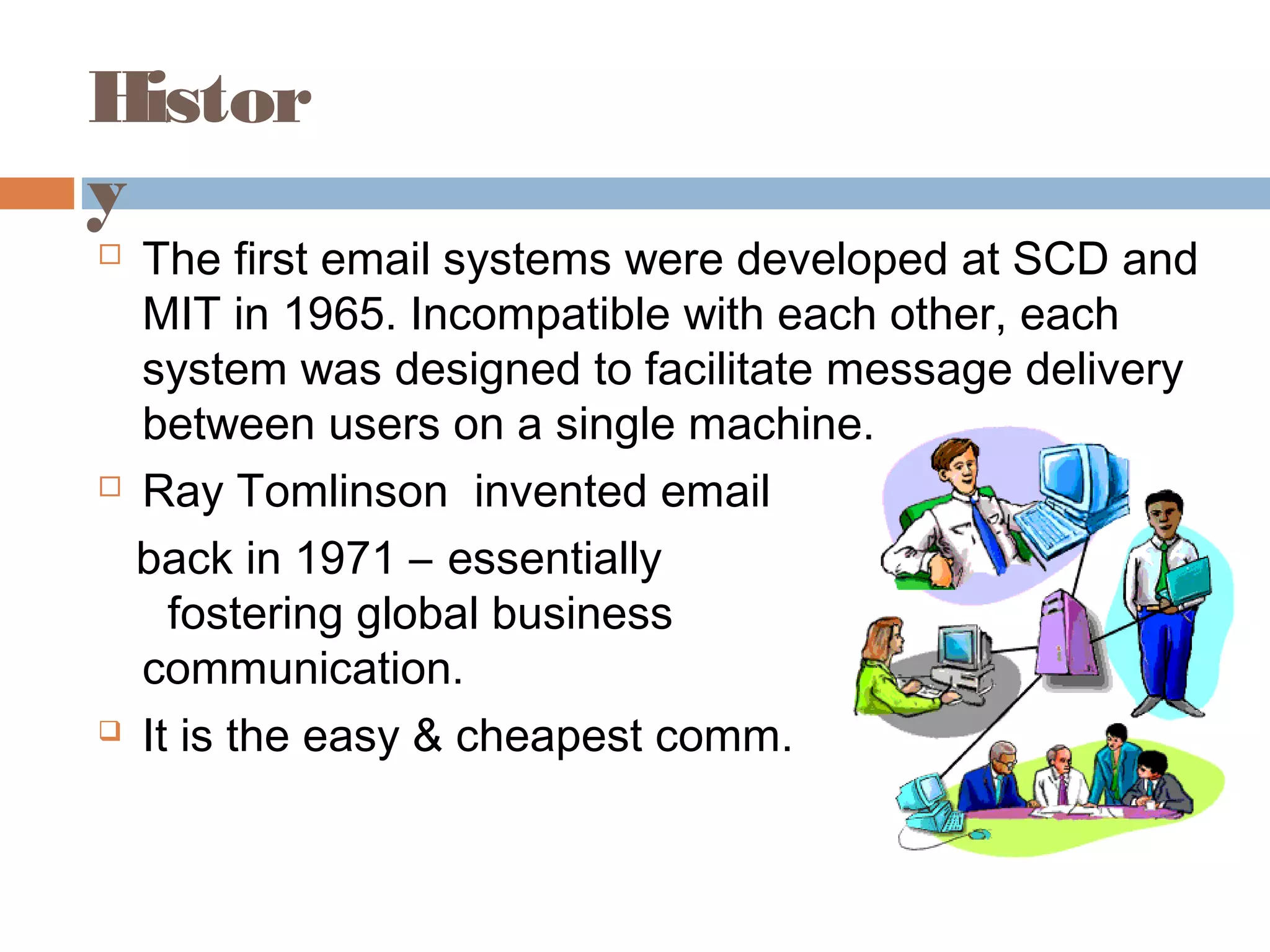
 The first email systems were developed at SCD and
MIT in 1965. Incompatible with each other, each
system was designed to facilitate message delivery
between users on a single machine.
 Ray Tomlinson invented email
back in 1971 – essentially
fostering global business
communication.
 It is the easy & cheapest comm.
Definition
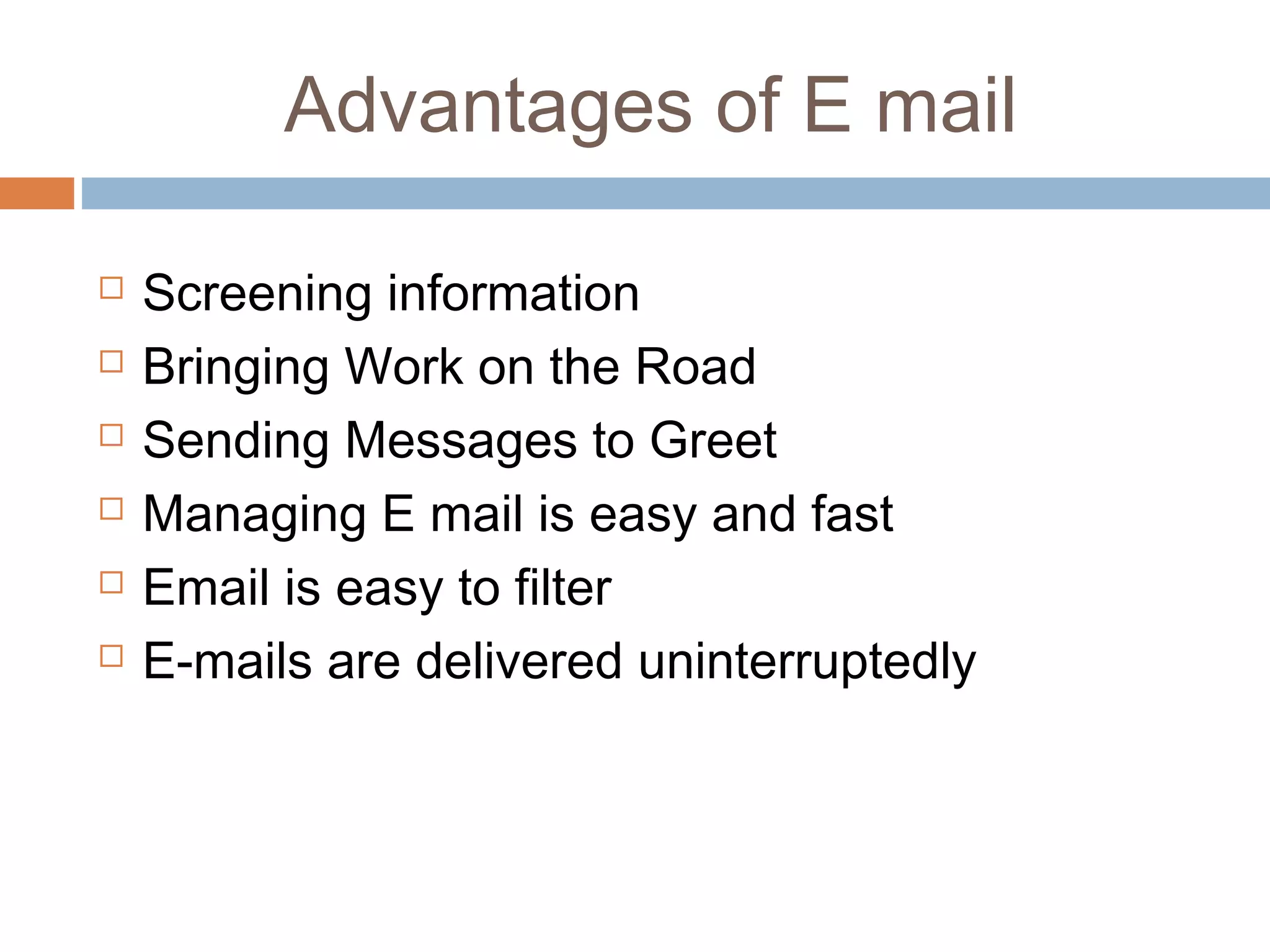
 Electronic mail (or E-mail ) can be defined as
‘the transformation of computer- stored
messages by using telecommunications”
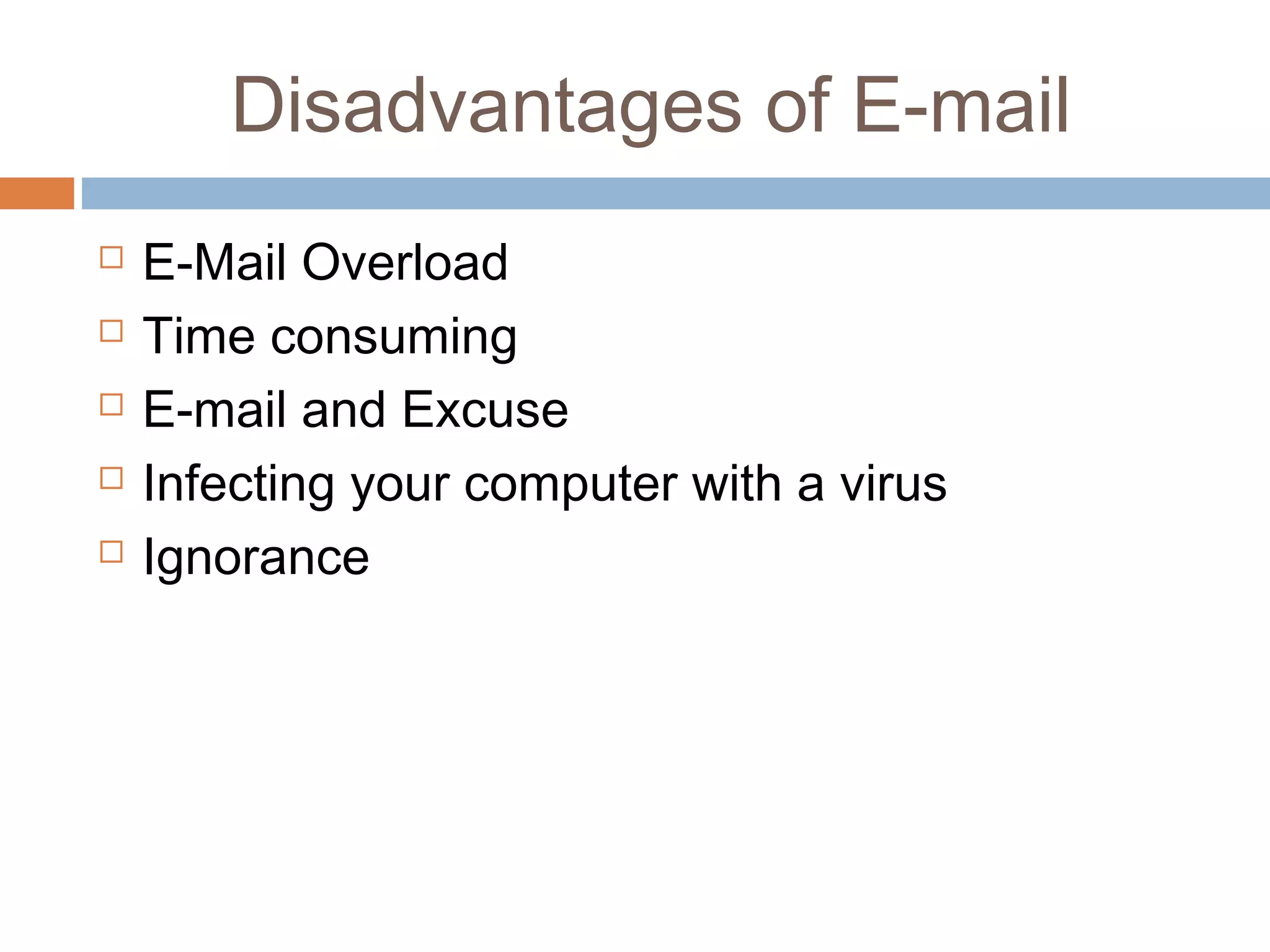
Advantages of E mail
 Screening information
 Bringing Work on the Road
 Sending Messages to Greet
 Managing E mail is easy and fast
 Email is easy to filter
 E-mails are delivered uninterruptedly
Disadvantages of E-mail
 E-Mail Overload
 Time consuming
 E-mail and Excuse
 Infecting your computer with a virus
 Ignorance
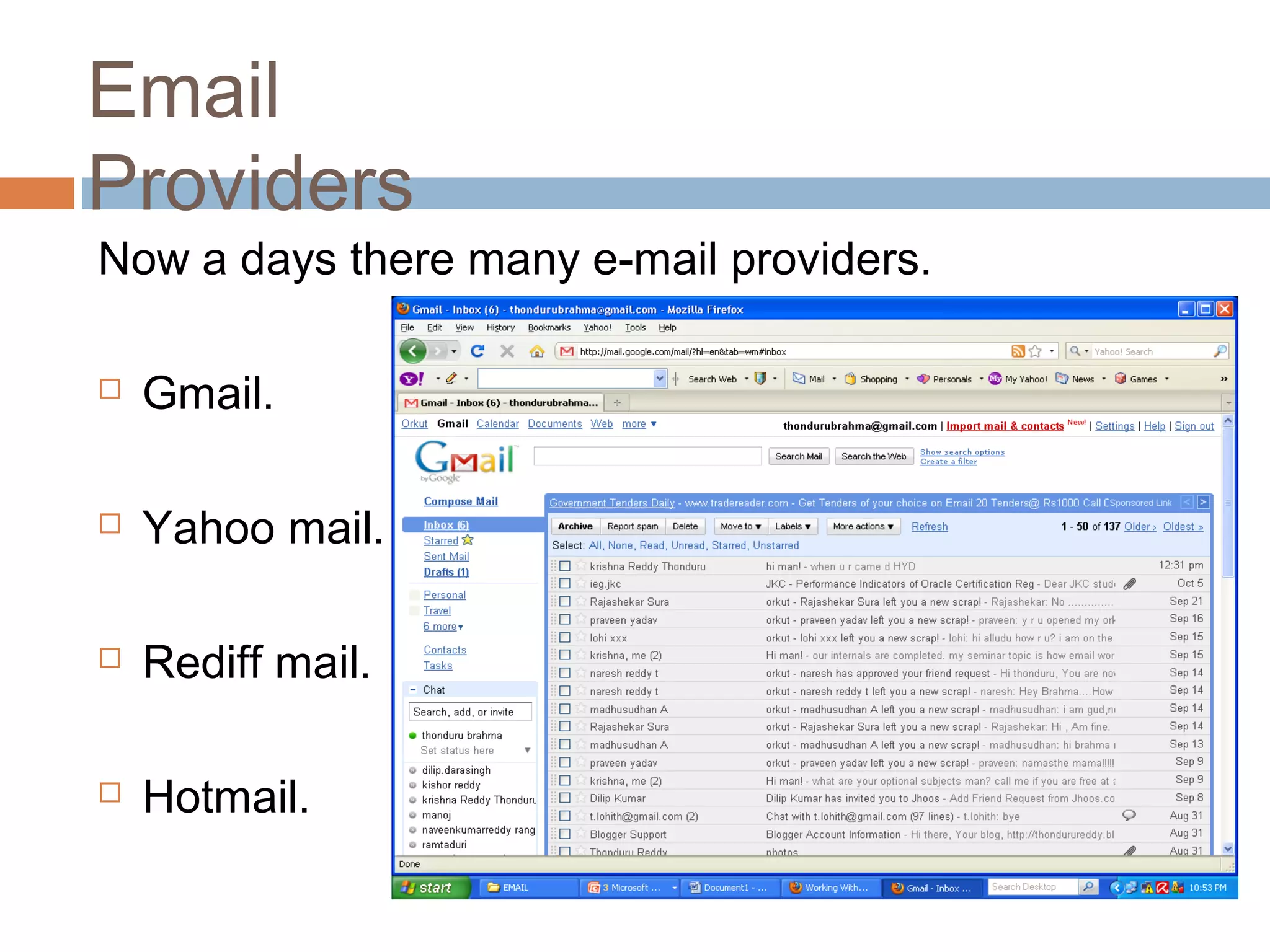
Now a days there many e-mail providers.
 Gmail.
 Yahoo mail.
 Rediff mail.
 Hotmail.
Email
Providers
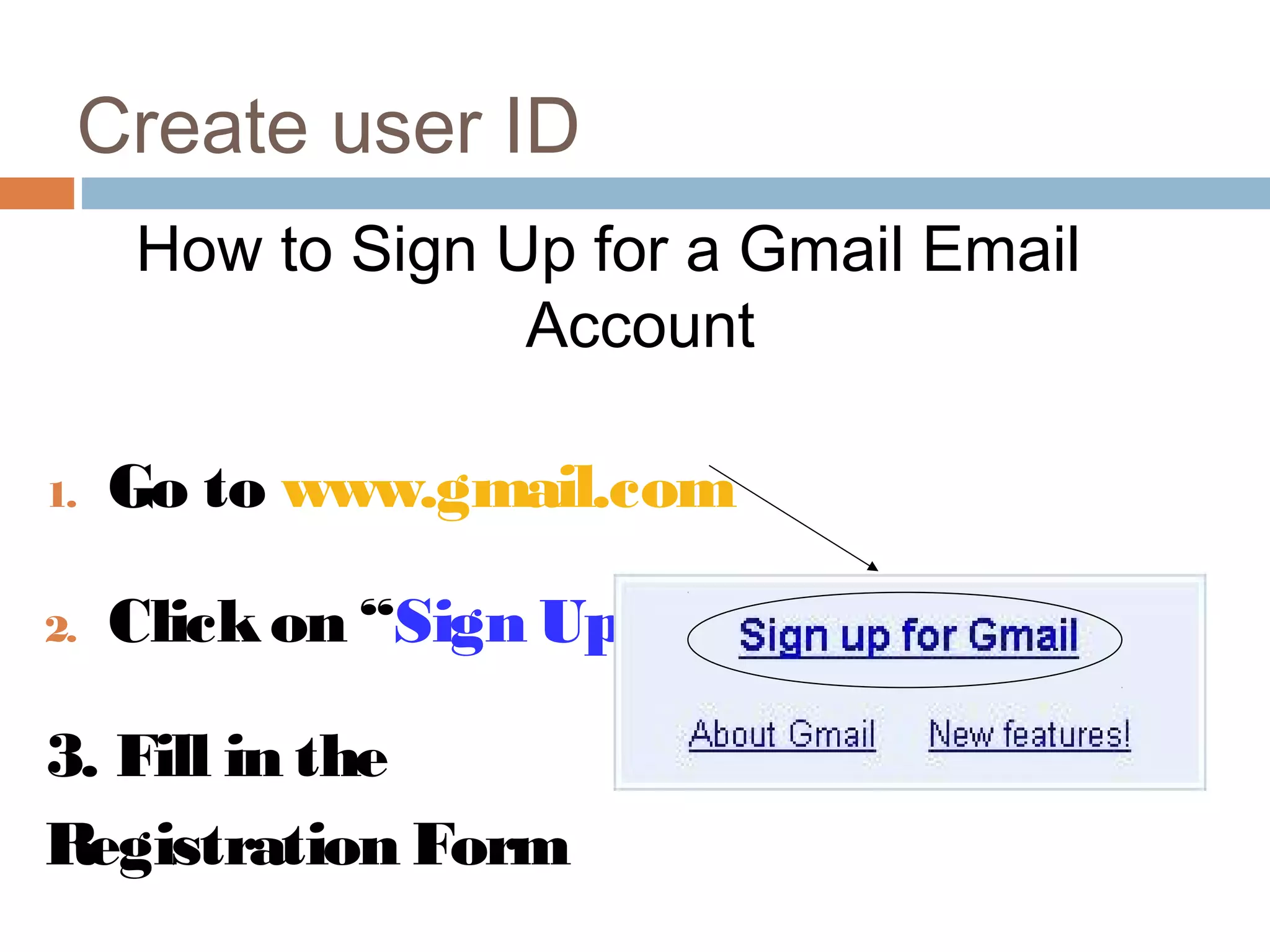
How to Sign Up for a Gmail Email
Account
1. Go to www.gmail.com
2. Clickon “Sign Up forGmail”
3. Fill in the
Registration Form
Create user ID
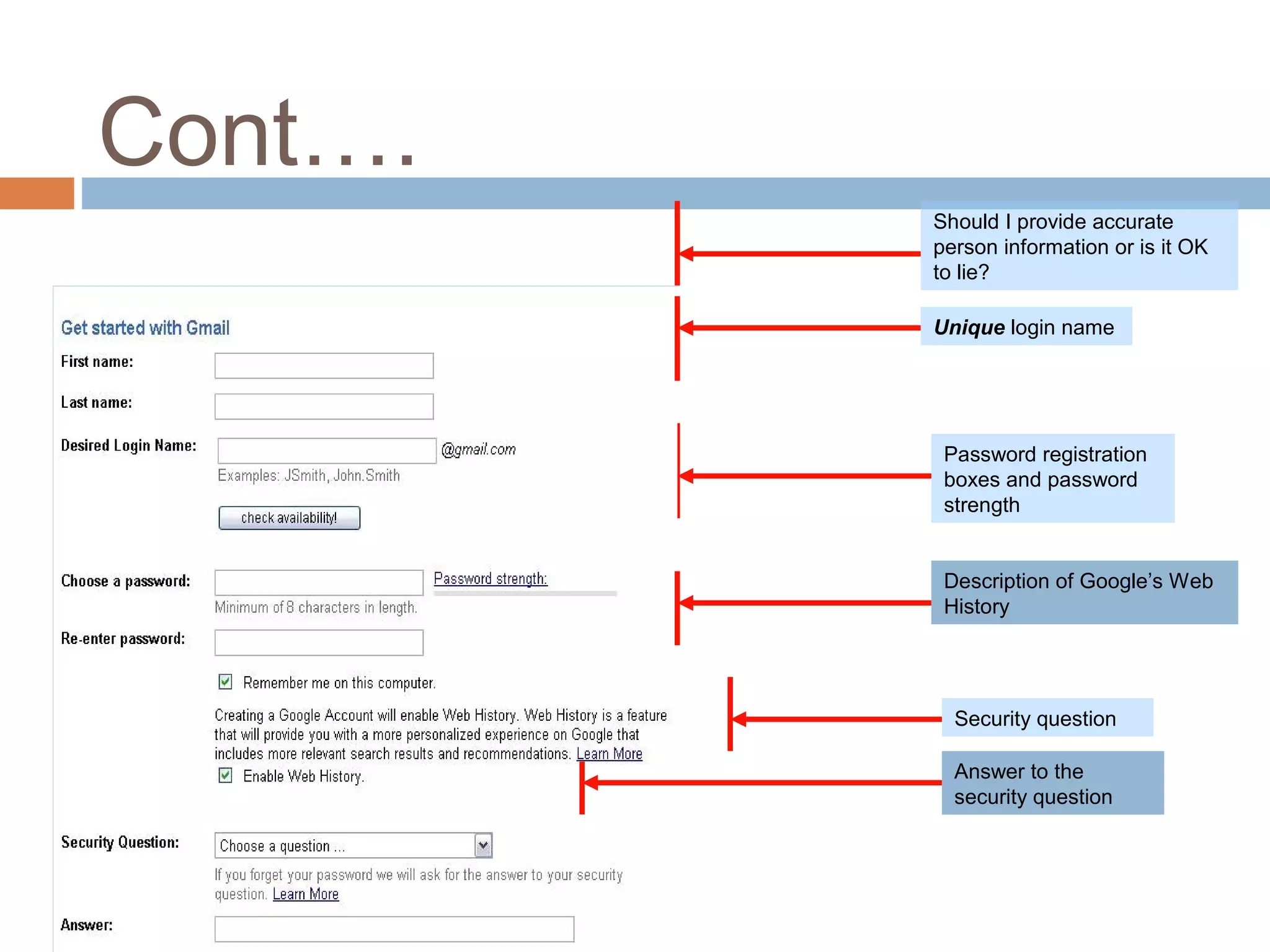
Cont….
Should I provide accurate
person information or is it OK
to lie?
Unique login name
Password registration
boxes and password
strength
Security question
Answer to the
security question
Description of Google’s Web
History
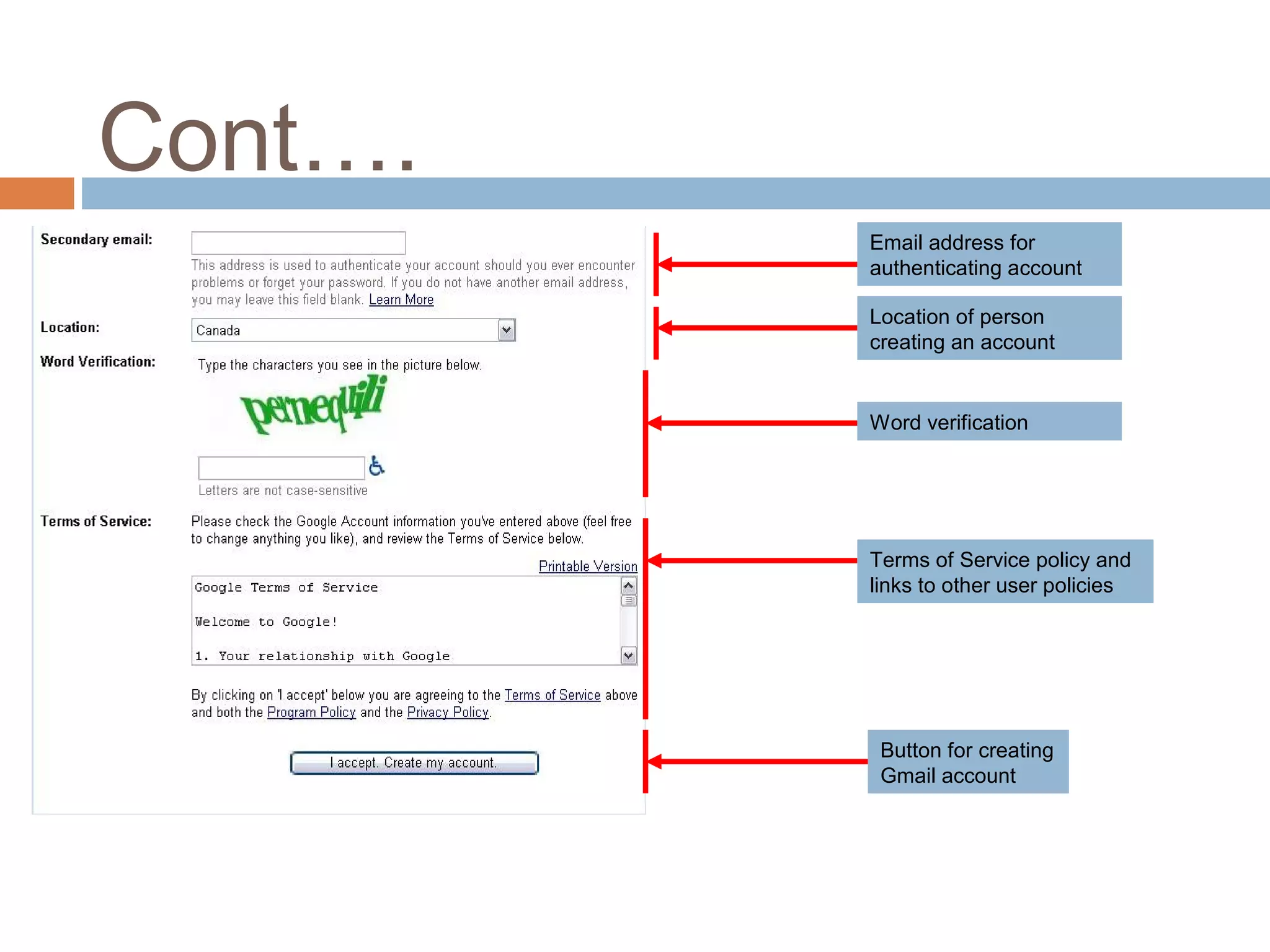
Cont….
Email address for
authenticating account
Location of person
creating an account
Word verification
Terms of Service policy and
links to other user policies
Button for creating
Gmail account
Sending and Receiving
Email
Three Exercises
1. Signing in (“Logging In”) to Gmail
2. Sending a message to yourclass partner
3. Reading new messages in your“Inbox”
Sending and Receiving
Email
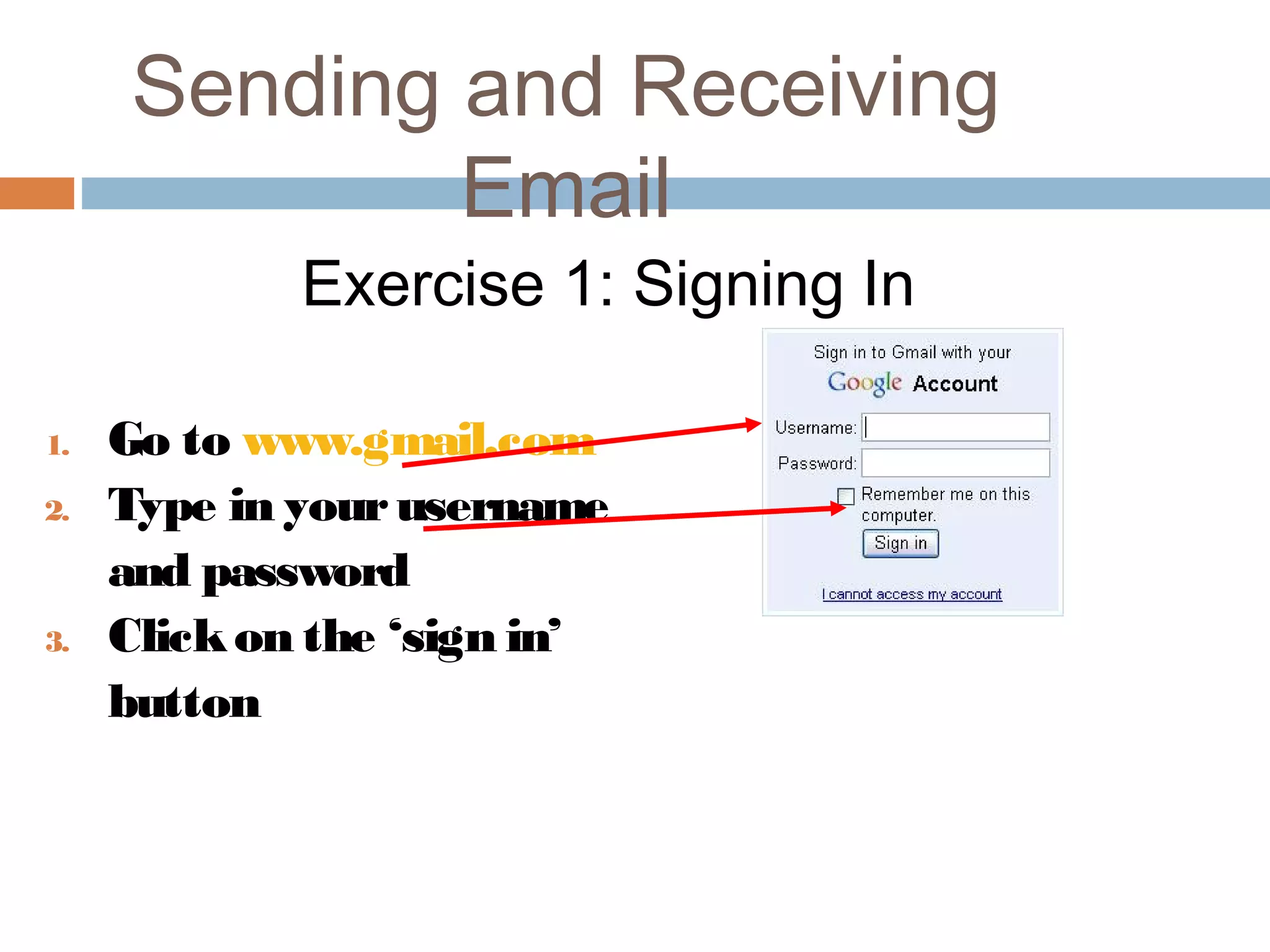
Exercise 1: Signing In
1. Go to www.gmail.com
2. Type in yourusername
and password
3. Clickon the ‘sign in’
button
Sending and Receiving
Email
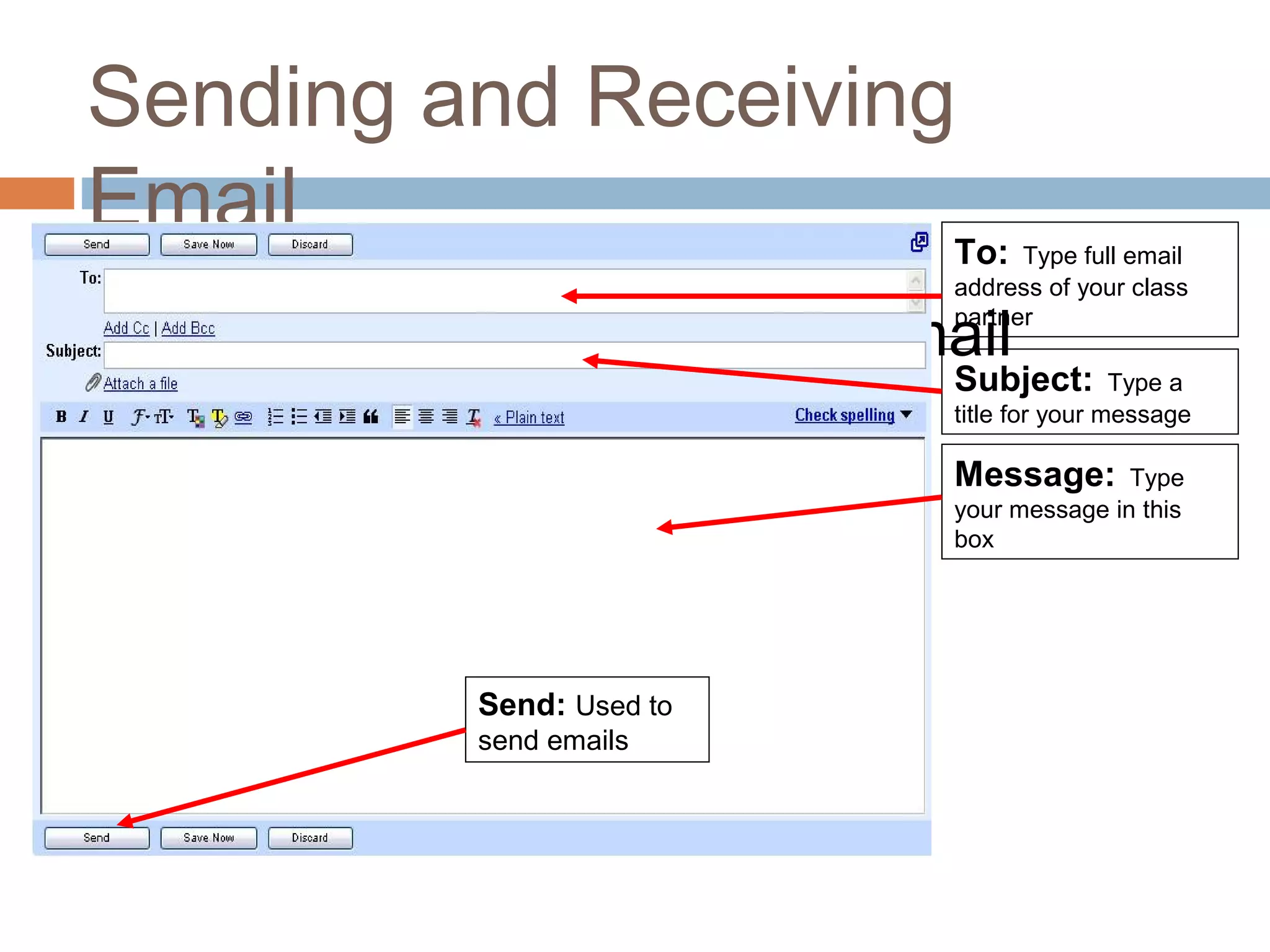
Exercise 2: Sending an Email
To: Type full email
address of your class
partner
Subject: Type a
title for your message
Message: Type
your message in this
box
Send: Used to
send emails
Sending and Receiving
Email
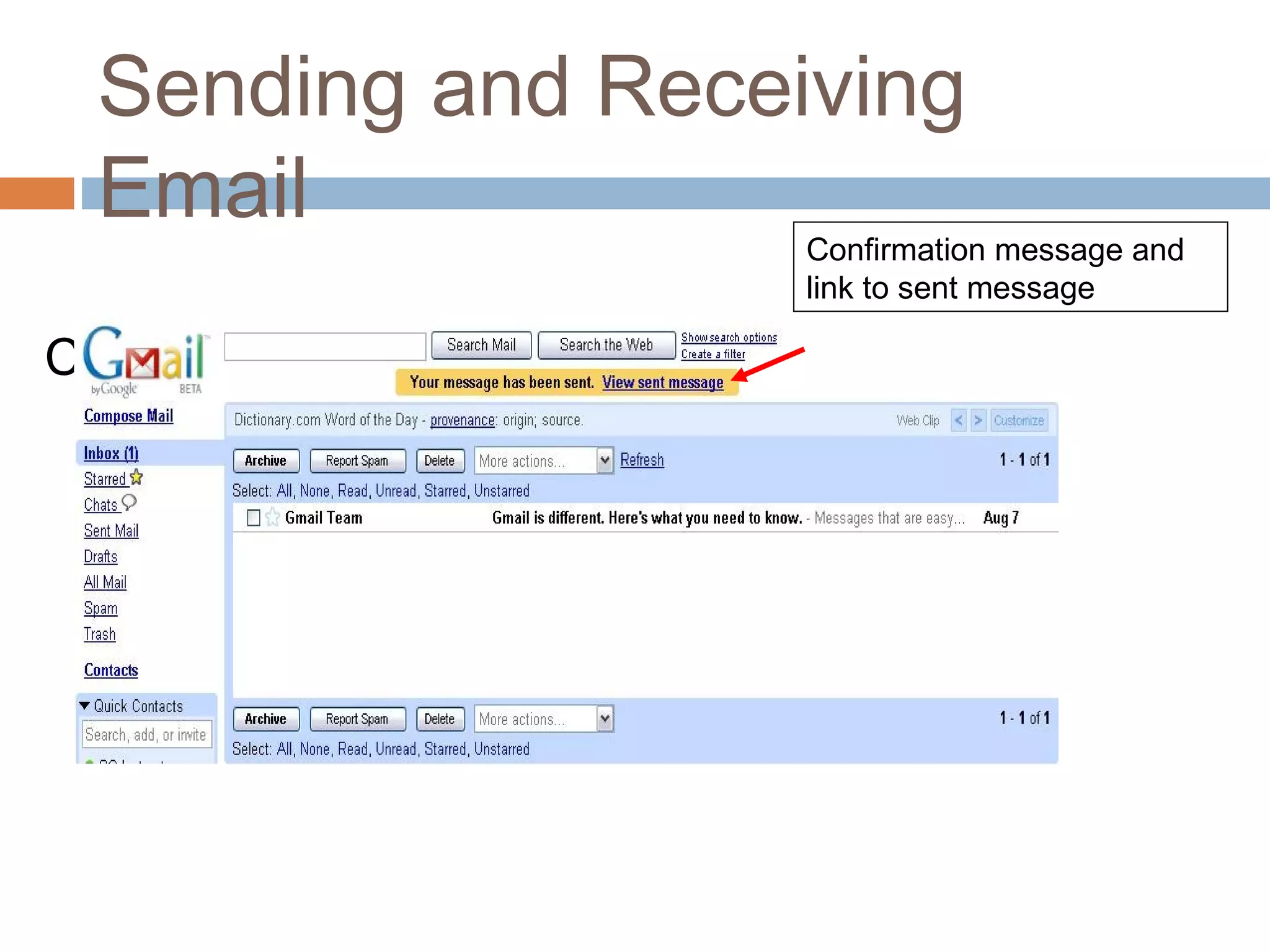
Confirmation message:
Confirmation message and
link to sent message
Sending and Receiving
Email
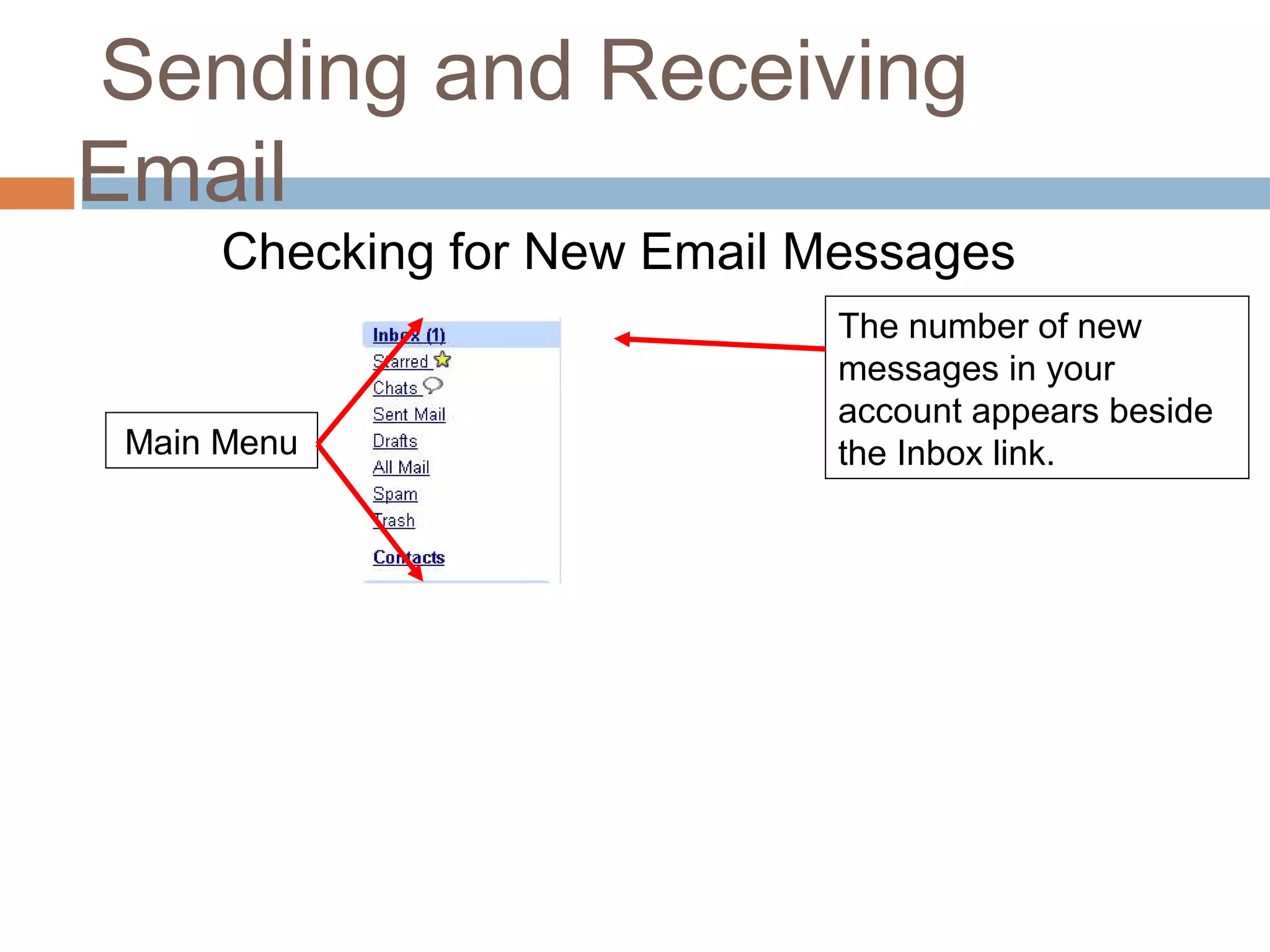
Checking for New Email Messages
The number of new
messages in your
account appears beside
the Inbox link.Main Menu
Sending and Receiving
Email
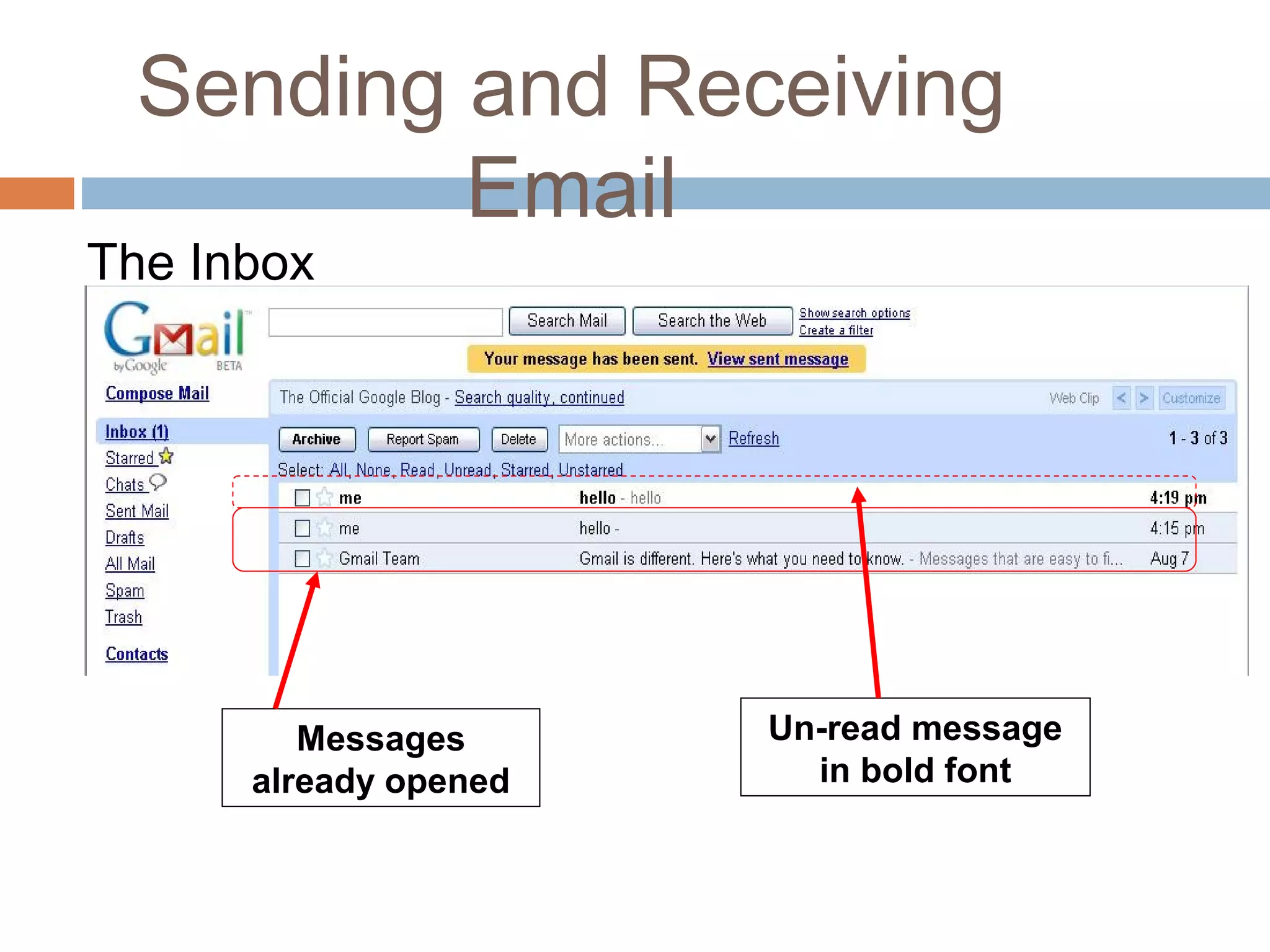
The Inbox
Messages
already opened
Un-read message
in bold font
Sending and Receiving
Email
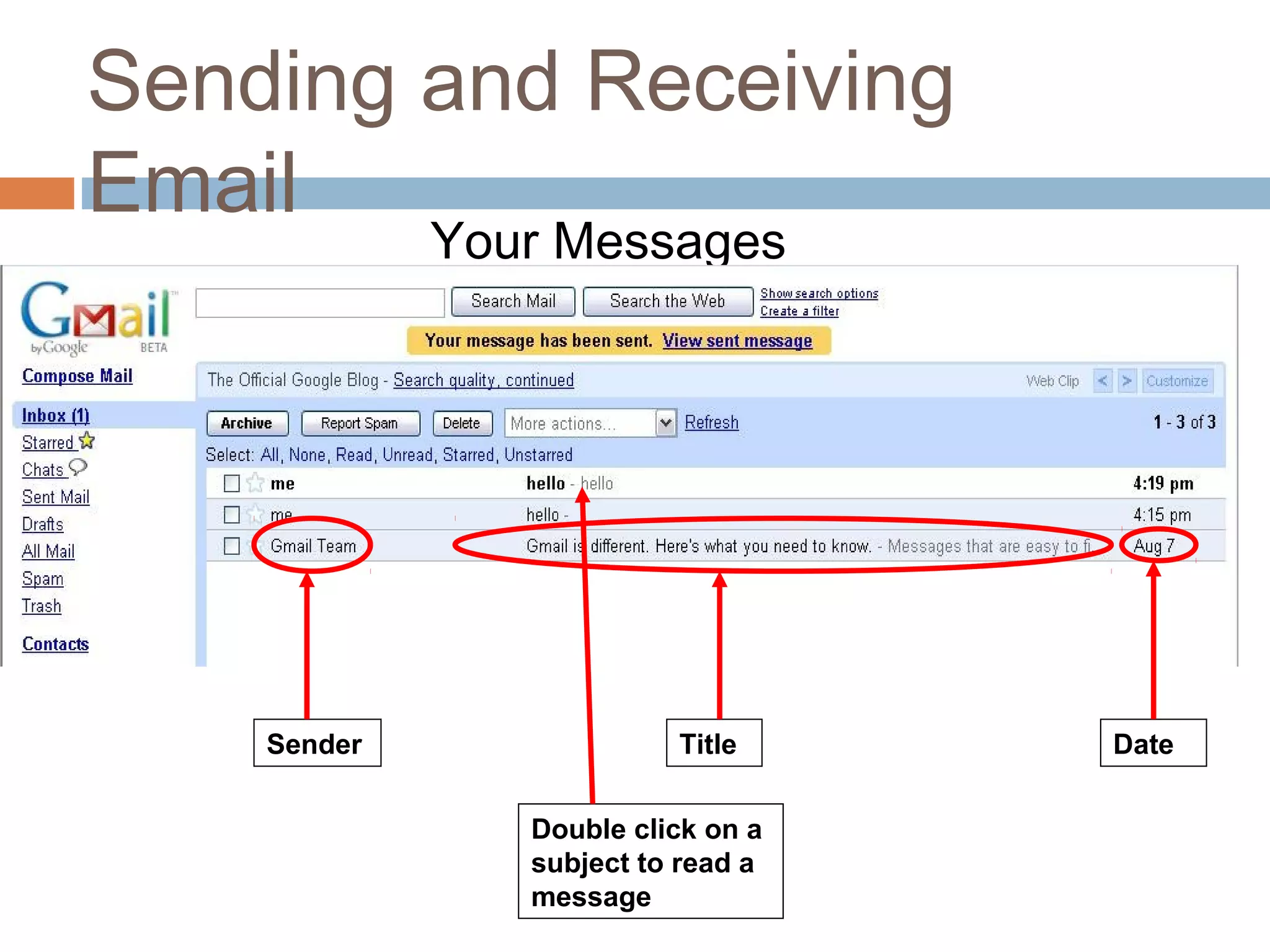
Your Messages
TitleSender Date
Double click on a
subject to read a
message
Managing your
Messages
Replying to a Message
“Replying” to a message sends it backto the
person who sent it to you.
Exercise:
 View the message from yourpartner
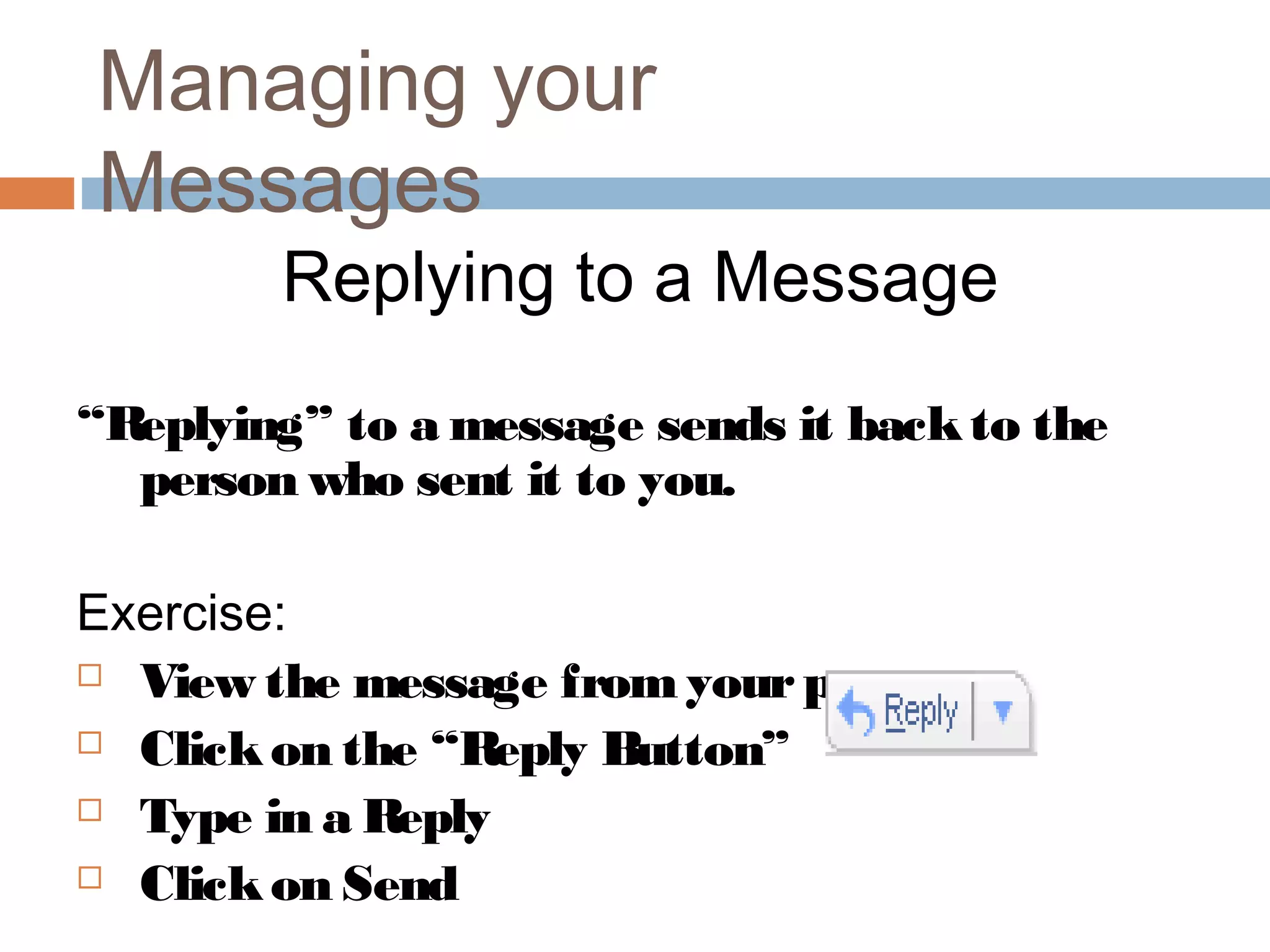
 Clickon the “Reply Button”
 Type in a Reply
 Clickon Send
WHAT MAKES UP AN E-
MAIL.Internet e-mail messages consist of two major
sections
 HeaderHeader
Structured into fields such as summary,
sender(from), receiver(to), subject, date , cc ,Bcc,
reply, message-id about the e-mail.
 BodyBody
The message itself as unstructured text; sometimes
containing a signature block at the end. This is
exactly the same as the body of a regular letter.
DIFFERENT ARCHITECTURAL
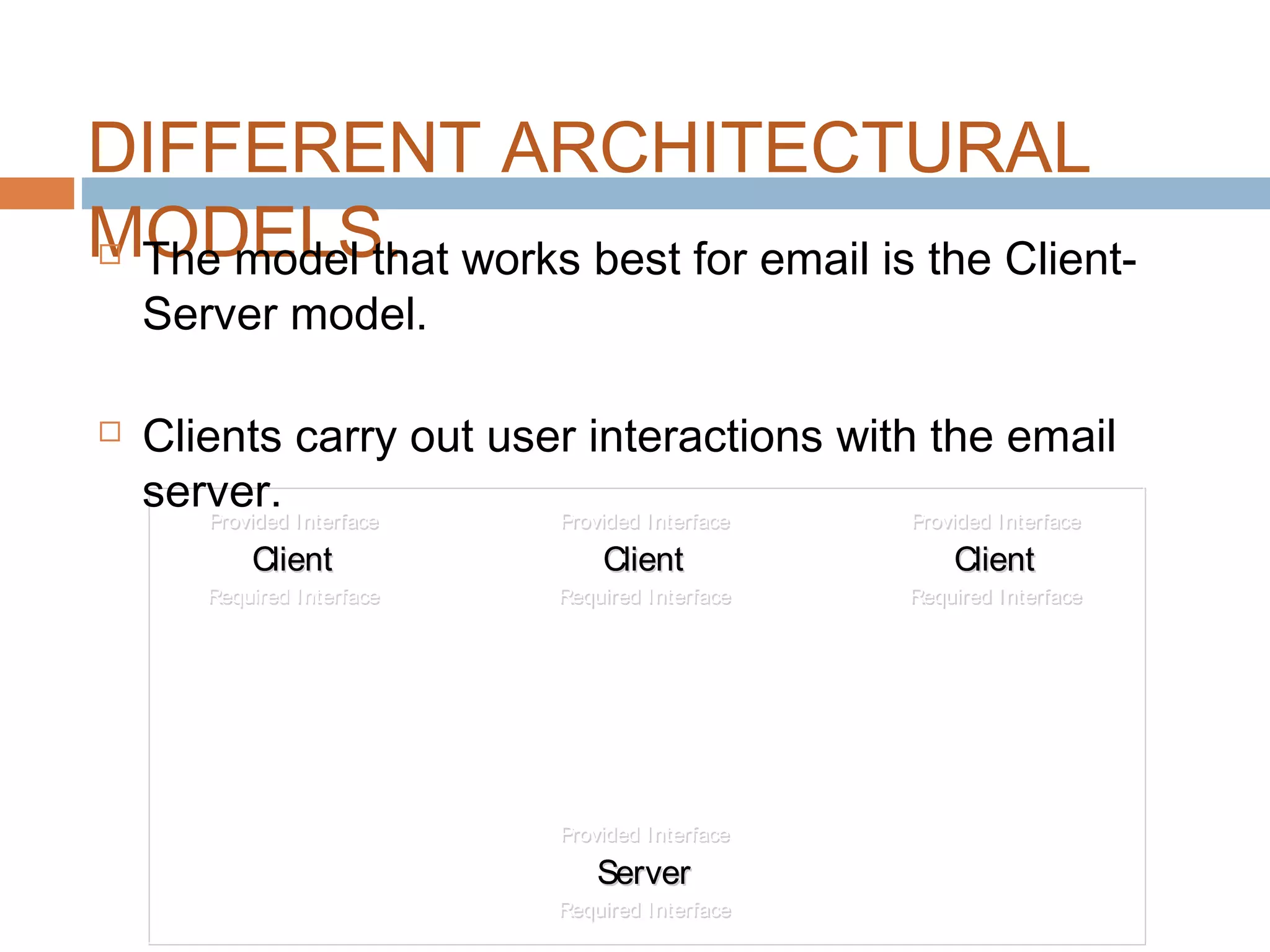
MODELS. Different Architectural Models exist for constructing
computer systems.
 Some models include
 Peer-Peer
 Pipe and Filter
 Implicit Invocation
 Client-Server
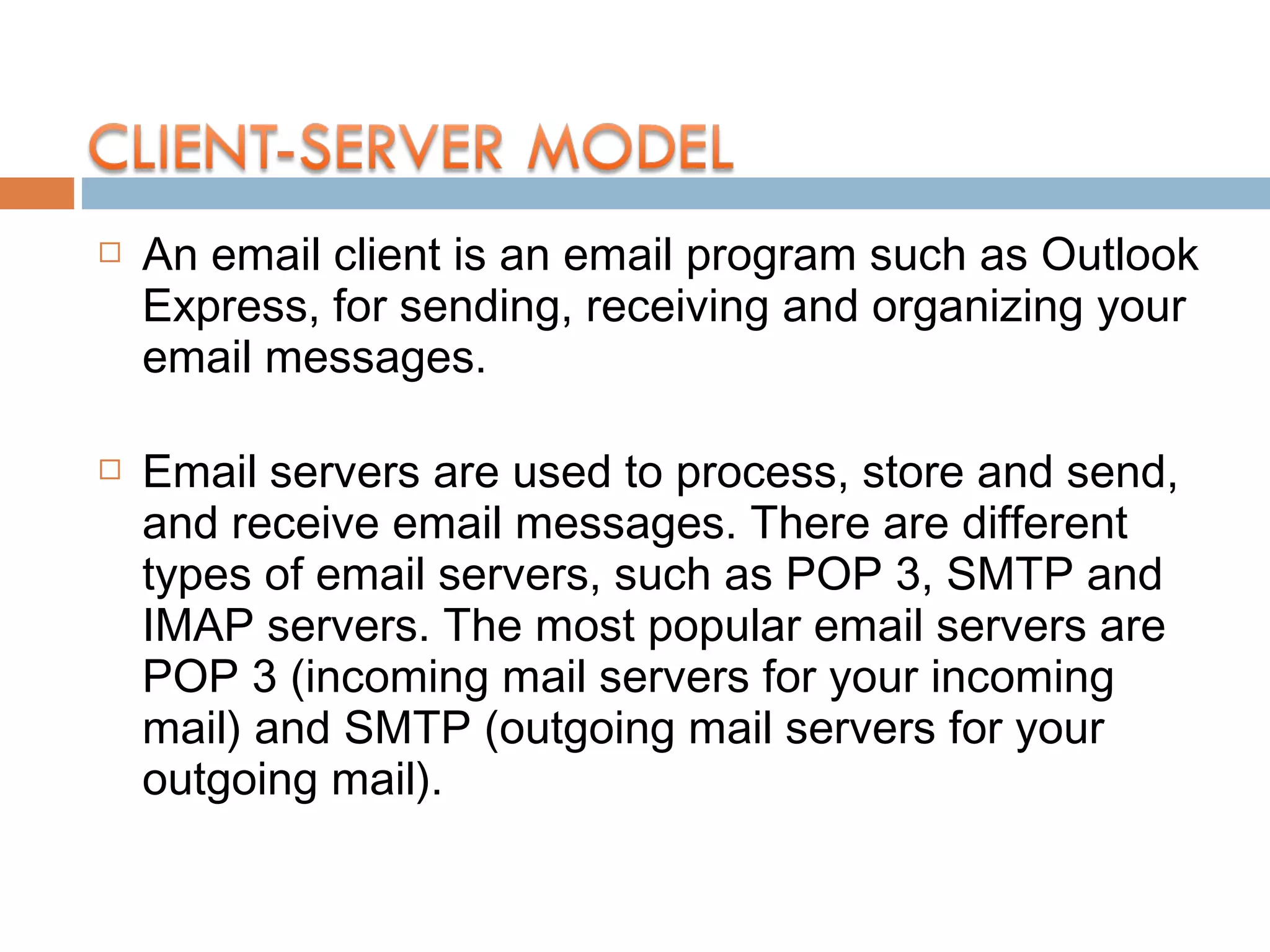
Provided Interface
Client
Required Interface
Provided Interface
Client
Required Interface
Provided Interface
Client
Required Interface
Provided Interface
Client
Required Interface
Provided Interface
Client
Required Interface
Provided Interface
Client
Required Interface
Provided Interface
Server
Required Interface
Provided Interface
Server
Required Interface
Provided Interface
Client
Required Interface
Provided Interface
Client
Required Interface
Provided Interface
Client
Required Interface
Provided Interface
Client
Required Interface
Provided Interface
Client
Required Interface
Provided Interface
Client
Required Interface
Provided Interface
Server
Required Interface
Provided Interface
Server
Required Interface
DIFFERENT ARCHITECTURAL
MODELS. The model that works best for email is the Client-
Server model.
 Clients carry out user interactions with the email
server.
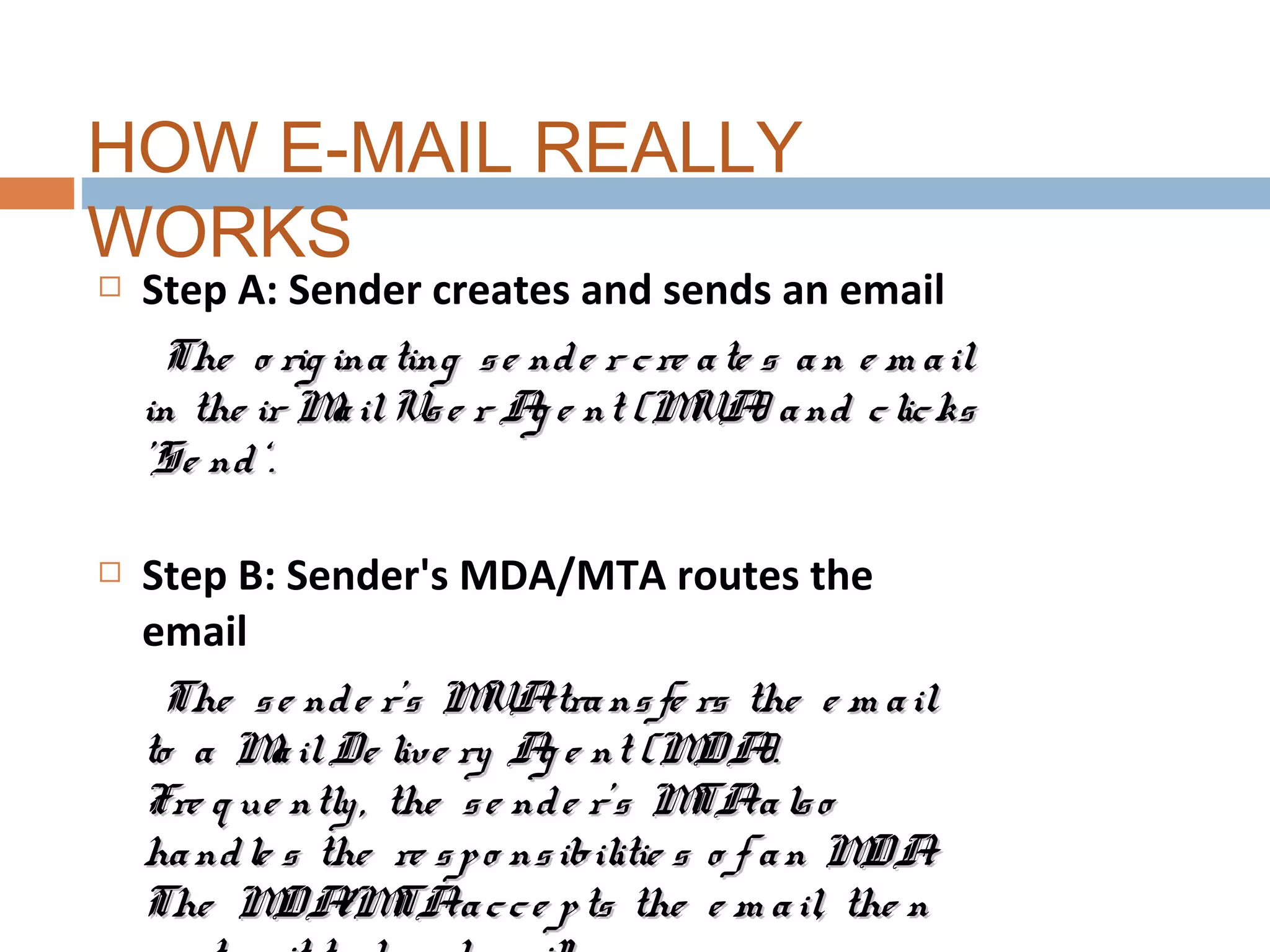
 An email client is an email program such as Outlook
Express, for sending, receiving and organizing your
email messages.
 Email servers are used to process, store and send,
and receive email messages. There are different
types of email servers, such as POP 3, SMTP and
IMAP servers. The most popular email servers are
POP 3 (incoming mail servers for your incoming
mail) and SMTP (outgoing mail servers for your
outgoing mail).
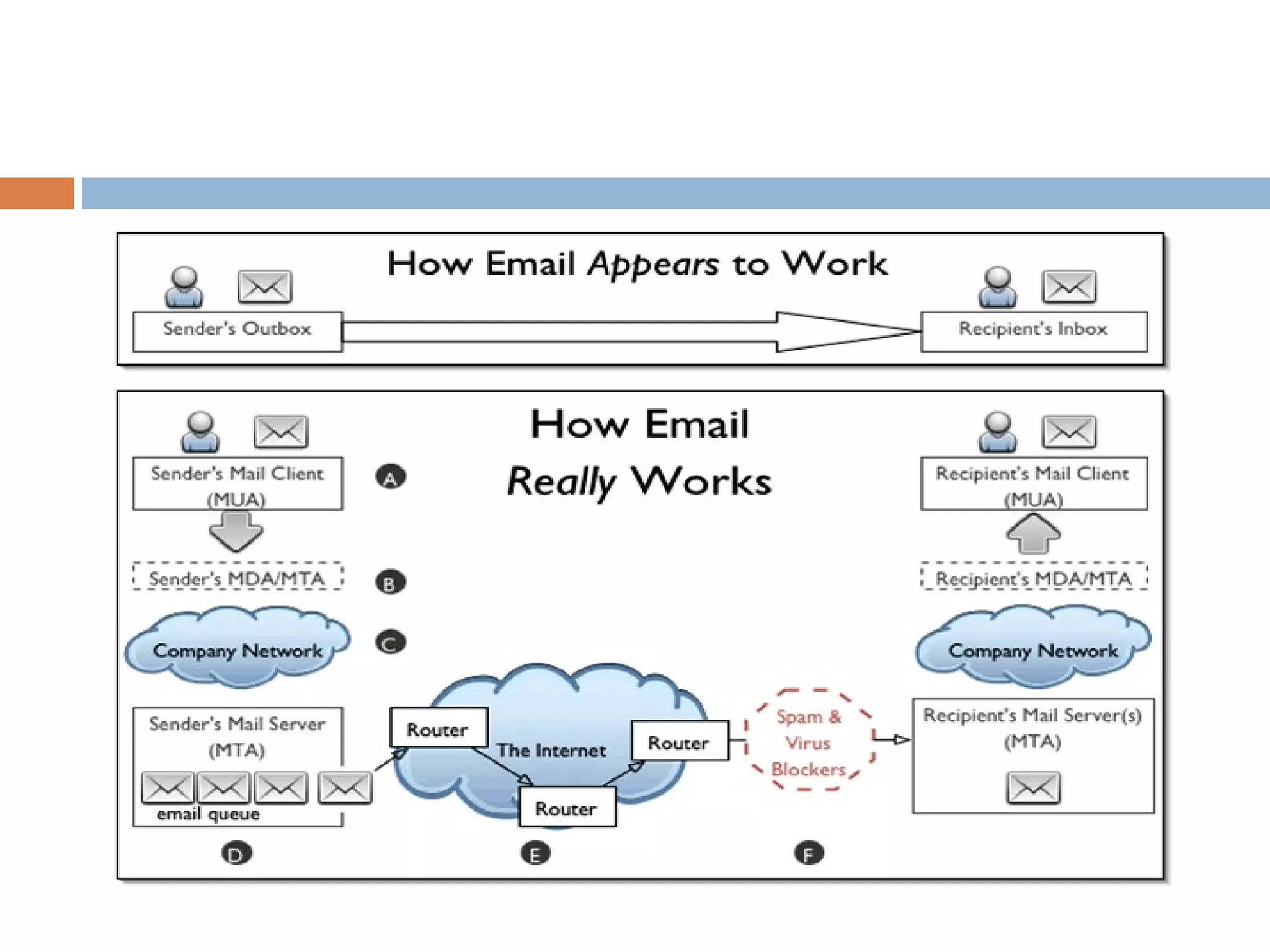
 Step A: Sender creates and sends an email
The o rig inating se nde r cre ate s an e m ailThe o rig inating se nde r cre ate s an e m ail
in the ir MailUse r Ag e nt (MUA) and clicksin the ir MailUse r Ag e nt (MUA) and clicks
'Se nd‘.'Se nd‘.
 Step B: Sender's MDA/MTA routes the
email
The se nde r's MUAtransfe rs the e m ailThe se nde r's MUAtransfe rs the e m ail
to a MailDe live ry Ag e nt (MDA).to a MailDe live ry Ag e nt (MDA).
Fre q ue ntly, the se nde r’s MTAalsoFre q ue ntly, the se nde r’s MTAalso
handle s the re spo nsibilitie s o f an MDA.handle s the re spo nsibilitie s o f an MDA.
The MDA/MTAacce pts the e m ail, the nThe MDA/MTAacce pts the e m ail, the n
HOW E-MAIL REALLY
WORKS
 Step C: NetworkCloud
The ne two rk clo ud m ay e nco m pass a m ultitude o fThe ne two rk clo ud m ay e nco m pass a m ultitude o f
m ailse rve rs, DNS se rve rs, ro ute rs and o the r de vice sm ailse rve rs, DNS se rve rs, ro ute rs and o the r de vice s
and se rvice s to o num e ro us to m e ntio n.and se rvice s to o num e ro us to m e ntio n.
The se de vice s m ay be pro te cte d by fire walls, spamThe se de vice s m ay be pro te cte d by fire walls, spam
filte rs and m alware de te ctio n so ftware that m ayfilte rs and m alware de te ctio n so ftware that m ay
bo unce o r e ve n de le te an e m ail.bo unce o r e ve n de le te an e m ail.
 Step D: Email Queue
So it e nte rs an e m ailq ue ue with o the r o utg o ing e m ailo it e nte rs an e m ailq ue ue with o the r o utg o ing e m ail
m e ssag e s.m e ssag e s.
 Step E: MTA to MTA Transfer
Whe n transfe rring an e m ail, the se nding MTAWhe n transfe rring an e m ail, the se nding MTA
handle s allaspe cts o f m ailde live ry untilthehandle s allaspe cts o f m ailde live ry untilthe
m e ssag e has be e n e ithe r acce pte d o r re je cte d bym e ssag e has be e n e ithe r acce pte d o r re je cte d by
the re ce iving MTA.the re ce iving MTA.
 Step F: Firewalls, Spam and Virus Filters
An e m aile nco unte ring a fire wallm ay be te ste d byAn e m aile nco unte ring a fire wallm ay be te ste d by
spam and virus filte rs be fo re it is allo we d to passspam and virus filte rs be fo re it is allo we d to pass
inside the fire wall. If the m e ssag e co ntainsinside the fire wall. If the m e ssag e co ntains
m alware , the file is usually q uarantine d and them alware , the file is usually q uarantine d and the
se nde r is no tifie d. If the m e ssag e is ide ntifie d asse nde r is no tifie d. If the m e ssag e is ide ntifie d as
BOUNCING OF E-
MAIL.Due to the following reasons e-mail will bounce.
 Mailbox Not Found
 Invalid mailbox
 Mailbox unavailable
 Mailbox full
 Host unknown.
A sending MTA can encounter two general kinds of
problems transferring an email: Transient or
Permanent failures.
 Transient failures
If a transient error occurs, the MTA will hang onto
the message, periodically retrying the delivery until
it either succeeds or fails, or until the MTA decides
that the transient issue is really a permanent
condition.
 Permanent failures
If the MTA cannot deliver the message (it has
received a fatal error message or failed to complete
THREATS TO E-
MAIL E-mail spoofing
Occurs when the header information of an email is
altered to make the message appear to come from
a known or trusted source.
 E-mail bombing
Is the intentional sending of large volumes of
messages to a target address. The overloading of
the target email address can render it unusable and
can even cause the mail server to crash.
OVERCOMING
THREATS E-mail messages have to go through intermediate
computers before reaching their destination.
 Many Internet Service Providers (ISP) store copies
of e-mail messages on their mail servers before
they are delivered.
 Using encryption techniques.
CONCLUSIO
N There are many uses of e-mail in
our daily life.
 We should not misuse the e-mail
for illegal activities.
 We should have our own moral
values.
Referen
ce
 Google
 Wikipedia
Team Members
 Sonu K Sebastian
 Sajith P.S
 Sam Scaria
 Scaria Joseph
 Sonia Sebu
 Surayya
 Shruthi.S. Murali
 Shipla
 Tony Xavier
 Thambu John
 Swathi Raj
 Roy Thomas
Thank You.

Email

  • 1.
  • 2.
    Overvie w.  WHAT ISE-MAIL .  DIFFERENT E-MAIL PROVIDERS.  WHAT MAKES UP AN E-MAIL.  DIFFERENT ARCHITECTURAL MODELS.  HOW E-MAIL REALLY TRAVEL.  BOUNCING OF E-MAIL.  THREATS TO E-MAIL.  OVERCOMING THREATS.  CONCLUSION.
  • 3.
    Meanin g  Electronic mail,often abbreviated as email or e- mail.  Email – an electronic message transmitted over a network from one user to another.  Can be as simple as a few lines of text, or include attachments such as pictures or documents.  It is the method of exchanging digital messages between two or more systems.  E-mail systems are based on a store-and-forward model.  In which e-mail computer server systems accept, forward, deliver and store messages on behalf of
  • 4.
    Histor y  The firstemail systems were developed at SCD and MIT in 1965. Incompatible with each other, each system was designed to facilitate message delivery between users on a single machine.  Ray Tomlinson invented email back in 1971 – essentially fostering global business communication.  It is the easy & cheapest comm.
  • 5.
    Definition  Electronic mail(or E-mail ) can be defined as ‘the transformation of computer- stored messages by using telecommunications”
  • 6.
    Advantages of Email  Screening information  Bringing Work on the Road  Sending Messages to Greet  Managing E mail is easy and fast  Email is easy to filter  E-mails are delivered uninterruptedly
  • 7.
    Disadvantages of E-mail E-Mail Overload  Time consuming  E-mail and Excuse  Infecting your computer with a virus  Ignorance
  • 8.
    Now a daysthere many e-mail providers.  Gmail.  Yahoo mail.  Rediff mail.  Hotmail. Email Providers
  • 9.
    How to SignUp for a Gmail Email Account 1. Go to www.gmail.com 2. Clickon “Sign Up forGmail” 3. Fill in the Registration Form Create user ID
  • 10.
    Cont…. Should I provideaccurate person information or is it OK to lie? Unique login name Password registration boxes and password strength Security question Answer to the security question Description of Google’s Web History
  • 11.
    Cont…. Email address for authenticatingaccount Location of person creating an account Word verification Terms of Service policy and links to other user policies Button for creating Gmail account
  • 12.
    Sending and Receiving Email ThreeExercises 1. Signing in (“Logging In”) to Gmail 2. Sending a message to yourclass partner 3. Reading new messages in your“Inbox”
  • 13.
    Sending and Receiving Email Exercise1: Signing In 1. Go to www.gmail.com 2. Type in yourusername and password 3. Clickon the ‘sign in’ button
  • 14.
    Sending and Receiving Email Exercise2: Sending an Email To: Type full email address of your class partner Subject: Type a title for your message Message: Type your message in this box Send: Used to send emails
  • 15.
    Sending and Receiving Email Confirmationmessage: Confirmation message and link to sent message
  • 16.
    Sending and Receiving Email Checkingfor New Email Messages The number of new messages in your account appears beside the Inbox link.Main Menu
  • 17.
    Sending and Receiving Email TheInbox Messages already opened Un-read message in bold font
  • 18.
    Sending and Receiving Email YourMessages TitleSender Date Double click on a subject to read a message
  • 19.
    Managing your Messages Replying toa Message “Replying” to a message sends it backto the person who sent it to you. Exercise:  View the message from yourpartner  Clickon the “Reply Button”  Type in a Reply  Clickon Send
  • 20.
    WHAT MAKES UPAN E- MAIL.Internet e-mail messages consist of two major sections  HeaderHeader Structured into fields such as summary, sender(from), receiver(to), subject, date , cc ,Bcc, reply, message-id about the e-mail.  BodyBody The message itself as unstructured text; sometimes containing a signature block at the end. This is exactly the same as the body of a regular letter.
  • 21.
    DIFFERENT ARCHITECTURAL MODELS. DifferentArchitectural Models exist for constructing computer systems.  Some models include  Peer-Peer  Pipe and Filter  Implicit Invocation  Client-Server
  • 22.
    Provided Interface Client Required Interface ProvidedInterface Client Required Interface Provided Interface Client Required Interface Provided Interface Client Required Interface Provided Interface Client Required Interface Provided Interface Client Required Interface Provided Interface Server Required Interface Provided Interface Server Required Interface Provided Interface Client Required Interface Provided Interface Client Required Interface Provided Interface Client Required Interface Provided Interface Client Required Interface Provided Interface Client Required Interface Provided Interface Client Required Interface Provided Interface Server Required Interface Provided Interface Server Required Interface DIFFERENT ARCHITECTURAL MODELS. The model that works best for email is the Client- Server model.  Clients carry out user interactions with the email server.
  • 23.
     An emailclient is an email program such as Outlook Express, for sending, receiving and organizing your email messages.  Email servers are used to process, store and send, and receive email messages. There are different types of email servers, such as POP 3, SMTP and IMAP servers. The most popular email servers are POP 3 (incoming mail servers for your incoming mail) and SMTP (outgoing mail servers for your outgoing mail).
  • 24.
     Step A:Sender creates and sends an email The o rig inating se nde r cre ate s an e m ailThe o rig inating se nde r cre ate s an e m ail in the ir MailUse r Ag e nt (MUA) and clicksin the ir MailUse r Ag e nt (MUA) and clicks 'Se nd‘.'Se nd‘.  Step B: Sender's MDA/MTA routes the email The se nde r's MUAtransfe rs the e m ailThe se nde r's MUAtransfe rs the e m ail to a MailDe live ry Ag e nt (MDA).to a MailDe live ry Ag e nt (MDA). Fre q ue ntly, the se nde r’s MTAalsoFre q ue ntly, the se nde r’s MTAalso handle s the re spo nsibilitie s o f an MDA.handle s the re spo nsibilitie s o f an MDA. The MDA/MTAacce pts the e m ail, the nThe MDA/MTAacce pts the e m ail, the n HOW E-MAIL REALLY WORKS
  • 25.
     Step C:NetworkCloud The ne two rk clo ud m ay e nco m pass a m ultitude o fThe ne two rk clo ud m ay e nco m pass a m ultitude o f m ailse rve rs, DNS se rve rs, ro ute rs and o the r de vice sm ailse rve rs, DNS se rve rs, ro ute rs and o the r de vice s and se rvice s to o num e ro us to m e ntio n.and se rvice s to o num e ro us to m e ntio n. The se de vice s m ay be pro te cte d by fire walls, spamThe se de vice s m ay be pro te cte d by fire walls, spam filte rs and m alware de te ctio n so ftware that m ayfilte rs and m alware de te ctio n so ftware that m ay bo unce o r e ve n de le te an e m ail.bo unce o r e ve n de le te an e m ail.  Step D: Email Queue So it e nte rs an e m ailq ue ue with o the r o utg o ing e m ailo it e nte rs an e m ailq ue ue with o the r o utg o ing e m ail m e ssag e s.m e ssag e s.
  • 26.
     Step E:MTA to MTA Transfer Whe n transfe rring an e m ail, the se nding MTAWhe n transfe rring an e m ail, the se nding MTA handle s allaspe cts o f m ailde live ry untilthehandle s allaspe cts o f m ailde live ry untilthe m e ssag e has be e n e ithe r acce pte d o r re je cte d bym e ssag e has be e n e ithe r acce pte d o r re je cte d by the re ce iving MTA.the re ce iving MTA.  Step F: Firewalls, Spam and Virus Filters An e m aile nco unte ring a fire wallm ay be te ste d byAn e m aile nco unte ring a fire wallm ay be te ste d by spam and virus filte rs be fo re it is allo we d to passspam and virus filte rs be fo re it is allo we d to pass inside the fire wall. If the m e ssag e co ntainsinside the fire wall. If the m e ssag e co ntains m alware , the file is usually q uarantine d and them alware , the file is usually q uarantine d and the se nde r is no tifie d. If the m e ssag e is ide ntifie d asse nde r is no tifie d. If the m e ssag e is ide ntifie d as
  • 28.
    BOUNCING OF E- MAIL.Dueto the following reasons e-mail will bounce.  Mailbox Not Found  Invalid mailbox  Mailbox unavailable  Mailbox full  Host unknown.
  • 29.
    A sending MTAcan encounter two general kinds of problems transferring an email: Transient or Permanent failures.  Transient failures If a transient error occurs, the MTA will hang onto the message, periodically retrying the delivery until it either succeeds or fails, or until the MTA decides that the transient issue is really a permanent condition.  Permanent failures If the MTA cannot deliver the message (it has received a fatal error message or failed to complete
  • 30.
    THREATS TO E- MAILE-mail spoofing Occurs when the header information of an email is altered to make the message appear to come from a known or trusted source.  E-mail bombing Is the intentional sending of large volumes of messages to a target address. The overloading of the target email address can render it unusable and can even cause the mail server to crash.
  • 31.
    OVERCOMING THREATS E-mail messageshave to go through intermediate computers before reaching their destination.  Many Internet Service Providers (ISP) store copies of e-mail messages on their mail servers before they are delivered.  Using encryption techniques.
  • 32.
    CONCLUSIO N There aremany uses of e-mail in our daily life.  We should not misuse the e-mail for illegal activities.  We should have our own moral values.
  • 33.
  • 34.
    Team Members  SonuK Sebastian  Sajith P.S  Sam Scaria  Scaria Joseph  Sonia Sebu  Surayya  Shruthi.S. Murali  Shipla  Tony Xavier  Thambu John  Swathi Raj  Roy Thomas
  • 35.