EMAIL
Email, short for electronic mail, is a method of exchanging digital
messages over the internet. Email allows users to send and receive
messages electronically between computers or other electronic devices
connectedtotheinternetoranetwork.
Email originated in the early 1970s and has since become one of the most
popular and reliable methods of digital communication worldwide,
replacingtraditionalpostalmailformanypurposes.
Emailisaversatileandwidelyadoptedmethodforsending,receiving,and
managing digital messages and files over the internet, facilitating
e cientcommunicationacrossdistancesandtimezones.
Understand the different types of
emails: Transactional, Marketing,
and Operational. Each type
serves a specific purpose and
requires a tailored approach in
communication.
TypesofEmails
SendingEmails
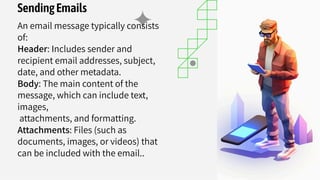
An email message typically consists
of:
Header: Includes sender and
recipient email addresses, subject,
date, and other metadata.
Body: The main content of the
message, which can include text,
images,
attachments, and formatting.
Attachments: Files (such as
documents, images, or videos) that
can be included with the email..
ReceivingEmails
Addresses: Each user has a unique email
address, typically in the
formatusername@example.com, where
"username" is the name chosen by the user and
"example.com" is the domain name of the email
service provider or organization.Efficiently
manage incoming emails by organizing them
into folders, setting up filters, and prioritizing
based on importance and urgency.
EMAILLISTS
Explore the benefits of email lists and how to effectively
manage and segment them for targeted campaigns and
engagement.
Understand the role of email servers in delivering and receiving
emails, and the importance of security and reliability in server
selection.
Email can be accessed and managed through email clients (software
applications like Outlook, Thunderbird, Apple Mail) or webmail
interfaces (such as Gmail, Yahoo Mail, Outlook.com) provided by email
service providers.
Protocols: Email messages are transmitted using email protocols such
as SMTP (Simple Mail Transfer Protocol) for sending emails and POP3
(Post Office Protocol version 3) or IMAP (Internet Message Access
Protocol) for receiving and accessing emails from a server.
EmailServers
EmailClients
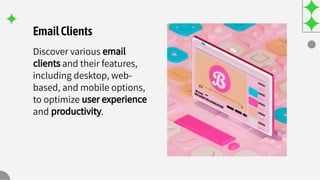
Discover various email
clients and their features,
including desktop, web-
based, and mobile options,
to optimize user experience
and productivity.
E ectiveCommunication
Master the art of
effective communication
through email, including
clarity, conciseness, and
tone to convey the
intended message.
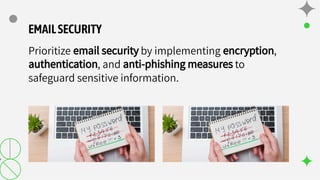
EMAILSECURITY
Prioritize email security by implementing encryption,
authentication, and anti-phishing measures to
safeguard sensitive information.
Thanks!

Unit 2-email and its uses protocols bcom 3 sem

  • 1.
  • 2.
    Email, short forelectronic mail, is a method of exchanging digital messages over the internet. Email allows users to send and receive messages electronically between computers or other electronic devices connectedtotheinternetoranetwork. Email originated in the early 1970s and has since become one of the most popular and reliable methods of digital communication worldwide, replacingtraditionalpostalmailformanypurposes. Emailisaversatileandwidelyadoptedmethodforsending,receiving,and managing digital messages and files over the internet, facilitating e cientcommunicationacrossdistancesandtimezones.
  • 3.
    Understand the differenttypes of emails: Transactional, Marketing, and Operational. Each type serves a specific purpose and requires a tailored approach in communication. TypesofEmails
  • 4.
    SendingEmails An email messagetypically consists of: Header: Includes sender and recipient email addresses, subject, date, and other metadata. Body: The main content of the message, which can include text, images, attachments, and formatting. Attachments: Files (such as documents, images, or videos) that can be included with the email..
  • 5.
    ReceivingEmails Addresses: Each userhas a unique email address, typically in the formatusername@example.com, where "username" is the name chosen by the user and "example.com" is the domain name of the email service provider or organization.Efficiently manage incoming emails by organizing them into folders, setting up filters, and prioritizing based on importance and urgency.
  • 6.
    EMAILLISTS Explore the benefitsof email lists and how to effectively manage and segment them for targeted campaigns and engagement.
  • 7.
    Understand the roleof email servers in delivering and receiving emails, and the importance of security and reliability in server selection. Email can be accessed and managed through email clients (software applications like Outlook, Thunderbird, Apple Mail) or webmail interfaces (such as Gmail, Yahoo Mail, Outlook.com) provided by email service providers. Protocols: Email messages are transmitted using email protocols such as SMTP (Simple Mail Transfer Protocol) for sending emails and POP3 (Post Office Protocol version 3) or IMAP (Internet Message Access Protocol) for receiving and accessing emails from a server. EmailServers
  • 8.
    EmailClients Discover various email clientsand their features, including desktop, web- based, and mobile options, to optimize user experience and productivity.
  • 9.
    E ectiveCommunication Master theart of effective communication through email, including clarity, conciseness, and tone to convey the intended message.
  • 10.
    EMAILSECURITY Prioritize email securityby implementing encryption, authentication, and anti-phishing measures to safeguard sensitive information.
  • 11.