COMPUTER FOR DATA ANALYSIS
•Researchers can use computer assisted
data analysis.
•Computer software is used in many
academic fields, such as sociology,
psychology, political science, medicine and
educational science.
•Computer Software serves to provide
insights into qualitative data sets without
suggesting interpretations.
• Text analysis allow for easy sorting,
structuring, and analyzing of large amounts of
text.
USE OF COMPUTER FOR DATA ANALYSIS
• When you are handling large amounts of data and need to store or to
arrange data items efficiently.
• The ability of a computer to make repetitive calculations rapidly and
accurately has revolutionised quantitative research.
• There are large numbers of computer programs that can assist with
quantitative analysis.
• Probably the most commonly used are Matlab, Excel and SPSS.
DATA ANALYSIS SOFTWARE PACKAGES
SPSS
EXCEL
N6
MINITAB
NVIOLISREL ORIGIN
FRONT
EVIEWS
NVIO
• This software used numerical
data.
• To find original opinion sharing
through social through social
network like whatsapp, FB,
twitter, hike, linkedin, etc.
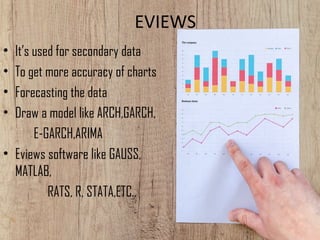
EVIEWS
• It’s used for secondary data
• To get more accuracy of charts
• Forecasting the data
• Draw a model like ARCH,GARCH,
E-GARCH,ARIMA
• Eviews software like GAUSS,
MATLAB,
RATS, R, STATA,ETC.,
LISREL
• LISREL (linear structural relations) is a
proprietary statistical software package used
in structural equation modelling (SEM)
for manifest and latent variables.
• It requires a "fairly high level of statistical
sophistication”.
• LISREL was developed in the 1970s by Karl
Jöreskog.
• The most current version, as of 2016, is LISREL 9.3.
LIMDEP
• LIMDEP is an econometric and statistical software package with 
a variety of estimation tools.
• The package also provides a programming language to allow 
the user to specify, estimate and analyze models that are not 
contained in the built in menus of model forms.
• LIMDEP was first developed in the early 1980s. 
• It was founded in 1985 by William H. Greene. 
PLS
• Partial least squares regression  is a statistical method that bears some
relation to principal components regression; instead of finding hyperplanes of
maximum variance between the response and independent variables, it finds
a linear regression model by projecting the predicted variables and
the observable variables to a new space.
• PLS was introduced by the Swedish statistician Herman O. A. Wold, who then
developed it with his son, Svante Wold.
STATA
• Stata is a general-purpose statistical software package
created in 1985 by StataCorp.
• Most of its users work in research, especially in the fields
of economics, sociology, political, science and etc.
• Stata's capabilities include data management, statistical
analysis, graphics, simulations, regression, and custom
programming.
ORIGIN
• Origin is a proprietary computer program for 
interactive scientific graphing and data analysis. It is produced 
by OriginLab Corporation, and runs on Microsoft Windows.
• Graphing support in Origin includes various 2D/3D plot types.
• Origin imports data files in various formats such as ASCII 
text, Excel, NI TDM, DIADem, NetCDF, SPC, etc.
DEA
• Data Envelopment Analysis (DEA) is 
a nonparametric method in operations 
research and economics for the estimation 
of production frontiers.
• It is used to empirically measure productive 
efficiency of decision making units.
• Although DEA has a strong link to production 
theory in economics, the tool is also used for 
benchmarking in operations management.
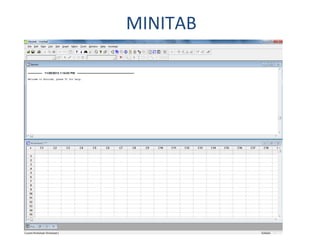
MINITAB
MINITAB
• Menu-driven statistical software, but does have scripting language available 
for typing commands or creating macros
• Used in most Six Sigma courses and workshops
• Help documentation located in software as well as online
• Used by many analysts to quantitatively make decisions
• Common fields:
– Social science 
– Marketing
– Education
– Sociology
– Manufacturing
– Agriculture
– Pharmaceutical science
– Engineering
MINITAB: USAGE
• Data can be typed in, copied and pasted from a text or Excel 
file, or imported through menu-driven prompts
• New variables can be added to worksheet or created using 
formulas
• Worksheets contain raw data and only one worksheet can be 
active at a time
• Can create and save macros and/or commands
• Session window displays output
• Graphs and other visual charts are shown in individual 
windows
• Project manager contains outline that helps you to jump to 

particular output
• Worksheet can be saved separately, but saving whole project 
will save both worksheet and output
MINITAB: EXAMPLES
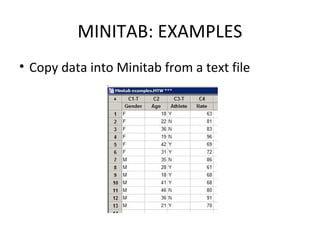
• Copy data into Minitab from a text file
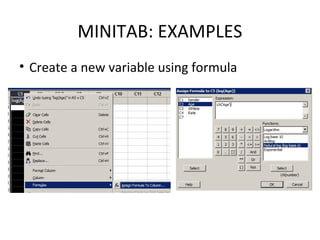
• Create a new variable using formula
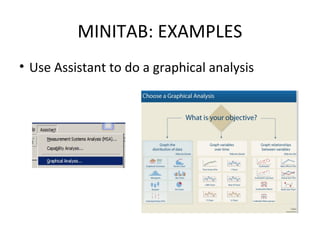
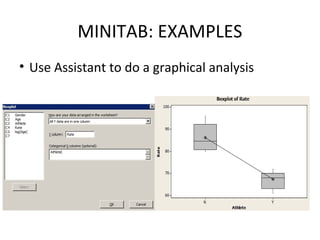
• Use Assistant to do a graphical analysis
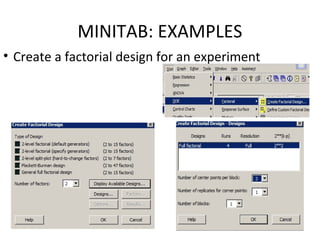
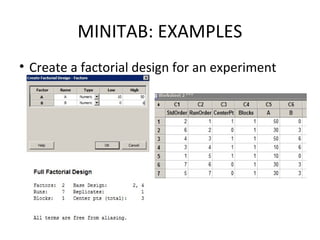
• Create a factorial design for an experiment
MINITAB: EXAMPLES
• Copy data into Minitab from a text file
MINITAB: EXAMPLES
• Create a new variable using formula
MINITAB: EXAMPLES
• Use Assistant to do a graphical analysis
MINITAB: EXAMPLES
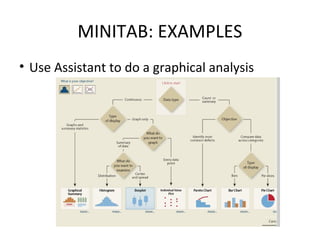
• Use Assistant to do a graphical analysis
MINITAB: EXAMPLES
• Use Assistant to do a graphical analysis
MINITAB: EXAMPLES
• Create a factorial design for an experiment
MINITAB: EXAMPLES
• Create a factorial design for an experiment
SPSS
• Menu-driven statistical software, but does have scripting language
available for typing commands or creating macros
• Used in conjunction with many common survey platforms, and is
the leading software for analyzing survey data
• Used by many analysts to quantitatively make decisions
• Common fields:
– Social science
– Marketing
– Education
– Sociology
– Healthcare
– Government
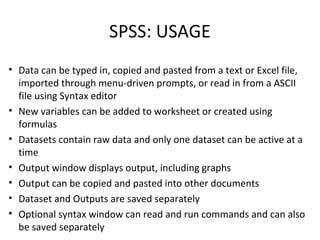
SPSS: USAGE
• Data can be typed in, copied and pasted from a text or Excel file,
imported through menu-driven prompts, or read in from a ASCII
file using Syntax editor
• New variables can be added to worksheet or created using
formulas
• Datasets contain raw data and only one dataset can be active at a
time
• Output window displays output, including graphs
• Output can be copied and pasted into other documents
• Dataset and Outputs are saved separately
• Optional syntax window can read and run commands and can also
be saved separately
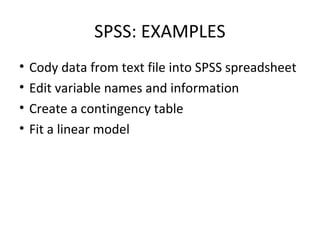
SPSS: EXAMPLES
• Cody data from text file into SPSS spreadsheet
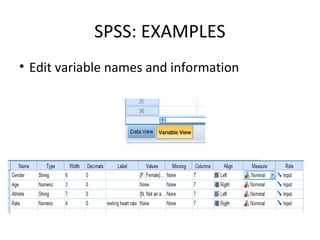
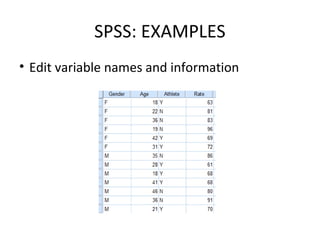
• Edit variable names and information
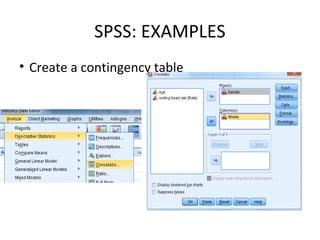
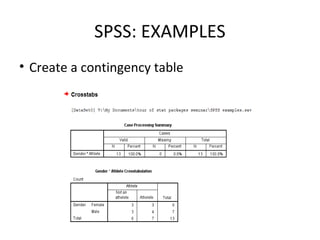
• Create a contingency table
• Fit a linear model
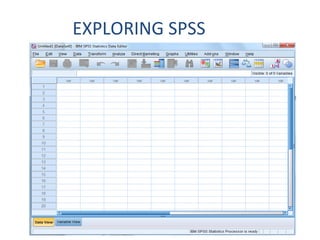
EXPLORING SPSS
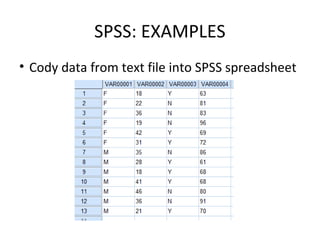
SPSS: EXAMPLES
• Cody data from text file into SPSS spreadsheet
SPSS: EXAMPLES
• Edit variable names and information
SPSS: EXAMPLES
• Edit variable names and information
SPSS: EXAMPLES
• Create a contingency table
SPSS: EXAMPLES
• Create a contingency table
CONCLUSION
• A computer for data analysis aimed at raise awareness about scholars.
• who work with software has been developed; and the effectiveness
of this package was evaluated, in both educational and entertaining
aspects.
• The study demonstrated that students who received the information
via the package had higher retention performance and level of
enjoyment compared with students who received the same
information via reading the leaflet.
• These superior factors, however, did not translate to superior
confidence in identifying a scholar.
THANKING U FOR UR ATTENTION

Educational satistics