STATISTICAL SOFTWARES
PACKAGES , LAYOUT &
APPLICATIONS
DR.MUMTAZ ALI NAREJO
PhD STUDENT S.A.L.U KHAIRPUR MIRS
OUTLINES
• Introduction
• Common features
• Advantages
• Types
• Most common packages
• Layout
• Applications
STATISTICAL SOFTWARE
• Specialized programs=>complex statistical analysis
• organization =>collection ,interpretation , analysis , calculations ,
presentation of data
• vital tool for research analysis, data validation and findings
• Statistical solutions => statistical analysis
• capabilities =>support & analysis methodologies
regression analysis
predictive analysis
statistical modelling
• data scientists and mathematicians
• industry-specific features
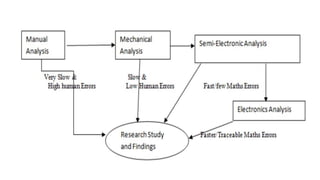
• avoid routine mathematical mistakes and produce accurate figures
• features tailored to scientific research, cost modelling, or health
• Qualities:
Package statistical analysis capabilities, equations, and models
Facilitate data importing, preparation and modelling
Perform complex statistical analysis
Compare Statistical Analysis Software
 improve in the quality of research
COMMON FEATURES OF STATISTICAL SOFTWARES
• common characteristics that make reliable & suitable for data analysis
• Data editor is in rows & columns : very easy to enter numeric data
• availability of menu bar comprises drop-down menu, quick analysis
as well as brief user manual
• Statistical level of measurement is put into consideration in data entry
• Getting your data ready to enter into the software
• Defining and labeling variable
• Entering data appropriately with each row containing each case and
each column as variable
• Data checking and cleaning is possible
• All data should be numeric
• Data exploration can be done to check for errors and other accuracy
• The statistical level of significance for rejecting null hypothesis (Ho) is
when your p-value significance is less than 0.05
• Time & cost effective
ADVANTAGES OF STATISTICAL SOFTWARE
• Accuracy & speed
• Varsality
• Validity
• Graphics
• Flexibilty
• New variables
• Volume of data
• Easy transfer of data
• Easy compilation , tabulation ,Diagramatics prrsentaion
• averages , co-efficients of variation ,standard deviation error & percentiles
TYPES OF STATISTICAL SOFTWARE PACKAGES
• Open source
• Public domain
• Freeware
• Proprietary
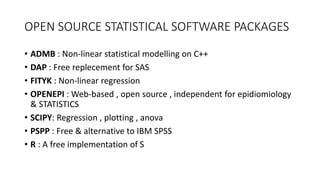
OPEN SOURCE STATISTICAL SOFTWARE PACKAGES
• ADMB : Non-linear statistical modelling on C++
• DAP : Free replecement for SAS
• FITYK : Non-linear regression
• OPENEPI : Web-based , open source , independent for epidiomiology
& STATISTICS
• SCIPY: Regression , plotting , anova
• PSPP : Free & alternative to IBM SPSS
• R : A free implementation of S
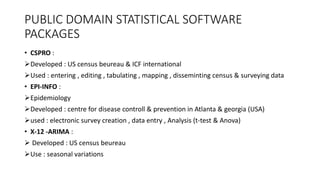
PUBLIC DOMAIN STATISTICAL SOFTWARE
PACKAGES
• CSPRO :
Developed : US census beureau & ICF international
Used : entering , editing , tabulating , mapping , disseminting census & surveying data
• EPI-INFO :
Epidemiology
Developed : centre for disease controll & prevention in Atlanta & georgia (USA)
used : electronic survey creation , data entry , Analysis (t-test & Anova)
• X-12 -ARIMA :
 Developed : US census beureau
Use : seasonal variations
FREEWARE STATISTICAL SOFTWARE PACKAGES
• WINBUGS :
Baysian analysis
 use markov chain monte carlos methods
• WINPEPI :
Epidemilogy
PROPRIETARY STATISTICAL SOFTWARE PACKAGES
• GRAPHPAD INSTAT : very simple , lots guidance & explanation
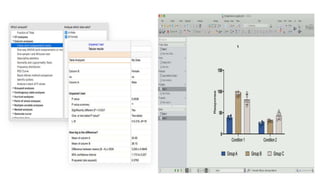
• GRAPHPAD PRISM : biostatistic , non-linear regression & explanations
• IBM SPSS STATISTICS: comprehensive statistical package
• IBM SPSS MODELER: Comprehemsive data mining & text anaylsis
• MATLAB : programming language with statistical features
• SAS : comprehensive statistical package
• SPSS : social science
• STATS DIRECT : biomedical , public health & general health science
MICROSOFT ADDON STATISTICAL SOFTWARE
PACKAGES
• ANALYSE IT : analysis
• NUM XL : general statistics & economics
• REGRESS IT : multivariate data analysis & linear regression(freeware)
• SIGMA XL : statistical & graphical analysis
• SPC XL : general statistics
• STATS HELPER : descriptive statistics & six sigma
MOST COMMON STATISTICAL SOFTWARE
PACKAGES IN SOCIAL SCIENCE
• MS-EXCEL
• SPSS
• GRAPHPAD INSTAT
• GRAPHPAD PRISM
• STATISTIX
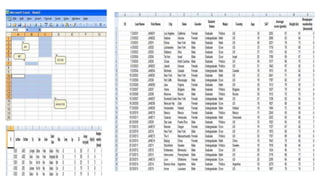
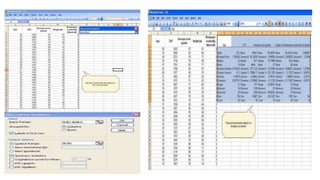
MICROSOFT EXCEL
• Part of the Microsoft Office suite of programs
• Excel version 1.0 was first released in 1985
• latest version Excel 2016
• most popular software application worldwide
• Good points:
Extremely easy to use and interchanges nicely with other Microsoft products
Excel to analyze data, for example, in accounts, budgets, billing and many other areas
Excel spreadsheets can be read by many other statistical packages
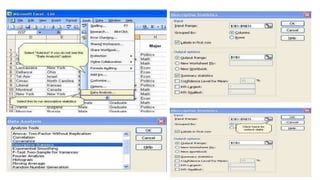
Add on module which is part of Excel for undertaking basic statistical analyses
Can produce very nice graphs
• Bad points :
Good in only general statistics but poor in regression analysis ,logistic
regression ,survival , variance , Factor & multivariate analysis
Excel is designed for financial calculations, although it is possible to
use it for many other things
Cannot undertake more sophisticated statistical analyses without
purchase of expensive commercial add ons.
• Availability
Microsoft software already installed
For blue-plated (UniSA) computers, contact the IT Help Desk to install
the latest Microsoft office software
For your own computer, you can always purchase Microsoft Office
from a retail store.
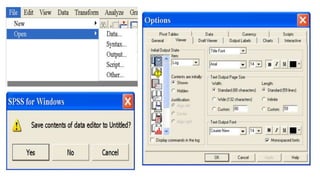
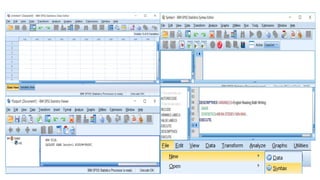
SPSS
• Statistical Package for the Social Sciences
• Version 1 being released in 1968, well before the advent of desktop computers
• It is now on Version 23
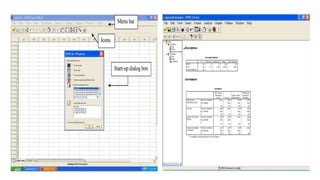
• Data editor ,output viewer , syntax editor , script window
• Good points :
Very easy to learn and use
Can use either with menus or syntax files
Quite good graphics
Excels at descriptive statistics,testing hypothesis , co-relation, basic regression analysis,
analysis of variance, and some newer techniques such as Classification and Regression Trees
(CART)
Has its own structural equation modelling software AMOS, that dovetails with SPSS
• Bad points :
Focus is on statistical methods mainly used in the social sciences,
market research and psychology
Has advanced regression modelling procedures such as LMM and
GEE, but they are awful to use with very obscure syntax
Has few of the more powerful techniques required in epidemiological
analysis, such as competing risk analysis or standardised rates
 Availability :
SPSS is available on blue-plated (UniSA) computers
contact the IT Help Desk to install it
SAS
• Statistical Analysis System
• North Carolina State University in 1966
• contemporary with SPSS
• Good points :
Can use either with menus or syntax files
Much more powerful than SPSS
 "power users" like because of its power and programmability
Commonly used for data management in clinical trials
• Bad points :
Harder & longer time to learn and use than SPSS
 number of records is generally limited to the size of your hard disk.
• Availability :
To organise installation contact the IT Help Desk
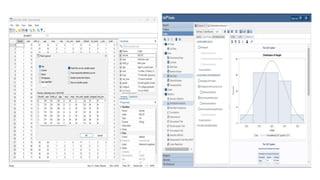
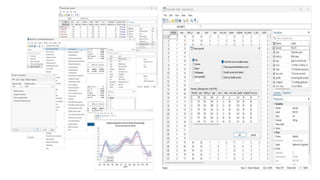
STATA
• more recent statistical package with Version 1 being released in 1985
• popular in the areas of epidemiology and economics
• We are now on Version 14
• available for Windows, Unix, and Mac computers
• Good points :
Can use either with menus or syntax files
Much more powerful than SPSS – probably equivalent to SAS
Excels at advanced regression modelling
Has its own in-built structural equation modelling
Has a good suite of epidemiological procedures
Researchers around the world write their own procedures in Stata
• powerful statistical package with smart data-management facilities
• an excellent system for producing publication-quality graphs
• a wide array of up-to-date statistical techniques
• Bad points :
Harder to learn and use than SPSS
most general statistical analyses (regression, logistic regression, survival analysis, analysis
of variance, factor analysis, multivariate analysis and time series analysis
Does not yet have some specialised techniques such as CART or Partial Least squares
regression
• Availability :
Stata can be downloaded onto blue-plated computers by contacting the IT Help Desk
Students can purchase a full copy with a perpetual license from the Australian
distributors (Survey Design and Analysis) for about $200
R
• S-plus is a statistical programming language developed in Seattle in 1988
• R is a free version of S-plus developed in 1996
• it is a programming language and environment
• richest statistical systems contain impressive amount of libraries, growing each day
• Good points
Very powerful – easily matches or even surpasses many of the models found in SAS
or Statas
Researchers around the world write their own procedures in R
• Bad points
Much harder to learn and use than SAS or Stata
general statistical analysis
• Availability
http://cran.csiro.au/
MINITAB
• used by educators, students, scientists, business associates and researchers in a
multitude of areas
• developed around 1990
• one of the oldest statistical software programs available
• has compatibility with PC, Macintosh, Linux
• GOOD POINTS:
 easiest statistical software programs to use
 popular choice with those new statistical software.
With drop-down menus and dialog boxes describing how and what to do next
persists as a popular choice for teaching students about statistics and data analysis
 primarily has a user base of educators using the program to show students research
methods and analysis
• BAD POINTS :
performs most general statistical analyses (regression, logistic regression,
survival analysis, analysis of variance, factor analysis
has its weaknesses in general linear model (GLM) and Multilevel regression)
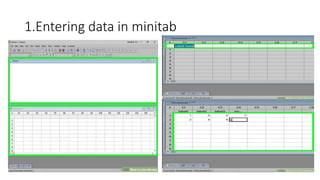
1.Entering data in minitab
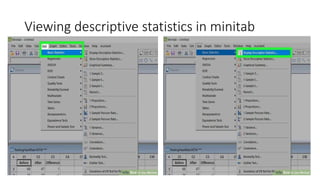
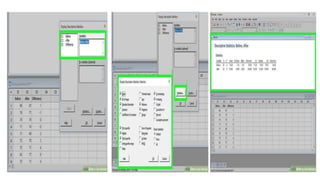
Viewing descriptive statistics in minitab
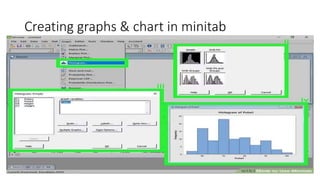
Creating graphs & chart in minitab
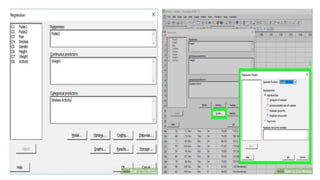
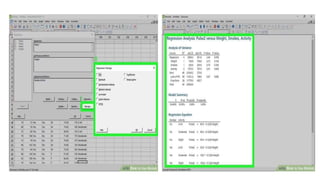
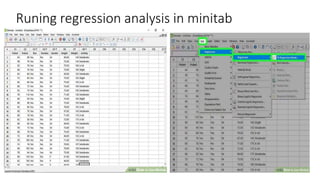
Runing regression analysis in minitab
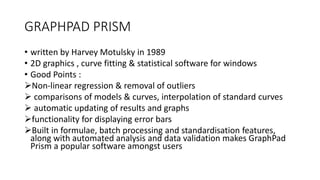
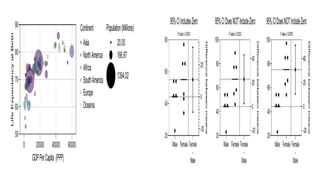
GRAPHPAD PRISM
• written by Harvey Motulsky in 1989
• 2D graphics , curve fitting & statistical software for windows
• Good Points :
Non-linear regression & removal of outliers
 comparisons of models & curves, interpolation of standard curves
 automatic updating of results and graphs
functionality for displaying error bars
Built in formulae, batch processing and standardisation features,
along with automated analysis and data validation makes GraphPad
Prism a popular software amongst users
STATISTIX
• Statistix is a powerful statistical analysis program you can use to quickly analyze your
data
• Easy to Learn and Use
• Completely menu-driven, procedures are specified using concise Windows-style
dialog boxes.
• Reliable
• Developed in 1985
• Comprehensive
• Statistix performs all the basic and advanced statistics needed by most users.
• "Statistix gives the user easy access to all the common tools of data analysis
• Fast Computes lightening fast. No time consuming disk access needed
• Data are memory resident.
• "Statistix is fast, very fast.
APPLICATIONS
• quantitative research cannot be done effectively without SS
• It helps professionals to interact with data thereby paving way for creativity
and innovation
• user friendly interface with drop-down tips
• allowed experts greater freedom to come out with results within twinkle of
eye than ever before where it takes time to finish analysis
• It has been discovered that some analysis such as post Hoc, complex
analysis in time series, regression and variance analysis cannot be
calculated manually effectively without statistical software packages
• statistical software has contributed immensely to social research especially
in the area of demographic and data analysis
• Statistical software packages have been discovered to help academic
staffs in higher institution to improve their research expertise by attending
training on usage of statistical packages.
• Statistical packages make research work robust and faster.
• It was discovered that 81% efficiency of staff in statistical software is
determine by the years of experience in usage and the area of
specialization.
• Most reason for using statistical software is its easy usage, suitability for
many statistical analysis
• While reason for non usage range from lack of attention to learn, difficult
usage, cost of licensing
• statistical software are not expensive neither are they too difficult to use
but people do not give attention to its learning
• To provide magnitude of any health problem in community
• To findout basic factors underlying ill-health
• To calculate sample size from large population
• To calculate survival rates of varius diseases
• To determine association between two variables
• To study prevalence & incidence of disease
• To findout odd ratio ,relative risk ,attributable risk in case controll &
cohort
• To find out normal distribution of disease
• To test usefullness of both sera & vaccines
• Role of causative factors in disease
• To introdue & promote health legislation
• To evaluate the activity of drug
• To explore changes produced by drug are whether due to action of
drug or by chance
• To compare the actions of two or more different drugs
• To find out association between disease & risk factor like coronary
artery disease & smoking
• Population genetics inorder to findout variation in genotype &
phenotype
• Genomics & Proteomics
• Demography
• Education
• Government
• Marketing organizations
• NGO’s
• Telecommunication
• Banking
• Insurance
• Healthcare
• Manufacturing
• Social science
• Health scinece
• Pharmacy
• Economics
THANKYOU
Statistical software packages ,their layout & applications

Statistical software packages ,their layout & applications

  • 1.
    STATISTICAL SOFTWARES PACKAGES ,LAYOUT & APPLICATIONS DR.MUMTAZ ALI NAREJO PhD STUDENT S.A.L.U KHAIRPUR MIRS
  • 2.
    OUTLINES • Introduction • Commonfeatures • Advantages • Types • Most common packages • Layout • Applications
  • 3.
    STATISTICAL SOFTWARE • Specializedprograms=>complex statistical analysis • organization =>collection ,interpretation , analysis , calculations , presentation of data • vital tool for research analysis, data validation and findings • Statistical solutions => statistical analysis • capabilities =>support & analysis methodologies regression analysis predictive analysis statistical modelling
  • 4.
    • data scientistsand mathematicians • industry-specific features • avoid routine mathematical mistakes and produce accurate figures • features tailored to scientific research, cost modelling, or health • Qualities: Package statistical analysis capabilities, equations, and models Facilitate data importing, preparation and modelling Perform complex statistical analysis Compare Statistical Analysis Software  improve in the quality of research
  • 5.
    COMMON FEATURES OFSTATISTICAL SOFTWARES • common characteristics that make reliable & suitable for data analysis • Data editor is in rows & columns : very easy to enter numeric data • availability of menu bar comprises drop-down menu, quick analysis as well as brief user manual • Statistical level of measurement is put into consideration in data entry • Getting your data ready to enter into the software • Defining and labeling variable • Entering data appropriately with each row containing each case and each column as variable
  • 6.
    • Data checkingand cleaning is possible • All data should be numeric • Data exploration can be done to check for errors and other accuracy • The statistical level of significance for rejecting null hypothesis (Ho) is when your p-value significance is less than 0.05 • Time & cost effective
  • 7.
    ADVANTAGES OF STATISTICALSOFTWARE • Accuracy & speed • Varsality • Validity • Graphics • Flexibilty • New variables • Volume of data • Easy transfer of data • Easy compilation , tabulation ,Diagramatics prrsentaion • averages , co-efficients of variation ,standard deviation error & percentiles
  • 9.
    TYPES OF STATISTICALSOFTWARE PACKAGES • Open source • Public domain • Freeware • Proprietary
  • 10.
    OPEN SOURCE STATISTICALSOFTWARE PACKAGES • ADMB : Non-linear statistical modelling on C++ • DAP : Free replecement for SAS • FITYK : Non-linear regression • OPENEPI : Web-based , open source , independent for epidiomiology & STATISTICS • SCIPY: Regression , plotting , anova • PSPP : Free & alternative to IBM SPSS • R : A free implementation of S
  • 11.
    PUBLIC DOMAIN STATISTICALSOFTWARE PACKAGES • CSPRO : Developed : US census beureau & ICF international Used : entering , editing , tabulating , mapping , disseminting census & surveying data • EPI-INFO : Epidemiology Developed : centre for disease controll & prevention in Atlanta & georgia (USA) used : electronic survey creation , data entry , Analysis (t-test & Anova) • X-12 -ARIMA :  Developed : US census beureau Use : seasonal variations
  • 12.
    FREEWARE STATISTICAL SOFTWAREPACKAGES • WINBUGS : Baysian analysis  use markov chain monte carlos methods • WINPEPI : Epidemilogy
  • 13.
    PROPRIETARY STATISTICAL SOFTWAREPACKAGES • GRAPHPAD INSTAT : very simple , lots guidance & explanation • GRAPHPAD PRISM : biostatistic , non-linear regression & explanations • IBM SPSS STATISTICS: comprehensive statistical package • IBM SPSS MODELER: Comprehemsive data mining & text anaylsis • MATLAB : programming language with statistical features • SAS : comprehensive statistical package • SPSS : social science • STATS DIRECT : biomedical , public health & general health science
  • 14.
    MICROSOFT ADDON STATISTICALSOFTWARE PACKAGES • ANALYSE IT : analysis • NUM XL : general statistics & economics • REGRESS IT : multivariate data analysis & linear regression(freeware) • SIGMA XL : statistical & graphical analysis • SPC XL : general statistics • STATS HELPER : descriptive statistics & six sigma
  • 15.
    MOST COMMON STATISTICALSOFTWARE PACKAGES IN SOCIAL SCIENCE • MS-EXCEL • SPSS • GRAPHPAD INSTAT • GRAPHPAD PRISM • STATISTIX
  • 16.
    MICROSOFT EXCEL • Partof the Microsoft Office suite of programs • Excel version 1.0 was first released in 1985 • latest version Excel 2016 • most popular software application worldwide • Good points: Extremely easy to use and interchanges nicely with other Microsoft products Excel to analyze data, for example, in accounts, budgets, billing and many other areas Excel spreadsheets can be read by many other statistical packages Add on module which is part of Excel for undertaking basic statistical analyses Can produce very nice graphs
  • 17.
    • Bad points: Good in only general statistics but poor in regression analysis ,logistic regression ,survival , variance , Factor & multivariate analysis Excel is designed for financial calculations, although it is possible to use it for many other things Cannot undertake more sophisticated statistical analyses without purchase of expensive commercial add ons. • Availability Microsoft software already installed For blue-plated (UniSA) computers, contact the IT Help Desk to install the latest Microsoft office software For your own computer, you can always purchase Microsoft Office from a retail store.
  • 21.
    SPSS • Statistical Packagefor the Social Sciences • Version 1 being released in 1968, well before the advent of desktop computers • It is now on Version 23 • Data editor ,output viewer , syntax editor , script window • Good points : Very easy to learn and use Can use either with menus or syntax files Quite good graphics Excels at descriptive statistics,testing hypothesis , co-relation, basic regression analysis, analysis of variance, and some newer techniques such as Classification and Regression Trees (CART) Has its own structural equation modelling software AMOS, that dovetails with SPSS
  • 22.
    • Bad points: Focus is on statistical methods mainly used in the social sciences, market research and psychology Has advanced regression modelling procedures such as LMM and GEE, but they are awful to use with very obscure syntax Has few of the more powerful techniques required in epidemiological analysis, such as competing risk analysis or standardised rates  Availability : SPSS is available on blue-plated (UniSA) computers contact the IT Help Desk to install it
  • 26.
    SAS • Statistical AnalysisSystem • North Carolina State University in 1966 • contemporary with SPSS • Good points : Can use either with menus or syntax files Much more powerful than SPSS  "power users" like because of its power and programmability Commonly used for data management in clinical trials • Bad points : Harder & longer time to learn and use than SPSS  number of records is generally limited to the size of your hard disk. • Availability : To organise installation contact the IT Help Desk
  • 28.
    STATA • more recentstatistical package with Version 1 being released in 1985 • popular in the areas of epidemiology and economics • We are now on Version 14 • available for Windows, Unix, and Mac computers • Good points : Can use either with menus or syntax files Much more powerful than SPSS – probably equivalent to SAS Excels at advanced regression modelling Has its own in-built structural equation modelling Has a good suite of epidemiological procedures Researchers around the world write their own procedures in Stata
  • 29.
    • powerful statisticalpackage with smart data-management facilities • an excellent system for producing publication-quality graphs • a wide array of up-to-date statistical techniques • Bad points : Harder to learn and use than SPSS most general statistical analyses (regression, logistic regression, survival analysis, analysis of variance, factor analysis, multivariate analysis and time series analysis Does not yet have some specialised techniques such as CART or Partial Least squares regression • Availability : Stata can be downloaded onto blue-plated computers by contacting the IT Help Desk Students can purchase a full copy with a perpetual license from the Australian distributors (Survey Design and Analysis) for about $200
  • 31.
    R • S-plus isa statistical programming language developed in Seattle in 1988 • R is a free version of S-plus developed in 1996 • it is a programming language and environment • richest statistical systems contain impressive amount of libraries, growing each day • Good points Very powerful – easily matches or even surpasses many of the models found in SAS or Statas Researchers around the world write their own procedures in R • Bad points Much harder to learn and use than SAS or Stata general statistical analysis • Availability http://cran.csiro.au/
  • 32.
    MINITAB • used byeducators, students, scientists, business associates and researchers in a multitude of areas • developed around 1990 • one of the oldest statistical software programs available • has compatibility with PC, Macintosh, Linux • GOOD POINTS:  easiest statistical software programs to use  popular choice with those new statistical software. With drop-down menus and dialog boxes describing how and what to do next persists as a popular choice for teaching students about statistics and data analysis  primarily has a user base of educators using the program to show students research methods and analysis
  • 33.
    • BAD POINTS: performs most general statistical analyses (regression, logistic regression, survival analysis, analysis of variance, factor analysis has its weaknesses in general linear model (GLM) and Multilevel regression)
  • 34.
  • 35.
  • 37.
    Creating graphs &chart in minitab
  • 38.
  • 41.
    GRAPHPAD PRISM • writtenby Harvey Motulsky in 1989 • 2D graphics , curve fitting & statistical software for windows • Good Points : Non-linear regression & removal of outliers  comparisons of models & curves, interpolation of standard curves  automatic updating of results and graphs functionality for displaying error bars Built in formulae, batch processing and standardisation features, along with automated analysis and data validation makes GraphPad Prism a popular software amongst users
  • 44.
    STATISTIX • Statistix isa powerful statistical analysis program you can use to quickly analyze your data • Easy to Learn and Use • Completely menu-driven, procedures are specified using concise Windows-style dialog boxes. • Reliable • Developed in 1985 • Comprehensive • Statistix performs all the basic and advanced statistics needed by most users. • "Statistix gives the user easy access to all the common tools of data analysis • Fast Computes lightening fast. No time consuming disk access needed • Data are memory resident. • "Statistix is fast, very fast.
  • 49.
    APPLICATIONS • quantitative researchcannot be done effectively without SS • It helps professionals to interact with data thereby paving way for creativity and innovation • user friendly interface with drop-down tips • allowed experts greater freedom to come out with results within twinkle of eye than ever before where it takes time to finish analysis • It has been discovered that some analysis such as post Hoc, complex analysis in time series, regression and variance analysis cannot be calculated manually effectively without statistical software packages • statistical software has contributed immensely to social research especially in the area of demographic and data analysis
  • 50.
    • Statistical softwarepackages have been discovered to help academic staffs in higher institution to improve their research expertise by attending training on usage of statistical packages. • Statistical packages make research work robust and faster. • It was discovered that 81% efficiency of staff in statistical software is determine by the years of experience in usage and the area of specialization. • Most reason for using statistical software is its easy usage, suitability for many statistical analysis • While reason for non usage range from lack of attention to learn, difficult usage, cost of licensing • statistical software are not expensive neither are they too difficult to use but people do not give attention to its learning
  • 51.
    • To providemagnitude of any health problem in community • To findout basic factors underlying ill-health • To calculate sample size from large population • To calculate survival rates of varius diseases • To determine association between two variables • To study prevalence & incidence of disease • To findout odd ratio ,relative risk ,attributable risk in case controll & cohort • To find out normal distribution of disease • To test usefullness of both sera & vaccines • Role of causative factors in disease • To introdue & promote health legislation
  • 52.
    • To evaluatethe activity of drug • To explore changes produced by drug are whether due to action of drug or by chance • To compare the actions of two or more different drugs • To find out association between disease & risk factor like coronary artery disease & smoking • Population genetics inorder to findout variation in genotype & phenotype • Genomics & Proteomics • Demography
  • 53.
    • Education • Government •Marketing organizations • NGO’s • Telecommunication • Banking • Insurance • Healthcare • Manufacturing • Social science • Health scinece • Pharmacy • Economics
  • 54.